
How to Download Cisco AnyConnect For Windows 11 (32-bit & 64-bit)
This software can be installed just like any other application


 2 min. read
  Updated on


World-class 24/7 support with 82% for a 2 years plan and 2 months free
70% of our readers choose Private Internet Access
70% of our readers choose ExpressVPN

Amazing connection speed with 61% off and 4 months free for the 2-years plan.

Best security protocols with 83% off and 2 months free for a 2-year plan.
You can download Cisco AnyConnect for Windows 11 for free, and we’ll show you all you need to know about setting it up on your Windows PC.
Whether you need VPN for secure remote access, bypassing geographical restrictions, or protecting your privacy online, Cisco AnyConnect is a reliable solution
How can I download and install Cisco AnyConnect VPN on Windows 11?
Download the software from a reliable source
- Navigate to your browser and Download Cisco AnyConnect VPN.
- Select Next when the installation wizard opens.
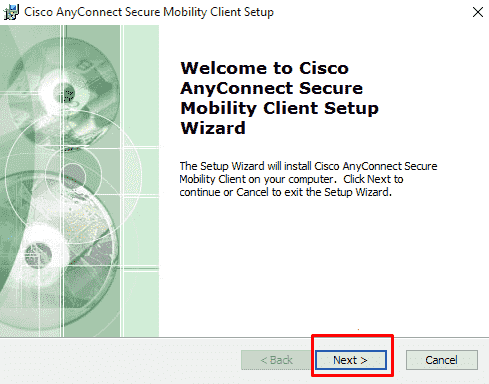
- In the next window, select I accept the terms in the License Agreement then select Next.
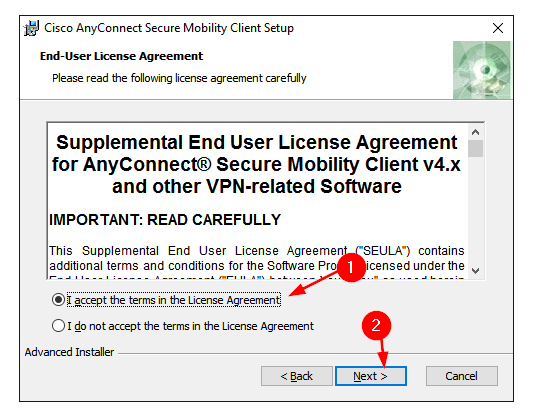
- Click Install.
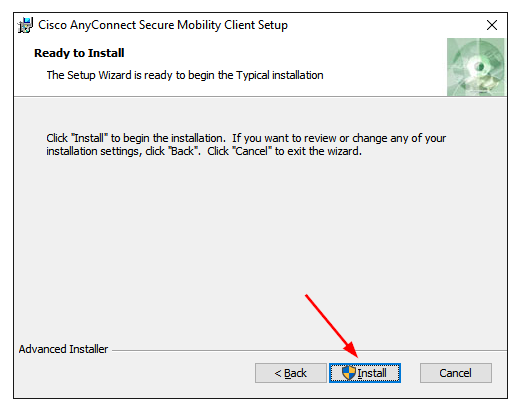
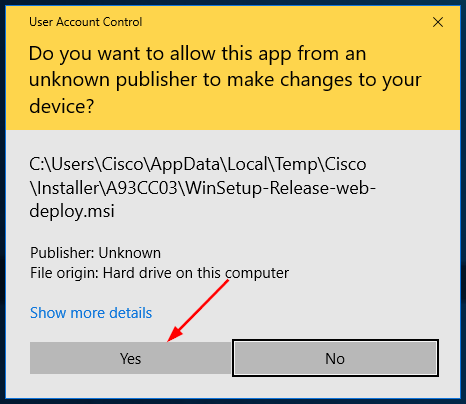
- Select Yes when prompted to install Cisco AnyConnect VPN.
- Press the Finish button when the setup is complete.
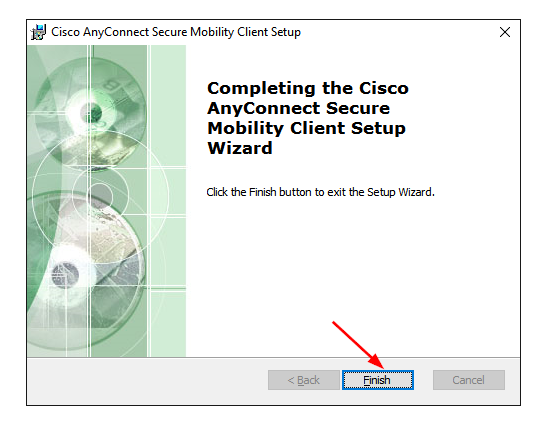
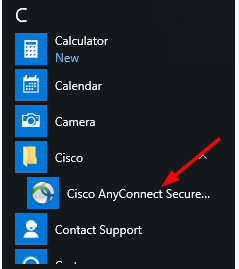
- Now press the Windows key and search for Cisco AnyConnect VPN to launch.
You can also use similar steps to download Cisco AnyConnect for the Windows 11 ARM version.
Is Cisco AnyConnect reliable?
Cisco AnyConnect is generally reliable with strong security and scalability features. However, some users experience occasional issues, such as connectivity problems, which may require technical troubleshooting.
For people who have trouble with Cisco AnyConnect or prefer a more user-friendly and flexible cloud-based solution, NordLayer is a recommended option, offering robust security and user-friendly management.
We hope the above guide helped you configure Cisco Anyconnect on your PC.
➡️ If you’re having any trouble, check out our installation failed troubleshooting guide and Cisco AnyConnect authentication failed guide.
If you have been using Cisco AnyConnect VPN on your Windows 11, we’d love to hear your thoughts so far. Leave us a comment down below.


Read our disclosure page to find out how can you help Windows Report sustain the editorial team. Read more



Improve this guide




User forum
0 messages