
Chrome is testing an easier way to ask AI about any webpage using Google Lens
Google tests a new floating Lens bar in Chrome Canary to ask about full pages


 2 min. read
  Published on

Google is testing a new flow in Chrome Canary that lets users ask AI about an entire webpage without selecting text or images.
When you right-click on a page and choose “Search with Google Lens,” a small floating bar now appears at the top. It says “Ask about this page” and includes a preview of the current page. The bar stays out of the way and minimizes when you click elsewhere.
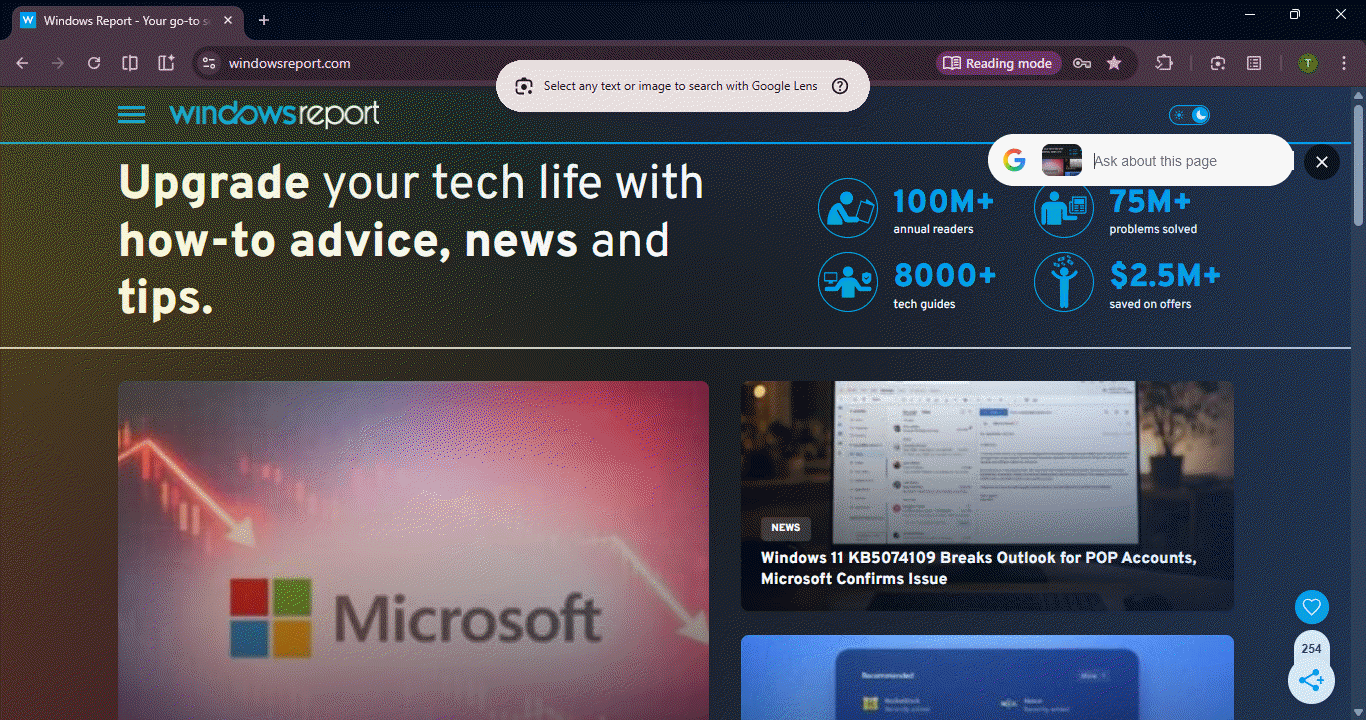
Google Lens now captures the whole page in Chrome Canary
This is different from the older Lens experience. Earlier, Lens opened in a fixed side panel and required users to manually select content; now, Chrome captures the whole visible page by default.
If you interact with the floating bar, Chrome opens Google’s AI Mode in the side panel. This is the same AI Mode interface that has begun to show up in Chrome Canary, with tabs such as AI Mode, All, Exact matches, Products, and Visual matches.
The flow feels simple for users: you can right-click anywhere on a webpage and trigger Google Lens without selecting anything. A small overlay then opens and gives you a way to ask about the page directly, and if you continue, Chrome opens the full AI Mode panel in the side panel with more detailed results.
The “Ask about this page” prompt existed before, but Chrome Canary now presents it inside a new floating UI and links it directly to AI Mode. Triggering it still requires users to focus the omnibox while staying on the page. By contrast, the right-click flow feels more direct and easier to use because it works immediately without changing focus.
That’s not all. Chrome now offers the Mica title bar flag in Canary until version 160 and lets you ask about previous tab from the address bar.


Read our disclosure page to find out how can you help Windows Report sustain the editorial team. Read more



Improve this guide




User forum
0 messages