
Chrome Is Testing 'Find and Fill with Gemini,' an AI Autofill Feature That Pulls Info From Gmail, Photos, and Connected Apps
Powered by Personal Intelligence, the feature retrieves information from connected Google apps.


 2 min. read
  Published on
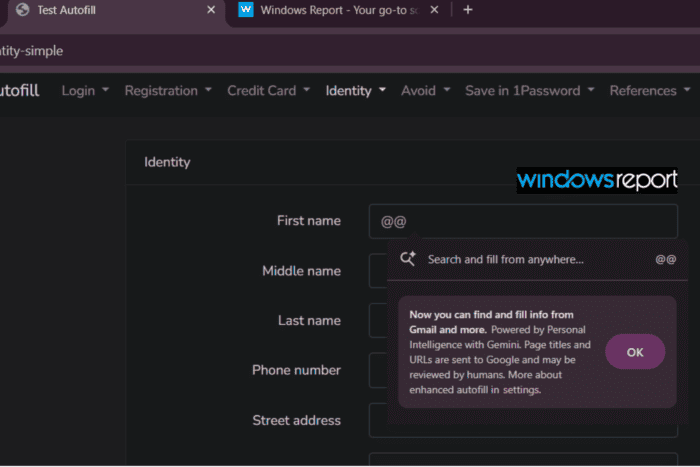
Google is testing a new feature in Chrome Canary called “Find and Fill with Gemini” that lets users pull in information from Gmail, Photos, and other connected apps without leaving the page they’re on. The feature includes its own settings page, onboarding flow, and multiple ways to launch it.
Users could launch the feature by typing @@ in a supported text field or by right-clicking and selecting “Search and fill from anywhere”. The first time it’s used, Chrome displays a prompt explaining that it’s powered by Personal Intelligence with Gemini and can find and fill information from Gmail and more.
To enable it, head to Chrome Settings > Autofill and passwords > Enhanced autofill, then turn on “Find and fill with Gemini”. The page also lets users manage connected apps, change the default @@ shortcut, and review Google’s privacy information for the feature.
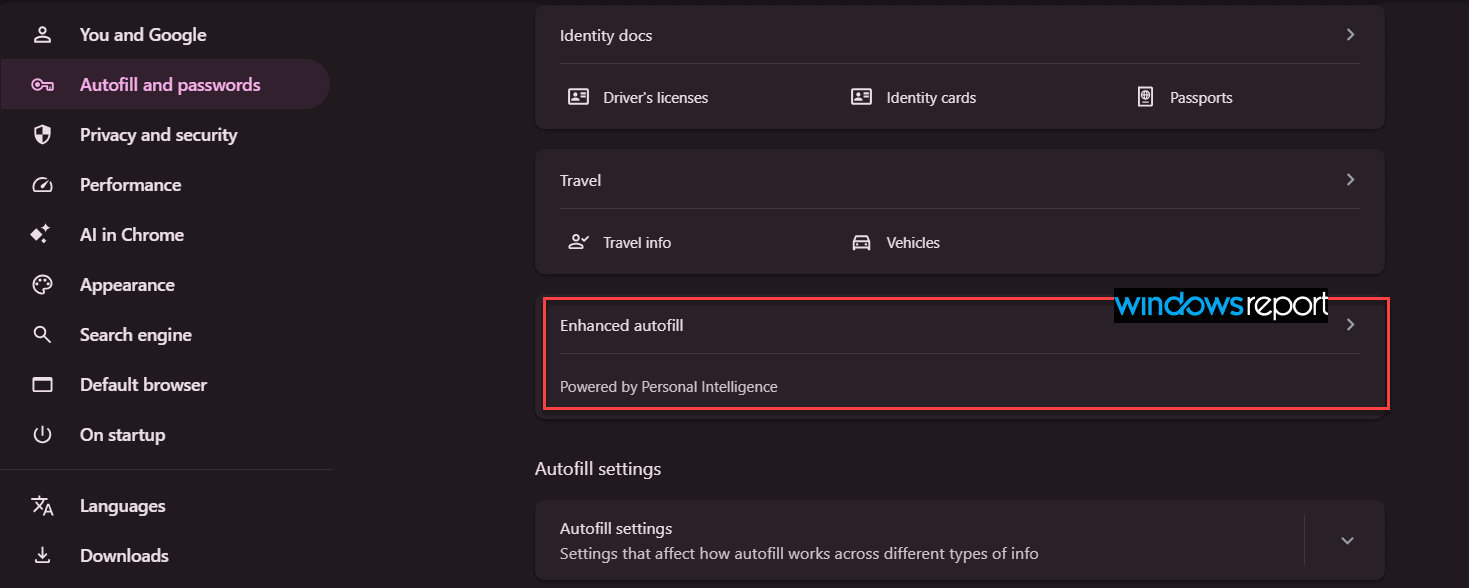
Unlike Chrome’s traditional autofill, which only uses information already saved in the browser, Find and Fill with Gemini can retrieve details from connected Google apps on request. Instead of opening Gmail to look up information while completing a form, users can invoke the feature directly from the current page and let Gemini surface the relevant details.
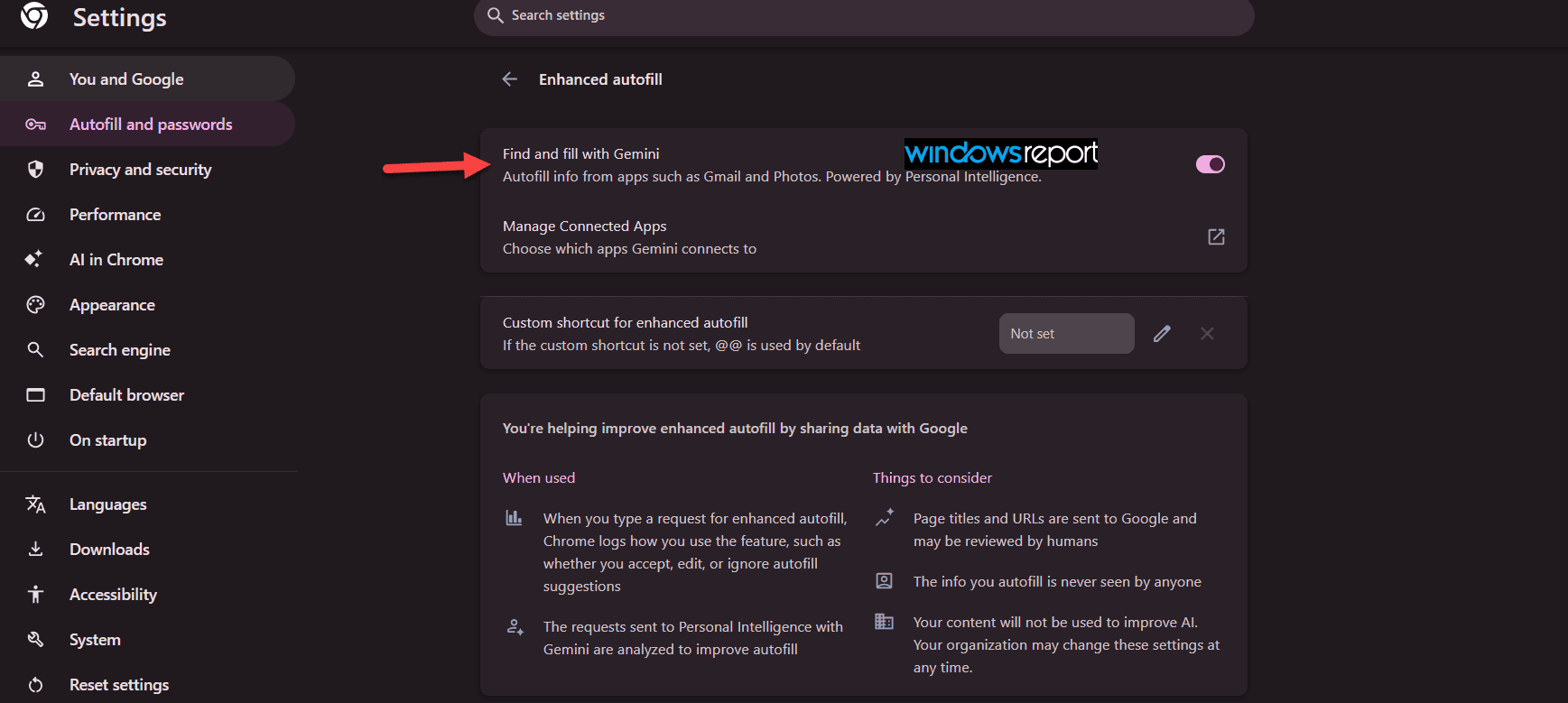
According to Google, the feature sends page titles and URLs to Google whenever users invoke it. The company says it doesn’t use the information Gemini inserts into forms to train AI models, and humans don’t review that information. Chrome also records whether users accept, edit, or dismiss autofill suggestions to improve the experience.
The feature is still under development in Chrome Canary, and Google hasn’t announced when it will become available in the stable version.
Google has been steadily expanding Gemini’s role in Chrome. Recent Canary builds have also added features such as Ask Gemini about this group for tab groups and Try it on for AI-powered shopping previews.


Read our disclosure page to find out how can you help Windows Report sustain the editorial team. Read more



Improve this guide



User forum
0 messages