
Chrome May Soon Let You Open All Your Profiles at Once
Chrome experiments with a simple profile picker option that opens work and personal profiles together with one click.


 2 min. read
  EEST
EEST

Do you have separate Chrome profiles for work and personal use? For a long time, users asked for a native way to open everything at once without looking for complex workarounds or shortcuts. Google is finally testing a built-in option. The company runs an experiment with a new “Open all profiles” button in Chrome’s profile picker. It opens every profile on your device with one click.
Profiles in Chrome help users keep their data, bookmarks, extensions, and accounts separate. Many users create one profile for work and another for personal browsing. Others create extra profiles for testing or for different Google accounts.
The profile picker appears at browser launch and shows the profiles available on the device. A single button that opens all profiles can save time for anyone who moves between more than one profile. Chrome now shows this option before “Guest Mode” as part of the experiment.
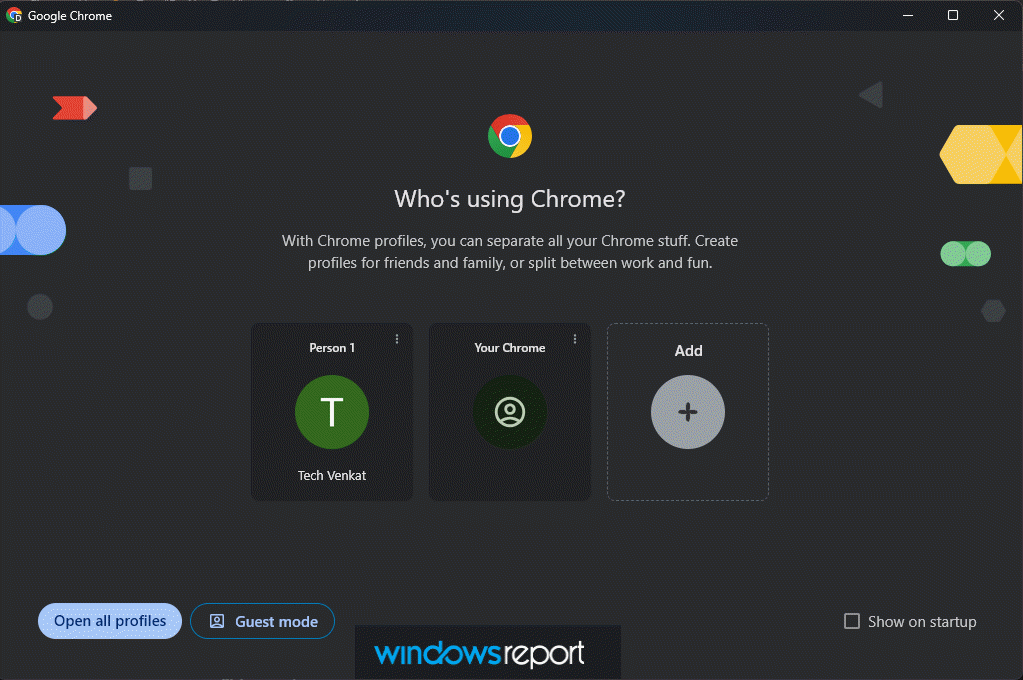
Google limits this experiment to systems with fewer than five profiles. The Open all profiles button may not appear for everyone, and the design may change. The test appears only in pre-release Chrome versions, so the option may change or disappear before general rollout. There is no timeline for its availability.
Google tracks how often users click the button and how frequently they return to it. Those metrics decide whether the option survives the experiment and reaches more users in the future.
Opening several profiles at once also loads multiple windows and tabs together. This may place extra load on memory and CPU on some PCs.
Not everyone will want this option. Users who switch between multiple profiles each day may still prefer this option even with the extra load it creates.
Google is also testing an appearance option in Settings to switch between vertical tabs and horizontal tabs in Chrome. On Android, Chrome tests Reader Mode customization with font, theme, and line spacing options.


Read our disclosure page to find out how can you help Windows Report sustain the editorial team. Read more



Improve this guide




User forum
0 messages