
How to Download & Use ChatGPT Atlas AI Web Browser


 3 min. read
  Published on

OpenAI has officially launched ChatGPT Atlas, an AI-powered web browser designed to rethink how we use the internet. Atlas has ChatGPT deeply integrated at the core of your browsing experience. The AI can summarize pages, automate tasks, and even act on websites, all without switching tabs.
With its Agent Mode and browser memory, ChatGPT can understand context, assist with research, and remember your browsing preferences while giving you full control over what’s shared. Atlas is currently available on macOS for Free, Plus, Pro, and Go users, with Windows, iOS, and Android versions coming soon.
Table of contents
How to Download ChatGPT Atlas AI Web Browser
- Visit chat.openai.com/atlas.
- Download the Atlas installer for macOS.
- Launch the app and sign in to your ChatGPT account.
- Import your bookmarks, saved passwords, and browsing history from your current browser.
- Once setup is complete, you’ll be greeted with a clean new-tab interface powered by ChatGPT.
How to Use ChatGPT Atlas AI Web Browser
When you open a new tab in Atlas, you can either type a URL or ask ChatGPT a question directly from the search bar. You can switch between Search, Images, Videos, or News results, just like you do on Google. Additionally, ChatGPT also remembers what you’ve explored and offers suggestions, like revisiting pages, summarizing articles, or automating small tasks.

How to Use ChatGPT Atlas Browser Memories
- Open Settings in Atlas.
- Go to the Browser Memories section.
- Enable or disable memory as you prefer.
- View, archive, or delete memories anytime.
- You can toggle page visibility from the address bar to control what ChatGPT can see.
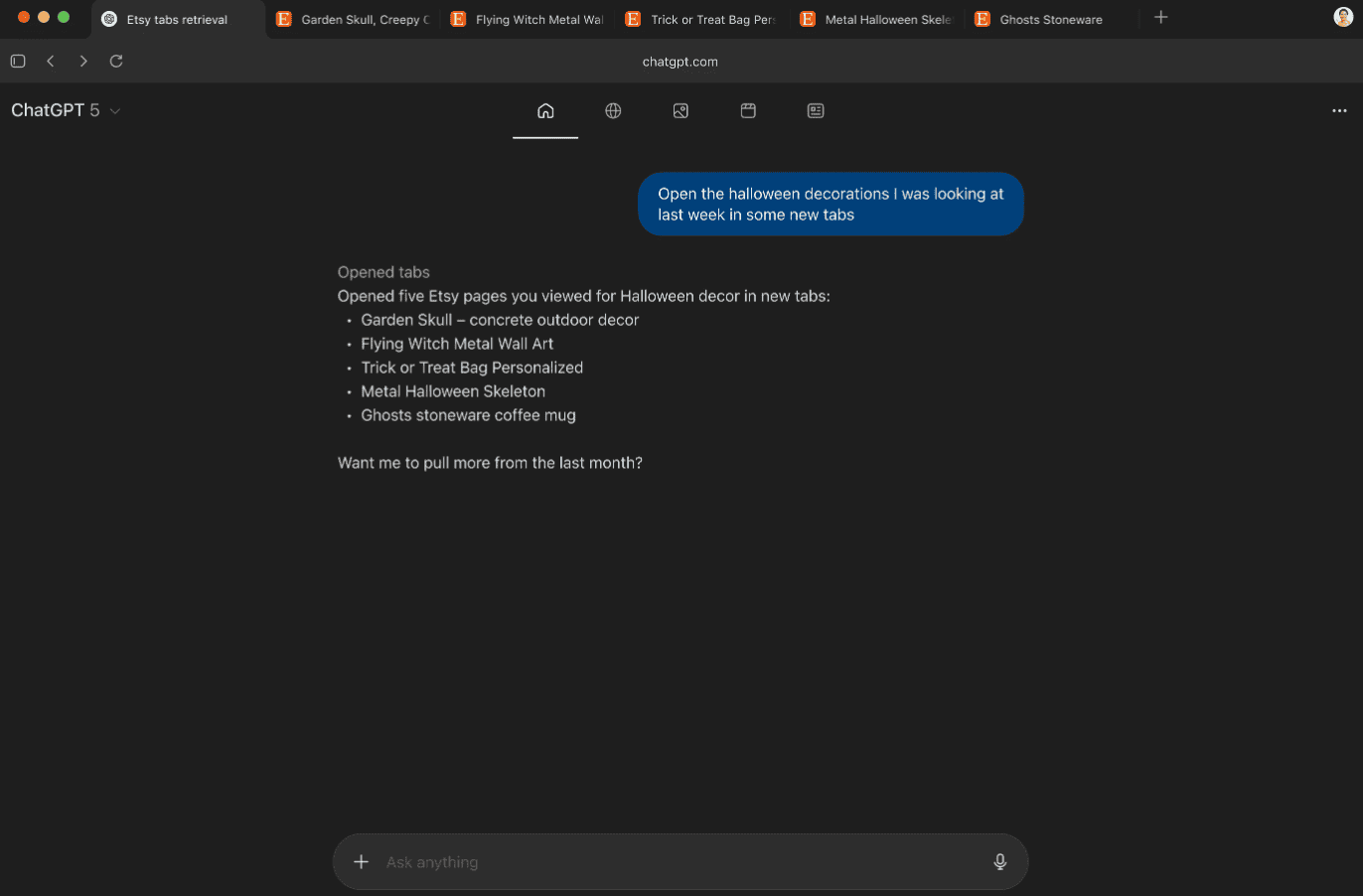
Browser memories are private and linked to your ChatGPT account. Deleting browsing history also removes all related memories.
How to Use Agent Mode in ChatGPT Atlas AI Web Browser
Agent Mode lets ChatGPT take actions for you on websites, like filling out forms, booking appointments, or creating summaries. You can enable it by following thge steps below:
- Click the Agent Mode icon in the toolbar.
- Approve the action when ChatGPT asks for permission.
- Monitor what the AI is doing in real time.
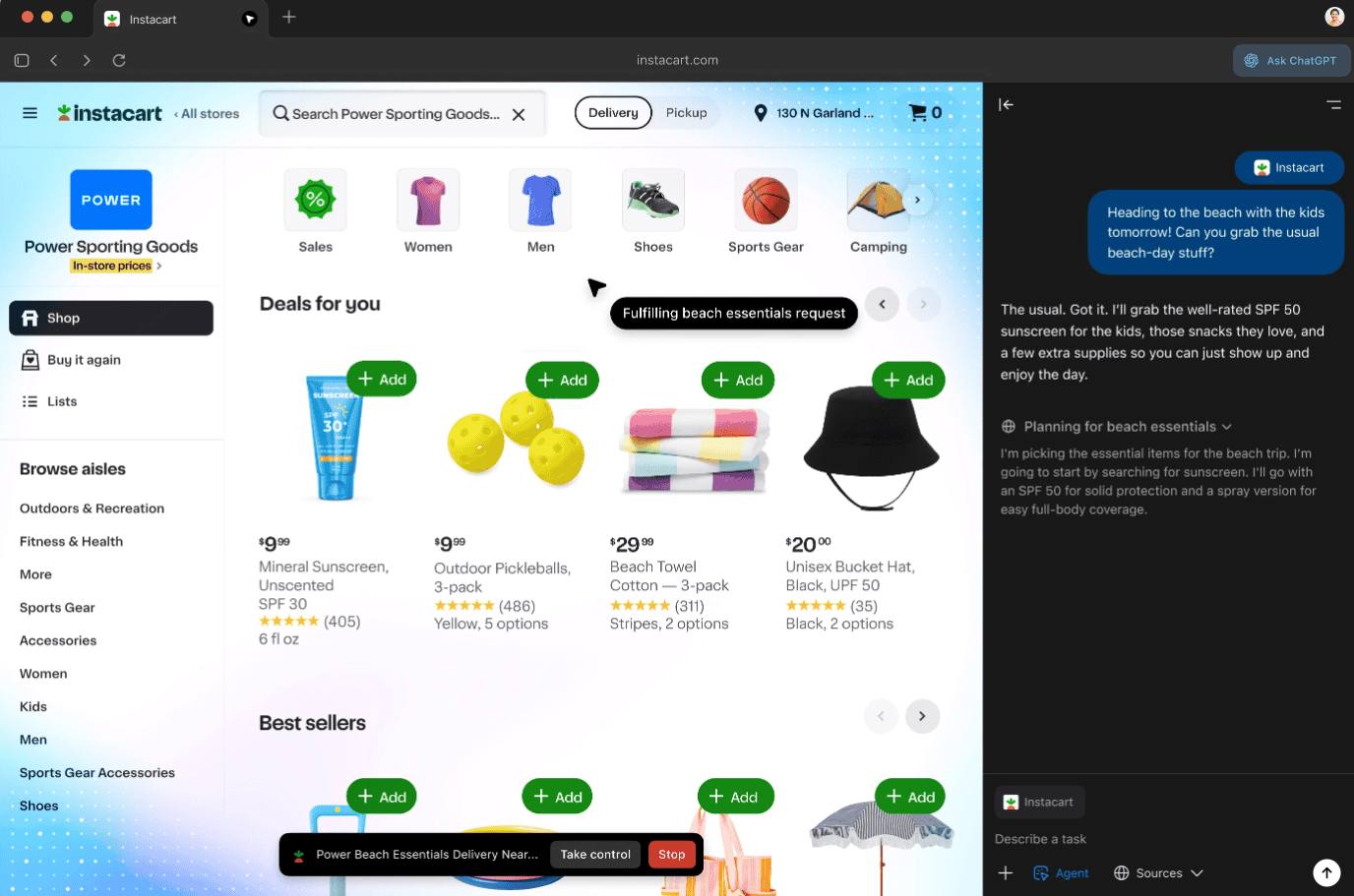
Agent Mode runs in preview for Plus, Pro, and Business users. You can use it in logged-out mode to minimize access to sensitive data.
What Else You Can Do in ChatGPT Atlas
Atlas gives users control over privacy and training data. You can:
- Clear browsing history anytime.
- Use Incognito Mode to prevent memory creation.
- Disable website visibility with one click.
- Manage parental controls or disable Agent Mode for safety.
OpenAI says future updates will bring multi-profile support, developer tools, and improved discoverability for AI apps within Atlas. All in all, the company aims to make Atlas a one-stop workspace where AI, browsing, and productivity blend seamlessly.
Article feature image source: OpenAI

Read our disclosure page to find out how can you help Windows Report sustain the editorial team. Read more



Improve this guide


User forum
0 messages