
HSBC App Not Working? 7 Easy Fixes to Try Today


 3 min. read
  Published on
If your HSBC app is not working, do not worry. Fixing this issue is usually simple, and this guide will help you solve it step by step.
Table of contents
How can I fix HSBC App not working?
1. Check HSBC server status
Start by confirming whether the problem comes from HSBC’s servers.
- Visit HSBC’s official service status page or search for live outage reports.
- If there is a server outage, wait until HSBC restores services.
2. Restart the app and your device
A quick restart can often clear temporary glitches.
- Close the HSBC app completely.
- Restart your phone or tablet.
- Reopen the app to see if it works.
3. Update the HSBC app
Make sure you are running the latest version of the app.
- Open the App Store (iOS) or Google Play Store (Android).
- Search for “HSBC Mobile Banking.”
- Tap Update if a newer version is available.

4. Clear cache and data (Android only)
Clearing cache and stored data can resolve loading or crashing problems.
- Go to Settings > Apps > HSBC.
- Tap Storage & cache.
- Select Clear cache and then Clear storage.

5. Reinstall the HSBC app
Reinstalling ensures you have a fresh copy without errors.
- Uninstall the HSBC app from your device.
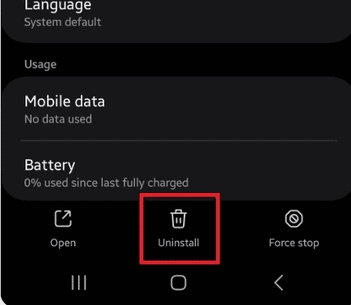
- Download and install the latest version from the official store.
- Log in again with your HSBC credentials.
If you are facing similar issues with other financial apps, here is how to fix it if the BECU app is not working.
6. Check your internet connection
Connectivity problems are a common reason for the app not working.
- Switch between Wi-Fi and mobile data.
- Run a speed test to confirm stability.
You can also compare with solutions for when the Shoppix app is not working, since many fixes are similar.
7. Update your device software
Your phone’s system updates can improve app performance and compatibility.
- On iOS: Go to Settings > General > Software Update.
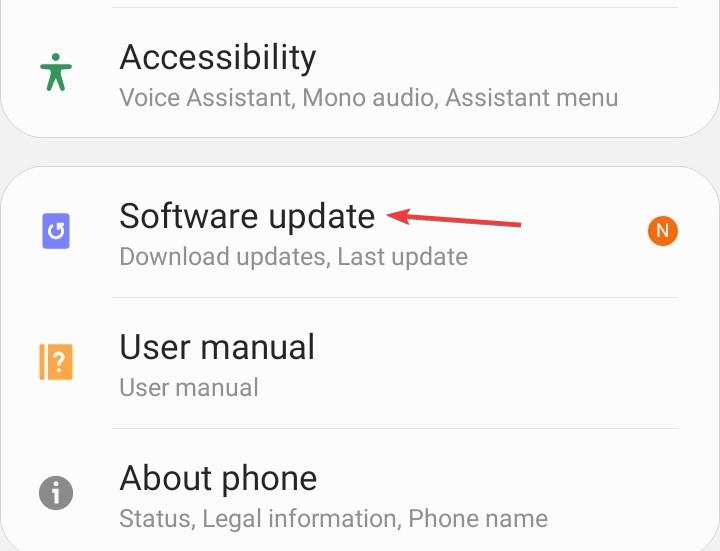
- On Android: Go to Settings > System > Software update.
If none of these solutions work, reach out to HSBC customer service through their website or by phone to get further assistance.
FAQs
It may be caused by poor internet, outdated software, or temporary HSBC server problems.
Open the App Store or Google Play Store, search for HSBC Mobile Banking, and tap Update.
Yes, you can log in through the HSBC website or use phone banking.
Crashes often happen due to corrupted cache or outdated versions. Reinstalling usually solves it.
You will need to wait until HSBC restores services since it is an issue on their side.
Conclusion
The HSBC mobile app can stop working for many reasons, but most problems are easy to fix with simple steps like updating the app, clearing the cache, or checking your connection. If you use other finance or shopping apps, you may face similar problems, so guides such as how to fix the Poshmark app not working or how to fix Venmo instant transfer not working can also be useful.

Read our disclosure page to find out how can you help Windows Report sustain the editorial team. Read more



Improve this guide




User forum
0 messages