
Netflix Not Working Today? Here's Why & How to Fix It Fast


 3 min. read
  Updated on
If Netflix is not working on your device it is usually caused by internet issues, outdated software, or a glitch in the app. Here are structured steps to get back to streaming smoothly.
How can I fix Netflix when it’s not working?
1. Check your internet connection
Start by making sure your network is fast and stable, since a poor connection is one of the most common reasons Netflix stops working.
- Run an internet speed test to confirm your connection meets the minimum requirements for streaming.
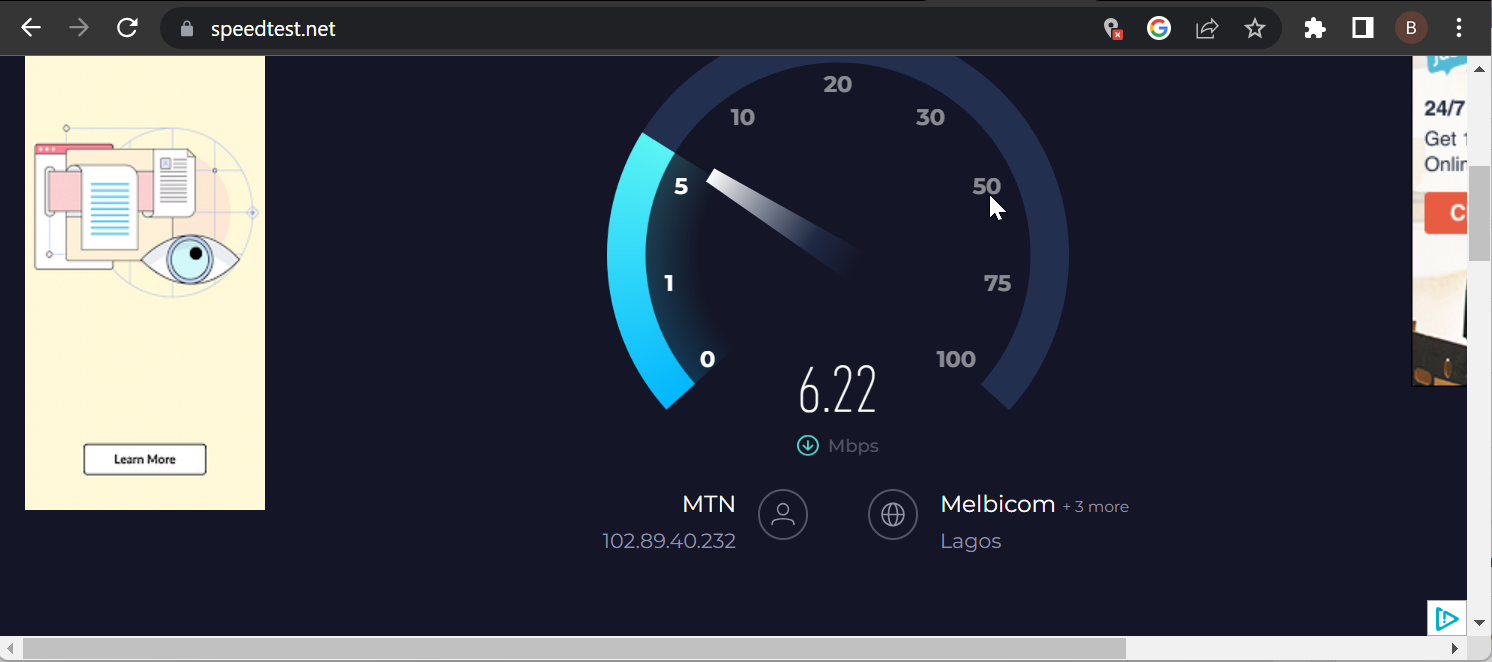
- Restart your router and modem to refresh the connection.
- If Wi-Fi is weak, move closer to the router or use an Ethernet cable.
If the issue only happens on an Amazon device, see this guide: Netflix not working on Firestick.
2. Restart and update your device
If your connection is fine, your device may just need a reset or update.
- Power off your phone, TV, or streaming device completely.
- Wait at least 30 seconds before turning it back on.
- Check for and install any available system or firmware updates in settings.
3. Refresh or reinstall the Netflix app
The Netflix app might be outdated or storing corrupted data. Updating or reinstalling often resolves these issues.
- Open your device app store and install any available Netflix updates.
- Clear the app cache. On Android go to Settings > Apps > Netflix > Storage > Clear cache. On Fire TV or smart TVs, use app settings to Clear cache or Clear data.
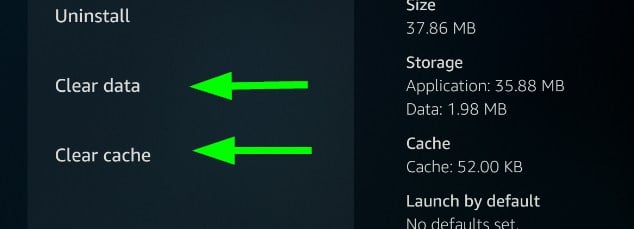
- If problems continue, uninstall Netflix, restart your device, then reinstall it from the official store and sign in again.
If Netflix fails only on specific shows or movies, try these fixes: Fix Netflix “we are having trouble accessing these titles”.
When sign-in emails don’t arrive or you need to update your login details, follow this guide to change your Netflix email address and then try signing in again.
4. Verify Netflix and disable restrictions
If nothing else works, the issue may be due to Netflix service problems or restrictions such as VPNs and proxies.
- Visit the Netflix Help Center or DownDetector to check for outages.
- If no outage is reported, disable your VPN, proxy, or Smart DNS service.
- Restart the Netflix app and test playback again.
If you are outside the US, some titles may be blocked. Canadians can use this guide for region-specific problems: Netflix not working in Canada.
FAQs related to Netflix not working issue
It usually means the app is frozen. Restart your device and clear the cache to fix it.
A slow or unstable internet connection is often the cause. Restart your router, switch networks, or lower the streaming quality.
No, but it may block streaming until you turn off the VPN or use a supported server.
Conclusion
Work through the steps in order to isolate the cause quickly, starting with your connection, then your device, then the Netflix app, and finally any service or region restrictions. This simple sequence fixes most Netflix issues without wasting time.
Still stuck and want to stop billing? Learn how to cancel your plan in minutes with this guide: Cancel Netflix Subscription.

Read our disclosure page to find out how can you help Windows Report sustain the editorial team. Read more



Improve this guide



User forum
0 messages