
KB5065797 Preview Adds External Fingerprint Sensors Support for Windows Hello Sign-in Security
Windows Hello just got more secure


 1 min. read
  Published on
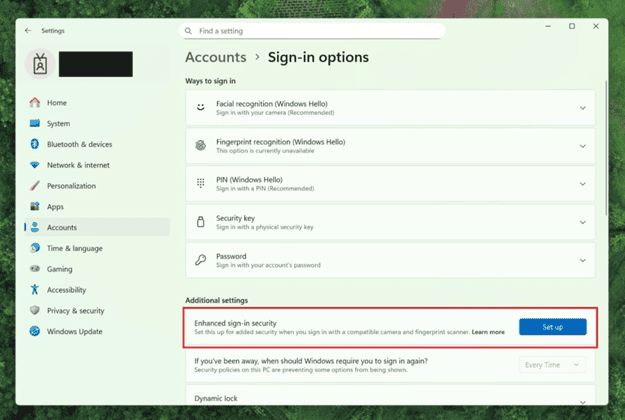
The new Windows 11 Dev Channel build 26220.6772 (KB5065797) brings an important security upgrade. After updating your Windows 11 25H2 (Dev) and 24H2 (Beta) Windows Hello Enhanced Sign-in Security (ESS) now supports external fingerprint sensors.
Previously, this feature was limited to devices with built-in biometric readers, but Microsoft is now extending the same protection to desktop PCs and Copilot+ systems using compatible USB sensors.
This means you can plug in a supported fingerprint reader, navigate to Settings > Accounts > Sign-in options, and enroll your fingerprint to enable the most secure version of Windows Hello available.
“Windows Hello Enhanced Sign-in Security now supports peripheral fingerprint sensors,” Microsoft explained in its Insider post. “Just plug in a supported ESS fingerprint reader, head to Settings, and follow the prompts to enroll.”
Enhanced Sign-in Security helps protect against spoofing and tampering by keeping biometric data securely inside the device’s trusted hardware. The update marks another step toward Microsoft’s goal of a passwordless future, offering stronger, faster authentication options for both home and enterprise users.
The same update lets you name your user folder in OOBE experience, unit conversion, and enhances dark mode for File Explorer.

Read our disclosure page to find out how can you help Windows Report sustain the editorial team. Read more



Improve this guide




User forum
0 messages