
Microsoft Teams Confirmed to Get Wi-Fi Location Tracking Feature, Thankfully It's Optional
Officially called "Workplace check-in via Wi-Fi," the feature will roll out sometime later this year


 3 min. read
  Published on

As an employer, it might be hard for you to keep track of who is actually in the office, especially if you have hybrid work setting. Well, Microsoft thinks your workplace Wi-Fi can help solve that problem. In the latest Tech Community blogpost, the company has announced a new workplace check-in feature for Microsoft Places and Teams that automatically updates an employee’s work location when they connect to approved office Wi-Fi networks. This isn’t the first time we have heard about this feature. When the feature was first spotted last year, many Teams users criticized it. As a result, Microsoft delayed rolling out the feature and made it optional.
Microsoft wants workplace presence to be more accurate
For many organizations, calendar availability and Microsoft Teams presence no longer tell the full story. Someone may appear online but still be working remotely, while office plans often change throughout the day. The Wi-Fi workplace check-in feature aims to curb exactly that.
When employees connect their laptops to a configured corporate Wi-Fi network, Teams and Microsoft Places can automatically update their workplace status to indicate they are in the office. The feature can also check users into existing desk reservations and update their work plans without requiring any manual action.
The experience builds on Microsoft’s existing workplace check-in system, which already supports peripherals such as desk docks and monitors.
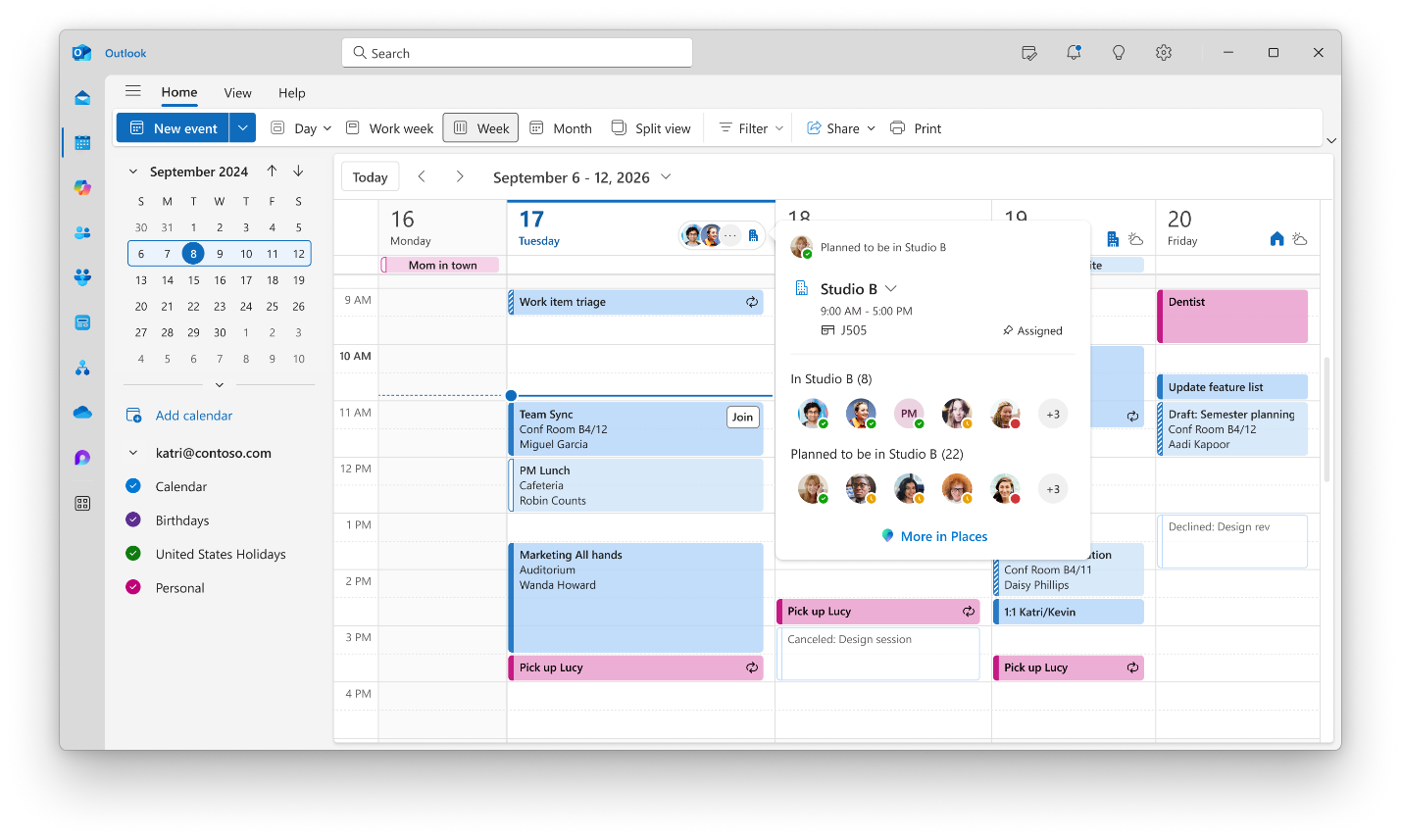
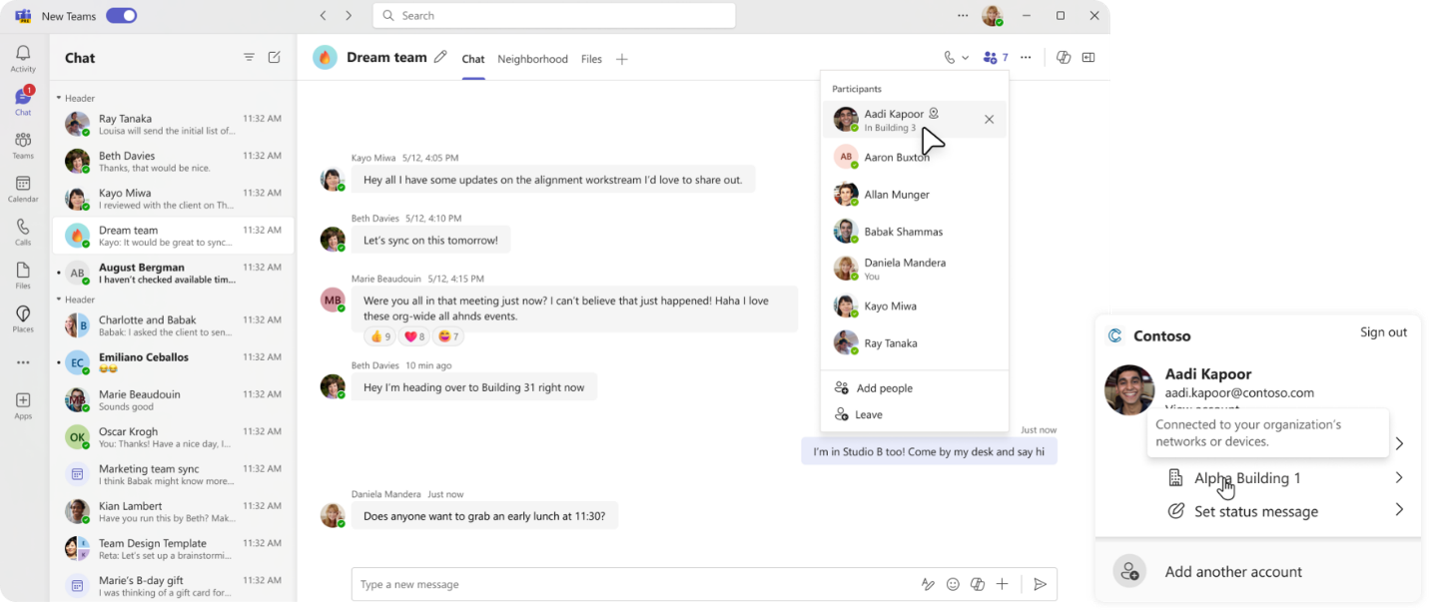
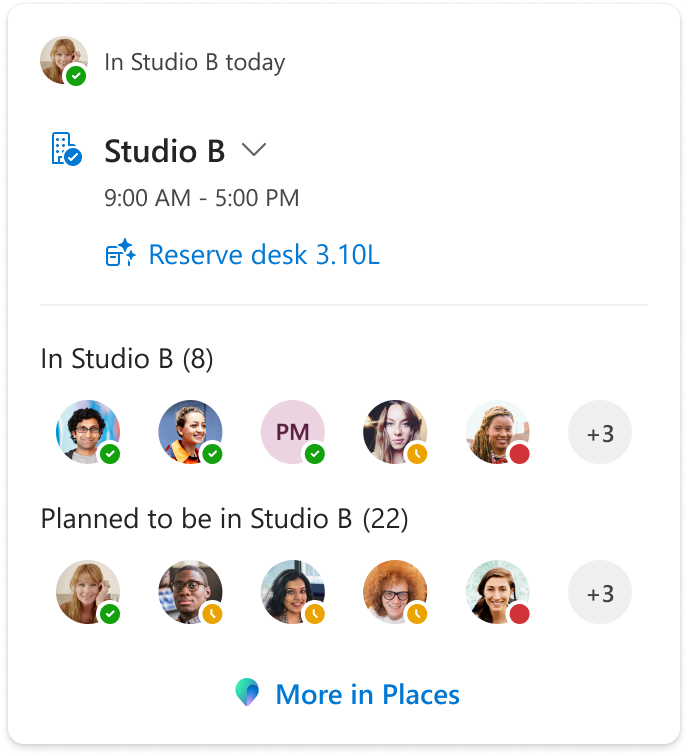
Image credit: Microsoft
Privacy controls remain front and center
Considering the backlash the feature faced last year, when it was first spotted, Microsoft is now giving employees full control and privacy. Organizations must first enable the feature and configure approved office Wi-Fi access points. That said, it’s employees who can choose whether to use the feature and can override their workplace location at any time.
Microsoft says the system does not track employee movements, store historical location data, or monitor users outside approved workplace environments. If a device is not connected to a configured office network, the user’s location will simply appear as remote.
The company also notes that sharing workplace presence and enabling automatic check-ins are separate settings, allowing employees to decide whether colleagues can see their office status. The Wi-Fi check-in for Microsoft Places and Teams is expected to roll out later this year. Organizations interested in the feature will need Microsoft Places configured within their environment and approved corporate networks added to the Places directory. Speaking of other features, Microsoft Teams is also getting a new Efficiency Mode for low-end PCs.

Read our disclosure page to find out how can you help Windows Report sustain the editorial team. Read more



Improve this guide




User forum
0 messages