Microsoft to release emergency Windows Update to address Intel, AMD processors security concerns

Earlier today we reported on a memory leak flaw in Intel Processors which puts the systems of certain Windows users at risk. Though Intel was quick to dismiss the reports, saying the bug is not exclusive to Intel chips but also impacted AMD, things have since escalated very quickly. Indeed, The Verge has learned Microsoft is set to issue an emergency Windows Update to address the latest Intel processor security concerns. Google has also disclosed the full details on these processor flaws today, confirming that AMD and ARM processors are also affected.

According to the report, the update is a “rare out of brand” security update and will be issued for all supported versions of Windows. The security update is set to automatically roll out to all Windows 10 desktops today at 5 PM ET, though we’re not seeing it on any of our systems just yet. It’s also set to become available on other Windows 7 and Windows 8 systems, though it will not appear automatically on these systems until Tuesday, January 16.

UPDATE: The emergency Windows Update is now rolling out. Check out our dedicated post here.

This update mainly relies on kernel fixes, and it may be required for anti-virus programs to be updated in order to work properly once this update is installed. In its previously released statement, Intel dismissed claims that fixes would slow down computers using impacted chipsets, adding that slowdowns from any security updates may be “workload-dependent.” Their full statement on this issue can be seen below:

Intel and other technology companies have been made aware of new security research describing software analysis methods that, when used for malicious purposes, have the potential to improperly gather sensitive data from computing devices that are operating as designed. Intel believes these exploits do not have the potential to corrupt, modify or delete data.

Recent reports that these exploits are caused by a “bug” or a “flaw” and are unique to Intel products are incorrect. Based on the analysis to date, many types of computing devices — with many different vendors’ processors and operating systems — are susceptible to these exploits.

Intel is committed to product and customer security and is working closely with many other technology companies, including AMD, ARM Holdings and several operating system vendors, to develop an industry-wide approach to resolve this issue promptly and constructively. Intel has begun providing software and firmware updates to mitigate these exploits. Contrary to some reports, any performance impacts are workload-dependent, and, for the average computer user, should not be significant and will be mitigated over time.

Intel is committed to the industry best practice of responsible disclosure of potential security issues, which is why Intel and other vendors had planned to disclose this issue next week when more software and firmware updates will be available. However, Intel is making this statement today because of the current inaccurate media reports.

Check with your operating system vendor or system manufacturer and apply any available updates as soon as they are available. Following good security practices that protect against malware in general will also help protect against possible exploitation until updates can be applied.

Intel believes its products are the most secure in the world and that, with the support of its partners, the current solutions to this issue provide the best possible security for its customers.

With basically all modern Intel processors being impacted by this flaw, this is definitely a PR nightmare for Intel, and it’s still unclear how the emergency Windows updates will affect performance on PCs with Intel chips. Even if the founder said today that these patches won’t slow down systems, this is likely to impact consumer’s trust in the company’s premium chips moving into the rest of 2018.
Turok video game remasters are coming to Xbox One soon

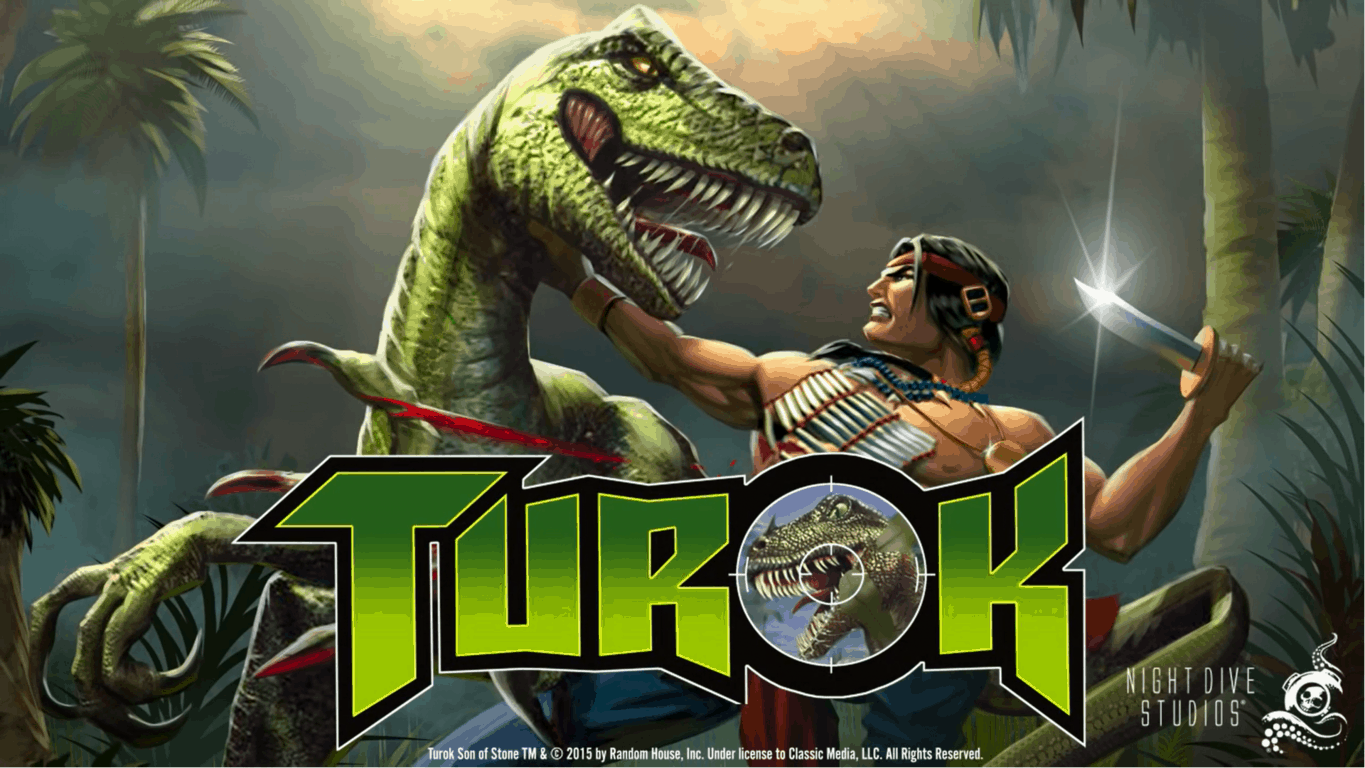
Turok is a big deal, for the history of shooters. It’s one of the classic games that helped the FPS genre find its legs in a new and evolving market. Thanks to Night Dive studios – a team that’s dedicated to remaking and/or remastering all sorts of different titles – we should be seeing a much-improved version of Turok in the near future (via Windows Central.)

Night Dive’s remade versions of Turok 1 and 2 have been available on PC for quite some time now, so they’re technically nothing new. That being said, this tweet from the PEGI Rating System suggests that an Xbox One version of Turok is well on its way to releasing. While no official statement has been made by Night Dive studios, you can probably expect to hear something fairly soon. Rating is something that happens in the very late stages of development and should mean that they’ll have something to announce soon.

Microsoft profiles KC Lemson, who created the Ninja Cat

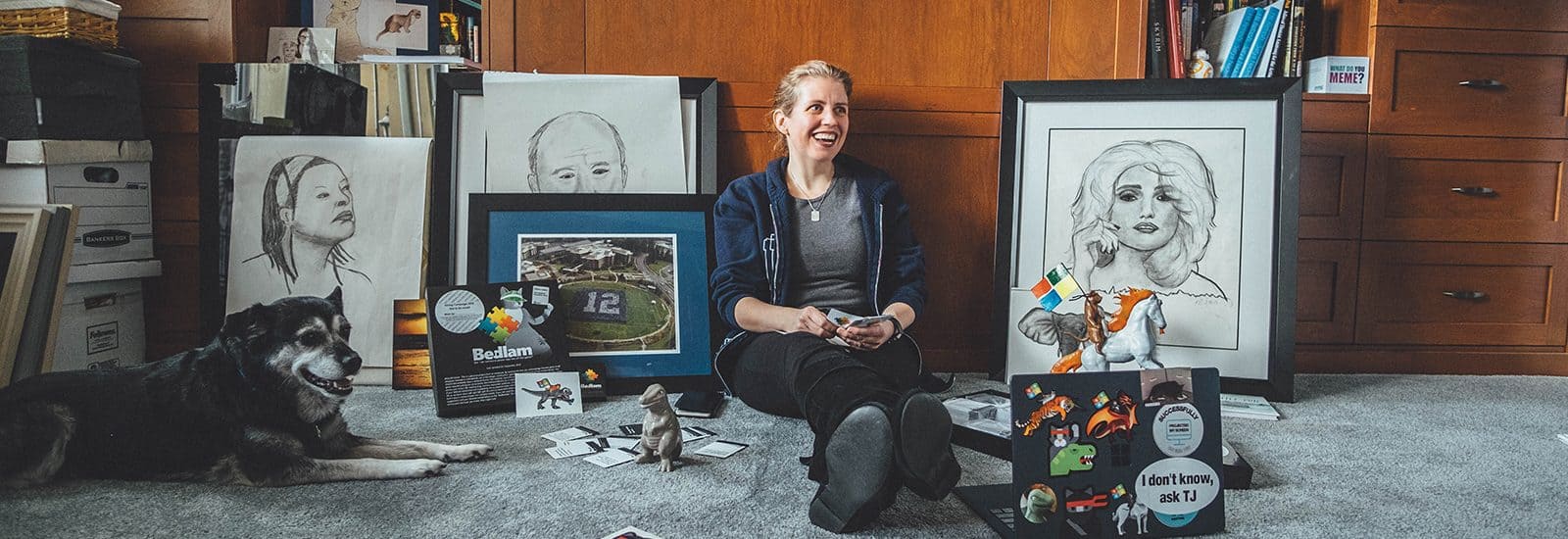
After profiling Dona Sarkar last year, Microsoft published today a profile of KC Lemson, senior director of program managers in Surface, and creator of the Ninja Cat meme. The 19-year Microsoft veteran, which describes herself as “totally socially awkward” and “a bull in a china shop” is indeed a very interesting personality.

Lemson already revealed the origin of the Microsoft Ninja cat last year: when she was working on a Powerpoint presentation about what would soon become Windows 10, she included a graphic that showed the cat standing on a unicorn and holding a flag with the Microsoft logo.

Windows 10, Anniversary update, Microsoft, Ninja Cat

The whole thing was actually inspired by the popular Welcome to the Internet meme by Jason Heuser, and it really resonated with Microsoft employees. As Lemson sums it, Ninja Cat quickly became “a visual that spoke to a sort of zeitgeist about where we were headed.”

A very creative person, Lemson has also created Bedlam, a humourous Microsoft version of the Cards Against Humanity game. “Making fun of ourselves, it’s just literally fun,” she said of the game based on inside jokes and the company’s culture. The game is currently being sold at the internal Microsoft company store, and Lemson has been using sales to raise money for charity.

KC Lemson’s Bedlam card game.

After having close to 10 different roles at Microsoft, Lemson is now a very passionate member of the Surface team. “Technology has the potential to be so cool, but if I don’t want to use it, if it’s not going to change my habits, then I don’t care,” she said. “Technology has to benefit human beings, and this company has the will and the DNA to do that.” You can follow KC Lemson on Twitter here.

Game console modder combines Xbox One X and Laptop with the Xbook One X

We’ve seen some interesting creations from game console modder Eddie Zarick before. He’s the mind behind the Xbox One S and PS4 slim combo dubbed the Xstation and even the Xbox One S Laptop. Given Microsoft’s recent release of the Xbox One X, Zarick took it on to create a portable version of the console, appropriately named the Xbook One X (via Digital Trends.)

In a short YouTube video, Zarick shows off the 21-inch 1080p screen, built-in keyboard/speakers, and the original Xbox One X power and eject buttons on his Xbook One X. A post on his blog reveals the entire system is built into a custom housing, and the keyboard can be used for the navigation of the UI without having the controller on. The Xbook One X also keeps the original Xbox One X cooling system, perfect for “extreme gaming.”

Interestingly, the Xbook One X only works with a power cable, since it’s impossible for a modern gaming console to run on just batteries. Other features on the custom console include 5 buttons for controlling all of the functions of the LCD, one USB port on the front of the system. The back of the system sees an HDMI out for 4K output, Ethernet and optical audio out, and 2 USB ports.

If you so happen to have $1,000 to deposit on this system, you can purchase one directly from Eddie Zarick by contacting him on his website. This $1,000 is nonrefundable, but it gets your name on the list for the Xbook One X. Zarick lists that the console takes 2-3 weeks to complete, and you can contact him with any questions along the way.

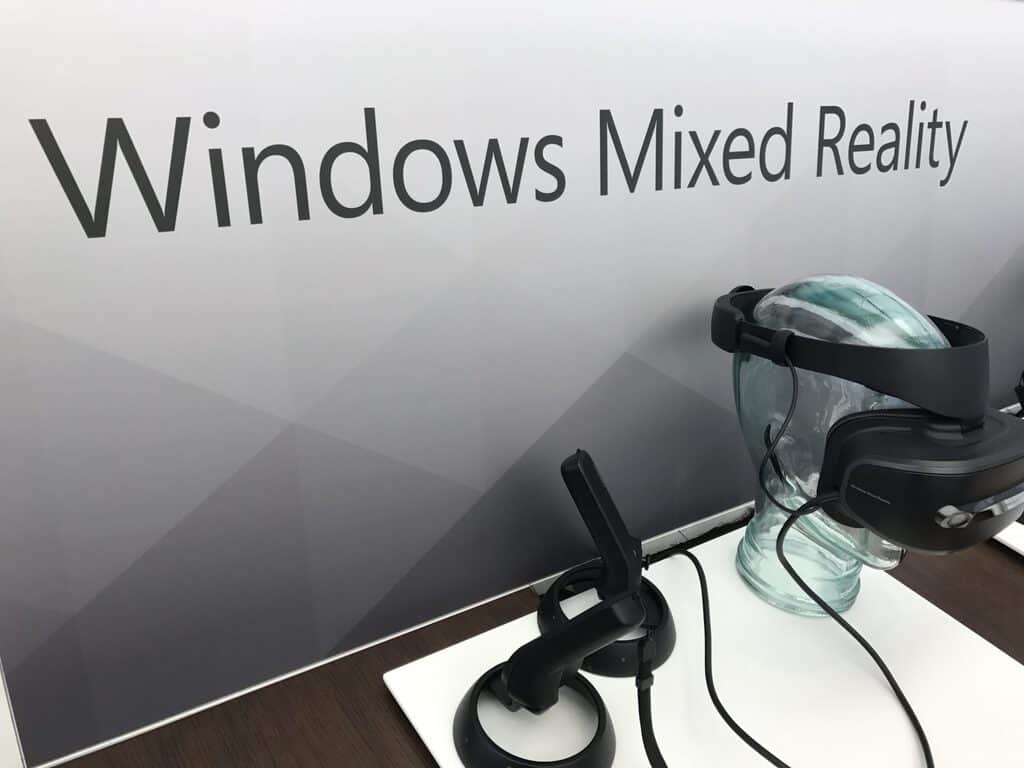
Windows Mixed Reality headset use gains traction on Steam, now up to 4.35% usage share

It’s been nearly two months now since SteamVR games launched in early preview on Windows Mixed Reality headsets, and the Windows VR headsets are already gaining traction on Steam. As noted by Road to VR this week (via MSPoweruser), the latest Steam hardware survey revealed that Windows Mixed Reality headsets more than doubled their usage share from 2% to 4.35% last month.

While the HTC Vive (47.26%) and the Oculus Rift (46.14%) remain far ahead in the chart, Windows Mixed Reality headsets should gain more usage share on Steam once the SteamVR bridge officially drops its beta tag.

As Microsoft and its hardware partners have yet to reveal sales data, it’s still hard to know if Windows Mixed Reality headsets are selling well. But thanks to their inside-out tracking technology, Windows VR headsets are much easier to set up compared to the HTC Vive or Oculus Rift, which both require external tracking hardware. Moreover, Windows Mixed Reality are really affordable, and most of them were on sale during the holidays.

Like most VR headsets these days, Windows Mixed Reality headsets should remain focused on PC gaming scenarios for the time being, and SteamVR is a great platform for that. Unfortunately for Xbox One owners, Microsoft believes that console VR should be wireless, so we could wait quite some time before seeing Windows Mixed Reality support on the Xbox One.

Microsoft to acquire high performance storage provider Avere Systems

We’re just three days into 2018 and Microsoft has already announced its first acquisition of the year, which is cloud-related. Avere Systems, a Pittsburgh-based company specialized in providing fast data access for hybrid cloud infrastructures, will help Microsoft improve its Azure offering.

“Avere uses an innovative combination of file system and caching technologies to support the performance requirements for customers who run large-scale compute workloads,” explained Jason Zander, Corporate Vice President, Microsoft Azure. The company already has many high-profile customers in the media industry including Sony Pictures Imageworks, as well as several US government agencies such as NASA and Library of Congress.

In a separate blog post, President and CEO of Avere Systems Ronald Bianchini Jr. said that Microsoft completely shares Avere’s focus on large enterprise applications. “Our shared vision is to continue our focus on all of Avere’s use cases – in the datacenter, in the cloud and in hybrid cloud storage and cloud bursting environments,” he explained. “Tighter integration with Azure will result in a much more seamless experience for our customers.”

Microsoft’s “Connect Americans Now” advocacy group aims to get more rural Americans online

Microsoft has long been pushing for the use of TV White Space tech in rural America to help more folks get online, but the company recently took things to a new level. As noted by Venture Beat, Microsoft formed the “Connect Americans Now” advocacy group, helping advocate the FCC to remove regulations that are in the way of rural broadband initiatives.

The news comes right after Microsoft President Brad Smith pushed out a note on the top 10 tech issues for 2018, with technology for rural communities making the list. Anyway, The App Association, a software trade organization, and the National Rural Education Association join Microsoft as members of the Connect Americans Now advocacy group.

According to a website for Connect Americans Now, the group plans to “engage policymakers in a meaningful dialogue on the most effective ways to ensure that all American communities can benefit from high-speed broadband coverage.” The website also cites that roughly 34 million Americans lack a broadband connection and 23.4 million live in rural areas.

TV White Space technology depends on the use of open unused broadcast spectrums (mainly from TV stations) to bring internet to rural areas. These airwaves also can travel greater distances and can better penetrate through walls and other obstacles. Microsoft plans to provide small investments in capital expenditure to build the TV White Space broadband networks, but like any commercial environment does not take a return on investment into consideration. The tech was in use in Puerto Rico and the US Virgin Islands following hurricanes.

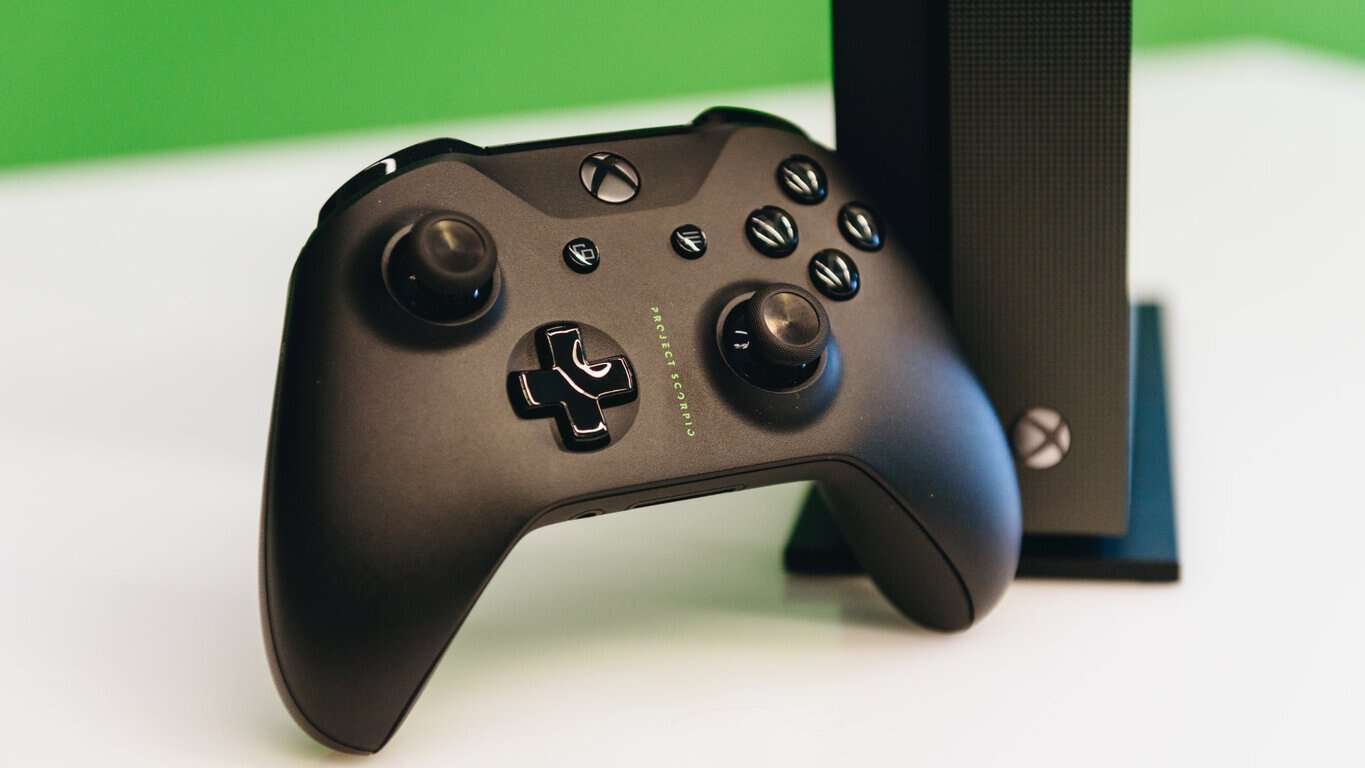
Xbox One X’s marketing is still deceiving consumers about support for Kinect

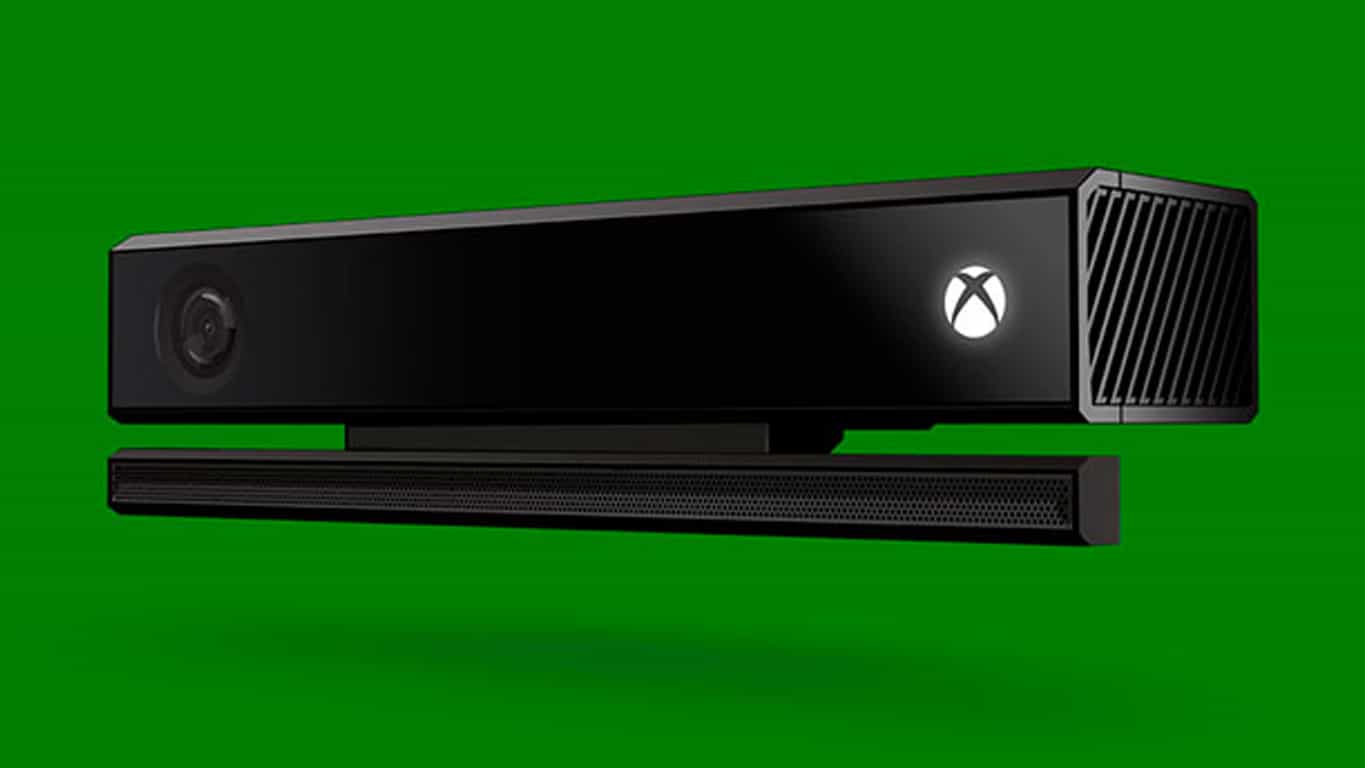
It’s no secret that Microsoft has pretty much abandoned the Xbox One’s Kinect sensor. Native support for it wasn’t added to the newer Xbox One S and Xbox One X consoles and the adapter which was needed to make it work on either of them has now ceased production. While this is terrible news for the many Xbox One owners who enjoy using their Kinect (or even bought an Xbox One because of it), discontinuation of hardware is something that often happens with technology so this isn’t too controversial in and of itself. What is an issue though is Microsoft continuing to falsely advertise the Xbox One X as being fully compatible with the Kinect.

When the Xbox One X was officially unveiled during 2017’s E3, Microsoft made a point to mention that it would work with all current Xbox One accessories, which includes the Kinect. Take a look in the video below.

Along with the E3 presentation, Microsoft also released some marketing material which confirmed that their upcoming console would indeed support all Xbox One-branded accessories. Not only that, the material even stated that no adaptors would be necessary.

No Kinect Adapter NeededNow, sure, plans change and products evolve between their announcements and launch so this can be forgiven but the problem is that all of the current promotional material for the Xbox One X continues to state that it will work with all Xbox One accessories and no effort is being made to correct the messaging already put out. Take a look at this section from the official Xbox One X website.

Xbox One X Accessories

Admittedly that graphic doesn’t feature the Kinect but most consumers will simply read that and assume it does. Very few will read the linked-to fine print at the bottom of the page specifying that a Kinect Adapter is needed for the Kinect to work with an Xbox One X. Since that product is no longer being made though, that should absolutely be mentioned on the site.

The worst offender is the official Xbox One X product listing on Amazon which not only proudly proclaims that the new console supports all Xbox One accessories but even includes a detailed chart that breaks down all of what the Xbox One X and Xbox One S can do. Both are said to support all accessories.

Xbox One X on Amazon

Xbox One X on Amazon

This ambiguous communication is confusing new and existing Xbox One owners. I’ve personally had to explain the Kinect situation to several people in person over the holidays who were planning on getting an Xbox One console for their family for Christmas. All pretty much assumed that the Kinect would work with the Xbox One S or X as that’s what the marketing has been telling them. There are many more confused consumers online.

“I’m sorry but this really is a slap in the face I’m pretty sure its also false advertising since it was claimed the X supported all your Xbox One accessories which clearly isn’t the case. Really soured my whole experience to the point where I’m really considering returning my Scorpio Edition,” says one entry on Microsoft’s UserVoice website. “I bought your hype and fell in love with Kinect, then you killed it,” says another. “Please give us access to our Kinect again! You may want to pretend like it doesn’t exist, but it is something me and my kids used often before my Original Xbox One failed earlier this year.”

Predictably, social media users are voicing their frustration and sense of betrayal too.

There’s really no way to heal the burn many Xbox One and Kinect early adopters are feeling after the Kinect abandonment (myself included) but a lot of the confusion with recent console purchases could easily be solved if Microsoft chose to clearly state on Xbox One X and S product listings and packaging that they aren’t compatible with the Kinect. Especially now that there’s little chance of a new buyer getting their hands on a Kinect Adapter.

I started this article by saying that it’s no secret that Microsoft has killed support for the Kinect but it really does seem like it is. On one hand, it’s understandable, as choosing to promote the cancellation of something so heavily associated with the Xbox brand to the casual consumer could create doubt in the marketplace. On the other though, it does look like Microsoft is deliberately misrepresenting their latest consoles to make more sales. It could only be a matter of time before some angry consumers take out their Kinectless rage on Microsoft in the courts. After all, this wouldn’t be the first time (or second) that gamers have sued a company that let them down.

Where do you stand on this issue? Do you think Microsoft should do a better job at communicating with consumers? Let us know in the comments below.

Microsoft confirms the Xbox One Kinect Adapter is no longer being made

Microsoft has finally confirmed that they have ceased production of their Kinect Adapter and that none will be made available in the future.

“After careful consideration, we decided to stop manufacturing the Xbox Kinect Adapter to focus attention on launching new, higher fan-requested gaming accessories across Xbox One and Windows 10,” the company’s statement given to Polygon earlier today reads.

The Kinect Adapter is an accessory needed to connect the Xbox One’s Kinect sensor to the newer Xbox One S and Xbox One X video game consoles. Some were given away for free to a select group of early Xbox One S buyers but most latter customers, and all who bought the new Xbox One X, were forced to order their own online or find one in store. During the 2017 holiday season with the uptick in Xbox One S sales and the launch of the Xbox One X, stock completely ran out pretty much everywhere in all regions and the Kinect Adapter is now being resold on Amazon and eBay for up to US$399.

Xbox One Kinect Adapter

Many Xbox One users who had reached out to Xbox Support had been receiving mixed messages about Kinect ranging from plans for new stock of the Kinect Adapter to be made and even a possible alternative to the accessory being planned for the future so some clarification from Microsoft was definitely needed. This just isn’t the confirmation that most were expecting.

The Kinect sensor allows gamers to play motion games like Just Dance, Dance Central, and Fruit Ninja, and can also be used for video calls via Skype and for webcam footage when streaming on Twitch or Mixer. The most-used Kinect function though is likely its voice commands which can be used to turn the console (and/or the TV) on and off, change the volume, pause and play video, record in-game footage or take a screenshot, and more. Right now, anyone looking to upgrade to an Xbox One S or Xbox One X will have to sacrifice all of this added functionality and for many angry consumers on Twitter, Reddit, and Microsoft’s own UserVoice, this is something that they just don’t want to do.

Are you a Kinect user that’s been affected by this decision? Let us know about your experience in the comments below and then head on over to this UserVoice Kinect suggestion to make your voice heard.

Xbox news recap: Kodi app launches on Xbox One, Games for Gold release early and more

Welcome to our weekly Xbox news recap series, where we go over the top stories of the past week in the world of Xbox. Let’s get started.

Kodi app launches for Xbox One

The popular media center app, Kodi, has recently gotten an app for Xbox One. The app lets you explore media content across your network, peeking into the hard drives of connected devices. The app should be useful for people with several devices who intend for the Xbox One to become the center of their entertainment suite, and is available on the Xbox store for free. Unfortunately, the app currently doesn’t support the Xbox One Media Remote, so you’ll have to just use your controller for now.

Tomb Raider and Van Helsing: 2018 come to Gold members early

Every month, Xbox Live Gold users get a handful of free games. This time around, January’s games came early – dropping at the very end of December for people who want something to do on New Year’s, and don’t have a party lined up. The Incredible Adventures of Van Helsing and Tomb Raider: Underworld are on the menu this time, in addition to Zombi and Army of Two. The Incredible Adventures of Van Helsing comes at a great time, especially, since the third game in its franchise launches today. Feel free to try out the first game, and decide if you want to buy into the third.

PlayerUnknown’s Battlegrounds frequently updated after Xbox launch

PUBG has been getting a star treatment for its launch on the Xbox platform, practically having a red carpet rolled out for it in light of its massive popularity. In that same interest, the game has been getting frequent updates to clean up bugs and make sure it’s pristine as soon as possible. The latest update released just a few days before Christmas, and offered a ton of bug fixes,  optimization tweaks, and UI shifts.

Deals with Gold release on top of the Xbox Countdown Sale

While the Xbox Countdown Sale has been a big focus for anyone shopping for games during the holidays, there’s still more to come. Microsoft has also brought us their monthly “Deals with Gold,” giving out some new deals for you to peruse before the holiday comes to a close. Highlights of this month’s Deals with Gold include Worms Battlegrounds and Lords of the Fallen, which are both going for about $6. Not too shabby!

Thanks for joining us. To keep up to date with all the latest Xbox news, keep a close eye on our Xbox One tag.

A quick look ahead: What to expect from Microsoft in 2018

2017 has been in many ways a banner year for Microsoft. Not one but two major updates to Windows 10, the release of Windows Mixed Reality devices, the release of the Xbox One X, and the continued long slow agonizing death of Windows 10 Mobile all made headlines this year.

Perhaps the biggest story of the year was the company’s both cultural and financial resurgence under CEO Satya Nadella. 2017 was Nadella’s third year at the helm, and he’s managed to begin to change the perception of Microsoft and Windows in the marketplace. Thanks in part to a Surface Laptop and the Surface Book 2, and the company’s continued successes with Azure and Office 365 have captured all the attention of Wall Street, with Microsoft stock trading at record highs and continuing to climb.

So it was a good year for Microsoft. There were blunders, of course, and Redmond’s continued across the board failures in mobile, with Windows 10 Mobile now in “maintenance mode,” puts the company in a difficult position, with no entry into the most lucrative and forward-looking sector of the market.

There’s lots of hoopla about Xbox, but it still lags behind Sony’s PlayStation in market share and mindshare amongst gamers. The same holds true for Azure, and even though the cloud is a big money-maker, it still trails AWS significantly. Sure, Microsoft is making money at being number two in both gaming and cloud, but where’s the fun in that?

On to 2018, and indeed it’s shaping up to be another big year for Microsoft. How big a year we’re about to find out. Will Microsoft find a solution to its lack of presence in mobile? Will Azure and Office and Surface and Xbox all continue to push boundaries? How will the company do in its quest to change the culture? Let’s take a quick look at what may be in store for 2018.

Windows

2017 gave us the Spring and Fall Creators Updates, and we’re expecting another two major revisions to Windows 10 in 2018. The first update, expected again in the Spring, will lay the groundwork for a couple of major enhancements to Windows, Timeline and Sets. The features may not make it into production until the fall with RS5, but Windows Insiders should have plenty of time to test and react to probably the most fundamental change to Windows since Windows 10 itself.

Xbox

Microsoft pulled out all the stops in 2017 by releasing the Xbox One X in November, leapfrogging Sony and introducing a next generation console early in the cycle. What Microsoft or its gaming partners didn’t do, however, was release significant new games for the new platform, and in 2018, they’ll have to start to do just that.

Sea of Thieves will be arriving in March, but Microsoft will be under the gun to wow once again at E3 in June. Will we hear about Halo 6? Will Microsoft Studios break out a new franchise, or at least announce one? How will Microsoft’s push to bring Xbox into Windows evolve? By releasing the Xbox One X, Microsoft has set itself some pretty high expectations. We’ll see if they meet them in 2018.

Progressive Web Apps

The death of Windows phone has been a blow to Microsoft in a lot of areas, but strategically, perhaps the biggest blow is to its Universal Windows Platform, the basis for Windows 10’s apps and Windows 10 S. Without a mobile counterpart to drive app development, there’s not much universal about these apps at all.

Microsoft may be trying to solve that with Progressive Web Apps. These web based apps that can run offline in a “native” experience are being embraced by Microsoft, and will be generally supported by Edge beginning with the next Windows 10 update (you can enable support for them now with a flag). Unlike the proprietary Universal Windows Apps, PWAs will run cross browser and cross devices, with support already in place by Google. Microsoft has already announced plans to not only support, but actively push PWAs in the Microsoft Store, and while we think it’s far to early to sound a death knell for the Universal Windows Platform, PWAs seem to be much less of a dead end path to follow.

Taxes

A major new tax cut goes into effect in the United States in January, and one portion of it will have a huge impact on Microsoft and other tech giants. Currently, Microsoft has over $130 billion stashed in low tax offshore holdings, mostly in Ireland and in the Caribbean. The new tax law will allow these companies to repatriate some of that money back to the US, and in effect punish them if they don’t.

What Microsoft does to re-invest some of those earnings, or even if they’ll take advantage of the new laws at all, will be a big deal in 2018. Donald Trump and the Republicans are counting on companies to bring back money and spend it here, but will that really happen? Will Microsoft continue their “good citizen” efforts by helping to improve the US economy? This will be a very interesting space to watch in the coming year.

Surface Phone and Surface

Of course the big question for 2018 will be all about the Surface Phone. While all indications are that the rumored new foldable device won’t even be a “phone,” per se, and there’s probably little chance that this new device will launch anytime soon, we should start hearing about it, if it does indeed exist, sometime mid-year.

Panos Panay and his team may well have a few more tricks up their sleeve in the new year, too, as they try to capitalize on the momentum building with the Surface Pro, the Surface Laptop, and the Surface Book 2. Will they hold all their eggs in a Surface Phone basket, or will there be more Surface devices on the way?

New horizons

While we won’t see a new HoloLens in 2018, we should begin to hear more about a version 2, planned for a 2019 release. We’ll also be hearing lots more about bots, AI, and the Internet of Things, all buzzwords that will only gain volume in the upcoming year. While it’s further out than even a new HoloLens, we’ll hear more about Quantum Computing, too. Microsoft will be looking to get ahead of the curve on new technology, having been left behind in both mobile and more recently digital assistants. We may also be hearing quite a bit more about Cortana in 2018, although Microsoft once again finds itself on the outside looking in as Amazon’s Alexa continues to gain ground and Google Home makes a strong push.

Another good year?

While we won’t see any groundbreaking new technology (we don’t think), 2018 promises to be another big year for Microsoft. Perhaps infused with some new repatriated cash, and building on solid foundations in Xbox, on Azure and Office 365, and with Surface, Microsoft is definitely headed in the right direction. What do you think 2018 will bring? Let us know in the comments below.

Official Kodi app launches in preview on Microsoft’s Xbox One

Kodi, the popular media center app born as the Xbox Media Center (XBMC) on the OG Xbox One is now available on Xbox One consoles (via Windows Central). The app is launching in preview and will show up as “Kodi 18.0-ALPHA1” once you install it from the Microsoft Store.

On a Windows PC, Kodi lets you easily browse media content from your hard drive, optical disc, local network and other Internet sources. Even better, there are also many third-party add-ons to give you access to live TV and more entertainment sources.

The Xbox One app features the same interface, but there are several limitations for now. The developer explained:

Due to the nature of how UWP works our hands are tied in some areas. Some parts are not even finished yet and our developers are still working on getting it up to the regular standard. As of this writing there’s limited access to only what’s part of your Video and Music folders. Network support is limited to only NFS:// shares. No access to the Blu-ray drive to start the disc or even an attached storage drive. There might still be problems with certain general python modules that are used by add-ons and we are finding and reporting them to the developers as testing progresses. I’m sure there’s more that might not work as intended yet as there are so many features it just will take a while to go over them. We cannot promise to what extend we can get every feature working as it all depends on what is available to us developers.

During our quick hands-on with the app, we also noticed that Kodi doesn’t support the Xbox One Media Remote as of yet, so you’ll have to use your Xbox One controller to navigate the app. This is a minor annoyance, though we hope Microsoft’s official remote will be supported in the near future. You can download Kodi on your Xbox One from the link below, or just search for the app in the Xbox Store.

Kodi
Kodi
Developer:
XBMC Foundation
Price:
Free

5+ best dual SIM Windows phones

Are you a Windows user interested in a Windows phone with intriguing features? Today, we are going to show you some of the best dual SIM Windows phones.

Dual SIM mobile phones enable you to use two SIM cards on your phone. However, Windows Report has compiled this list for you.

What are the best dual SIM Windows phones?

Microsoft Lumia 535 Dual SIM

lumia 535

This smartphone was launched in November 2014. It comes with a 5.00-inch touchscreen display and a resolution of 540 pixels by 960 pixels with a 220 pixels per inch PPI.

The device is powered by a 1.2GHz quad-core Qualcomm Snapdragon 200 processor.

It has 1GB of RAM, 8GB of internal storage, a 5-megapixel primary camera and a 5-megapixel at the front suitable for selfies.

It runs on Windows 8.1 and has a 1905mAh removable battery.

The Microsoft Lumia 535 Dual SIM accepts Micro-SIMs. Connectivity options include GPS, Wi-Fi, FM Bluetooth and 3G. Sensors include Accelerometer, Proximity sensor and Ambient light sensor.

Buy the Lumia 535 Dual SIM from the Microsoft Store.

  • ALSO READ: Check out the Mirabook laptop powered by Windows Phone

Microsoft Lumia 950 XL Dual SIM

Lumia 950 XL

This smartphone was launched in October 2015. It comes with a 5.70-inch touch screen display and a resolution of 1440 pixels by 2560 pixels with 518 pixels per inch PPI.

Octa-core Qualcomm Snapdragon 810 processor powers the Microsoft Lumia 950 XL Dual SIM and it comes with 3GB of RAM. It has 32GB of internal storage, a 20-megapixel primary camera and a 5-megapixel at the front suitable for selfies.

It runs on Windows 10 Mobile and has a 3340mAh removable battery. The phone consists of sensors such as Proximity sensor, Compass Magnetometer, Ambient light sensor, Accelerometer, Gyroscope and Barometer.

Buy the Lumia 950 XL Dual SIM from the Microsoft Store.

Microsoft Lumia 430 Dual SIM

lumia 430

It was launched in March 2015. It comes with a 4.00-inch touchscreen display and a resolution of 480 pixels by 800 pixels with 235 pixels per inch PPI.

1.2GHz dual-core Qualcomm Snapdragon 200 processor powers it. This smartphone comes with 1GB of RAM. It has 8GB of internal storage, 2-megapixel primary camera and a 0.3-megapixel at the front suitable for selfies. It runs on Windows Phone 8.1 and has a 1500mAh removable battery.

Microsoft Lumia 430 Dual SIM accepts Micro-SIMs.

Connectivity options consist of GPS, Wi-Fi, FM, Bluetooth and 3G. Sensors include Accelerometer, Proximity sensor, gyroscope and Ambient light sensor.

Microsoft Lumia 540 Dual SIM

lumia 540

This smartphone comes with a 5.00-inch touchscreen display and a resolution of 720 pixels by 1280 pixels with a 294 pixels per inch PPI. 1.2GHz quad-core Qualcomm Snapdragon 200 processor Powers it.

It comes with 1GB of RAM, 8GB of internal storage, a 8-megapixel primary camera and a 5-megapixel at the front suitable for selfies.

It runs on Windows Phone 8.1 and has a 2200mAh removable battery.

The Microsoft Lumia 540 Dual SIM accepts Micro-SIMs. Connectivity options include GPS, Wi-Fi, FM Bluetooth and 3G.

Sensors on the phone include Proximity sensor, Accelerometer, Compass Magnetometer and Ambient light sensor.

Microsoft Lumia 640 XL LTE Dual SIM

lumia 640 xl dual sim

This smartphone was launched in March 2015. It comes with a 5.70-inch touchscreen display and a resolution of 720 pixels by 1280 pixels with a 259 pixels per inch PPI. 1.2GHz quad-core Qualcomm Snapdragon 400 processor powers it.

This smartphone comes with 1GB of RAM. It has 8GB of internal storage, a 13-megapixel primary camera and a 5-megapixel at the front suitable for selfies.

It runs on Windows Phone 8.1 and has a 3120mAh removable battery.

Microsoft Lumia 640 XL LTE Dual SIM accepts Micro-SIMs. Connectivity options include GPS, Wi-Fi, NFC, Bluetooth, FM, 3G and 4G. Sensors include Proximity sensor, Accelerometer, Compass Magnetometer and Ambient light sensor.

Buy the Lumia 640 XL from Amazon.

Microsoft Lumia 532 Dual SIM

Lumia 532

This smartphone was launched in February 2015. It comes with a 4.00-inch touchscreen display and a resolution of 480 pixels by 800 pixels with a 233 pixels per inch PPI. 1.2GHz quad-core Qualcomm

Microsoft Lumia 532 Dual SIM comes with 1GB of RAM, 8GB of internal storage, 5-megapixel primary camera and a 0.3-megapixel at the front suitable for selfies.

It runs on Windows Phone 8.1 and has a 1560mAh removable battery. It accepts Micro-SIMs. Connectivity options include GPS, Wi-Fi, FM, Bluetooth and 3G. Sensors include Accelerometer, Proximity sensor and Ambient light sensor.

Microsoft Lumia 640 XL Dual SIM

Lumia 640 XL

This smartphone was launched in March 2015. It comes with a 5.70-inch touchscreen display and a resolution of 720 pixels by 1280 pixels with a 259 pixels per inch PPI. 1.2Gz quad-core Qualcomm Snapdragon 400 processor powers it and it comes with 1GB of RAM. It has 8GB of internal storage, a 13-megapixel primary camera and a 5-megapixel at the front suitable for selfies.

It runs on Windows Phone 8.1 and has a 3000mAh removable battery. Microsoft Lumia 640 XL Dual SIM accepts Micro-SIMs.

Connectivity options include GPS, Wi-Fi, NFC, Bluetooth, FM and 3G. Sensors include Proximity sensor, Compass Magnetometer, Ambient light sensor and Accelerometer.

Buy the phone from Amazon.

Microsoft Lumia 950 Dual SIM

This smartphone was launched in October 2015. It comes with a 5.20-inch touch screen display and a resolution of 1440 pixels by 2560 pixels with 564 pixels per inch PPI.

1.8GHz hexa-core Qualcomm Snapdragon 808 processor powers it. This smartphone comes with 3GB of RAM. This phone has 32GB of internal storage, a 20-megapixel primary camera and a 5-megapixel at the front suitable for selfies.

However, it runs on Windows 10 Mobile. Microsoft Lumia 950 has a 3000mAh removable battery. In addition, it accepts Nano-SIMs.

Connectivity options consist of GPS, Wi-Fi, Bluetooth, FM, NFC, 3G and 4G. Sensors consist of Proximity sensor, Accelerometer, Compass Magnetometer, Gyroscope, Ambient light sensor and Barometer.

Buy it from Amazon

Do share with us your experience in using any of these dual sim Windows phones.

Xbox Beta iOS app begins testing Xbox Live Party Chat

Microsoft’s Xbox Beta app for iOS devices has updated to Version 712.1222.0301. This latest update adds support for the Beta Testing of Xbox Live’s Party Chat, the system that allows for voice chat between gamers on Xbox 360, Xbox One, and Windows 10. The Android Xbox Beta app also began testing Party Chat recently.

The iOS Xbox Beta isn’t available for the average consumer to download like the Windows 10 Xbox Beta app and instead interested users are required to register and wait for approval from Microsoft. The app is used to test features before pushing them out to the average gamer who has the main Xbox app.

Would you want to use Party Chat on your iPhone or iPad? Let us know in the comments below.

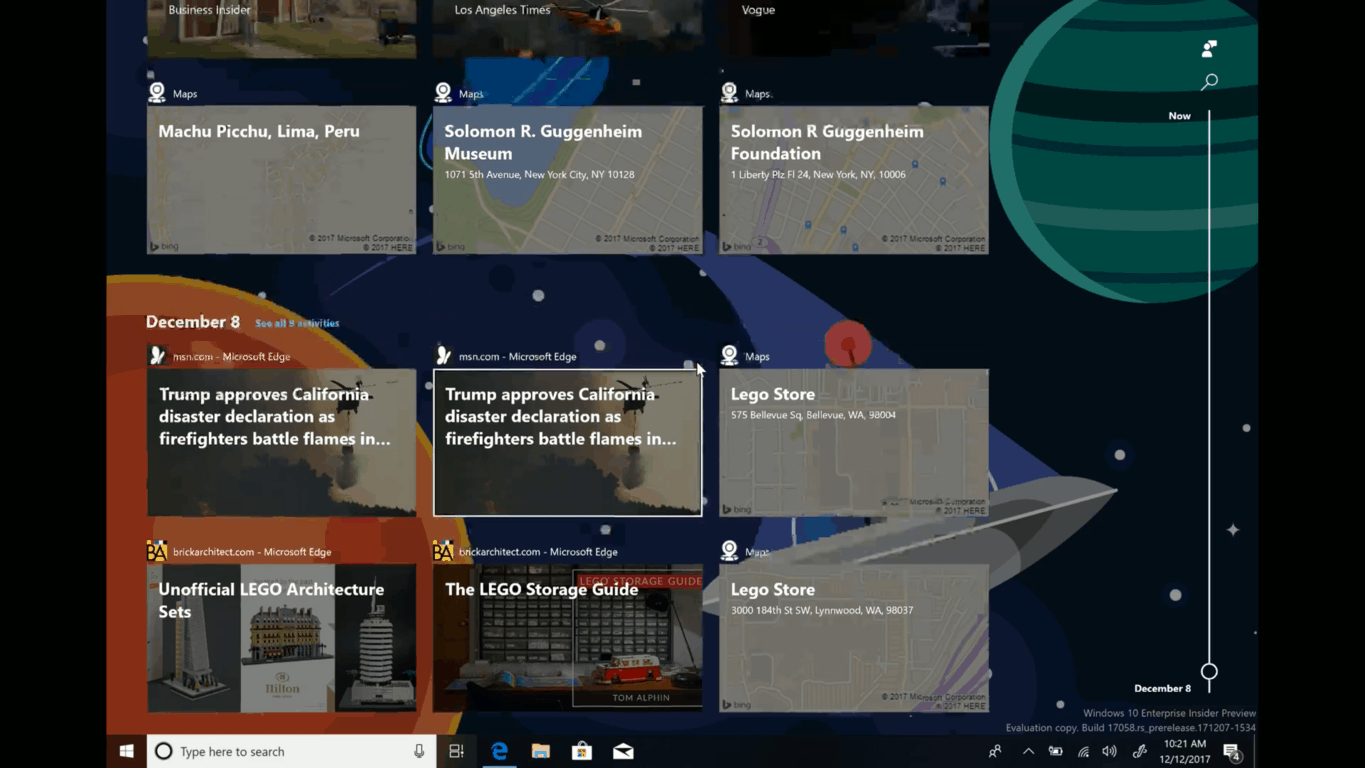
Feedback on Timeline in Windows 10 Insider build 17063 skews toward ways to remove or filter cards

Windows Timeline is definitely a revolutionary feature for Windows 10, currently allowing Windows Insiders to continue content across multiple devices. The feature is obviously in its infancy, and so Microsoft is collecting feedback from Windows Insiders in order to improve it. Indeed, a quick visit to the “Suggestions” section of Feedback Hub shows that many Windows Insiders are looking for Microsoft to improve the ways to remove or filter cards in Windows Timeline.

I myself suggested for Microsoft to add an “X” to remove activity cards from Windows Timeline, and my suggestion has gathered up nearly 280 votes in the Feedback Hub. Microsoft’s Jen Gentleman told me on Twitter that the company is considering my feedback, which is great because many Windows Insiders also have the same thought. It’s especially important to me because the only way to dismiss cards is by right-clicking on it, which is annoying if you want to remove multiple cards at the same time.

For instance, one Windows Insider wants an option to filter or group websites in Timeline, another one wants the search to automatically appear when Timeline invoked. Other suggestions include adding an option to exclude some programs in Timeline, integrating Timeline with Launcher on Android, or even adding a “clear all” button to the experience.

So, if you have something to say about Windows Timeline, voice your opinion on the Feedback Hub. Microsoft is clearly listening to your thoughts, and the more popular it becomes on Feedback Hub, the more likely it will be put into future builds.

Windows 10 gains ground, visits to US government sites surpass Windows 7 for the first time

It’s been nearly 2 years since Windows 10 launched, but many have claimed that the OS is not nearly as popular or holding as much market share as the much beloved Windows 7. In what may be a signal of changing attitudes for Windows 10, visits to US government sites via Windows 10 have surpassed Windows 7 for the first time. (Thanks, Jeremy for the tip!)

This United States government website reports that of the 2.54 billion visits to US Government websites over the past 90 days, 20.9% came from Windows 10, and 20.7% from Windows 7. Interestingly, Windows 8.1 came in at 2.7%, Windows 8 .05%, and other OS 0.8%. The numbers are a bit niche and could be just from a holiday bump based on the sites 90-day average, but they still do give a solid number comparison for the state of various OS and browser stats.

When it comes to browser share, Edge was not popularly used to visit US Government websites. Chrome was on top with 44.4%, Followed up Safari with 27.6%, Internet Explorer at 12.3%, and then Firefox at 5.9% and Edge at 3.9%. Though all these government percentages may be bleak for Microsoft, the latest AdDuplex December report also shows strong adoption for Windows 10 Fall Creators Update, so things can only go up from Microsoft from here on out.

No new builds this week but plenty of new quests as Windows Insider team is on vacation

Last week saw the release of a huge Windows Insider build, but things have been quiet at Microsoft since then. The reason why? According to head Ninja Cat Dona Sarkar, there won’t be any new builds this week (and early next week) due to the fact that the Windows Insider team is on (a much needed!) vacation.

Sarkar also mentioned that Microsoft’s build labs are also closed, so you won’t expect any new builds until after January 3rd. It’s not a problem, really, as there were many issues with builds in the lead up to last week’s release, and the Windows Insider team rightfully needs to enjoy their time off following the stressful times.

In the meantime, you can feel free to check out some new Quests in the Feedback Hub. As expected, these quests go over some of the new things in build 17063.

You can also around with the many less major features in Windows 10 build 17063. Along with Sets and Windows Timeline, there are also new features for Developers and IT Pros, Windows Defender, WSSL.

Our own Cody Carson recapped all the new features in the latest build, so feel free to watch his video above if you’ve not already had time to play with the latest features. As always, also feel free to drop us a comment below with your thoughts on this latest build!

The company that cares: How Microsoft helped make the world a better place in 2017

The year is winding down to a close, but most blogs and websites are focused on just how Microsoft bettered the tech world in 2017. Yes, we’ve seen amazing tech products from the company, including Microsoft Launcher, the Surface Laptop, Surface Book 2, and Xbox One X, but there’s more to Microsoft than just technology. It’s been a rough year for humanity, but Microsoft has been there to help make the world a better place, every step of the way. From getting involved in politics when it looks as though it is going wrong for humanity, or giving aid after natural disasters, here is a quick look at just some of the ways how Microsoft helped make the world a better place in 2017.

Microsoft opposes US immigrant travel ban:

When new U.S. President Donald Trump issued an executive order banning travel from 7 predominantly Muslim countries, the world was in an uproar. Microsoft worked with Washington on a suit against the ban, filed a “friends of the court” brief, calling the order illegal, citing the fact that they have business dealings with the countries in question, and also have employees who are affected. The company later called the travel ban a “fundamental step backward” and CEO Satya Nadella defended the company’s stance, saying he stands for an “enlightened immigration policy.”  Nadella also remarked that Microsoft stands up for diversity and inclusion, offered legal advice for employees, and spoke how he is the product of the fundamental greatness of the United States.

Microsoft Logo

Microsoft, Satya Nadella lash out at Trump administration for the end of DACA:

In another controversial political moment of 2017, the Trump administration cut back on DACA. Microsoft and Satya Nadella lashed out at Trump administration for this, since the program is known for protecting hundreds of thousands of young undocumented immigrants and helping them remain in the country. Microsoft’s Brad Smith wrote of the end of DACA will lead to economic consequences, job loss, put individuals at risk of deportation, and “disrupt the lives of these individuals who willingly came forward to register with the federal government.” CEO Satya Nadella also lashed back by writing that he is the “product of two uniquely American attributes.”  Microsoft also called on Congress to enact legislation to protect the 800,000 DACA recipients, especially because Microsoft employes 39 of them.

Trump (Image from AP)

Microsoft helps those impacted by natural disasters:

Hurricanes were the hot topic in 2017, with Hurricanes Harvey, Maria, and Irma devastating various regions of the world. In the days after these hurricanes, Microsoft stepped up and helped donate to recovery efforts. The company provided an initial $100,000 grant to the American Red Cross to assist Hurricane Harvey relief efforts then also stepped up and gave $2.5 million in cash, tech, and other services. Microsoft also pledged $1 million to Irma relief efforts, provided free Skype calls to Puerto Rico after the devastating hurricane and even dispatched their TV White Space tech to help locals in affected regions get back online.

Microsoft Logo Generic Featured Image Logo
The Microsoft Logo

Microsoft invests in helping solve the world’s biggest environmental problems:

In December of 2017, Microsoft announced a $50 million investment in its AI for Earth program, which was aimed at using AI in helping address the urgent work needed to monitor, model and manage the earth’s natural systems. The company will be expanding seed grants around the world and make its Azure and AI technology available to more organizations willing to make a difference. They also will be bringing a multi-disciplinary team to help these organizations figure out go-to-market strategies.

AI for Earth

Eye Control on Windows 10 and Seeing AI app helps to empower people with disabilities:

People with disabilities often have troubles using technology, but in 2017, Microsoft was there to help. The company added support for eye tracking in Windows 10, via the TOBII Eye Tracker. This tech allows people with severe mobility issues to use a PC by just moving their eyes. Microsoft also released the Seeing AI app, which helps blind people by narrating the world around them, but it objects people, or text.

Seeing AI app

Microsoft shows disappointment with the US withdrawing from Paris Agreement on climate change:

Microsoft previously committed to acting on Climate Change and uses renewable energy and much more to cut back on their emissions. Unfortunately, US President Donald Trump announced that the United States would withdraw from the Paris Agreement for climate change, upsetting Microsoft. Microsoft’s Brad Smith explained that “We all live on a small planet and every nation needs to work with others to protect it.”

Microsoft Teams Logo
The Microsoft Logo in an office

Microsoft stands up for consumers in battle with government:

Microsoft has been in a lengthy court case with the US government over emails the government wanted as part of a search warrant for content held on a foreign server. The company continues to argue that U.S. federal or state law enforcement cannot use search warrants to seize emails of citizens of foreign countries located in data centers outside the United States. Microsoft recently won an appeal and is waiting for the U.S. Supreme Court to hear the case as part of a review of the recent victory.

Microsoft Logo
Microsoft Logo in the Microsoft Store

We are certain there were many more moments in which Microsoft helped make the world a better place in 2017, but this was just a look at the biggest of them all. It’s always great to see Microsoft stepping up to the plate and standing up for what is right, and helping those in need. The company’s motto is to empower people, and we think Microsoft did just that in 2017. Thanks for being a reader of OnMSFT, and cheers to more memories ahead in 2018.

Reddit calls out Microsoft for stealing fan art promoting PUBG and Xbox

As we have seen with the campaign for the Xbox One X, Microsoft is usually very good at marketing their products. Unfortunately the people of Reddit have an issue with one of Xbox’s promotional posts on Twitter, saying it stole fan art for both PUBG and the Xbox One X (via Neowin.)

A Reddit thread on the post currently has over 60,000 upvotes. It was started by Reddit user Macsterr, the same user who also was the mind behind the original fan art. He claims that Microsoft stole his content which promotes PUBG by showing grassy fields coming out on top of the Xbox One S. You can have a look below for yourself to see the original and the Microsoft version on Twitter (which has since been deleted.)

Remember my XBOX ONE AD CONCEPT? Microsoft just copied it! from PUBATTLEGROUNDS

To be fair, the original image credits and combines an official Xbox Assets/ Screenshot with fan art. The changes to the original are also very subtle, but given that Twitter is the platform, this could have been an error on the Xbox Twitter behalf, not knowing the image was created by a fan.

Microsoft has since deleted the original tweet, but not responded to any of these comments. Since this this has gone viral, more information might be coming soon. Anyway, it is still proof that you should never put non-copyrighted or non-watermarked material on the internet if you’re afraid of it being stolen. Do you think Microsoft stole this fan’s image? Let us know below.

You can still get Windows 10 for free with this workaround, but you need to act fast

Back in 2015, Microsoft allowed those with Windows 7 and Windows 8.1 PCs to upgrade to the new Windows 10 operating system for free. Despite some controversy around the upgrade methods, the company eventually ended the free upgrade offer after a year as initially planned.

Notwithstanding, as some later discovered, those depending on assistive technology were still able to upgrade to Windows 10 for free past the deadline. This offer is now set to expire on December 31st, so if you’ve been thinking about using this as a workaround, you might want to act fast.

Though the Assistive technology offer was intended for those who are upgrading just for Windows 10’s enhanced accessibility features, the offer was still open to all Windows 7 and Windows 8.1 users via this website. Aside from a confirmation page, there was no way for Microsoft to tell if users updating were actually going to depend on the accessibility features once the upgrade process is complete.

Since the website downloads the standard Windows 10 installer (and checks it against an existing Windows 7 or 8.1 product key) it technically was seen as a loophole. Unfortunately, though, the website now warns that users should “Please take advantage of this offer before it expires on December 31, 2017.”

This December 31st deadline is a full 18 months after the initial free upgrade offer, so if you’ve been holding off on upgrading to Windows 10, you might want to consider using this workaround now. It’s also not certain if Microsoft will still allow users to activate clean Windows 10 installs with Windows 7 or 8.1 Product Keys, so come January 1st, you may very well need to pay for Windows 10 upgrades. Windows 10 Home is selling for and $119 Windows 10 Pro for $199.

Microsoft improves Windows Search Indexer with help from Insider feedback

Sure, features such as Timeline, Sets, Cortana and Windows Hello are the more attractive pieces of Windows 10 to play with, but the Windows team still needs help with testing the plumbing of the operating systems such as Windows Indexer.

For those scratching their heads right now, the Windows Indexer is the machine behind the organization in File Explorer. While many of us may haphazardly toss files into folders and then folders into other folders and then splatter those folders onto our home screen, the Windows Indexer tool works tirelessly to tag and organize items so they can be instantly surfaced using Windows Search.
The entire process, as with most things, comes with its own drawbacks and downsides as it uses a merging technique to optimize file queries.

As the Indexer moves from folder to folder, query speeds drop. When the Indexer detects that query speeds could be dropping, it merges indexes to increase performance. A fully merged index returns results up to 10x faster than an unmerged index.
But there’s a catch: merges require a lot of CPU — which, in turn, drains the battery. The more files you have, the greater the power drain. In fact, the biggest complaint that we heard from Insiders was that the Indexer uses too much battery.

As with most things in Windows 10, the Windows team is looking to optimize the Windows Indexer experience, even down to the millisecond so they were excited to have had Insiders help with the project.

Perhaps, unbeknownst to many, Insiders have been using the newer throttled version of the Windows Indexer merging technique. According to the Windows team, the idea was simple, lower the threshold amount of merges and watch battery life improve while negligibly affecting the speed of the process.

Slowly the data started to trickle in. What we saw on our screens was amazing — despite the threshold drop, the query speeds were unchanged. Even more amazing — our heaviest users were gaining up to 10 minutes of additional battery life with the threshold change.
The test ran for 6 weeks last summer and, over that time, we gathered data from over 10,000 Insiders. The data gave us all the support we needed to push the change out to our production builds. We also used the testing to validate a bunch of other indexer improvements: a 40% reduction in the amount of processing required to index text heavy files, the addition of code to smooth out some spikey CPU usage, and dozens of fixes to prevent cases where the index is corrupted and needs to be repaired.

Thanks to the many Windows Insiders testing out various versions of Windows 10, all users of the Windows 10 Fall Creators Update are now benefiting from an optimized Windows Search experience.

The Windows team took the time out to thank Insiders on their Windows Insider blog as well as explain the whole process from conception to the release a few months ago.

We should continue to see this sort of subtle testing and implementation happen to other aspects of Windows 10 as the entire operating systems gets fined tuned over consecutive update releases.

Tech leaders are looking to IBM over Microsoft for blockchain technology

While Microsoft is leading the way in cloud services with Azure, the Redmond, Washington company is still way behind in other enterprise areas, including blockchain. As noted by an CNBC report, IBM is the blockchain industry leader and is leaving Microsoft behind in the enterprise blockchain market.

In the last several weeks, you may have heard many news stories about the cryptocurrency, bitcoin. Blockchain was created alongside bitcoin. Blockchain is a data structure that creates a digital transaction ledger that is shared with a distributed network of computers, instead of being accessed through a single provider.

Therefore, blockchain creates a more open system that will transform the way we traditionally view monetary assets, transactions, and sharing financial data. More and more enterprises are investing in blockchain technology as a more secure way of verifying business processes and transactions.

Microsoft, Google, and Amazon have been largely focusing on cloud services, other companies like IBM have been boosting their presence in lesser known technologies like blockchain. So far, IBM is leading the charge in blockchain technology and development.

Ex-Microsoft exec Julie Larson-Green shares her secrets on building great teams

After working at Microsoft for 25 years, Julie Larson-Green, former Vice President and Chief Experience Officer left the company this year for a new top position at experience management company Qualtrics. Over the years, Larson-Green has earned a reputation as a great team builder, which led Business Insider to ask her some tips for building great teams.

The tech veteran revealed four of her secrets, and the first one is to make sure to “bring together different viewpoints” in a team. Great leaders should always remain curious about what other people think, and it’s important for the members of a team to not have the same point of views.

Secondly, Larson-Green explained that it’s more important to have experts that excel in just one specific area than having people who try to be good at everything. “Don’t try to make an apple into an orange or a pear. Do hire an apple, an orange, and a pear, and then the team as a unit operates at a much higher level together,” Larson-Green said.

Next, the exec emphasized that team leaders should always encourage their employees to give their “exponential effort on the things they like to do,” and not push them to improve on their weaknesses. “If they are working super hard on the things they are not super good at, it takes a lot of more effort,” she added.

Last but not least, Larson-Green explained that team leaders have to create a collaborative environment where team members have some room to figure out how to accomplish their tasks. “This creates less competition on the team and a more collaborative style,” she said.

These are all pretty good tips for team leaders overall, and after leading teams behind beloved products such as Office, Windows, Xbox and Surface, Larson-Green certainly knows a thing or two about team building. According to Qualtrics CEO Ryan Smith, it’s Larson-Green’s ability to create great teams at Microsoft that pushed him to hire her. “If you talked to anyone who worked with her, and every single back channel I talked to, everyone told me about the culture she built on teams,” Smith told Business Insider.

Xbox news recap: PUBG is free with the Xbox One X, Keyboard/Mouse support coming soon and more

Welcome to our weekly Xbox news recap series, where we go over the top stories of the past week in the world of Xbox. Let’s get started.

Retailers giving away PUBG with Xbox One X sales

It was announced recently that, from December 14th through December 31st, every Xbox One X sold will come with a free copy of PlayerUnknown’s Battlegrounds. The massive battle royale game has been making shockwaves throughout the gaming community for several months now, and its introduction to the Xbox has revitalized its fanbase and gotten plenty of new people on board. Giving away the game should help Xbox to get even more people hooked on the game as they continue to develop it.

Microsoft Poland leaks upcoming Keyboard/Mouse support

The official Microsoft Poland recently put up a post that let the cat out of the bag on something Microsoft has been working on for a while. The first thing the blog post said was this: “Thanks to the latest update of Windows 10 on Xbox One, you can now connect the mouse, keyboard and webcam to the console.” It seems pretty clear-cut to say that we’ll have support for keyboard and mouse in the very near future, with the added benefit of s’s ome third party webcams.

Microsoft, Windows 10, Lenovo

Xbox Game Pass and Xbox Live Gold just $1 for a limited time

Until January 5th, you can get one month of Xbox Live Gold and Xbox Game Pass for just $1. It’s a good deal for people who just got their family’s an Xbox for the holidays, and want to try out some of the premium services without dumping all of the money they usually cost. Unfortunately, the discount doesn’t extend to any period of subscription over one month.

Xbox 2017 Countdown sale kicks off, offering massive discounts

The annual Xbox Countdown sale has begun, offering huge discounts on more than 650 games. The sales knock off up to %65 from several games, including Destiny 2, Resident Evil 7, Cuphead, and Prey. The sales will continue rolling until December 31st, when we all need to come down from our Holiday high and go back to paying retail price on everything. If there’s anything on the list that you’re interested in, you should grab it while you can still shave the price tag.

Thanks for joining us. To keep up to date with all the latest Xbox news, keep a close eye on our Xbox One tag.

Microsoft snatches Google Chrome Installer from the Windows Store

Just a few hours after it was reported that users are now able to install the Google Chrome browser via the rebranded Windows Store aka the Microsoft Store, it seems that the app is now completely gone like it was never there in the first place.

The installer seemed to be entirely official, and it was linking to Google’s other applications in the Microsoft Store for instance.

This was too good to be true

Many  readers were suggesting that this would not last because this obviously violated Microsoft’s policies regarding applications with limited function. It seems that these users were right after all.

If you still don’t believe us and you want to download the app, you will receive an error message saying that “The thing that you are looking for is not here. We probably don’t have it, but just in case, try searching for it.”

google chrome installer for windows 10

Microsoft confirms it kicked out the installer

Microsoft confirmed that the mysterious disappearance was an intentional action, claiming that “We have removed the Google Chrome Installer App from Microsoft Store, as it violates our Microsoft Store policies.”

The company noted that the app did not offer any unique and distinct value and it also suggested Google to build another app targeted at the Microsoft Store that it is compliant with the Store’s policies. This obviously involves using the Edge rendering engine, so as a result, it is improbable to happen in this lifetime.

Microsoft probably has its own reasons for not allowing the Chrome Installer to enjoy more time in the Microsoft Store and these reasons probably go beyond the policy and simple rules. On the other hand, some might take the company’s action as a bit anti-consumer, but after all, it’s Microsoft choice.

RELATED STORIES TO CHECK OUT:

Xbox helps celebrate the season of giving with GameChanger partnership

Tis the season to get your game on.

For anyone with an Xbox or looking to get someone an Xbox, Microsft is offering some special offers for Xbox Game Pass and Xbox Live Gold.

Gamers can now pick up a subscription for either the Xbox Game Pass or Xbox Live Gold service for as little as $1 this holiday season starting from December 21st to January 4th.

Interestingly enough, that’s just the icing on the cake for gifting coming from the Xbox team. Xbox is also partnering with GameChanger to help children’s hospitals around the world.

For every Xbox Game Pass purchased during the holiday discount, the Xbox division will donate $10 from the Xbox Game Pass purchase to hospitals through the GameChanger exchange.

Here at Xbox we believe in accessibility, diversity, and inclusion. We also believe that our passionate and awesome community of Xbox fans love to make a difference in people’s lives. That is why we are incredibly excited and humbled to team up with GameChanger this holiday to positively impact the lives of children facing life-threatening illnesses. Over the past several years, Microsoft has partnered with GameChanger and other organizations to place hundreds of thousands of Xbox consoles in hospitals around the world with the goal of providing entertainment to hospitalized children. Now we want to give our great community a chance to get involved as well.

For the next couple of weeks, give Xbox Live Gold and Game Pass a go for the low price of $2 and get access to over 100 games and a month worth of Live perks while also donating to a good cause this winter break.

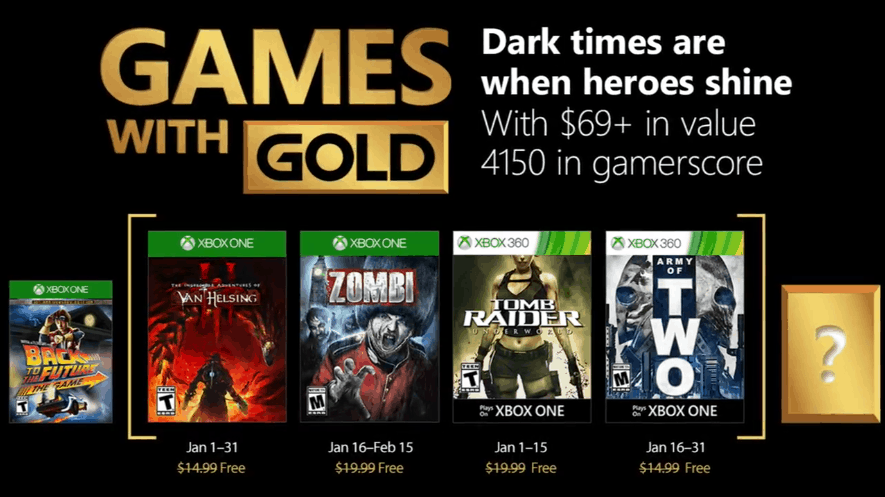
Xbox Games with Gold for January include ZOMBI, Tomb Raider Underworld and more

As 2017 is coming to a close, the Xbox team has just announced the first Games with Gold titles of 2018 today. On the Xbox One, The Incredible Adventures of Van Helsing III will be launching with Games with Gold on January 1, followed by the FPS survival game ZOMBI on January 16. These two games will be joined by the Xbox 360 titles Tomb Raider Underworld and Army of Two, which are also backward compatible on the Xbox One.

Overall, these four titles represent $69 in value and 4150 in gamerscore, which is not bad to kick off the new year. You can find more details about all these games below:

Xbox One titles

The Incredible Adventures of Van Helsing III ($14.99 ERP): Available January 1 to 31

In Van Helsing III, the civil war is over in Borgovia, but the future looks grim. The city of weird science is in ruins, squabbling factions and criminals fight for power and a strange cult prophesizes the coming of “The end of times.” And they might be just right: A wave of uncanny events shakes the land, and it’s all connected to a mysterious creature, a former ally turned into a fearful arch-villain. Which means that Van Helsing will do what he does best: He wields weapons, prepares his deadly tricks, and hunts down the most dangerous monster who has ever lived… and this time it’s personal. He’s prepared to do anything to achieve his goal, even to face the darkest secret about the birth of the modern Borgovia.

ZOMBI ($19.99 ERP): Available January 17 to February 15

For the second time in history, a great plague has shrouded London in a fog of death. Big Ben tolls as thousands of unprepared die, or worse, are infected by a sickness more gruesome than death. You’re still breathing, for now, but how long will you survive the labyrinth of London’s streets and underground canals, abandoned by the outside world and surrounded by infected? Zombi takes the power of the latest generation of hardware to bring you a new level of horror. Test your will to survive, but beware: death is permanent, and one wrong move can cause you to lose everything.

Xbox 360 titles

Tomb Raider Underworld ($11.99 ERP): Available January 1 to 15

esigned specifically to take advantage of the latest technologies Tomb Raider Underworld represents a new advancement in exploration-based gameplay. As fearless adventurer Lara Croft explore exotic locations around the world, each designed with an incredible attention to detail resulting in breathtaking high-definition visual fidelity that creates a truly believable world and delivers a new level of challenge and choice.

Army of Two ($14.99 ERP): Available January 16 to 31

When one man is not enough, it will take an army of two to fight through war, political turmoil and a conspiracy so vast it threatens the entire world. There are no refunds for this item. For more information, see www.xbox.com/live/accounts. Some multi-player functionalities may no longer be supported.

In case you missed it, you can get one month of Xbox Live Gold for just $1 through January 5. Make sure to also check out the last Games with Gold titles for December, as well as the just-announced Xbox Countdown to 2018 Sale.

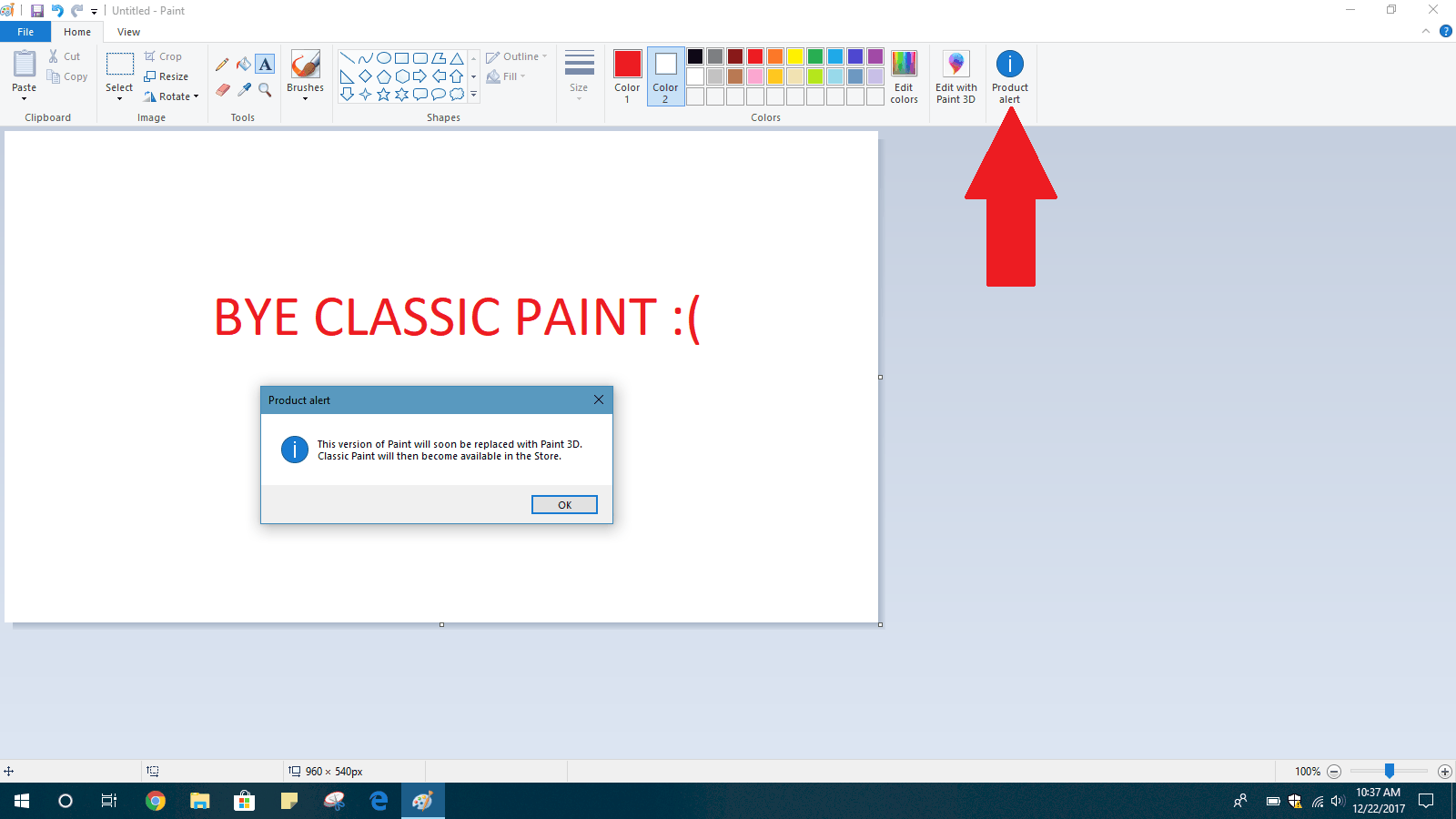
Microsoft begins warning Windows 10 Insiders that Paint will be replaced by Paint 3D

We already knew that Microsoft would be deprecating the classic Paint app in future versions of Windows 10, but things are becoming more of a reality now. A message in the much-loved Paint.exe app in Windows 10 Build 17063 is now warning of classic Paint being replaced by Paint 3D (via Neowin.)

The notification is not automatic but instead comes up when a user presses on the “Product Alert” icon in the ribbon of the classic Paint App in build 17063 (seen above.) It specifically warns users that “This version of Paint will soon be replaced with Paint 3D. Classic Paint will then become available in the Store.”

It was already known that Paint would be coming to the Microsoft Store, so this is not exactly earth-shattering news. It does, though, hint that Microsoft may or may not be eventually removing Classic Paint and releasing the Microsoft Store app in time for the Redstone 4 release this Spring. More will likely develop in the months ahead, so best to keep Paint.exe close to your heart in the meantime before it’s gone for good.

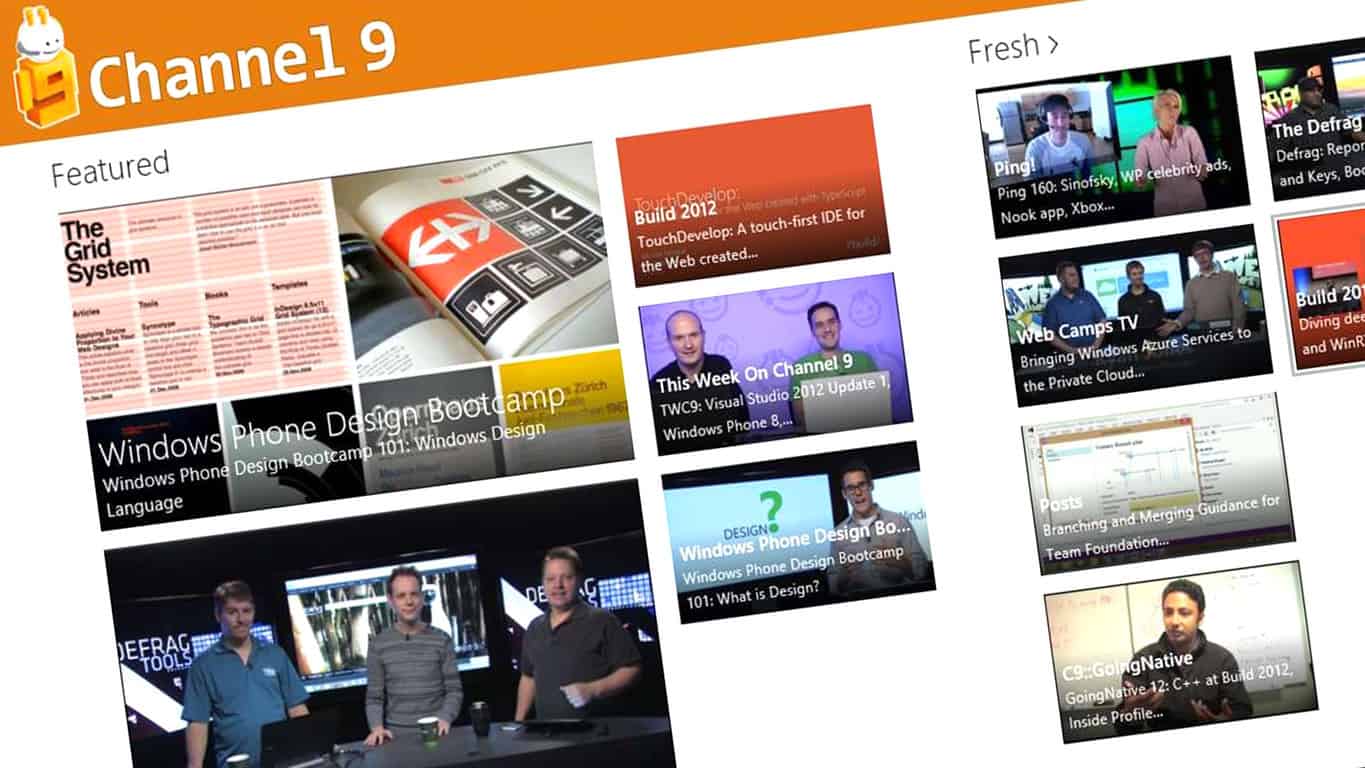
Say goodbye to Coding4Fun on Microsoft’s Channel 9

Coding4Fun has long been know as the area of Microsoft’s Channel 9 website where developers and tech-savvy folks could find hardware and software tricks and projects. Unfortunately, it is now being shut down, with no word as to why.

https://twitter.com/h0x0d/status/944207696332328960

Microsoft instead posted a So Long and Thank You note on the blog, saying that the entire Coding4Fun Blog has been possible because of the community. Have a look at the full note below:

Thank you x 1,000…! Today is the last for the Coding4Fun Blog. We’ve had an awesome run, but times change.
This blog was all that it was because of YOU! Those whos projects and posts that were highlighted, those who left comments and our readers. It’s all of you that made this blog so awesome, you were the power behind it all. Again, and finally, thank you!

This is very sad news for those who may have frequented Coding4Fun, and it’s still not certain why. We hope more information may come to light soon, and if it does, we will pass it along.

Eye Control on Windows 10 helps Microsoft win the Helen Keller Achievement Award

The American Foundation for the Blind (AFB) announced yesterday the 2017 Helen Keller Achievement Award Winners, and Microsoft came out as a victor. The company received the recognition thanks to Eye Control on Windows 10, as well as the Seeing AI app.

According to the AFB, Microsoft took “significant strides in developing inclusive technologies to empower people with disabilities.” The group mentioned Microsoft’s Seeing AI application, which narrates the world for people who are blind or have sight loss. Also mentioned is Eye Control in Windows 10, which allows individuals with severe mobility issues to use a PC by just moving their eyes. Other Microsoft products specified as part of the recognition include Office 365 for accessibility improvements, as well as Xbox for Copilot and the Accessibility API.

Facebook also received recognition, mainly for Automatic Alternative Text feature and a “myriad of product improvements.” It is great to see Microsoft getting acknowledged for their work, as the company always has been working to empower people with their technologies.

Windows 10 Insider build 17063 now lists app permissions settings all in one place

Earlier this week, The Windows Insider team delivered a massive release in the form of the Windows 10 Insider build 17063. The new bits brought a long list of new features including Timeline and Sets (for some), but also lots of small changes here and there.

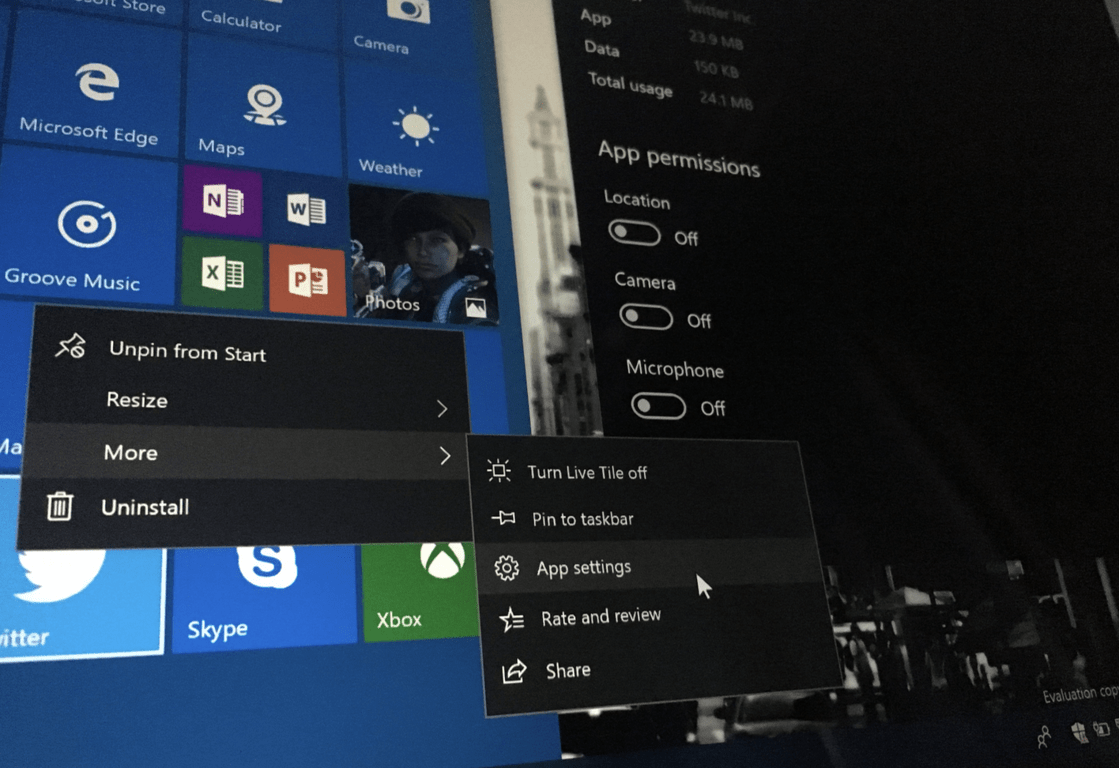
The Settings app was one of the areas that received a lot of attention from the Windows engineering team: in addition to the app getting a new look, this latest Insider build also introduced improved per-app privacy settings. Now, you can go to Settings > Apps > Apps and Settings, and then click “Advanced options” under an app to see all the permissions an app has requested.

As noted by Microsoft’s Jen Gentleman, you can actually access this privacy menu much faster by right clicking an app in your start menu, select “More” and then click on “App Settings.” This also works for apps that you’ve pinned to your Start Menu, but not for those that are pinned on your task bar.

The new per-app Privacy menu has truly become a one-stop shop for settings related to each app, with options for checking battery usage, set up lock screen notifications and terminate and/or uninstall the app. Let us know in the comments if this going to make it easier for you to check app permissions for all your Windows 10 apps.

Microsoft notes new known issues for Windows 10 Insider build 17063

The most recent Windows 10 build only dropped a few days ago, but the Windows Insider team is already hard at work diving through your feedback. Microsoft has added three known issues to the changelog for build 17063, including the problem where audio stops working in Firefox once the build is installed. Take note of the new known issues below:

  • ADDED 12/21: While navigating through OOBE, some of the buttons in the pages may not display correctly. In case of running into this, use the keyboard and tab forward through the page’s controls, or hover over blank areas of the screen and buttons will be rendered in the process. This should unblock you and allow you to continue through the OOBE flow.
  • ADDED 12/21: We are investigating reports that Windows shows that it “needs activation” and trying to activate fails after upgrading to Build 17063.
  • ADDED 12/21: Audio may not work in certain apps like Firefox after upgrading to Build 17063.

According to Windows Insider team member Jen Gentleman, the known issues which are included in build changelogs are ones that impact the decision to upgrade. Bearing that in mind, this is not to be taken as a comprehensive list.  So, if you do happen to stumble upon other issues, feel free to let Microsoft know by dropping a post in the Windows 10 Feedback Hub.

Cuphead thanks Xbox and PC fans for 2 million sold accomplisment

It took over four years but Cuphead has finally gone double platinum.

Well, let me make some clarifications. After being in what most of us thought was development delay hell for three years, the studio behind the massively popular and frustratingly difficult platformer Cuphead has announced that the game has just crossed the 2 million copies sold threshold.

The double platinum feat is a fairly impressive one considering the game has only been on the shelves for less than a year, selling at an average price of $20 and only offered on PC and Xbox at the moment.

Hello friends! Much to our shock and amazement, we can announce that Cuphead has now sold over 2 million copies across all platforms. Even in our wildest dreams, we never thought our crazy little characters would be embraced by this many fans from around the world and we are continuously humbled by your support.

So to everyone who has drawn fan art, composed memes, performed songs, conquered challenge runs, streamed their playthrough, or just played Cuphead and had a good time, we love and appreciate all of you from the bottom of our hearts.

Thanks to the best fans in the world and here’s to a joyful 2018!

Despite the long delay in the game’s release, Cuphead has proven to be well worth the wait for many. The combination of nostalgic animation and artwork combined with the action platform genre appears to have struck a nerve with some gamers looking for something different this holiday season beyond the traditional FPS or time-consuming RPG’s. It’ll be interesting to see if Cuphead can keep up the momentum.

Cuphead
Cuphead
Developer:
Studio MDHR
Price:
$19.99

Microsoft shuts down Office Live Meeting by the end of 2017

Microsoft recently delivered some sad news. The company plans to completely shut down Office Live Meeting service by December 31, 2017. Organizations that are still using Live Meeting should turn to other similar solutions.

Such solutions include Skype for Business and Skype Meeting Broadcast. Businesses that are still using the Live Meeting service are advised to migrate as soon as possible to alternative services such as the ones mentioned before.

Skype for Business/Skype Meeting Broadcast vs. Live Meeting

Skype for Business is a convenient solution, and it also provides a few advantages over the Live Meeting service including the following:

  • It offers an increased scale with up to 10,000 attendees in a Skype Meeting Broadcast.
  • The service provides support for participating in meetings from Android, iOS, and more mobile devices.
  • You will get enhanced quality with HD video and video-based screen sharing.

More advantages of Skype for Business over Live Meeting service

Skype for Business provides audience engagement features such as sentiment tracking and Yammer integration, unlike the LiveMeeting service.

Both services include a similar meeting structure that features IM and presence, two-way or one-way VoIP audio, Audio Telephone Bridge integration and more. Skype Meeting Broadcast also includes hosted recordings, post-meeting reports, hide attendee roster and split workload.

Both Live Meeting and Skype for Business services include audience engagement features such as moderated Q&A, polling and surveys. The also feature similar content sharing possibilities via webcam video sharing, PowerPoint Presentation, desktop and app sharing, whiteboard sharing and file distribution and transfer.

Recording Exporter Tool

This is another option that you will have available to migrate to from Live Meetings. Microsoft released this new tool called Recording Exporter Tool that will help organizations manage all their Live Meeting recordings.

When you are using this tool, you will be able to download any or all of the existing meeting recordings that you had previously saved in the Live Meetings service.

Download Recording Exporter Tool and try it out.

RELATED STORIES TO CHECK OUT:

This Surface Phone 3D concept art makes you want to buy the device

The Windows 10 Mobile might have fallen by the wayside, but Microsoft is not finished with mobiles just yet. It has been speculated for some time that Microsoft will launch a new Surface Phone sometime in 2018. The software giant has confirmed that it is planning on launching new phones, but revealed little about specific models as of yet.

Microsoft CEO Mr. Nadella stated that the company might launch phones which bare little resemblance to current models. Mr. Nadella stated, “I’m sure we’ll make more phones, but they will not look like phones that are there today.” The rumor mill suggests that Microsoft’s next mobile will be the Surface Phone running with an Andromeda platform.

A new patent from the Microsoft Surface team that surfaced this month further increased Surface Phone speculation. That patent includes an image of a small handheld device with a couple of alternative display screens that folds like a book. The patent shows a device that is comparable to the Lenovo Yoga Book. So it is feasible that the recent patent could include the first genuine images of the Surface Phone, but it might be something else.
surface phone

The latest patent illustrations have inspired the designer Mr. Breyer to produce new 3D concept art of what the Surface Phone could be like when, and if, Microsoft unveil it. Mr. Breyer showcased the 3D concept art on this Twitter page. The 3D renderings on that page are not in any way official Microsoft concept art, but they are based on the earlier patent illustrations. The concept renderings showcase a foldable mobile with a stylus pen that has a couple of displays between its covers.

The latest 3D concept art for a potential Surface Phone will certainly whet the appetite for a new kind of mobile that some industry analysts expect Microsoft to launch in 2018. The software giant has not confirmed any Surface Phone. However, many anticipate that Microsoft will reveal the Surface Pro in the second half of 2018.

iTunes for Windows 10 postponed to 2018 (maybe)

If you thought that iTunes for Windows 10 project is dead, you might have been entirely wrong, according to Apple.

Microsoft had a rough time trying to convince high-profile software developers to launch their apps on the Microsoft Store. When the company announced during Build 2017 that Apple had a Windows 10 version of iTunes in the works, everyone got really excited.

Ever since the official announcement was made at the developer conference, no one heard another word about Apple launching an iTunes app for Windows 10. As a result, everyone thought that the project died before it managed to begin properly and Apple’s software would never arrive at the Microsoft Store. But, fortunately, it seems that the project is still alive and kicking, but the app is just not ready yet for download in the Store.

An Apple spokesperson stated that the company has been working with Microsoft in order to deliver the full iTunes experience to the customers and a bit of time is still required to get things going.

Apple’s iTunes for Windows 10 will launch in 2018 if all goes well

We can’t tell you the exact reason for which Apple needs so much time to bring its app to the Microsoft Store, but it’s pretty clear the this will not happen by the end of the year.

Windows 10 Redstone 4 will launch in the Spring of 2018 and the RTM build is scheduled to launch in March. That could be the perfect timing for Apple to finally unveil its iTunes for Microsoft Store. iTunes for Microsoft Store is a long-awaited release, and we’ll just have to wait and see what the New Year brings.

RELATED STORIES TO CHECK OUT: