New Xbox Live Sessions Mixer livestream to debut next week with special guest DJ Khaled

The Xbox team will launch next week Xbox Live Sessions, a new Mixer livestream featuring popular pop culture celebrities playing Xbox games. The first episode will kick off on August 25 on the Mixer Xbox channel and feature record producer and Internet celebrity DJ Khaled.

“Beginning on Friday, August 25 at 6:00 p.m. PDT, DJ Khaled will join Xbox for its first-ever Xbox Live Session, as DJ Khaled plays Madden NFL 18 on Xbox One S, all while discussing his projects, answering fan questions and giving away prizes throughout the livestream,” explained the Xbox team. “Popular radio personality and founder of Dash Radio, DJ Skee will join DJ Khaled in-studio as one of the first hosts of Xbox Live Sessions.”

This new series on Mixer shows that the live streaming platform is definitely one of the most interesting acquisitions Microsoft made last year. The service previously known as Beam used to be exclusively focused on video game streaming, but Microsoft is now using to broadcast media keynotes, the monthly Windows Insider podcast and other rendez vous on Mixer Channel One. The new Xbox Live Sessions seems to be exactly what Microsoft needs to make the Xbox brand “cool” again.

“We are thrilled to help connect the biggest stars in pop culture like DJ Khaled to the world’s leading gaming social network with Xbox Live Sessions,” said Aaron Greenberg, GM of Games Marketing at Xbox. “DJ Khaled kicks off an incredible line-up of guests coming to not only chat but interact with their fans in titles like Madden NFL 18 over Xbox Live,” he added.

Over half of unprotected Windows 7 machines don’t run any AV software at all, says Microsoft

If Android finally beat Windows as the dominant OS for Internet usage this year, you can’t deny that Microsoft’s older desktop operating system remains more vulnerable to malware as of today. And if Windows 10 is the most secure version of Windows ever, the majority of users are still running older versions of Windows, without necessarily using up to date security software.

In its latest Security Intelligence Report, the company revealed that among all Windows 7 and Windows Vista PCs reporting statuses other than “Protected” to Microsoft, more than half of them have no antimalware software installed at all, which is pretty massive (via ZDNet).

Starting with Windows 8, Microsoft decided to turn on Windows Defender by default when no other antimalware software is present, though as you can see in the above chart below, the majority of unprotected Windows 8 and Windows 8.1 PCs have their antimalware software turned off. “This is not always deliberate: a number of prevalent malware families are capable of disabling some security products, potentially without the user even knowing,” explained Microsoft. The situation is not that much better with unprotected Windows 10 PCs: A big chunk of those machines are running with out-of-date signatures, and a significant part of the user base is also lacking full protection due to real-time monitoring being “snoozed.”

In this other image, you can see which are the countries and regions with the highest percentage of computers reporting as protected by real-time security software in March 2017: these include Finland (92.%), Portugal (90.3%) and Denmark (90.2%).

If your PC is connected to the Internet, it’s worth reminding that it’s always recommended to install Windows security updates and make sure that your antivirus software is up to date. We invite you to check the full report for more insights about the latest security threats.

Get ready to #DEFEND with the Defenders dashboard on Xbox One

With Marvel’s The Defenders premiering on Netflix today, a special promotional campaign has begun for the highly-anticipated superhero mini-series on Microsoft’s Xbox One console.

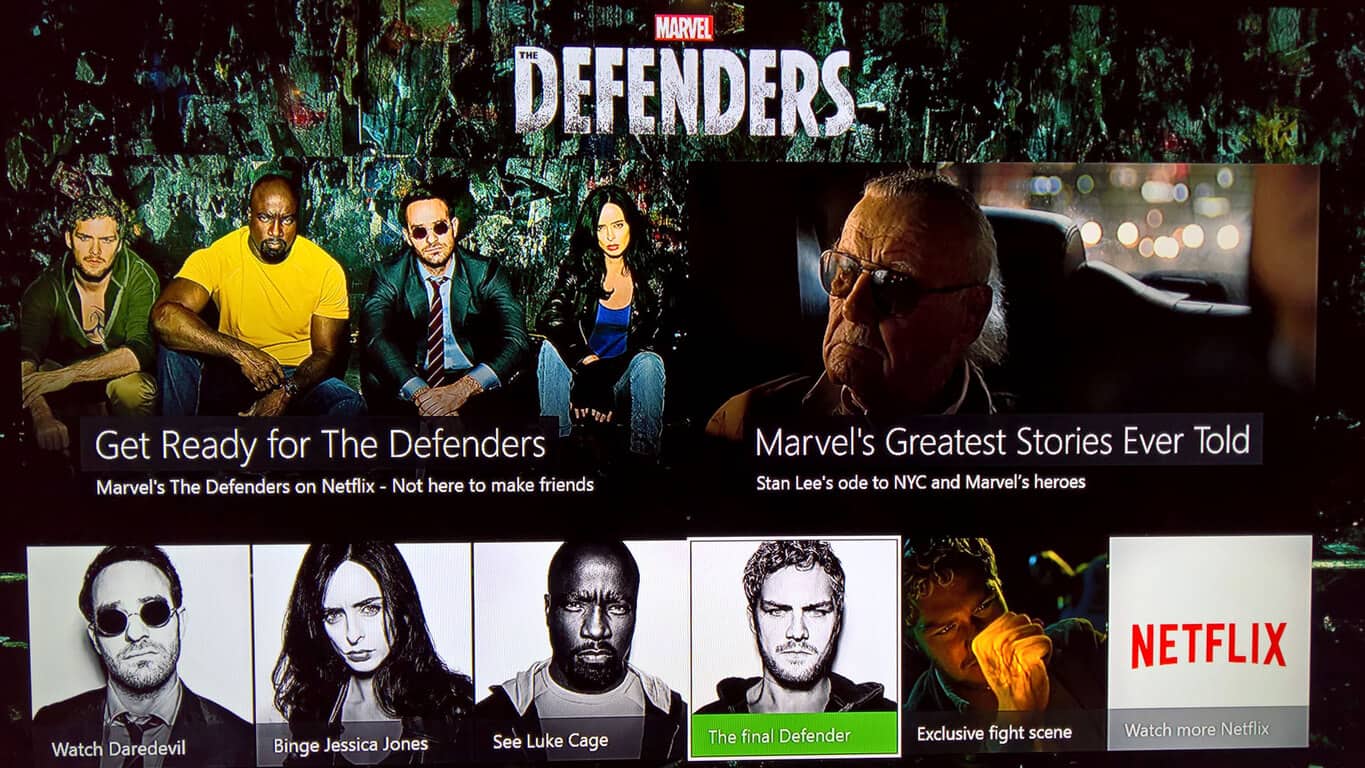
The promotional campaign features a rather prominent banner for the series within the Entertainment tab on the Xbox One dashboard which, when clicked on, opens up an interactive menu full of Defenders content.

In addition to the expected links to each of the four preceding Marvel series, Daredevil, Jessica Jones, Luke Cage, and Iron Fist, this themed dashboard also provides fans with an exclusive scene from the series featuring the long-awaited first encounter of Luke Cage (Power Man) and Danny Rand (the Iron Fist) as well as a rather emotional montage of the Marvel Netflix shows narrated by the legend, Stan Lee.

All of the Marvel Netflix series take place in the same canonical universe as the Marvel movies and Agents of S.H.I.E.L.D. (referred to as the Marvel Cinematic Universe) but feature a darker vibe and tackle more complex, adult themes that some may find unsuitable for younger viewers. Daredevil explores religion, physical disability, and the nature of crime and violence, Jessica Jones revolves around a survivor of sexual abuse, Luke Cage focuses on black culture and identity politics in America, while Iron Fist deals with abusive father figures, bullying, abuse, and mental illness.

While Luke Cage and Jessica Jones met in the first season of Jessica Jones, The Defenders will be the first time all four street-level superheroes meet in person. The Defenders will be eight episodes long and should be going live any moment now on Netflix apps around the world.

Are you a fan of the Marvel Netflix series? Let us know who your favorite Defenders is in the comments below.

EA Access Members can now enjoy the Madden NFL 18 before release

Sports fans looking for a new game to try out? EA Access has you covered. The upcoming Madden NFL 18 set for release on August 25 is now available as a Play First title.

If you’ve subscribed to the $4.99 service, EA Access allows gamers to play up to ten hours of Madden NFL 18 before the release date. Furthermore, there is a bonus 10% discount for purchases made with EA Access, bringing down a small chunk of the original $59.99 retail price. Progress, achievements, and content acquired during the First Play time period will also carry over to release.

Madden NFL 18 will also have improvements for running on the Xbox One X and 4k resolution. But you can play it first on Xbox One today.

Microsoft Surface app gets an accessory battery level section with latest update

Within the last couple of days, Microsoft dropped an update for the Microsoft Surface app on Windows 10. Although it’s fairly minor, it adds in a new accessories battery level section to the experience of the application.

The update bumps the latest version of the Surface app on Windows 10 to version 23.0.602.0. As seen in the screenshot, the update revamps the look of the side menu by adding in a battery icon. Upon clicking this icon, one will now find a section dedicated to the battery level of certain connected Microsoft and Surface branded Bluetooth accessories, including the Surface Pen, Surface Dial, Microsoft Surface Mouse. The percentage of battery remaining, and the time the user last checked the battery life is also shown.

Battery level

Again, this is a fairly minor update, but it will be helpful for figuring out when you will need to change those batteries in your Microsoft Bluetooth accessories. If you’re not already using the app, or if you may have missed the update, you can update and find it in the Windows Store by clicking below.

Surface
Surface
Price:
Free

Bing Maps now supports Ground Overlays, GeoXml Module, and more

Bing Maps V8 is Microsoft’s modern web mapping SDK. This interactive SDK provides lots of useful editable code samples that show how to use the various features of the Bing Maps V8 SDK.

By default, the interactive SDK shows code samples for features that are available in the release branch of the SDK. If you go to the version drop-down in the top right corner of the page, you will be able to switch between release, experimental and frozen versions of the map control.

The experimental branch includes the latest code samples for new features that are currently in the development process and that are being tested. The frozen branch may include fewer code samples than the release branch, and this happens because features are released less often to maintain a stable branch without the latest features.

What’s new in the Bing Maps V8 Summer Update

GeoXml Module: You can now easily import and export standard spatial file formats such as KML, KMZ, GeoRSS, GML (via GeoRSS) and GPX. You can load it as a layer on the map or directly access the data with just a few code lines.

Ground Overlays: You can now overlay geo-referenced images on top of the map, and you will see that they will move and scale as you pan and zoom the map. This is ideal for overlaying old maps, building floor plans, or for imagery from a drone.

LocationRect class improvements: Two new static methods have been added to the LocationRect class. The first one aka fromShapes allows you to generate a LocationRect from an array of shapes easily. The second one is called merge, and it makes it very easy to combine two LocationRect objects to create the minimum bounding LocationRect.

TypeScript Definitions are updated, and now they can provide additional details around API changes that have occurred as part of this release.

RELATED STORIES TO CHECK OUT:

Microsoft launches a Chrome extension designed for a single Azure Active-Directory sign-in

Microsoft is bringing some goodies to Chrome users yet again today, by introducing a new Azure Active-Directory sign-in extension to the browser. The extension was released recently, and many people who work at Azure-utilizing companies may already have it on their computers. The extension is there to help people sign into services simply, as long as they support identities in the Azure Active Directory.

Use this extension to sign in to supported websites with accounts on Windows 10. If you have a Microsoft supported identity on Windows 10, you won’t be required to enter your credentials to sign in to supported websites. You’ll need to use this extension if your organization has implemented conditional access policy. Currently, this extension supports Azure Active Directory identities.

The plugin comes as part of Microsoft’s effort to reclaim their push to have a single sign-in experience for Windows 10 – at least for Azure users. It opens up avenues for IT companies to create device-based access policies, and generally, have more control over the security of their online services.

You can download the plugin for Chrome right now, and IT departments who use Azure services frequently are already loading it up on wide scales for their companies.


Battlefield: Bad Company is the latest Xbox One Backward Compatible title

Battlefield: Bad Company is joining the Xbox One Backward Compatibility catalog today, just two days after Metal Gear Rising: Revengeance and ScreamRide were added to the list. The FPS launched exclusively on the Xbox 360 and Playstation 3 back in June 2008, and its sequel Battlefield Bad: Company 2 (released in 2010) was already backward compatible on the Xbox One since January.

The game is currently priced at $14.99 on the Xbox Store, and here is its official description:

Battlefield: Bad Company follows a wayward band of ordinary soldiers who decide that sometimes the gratitude of a nation just isn’t enough. Featuring a dramatic storyline loaded with a unique attitude, the game delivers the series’ trademark sandbox gameplay in a universe where almost everything is destructible. The ever-changing battlefield forces players, their team mates and enemies to react accordingly and use destruction tactically. The game also features the all new, objective based multiplayer game mode “Gold Rush”, supporting 24 players online. Play as attackers and defenders and make full use of the tactical destruction as well as the unique vehicle experience that can only be experienced in Battlefield: Bad Company.

Microsoft announced last month that over 400 Xbox 360 games are now backward compatible on the Xbox One, which is pretty good considering that the feature launched nearly two years ago. There are probably still many old gems that deserved to be added to the list, but it’s great that the Xbox team keeps announcing new additions at a regular pace.

Open world survival game Conan Exiles hits Xbox Game Preview

Conan Exiles is the latest game available as part of the Xbox Game Preview Program, and is an open-world survival game set in the world of “Conan the Barbarian.” Conan Exiles allows you to build your own castle to protect against monsters and warring factions bent on dividing and conquering.

Conan Exiles was released on Windows 10 earlier this year and is available for $34.99. It’s a work in progress and the game is available on Xbox One with the new expansion pack, The Frozen North.

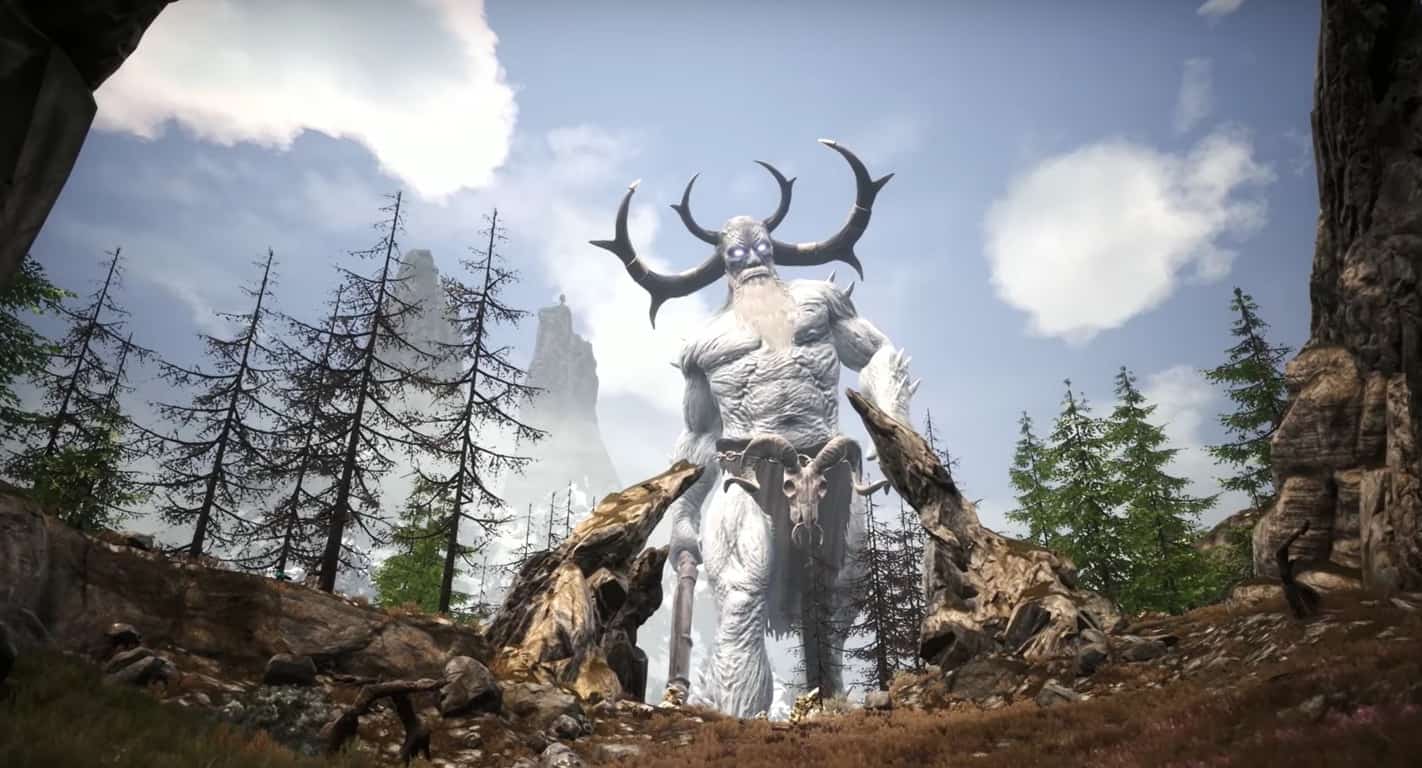
The Frozen North features new items, new structures, new monsters, and a brutal, snowy, and mountainous landscape, expanding the original open-world of Conan Exiles by more than 70%! Only players who have advanced to Level 30 are capable enough to survive The Frozen North. Take a look at Conan Exiles with the new The Frozen North expansion in this video.

Conan Exiles will continue to evolve and is still an Xbox Game Preview game. You can play the game as a free trial and try it out before you buy.

Play Conan Exiles on Xbox One, available in the Xbox Store.

Windows Insiders, how should Microsoft tell you when your bug has been fixed? Dona Sarkar wants to know

About an hour after revealing there would be no new Windows 10 PC Insider builds this week, Dona Sarkar followed up to share some information about the future of the Windows Insider Program. It was revealed that Microsoft is looking to find out how Insiders want to be notified when their reported bugs have been fixed.

According to Dona, a few of the notification options on the table include emails, a notification in the feedback hub, and “SUIFS.” We were not certain what was meant by a “SUIF” so we followed up to ask the chief ninja cat what she meant. On Twitter, Dona joked about the need for a Windows Insider glossary and told our Kip Kniskern that a SUIF is a pop-up which asks for feedback on your experience or features.

Regardless of which method is chosen by Microsoft, notifying Windows Insiders individually about bug fixes would be a welcome change. It would make things much more personal compared to the current upvote and comment system, encourage more bug reporting altogether, and aid Microsoft in making Windows 10 great again.

The individual notifications bug fixes appear to be a part of a wider push by Microsoft to connect with the Windows Insider community. Dona has previously tweeted about the iteration of new ideas, and forums for Windows Insider communications. She previously revealed that the company is looking to better use Instagram, LinkedIn, Twitter, Mixer, LinkedIn, and Blog Posts to make connections with Windows Insiders.

OneNote for Windows 10 picks up Text to Math feature, more in August update rolling out now

Microsoft is now rolling out the August 2017 update for the OneNote UWP app on Windows 10. The update adds in several new features, including a Text to Math feature, and the ability to insert online pictures.

As is usual, the update is rolling out slowly to everyone, so you might not notice the new features right away. Here is what you need to know about the version 17.8471.5772 update:

  • Text to Math: Use your keyboard to type an equation as text in OneNote, and use Math to solve it or draw a graph. Simply type your equation, and on the Draw tab, click the Lasso Select button. Drag a circle around the text you want to convert, then click Math.
  • Smart Lookup: Get definitions, wiki articles, and top related searches from the web without leaving OneNote. Right-click a word or phrase and choose Smart Lookup.
  • Insert online pictures: Use Bing’s Image Search to safely insert photos and images without ever having to leave OneNote. On the Insert tab, choose Pictures > Online. In the Online Pictures pane, use a keyword to search for the perfect picture for your notes.
  • Tables of all shapes and sizes: One cell or many? Choose the number of rows and columns you need to organize your content. Once you’ve got a table, you can add or delete rows or columns, add table shading, or sort your content.
  • More highlight colors: Yellow isn’t the only color in the rainbow. Now you can highlight with blue, green, red, and more.
  • Zoom in, zoom out: Use the new Page Width option on the View tab to zoom out to see all the notes on your page, or zoom in to focus on just what you need.

Back in July, Microsoft updated OneNote for Windows 10 with muti-window support, custom pens, and more. The OneNote for Windows 10 app comes with several advantages over the desktop application, and you can learn more about the differences by clicking here. You can also download OneNote from Windows 10 via the link below.

New Planet of the Apes video game announced for Xbox One

Coming in the Fall 2017, Planet of the Apes: Last Frontier is a new game headed to Xbox One and Windows 10. Here’s a look at the reveal trailer for Planet of the Apes: Last Frontier.

Besides the reveal trailer, there is not much known about the Planet of the Apes: Last Frontier gameplay at the moment. The Planet of the Apes game is “a brand new interactive narrative” that takes place within the fictional world of the “Planet of the Apes.” Other than that the game’s website offers links to the game’s Twitter, Facebook, and YouTube channel, but there is not much other game information available.

IGN has a 6 minute gameplay clip available showing the gameplay as an ape and one playing as a human. Stay tuned, as we may see more information revealed at gamescom 2017 next week.

Microsoft spent a pretty penny last week on national broadcast for its Surface ads

Since the ascension of Satya Nadella, Microsoft’s advertising budget has seemed to have shrunk compared to the good ol’ Ballmer days. Instead, the company has become a bit more focus on adhering to its more profitable endeavors in commercial software rather than chasing the latest hardware trends.

However, it does seem that Microsoft does want its Surface line of hardware to strike a chord with consumers.

With that, we just got a peek at how much Microsoft spent trying to put its Surface hardware in front of the eyeballs of prime time viewers.

In a report by ADWEEK, we find out that Microsoft reached into its coffers to shell out $10.4 million nationally for broadcast placement last week.

After devoting the entirety of its $9.9 million national broadcast placement budget the week prior, Microsoft spent $4.8 million of the over $10.4 million it spent on national broadcast placement overall on new creative last week. Of that, Microsoft devoted $606,000 to placement during America’s Got Talent, more than any other programming.

This information comes from Kantar Media as it reports advertisers spent upwards of $135 million on national broadcast placements for new ads last week.

With over $135 million spent on new national ad campaigns last week, Microsoft tallied up to become the second largest spender behind Lions Gate Pictures which was busy promoting its latest movies, The Hitman’s Bodyguard and The Glass Castle.

While Microsoft’s main audience tends to lean toward governments and corporations, the company still finds space in its budget to advertise its more consumer friendly items to the average joe. Even in spite of the company’s  sometimes ham-fisted and tone deaf marketing approaches,  Microsoft continues to reach into its pockets to shell out money to be in front of a potential audience and now we have a peek at how much they care.

The impressive Story Remix 3D features showcased at Build 2017 have reportedly been delayed

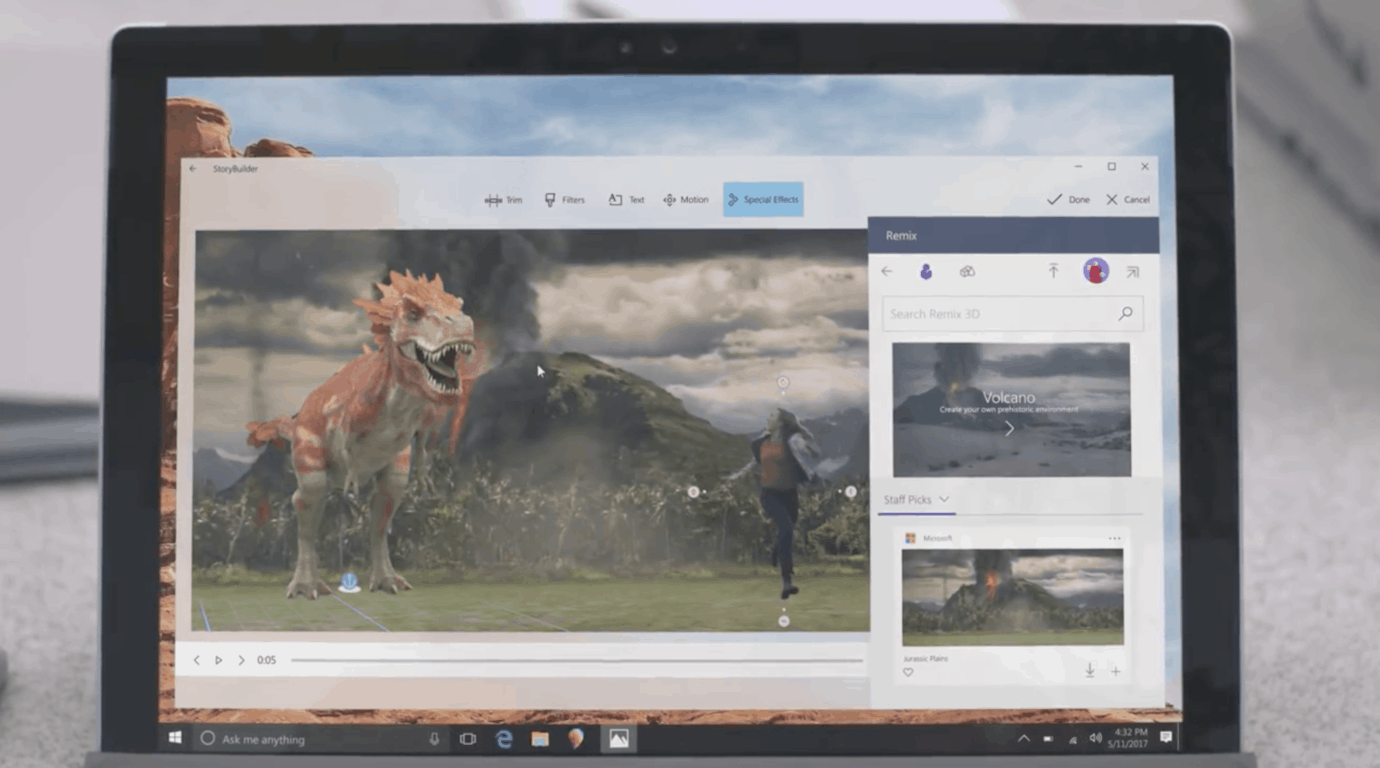
Did Microsoft showcase too many Windows 10 features that were not fully baked during its latest annual developer conference? After Joe Belfiore recently confirmed that the new Timeline feature won’t ship with the Fall Creators Update, many were wondering if the amazing Story Remix demo that Microsoft gave us at Build 2017 would be ready for the next major Windows 10 update.

Story Remix is already available in preview for Windows Insiders, though its most interesting features are still missing in action. If you watched the Build keynote in April, you may remember Microsoft showcasing how to anchor written notes to people in a video, and even better, the ability to import 3D objects. In a quite impressive demo, we saw how it was possible to anchor a fireball to a soccer ball for pretty epic results.

Unfortunately though, these exciting 3D features have reportedly been delayed and won’t be ready for the Fall Creators Update. The news comes from Windows Central reporter Zac Bowden, who explained today that the much-anticipated Story Remix features will be tested first with Windows Insiders after the launch of the Fall Creators Update:

My contacts say that Story Remix itself will be ready with the Fall Creators Update, but being able to insert 3D objects and effects into your video; arguably Story Remix’s blockbuster feature, still needs work and as such will not be showing up alongside the launch of the Fall Creators Update. I’m told Insiders can expect to see that functionality show up in the months after the Fall Creators Update launches, likely during the Redstone 4 development cycle.

Microsoft has yet to officially confirm that Story Remix won’t be feature complete with the Windows 10 Fall Creators Update, and we’ll let you know if we hear anything new. With two major Windows 10 updates every year, a delay wouldn’t be really dramatic, but we still hope Microsoft will be more careful to not over promise and under deliver going forward.

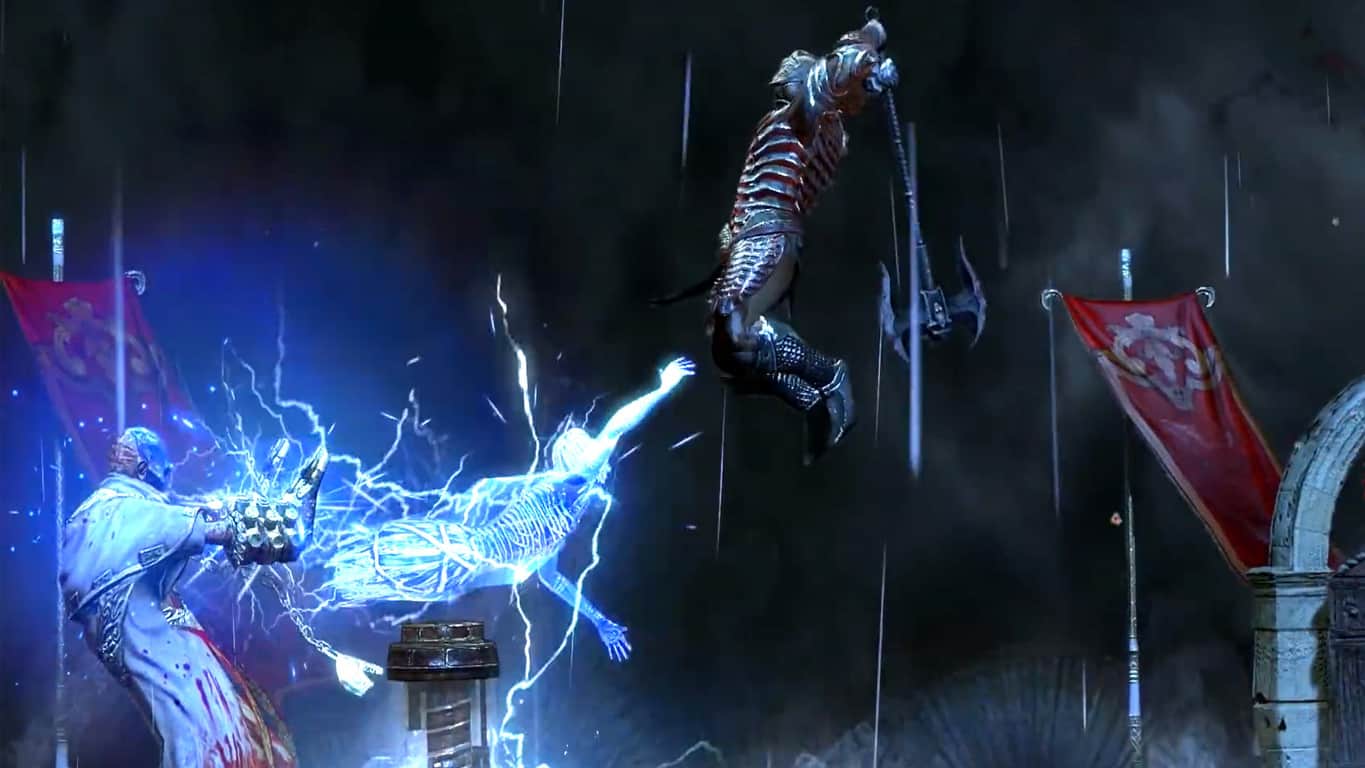
Path of Exile First Blood Bundle digital pre-orders open on Xbox One

Path of Exile First Blood is now available to digitally pre-order on the Xbox One before its August 25th release date. To encourage gamers to pre-order, those that purchase the title before its release date are being rewarded with a special starter pack that automatically unlocks 200 points, the First Blood Weapon Effect and an Extra Stash Tab. Here’s the (very short) official game description and shopping link:

Earn devastating skills and valuable items as you fight your way through the dark continent of Wraeclast. With unrivaled character customization, Path of Exile is an award-winning online Action RPG created by hardcore gamers, for hardcore gamers.

Pre-order Path of Exile First Blood on Xbox One

Are you hyped to play Path of Exile First Blood and will you pre-order? Let us know in the comments.

Windows Insiders can now use the Skip Ahead option again

The Skip Ahead option for Fast ring Insiders  lets users jump ahead past the current Fall Creators Update builds. They can reach the development branch where the update coming after the Fall Creators Update is in the development process.

The Skip Ahead option places Insiders on the Redstone 4 channel of development builds. In other words, if they choose to skip ahead they will not be able to test the Fall Creators Update RTM, but they will receive early updates.

When Microsoft announced this option, the Insider team said that places were limited and not everyone who wanted to join would be able to do so.

Skip Ahead is available again

Last week the company closed the entry window, and the feature was not available anymore. On August 4, the Skip Ahead program reached full capacity, and Microsoft didn’t accept any new participants. Microsoft limited the number of Insiders for the Skip Ahead option in order to continue testing the Fall Creators Update and receive feedback on the latest builds.

Now, it looks like Insiders from the Fast ring can access the feature again, and they can skip ahead to the Fall Creators Update.

Users believe that the Insiders Program allows Microsoft to kill two birds with one stone. Insiders get what they want (which is early access to Windows builds with new features and the ability to provide feedback), and Microsoft saves money by not having to pay testers.

RELATED STORIES TO CHECK OUT:

Middle School Math student writes letter to Microsoft’s Brad Smith, gets Surface Laptop in return

Microsoft recently put its money where its mouth is when it came to encouraging children to seek out and explore careers involving STEM focused curriculum.

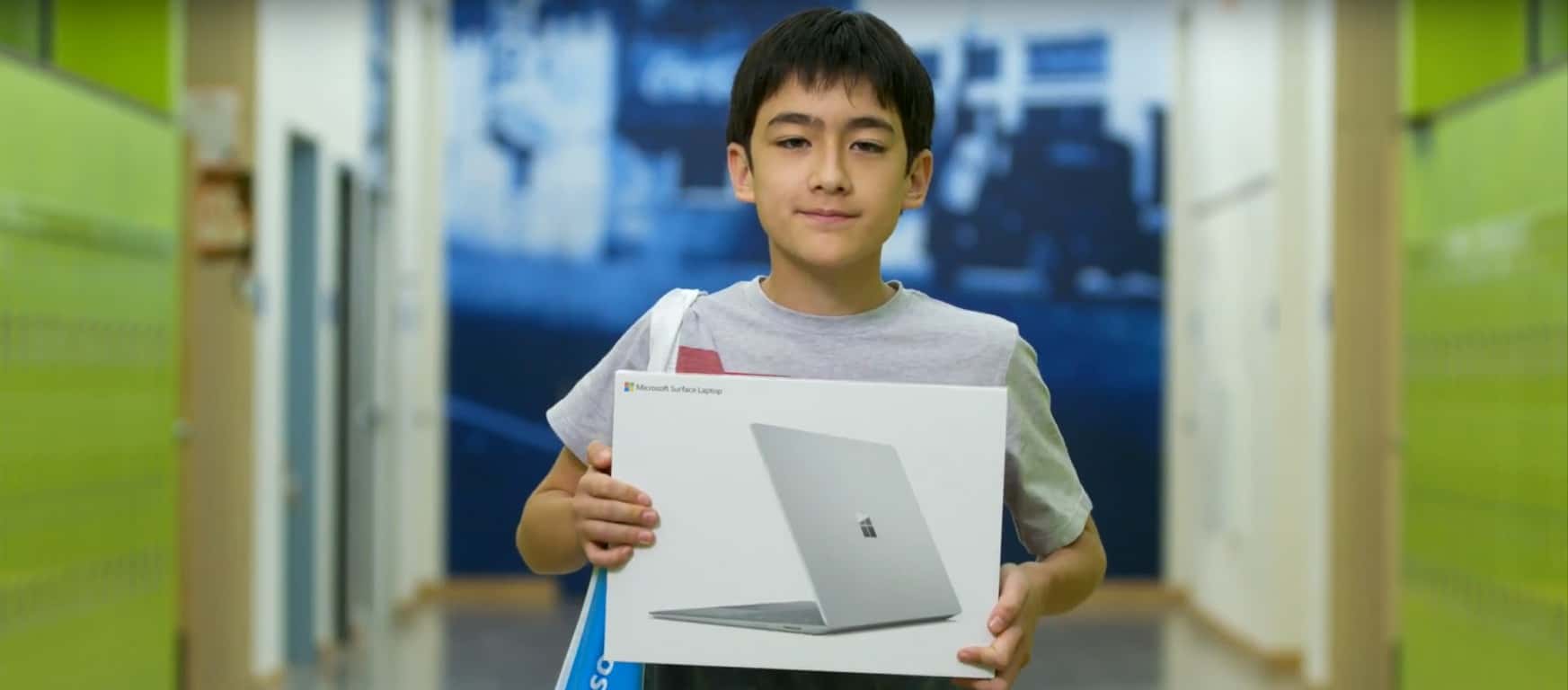
As part of a school project that asked students to reach out to their favorite businesses and express their appreciation, a Silverland Middle School student by the name of Sky Yi wrote to President and Cheif Legal Officer at Microsoft, Brad Smith.

While the chances of a letter from a middle school youth reaching such a high-level executive at Microsoft seemed relatively low, Yi completed his assignment by penning an honest and relatively self-aware letter to Smith expressing his appreciation of the software company.

“I know this letter won’t be opened by you on the spot, as I’m sure you guys get millions of letters,” Sky wrote. “I bet whoever is getting this letter, whether it be your secretary or whatnot, is probably just throwing this away or something like that.” Still, he added, “Keep up the good work running that company.”

Wouldn’t you know it, not only did the letter get past a communications bot and executive assistant, but it made its way to Smith’s desk which prompted the executive to visit the middle school in Fernley, Nevada.

Not only did Yi’s letter bring Smith to the middle school to stress the importance of emboldening teachers and students who engage in STEM curriculum but Yi was also gifted with one of Microsoft’s latest Surface Laptops for his efforts.

Before his visit to Yi’s middle school, Smith responded in kind with this letter,

“At Microsoft, we’ve been working with middle schools for a long time, especially on subjects like middle-school math,” Smith said at the end of his visit. “Because what we’ve learned, what the country knows, is that middle-school math is a game changer. If kids make it through seventh-  and eighth-grade math, and they succeed, they’re almost certain to keep succeeding, they’re almost certain to graduate from high school. And one of the things that makes this story exciting, is that this is a middle school that clearly has some great math teachers doing really creative work, drawing kids in, helping them not just learn to count and focus on things like algebra, but showing how math has a real-world impact, and as schools are finding out across the country, that makes all the difference.”

Beyond Microsoft’s work in creating tools, services, and programs to help aid teachers in reaching out to students interested in STEM as well as encouraging students to seek out science, technology, engineering, and math, it is nice to see the company humanizing its efforts with cases such as Yi’s.

For students looking for new hardware going into high school or college, perhaps, sharpen those pencils and write to your favorite Microsoft employee soon.

Nimble launches add in for Microsoft Edge, delivers instant social business insights on people and companies

Microsoft’s Edge browser has a bit of a chicken and egg conundrum going for it as it’s relatively new presence on a relatively new OS hinders it from being a trusted name among internet browsers. Coupled with the fact that it’s predecessor in Internet Explorer has become the butt of many internet meme jokes (for mostly justified reasons) and its largest competitor continues to build enticing lock-in features, Edge has its work cut out for itself.

Fortunately, the developers of Nimble appear to be forward thinking developers who are placing some large bets on the future of Edge and how businesses will want to use internet browsers.

Nimble is the first Social Sales and Marketing CRM that works for you by building your CRM from your existing Office 365 data and then works with you, everywhere you engage. We’ve optimized Nimble to work seamlessly inside Office 365, Outlook, Skype and even Dynamics CRM. We help you easily deploy your CRM by syncing your team’s Office 365 contacts, emails, and calendars into a unified relationship manager enriched with the business insights you need to engage.

Nimble is a fairly comprehensive addition to Edge that pulls and displays a complete communication trail which includes shared emails, notes, and social media messages right from within the -browser. Gone are the days of whack-a-mole-like professional communication tracking, thanks to Nimble’s ability to aggregate company CRM listings.

Furthermore, Nimble works outside of the confines of Outlook, Skype or Dynamics as it provides contact insights when surfing social media sites such as Facebook, Instagram, AngelList, Twitter, CrunchBase and of course LinkedIn, to name a few. With Nimble, users can pull up relevant contact info while engaging with people on their favorite sites.

Nimble also works for people on the go as it integrates with Outlook mobile to provide a similar communications flow as its desktop counterpart.

To try out Nimble and all of its version 4.0 features, Edge users can head over to www.nimble.com for a 14-day free trial, after which, the price becomes $25 per license, per month. Understandably, it’s the business CRM listings that help make Nimble the successful communications tool it is now, but hopefully, developers will see the benefits in a more consumer oriented version of the service in the future.

PDF Assistant Pro is an all-in-one tool for your PDF files on Windows 10

PDF Assistant Pro is a universal app for Windows 10 PC and Mobile for working with PDF files. It’s not just a PDF reader but also allows you to annotate and mark-up as well as edit PDF files.

PDF Assistant Pro has an intuitive UI and you can just dive in right off the bat. You can open PDF files stored locally or on your OneDrive, including the password-protected ones.

There’s a hamburger menu button on the top-left corner, although it doesn’t open as a usual left panel, but a top bar that have options for file management and editing. There’s option to add or select text as well as draw or markup over the document.

The options are quite simple and easy to use. There are sub options, but they only touch the basic and don’t go too deep. There’s also an undo and redo button to go back or forward during an edit. While the PC version has buttons to zoom in or out and to hide or view thumbnails of all the pages, the Mobile version relies on touch to zoom in or out of the document.

Once you’re done, the document can be saved locally, on your OneDrive, or shared directly via the universal sharing framework of Windows 10.

All in all, PDF Assistant Pro is a pretty good – almost a Swiss army knife – for working with PDF files, and the universal Windows 10 app works great for your PCs, tablets, and phones.

While the usual price of the app is $7.99, you can grab it at half the price – only $3.99 – for the next few days as part of an ongoing promotion. Else, there’s also an ad-supported free edition, that packs in only a subset of features. Give either a whirl, and let us know how you like it.

PDF Assistant PRO
PDF Assistant PRO
Developer:
Roxy
Price:
$2.99

Microsoft launches Making Mixed Reality series, interviews developer Lucas Rizzotto

Will mixed reality become the next big platform for developers? Microsoft certainly seems to believe it, as the Creators Update was the first version of Windows 10 to ship with the Windows Mixed Reality portal. And today, the company is launching Making Mixed Reality, a new series featuring developers, designers and artists experimenting with the new platform.

The first episode features Lucas Rizzotto, an award-winning mixed reality developer and designer who already launched two HoloLens app in the Windows Store. The interview is quite interesting as Rizzotto actually had no coding skills before starting developing apps for Microsoft’s mixed reality headset. Still, the young developer is already convinced that mixed reality is “the future.” He added:

It’s the future! Having the opportunity to work with such an influential industry on its early days is a delightful process – not only is it incredibly creatively challenging, you can really have a say on what digital experiences and computers will look like in 10, 20 years from now – so it’s packed with excitement, but also responsibility. We are designing the primary way most people will experience the world in the future, and the HoloLens is the closest thing we’ve got to that today.

After launching the HoloLens game Cyber Snake and a chemistry education called MyLab, Rizzotto will launch its own mixed reality agency in September to “continue developing MR projects that are both wondrous and useful at a larger scale.” The full interview is well worth a read if you’re a developer, and we also invite you to check Rizzotto’s other projects on his personal website.

Poll: Are you an Xbox, Windows 10, or both gamer?

OnMSFT.com is not a gaming site, but we end up covering a lot of news about games and gaming anyway, as Microsoft continues to blur the lines between PC and console. Gaming is important to Windows 10 in a way is far more ingrained than ever before, and Microsoft clearly sees the importance of gaming to Windows, and to the Microsoft ecosystem.

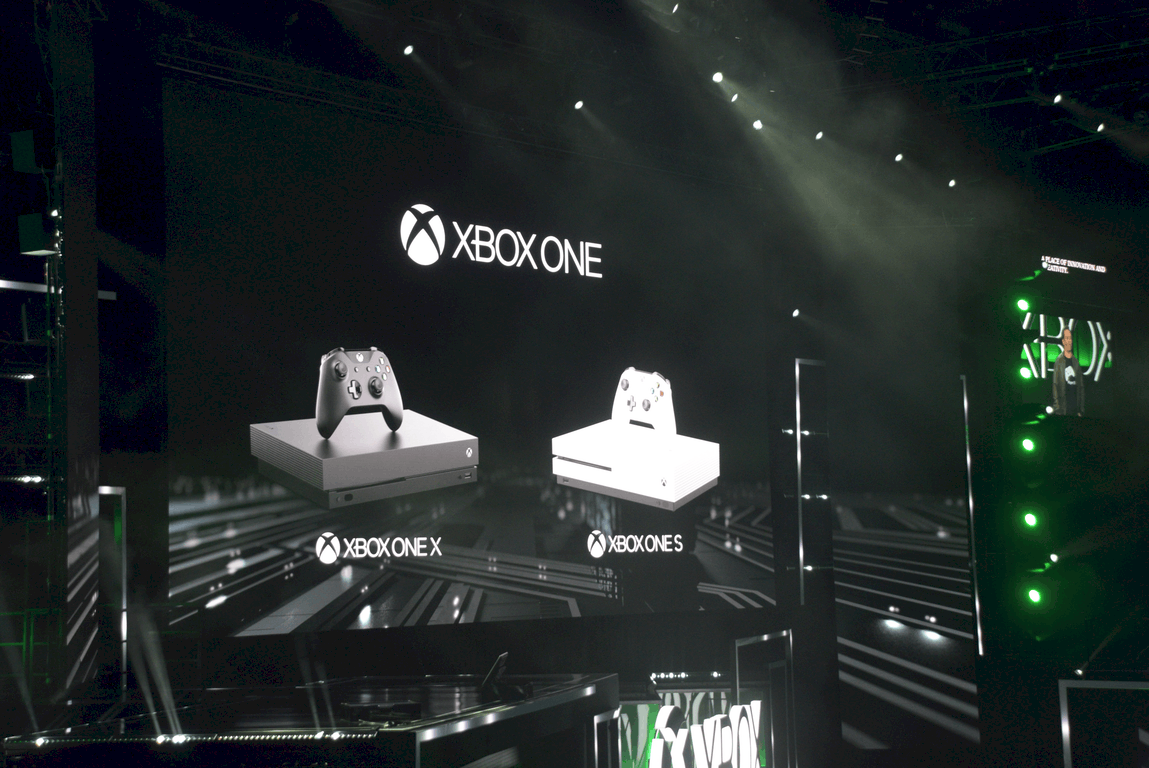
Gaming is only going to continue to get more important for the company and its followers, with the Xbox One X due out this holiday season, continued work on Windows 10 to bridge the gap between console and PC, and a heated rivalry between Sony’s PlayStation and the Xbox, a battle that’s not going away anytime soon.

So are you a gamer? Do you play on Xbox, on PC, or both? Do you take your games mobile? Take our poll below and let us know where you stand:


We’d love to hear more about your gaming experience. Does Microsoft’s inclusion of the Xbox App and Play Anywhere gaming have you playing more games than you did before? Are you excited for the Xbox One X? Tell us about your gaming experiences in the comments below.


Filter the news your way with the Power BI Bing News Template

Microsoft today announced that they’re bringing more text analytics to the Power BI Bing News Solution Template. This means that brand managers can now sort through the news their own way, and find the articles which are most relevant to them by filtering based on sentiment, trending topics, locations, organizations, and people.

The enhanced text analytics in the Bing New Solution Template also brings a commonly requested feature, the ability to define lists of words to help slice data. Set up is easy, and you just need to navigate to the Installer and select “Yes” when prompted to bring your own entities. You will then see the entities definition page, where you can customize things, and then start exploring your reports.

The end result after setting up a Power BI Bing News Template

An interactive sample report and a video demo are available on this Microsoft Website. Fell free to check it out, submit your feedback to Microsoft, and let us know if you’re liking the new features by dropping us a comment below.

Vehicular destruction game Danger Zone is coming to Xbox One with new content and 4K support

Danger Zone, the 3D vehicular destruction game previously released on Steam and Playstation 4, is coming to Xbox One later this Fall. Indie developer Three Fields Entertainment announced yesterday that the Xbox One version will feature additionnal levels and carts, and it will run in true 4K on the Xbox One X.

Danger Zone has often been compared to the popular Burnout series of games, with a much bigger emphasis on car crashes. Actually, the game sets you in the shoes of a dangerous driver trying to cause the biggest car crashes ever seen in a video game.

The developer has yet to share a release date for the Xbox One version of the game, but we expect it to be really affordable (the Steam and Playstation 4 versions are currently $12.99). Let us know in the comments if you’re looking forward to play this game on your Xbox One later this Fall.

Trials Fusion and Red Faction: Armageddon are now free for Xbox Live Gold subscribers

Xbox Live Gold subscribers can download two new games for free starting today, Ubisoft’s platform racing game Trials Fusion and the Xbox 360 shooter Red Faction: Armageddon (also backward compatible on the Xbox One). These latest Games with Gold titles succeed to the cult-classic hack and slash video game Bayonetta and the brand new life simulation title Slime Rancher, which is still available to download through August 31.

You can find below the official descriptions, trailers and download links for the new free games

Trials Fusion ($19.99 value)

Built upon the Trials franchise’s proven gameplay foundations, Trials Fusion challenges players endlessly in both classic and all-new ways. It melds the classic, proven Trials formula of simple yet addictive competition with the social and visual breakthroughs of the next generation of gaming. With unique platform-racing gameplay, ubiquitous competition and an ever-expanding destination for new content and features, the Trials Fusion experience is never over.

Red Faction: Armageddon ($29.99 value)

Mankind finds itself poised on the brink of extinction deep underground.  Darius Mason is humanity’s last hope for survival.

August has been a pretty good month for Xbox Live Gold subscribers, and Trials Fusion is a really fun game to play with your friends in both online and local multiplayer. If you haven’t done it yet, don’t forget to also check out this week’s Deals with Gold and Ultimate add-on sale, which will expire next Monday.

No Fast Ring build release today but we may get one tomorrow, says Dona Sarkar

Earlier this week, Head of the Windows Program Dona Sarkar teased that Fast Ring Insiders could get new builds to play with today, but this is unfortunately not going to happen: Sarkar tweeted a few hours ago that the team has just discovered a rollback bug with their build candidate, so the Windows team needs a bit more time to analyze data. The exec added in a second tweet that they should decide what to do tomorrow at 10AM PDT.

Last week, the Windows Insider team did not release a new PC build due to a bug causing a “big impact,” but Mobile users did get the preview build 15240, which was unexpected. Sarkar didn’t say anything about mobile in her tweets today, so it’s probably better not to expect a repetition of last week’s scenario.

Every gaming session is a party with this pimped-out Xbox One

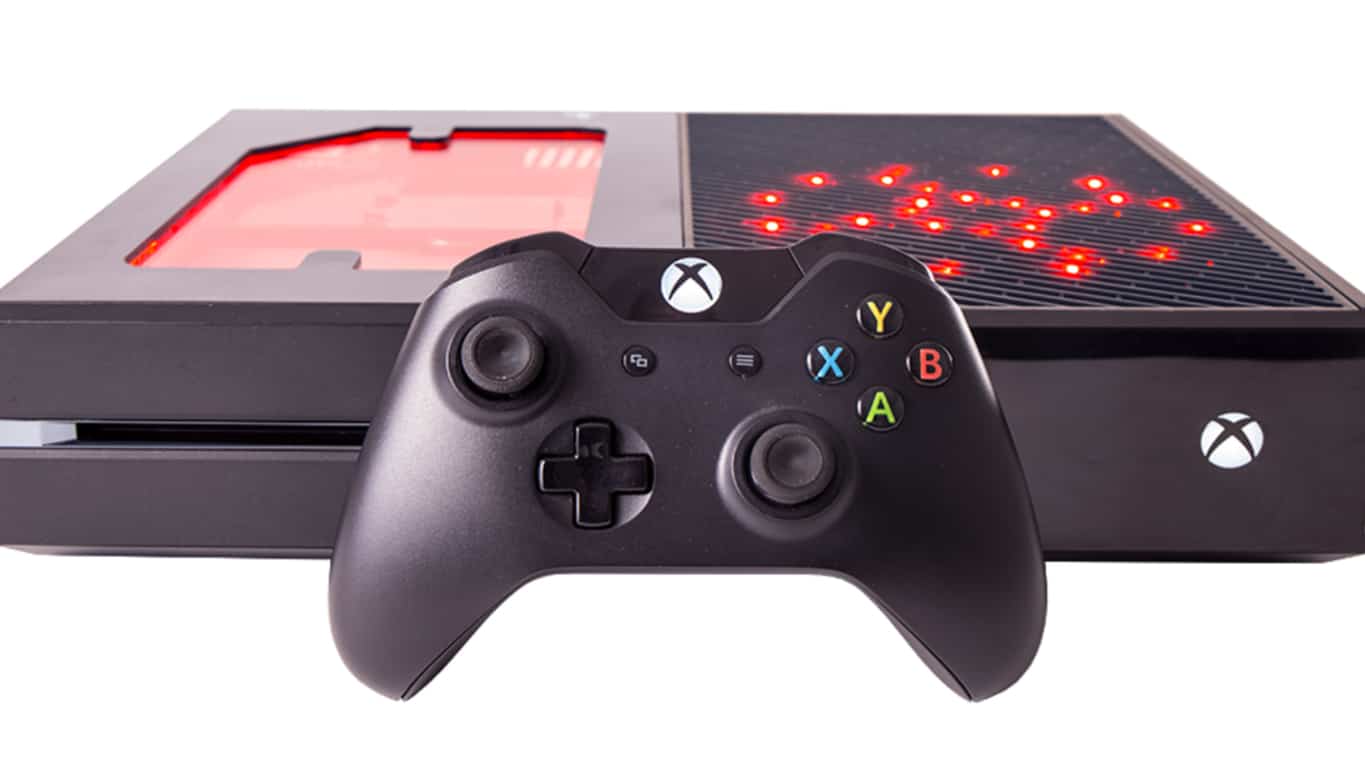
EB Games in Australia have come up with a rather creative way for incentivising gamers to purchase pre-owned Xbox One consoles. In addition to testing the used consoles for full functionality, the video game store chain also pimps the Hell out of some of them, turning them into their own unique lighting feature.

These special Xbox One RGB LED consoles are made from the original Xbox One models but are refitted with a new case which allows for viewing of the interior while the insides are packed with LED lights which can be activated and changed via a separate remote. Here’s a video of one in action.

The special Xbox One consoles can be purchase on the EB Games website and from within their eBay store. This is definitely a clever way to make back some money by selling old hardware. Would you ever buy one of these? Let us know in the comments.

Fix: Windows 10/11 Mobile GPS issues

Our mobile devices are way more than just regular cell phones today. For example, imagine how hard it would be to you to get around in a foreign city without Maps and GPS navigation. Well, that’s exactly where a big problem can occur.

Unfortunately, many Windows 10 Mobile users have been reporting GPS issues on their phones for years now. That can be a serious problem, and therefore, the solution needs to be found quickly.

We gathered a few useful tips on what should you do when GPS stops working on your Windows 10 Mobile device. But before we get to that, we have to say this problem doesn’t really have a confirmed solution, which works for everyone.

So, even after performing these workarounds, we don’t guarantee your GPS will start working again. But, it won’t hurt if you try anyway.

How to deal with GPS problems on Windows 10 Mobile

Solution 1 – Restart your phone

The most obvious solution in this case (as well as in many other cases) is to simply restart your device. So, if you haven’t already restarted it, you should definitely do that. Because everything works better after rebooting, right?

Solution 2 – Toggle Airplane Mode

Many people believe that turning the Airplane Mode will actually resolve GPS issues on Mobile devices. So, you might try that as well. You can easily toggle the Airplane Mode from the notifications bar. You won’t be able to use Data or make calls, but at least your GPS will work properly. And if you’re in a foreign city, that’s way more important.

If, however, the Airplane Mode solves nothing, you should turn it off, and move on to another solution.

Solution 3 – Disable Power Saving mode

As it name says, Power Saving mode saves your battery, by disabling some of the battery-eating services, including GPS. So, if you, by chance, have the Power Saving mode enabled, go and disable it. If the problem still occurs after disabling the Power Saving mode, move on to another solution.

Solution 4 – Remove the case

You may not be aware of it, but your phone case can actually block the GPS signal to your phone. It depends really on the case’s material. So, for example, if you have the aluminum case, there’s a chance it will block the GPS signal on your Windows 10 Mobile.

So, remove the case, and check if GPS now works. If it does, you might need to reconsider changing your case. If GPS is still unfunctional, move on to another solution.

Solution 5: Update Maps

Since you’re probably using GPS to access Windows Maps, maybe something’s wrong with the app itself. So, the most obvious solution is to update Windows Maps. Maybe there’s a bug in the current version, that Microsoft fixes in the new one.

To update Windows Maps, just go to the Store page, and check for updates.

Solution 6 – Reset your phone

If none of the previous solutions worked, your last resort should be performing the hard reset. In fact, there are some users who reported resetting their phones actually resolved the GPS issue.

But, before you reset your phone, have in mind that you’ll erase everything from it, so it is highly recommendable to make a backup first.

Here’s exactly what you need to do:

  1. Go to Settings > Update & Security > Backup
  2. Tap on More optionslumia won't download anniversary update 3
  3. And then, go to Back up nowlumia won't download anniversary update 2

Once you backed up all your stuff, you can perform a hard reset without fearing that you’ll loose all your data. To perform a hard reset in Windows 10 Mobile, do the following:

  1. Go to Settings > About
  2. Now, tap on Rest your phonelumia won't download anniversary update 1
  3. Answer Yes
  4. Wait for the process to finish

That’s about it, we certainly hope at least one of these solutions helped you get GPS back to work. Of course, nobody wants to perform the hard reset for nothing. But then again, there’s no confirmed solution, and in some cases, it may even be a hardware problem. So, all we can say in the end is good luck!

If you have any additional questions, comments, or suggestions, please let us know in the comments below.

RELATED STORIES YOU NEED TO CHECK OUT:

Sonic Mania brings the retro gaming fun to Xbox One

Sonic Mania is now available to play on Microsoft’s Xbox One console. The game is a throwback to the old-school Sonic games and features a blend of retro 2D sidescrolling gameplay and a variety of multiplayer modes. Here’s the official description, link, and trailer.

Experience the ultimate celebration of past and future in Sonic Mania, an all-new 2D Sonic adventure running at a crisp 60FPS with stunning HD retro-style graphics. Multiple playable characters give you the ability to go explosively fast as Sonic, soar as Tails, or power through tough obstacles with Knuckles’ brute strength. You can re-live the Sonic of the past with an exciting new twist on classic zones while fighting against new bosses and Dr. Eggman’s evil robot army. Go head to-head with players in Competition Mode or play in Co-Op Mode with a friend. Sonic Mania was developed by Christian Whitehead, Headcannon, and PagodaWest Games in collaboration with Sonic Team. Welcome to Sonic Mania!

Buy Sonic Mania on Xbox One

Have you played Sonic Mania yet? Let us know if you’d recommend it to a friend in the comments below.

Windows 10 Photos app update adds AI, mixed reality support

Microsoft has announced it is now rolling out improvements to the Windows 10 Photos app for users in its Windows 10 Creators Update. This latest update to Windows 10 photo app has been met with pleasure because it eases functionality, increases capabilities and has some long awaited cool new features too.

Photo editing has become a highly requested operation on mobile devices and PCs today. Thanks to significantly improved camera quality and the popularity of photo sharing on social media sites, people are snapping pictures everyday, everywhere!

Windows 10 Photo app integrates AI and mixed reality

Microsoft Windows 10 offers a highly functional photo app for altering, fixing, storing and creating these photos. Not only does the app include the ability to quickly share photos on the go, but also file and sort them by date and even one-click enhancements.

This latest release focuses on making it even easier and fun to use Windows 10 photo app for all your picture needs. From advanced AI capabilities to search for photos based on the theme or content in them, to video clip creations complete with music made automatically.

Leveraging advanced technologies to simplify and enhance photo storage and use, Microsoft is also making it easier to group photos based on preset definitions. The feature called “People” users facial recognition technology to easily discover groups and people in photos and videos.

Another feature “Memories” makes use of Microsoft Graph technology and can pull together videos and photos to generate a memory based on your collection. This will then be made into a video clip that can be edited to include mixed reality – like 3D objects.

Microsoft continues to work on updates based on user feedback with its Creators Updates and encourages users to test out the new features and submit their feedback on what could be done better or changed to continue pushing out new updates and ultimately creating a photo app that removes the need to download any other software.

RELATED STORIES YOU NEED TO CHECK OUT:

In Seattle for PAX? Sign up now for the ID@Xbox Open House

The ID@Xbox Pre-PAX Open House is going on Microsoft’’s Redmond Campus on August 31 from 5 p.m. to 9 p.m, opening up the Xbox PAX experience to anybody who’s interested in hanging out. Visitors will be able to play and learn about some of the newest ID@Xbox indie projects, as well as enter in raffles to win prizes like free games, and tickets to the PAX convention proper.

Here’s Microsoft’s partial list of the games that are going to be showing up at the open house.

  • PlayerUnknowns Battle Ground (PUBG) – Bluehole, Inc.
  • Black Desert – PearlAbyss
  • Cuphead – StudioMDHR
  • Ooblets – Double Fine/Glumberland
  • Aftercharge – Chainsawesome Games
  • Ark: Survival Evolved
  • Figment – Bedtime Digital Games
  • Hello Neighbor – tinyBuild
  • I, Hope – Arconyx Games
  • Little Triangle – Dreamoji
  • Moonlighter – 11bit Studios
  • Mulaka – Lienzo
  • Mutant Football League – Digital Dreams Entertainment
  • Nine Parchments – Frozenbyte
  • OK K.O.! Let’s Play Heroes – Cartoon Network Games
  • Path of Exile – Grinding Gear Games
  • Raiders of the Broken Planet – Mercury Steam
  • Road Redemption – Dark Seas Interactive
  • Robocraft Infinity – Freejam
  • Steven Universe: Save the Light – Cartoon Network Games
  • Strange Brigade – Rebellion
  • Streets of Rogue – tinyBuild
  • theHunter: Call of the Wild – Avalanche Studios
  • Unruly Heroes – Magic Design Studios
  • Yoku’s Island Express – Team17 Digital Ltd.

Complimentary buses will be able to give people rides to and from the convention center, and free parking will be available to event-goers who need it. Those who have the opportunity should definitely try to make it out for the event, as there’s over 50 games that will be on the floor ready for people to try.

Windows 10 loses Wi-Fi connection: Could this be a general bug?

Many Windows 10 users recently reported that Windows 10 is constantly losing Wi-Fi connection. Fortunately, this is not a major bug, as users are able to restore the connection after they disconnect from the Internet and reconnect. Nonetheless, performing this action tens of times a day can become quite annoying.

Here’s how one user describes this problem on Reddit:

Windows 10 was working fine but all of the sudden I started losing connection constantly. I found that the way to solve it was to disconnect from the internet and reconnect but this is not the most efficient or the best solution when playing games and i’ve lost connection multiple times while playing an online game.
I’ve already tried:*Updating drivers *Turning off the power saving options *Reinstalling Drivers
I’ve done all this to no avail and i’m looking for help.

Other users quickly replied to the OP, sharing their experience. For example, one user managed to fix the annoying Wi-Fi disconnections by disabling location services in the Windows 10 settings. So, if your Wi-Fi constantly disconnects, try disabling location services and see if this solves the problem.

Another user added that in his case, the Netgear router had a firmware bug that caused the PC to drop connection. The user managed to solve the problem by performing a full reset of the router using the newest firmware.

It is still not clear whether this is a widespread Wi-Fi problem, or these are only isolated cases. However, it’s intriguing that quite a large number of users reported Wi-Fi issues lately.

Has your Wi-Fi been disconnecting frequently lately? Did you hear your friends complaining about Wi-Fi issues? Let us know in the comments below.

READ ALSO: Windows 10 Creators Update wrecks Wi-Fi driver [FIX]

Microsoft issues several Intel driver updates for Surface Pro

Microsoft has quietly issued another set of updates to its Surface Pro over the weekend making it the fourth set of firmware fixes released for the tablet hybrid over the last month and a week.

While a flurry of updates are becoming more of an everyday occurrence as developers constantly tweak apps and services to better meet the demands of their users, the excessive amount of Surface Pro updates at this moment only serves to highlight the recent issues pointed out by Consumer Reports latest review.

The latest set of updates have a brief descriptor associated with them that implies Microsoft is fixing or updating Intel drivers for Dynamic Platform and Thermal Framework Processors. Without a full changelog or detailed listing of what’s being tweaked and why that is all, we have to go on as of today.

Microsoft’s history of hardware related firmware releases has been a bit scattershot especially when it comes to the Surface Pro line with the company sometimes offering 400 to 500 word dedicated blog post to address issues and other times just a brief title in the update release on a device.

Perhaps, in light of Consumer Reports review and questioning of Microsoft’s ability to sell reliable hardware, the company was hoping to slip this release under the radar.

Whatever the case, Surface Pro owners should expect a handful of updates to hit their devices in the next couple of days. To expedite the process, users can head to the Update settings menu to initiate a search for the fixes.

Please be aware that one of Microsoft’s recent fixes actually caused more harm than good when applied. An update on July 21, 2017, broke the Windows Hello experience for some users and forced Microsoft to issue a follow-up batch of fixes on August 2 to repair it.

So, update at your own discretion.

Metal Gear Rising: Revengeance and ScreamRide join the Xbox One Backward Compatibility catalog

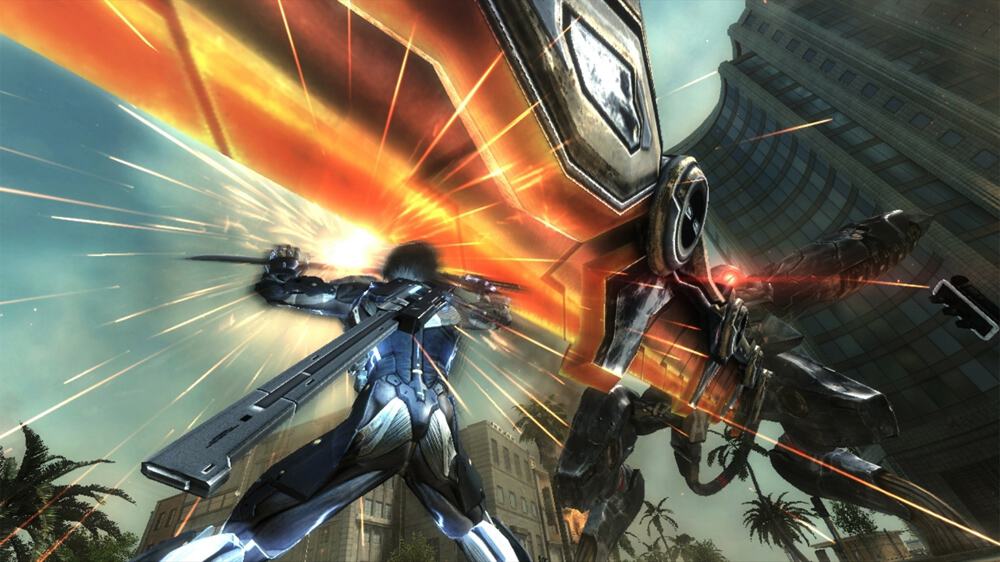
Two Xbox 360 games have been added to the Xbox One Backward Compatibility catalog today, Metal Gear Rising: Revengeance and ScreamRide. For those unfamiliar, the first one is a spin-off from the critically-acclaimed Metal Gear series, and developed by Planitum Games in collaboration with Kojima Productions. The second one is a construction simulator which was released on both the Xbox 360 and Xbox One in 2015 (it’s also currently playable for free for Xbox Game Pass subscribers).

You can find the official descriptions, trailers and download links for both games below

Metal Gear Rising: Revengeance ($19.99)

METAL GEAR RISING: REVENGEANCE takes the renowned METAL GEAR franchise into exciting new territory by focusing on delivering an all-new action experience unlike anything that has come before. Combining world-class development teams at Kojima Productions and PlatinumGames, MGR REVENGEANCE brings two of the world’s most respected teams together with a common goal of providing players with a fresh synergetic experience that combines the best elements of pure action and epic storytelling, all within the expansive MG universe The game introduces Raiden as the central character; a child soldier transformed into a half-man, half-machine cyborg ninja, equipped with a high-frequency katana blade and a soul fueled by revenge.

ScreamRide ($19.99)

This game features stunning high definition graphics, hundreds of customizable building components, physics-based destruction, cinematic collisions, unlockable levels, in-game leaderboards, global rankings and more. ScreamRide is the home of limitless innovation. Push the boundaries of thrill seekers everywhere. Take on your perfect role to complete each level in multiple ways. Scream seekers can prove their precise piloting skills, engineers can solve cunning construction puzzles and demolition experts can ignite the most explosive carnage possible. The path you choose is up to you!

Metal Gear Rising is the first game from the critically-acclaimed franchise to become backward compatible on the Xbox One, and we hope other titles including the Metal Gear Solid 2 and 3 HD bundle are coming soon. Sound off in the comments if you’re excited by these latest additions to the Backward Compatibility catalog.

Microsoft makes another Azure related acquisition, this time it’s Cycle Computing

Microsoft today announced that they have acquired Cycle Computing, a known leader in the cloud computing orchestration industry. The move will help make it easier for customers to use High-Performance Computing and other capabilities in the cloud.

According to Microsoft, the combination of Azure and Cycle Computing will “open up many new possibilities” for partners and other companies using Azure. The Redmond giant also notes that Cycle Computing will help customers “accelerate their movement” to the cloud. Here is what Jason Zander, Corporate Vice President, Microsoft Azure, had to say about today’s announcement:

As customers continue to look for faster, more efficient ways to run their workloads, Cycle Computing’s depth and expertise around massively scalable applications make them a great fit to join our Microsoft team. Their technology will further enhance our support of Linux HPC workloads and make it easier to extend on-premise workloads to the cloud.

Cycle Computing’s technologies have already helped fight cancer and other diseases. Jason Stowe, founder and CEO of Cycle Computing, offered his thoughts on the acquisition in a separate blog post:

We’ve had an amazing experience bootstrapping Cycle Computing without VC funding, building products that will manage 1 Billion core-hours this year, growing at 2.7x every 12 months, with a customer base that spends $50-100 million annually on cloud infrastructure. Today we couldn’t be happier to announce that we’re joining Microsoft to accelerate HPC cloud adoption.

Big Computing power has normally been reserved for large companies with money, and today’s acquisition will make it easier for every company to harness the true power of the cloud. You can learn more about Cycle Computing by visiting their website.

Play The Pillars of the Earth today on Xbox One

Ken Follett’s The Pillars of the Earth released yesterday on the Microsoft Store as the newest title for Xbox Live. The title, based on the book, is an interactive episodic adventure based on story telling and decision making.

Welsh author Kenneth Martin Follett’s classic The Pillars of the Earth stunned readers in 1989, making it to the New York Times best-seller list for 18 weeks. It has sold 18 million copies so far. The game retells the story of the village of Kingsbridge and its inhabitants.

12th century, England: In a time of great poverty and war, a small town begins the construction of a cathedral to claim wealth and security for its people. In their struggle to survive, lives and destinies intertwine. Philip the monk becomes prior of the small abbey of Kingsbridge. At the same time, a boy called Jack is raised in the woods by his outlawed mother. His apprenticeship as a stonemason paves his way to become a gifted master builder. Together with the disgraced noblewoman Aliena, Jack and Philip begin the construction of one of the greatest cathedrals England will ever see.

Following in that tradition, the novel’s video game adaptation is being released as three books, each with seven chapters within. Purchasing the game’s season pass includes all three books as they are released.

  • Book 1: From the Ashes (available August 2017)
  • Book 2: Sowing the Wind (available soon)
  • Book 3: The Eye of the Storm (available soon)

Ken Follett’s The Pillars of the Earth is available to purchase now on Xbox Live for $39.99 USD. You can check it out in the store page by following the link below.

Windows Device Portal to gain support for Mixed Reality Tooling and more with the Fall Creators Update

As we’re getting closer to the release of the Windows 10 Fall Creators Update, Microsoft unveiled yesterday several new tools to be added to the Windows Device Portal. First of all, the diagnostic platform will soon support Location Based Testing for UWP apps, with a new Location tool allowing developers to change the location that Windows reports to apps. Even better, this new Location tool won’t change the locale of your PC, and it will also work for web pages in Microsoft Edge.

For those of you using Device Portal to configure devices over a USB connection, the new USB Devices tool will now give you a complete view of your systems USB hubs, controllers and peripherals.

Developers leveraging the UWP Streaming App Installation feature will also be able to use a new Streaming Install Debugger tool in Device Portal. “In it you’ll be able to edit the states of the content groups so you can test your apps behavior as streaming install is being simulated and ensure it behaves correctly when content groups are missing,” explained Microsoft.

Last but not least, Device Portal is gaining new 3D View and Framerate counter tools for developers of mixed reality apps, as well as an Installed Apps tool to easily launch apps in a mixed reality headset attached to a PC. “While fully immersive apps will always run in Mixed Reality, this new button is particularly useful for 2D UWP apps (or apps that switch between 2D and immersive) when you want to test them in Mixed Reality,” explained Microsoft.

The updated Device Portal will ship with the Windows 10 Fall Creators Update, but developers can already suggest new features and suggestions on the dedicated UserVoice website.