How to Dual-boot Endless OS and Windows 10

Endless OS happens to be the newest sensation in the world of computer operating systems. Built on the Linux kernel, Endless is also projected to be the safest around, one that is going to save you a lot in the long run.

Another strong plank that the makers of the Endless OS have based their entire marketing strategy on is the ability of the OS to operate even when there is no Internet connection. The California-based start-up said they worked around this by ensuring the OS comes with all it might ever need to function. That includes hundreds of apps that come bundled with the OS, saving you from downloading those later.

So, if all of the above sounds tempting enough, but you want to keep Windows 10 installed on your PC, you can always dual-boot both operating systems. And it’s mighty simple, too, as we’ll walk you through the entire process.

Install Endless OS on your Windows 10 PC

Hardware requirements

The prerequisites for using the OS have also been kept to just the bare minimum. That includes a 64-bit Intel or any similar processor like AMD or VIA. Further, it is at least 2 gigs of RAM that would be needed while the minimum storage required is 16 GB. However, that applies to the base version, while the full version will eat up 32 gigs of your hard drive. Sure, these are just the minimum requirements.

Download Endless OS

The first step for you will be of course to download the OS. For this, head over to the official site and click on the ‘Free Download’ tab.

Once you do that, you will be redirected to the download page relevant for Windows users. Make sure you download the version that applies to Windows. This will download the installer file in your system.

Next, double-click on the installer to allow it to download the actual OS files. Doing so will launch the familiar alert box asking your permission if the app is allowed to make changes to your hard drive. Of course, you need to click on the ‘Yes’ option for the entire process to start.

Customize your installation

The installer program then starts and acts to confirm your preferred language. Make your choice from the drop down box though the options here are limited to English, Spanish, Portuguese, French, Arabic, Chinese and Bahasa languages. Bengali, Thai, and Vietnamese are slated to be included later on.

Click on ‘Install Endless‘ next, which will lead to the next screen where you need to make your choice from installing either the ‘Basic’ or the ‘Full’ versions. The Basic weighs just $1.9 GB, while the full blown version will require 13.5 GB of your hard disk space.

The Basic version again comes with just the bare minimum of files and should suffice if you have access to a reliable internet connection. That way, you can always download any additional files you need.

The Full version, on the other hand, comes with all the bells and whistles and is the one to go for if you wish to have a really in-depth feel of the OS. In other words, it comes with the entire set of apps that you will require for the OS to perform to its optimum at all times, thus negating the need to download any other app again.

So, if all you need is just a feel of the OS without getting too intimate with it, the basic version is the one to go for. Available space on your hard disk can also be another consideration for opting for either option. The minimum recommended space to install the Basic version is 16 GB, while the Full version should be allocated at least 32 GB.

Those figures are however the bare minimum, and I would recommend allocating a few more gigs to allow for hassle-free storage of all your photos, videos, media files, and other documents. The installer also acts to partition your hard drive and space once allocated to Endless OS can’t be changed later. As such, be generous with your allocation here considering the available space in your hard drive.

The installation process

Once you have selected, click ‘Next’ at the top right corner. This initiates the actual downloading of the Endless OS files, followed by verification and then the actual installation in the hard drive of your computer. The process can last anywhere between a few minutes to even several hours, depending on your choice of OS version (Basic/Full) as well as the speed of your internet connection.

You can switch to a wired connection for a slight uptick in internet speed, thereby shortening the download and installation times. Fortunately, the OS is robust enough to survive crappy connection or other interruptions. So if the process gets interrupted for some reason, like the internet breaking down or a power failure, fret not, as the OS will begin downloading from exactly the same spot where the interruption occurred when conditions resume.

All set!

Once the installation is complete, there will be a message flashed on the display saying the OS has been installed successfully. Restart your PC to see the changes taking shape; you will now be greeted with a display where you must choose between the Windows or Endless OS to boot on your PC. Also, after you boot Endless OS for the first time, you must go through a one-time set-up process.

So, that’s it. You now have the Endless OS installed on your hard drive alongside Windows 10. As is the case with all dual booting PCs, each of the OS is held within its own partition. None of the OS can access the files or data that apply to the other OS. If you need to switch to the other OS, you must restart your PC.

In case you’re not happy with Endless OS, we have a great guide on how to change from Endless OS to Windows 11 that can help you make the switch.

This Surface phone concept video offers some ideas about Microsoft’s plans

Microsoft fanatics have been waiting for what seems like forever to get their hands on the Surface phone. But the launch has been delayed and there is no set release date yet. For now, fans are going off of concept images and videos that combine possible features and make imagining the new device a little easier.

Most of the concept images and videos are based on the fact that CEO Satya Nadella once said the phone will look nothing like what we’ve been using to date. This comment has mobile device users beyond Microsoft fans, wondering what more could a mobile device do or look like to surpass the ever-popular iPhone and Android devices that have become a staple in the market.

Surface phone concept video

One new concept video that’s received recently  some attention was posted to YouTube by Amir Estefad and Mohammad Reza Alidoost UI/ UX designers, includes just about every feature the Microsoft community has been requesting and speculating about the new Surface phone.

As you can see in the video, the screen is large and wraps around the device, there’s tons of easy functionality on the screen and its slim and sleek. Requests to include these options in the upcoming phone have been made across forums and user communities.

This new design is both exciting and hopeful since it’s not too far fetched (previous rumors included foldable phones). This concept represents something that could actually work to increase productivity and ease of use. That of course remains to be seen by the tech features and performance of the phone, but for now, we can hope Microsoft is listening.

Read Also:

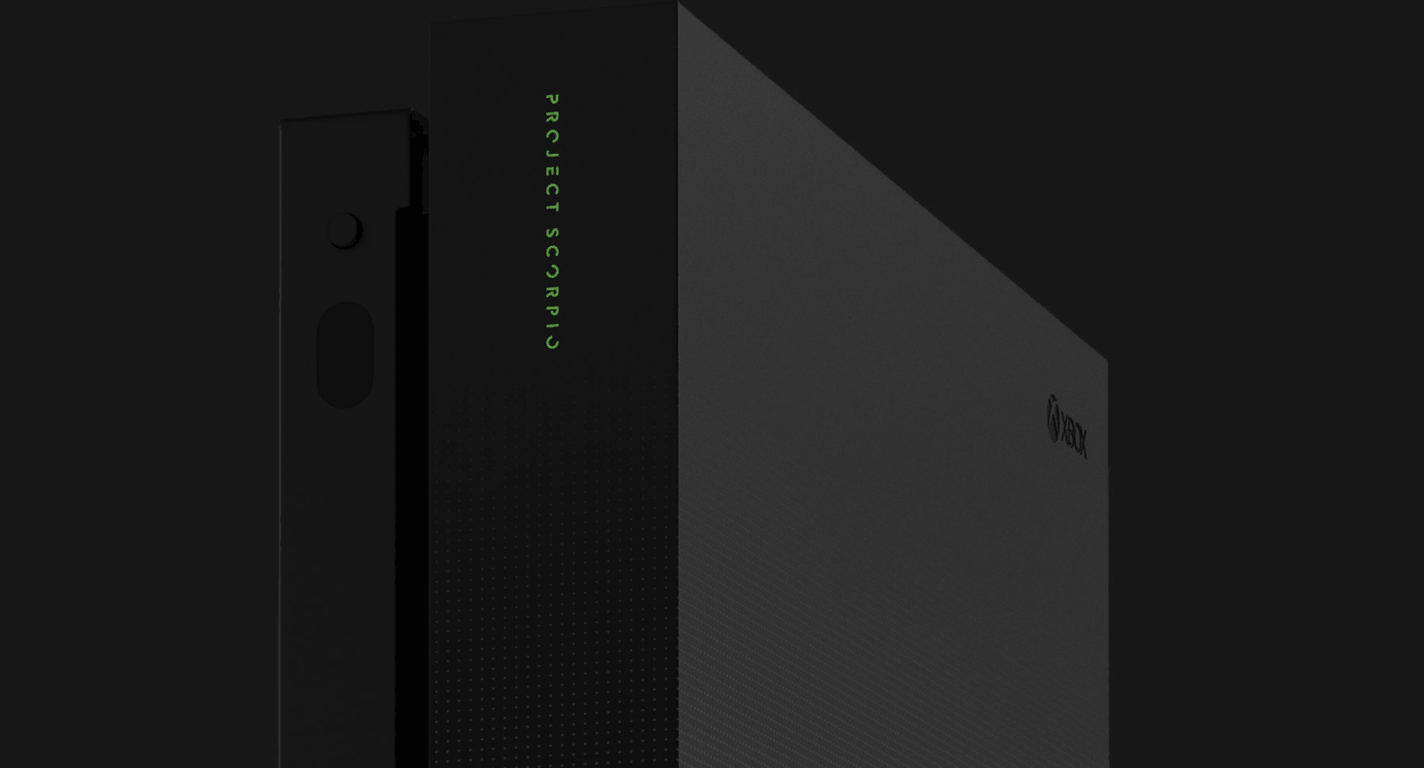
Xbox news recap: Xbox One X: Project Scorpio Edition now available for pre order, Light Mode UI coming and more

Welcome to our weekly Xbox news recap series, where we go over the top stories of the past week in the world of Xbox. Let’s get started.

Xbox One X: Project Scorpio Edition now available for pre-order

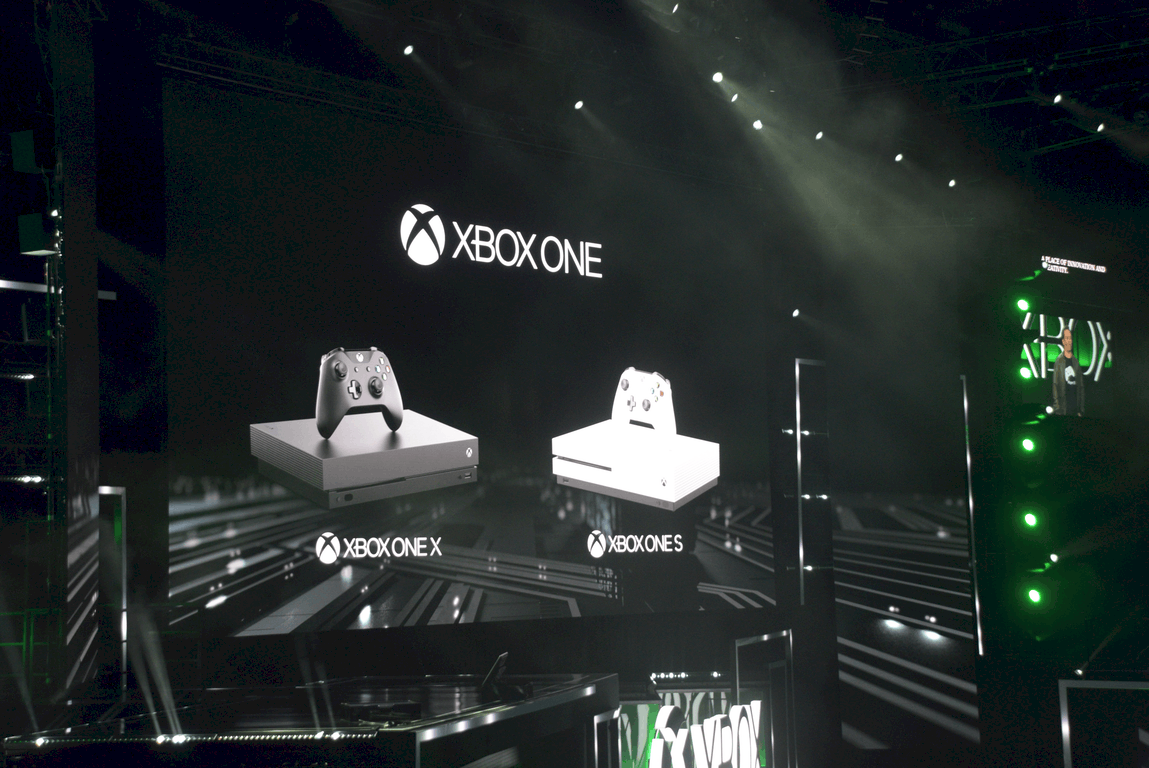
The Xbox One X is finally available for pre-order, for those among you who are chomping at the bit to get yours on day one. The initial wave is being called the Xbox One X: Project Scorpio Edition, and its surprise announcement was shown off at the tail end of an amazing Gamescom showing, just a couple of days before the convention proper.

Light Mode coming to the Xbox One

The Xbox One is getting a brand new UI along with the Xbox One X, and it’s also getting a new tint. The Xbox One X’s new UI design is being accompanied by an option for “Light Mode” – a toggled option which makes the UI’s dark default tint into a classic white, which some Xbox 360 users may be familiar with. The feature will be available on preview in the near future.
New Kickstarter working on adapter for the Xbox One X controller on PS4 and Switch

Near a PS4 or Nintendo Switch, but only have access to an Xbox One controller? That’s something of a specific predicament, but the world of crowdfunding is here to make sure you can be accommodated. Brook Design on Kickstarter is looking to raise $5,000 towards its project to make an adapter that will fit the Xbox One X to either of the other current-gen consoles, and it’s already surpassed it. If you want to contribute to the surplus, go ahead and check out the page.

Xbox Live Sessions launching next week with DJ Khaled

Xbox Live Sessions is a new series coming to Mixer which will feature some prominent pop-culture celebrities streaming games live. The series will kick off on August 25th, and the first show will feature DJ Khaled playing Madden NFL 18. He’ll be answering questions, talking about his new projects, and helping the Microsoft team give out prizes to stream-goers all while playing.

Crackdown 3 delayed once again, to 2018

Crackdown 3 has been in development hell for many years now, and it’s just gotten delayed.. Again. The news broke earlier this week, and it’s a bit heartbreaking for those who have been fans of the franchise since the first game, which came out quite a long time ago. When it finally releases, Crackdown 3 promises to be a fun romp through a destructible city, showing off some exceptionally arcade-like gameplay – and the talents of Terry Crews, to boot.

Thanks for joining us. To keep up to date with all the latest Xbox news, keep a close eye on our Xbox One tag.

Xbox Design Lab coming to over 20 additional European countries tomorrow

The Xbox Design Lab is one of the less appreciated new things that came out in recent years, but it’s truly a fantastic feature for dedicated Xbox gamers. Users can pay a small additional fee to completely personalize a custom controller, changing the color of every individual piece of the peripheral to suit their aesthetic. The service is now spreading its reach out a bit, going out to 24 new European countries.

The service will be available tomorrow in the new supported countries, and accompanies the introduction of a new rubberized grip and metallic finish, for those gamers who want to go the extra mile. This seems to signal that the service has been a success – and you may even see it expand some more.

Feel free to show off your new designs to me on Twitter, @MiCottuli. Mine’s hot pink, and I’m convinced it’s the best controller ever conceived.

Rise of Nations coming to Windows 10, cross-network play with Xbox and Steam

Rise of Nations, a beloved RTS game from days gone by, is getting support for Windows 10. While many people may have moved on to more modern RTS experiences like Starcraft 2, those who are interested in a return to the genre’s roots can find home here.

This is just part of the news, however. It was also showed off at Gamescom that Rise of Nations is getting cross-play support between Windows 10 and Steam users, giving a little bit of extra juice to the re-release’s introduction to the online community. Here’s hoping that it ends up getting the love that it deserves, as one of the big RTS grand-daddies.

Windows 10 news recap: Asus launches first Windows 10 S laptop, Bitcoin Miner for Windows 10 updated and more

Welcome back to our Windows 10 news recap. We are continuing the trend of our weekly “Windows 10 news recap” series where we go over the top stories of the past week in the world of Microsoft’s flagship operating system.

Microsoft is testing renaming the Windows 10 Photos app to Story Remix

In a move that has so far not impressed Windows 10 Insiders, Microsoft has begun testing renaming the built-in Photos app to Story Remix.

Independent rendering brings big speed improvements to Edge in Windows 10 Fall Creators Update

The Windows 10 Fall Creators Update is set to bring speed improvements to the way Microsoft Edge renders webpages, as Microsoft incorporates independent rendering into its default browser.

microsoft, edge

Asus releases the VivoBook W202, its first Windows 10 S laptop

As Windows 10 S begins its journey to stores, Asus has released its first Windows 10 S-based laptop, the VivoBook W202.

Free Bitcoin Miner app updates on Windows 10 Mobile and PC, coming to Xbox One soon

For both Windows 10 and Windows 10 Mobile, the free Bitcoin Miner app has received an update that delivers improved system memory management.

Microsoft, Bitcoin

That’s it for this week, we’ll be back next week with more Windows 10 news!

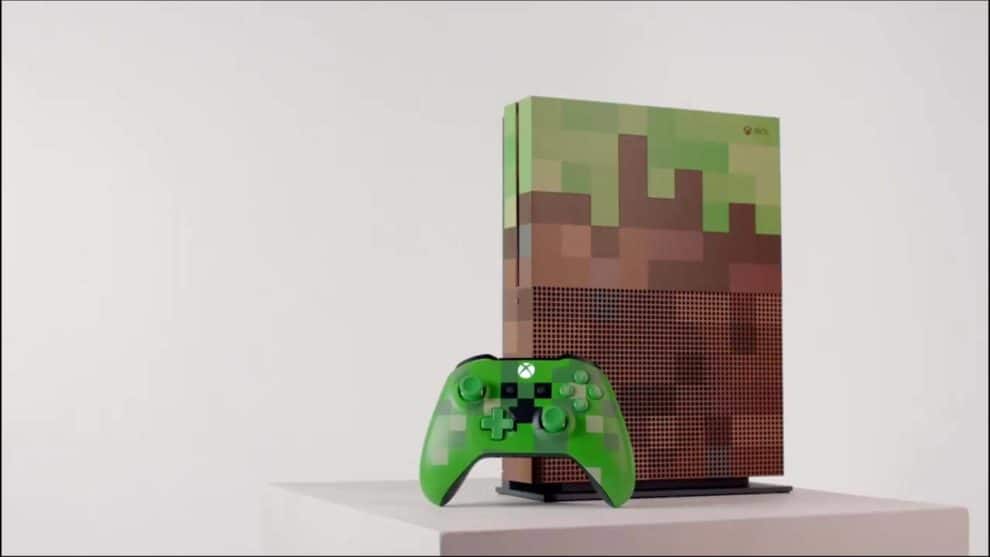
Microsoft appears to have accidentally leaked an upcoming Minecraft-themed Xbox One S Limited Edition bundle

In what appears to be an accidental leak, Microsoft briefly (for about 30 minutes) published a video promoting a Minecraft-themed Xbox One S Limited Edition bundle on its Minecraft Facebook page. The video was removed after half an hour, but not before it was spotted by those at Surface Phone Italia.

Within the promotional material, there was a link that is expected to be the pre-order page on the Minecraft website, but isn’t available yet, as expected. It’s likely that Microsoft will officially unveil the new limited edition console at its Gamescom conference later today.

We’ll be keeping you up to date on all the latest from Microsoft and Xbox at Gamescom during the live event.

ARK: Survival Evolved can support cross-play between PS4 and Xbox One, but “Sony won’t allow it”

It’s not been too long since the Minecraft debacle, where Microsoft announced cross-play with Minecraft across different platforms, with one exception – Sony’s PS4, as Sony publicly admitted its refusal to allow cross-platform play.

Now, it seems Sony is at it again. The studio behind early-access game ARK: Survival Evolved, Studio Wildcard, has said that they have an internal build of ARK: Survival Evolved that has cross-play working between PS4 and Xbox One, but that it isn’t available as “Sony won’t allow it”.

Studio Wildcard’s co-founder, Jeremy Stieglitz, sent out a tweet in response to a question posed to him with playing with friends on other consoles (via Neowin), to which it was said that Sony isn’t allowing cross-platform play:

While Sony’s decision isn’t set in stone, it seems that for now at least, Xbox One and PS4 players will continue to remain on their separate sides (unless, of course, you’re lucky enough to own both consoles).

Intel’s upcoming CPUs feature 10 nm technology

Intel has revealed that they plan to launch both an 8th generation Cannon Lake and 9th generation Ice Lake processor in the near future. These two powerful Core processors will feature the Industry leading 10 nm technology.

On August 21, Intel will officially announce the specifics of the ‘Coffee Lake’. This is the codename for the 8th-gen Intel Core processor. This new family of processors is expected to provide performances that are 15 to 30 percent better than the previous generation. 

Intel Core Processors with the 10 nm technology

Cannon Lake is another 8th-gen Core processor. It will be the successor to the Kaby Lake, which is the processor currently used in MacBook devices. The Cannon Lake series will be the first series to use the 10 nm technology.

Furthermore, Intel  is already giving glimpses of their 9th generation Core Processor, which is codenamed ‘Ice Lake’. The 9th generation Core intel processors will utilize a new architecture, which will feature state of the art 10nm+ processing technology.

Currently, it is not completely clear as how the 10 nm+ in ‘Ice Lake’ will differ from the technology in the Cannon Lake processor. However, more information is expected to be revealed soon.

AMD, has recently been producing numerous top of the line processors that are set to rival Intel. Therefore, Intel is determined to produce a highly functional processor with the 10nm technology. The 8th generation ‘Cannon Lake’ and ‘Coffee Lake’ processors as well as the 9th generation ‘Ice Lake’ are Intel’s response to AMD’s Threadripper and Ryzen series.

Read Also:

Brook wants to enable players to use the Xbox One controller on PS4 and Nintendo Switch with its new Kickstarter for the “X One Adapter”

Each console has its own set of controller(s) – Xbox comes with a controller for each console, such as the Xbox One controller, or the Xbox Elite controller if you’re after a little more control. Then comes along the PlayStation 4 with its DUALSHOCK controllers, and then the Nintendo Switch with its Nintendo Switch Pro Controller and Joy-Con controllers.

But, what happens when you’ve only got an Xbox One controller but would like to play on another console? Well, you’ll either be relying on having a spare controller for the other console lying around somewhere, or having to buy a new controller. What if, instead, you could pick up the Xbox One controller, place an adapter on it, and begin playing on a console of your choice? That’s what Brook Design, LLC, is aiming to do with its latest Kickstarter. Called the “X One Adapter”, it allows users to place an adapter on the back of their Xbox One controller and enables the ability to use it with other consoles.

Brook, having previously released a number of gaming accessories for a variety of consoles, aims to raise $5,000 by 15th October. At the time of writing, the Kickstarter had raised nearly $3,000 with 40 backers.

The adapter is said to support both the Xbox One and Xbox Elite Controller, be able to read Xbox Elite custom mappings, connect wirelessly to the Switch and more. The battery will not be replaceable, instead requiring charging via a USB cable.

What do you think to Brook’s idea of an adapter enabling an Xbox One controller to work across a variety of consoles? Let us know in the comments below!

What’s happening with Windows phones? Is Lumia 735 gone for good?

Something strange is going on with Microsoft and its first-party Windows phone offerings. Or is it? Many speculations as to what exactly is happening are already crowding news headlines.

We may know why

With the much anticipated Surface Phone concepts already being released and earlier reports that another Microsoft phone could be in the works, this might mean we may get something new soon.

It all started when reports were released stating Verizon had become the only first-party seller still offering an activated Windows phone – the Lumia 735, to wireless customers.

While Windows mobile devices can still be purchased from the Windows storefront from other manufacturers like Acer and Alcatel, questioning around the move to gradually take the Lumia out of its offerings is on the rise.

As the industry monitors Window phone offerings from the company’s online store, they noticed earlier this week that the company had also removed its listing for the Lumia 735 handset from its online store.

With the removal of the Lumia 735, that would leave the last company (Verizon) offering an Windows handset to buyers soon to also be crossed off the list. You might still find remaining stock in physical locations.

Microsoft phone revenues crumbling

The move shouldn’t come as a total shock. Microsoft did tell investors during its earnings call back in April, that revenue for the phones were crumbling and that it would be discontinuing all first party phone hardware this summer.

What’s causing everyone to wonder what might be happening is the fact that listings for the  Lumia 735 went from an “out of stock” message one day, to “not available” and at the time of this post, completely gone from its products page.

New concepts of the much anticipated Windows Surface phone are being released and it’s only a matter of time before Microsoft starts giving us clues as to how this phone will look and when it will be available. Removing the Lumia from its online listings might be the first step.

Read Also:

New Xbox Live Sessions Mixer livestream to debut next week with special guest DJ Khaled

The Xbox team will launch next week Xbox Live Sessions, a new Mixer livestream featuring popular pop culture celebrities playing Xbox games. The first episode will kick off on August 25 on the Mixer Xbox channel and feature record producer and Internet celebrity DJ Khaled.

“Beginning on Friday, August 25 at 6:00 p.m. PDT, DJ Khaled will join Xbox for its first-ever Xbox Live Session, as DJ Khaled plays Madden NFL 18 on Xbox One S, all while discussing his projects, answering fan questions and giving away prizes throughout the livestream,” explained the Xbox team. “Popular radio personality and founder of Dash Radio, DJ Skee will join DJ Khaled in-studio as one of the first hosts of Xbox Live Sessions.”

This new series on Mixer shows that the live streaming platform is definitely one of the most interesting acquisitions Microsoft made last year. The service previously known as Beam used to be exclusively focused on video game streaming, but Microsoft is now using to broadcast media keynotes, the monthly Windows Insider podcast and other rendez vous on Mixer Channel One. The new Xbox Live Sessions seems to be exactly what Microsoft needs to make the Xbox brand “cool” again.

“We are thrilled to help connect the biggest stars in pop culture like DJ Khaled to the world’s leading gaming social network with Xbox Live Sessions,” said Aaron Greenberg, GM of Games Marketing at Xbox. “DJ Khaled kicks off an incredible line-up of guests coming to not only chat but interact with their fans in titles like Madden NFL 18 over Xbox Live,” he added.

Over half of unprotected Windows 7 machines don’t run any AV software at all, says Microsoft

If Android finally beat Windows as the dominant OS for Internet usage this year, you can’t deny that Microsoft’s older desktop operating system remains more vulnerable to malware as of today. And if Windows 10 is the most secure version of Windows ever, the majority of users are still running older versions of Windows, without necessarily using up to date security software.

In its latest Security Intelligence Report, the company revealed that among all Windows 7 and Windows Vista PCs reporting statuses other than “Protected” to Microsoft, more than half of them have no antimalware software installed at all, which is pretty massive (via ZDNet).

Starting with Windows 8, Microsoft decided to turn on Windows Defender by default when no other antimalware software is present, though as you can see in the above chart below, the majority of unprotected Windows 8 and Windows 8.1 PCs have their antimalware software turned off. “This is not always deliberate: a number of prevalent malware families are capable of disabling some security products, potentially without the user even knowing,” explained Microsoft. The situation is not that much better with unprotected Windows 10 PCs: A big chunk of those machines are running with out-of-date signatures, and a significant part of the user base is also lacking full protection due to real-time monitoring being “snoozed.”

In this other image, you can see which are the countries and regions with the highest percentage of computers reporting as protected by real-time security software in March 2017: these include Finland (92.%), Portugal (90.3%) and Denmark (90.2%).

If your PC is connected to the Internet, it’s worth reminding that it’s always recommended to install Windows security updates and make sure that your antivirus software is up to date. We invite you to check the full report for more insights about the latest security threats.

Get ready to #DEFEND with the Defenders dashboard on Xbox One

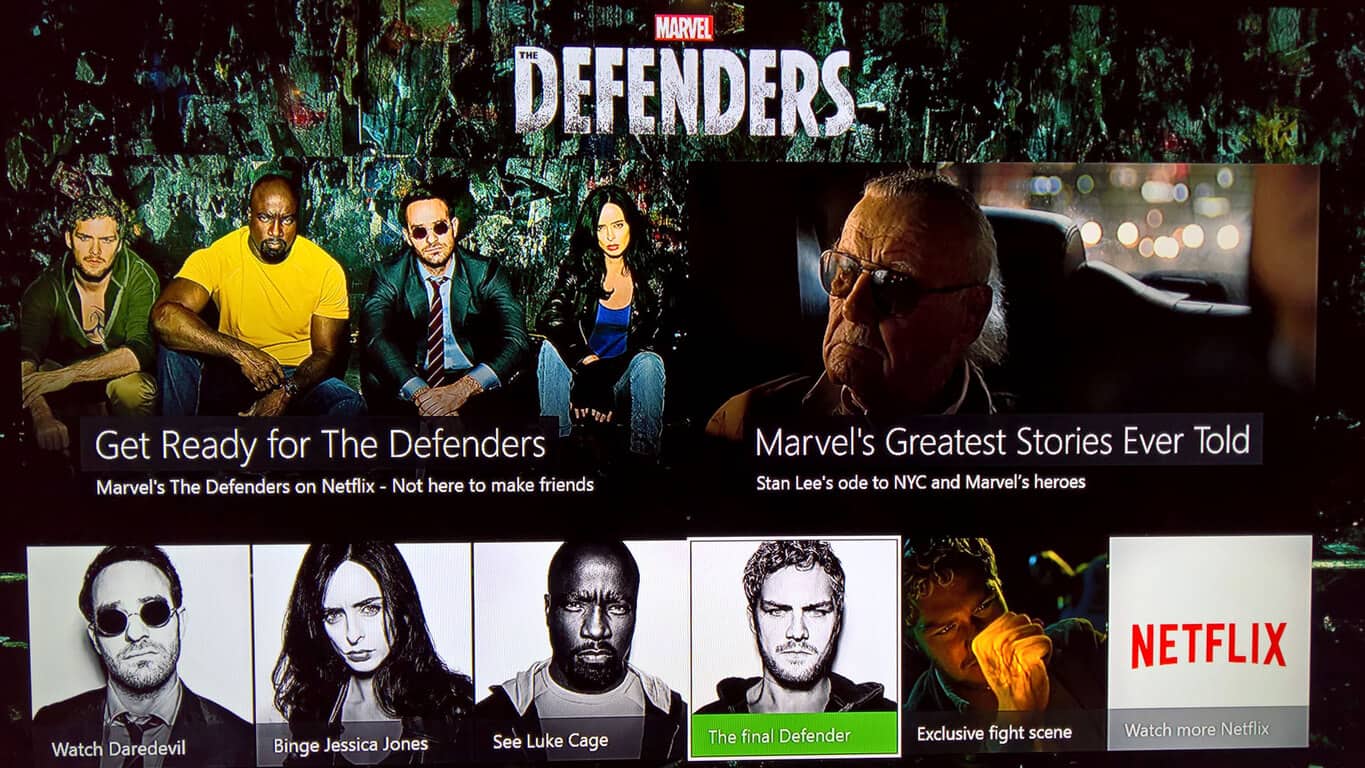
With Marvel’s The Defenders premiering on Netflix today, a special promotional campaign has begun for the highly-anticipated superhero mini-series on Microsoft’s Xbox One console.

The promotional campaign features a rather prominent banner for the series within the Entertainment tab on the Xbox One dashboard which, when clicked on, opens up an interactive menu full of Defenders content.

In addition to the expected links to each of the four preceding Marvel series, Daredevil, Jessica Jones, Luke Cage, and Iron Fist, this themed dashboard also provides fans with an exclusive scene from the series featuring the long-awaited first encounter of Luke Cage (Power Man) and Danny Rand (the Iron Fist) as well as a rather emotional montage of the Marvel Netflix shows narrated by the legend, Stan Lee.

All of the Marvel Netflix series take place in the same canonical universe as the Marvel movies and Agents of S.H.I.E.L.D. (referred to as the Marvel Cinematic Universe) but feature a darker vibe and tackle more complex, adult themes that some may find unsuitable for younger viewers. Daredevil explores religion, physical disability, and the nature of crime and violence, Jessica Jones revolves around a survivor of sexual abuse, Luke Cage focuses on black culture and identity politics in America, while Iron Fist deals with abusive father figures, bullying, abuse, and mental illness.

While Luke Cage and Jessica Jones met in the first season of Jessica Jones, The Defenders will be the first time all four street-level superheroes meet in person. The Defenders will be eight episodes long and should be going live any moment now on Netflix apps around the world.

Are you a fan of the Marvel Netflix series? Let us know who your favorite Defenders is in the comments below.

EA Access Members can now enjoy the Madden NFL 18 before release

Sports fans looking for a new game to try out? EA Access has you covered. The upcoming Madden NFL 18 set for release on August 25 is now available as a Play First title.

If you’ve subscribed to the $4.99 service, EA Access allows gamers to play up to ten hours of Madden NFL 18 before the release date. Furthermore, there is a bonus 10% discount for purchases made with EA Access, bringing down a small chunk of the original $59.99 retail price. Progress, achievements, and content acquired during the First Play time period will also carry over to release.

Madden NFL 18 will also have improvements for running on the Xbox One X and 4k resolution. But you can play it first on Xbox One today.

Microsoft Surface app gets an accessory battery level section with latest update

Within the last couple of days, Microsoft dropped an update for the Microsoft Surface app on Windows 10. Although it’s fairly minor, it adds in a new accessories battery level section to the experience of the application.

The update bumps the latest version of the Surface app on Windows 10 to version 23.0.602.0. As seen in the screenshot, the update revamps the look of the side menu by adding in a battery icon. Upon clicking this icon, one will now find a section dedicated to the battery level of certain connected Microsoft and Surface branded Bluetooth accessories, including the Surface Pen, Surface Dial, Microsoft Surface Mouse. The percentage of battery remaining, and the time the user last checked the battery life is also shown.

Battery level

Again, this is a fairly minor update, but it will be helpful for figuring out when you will need to change those batteries in your Microsoft Bluetooth accessories. If you’re not already using the app, or if you may have missed the update, you can update and find it in the Windows Store by clicking below.

Surface
Surface
Price:
Free

Bing Maps now supports Ground Overlays, GeoXml Module, and more

Bing Maps V8 is Microsoft’s modern web mapping SDK. This interactive SDK provides lots of useful editable code samples that show how to use the various features of the Bing Maps V8 SDK.

By default, the interactive SDK shows code samples for features that are available in the release branch of the SDK. If you go to the version drop-down in the top right corner of the page, you will be able to switch between release, experimental and frozen versions of the map control.

The experimental branch includes the latest code samples for new features that are currently in the development process and that are being tested. The frozen branch may include fewer code samples than the release branch, and this happens because features are released less often to maintain a stable branch without the latest features.

What’s new in the Bing Maps V8 Summer Update

GeoXml Module: You can now easily import and export standard spatial file formats such as KML, KMZ, GeoRSS, GML (via GeoRSS) and GPX. You can load it as a layer on the map or directly access the data with just a few code lines.

Ground Overlays: You can now overlay geo-referenced images on top of the map, and you will see that they will move and scale as you pan and zoom the map. This is ideal for overlaying old maps, building floor plans, or for imagery from a drone.

LocationRect class improvements: Two new static methods have been added to the LocationRect class. The first one aka fromShapes allows you to generate a LocationRect from an array of shapes easily. The second one is called merge, and it makes it very easy to combine two LocationRect objects to create the minimum bounding LocationRect.

TypeScript Definitions are updated, and now they can provide additional details around API changes that have occurred as part of this release.

RELATED STORIES TO CHECK OUT:

Microsoft launches a Chrome extension designed for a single Azure Active-Directory sign-in

Microsoft is bringing some goodies to Chrome users yet again today, by introducing a new Azure Active-Directory sign-in extension to the browser. The extension was released recently, and many people who work at Azure-utilizing companies may already have it on their computers. The extension is there to help people sign into services simply, as long as they support identities in the Azure Active Directory.

Use this extension to sign in to supported websites with accounts on Windows 10. If you have a Microsoft supported identity on Windows 10, you won’t be required to enter your credentials to sign in to supported websites. You’ll need to use this extension if your organization has implemented conditional access policy. Currently, this extension supports Azure Active Directory identities.

The plugin comes as part of Microsoft’s effort to reclaim their push to have a single sign-in experience for Windows 10 – at least for Azure users. It opens up avenues for IT companies to create device-based access policies, and generally, have more control over the security of their online services.

You can download the plugin for Chrome right now, and IT departments who use Azure services frequently are already loading it up on wide scales for their companies.


Battlefield: Bad Company is the latest Xbox One Backward Compatible title

Battlefield: Bad Company is joining the Xbox One Backward Compatibility catalog today, just two days after Metal Gear Rising: Revengeance and ScreamRide were added to the list. The FPS launched exclusively on the Xbox 360 and Playstation 3 back in June 2008, and its sequel Battlefield Bad: Company 2 (released in 2010) was already backward compatible on the Xbox One since January.

The game is currently priced at $14.99 on the Xbox Store, and here is its official description:

Battlefield: Bad Company follows a wayward band of ordinary soldiers who decide that sometimes the gratitude of a nation just isn’t enough. Featuring a dramatic storyline loaded with a unique attitude, the game delivers the series’ trademark sandbox gameplay in a universe where almost everything is destructible. The ever-changing battlefield forces players, their team mates and enemies to react accordingly and use destruction tactically. The game also features the all new, objective based multiplayer game mode “Gold Rush”, supporting 24 players online. Play as attackers and defenders and make full use of the tactical destruction as well as the unique vehicle experience that can only be experienced in Battlefield: Bad Company.

Microsoft announced last month that over 400 Xbox 360 games are now backward compatible on the Xbox One, which is pretty good considering that the feature launched nearly two years ago. There are probably still many old gems that deserved to be added to the list, but it’s great that the Xbox team keeps announcing new additions at a regular pace.

Open world survival game Conan Exiles hits Xbox Game Preview

Conan Exiles is the latest game available as part of the Xbox Game Preview Program, and is an open-world survival game set in the world of “Conan the Barbarian.” Conan Exiles allows you to build your own castle to protect against monsters and warring factions bent on dividing and conquering.

Conan Exiles was released on Windows 10 earlier this year and is available for $34.99. It’s a work in progress and the game is available on Xbox One with the new expansion pack, The Frozen North.

The Frozen North features new items, new structures, new monsters, and a brutal, snowy, and mountainous landscape, expanding the original open-world of Conan Exiles by more than 70%! Only players who have advanced to Level 30 are capable enough to survive The Frozen North. Take a look at Conan Exiles with the new The Frozen North expansion in this video.

Conan Exiles will continue to evolve and is still an Xbox Game Preview game. You can play the game as a free trial and try it out before you buy.

Play Conan Exiles on Xbox One, available in the Xbox Store.

Windows Insiders, how should Microsoft tell you when your bug has been fixed? Dona Sarkar wants to know

About an hour after revealing there would be no new Windows 10 PC Insider builds this week, Dona Sarkar followed up to share some information about the future of the Windows Insider Program. It was revealed that Microsoft is looking to find out how Insiders want to be notified when their reported bugs have been fixed.

According to Dona, a few of the notification options on the table include emails, a notification in the feedback hub, and “SUIFS.” We were not certain what was meant by a “SUIF” so we followed up to ask the chief ninja cat what she meant. On Twitter, Dona joked about the need for a Windows Insider glossary and told our Kip Kniskern that a SUIF is a pop-up which asks for feedback on your experience or features.

Regardless of which method is chosen by Microsoft, notifying Windows Insiders individually about bug fixes would be a welcome change. It would make things much more personal compared to the current upvote and comment system, encourage more bug reporting altogether, and aid Microsoft in making Windows 10 great again.

The individual notifications bug fixes appear to be a part of a wider push by Microsoft to connect with the Windows Insider community. Dona has previously tweeted about the iteration of new ideas, and forums for Windows Insider communications. She previously revealed that the company is looking to better use Instagram, LinkedIn, Twitter, Mixer, LinkedIn, and Blog Posts to make connections with Windows Insiders.

OneNote for Windows 10 picks up Text to Math feature, more in August update rolling out now

Microsoft is now rolling out the August 2017 update for the OneNote UWP app on Windows 10. The update adds in several new features, including a Text to Math feature, and the ability to insert online pictures.

As is usual, the update is rolling out slowly to everyone, so you might not notice the new features right away. Here is what you need to know about the version 17.8471.5772 update:

  • Text to Math: Use your keyboard to type an equation as text in OneNote, and use Math to solve it or draw a graph. Simply type your equation, and on the Draw tab, click the Lasso Select button. Drag a circle around the text you want to convert, then click Math.
  • Smart Lookup: Get definitions, wiki articles, and top related searches from the web without leaving OneNote. Right-click a word or phrase and choose Smart Lookup.
  • Insert online pictures: Use Bing’s Image Search to safely insert photos and images without ever having to leave OneNote. On the Insert tab, choose Pictures > Online. In the Online Pictures pane, use a keyword to search for the perfect picture for your notes.
  • Tables of all shapes and sizes: One cell or many? Choose the number of rows and columns you need to organize your content. Once you’ve got a table, you can add or delete rows or columns, add table shading, or sort your content.
  • More highlight colors: Yellow isn’t the only color in the rainbow. Now you can highlight with blue, green, red, and more.
  • Zoom in, zoom out: Use the new Page Width option on the View tab to zoom out to see all the notes on your page, or zoom in to focus on just what you need.

Back in July, Microsoft updated OneNote for Windows 10 with muti-window support, custom pens, and more. The OneNote for Windows 10 app comes with several advantages over the desktop application, and you can learn more about the differences by clicking here. You can also download OneNote from Windows 10 via the link below.

New Planet of the Apes video game announced for Xbox One

Coming in the Fall 2017, Planet of the Apes: Last Frontier is a new game headed to Xbox One and Windows 10. Here’s a look at the reveal trailer for Planet of the Apes: Last Frontier.

Besides the reveal trailer, there is not much known about the Planet of the Apes: Last Frontier gameplay at the moment. The Planet of the Apes game is “a brand new interactive narrative” that takes place within the fictional world of the “Planet of the Apes.” Other than that the game’s website offers links to the game’s Twitter, Facebook, and YouTube channel, but there is not much other game information available.

IGN has a 6 minute gameplay clip available showing the gameplay as an ape and one playing as a human. Stay tuned, as we may see more information revealed at gamescom 2017 next week.

Microsoft spent a pretty penny last week on national broadcast for its Surface ads

Since the ascension of Satya Nadella, Microsoft’s advertising budget has seemed to have shrunk compared to the good ol’ Ballmer days. Instead, the company has become a bit more focus on adhering to its more profitable endeavors in commercial software rather than chasing the latest hardware trends.

However, it does seem that Microsoft does want its Surface line of hardware to strike a chord with consumers.

With that, we just got a peek at how much Microsoft spent trying to put its Surface hardware in front of the eyeballs of prime time viewers.

In a report by ADWEEK, we find out that Microsoft reached into its coffers to shell out $10.4 million nationally for broadcast placement last week.

After devoting the entirety of its $9.9 million national broadcast placement budget the week prior, Microsoft spent $4.8 million of the over $10.4 million it spent on national broadcast placement overall on new creative last week. Of that, Microsoft devoted $606,000 to placement during America’s Got Talent, more than any other programming.

This information comes from Kantar Media as it reports advertisers spent upwards of $135 million on national broadcast placements for new ads last week.

With over $135 million spent on new national ad campaigns last week, Microsoft tallied up to become the second largest spender behind Lions Gate Pictures which was busy promoting its latest movies, The Hitman’s Bodyguard and The Glass Castle.

While Microsoft’s main audience tends to lean toward governments and corporations, the company still finds space in its budget to advertise its more consumer friendly items to the average joe. Even in spite of the company’s  sometimes ham-fisted and tone deaf marketing approaches,  Microsoft continues to reach into its pockets to shell out money to be in front of a potential audience and now we have a peek at how much they care.

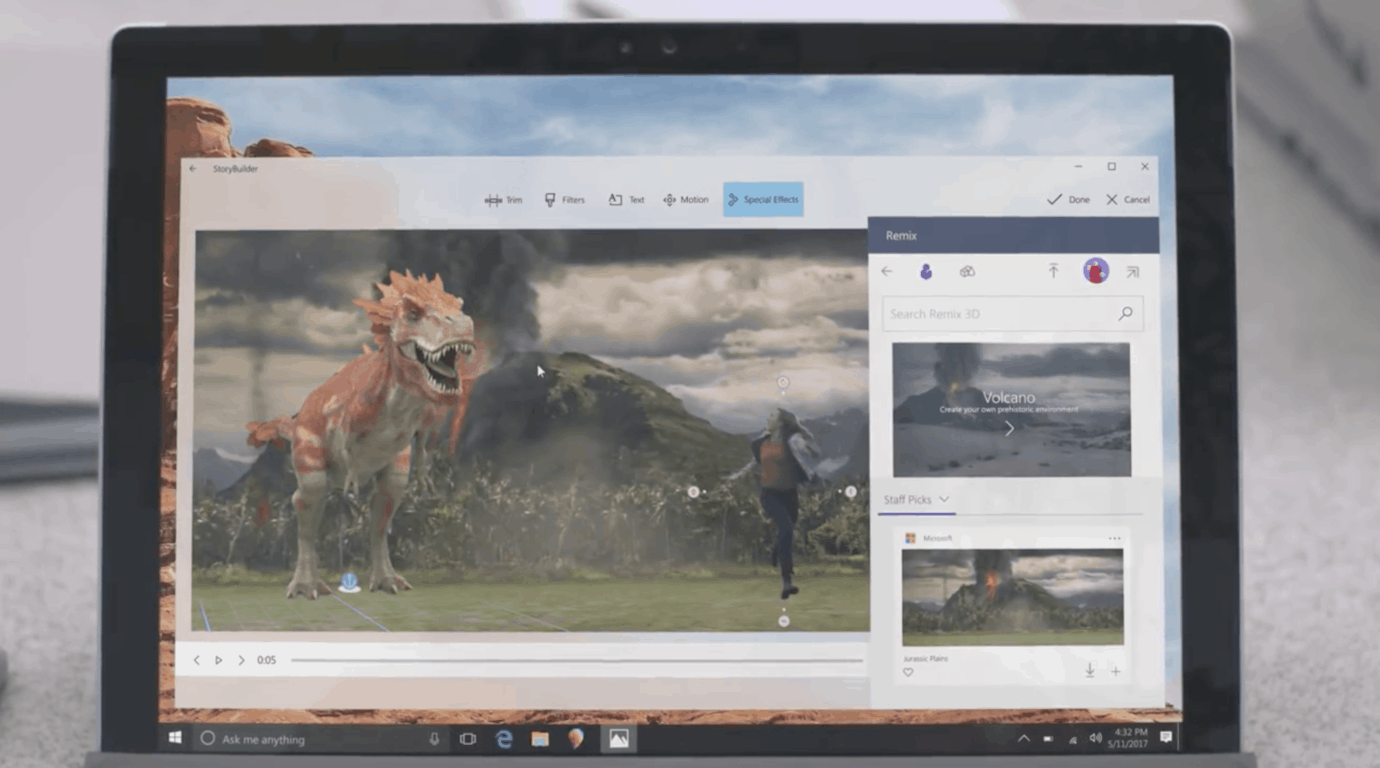
The impressive Story Remix 3D features showcased at Build 2017 have reportedly been delayed

Did Microsoft showcase too many Windows 10 features that were not fully baked during its latest annual developer conference? After Joe Belfiore recently confirmed that the new Timeline feature won’t ship with the Fall Creators Update, many were wondering if the amazing Story Remix demo that Microsoft gave us at Build 2017 would be ready for the next major Windows 10 update.

Story Remix is already available in preview for Windows Insiders, though its most interesting features are still missing in action. If you watched the Build keynote in April, you may remember Microsoft showcasing how to anchor written notes to people in a video, and even better, the ability to import 3D objects. In a quite impressive demo, we saw how it was possible to anchor a fireball to a soccer ball for pretty epic results.

Unfortunately though, these exciting 3D features have reportedly been delayed and won’t be ready for the Fall Creators Update. The news comes from Windows Central reporter Zac Bowden, who explained today that the much-anticipated Story Remix features will be tested first with Windows Insiders after the launch of the Fall Creators Update:

My contacts say that Story Remix itself will be ready with the Fall Creators Update, but being able to insert 3D objects and effects into your video; arguably Story Remix’s blockbuster feature, still needs work and as such will not be showing up alongside the launch of the Fall Creators Update. I’m told Insiders can expect to see that functionality show up in the months after the Fall Creators Update launches, likely during the Redstone 4 development cycle.

Microsoft has yet to officially confirm that Story Remix won’t be feature complete with the Windows 10 Fall Creators Update, and we’ll let you know if we hear anything new. With two major Windows 10 updates every year, a delay wouldn’t be really dramatic, but we still hope Microsoft will be more careful to not over promise and under deliver going forward.

Path of Exile First Blood Bundle digital pre-orders open on Xbox One

Path of Exile First Blood is now available to digitally pre-order on the Xbox One before its August 25th release date. To encourage gamers to pre-order, those that purchase the title before its release date are being rewarded with a special starter pack that automatically unlocks 200 points, the First Blood Weapon Effect and an Extra Stash Tab. Here’s the (very short) official game description and shopping link:

Earn devastating skills and valuable items as you fight your way through the dark continent of Wraeclast. With unrivaled character customization, Path of Exile is an award-winning online Action RPG created by hardcore gamers, for hardcore gamers.

Pre-order Path of Exile First Blood on Xbox One

Are you hyped to play Path of Exile First Blood and will you pre-order? Let us know in the comments.

Windows Insiders can now use the Skip Ahead option again

The Skip Ahead option for Fast ring Insiders  lets users jump ahead past the current Fall Creators Update builds. They can reach the development branch where the update coming after the Fall Creators Update is in the development process.

The Skip Ahead option places Insiders on the Redstone 4 channel of development builds. In other words, if they choose to skip ahead they will not be able to test the Fall Creators Update RTM, but they will receive early updates.

When Microsoft announced this option, the Insider team said that places were limited and not everyone who wanted to join would be able to do so.

Skip Ahead is available again

Last week the company closed the entry window, and the feature was not available anymore. On August 4, the Skip Ahead program reached full capacity, and Microsoft didn’t accept any new participants. Microsoft limited the number of Insiders for the Skip Ahead option in order to continue testing the Fall Creators Update and receive feedback on the latest builds.

Now, it looks like Insiders from the Fast ring can access the feature again, and they can skip ahead to the Fall Creators Update.

Users believe that the Insiders Program allows Microsoft to kill two birds with one stone. Insiders get what they want (which is early access to Windows builds with new features and the ability to provide feedback), and Microsoft saves money by not having to pay testers.

RELATED STORIES TO CHECK OUT:

Middle School Math student writes letter to Microsoft’s Brad Smith, gets Surface Laptop in return

Microsoft recently put its money where its mouth is when it came to encouraging children to seek out and explore careers involving STEM focused curriculum.

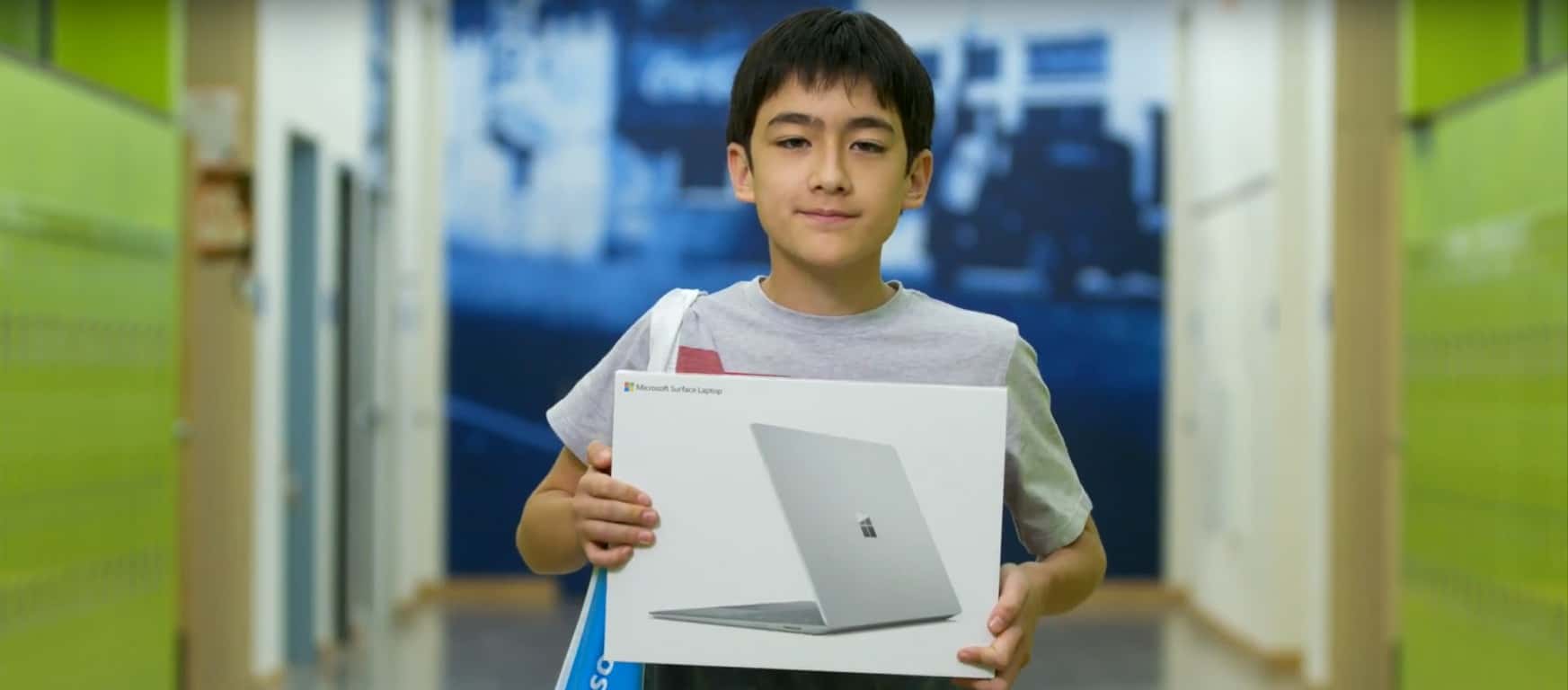
As part of a school project that asked students to reach out to their favorite businesses and express their appreciation, a Silverland Middle School student by the name of Sky Yi wrote to President and Cheif Legal Officer at Microsoft, Brad Smith.

While the chances of a letter from a middle school youth reaching such a high-level executive at Microsoft seemed relatively low, Yi completed his assignment by penning an honest and relatively self-aware letter to Smith expressing his appreciation of the software company.

“I know this letter won’t be opened by you on the spot, as I’m sure you guys get millions of letters,” Sky wrote. “I bet whoever is getting this letter, whether it be your secretary or whatnot, is probably just throwing this away or something like that.” Still, he added, “Keep up the good work running that company.”

Wouldn’t you know it, not only did the letter get past a communications bot and executive assistant, but it made its way to Smith’s desk which prompted the executive to visit the middle school in Fernley, Nevada.

Not only did Yi’s letter bring Smith to the middle school to stress the importance of emboldening teachers and students who engage in STEM curriculum but Yi was also gifted with one of Microsoft’s latest Surface Laptops for his efforts.

Before his visit to Yi’s middle school, Smith responded in kind with this letter,

“At Microsoft, we’ve been working with middle schools for a long time, especially on subjects like middle-school math,” Smith said at the end of his visit. “Because what we’ve learned, what the country knows, is that middle-school math is a game changer. If kids make it through seventh-  and eighth-grade math, and they succeed, they’re almost certain to keep succeeding, they’re almost certain to graduate from high school. And one of the things that makes this story exciting, is that this is a middle school that clearly has some great math teachers doing really creative work, drawing kids in, helping them not just learn to count and focus on things like algebra, but showing how math has a real-world impact, and as schools are finding out across the country, that makes all the difference.”

Beyond Microsoft’s work in creating tools, services, and programs to help aid teachers in reaching out to students interested in STEM as well as encouraging students to seek out science, technology, engineering, and math, it is nice to see the company humanizing its efforts with cases such as Yi’s.

For students looking for new hardware going into high school or college, perhaps, sharpen those pencils and write to your favorite Microsoft employee soon.

Nimble launches add in for Microsoft Edge, delivers instant social business insights on people and companies

Microsoft’s Edge browser has a bit of a chicken and egg conundrum going for it as it’s relatively new presence on a relatively new OS hinders it from being a trusted name among internet browsers. Coupled with the fact that it’s predecessor in Internet Explorer has become the butt of many internet meme jokes (for mostly justified reasons) and its largest competitor continues to build enticing lock-in features, Edge has its work cut out for itself.

Fortunately, the developers of Nimble appear to be forward thinking developers who are placing some large bets on the future of Edge and how businesses will want to use internet browsers.

Nimble is the first Social Sales and Marketing CRM that works for you by building your CRM from your existing Office 365 data and then works with you, everywhere you engage. We’ve optimized Nimble to work seamlessly inside Office 365, Outlook, Skype and even Dynamics CRM. We help you easily deploy your CRM by syncing your team’s Office 365 contacts, emails, and calendars into a unified relationship manager enriched with the business insights you need to engage.

Nimble is a fairly comprehensive addition to Edge that pulls and displays a complete communication trail which includes shared emails, notes, and social media messages right from within the -browser. Gone are the days of whack-a-mole-like professional communication tracking, thanks to Nimble’s ability to aggregate company CRM listings.

Furthermore, Nimble works outside of the confines of Outlook, Skype or Dynamics as it provides contact insights when surfing social media sites such as Facebook, Instagram, AngelList, Twitter, CrunchBase and of course LinkedIn, to name a few. With Nimble, users can pull up relevant contact info while engaging with people on their favorite sites.

Nimble also works for people on the go as it integrates with Outlook mobile to provide a similar communications flow as its desktop counterpart.

To try out Nimble and all of its version 4.0 features, Edge users can head over to www.nimble.com for a 14-day free trial, after which, the price becomes $25 per license, per month. Understandably, it’s the business CRM listings that help make Nimble the successful communications tool it is now, but hopefully, developers will see the benefits in a more consumer oriented version of the service in the future.

PDF Assistant Pro is an all-in-one tool for your PDF files on Windows 10

PDF Assistant Pro is a universal app for Windows 10 PC and Mobile for working with PDF files. It’s not just a PDF reader but also allows you to annotate and mark-up as well as edit PDF files.

PDF Assistant Pro has an intuitive UI and you can just dive in right off the bat. You can open PDF files stored locally or on your OneDrive, including the password-protected ones.

There’s a hamburger menu button on the top-left corner, although it doesn’t open as a usual left panel, but a top bar that have options for file management and editing. There’s option to add or select text as well as draw or markup over the document.

The options are quite simple and easy to use. There are sub options, but they only touch the basic and don’t go too deep. There’s also an undo and redo button to go back or forward during an edit. While the PC version has buttons to zoom in or out and to hide or view thumbnails of all the pages, the Mobile version relies on touch to zoom in or out of the document.

Once you’re done, the document can be saved locally, on your OneDrive, or shared directly via the universal sharing framework of Windows 10.

All in all, PDF Assistant Pro is a pretty good – almost a Swiss army knife – for working with PDF files, and the universal Windows 10 app works great for your PCs, tablets, and phones.

While the usual price of the app is $7.99, you can grab it at half the price – only $3.99 – for the next few days as part of an ongoing promotion. Else, there’s also an ad-supported free edition, that packs in only a subset of features. Give either a whirl, and let us know how you like it.

PDF Assistant PRO
PDF Assistant PRO
Developer:
Roxy
Price:
$2.99

Microsoft launches Making Mixed Reality series, interviews developer Lucas Rizzotto

Will mixed reality become the next big platform for developers? Microsoft certainly seems to believe it, as the Creators Update was the first version of Windows 10 to ship with the Windows Mixed Reality portal. And today, the company is launching Making Mixed Reality, a new series featuring developers, designers and artists experimenting with the new platform.

The first episode features Lucas Rizzotto, an award-winning mixed reality developer and designer who already launched two HoloLens app in the Windows Store. The interview is quite interesting as Rizzotto actually had no coding skills before starting developing apps for Microsoft’s mixed reality headset. Still, the young developer is already convinced that mixed reality is “the future.” He added:

It’s the future! Having the opportunity to work with such an influential industry on its early days is a delightful process – not only is it incredibly creatively challenging, you can really have a say on what digital experiences and computers will look like in 10, 20 years from now – so it’s packed with excitement, but also responsibility. We are designing the primary way most people will experience the world in the future, and the HoloLens is the closest thing we’ve got to that today.

After launching the HoloLens game Cyber Snake and a chemistry education called MyLab, Rizzotto will launch its own mixed reality agency in September to “continue developing MR projects that are both wondrous and useful at a larger scale.” The full interview is well worth a read if you’re a developer, and we also invite you to check Rizzotto’s other projects on his personal website.

Poll: Are you an Xbox, Windows 10, or both gamer?

OnMSFT.com is not a gaming site, but we end up covering a lot of news about games and gaming anyway, as Microsoft continues to blur the lines between PC and console. Gaming is important to Windows 10 in a way is far more ingrained than ever before, and Microsoft clearly sees the importance of gaming to Windows, and to the Microsoft ecosystem.

Gaming is only going to continue to get more important for the company and its followers, with the Xbox One X due out this holiday season, continued work on Windows 10 to bridge the gap between console and PC, and a heated rivalry between Sony’s PlayStation and the Xbox, a battle that’s not going away anytime soon.

So are you a gamer? Do you play on Xbox, on PC, or both? Do you take your games mobile? Take our poll below and let us know where you stand:


We’d love to hear more about your gaming experience. Does Microsoft’s inclusion of the Xbox App and Play Anywhere gaming have you playing more games than you did before? Are you excited for the Xbox One X? Tell us about your gaming experiences in the comments below.


Filter the news your way with the Power BI Bing News Template

Microsoft today announced that they’re bringing more text analytics to the Power BI Bing News Solution Template. This means that brand managers can now sort through the news their own way, and find the articles which are most relevant to them by filtering based on sentiment, trending topics, locations, organizations, and people.

The enhanced text analytics in the Bing New Solution Template also brings a commonly requested feature, the ability to define lists of words to help slice data. Set up is easy, and you just need to navigate to the Installer and select “Yes” when prompted to bring your own entities. You will then see the entities definition page, where you can customize things, and then start exploring your reports.

The end result after setting up a Power BI Bing News Template

An interactive sample report and a video demo are available on this Microsoft Website. Fell free to check it out, submit your feedback to Microsoft, and let us know if you’re liking the new features by dropping us a comment below.

Vehicular destruction game Danger Zone is coming to Xbox One with new content and 4K support

Danger Zone, the 3D vehicular destruction game previously released on Steam and Playstation 4, is coming to Xbox One later this Fall. Indie developer Three Fields Entertainment announced yesterday that the Xbox One version will feature additionnal levels and carts, and it will run in true 4K on the Xbox One X.

Danger Zone has often been compared to the popular Burnout series of games, with a much bigger emphasis on car crashes. Actually, the game sets you in the shoes of a dangerous driver trying to cause the biggest car crashes ever seen in a video game.

The developer has yet to share a release date for the Xbox One version of the game, but we expect it to be really affordable (the Steam and Playstation 4 versions are currently $12.99). Let us know in the comments if you’re looking forward to play this game on your Xbox One later this Fall.

Trials Fusion and Red Faction: Armageddon are now free for Xbox Live Gold subscribers

Xbox Live Gold subscribers can download two new games for free starting today, Ubisoft’s platform racing game Trials Fusion and the Xbox 360 shooter Red Faction: Armageddon (also backward compatible on the Xbox One). These latest Games with Gold titles succeed to the cult-classic hack and slash video game Bayonetta and the brand new life simulation title Slime Rancher, which is still available to download through August 31.

You can find below the official descriptions, trailers and download links for the new free games

Trials Fusion ($19.99 value)

Built upon the Trials franchise’s proven gameplay foundations, Trials Fusion challenges players endlessly in both classic and all-new ways. It melds the classic, proven Trials formula of simple yet addictive competition with the social and visual breakthroughs of the next generation of gaming. With unique platform-racing gameplay, ubiquitous competition and an ever-expanding destination for new content and features, the Trials Fusion experience is never over.

Red Faction: Armageddon ($29.99 value)

Mankind finds itself poised on the brink of extinction deep underground.  Darius Mason is humanity’s last hope for survival.

August has been a pretty good month for Xbox Live Gold subscribers, and Trials Fusion is a really fun game to play with your friends in both online and local multiplayer. If you haven’t done it yet, don’t forget to also check out this week’s Deals with Gold and Ultimate add-on sale, which will expire next Monday.

No Fast Ring build release today but we may get one tomorrow, says Dona Sarkar

Earlier this week, Head of the Windows Program Dona Sarkar teased that Fast Ring Insiders could get new builds to play with today, but this is unfortunately not going to happen: Sarkar tweeted a few hours ago that the team has just discovered a rollback bug with their build candidate, so the Windows team needs a bit more time to analyze data. The exec added in a second tweet that they should decide what to do tomorrow at 10AM PDT.

Last week, the Windows Insider team did not release a new PC build due to a bug causing a “big impact,” but Mobile users did get the preview build 15240, which was unexpected. Sarkar didn’t say anything about mobile in her tweets today, so it’s probably better not to expect a repetition of last week’s scenario.