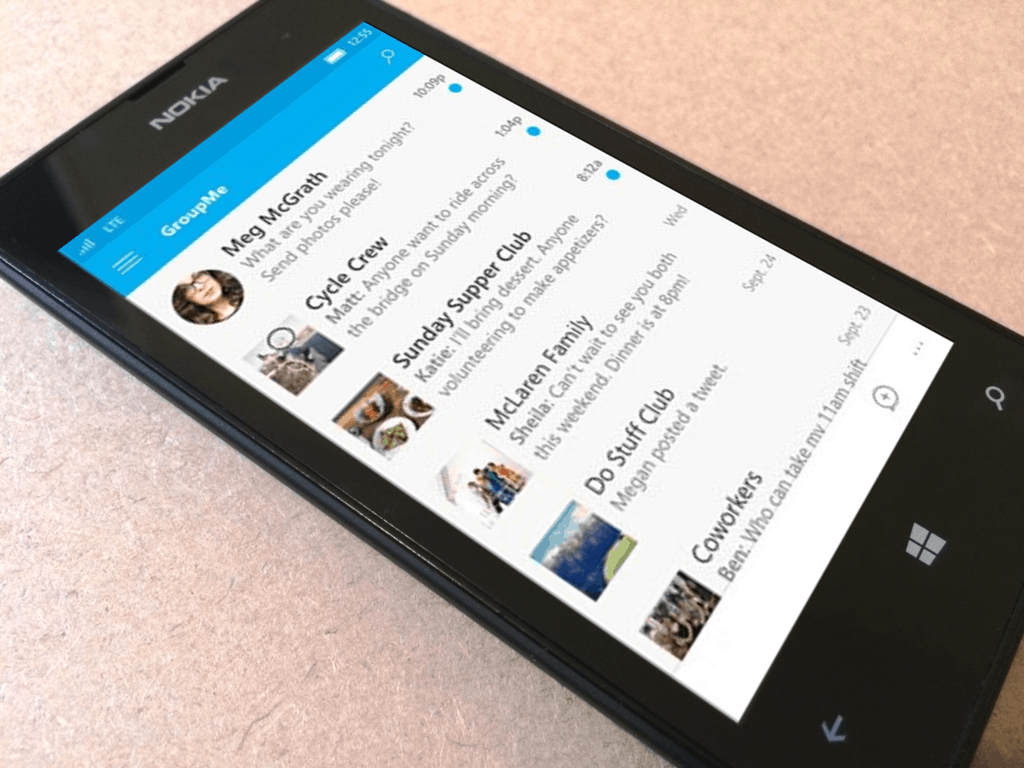
Microsoft to end Lumia smartphone sales by the end of this year

Nokia Lumia production will cease by the end of 2016 reports WinBeta.

It’s no secret that Microsoft has been trying to liquidate its remaining Lumia assets by offering giveaways, buy-one-get-one offers and discounts as of late. Microsoft also slowed the release of Lumia handsets down over the years because of faltering sales and lackluster market performance.

The most recent Lumia releases range from a low-range model, a mid-range model and two flagships:

  • Lumia 550
  • Lumia 650
  • Lumia 950
  • Lumia 950 XL

Lumia rolled out as a Microsoft phone back in 2011 and stood out with its clean, smooth UI and display of information without having to open several apps. The first phone released in the range was the Nokia Lumia 800 which ran Windows Phone 7.5. Lumia phones running Windows 8 were released in 2012, Windows 8.1 in 2014 and Windows Phone 10 in 2015.

The phone thrived somewhat under Nokia’s supervision and generated notable market revenue but in 2013, Microsoft bought Nokia’s shares and assimilated the Lumia brand into a bigger company name. Lumia handsets began rolling out with Microsoft brand logo in 2014 while the Nokia logo was left on production models. Though the merger didn’t go so well after new CEO Satya Nadella fired several employees, it ultimately ended up deteriorating the brand.

Microsoft started offering its Lumia devices on its Microsoft Store website and in physical stores at more than reasonable prices and offers, which is kind of worrying. Several people have stated the physical Microsoft Stores have been moving their sale of Windows phone collections into smaller areas and out of the way from customers. As for the online international website, all links to the Lumia range have been removed from the homepage in the US, and the company replaced Lumia with Windows phones on other regional sites. When Winbeta sources tried reaching out to the company for recent developments on the matter, they refused to give away anything, saying that they “have nothing to share” at the moment. This also suggests to keeping you eyes open for latest Windows phone releases at the Microsoft Store.

Lumia phones, powered by Windows OS, were only able to attain a total three percent market share in Europe. The Lumia series produced a few bright stars with models like the Nokia Lumia 920 and the Nokia Lumia 1020 with its 41MP Carl Zeiss primary camera with OIS.  It was an attempt by Microsoft to breathe new life into the brand that had been lifeless for so long. Principally, the entire OS was built from scratch and ran a lighter version of Windows 10. It was also bundled with the Universal Windows Platform which made scaling on mobile, desktop, tablet, and Xbox One possible. With the introduction of Continuum support, users could plug-in their Windows 10 devices to a screen and run a lighter version of the OS.

It is kind of disappointing to see that even the introduction of Windows Continuum with the Lumia 950 series failed to turn enough heads. A sluggish interface, buggy platform, slow updates and lack of app support are all inadequacies that have greatly contributed to the downfall of Windows 10 Mobile.

What is Microsoft planning next? Is it the end of Windows phone era? Luckily, there is still a ray of hope for Windows phone lovers. With the end of Lumia declared in December 2016, Microsoft is planning to release its two major updates, Redstone 2 and Redstone 3, both of which are focused on Windows mobile phones; the former in early 2017 and the latter after a breach of a few months. Windows phone lovers are firmly grasping on the hope for the rumored Surface all-in-one release, a superior replacement for the previously terminated Lumia phones.

Microsoft is rumored to be holding an event in October 2016, but it seems odd to hold an event for the release of a single device. It is possible we might be seeing some unexpected releases as well.

Between the discontinuation of Lumia and the release of the Surface device, Microsoft’s Director of Engineering Laura Butler, who was recently involved in several Windows Insider planning meetings for Redstone 2, has left some hints on Twitter about a Surface phone. The tweets might not be a solid confirmation, but are certainly enough to raise some speculation.

@TehJackuh @itsmichaelwest @zacbowden Surface Phone not NOT confirmed. 🙂

— Laura Janet Butler (@LauraCatPJs) September 7, 2016

The use of a double-negative, “not NOT,” doesn’t help much either. This is one of a few tweets, though:

@itsmichaelwest @zacbowden Surface iPhone. 😉

— Laura Janet Butler (@LauraCatPJs) September 6, 2016


We must say it is a little astounding to see a senior Microsoft authority figure stating the term Surface phone directly.

What do you think about the Surface phone release? Is it really on its way? Leave us a comment and let us know.

13 best PlayStation Now games for Windows 10/11

PlayStation Now is a cloud gaming service that allows Windows 10 users to access a selection of games released for the PlayStation 3. In the near future, this service will support PlayStation 4 games, as well as games released for previous PlayStation consoles.

If you’ve been waiting for a long time to play a particular PlayStation Now game, then you know what game to download. If you can’t decide what game to play, we’ll try to help you by listing in this article the best 13 PlayStation Now games to play on Windows 10 PC. But before we begin, if you want a more natural way to play PlayStation games on your Windows 10 computer, we advise you to use your PS3 controller. See our guide on how to connect your PS3 controller to your PC.

Best Playstation Now games for Windows 10

The Last of Us

This game is set in an post-apocalyptic world, 20 years after a pandemic has radically changed known civilisation. Joel and Ellie, the heroes of this game must go on a journey across what remains of the USA, and at the same time learn to rely on each other . The Last of Us harmoniously blends survival and action elements to create a character focused story.

You play Joel, and your main task in the game play is to bring 14-year old Ellie out of an oppressive military quarantine zone. On your journey, you’ll meet infected people, other survivors of the pandemic as well as various threats that could kill you both. The Last of Us is definitely not a game for the faint-hearted.

⇒ Get The Last of Us

Heavy Rain

Heavy Rain is an interactive psychological thriller game set in a film noir environment.  The game features four protagonists involved with the mystery of the Origami Killer. This serial killer has a very bizarre modus operandi, using extended periods of rainfall to simply drown his victims.

As a player, you perform various actions highlighted on screen, or a series of quick time events during fast-paced action sequences. Every decision you make will have a huge impact on how the game can turn out, so you should think twice before you act. The main characters can be killed, and your actions influence the following scenes as well as the end of the game.

⇒ Get Heavy Rain

Catherine

Catherine is an adult-oriented puzzle platformer game in which you control Vincent Brooks, a man caught between daytime and nightmare scenarios. His nightmares begin when his girlfriend, Katherine reveal her intention of marriage and commitment. Vincent then meets a girl named Catherine, and begins an affair with her.

The main gameplay actions takes place in Vincent’s nightmares. You must guide Vincent climb up collapsing staircases, push, pull and climb blocks as quickly as possible and avoid being killed by various traps. The choices you make affect Vincent’s character and the game story. A morality meter is there to show you how Vincent’s morality changes as his feelings continue to swing between  Katherine  and Catherine.

⇒ Get Catherine

Uncharted

All three Uncharted games are now available for Windows 10 PC via PlayStation Now. Uncharted is an action-adventure third-person shooter game that follows treasure hunter Nathan Drake as he travels around the world searching to solve historical mysteries. As a player, you’ll control Drake, making him jump, swim, climb, swing from ropes, and perform other acrobatic actions as you’ll make your way through various challenges.

You can use a variety of weapons in the game, as you can pick up more as you travel through various maps. Also, starting with Uncharted 2: Among Thieves the game introduced multiplayer gameplay, both competitive and co-operative.

⇒ Get Uncharted: Drake’s Fortune

⇒ Get Uncharted 2: Among Thieves

⇒ Get Uncharted 3: Drake’s Deception

God of War: Ascension

If you like legends, this is the perfect game for you. God of War follows the story of doomed Spartan warrior Kratos which begins with a riveting journey that reveals all there is to learn about his dark, mortal past. Kratos pledges a blood oath of servitude to the God of War, Ares, in exchange for the god’s protection. With Ares’ help, Kratos wins a crucial battle, but the god tricks him into committing a terrible act that forces him to seek revenge against his master.

As a player, you control Kratos as he embarks on his revenge mission.

⇒ Get God of War: Ascension 

Ico

Ico is a puzzle-platformer and action-adventure game that follows the adventures of Ico, a young boy who attempts to save Yorda, the daughter of the castle’s Queen. As a player, you control Ico as he explores the castle, solves puzzles and helps Yorda across obstacles.

Ico is a young boy born with horns, shun by his village because the inhabitants consider his horns a bad omen. As a result, warriors lock him in a fortress, where he encounters Yorda. Ico finds out the Queen wants to use Yorda’s body in order to extend her own life and they decide to escape from the castle. Escaping from the fortress is no easy task, and Ico has to keep Yorda safe from evil creatures that attempt to draw her back.

⇒ Get Ico as part of the Ico and Shadow of the Colossus Collection

Shadow of the Colossus

In this action-adventure game your task is to seek out and defeat colossi, but first you have to find them. Raise your sword to reflect beams of light, and head to the direction where the light points to. There you will find your next colossus, but first you need to walk a long way because colossi  are usually located in remote areas, where access is difficult. Once you find a colossus, the next challenge is to discover its weaknesses in order to be able to defeat it.

⇒ Get Shadow of the Colossus as part of the Ico and Shadow of the Colossus Collection

Journey

This game allows you to explore vast landscapes as you discover the history of an ancient and mysterious civilization. Stunning land of dunes, caves and cliffs will become your travel companions as you travel to a distant mountain.

As you continue to walk, pay attention to the materials around you as oftentimes certain place will allow you to  jump and float through the air to new platforms. Your scarf is an important tool as it allows you to remain airborne longer, and the glowing runes on it tell you when you can use it to fly. Also, evil stone figures will attempt to rip your scarf, therefore you must never drop your guard.

⇒ Get Journey

Killzone 3

The Killzone series is a first-person and third-person shooter game that focuses on the galactic war between the Interplanetary Strategic Alliance and the Helghast. As a player you can carry two different weapons at any given time, which you can swap out with weapons dropped by enemies or those distributed across various maps. In Killzone 3, you can carry up to three weapons, with the third being a heavy weapon.

There are various multi-player modes available that you can choose from and prove that you’re the best soldier in the galaxy. 

⇒ Get Killzone 3

Ratchet & Clank

Ratchet & Clank is series of science fiction games that follows Ratchet, who is a mechanic and Clank, who is a sentient Zoni robot as they travel through space trying to protect the universe from evil forces. You’ll simply fall in love with all the exotic weapons and gadgets the two heroes use.

Ratchet & Clank is a game with very good looking graphics, an interesting design and it suitable for all ages.

⇒ Get Ratchet & Clank collection

The Unfinished Swan

The Unfinished Swan is not your regular game, it brings forth a very interesting concept: the game starts with a completely white space where you have to chase a swan that has escaped from a painting. In order to detect the swan, you need to shoot black ink which will reveal the objects around you and the environment you’re walking in.

Golden swan footprints are scattered throughout the game to guide you to the direction the swan is heading to. Clues are also introduced in the form of isolated pages from children’s books. All in all, if you like nonconformist games, you’ll definitely enjoy playing The Unfinished Swan.

Other features include:

  • Explore a surreal, unfinished kingdom and find the King who abandoned it
  • Experience astonishing and unique game mechanics
  • Create accidental works of art as you splat your way across the landscape.

⇒ Get The Unfinished Swan

Sly Cooper: Thieves in Time

Sly Cooper: Thieves in Time is a very interesting game whose action takes place in a world populated by anthropomorphic animals. The game follows Sly Cooper, the descendent of a family of master thieves, who needs to repair the Thievius Raccoonus, the Cooper family’s chronicle.

Players control Sly Cooper and guide him to sneak around and navigate poles and ropes, jump across narrow platforms and steal various items from guards. As you advance through the game, Sly can earn various costumes that offer him new abilities.

⇒ Get Sly Cooper: Thieves in Time

The Darkness

The Darkness follows the story of an Italian-American hitman named Jackie Estacado. Players can use a series of modern weapons as well as the dark powers. You can summon the dark powers to attack enemies, break down walls, sneak along walls and ceilings and create a black holes to suck anything into them.

The catch is that these dark powers can only be used in darker areas or under total darkness. Let the dark entities consume the hearts of the victims, so that they can further increase their power. If you like horror games, you’ll definitely enjoy playing this scary game.

⇒  Get The Darkness

For more information about the available PlayStation Now games for Windows 10, you can check out the official game list from PlayStation‘s website.

Have you already played these games? Tell us more about your experience or suggest other games in the comment section below.

RELATED STORIES YOU NEED TO CHECK OUT:

Microsoft speech recognition achieves the lowest-ever error rate in recent study

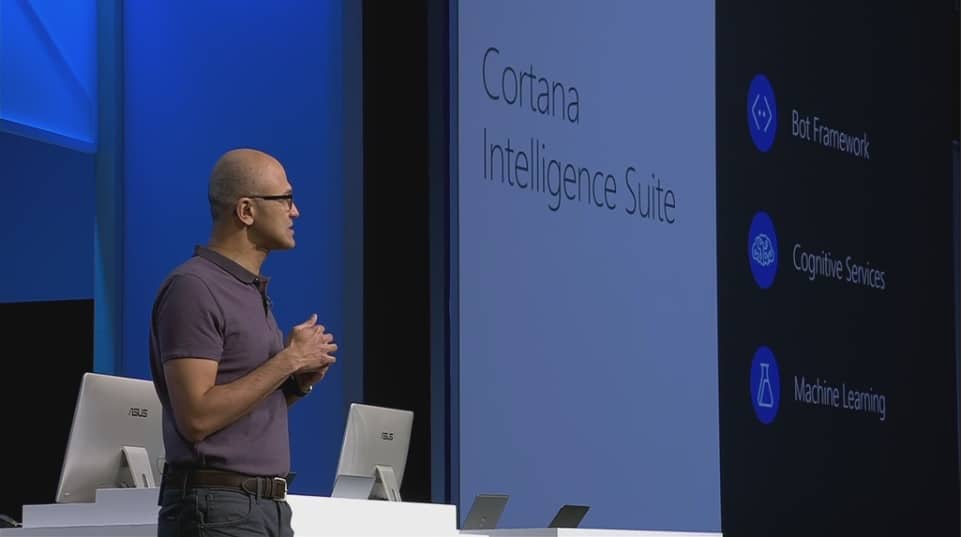
According to the keynotes delivered during several developer conferences over the past year, three key areas companies are looking to lead the technology industry in the future include a focus on machine learning, artificial intelligence and speech recognition.

Ideally, the avenues of machine learning, speech recognition, and artificial intelligence will intersect and create a seamless experience for users who opt to communicate through burgeoning digital assistants or applications that rely heavily on cloud-connected data.

Fortunately for Microsoft, its stake in a digital assistant that uses speech recognition is starting to pay off for the company as its achieves a new milestone in human and machine interactions.

According to a recent benchmark evaluation reported by Microsoft’s chief speech scientist Xuedong Huang, the company managed to mark its lowest word error rate (WER) to date. When compared to the industry standard Switchboard speech recognition task, Microsoft researchers managed to jot down a WER of 6.3 percent. Microsoft’s new 6.3 WER stands currently as the sector’s lowest markings to date.

The Microsoft researchers behind the new speech recognition feat attribute their success to foundations developed with Neural networks. Earlier this year, Microsoft researchers also won the Image computer vision challenge that utilized its work in neural networking. By using Microsoft’s cross-layer network connections, researchers we able to use each layer to optimize recognition and association of speech patterns, definitions, etc.

Cortana enabled
Cortana enabled

Another key scientific element contributing to the new low measure was Microsoft’s other successful jaunt with its Computational Network Toolkit. Once again, CNTK allowed researchers to make use of sophisticated optimizations by way of learning algorithms that helped users and computers tap into quickened learning algorithms.

Huang adds that the speech recognition milestone is a significant marker on Microsoft’s journey to deliver the best AI solutions for its customers. One component of that AI strategy is conversation as a platform (CaaP); Microsoft outlined its CaaP strategy at the company’s annual developer conference earlier this year.”

Although it may been said seven months ago and subsequently forgotten by most, Microsoft is betting on a future where voice will become the new ‘swipe’ and user interactions should be as seamless through vocal input as it is when using touchscreens and apps.

Microsoft researchers seem well on their way to making a movie such as Her, a reality rather than a bullet point on a PowerPoint presentation during a developer conference keynote.

To read more about the men and women helping to bring this project to light or to find out more about the low ranking was achieved, visit Microsoft’s Official Microsoft Blog for details.

Assassin’s Creed: The Ezio Collection coming to Xbox One in North America on November 15, Europe on November 17

Ezio Auditore da Firenze is widely regarded as the most loved protagonist of the entire Assassin’s Creed series and arguably one of the most easily recognizable protagonists in all of modern video gaming, joining the ranks of Isaac Clarke and Master Chief. The character brought an excellent balance of roguish charm, loyalty to his family, and other admirable traits that everyone else in the series seems to fall behind on in comparison. With Ubisoft taking a break from the Assassin’s Creed games this year, the least they could do to supplement December’s new Assassin’s Creed movie is re-release Ezio’s adventures on next-gen consoles.

(Maybe don’t watch this trailer if you haven’t played the games yet and wanted to pick up the collection. There are some spoilers in there.)

Ubisoft has officially announced The Ezio Collection, which is exactly what it sounds like. The collection includes Assassin’s Creed II, Assassin’s Creed Brotherhood, Assassin’s Creed Revelations, as well as all of the DLC that came out for those games. It’s also worth noting that, at some retailers (Gamestop and Amazon are two of them), grabbing the Ezio Collection is going to score you a free ticket for the Assassin’s Creed movie coming out in December. For just $59.99, this is a pretty solid value on both the collection and admittance to the new film.

If you’ve never played any of these games – or even if you’re just a fan who wants to seem them remastered – you should give this a look. It releases on November 15th in the US and November 17th in the EU, giving you plenty of time to think it over.

Assassin’s Creed seems like it’s going to be receiving a serious face lift next year, so now is a great time to get acquainted with the amazing trilogy-series before major changes occur in the franchise.

Microsoft releasing Service Fabric on Linux support for mixed cloud environments

It was an exciting day at Build 2016 earlier this year when Microsoft made their Service Fabric available. The Service Fabric is a distributed systems platform that makes it easy to package, deploy, and manage scalable and reliable microservices. For many developers, the platform made it much easier to develop top-level cloud applications and maintain them through feedback, updates, and new content.

Today, Microsoft announced on their Azure blog that the Service Fabric will be even more accessible. This time, it will be coming to Linux, which is a smart move for Microsoft considering many businesses use both Windows and Linux servers for .NET and Java applications.

Our vision is to enable developers to build Service Fabric applications on the OS of their choice and run them wherever they want. In the near future, we will release a Linux standalone installer to enable Service Fabric to be used outside of Azure for on-premises, hybrid and multi-cloud deployments.

Developers will finally be able to build, test, and deploy their projects with a one-box setup without the need for a cluster in Azure. The release for Service Fabric for Linux will also include support for the Command-Line Interface, Eclipse, and Jenkins tools. Programming models are planned to be open sourced first and other parts of the platform are sure to follow.

Unfortunately, RHEL won’t be supported upon release Microsoft says that it will be ‘coming soon.’ Otherwise, the Service Fabric for Linux will only be available for Ubuntu. But developers can get started today with clusters in Azure from Linux or Java.

According to the announcement, a preview of Service Fabric for Linux will be available to play around with at Microsoft Ignite 2016. And so if you’re interested in toying with the new platform, be sure to pay a visit on September 26, 2016.

Microsoft Stores start carrying the education-oriented Bak USA Atlas 12 Windows 10 2-in-1

The number of Windows 10 devices is always growing, and today another device can be added to the list. Microsoft Stores are set to start carrying the education-oriented  Bak USA Atlas 12 2-in-1 device (Via Windows Central.)

Bak USA revealed the specs for the device in a press release. Overall, the device boasts an 11.6-inch touch screen display along with a familiar hinge that lets the screen on the device flip open like a tablet. Under the hood, it’s all powered by 4GB of RAM and an Intel Celeron N310 processor. The device is also sturdy and features shock-resistant foam insulation, two interior layers of double-injected hard plastic protection, and a round rubber bumper. Of course, the device also includes education-specific features such an 180-degree rotatable camera, attached stylus, detachable microscope, and a built-in handle.

Bak USA's Atlas 12 notebook
Bak USA’s Atlas 12 notebook

Bak USA is a Buffalo-based mobile computer company. The Bak USA Atlas 12 2-in-1 device will be Available through Microsoft’s Shape the Future campaign for $399 at Microsoft’s 79 retail stores across the United States.

Microsoft details how to make UWP apps look on fleek

Microsoft’s Windows team has spent a large part of the last two years reworking the plumbing of its operating system to create a dynamically scaling experience for its users. Unfortunately, during that time, developers had seemingly had to wait to see how the operating systems construction would shake out before they could wrap their heads around the design and API settings necessary to create some noteworthy experiences.

With Windows 10 well into its second phase of development, the engineers behind the operating system are encouraging developers to jump in full scale with their most creative and design heavy app ideas to help foster a beautifully polished Windows 10 ecosystem. With a few tips that include adding blur effects, drop shadows, split visuals, scene lighting and making use of a full range of Composition APIs, the Windows team is offering a brief tutorial on how to make visually stunning UWP apps for Windows 10 users.

The Composition APIs allow you to enhance the appeal of your Universal Windows Platform (UWP) app with a wide range of beautiful and interesting visual effects. Because they are applied at a low level, these effects are highly efficient. They run at 60 frames per second, providing smooth visuals whether your app is running on an IoT device, a smartphone, or a high-end gaming PC.”

To get a thorough understanding of the use of Composition APIs as well as sample codes and animated examples, visit the Windows Developer blog today. The Windows team is also encouraging interested developers to visit the Windows UI Dev Labs for sample effects and details on how to best apply visuals to UWP apps.

Beyond the argument of app-gaps and lackluster Store, offerings is a wholly relevant discussion of polish that can be seen lacking among UWP apps for some users. While apps, big and small, may be missing from the Windows Store, the apps that do appear should at least be a shining example of what’s capable on the Universal Windows Platform. Perhaps following the Windows team’s exhaustive UI tutorials, users will have further reason to explore the Windows Store for experiences on their devices.

Is Microsoft losing the battle for the classroom?

If your current work makes you sit in front of a computer every day, there is a good chance that use Microsoft’s software such as Windows and Office to accomplish your work tasks. Microsoft clearly remains a productivity giant in 2016 and its software products are still ubiquitous in businesses.

However, the situation is clearly different in the education market where the Redmond giant is currently challenged by both Google and Apple. While Microsoft previously dismissed Google’s Chromebooks as poor laptops replacements in a series of video ads during the Ballmer era, the company can no longer deny that Google’s lightweight laptops are now quickly gaining ground in the classroom.

Fast Company published this week a lengthy story that explains how Google managed to make its Chromebooks the most popular laptops in U.S. schools. While the first Chromebook introduced back 2011 was nothing more than a glorified Chrome machine that couldn’t do more than just browsing the web (and was pretty useless without an Internet connection), Google successfully iterated on the product in the following years to include multi-user support, offline apps, and pretty soon, Android apps as well.

According to research firm Futuresource Consulting, Google today beats both Apple and Microsoft in U.S. education sales as it shipped more than 5 million devices to U.S. buyers in 2015, which is approximately twice the total of each of its rivals. Additionally, Chromebooks accounted for 51% of devices shipped to US classrooms in the first quarter of 2016 and overall we’re talking about a $43 billion worldwide market for educational hardware and software which is expected to double by 2020. As for users, Google already claims more than 60 million students and teachers using Google Education accounts, and all these users who are already familiar with Google’s productivity apps are likely to continue to use them in both their personal and professional lives in the future. Is this a threat for Microsoft’s productivity apps?

As for users, Google already claims more than 60 million students and teachers using Google Education accounts, and all these users who are already familiar with Google’s productivity apps are likely to continue to use them in both their personal and professional lives in the future. Is this a threat for Microsoft’s productivity apps?

US Students using Chromebooks.

How Google managed to win the education market

Google’s first move in the education market was Google Apps for Education, a free software suite that bundled Gmail, classroom-management tools, and more back in 2006. A few years later, the company tried an unconventional strategy to sell its first affordable Chromebooks to US schools: instead of trying to beat Apple and Microsoft at their own games (which implies lengthy negotiations at the district level and multimillion dollar contracts), the company directly pitched Chromebooks to schools and teachers and offered bundles including 30 Chromebooks plus a charging cart and a printer.

Rajen Sheth, director of product management for Android and Chrome in business and education explained to Fast Company:

…we found teachers who were able to secure budget and go and buy those for their classroom. Chromebooks were flying off the shelves.

It’s also easy to understand why schools like Chromebooks so much: Chrome OS is a very lightweight operating system that is versatile enough to provide students and teachers enough capabilities to accomplish their work. It’s also very secure and schools don’t need a lot of IT resources to manage the devices as well as the Google Education accounts. Nearly everything can be administrated remotely.

Google's Chromebook for Education website makes it clear that PCs are no longer the best option in education.
Google’s Chromebook for Education website makes it clear that PCs are no longer the best option in education.

Microsoft is trying to stay relevant

While Microsoft is still leading education sales outside of the U.S. today, the company is well aware of Google’s strong competition in the area. That’s why the company introduced Office 365 Education with a Classroom offering that pretty much covers the features of Google Apps for Education. But while there are already a decent selection of affordable Windows laptops in the market, Chromebooks are likely to keep an edge according to Adam Newman, founding partner at education advisory firm Tyton Partners: “There’s a complexity to what Microsoft is offering, and in a lot of places that complexity can be overwhelming,” he explained to Fast Company.

Microsoft also introduced Minecraft: Education earlier this year, which is a new version of the cult-classic sandbox game tailored for the classroom. The game is designed for helping students learn computational thinking and is now available on Windows PCs at a cost between $1 and $5 per student. Tony Prophet, Microsoft’s corporate vice president for education marketing said to Fast Company that the game has generated “huge excitement from educators around the world.” and that “there’s really nothing like it among our competitors.”

However, as Chromebooks are soon expected to support Android apps, it may soon become even harder for Windows laptops to compete in the education market. Getting millions of Android apps may also eventually help Chromebooks get out of the niche education market to become a more mainstream option with consumers.

Do you think Microsoft is doing the right things to stay relevant in the education market? Let us know what you think in the comments below.

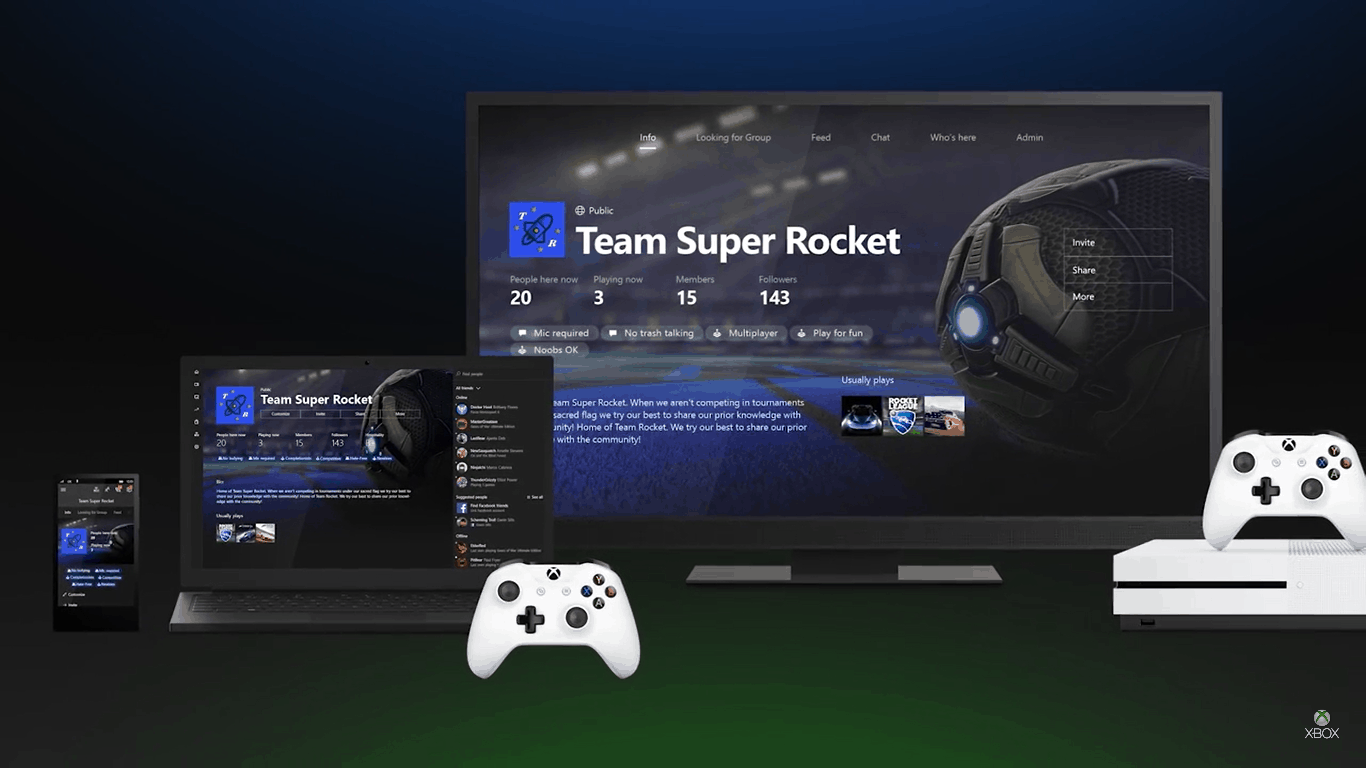
Created too many Clubs in Xbox One? You can now delete them

Xbox and Windows Gaming representative Mike Yabarra tweeted just moments ago that Xbox One’s preview members could now delete clubs. This is particularly useful if you’ve created too many of them to try out the feature.

Clubs were released just last week in Xbox One’s preview 1610. The new social feature made it so you could create, moderate, and build your own clubs together with other gaming friends. They can all chat, share achievements, look for groups, and generally interact easier than before. Clubs were one of the most requested additions for Xbox Live and will likely play a major role moving forward.

Unfortunately, many preview members claim they don’t even have access to the clubs feature yet and are still stuck in build 1608. The staggered release has some fans upset. For those in the preview, however, they can create and delete clubs now to their heart’s content.


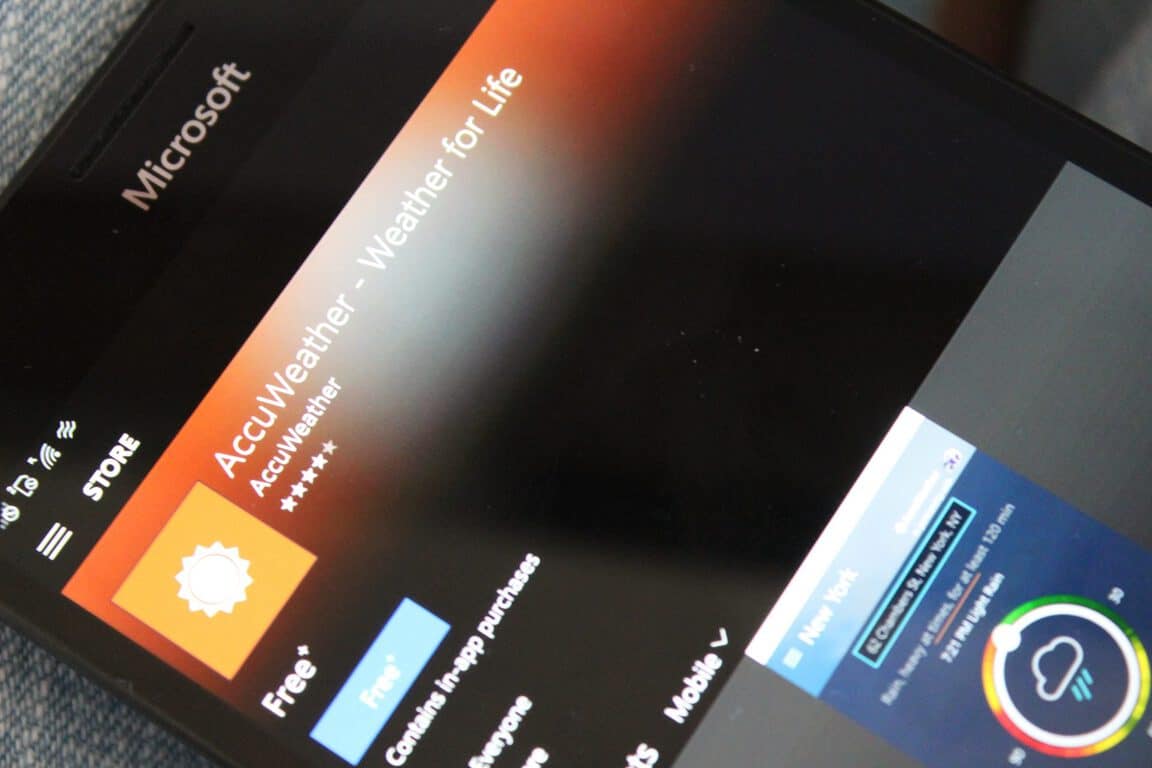
AccuWeather adds Xbox One support, graphs, summary to its Windows App

If you’re currently using AccuWeather on Windows 10, then you might want to head over to the Windows Store now for an update. The AccuWeather app for Windows 10 has just been updated, and it is bringing support for the Xbox One, graphs, summaries, and more.

For the complete details on the update, please check the full changelog below.

Updates include:

  • Ability to customize Summary Page layout by re-ordering the tiles that are displayed
  • Integration of graphs for both Hourly and Daily details including precipitation, probability and more
  • Support for Xbox One
  • MinuteCast® enhancements and more languages support for additional locales, and more!

And so, if you’re using the AccuWeather app, head over to the Windows Store on your Xbox or Windows 10 device now to download and enjoy the update. Once you have got the app downloaded, please come back to WinBeta and let us know what you think of the update by dropping us a comment in the section below.

Download AccuWeather

Microsoft Garage releases “Video Breakdown,” generates searchable transcripts and a lot more

Video Breakdown, a new video platform from the Microsoft Garage, allows you to search for videos on a specific topic and help you find the best segments of a video to use in a presentation or other project. Previously released as a preview, Video Breakdown is now ready for primetime.

Head of ILDC Incubations, Ohad Jassin, led the Microsoft team that created Video Breakdown. Based in Israel, ILDC Incubations is contracted to help find new technologies for Microsoft. Currently, ILDC Incubations is exploring new Microsoft projects at the Microsoft Development Center (MDC). Jassin explains how Video Breakdown sets itself apart from other video platforms:

“Other video platforms, they differentiate between content consumers and producers. You’re either watching or creating. With Video Breakdown, we’re blurring the lines between content producers and consumers.”

Video Breakdown uses a series of Microsoft services and APIs to find insights from the uploaded video content. For example, once you upload a video file to Video Breakdown, Microsoft Cognitive Services and Azure Media Analytics analyzes the file with help from other Azure-powered services. From there, Microsoft breaks down the video file into an audio transcript, face tracking, grouping, and identification, differentiation of speakers, optical character recognition. Video Breakdown also extracts pertinent topics and subject matter from the video file.

Video Breakdown, Microsoft Garage
Find exact moments within the videos

Microsoft takes all of this information to create an index of the video file, allowing the video to be searched by specific topics. Trying to search through an hours-long keynote for a specific topic can be incredibly time-consuming. Video Breakdown allows you to search through the video by specific topics. For example, you can find the exact moment in a video when a speaker addresses a specific topic (here is a Video Breakdown example).

In order to achieve this search capability, Video Breakdown uses many different types of recognition, including computer vision, speech-to-text, language understanding, linguistic analysis, text analytics, face tracking, identification, and image search. The user can see references to specific topics and jump points to use to create a seamless video experience.

Video Breakdown, Microsoft Garage
Video Breakdown snippet search

Video Breakdown also offers something unique from other video platforms. Jassin offers a more thorough explanation.

“Most videos are tagged by manual curation, which is error prone, inaccurate and usually involves a level of granularity focusing on the entire video. We wanted to do that automatically. Video Breakdown gets linguistic transcripts from audio, detects faces and identifies them – assuming they’re part of top recognized faces, such as celebrities. It’ll tell you who spoke when. We’re innovating a lot of experiences here. We recreated the search experience, video editing, video playing and how they’re shared. There’s nothing to compare it to. So there’s a lot of learning we have to do along the way. We wanted to go publicly and get feedback. Those abilities of video indexing are highly relevant, but we want to make sure it’s battle proven. The Garage allows us to safely experiment with that approach and technology, on a real scale, in a meaningful manner.”

Give Video Breakdown a chance and take a look at the other apps available from the Microsoft Garage.

ReCore is now officially available on the Xbox One and PC

If you’re an Xbox and Windows fan, then today is the day to rejoice. ReCore, one of the first Xbox Play Anywhere games, is now officially available for Xbox One and Windows 10 in North America, Latin America, and most Asian countries.

ReCore is a game which builds on the foundations of MegaMan and Metroid and has a deep crafting system and a large world to explore.  An action-adventure masterfully crafted for a new generation, Microsoft describes Recore as follows:

As one of the last remaining humans on a planet controlled by robotic foes bent on your destruction, you must forge friendships with a courageous group of robot companions, each with unique abilities and powers. Lead this band of unlikely heroes on an epic adventure through a mysterious, dynamic world. You can’t save mankind alone.

ReCore Specs
ReCore Specs

As a Play Anywhere game, you can access ReCore from both the Xbox One and Windows 10 versions of the game for the single price of $39.99. Minimum, Recommended, and Ultra Specs for the game can be seen in the graphic above. All progress and any achievements earned between the Windows 10 and Xbox Version game, nonetheless, will be shared across your devices, meaning you can pick up where you left off no matter where you want to play.

Microsoft is also highlighting the fact that those who want more ReCore can check out check out The Art of ReCore books from Dark Horse Comics or suit up with a diverse lineup of ReCore-themed apparel and accessories. A Limited Edition Collector’s Edition version of the game is also available, complete with hand-finished and painted statues of Joule and the Mack.

So, have you downloaded or played ReCore as of yet? As always, please let us know what you think of ReCore, or Xbox Play Anywhere, by dropping us a comment in the section below. And, while you’re at it, check out or review of ReCore by clicking here.

Microsoft has blocked StoreParser from listing Xbox Store deals

If you were on the hunt for deals on digital Xbox games, then you probably once used StoreParser to track down the cheapest Xbox titles. Unfortunately, Microsoft has blocked StoreParser from listing Xbox Store deals, and Major Nelson took  to Reddit to explain why the website has gone down.

According to Major Nelson, there are not many details on why the website is no longer working. He did, however, provide the following explanation.

I can say there is not a Store API that the site was approved to use and to my knowledge the site was scraping data off of the store. In other words, it was using unofficial/unsanctioned methods to collect the information. Not something that server and database admins like.

Major Nelson also went on to explain that his blog will have details (encrypted via SSL) on release and sales when they are officially available. While it’s not clear what he means by it, he also hinted that he is working on  future features to show new games and sale items.

BioShock: The Collection is available right now on Xbox One

The re-release of the BioShock trilogy of video games, BioShock: The Collection, is now available to buy, download, and play on Microsoft’s Xbox One console. Each title has been upgraded to full 1080p HD resolution and all of the single-player content from each game is present and accounted for. BioShock, BioShock 2, and BioShock Infinite have all been incredibly well-received by critics and gamers and this package is a great chance to experience the titles that made such a huge impact on this last decade of gaming.

Here’s the official game description:

Return to the cities of Rapture and Columbia and experience the award-winning BioShock franchise like never before, beautifully remastered in 1080p. BioShock: The Collection contains all single-player content from BioShock, BioShock 2, and BioShock Infinite, all single-player add-on content, the “Columbia’s Finest” pack, and Director’s Commentary: Imagining BioShock, featuring Ken Levine and Shawn Robertson.

Buy BioShock: The Collection on Xbox One

Will this be your second time playing BioShock or are you completely new to the franchise? Let us know in the comments below.

GroupMe for Windows 10 could be gaining another method for sending and receiving documents

Microsoft’s GroupMe messaging service seems to be the odd man out of the company’s overall communication strategy. With Skype carrying the lion share of Microsoft’s messaging future and LinkedIn and Yammer pulling up the rear, there seems to be little to no room for GroupMe to shine, yet the company continues to iterate the service and subsequent app platform.

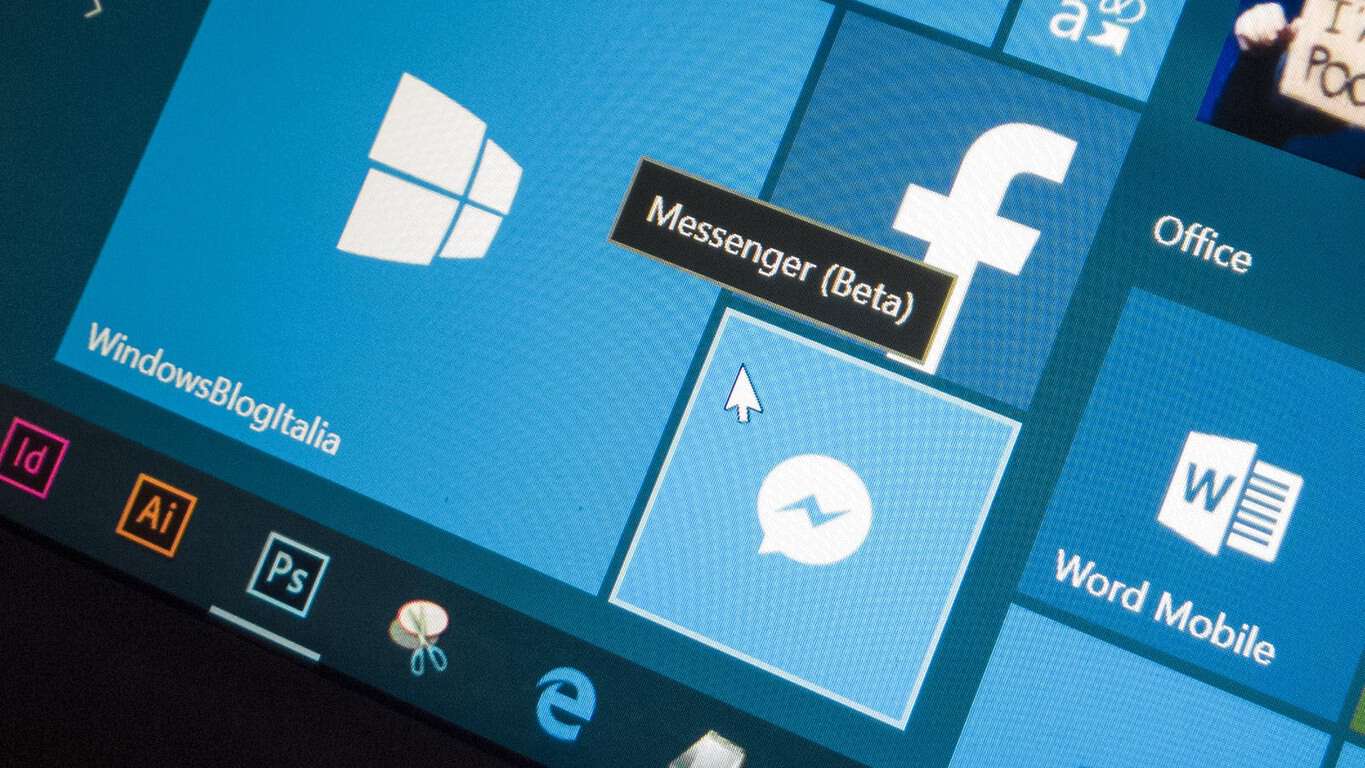
According to a report from Italian based Windows focused Windowsblogitalia, Microsoft’s GroupMe messaging app will now allow users to send and receive documents when using the service on a Windows 10 powered device.

Granted, the report is written in Italian and may have some items lost in translation, but the blog managed to grab screenshot proof of the documentation sharing feature.

GroupMe document sharing

Understandably, the feature is in internal testing and eager GroupMe users should note that testing doesn’t always equate into an actual release.

However, the screenshot provided does show a feature that is rather flushed out and could be coming to the app soon.

We’ll keep our eyes posted towards the Windows Store and encourage tipsters to let us know if and when the feature reaches their devices.

GroupMe
GroupMe
Developer:
Skype
Price:
Free

InFocus Monopad Ultra to compete directly against Microsoft’s Surface Hub

It seems that Microsoft’s Surface Hub has opened up a new avenue of competition for the company, as another company begins to expand on the original design. InFocus is releasing their own upgraded version of the collaboration screen declaring the new product with a 70″ 4K resolution screen as Mondopad Ultra.

Targeted for businesses and corporations, the whiteboard screen works almost identical to the Surface Hub. Using the touch screen, users are able to write notes, perform presentations, and hold video conferences on the large device.

Neowin’s article lists the key specs of the 70″ version of the Mondopad Ultra:

  • 70-inch LED edge-lit LCD with 4K (3840x2160px) resolution and 16-point edge-to-edge projected capacitive touch
  • Intel Core i7-6700T (Skylake) processor
  • 8GB RAM
  • 256GB SSD
  • Dual-band Wi-Fi 802.11 a/b/g/n
  • Bluetooth 4.0
  • HDMI 2.0 x 2; HDMI 1.4 x 1
  • USB Type-A x 5
  • USB Type-B x 1 (for touch control
  • RS232 in
  • RJ45 x 2
  • Component input
  • VGA input
  • Display Port 1.2 x 2
  • 3.5mm audio in
  • RCA stereo in; and RCA stereo out
  • Built-in 720p camera with three microphones
  • Integrated stereo speakers – 10W x 2; external stereo speakers – 25W x 2
  • 1631 x 963 x 107mm; 49.1kg

It is obvious that InFocus wants to one up the Surface team with its 4K resolution and even bigger screens than before. The Mondopad Ultra will have three different sizes: 70 inches, 80 inches, and 85 inches. The promotional PDF shows exactly how InFocus originally marketed the Mondopad in comparison to the Surface Hub.

With obvious swipes at the Surface Hub’s mess of a release, it will be interesting to see if Mondopad Ultra can put its money where its display is. After only a few months, Microsoft had already sold 500 Surface Hubs which was more than what they were expecting. We’ll see how the $13,999 price tag measures up next month when it releases.

Until then, what do you think? Will the Mondopad Ultra be able to exceed the sales that Microsoft managed? Or will it fall flat due to first come, first serve with corporations already invested in the Surface Hub? We want to hear your opinion in the comments below!

Here’s everything you want to know about the Xbox Live Reputation System

With a recent study crowning Xbox Live an overall better online gaming experience when compared to PlayStation Network, it’s no wonder the folks behind its reputation management algorithms and standards are continuously at work attempting to foster one of the best gaming communities around.

For anyone interested in the how’s and why’s of Xbox Live’s new Reputation System, Xbox’s Major Nelson managed to grab an interview with the team as they explain the goal behind rejiggering the system, how a gamers reputation affects their gameplay and the different ways the community can interact with the system.

The Xbox team covers a myriad of details regarding the Reputation Management system, but the large and small of it can be summed up as such:

The Xbox Live reputation system incorporates all the feedback that you’ve received during your last few weeks of multiplayer sessions to determine your reputation. Different types of feedback are weighted differently, and our Policy & Enforcement Team often verifies feedback accuracy. We also use automated safeguards to ensure sure that feedback is accurate. As an example, we confirm that you’ve actually played with someone if you’re complaining about their multiplayer behavior.

If you get a large number of reports from other gamers, your reputation might drop to “Needs Work.” You’ll get a warning message from Xbox that you’re having a negative impact on other people, and other gamers will see a “Needs Work” warning bar on your profile. It typically takes over a dozen unique reports or several dozen mutes for your reputation to drop down to “Needs Work.”

If you continue to get reported for your conduct after you’ve entered “Needs Work,” we’ll send you another message as a final warning. If you ignore this second message and get reported a few more times, you’ll enter the “Avoid Me” reputation classification. At this point, the network will limit your multiplayer experience and, depending on the game, you’ll either only be able to match with other “Avoid Me” players or have your microphone muted by default. You can always still play and chat with you friends, but if you join a party with your friends, the whole party will be classified as having a bad reputation.”

Xbox Live Reputation Management

Interested parties or anyone looking to improve their Xbox Live reputation should take the time to read the thorough interview, especially to understand how and why being a decent steward of the community can improve the multiplayer experience on the Xbox One.

Microsoft introduces Face Redaction for Azure Media Analytics

Video is an increasingly important aspect of modern culture, with smartphones representing billions of handheld video recorders and official video recording by tools such as police body cams becoming ever more prevalent. Often, the subjects of these ubiquitous videos need to be masked for privacy purposes, creating a challenge for anyone who needs to be sure their streamed video isn’t running afoul of privacy regulations.

Microsoft is well aware of this challenge, which is why the company has enabled face redaction capabilities in Azure Media Analytics. As Microsoft puts it in the announcement on the Azure blog:

Facial redaction works by detecting faces in every frame of video and tracking the face object both forwards and backwards in time, so that the same individual can be blurred from other angles as well.

Redaction is still a difficult for computers to solve and accuracy is not at the level of a real person. It is expected to find false positives and false negatives especially with difficult video such as low light or high movement scenes.

Since automated redaction may not be 100%, we provide a couple of ways to modify the final output.

In addition to a fully automatic mode, there is a two pass workflow which allows the selection/de-selection of found faces via a list of IDs, and to make arbitrary per frame adjustments using a metadata file in JSON format. This workflow is split into ‘Analyze’ and ‘Redact’ modes, as well as a single pass ‘Combined’ mode that runs both in one job.

Head on over to the blog post for before and after video examples, along with some code and other details on how to enable face detection in Azure Media Analytics. You can find out more at the documentation page, and check out the Azure Media Service blog to keep up with all the news. Get in touch with the team at the UserVoice page, and let us know in the comments if you think face reduction is an important addition to Azure Media Services.

Xbox introduces new wireless controllers, and the Xbox Stereo Headset

Microsoft is further enhancing its Xbox One experience by updating and tweaking its Xbox Wireless controllers and headsets for gamers. Aside from introducing the Xbox One S with its new ability to play 4K UHD Blu-ray, 4K streaming, HDR gaming and multiple storage options, gamers can now look forward to testing out a new featured-enabled Xbox Wireless Controller as well as new designs and a new Xbox Stereo Headset.

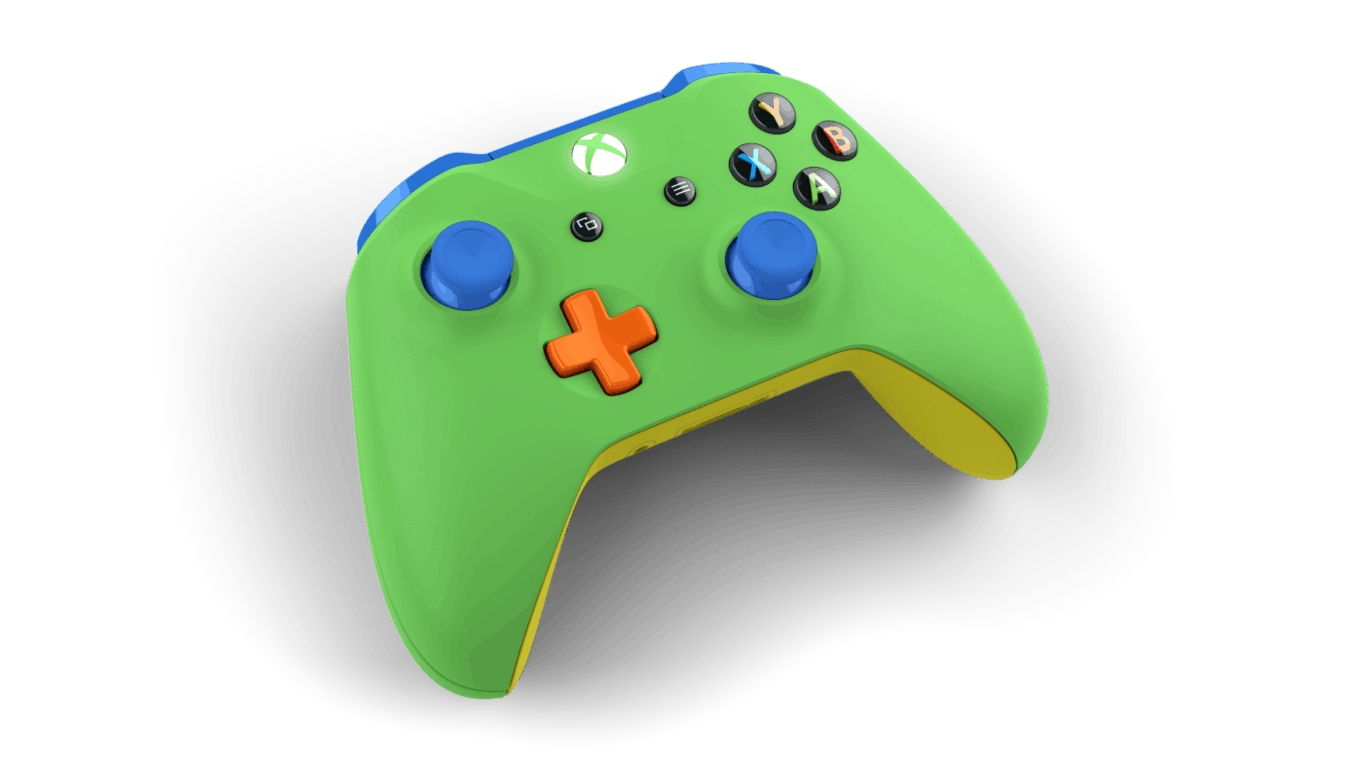
The new Xbox Wireless Controller design comes alongside the recently announced Xbox Design Lab launch that offers granular design choice for the most expressive of Xbox gamers. Instead of being able to change the color casing, button, handles, and knobs, the new Xbox Wireless Controller design comes in a pre-designed “metallic magenta that fades into a matte black finish.” There is a secondary option that comes in blue which apparently was an Xbox Design Lab favorite among fans.

Other details of the new Xbox Wireless Controller designs include:

Textured grip for enhanced comfort, and Bluetooth technology for gaming on Windows 10 PCs, laptops and tablets*. The new Dawn Shadow controller will be available in the U.S., Canada, U.K. and other Xbox regions October 4 for $69.99 USD. The blue controller will be available in select regions starting September 27 for $64.99 USD, and will hit the shelves at Microsoft Stores and Best Buy first in the U.S.

We’re also updating the black Xbox Wireless Controller to include the new controller features announced at E3. This includes updating the controllers in our PC controller bundles with the Xbox Wireless Adapter for Windows, and with the USB Charging Cable.”

For gamers interested in the updated wireless controller in black, the controller will be arriving alongside PC bundles in Microsoft Stores and other stores worldwide September and October for $59.99 USD.

Xbox Wireless Controllers and Headset

The other big news of the day also includes a new stereo headset that should help improve communicating over the Xbox Live community. The new headset appears to be several steps ahead of the pre-packaged headset that comes with the Xbox One and offers a more comfortable over-ear experience with a better mic.

The headset is also perfect for listening to TV or movies on your Xbox in rich, stereo sound.  Plus, the white color is the perfect complement to the white Xbox One S console and matching controller. You can get the Xbox Stereo Headset – Special Edition at Microsoft Stores and GameStop in the U.S. for $64.99 USD and at participating retailers in all Xbox regions around the world starting in late October.”

For more details, gamers can check the Xbox website or head into their local Microsoft Store, Best Buy, retail store or Amazon website for offers and availability. Let us know in the comments if you plan to pick up any of this new Xbox One gear.

Microsoft searching for new and better ways to locate and hire autistic coders

A little more than a year ago, Microsoft announced the launch of a new a pilot program to hire people with autism and bring more diversity to the company. At the time, Microsoft was one of the biggest companies to introduce this kind of program, which also was a reflection of CEO Satya Nadella’s commitment to change the company’s culture in a global way.

Last week, Fast Company published a lengthy story about this pilot program after being invited by the company to spend three days with young autistic candidates. The program is actually very different from traditional job interviews: to better suit the needs of autistic people, Microsoft has decided to invite candidates to the Microsoft Campus for two weeks where they’re tasked with different projects. Formal interviews only happen at the end of the evaluation period.

Neil Barnett, Microsoft’s director of inclusive hiring and accessibility, explained to Fast Company that Microsoft is looking to expand the program beyond its yearly four sessions:

It’s great that we’re hiring five or 10 or 15 people, but to really drive that inclusive culture, we’ve got to figure out how to get a lot of these things into the mainstream.

While the program is currently open to everyone in the US, it is actually not easy to find candidates for the program as there is no established pipeline of autistic people with programming abilities. Furthermore, the social stigma around autism often leads autistic people to hide their condition to potential employers. “The unemployment rate is chronic, which is not a reflection of the talent pool, it’s just a reflection of these people not getting through the door” added Jenny Lay-Flurrie, Microsoft’s chief accessibility officer.

To find more candidates for its pilot program, Microsoft has started reaching out to autism organizations as well as universities’ disability offices, but the company is still struggling to find the more skilled ones. During this year’s April hiring session, the Redmond giant had 13 open positions for autistic people but only five candidates met the company’s high expectations.

Still, Microsoft remains determined to make its workforce more diverse to better reflect its vast panorama of customers. While the company’s execs didn’t reveal if the pilot program was costly to the company, Barnett explained that the costs are “far less than we thought.” “Most of our investment is actually in the people,” he added.

We’ll be keeping out eye on this program and on Microsoft’s dedication to employing people with autism. Let us know in the comments what you think of Microsoft’s efforts.

HP to deploy and use Microsoft’s Dynamics CRM in six-year agreement

Microsoft agreed to a six-year deal with HP to use Dynamics CRM to handle HP’s daily marketing, sales, and service operations. In addition to Microsoft Dynamics CRM, HP will be utilizing Azure, Office 365, and other Microsoft Cloud services to deliver a smooth and more collaborative experience for HP’s growing number of enterprise customers and partners.

Jon Flaxman, chief operations officer (COO) at HP, sees the positive contribution that Dynamics CRM will bring to HP:

“We have chosen Microsoft Dynamics as our CRM solution for our direct selling, partners, and services. This brings us a cloud-based solution that delivers a more effective and efficient collaboration engine across our business.”

HP is looking to provide a better and more integrated sales experience for HP sales representatives (sales guide available here) and HP enterprise partners. Microsoft Dynamics CRM and Office 365 will help push HP’s sales, services, and marketing productivity to the next level. In addition, Power BI help give HP’s marketing department with some helpful insights and predictions. Microsoft Azure will also help HP’s IT organization to operate in a more robust, hybrid cloud environment.

Microsoft’s Judson Althoff, Worldwide Commercial Business executive vice president, sees how HP will benefit from using Microsoft’s services.

“HP continues to innovate in its customer engagement, with the tools and business processes it provides to its employees and partner community and, of course, the products and services it delivers. We share this dedication to digital transformation with HP and are incredibly proud to work with it as it delivers amazing technology experiences to people around the globe.”

In July 2016, Microsoft Dynamics 365 was introduced, offering CRM and ERP cloud solutions into one cloud service. In addition to Dynamics 365, Microsoft AppSource was announced, providing businesses a way to create apps to manage and perform daily business tasks. Microsoft offers businesses the chance to see what Dynamics 365 can offer them through two webcasts, registration is available here.

Three new Xbox One S Battlefield 1 bundles announced, get one in military green

Microsoft and Electronic Arts are working together to release three new Xbox One S bundles. The consoles each include a version of Battlefield 1 from EA. In fact, there is a standard white Xbox One S bundle available to receive just in time before the game’s release on October 21. The Xbox in the first bundle is a white 500GB standard simply with the game added to the mix, but remains the same $299 price tag that Xbox One S has already been selling at.

The latter two, however, are a bit more interesting. The Stone Grey Special Edition is an exclusive color for the Battlefield 1 bundle. As its predecessor, the bundle contains the 500GB hard drive and can be bought for only $299. Unfortunately, the console bundle is only available after November 1. That is over a week after Battlefield 1 releases. The announcement also mentions that the stone grey Xbox One S bundle will also only be available through Microsoft Stores or Wal-Mart, and not sold in other retailers.

But the pièce de résistance of all of the bundles by far is the military green console. This Xbox One S is being sold with the 1TB hard drive and includes not just the game, but the Battlefield 1 Early Enlister Deluxe Edition version. As icing on the top, this bundle also has the DLC content for the game, exclusive visual additions, and five Battlepacks to unlock more ways to play the game. All of this comes in the convenient $349 price of the usual 1TB console.

None of the Xbox’s come with a unique design towards the Battlefield 1 bundle like we’ve seen with impressive crimson Gears of War 4 bundles. However, all of them include the game and EA Access. Besides the Stone Grey console, these bundles will be available in Europe on October 13 and later on October 21 for US, Canada, Australia, and New Zealand. For now, all of the bundles are available for pre-order online so don’t miss out!

Buy refurbished Surface Pro 4 and Surface Book devices to save money

If you’re planning to buy a new Surface Pro 4 tablet from Microsoft’s official store, you’ll pay between $899 and $1,799 depending on the configuration. The Surface Book is even more expensive, priced between $1,499 and $3,199, so it can be considered a luxurious acquisition for people with low income. There is a way to get these 2-in-1 devices at a cheaper, though: buy them refurbished.

If you live in the US, then you’re in luck. Microsoft is selling refurbished Surface Pro 4 and Surface Book devices which were taken out of their boxes and inspected to make sure their hardware and cosmetic quality hasn’t been affected and that the their software is up-to-date. These refurbished devices still get a one-year hardware warranty, which means that if something goes wrong and their system is damaged, Microsoft will take care of necessary repairs.

For now, the refurbished base model of the Surface Pro 4 with 128GB of storage and an Intel Core m3 processor backed by 4GB of RAM is sold for $764, while the refurbished Surface Book with 128GB of storage and an Intel Core i5 processor backed by 8GB RAM costs $1,274. Compared to the original price, this is a 15% discount.

The Surface Pro 4 is one of the most popular convertible tablets, bundled a Surface Pen which can be used to take notes or to draw directly on the 12.3-inch PixelSense touchscreen display with a resolution of 2736×1824 pixels at 267ppi. By attaching a Type Cover ($129.99), you’ll transform it into a laptop with the help of Windows 10’s Continuum feature.

The Surface Book is actually a 2-in-1 PC with a detachable keyboard that contains a second battery, additional ports, and an optional GPU. Its screen has a larger diagonal of 13.5-inch and supports a higher resolution of 3000×2000 pixels at 267ppi.

RELATED STORIES TO CHECK OUT:

Microsoft is working on Skype Teams, a direct Slack competitor

Microsoft wants to float into one more market. Reportedly, Redmond is now working on an app that will be Slack’s direct competitor. The alleged messaging service should be developed under Skype‘s brand, and be called Skype Teams.

According to MSPU, Skype Teams irresistibly looks like Slack, in terms of features and functionality. It will allow users to create chat channels (the ability to chat in different groups within a team), but also to send private messages to each other. In terms of design, Skype Teams will of course be polished in the Windows 10 manner.

Besides these features, Skype Teams will also offer Threaded Conversations, a system of replying to comments in threads, similarly to comments on Facebook or forums. This feature currently lacks from Slack, so Skype Teams could profit here.

Of course, since the service is being made under Skype’s brand, it should have all Skype’s features, like the ability to make video or voice calls, and more.

Slack popularity is skyrocketing these days, and Microsoft will need to do a great job to make a noteworthy competitor. Reportedly, Redmond even tried to purchase the ‘original’ service for $8 billion, and since that attempt failed, the company apparently decided to develop its own team messaging service.

Microsoft still hasn’t officially announce Skype Teams, as the service is still unavailable to all users of Windows. Of course, as soon as the company releases an official word, or pushes the messaging platform to public, we’ll make sure to let you know.

Until then, you can tell us what do you think about the idea of Skype Teams, and will it be a proper competitor for Slack? Tell us your opinion in the comments.

RELATED STORIES YOU NEED TO CHECK OUT:

Latest version of Google Chrome includes much needed battery life improvements

Google just pushed a new version of its Chrome browser out to users, a highlight of which being its improved battery consumption compared to previous versions of the browser.

To show off the newest version of Chrome and throw a direct hit at Microsoft for advertising Edge by showing offits better power performance, Google decided to use two Surface Books to test the new Chrome. Google’s test video showed that the latest version of Chrome lasts for 2 hours and 12 minutes longer than last year’s Chrome v46. Chrome 46 lasted 8 eight hours and 27 minutes, while Chrome 53 lasted 10 hours and 39 minutes.

This indeed is a huge improvement, but we can’t just blindly say that Google Chrome is now better than Edge in this aspect. The first thing that draws attention is that two companies obtained completely different results when testing Chrome’s power consumption. Secondly, Microsoft used Google Chrome version 51 in comparison with Edge, while Google used v49, which also doesn’t give us a clear image.

Also, looping a video can’t be a trustworthy test, but Google disassociated itself from critics by saying that first:

“Of course, people use their browsers for more than just video. That’s why we’ve been improving battery life across the board, tracking progress using power measurement tools.”

All in all, Google Chrome is still the most popular web browser in the world, but it indeed burns the most battery. However, Google is aware of that, and by releasing more updates like this, it could completely catch up with competition in terms of power consumption.

Besides improved battery consumption, the latest version of Google Chrome also includes faster checkouts for Google Play along with some more improvements. If you want to find out more about these features, check out Google Chrome’s blog.

Since these tests were performed on Surface Book, we can’t tell you how the new version of Chrome will perform on your laptop. So, if you have a lot of spare time and want to find out which browser consumes more energy, perform this test by yourself.

RELATED STORIES YOU NEED TO CHECK OUT:

Microsoft (MSFT) news recap: virtual reality coming to Edge, Surface Cardinal all-in-one and more

Microsoft (MSFT) news recap is a weekly feature highlighting the top Microsoft news stories of the past week. Sit back, grab some coffee, and enjoy the read!

Microsoft begins work on WebVR support for Edge browser

Microsoft has started implementing WebVR, a virtual reality web standard, into its Edge browser, to allow virtual reality content to be supported when browsing in Edge.

Microsoft Germany hires new head of Windows and devices, makes more personnel moves

Microsoft’s Germany arm has hired a new head to run its Windows and Devices group as well as a reshuffling of some of its other senior figures.

DreamSpark program rebranding to Microsoft Imagine

Microsoft is beginning to rebrand its DreamSpark program, which offers students cheaper or even free Microsoft products, to Microsoft Imagine.

Report: Microsoft to unveil Surface “Cardinal” at October launch event

Microsoft has been rumoured to unveil a new Surface product at an event in October, a Surface all-in-one, known as Project Cardinal.

Microsoft Azure, Office 365 now available from UK datacenters

The company has opened up new data centers in the United Kingdom, which brings both Azure and Office 365 servers to the UK.

That’s it for Microsoft news this week – let us know your thoughts in the comments below!

Windows 10 news recap: Movie Maker could be coming to Windows 10, US Air Force is migrating and more

Welcome back to our weekly “Windows 10 news recap” series where we go over the top stories of the past week in the world of Microsoft’s latest operating system. Let’s get started.

Next generation Kaby Lake and Zen CPUs will only support Windows 10: here’s why

Microsoft has announced that the Kaby Lake and Zen CPUs, part of the next-generation, are only to be supported on Windows 10. We take a look at the reasons why based on a recent report.

Sling TV app comes to Windows 10 PCs and tablets

Sling TV has brought its live television streaming service to Windows 10 PCs and tablets in its all-new app, allowing users to access content streamed via Sling on their Windows 10 devices.

US Air Force expects to complete Windows 10 migration by early 2018

The US Air Force has announced that it is migrating its systems to Windows 10. As part of this, it has said the migration should be completed by early 2018.

Microsoft could be releasing a Windows 10 version of Movie Maker “soon”

For those who miss the classic Movie Maker, the future may not look so dull as it did previously. It has now been suggested that Microsoft is working on an improved Movie Maker experience and expects to release it “soon.”

Create your own Halo maps with the Halo 5:Forge app, now available for Windows 10 PC

The long-awaited Halo 5: Forge app has now been released in the Windows Store for Windows 10 PCs, allowing users to create their own maps while also being able to take part in Halo 5’s multiplayer experience via their PC.

That’s it for Windows 10 news this week – let us know what you think in the comments below!

Nintendo games were playable on the Xbox One until they weren’t

The anticipated Universal Emulator, which allows users to play emulated games on their Windows 10 devices, made by the developer of NesBox, was approved on the Xbox One but you can’t play any Nintendo games on your Microsoft console because it got unapproved again.

The developer tweeted out that the emulator has passed the certification for the Xbox One (via TechRadar):

Just as the tweet said, the emulator did pop-up in the store but got removed shortly after (via Windows Central):

Microsoft, unfortunately, didn’t allow the app on the Xbox Store because in their opinion it isn’t an app. It falls under the games category, or more specifically under the “primarily gaming experiences” tag, and therefore needs to be approved through the ID@Xbox program:

Apps that are targeted to Xbox One and are primarily gaming experiences must be approved through the ID@Xbox Program.

The app will still be available on HoloLens, PC, Phone and Surface Hub after the developer resubmits the app, however, the NesBox developer is working on a workaround for the Xbox by using a web page that would emulate the games inside the Edge browser.

Emulators themselves are not illegal, but the way games are acquired is. The ROM’s you need for the emulators fall under piracy and Microsoft doesn’t want Nintendo lawyers calling them three times a day.

Pre-orders for Mount & Blade: Warband are now open on Xbox One

Mount & Blade: Warband is now available to pre-order on the Xbox One ahead of its September 16th release date. The game is an open-world game set in a medieval time period. It contains hundreds of characters to interact with, an in-depth battle system, and support for multiplayer battles.

Here’s the official description: Mount & Blade: Warband is the iconic entry in the series that brought medieval battlefields to life with its realistic mounted combat and detailed fighting system.

Free-form sandbox gameplay. You are free to go anywhere in a world with more than a hundred unique locations including villages, castles and towns.

  • Groundbreaking horseback combat.
  • Highly advanced and intuitive sword-fighting systems.
  • Fight on horseback and foot using a vast variety of medieval weapons, each with unique characteristics.
  • You can become anything from a lonesome adventurer to a ruler of a faction.
  • Varied cultures with unique troop types and equipment.
  • Sophisticated AI will challenge you in combat and in your strategic plans.
  • Freedom to interact with hundreds of characters.
  • Multiplayer battles with up to 32 players. Multiplayer modes include Deathmatch, Team Deathmatch, Capture the Flag, Conquest, Battle, and Siege.

Pre-order Mount & Blade: Warband on Xbox One

Do you enjoy games set in this time period? Let us know in the comments below.

Microsoft Movie Maker for Windows 10 being developed

Microsoft’s Windows Movie Maker is a user-friendly and easy to use video editing application whose first version as released back in 2000 as a part of Microsoft’s Windows Essential Software suite. Whereas the latest version was released in 2012, Microsoft is now planning to end support for all its Essential applications on January 17, 2017.

While the Windows 10 developing team is showing tremendous effort in integrating and building various features in native services such as Photos, Mail & Calendar, Movies & TV, Groove Music and other, there still remains a few bits and pieces missing to make the Windows 10 user experience comprehensive.

Windows Movie Maker in the older version of Windows garnered huge numbers.  n this competitive market of modern operating systems, though, Microsoft’s decision of leaving out their elemental video editing feature might prove detrimental. While other operating systems are continuously bundling new features in their core platform to give a more complete user experience, the unavailability of video editing software is a glaring hole for  Windows users.

But there is now a beam of hope: Windows Central’s notes uncovered a partial update Microsoft made to a support page that reveals the company is considering launching a “Movie Maker” application in the Windows Store for Windows 10 users, with the application having the same or improved features compared to the previous version of Movie Maker. Also, it would be compatible with all PC and mobile devices running Windows 10.

While we do agree what Windows Movie Maker is not the most robust video editing software compared to iMovie or PowerDirector Video editor, it was very least a hassle free, easily discoverable application for novice users. As a result, the users are now left with limited choices because there are no such apps designed solely for this purpose.

Unlike its fellow Windows Essential applications that were modernized and updated according to latest platforms, Movie Maker was sidelined. Nonetheless, after the official dropping of support for Windows Essential Applications, we might expect a comeback early next year — and users can’t help but get their hopes up.

Looking at the facts, it certainly makes sense for the company to launch a “bigger and better” version of each native app including the Movie Maker for Windows 10, as it helps the company maintain its image as a provider of universal applications. The official page of Windows Movie Maker lists the editions of Windows it is compatible with, including Windows 8.1, Windows 7, Windows 7, and Windows RT — but not our beloved Windows 10.

However, the company remains tight-lipped when it comes to giving a rigid release date for the latest Movie Maker version, but speculations peg a release date around spring of next year along with Redstone 2. The company is still not sure whether the movie maker will be released as a simple UWP app or converted from its current desktop version via Microsoft’s Project Centennial tool.

We are curious to see what direction Microsoft will go with its new and improved Movie Maker edition as we haven’t seen any kind of changes in the software for years, but hopefully users will get a re-imagined UWP app similar to Photos or Mail.

Microsoft blocks third-party Windows browsers

Recently, Microsoft made some changes to the family filters found on Windows devices and as such, it might block other third-party browsers. Reports show that in this way, Microsoft is trying to convince users to switch to Edge, the default option now in Windows or to Internet Explorer.

What’s weird is that it’s not clear when the company implemented the change. The Register says Microsoft’s reasoning has to do with other browsers not offering adequate web filtering or protection for children. Surprisingly, Microsoft did not specifically say which browsers are blocked but rather just mentioned that “most of them” are blocked.

However, in the updated policy, you still have the option of allowing children to use other browsers. Even though it are still offering you this possibility of whitelisting other browsers, Microsoft insists the best options are Internet Explorer and Edge. Both of them are included in Windows, with Edge currently replacing the default browser in the most recent operating system, Windows 10. Even so, Internet Explorer will still be available in the system in case anything malfunctions with Edge.

All in all, even if Microsoft blocks other browsers such as Mozilla Firefox or Google Chrome after you set family filters, you can still have them function on your computer so that you are not totally forced to turn to Edge and Internet Explorer.

RELATED STORIES TO CHECK OUT:

Chrome claims it improved battery life for Windows devices

Microsoft has been busy for the past few months claiming that its Edge browser provides “the best battery life” when compared to Chrome and Opera web browsers. Microsoft even placed Surface Books side by side and compared battery life performance by running Chrome, Opera One, Firefox and Edge on each. The result showed that Chrome eats up the most power of portable devices. They even generated notifications on Windows 10, pursuing their users to switch to Edge as their default browser.

When it comes to power saving in portable devices, it can’t be denied that Microsoft Edge has the upper hand. However, Chrome hasn’t taken Microsoft’s critique lightly and is finally responding with a new update.

Google claims that its Chrome 53 release is bundled with CPU and GPU enhancements along with two hours of additional playback time in Vimeo which gives an overall better performance compared to last year. Although “video playback time” isn’t a real world unit for battery life estimation, PC makers still use it to report power consumption on their devices because video playback gathers huge numbers and is used regularly by almost everyone. Looks like Google is carrying the same tradition as Microsoft for battery life comparison.

Google says that the recent improvements aren’t just confined to video playback:

“We’ve been improving battery life across the board, tracking progress using power measurement tools. As one example, Chrome for Mac now uses 33 percent less power for everything from videos and images to simple page scrolling. Whether you’re planning a vacation or getting work done, you now get more browsing time from a single battery charge.” stated Google.

Alongside consumption improvements, Google also made some UI enhancements and made over the system with Material Design in their latest update to improve overall user experience quality.

Google also claims you get two hours of extra battery life after comparing the battery performance of Chrome 46 and Chrome 53 by playing HTML5 videos from Vimeo, Facebook, and YouTube. However, it still remains unclear whether Chrome 53 offers an enhanced battery performance while normal browsing on Windows 10.

Google has yet to publish any test results or conduct any studies to support its claim. Chrome may or may not match up to Microsoft Edge’s battery life quality in a single leap, but it is good to see that Google is trying best on their part to overcome their shortcomings.

After Windows, it would be best for Google to address its flaws on Mac platform.

ReCore now downloading via the Windows Store, not playable until September 13 release

ReCore has started downloading via the Windows Store now but you can’t play it just yet. The download is available via an update in the Windows Store and comes in at a size of 9.2GB. This looks to only be the first part of the download, with more to come ahead of the release.

ReCore will be one of the first Xbox Play Anywhere titles, allowing users to own it on Xbox and PC; as the official ReCore website puts it, you are Joule Adams, a survivor of a cataclysm:

You are Joule Adams, a young survivor of a terrible cataclysm who journeys from Earth to the desert world, “Far Eden” to build mankind’s new home. But when Joule wakes after centuries in cryo-sleep, nothing has gone according to plan… With her “Corebot” companion, Mack, Joule begins an adventure to unlock secrets from the past, defeat powerful foes, and bring new life and hope to Far Eden.

Trying to open the game after installing it just tells you that you’re too early to play and will need to wait until the game releases in the local area.

The game should be available by September 13 if you live in America or Asia (except Japan that gets it the 15th). If you live in any other region you’ll be able to launch the game by the 16th of September.

Microsoft’s Skype Preview team for Windows 10 is holding a Q&A on September 13

Microsoft has a set of people working on Skype’s new app for Windows 10 devices, currently known as Skype Preview. The app takes the Skype experience on Windows 10 to a new level, by negating the need for its dated Silverlight and Win32 apps.
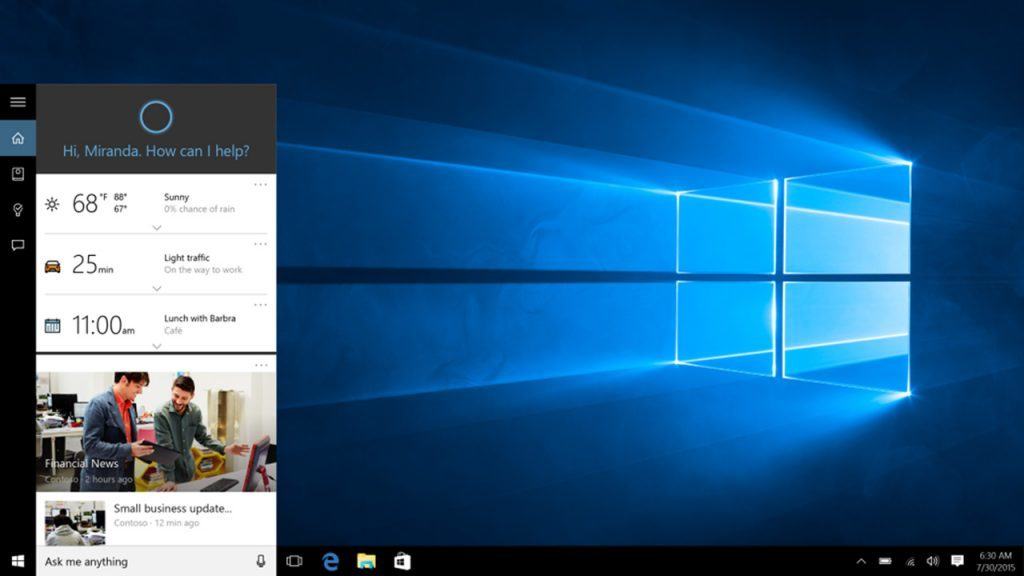
The company has scheduled a live question and answer session with the team behind the app. The Q&A session begins on September 13, 2016, at 5PM UTC / 12PM EST / 9AM PST. To take part, just post a question on the Skype Community forums or tweet to them using the hashtag #SkypeFeedback.

This is a chance for users of Skype to ask for the features they want, report any issues they’ve been facing and get some answers for those questions that are hanging around. The Skype team provided this statement:

After months of testing and gathering your feedback, in July 2016 we launched Skype UWP for Windows 10 devices! Whether you are on a Windows 10 desktop or mobile, you can now benefit from a speedier platform, with a new design and a smoother and adaptable interface. Our team has been listening to your suggestions and concerns, and have improved the previous Skype experience by simplifying the looks and ramping up the features! They are now eager to hear what you think, and answer any and all questions you may have for them.

Let us know what questions you’d like to ask them ahead of the Q&A in the comments below – who knows, maybe someone already knows the answer.

Messenger for Windows 10 PC updated to reduce loading time

Facebook has released an update to its Messenger app on Windows 10 for PCs. The update is a fairly minor one, yet still important to the vast array of people who use it to communicate.

With this update, the Messenger app now loads in about half the time it previously did, usually only having to wait a few seconds now, rather than almost a minute in some cases.

Over time, Facebook is continuing to refine its apps on the Windows 10 platform, ported from iOS to Windows by its OSMeta tools. The speed of its apps has seen significant improvements in comparison to when they first launched, however, we continue to see complaints from users of slow loading across Windows 10 PC and mobile. Hopefully this update will help resolve that for some users.

Let us know in the comments below if you have noticed an increase in the loading time – or if anything else has changed that we may have missed!

Messenger
Messenger
Developer:
Meta
Price:
Free

Skype for Linux 1.7 Alpha brings unread message fixes and more

Microsoft shows, yet again, some Linux love by releasing a new update for their Skype Alpha client featuring fixes for a couple issues, while also making an improvement to the layout of the app. The client has been shaping up pretty well and has been getting regular updates over the past few weeks.

The team responsible for the app announced the changes on the Skype Community:

  • Fixed standard behaviour of unread messages – when opening chat with unread messages, the view will focus on the first unread message. As you scroll, messages will be marked as read.
  • New grid layout of the group calls
  • Fix for application reconnect after it was suspended for longer time

As usual, the post ends with a happy “Please keep the feedback coming. We’re listening!” indicating that if you encounter any issues to let them know via the Feedback Hub in Windows 10.

To download Skype for Linux, head to the Downloads page on the Skype website.