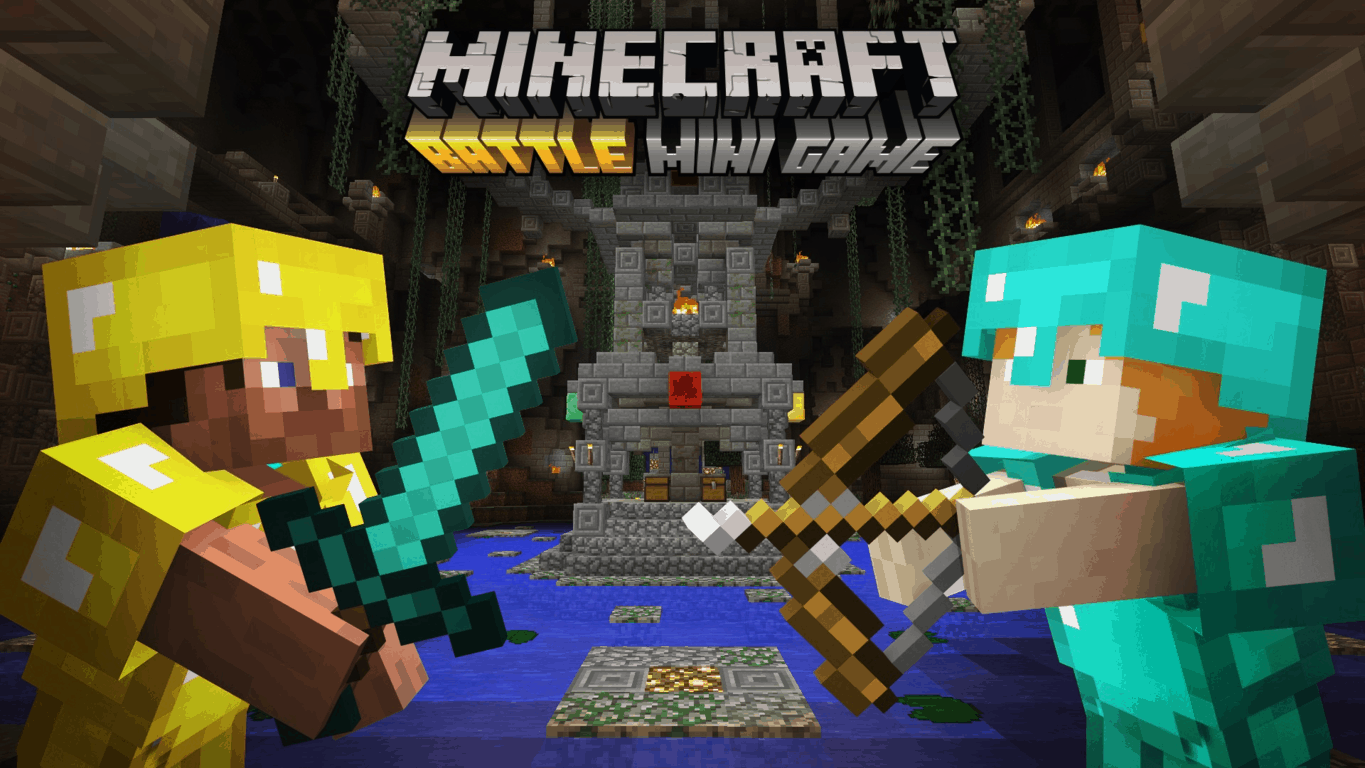
Just last week we delivered you the exciting news that the last-Minecrafter-standing deathmatch Battle mini-game rolled out to all owners of the console editions of Minecraft via a free game update. While we’re already enjoying Minecraft’s new Battle mini-game, today we are proud to report that we’re giving away a code for the first wave of Battle mini-game’s maps.
All you need to do to win the token for the first map pack for Minecraft: Xbox One Edition is drop us a comment telling us why you want a Mini Battle Map Pack code. Is it because you’re a diehard Minecraft fan? Or maybe it’s because you can build the best creations? Or perhaps you may be good at surviving the madness of a Battle mini-game match? Either way, if you’re selected as the lucky winner you will get a token to take up arms in the Temple, Medusa and Lair maps.
Please be civilized and kind with your comments, as we want all readers to have an equal chance at winning the code. Multiple entries will be voided, and you are required to leave us your Twitter handle below so we can reach out to you if you win. The competition to win the code is open in the comments section below this article from Wednesday, June 29th, 2016 until Thursday, June 30th at 3:00 PM EDT.
Thank you for being a WinBeta reader, and good luck!
Earlier this month, we reported that Office Delve, an intelligent search feature for Office 365 customers had been spotted on the Windows 10 Store but couldn’t be installed yet. That’s now a thing of the past as Microsoft just announced today that the app has now been officially released on the Windows 10 Store, though it’s still in preview and only available on Windows 10 PCs and tablets right now (iOS and Android apps have been previously released on earlier in November). You can find the official description below:
Delve helps you stay in the know, powered by who you know and what they are working on. With this preview app for Windows 10, you’ll be notified about document updates, and get document suggestions that are relevant to your work. You can also find people and get back to your recent documents and attachments, all in one place – all in one app.
Key features of the app:
Get updates about what your colleagues are working on
Find relevant documents and attachments based on people you know
Get back to important documents you’re actively working on
Office Delve for Windows 10 Preview.
Microsoft added that “support for Windows 10 phone will be added at a later date.” If you want to try the app, be aware that you will need an Office 365 work or school account that has Office Delve enabled by your Office 365 admin. You can get the app on the platform of your choice from the download link below.
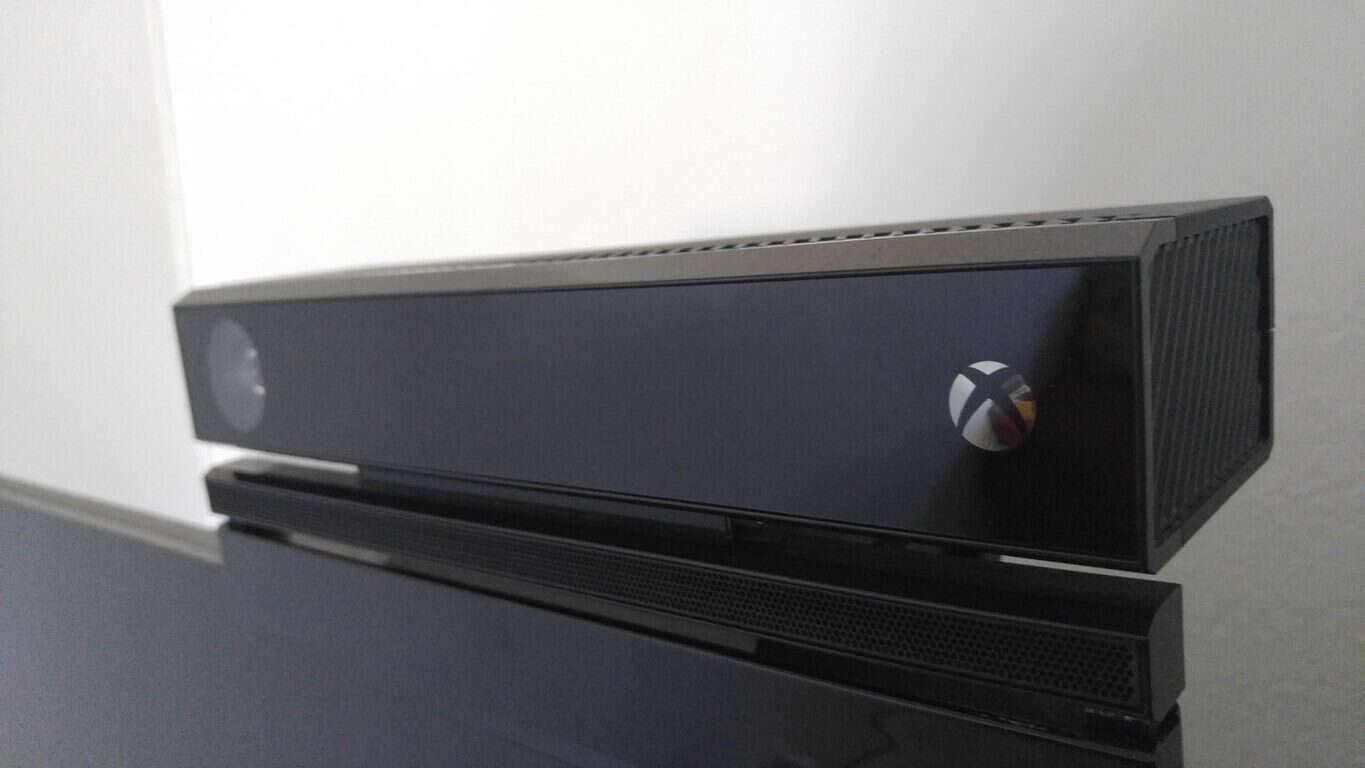
A look at the Xbox One Kinect at the Crayola Factory in action (Photo from u/MrMinky85 on Reddit)
In the photo uploaded by the Reddit user, three Kinect sensors can be seen along a video wall at an exhibit in the Crayola Factory. From the photo, it would appear that the sensors are used to track the movements of the child standing in front the wall. It could be assumed that after tracking the child movements, the sensor does it’s magic to project his movements to match those of the crayon seen on the board.
A closer look at the Kinect Sensor seen at The Crayola Factory (Photo from u/MrMinky85 on Reddit)
A second image (which the Reddit user calls “potato quality”) gives us a more closer look at the sensor. In somewhat related news, reported a few weeks ago, the newest Xbox One S will continue the Kinect compatible tradition, but will require a Kinect adapter, which will be available for free.
INSIDE, the latest game from the developers at Playdead, is now available exclusively on the Xbox One.
This is just the latest title from Playdead, as in 2010 the Indie developer delivered the critically acclaimed dark macabre LIMBO. In the new title, INSIDE, you will follow a young boy into the depths of a dark project. With every anxiety-filled step forward, you’ll encounter an unexpected obstacle, from escaping rabid dogs to investigating a scientific experiment. INSIDE is an utterly unique experience – terrifying, clever, confusing and gratifying all at once.
So, what are your thoughts? Are you up for the terror, confusion, and gratification of INSIDE? Will you pick up this Xbox title, available at the Xbox Store today? Let us know by dropping us a comment below.
Back at E3 2016, EA revealed a multiplayer trailer for Titanfall 2 which showed off wallrunning, plenty of giant robots, lots of explosions, and all the cool new gadgets in the game. Today we’ve just come across a cool new Titanfall 2 controller for the Xbox One, which is sure to go well alongside the main game.
A look at the Titanfall 2 Xbox One controller
Set to be released on December 30th, the wired controller is priced at $59.99 and features an offically licensed Titanfall 2 inspired design. It also has the added bonus of Multi-Function wheels, premium ALPS analog sticks, a 10 inch detachable cable, vibration feedback, impulse triggers, and audio supprt and controls. You can also customize up to 6 different actions on the controller, so you don’t have to worry about taking your thumbs off the premium ALPS analog sticks during gameplay.
So, what do you think of this controller? Will you be pre-ordering it? Let us know your thoughts by dropping us a comment below!
Microsoft changed their minds again regarding Messaging Everywhere on Windows 10. For the last few months Insiders could send SMS text messages from their PCs using the Messaging app, with Messaging syncing across a variety of devices. It was a great feature and generally a smooth experience. Now, that feature won’t be shipped with the Anniversary Update this Summer. Instead, Microsoft will deliver an experience through the Skype app.
This decision led to backlash on social media and around the web. It’s important to point out that people were also upset when Microsoft separated Skype Messaging and SMS messaging within Windows 10, even though they were previously together through the Messaging app, not the Skype UWP.
Needless to say, this is the most divisive story that’s come out this week so far and it’s perfect for this week’s poll.
Let us know in the poll how you would like the Messaging Everywhere experience to work across devices and share in the comments below how you would make it work.
One of the largest independent film distribution companies in the US, Screen Media, just released its PopcornFlix app for Windows 10. This app allows users to watch movies on their Windows 10 or Windows 10 Mobile devices for free.
Screen Media owns one of the biggest independently owned film libraries out there, so users of PopcornFlix can choose from the wide range of movies from various genres.
PopcornFlix is completely legal, so you don’t have to worry about breaking any laws while watching a movie. Of course, the app doesn’t offer major Hollywood hits, but it has a pretty decent collection of movies, all for free, without any subscription fees
PopcornFlix is a UWP app, which means you can enjoy the movies and TV shows it offers on every Windows 10 and Windows 10 Mobile-powered device.
“PopcornFlix is a free, ad-supported streaming service that offers a variety of films and series in a growing number of countries all over the world. Our service is completely legal and does not require downloads, subscriptions or any other hassles – films are easily streamed on your device. PopcornFlix offers its viewers a wide array of content, ranging from big studio pictures to independent cinema, documentaries and cult classics.”
What do you think about the movies and TV shows Popcorn Flix has to offer? Will you install it on your Windows 10 or Windows 10 Mobile device? Tell us in the comments below!
If you want to download PopcornFlix and watch movies and TV shows for free, you can download the app from the Windows Store.
Microsoft’s OneDrive is a free cloud-based storage the company offers to anyone with a Microsoft Account. However, users of OneDrive saw a couple of restrictions lately that will sour their relationship with the service a bit.
After reducing the free amount of storage from 15GB to 5GB, Microsoft is now introducing one sharing limitation that will control the volume of data free OneDrive users can share. This limitation was spotted by a German website, Deskmodder, who reported about the error message that shows up when users reach the limit of shared data. The error message says (translated from German):
“You have recently reached the limit for approvals. Some people may not be able to access your shared items . Try to share with fewer people, or sharing fewer large files.”
In order to be able to share a bigger amount of data, users will need to subscribe to Office 365. As a reminder, the Office 365 subscription is also required to increase OneDrive’s storage from regular 5GB to 15GB (but we have a trick for that).
This was a stealth move by Microsoft as the company was silent about it and didn’t release any official statement. It’s obvious that Microsoft wants to encourage more users to buy the Office 365 subscription with limitations like these, but it actually can turn bad for OneDrive. Rival cloud storage services, like Google Drive or Dropbox, don’t have these limitations and are both available for free, so users easily recognize them as better options than OneDrive.
Tell us in the comments below: will you continue to use OneDrive despite all these limitations or will you migrate to another cloud storage? Also, are you willing to buy the Office 365 subscription just to use OneDrive’s full capability?
Persistent Microsoft leaker WalkingCat tweeted out a photo of an upcoming Microsoft website, AppSource. The service is designed to help businesses find apps that they need to assist their operations – for example, they can choose to view all apps associated with “customer service.”
When browsing the website, we decided to press the “How it works” button, expecting a helpful modal with some information on how to use AppSource, but instead we were greeted with a rather familiar face and voice…
That’s right. Good ol’ Rick Astley – and yes, Microsoft did successfully Rickroll us. Let’s not speak of this day again.
AppSource assists businesses in finding apps that assist in the everyday running of their business, with solutions tailored to specific teams and roles. Apps are available across different Microsoft platforms, such as Azure, and are published by a wide-range of different companies. It is not clear whether businesses are currently using this service, or whether it’s something that Microsoft is still working to deliver. However, it can’t be too good for PR if the company is dishing out Rick Roll’s to corporate customers.
“We have been testing with Windows Insiders a preview of the “Messaging everywhere” feature that allows you to receive and send text messages from your Windows 10 phone directly to and from your Windows 10 PC. The experience was well-received by Insiders, however, we believe we can deliver an even better experience through the Skype app. Because of this, we decided not to release this feature as part of the Windows 10 Anniversary Update this summer. Starting with Build 14376 and going forward, Insiders will no longer have the ability to reply to text messages from their phone via the Messaging app on their PCs. The ability to reply to text messages on your PC using Cortana is unaffected. Going forward, we will be working with the Skype Team on delivering a great “messaging everywhere” experience on your Windows 10 devices through the Skype app. We will share more details about this experience in the months ahead.”
Not exactly the news that some of us would like to hear, especially for those that don’t use Skype. However, the “Messaging Everywhere” decision might be something that is beyond Dona Sarkar and her team’s control. Being a Windows Insider, replying to a text message via the PC will be one feature that will be deeply missed.
The Xbox Elite controller is one of the best parts of Xbox if you’re someone who considers yourself a serious gamer. The controller, which costs $199, is a feat of design when it comes to gaming paraphernalia. A steel shell, interchangeable buttons and sticks, two different game modes, and enhanced grips all make the Elite controller an absolute must-have for people who consider themselves competitive and don’t mind dropping some extra cash to get that extra edge.
Great milestone, our one millionth Xbox Elite controller. Thanks to all who have supported. pic.twitter.com/semvYxD5Yg
On Twitter today, Phil Spencer tweeted out a photo of the one millionth Xbox Elite controller produced. The controller was marked with a “1,000,000” near the bottom, proudly marking the unit as, quite literally, one in a million. The controller hasn’t been sold yet as far as we can tell – it looks like it just came out of production and got packaged. If you want to get your hands on it, you might want to try your luck at buying one on Amazon if you haven’t already – if you’re insanely lucky, this unit might just end up at your doorstep. It’s also entirely possible that this one might end up being given away on Phil’s Twitter account, so you may want to follow him for more news.
Regardless of how the lucky recipient of the controller will go about grabbing it, this is great news for people who supported the decision to throw these into production. While it was initially thought that Elite controllers were only going to fill a small niche, the fact that one million of them have been produced is huge – not to mention the fact that they’re putting a whole new batch of the controllers into production to celebrate the launch of Gears of War 4.
The developer-focused blog posts continue from the Windows App Team with their recent look into the FamilyNotes sample app. The application is a sticky note style, meant to be used between family members to keep everyone the know easily. While the app isn’t available on the Windows store, the GitHub repository sample can be accessed and toyed with by developers for a better understanding of the upcoming Windows Anniversary features such as ink, speech, and face recognition.
Admittedly, the introduction to face recognition through camera features introduces a list of new concerns, many of them centered around privacy and the utilization and storage of images in relevant apps. In today’s blog post, the Windows Apps Team went into more depth concerning the FamilyNotes sample app and how developers could use this feature in their own projects safely and effectively.
Privacy being the key element to any face recognition coding, FamilyNotes keeps the user informed anytime that the camera is about to capture an image or submit it to an external service such as the Microsoft Cognitive Services Face API.
For developers to begin building apps that enable the use of Microsoft Cognitive Services, they will need to sign up for a free trial subscription to receive the MCS Face API keys. Afterward, they will be able to set up a FaceServiceClient through a single line of code, enabling interaction with the API for user identification. For FamilyNotes, this means that every image will need to be collected and stored for each user, then the app will recognize when an identified user is in front of the camera, take the picture, and verify it across the stored images so that it can show the proper information.
The MCS Face API has three different methods of supporting this: identification, similarity, and verification. Through identification and similarity, the MCS compares the images to those that have been previously stored. However, with verification, the app will submit two images and then compare them to ensure they are the same. The sample FamilyNotes app uses the similarity method for less service transactions.
Once the collection has been established, the app can begin to determine if there is an identified user present in front of the camera. Much like the Microsoft Magic Mirror shown off at InnovFest Unbound 2016 in Singapore, the use of the camera is kept in the background to offer a seamless experience automatically as the users are identified. That is thanks to the face recognition not using the CameraCaptureUI, but instead using the MediaCapture API. The FaceDetectionEffect is created and added in the MediaCapture object through coding, essentially letting the camera capture a stream of images as fast as every 33 milliseconds to compare to the stored facial images.
The first look at Microsoft’s Magic Mirror
Applications that implement face recognition should account for occurrences such as multiple users in front of the camera or how many submissions are available through the use of the free MCS Face API account. Simply put, the app shouldn’t constantly be streaming video for an attempt at face recognition. For FamilyNotes, the app limits the recognition only to when a user is in front of the camera and also applies a 10-second limit to the process. Adjusting filters and scenarios to determine the usage of the API has multiple solutions, where developers can truly implement the styles they prefer within reason.
Want to learn more about how to develop with the use of face recognition? Visit the full Windows blog post.
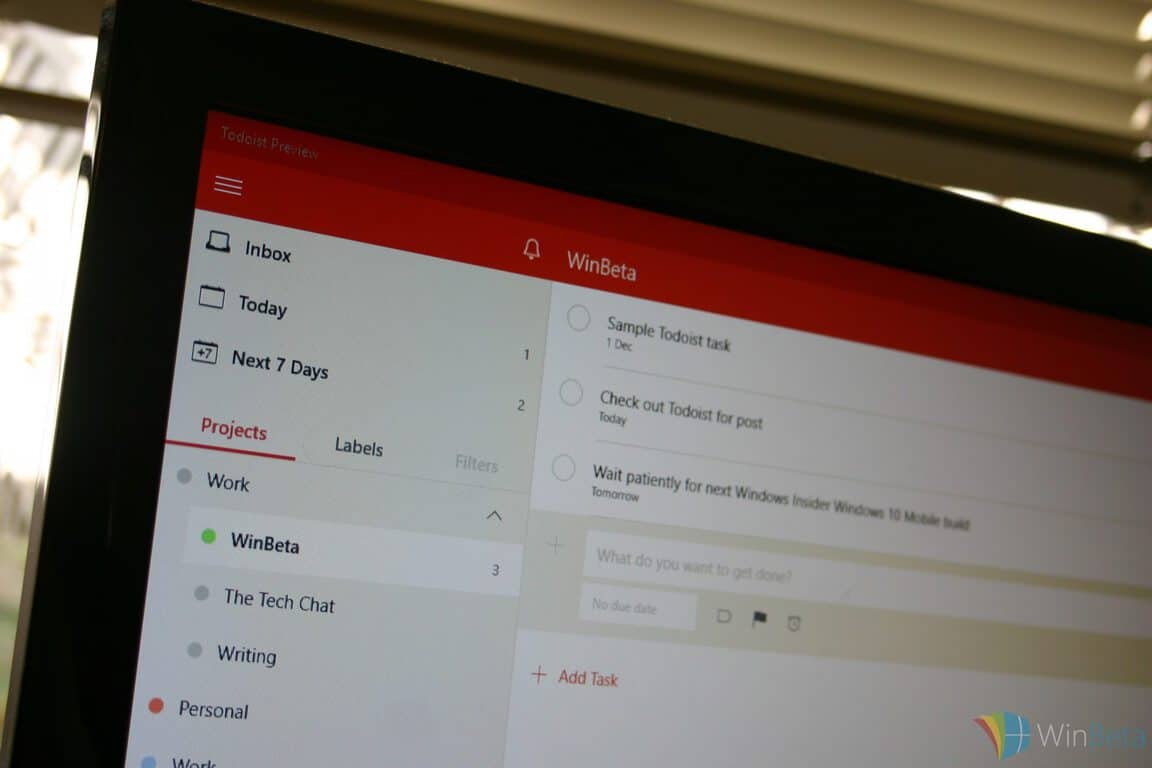
Todoist is one of the best to-do list apps in the Windows 10 Store, and there’s good reason. The app is great not only for people who need to casually log projects and dates in their computer, but also for people who need a sophisticated program that can do tons of things to keep them organized.
In the interest of further improving the experience of Todoist users, the team behind the app is adding in a few more features. You can check out all of the details of the new features right here, but here’s the overview.
Team Activity Logs for transparent, efficient project management
Project Comments keep high-level information organized and easily accessible
Smarter notifications for glanceable information
Faster, simplified project invites
A smarter cross-platform Quick Add to add and delegate tasks from anywhere
Become more efficient and focused with these exclusive promotions
The updates are based around making Todoist a better app for businesses, specifically for teams that are working on projects together. The new features, primarily the addition of team activity logs and project comments, make Todoist a very strong option for teams that need to keep tabs on each other and open up a dialogue with their coworkers. Along with those, the addition of simplified project invites and cross-platform quick adding are great quality of life additions, even though they don’t quite revolutionize the experience.
Todoist’s new Activity Log shows what each user is working on.
The blog post announcing these changes noted that this is just the first phase of these business-related changes, saying that it’s “the first step toward making Todoist Business a more powerful, streamlined project management platform for teams of all sizes.” We don’t know how much farther the Todoist team intends to go with its new business-centric trajectory, but this is definitely a good start.
Those who like to sketch should of, by now, have heard about AutoDesk Sketchbook, arguably one of the best apps for sketching available. As such, it makes sense its developers have created a Windows 10 version, recently releasing a touch-optimized version of the software.
For those who have not yet used AutoDesk SketchBook, the app has a very powerful brush engine with around 140 brushes to play with. They perform the same way as the x86 app, so nothing new to learn: just jump in and begin taking advantage of what the brushes have to offer. Futhermore, the app works with unlimited undo and redo, along with unlimited layers.
Designed specifically for both pen and touch input on Windows tablets
The entire screen is your canvas with a full screen workspace and unobtrusive user interface
Open and Save layered PSD and TIFF files for easy interoperability with other applications, including SketchBook for desktop
Control the finest details of your art with up to a 2500% zoom
Choose from over 10 preset brushes, including pencils, pens, and markers that deliver a natural drawing experience
Synthetic pressure-sensitivity
Sign in with a free SketchBook account and unlock the Layer Editor, Symmetry Tools, and more
Advanced Tools with a Pro membership
Pro membership: Choose from a comprehensive brush library with pencils, pens, markers, and brushes, including new Synthetic and Smudge brushes
Pro membership: Full layer controls, including rich layer blending modes; makes image manipulation easier than ever
Pro membership: Other workflow improvements, including new ruler guides, flood fill, and much more
Pro membership also unlocks complete access to SketchBook on Windows desktop, Mac, Android, and iOS, including all upgrades as long as your membership is active
The AutoDesk SketchBook app can be downloaded here from the Windows Store.
RELATED STORIES YOU NEED TO CHECK OUT:
Imgur has plans for releasing a Windows 10 Mobile app, but waits for demand
As we’re nearing the release of the Windows 10 Anniversary update (get ready for a release in early August instead of July 29 as we reported earlier today), owners of Windows tablets should be looking forward to play with Windows Ink, which is a kind of alternative user interface to interact and get creative with Windows 10 using a compatible stylus or pen such as Microsoft’s Surface Pen.
Of course, not all styluses are created equal and Microsoft wants to emphasize why the technology behind its Surface Pen makes it a more versatile tool than its competitors. Just two weeks after Microsoft’s Director of Program Management for Surface devices Vineet Thuvara provided a video tour of the pen design and performance, the Director and engineer is back this week to explain the physics behind the Surface pen and display interaction.
We invite you to watch the three-minute video below:
A few highlights from this video:
The Surface Pen supports 1024 levels of pressure. Using the Surface app on a Surface Pro 4 or a Surface Book, you adjust the pen’s sensitivity to suit your preferences.
The surface Pen is available with four different tips ranging from extruded, highly compressed fiber to hard-molded polymer to give users the right balance of friction and durability.
To reduce inking latency, Microsoft is relying on speedier GPUs on both the Surface Pro 4 and the Surface Book. The engineers also worked to optimize all the interactions across the stack from the pen hardware to the operating system, and even worked with applications teams like OneNote to provide the best inking experience.
We’re glad that Microsoft has been setting a pretty high standard with its Surface hardware, but it’s now up to third-party OEMs and Windows developers to enable innovative use cases with digital inking on Windows 10. If you own a recent Surface device plus a Surface pen, are you satisfied with the versatility of Microsoft’s stylus? Let us know what you think in the comments below.
Since the release of its new digital storytelling app Sway as a new member of the Office productivity apps ten months ago, Microsoft has been iterating pretty quickly as the app has received several new features recently such as video and living images support, integration with other Office apps, Power BI and more. Today, the Sway team has published a new blog post to celebrate the success of the app (“millions of Sways” have been created since the general availability of the app according to the team) and to also announce three new features that are going to be exclusive to Office 365 consumer, work, and education subscribers.
According to the team, these three new features are a result of the feedback from Office 365 users. The first addition is a password protection feature for Sways, which will provide more flexibility to Office 365 work and education customers (until now, those users could only limit sharing of Sways at the organizational level). You can see how to set a password for your Sways on the GIF below (click to view the animation):
Adding a password to a Sway (click to view animation).
The second addition is not actually a new feature, but the Sway team has increased the content limits in Sways to allow Office 365 subscribers to create longer, more dense documents. The team added that “our own data shows us that our Office 365 subscribers typically create longer and more robust Sways with higher amounts of videos, tweets and other embedded content.”
Lastly, Office 365 subscribers will be able to remove the informational footer at the end of a Sway and “achieve a more polished look.” To do so, just tap the “Share” icon and uncheck the “Show Sway branding in this Sway” checkbox. The following GIF demonstrates the process (click to view the animation):
Removing the footer (click to view animation).
These three new features are available right now in Sway on the web while the Windows 10 app will get them in the coming months. The Sway team added that it is “excited to provide ongoing value to our Office 365 subscribers and will continue adding new, exclusive Sway features over time,” which means that Sway is slowly becoming a freemium app just like the other Office Mobile apps.
Do you understand Microsoft’s incentives to monetize its storytelling app? Let us know what you think in the comments below.
Microsoft has just published a new post on the company’s TechNet blog to announce support for open source cluster computing framework Apache Spark in Microsoft R Server for Hadoop, as part of the company’s participation in the Hadoop Summit.
Specifically, users can now run R functions over Spark nodes to train models on data “1000 times larger than before”, at 125 times the speed of running open source R with CRAN algorithms, due to R Server and Spark’s combined power of parallelized algorithms and Spark’s in-memory architecture. Additionally, Microsoft R Client has also been announced, providing a free R client for data scientists to use R functions to analyze data, both on local workstations and throughout Microsoft R Server. The news follow Microsoft’s statement of “extensive commitment” to Apache Spark, as well as the company’s renewed vigor in open-source.
Microsoft also announces major architecture overhauls to DeployR – part of Microsoft R Server that provides analytics as web services – with improvements including more choices of supported repository databases, more Web and installation security features, and improved Security Policy Management. Previously, Microsoft also announced R Server for HDInsight, bringing the ability to do predictive modeling and machine learning on Spark to Azure. For more information, head to Microsoft’s booth at Hadoop Summit in San Jose today, and tune in to the keynote by Joseph Sirosh, corporate vice president at Microsoft.
Yesterday, we reported that the head of California travel-agency had recently sued Microsoft over a “forced” Windows 10 update that made her business PC unusable. Microsoft lost the trial, dropped an appeal and agreed to pay $10,000 in damages, but it looks that it wasn’t the end of the story. As the news made headlines yesterday in various tech publications, Microsoft was apparently already working on a “fix,” as our colleagues from The Verge are reporting today that the company has agreed to change the confusing Windows 10 upgrade prompt. Yes, eligible Windows users will finally be allowed to dismiss the update, as explained by Windows chief Terry Myerson:
Since we introduced a new upgrade experience for Windows 10, we’ve received feedback that some of our valued customers found it confusing. We’ve been working hard to incorporate their feedback and this week, we’ll roll out a new upgrade experience with clear options to upgrade now, schedule a time, or decline the free offer.
The revised Windows 10 upgraded prompt (credit: The Verge).
As you can see in the above image, the new prompt display three choices and the “Decline free offer” option is pretty clear. While we applaud this change, it’s still unbelievable that it took the company eleven months, a ton of user complaints and a lost trial to come up with this new prompt, which is common sense. It’s still better late than never, but Microsoft may struggle to win back the trust from Windows users who made a clear choice early on to not upgrade their PCs to the new OS, but have been harassed by the company’s annoying upgrade prompts over all these months.
Microsoft’s latest move in expanding its education initiatives is a new collaboration with the International Society for Technology in Education (ITSE), that will see the two organization combine and expand a number of initiatives for school planning and professional development resources.
Specifically, the collaboration, announced at today’s ISTE 2016, will have ITSE and Microsoft combine their capabilities in education and technology to provide educators with three resources to develop a technology-enhanced academic environment: ITSE and Microsoft Blueprint for School Transformation, leadership courses, and necessary tools.
“This new collaboration between ISTE and Microsoft springs from our shared, genuine commitment to have a real impact on learners around the globe,” “It will leverage our respective strengths and allow our substantive work on student empowerment, digital citizenship, education leadership and professional learning to be multiplied.”
– Brian Lewis, CEO, ITSE
The blueprint is a combination of ISTE Essential Conditions and Microsoft Transformational Frameworks. The former is a set of 14 critical elements for effectively using technology for education, such as shared vision, empowered leaders, and consistent and adequate funding; the latter are 10 critical components of school transformation like partnerships and capacity building for change. There is a lot of common language in these two frameworks, as expected of the alignment, and together they would provide the directions for future shared works.
“Microsoft’s focus on supporting education transformation has great synergy with the work of ISTE,” “We are proud of the collaboration announced today and the opportunity we have together to empower students, educators and school leaders globally to achieve more.”
– Anthony Salcito, vice president of Worldwide Education, Microsoft
The leadership courses are established as part of a new partnership between Microsoft, nonprofit e-learning platform edX, and experts from leading edX partner global universities, with support and guidance from both Redmond and ISTE. Enrolment for the first course will open on edX in September 2016, with the course beginning in December; more courses will be available starting March 2017. Additionally, Microsoft and ISTE are also partnering to provide tools like ISTE Lead & Transform Diagnostic Tool to the network of more than 600 schools in the Microsoft’s Showcase School program.
Overall, this partnership – between a premier nonprofit organization for empowering educators, and a productivity-focused technology company with a mission to “empower” – sounds like a perfect match to bring about the future of learning. Stay tuned for more exciting news about Microsoft’s works in advancing education.
Lego Star Wars: The Force Awakens is now available to buy, download, and play on Microsoft’s Xbox One console. As the title suggests, the game is the official tie-in to the latest Star Wars film, Star Wars Episode VII: The Force Awakens and features similar visual and gameplay elements to previous Lego video games.
Here’s the official game description: The Force is strong with this one… The No. 1 LEGO® videogame franchise triumphantly returns with a fun-filled, humorous journey through the new Star Wars adventure. Play as all of the characters from the movie, including Rey, Finn, Poe Dameron, Han Solo, Chewbacca, C-3PO, and BB-8, as well as Kylo Ren, General Hux and Captain Phasma.
In LEGO® Star Wars™: The Force Awakens™, relive the epic action from the blockbuster film in way that only LEGO can offer, featuring brand new story content from the Star Wars Universe that explores the time between Star Wars: Return of the Jedi and Star Wars: The Force Awakens.
Lego Star Wars: The Force Awakens is the latest Lego video game and builds upon gameplay mechanics introduced in previous titles such as with the enhanced Mulit-Build system which gives players a wider option of Lego building options to complete levels.
The game is available in both a regular release and a special Deluxe Edition which comes with the Jedi Character Pack and a Season Pass for all future downloadable content. The Jedi Character Pack is only available as part of the Season Pass or Deluxe Edition purchase. It contains popular Jedi Council characters, Mace Windu, Plo Koon, Kit Fisto, Ki-Adi-Mundi, Saesee Tiin and Shaak Ti, and the Jedi Generals Aayla Secura and Luminara Unduli. The Season Pass will include at least three full level packs and a variety of additional characters that will provide more gameplay options.
Are you a fan of the Lego video games? Let us know which one is your favorite in the comments below.
One of Microsoft’s more surprising initiatives lately revolves around the open source Linux community. The company has been making a concerted effort to expand their cross-platform support not only for productivity works on iOS and Android but also those who want to run virtual Linux machines in the cloud.
Today, the Microsoft Mechanics team posted a video demonstrating Red Hat Linux running on Azure:
An exploration of how you can use the hyper-scale of Azure to run and manage Red Hat solutions in your IT environment. We’ll also go over pre-built Red Hat Enterprise Linux images in the Azure marketplace, integrated support to help you troubleshoot issues and get access to Red Hat resources. Also, how you can take your on-premises apps and run them on top of the Red Hat OpenShift infrastructure running on Azure.
Here’s the video:
You can’t argue that Microsoft isn’t working hard to support the open source community in a variety of ways. Let us know in the comments what you think about Microsoft’s efforts to be more inclusive of open source solutions.
We’ve known for quite some time that Microsoft is working on a new high-end Windows 10 Mobile device, with rumors pointing to the device being the long-awaited Surface Phone. Until now, though, Microsoft has never directly alluded to its development.
While the software giant hasn’t confirmed the new Windows 10 Mobile device, recent statements seem to have done so in our eyes. To us, Microsoft is indeed preparing something big for Windows 10 Mobile fans, and we are likely to know more about it before the end of the year or sometime within 2017.
During the Build Tour in London earlier this month, Microsoft Corporate VP of Windows Kevin Gallo made it very clear the company is supporting its mobile platform to the fullest:
“Windows Phone is fully supported. We’re fully behind it. We’re not abandoning the phone,” he was quoted as saying. “There’s really no change in what our direction or strategy is with respect to releasing the Windows Phone software.”
Gallo went on to add that Microsoft is leading this push with high-end mobile devices, and while he didn’t elaborate on any details, the company’s mobile ambitions are clear:
“We’re really aligned to what we’ve done on the Windows desktop which is we’ll lead with some high end and category innovation like we’ve done with Surface, and OEMs will go and build the breadth of the catalog.”
We can safely say Microsoft is making moves to bring the Surface strategy to mobile. Expect a high-end Windows 10 Mobile device with an innovative design, something for OEMs to follow or even surpass if they can. It could very well be the Surface Phone seeing as the brand is well known and could be used to give Windows 10 Mobile the boost it so desperately needs.
Nothing much is known about this device’s specifications. However, rumors point to it having a Snapdragon 830 processor, something surely to look forward to.
The first project with Microsoft and NASCAR was the creation of the Mobile Inspection app that essentially cut in half the time spent checking cars before the big race. With the app being so successful in the field, NASCAR has begun collaborating on another application that will change the way the sport is handled.
The Race Management Platform built on Windows 10 is able to track the high-speed cars through each race. With the live video feed and transponder data from many different perspectives, the application has taken away the multiple monitors so that officials are able to hold the entire race directly in their hands.
The monitor provides live data collected about the cars such as braking, throttling, RPM, speed, and lap fraction times for each car and driver. Even for the race as a whole, the application is able to monitor conditions, pit stops, positions, times, and scoring. Not only does this provide a better coverage of the event for entertainment purposes, but it is a step in the right direction for maintaining a safer watch for the racers.
If a car is having malfunctions, stats will be noticeably changed through the Race Management app allowing a quicker response time to potential threats.
“Safety is our first priority. Fast, real-time access to information gives race officials a better understanding of what’s happening in the racecar and on the track,” says Stephen Byrd, Director of Technology Integration and Development at NASCAR. “After the finish, an official can take a Surface device with the Windows 10 app down to the garage and show a team exactly what we saw in race control.”
Recorded data is stored in the Microsoft cloud for official judgement in almost real time so that there’s no more waiting around after the race. In addition, with the clear vision of positions, there will no longer be a need for large disputes of results. As Steve O’Donnell, Chief Racing Development Officer of NASCAR, explained: “By digitizing the video feeds we’re able to analyze calls and send data to the pit box in real-time.”
With NASCAR speeding towards a more technological revolution for the sport, the Mobile Inspection app will be joining the Race Management app on Windows 10 later this summer.
Microsoft’s OneDrive is a great service which lets you store your files safely and securely inside the company’s cloud server network, Azure. With two impending storage limit changes, however, you might want to prepare your account for the incoming cutbacks. What follows is a guide on how to manage the storage on your account ahead of Microsoft’s OneDrive size cuts.
To begin the preparations for the cutback, you should visit the “Manage Storage” section of your OneDrive account. From here, you can view the available space left in your account and make decisions on how to clean up the files on your OneDrive account. In my case, I have an Office 365 subscription, and I signed up to avoid the cutback, so my account has plenty of available space. Even so, I would still like to clean up some free space, so stay tuned for step 2.
Step two: Click on “what’s taking up space?”
Removing files from OneDrive
After visiting Manage Storage, there will be a link along the right side which says “What’s taking up space?” Pressing this will display the largest files on your OneDrive account, and will help you in making a decision on which files to remove to free up some space. In my case, this section showed me that I had a video from a trip to One World Observatory which I decided I longer needed, and so I removed it in order to free up space.
Step Three: Empty the OneDrive recycle bin
Emptying the recycle bin in OneDrive
While OneDrive may be a cloud storage service, it still has a recycle bin just like your PC. When you delete files, they automatically go to the recycle bin just in case you might want to retrieve them again later. So, going back to the main Manage Storage page, and clicking “empty recycle bin” will permanently remove your deleted OneDrive files, and free up space on your account.
Step four (if required): Purchase an office 365 Subscription or OneDrive Storage Plan
Purchasing a new OneDrive storage plan
In the event that cleaning up your largest files, and emptying the OneDrive recycle bin does not free up enough space, you always can purchase some more storage room. To do this, you can head back to the “Manage Storage” section of OneDrive, and click “upgrade” and then click the appropriate plan. Here in the United States, there is a $1.99/month plan, which comes with 50 GB of storage.
Office 365 plans
In addition to the OneDrive storage plans, you can also expand your storage options by purchasing an Office 365 subscription. An Office 365 home subscription will run you $9.99 a month or $99.99 a year, and give you 1 TB of OneDrive storage and access to Office on 5 PCs, Macs, phones, or tablets. Similarly, an Office 365 Personal subscription will run you $6.99 a month, or $69.99 for a year, and give you 1TB of OneDrive storage, and 1 PC Mac, phone, or tablet.
So, there you have it. That is how you can free up space on your OneDrive account ahead of the impending storage cuts. Were you aware of these steps? Let us know your thoughts by dropping us a comment below.
B-side Software, the developer of the popular third party Windows 10 Twitter client, was quick to act and submitted a fix to the Windows Store the next day.
An update to the Win10 version has been submitted to the store with a fix for the conversation loading issue. Will update when available.
And just a short while ago this morning, Tweetium tweeted that update 4.1.493 was approved today by the Windows Store. The update fixes the issue causing the most recent break to conversations loading in the app. This has been an issue before due to changes on Twitter’s end.
But now it looks like for the time being that conversations should be loading just fine in Tweetium. Now that it is approved, the update should be populating the Windows Store shortly. You can download Tweetium from the app box below.
Microsoft and Red Hat are showing significant progress on .NET Core and ASP .NET Core 1.0 at Red Hat’s tech conference in San Francisco. Red Hat makes a version of Linux that is popular among developers. Once bitter rivals, Microsoft sought out Red Hat to cater to Microsoft’s biggest customers; enterprise to use Linux as an alternative to Windows Server.
Red Hat, which makes a popular version of the open source operating system Linux, that is used to close to 18,000 developers at over 1,300 companies. Microsoft CEO, Satya Nadella realized that it didn’t matter if people were using Linux or Windows, as long as companies were using Microsoft’s cloud computing services, Microsoft would benefit.
Build and run cross-platform ASP.NET apps on Windows, Mac and Linux
Built on .NET Core, which supports true side-by-side app versioning
New tooling that simplifies modern Web development
Single aligned web stack for Web UI and Web APIs
Cloud-ready environment-based configuration
Built-in support for dependency injection
Tag Helpers which makes Razor markup more natural with HTML
Ability to host on IIS or self-host in your own process
Look out for more updates to .NET Core and ASP .NET Core 1.0 in the coming weeks. Microsoft believes the new ASP .NET Core 1.0 improvements will be “more tuned for modern web development.” If you’re building a new application and need your application to run cross-platform, or in a container, ASP .NET Core is available for download if you’re interested in trying it for yourself. If you have more questions or need examples, head on over to the Microsoft .NET Blog for more information.
The feature had a great deal of promise. The Xbox One can already connect to OTA TV tuners to display broadcast TV channels right in OneGuide. But with the proposed update you could set your Xbox One to record TV shows in advance and rewatch them on your Xbox One or other Windows 10 Devices. The tuner would turn the Xbox One into an even more compelling option for those looking to cut the cord with their TV cable providers.
We’ve decided to put development of DVR for Over-the-Air TV on hold to focus our attention on launching new, higher fan-requested gaming experiences across Xbox One and Windows 10. We’re always listening to fan feedback and we look forward to bringing more requested experiences on Xbox One, Windows 10 and Xbox Live this year.
On the one hand, it makes sense to put the program on hold. The Xbox One took a lot of flak from the gaming community when it launched because its features were not focused on what gamers want. And ever since, sales have paled in comparison to the runaway success of Sony’s PlayStation 4.
And Microsoft has plenty gaming-focused Xbox projects in the pipeline to concentrate on between the Windows 10 Anniversary Update, Xbox Play Anywhere and Project Scorpio, to name a few. But if you feel that the Xbox team shouldn’t neglect full OTA DVR capability for the Xbox One, now is your time to be heard.
In an interview with Gamespot (via Windows Central), Xbox general manager Dave McCarthy alluded to there still being a chance. But only if enough people request the feature. McCarthy said:
We listen. We look at that User Feedback site on a regular basis and try and respond to what people want the most. I wouldn’t rule it out entirely, over time.
So, there is still hope that OTA-DVR capability could make its way to the Xbox One in a timely fashion, but only if enough people are requesting this non-gaming focused feature. To make your voice heard, you can head over to the Xbox Uservoice page and vote on a request for Xbox One OTA DVR.
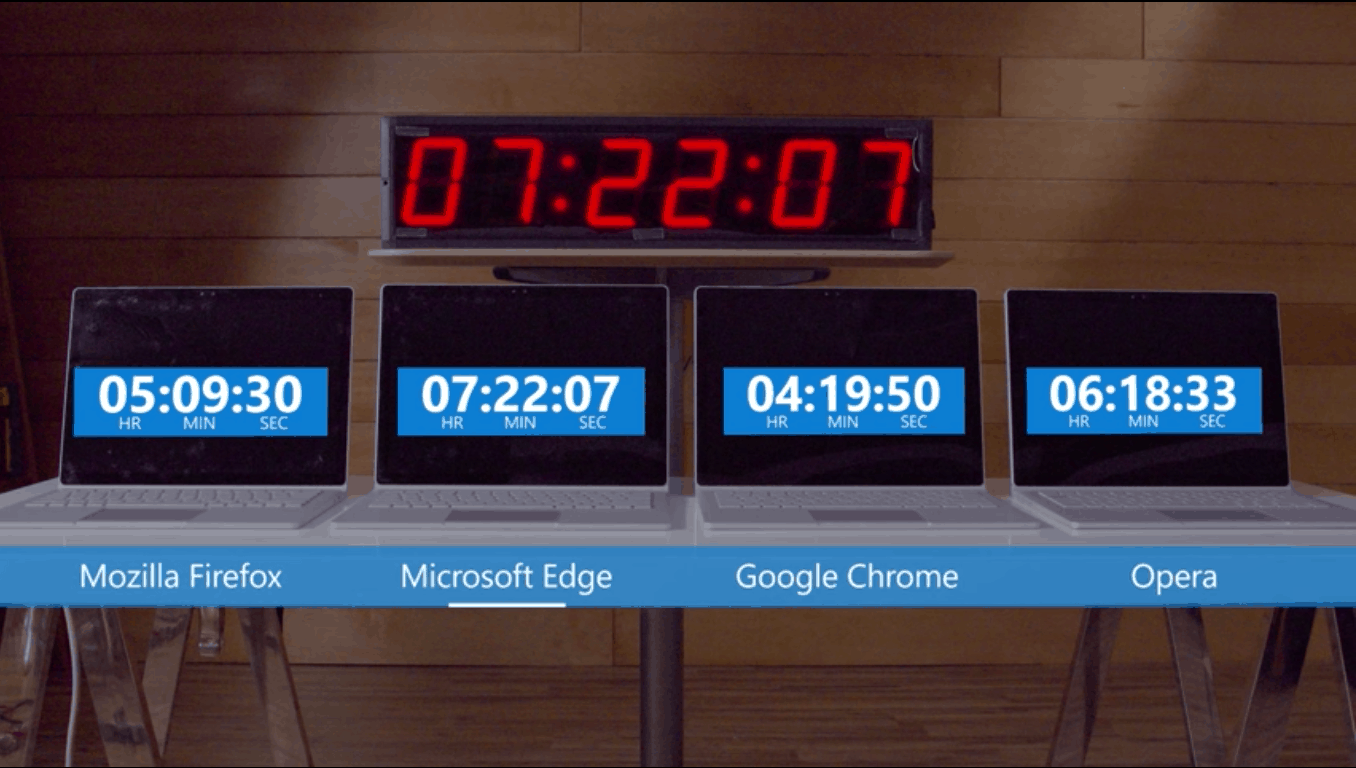
Last week, Microsoft showed off the results from testing different web browsers’ effects on battery life. Web browsers can be among some of the most resource intensive applications PC users frequently rely on, and Microsoft wanted to show that their development of Edge in the Windows 10 Anniversary update will drain your battery the least compared to Chrome, Firefox, and Opera.
Microsoft ran their experiment on four similar Surface Books that looped common activities people perform in a web browser. In Microsoft’s tests, Edge lasted 70% longer than Chrome, 43% longer than Firefox, and 17% longer than Opera (with Battery Saver enabled).
The Program Manager for Microsoft Edge talked about how his team accomplished this. They relied on learning from customer telemetry to optimize the browser, made more efficient background tasks, and improved the efficiency of Windows networking to name a few things.
Enter Opera
However, the team over at Opera was displeased with the results. And so, they ran their own test with a clearly laid out methodology of testing specific websites and looping certain actions. In their head on head comparison between Edge and Opera, Opera won.
But there were also disputes over this single test by Opera. They might not have been using the current and most stable Redstone build of Edge. And Microsoft had actual real-world use telemetry to construct their test, which was backed up by a parallel test by the Wall Street Journal.
PC World’s latest battery life test
PC World decided to do their own test and announced the results earlier today. Gordon Mah Ung of PC World actually began testing battery life differences a few months back.
One of his concerns with testing browsers is that the web is constantly changing. If you run a test at one time, a few hours later you could get completely different results because websites are always changing their content. For example, one time you visit there could be a ton of ads and embedded videos which use up a lot of processing power. Then a few hours later there might not be as many. This leads to inconsistent testing.
To circumvent this testing inconsistency, Gordon Mah Ung used EMBC’s BrowsingBench which controls for all of that variability. He does note there is a big downside to BrowsingBench–it only tests simulated single-tab browsing, which just isn’t how most people browse the web today. But at least BrowsingBench does offer a more apples-to-apples comparison.
PC World’s Results
So PCWorld tested Edge 13.1, Chrome 50, Opera 37, Firefox 46, and Internet Explorer 11 using EMBC BrowsingBenchmark mostly on a Toshiba Radius 12 laptop running Windows 10 Home. What he found was Edge does indeed take first place out of all five browsers. But the lead is not as dramatic as Microsoft’s own test might lead you to believe.
EMBC BrowsingBench test results via PC World
Chrome actually came in second place, followed by Opera, then Firefox, and lastly IE 11. The PCWorld test concludes that Edge “has a clear power advantage in light browsing chores; it’s just not as dramatic as Microsoft’s own tests.” But Gordon Mah Ung distinguishes a very important caveat that should be kept in mind when reading about all of these tests.
But the truth is actually more complicated because our browsing habits are so different, and can change from day to day…. Do you sit with 10 tabs of Flash- and video-heavy webpages open all day? Or do you sit in Google Docs for eight hours?… All three of those use cases will likely have very different effects on battery life and going by anyone’s generic ‘browser battery-life’ figures doesn’t make much sense.
These tests can establish important benchmarks. But you have to know what they are testing and how a test’s criteria are relevant to how you use your device in order to evaluate a test’s significance.
Are you a Xbox Live Rewards Member? Do you want to take your Gamerscore bragging rights to a new level? If you answered yes to these questions, then Microsoft has got just the poll for you. The Xbox Live Rewards team has just announced that they’re taking to social media and the community to help them decide on new badges for each tier of MyAchivements on Xbox Live Rewards.
A look at the Overlord tier of MyAchievements
In case you did not already know, there are six tiers of My Achievements (which are based on Gamerscore), and three new set of badges in each category to vote for using Twitter and Facebook. The newest tier, which was recently voted on the community to be the “Overlord” category, is reserved for those with a Gamerscore of 100,000+. The Master tier, meanwhile, is for those with 50,000 – 99,999 in Gamerscore. The third tier, named Legend, is for those with 25,000-49,999 in Gamerscore. Champion (10,000-24,999 in Gamerscore) is the fourth tier, and Contender (3,000-9,999 in Gamerscore) is the fifth tier. The last of the tiers is Recruit, for those who have just started their Xbox journey with only 0-2,999 in Gamerscore.
Brag with the Badge!
Xbox Live Rewards is a loyalty program designed for people who love Xbox. In addition to getting access to special offers and promotions that are exclusive to our members, under the program, you’ll also be able to earn Rewards Credits that will be converted into your local currency and can be used to purchase things you want in the Xbox Store.
Ways to earn on Xbox Live Rewards
So, now is the right time to head over to this page and click on the appropriate images to have the chance to show off your badges proudly. You may want to act fast, though, since the voting is only open from now until July 11th, 2016. The badges, however, look pretty nifty and feature anything from helmets to weapons, nature, trophies, shields, and more. Once you have voted, please be sure to come back and drop us a comment to let us know what badges you choose and why!
Season 6 of HBO’s hit series Game of Thrones wrapped up last night. It was another season of jaw-dropping twists and record-setting viewer ratings. And not long after the premiere, Xbox France announced a new contest to win a custom Game of Thrones themed Xbox One.
The consoles are adorned with Game of Thrones style decoration familiar to anyone who has watched the opening credits of the hit show. And it also comes with a custom controller. But you won’t find these consoles in stores. Unfortunately, you can only get your hands on one of the custom consoles by winning the contest.
To enter the contest you have to with like and comment on Xbox France’s Facebook Page or Retweet their announcement of the contest on Twitter.
While the free upgrade to Windows 10 will now end on July 29, we reported last month that Windows 10 was now running on 300 million devices, though the road towards 1 billion devices has been bumpy so far, to say the least. Indeed, according to a new report from The Seattle Times, Teri Goldstein, the head of a Sausalito, California travel-agency, has sued Microsoft over a failed Windows 10 update which she says she didn’t authorize and that made her business PC unusable. She won the trial, and Microsoft dropped an appeal and agreed to pay $10,000 in damages.
Sadly, Goldstein’s bad experience with Windows 10 is not a first. Early after the public release of Windows 10 on July 29, 2015, we reported that the update was giving users some headaches as some who wanted to update could not, and some who didn’t want to upgrade had still received the update without their consent. In the worst case, some users who were not aware of the update and did not explicitly agreed to install it had still to deal with it after their PC launched the upgrade process automatically. According to the report, that’s what happened to Goldstein who claimed that “I had never heard of Windows 10, nobody ever asked me if I wanted to update.”
The “Get Windows 10” program.
After the Windows 10 update failed to install on the PC that she used to run her business, Goldstein explained that her PC began to be slow and to crash randomly, which hit her productivity pretty badly. As Microsoft’s customer support couldn’t help her with her issues, she chose to took the company to court asking or compensation for lost wages and her unusable computer. The Redmond giant didn’t appeal to avoid the litigation to continue, and a company’s spokesperson told in a statement that “we’re continuing to listen to customer feedback and evolve the upgrade experience based on their feedback.”
Wes Miller, an analyst with Directions on Microsoft and also a previous Microsoft worker familiar with the team responsible for the Windows Update tool explained to the Seattle Times that Microsoft’s push to get user to upgrade could challenge the trust of its users:
My worry with this is that they are fundamentally manipulating the trust Windows consumers will have in Windows Update from this point going forward. You can’t perform an action for a user without their explicit permission, it’s just not acceptable.
Windows 10 is a great operating system, and Microsoft deserves credit for allowing Windows 7 and Windows 8 users to install it for free for a year, though the company poorly managed this free upgrade offer during all these months. The confusing and eventually annoying “Get Windows 10” program led some developers to create software to disable it, and in the end Microsoft should really have given eligible users the choice to refuse the update once and for all.
If you definitely don’t want to upgrade your PC to Windows 10 before the free update ends on July 29, Microsoft previously explained last month that the “Get Windows 10” app will be removed from all Windows 7/8.1 PCs after the end of the free upgrade. Do you think Microsoft could have avoided to get sued because of this mis-managed free upgrade offer to Windows 10? Let us know what you think in the comments below.
Microsoft has just taken to their education blog to announce that they will be working closely with edX to create new professional learning courses for school leaders. Five of these online courses will become available starting in the fall of 2016 through the Spring of 2017. The courses will empower and help guide school principals and headmasters, superintendents and school leaders to do more and also support their leadership in education transformation.
The Redmond giant is also highlighting in the post that leadership is an output of a high performing team. Microsoft claims that educators fulfilling many roles within schools need the opportunity to learn and express leadership. So, Microsoft Education Transformation framework, technology planning resources, and education competencies for school staff are all methods in which Microsoft will help identify the practices on how to improve learning.
School Leaders Learning (Image from Microsoft)
Additionally, Microsoft is noting that the partnership with edX expands on the existing collaboration between edX and Microsoft in online learning. While Microsoft already has more than 35 online courses, the new courses will be developed with edX university, and will be available for the new school year. If you’re interested in these courses, be sure to sign up to receive the Microsoft in Education newsletter to know when these courses become available.
While it’s been nearly 15 years since Microsoft entered the gaming console market with the original Xbox in 2001, it seems that the first installement in the Xbox series of consoles has yet to reveal all its secrets with us. Three years ago, original Xbox launch team member Seamus Blackley revealed how Microsoft settled for the name “Xbox” after considering “Direct Xbox”, “Midway” or even “Windows Entertainment Project.” Yesterday, Blackley revealed a couple more details about the original Xbox design process by sharing these designs of the original Xbox Controller on Twitter. You can have a closer look at them in the screenshots below:
The “X-Wing” and “Exterminator Xbox controller designs.
The “Racer X” and “Bio” Xbox controller designs.
When asked by someone on Twitter if Microsoft took inspiration from Sega’s sixth generation Dreamcast console which was first released in Japan in November 1998, Blackley answered that “these look as they do because at the time Dreamcast was king.” However, he added later that while it’s no secret that designers often take inspiration from competing hardware products, Microsoft didn’t go forward with these controller designs and that “Xbox was its own beast.”
No, we didn't almost go with any of these. These look as they do because at the time Dreamcast was king. Influence. https://t.co/hyw0l34C1C
We’re really glad that Microsoft went on to invent its own design language for the original Xbox controller, and the company successfully iterated on this first design to deliver the more ergonomic Xbox 360 and Xbox One controllers in the following years. Back in 2013, we reported that Microsoft spent $100M in researching a new controller, only to end up with something quite similar to the Xbox 360’s controller. The Xbox One controller has since been redesigned with the addition of a headphone jack in June 2015, while the upcoming Xbox One S will bring in August a slight hardware revision with better grips and bluetooth support. Do you think the Xbox One controller has come a long way since the original Xbox controller from 2001? Let us know what do you think in the comments below.
Roku just released its official app for Windows 10, and users can now download it from the Windows Store for free. The app allows registered users to watch various popular movies, TV shows, and remotely control their Roku devices.
The app features a fresh new interface that gives off a premium impression. Besides the ability to watch movies, TV channels, and shows, the app also offers some more handy features and options, including Cortana support:
“Navigating a Roku device from your Windows 10 PC or tablet could not be easier. With the new Roku app for Windows 10 rolling out in the Windows Store today (free to download), your channels are just one click away. With more and more Windows 10 devices supporting both point-and-click, as well as gesture navigation, you can browse lists with a simple swipe or by clicking to bring the next page of content to the front. Browse more than 3,000 channels and 300,000 movies and TV episodes, or ask Cortana to search for your favorite content.”
Unfortunately, the app is only available for Windows 10 only, and the company said it has no intentions to develop an app for Windows 10 Mobile. However, Roku will continue supporting its already existing apps for Windows Phone 8.1 and Windows 8.1, so users still on these operating systems will be able to continue using the app. Additionally, Roku also won’t release an app for Xbox.
If you want to download the official Roku app for Windows 10, you can do so for free from the Windows Store.
ARK: Survival Evolved is the perfect game for the Jurassic Park fans out there. The game takes you on the shores of a mysterious island, where you must learn to survive. Plenty of primeval creatures are roaming the land, and you must kill or tame them if you want to stay alive.
You are not alone on the island, other players are stranded there as well and when you encounter them, you must dominate them as well.
This incredible game allows you to turn huge, powerful dinosaurs into your pets. There are over 50 creatures you can tame using a subdue and protect process. Weaken the dinosaurs so as to knock them out, and then nurse them to health. Once tamed, you can issue commands to your your dinosaur-pet, which it may follow depending on how well you’ve tamed and trained it.
If you like challenging tasks, you’ll be thrilled to learn that the biggest dinosaur in gaming, Titanosaur just entered the game. If you can tame this beast, you will become invincible and you’ll also have access to new features.
Once you’ll tame him, he can help you to build tree houses on towering branches. In other words, this update brings new craftable platforms and retractable rope ladders, allowing you build your camp high in the trees and reduce the risks you are being exposed to.
However, there are only three Titanosaurs on the island, so if players tame them all, this will block wild ones from spawning.
This update also brings other interesting features such as:
“Balled Doed’s are no longer invincible to Tamed Dino melee attacks — now just very, very resistant to them.
Magnfiying Glass now displays creature Torpor stats (on Wild creatures too).
Tamed Dinos that are following a submerged allied Target will not attempt to float to the surface of the water, but rather will attempt to stay at the depth of their allied Target. (helpful when deliberately going deep-diving your tamed land Dinos). However, Dinos that are capable of suffocating will try to surface if they are out of Oxygen regardless!
Tamed & Wild Gigas Damage reduced by 50%, Wild Giga HP reduced by 40%, Tamed Giga Run Speed reduced by 30%, Tamed Giga HP reduced by 25%, Giga Stamina Increased by 30%. Tamed Gigas now require/consume 50% less food for subsistence.
Fixed bug where Wild Giganotosaurus and other dinos would not respawn properly until the server was relaunched.
Added two additional levels to gain, for Players and Dinos.
Fixed an issue where pillars were not being calculated correctly as foundations when building pillars downwards
Massive +33% rendering gains with any translucent rendering (particles, greenhouse windows, etc). Yay for eliminating unnecessary SceneColor resolves!”
For more information about the full update content, read the Patch Notes on Steam.
Over the past few months, Microsoft has been attempting to make several changes to its OneDrive cloud storage service, usually in the form of impeding on users’ storage limits. Two of these changes are fast-approaching, with one being right around the corner.
The first of those changes is right around the corner – happening next month – and it will affect users who are on the free service. In July, users who currently have 15GB of free storage will have that reduced to just 5GB, however, if you completed the form to opt-out earlier this year, then you will be keeping hold of your 15GB storage. For those who didn’t opt-out, we’re sorry, but you will be reduced to 5GB. According to emails sent out by Microsoft, the date for the change will be taking place on 13th July 2016, although, some people have reported receiving emails stating 27th July as the reduction date.
For the second change, this one affects paid subscribers on Office 365. If you are currently subscribed to Office 365 and have a mighty-fine storage quota of unlimited, then you will want to start preparing for when this changes to 1TB. This change isn’t expected to take place until 1st March 2017, however, if you are using a lot of storage, you will want to start migrating some files to other storage solutions, otherwise, your files could become inaccessible or disappear. Most Office 365 users should be on the 1TB plan by default now, as the unlimited option was phased out a while ago, but some subscribers who got in early remain on the unlimited plan.