Microsoft reportedly begins sign-off process for final Windows 10 Anniversary Update build

It looks like Microsoft is now settling on which build will the official Windows 10 Anniversary Update. A report by Windows Central says Microsoft is beginning the sign off process on potential candidate builds for the Windows 10 Anniversary Update.

The report states that the first Release to Manufacturing (RTM) candidate build is numbered 14384. Microsoft will begin internally testing this build for both PC and mobile. If the build does not pass internal vetting, then a new candidate build will be compiled and put through the ringer. So the final sign off process could be quick, or it might go through a few builds over the course of the next few weeks.

Recent Insider builds have been mostly absent of new features. Instead, Windows engineers have been focused on fine tuning and polishing Redstone builds in preparation for the Windows 10 Anniversary Update. The update is scheduled to be released on August 2nd, shortly after the free upgrade offer ends. So we are bound to know soon which Redstone build will be selected as the Windows 10 Anniversary Update.

Though the development of Redstone 1 builds is almost over, Dona Sarkar recently assured Windows Insiders that new builds will continue to be released after the Windows 10 Anniversary Update. Windows Central’s report also states that Redstone 2 builds will start with a number of 148XX. Stay tuned for more news as we get closer to the next big update for Windows 10.

Microsoft Research, University of Washington set DNA data storage record

Microsoft has just published a new post to announce a new breakthrough in data storage made by its researchers, using a relatively new medium: DNA storage.

Specifically, Microsoft researchers, in collaboration with the University of Washington, were able to store 200 megabytes of data on synthetic DNA strands, at a combined size “much smaller than the tip of a pencil”, according to Douglas Carmean, project leader and partner architect at Microsoft.

“It’s one of those serendipitous partnerships where a strong understanding of processors and computation married with molecular biology experts has the potential of producing major breakthroughs.”

– Douglas Carmean, project leader and partner architect, Microsoft

For easier imagination, that’s reportedly the digital data from more than 600 basic smartphones. Other data stored include work of arts, top books from Project Gutenberg, and seed database. The goal will be to be able to store data the size of data centers in sugar cube-sized space, or even the whole Internet, which is estimated at around 5 million terabytes (or 5 trillion megabytes, to compare with the above number).

“It’s essentially a test tube and you can barely see what’s in it. It looks like a little bit of salt was dried in the bottom.”

– Karin Strauss, principle researcher, Microsoft

There are, of course, a few technical difficulties to overcome before we reach that point (scale and cost being two major hurdles). DNA, however, has shown remarkable promise as a storage medium: long-lasting (thousands-year-old intact samples have been recovered from extinct animals), compact, always relevant.

It explains why researchers from the project, which is only one among multiple groups around the world striving for the same goal, are optimistic, despite having a long while to go. With milestones like the one today, we may hope to see the internet in a shoebox-size storage in our lifetime yet; for now, we cheer the science people on.

Feature image: DNA in test tube. Credits: Tara Brown Photography/University of Washington

The first UWP app for Xbox One is the new Blu-ray Player app

Microsoft’s Xbox One video game console has had the capability to run Universal Windows Platform (UWP) apps for a few months now ever since it upgraded to a version of the Windows 10 operating system. Since the upgrade though, no UWP app has debuted on the platform. That changes today with the gradual rollout of the new Xbox One Blu-ray Player app.

The new Blu-ray Player app will replace the existing one automatically after an app update is implemented. The update is currently only being pushed out to 20,000 Xbox One Preview members as part of a test but more Preview members will eventually gain access before it’s properly launched to the general public soon afterwards. The new Blu-ray Player app is apparently not that different from the existing one with all of the changes being mostly under the hood with the coding.

A special post concerning the app was posted on the private forums used by Preview members. Here’s what it said:

Hey everyone,

You’ve likely heard about the new universal apps platform for Windows 10, which also includes Xbox, and the Xbox Universal Store introduced in the latest Xbox One update.

Tonight, we’re excited to launch the first universal app on Xbox One to a subset of Preview users: Blu-Ray Player.

Beginning tonight, the top 20,000 Preview participants (based on total Preview award points) will see a new app update become available for the Blu-Ray Player. The app update will not be available to all 20,000 top Preview participants immediately, but should become available over the next 24 hours for those selected. There will be few if any noticeable differences between the old Blu-Ray Player app and the new Blu-Ray Player universal app. Primarily, we’re looking for feedback on problems or any unexpected behavior.

If you do encounter any problems or unexpected behavior with the new Blu-Ray Player universal app, please use Report a problem (hold down the Xbox button on the controller and select Report a problem) and let us know.

Thanks so much for being part of Preview and helping us test our first universal app!

The main perk of the UWP app format is that it allows developers to write one batch of code for an application that can be re-used on different hardware running Windows 10. For example, the same app code could function on a Windows 10 PC like a Surface Pro or Surface Book, an Xbox One, a Windows phone, a Microsoft Band, and HoloLens. This differs greatly from the previous method where developers had to design completely different apps for each type of hardware. Several companies such as FitBit, Nickelodeon, Dailymotion, NASCAR, and Hulu have all confirmed that they are working on UWP apps for the Xbox One however the apps’ release dates remain ambiguous since their initial announcements.
Are there any Universal Windows Platform apps that you would like to see on the Xbox One? Let us know which ones you think should be released on the console in the comments below.

Special thanks to Peter for the tip!

Microsoft’s “bae interns” pitch a mistake, the company is taking steps to address it

We reported yesterday on a Microsoft recruiting pitch to potential interns that went viral. The story revolved around an email sent from the company’s recruiting team that was posted on Twitter and subsequently retweeted and liked by hundreds of astounded web denizens.

Here’s an example of the many tongue-in-cheek responses to the email:

We reached out to Microsoft to confirm the veracity of the email and to get their reaction, and they were kind enough to respond:

The email was poorly worded and not in keeping with our values as a company. We are looking into how this occurred and will take appropriate steps to address it.

And so, that should put the matter to bed. Every company has its share of online faux pas, and we appreciate the company setting the record straight and promising to address the issue. Let us know in the comments if you think Microsoft’s response is too little, too much, or just right.

Notion Ink introducing new Windows 10 2-in-1 Able 10 in India

Notion Ink made a name for itself with a unique Android tablet that was introduced in 2010 with a customized “Eden Interface” on top of Android 2.2. The Adam used a Pixel QI low-power display and was rather innovative at the time. The devices also suffered from a number of production delays and issues, and ultimately failed in the market.

Notion Ink Able 10 Windows 10 '2-in-1' Available Online at Rs. 24,990
Notion Ink Able 10.

Since then Notion Ink has experimented with a number of other form factors and platforms, and now they’ve apparently settled on Windows 10. Specifically, as noted by Gadgets 360, they’re introducing a new Windows 10 2-in-1 in India.

Here are the details:

Notion Ink’s new, the Able 10, with Windows 10 has gone on sale in India. The company will be launching the new Notion Ink Able 10 tablet in India later this week. The new Notion Ink Able 10 tablet is currently available via Snapdeal at a price of Rs. 24,990. The online retailer is touting the new Notion Ink Able 10 as a ‘2-in-1’.

The online retailer also lists some offers on the purchase of the Able 10 tablet such as extra Rs. 2,500 off on buying a Windows Laptop with Office 365 Personal, and some other vouchers as well discount on select cards.

The biggest highlight of the Notion Ink’s new Able 10 is that it comes with SIM card slot and supports 3G connectivity. The company is also offering one year Notion Ink onsite warranty with the purchase of Able 10 ‘2-in-1’.

The specs demonstrate the Able 10 to be a decidedly low-end device that competes better with the Surface 3 than the Surface Pro 4 and other high-end hybrids:

  • Intel Cherrytrail x5-Z8300 processor at 1.34GHz
  • 4GB SDRAM
  • 64GB SSD
  • SD Card support
  • 2MP front and rear cameras
  • 8100 mAh battery
  • USB 3.0 port
  • 262X166.4X9.4mm, 650 grams
  • Windows 10

Notion Ink is only shipping the Able 10 in India for now. The Windows 10 2-in-1 market continues to grow, which is a good thing for the ecosystem as a whole. Let us know in the comments if you think more low-end hybrids are a good idea.

Use Power BI to create a personalized Twitter Analytics Dashboard

Some Twitter users send a little 140 character message and never think a single thing about posting it across the internet. Then you have users that can’t help but constantly check likes, retweets, and impressions. Sometimes it’s for the sheer curiosity of knowing how many people in a massive pool of millions you’ve had just the slightest impact on. But Twitter can take it even one step further than desperately refreshing your Tweet’s stats.

On a commercial level, the ability to use Twitter as a main social impression of products and services has been realized by many of the largest brands. They utilize Twitter Analytics to review their audience’s statistics: When, where, and what are people interested in that this business can improve or take advantage.

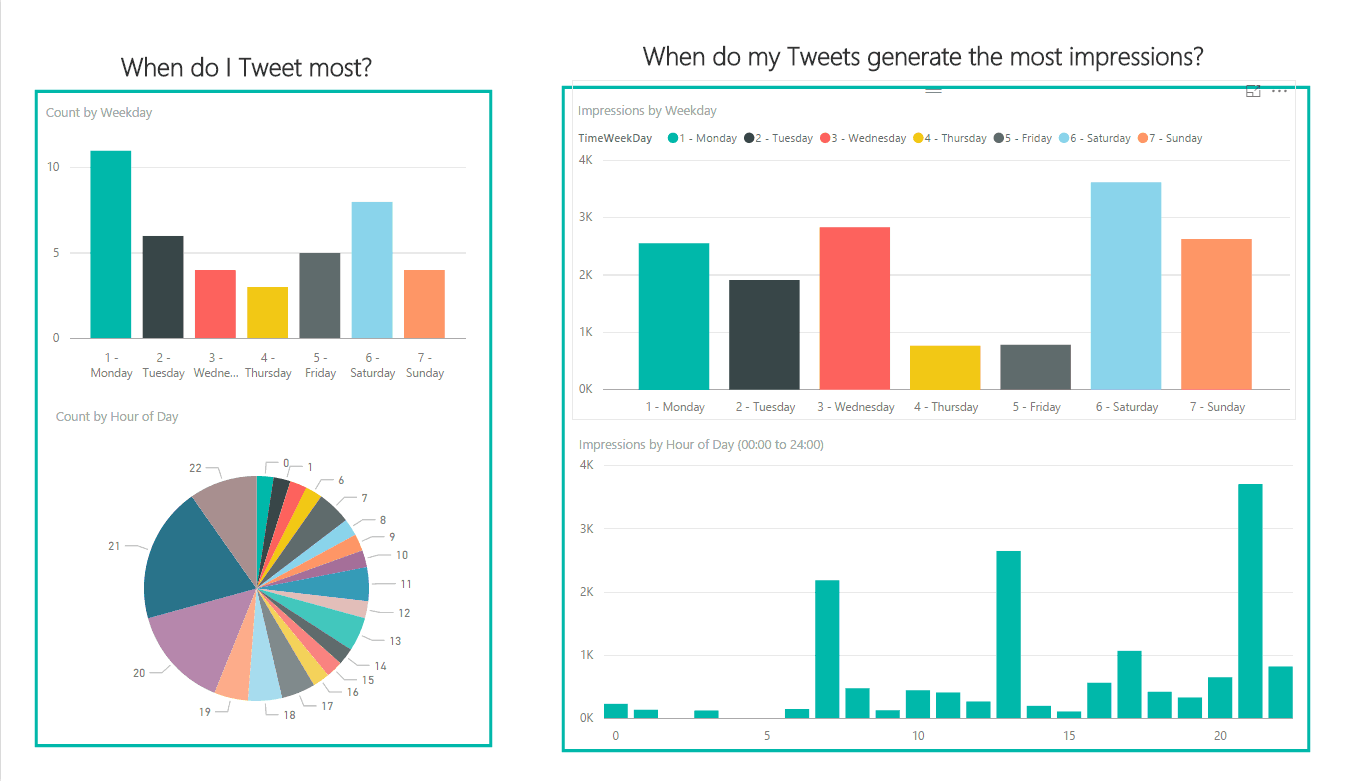
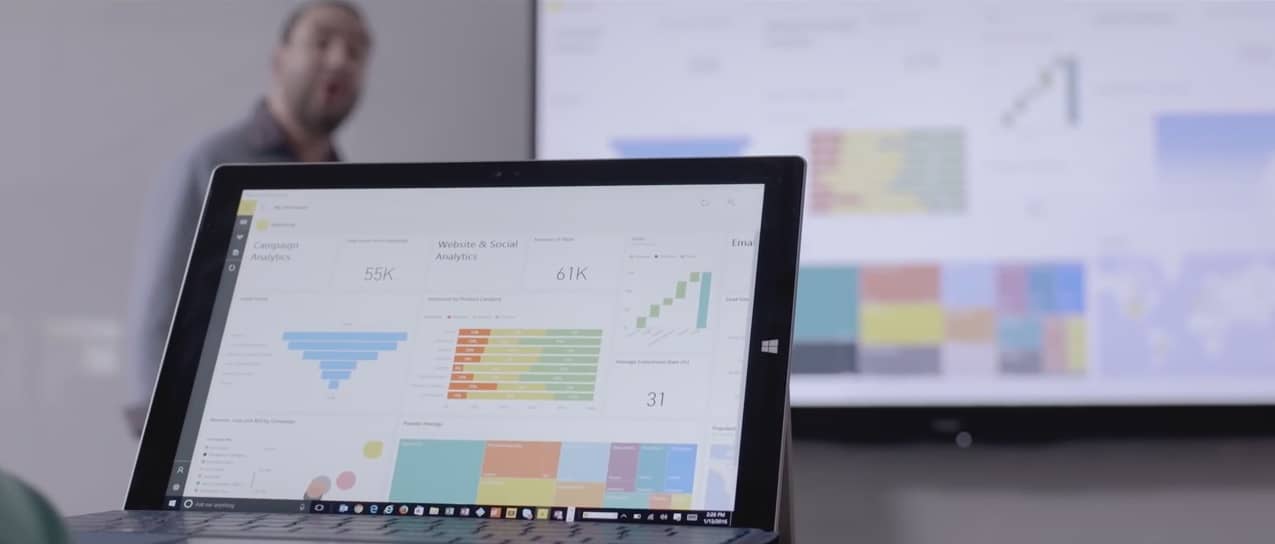
With Power BI, users can export their Twitter Analytics stats to a pre-built template that sorts all of this information into a clear and easy-to-read display. Using graphs to represent the statistics, Power BI provides one of the easiest ways to analyze Twitter post and media impressions.

Just visit the Twitter Analytics page, select the Tweet activity, and use the Export Data button at the top right of your screen. For more options, select a different date range. Make sure to download the Power BI Template, then follow the rest of these step by step instructions:Afterward, follow these step by step instructions:

  1. Download and open the attached TwitterAnalyticsDashboardTemplate.pbit file and open it in Power BI Desktop
  2. Click on “Edit Queries” in the top ribbon
  3. On the right side, you’ll see “Applied Steps”. Click on the gear icon next to the first step titled Source.
  4. Change the file path to point to your exported stats and click on OK
  5. Click “Close & Apply” in the top ribbon bar and your dashboard will be populated with your exported stats

There’s no doubt that the recent update to Power BI has opened up a lot more improvements for users, and the Twitter Analytics is only one way to take advantage of the software. It’s just what commercial businesses needed–a new way to play with numbers!

Microsoft’s Project Murphy chatbot extending support to Kik and Slack “soon”

One of the more-covered technologies at Microsoft’s Build 2016 event was machine intelligence, specifically those coming in the way of “chatbots,” technology that integrates into various communications services to provide answers to user queries. One of Microsoft’s newest chatbots is Project Murphy, which seeks to answer “what-if” questions using the company’s Cortana Intelligence Suite.

At first, Project Murphy was available on Skype, Facebook Messenger, and Telegram. Now, it looks like Microsoft is extending support to Kik and Slack (via MSPU).

Project Murphy Kik Slack
Project Murphy’s Kik and Slack support is “coming soon.”

The buttons can’t be clicked yet, but at some point Kik and Slack users will join the rest in chatting with Project Murphy. If you’ve used this particular Microsoft chatbot, let us know in the comments what you think of its machine intelligence so far. We’ll let you know as soon as the “robot with imagination” is available on Kik and Slack.

Microsoft Store celebrating Anime Month with free episodes and big savings on purchases and rentals

If you’re an anime fan, then you likely spend a few bucks on keeping up with your favorite titles. The anime world is a vast one, and delving deep into it can be an expensive proposition. Microsoft apparently understands, because they’re celebrating Anime Month with a whole host of free and reduced-price options over at the Microsoft Store.

Microsoft is offering a number of options:

There’s a ton of anime to check out, and so if you’re a fan, you can head over the Microsoft Store and get started. Let us know in the comments if you plan to take advantage of any of these offers.

Windows 10 build 14371 for the Surface Hub leaked

The Surface Hub, Microsoft’s giant interactive whiteboard designed for team collaboration currently runs an optimized version of Windows 10 adapted for touch screen interactions. Since this Windows SKU is currently only available on the Surface Hub, we didn’t know much about the OS until now, but that could change soon as Windows 10 build 14371 for the Surface Hub has leaked today and it appears that the origin could be Microsoft’s own Windows Update servers. The leaked build appeared on the MDL forum (first spotted by Windows Central).

As you can probably guess from the build number, this is a pre-release Redstone build, though according to the report this is a nearly full-featured build which should probably include all the features currently available on the Surface Hub including the optimized Windows 10 UI elements. However, the leaked build is in ESD format and would need to be turned into an ISO to be installed on a Surface Hub.

India Supreme Court concludes that Microsoft, Google, and Yahoo violate sex determination laws

India has laws governing medical procedures and products meant to determine the sex of a fetus, intended to help avoid abortions conducted to avoid the birth of a given sex. As CNET has reported, the major search engines have been determined by the Indian Supreme Court to have violated these laws by serving up ads for sex determination tools, kits, and clinic.

According to CNET:

Lawyers from the companies insist that resolving the Court’s issue is not technically feasible, adding that blocking all such keywords will also affect content that is only remotely related to the topics, The Economic Times reports.

The apex court is having none of it, going as far as to suggest the companies leave India entirely if they are unable to resolve such issues.

“You have to do something about this [such ads on search engines]. This has become a social evil,” Justice Dipak Misra said. “You have to abide by the law. You can’t say that you are not technically equipped. If you say you are, get out of the market.”

The Indian Supreme court has given the companies 10 days to confer with technical experts and determine methods for eliminating the offending ads. As expected, none of the companies have responded. We’ll be keeping our eye on this development, and let us know in the comments what you think of the challenges that search companies face in meeting the regulatory requirements of so many different jurisdictions.

Microsoft brings Dynamics to Office 365, officially introduces AppSource

Microsoft made two significant announcements today regarding the tech company’s drive to reinvent productivity for enterprise customers.

The first announcement was concerning Dynamics, Microsoft’s cloud-based Customer Relations Management and Enterprise Resource Planning software. Just like Office’s transition to the cloud five years ago, the various Dynamics apps and services are evolving into a singular cloud service called Dynamics 365.

Dynamics 365

One of the big points Microsoft made was about Dynamic 365’s flexibility. Enterprises will be able to pick and choose precisely which Dynamics 365 apps they need. Small companies can pick only a few services to start, and as their company grows they can expand their Dynamics 365 apps to fit their new needs.

Dynamics365Image
The new Dynamics 365 via the Microsoft Blog

Companies also have the option to purchase licenses for their employees based on their roles. This helps companies not overpay for apps and services they don’t need as they can tailor Dynamics 365 to each individual user’s needs.

Dynamics 365 will also deeply integrate with other Microsoft cloud services such as Power BI, Cortana Intelligence, and Office 365. Power BI and Cortana Intelligence can help companies gain predictive insights from all of their Dynamics 365 data. Some of the examples in today’s announcement were Cortana Intelligence can make cross-sell recommendations for sales reps or use field data from IoT devices to predict when a machine needs maintenance.

And Dynamics 365 will share the same data model with Office 365. This will allow businesses and developers to more easily build apps which utilize and connect a company’s data in Office 365 and Dynamics 365.

Microsoft AppSource

And this naturally leads into the next announcement. Today, Microsoft unveiled AppSource. We learned about AppSource last week when an incomplete version of the website was published early.  The Rick Astley video is now replaced with the real thing and the website is up and running.

AppSource is Microsoft’s listing for cloud-based apps that enterprises can use with Office 365, Azure, Power BI, and Dynamics. These third party apps can be added into Microsoft’s cloud services to customize or enhance functionality. Businesses can also try out apps before they commit to anything.

From AppSource, companies can search for apps by categories such as Analytics, Customer Service, or Productivity. They can also search by what industry they are in or specifically which Microsoft product they want to add apps to.

AppSource is up and running as of today, but Dynamics 365 won’t launch until the fall.

These two announcements, along with many other recent updates, continue to show Microsoft is dedicated to providing robust cloud offerings for business. And by running all of their apps on a common data model, Microsoft is building a strong cloud platform that businesses can use to run almost every aspect of their business.

Thinga.me from Microsoft Garage is a new Pinterest competitor

Microsoft Garage, the crazy inventive division of Redmond, is coming out with another curious product, and this time it’s a social media app. Meet Thinga.Me, the latest effort from Microsoft to dethrone image sharing service Pinterest, reports Engadget.

Ok, that’s a bit of hyperbole, since Thinga.Me, being a Garage app, is much more of an experiment than a full-blown social network the scale and popularity of Pinterest (after all, the app is an early release, and only available on iOS on a sign-up basis at the moment.)

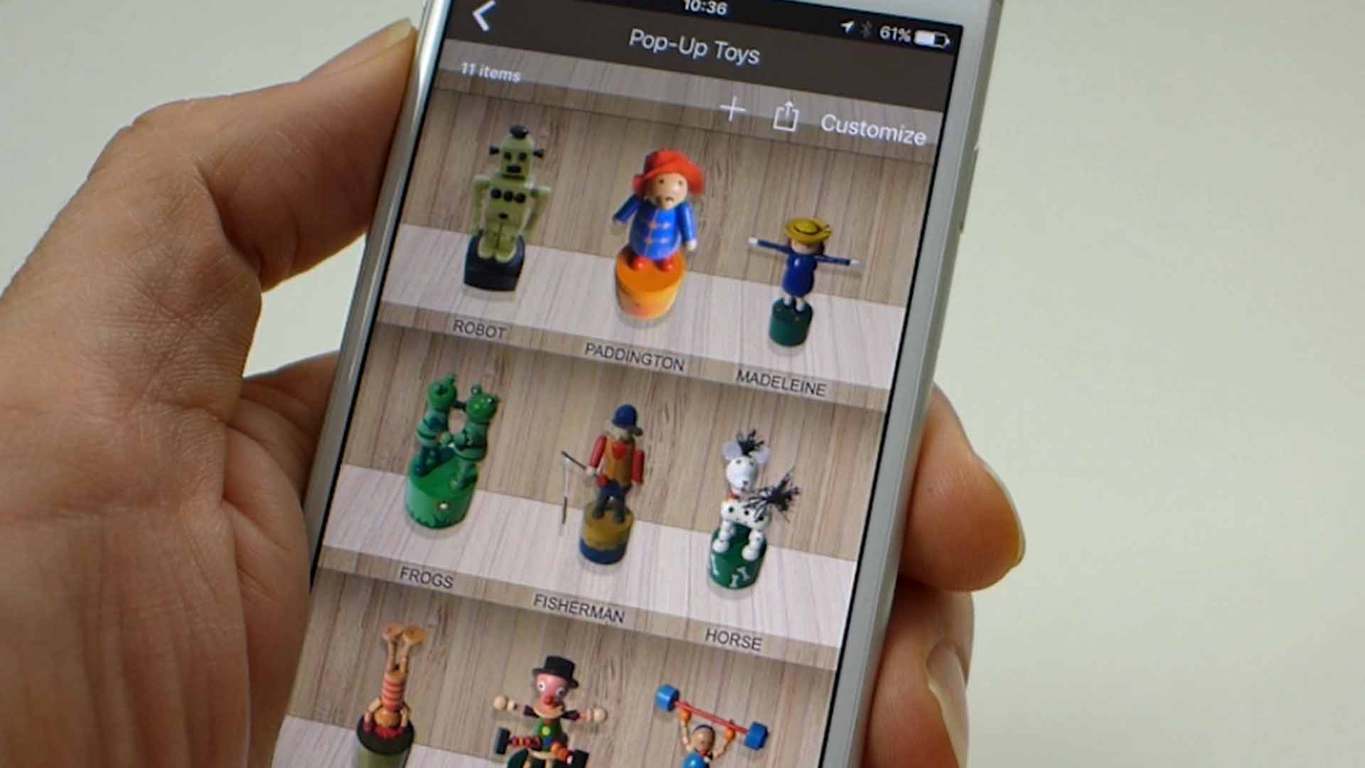
Nevertheless, the idea sounds like the dream of collectors of all things physical: take photos of your thing, and the app will cut out the background, leaving only the intended object of worship to be put into galleries, themed to your liking. You can even tweak the look of the cutout a bit for that extra flair, like finding the perfect outline for your collection of football badges.

thingame example 1
Examples of Thinga.Me collections.
ff4fac65-0cec-47d3-8c04-0ae407e4c479
Lego characters is another nice collection idea.

Overall, Thinga.me looks like a cool app that scratches a special itch for those who wants to digitalize their physical collections. While Microsoft Garage is clearly using it as a way to get user feedback, we hope the idea will get enough traction to get a more full-fledged release on other platforms as well (Microsoft’s own, even.) For now, if you’re a collector and on iOS, go to Thinga.Me’s homepage, sign up to get the app, and start photoshooting.

Microsoft Recruiter pitch to “bae interns” going viral on Twitter (Updated: Microsoft is addressing)

Like almost all tech firms, Microsoft is battling to recruit the best and brightest from this year’s college class to come and work for the Redmond giant, only it appears that Microsoft recruiters may have gone a little far. A Twitter user posted an email his roommate purportedly got from a Microsoft recruiter yesterday, and it’s been getting quite a bit of attention on Twitter, already with over 600 retweets and over 1,000 likes:

The email is littered with every “cool kids” catch phrase the recruiter could think of, apparently, addressed to “bae intern! <3”, and inviting the interns to a recruiting event and an exclusive after party with “hella noms, lots of dranks, the best beats, and just like last year, we’re breaking out the Yammer beer pong tables!”

The tweet is understandably getting lots of comments, some of them quite hilarious:

Still, we doubt that many college seniors, even ones in Microsoft intern programs, would turn down a chance at playing “Yammer beer pong,” but maybe that’s part of the problem.

Have you been subjected to over-the-top recruiting tactics? Did Microsoft go too far? Let us know in the comments below.

Update: Microsoft responded to our query with the following:

The email was poorly worded and not in keeping with our values as a company. We are looking into how this occurred and will take appropriate steps to address it.

App-V to be bundled with Windows 10 Anniversary update

It seems like we find new things everyday in Microsoft’s upcoming Anniversary Update for Windows 10: this time, it’s a couple of enterprise-focused virtualization tools, reports ZDNet.

Specifically, the tools in question are Microsoft’s application-virtualization client (App-V) and User Environment Virtualization (UE-V), which will be bundled in the Enterprise and Education versions of Windows 10, as part of the Anniversary update. The information was reportedly mentioned in a webinar earlier this year, before being confirmed with an official blog post from Microsoft yesterday.

App-V and UE-V are part of Microsoft Desktop Optimization Pack (MDOP), a suite of virtualization and management tools for business customers, that come with the Software Assurance contracts, or as add-ons to Intune. The inclusion of these two components into Anniversary Update will reduce the hassle of separate deployment for enterprises. All other components will remain part of MDOP.

If your organization is running App-V and UE-V on Windows 10 Pro, however, things may get a bit more complicated.  Apparently, starting with the Anniversary update, all future updates to these two clients will be reserved only for Windows 10 Enterprise and Education, meaning that you’ll need to upgrade.

Next Windows 10 Insider Preview builds will provide a workaround for expiration notices

Over the last few months, Microsoft has been delivering Windows 10 preview builds more frequently to Windows Insiders on both PCs and phones. Last week, we even got two new builds in the Insider Fast ring to play with, starting with the build 14376 on June 28 which was followed by the build 14379 two days later. As we’re gearing towards the release of the Windows 10 Anniversary Update on August 2, we expect the company to release a few more preview build in the coming weeks.

If you have already installed preview builds on your Windows 10 PC, you may be aware that these builds actually have an expiration date. After a while, if you don’t update your PC to the newer Insider bits then your current build will expire, which means that your system will no longer be supported. However in the most recent builds, these notices have been popping up immediately, something that hasn’t happened in the past, and giving Insiders a bit of a pause.

Windows 10 expiration notice

Yesterday, head of the Windows Insider program Dona Sarkar acknowledged it after a Twitter user pointed it out to her. In her answer, Sarkar explained that Microsoft has a workaround, and we should get more details in an upcoming blog post:

We hope to get more details pretty soon, but Windows Insiders can already look forward to enjoy a more pleasant experience using the latest Windows 10 preview builds.

Windows 10 Groove app updated for Fast Ring Insiders

(Updated to clarify that 3.6.2298.0 was released on June 30th, and today’s release is just bug fixes)

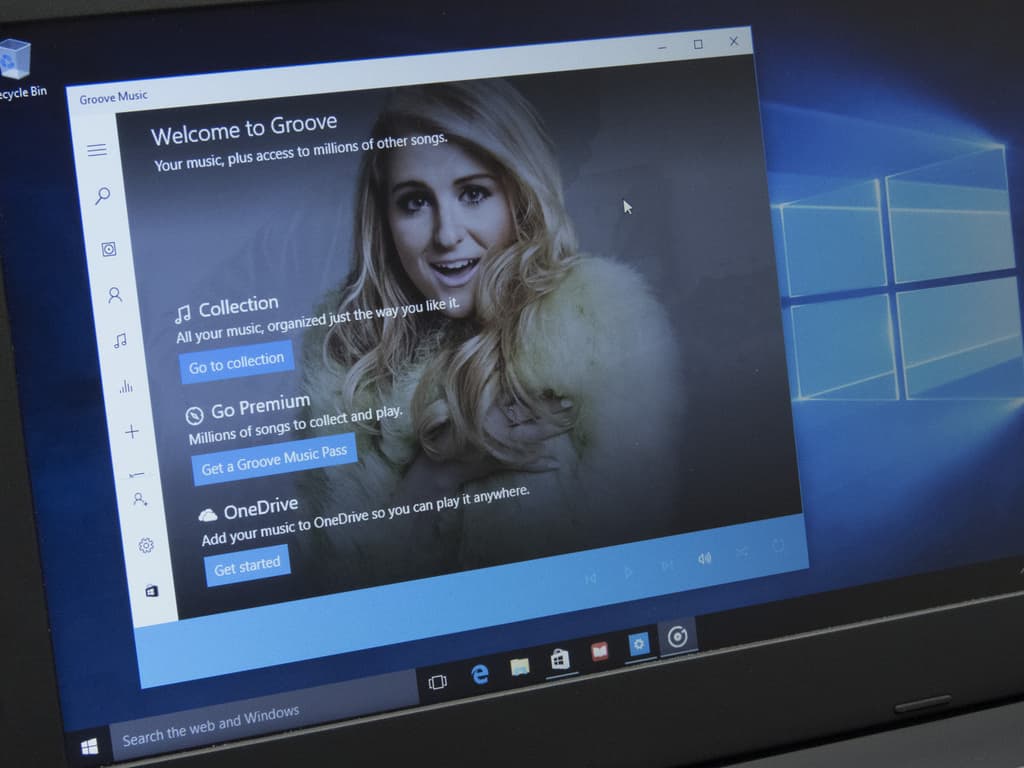
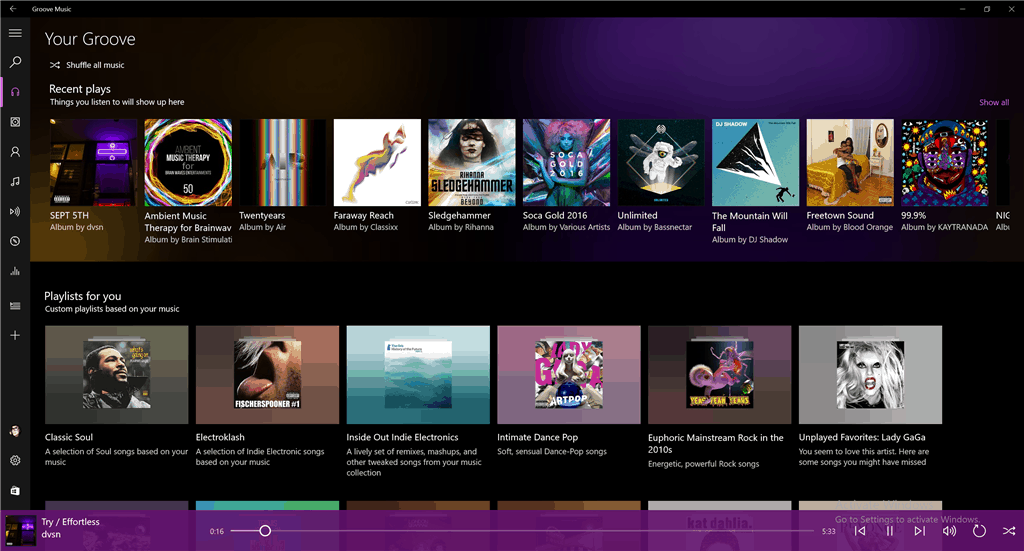
There weren’t any new builds for Windows Insiders today, but that didn’t stop the folks working on Groove Music from releasing an update to their Windows 10 app. The new version, 3.6.2301.0, fixes a few bugs from last week’s release of version 3.6.2298.0, which  included a number of new UI and UX improvements, including a new “more colorful and vibrant” look:

Groove Music
Groove Music

Here’s the full changelog, as posted on Answers.Microsoft.com:

– Design improvements to make Your Groove and Explore more colorful and vibrant.

– Unplayable tracks won’t be added to Now Playing to give you a better playback experience.

– The app retries loading streaming songs a few times when it used to try only once.

– 23 UX tweaks including messaging improvements, updates for Narrator, and updates to the accuracy of playlists lengths.

– Fixes for crashes when using scroll wheel while viewing an artist detail page and when clicking on “more” in artist details.

The update is in the process of rolling out, we’re not seeing it here just yet but it should be avaialable soon.

Halo 6 possibly coming to Windows PC

Microsoft has been quite firm about Halo being a console-only title, but there is still a high chance this will finally change. With Microsoft’s discounted Xbox One console up against flourishing PS4 sales, things are getting quite desperate for the American multinational technology company headquartered in Redmond, Washington. Now, new rumors which suggest Halo 6 will not be an exclusive anymore for the Xbox One console. Instead, it will be available for PC gamers, as well.

It makes sense that it would want to bring this game to PCs as a good number of gamers are represented there. The downside of being a PC user is the prevalence of cheaters on this platform, along with the fact that you’ll need to invest a sizable amount of money for a good processor and graphics card to handle the latest-gen games.

According to TrueAchievements, Yusuf Mehdi from Microsoft wrote a blog post about Microsoft’s upcoming Anniversary Update for Windows 10, in which he insisted that Play Anywhere would be available for all new Microsoft Studio games. In other words, thanks to the Xbox Play Anywhere program, you will be able to purchase the game and be able to play on both your Xbox One and Windows 10 PC with shared game saves, progress and achievements. Mehdi added that every new game that will be published by Microsoft Studios will support Xbox Play Anywhere.

Here are the list of games that will support Xbox Play Anywhere:

– Gears of War 4
– Forza Horizon 3
– Halo Wars 2
– Sea of Thieves
– Recore
– Crackdown 3
– Killer Instinct Season 3
– We Happy Few
– Cuphead
– Phantom Dust
– Dead Rising 4
– Scalebound
– Ark: Survival Evolved.

RELATED STORIES TO CHECK OUT:

Windows 10’s popularity on Steam is rising high

Windows 10 is now the most popular operating system on Steam, which isn’t too surprising at all seeing as DirectX 12 is exclusive to the operating system. According to new information from Steam’s Hardware and Software Survey,  42.94% of all Steam gamers favor the 64-bit version of Windows 10, an increase of 3.26%.

The 32-bit version of Windows 10 has a small share of 1.52%, and the 64-bit version of Windows 7 is sitting in second place with 30.61%. We expect this number to fall drastically before the end of 2016 as more games are released and more players upgrade their operating systems.

The survey information also shows how much NVIDIA and Intel command the PC gaming market as most gamers on Steam prefer their components over the likes of AMD and other competitors.

This is great news for Microsoft because it means more developers will take advantage of DirectX 12 along with the possibility of gamers giving the Windows Store a test drive. Steam’s community is one of the strongest, and one could say it trounces both Xbox Live and Sony’s PlayStation Network when it comes yearly game sales and usability.

Microsoft recently revealed that there are over 350 million Windows devices out in the wild running Windows 10. Furthermore, user engagement is impressive with over 135 billion hours spent using the operating system.

RELATED STORIES YOU NEED TO CHECK OUT:

  1. Valve creates Destinations Workshop tool for VR, available on Steam
  2. Import Steam games to your GOG library so that you don’t buy the games twice

Microsoft announces Australia Partner Awards finalists highlighting cloud transformation innovation

To showcase the primary examples of partner innovation with Microsoft’s Australian branches, the Australian Partner Conference will be held between September 5-8. The top finalists of the Australia Partner Awards have all showed clear strides to assisting Microsoft with new and emerging technologies. Most specifically, the Cloud and accessibility of products and services. ARNnet reported that Phil Goldie, the Director of Partner Development at Microsoft, said that the “partner network is transforming with the Cloud at its core and it’s having an incredible impact on our customers.”

“From the large national players located in metropolitan areas, to smaller yet equally vital partners in regional Australia; this year’s MAPA submissions are a real showcase of the diverse yet powerfully interconnected tapestry that is our partner network.”

The Microsoft Australia Partner Awards consist of a total of 20 outstanding awards for finalists, including:

  • Emerging Partner Award
  • Excellence in Business Insights and Data Award
  • Excellence in Cloud Customer Relationship Management Award
  • Excellence in Cloud Platform Award
  • Excellence in Cloud Productivity Award
  • Excellence in Customer Lifecycle Management Award
  • Excellence in Enterprise Social Award
  • Excellence in Industry and Platform Innovation Award
  • Excellence in Learning Award:
  • Excellence in Licensing Award
  • Excellence in Managed Service Award
  • Excellence in Marketing Award
  • Excellence in Mobility and Devices Award
  • Excellence in Regional Area Customers Award
  • Excellence in Small and Mid-Market Cloud Solutions Award
  • Excellence in Solution Sales Specialisation Award
  • Excellence in Surface Resale Award
  • Excellence in Technology Solutions Specialisation Award
  • Excellence in Wholesale Distribution Award
  • Technology for Social Impact Award

Of course, the prize jewel, Winning Together Award has a three-way standoff between Avanade & Sitecore, Modality Systems & Telstra and Velrada Capital Pty Ltd & Sodexo Remote Sites Australia.

With over 200 nominations across all categories, it couldn’t have been easy to narrow down to the few remaining. Winners will be announced during the presentation at the Australian Partners Conference directly after the keynote on September 5th to kick off the event. View the complete lists of finalists for every category on the official MAPA 2016 web page.


Power BI Desktop gets Visual Shape Map, added security, Azure Enterprise connector, and more in June 2016 update

Microsoft is bringing some new improvements to its Power BI Desktop software that includes new report views, improved data access and a new query experience among other tweaked features.

According to Filip Karadzic, the senior program manager on the Microsoft Power BI team, the updates came last week with a preview of a new mapping control to the software tool, but it looks like they are still hard at work adding newer features for another upcoming release.

In the upcoming releases, we’ll be looking to make a big improvement of our analytics abilities, including forecasting, reference lines, and grouping, as well as keep adding features to our visuals that make your lives easier.”

Here is a brief listing of the improvements customers using Microsoft’s Power BI tool can interact with today:

Report View:

  • New visual: Shape Map (preview)
  • Searchable slicers
  • Configurable line chart labels
  • New sign-in entry points

Data Access:

  • Row Level Security

Data Connectors:

  • New Connector: Azure Enterprise
  • Enhanced SAP BW and HANA connectors:
  • Allow multi-select of values for Variables/Parameters
  • Support for Hierarchies in SAP BW.
  • Enhanced OData connector – imports Open Type columns
  • Enhanced Access DB connector – Button to “Select Related Tables” in the Navigator dialog

Query Experience:

  • Templates: Option to Load or Edit
  • Query Parameter Enhancements:
  • Option to always allow Parameter specification
  • Create a new parameter directly in context
  • Option to generate Step Names in English
  • Descriptions for Query Steps
  • New Data Transformations:
  • Extract Week Day and Month Name from a DateTime column
  • Merging Dates and Times into a DateTime column
  • Extract Time.Start/End of Hour/Minute/Second

There are more details on each specific update for those more interested on exactly how the updates have been applied and what they offer for customers. Visit Microsoft’s Power BI blog to read the specifics of the team’s June update release.


Red Dead Redemption hitting Xbox One Backward Compatibility status on Friday, July 8

The Xbox One’s library of awesome gaming titles just keeps on growing, aided in part by the Backward Compatibility feature that allows the current console to play yesterday’s Xbox 360 titles. That list keeps growing as well, and on Friday, July 8, 2016, another Xbox 360 title will be added.

Thanks to Xbox Live’s Major Nelson, we see that Red Dead Redemption is next:

As we described the title in one of our writer’s list of favorite Xbox 360 games:

Red Dead Redemption is another console exclusive game in my list, and it’s one of my favorite open-world games. The game is a western action-adventure published by Rockstar Games, the guys best-known for their Grand Theft Auto franchise. I did not enjoy Grand Theft Auto IV that much as I felt there was too much to do and the gameplay wasn’t that great either. Red Dead Redemption is not the same beast. You’re set in a fictionalized version of the Western United States and Mexico and the gameplay is much better than GTA IV: first, hero John Marston automatically heals itself and gunfights also rely on the “Dead Eye” mechanism that allows you to slow down the action (similarly to Max Payne 3 “bullet time” system) and mark multiple shooting targets for easier gunslinging). Microsoft seems to be working to make this game backward compatible on the Xbox One and it definitely deserves it!

And to get your appetite whetted, here’s the launch trailer:

You still need to wait for a couple of days before running Read Dead Redemption on your Xbox One. Once it hits, though, we’re sure a few of you will be spending some time this weekend getting reacquainted with the title.

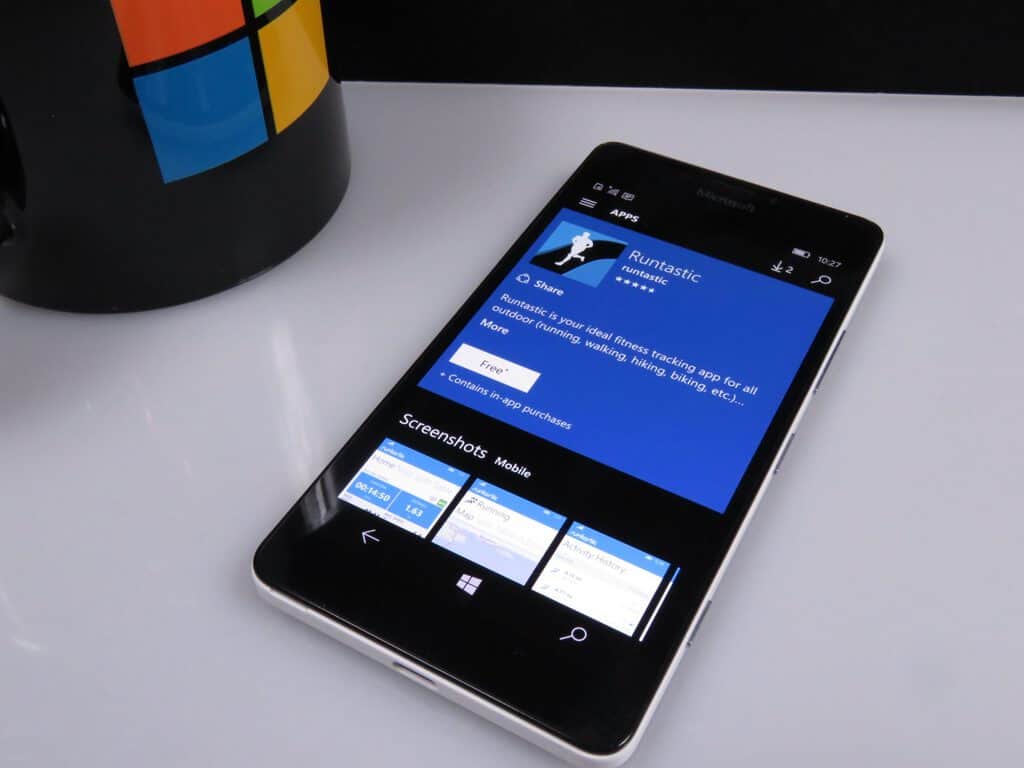
Fitness app Runtastic PRO gets Mirror’s Edge Story run in latest update

If you’re looking to get and stay in shape, now is a great time to do so. Numerous technology products exist to help you track your fitness activities and goals and keep you motivated. One of the more complete solutions is Runtastic PRO, which can tie in with your Microsoft Band to keep you up-to-date on all your fitness and health.

Today, the app received an update to version 3.3.1.0, adding a nice tie-in for Mirror’s Edge Catalyst fans:

New in Runtastic Fitness & Running
* NEW Story Run for interval training! Mirror’s Edge Catalyst: A Runner’s Destiny takes you through a thrilling Sci-Fi adventure. Will you be fast enough to escape the city of Glass?
* Your feedback counts: We’re constantly improving our apps to provide you with the best possible experience.

So, if you’re using Runtastic PRO and want to have some sci-fi fun while getting in shape, then go hit that update button in the Windows Store. If you’re not using Runtastic PRO, then you should be, and you can get it now from the link below.

Xbox Live Gold subscribers can get Battlefield Hardline Betrayal DLC for free

Every now and then an opportunity pops up for some free stuff, and all you have to do is be a little patient before pulling out that credit card. Today is just such a day, apparently, for Battlefield players, as the Battlefield Hardline Betrayal DLC is available for free right now.

The information comes thanks to reddit user Pvt_Rain over at /r/GameDeals. Here’s the scoop:

Another free DLC for one of the older Battlefield games, This is also free on the Xbox 360, PS3 and PS4 along with EA Origin once those stores update to show the new deals for the day.

Here are the relevant links:

Battlefield Hardline Betrayal for Xbox One: Free (was $14.99)
Battlefield Hardline Betrayal for Xbox 360: Free (was $14.99)

So, if you’ve been waiting to pull the trigger on this new Battlefield DLC, then now’s the time. Let us know in the comments if you’re taking advantage of this nifty free offer.

Zonos UWP Sonos client receives update on Windows 10, Cortana and Pandora support and more

If you’re a Sonos user, then perhaps you’re a bit disappointed in that company’s support of the Windows 10 platform. There’s a Windows Sonos Desktrop Controller app, but no official Windows 10 Universal Windows App. The Groove client supports playing to Sonos, and so that’s one way to play your music to the multi-room wireless audio system.

Another option is to use a third-party app, and one of the more popular is Zonos, which is a Universal Windows Platform app available in the Windows Store. And recently (via Nokiapoweruser) the app received an update with some new features.

Here’s the changelog:

• Voice control via Cortana in English or German
• Pandora and Amazon added as sources
(Also called “party mode”) full-screen mode –
• New volume knob for finer adjustment in the lower volume range
• Improved TV support
• New icons for various services
• Easier switching between different players
• Dark color scheme uses now in the entire App.

If you’re already using Zonos, then go to the Windows Store and hit the update button. If you haven’t given it a try yet, then click the link below.

Zonos
Zonos
Developer:
CatenaLogic
Price:
Free

Microsoft announces the Deck Out Your Dorm Sweepstakes, just in time for back to school

If you’re a college student who’s moving into the dorms next year, then you’ll want to listen up. Microsoft has unveiled a new contest that’s meant just for you, offering up just about everything you’d need to truly flesh out your dorm with the latest Microsoft technology.

Microsoft Deck Out Your Dorm Sweepstakes
Microsoft Deck Out Your Dorm Sweepstakes.

Here’s the description:

Check out the Deck Out Your Dorm Sweepstakes video. Join Bing Rewards and enter for a chance to win a dorm makeover with the latest tech from Microsoft including a Surface Book, Xbox One and more. Study and play with the best of ’em.

Watch the video to get the details:

All you need to do is join Bing Rewards, accumulate some points by searing on Bing, and then enter the contest. It’s worth a few minutes, and you should be using Bing in any event to earn points that can be applied to all kinds of Microsoft products and services (and more).

Reminder: The Xbox Ultimate Game Sale begins today, runs through July 11th

If you’ve been looking forward to stocking up on some games for your Xbox console, then Microsoft has just pulled the trigger on their Ultimate Game Sale. The six-day event runs from now through July 11, 2016, and offers up some serious savings on all kinds of fun gaming titles.

Head on over to the deal’s portal page on the Microsoft Store, and you’ll find a nice listing of some of the best titles at up to 60% off. Here’s a partial list:

There’s even more, and so go check out the page and see if there’s something you can’t live without. Again, the deals end on July 11, which isn’t forever. Let us know in the comments if you plan to pick up any of these titles.

Setting up a virtual network with Azure Infrastructure Services

Azure is one of the most popular choices for cloud services, and if you’re thinking of setting up your next app on the Azure Infrastructure Services, look no further than Microsoft’s recent post on its MSDN blog, which details the basics of deploying a virtual machine.

Specifically, the post, written by Niall Moran from Microsoft Ireland, talks about the concepts needed to work with Azure Infrastructure Services, while giving some good advices, such as starting with a Virtual Network instead of a Virtual Machine, knowing maintenance policies for virtual machines on the platform, and understanding availability sets.

Moran also provides a detailed example of deploying a WordPress site and creating a virtual network. The steps are very clearly defined, and you can easily replicate them at Azure’s portal: the final result will be a highly available site, with a database backend. We suggest enthusiasts and those with the need to go have a look at the original post; you will be creating virtual machines and virtual networks in Azure in no time.


LattePanda joins Raspberry Pi among growing list of Windows-supported IoT devices

While news of Windows 10 (and to some extent its mobile version) has been flooding news outlets, another no less important part of Microsoft’s unified Windows vision – IoT – has been on the down low. Which is why it’s exciting news when another hardware company is joining the list of full-on Windows IoT supporters, reports ZDNet.

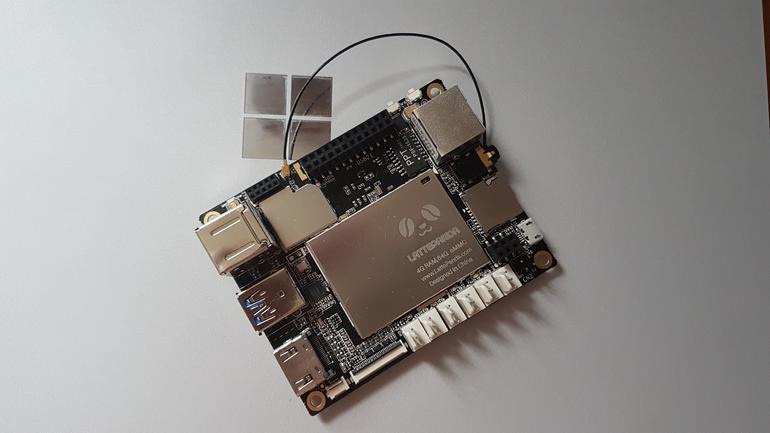
The company in question is China-based open source hardware provider DFRobot, who brought to this year’s Maker Faire – a science-slash-county fair of sort for tech enthusiasts and tinkerers – their curious new product: a minuscule Windows 10 computer called LattePanda.

The special thing about LattePanda is that, despite being a Arduino-compatible single board computer in the veins of the Raspberry Pi or Intel Edison, the device is running a full-blown version of Windows 10 (which comes pre-installed on the built-in SSD) and not Windows IoT. When you look under the hood, the reason becomes clear: opposed to the more common choice of ARM, DFRobot is powering its board with an Intel Cherry Trail Atom processor, up to 4GB of RAM, and a co-processor for handling Arduino features.

Introducing the LattePanda, Windows PC-slash-IoT board. Credits: Simon Bisson

Of course, using the LattePanda as a Windows 10 PC doesn’t sound like a pleasant experience, neither is it the device’s purpose, as screen resolution support is reportedly limited to 1024×600. What’s more interesting should be the IoT applications, as well as cross advantage with the Arduino compatibility: there’s an option to buy a 7-inch touchscreen that attaches directly onto the board, and DFRobot is providing the Gravity sensor kits with all the common sensors on board.

LattePanda also shines in another department: development flexibility. Due to the device’s duality nature of the device, developers can work directly on the board on the Windows side using familiar tools like Visual Studio, and push code quickly and directly to the Arduino side to run separately. Overall, LattePanda sounds like a versatile, low-cost entry point into the world of IoT, especially for developers on the Windows platform.

Feature image credits: Simon Bisson

Mossa spinning-off from Xbox Fitness before program closure

With the announced termination of Microsoft’s Xbox Fitness program, many users had been wondering what would become of the numerous workouts that had been produced by Microsoft solely for Xbox Fitness.

In a video on the official Mossa YouTube channel, Mossa’s Cathy Spencer-Browning addressed the concerns just a few days after the announcement. In it, she reveals that Mossa is already working with Microsoft to make their workouts available to users before the closure of Xbox Fitness in July 2017. It’s unclear what format the workouts would take but in an email reply to a user on Reddit, it’s suggested that they would be distributed via digital video and physical DVD releases. Here’s the relevant parts of the email:

Hello! Our team at MOSSA is very appreciative of the overwhelming responses and inquiries that we have received since Microsoft’s Xbox Fitness announcement.

The many stories of how MOSSA Workouts have become an integral part of so many people’s wellness journey is very humbling for us. Our focus is to get as many people to start moving, and now like for you, to keep moving!

We have been working diligently with Microsoft to enable us to offer our MOSSA Workouts that are currently on Xbox Fitness via DVD and through steaming options directly to you.

Again, thank you for taking the time to reach out to us directly. Please continue to enjoy your MOSSA Workouts on Xbox Fitness and we’ll be in contact with you very soon!

Xbox Fitness used a combination of licenced fitness programs such as Zumba and Beach Body and specially made exclusive programs like the Mossa series and also others like the newly released Y0:30 yoga workouts. Microsoft announced last week that they would be gradually sunsetting the entire program over the course of the next 12 months. Purchasing of new content is already disabled and free streaming of programs via Xbox Live Gold will cease to function on December 15th 2016. Xbox Fitness will stop functioning completely on July 1st 2017. It’s unclear what will happen to the other Xbox Fitness exclusive programs.

Are you disappointed by the closure of Xbox Fitness? How would you like it to be saved? Make sure to reach out to Microsoft to let them know and then discuss with the community in the comments below.

Indie game System Shock for Xbox One getting close to hitting Kickstarter goal

The reincarnation of the 1994 classic System Shock has many fans buzzing around Kickstarter. The game is a complete remake of the original that will be built from scratch through the Unity Engine. That’s the same engine that brought highly-rated hits such as Hearthstone, Kerbal Space Program, and Cities Skylines.

Night Dive Studios is a group of industry veterans that have a passion for recreating and restoring new life into old classic video games such as Wizardry, Necropolis, and of course, System Shock. According to their official site, the studio has successfully reinvigorated 94 games, made 17 partners, distributed through nine platforms, and has only one mission. In fact, their mission statement is “to bring lost and forgotten gaming treasures back from the depths”.

As one of the first 3D games that drove gamers into countless hours exploring its immersive story, System Shock was an obvious choice for Night Dive Studios. The game’s features include:

  • A modern take on System Shock, a faithful reboot; it’s not Citadel Station as it was, but as you remember it. Many improvements, overhauls and changes are being implemented to capture the spirit of what the original game was trying to convey, and bring it to contemporary gamers.
  • Re-imagined enemies, weapons, and locations by original concept artist Robb Waters.
  • Terri Brosius reprises her role as SHODAN, and new VO will be recorded.
  • Brand new musical score composed by Jonathan Peros.
  • The user interface, game mechanics, enemies, and puzzles will be updated to reflect modern aesthetics and sensibilities, while maintaining the feel of the original.

As with many Kickstarter campaigns, the game will develop further with the more donations available to them. It’s also anticipated to be brought to both Windows and Xbox One with the full release with macOS and Linux following close behind in their stretch goals.

Kickstarter donators can contribute as little as $5 USD to receive access to concept art and email updates. Or for the truly anxious fans, a $10,000 USD contribution will receive a whole laundry list of goodies from Night Dive Studios along with technological gems, signed Collector’s Edition box, exclusive game content, and a private party with the developers of the new System Shock video game.

As of this moment, System Shock’s remake by Night Dive Studios hasn’t met their Kickstarter goal of $900,000 yet, but it still has 23 days to go still. If this game seems like something you’d be interested in supporting, don’t hesitate to join the 12,648 backers that have already pledged.

Slacker Radio for Windows 10 just got a nice update

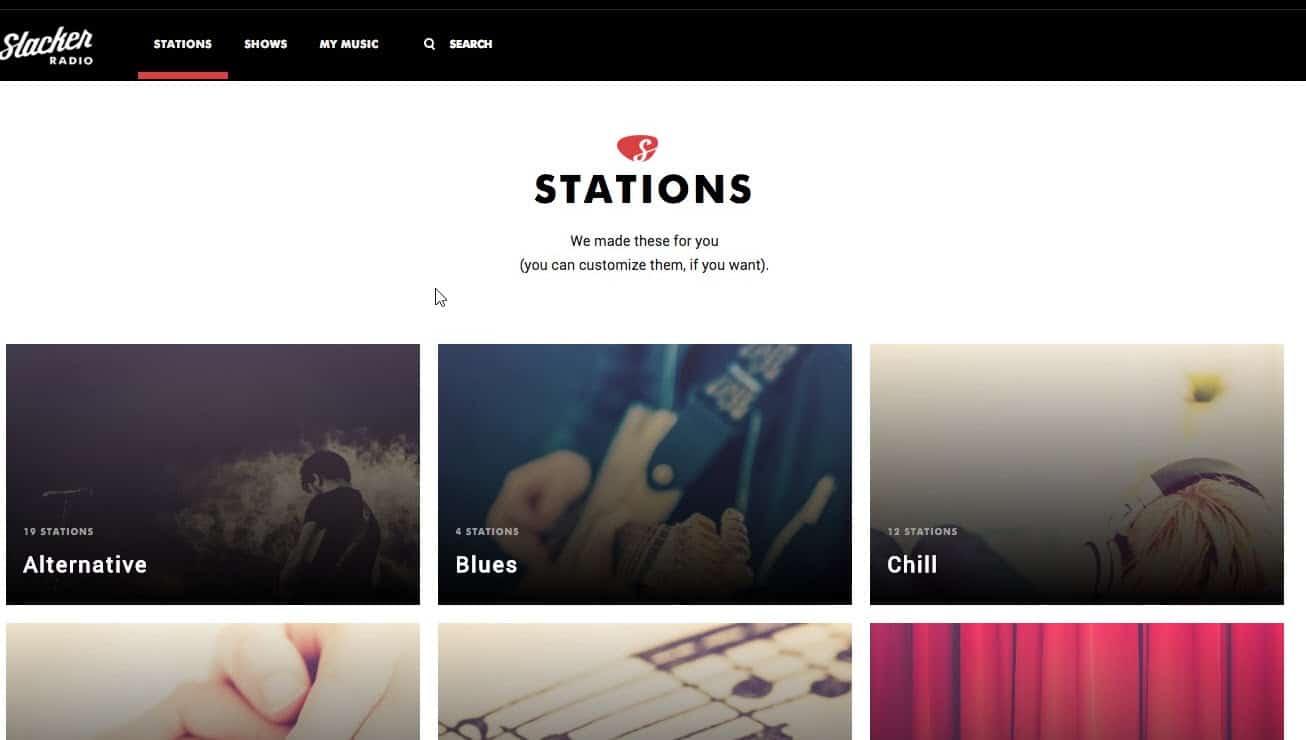
Slacker Radio, a popular online music streaming service only available in the US and Canada, has just updated their app for Windows 10 PCs. Reddit user inteller spotted the new app yesterday, and the official changelog, while fairly short, is quite interesting:

This build enables users on Windows 10 PC’s, tablets, and Xbox One consoles to install and use Slacker Radio as a native Windows 10 application.

Technically, this app is still exclusive to Windows 10 PCs (a Windows phone app is also available but has yet to update its design for Windows 10 Mobile) but the mention of its availability on the Xbox One is quite premature. Yes, Universal Windows 10 apps are coming to the Xbox One, but not before the Anniversary Update and the Unified Windows Store ships on Microsoft’s gaming console later in the summer.

The new Slacker Radio app on Windows 10.

While the Slacker Radio’s new Windows 10 design looks nice, some users on Reddit report that this new version could be a hybrid web app as it doesn’t scale properly when you reduce it. Moreover, the apps seems unable to stream music in the background. For those of you who want to try it, here are the app’s features:

  • Install and listen for free with no monthly listening limits
  • Heart and Ban tracks to quickly and easily personalize your experience
  • Hundreds of expert-programmed stations
  • Create custom stations with your favorite artists and songs
  • Commercial-free experience with unlimited song skips (Slacker Radio Plus subscribers only)
  • Play songs, albums and artists on demand for (Slacker Radio Premium subscribers only)

You can download Slacker Radio on your Windows 10 PC from the download link below, let us know in the comments if you think this new version is better than the old one.

Slacker Radio
Slacker Radio
Developer:
Slacker Inc.
Price:
Free+

Kineti Windows 10-based ‘la Table’ is a futuristic look back at the original Microsoft Surface table

Rumors are swirling around a potential Microsoft Surface All-in-One device coming sometime in 2016, and as time goes on those rumors become more and more solid. According to some of the rumors, the new product could incorporate technologies from Microsoft’s original PixelSense “Surface” product, which was essentially a sort of table-top device with a large touch screen that would sit in offices or living rooms to provide for some advanced touch-centric computing.

la-table-kineti 2
The Kineti La Table.

Now, Kineti is apparently making its own version of the Surface device, which they’re dubbing the la Table (via windowsarea.de). Here’s their description:

With its simple and clean design, La Table Kineti is the new jewel of technology for your home…

It is composed of the latest technologies. You can gather your friends or family around the table and enjoy applications together.

It will perfectly fit your living room

Obviously, use it as a regular coffee table and benefit from all its great advantages

Enjoy the magic of a single gesture to share all your table contents to your tv!

Play together on the table and have great fun!

New era, new uses: Control your home and connected devices with your revolutionary table.

and much much more to come…

See bigger for your tablet with La Table Kineti!

Check out the video:

Coming in at €4997, this won’t be an inexpensive device, but it does look to offer up some nifty technology for the family that already has every other computing device they could possible want. We’re looking forward to Microsoft’s own AiO offering, but in the meantime, if you have some serious cash just laying around waiting to be used up, then the La Table might just be for you.

Microsoft planning to bring wheelchairs to Xbox avatars

It seems that the Gaming for Everyone initiative has been taking strides behind the scenes at Microsoft. Through brainstorming events within the company, employees  have been working hard to bring ‘inclusive design’ to the Xbox One.

Design strategist, Kris Woolery, is one of the leading examples. She recently hosted an Xbox Social Gaming Sprint that focused on implementing new features for the hearing impaired.  The event increased awareness of common handicaps and difficulties faced by the everyday player. With these kinds of sprints, developers and researchers will be able to change the way that gaming is approached for everyone.

Another example of this is the tweet from the “Head of Xbox” himself, Phil Spencer:

In response to a user asking for wheelchairs in Xbox Avatars, Mr. Spencer confirmed that his team has already reviewed the popular idea and are planned as an upcoming option for Xbox avatars. While Phil only replied about wheelchairs, it leaves more to wonder what else might be added. With the spirit of general inclusion, there might be plenty more additions coming as well.

For many players, an avatar is how they represent themselves to others. Making the most minor of changes to include a wider player base is the very core of the Gaming for Everyone initiative. Gamers have to wonder what else will roll out with the wheelchairs, but even if this is a singular addition, it is a major step in the right direction for a more inclusive design for Xbox and Microsoft.

We’re excited to see Microsoft continuing to make its products more accessible. Let us know in the comments if you agree that adding a wheelchair option to Xbox Avatars is a great idea.

Microsoft once again skipping this year’s Tokyo Game Show, no word yet on their own show

Microsoft skipped the Tokyo Game Show in 2015, opting instead to put together their own event to highlight their gaming offerings to that market. We argued at the time that the decision wasn’t particularly important, given that the Xbox isn’t particularly competitive in Japan against the Sony PS4 and Nintendo WiiU and that not all successful gaming companies in Japan attend the show.

Here’s what we had to say about the decision last year:

While it’s well known that Microsoft’s Xbox One console is often outsold by Sony’s PlayStation 4 and Nintendo’s WiiU, any speculation that Microsoft’s absence from the Tokyo Game Show is a sign of the company’s withdrawal from Japan is premature. Despite being one of the largest gaming events in Japan, the Tokyo Game Show has nowhere near the equivalent popularity of North America’s E3. Also, companies that are remarkably successful in Japan, such as Nintendo, have never had an official presence at the show either, so involvement with the show shouldn’t be overanalysed as a sign of strength or weakness. There’s also the fact that this isn’t the first time Microsoft has refrained from appearing at the Tokyo Game Show in an official capacity and the company could always return for future shows (as they have done numerous times in the past).

Apparently, Microsoft is taking the same approach this year, after a strong E3 2016 last month. The Tokyo Game Show, running on September 15-18, 2016, has a full list of participants including Dell’s ALIENWARE, Intel, Capcom, Square Enix, Sega, Konami, and more. Although Sony will be a prominent exhibitor, according to Yibada.com, Microsoft is nowhere to be found.

It’s entirely possible that Microsoft will hold their own show, but there’s no word one word one way or another. We’re guessing that the company will hold an event of some kind, given the impending announcement of the Sony PlayStation Neo and the launch of the Xbox One S, and we’ll let you know as soon as we find out. Let us know in the comments what you think about Microsoft’s decision to skip the Tokyo Game Show again in 2016.

Tweetium updated, adds Windows 10 Feedback Hub URL links

Popular third-party Twitter app Tweetium has just been updated to version 4.1.494 on Windows 10 devices, and the new version is a minor update that brings support for Windows 10 Feedback Hub URL links. The Feedback Hub is a native Windows 10 app that all users can use to send feedback to Microsoft engineers. Feedback Hub URLs are used to redirect users to specific items in the Feedback Hub app, but they only work on Windows 10 and they also generally need to be wrapped in an HTML tag.

Feedback Hub
The Feedback Hub app on Windows 10.

Just a week ago, developer B-Side Software released a previous update to Tweetium to fix a conversation loading issue on the Windows 10 version. For users still on Windows 8.1 or Windows Phone 8.1, the developer shared last week on Twitter that a fix is coming for you as well:
Tweetium is a $2.99 on the Windows Store and you can get it on the Windows Store from the download link below.

Tweetium
Tweetium
Developer:
B-side Software
Price:
Free

Microsoft is starting to remind users to upgrade to Windows 10 before deadline

Microsoft will stop offering Windows 10 as a free upgrade to eligible Windows 7, 8 and 8.1 users on July 29th. In anticipation of the date, the company is now making its final effort to convince as many people to upgrade before the offer ends.

Eligible Windows 7, 8 and 8.1 users who still haven’t upgrade to Windows 10 will now receive a new full-screen message that will prompt them to upgrade. The new message says: “Sorry to interrupt, but this is important. Windows 10 free upgrade offer ends July 29.”

Users who receive this message will have a couple of options: Remind me later, Notify me three more times, Do not notify me again, Upgrade Now.

Once again, only eligible users will receive this offer. This means that Windows 7, 8 and 8.1 needs to be fully legal and genuine. Additionally, users who already upgraded to Windows 10 but decided to roll back won’t get this prompt.

Ever since Windows 10 was offered as a free upgrade to users of previous versions of Windows, Microsoft has been trying to convince people to upgrade. The company often used methods that were unappreciated by users, and Microsoft received a huge backlash because of it.

If you still want to upgrade and join more than 300 million people already using Windows 10, just follow the steps from the prompt. Hurry up, though: you have less than a month to do so

RELATED STORIES YOU NEED TO CHECK OUT: