Telltale Games has announced today that it has partnered with developer The Fun Pimps to bring survival game 7 Days to Die to the Xbox One. If you’re not familiar with the “survival horde crafting game”, it has been released on Steam in December 2013 and the game is still an “Early Access Game” currently available on Windows, Mac OS X and SteamOS. Please find the official description below:
Please find the official description below:
Set in a brutally unforgiving post-apocalyptic world overrun by the undead, ‘7 Days to Die’ is an open-world survival game that is a unique combination of first person shooter, survival horror, tower defense, and role-playing games. It presents combat, crafting, looting, mining, exploration, and character growth, in a way that has seen a rapturous response from fans worldwide, generating hundreds of thousands of hours of community content on YouTube and other streaming video platforms.
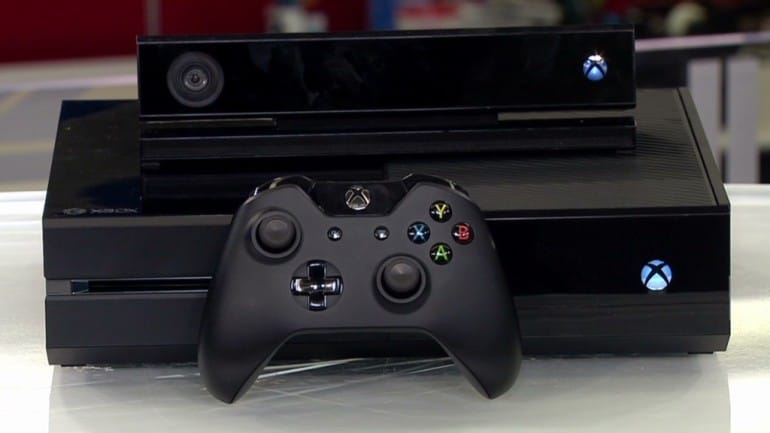
7 Days to Die will be released in June for $29.99 in both digital and physical editions. The Xbox One version of the game will introduce a new multiplayer mode supporting local split-screen for couch play as well as additional online multiplayer modes. More, Telltale Games is also teasing exciting DLC content and will share additional details in the near future. Last, fans of The Walking Dead who will pre-order the game will get exclusive access to 5 character skins from the hit series including Michonne and Lee Everett.
7 Days to Die is the second game coming from Telltale Games new publishing partnership initiative as the game studio previously brought ‘The Jackbox Party Pack’ from developer Jackbox Games to Xbox 360 and Xbox One in November. Telltale staff shared that:
…with Telltale Publishing, we seek to bring the best and most innovative games in their genres to new audiences. We’re excited to be bringing such an incredible genre-blending title to consoles this summer.
Are you excited that this game is coming to the Xbox One? Please tell us about it in the comments.
Microsoft’s latest acquisition SwiftKey introduced a new keyboard today called ShakeSpeak as part of their SwiftKey Greenhouse program for testing new and experimental ideas. This newest keyboard is meant to honor the 400th anniversary of William Shakespeare’s death by enabling you to text like the Bard himself.
The ShakeSpeak keyboard for Android works like SwiftKey’s other keyboards, using machine learning to predict what you are going to type next. However, in the case of ShakeSpeak, SwiftKey generates its predictions from the complete works of Shakespeare. The result is ShakeSpeak suggests words or phrases from an Elizabethan era lexicon. And similar to the normal SwiftKey app, ShakeSpeak will learn from you as you type, making future suggestions based off of which words and phrases you use the most.
ShakeSpeak for Android by SwiftKey
To create ShakeSpeak, SwiftKey’s language experts analyzed the entire Shakespeare canon. And in their announcement of ShakeSpeak they listed a few key findings from their research to help you write like the Bard even without the app. SwiftKey’s researchers found:
Get ‘thou, thee, and thy-ing’. It’s true – the ‘thou, thee, thy’ cultural stereotype is there for a reason, with these three among the top words he used the most compared to the average modern English speaker*.
Start your sentence with ‘Ha!’ Or an ‘O!’ Or a ‘What ho!’ for an authentic Shakespearean feel.
Be polite. ‘Sir’, ‘Madam’ and even ‘Ay my good lord’ are peppered throughout Shakespeare’s plays and all appear among the top words he used more than the average speaker.
Prepare to be surprised. Of Shakespeare’s top 10 full sentences (defined as those words ending with a punctuation), five are exclamations – ‘Ha!’, ‘What!’, ‘How now!’, ‘Away!’ and ‘Hark!’
ShakeSpeak also decorates your keyboard with an old faded parchment look and a watermark of Shakespeare’s portrait. However, while SwiftKey is available on both iOS and Android, ShakeSpeak is Android only. You can download ShakeSpeak from the Google Play Store link below.
Once you download ShakeSpeak, SwiftKey is also asking users to join in celebrating the Bard by tweeting whatever you scribe with ShakeSpeak to @SwiftKey with the hashtag #ShakeSpeak.
Similar to the puprose of other Microsoft Research projects like how-old.net or TwinsorNot.net, this app showcases how advance and effective machine learning can be in a fun and engaging way. So download the app and get to scribing like you are from 16th Century England in no time.
When the very first insider editions of Windows 10 were launched, Microsoft asked for feedback on the Windows 10 experience through the Windows Insider app and the Feedback Hub. Coming in the Anniversary edition of Windows 10 though, (and currently in the latest build,) these two experiences will be merged into one Feedback Hub. While the Windows Feedback Hub is centered on feedback for Windows, thanks to the power of Windows 10, developers also now have a similar tool to gain feedback on their Windows Store apps.
Ever wondered what your users think about your app? Chris Tulip explains the new app feedback capabilities.https://t.co/Yqv6NQTbVb
In the video, Chris Tulip, Program Manager at Microsoft, explains that the process of integrating feedback in an application is very simple. According to Chris, the entire process takes just three lines of straightforward code. All that is required for the process is a Windows Store application, the Windows Store engagement SDK, and the developer adding a button to the app bar with a single click handler.
If the process sounds interesting to you, or if you might want to develop your own Windows Store app, you can check out the documentation for the process by clicking here.
According to a recent blog post from Microsoft, over 2 billion people across the world don’t have access to ATMs, credit cards, or brick and mortar banking. But with the farthest reaches of technology, many small businesses are beginning their first steps into the worldwide economy. Temenos is a global banking software provider based in Geneva, Switzerland that is changing stride to bring banking to more remote locations across the world with help from the Microsoft Cloud.
Ben Robinson, chief marketing officer for Temenos, stated that “the problem is not one of demand – everybody would like access to banking services if they could have it. All the problems are on the supply side, of the price point being too high.” Banks oftentimes cannot provide services due to lack of investments in infrastructure and hardware.
Temenos has integrated their banking application with Microsoft Azure. Loan officers then travel to the most remote areas of the world to meet customers where they work and conduct secure transactions with nothing but smartphones and tablets installed with Temenos software. The financial information is then synchronized through the cloud on Azure with a seamless delivery.
Murray Gardiner, the business director of Temenos MicroBanking Suite believes that this collaboration between Cloud and Temenos will change the world.
“It’s really exciting to be able to see how we can integrate things like channels and core banking in the cloud, where you’ve got literally somebody out in the field with a tablet who is opening a loan, taking payments, doing banking in the middle of nowhere.”
Agricultural customers are provided with loans to purchase machinery and equipment in Mexico.
The high cost of banks can be reduced severely by removing the expenses of computers and employees. Instead, energy is being redirected pushing the limits of the technology and serving the clients without all of the complexity. Gardiner praises the security of Temenos’ banking solution in the Microsoft Cloud. “Your data is housed in a bunker that’s got the highest possible standards of security and encrypted transit of data. It’s far more secure” he says, comparing it to the questionable quality of staff maintaining an exposed server in an open environment.
“We’re just on the cusp of including possibly 2 billion more people in formal financial arrangements. Finally, the world is recognizing that all those people who were hitherto excluded, because they were too costly to bank, can now be banked profitably.”
This is just one way that Microsoft Cloud has reached out to make the world a better place. Microsoft’s Azure Cloud has also been instrumental in fighting the global water shortage. With the Microsoft Cloud Services, Temenos has already reached to many corners of the world to help small to medium businesses in Mexico, Africa, Southeast Asia, and parts of Latin America and is looking to offer solutions to uplift people and help them out of poverty.
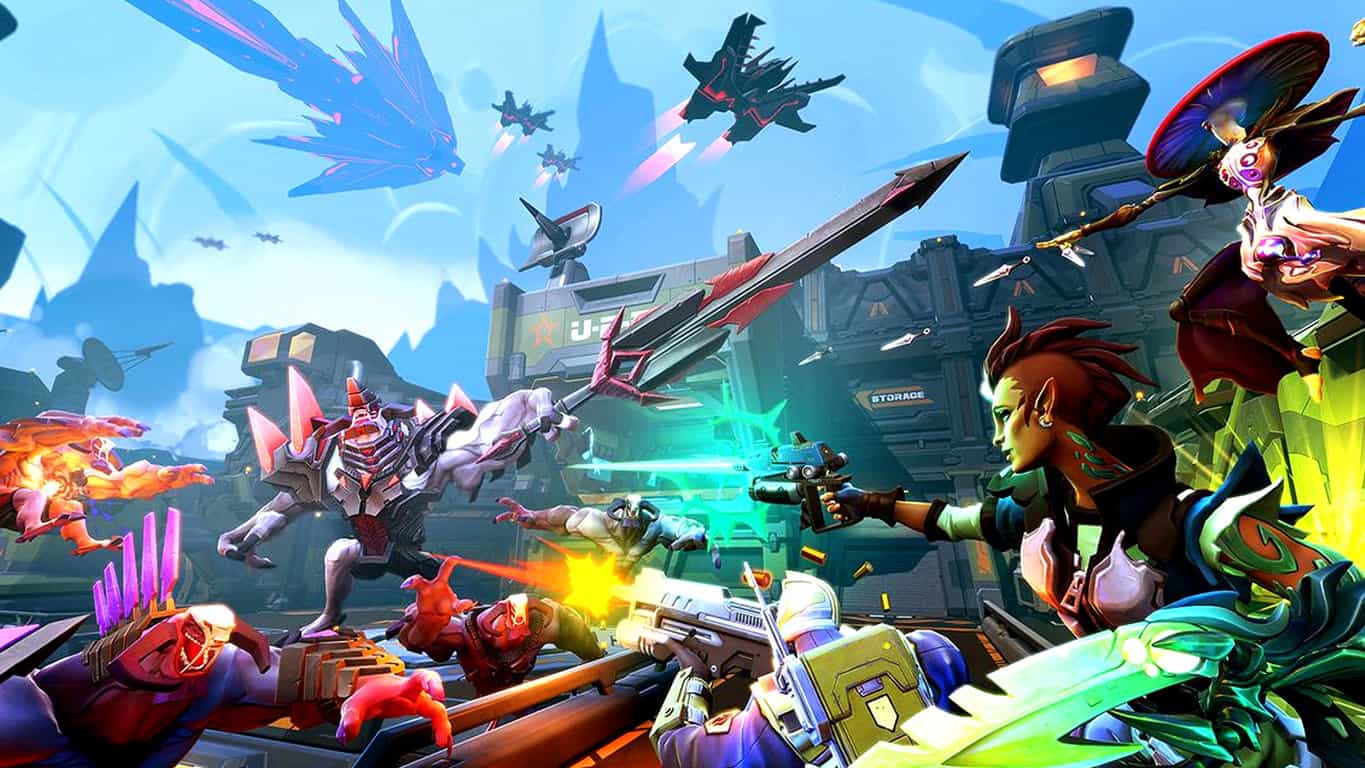
A new much-hyped first-person shooter coming to Xbox One on May 3rd 2016 is now available to pre-order and pre-download on Microsoft’s Xbox One console.
The game, Battleborn, is being touted as a new sub-genre of shooter called a “hero-shooter” due to it combining elements of roleplaying games and the traditional shooter. Players can choose from up to 25 playable characters, all of which have their own original storyline, weapons, and play style, and there are plenty of unlocks and items to find. Here’s the official description:
A tremendous band of badass heroes fight to protect the universe’s very last star from a mysterious evil in this next-gen shooter by the creators of Borderlands. Slash and parry, run and gun, cast and dash, or simply obliterate foes while building and growing your personal team of heroes.
Battleborn has its own Story Mode, which can be played solo or with others, and up to 10 players can play against each other online in five versus five matches. The game will also be launching on Windows 10 but no pre-order for that is currently available.
Are you excited for Battleborn? Let us know in the comments below.
HP recently upgraded its HP All-in-One Printer Remote app to a Universal Windows App for Windows 10, making it simpler to use your HP printer with Windows 10. This app allows users to print documents and photos, check the status of a printer, as well as perform maintenance tasks. Users can also order original HP printing supplies and request help from the HP support team in case something stopped working.
Other features include:
Check supply levels and view error messages.
Connect to other HP printers on your network.
Start scan and print jobs.
Order original HP printing supplies, register your printer, and get HP support.
Perform maintenance tasks and change printer settings.
Create high-quality documents from the camera-enabled HP PageLift feature.
Launch HP Connected and access services like HP ePrint and HP Instant Ink.
Set Scan to Network Folder and Scan to Email options.
Run Fax Setup Wizard to configure fax settings.
READ ALSO: New important universal apps coming to Windows 10: Starbucks, Facebook, Instagram, and more
The app is perfectly optimized for Windows 10 and brings a new navigation menu. So far, the new app has averaged a customer rating of 3.00/ 5.00 stars from 17k ratings. The most interesting thing is that the number of satisfied users (the people having rated it 5.00 stars) almost equals the number of very unsatisfied users (those having rated the app 1.00 star). The other users are somewhere in the middel.
However, one user explains this behavior simply enough:
It works fantastic. Make sure if it doesn’t connect to the printer properly that you go to the HP website and download the software that goes with using this app. It allows your computer to be found on windows 7, 8, and 10. Follow the troubleshooting steps that it gives you. Then, restart both devices. Technology doesn’t just work because you expect it to from downloading one thing. There are many complex avenues that the less technologically accustomed individuals don’t quite understand, and that’s perfectly okay, but don’t call it broken if you’re just uneducated on that particular subject.
So, give it a try — download the app from here and don’t forget to follow the troubleshooting steps should you encounter any issues.
The average PC user still uses pen and paper on a regular basis. According to statistics provided by Microsoft in a recent blog post about coding with Windows Ink, 72% of users surveyed depended on the traditional writing media for at least over an hour per day. Meanwhile, a significant 32% still used pen and paper for over three hours per day. The traditional means of human writing are found to be a more productive and personal communication.
Digital pens and tablet PCs have broken the barrier of the industry with powerful opportunities for human interaction to come to life through virtual media. Spearheading Microsoft’s renewed commitment to inking, the upcoming Windows 10 Anniversary Update will dive deeper into the abilities of digital inking with the introduction of Windows Ink.
Windows Ink is a family of user experiences, platform advances, and hardware capabilities for the next generation of computers. The new Windows Ink Workspace aspires to be a more readily available application and will be accessible through the taskbar at all times. The Workspace will make all of the pen’s tools readily available on command with a nearly effortless setup. Users will be able to simply click the pen’s button to get started.
Pen and Touch At the Tip of Your Fingers
The Windows Ink Workspace highlights three specific applications: Sketchpad, Sticky Notes, and Screen Sketch.
With Sticky Notes, the pen will make jotting notes down or making a quick sketch a breeze. The notes are integrated with Cortana across all devices allowing for a seamless experience, and the application will automatically recognize handwriting and convert it to a powerful digital tool. For example, writing a flight number will prompt Bing to keep you up to date with the flight’s status, a grocery list will be turned into a smart list that is easier to manage, and jotting down an address will bring up a map to the location.
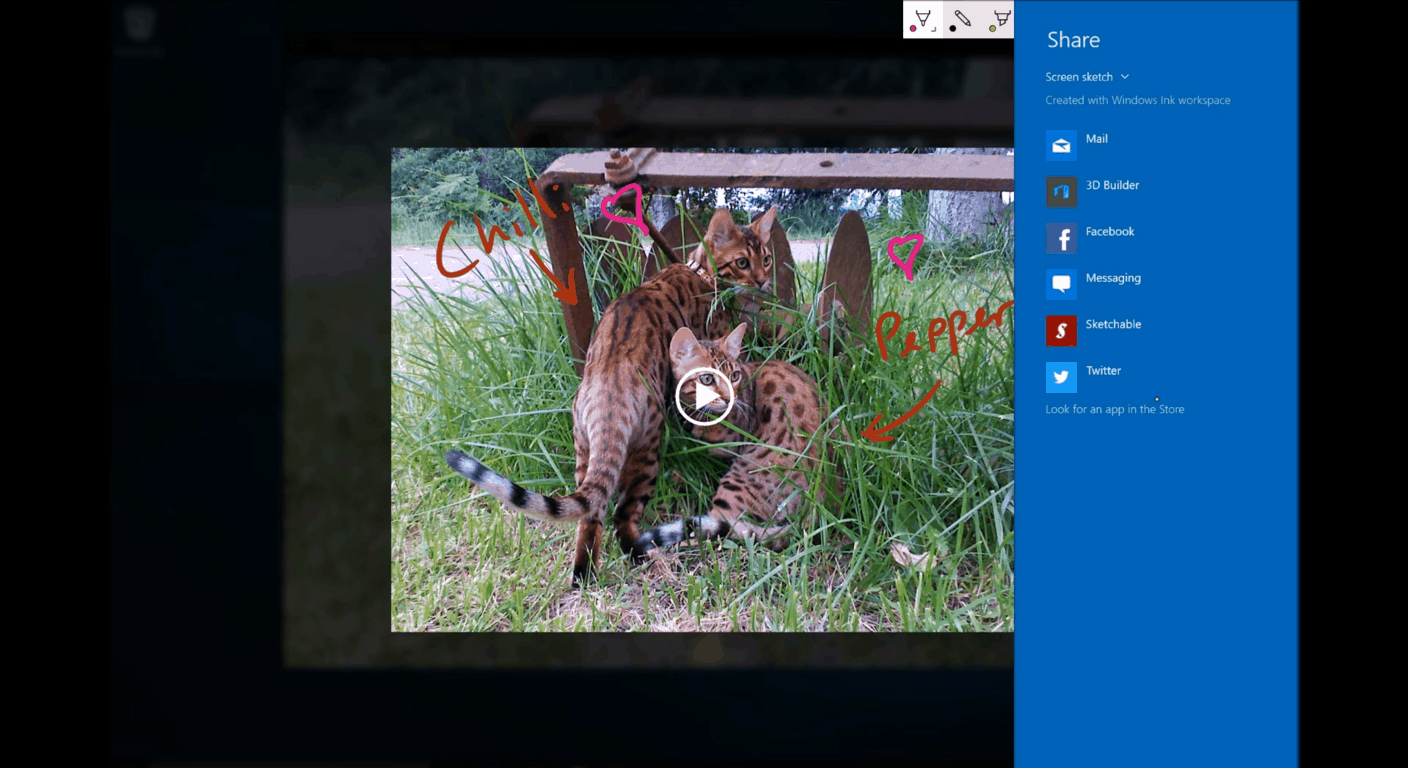
Share your screen and images instantly by double clicking with the pen’s button.
Screen Sketch will allow an overlay drawing over the current screen’s content despite what’s on it. Users can even draw and sketch over a video as it plays in the background. Want to share that funny sketch or a quick note to your friends on Facebook and Twitter? The Screen Sketch application allows the user to double click the pen button to send it quickly and easily without interrupting your current progress.
It’s with Sketchpad, however, that the Windows Ink Workspace interface truly shines. Introducing a simultaneous pen and touch, users will now have the option by default to utilize their non-dominant hand to maneuver the interface at the same time as using the pen. Users will be able to drag and drop a built-in digital ruler to make drawing straight lines, making charts, and cleaning up lines much easier. This will be the space to create, doodle, and get ideas down in an efficient manner with all the personality of hand-drawn capabilities.
Beyond the featured applications, Microsoft has added a curated list of suggested apps as well as a dedicated link to all pen apps on hand. To up the ante, a recently used and favorites list will make it easier to find the apps you just can’t live without.
Sketchpad isn’t the only application that will integrate with the new simultaneous pen and touch. Microsoft’s Office and OneNote will showcase Windows Ink with features such as shapes, rulers, new pen types, easier means of revising and editing, and math recognition. Maps will be allowing a user to draw a route or landmark for personal use or sharing.
Using the simultaneous pen and touch gives users more freedom to create.
A Simpler Way to Integrate
Microsoft is trying to make it as easy as possible for developers to master the tools with two new building blocks for the Direct Ink platform in Windows 10. Third-party developers such as Adobe will be adopting the technology with a new responsive blob brush and stencil tools that can be manipulated with the non-dominant hand.
With InkCanvas, a single line of code will enable using inking in the developer’s app with a canvas or overlay that users can write on. For example:
1
<InkCanvas x:Name=“myInkCanvas”></InkCanvas>
Similarly, the InkToolbar is an XAML control that will allow for consistent inking across multiple apps. The simple design offers three brush types, common color picker, width picker, eraser tool, and the ruler tool. The developer can then edit the default keybindings, buttons, options, and color schemes to their liking. More information on the InkToolbar will be released later. More customization and flexibility will become available to developers via the InkPresenter with more information coming in the future as well.
Microsoft expects a larger catalog of applications developed and integrating over the course of the year.
Example of a Windows Ink control
The Future of Pen Devices
This is just the beginning. Windows Ink will provide the opportunity for licensing the Microsoft Pen Protocol to hardware manufacturers worldwide, bringing bring together turnkey solutions for high quality, affordable, and interoperable devices. Wacom has already begun building pens that are compatible with a broad variety of currently available PCs, but are also expected to join a wave of newly integrated devices that are expected to reach market during the holiday season of 2016.
The Windows Ink Workspace will bridge the personal experience of handwriting to digital tools with ease this summer. Keep tuned to WinBeta as Microsoft continues its progress towards the release of the Windows 10 Anniversary update.
Microsoft is always trying to find ways to help offices run more smoothly, and better manage their time. It’s one thing to make available a suite of tools that let employees do their job better, but at the end of the day, those tools can only be so effective when the people using them don’t have the data necessary to determine how to best utilize them. To help people keep track of the relevant figures that will allow them to work more efficiently, Microsoft is releasing “Delve Analytics,” a new Microsoft Office add-in that keeps track of all sorts of things so that you can make better use of your valuable time.
Delve Analytics will be keeping track of all sorts of numbers that you never knew you needed access to. It can tell you how long you’re spending reading emails, it can tell you when the last time is that you contacted someone (so that you can keep in touch with everyone on your team) and it gives you a detailed report at the end of the week so you can tell, at a glance, what you can improve on.
For those who might be worried about how an add-in like this is going to affect their security, they shouldn’t be too worried. In an FAQ that you can read more of in the official blog post, Microsoft assures us that everything that’s collected by Delve Analytics is confidential, and is only accessible by the person it’s collecting data on. Delve Analytics is, pure and simple, an intelligent cloud to inform you on how you budget your time throughout the day.
If you’re interested in getting Delve Analytics for yourself or your team, you can check out the official page right here.
Xbox One Backward Compatibility continues to grow its library for those who have been with Xbox since the last generation, and still have a bunch of games left over from Xbox 360 that they’d like to play on their shiny new Xbox One. Today’s new additions are some Xbox Arcade titles that you may have had a blast with back in the day: Outland and Gunstar Heroes.
Outland is a gorgeous platformer that deserves a spot on anyone’s library. The game has a gorgeous color palette of red and blue mixed in with its stylistic silhouette-focused art style. It has an absolutely gorgeous soundtrack, some interesting puzzles, and all things considered is the sort of game that makes an impression on you. Outland is most definitely welcome among the Backward Compatibility library.
Gunstar Heroes is a much different kind of arcade classic. The game initially released back in 1993, and it’s a popular and well-liked side-scrolling shooter. You can now play this through your Xbox One with backwards compatibility and experience some of the golden days yet again on your current-gen console.
In 2014, Apple introduced its Continuity feature to its line of Mac and iOS devices in a rather impressive demo at its World Wide Developer Conference. Before that, Google made a seemingly similar play with cross-device communication in its Babel service that was later renamed to Google Hangouts in 2013.
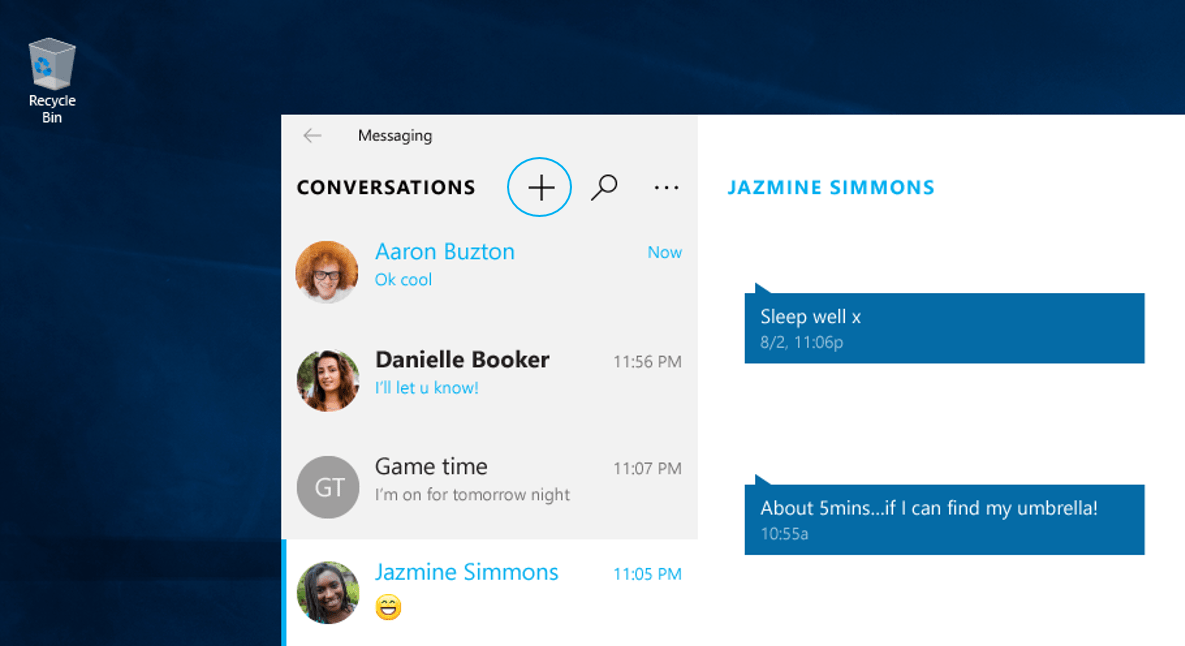
In early 2015, Microsoft held an event for the unveiling of upcoming Windows 10 features and among them was a native messaging service that would span devices (mainly Windows Phones and Windows 10 enabled PCs) that would act similar to both Google Hangouts and Apple’s Continuity. With the release of Windows 10 Insider build 14316, it looks like Windows users are inching closer to a reality of Messaging Everywhere being enabled on devices.
The idea behind Microsoft’s messaging service was simple: begin a conversation via SMS (text) on your mobile device and pick up that same conversation on your PCs desktop without hiccup or interruption. Part of Microsoft’s pitch for the messaging service leveraged its popular in-house video messaging service Skype. With Skype’s cross-platform and cross-device architecture, Microsoft would be able to deliver a truly “Messaging Everywhere” experience for Windows 10 users.
SMS on Windows 10
Since the January 2015 announcement, the company has gone relatively dark on its development or a time frame on which Windows 10 and Windows Phone users could hang their hat on regarding the feature.
However, in today’s release of Windows 10 Redstone Insider build 14316, the Windows makes an explicit call out to the feature’s continued development as well as hinting at an early implementation of it coming soon.
Messaging Everywhere Preview Coming Soon: We will soon be enabling a preview of the “Messaging everywhere” feature in Windows 10 that allows you to send and receive text messages from your phone directly from your Windows 10 PCs. You will see options for this feature in the Messaging app on PC. However, an update is required for the Messaging app for Mobile for this experience to work. More to come on this when the experience is live.”
Presumably, when the latest Windows 10 Mobile build drops or the Message App on Mobile gets updated, Insiders will finally get their hands on the long-awaited Messaging Everywhere experience. Up until recently, the Windows team had been briefly experimenting with moving text messages across mobile devices to PCs with some relative success. Perhaps, the new Messaging Everywhere Preview builds upon that with better functionality and newer features. We’ll just have to wait and see.
To get your PC and mobile device ready for the new Messaging Everywhere Preview, head over to the Windows Insider website and sign up for free to become a Windows Insider. Set your rigs to Fast Ring (presumably) and allow the Windows team to do the rest.
Microsoft has always had one mission statement: empowering people to do great things. It’s no wonder, then, that they try and pour some of their resources to help empower women – a group that, whether you realize it or not, is often brushed to the side and ignored by the tech industry. It was with this goal in mind that Microsoft decided to put out a super bowl ad focused on pointing out the fact that the way we’re educated about history is often male-centered, and should be expanded to include other extremely significant inventions that were brought into the world by women.
The ad interviewed a few young girls about what they knew about inventors they learned about in school, and they named some of the people that you might name if asked the same questions – the most famous inventors in history, like Alexander Graham Bell and Benjamin Franklin. Afterwards, they asked a fairly simple question: “Can you name any women inventors?”
The question stumped all of them, and it may stump a fairly large portion of you as well. It’s sort of a depressing moment when you realize just how few of the great women inventors that changed the course of history are made a focus in our schools, most notably people like Ada Lovelace, who made the very first computer algorithm.
The ad then went on to show us a list of many different women inventors and the thing that they did to change the world, and leaves us with a message that we should celebrate all things that “women made,” and showing us that knowing about some of these great women gave some hope to the young interviewees about how they could make an impact in the world.
This ad won the top spot in Ace Metrix’s list of their “Top 10 Breakthrough ads,” scoring a likability rating of 771 and an attention score of 769. The ad won the spot on the list against some other popular super bowl commercials, including the “Zedd and Blacc: Singing in the Studio” ad for M&Ms, and the “No Dogs Allowed” ad for Doritos.
The Windows team has released a list of Windows 10 Insider Preview Build 14316 features that include tweaks to over-all customization, new ways to categorize and maneuver your favorites, updates for the clever personal assistant Cortana, and small refinements to the general experience of Microsoft Edge. However, no Windows 10 release is without its issues to report and the Windows team has now found an even easier way to make that easier for the user.
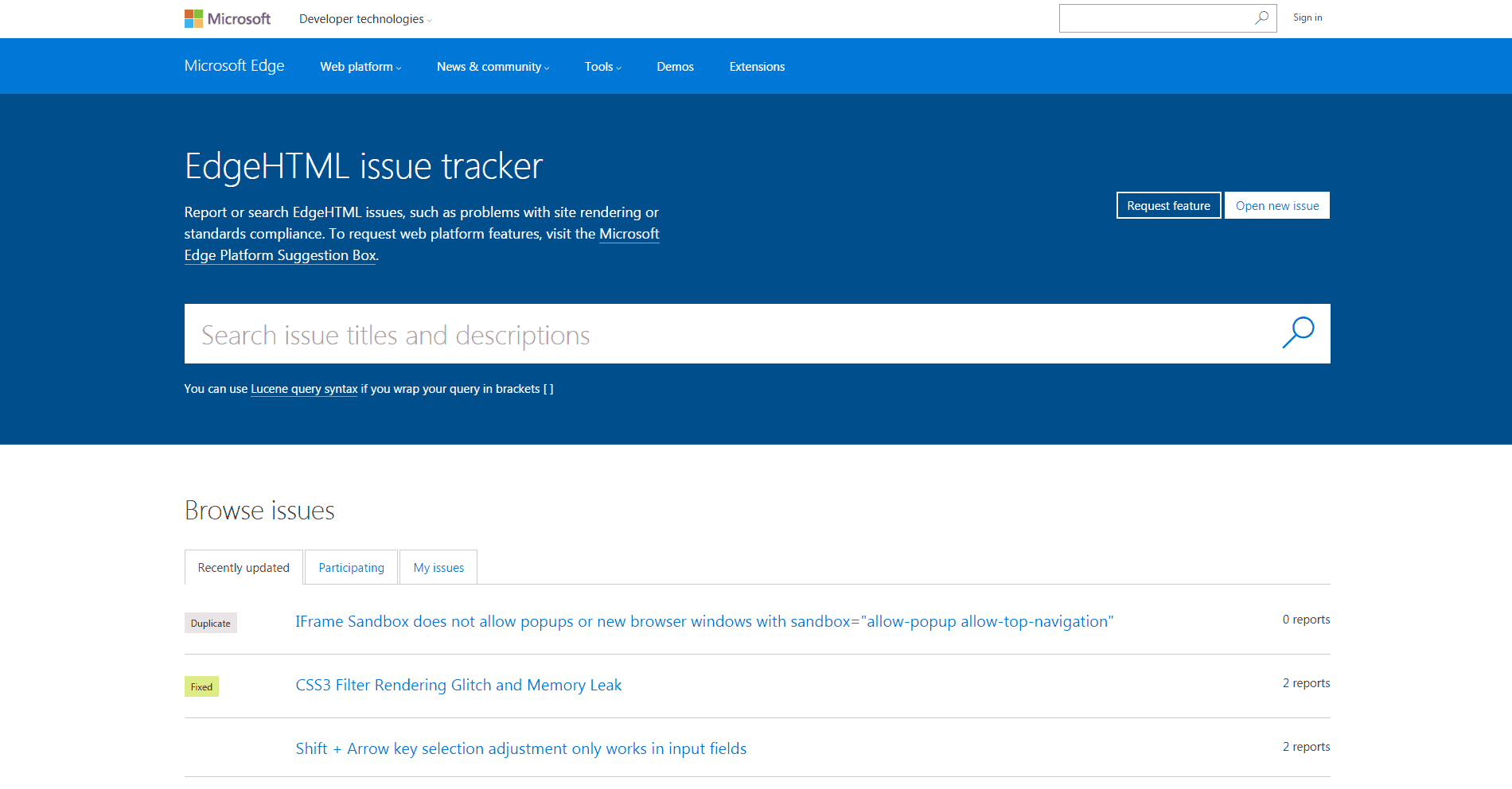
During the Edge Web Summit held in San Francisco on Monday, Microsoft Edge has announced a more efficient means of providing crucial feedback and reporting bugs. The Microsoft Edge Platform Issue Tracker is designed for the web platform, allowing users to report and search through EdgeHTML issues and problems. Users will also be notified concerning replies for issues that they have reported or topics that they have participated in allowing for better collaboration between the developers and engineering team.
In light of the new platform, Microsoft will also be discontinuing the connect.microsoft.com/ie service going forward, according to its latest blog. Specific bugs related to the Chakra JavaScript engine should be directed to the ChakraCore source located on GitHub.
The Microsoft Edge Team will be watching for feedback and reported issues closely and look forward to collaborating with developers more for the future of EdgeHTML.
In late February, Microsoft announced a new security service called Microsoft Cloud App Security. This latest security offering by Microsoft focuses on helping companies manage all of the different cloud services their employees are connecting to.
The challenge is that in many organizations, employees use multiple cloud services to share data and collaborate in the current digital workplace. This can lead to an organization’s data being shared externally without their knowledge and with no control over what happens to it. All of these unofficial Software as a Service (SaaS) clouds to which employees are connecting are beyond the company’s reach or even knowledge, and they’ve become what the Microsoft Cyber Trust staff refers to as the company’s Shadow IT.
This Shadow IT problem is where Microsoft’s new Cloud App Security comes in. Based on technology from Microsoft’s acquisition of Adallom, the new Cloud App Security services is a “comprehensive cloud-delivered service built for IT and security teams to help combat one of the top security concerns today: “How can we gain deeper visibility, stronger controls and enhanced protection for cloud apps?”
App Discovery: Cloud App Security identifies all cloud applications in your network—from all devices—and provides risk scoring and ongoing risk assessment and analytics.
Data Control: With special focus on sanctioned apps, you can set granular controls and policies for data sharing and loss prevention (DLP) leveraging API-based integration. You can use either out-of-the-box policies or build and customize your own.
Threat Protection: Cloud App Security provides threat protection for your cloud applications leveraging user behavioral analytics and anomaly detection.
Cloud App Security accomplishes this by first connecting to your network logs and then by connecting to your sanctioned apps. The list of sanctioned apps includes Office 365, Box, Okta, Google Apps, Service Now, Salesforce, Dropbox, and even Amazon Web Services. Once connected to the logs and sanctioned apps, Cloud App Security will scan and analyze for users, data, and activities. The analysis then gives IT pros a full picture of what cloud services their company’s data is connected to, and they can begin handing out out-of-the-box alerts or establish custom data control policies.
This new security service helps companies manage the every growing list of enterprise cloud services their employees are connecting to, which is a real problem that exposes the company to more security threats and data leaks. It also further demonstrates Microsoft’s commitment to being a mobile first cloud first company as it works to help companies manage multiple cloud services and give companies a holistic picture of their IT security.
Microsoft has filed a patent application in November and December 2015 for a smart ring, but it took U.S. Patent & Trademark Office over four months to publish it. This is good news for Microsoft because the company would like for the idea to take hold and serve as a virtual mouse for devices such as watches, wristbands, and glasses, all which have limited input options.
With this Smart Ring, users will be able to move their finger to control a companion device by wirelessly transmitting information. How will it work? The smart ring will have at least one flexion sensor (“bend sensor”) and when the distance between one flexion sensor and another segment of the user’s finger is detected, a gesture will be interpreted and applied to control the companion device. For example, if you scratch your jeans in a specific way, you will be able to decline a phone call or you will control the screen of your smartwatch without touching it.
If Microsoft can make it possible for a user to wear multiple rings on his/her hand to control a virtual mouse that performs right or left clicks or even more, then it might have a hit. This killer feature will surely be appreciated by HoloLens owners who will be able to easily control this augmented reality headset.
Back in 2015, Apple has filed a similar patent, but the smart ring would be used as an add-on device only for Apple Watch, MacBook, and Apple TV. What’s special about this ring is that its size will be automatically adjusted, depending on wearer’s finger and presumably have more versatility than something Apple would make.
If you’re a comic book fan, there’s a good possibility that you may have heard about Madefire Motion Books app which provides users with an “innovative reading experience for mobile devices.” The app was just updated, making it optimized for Windows 10 devices and now offers Cortana integration and Continuum.
Here’s the official description:
Madefire Motion Books is a free app that delivers the most innovative reading experience for mobile devices as it pioneers the next chapter in storytelling. In its purest form – the Madefire app is a free comic book reader that takes digital comics and cartoons a step further than traditional static images with the new format called Motion Books. Motion Books immerse the reader in an interactive experience with sound, motion, and depth.
Do you like to read comic books on your Windows device? Which app do you use? Share your recommendations with us in the comments below.
IO Interactive just unveiled the release date for the second episode of this year’s installment of the Hitman series. Titled Sapienza, the episode will be set in a fictional Italian town of the same name. Hitman Episode 2: Sapienza is going to be released on 26th April, a month and a half after its first.
Along with the release date, the Hitman official Twitter account released a short teaser video. Truth be told, the video doesn’t reveal much: it just shows a floating crocodile toy on the beach. With that, we assume that Sapienza is a coastal town but we’ll have to wait for the release to find out about the cryptic purpose of the crocodile toy.
The fact that the game is going to be released in April means that Square Enix and IO Interactive are keeping their promise of releasing one episode every month, a plan that received a divided response from gamers. An episodic format is uncommon for AAA games, but publishers of Hitman decided to take the gamble.
The third episode should arrive in May if IO Interactive continues with one episode per month philosophy, but the exact release date is still uncertain. The third episode will see Agent 47 in Morocco, with the U.S., Japan, and Thailand in coming episodes. As soon as more details are revealed, we’ll make sure to let you know
What do you think about an episodic release for a AAA game like this? Let us know in the comments below!
During Build 2016, Microsoft revealed important software development projects to spur improvements of its services and apps. The hardware segment was somehow left aside during the event, though. Still, that doesn’t mean OEMs can’t develop new and innovative gadgets like the Exertis Linx Vision.
The Exertis Linx Vision is an interesting Windows 10-powered tablet that features a dedicated built-in gaming controller. Basically, if you love your Xbox One, you’ll probably be a fan of the Exertis Linx Vision, even if the tablet and its gaming controller combo lack that something which usually makes such unique devices really great. Still, the idea is still awesome, even if its controls are laid out in a strange way, which can make the gaming experience a little bit odd.
The materials used for manufacturing this tablet isn’t exactly premium, and the glossy display is maybe its biggest downside –it’s really hard to imagine that you can really enjoy a game outside on a sunny day, for instance.
Specs wise, the Exertis Linx Vision comes packed with an 8-inch 720p display, 2GB of RAM, 32 GB of built-in storage capacity, a 2MP rear facing shooter and an Intel Atom processor. The tablet is running on Windows 10 by default and has an external Xbox controller built onto it. At Build 2016, the Exertis Linx Vision was shown streaming a game from Xbox One on the same wireless network, but gamers can also download and play their favorite games from Windows Store. Currently, the tablet is available in the U.K with a price tag of £149.99. Unfortunately, there isn’t any information regarding a future U.S release, but we might have something in that matter pretty soon.
What do you think? Is this gaming-friendly Windows 10-powered tablet something that you would want for yourself?
Even though Microsoft seemed to be doling out Windows 10 specific features piecemeal during its primary Build 2016 keynotes and was frighteningly mum on Windows 10 Mobile news, the company did speak at length about its investments in Internet of Things (IoT). Microsoft seems so enamored with its IoT investments, in fact, that the company has continued the conversation beyond its developer conference and is now talking about new milestones developers can look forward.
We’ve been working hard on standards-based connectivity as you might have seen from our recent OCF announcement. Devices with Windows 10 can serve as the central connection point for all of your things, no matter what the ecosystem and if you’ve been building AllJoyn-based applications, not only will they continue to work, but in the future, they’ll talk to even more devices.”
Developers can also target a multitude of devices from a single environment with the introduction of Windows 10 IoT Core Pro edition software.
This will enable OEM/ODMs to move between Windows 10 IoT Core and Windows 10 IoT Enterprise without the need to maintain a separate firmware image for their devices. Additionally, we’re making the Board Support Package for the Raspberry Pi open source (except for the UEFI parts) to help OEM/ODMs provide a customized board experience.”
Aside from what Microsoft has currently enabled for developers, the company has already laid out plans to include support for application updates via the Windows Store for applications on Windows 10 IoT Core Pro as well as building in more security features into a simplified Visual Studio extension. The Visual Studio extension is intended to offer a much simpler experience in connecting devices with Azure IoT hub services.
Microsoft’s IoT initiative stands alongside its push of Windows 10, Azure, Office and Xbox highlighting the company’s vision of scalable platforms. Windows 10 development and Windows 10 IoT, in particular, are showcasing Microsoft’s desire to offer a more cohesive development experience for developers while building out and adapting new technologies as they become available.
The Internet of Things has been a goal for Microsoft for a long, long time now – and it doesn’t take much to figure out why. Many people dream of a world where every device can interact with everything, and where you can use your computer or your mobile device as the ultimate control panel for your home, car, etc. One problem has always gotten in the way of that, however: the fact that the individual software that runs our appliances tend to be written in countless different programming languages.
It’s this issue that Microsoft wants to attack with their latest initiative: OpenT2T (Open Translators to Things.) The new program serves to have programmers come together to help create translators that change the way that different coding languages deal with objects, and should be making it so that programming apps that control multiple devices should be possible. The plan revolves around what Microsoft calls “Schemas”. Schemas are essentially categories of devices and bring together subcategories into one cohesive thing. For example, “Light bulb schema, instead of a schema for every different brand of light bulb.” Microsoft hopes to have developers identify these schemas, bring together all of the different languages that refer to them and eventually breaking them down into one thing.
The end game for this process is simple: to make it so that one app, using a set of translated code, will be able to interact with a much wider amount of things in your home. Ideally, this broad reach won’t require developers to spend resources writing code that accounts for every possible kind of device. If this initiative from Microsoft could get developers to come together and make their devices work together more efficiently, we could be looking at a new future for the Internet of Things, and new possibilities that could turn our mobile devices and desktops into the intelligent hubs of our homes.
If you want to learn more about OpenT2T, or if you want to join the discussion around it, check out Microsoft’s detailed blog post about the nitty gritty of it.
According to Techspot, the rumor began with a random LinkedIn posting by a Microsoft employee:
Rumors that we might see some form of Xbox 1.5 went into overdrive recently when a Microsoft employee, David Gardner, posted a listing for the “Xbox neXt” on his LinkedIn profile. After much speculation that this could be the company’s answer to the PlayStation 4.5/PS4K, Microsoft has now confirmed that this is nothing more than an old internal team name.
From there, things progressed, even though Microsoft Xbox chief Phil Spencer had already indicated that there aren’t any plans for a new Xbox One console.
I’m not a big fan of Xbox One and a half. If we’re going to move forward, I want to move forward in big numbers,” Spencer said. “I don’t know anything about any of the rumors that are out there, but I can understand other teams’ motivations to do that. For us, our box is doing well. It performs, it’s reliable, the servers are doing well. If we’re going to go forward with anything, like I said, I want it to be a really substantial change for people – an upgrade.
While Microsoft could certainly reveal an upgrade to the Xbox One at some point, the current Xbox NeXt rumor doesn’t fit the narrative. According to Microsoft:
“Xbox neXt was an old internal team name for a group that worked on releasing Xbox One and is not related to a future console,” a Microsoft spokesperson said. “We have nothing further to share.”
Over the years, Microsoft has opened more than 100 Innovation Centers around the world to engage with startups, raise technological skill levels, and boost innovation. In the US, the company opened its first in 2014 in Miami, which was followed by a second one in Atlanta a year later. But Microsoft has just announced that the company is teaming with venture capital fund SeventySix Capital, innovation hub University City Science Center, and real estate investment and development company Wexford Science & Technology to open a new MIC in Philadelphia this summer.
Microsoft Innovation Centers worldwide.
The new Innovation Center will also help Microsoft to enhance its regional presence, as 350 Microsoft employees are already working the company’s office in Malvern as well as in the Microsoft Store at King of Prussia Mall. Here are some additional details found in the press release:
Located on the ground floor of the Science Center’s corporate headquarters at 3711 Market Street, the MIC will be equipped with the latest Microsoft technology. Through a combination of programming and outreach activities, Microsoft – working closely with the Science Center and SeventySix Capital – will seek to spur economic development and create new opportunities for the local tech startup community. Further, the MIC will host activities that will bring underrepresented groups to greater awareness of and involvement with STEM activities and careers.
The MIC will first open its doors for the Democratic National Convention in July and will propose a number of programs and events that explore the intersection of technology and civic engagement. After the DNC, the MIC will be delivering a suite of technology and innovation focused programming that will offer the startup, entrepreneurial, academic and neighborhood communities access to Microsoft resources and expertise.
Microsoft Director of Modern Government in State and Local Government Solutions Group Jeff Friedman shared:
“We are thrilled to work with SeventySix Capital, the University City Science Center, and Wexford Science & Technology to bring technology and resources to the great city of Philadelphia. MICs are part of Microsoft’s broader strategy to empower developers and entrepreneurs, extending into local metro markets to help startups grow their business with technology and services such as cloud computing, developer tools, software and open source technologies.”
If you want to know more about what Microsoft Innovation Centers are doing around the world, feel free visit the dedicated website.
“Dogfooding” has absolutely nothing to do with dogs or food. Dogfooding means that you use your own company’s products and services. Dogfooding helped Microsoft employees create the Surface Pro 4 from using the Surface Pro 3 on a daily basis. Understanding the product that you are producing and what you can do to make it better is the core idea of dogfooding.
Microsoft is no stranger to dogfooding, almost 30 years ago, Microsoft manager Paul Maritz shot test manager Brian Valentine an email in 1988 with the subject line, “Eating our own Dogfood,” that changed everything. Maritz thought that if Microsoft used LAN Manager internally, Microsoft would be able to get better feedback on performance and other issues. Ultimately, dogfooding became an accepted practice at Microsoft.
According to Microsoft, Microsoft Elite was created from the same spirit of dogfooding. Deployed in July 2014, Microsoft Elite takes advantage of social media tools like Yammer and SharePoint Online and uses other methods of offering rewards to encourage feedback on Microsoft dogfooding.
Microsoft Elite business program manager Diana McCarty provides more information on how dogfooding brought about the Microsoft Elite program:
“Microsoft Elite is really a connection engine. We help connect products that need dogfood testing with people who are enthusiastic about testing. Our goal is to continue to find ways to improve that connection, so it’s easy for dogfood programs to onboard and for Elite members to find information, get involved and give feedback. When we do this well, everyone benefits: Elite members, product teams, Microsoft as a whole, and ultimately, Microsoft’s customers.”
Microsoft Elite is a subscription-based program that counts over 25,000 Microsoft employees as members. Microsoft employees have a small fraction of their work time available to work on any of the 50 dogfooding projects at any given time. Microsoft Elite memberships are annual and to keep your membership, Microsoft employees need to show that they are regular contributors to the Microsoft Elite program. Memberships are renewed annually, and to renew your Elite membership you need to demonstrate that you’ve been a contributing member of the dogfooding community.
Microsoft Elite’s Yammer group is the most active private Yammer group at Microsoft, and thousands of Elite members and hundreds of product groups communicate with Elite administrators every day. The primary goal of Microsoft Elite is to grow a community of “truly elite dogfooders,” Microsoft employees that are willing to provide quality and in-depth feedback on Microsoft products to improve the products before they reach Microsoft customers.
The only downside to the Microsoft Elite program is that it is only available to Microsoft employees, so if you’re interested in taking part in the Microsoft Elite program, you need to be a Microsoft employee. If you think you have what it takes to be a part of Microsoft, apply today.
There are many photo editors currently out there in the market that can help you get your photographic creativity on. Microsoft, however, has worked with PicsArt to design a free and special Windows Platform app. The universal app means you can now get your photographic creativity on any Windows 10 device you own, be it a tablet, phone, or PC.
PicsArt photo editing app for Windows 10.
In a recent blog post, the company highlighted the give steps users can take to use the PicsArt app. The Steps are divided into finding, applying, adding, blending, and sharing.
Step one: Finding and editing Photos with Pics Art:
Let’s get started by searching our vast collection of #FreeToEdit images (this hashtag makes images freely available to the community to edit and is a feature unique to the PicsArt community).
Step two: Applying Masks to enhance photos
Next, let’s apply a Mask (a.k.a “filter) — we’ve got more than 120 to choose from. Whether it’s a vintage-style light leak, a grungy texture or a sprinkling of bokeh, you’ve got tons of options for making your photos stand out.
Step three: Adding a photo
Adding a Mask is probably the simplest creative edit you can make with PicsArt. But there’s a universe of additional creative options available to you
Step four:Blending two photos together
Tap on the paintbrush icon to the right and use your finger to erasetbackgrounds.
Step five: Sharing your photo with PicsArt
Click the sharing icon at the top to post an image to PicsArt and/or the social network of your choice.
PicsArt is a free app and can be downloaded by clicking the links below! If it sounds interesting to you, please do check it out and comment below.
Right on the heels of last week’s Build conference for developers, Microsoft is hosting its newest conference this week in New Orleans. Their latest conference is called Microsoft Envision. What differentiates Envision from Microsoft’s other events is while conferences like Build and Ignite focus on technical content, Envision is meant to focus on larger picture trends and challenges for companies. As an event that is meant to focus on the 30,000 foot view of technology impacting business, this event is made for an audience comprised of companies’ executives.
As the second day of Envision kicked off this morning, Chris Capossela, Microsoft’s Chief Marketing Officer, posted a blog recapping the major themes of the first day. Capossela says with Envision, Microsoft is trying to create “a truly global summit for issues critical to CxOs and other business leaders” and it is designed “to give everyone a chance to step back and learn about smart strategies to tackle emerging issues, power new efficiencies and build new business models and revenue streams.”
So for the first day of Envision, the conversation was all about digital transformation in business. And Satay Nadella led the conversation with his keynote address on how companies can embrace digital transformations. His speech included examples such as Virgin Atlantic’s transforming their relationship with customers thanks to analytics delivering greater personalization. He also spoke about other examples which were big news yesterday like Microsoft’s new strategic partnership with the R3 consortium to develop blockchain technology and their partnership with Toyota to “bring cloud intelligence into the driving experience.”
One of the highlighted slides from yesterday’s presentation on Digital Transformation
The key message for business leaders was that by transforming your business with digital tools and systems of intelligence, you can drive deeper engagement with customers, empower employees to do more, optimize your operations, and transform your products and services.
The conference has a long list of speakers and special sessions, featuring leaders like Paypal CEO Dan Schulman, NFL CIO Michelle McKenna-Doyle, and Special Olympics Chairman Timothy P. Shriver. The first day of Envision also featured Astronaut Marc Kelly who recently returned from his year long trip aboard the International Space Station where he was able to test out HoloLens.
Microsoft Envision will run through tomorrow, so stay tuned for any more news about Microsoft’s work to help companies transform the way they do business with digital tools and processes.
This week, two new bots are heading to Skype to bring additional functionality to the Microsoft program. One of the bots, named Murphy, is designed to allow you to ask “what if” questions. Based off Microsoft’s Project Murphy, after the initial question the bot provides you a meme result if the right question is asked. In a somewhat similar fashion, the second bot, named Summarize, reads a link to an online story and summarized it in three paragraphs.
Skype had previously sent out invites to join its Skype developer program so developers could start building bots right away. The team will also hold a May hackathon to invite everyone to create innovative bots on the Skype Bot platform.
To access these bots, you’ll need to make sure you’re on the latest Skype clients. For Windows PCs, open Skype and go to Help > Check for updates. Meanwhile, if you’re on a mobile platform, you can check out Skype by clicking the links below.
Microsoft has gained another supporter in the customer relationship management (CRM) space, with the announcement of Apttus for Microsoft Dynamics CRM today.
Apttus is a leader in Quote-To-Cash solutions – software that automates the selling process – with products ranging from Configure-Price-Quote (CPQ), Contract Management to Revenue Management, and over 450,000 users worldwide. The software was first delivered on Salesforce’s App Cloud before becoming available for Microsoft service users. With its dominant position in the market, Apttus should make for a fine addition to Microsoft Dynamics CRM’s capabilities.
“Apttus pioneered the Quote-to-Cash category and introduced the world to end-to-end revenue operations in the cloud. Today, we’ve made our entire suite and newest breakthroughs available to Microsoft customers,” “These transformative tools give our customers unique advantages and allow them to focus exclusively on outcomes and increased revenues. We look forward to working hand-in-hand with Microsoft, as we have for many years, to bring these capabilities to new forward-thinking organizations.”
-Kirk Krappe, CEO of Apttus
With the availability, Microsoft customers will be able to access the whole portfolio of Apttus solutions, including the aforementioned software as well as other products like Quote-to-Cash Intelligence, Omni-channel E-Commerce and more. Apttus’ patent-pending X-Author service for turning Excel in to “a complete user interface for CRM” will also becoming to Microsoft Dynamics as well as Microsoft Pinpoint. To promote the new partnership, Apttus will be having a booth to showcase its technology live, as well as giving several talks in Microsoft’s ongoing Envision conference.
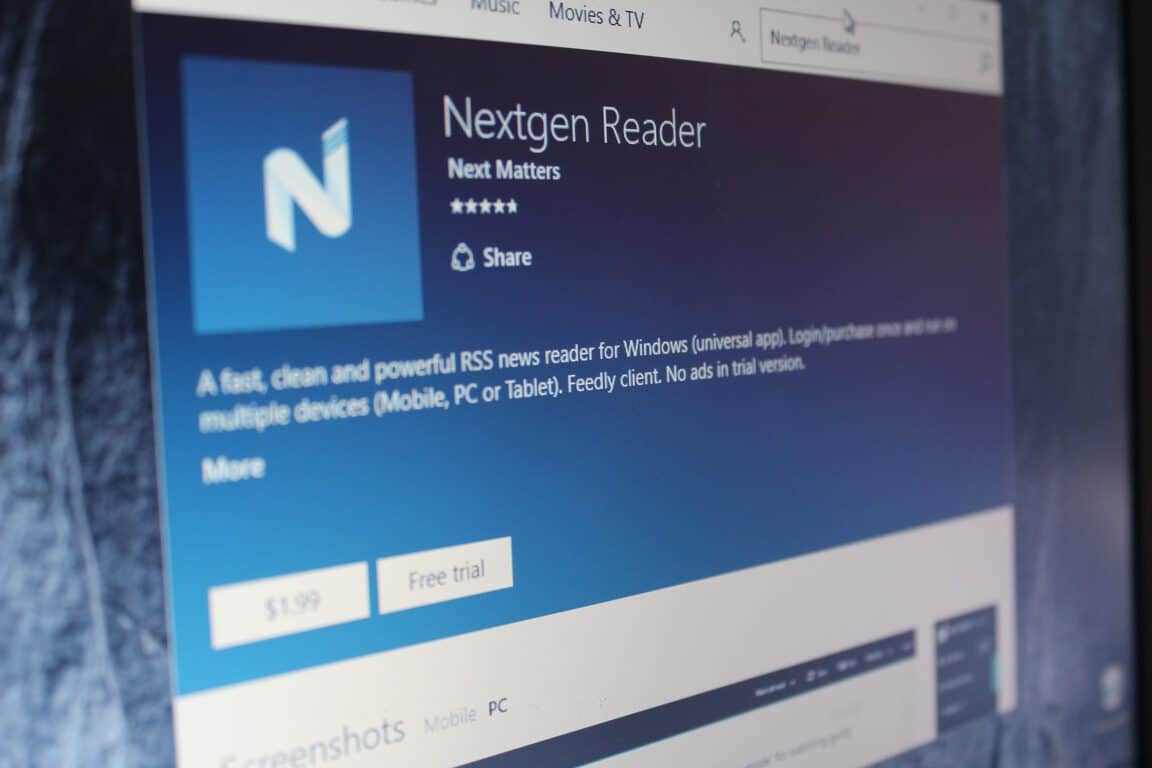
When Windows 10 launched last year, and so did the concept of the Universal Windows Platform (UWP Apps). Although it has been a while since Windows 10 launch, many developers have just now started launching universal versions for their respected Windows Store applications. Today, the developers of the Nextgen Reader are the newest addition to the UWP party.
Nextgen Reader is an acclaimed RSS news reader, and by way of a version 3.0 release, the developers NextMatters have just upgraded to a Universal Windows Platform app. The experience has long been requested by fans, and along with the usual bug fixes, version 3.0 adds or improves the following:
Upgraded to Universal Windows Platform (UWP).
Improved scaling and rendering of text
Enhanced Grid View UI (tap the three dots and select grid view)
New: Feed management – add, edit, move or delete feeds.
New: Search feeds by title, URL or #topic.
New: List style with story thumbnails.
New: Support full-screen mode (press F11 key or tap the app logo in left corner).
Transparent live tiles with unread count up to 9999.
Updated context menu’s with icons.
Enable/disable swiping in reading pane.
So, if you like the sound of this app, you can check it out by clicking the link below. And as always, once you do update or download, comment below to let us know how it is going!
Microsoft has partnered with Ecolab to help them more efficiently monitor water usage and hygiene and further assist worldwide industries in the energy, agriculture, food and beverage, manufacturing and hospitality sectors in dealing with the growing problem of water scarcity caused by climate change and the increase in human population.
In an interview with Microsoft, Christophe Beck, president of Nalco Water (an Ecolab company) explains the problems faced by companies. “What our customers truly want when they work with us is to first and foremost reuse their water usage. But at the same time, they want to make sure that the product they produce, being a car, being paper, etc., is really becoming a better product. And at the same time, ultimately, it’s to reduce their total operating cost,” he says of the issues they face. “It’s really a ‘virtuous cycle’ with less water, better results and much lower operating cost – everyone wins. Because ultimately, our customers want to be good corporate citizens, and to do something for the community.”
The solution to solving these problems more efficiently was by incorporating Microsoft’s Azure cloud computing platform which allows Nalco Water to process water management data at a much faster rate and larger size.
Beck explains how Azure has positively affected Ecolab. “Suddenly, complexity and size are no longer barriers,” he reveals. “We can capture any data, anywhere, and transmit that information around the world very rapidly. We can now harness the power of this platform to serve many more customers, measuring many more flows at many more plants than we could even conceive of in the past.”
President of Microsoft North America, Judson Althoff says of her company’s involvement. “Our mission at Microsoft is to empower every person and every organization on the planet to achieve more,” she says, paraphrasing their Windows 10 marketing slogan, “Do More”, “This will come to life in a powerful way through our collaboration with Ecolab. We’re excited to assist one of the world’s leading water treatment technology and service providers in creating solutions that preserve our world’s most precious natural resources.”
Finally, EA SPORTS Rory McIlroy PGA TOUR, has received a 60% discount and a variety of Forza add-ons have also had their prices reduced such as the Complete Forza Horizon 2 Add-Ons Collection, the Forza Motorsport 6 Fast & Furious Car Pack, and the Forza Horizon 2 Car Pass. Here’s the official description of the Forza Horizon 2 Car Pass to tempt you:
Here’s your chance to get all the great add-on content for Forza Horizon 2 in one bundle at one low price. Get the Storm Island Expansion, Porsche Expansion, VIP membership and cars, and all 13 car packs: Mobil 1, Falken Tire, NAPA Chassis, G Shock, Top Gear, Rockstar, Furious 7, Alpinestars, Pre-Order Pack, Duracell, IGN, Playground Select, and Fast & Furious car packs, as well as the Forza Horizon 2 Treasure Map. Forza Horizon 2 game required.
The Deals with Gold discounts are only available for paid Xbox Live Gold members and the discounts on these specific titles are valid only until the 11th of April 2016. Content can be purchased directly on the Xbox 360 and Xbox One consoles in the Store sections, on the Xbox Smartglass and Xbox apps, or on the Xbox website.
Does the Deals with Gold campaign ever tempt you into buying a game you wouldn’t have otherwise? Let us know in the comments below.
DiRT Rally is a racing game that features tracks in a variety of locations and conditions such as snow, tarmac, and dirt and also boast the inclusion of officially licensed World Rallycross content in the form of exclusive cars. Here’s the official description:
DiRT Rally is the most authentic and thrilling rally game ever made, road-tested over 80 million miles by the DiRT community. It perfectly captures that white knuckle feeling of racing on the edge as you hurtle along dangerous roads at breakneck speed, knowing that one crash could irreparably harm your stage time. Every stage tests you differently, as you race on the edge of control across snow, ice, tarmac and dirt and tackle a variety of weather types. As the car suffers attrition and stages string together, your dedicated rally team tries to keep you competitive and each rally becomes a marathon-like test of concentration and skill.
Steredenn is equally fast-paced but is a shooter instead of a racer. The game is set in a science fiction outer space setting and features boss battles, randomly-generated levels, and leaderboards to compete with friends. Here’s the official description:
Steredenn is a frenetic and chaotic space shooter, carved in big beautiful pixels, with insane boss battles. Embark in your ship and engage the fight against dreadful space pirates in a never-ending combat for your survival. Steredenn is at the crossroads between a shmup and a rogue-like. Enjoy the infinite replayability of the game with its unforgiving gameplay, intense boss fights, (almost) randomly generated environments, twisted space events and a surprisingly large arsenal of weapons
Microsoft’s much-anticipated video game, Quantum Break has just launched on the Xbox One console and Windows 10 PC and the company is pulling out all of the stops to promote the new IP as much as they can from releasing a series of commercials and teasers, both online and on traditional television, to holding large promotional events around the world.
The game is also getting some prime advertising on the Xbox One’s dashboard with an extra-large promotional tile on the main page and extra advertisements in the Store. This is encouraging to see as just last week Killer Instinct Season 3, which is also published by Microsoft, launched on Xbox One and received little more than a small promotional tile in the Store that disappeared after a day or two.
Microsoft appears to have a lot of confidence in their new release. Here’s the official Quantum Break game description:
In the aftermath of a split second of destruction that fractures time itself, two people find they have changed and gained extraordinary abilities. One of them travels through time and becomes hell-bent on controlling this power. The other uses these new abilities to attempt to defeat him – and fix time before it tears itself irreparably apart. Both face overwhelming odds and make dramatic choices that will determine the shape of the future. Quantum Break is a unique experience; one part hard-hitting video game, one part thrilling live action show, featuring a stellar cast. Your choices in-game will affect the outcome of this fast-paced fusion between game and show giving the player a completely unique entertainment experience.
Quantum Break merges an action video game with an original science fiction/thriller television series starring X-Men’s Shawn Ashmore and LOST’s Dominic Monaghan. Interestingly, both actors have recently starred in productions with a focus on time; Ashmore in X-Men: Days of Future Past and Monaghan in TV’s Flashforward. Are you playing Quantum Break? Which platform are you playing it on? Let us know in the comments below.
Bethesda just released Survival Mode for the latest installment of the Fallout franchise, Fallout 4. The new mode is still in beta but Steam users can already download and test it out, with consoles receiving the update sometime in May.
With the latest update, Bethesda brought a lot of aspects to the new mode that makes it difficult for players to survive. These new features include more limitations, increased lethality, more enemies, and much more.
A particular highlight of the new Survival mode is the ability to save the game only when you go to sleep — manual, auto and quick saves are removed. In addition, fast travel is disabled, you deal more damage while the main charater takes more damage from opponents, and fatigue, hunger, illness, and thirst are all added considerations. You can check out the complete list of new features at Bethesda’s website.
If you already purchased Fallout 4 on Steam, you’ll be able to test the beta version of the new Survival Mode for free. Just go to your Steam Library and check for updates for Fallout 4.
This is the second addition to Fallout 4 after the first DLC of the game, Automatron, which was released in March. Unlike the new Survival Mode, which is available for free to all Steam users who purchased the original game, Automatron will cost you $9.99. Both additions are also available in the Fallout 4 Season Pass which can be purchased for $49.99.
As we said, the new Survival Mode has yet to arrive on consoles, and we don’t know the exact release date. But as soon as it lands on Xbox One and PS4, users of these platforms will also be able to try the beta version for free.
If you already installed and played the new Fallout 4 Survival Mode, let us know about your impressions in the comments.
A new update released a couple of days ago for Rise of the Tomb Raider for Windows 10 brought support for Microsoft’s latest DirectX 12. The same update initially landed on Rise of the Tomb Raider for Steam last month, with Microsoft now introducing it for the UWP version, as well.
The aim of the update is to enhance the overall experience of the game by making it fully compatible with DirectX 12. The latest DirectX software will give the game the ability to spread rendering across all CPU cores for much better performance and improved framerate.
If you purchased the game through the Windows Store — and if you own the beefy hardware required — go to Video Settings and enable DirectX 12. However, DirectX 12 shouldn’t drastically change the look of the game, with most of the improvements going to performance and overall smoothness.
If you still haven’t experienced the power of DirectX 12, check out the presentation from last year’s Build conference at which Microsoft presented the new software:
The release of Rise of the Tomb Raider as the first AAA game in the Windows Store was a big step for Microsoft. But the Store’s large number of critics and even more flaws proved that the Windows Store is still far from a competitive game distribution platform.
The good thing for Microsoft is that the company recognized all those mistakes and has started working on improvements. Bringing DirectX 12 support is a good start, but it’s still just a beginning. However, Microsoft announced that users will soon be able to disable V-Sync along with the option to use G-SYNC and FreeSync, as well. This is a good direction for the Windows Store because people mostly complained because they were forced to run V-Sync while playing games.
Additionally, Windows 10 games will also soon start to support multi-GPU solutions, like NVidia SLI and AMD Crossfire. These are things that bothered people who bought Rise of the Tomb Raider and other games the most. Still, there’s a lot more to be done if Microsoft wants to satisfy users of its bigger Windows 10 game releases.
Have you tried Rise of the Tomb Raider with DirectX 12 enabled yet? If you have, please share your experiences with us in the comments below!
Windows 10 is a free Windows update from Microsoft for users who already have a PC running a genuine version of Windows 7, Windows 8, and even Windows 8.1.
Most of the people running older versions of Windows have already upgraded to Windows 10, but for some people who are still concerned with privacy issues on Windows 10, it is a tough decision to make.
Windows 10 transformation pack is developed and designed in a way that the users can get a taste of the new windows before the actual release of Windows 10.
This objective has been achieved by applying a selection of different tools, patched files, and many more modifications to provide as close to the actual experience as possible.
What are the features of the Windows 10 Transformation Pack?
Windows 10 transformation pack comes with a totally new login screen, different themes, many wallpapers, new cursors, improved icons, fonts, and sounds.
You also get extra functionality, such as virtual desktops and a new Windows 10 start menu. All of this combined gives your version of Windows a whole new classy Windows 10 look.
Windows 10 transformation pack is developed to be used on all versions of Windows, starting from Windows XP to Windows 8.1.
New hidden wallpapers from Windows 10 and Windows 10 v1511 (Threshold 2)
New windows internet explorer designed to give the feel of the new Microsoft Edge
No issues of system file modification incompatibility
No issues with the theme engine, unlike other packs
Updates to the login screen with new wallpapers
Compatibility issues are resolved for Windows 7 and the versions below
Resource Hacker software has been updated
System icons have been updated from Windows 10v1511
How can I install Windows 10 Transformation Pack?
To install the Windows 10 Transformation pack, you need to follow the following steps and make sure you do not skip anything in order to have a perfect installation.
After the pack has been downloaded, extract the ZIP file and file the setup for the pack in EXE format.
Double-click the EXE file, and the setup will start.
Now, carefully go through the setup and choose the appropriate options in order to make sure you get all the things.
You can even choose not to install the things you do not want, which is good.
Let the installation complete, and you will notice that after a full restart, your PC will start looking similar to Windows 10. This pack does not provide the full experience, but it allows the user to get familiar with the new Windows 10 OS.
The transformation pack has many versions, which started from 1.0, and now the latest version, 6.0, has been released, which shows that the developers of this pack are quite active when it comes to updating this pack.
Windows 10 transformation pack offers a wide variety of features for its users. These features include the smooth installation and uninstalling of the software pack, making it easy and safe for the users to transform their older version of Windows to look like Windows 10.
If you can’t find a reason to update your PC to Windows 10, or your PC hardware limits you from doing so, now it doesn’t matter, as you can get the Windows 10 looks and a few features with this transformation pack.
Microsoft’s Edge browser is almost a year old, but after several rounds of improvements, it is still overall looking like a very secure experience. At their second annual Edge Summit event, Microsoft hs just claimed that in about one year Edge has had no zero-day exploits and no known exploits targeting it.
This comes as very good news, as the number of Common Vulnerabilities and Exposures (CVE’s) in 2015 are significantly higher (at around 25) on Internet Explorer for Windows 8.1 and below. The same can be said for IE11 on Windows 10, which peaked at around 20.
Overall, the company also revealed that there was a 75% reduction in RCE CVE’s that affect Edge in the first 5 servicing months.
Edge security stats
These numbers are reassuring and seem to bring Microsoft’s latest web browser into a new more secure era. We would love to hear what you think of these statistics, so please comment below to sound off on your thoughts on Edge security!
Last week Microsft showed off a number of exciting new things coming to Windows 10 Anniversary update this summer. It was also a moment to reflect on what Windows 10 has accomplished over the past year as it has achieved the fastest adoption rate of any version of Windows, and has reached over 270 million users. Microsoft’s Gabe Aul took an opportunity last week to thank Insiders for their help achieving this and for providing feedback on Windows 10’s development
Today, Gabe Aul took to Twitter to further thank Windows Insiders for all their help leading up to Build with two new Xbox Avatar “props.”
Hey #WindowsInsiders! As a 'thank you' for your help leading up to #Build2016, we have some Avatar toys for you!
Both of the two new props for your Xbox Avatar are centered around the Windows Insider Ninja Cat. In the first animation, Ninja Cat jumps into the scene next to your Xbox Avatar and is joined by the famous “left shark.” Ninja Cat then proceeds to get on water skis and jump both your Avatar and Left Shark. It looks like the Windows team is poking some fun at themselves and their Ninja Cat gag by having it literally “jump the shark,” a phrase used to mean an idea has been taken too far ever since the iconic episode of Happy Days when Fonzie jumped a shark on water skis.
Ninja Cat and his trusty T-Rex
The other animation is Ninja Cat again jumping into the scene next to your Xbox Avatar where he ends up riding his trusty T-Rex, complete with T-Rex holding his toy claws to improve his reach.
You can pick up both of these Xbox Avatar Props from the following links.
You’ll also need to have the Xbox Avatar app installed on your PC to download and add them to your Xbox Live account, which can be downloaded from the box at the bottom of this post.
Once you have installed them you can go to your Xbox Avatar hamburger menu, click Style (the icon that looks like a clothes hanger), and then click props. From here you can select which animation you want to appear with your Xbox Avatar.