With all the recent talk about encryption and personal data, Microsoft looks to remind its customers that all of their data is safe. Microsoft has safeguards in place to protect both personal and enterprise customers’ data with its Azure Cloud and Internet of Things (IoT) Computing Services.
Here’s a short video of some of the things Microsoft is doing to keep their customers’ data safe in the cloud:
Here are the finer points of Microsoft’s Trusted Cloud principles and their commitment to customers’ data, privacy, and customer control options of their data:
You own your data, not us. When you use a Microsoft cloud service, you keep the ability to take your data with you when you terminate an agreement. When a subscription expires or you terminate your contract, Microsoft follows a 90-day retention policy and strict standards for overwriting storage before reuse.
Your data is not used for marketing. Our enterprise business model is not based on exploiting customer data. We do not use your data for purposes such as advertising that are unrelated to providing the cloud service.
We don’t use standing access. Only a small set of activities require human involvement; access to your data by Microsoft personnel is granted only when necessary for support or operations, then revoked when no longer needed.
You can choose your datacenter location. Depending on which cloud services you have, you may have flexibility in choosing where your data physically resides. Your data may be replicated for redundancy within the geographic area, but not transmitted outside it.
We protect data from government surveillance. Over several years, we’ve expanded encryption across all our services and reinforced legal protections for customer data. And we’ve enhanced transparency so that you can be assured that we do not build “back doors” into our products and services, nor do we provide any government with direct or unfettered access to customer data.
Law enforcement requests must go through you. We will not disclose your data to a third party except as you direct or as required by law. We’ll attempt to redirect third parties to request customer data directly from the data owner.
For a closer look at what specific security measures are in place to protect your data, check out Microsoft’s Trust Center.
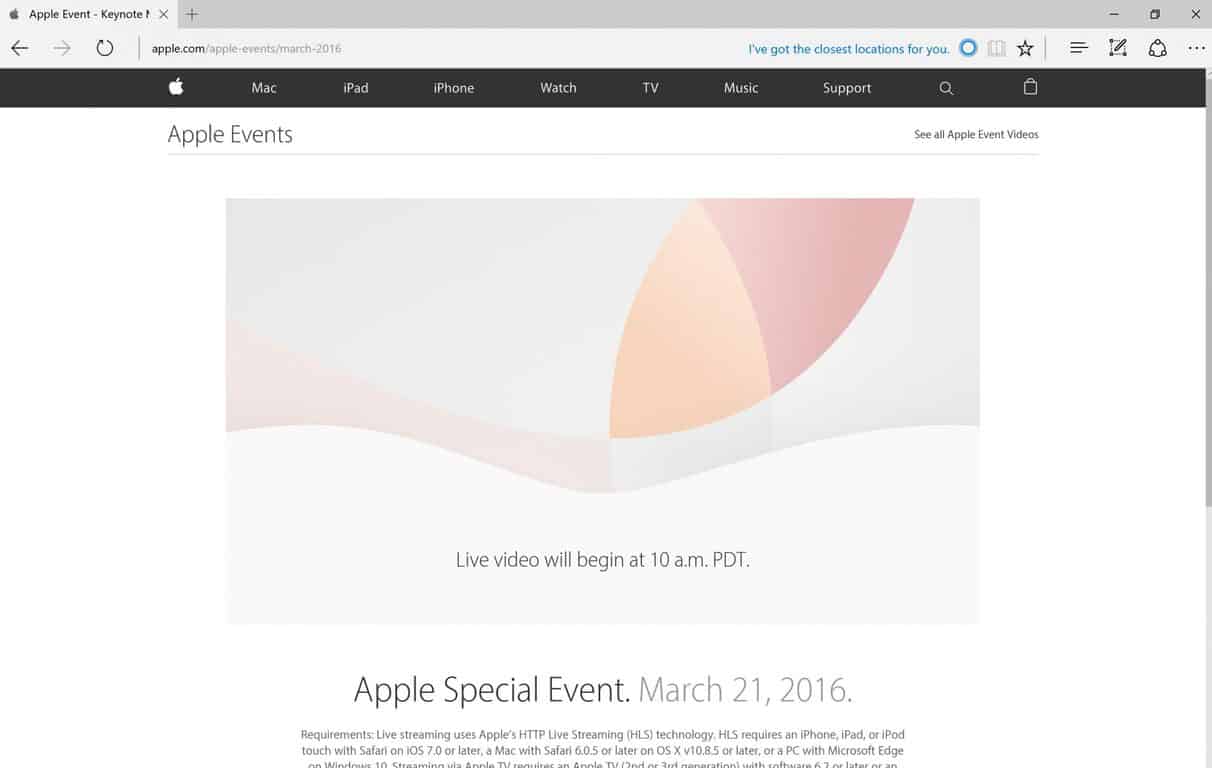
Another Apple live stream event is on its way, and in the past, Apple only supported their own browser, Safari, to stream their events. Last year, Apple added Microsoft’s Edge to stream Apple’s September 9, 2015 event in San Francisco. Again this year, Apple added Microsoft Edge, in addition to Safari, to stream their March 21, 2016 “Special Event.”
Here are the requirements for streaming Apple’s Special Event:
“Requirements: Live streaming uses Apple’s HTTP Live Streaming (HLS) technology. HLS requires an iPhone, iPad, or iPod touch with Safari on iOS 7.0 or later, a Mac with Safari 6.0.5 or later on OS X v10.8.5 or later, or a PC with Microsoft Edge on Windows 10. Streaming via Apple TV requires an Apple TV (2nd or 3rd generation) with software 6.2 or later or an Apple TV (4th generation).”
One possibility is that Apple is trying to entice Surface Pro 4 and Surface Pro 3 users to come over (or back) to Apple. Apple is still leaving Chrome, Firefox, and Internet Explorer users unable to stream the event. Tim Cook will likely introduce a smaller iPhone, iPad Pro, iOS 9.3, and talk at length about encryption.
At least you know you can watch the Apple Special Event on your Surface Pro 4, Surface Pro 3, or PC using Microsoft Edge on Windows 10. Let us know in the comments what you think of Apple’s new stuff.
This week, a few Microsoft Employees on Twitter started teasing upcoming features in Windows 10 Redstone that will have us “freaking out”. Not much else was said about these mysterious features, however it is expected that said features will be shown off at Microsoft’s upcoming BUILD developer conference at the end of the month.
Rich Turner is a Senior Program Manager on Microsoft’s Windows team and works on command line tools, and Scott Hanselman is the Principal Program Manager and Community Architect on the Azure Application Platform and Tools team, so the “freak out” features might be developer-related.
Microsoft finally released a new Insider build with Edge extension support this week, after unveiling the feature over a year ago. Extension support for Edge is still in its early stages right now, so the only way Insiders can test them is via sideloading them manually. There are 3 “official” extensions to try out; Mouse Gestures, Microsoft Translate and Reddit Enhancement Suite.
Although Microsoft is yet to release any documentation on how porting an Edge extension works, developers have already started attempting to do it themselves, with popular apps such as “Tweeten” and “Turn Off The Lights” releasing early extension previews that Insiders can download and install on Edge.
Also this week, WinBeta revealed that the Photos app in Windows 10 is set to receive a number of new features during the Redstone development cycle. Mainly, the Photos app will gain the same intelligent photo search functionality found on OneDrive, which allows users to search photos by the people in them, where they were taken and more.
The idea here is that the Photos app will automatically scan photos for faces, as well as metadata for locations, then categorize them automatically for easy viewing. You will be able to teach the Photos app who a specific person is so it can automatically categorize them into a folder/album that is dedicated to them.
Finally, this week Microsoft announced that Skylake support for older versions of Windows such as Windows 7 and Windows 8.x would be extended until 2018. Microsoft has responded once again to a customer backlash by “clarifying” their position on just how they will be supporting Windows 7 and 8.1 on the Skylake platform:
As we approached Intel’s Business Launch for Skylake in mid-January, we shared more details on our recommendations for enterprise customers on Windows 10, Windows 7 and Windows 8.1, including clarifications to our support policy for new silicon. A key part of this update was our commitment to continuing to lead with a customer-first approach. Since then we’ve received feedback from customers at various stages of planning and deployment of Windows 10. Led by their feedback, today we are sharing a few updates to our Skylake support policy*:
To help provide greater flexibility for customers who have longer deployment timeframes to Windows 10, the support period for Windows 7 and Windows 8.1 devices on Skylake systems will be extended by one year: from July 17, 2017 to July 17, 2018.
Also, after July 2018, all critical Windows 7 and Windows 8.1 security updates will be addressed for Skylake systems until extended support ends for Windows 7, January 14, 2020 and Windows 8.1 on January 10, 2023.
So there you have it. Another week of Windows 10 news. What was your favorite story? Let us know below.
The week wasn’t even one day old when Microsoft decided to boot Okta, an enterprise startup, from its Ignite conference (the company was then re-invited several days later). The initial decision, originally reported by Business Insider, was relayed by Okta’s CEO, Todd McKinnon.
Ignite is a big, global conference that Microsoft hosts to talk with its partners and customers about the cloud, the direction of the company, and anything else. What makes the news especially surprising is that Okta actually sponsored Ignite this year and has done for a few years prior.
It’s unclear why Okta was suddenly “dis-invited” from Ignite, but here are several guesses:
Microsoft decided it didn’t want a competitor to sponsor its event and get attention for its products.
Someone within Microsoft messed up (or, at least, holds an old grudge).
Another reason, which is not clear and isn’t easily guessed.
Anyone who looks at these reasons would be drawn to number one: Okta, which makes software that helps companies manage multiple log-ins, competes with Microsoft and has been instrumental in endangering the company’s position in the enterprise market.
As Ben Thompson, an analyst for Stratechery, wrote in a daily update, “Microsoft is full of nice people but I’m quite sure they want to win just as much as they ever had … And so, I was not surprised they took aim at Okta.”
The decision, and its implied pettiness, makes Microsoft look bad and was recanted several days later.
However, this episode didn’t make Microsoft look nearly as bad as what happened on Friday, when the company hosted a party at GDC, the big game conference.
Microsoft CEO Satya Nadella.
Microsoft has hosted parties before at big events before, like the one at CES, but this one was different: dancers were hired and asked to dress like “schoolgirls,” according to media reports.
Posts on social media by attendees lay out exactly what happened — and they don’t make Microsoft look good. Several posts on Instagram, which have now been deleted, show girls dressed up on tables dancing in front of partygoers.
Unsurprisingly, the response from the world was not good and Phil Spencer, the head of Xbox at Microsoft, was forced to issue an embarrassing apology.
“At Xbox-hosted events at GDC this past week, we represented Xbox and Microsoft in a way that was not consistent or aligned to our values,” he wrote. “It was unequivocally wrong and will not be tolerated.”
Whatever Spencer says, the event still happened and people still saw it. The reaction from the media was swift and the story was picked up hundreds of times. As The Verge notes, sexism in the gaming industry is hardly new, but that does not mean Microsoft should condone — let alone participate — in it.
This event could be seen as a one-off, but Microsoft’s CEO Satya Nadella has gotten into trouble before about his comments on the pay gap between men and women.
“It’s not really about asking for the raise, but knowing and having faith that the system will actually give you the right raises as you go along,” he said, in response to a question about women asking for higher pay at an industry event. Not asking for a raise was, according to Nadella, “good karma.”
His comments, which he later characterised as “inarticulate” on Twitter, likely were just that, but the reports spread and soon Microsoft’s name was plastered all over the web, associated with a set of comments that would turn fifty percent of the population off.
Microsoft is not a malicious company, but occurrences like these make it look bad, especially given its past as an aggressive, nasty, spiteful competitor to other technology companies. Kicking Okta out of a conference may seem right to Microsoft management, but to the outside world it brings back memories of the old days.
However, the bad news outweighed the good and a week that should have been positive news for Microsoft turned out to be a set of stories that reflected poorly on the character of the company.
The company, under Satya Nadella, likely has changed but, as Thompson notes, this week serves as “a reminder that for all the good Nadella has done there is still much to do.” Making Microsoft appealing to both sexes, to all companies, and to the outside world is of the utmost importance and this week has been a black stain on an otherwise solid year.
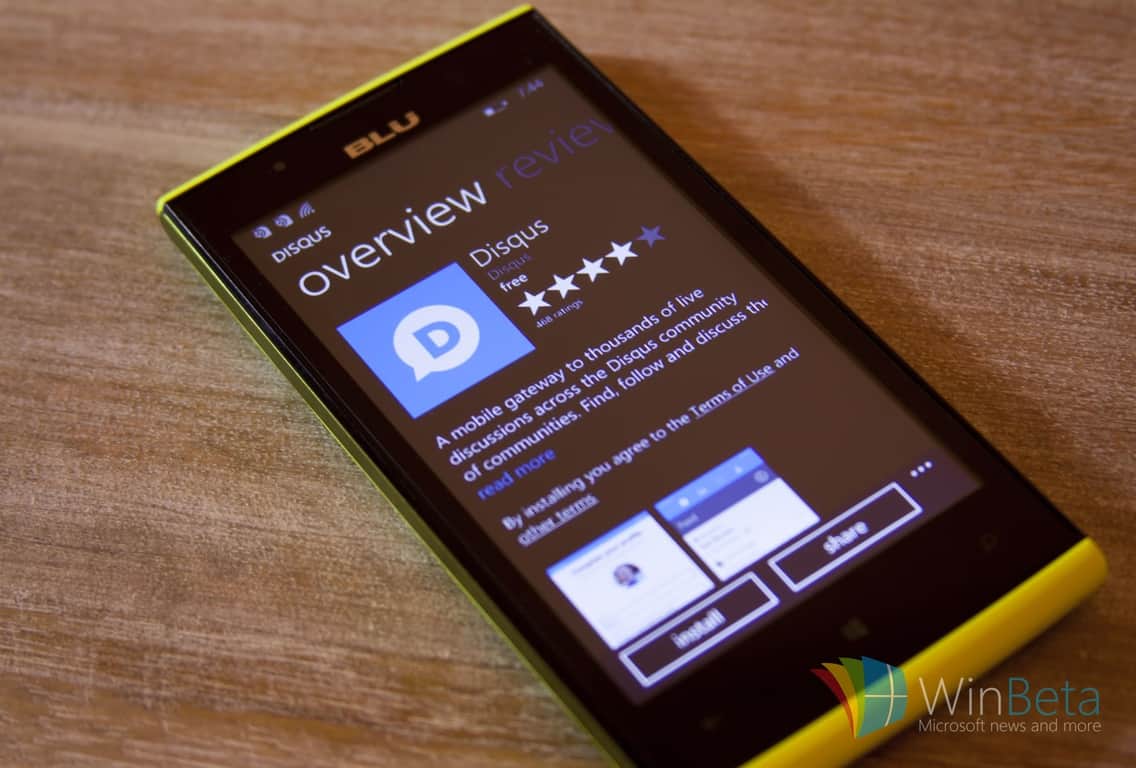
Disqus is the web’s most popular discussion system, powering hundreds of online communities across the globe. Obviously, as you already know, we use Disqus on WinBeta.org to power our comments section.
Disqus is working on a Universal Windows 10 app and has taken it to Twitter to tease a screenshot of the app. Not much else is known about the app, such as release date, but we do know that an SDK for the Windows 10 app will also be made available soon after the release of the app, allowing developers to add native integration to their own Universal Windows apps.
Gamers have been wanting to play games cross-console for a long time now. With the recent climate of gaming more and more frequently supporting cross-play between console and PC (the most notable recent example being Rocket League’s partnership with PS4) gamers have been scratching their head wondering why PC had to be the limit. After a long while, Microsoft has finally decided that it’s time to open the floodgates and start letting gamers enjoy an open, cross-console community.
The first game that’s going to be supporting this open network play is going to be Rocket League, the same game that broke open network barriers with PS4 and PC. The update that’s going to bring this change is going to be arriving later this Spring (no specific date yet) and should revolutionize not only the experience of Rocket League players but the experience of all gamers going forward. Microsoft’s decision to open up Xbox Live’s network opens a world of possibilities for developers going forward, should they choose to support this feature.
Assuming developers in the future build their games with this feature in mind, games like The Division and Destiny may not have to have their communities split anymore. Gamers on PS4, Xbox One, and PC will all be able to come together to enjoy the games they love with one another – a dream come true for a community of hobbyists who continue to embrace one another, creating demand for more and more games that require cooperative play and massively multiplayer components.
This being said, Microsoft made it clear in their blog post regarding GDC: “it’s up to game developers to support this feature.” It may take a while for developers to get to a point where they’re comfortable, or even able, to make use of Microsoft’s newfound desire to bring all gamers together. With any luck, this transition in the nature of multiplayer gaming can go smoothly, and the gaming community will recognize immediately what a difference it makes to their ability to make use of cooperative and competitive experiences.
Turn Off the Lights, for those that did not know, is a free browser extension for Google Chrome, Internet Explorer, Mozilla Firefox, and other browsers, where you can dim everything on the screen except the Flash or HTML5 video you are watching. This is a really cool and useful extension that helps viewers focus on the video they want to watch and not be distracted by the brightness of a website.
With the most recent build of Windows 10 Redstone offering support for Microsoft Edge extensions, the developer behind Turn Off the Lights has released a preview of their extension for the Edge browser. Not all of the features work and there are a few things you need to do in order to get the extension working.
If you add this on all the JavaScript from your Chrome extension, it works then already well in your Edge browser.
if (typeof msBrowser !== ‘undefined’) {
chrome = msBrowser;
}
else if (typeof browser != ‘undefined’) {
chrome = browser;
}
2) Edge doesn’t support the “sync” feature from Google Chrome, so you must change the code from this:
chrome.storage.sync.get
to this
chrome.storage.local.get
3) Currently there is no “Options” button visible to change the settings in the “Turn Off the Lights” options page.
4) Our Turn Off the Lights extension use the pageaction icon, so the icon is also visible in the first page when you open the Edge web browser. Just right of the blue search button. When you click on the gray lamp button, it dims only the webview element. And that is just below the search box, the other part is gray and is coming from the browser UI.
Head over here to grab the extension and pay close attention to the documentation provided. Let us know in the comments below if you find this extension to be useful. What other extensions are you looking forward to seeing, aside from Adblock?
The StarCraft II: Wings of Liberty sequel was released worldwide on July 27, 2010. Since then, it’s been split into three installments: the base game Wings of Liberty, its expansion pack titled Heart of the Swarm, and a standalone expansion pack titled Legacy of the Void.
Now it’s been announced that StarCraft II fans will get Nova Covert Ops’ first mission pack on March 29. If you don’t own StarCraft II, you can still play the pack but the free Starter Edition along with a Battle.net account will be required. Blizzard said the following in its press release:
The reign of Emperor Valerian Mengsk is under threat. Along with facing political opposition, several Dominion ghosts have gone missing in action while under his rule. Their trail leads to a secretive Terran group, the Defenders of Man. As Nova Terra, a psionic ghost trained to be the perfect covert operative, you must delve into the conspiracy before it’s too late for the Terran Dominion.
Blizzard said the first of three mission packs brings “new mechanics” to the “classic StarCraft II gameplay” throughout three missions. In Nova Covert Ops, you will play as November “Nova” Terra, tasked with missions involving her infiltrating bases, intercepting invasions, and leveraging experimental technology.
All three Nova Covert Ops mission packs cost $14.99 and the last of them should be released prior to December 1. Each of the three DLC packs for Nova Covert Ops will consist of three single-player episodes.
I’m a firm believer that virtual reality is the next step in gaming, a game-changing technology with the potential to transform the way we think about computers. If the concept of “immersion” was only defined by outstanding graphics or ultra-wide monitor setups until now, VR has the capability to take gaming immersion to the next level and place gamers in the front-row seats of their preferred universe.
AMD’s Radeon Pro Duo is specifically designed with VR in mind
Virtual reality has been making headlines in the last few years, with a number of companies competing to make it a familiar concept under their name. Implementation has varied from mobile-oriented, almost DIY designs to computer-powered HUDs that promise to revolutionize the gaming industry.
AMD is one company that firmly believes in VR. So much so that their newest graphics card, the Radeon Pro Duo, is centered around it. The company has packed enough horsepower into this bad boy to take customers on the ride of their life. They are so confident in their VR-focused that they’re calling it “[the] world’s most powerful platform for virtual reality“, which in all fairness, after taking a look at what it can, isn’t far from the mark.
The graphics card packs a whopping 16 teraflops of computing performance thanks to its two processing cores and supports the latest version of DirectX 12, which provides the best fidelity for developers and gamers alike. Along with all the hardware goodies that AMD offers, the Radeon Pro Duo runs their proprietary VR SDK, AMD LiquidVR™. This gives VR creators and game developers the tools to take advantage of the horsepower in a simple and efficient way, as well as provide support for most major VR headsets.
Of course, the Pro Duo isn’t only for VR enthusiasts. Being more powerful than the last AMD powerhouse, the R9 295 X2, it sports GCN architecture with asynchronous shaders and support for Vulkan. All of this makes the Radeon Pro Duo a perfect graphics card for 4K gaming or VR.
The company has put some thought in the visual design of the card too, and while aesthetics aren’t the selling point of this behemoth, the effort is still appreciated. The industrial design of the card complements its capabilities and the addition of a closed loop liquid cooling system ensures that temperatures and dBs are kept in check.
In terms of price and availability, AMD announced that the Radeon Pro Duo will be available starting from Q2 and it will come with a pricetag of $1,499 USD. If it’s peaked your interest, you can learn more about the AMD Radeon Pro Duo here.
After a countless of rumors and endless months of waiting, the Windows 10 Mobile free upgrade is finally available to download. Unfortunately, the upgrade won’t be coming to smartphones with under 1GB of RAM.
There are obviously many questions still left unanswered, so Microsoft has released a mini-FAQ that you should consult. Here are some highlights:
Q: Which devices will the official Windows 10 upgrade be available to? A: You can see the list of Windows 8.1 phones that may be able to upgrade to Windows 10 here. To download the Windows 10 advisor app, go here.
Q: If I already have the current Windows 10 Mobile Insider Preview build and my device is on the updated list of supported devices for the Windows Insider Program, do I need to do anything? A: No action is required on your part. As a Windows Insider you have the latest build and do not need to downgrade to Windows Phone 8.1 to receive any updates. Your device is up-to-date. If you no longer want to receive Windows Insider Preview builds on a particular supported device, you may switch to Production and await future retail updates or move to the Release Preview ring to receive early app updates
Q: I’m currently using a Windows 10 Insider build on my device, but it is not on the list of devices that will receive a formal Windows 10 update. What should I expect in the future? A: If you already have the Windows 10 Mobile Insider Preview build on your device, you may keep using your device in an unsupported state. We will not be offering build updates beyond the Current Branch build 10586. At some point in the future these devices will also stop receiving updates to the Windows 10 Mobile Insider Preview build. In order to recover the devices back to a supported build of Windows Phone 8.1, you may use the Windows Device Recovery Tool. There are more details on the use of the Windows Device Recovery Tool within this forum post.
Q: What does this mean for Windows 10 Mobile builds from the Development Branch? A: Currently builds from the development branch have been made available to the Lumia 950, 950 XL, 650, 550, Xiaomi Mi4, and Alcatel OneTouch Fierce XL. In the coming weeks we will be making future Windows 10 Insider Preview builds available to devices on the updated Windows 10 Mobile device list. We will add devices to the Windows Insider Program as more devices launch with Windows 10 Mobile.
Q: Why are you choosing to remove devices from the Windows Insider Program? A: By limiting participation in the Windows Insider Program to current devices that have an official upgrade to Windows 10, or new devices that are shipping with Windows 10, this helps focus investigating feedback in the Development Branch for devices that will receive future Windows 10 updates.
We will be keeping an eye out on how this rollout will affect Windows 10 users and will make sure to follow-up if and when we find something noteworthy.
In the meantime, let us know how has your experience been so far with this long overdue rollout in the comment section below!
While travelling, it’s always useful to have a map available. Since most of us rely on our mobile devices for navigation, it’s no wonder that the number of map apps is always on the rise. As you might know by now, HERE isn’t one of them as the company recently announced it would be dropping support for Windows 10.
Still, that doesn’t mean that there aren’t alternative map applications available. In fact, Windows 10 comes with its own Maps app based on HERE apps. And in order to provide its users with the most accurate maps, Microsoft has updated offline maps for Windows 10.
Microsoft updates Windows 10 offline maps
Here’s how to download the latest update for Windows 10 Maps:
Open Settings > System > Offline Maps.
Go to the Map Updates section and click the Check now button.
If the update is available, it will be downloaded to your computer.
In case you haven’t used offline maps before, you’ll first need to select your country in order to download offline maps for it by doing the following:
Open Settings app and choose System > Offline Maps.
Under the Maps section, click on Download maps button.
Follow the instructions and select the desired country.
After you’ve done that, maps for that country will be downloaded and stored on your Windows 10 device.
If you wish to keep your maps updated, feel free to turn on automatic map updates. Another useful feature for owners of Windows 10 tablet or 2-in-1 device is support for metered connections. By turning off metered connections option, map updates will be downloaded only if you’re using Wi-Fi or unlimited cellular data connection.
Offline maps are always useful, especially if you need to check the map quickly or if you don’t have an internet connection available. If you haven’t already, make sure that you update offline maps on your Windows 10 device.
Just like Microsoft announced last week, both the Feedback app and Insider Hub have been merged into the Feedback Hub, available to Insiders in the latest build for Windows 10 Preview as of yesterday. As Microsoft mentioned, the new app will contain the best features from both of the previous apps, making it easier for users to use just one app to submit feedback instead of two.
The new app looks similar as previous two apps with only a couple of new features and some user interface changes. First, there’s a search bar that appears right after you open the app so you can easily search feedback from others. Also, Announcements and Quests are now shown together within a “What’s new” section. So, all the information about the latest build for Windows 10 Preview, as well as additional info, can be found in this section.
Microsoft also improved the option for sending feedback, as well, giving users the option of adding more details when submitting feedback in order to give Microsoft more valuable information. This will come in handy, especially if we consider that every Windows 10 Preview build comes with issues that no doubt bother users.
Users feedback is important to Microsoft
Microsoft is constantly pointing out that feedback provided by Insiders is crucial for the development team to deliver a quality operating system. It might even feel like Microsoft is pushing users too hard to provide feedback, with a lot of people disliking that approach. One tactic the company used was making it impossible for Insiders to turn off the Feedback feature, having forced some people to leave Insider Program. Some users are also concerned about their privacy in Windows 10 because the OS collects user data in order to give Microsoft information about how Windows 10 performs on people’s computers.
We’re sure that Microsoft’s intentions are good as the company just wants to deliver a quality product and satisfy users. But giving users a little bit more freedom won’t hurt, either, because people who don’t want to submit feedback to Microsoft won’t submit it anyway.
What do you think about providing feedback to Microsoft? Are you doing it on a regular basis? Do you like the latest Feedback Hub app? Tell us in the comment section below!
Fallout 4 was released by Bethesda as the fifth major installment in the Fallout series back in November of last year for PC, PlayStation 4, and Xbox One. Since then, the game has become immensely popular and has gone on to receive a few awards, as well.
It goes without saying that the game has a huge user base across the world, with many looking forward to fresh new content. Good news for all those Fallout 4 fans: Fallout 4’s first DLC, titled Automatron, will be released next week on March 22nd. As the name suggests, the add-on will add craftable robots to the game.
Automatron DLC comes to Fallout 4 on March 22nd
The game add-on will either be available by itself for a price of $9.99 or, if you own a $50 season pass, then it’s part of the deal. Automatron also brings a new quest chain to the game with the self-proclaimed Mechanist making its entrance along with its robots.
Have a look at the trailer below to see some of the potential robots you can build. The game is also getting new weapons, such as a buzz-saw staff and a chain lightning gun.
Once you get the new DLC for Fallout 4 on your Windows PC, let us know what you think of it in the comments below!
Today, we are very excited to launch Tweeten for Microsoft Edge. With Tweeten for Edge, Windows 10 users can get a better TweetDeck experience on the browser. Tweeten is currently available to Windows Insiders who are running Windows 10 Build 14291 or newer, and it will be available to all users once Microsoft rolls out the next update for Windows 10 to its customers in June-July.
If you are a Windows Insider, you can easily get Tweeten for Microsoft Edge by heading over to our website here. After that, follow the steps below:
Select Load extension, navigate to the extracted Tweeten extension folder, select the “soruce” (sic) folder and then click on Select folder to load the extension.
Tweeten is actually one of the first third-party Extensions for Microsoft Edge. We are planning to release more updates for the extension to improve the experience in the coming weeks, so stay tuned for those.
Oh, in case you use Google Chrome, you can get our Extension for Chrome from here.
<3,
Tweeten Team
Tweeten is a Windows Twitter app that’s written for Win32 as opposed to the Universal Windows Platform, and so this is an interesting method of getting an “app” running within Microsoft’s most modern platform. We’re most excited to see third parties already pushing Edge extensions, and will keep you up to date as we uncover even more.
For the foreseeable future, the app difference between Microsoft’s Windows Store offerings and its competition will still be a pain point for the company. Thankfully, some recent Windows Store departures are making a return and, at least, for the moment, pledging some confidence in Microsoft’s renewed app market.
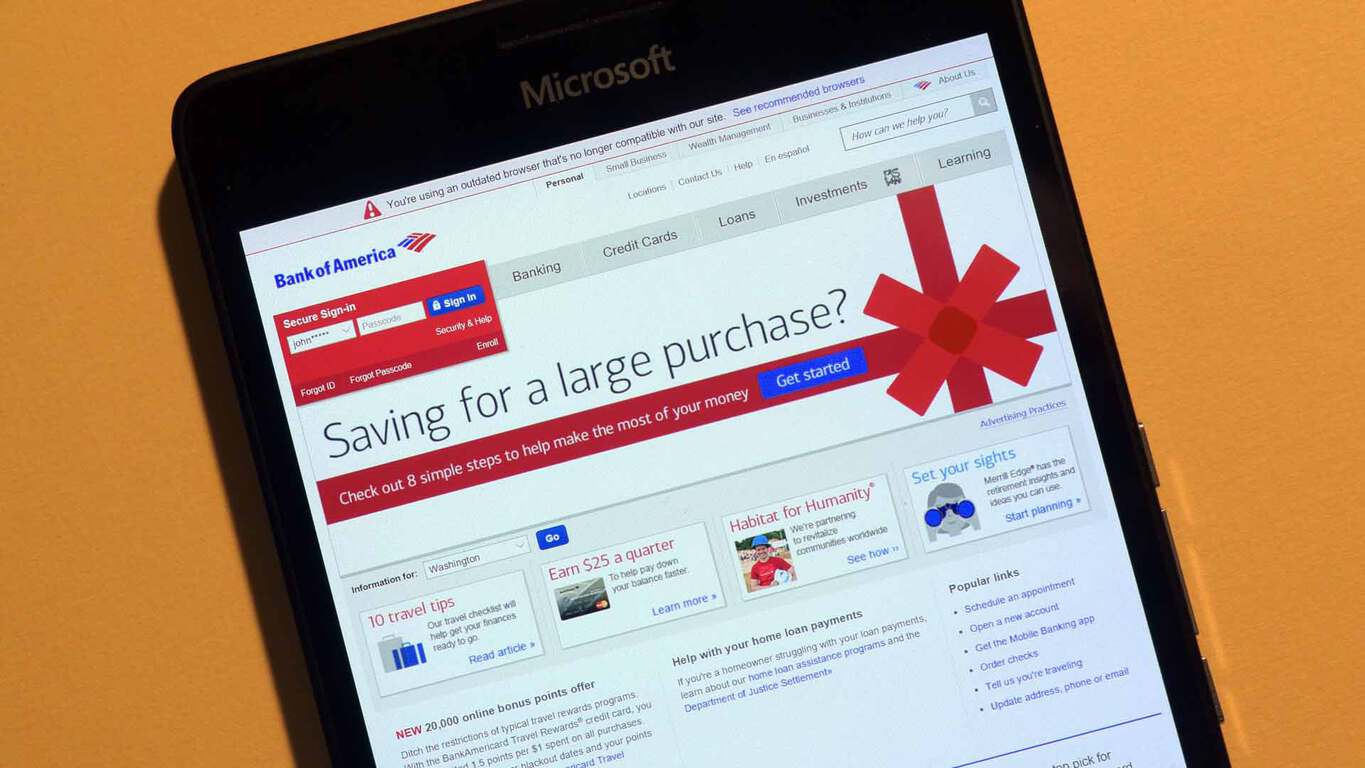
Roughly a year ago, Windows users were dealt a devastating hand when one of the largest banking institutions in North America decided to remove its mobile Bank of America app from the Windows Store. Understandably, many journalists jumped at the chance to further deride the Windows platform, mobile specifically, for its continued downward spiral of developer disinterest.
Fortunately, it seems Bank of America took its outdated and insecure app from the market while it worked on a new updated version. The folks over at Windows Central were able to obtain photographic evidence of BoA’s suspected Windows 10 banking app.
The Bank of America Windows 10 app is coming soon!
According to the image and WC’s report, it confirms the app is leveraging Microsoft’s new Universal Windows App platform which spans several device types on the Windows platform, giving Windows 10 Mobile users a proper mobile banking solution from the institution.
Other reported app details include:
Pay bills
Transfer money
Deposit checks
View balances and transactions on their checking, savings, and credit card accounts
View mortgage, auto, and other loan balances
Locate nearby financial centers and ATMs
The app should be arriving in the Store later this month on March 28th, 2016, if the captured image is to be believed and with its return, that marks the second banking app from a US bank to make its way to the Windows Store using the UWP platform. Hopefully, other banks such as Chase, or several well-known credit unions are taking note.
Microsoft has been working hard at opening up and embracing open source technologies lately, especially to bolster its cloud platform, Azure. Now they are letting you try some of those technologies in the Azure environment through a program called “Super Human“, announces on the Microsoft Openness blog .
The program consists of a series of “labs”, or hands-on environments for a specific platform, where you can participate in and complete “challenges” to gain experience in working with said platform. All these platforms are plugged into Azure for data, and they are also part of the Azure Marketplace collection of cloud-based applications. Anyone who completes a lab will get, in addition to the knowledge, the choice between a Crazyflie 2.0 mini drone, or an Azure Pass to try out Microsoft’s cloud platform for free.
Here’s what you can get for completing one of the labs. Courtesy of the Azure Marketplace.
Currently, there are three featured labs for industry-leading open source platforms that deal with big data, infrastructure automation and app containerization respectively: Hortonworks Data Platform (HDP), Chef, and Docker. From the descriptions, you definitely need some experience to be able to complete the challenges, so those with the necessary chops are welcome to participate. Besides the featured options, there are also labs for KEMP and Barracuda, which you can check out on the Azure Marketplace website.
Xbox Fitness has just updated with a slightly faster user interface and a completely new exercise program called, ATHLETE30 from MOSSA.
Mossa has already produced a variety of exclusive workouts for Xbox Fitness ranging from abs and weight training to dance and kickboxing. ATHLETE30 from MOSSA appears to be a cardio-based interval training program and contains two 30 minute classes.
Here’s the official description:
This new two-workout program combines strength and cardio in four phases of training: Strength/Endurance, Cardio/Agility, Strength/Power, and Cardio/Speed.
Expert coaching, hard-hitting athletic drills, and high-powered music will motivate you to perform your best in each of the two 30-minute workouts of this program.
Unlike the previous Mossa workouts on Xbox Fitness which are free to stream for Xbox Live Gold members, users will have to pay to play ATHLETE30. A reason for this appears to be the new download option that was implemented in the previous update that allowed for users to download workouts to the Xbox One console for improved playback. Since that update, none of the Mossa workouts had downloading enabled despite being made exclusively for Xbox Fitness which suggest that certain rights limited the free usage of the classes to streaming only.
Today all of the Mossa workouts have finally been given a download option but users must purchase them all to do so. Thankfully all of the old Mossa workouts can still be streamed for free. Since ATHLETE30 must be purchased for streaming and downloading, it’s possible the days of new free Mossa workouts are over.
Xbox Fitness is an exercise app on Microsoft’s Xbox One console. While it originally required a Kinect camera to play, the service has recently updated to allow for almost full functionality without one.
Do you enjoy Xbox Fitness? Share your favorite workout with the community in the comments below.
In addition to the Assassin’s Creed series, other titles being discounted are the Hasbro Family Fun Pack, Rocksmith 2014, Toy Soldiers: War Chest, Toy Soldiers: War Chest: Hall of Fame Edition, Trials Fusion, Trials Fusion: The Awesome Max Edition, Rayman Legends, Zombi, and Rabbids Invasion on Xbox One while on Xbox 360 gamers can grab Just Dance: Disney Party 2, Monopoly Plus, and Just Dance 2016.
Those who are members of Microsoft’s Xbox Live Gold program can also get additional savings on the initial discounts, which isn’t bad at all.
Are you tempted to grab one of these titles? Let us know which one in the comments below.
Starbucks just gave their loyal customers a hint on Twitter about its official Windows 10 app: it’s definitely in the works and it should arrive in the Store soon. Since Starbucks is the biggest coffee chain in the world, this is surely going to delight all the coffee lovers who have been constantly demanding a Windows 10 app from Starbucks for some time.
This information came to light after one Brazilian user asked Starbucks about its Windows 10 app to later receive a positive answer from the company. However, Starbucks only mentioned that its app is in development, so as excited as coffee addicts may be, this still isn’t an official announcement.
@leandromaxi6 Olá! O aplicativo Starbucks ainda não está disponível para Windows Phone, mas estamos trabalhando para tornar isso realidade.
Translated, Starbucks’ tweet says: “Hello! The Starbucks app is not yet available for Windows Phone, but we are working to make it happen.”
Possible Starbucks Windows 10 app features
Nothing is known regarding the possible features in the Starbucks app for Windows 10, but we assume it will contain similar features to those on the Android version which has been available for quite some time now.
These features include the ability to place an order with the app to later pick up from the store in addition to paying bills with the app. The Android version also has some cool features like discovering the music played in Starbucks shops and redeeming your ‘Stars’ for rewards. We can only assume these features will make its way to the Windows 10 version as well.
The Starbucks app is already available on Microsoft devices as you can add your Starbucks card to the Microsoft Band to access all the above-mentioned features, but the Windows 10 app will certainly be more versatile and thus used by more customers.
As soon as we have more info about the app, including the release date and its official list of features, we’ll make sure to let you know about it.
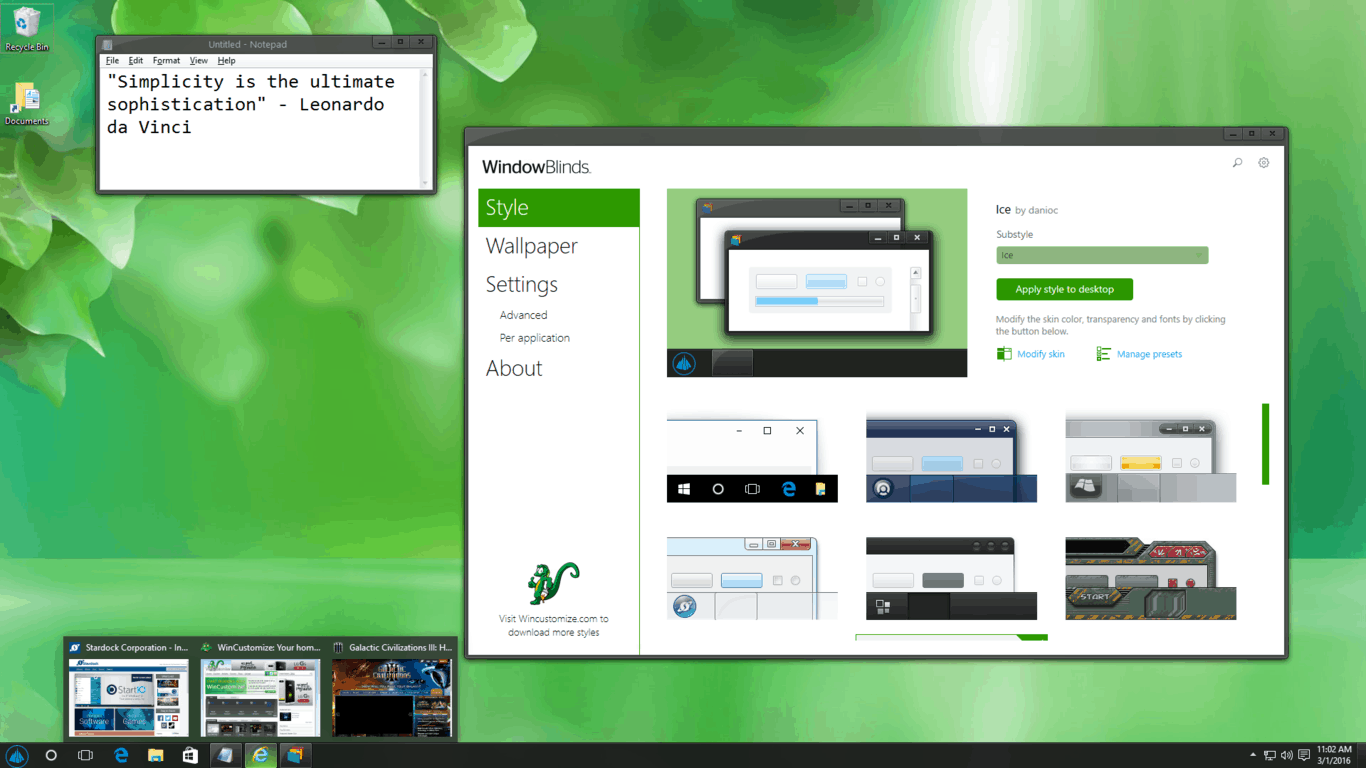
Stardock is famous for developing desktop customization tools for Windows various operating systems. Recently, the company unveiled its latest software: WindowBlinds 10, allowing you to customize your Windows 10 desktop however you’d like.
Customize your Desktop with WindowBlinds 10
WindowBlinds allows you to completely change the appearance of your Windows 10 desktop. You can add custom themes to the desktop to change the look completely, or you can change individual elements like the taskbar or the Start Menu. There’s also the option to change the desktop’s background, but this option is already available in Windows so that’s nothing innovative. But you do have far more functionality in changing the complete user experience of Windows 10 with this tool.
Once you download the program, you’ll have access to a theme gallery with various options for decorating your user interface. WindowBlinds 10 is designed for Windows 10, but it works perfectly on older operating systems, as well.
“We do our best to keep up with new operating systems as they become available,” said Angela Marshall, Stardock COO and Vice President of Software. “We know our customers have been waiting for our products to integrate with Windows 10, and we are happy to do that with WindowBlinds while we continue to do the same for our other applications.”
Stardock already offers some great customization tools like Object Dock, Fences, or Start10, so you can also combine the functionality for a few of their offerings for a completely unique desktop and user experience.
Stardock is mainly focused on useful tools for Windows operating systems, but its CEO Brad Wardell recently revealed that the company also wants to make some radical changes in the graphics card industry by introducing a solution for running two different GPUs on one computer.
WindowBlinds is available to purchase for $9.99, but you can also try a 30-day free trial to see if you like it before buying. You can download/purchase the tool from this link.
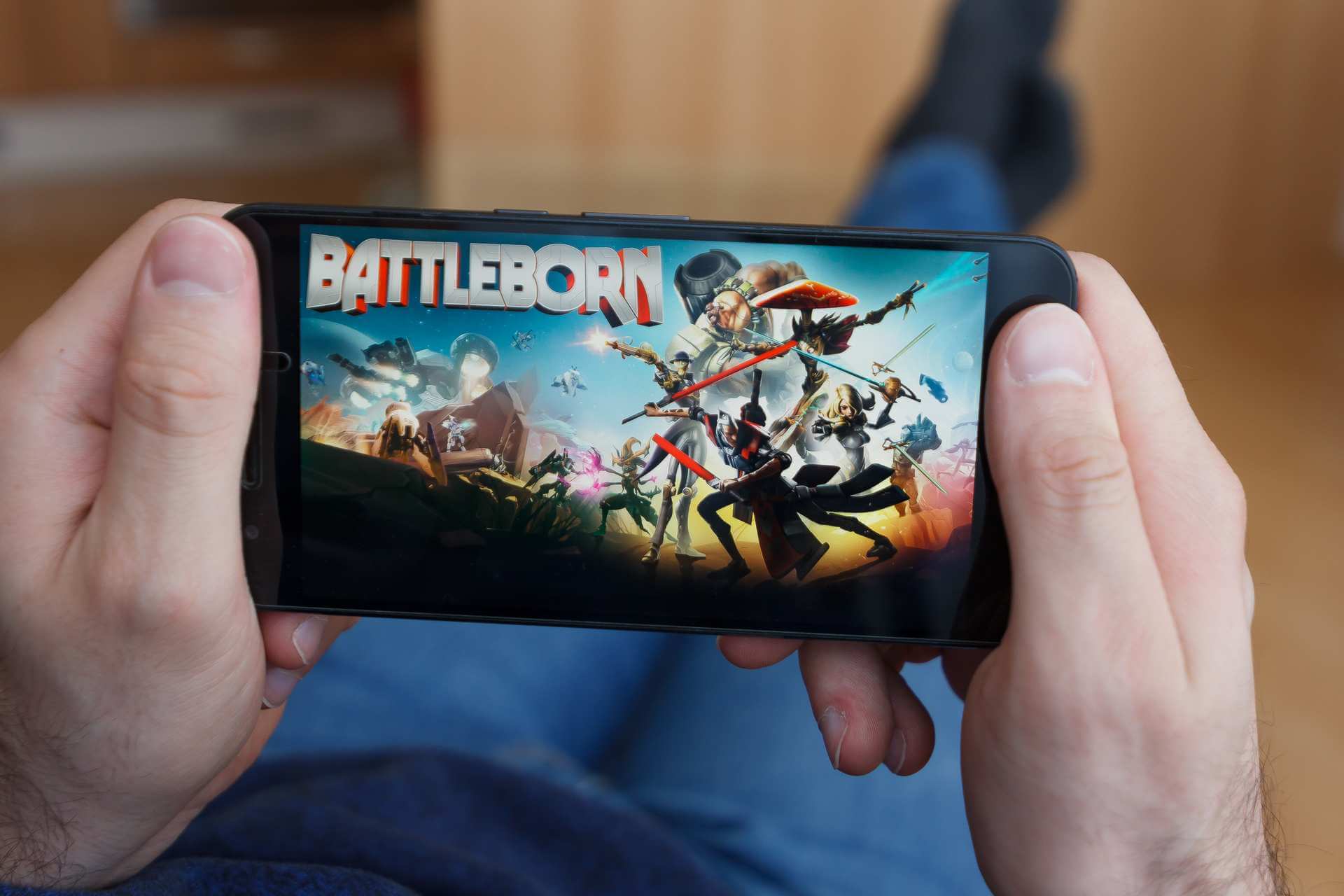
Battleborn is an exciting new game by Gearbox Software that combines the visual style of the Borderland series, first-person shooter action, and elements of MOBA games into a single game. Recently, the developer released Battleborn’s Incursion Mode and today let loose on a few more details regarding its post-release expansion.
Gearbox Software confirms Battleborn Season Pass and new heroes
When released, Battleborn will have 25 different heroes to choose from. But in order to keep any MOBA game interesting, new heroes need to be added. That’s exactly what Gearbox Software did today when they released details regarding the first new hero to be added to the heroes roster.
The new hero is called Alani, a member of Eldrid faction. Alani was raised as a healer but had to learn the art of combat in order to survive. Alani comes from a planet with many oceans, something that makes sense when you see that most of her attacks and abilities are water-based. She’s a powerful warrior that can control water and use her powers to heal her allies or to inflict pain on her enemies.
Alani will be the first hero to be added to Battleborn after the game’s release on May 3rd, 2016. There are plans to add four additional heroes to Battleborn but so far, no information is available regarding their release. What we do know is that all of the five new heroes will be free to all players.
Gearbox Software also plans to introduce paid content in the form of DLC packs. Five add-on packs are planned, each priced at $4.99. Each pack will feature one new Story Operation along with exclusive hero skins and taunts. You can play each of these Story Operations by yourself or online with friends. If you’re not too fond of online co-op, though, there’s a split screen option available as well. The Season Pass will include all five DLC packs and cost $19.99.
It’s great to see that Gearbox Software already has plans for new content. We hope to see even more heroes and extra content after Battleborn’s release.
Around the launch of the Xbox One in 2013, Verizon released their TV app for the system called Verizon FIOS TV. This app allowed subscribers to their internet and TV service to watch 75 Live free channels on their consoles. This was another addition to the growing list of entertainment apps, available to owners of the Xbox One consoles.
Verizon FIOS TV app Cancellation Letter
However, that will unfortunately be coming to an end. In an email sent out today, to subscribers, Verizon has informed its users that on March 31st the app and its contents will be cancelled and no longer for use, a bittersweet reality for those who use their Xbox One as center of their entertainment and enjoy the services of Verizon with FIOS. In the meantime, the mobile apps for Verizon FIOS TV are readily available and aren’t impacted by the removal of the Xbox One app. For those who use this service on Xbox, what have Verizon FIOS, how do you feel about this latest news on Verizon ending the app service? Let us know in the comments.
While most game developers tend to stick to developing games, the people at Stardock have been working with a wider scope of products in mind. Stardock has made a name for itself in the gaming industry primarily with Sins of a Solar Empire, an RTS franchise set in space that serves as a benchmark for its genre. On top of working with games, the company has also been working with “WindowBlinds” for some time–a program for Windows that let users their window frames, buttons, and more.
Recently, Stardock released WindowBlinds 10 – an iteration of the software that brings full integration into the Windows 10 operating system. The company stated with this release:
We know our customers have been waiting for our products to integrate with Windows 10, and we are happy to do that with WindowBlinds while we continue to do the same for our other applications.
WindowsBlinds 10.
For users that feel like they want to be able to take hold of the intricacies of their Windows experience, WindowBlinds 10 will provide a worthwhile option that creates serious opportunities for customization. Beyond being able to individually customize elements of the Windows 10 user experience, WindowsBlinds 10 users will be able to apply some skins that will completely overhaul things, including “Ice,” “Eva,” and “The Captain.”
WindowsBlinds 10 UI.
While WindowsBlinds 10 is offering to Windows 10 users a fairly appealing opportunity to customize their experience, it is, in fact, a premium one. If you want to get WindowsBlinds 10 you’re going to have to drop $10 to pick up the license for it (though you can get a 30 day free trial to see if you’re really interested enough to drop the money). If you already had a version of WindowsBlinds, you can upgrade to WindowsBlinds 10 for $5–which sounds like it should be a fair deal for anyone invested enough in WindowsBlinds to have already purchased it.
Twitter has been actively rearranging its presence on Windows devices as of late. With a new Windows 10-specific app, finally updating the Windows Phone offering, and adding features to both promptly, Twitter has satisfied a lot of casual users on the platform. Unfortunately, with good news comes bad news as well.
Twitter reached out to users of its TweetDeck service on Windows to inform them of some upcoming changes that will undoubtedly be received with angst and frustration from Windows users. Using the company’s official Twitter blog, the company released news about a seamlessly integrated sign in Web process among Twitter properties that begins March 17, 2016.
Unfortunately, that story was immediately followed by the company announcing it no longer will be supporting a standalone TweetDeck app for Windows come April 2016.
To better focus on enhancing your TweetDeck experience, we’ll no longer support a standalone Windows app. If you use Windows, you’ll still be able to visit TweetDeck on the web — nothing is changing about TweetDeck itself, just where you access it from. This change will take effect on April 15th.”
It seems strange to offer an easier way to login to TweetDeck and then kill off the desktop application in the same breath. However, it’s possible Twitter is turning its attention to integrating TweetDeck into its Universal Windows 10 app instead.
Interestingly enough, Twitter makes no mention of removing the Mac app completely or if support for the Mac app will also be suspended. Based on the news, it seems as though those who are still using TweetDeck on a Windows machine will still be able to, sans any further updates or bug fixes, until April 15. For those on Mac machines, it is unclear what Twitter’s plans are for the platform.
From the Forza, Covert and Armed forces edition controllers, Microsoft has always shown commitment to providing a variety of controller options to Xbox One gamers. So, while we have previously reported to you on Tuesday about rumors of possible new controllers heading to the Xbox One system, today we can report that those rumors are true.
In his blog, Major Nelson has announced two new Special Edition shadow design series for Xbox One Wireless controllers: Dusk Shadow and Copper Shadow. First of its kind for a Xbox One Wireless Controller, the controllers have a faded color gradient finish. As is usual, they also come equipped with the standard impulse triggers, responsive thumbsticks, enhanced D-pad, and 3.55 mm stereo headset jack.
Priced in the U.S. at $69.99, the controllers are available for pre-order starting today. Once released on March 22nd, you can find them on store shelves at participating retailers in the U.S., Canada, Mexico, Chile, Colombia, Argentina, and Brazil.
In the U.S., the Xbox One Special Edition Copper Shadow Wireless Controller will be exclusively available at Microsoft Stores and GameStop, and the Xbox One Special Edition Dusk Shadow Wireless Controller will be exclusively available at Microsoft Stores and, for a limited time, Best Buy.
If you’re feeling lucky, you might have the chance to win either the Dusk Shadow or Copper Shadow controllers this Friday. Details for this and the upcoming #FreeCodeFriday giveaway can be found by following Major Nelson on Twitter.
While we had our first look at the Samsung Galaxy TabPro S 12-inch Windows 10 tablet during CES 2016 in January, Microsoft is finally announcing today that US launch of the hybrid tablet is coming soon as customers will be able to get it for $899.99 at Best Buy beginning Friday March 18, 2016 before the tablet’s availability in all Microsoft stores in the U.S., Puerto Rico and Canadastarting April 4th.
“The Galaxy TabPro S is the result of years of collaboration between Samsung, Intel and Microsoft. The end result is a beautiful, ultra thin, detachable 2-in-1 that is optimized for entertainment and offers productivity without compromise – the perfect device for both consumers and the enterprise.
One of the reasons that Samsung decided to bring the Galaxy brand to Windows is the benefits like security, productivity and manageability that only Windows can deliver. This is also a big part of why there are over 200M devices already running Windows 10 globally today.
The TabPro S is not just a PC, it’s a powerful 2-in-1, a form-factor that Microsoft pioneered. The investments the Windows ecosystem is making in 2-in-1s is staggering.”
The Samsung Galaxy TabPro S is indeed featuring quite impressive specs as it features a 12” Super AMOLED screen in a definitely thin and light body (6.3mm and 1.53 pounds, keyboard cover included). The included keyboard cover offers dual-angle viewing and connects via Pogo pins to avoid the necessity to pair or separately charge the keyboard.
The included keyboard cover offers dual-angle viewing and connects via Pogo pins.
Please find the full detailed specs below:
Windows 10 Home, Windows 10 Pro
LTE Cat.6 connectivity option
6th Gen. Intel Core M processor (Dual Core 2.2GHz), fanless design
12” 2160×1440 Super AMOLED screen
5MP AF(Rear), 5MP (Front) cameras
Wi-Fi 802.11 a/b/g/n/ac MIMO, Wi-Fi Direct, NFC, Bluetooth 4.1
GPS, GLONASS
Accelerometer, Hall, Light
4GB(RAM)
128GB / 256GB SSD storage options
290.3×198.8×6.3mm, 693g (Wi-Fi), 696g (LTE)
5,200mAh (39.5W, 7.6V) with full charge in 2.5 hours, up to 10.5 hours of battery life
Customers who want to take advantage of the touchscreen capabilities of the tablet will also be able to buy a Bluetooth pen separately. The pen will support inking within the Edge browser and also pairing with the OneNote, Powerpoint and Outlook Windows 10 apps. Microsoft also explains that the tablet features enterprise grade security features as “enhanced Windows Defender and SmartScreen help keep devices safe from viruses, malware, and even phishing attacks from malicious websites”.
Last, Microsoft also worked with Samsung to provide an even better Cortana experience on the TabPro S:
Together with Samsung we improved the Cortana speech accuracy from good to exceptional, with scores greater than 90% across all sound environments – from a busy house, to a coffee shop, or office space. I’ve been using the TabPro S for about a month, and I can personally attest to this. The microphone is amazing, and the optimization that our companies did together with the dual-array microphones to optimize for Cortana is extremely impressive. Even in a noisy place, people can hear me clearly.
Microsoft’s VP Chris Cocks also didn’t forget to mention the recent IDC report stating that “Windows should command over 50% of the detachable market over iOS and Android, and is slated to capture almost 75% by 2020”. It’s definitely a good thing to have a nice premium alternative to Microsoft Surface tablets, and we’re wondering if the Samsung Galaxy TabPro S can become one of the most popular Windows 10 hybrids devices this year. Please tell us in the comments your opinion on Samsung’s tablet.
Two days ago we reported on the startup Okta being disinvited from Microsoft’s Ignite conference. Okta was planning to be a sponsor of the conference just as it had been in years’ past, and reportedly had already cut the check to Microsoft. But two days ago the story broke that Okta was disinvited by Microsoft as a sponsor due to broad competition between the two companies.
Okta offers enterprise solutions to help employees manage passwords and for companies to manage mobile devices. These solutions do compete in the same space as some Microsoft’s enterprise mobility management services. But being kicked out of the conference is a big deal as the only other two companies not allowed are Amazon and Google.
Now, according to a report from Business Insider, Microsoft has once again extended an invite to Okta to sponsor the next Ignite tech conference. A Microsoft spokesperson reached out to Business Insider, after their original story broke, saying:
We have a lot of criteria we consider when reviewing sponsorships. We revisited the historical criteria and determined that Okta qualified for sponsorship opportunities. We’ve reached out to Okta and look forward to seeing them at Ignite.
Okta also issued a reply to Business Insider saying they haven’t committed, but confirmed Microsoft “reached out to open the dialogue.” Microsoft Ignite kicks off this fall on September 26th in Atlanta and runs through the 30th.
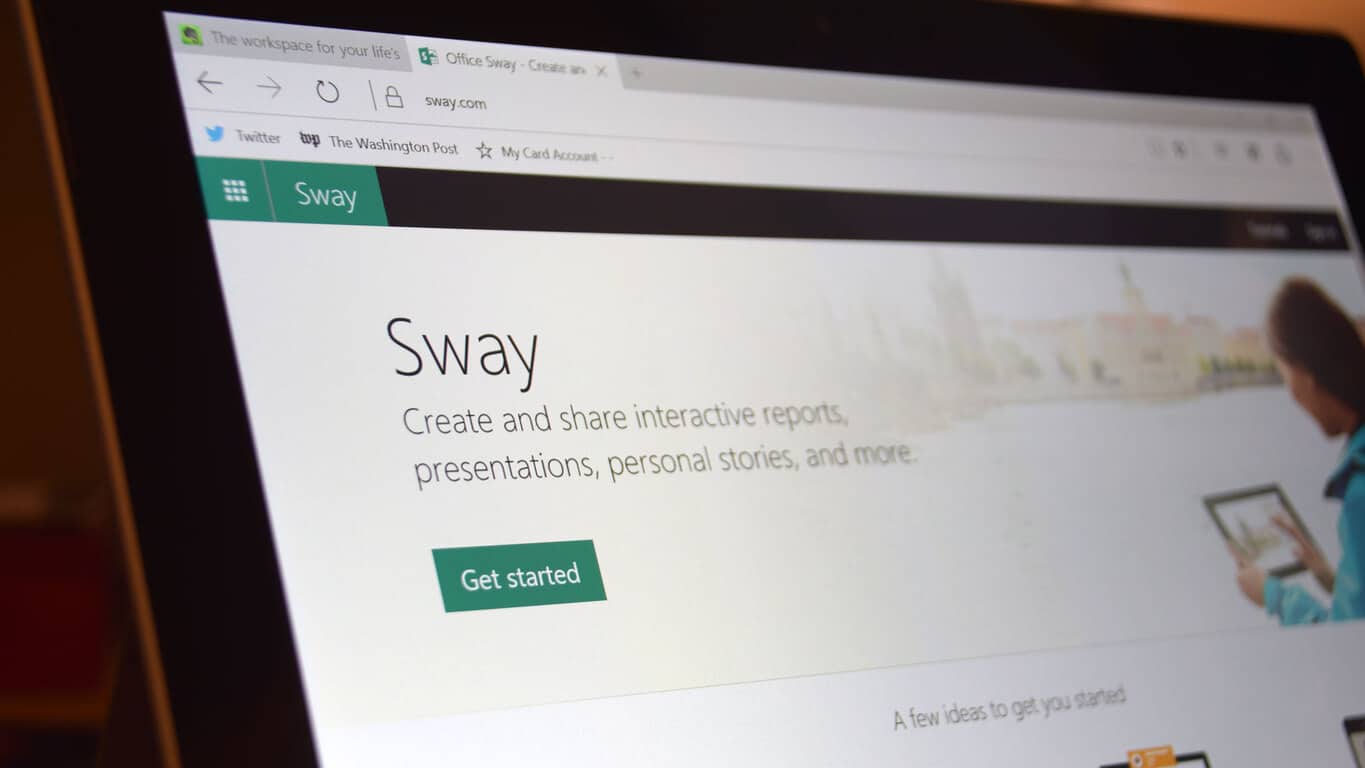
A new update to Microsoft’s Sway app has been announced, making it accessible to more people in the world than ever before, and also making the user experience a bit more lively.
For those unfamiliar, Sway is Microsoft’s new addition to the Office suite of productivity apps. Often touted as a “new type of Office app”, Sway is an Azure-powered content creation tool that lets you build a simple website starting with images, and also pull in content from other websites like YouTube, Facebook or OneDrive. The service has apps on Windows, iOS, and Android.
The new update brings support for 14 additional languages to Sway. While there’s no word on exactly what languages have been added, currently, Sway will appear in the native language for people in Azerbaijan, Basque, Galician, Hausa (Latin), and Kiswahili, to name a few more unusual options.
More importantly, the update also brings a new feature to the app: support for Windows 10 Living Images. As the name implies, Living Images allow you to add motion to images to make them more engaging. Previously a staple of the Lumia smartphone series, Living Images came to PC through Windows 10’s Photo app. Now you can utilize the same effect to make your Sway even more attractive.
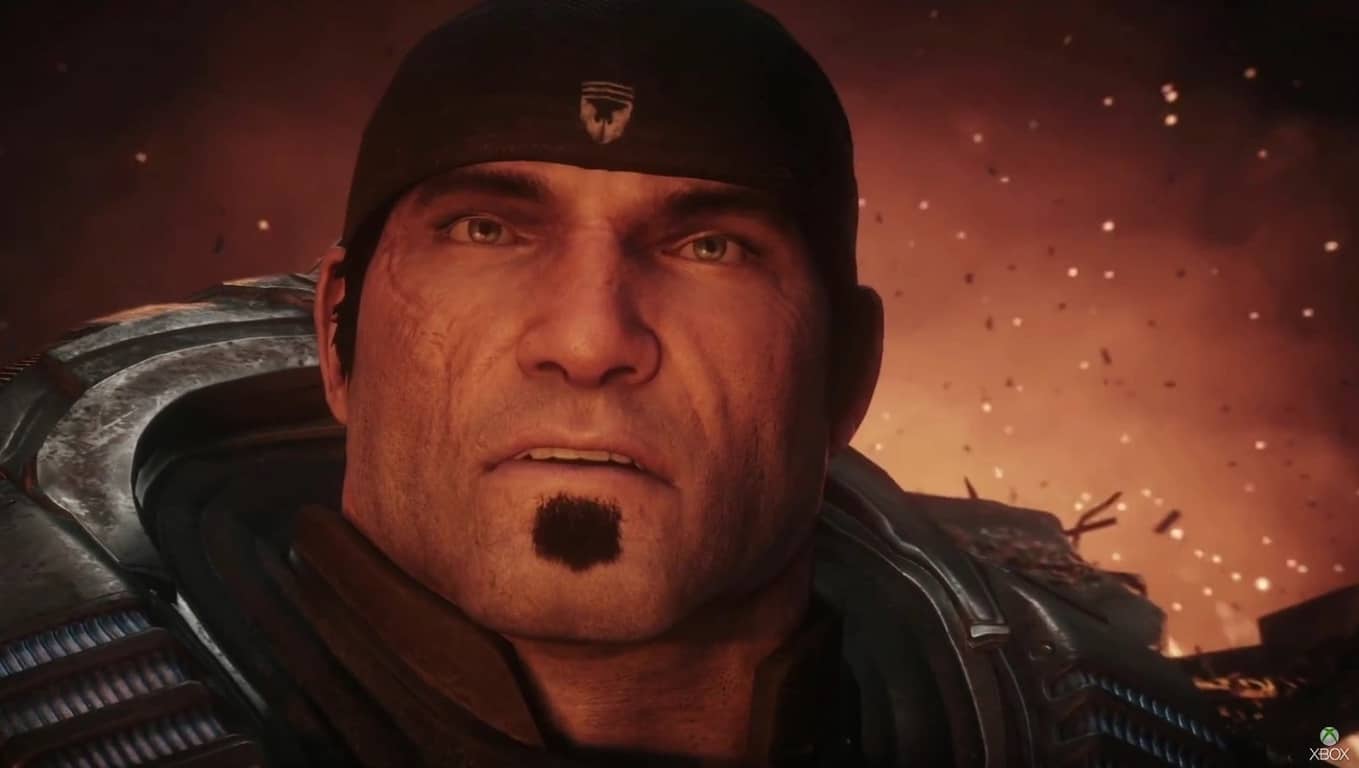
Earlier this week we previously reported on the awesome opportunity to try the Gears of War 4 Multiplayer beta. If you’re not one of the lucky folks who already have a Xbox One and a copy of Gears of War Ultimate Edition to qualify for the beta, we’ve now come across a new opportunity for you to join in on the fun.
To win a Gears of War Ultimate Edition Console Bundle all you need to do is answer this question in the comments section of this post from Major Nelson:
What’s your most memorable achievement or moment from Gears of War?
Replies to the question on Twitter won’t count, and the deadline to enter is 12:00PM/3:00PM ET on Tuesday, March 22nd. The contest is open to everyone, but the prize may not be available in your region, so it’s best to check the availability of Gears of War: Ultimate Edition in your Xbox Live region first.
Winners will be notified via their e-mail account associated with their Disqus account or Twitter around March 23rd.
Disney has just announced yet another game for Windows devices, Disney Crossy Road. The announcement was made during a panel at this year’s Game Developers Conference (GDC) in San Francisco while an official trailer and website launched immediately afterwards.
Disney Crossy Road will be, as you can probably guess, a Disney take on the Crossy Road mobile game, which itself is a reinterpretation of the classic Frogger video game. Disney Crossy Road appears to replace the chicken with Mickey Mouse though it’s entirely likely that other Disney characters will be playable, or at least cameo, as well.
Disney has been a strong supporter of Windows devices and has launched a variety of games on Windows phones and PC in addition to the usual iOS and Android releases. Their games rarely, if ever, take advantage of Xbox Live integration (which is a shame) but they almost always share parity with their iOS and Android counterparts which is truly exceptional and also highly appreciated by Windows phone owners.
No specific release date has been given for Disney Crossy Road. Stay tuned for more.
We’ve reported in the past that the Xbox One will be able to run Universal Windows Apps someday, including reports straight from Microsoft CEO Satya Nadella himself. With the Xbox One joining the Universal Windows Platform, the range of devices that can run apps written for Microsoft’s most strategic version of Windows becomes complete. Today at the Games Developers Conference, Microsoft Xbox Advanced Technology chief Jason Ronald provided the most specific estimate yet of exactly when this auspicious event will occur: summer 2016.
According to Business Insider, Ronald provides some additional clarification on just what it will mean for the Xbox One to run Universal Windows Apps:
First off, the Xbox One is going to get the ability to run those Windows 10 UWP apps later this summer, with the Xbox Store and the Windows Store getting merged into one. Furthermore, UWP apps are gradually going to open up over the course of this year to run the more advanced graphics settings that PC gamers demand.
The reasoning behind the move is simple and unwavering: the more devices that can run Windows 10 apps, the more incentive developers have to write them and the more users will demand them. It’s no surprise that Microsoft is depending on the Universal Windows Platform to drive the future success of Windows 10 and, perhaps most specifically, Windows 10 Mobile.
We’ll be keeping our eye on these developments, as always. We’re looking forward to the day when we can jump from a game to editing a quick Word document on our Xbox One. Until then, we’ll just have to hope that Microsoft can keep to its objective of mashing the Xbox One and Windows 10 even closer together sometime this summer.
Microsoft’s Skype application is a powerful tool that can bring us closer to each other, no matter the distance or time zone. Skype helps in bringing communities together, families to be reunited, and as recently reported, educational opportunities to children.
In post by Koen Timmers on the Skype blog, Microsoft has shown the power Skype has in bringing educators together in helping children around the world. In April of 2015, educators around the world took part in conducting classes for refugees in a in Kenya. The place is called the Kakuma Refugee camp and houses over 179,000 refugees, 55% of them children, with 30 schools each with 20 classrooms spread among them.
After experiencing the results of this opportunity, Keon Timmers set out to create ways for educators to participate in educating these children in Kenya. He set up Project Kakuma, a community where educators could gather to assist in teaching classes for the refugee children of Kakuma. He assisted the camp by hosting a Skype class with 10 teachers at Kakuma on installing Skype to use for the classes. In addition, to reaching out to educators around the world, he created the game “Jump to Kakuma” for Windows 8, Windows 10, and iOS to help fund equipment for the schools such as laptops, cameras, and sound systems.
Project Kakuma and Skype
The outreach from the education community has resulted in great fun facts that Keon Timmers mentioned in his post:
Mette, a Danish teacher, lets two of her students teach the Kakuma students from time to time.
The project was broadcasted by the Portuguese television and published in Belgian, Portuguese and Danish newspapers.
Joao, a Portuguese teacher, invited a local band to play during a Skype session while he taught the students about art. He builds apps and is currently working on a game called “Water Heroes” of which all returns will go to refugee camps to build water wells.
Those who aren’t able to conduct live calls with Kakuma due to time zone issues record Skype video messages.
Vineeta, an Indian teacher, taught the Kakuma students how to create robot cars and sent some to the refugees.
With the success of Project Kakuma and the power of Skype, classes are conducted each week covering topics like math to science. Participation in this project has led to educators contributing from around the world, lending their knowledge to the program and the children. With the refugees of Kakuma unable to leave from the camp, this project shows that the world cares about the education of all children and the power of technology.
How do you see Skype and Project Kakuma fulfilling more education needs for Camp Kakuma and other children around the world? Let us know in the comments.
Today’s news coming out the Game Developers Conference in San Francisco adds a bit more clarity on how Microsoft is approaching gaming in 2016. As Microsoft continues to explore a more modern paradigm for gaming, the company is opening up its gaming service Xbox Live to host Xbox Live Tournaments.
Microsoft announced a new set of tools that will make it possible for game developers to run competitive tournaments through Xbox Live. Called the “Xbox Live Tournaments Program,” the new initiative is described by Jason Ronald, head of the Xbox Advanced Technology Group, as “easy to integrate tournaments” that will be powered by Xbox Live and can be customized by the developers depending on the game or tournament.”
More important, the new Xbox Live Tournaments Program will be supported on both the Xbox One console and Windows 10 devices through the Universal Windows Platform, further showcasing Microsoft’s vision for interconnected experiences across devices. TheVerge is also reporting that Microsoft is partnering with e-sports staples FaceIt and Electronic Sports League to solidify the initiative.
As Microsoft plans to have titles out for the new service by the end of this year, it is making software developer kits available to those interested today. We expect further details will be released via various Xbox and Microsoft channels soon.
It’s certain that MOBAs, or multiplayer online battle arenas, are the most popular type of games on the market. Don’t take our word for it: take a look at the popularity of games such as Dota 2 or League of Legends. If you’re not too fond of classical MOBA games, though, and you’re looking for something more action-oriented, you might just be interested in Battleborn’s Incursion Mode.
Battleborn’s Incursion mode brings us first-person shooter MOBA experience
Battleborn is a game by Borderlands developer Gearbox Software. Although Battleborn shares a similar visual style with Borderlands series, the two games are nothing alike. Battleborn is designed to be a multiplayer first-person shooter with some MOBA elements, and we have to say it all comes together perfectly.
The game features 25 different characters and each comes with its own unique skill tree. Like in any other MOBA game, there’s a leveling system for your character and as the match progresses, you gain more. This allows you to choose different skills for your hero. The rules of Battleborn’s Incursion Mode are simple: destroy enemy sentries with the help of your loyal minions in order to make your way to the enemy’s base. If you’ve played any MOBA game before, you should feel right at home here.
Even though Battleborn is a first-person shooter, the game is heavily influenced by the MOBA genre. Due to strong its MOBA influence, there are respawn timers that get longer as the match progresses, with every death punished by longer respawn times. This system makes planning and decision-making crucial on your path to victory, with matches often being determined by knowledge of your character’s skills and weapons rather than reflexes.
Battleborn adopts the steep learning curve of most MOBAs, so you’ll have to learn all character skills and weapons before you begin to excel at the game. This is what make Battleborn fun at the end of the day: its complexity and strong need for cooperation with teammates. While Battleborn takes a different approach compared to other MOBA games, we’re positive it will provide players with hours of intense PVP action.
Today, Microsoft Project Server 2016 hits Release to Manufacturing (RTM). Project Server 2016 helps enterprise customers with on-premises project and portfolio management (PPM). The Project Server 2016 RTM news comes alongside SharePoint Server 2016 RTM, and they are both included as one download, available here.
Yesterday, Microsoft detailed all the improvements to SharePoint Server 2016 in updates and new capabilities that was based largely on enterprise user feedback. For Project Server 2016, Microsoft learned what needed improvement through running its Office 365 cloud service for enterprise customers. Project Server 2016 is now optimized for reliability, scalability and performance.
Microsoft aims to continue to work on Project Server 2016 to offer enterprise customers better cloud service options and PPM solutions. If you would like to learn more about Project Server 2016 technical specifications, take a look at the Project Server 2016 TechNet documentation.
Microsoft is open to feedback on improving Project Server 2016 and SharePoint Server 2016 through UserVoice, Twitter, or if you have questions or concerns about Project Server 2016, you take part in the forums.
Microsoft’s Xbox One has seen many great changes this year. From Backward Compatibility to a new dashboard experience, the Xbox One experience has gotten better and better. Back in October of 2015, however, Microsoft had promised that Cortana would also be coming to Xbox One. Today, we can report to you that there is some progress in the process of bringing the digital assistant to the Xbox One.
Responding to a Xbox fan’s question about the progress of Cortana on Xbox One, Xbox’s Mike Ybarra stated:
@LODsqua Saw a demo from the team today, coming along great.
While the Tweet offers us no specifics on the situations, it is now apparent that Microsoft is hard at work at bringing Cortana over to Xbox One. With no release date for this functionality as of yet, Microsoft has still previously confirmed that Cortana functionality on Xbox one will require a Kinect sensor.
Until release, you can stay tuned to us here at WinBeta for further details on the situation. We will most definitely update you once Cortana officially launches on Xbox One.