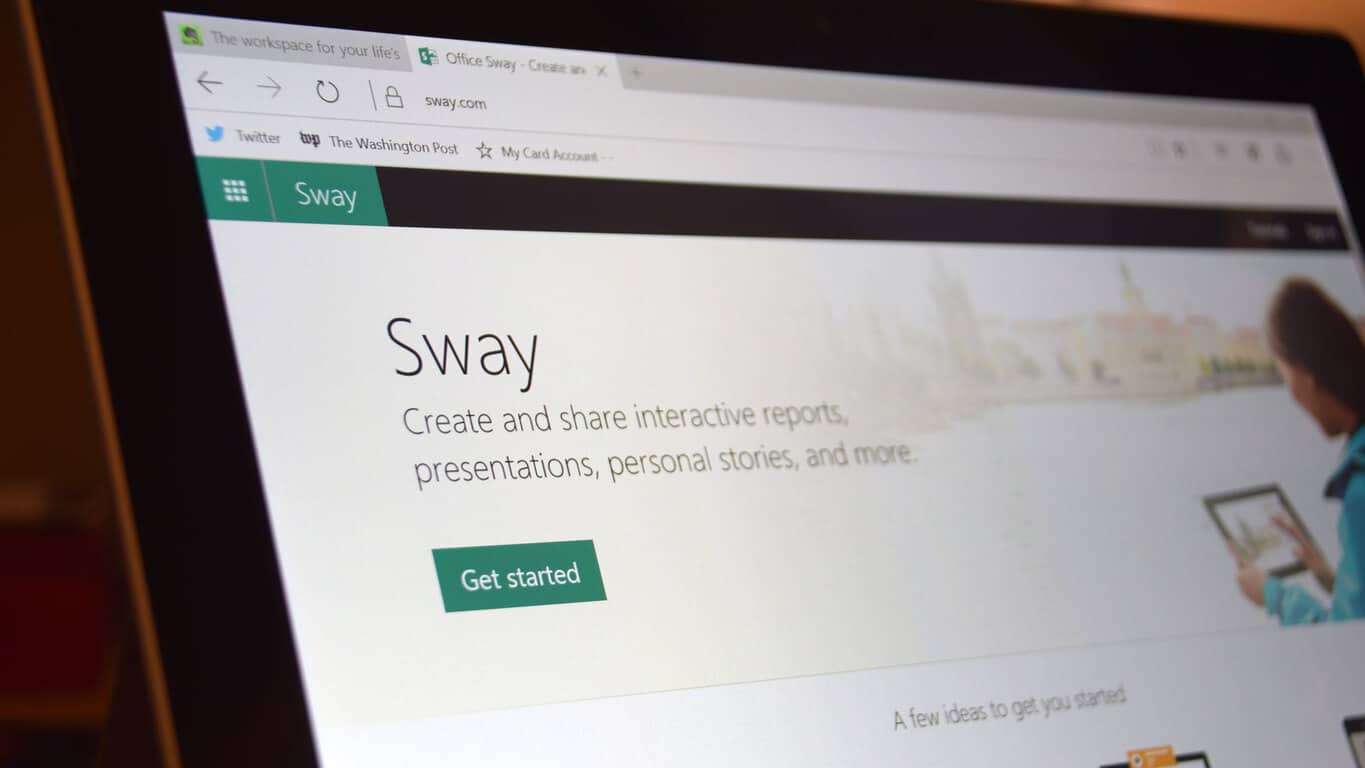
Microsoft Sway is an alternative to PowerPoint for creating effective presentations. The Office 365 tool makes it relatively easy to incorporate photos, video, social media, and other resources into multimedia presentations that can be easily hosted online. In order to help promote Sway’s ability to communicate information in a creative way, Microsoft has begun a new series that will feature Sways created for a variety of purposes.
We felt it fitting to partner with Nathan for our first featured story because his work embraces several of our team principles, such as working with new mediums and helping people tap into their creativity. We also wanted to exhibit how Sway is best-in-class at bringing together the different elements of his craft—through photos, videos, text and animations—into a cohesive narrative that hopefully brings justice to his story and his art.
Check out the first featured Sway for both an interesting look at Sawaya as well as a demonstration of how Sway can be used to creative present a variety of different kinds of information. Head over to Sway.com to start making your own.
While Microsoft has arguably abandoned much of its Hub-influenced interactions it brought with the introduction of Windows Phone 7 and Windows 8, the company appears to be doubling down on the idea of centralized information when it comes to Office 365. As Microsoft continues to grow Office 365 into a platform rather than an enclave of productivity apps, the company is expanding the individual as well as the collective capabilities of the apps with Office 365 Connectors.
In November 2015, the Office team released Office 365 Connectors in limited preview to customers. With a few months of fine tuning, customer feedback and testing under their belts, the Office team is now ready to offer all Office 365 customers access to Connectors.
What exactly are Office 365 Connectors?
In layman’s terms, Connectors represent a set of app API’s that allow Office 365 users to bring in information from their favorite or necessary sources such as Twitter, GitHub, SalesForce, MailChimp, Trello or Bing. Office 365 Connectors is no single end point but a collection of source material that can be embedded in the Office 365 experience, allowing users to keep track of notifications, replies and alerts from outside sources without ever having to leave Office 365.
To some extent, Outlook.com offers a Cliff’s Notes version of this functionality, but Office 365 Connectors appears to be a greater push into getting more partners and more “Connectors” to customers.
Over 50 Office 365 Connectors are available today, spanning popular applications across productivity, news sources, HR systems, sales, project management, marketing automation, entertainment, eLearning, developer tools and many more. Some examples include MailChimp, Asana, GitHub, Stack Overflow, Aha, Zendesk, Salesforce, Twitter and UserVoice. We are also working with many other partners to enable additional connectors that will be made available soon.
In addition to the current Groups inbox integration, we plan to bring Office 365 Connectors to the Outlook inbox for individual users to leverage and over time to other experiences across Office 365.”
Office 365 Connectors is currently available for First Release Office customers with a later roll-out planned for the general public. For more on the exact number of Connectors available, or how to get a hold of the new offering, head over to Microsoft’s Support Page for Connect apps to your groups.
Microsoft’s Surface Hub is one of the more interesting products that the company introduced in 2015 as a member of the Surface line of Windows 10 products. The Surface Hub is Microsoft’s large-screen solution aimed at enabling advanced collaboration solutions, utilizing a giant touchscreen, array microphones, dual cameras, and special software functionality to enable groups to share and interact with information in conference rooms and across distances.
Here’s the Surface Hub’s take on the significant of the product to business users:
We are not just releasing a powerful device. We are releasing a team-empowering solution that will make meetings more productive, modernize workflows, and let people engage with data much better. We designed Surface Hub from the ground up for ink and touch, and harnessed the best collaboration and security features of Windows 10, Skype for Business, Office, OneNote and Universal Windows apps. We’ve seen how businesses and disciplines like healthcare, manufacturing, automotive, consulting, defense, finance, education, and design can bring Surface Hub into workspaces to bring a new level of innovation and efficiency to their teams. They can reduce costs and improve effectiveness, compared to legacy AV and presentation technology.
In short, we’ve seen the future of group productivity as we have built this with our partners and customers. We couldn’t be more excited about the future with this new category of product. We also can’t thank our customers and partners enough for their inspiration and contributions in making this product with us.
Along with the announcement, Microsoft highlighted some upcoming use cases in the blog post. For example, the Children’s Hospital of Philadelphia has a Qwaltec-developed solution that turns the Surface Hub into a control center for the medical staff, replacing old-school whiteboards to improve communications, increase collaboration, and generally help the hospital save time and money while improving care.
Surface Hub in use in healthcare.
In addition, the Surface Hub has already demonstrated its cost-effectiveness. According to a Total Economic Impact study that Forrester Consulting conducted on Microsoft’s behalf, early Surface Hub adopters save more the $850,000 (3 year net present value, which includes up-front investments, annual costs, and benefits to help decide if an investment is a good one). These benefits came from improved sales, printing and device purchase savings, and savings in device deployment and management costs.
That’s a good thing, of course, given the Surface Hub’s initial purchase price of $8,999 for the 55-inch version and $21,999 for the 84-inch version. The number of applications that can run well on the Surface Hub is also growing, making the product increasingly attractive for organizations that need to communicate and collaborate more effectively.
The Windows 10 ecosystem is becoming an exciting one, with the unified OS running on everything from the smallest IoT devices up through the Surface, Surface Pro, and Surface book lines, to the Xbox One, and now the huge Surface Hub. All that’s needed to flesh out Microsoft’s line of devices is a Surface Phone, which will hopefully arrive sometime later this year or early in 2017.
Stay tuned to WinBeta for more on Microsoft’s devices. Let us know in the comments what you think about the company’s efforts to build out their own Windows 10 product line.
Microsoft teamed up with the Special Olympics to celebrate the inclusion of people with intellectual and physical disabilities in competition as part of Windows 10’s #UpgradeYourWorld initiative. From March 17-18, members of the Special Olympics Unified Sports teams, which include athletes with and without disabilities, invited the public to participate in pickup games of “Streetball” soccer games on projected fields in Los Angeles, CA, at Venice Beach and in Microsoft Square at LA Live.
Over 150 athletes and their families, as well as public participants, took part in the event, and Microsoft was able to capture the memories through a FoxTales StoryStudio powered by Windows 10 to share their photos on Facebook, Instagram, and Twitter.
Special Olympics Unified Sports.
Microsoft and the Special Olympics are teaming up for another event, “Upgrade Your Game,” that will take place tomorrow, March 26, 2016, at 4:00 PM in Seattle, WA. The Upgrade your Game training camp will allow athletes of all ages and abilities to practice their soccer and football skills with Special Olympics coaches, Seattle Sounders FC alumni, and football players from Everett Reign (tickets available here). All proceeds from the event will go to the Special Olympics.
Since 2014, Microsoft has been collaborating with the Special Olympics to help athletes train harder and more efficiently by tracking their performance and helping them strive to do better through Microsoft Health and the Microsoft Band. As the Official Technology Partner for the Special Olympics, Microsoft provided over 2,000 devices as well as support for their Games Management System (GMS) at the 2015 Summer World Games in Los Angeles.
For the first time, Microsoft used GMS to track athletes’ personal bests in real time at a major to track athletes’ personal bests in real time for the first time at a major sports event. With the power of Windows 10, Microsoft and the Special Olympics worked together to use technology to attempt to change the world through the power of sports.
If there’s one social media platform where Windows users have no lack for apps, it’s Twitter. The official offering is a pretty decent experience that’s been fully updated for Windows 10, but as with tradition regarding our underdog OS, it’s third-party apps from independent developers that shines. One of the best of them, Aeries, from developer Brad Stevenson, has received two cool new features with the latest update, reports Windows Central.
The update, pushing the version number to 2.2.0.42.0, introduces the ability for users to save GIFs and Videos from their timeline. One of the biggest allures of Twitter is the spontaneous videos and creative GIFs that captures just the right feelings of the moment, and with Aeries, you now get to keep them all if you want.
The second new feature is Dynamic Themes. Aeries features themes, with one caveat: the app has to be closed and reopened every time the theme is changed. With the new update and Dynamic Themes, that is no longer the case.
Besides the two new features, the update also brings several stability fixes. The full changelog is as follows:
Fixed a crash when trying to view the details of a deleted tweet.
Fixed interaction with video controls and restored close on tap/click.
Themes are now dynamic, not requiring a restart when switching – this also applies to when sunset mode is on.
Now easily save videos and GIFs.
Fixed an issue where initial sections for an account would have duplicate interactions sections.
Fixed an issue where autosuggest would not work on some devices.
In celebration of the official launch of Quantum Break on April 5, 2016, Microsoft Stores in the US and Canada will be holding special Quantum Break launch parties. The first 200 fans that wait in line to buy Quantum Break at participating Microsoft Stores will receive a limited-edition Quantum Break poster as a gift. Quantum Break will be available to play at 12:00 AM on April 5, 2016.
Here are the Microsoft Stores that will be holding Quantum Break launch events on April 4th:
Fashion Valley Mall (San Diego, CA)
Pacific Centre (Vancouver, Canada)
NorthPark Center (Dallas, TX)
Park Meadows Mall (Lone Tree, CO)
The Florida Mall (Orlando, FL)
Tysons Corner Center (Mclean, VA)
Westfield Century City (Los Angeles, CA)
Yorkdale Shopping Centre (Toronto, Canada)
Bellevue Square (Seattle, WA)
The Domain (Austin, TX)
Microsoft Flagship Store on Fifth Ave. and 53rd. St. (New York City, NY)
As a reminder, those who pre-order Quantum Break for Xbox One at Microsoft Stores, on Xbox.com, or other participating retailers, will also receive the Xbox 360 game, Alan Wake’s American Nightmare via Xbox One’s backwards compatibility and the full Quantum Break game on Windows 10 through the Windows Store. Additionally, if you pre-order Quantum Break before April 4 online through the Microsoft Store, you will receive a $10 Microsoft Store digital gift card.
A special post-launch event will be held at the Microsoft Flagship Store in Sydney Australia, for a chance to meet Shawn Ashmore, the star of Quantum Break, get his autograph, and take part in a fan Q&A event on April 7, 2016.
If you can’t take part in any of the events held at participating Microsoft Stores, you can check out Remedy Entertainment’s developer-hosted livestream event on Twitch. The Quantum Break launch events are sure to be a great time; look for more details on the launch events through the Microsoft Store’s Facebook page.
Microsoft executives have been meeting with private equity firms to potentially offer financial help in buying Yahoo, according to sources cited by ReCode. Yahoo, of course, is in serious trouble, and although CEO Marissa Mayer continues to battle to turn the once-dominant internet portal around, with the Board of Directors actively “exploring additional strategic alternatives” to a turnaround plan, meaning putting the company up for sale.
For Microsoft, this would obviously pose some serious problems, as its deal with the company it once tried to buy to provide search engine results on Yahoo properties could potentially be in jeopardy with new buyers.
While no definitive commitments have been made, Microsoft is interested in ensuring that whoever does buy the company if it is indeed sold is a “good partner”, meaning that they’ll continue to honor the 2009 10 year search deal. Assisting in a deal could help Microsoft while costing them “almost nothing”, accoding to ReCode:
Preserving its current status is important to Microsoft, said sources, which is why it has been mulling the financing of possible Yahoo buyers, who will have to come up with billions of dollars in cash to be competitive. “If Microsoft put in a billion, it would cost them almost nothing,” said one investor who had spoken to the company. “It’s a minor thing and it buys them a lot.”
Microsoft is of course interested in prolonging the Yahoo-Bing search deal as long as possible, it’s helped to build up search share for Bing, although it hasn’t been particularly lucrative for either Yahoo or Microsoft.
According to the post, Microsoft has no interest in another try at buying Yahoo, but others, including AT&T, Verizon, and Comcast, and investment firms including Vista Equity Partners, TPG and KKR are all interested.
Microsoft could either see quite a boost by a Yahoo sale, or could even be kicked to the curb if new investors aren’t interested in the search deal, so it’s an important time for both companies. We’ll keep you posted as this all develops.
Earlier today, Microsoft posted on their blog about the importance of fonts for developers and their apps and their apps’ interfaces. The importance Microsoft puts on font is great to see, especially because while fonts are an important aspect of written or typed work, the digital space is where most new text resides, like within an app.
The first aspect of typography in any space, according to Microsoft, is to consider the kerning of a desired font. If you’re not a designer-by-trade and haven’t studied textual design, kerning is the spacing between letters in a word. Specifically, the kerning of a letter refers to the fact that there is spacing in between letters as well as a designated space around letters with open spaces under overhanging bits like a capital “T” or odd-capped letters like “i” and “j”. Kerning is also essential to utilize when using an “r” next to an “n” so the two don’t clutter together to be mistaken as an “m”.
Similar to kerning is the character width of text. Fonts that are referred to as “monospace” have each letter taking up the same amount of width-space, while fonts that are known as “proportional” have varying character widths because each character doesn’t look like they take up the same space, and reasonably don’t in the text itself. Microsoft’s example showing the difference between the two types of fonts are Caslon and Courier New. Microsoft’s infographic of the two is included below for a clearer idea.
Microsoft also highlights the likely more-often-considered aspect of font: leading. Not leading as in leading an army, but leading but like pencil lead and the element. Leading is easiest understood as line spacing, since they often are the same thing when laying out text on a page. Leading is important because, as any user that’s read very tightly-spaced lines of text, it’s not very pleasant compared to something that’s got good leading. Estimating based on Microsoft’s example, it might appear that Microsoft Word uses their example of “good leading” as the default line spacing as of 1.15 points.
Serif versus Sans-Serif fonts are also important to consider as a developer, especially given Microsoft’s own app guidelines. And for those who don’t recognize the term “Serif” or “Sans-serif”, a serif font is one with little edges hanging off each character, like Times New Roman. A sans-serif font would be something like Arial or Verdana. Microsoft, for example, utilizes a sans-serif font throughout their products and services such as their company blogs, Office, and even Windows 10. The choice of which to use is often based on what impact a developer wishes their text to have on readers, so there’s no clear answer for which to use.
When creating an app, developers inevitably have to choose a font to use, and picking can be tough. But Microsoft advises against it, saying to only choose up to two, and even one is typically perfectly fine. Too much variation in font style can be jarring and interrupt the user’s experience within the app. Each font family contains different variations on a bas font, like a bold, italic, capital, or other form of the font to keep the roots of the font flowing throughout the app’s text.
Microsoft continues to offer tips to developers of any skill level in its continued attempt to aid and simplify the experience of building for Windows as a platform. The unification of Microsoft’s design language is what makes Universal Windows Apps and the Universal Windows Platform huge offerings for developers looking to reach millions of devices and customers.
Monster Go! is yet another hybrid RPG-endless runner game where you’re task is to guide your selected monster to victory. As a player, pick your monster from a set of 3 monsters, each having its unique set of skills. As you move on with the game, you get to upgrade the skill set of your monster and evolve it — there are more than 10 skills for each monster.
As soon as the monster evolves and becomes stronger, more skills and items are unlocked to beef them up so they can take on stronger enemies as they move on. You also earn earn points, coins and achievements as play along by killing enemies. The coins can later be used to customize the monster, and add from a choices of armour, weapon and accessories.
Here’s the complete list of features the game has to offer:
MONSTER CLASSES: Pick up your monster class, each class has unique characteristics & play style at its initial
REWARDS & ACHIEVEMENTS: Play and kill as many enemies as possible to earn points, coins and achievements along the way
CHOICES OF SKILLS: Upgrade both your active & passive skills with the points earned to make your monster unique with different abilities
150++ ITEMS TO CUSTOMIZE: Get your monster dressed up with over 150++ choices of armour, weapon and accessories with the coins collected
MONSTER EVOLUTIONS: Once your monster become stronger, you’ll be able to evolve it to higher tier with more choices of skills and items available
VARIOUS STAGES & BOSSES: Adventure through 5 splashy stages and defeat 5 strongest Bosses, play through many dazzling enemy characters to unlock Endless Mode
STORY: Enjoy the story cutscene of Monster Heroes and how they fight their way to the dark lord.
ENDLESS MODE: Unlock your journey in endless mode and fight even more stronger foes with your stronger monster!
If you feel it’s the right game for you, head over to the Windows Store using the link below and grab the app. Let us know about your thoughts about the game.
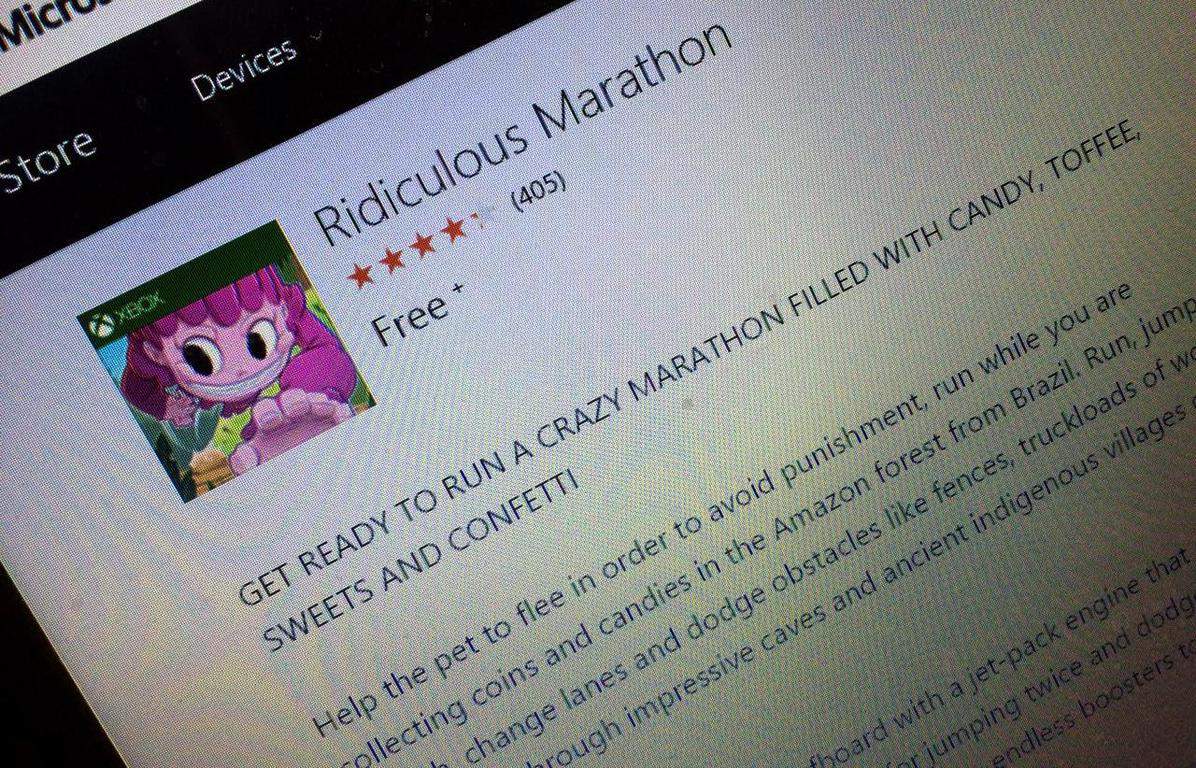
Endless runner games have gained a lot of popularity lately, especially after the likes of Temple Run and Subway Surfer — you just keep on running and running, there’s no end. They can be surprisingly addictive. One such game for Windows 10 users is Ridiculous Marathon. The name might be different, but the gameplay is the same. As a player, your task is to run and score as much points as you can by collecting coins and candies, avoiding obstacles and picking up amazing power ups on your way.
The official game description reads,
Help the pet to flee in order to avoid punishment, run while you are collecting coins and candies in the Amazon forest from Brazil. Run, jump, crouch, change lanes and dodge obstacles like fences, truckloads of wood, and travel through impressive caves and ancient indigenous villages on your route.
There are a handful of customizations to change the outfit of your pet who’s trying to runaway from the punishment. Additionally, there are several missions, daily and weekly challenges to get coins and mysterious boxes, as well as Xbox achievements.
Here’s the complete list of features the game has to offer:
AMAZING POWER-UPS: A surfboard with a jet-pack engine that makes you feel like an authentic surfer, wings for jumping twice and dodge all obstacles, awesome multiplier collectors… endless boosters to earn coins faster!
BECOME INVINCIBLE: Use pinatas to travel at the speed of light, an rid of all the obstacles. But watch out! Hit one and the pinata explodes in a cloud of confetti and sweets.
COUNTLESS MISSIONS: Beat all the records of your friends, and complete the daily and weekly challenges to get coins and mysterious boxes.
GORGEOUS CUSTOMIZATIONS: Several fancy dresses to pimp the pink gorilla pet. Try to dress the pinatas with different animals like donkey, bird and tiger. This is crazy!
Earn in-game XBOX achievements to prove your awesomeness.
Head over to the Windows 10 Store using the link below, and grab the game. Let us know what’s your highest score in the game — if you have it installed on your device.
If you were to merge elements of classic games like Tetris and Lemmings into one, you’d get a game similar to MouseCraft. This unique game was praised by fans and critics alike when it was released on Steam. Now, according to the latest reports, MouseCraft has made its way to Windows Store as well.
MouseCraft available for download on Windows Store
MouseCraft is a puzzle game in which you lead mice from point A to point B while avoiding various deadly hazards. The game is similar to the Lemmings series in that you have to carefully guide mice through every level so they can reach their destination safely.
In order to protect mice from hazards, you’ll have to use Tetromino blocks to create safe paths. There are several types of Tetromino blocks available, and while most of them resemble Tetris blocks and are used for building platforms, some of them can crumble or explode — ultimately creating paths for the mice.
Not only does MouseCraft offer a unique gaming experience, but it also offers a catchy soundtrack composed by Mikolai Stroinski, the man with credits that include The Witcher 3, Dark Souls 2, and The Vanishing of Ethan Carter.
This game definitely has a lot to offer in terms of video and audio quality, but what about gameplay? MouseCraft has levels in spades, with 80 unique levels providing you with 6-10 hours of gameplay. If you’re a fan of classic games in the vein of Tetris or Lemmings, MouseCraft will be perfect for you. MouseCraft is currently enjoying a 20% discount on the Windows Store and is available for download for any Windows 8.1 or Windows 10 device. After the discount period ends, the game’s price will shoot back up to $4.99.
Although MouseCraft was just released on the Windows Store, there are already plans to bring this game to Xbox One. After the game is released on Xbox One, it will synchronize with your saves on different platforms and give you access to achievements. Unfortunately, no information regarding the Xbox One release date is available.
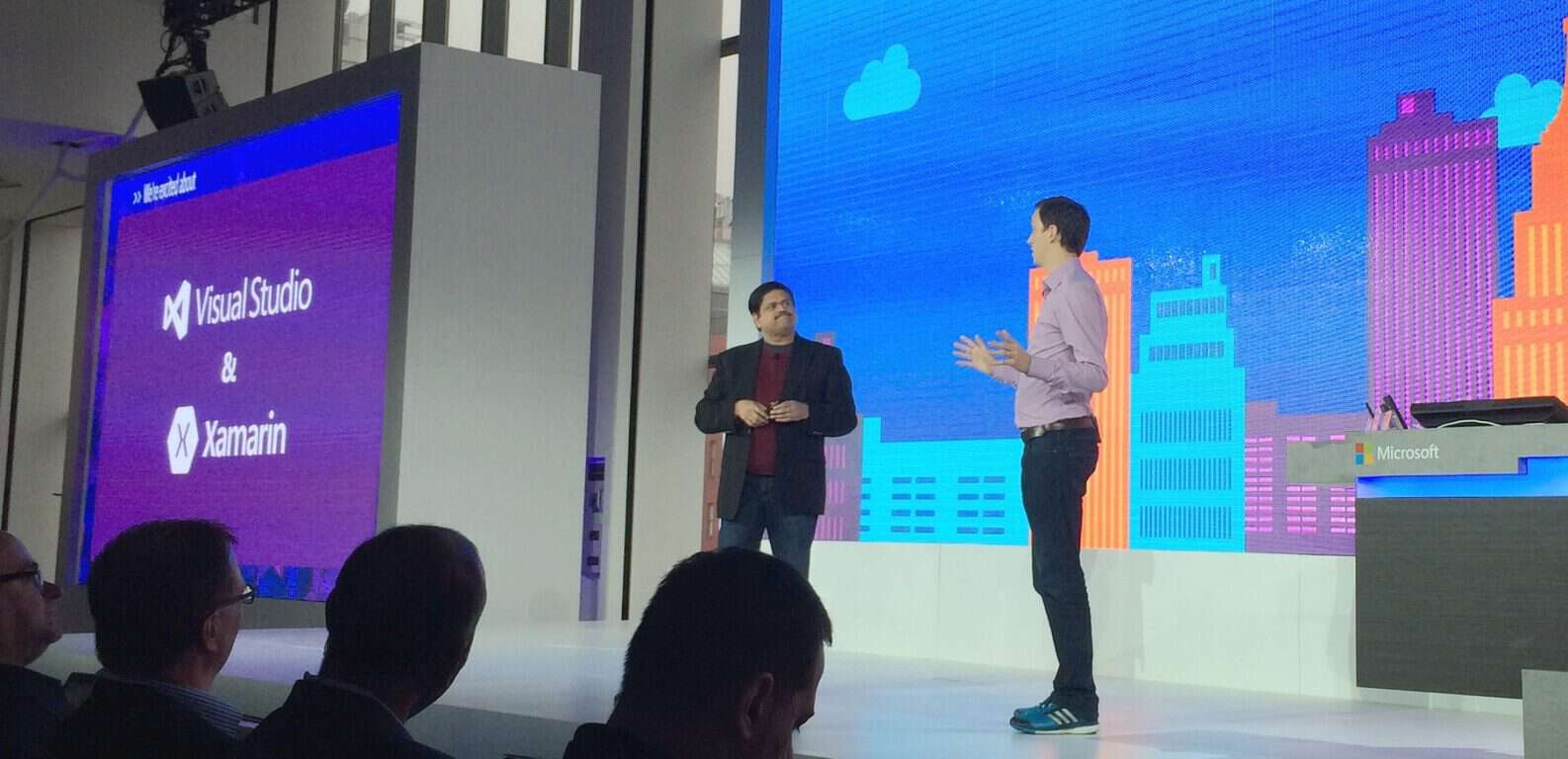
Presumably, Microsoft will have a lot to say about the recent acquisition of industry leading cross-platform software solution Xamarin during its developer conference next week. Whisper within the tech community believe Xamarin will play a pivotal role in enticing new and current developers to re-enthuse themselves with Microsoft’s Windows, Azure, Xbox, and Office platforms.
Understandably, a lot of attention will be paid to what Microsoft speakers say and don’t say about Xamarin all week long, but to hear it from the horse’s mouth attendees only need to attend the Xamarin-specific party during Build 2016.
We’re excited to be joining the Microsoft family, and if //build 2016’s recording breaking 5-minute sell-out is any indication, the .NET community is bigger and more passionate than ever. To welcome all of the developers coming to San Francisco and to celebrate Xamarin joining Microsoft, we’re throwing a Xamarin-specific party at Jillian’s within the //build attendee party on Thursday, March 31, 2016!
Whether you’re attending the conference or are a Bay Area local, you’re welcome to join us for a celebration of all things C#, mobile, and cloud.
Microsoft is taking over the area with a block party stretching from Moscone to Yerba Buena Lane and Jillian’s is the //build attendee party Ground Zero! Come see the Xamarin Test Cloud Wall in action, play with some cool technology, and get your limited edition swag.
We wouldn’t be here without you, so come and have some fun with us!
To RSVP and Tweet your response head here. Next week should be eventful, to say the least.
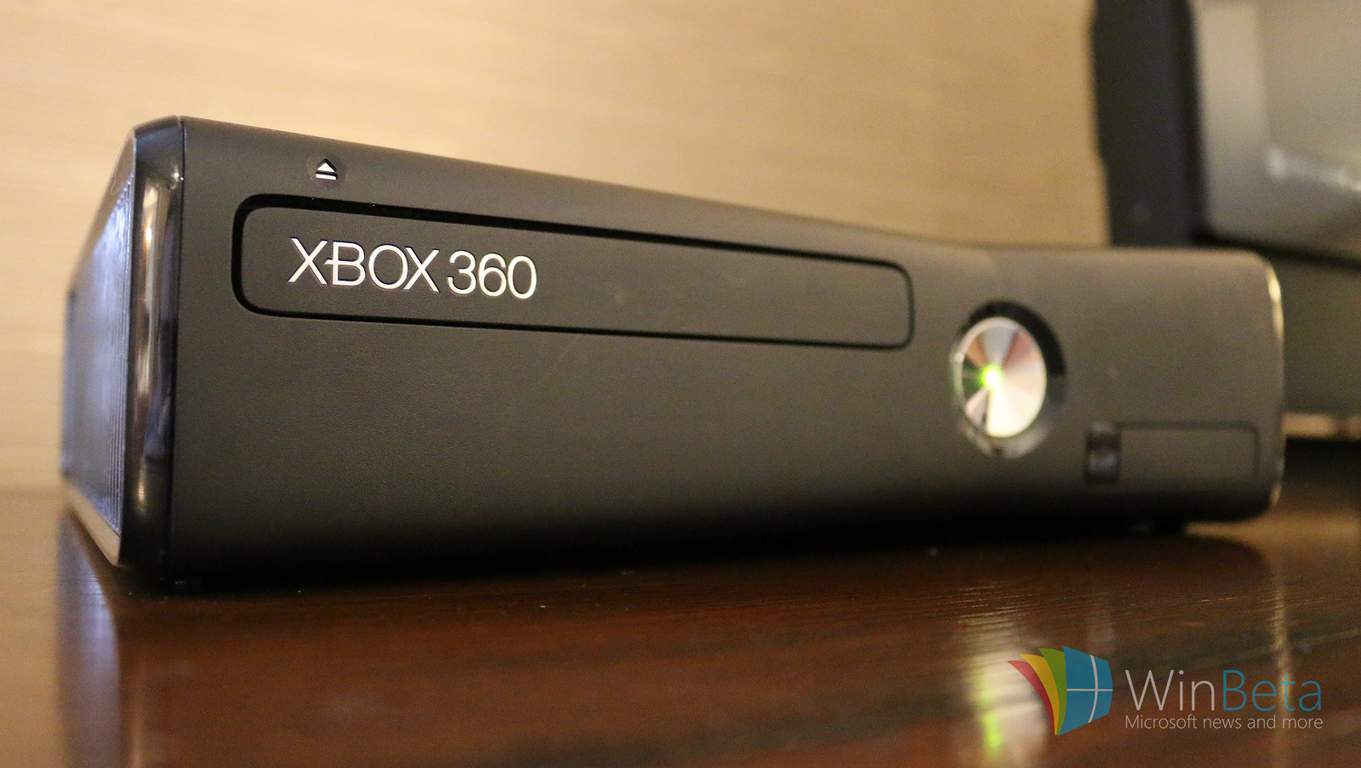
The Xbox 360 was a fine console for its time, but nobody would argue that the Xbox One isn’t a superior machine. Nevertheless, the Xbox 360 remains a viable machine for many people, offering some of the same access to media content as the Xbox One. That’s becoming just a touch less true, with ESPN dropping support for their Xbox 360 app.
ESPN is dropping Xbox 360 app support.
The change (via Deadspin) actually went into effect yesterday, 3/23/2016, and so if you’ve relied on the ESPN app to keep up with sports on your Xbox 360, you’re likely already aware. In any event, you’ll need to find another way to stream ESPN content, including buying your own Xbox One.
It’s no surprise that Xbox 360 should lose support as time goes on. Let us know in the comments if this is the tipping point for you to finally make the jump to Microsoft’s current console.
Back in November, Microsoft introduced Powerpoint Designer and Morph, two new exclusive features for Office 365 users to make it even easier to create slide presentations, even if you’re not a designer. In a blog post on the Office blog today, Microsoft is sharing that “Designer has saved our customers millions of clicks based on the amount of designs generated on a daily basis”. That’s why the company is introducing today three enhancements to Designer that will “give users even more creative options and greater visual impact”
The first new Designer feature is support for multiple images. All PowerPoint themes currently support two images while the specific Office and Gallery themes support up to four images. Microsoft plans to allow users to insert even more images across all PowerPoint themes in the future.
You can now insert more than one image to represent your big idea visually.
Next, there are new color extraction capabilities that work with the new Gallery theme: the new feature will choose the most visually impactful color option from your inserted picture and then apply it to your existing slide. Microsoft shares that the color extraction capabilities will roll out across the other native PowerPoint themes within the upcoming months.
The color extraction choice is based on functional design principles for maximum effect.
Last, a new facial recognition feature will identify people in an image and help you avoid to crop out portions or all of someone’s face. Microsoft explains that it will continue to use customer feedback to push Designer forward, and you can expect new Designer capabilities for things like bulleted text, data points and lists pretty soon.
In the meantime, note that you still need an Office 365 subscription as well Office 2016 for Windows desktop and mobile to use Powerpoint Designer. Let us know in the comments what you think about these new features.
The next major update to Windows 10, Windows 10 Redstone, will reportedly bring better pen support for Universal Windows 10 applications. In fact, according to a leak by OneTile.ru, Microsoft will be bringing a better pen support control module, dubbed RadialController, which is much like the circular formatting menu once available in OneNote.
Another pen support feature that is said to be included is InkToolbar. InkToolbar will allow users have better accuracy when drawing on websites in Microsoft Edge and for use with third-party apps that support pen input. RadialController and InkToolbar will be welcome additions to control pen input and sensitivity on styluses, like the Surface Pen.
Currently, the Surface Pen has limited settings options in Windows 10. The only way to control Surface Pen settings is through the Surface application in Windows 10 or through Windows 10 Settings (Settings>Devices>Pen). Both Surface Pen support options for Surface Pro 3 and 4 and Surface Book offer few customization options and provide the control that many Windows 10 users want.
It is possible that the new pen support features that will be available in Windows 10 Redstone will pave the way for the long-awaited Surface Phone that might have a stylus much like the Surface Pen. Of course, keep tuned to WinBeta, and we’ll do our best to let you know more just as soon as we can.
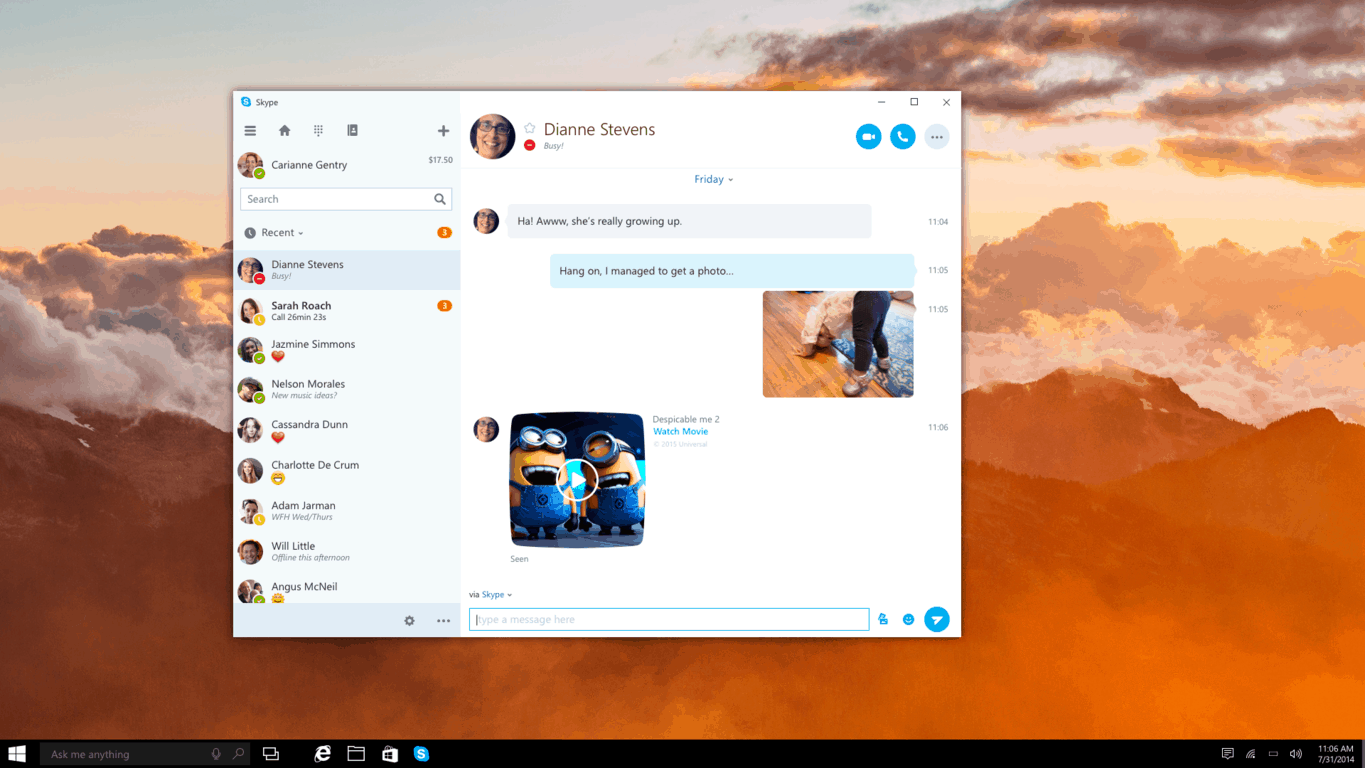
Last November, Skype released a consumer preview of Skype integration for Windows 10, offering separate apps for video, voice, and messaging. These task oriented apps tested well for mobile and smaller screens, but feedback from those apps has revealed that on larger screens, users are more interested in a single interface that takes up less screen real estate and consolidates functions into a single app.
Skype app narrow view
With that in mind, Skype is introducing a new, fourth Universal App for Skype, that it’s calling the “Skype Universal Windows Platform App Preview for Windows 10.” This new app won’t replace the current preview task focused apps, but will combine their functions, eliminating duplication and unnecessary menus, with a single global Settings menu in the initial release and context menus to come.
The app includes the following features:
• Sign in with your MSA account and link a SkypeID
• Show and change your availability
• See a list of your existing Skype contacts
• Initiate a chat with anyone in your contact list
• See that the other person is typing
• Logout
• Make one-to-one calls and send messages
• Personalize your experience with emoticons and Mojis
• Send photos
• See notifications for incoming calls and messages outside of the app
• Participate in existing group chats
Work has also been done on the home screen, according to a conversation we had with Barbie Stafford, Director of Product Marketing for Skype, in order to further simplify the user interface. The new home screen will feature your most recent conversations and your most recent people, making it easier to initiate conversations.
The new app will work alongside the current task focused apps, and Stafford told us that Microsoft will continue to invest in those apps, as users prefer them for smaller screens. You can also still use the Skype for Windows desktop app, but Microsoft will be working in stages to streamline all Skype for Windows features into the new Universal App, as they gather feedback and monitor performance.
Windows 10 Mobile will be getting this new app as well, although the preview will first be released for Windows 10. At that point, you’ll once again be able to use either the task-focused apps or the new all-in-one app on mobile, too.
There’s a FAQ for the new app, so check it out and let us know what you think about this latest Skype app.
With her piece, Jeannette championed the idea of computational thinking – “how computer scientists think”, in her words – at a time of low interest for computer science since the dot-com bust of the early 2000s. Reality seems to have followed her vision, as computer science is becoming more and more popular as part of education – the foundation for the future. Ms. Wing herself has witnessed a lot of these changes at the forefront of the field: in undergraduate programs, K-12 level, online education, all over the world, and especially in the US, where the government is heavily funding computer science education. Microsoft’s contributions were also mentioned with collaborative educational projects like code.org.
Challenges still remain for computer science’s widespread adoption, however, and one of the biggest, according to Ms. Wing, how to build an effective teaching program that caters to different growth stages. Computer science is a comparatively new field of study when we consider subjects like mathematics or history, and what to teach, when, and how, will continue to be a tough issue. Appropriate use of technology in the classroom is another problem needing a solution. Nevertheless, Ms. Wing is confident in society’s effort towards realizing her vision of computational thinking becoming a fundamental skill by the middle of the 21st century, and with companies like Microsoft at the forefront, we have to agree.
One day after Microsoft launched Tay, a chatbot designed to engage and entertain people, the service has gone offline.
While Tay was originally aimed to research human interaction and speech models, the service suddenly started sending out racist, homophobic, and nonsensical tweets. This was caused by “trolls” on Twitter who would misuse Tay’s “repeat after me” service by tweeting Microsoft’s newest bot with racist and derogative remarks.
So, with Tay being an artificial intelligence robot, it apparently inadvertently started repeating those remarks back to other users, leaving a trail of unintended nasty utterances. Microsoft, however, has since corrected the issue by going on to pull offensive tweets and then finally take Tay offline.
Meanwhile, on Twitter, Tay appeared to send the world what could be considered a farewell message.
When an attempt is made to contact Tay on Kik, a similar message is left and the bot responds that it is away for “updates at the engineers.”
Tay is away for updates at the engineers.
At launch, Microsoft had claimed that Tay uses relevant public data which has been “modeled, cleaned and filtered.” So, while it would appear filtering was not in place here, this no doubt displays what happens when the general public interacts with artificial intelligence.
Internet ads can be a nuisance, especially ones that increase a webpage’s loading time or that automatically play videos in the background. Worse yet, ads can sometimes prevent us from getting important information. With this kind of reputation, it’s no wonder many people are using Adblock Plus and similar tools for a better web experience. For Windows users, reports of Microsoft Edge getting the Adblock Plus extension in the upcoming update have them asking when. Fortunately for Edge users, those reports have recently been confirmed by Adblock Plus developers.
Adblock Plus for Microsoft Edge is in the works
Adblock Plus was first released 10 years ago, since then becoming one of the most installed browser extensions in the world — and rightfully so. While this popular extension is available for many modern browsers, certain ones lack extension support, making it impossible to use Adblock Plus. However, it seems things are looking good regarding Adblock Plus support for Microsoft Edge.
It’s no secret that Microsoft is planning to bring extensions to Edge browser. In fact, Insider members have already gotten support for browser extensions alongside other major Microsoft Edge improvements. With extensions support just around the corner for non-Insider members, users are eager to know when Adblock Plus for Microsoft Edge will be released.
According to a recent tweet by Adblock Plus developers, it seems Adblock Plus for Edge is in the works, and should be available as soon as Microsoft authorizes its release. Since both Microsoft and Google use similar architecture for browser extensions, porting extensions from one browser to another is a pretty streamlined process for developers — especially after Microsoft’s development of a tool to make the process even easier — so we expect to see Adblock Plus for Microsoft Edge soon.
@mjtappert @Busster95 @MicrosoftEdge We're working on it as we speak. Just waiting for Microsoft to allow us to be released. 🙂
Adblock Plus is one of the most anticipated extensions for Microsoft Edge and although many people are eager to try this extension, we’ll just have to sit patiently and wait for Microsoft to release browser extension support to the public.
Microsoft brought extensions to Microsoft Edge last week as one of the first features of Redstone builds for Windows 10 Preview. However, only three extensions are currently available to use in Microsoft Edge: Translator, Mouse Gesture, and Reddit Enhancement Suite.
As a part of the plan to bring more extensions to Microsoft Edge, Microsoft will introduce a new tool that will allow developers to port their Google Chrome extensions over to Windows 10’s browser. Microsoft’s Jacob Rossi announced the tool on Twitter a couple of days ago, stating that the while the port is being worked on, it’s not ready yet. Apparently, the tool will be presented to developers as soon as all the APIs are supported.
Lots of questions on this: yes we’re working on a porting tool to run Chrome extensions in Edge. Not yet finished and not all APIs supported
Porting extensions from Google Chrome to Microsoft Edge is already quite simple as it requires just a few adjustments in code. With Microsoft’s tool, though, bringing them over should be even simpler.
Windows 10 to support everything
Microsoft is trying to do a few revolutionary things with its latest, and probably final, operating system. One of Microsoft’s biggest plans for Windows 10 is to make it compatible with services, products, and apps from other platforms. For that reason, Microsoft has already announced a few tools similar to this Chrome extension porting tool that will allow developers from other operating systems to deliver their apps and features to Windows 10 easily.
To bring iOS apps to Windows 10, Microsoft has Project Islandwood. To transform Win32 apps into Universal ones, there’s Project Cennential. Now, Microsoft is preparing another tool to bring Chrome extensions to Microsoft Edge. Microsoft also has plans to make it possible for Android app developers to port their apps to its platform with Project Astoria, but that initiative was discontinued.
As for Microsoft Edge itself, the browser is still relatively young and lacks a lot of features present in rival browsers. Fortunately, Microsoft is constantly working on improving its browser and delivering new features like full compatibility with Cortana, so we can say that the introduction and expansion of extensions is only a start.
Even more, find out all about IGFollow Chrome extension. Let us tell you from the start that it passes the security checks but there’s one issue you should know about.
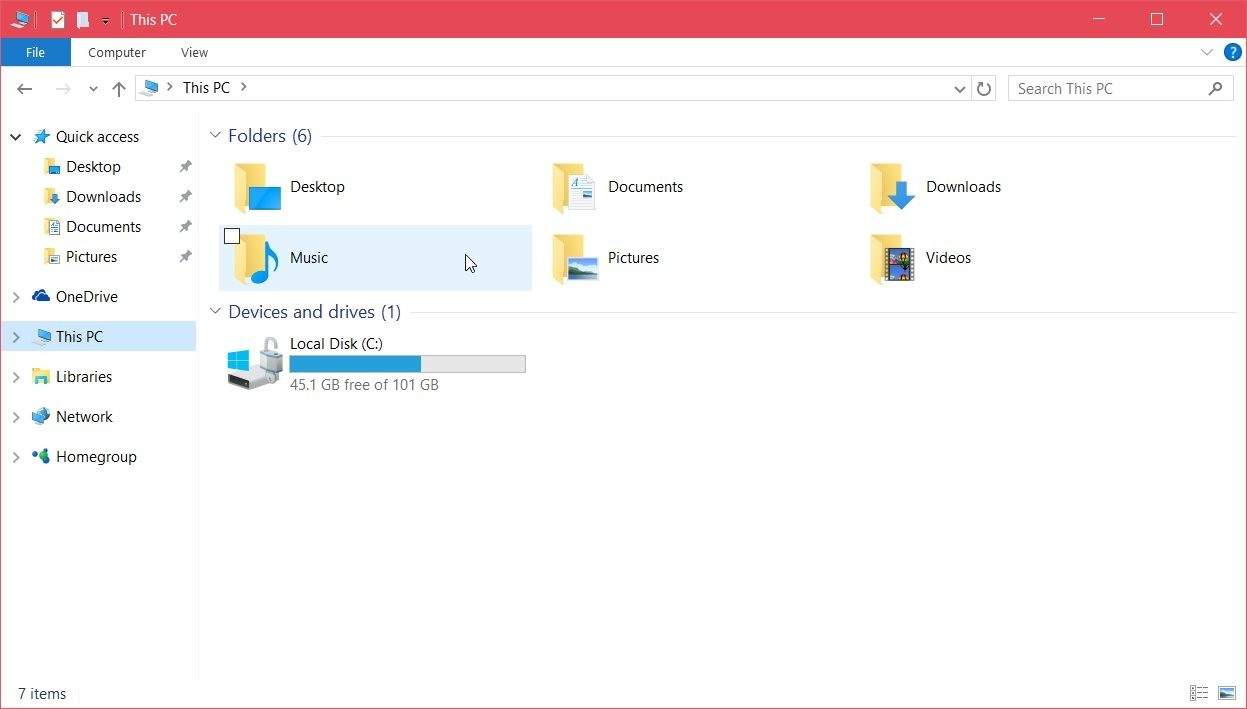
Previously known as Windows Explorer, File Explorer on Windows 10 is slated to receive a major update soon according to reports. File Explorer allows users to work with files and folders on their PC, network, and OneDrive.
The File Explorer is without a doubt one of the most used applications out there. Its last major update came with Windows 8, which consisted of developers adding ribbon UI for common tasks such as creating, copying, or moving folders in addition to zipping and emailing items.
While we agree that File Explorer is an awesome application, it currently doesn’t have a UI optimized for modern touch based devices. For example, when you try to use the File Explorer on a Surface Pro 4 device, it is quite difficult to touch the options that you want to access.
Previously on Windows 8, there was a modern OneDrive application which allowed you to use File Explorer to browse through files on touch screens. However, Microsoft hasn’t added the OneDrive app to Windows 10, which means that there is no official method that allows you to browse files from another device.
Microsoft is aware of this issue and, according to reports, it is currently working on it. Peter Skillman, GM of Core UX for Windows Desktop, has confirmed that File Explorer will receive a major update soon which will allow users to operate it with ease on touch-based devices. Unfortunately, Skillman didn’t say exactly when we’d see this update added to Windows Insider builds, but we are hoping that this will happen soon.
However, Microsoft will need to make sure that during the process of modernizing the File Explorer app that it will not make the application less powerful or more annoying for both touch and keyboard and mouse users.
Overwatch is Blizzard’s upcoming team-based shooter set to release on May 24 for Xbox One, PC, and PlayStation 4 users. To keep the buzz going around its upcoming product, the developer released the first in a series of CGI animated shorts taking a closer look at several of the game’s heroes.
The company’s first clip, titled Recall, clocks in at around eight minutes long and Blizzard focuses on the super-intelligent genetically engineered gorilla Winston.
What Blizzard is making here is more than just promoting a game: the company is actually producing cinematic content and in the process, showing that it’s slowly moving towards a more expansive business model — something that was made clear when Blizzard Entertainment announced their partnership with Legendary Pictures for the making of the Warcraft movie.
An open beta for Overwatch will begin on May 3 for those who pre-ordered the game. What’s nice is that you can invite a friend, as well. You should know, however, that the early access offer ends on April 29, so get moving if you’re interested!
As we reported last week, Fallout 4’s first DLC, titled Automatron, was slated to be released on March 22nd. Bethesda made the DLC available, which will add new missions trees and craftable robots to the game.
If you’re playing Fallout 4, you should know that you can now download the first of a series of DLC packs for $9.99 as a standalone purchase or as part of the $49.99 Fallout 4 Season Pass. The DLC is available today for download worldwide on Xbox One, PlayStation 4, and PC. Here’s what Bethesda had to say about this DLC pack:
In Automatron, the mysterious Mechanist has unleashed a horde of evil robots into the Commonwealth, including the devious Robobrain. Hunt them down and harvest their parts to build and mod your own custom robot companions. Choose from hundreds of mods; mixing limbs, armor, abilities, and weapons such as the all-new lightning chain gun. Even customize their paint schemes and choose their voices! (For characters level 15 or higher.)
Bethesda also reminds players that future DLC releases will include the Wasteland Workshop in April and in May, you will be able to travel beyond the Commonwealth to Maine for Far Harbor — allegedly the largest landmass Bethesda Game Studios has ever created for post-release content.
There will be even more add-ons to be released in 2016, such as free updates like Survival Mode and the Creation Kit, which will allow you to create mods on the PC. So for those who’re really into this game, it makes sense to get that Season Pass considering there’s going to be so much additional content.
If you encounter various problems when playing Fallout 4 on your Windows 10 device, make sure to take a look at our guide on how to fix them.
Today, Microsoft released version .30 of the Azure Storage Python Client Library. The updated version of the app contains everything that the last version had, but with a few additions for good measure. The developers noted that the changes made were based on customer feedback, in order to keep the program “on par with our other libraries.” You can see the blog post announcing the new version of the app right here, but if you just want to see what’s new in this version, just take a look below:
Append Blob support
File service support
Lazy Enumeration for listing APIs
Account SAS support
Table Batch refactors
JSON Table formatting support
In the blog post that came out with this update, we were reminded that all of the work being done on Azure Storage Python Client Library is available for everybody to see on Github. The developers assured us that fully functional samples of the program are going to be “available soon” for people who want to be able to use the program in its intended form.
Tom Clancy’s The Division is officially the fastest-selling game ever alongside being the most played game on Xbox Live, beating out Activision’s Call of Duty — something that is sure making Ubisoft smile widely.
But like any release of such a popular game, the developer tries to patch new bugs as soon as possible. Such was the case with Tom Clancy’s The Division as Ubisoft released yesterday the 1.0.2 patch for all platforms. This patch brings important changes for PC, PS4 and Xbox One, a collection of bug and exploit fixes, and improvements to PVP gameplay in the Dark Zone. Here’s how the full patch notes look like —it’s indeed a mammoth one:
Gameplay
Named enemies will now drop better loot in Challenge mode than in Hard mode.
Added a cooldown period for the Static Turret stun attack in order to avoid a stunlock in PvP and PvE game modes.
Named NPCs will no longer respawn after being killed in the Open World. This will prevent situations where players were able to kill a same named NPC over and over again.
Modifications to the weapon talent: Trained. It can now only be rolled on Shotgun, Marksman rifles and Pistols
Its bonus has been reduced from 1%-5% to a constant 0.1%
For the Midas SMGs, Trained Talent has been replaced with Responsive Talent which increases damage when getting closer to the target. This applies to existing weapons as well as newly acquired ones
For all SMGs, LMGs, and Assault Rifles, it will be replaced with another randomly picked weapon talent. This applies to existing weapons as well as newly acquired ones
Fixed a speed run exploit for the Rooftop Comm Relay mission
Fixed an issue where weapons dealt no damage if the reload animation was interrupted by an agent’s skill
Fixed an issue where players became stuck in an emote animation if activated via chat while auto running
Fixed a bug where skill power would be increased permanently while using the Death by Proxy talent
Fixed a bug where experience was not being awarded for completing all side-missions in the Midtown East safe house
Fixed instances where the Seeker Mine with Airburst / Multi-mine mod would detonate too soon, miss targets or cause no damage
Fixed a bug where grenades would sometimes not display the blast radius warning before detonating
Fixed an issue where some NPCs in low cover would not react to being shot by the player
Fixed issues where emotes would cause the player model to behave oddly (missing guns, player stuck in emote animation, etc)
Fixed a bug where weapon mods and weapon skins would not show up on other players in the game world
Fixed an issue where DPS would not be calculated properly when purchasing a new weapon mod
Dark Zone
Players can now heal other neutral players in the Dark zone, by using First Aid and Support Station skills
Players are now able to fast travel to Dark Zone checkpoints, but only when coming from outside the Dark Zone
The Dark Zone disconnect timer has been increased to 30 seconds, meaning players will remain in the game world longer when logging out while in the Dark Zone (this applies while not in combat)
Items extracted from the Dark Zone are now properly marked as “new” items when moved to the players inventory
Players killed in the Dark Zone now drop ammo, medkits and grenades. This loot is generated and not taken from the dying players’ inventory
Players killed in the Dark Zone will lose less Dark Zone Funds and Experience (Rogue and non-Rogue)
Dark Zone Funds and Experience rewards for surviving Rogue status have been improved
Dark Zone Funds and Experience rewards for killing Rogue agents have been improved
Phoenix Credits drop have been increased on lvl 31 and 32 enemies in the Dark Zone:Please note that due to this fix causing client stability issues, we have to remove it from this update until it can be addressed in a next one
Lvl 30: 1-3 Phoenix Credits
Lvl 31: 2-4 Phoenix Credits
Lvl 32: 3-5 Phoenix Credits
Increased drop rate of High-End items from lvl 31 and 32 named NPCs in the Dark Zone.
Increased drop rate of High-End Division Tech Material from lvl 32 named NPCs in the Dark Zone.
Improved Dark Zone Chests items quality: Rank 30 chests will now drop Superior (Purple) items instead of Specialized (Blue)
Keys chests now have a chance to drop High-End (Gold) items
Dark Zone Funds drop rates and quantity on NPCs has been reduced.
Fixed a bug where the Wildfire and Fear Tactics talents were affecting neutral players in the Dark Zone.
Fixed instances where players would receive a DELTA error message when entering the Dark Zone
Fixed a bug where sometimes players could not loot anything after returning to the game following a network disconnection
Fixed Stage 1 Rogue timers not displaying correctly when Rogue players receive damage from another player
Graphics
Fixed a few lights that did not cast global illumination
UI
Added more information for Daily missions on the Map
Tutorials have received some UI polish
The Matchmaking menu now displays the mission difficulty rating more prominently
The mini-map mission tracker has been optimized to be less confusing to players
Fixed a bug where some of the attributes for high-end equipment were cut-off in the recalibration menu
Fixed a bug where the Matchmaking menu for a mission would not display correctly or kept disappearing
Fixed missing item icons in the Reward Claim Vendor’s inventory
Fixed incorrect side-missions being displayed in the Map legend
Audio
Fixed a bug where the helicopter crash SFX would be missing from the Brooklyn end cinematic
Fixed a bug where the Zapper Turret mod had no sound
Fixed a bug where the audio for entering a contaminated area would be cut-off
Fixed a bug where audio would not play when scrolling through vanity items
Localization
Fixed Ubisoft CLUB reward descriptions in Korean and Traditional Chinese
In-game localization bug fixes
PC
Tobii Eye Tracking bug fixes and improvements
On launch, the PC client now monitors PC graphic settings and applies the best settings for the user’s configuration. This is unless the user has custom settings.
Fixed an issue where the Map was sometimes difficult to navigate with a mouse
Fixed issues with Hungarian, Korean, and Russian localizations
Fixed an issue that prevented matchmaking while on the Map
Removed the Store button from the Character Selection screen on PC versions of the game. Players can find the store page in the Ubisoft CLUB app directly
Fixed increment number on Day 1 Patch Notes (was 1.1, now correctly states 1.01)
Xbox One
Fixed a bug where players could not reconnect to the servers after suspending the game on Xbox One
Fixed a bug on Xbox One where unblocking a player would not be reflected in-game until title reboot
PlayStation 4
Added an option to disable the PlayStation 4 controller speaker
Improved textures and models streaming speed
Fixed an issue where ISAC volume could get too loud when playing with headsets
As we can see, the most important change for Windows PC users is that on launch, the client will now monitor PC graphic settings and will apply the best settings for the user’s configuration.
Future updates to The Division will bring two free content patches, adding Ubisoft’s take on end-game MMO-like raids as well as paid expansions as part of its season pass.
Square Enix’s Rise of the Tomb Raider was released on both the Windows 10 Store and Xbox Store at the end of January despite previous talk the game would be made an exclusive to Xbox users.
Recently, the game enjoyed an updated with support for DirectX 12 and now, Square Enix and Crystal Dynamics have revealed a March 29th release date for their upcoming Rise of the Tomb Raider DLC titled Cold Darkness Awakened.
Here’s what the DLC is all about:
“Decommissioned during the Cold War, a dormant weapons research base has been breached, unleashing a mysterious affliction into the Siberian wilderness that transforms men into blood-thirsty, mindless killers. Lara must overcome increasingly dangerous waves of these infected adversaries while scavenging their equipment and crafting additional gear on the fly, in kill or be killed survival-combat.
Fight for your life against new enemies and complete new challenges while discovering a way to stop or perhaps even reverse this impending catastrophe. Includes the Ushanka outfit, which reduces Lara’s damage from melee attacks, the devastating Voidhammer shotgun, and the Cold Darkness Awakened Card Pack which includes over 15 new Expedition Cards.”
A new video showing the complete Rise of the Tomb Raider experience was released as well, giving us a first look at Cold Darkness Awakened. This new DLC has Lara exploring the most treacherous and remote regions of Siberia to find the secret of immortality before a ruthless organization known as Trinity does first. Over the course of the new campaign, you’ll experience high-octane action, conquer beautifully deadly environments, engage in brutal guerilla combat, and explore awe-inspiring tombs.
Cold Darkness Awakened is also part of the game’s season pass, so if you have one, you’ll get it for free. The Rise of the Tomb Raider Season Pass also contains Endurance Mode and the recently released Baba Yaga: The Temple of the Witch DLC. If you don’t have the game yet, you should know that it’s currently being featured in the Xbox Store’s Spring Sale from March 22 – 28.
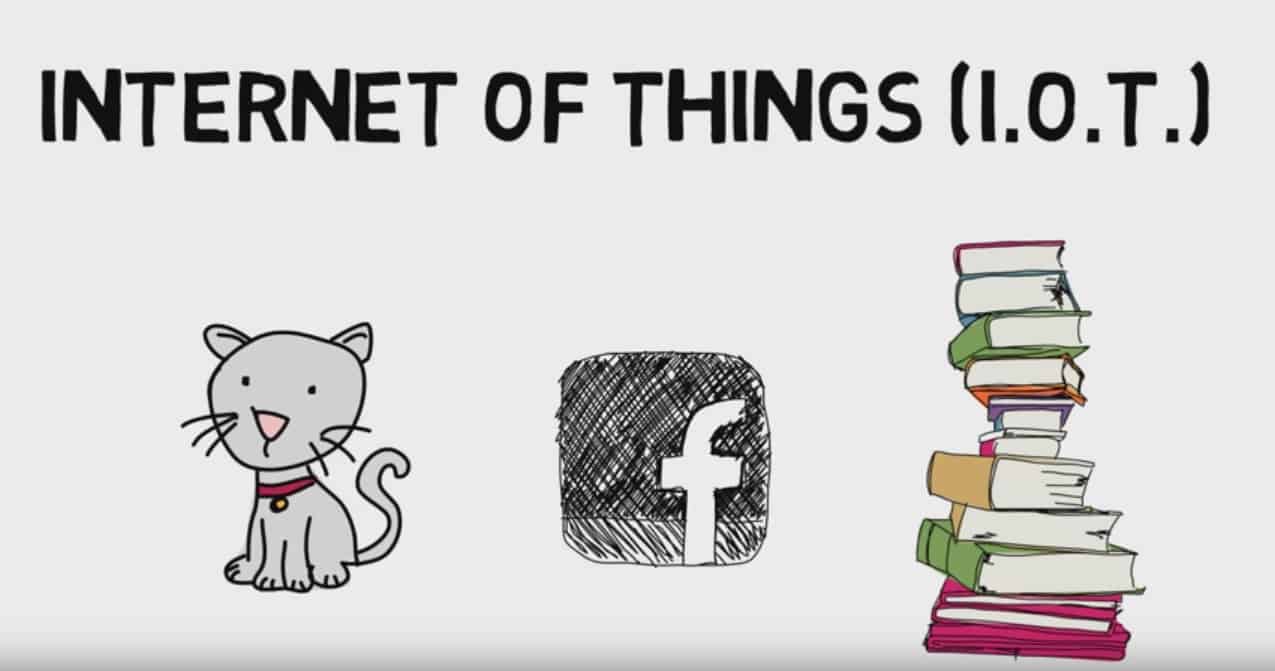
Microsoft has been expanding the Internet of Things for a while now, and according to a presentation they gave in China, they aren’t going to be slowing down any time soon. The presentation, named “Natural User Interface Technologies for IoT,” is aimed at providing developers new ways to approach the implementation of innovative user interfaces. Possibly the most significant thing to come to light in this presentation, however, is what’s in store for the IoT regarding voice recognition.
On top of some more technical information regarding the utilization of voice recognition with IoT devices, these charts were included to give people an idea of what may be coming in the future. The charts give a brief overview of the priorities to keep in mind as voice recognition is developed for more devices, and runs down a few details. If you’d like to get a idea of where Microsoft may be headed with the development of voice recognition in IoT, you should consider running down these charts to see what’s on their mind.
If the charts aren’t enough, you should check out the entirety of the presentation–or even look at some of the other presentations. Everything that Microsoft showed off at this conference is located right here, available for anyone to peruse at their leisure. It’s quite a lot to look through, but for anyone who finds themselves especially interested in some of the inner workings of Microsoft and other software developers, it’s always fun to dig into their presentations and see how they’re directing developers. This was just a training conference for developers–no big news about what’s under Microsoft’s sleeve–but third party developers are always going to be the backbone of how we operate our devices.
The tablet war is heating up again. Microsoft has already released its Surface Pro 4 while Apple is expected to launch the iPad Pro 9.7 (which it claims is the ultimate PC replacement) for sale on March 31, 2016. We’re going to compare both of these hybrid tablets and let you decide which one is right for you.
Design
The Surface Pro 4 measures 292.1 x 201.4 x 8.4mm and weighs 786 grams. Its chassis is made of magnesium alloy affording it a very sturdy construction, but it’s thinner and lighter than the previous Surface model. On the other hand, the iPad Pro 9.7 is slimmer and lighter than the Surface Pro 4, coming in at 240 x 169.5 x 6.1mm and weighing either 437 grams (Wi-Fi variant) or 444 grams (LTE variant). It sports a design similar to the rest of Apple’s tablets, with an aluminum body and three colors to choose from: Space Gray, Silver, and Gold.
Display
The Surface Pro 4 has a 12.3-inch PixelSense display that supports a resolution of 2736 x 1824 pixels. The iPad Pro 9.7 comes with a smaller 9.7-inch IPS LCD display that supports a lower resolution of 2480 x 1536 pixels.
Processors, Graphics Cards & RAM
The Surface Pro 4 features three variants in processors, graphics cards, and RAM:
– CPU: M3, i5, and i7;
– GPU: Intel HD graphics 515, Intel HD graphics 520, and Intel HD graphics 540;
– RAM: 4GB, 8GB, and 16GB.
You only get one choice with the iPad Pro 9.7: an Apple A9X chipset, a dual-core Twister processor clocked at 2.26GHz, a PowerVR Series 7 graphics card, and 2GB of RAM.
Storage
The Surface Pro 4 was released in four storage variants: 128GB, 256GB, 512GB, and 1TB. The iPad Pro 9.7 comes with internal storage variants, too, albeit a much smaller range 32GB, 128GB, and 256GB. None of the tablets provide a card slot for storage expansion, so think twice about your storage needs before purchasing either of these two devices.
Cameras
The Surface Pro 4 sports an 8MP rear-facing camera and a 5MP on its front side. The iPad Pro 9.7 has a more advanced 12MP rear camera with dual-LEDs, touch focus, face detection, and HDR joined by a 5MP front facing camera.
If you’re one of the Xbox One gamers who play Xbox 360 games on your system, you’re going to enjoy this set of news that we have to offer.
Microsoft has just added two new titles to the list of backwards compatible titles, and is now further allowing you Xbox One gamers to enjoy Xbox 360 titles on your system.
Dark Souls and Tekken Tag Tournament 2 are the two titles which have been added to the list. If you have the disc based versions of these games, you can now insert the discs into your system, and the console will download the title to your hard drive. You will, however, still need to keep the disc in the drive to play. In the event that you own digital versions of these titles, they will show up in the “Ready to Install” section on your Xbox one, and once installed they will show up in your list of games.
As usual, Major Nelson is up on his blog bringing us Xbox goodness, and this time, it’s all about the newest system update to Xbox One and the Xbox app on Windows coming out today, bringing new features from the Preview, while adding more improvements to both the game-playing and social experience.
The first improvement makes the Xbox Elite Wireless Controller an even more awesome gamepad than it currently is (if that’s even possible), with the new firmware update improving precision for the thumbsticks. The position of the thumbstick is now measured relative to the center focus point of the thumbstick base instead of the normal method, allowing for increased accuracy. Another controller-related improvement is in the Xbox Accessories app for Windows 10, which will now display current firmware version, battery status, and other controller information, similar to its Xbox One counterpart.
New firmware, new Elite precision. Courtesy of Major Nelson.
On the social side, the much-awaited feature of Party Chat broadcasting while Twitch streaming has finally been added. Enabling it is as simple as choosing the option to “Broadcast party chat” in the Twitch app settings. Friends can decline to be broadcasted but still be able to chat, and party leaders can choose to mute a member’s audio. The feature works across Xbox and Windows 10 PCs: members from the latter can also join in the broadcast.
A number of other features were introduced in the preview and now available for all, as a refresher, here’s Major Nelson introducing all of the features, including the ability to purchase Xbox 360 backwards compatible titles from Xbox One:
Are you in the preview, or do you wait for the “real thing?” Either way, there are some nice new features now available on your Xbox One.
One of the new forms of apps for Windows 10 being promoted by Microsoft are Hosted Web Apps. While web apps have existed before on the Windows Store, in Microsoft’s newest OS, they finally go from simple wrappers to a powerful alternative to native apps, with the ability to access APIs reserved for Universal Windows Apps (UWA). Unfortunately, this also implies potential security risks, something Microsoft seems to be trying to prevent with a new educational blog post for developers on how to make Hosted Web Apps secure.
What sets Windows 10 Hosted Web Apps apart from their predecessors is the modern, up-to-date Microsoft Edge web platform and rendering engine. This means common techniques for web content security will work for Hosted Web Apps; the focus, however, is on a new feature: Content Security Policy.
Courtesy of Windows blog.
Content Security Policy (CSP) is a new security layer invented by the W3C Web Application Security Working Group. It helps reduce risks of cross-site scripting and data injection – two common forms of webpage attacks – by allowing developers to specify where the resource for a particular webpage should come from. The post details how CSP works and some “best practices” for using CSP, including setting up Content URI rules and scope, and applying CSP to all pages that will have access to UWA APIs.
Content Security Policy in action. Courtesy of Windows Blog.
As the dearth of apps on Windows 10 Store continues, Hosted Web Apps is just one of the ways Microsoft is courting developers by minimizing their workload developing for Windows. That does not mean quantity should trump quality or security however, and it’s reassuring to see Microsoft address this issue before it becomes problematic; the rest, now, is up to developers.
Pre-orders for the current gen release of Resident Evil 6 are now live and the game can be both pre-ordered and pre-downloaded on Microsoft’s Xbox One console starting today.
Resident Evil 6 came out in October 2012 on the Xbox 360 and in March 2013 for Windows. This latest version of the game comes with all of the extra downloadable content that was released in the months following its initial release.
Here’s the official description:
Blending action and survival horror, Resident Evil 6 is a dramatic horror experience that cannot be forgotten. Now in high definition, the game offers multiple characters, including fan favourites and new faces, along with solo and co-op modes and new challenges for players, different from any other in the Resident Evil franchise. This edition includes all DLC, along with two costumes per main character, originally exclusively unlockable through Residentevil.net, that are now unlockable through the game itself.
Telltale Games is a game developer famous for its adventure games that include The Walking Dead, Game of Thrones, and The Wolf Among Us. What sets Telltale’s games apart from other adventure games on the market are its captivating characters and unique, profound stories shaped by your decisions. Telltale has already given us several amazing games based on comic books and TV shows, and now the developer is planning to release a new game that follows adventures of Batman.
Telltale is working on an M-rated Batman game
According to Telltale, its upcoming Batman game will use its trademark, interactive comic book visual style while its storyline won’t be related to any Batman comics, video games, or movies. Instead, it will follow the lives of both Bruce Wayne and Batman, with each decision Bruce Wayne makes influencing Batman and vice versa. Certain situations will allow players to approach them as either Bruce Wayne or Batman, thereby adapting the story according to your choice.
As previously mentioned, this game will focus entirely on Bruce Wayne and Batman, and as of now it looks like it’s staying that way: only Alfred Pennyworth, Vicki Vale, James Gordon, and Renee Montoya have been confirmed as supporting characters. Unfortunately, Telltale Games didn’t reveal anything regarding the game’s villains.
Just like in previous Telltale games, many supporting characters are tied to the main character and most of your decisions affect them, so you’ll have to think twice before making a difficult decision. Besides shaping the future of supporting characters with your choices, you will also shape the future of Gotham City as both Bruce Wayne and Batman, too.
Telltale has proven capable of delivering exciting stories with compelling characters, and we expect nothing less from this upcoming Batman game. This game will have a Mature 17+ rating and will be available this summer on most major platforms.
In the spirit of this upcoming release, make sure to check out the brand new collection on the Windows Store to celebrate the upcoming release of Batman v. Superman.
While the Windows 10 Mobile upgrade is available for download, there has been some controversy surrounding its release. According to Microsoft, Windows 10 Mobile won’t work on devices with 512MB RAM, and this statement has unsettled many people that used to run Windows 10 Mobile during the Insider Program.
Although Microsoft is still standing by its decision to limit the availability of Windows 10 upgrades to devices that have 1GB of RAM, it seems strange that certain devices, such as the Lumia Icon, didn’t get Windows 10 update.
Lumia Icon is being considered for Windows 10 Mobile upgrade
Microsoft has made an already bad situation worse by stating there are no plans for a second wave of Windows 10 Mobile updates. This means only previously selected devices will be eligible for Windows 10 Mobile update. To top it off, it appears that the Lumia 1020, 925, 920 aren’t going to get Windows 10 Mobile at all.
Currently, the following Lumia devices are suited for the Windows 10 Mobile upgrade: 1520, 930, 640, 640XL, 730, 735, 830, 532, 535, 540, 635 1GB, 636 1GB, 638 1GB, 430 and 435. As for eligible non-Lumia devices, the list includes the BLU Win HD w510u, BLU Win HD LTE x150q, and MCJ Madosma Q501. Judging by previous Microsoft’s statements, the list of supported devices will remain unchanged for now.
Many users are wondering why the Lumia Icon isn’t on the list of eligible devices, and rightfully so. The Lumia Icon has almost identical hardware specs as Lumia 930, leaving many owners perplexed about the decision to exclude it from a Windows 10 Mobile update.
Even though the Lumia Icon isn’t currently eligible for a Windows 10 Mobile upgrade, that might change in near future. According to the recent tweet by Gabriel Aul, the Lumia Icon is being considered for Windows 10 upgrade:
So far, it’s unknown whether Microsoft will actually release Windows 10 Mobile for Lumia Icon, but we’re keeping our hopes up. We have to admit, it’s a bit odd for Microsoft to exclude the Lumia Icon from the list of supported devices, but we hope Microsoft will remedy this confusion in near future.
Killer Instinct: Season 3 is among the first games coming to Windows 10 users with Xbox One cross-play functionality. While many are looking to purchase the game precisely for this reason, there are plenty who have played previous seasons and are looking forward to the sequel.
We already know Killer Instinct season 3 will bring general RAAM to Windows 10 players, but we’re sure there are going to be more surprises in store for players. Recently, the head of Xbox Games marketing at Microsoft, Aaron Greenberg, said the game will soon be available for pre-order. Now, it is.
Preorder Killer Instinct: Season 3 Ultra Edition
Killer Instinct Season 3 will launch simultaneously on both the Xbox One and Windows 10 PC on March 29. The game is now available for pre-order, with those who buy it ahead of its official release receiving access to all season 3 characters and accessories as well as a lifetime double experience booster and 18,000 KI Gold (which would normally cost $40).
Thus, you’ll get all eight new fighters, including Rash from Battletoads, Arbiter from Halo, Kim Wu, and Tusk, the VIP Double XP Booster, eight retro costumes, accessory sets, bonus retro character colors, and 18,000 KI Gold (limited time only).
If you’re interested in all these perks, go ahead and pre-order Killer Instinct: Season 3 Ultra Edition from the Xbox Store. Also, be aware that there’s still content left to be released over the season, so we’ll keep an eye out for that as well.
Windows 10 Mobile is finally available as a free upgrade to older Windows Phone 8.1 devices. After more than a year of testing the new OS through the Insider program, Microsoft finally began to roll it out to devices that didn’t originally came with Windows 10.
But as delighted as people are that the full version of Windows 10 Mobile is finally here, a lot of users are disappointed by Microsoft’s approach to delivering the update — especially after waiting for more than a year after more than a few false alarms. Now that the OS is finally here, users of certain Windows Phone 8.1 devices are shocked to find out that Windows 10 Mobile is not available on their phones.
As we reported last week, Windows Phone 8.1 devices with less than 1GB of RAM won’t be eligible for the upgrade. But it’s looking like some otherwise eligible phones didn’t get the upgrade either, models like the Lumia 1020, 925 and the 920. Understandably, people began to wonder if Microsoft had plans to change its policy and still deliver the update to these devices eventually as part of a presumed second wave of upgrades. One user asked Microsoft about just that on Twitter but unfortunately, received a negative answer.
As Microsoft pointed out, the list of eligible phones is final and there won’t be any second wave of upgrades. This angered a lot of users who are now forced to either stick to Windows Phone 8.1 or switch their current device for a new one.
Here’s why you won’t receive the Windows 10 Mobile upgrade
Although Microsoft didn’t provide any details behind its decision to not deliver the upgrade to select phones, there may be an explanation after all. The main purpose of the Insider program on both PC and mobile versions of Windows 10 is to obtain feedback about system performance. Microsoft is guided by that feedback when it comes to developing every aspect of its operating system — including its decision on which devices will eventually receive an upgrade.
So at first glance, it may look like the Lumia 1020 can run Windows 10 Mobile without any problems. But, a lot of users have reported various problems with the device while running Windows 10 Mobile Preview, forcing Microsoft to decide to not deliver the free upgrade to the Lumia 1020. We assume that’s the case with other phones, as well.
Although we don’t have an official word from Microsoft on this, when asked why the Lumia 1020 won’t get the upgrade, Gabe Aul confirmed the theory on Twitter:
@DrKumarSS@NorthFaceHiker Higher % of reports of performance issues, lower % of votes of likely to recommend
So it’s obvious now: Microsoft would rather have Windows 10 Mobile only on devices able to run it smoothly rather than to force the upgrade to all devices and cause even more problems for users.
What do you think? Would you rather use Windows 10 Mobile on a device that isn’t able to run the OS smoothly and face various issues or switch to a new, Windows 10 Mobile-compatible phone? Let us know in the comment section below!