Gmail app for Android give users the ability to sign in to the app with their existing non-gmail account such as Outlook or Yahoo. However, if you’re a fan of Gmail’s features such as improved spam protection and better inbox organization without ditching your existing Outlook email address, Google has a solution for you.
They call it Gmailify, which give users the ability to login with their existing Outlook or Yahoo account, and use all the Gmail features without the need of a Gmail account.
The process is quite simple: it doesn’t require users to install anything on their device or PC. All you have to do is login with your Outlook account in the Gmail app, and tap on Gmailify — it’s that simple. After enabling, you’ll be able to use all the exciting Gmail features on your Android device with your existing Outlook address.
At any point in time, if you wish to unlink your account and use the default features, you can do so from within the app. Google said the company is working to bring more email providers to the compatibility list, but at the moment, it’s only Yahoo and Outlook/Hotmail. In the meantime, check out the video below to see it in action:
Of course Microsoft is upping its game, too, rolling out the latest Outlook.com improvements from preview, but if you’re stuck in a Gmail paradigm, this may be the app for you.
In an interview with the Windows App Team, director of product management for Yahoo Mail, Josh Jacobson gave some insight into why they decided to go with a Hosted Web App as opposed to a full Universal Windows Platform app which would have had to be coded from scratch. “We saw that Microsoft could let us essentially wrap our web app in a desktop app and get the best of both worlds,” he says of the decision and mentions the need to produce an app of some form on the Windows 10 ecosystem. “We looked at what things we’re limited to in a browser and what things in a desktop app we could really utilize to help users return to Yahoo Mail and use it as part of their daily workflow.”
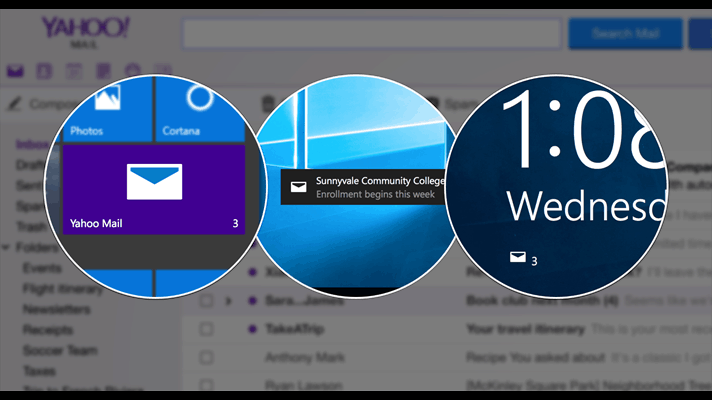
Some of the app features he refers to are lock screen integration and Live Tiles which both allow for the display of information when the app is closed. “It’s the kind of thing that you don’t necessarily expect as a user, but when you see it, you’re happy that it exists,” he said of the extra functionality.
As for the publishing process and their experience with the Windows Store itself, Josh appeared very positive. “The Windows Store itself, for us, was an awesome experience because users are prompted automatically to give reviews,” said Josh. “We didn’t have to do a lot of work to get users to leave reviews, and we got lots of reviews right away as soon as we launched.”
Do you use the Yahoo Mail app on your Windows 10 device? Let us know your thoughts in the comments below.
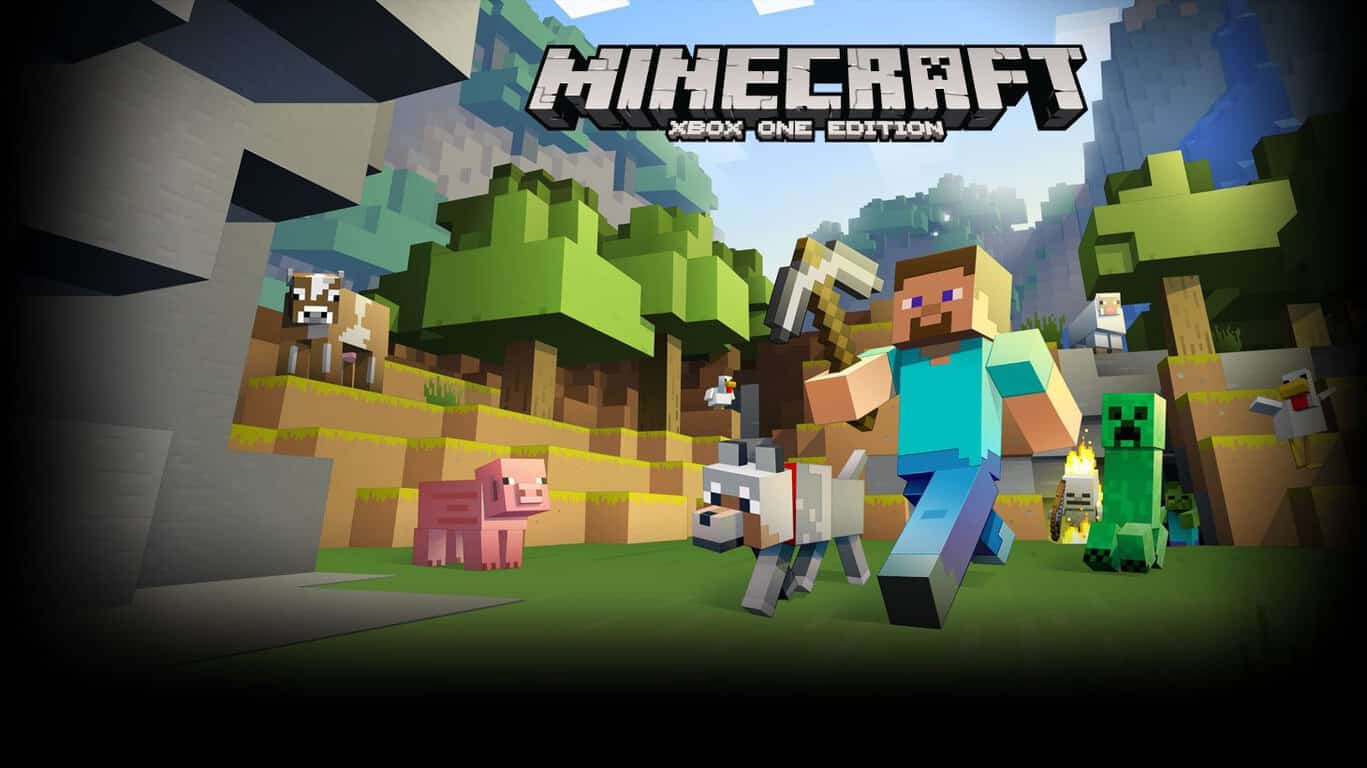
Minecraft Windows 10 Edition Beta has been getting updates alongside the Pocket Edition of the game, and today reached version 0.14.0. Since the last update to both versions of the game last November, Microsoft has released the first few Redstone Insider builds, so it’s nice to see the update include some great new skins for players to dress their characters in.
At this time, no official changelog has been added (see below for the changelog) to the store page for the Windows 10 Edition Beta or the Pocket Edition store pages, but the new version, as seen in the main menu, is 0.14.0. The update has yet to roll out to the Pocket Edition on Android, so that version is still at 0.13.2. Below, you can see what the new skins look like.
Minecraft Windows 10 Edition Beta 0.14.0 Redstone Specialist
Checking around for what was new, the skins featuring various Minecraft Redstone-related designs are the only obvious change. There are fifteen new skins with two available to try for free. The full list of character skin names are:
Artisan
Composer
Vanguard
Duster
Scholar
Trapper
Redstone Miner
Coder
Protector
Prospector
Architect
Rail Rider
TNT Tech
Redstone Miser
Tinkerer
Artisan and Composer are the free skins in this pack, and to slip into any of the rest will cost players $1.99, just like the other skin packs Mojang has released for Minecraft in Microsoft’s ecosystem. Once an official changelog is released, we’ll update this article. Microsoft has indeed added a changelog:
What’s New in Version 0.14.0
– More Redstone components! Comparators, repeaters, dispensers, droppers, hoppers, trapped chests, and various additional Minecart types
– Spooky witches and their huts, complete with cauldrons filled with random potions and the ability to dye Armor
– Item Frames to display your coolest loot
– Slime blocks
– Wearable pumpkins
– Red sandstone
– Improved chicken jockey mobs
– 15 new Redstone Specialists skins for your Redstone engineering, mining, rail-riding and TNT-ing!
Today Microsoft’s Office Blog released a video showcasing updates to Office 365 Groups. Office 365 Groups is a way for organizations to share work spaces, collaborate on projects and share information. Available to businesses and education departments, this feature of Office 365 allows the creation of groups for the use of shared calendars, sharing notes, emails using planning tools for different tasks.
In today’s video, the Microsoft Mechanics, a YouTube channel focusing on Microsoft technology and news, covers the newest updates to Office 365 Groups.
A couple of highlights from this video are worth discussing.
First, the ability to create groups to easily identify teams in an organization and keep information shared, organized in its proper place was highlighted.
Another great feature that has been introduced is data involving the completion and progress of projects. Called Planner, this feature allows users to assign tasks to different team members and get updated results on the percentage of their completion and the overall project.
Taking collaboration further is the integration of video calls through Skype and the use of note taking with OneNote. Utilizing Skype gives users the power to quickly begin a conference call with all parties in a team. While in a conference call, OneNote is integrated to allow the taking of notes on meeting information, attendance, and things like specific dates for projects.
To aid in usability, Microsoft has also taken the time to update the Discover Page and header of Office 365 Groups. The header for Office 365 Groups now lets users quickly access the core experience of Office 365 Groups with shared calendars, notebooks, files and conversations. The Discover page gives users the ability to find groups of their peers within their organization that pertain to their interests, project, or other information that they may need.
On the Administrative side of things, Office 365 Groups was updated with these latest features:
Dynamic Membership: Use Azure management to create groups rule-based memberships
File Quota Management: Set quotas on groups, that underlines SharePoint to help shared storage of group files and consumption
Send Email with Group name: Members have the ability to use Outlook on the web or the application, replying to emails with the group name from Office 3645 Groups
Multi-Domain Support (coming soon): Soon to arrive will be the ability to specify the domain used for each group created
That rounds up the latest updates for Office 365 covered by the Microsoft Mechanics in today’s video. Microsoft is steadily working towards deeper integration with all their products and services, and to get ongoing glimpses at future of updates, users can look at that Office Fast Track page, highlighting upcoming updates and those currently released.
With this latest update, how do you see Office 365 Groups helping within the team work environment? Let us know in the comments.
Imagine for a minute, if you will, waking up without the ability to walk, see, or hear. August de los Reyes, the design lead for Xbox, experienced just that, and his discovery has helped him shape and redefine Microsoft’s Cortana experience.
In an interview with Cliff Kuang of FastCo.Design, de los Reyes examines how much of the recent technology enjoyed by all came by way of empathy and a need for accessibility by the impaired, and how that realization helped focus Cortana’s development.
Recently, suffering from a fractured spine that permanently robbed him of his ability to walk, de los Reyes was thrust into a parallel universe that remarkably resembled the world he once took for granted. Previously overlooked obstacles such as curbs and overturned trash cans now presented the wheelchair-bound de los Reyes opportunities for innovative thought, along with a few frustrating realizations.
“After the accident, he had methodically set about trying to do as many things as he’d ever done. Yet the limitations soon become obvious. He’d try to meet friends at a favorite restaurant, only to discover that he couldn’t quite get inside because of one tiny curb that some contractor had overlooked. He’d be steering his wheelchair down the sidewalk, only to be met with a tipped-over garbage can, which would force him to circumnavigate an entire block.”
Rather than become sullen or dejected, de los Reyes saw the obstacles as a limitation of many thoughtless designers around him. The idea of disability being a personal problem rather than being a problem of unfortunate careless architecture is what ‘radicalized’ de los Reyes and prompted him to lend a hand in redefining how Cortana’s design could help everyone.
When newly appointed CEO of Microsoft, Satya Nadella promoted Albert Shum to Microsoft’s design director for the entire company, de los Reyes saw an opportunity to lend a hand. Shum, primarily responsible for Microsoft’s infamous flat design (for better or worse), had to chew on what exactly design meant beyond a two-dimensional sense, and de los Reyes was there to help. Using his previous curb experience as a metaphor, de los Reyes prompted the idea of universal design. Something as simple as a curb cut out benefits almost everyone while hindering relatively no one. Microsoft’s designs needed to be as abstractly and finite as a curb cut-out design.
Paired with Shum and Microsoft’s principle design director Kat Holmes, de los Reyes sought to do more than turn Microsoft into a curb cut-out company. Holmes, tasked with figuring out Microsoft’s digital assistant Cortana would behave, came across de los Reyes ideas on universal design. Interestingly enough, de los Reyes ideas helped Cortana become more than a Siri clone that attempted to ape human-like qualities.
“Making Cortana behave like a human would be like the new skeuomorphism.”
The three design heads came to the understanding that making Cortana pretend to be something it is not, would not only be poorly received by the masses but go against modern design principles established in the 20th century. After studying actual personal assistants and watching the movie Her, Holmes sought the help of Harvard’s Allen Sayegh and Ontario College’s Jutta Treviranus alongside de los Reyes to infuse Cortana with what is dubbed as inclusive design. The concept of inclusive design stems from the study of building adaptive products for often overlooked communities such as the blind, dyslexic, deaf, or mute.
As Kuang puts it:
Let’s say you’d like to build a phone that’s easier to interact with while you’re driving. You could just try to study people driving with their phones. Or you could actually study how the blind use their phones. How do they know when their phones are paired with another device? What aural feedback do apps need to provide, when opened? You could build those features into a phone, so that by serving someone disabled, you serve everyone else better.
The Microsoft design group sees it as “reframing disability as an opportunity.” The design principles of inclusive design are being mandated throughout the company and have given birth to several dozen projects seeking to improve the lives of users universally. A newer project that deals with font and system text wrapping should be surfacing soon from the company to help those with dyslexia read more easily.
Even more impressive is landmark functionality being built into Bing maps. While a user is navigating by landmarks, Bing maps need to work that much harder to stay updated and relevant; studies have shown that women often navigate by landmarks and visual cues over more rigid cardinal directions. Rather than, “head southeast for 6.7 miles and turn right on Park Ave,” Bing Maps will begin to use slightly more nuanced language such as “head south for 6.7 miles, turn right at Dunkin Doughnuts. Now you’re on Park Ave.”
Similar to de los Reyes, subtle observations and implantations such as the Bing Maps landmark navigation or Cortana’s ability to adapt to its surrounding input, Microsoft is building products and processes that benefit everyone. Microsoft’s adoption of inclusive design may seem similar to kitchen sink approach it takes with Windows development, but the understanding behind it is miles apart.
Rather than building for specific use-cases in a sort of whack-a-mole approach, those in charge of design and functionality within Microsoft are beginning to research overall usability and flexible elements from the beginning. For more details on de los Reyes and the direction Microsoft is headed, please take time to read Cliff Kuang’s brilliant piece.
Shortly after Microsoft released what it dubbed Windows 10’s Threshold at the end of July 2015, some Windows users began to look towards the horizon for future updates to the operating system. According to leaked roadmaps, Windows users will see another substantial upgrade to Windows 10 in the form of Windows 10 Redstone. While many believe that the two-part release of Windows 10 Redstone will finally round out the development of Windows 10, questions remain as to what the update will actually include.
Recently, reports have been surfacing suggesting that Redstone will include a focus on Continuum. Specifically, Redstone could usher in touchscreen support and higher resolutions for Microsoft’s crown jewel productivity feature.
Redstone’s Continuum support news surfaced from a German site titled Winfuture, which claims to have information deriving from PC manufacturing sources that can attest to several feature additions that should appear in the Windows 10 Redstone release. Other improvements claimed by Winfuture include performance boosts to wireless transfers and Continuum’s higher resolution limits should increase to 2K.
As with most news that comes from anywhere other than Microsoft itself, we caution readers to accept this news with a grain of salt. While Windows 10 Redstone, in theory, could bring these changes and more, there is no guarantee that they will appear.
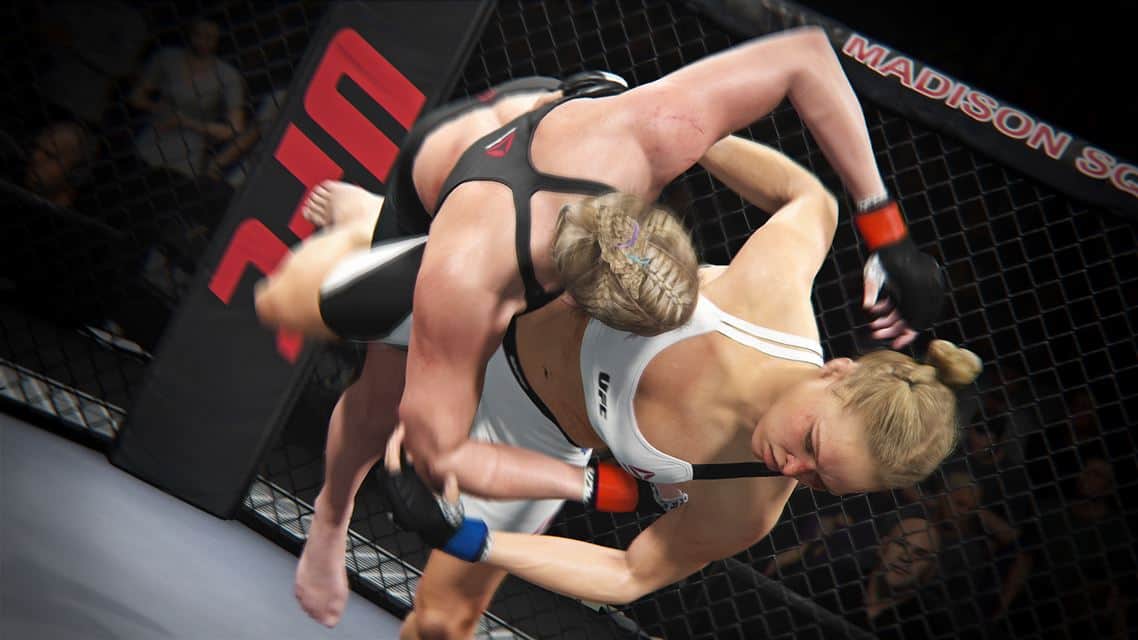
Larry Hryb, aka Xbox’s Major Nelson, announced that EA Sports UFC 2 is now available to pre-order and pre-download for Xbox One. Available March 15, 2016, UFC 2 features Ronda Rousey and Conor McGregor on the game cover and, according to the game description, improves on the gameplay of its predecessor:
“EA Sports UFC 2 is the complete fighting experience you have been waiting for. With a bigger roster of fighters, stunning character visuals and a revolutionary new Knockout Physics System, finishing the fight has never been more real and satisfying. Whether you want to battle for the belt in a deep Career Mode or just brawl with buddies in the all-new KO mode, EA SPORTS UFC 2 offers a mode for every fight fan. So step back into the Octagon and finish the fight!”
Here’s the official gameplay trailer.
Currently, two different 2 versions of EA Sports UFC 2 are available:
EA Sports UFC 2 Standard Edition features special Day 1 character access to “Iron Mike” Tyson, and playable MMA legends Bas Rutten and Kazushi Sakuraba.
EA Sports UFC 2 Deluxe Edition features a number of bonus content, includes everything in the Standard Edition, plus “Legacy” Mike Tyson, complete with his face tattoo, and up to 30 UFC Ultimate Team Premium Packs delivered over 15 weeks.
As a reminder, EA Access members get an additional 10% off the original price, so become an EA Access member for the discount and access to other free-to-play EA titles available. EA Access costs $4.99 a month or $29.99 for one year. For fans of the UFC, this is a must-have Xbox One game, so pick the EA Sports UFC 2 edition that is right for you.
Minecraft once again made the news today with their announcement that they would deliver real world “Mine Chests” for $30/month. There is now even more Minecraft news to report on, and this time it has to do with the actual game.
A pre-release of Minecraft 1.9 is now available, and it has entered its final stage before a final version is officially released next week, on February 25th. While a complete list of changes won’t be out until the final release, Mojang has listed the usual release notes on their website:
Notable changes:
Bugs fixed
Increased durability of shields
Some crystals in the end are protected by cages again
Added 34.7% more hype for Minecraft 1.9
Bugs fixed:
[Bug MC-96863] – Marker ArmorStand Should Not Have Passenger Offset
[Bug MC-97217] – Weird placement of player while riding an entity after swimming with elytra
[Bug MC-97235] – Resource pack in minecraft world save file not working
To get the pre-release, you first need open your launcher and press the “new profile” button. Next, name that profile “snapshots” (without the quotes) and check the box which says “experimental developmental snapshots.” To end the process, simply hit save. If you want to switch back to the normal version, you can select it from the dropdown menu at the bottom left corner of the launcher. You should, however, be sure to back up your worlds, as snapshots can corrupt your world.
Windows 10 recently surpassed the 200 million device mark, and with 76% of enterprise and education customers using it, Windows 10 has also been gaining popularity in the enterprise world. Today, Microsoft has announced that one of the largest enterprises anywhere, the US Department of Defense, has joined in to plan Windows 10 deployments.
From laptops, to desktops, and even mobile devices, the Secretary of Defense has directed all DoD agencies to begin a rapid deployment of Microsoft’s Windows 10 on devices throughout their organizations. The deployment is targeted to be complete within a year, and is an unprecedented move for a complex organization such as the DoD.
Windows 10 has even been certified for specific government criteria and standards. The National Information Assurance Program, the arm of the US government responsible for evaluating commercial IT products for use in National Security Systems, has certified Windows 10 against the Mobile Device Fundamentals Common Criteria protection profile.
A few of Windows 10 security features might be incorporated into the DoD’s plans. For instance, using Windows Hello, the department can identify individuals and restrict access through integrated multi-factor authentication using biometric mechanisms like facial recognition or fingerprints. There is also Enterprise Data Protection, which is currently being tested and would provide separation between both corporate and personal data, preventing corporate data from being copied to non-corporate files and locations, such as public website or social channels.
Security is important to the Department of Defense, it being a large target for cyber criminals. The blog post explains:
With the DoD spending approximately $44 billion annually on cybersecurity and IT, (US DoD CIO Terry) Halvorsen said the DoD needed to deploy innovation faster to ensure systems are more secure, more efficient and cost-effective, and standardized on one platform.
Because the U.S. Department of Defense is a prime target of cyber criminals and one of the largest and most complex organizations in the world, its leaders know the importance of securing its baseline systems.
The intention to move to Windows 10 started back in November when Terry Halvorsen, CIO for the DoD, issued a memo directing all Combatant Commands, Services Agencies and Field Activities to rapidly deploy Windows 10. A deployment that would improve the Department’s cybersecurity, lower the cost of IT and streamline the IT operating environment, and now that deployment is expanding to encompass the entire Department of Defense.
Could the Surface Pro 4 be Microsoft’s most successful Surface ever? According to a new report by CRN, Microsoft is currently experiencing “exceptional demand” for its Surface Pro 4 as some UK resellers are complaining from shortages of high-end i7 versions of the hybrid tablet. Microsoft’s Windows and Surface Business Group lead Ryan Asdourian explained the situation to CRN:
“While we are not happy that we can meet all demand today, we are really excited about the customer interest and demand that this demonstrates. Our goal is to make sure everyone who wants a Surface Pro 4 is able to get one, so we are working hard to expedite and produce those machines as fast as possible and as soon as we do that we will make sure we are getting them out to our resellers and distributors.”
The Surface Pro 4 is retailing between £1,299 and £1,799 in the UK, and the two-in-one device seems to be a popular buy among creatives and company executives as one Microsoft Authorised Device Reseller told CRN: “You often get the directors buying themselves the i7s and then buying staff the i5s, which is the run-rate business”. Asdourian told CRN’s sister publication the Inquirer that Microsoft is seeing “unprecedented demand” for some versions of the Surface Pro 4, saying:
“On the Surface Pro 4s, I think one of the things this shows is the customer excitement in the fact we are having trouble producing them fast enough to meet customer demand”
As Microsoft will finally start shipping its Surface Book hybrid laptop to some European markets starting tomorrow, we’re really hoping the company will be able to resolve this supply issues as soon as possible. By the way, if you’re interested in the Surface Pro 4, remember that the US Microsoft Store is currently offering a $100 discount on some models until February 27.
Home theater owners should be familiar with Plex – a popular media server/playback software suite for all types of media, and a viable alternative to the previously dominating Windows Media Center suite, now discontinued in Windows 10. Plex has been an early staple of the Windows Store both on PC and mobile, and has continue to evolve along with the platform. The newest update, however, is following a trend that may sound negative to some users.
Specifically, the new update, pushing the app to version 2.1.2.30, introduces “anonymous data collection metrics to help drive future improvements”, which can be disabled in the Advanced section of the app’s Settings menu. There is no information to specify what kind of data is collected, but most likely it’s simple anonymous usage metrics, bug reports and other usability information.
While metrics collection for app improvements is now a part of every modern piece of software, it continues to be a sensitive issue among privacy advocators and paranoid users; Microsoft has come under fire a lot recently for its policy on Windows. It’s great that Plex is being partially transparent about data collection, but the company will most likely get some backlash with this new update.
Besides the new data collection feature, the app also get some compatibility fixes for Windows Phone, including startup performance improvements, landscape UI fix, and other general usability and stability improvements.
The KB3140742 was released basically a few hours ago, and we’ve decided to install and see what happens. There were no notable new features and options (at least we didn’t manage to find any), which hints to the fact that there were some background improvements.
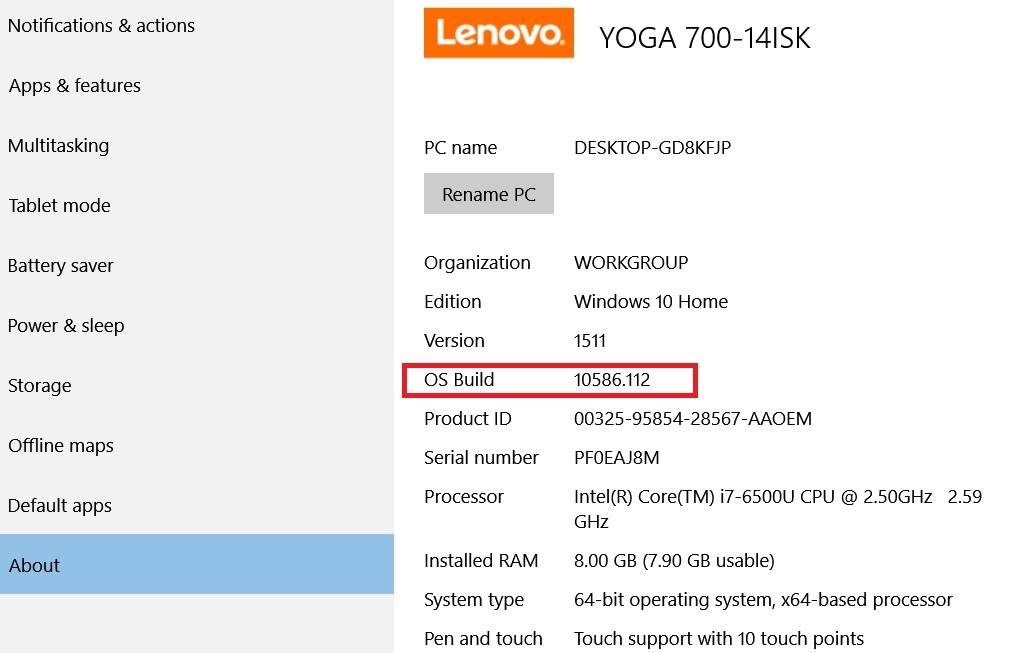
KB3140742 pushes Windows 10 to 10586.112
However, what did change, and it might not be a minor change, is the fact that the OS build now points to 10586.112, as you can see from the above screenshot. The version that I was running before was 10586.104, which is the one brought by update KB3135174.
This was the single big change that we were able to spot, and the fact that the OS build has been updated, as well, could mean that Microsoft will deliver the update soon via the usual Windows Update distribution system.
As we’ve seen from its recent moves, Microsoft likes to have the same version across all of its devices, which made us believe that Windows will be updated to 10586.107, which is the latest version for Windows 10 Mobile insiders.
And on a personal note, after getting KB3135174 update on my hybrid Windows 10 device, I have a feeling that the Windows Store is now somehow snappier, but we’ll have to wait for confirmation from Microsoft’s side on this.
We’ll be keeping an eye on this particular update and will add more details as soon as more Windows 10 users install it, or if the support page gets update to reflect the changes.
Microsoft is reminding fans of the popular horror/drama, The Walking Dead, that they can enjoy the show on their Windows 10 device via the recently updated AMC app.
The official AMC app was updated to the Windows 10 Universal App format in December 2015 and was also given more functionality with enhanced Cortana commands, redesigned Live Tiles, and Lock Screen integration. One example given of a Cortana voice command that can be used is, “Go to ‘The Walking Dead’ on AMC” which will immediately open the app and self-navigate to the series.
While the AMC app is a good option for those that use it, The Walking Dead is also available via other Windows 10 apps such as Microsoft’s Movies & TV (or Films & TV) app which allows users to purchase digital versions of a season or individual episode to download and view at a later time when away from an internet connection.
Origin recently launched its own subscription service, Origin Access. The service allows you to play some of the latest EA games, for the price of €3.99 a month. Origin Access now made its way to India, where it allows users to play EA’s latest titles for the price of ₹315 a month.
Origin Access in India is for now limited to 14 EA titles, mainly released during past couple of years. All users who subscribe to Origin Access in India will also receive a 10% discount when buying EA games that are not included in the Origin Access Package.
Here’s the list of games currently available to play with Origin Access in India:
Battlefield 3
Battlefield 4 Digital Deluxe
Battlefield Hardline Digital Deluxe
Dead Space
Dead Space 2
Dead Space 3
Dragon Age II
Dragon Age: Origins – Ultimate Edition
FIFA 15
Need for Speed Rivals: Complete Edition
Plants vs. Zombies Garden Warfare
SimCity
The Sims 3 Starter Pack
This War of Mine
The package now consists of only 14 games, but EA will certainly include some more titles eventually.
Single purchase vs subscription
By launching Origin Access, EA introduced something that other game distribution platforms still don’t have, a subscription service. A lot of gamers, especially in less-developed countries, are not willing to give $50-60 for every game they play, so the subscription service might be the right thing for them.
On the other hand, with a subscription service, you’re not allowed to play any game you want, as you’re limited to the service’s offer, at least that’s the case with Origin Access. Microsoft is also making some radical changes when it comes to distributing games via Xbox, so we’ll see how these new ways of buying games will be accepted by users.
What do you prefer more, to buy the game you want and pay more, or pay less for a monthly subscription? Tell us in the comments.
Dovetail Games is preparing two new flight simulation games for Windows 10, Flight School and Flight Simulator. The first game, Dovetail Games Flight School is set to arrive to Windows 10 in April, while Flight Simulator is hitting the store later this year.
Dovetail Games acquired rights for Microsoft’s flight simulation technology back in 2014, and the company is now developing its own games to help pilot students and all other people who want to be introduced to the world of virtual flying.
Educational software for young pilots
Dovetail Flight School is not just an ordinary game for regular players who want to pilot a virtual plane in their spare time. This game is designed as an educational software for future pilots, and it teaches them the basics of flying a light aircraft, as well as some essentials of flight simulation environment.
“Flying an aircraft is a rewarding, awe-inspiring experience unlike any other and we want to give more people the opportunity to enjoy that by breaking down the barriers that make flight simulation feel inaccessible,” said Stephen Hood, Creative Director at Dovetail Games. “By empowering players to handle the controls of the aircraft, we will help them to immerse themselves in the very best and most thrilling aspects of flying in an up-to-date and technically cutting edge environment.”
Gameplay of Flight School, if we can call it that, will allow you to pilot some iconic training aircrafts, and will feature a lot of tutorials and training missions. The game will also have a Free Flight mode, which allows you to relax, and pilot your plane how you want.
So, if you’re attending a flight school, and you’re studying to become a pilot, Flight School and Flight Simulations will be great games to sharpen your piloting skills, at least they’re certainly safer than a real plane. If you like flight games, do check out as well flight simulator game F18 Carrier.
If you’ve been looking forward to playing Rocket League on the Xbox One, then you’ve probably been waiting patiently for tomorrow, February 17, 2016. That’s the date that the much-anticipated multiplayer sequel to Supersonic Acrobatic Rocket-Power Battle-Cars was slated to release. If so, then you’re in luck: apparently, the developers decided to go ahead and push the button a little early.
A number of users on Reddit are already reporting that the game is indeed live and that they’ve been lucky enough to start playing. So, if you’ve been waiting with bated breath for the game’s release, then wait no longer. Get that game installed if you’ve already pre-ordered. If not, then head on over to the Xbox Store and get that credit card going.
Usually, companies do copious amounts of market research, develop a product, and then put it on sale and measure its success by how many units are sold. The notion of crowd-sourcing changes all of that, by gaining the market’s approval of a product’s design anything is actually produced. Eve Technology is taking the concept a step further, by using crowd-sourcing to actually design the product itself.
Eve Pyramid Flipper project.
Here’s how the company describes things:
Pyramid flipper is the first device that is being created by end users from day one*. This Windows 10 machine is build to create the whole new edge to your productivity. All day battery life, portability of a tablet and enough power to handle work just as your laptop would. Stay ahead of others by being able to DO stuff in a whole new way!
*You read it right! It is being developed as you read this sentence! Join our community and help us create a device Windows ecosystem needs so much!
Members of the Eve Community can provide constant feedback on the project’s development and suggest features, marketing materials, and more at the community site. Presumably, all of the provided feedback is being used to guide the Pyramid Flipper’s development. In addition, specific elements of the end product will be available for voting; currently the machine’s display is on tap. Every click takes you to a new section of the community where you can provide feedback and comment on other ideas.
Head on over to the community site and put in your two cents worth, if you’d like to help guide the development of a Windows 10 convertible. If you don’t take part, then you won’t be able to complain about the end product, whatever it may end up becoming.
Former Windows 95 and 98 lead architect, Satoshi Nakajima, has resurfaced with a new productivity project that could challenge the likes of Microsoft’s PowerPoint and Sway, Apple’s Keynote, and Google’s Slide software. Nakajima’s new project, dubbed Swipe, comes by way of an open source initiative to enable users to build the ever coveted media-rich presentation.
According to a report from GeekWire, a recent Swipe announcement explains, “users can build media-rich documents with animations, video, vector graphics and audio via any touch-enabled device.” Furthermore, Nakajima appears set to demo and debut the project at the Silicon Valley Comic-con that’s scheduled for March 2016.
Since departing from Microsoft some time ago, Nakajima has been busy with his duties at UIEvolution, where he currently resides as interim CEO for the time being. UIEvolution specializes in customized software development for clients in hospitality, automotive and retail. Perhaps in relation to his position, UIEvolution will be the first company to adopt and deploy the newly open sourced project. UIEvolution’s adoption of Swipe would expose the cloud-based service to some 18,000 screens across hotel and cruise ships.
Swipe’s current advantage over more established solutions such as PowerPoint, Keynote, Slides and even Sway, is that it was built from the ground up with touch in mind. Additionally, being an open-source platform allows users to build the Swipe engine document viewer into other projects, essentially jump-starting cross-device interoperability.
Swipe’s potential could be ever expanding once the open source community gets it hands on the code to build out various user-focused experiences such as step by step audio and visual interactive presentations that replace the traditionally one-sided PowerPoint experiences.
Microsoft has just announced an update to the Office 365 people profile experience under Delve. The update which will be delivered to those on Office 365 Enterprise E1–E5 and Office 365 Business Essential and Premium subscription plans, consolidates the profile and activity pages under Delve. This means it will be to easier for you to discover relevant content, connect with your colleagues and find experts inside your organization.
As part of the update, a new profile page will now give you a place to learn more about your colleagues. Amongst the content that you already have permission to see, contact information, a photo, who they work for, and a summary of their experience and expertise will all now appear on profile pages in Delve. You can now also start a Skype chat, or even email a colleague right from the profile page.
Delve’s profile page can now also be customized for a more personal look. You can upload a profile photo, choose a unique background, or edit your expertise. You can also even quickly and easily get back to your documents, as well as see documents your most frequent contacts are working on.
The new profile experience will roll out to First Release tenants over the next several weeks, and it is expected to spread out to all eligible Office 365 customers by the second quarter of 2016. The update almost certainly makes Delve more useful, and intuitive. It will also keep you in the know more than ever thanks to these new features.
If you have been following us closely, you may have noticed the abundance of gaming-related news from Microsoft as of late. Microsoft is certainly putting more effort into game market, and some new statistics on the industry from VentureBeat may explains why (hint: it’s all about the money).
Gaming is big
The statistics were announced by the Entertainment Software Association (ESA), who found that the U.S gaming industry made $23.5 billion in revenue 2015 – that includes console sales, game sales, and all other digital products – a $1.1 billion increase from 2014’s revenue of $22.4 billion. Sales of software alone, which consists of both physical and digital games, mobile games, subscriptions, and DLCs, made $16.5 billion last year, a 7 percent increase from 2014. The growth in revenue is attributed to great sales of consoles, mobile games and AAA games.
With such impressive numbers and healthy growth, it is no wonder that gaming is considered more and more as a lucrative market, even for companies traditionally not too involved in the industry: indeed, Apple focuses on gaming as a feature for its TV streaming box and iOS mobile devices, and Google is doing the same with Android.
Microsoft’s trump card: Xbox integration
Unlike its competitors however, Microsoft has always been a big player in the gaming space, at least ever since the introduction of its own gaming console brand, the Xbox, which through 3 generations has become the second most popular console on the market. Windows’s dominance as the definite operating system of the world has also given it much leverage in the gaming department when compare to alternatives like Mac OSX or Linux, the latter of which has only received recent attention with Valve’s push through Steam.
Despite this long history with gaming, Microsoft has botched most of its attempt at dominating the gaming market, even on its own OS. The Games for Windows program was a complete failure, that got decimated by Steam’s rise in popularity and power. Despite many attempts, Windows 8 Store and its phone counterparts never got the traction with small game developers like its mobile competitors, one of the main reason for their paltry user base. Even on Xbox, after championing in the last-gen console race with the Xbox 360, Microsoft caused some PR disasters with the Xbox One, with those effects still plaguing console sales today.
Windows 10 signifies a new age for Microsoft however, one where they finally realize their vision of unifying all device form factors under one platform, and along with it, Microsoft seem to have found their niche. With the Xbox One getting ever closer to a PC in architecture, and soon to run Windows 10, Microsoft is at the unique position where they can utilize the already-venerable repertoire of the Xbox brand to provide blockbuster gaming experiences on the Windows App Store for any Windows 10 PC with cross-link to the Xbox – something none of its competitors have been able to achieve (even Android’s most high-end gaming experience is restricted to a sorry number of specific Nvidia hardware).
Sure enough, the company seem to have been doubling down on this special capability: exclusives after exclusives makes the jump from Xbox to the Windows Store and stays there as exclusives for Windows 10, starting with critically-acclaimed Rise of the Tomb Raider, followed by Quantum Break, and many more in the future. Not just AAA experiences from the Xbox, even a high-quality multi-platform game has tested the water.
For some, the future of gaming is about immersive experiences provided by virtual reality technology, the likes of Oculus Rift and Sony VR. While Microsoft’s HoloLens is not as immersive, utilizing augmented reality to blend technology with the real world instead, Microsoft demonstrated its gaming capabilities, and also how it can function as a supplement to a gaming platform. Given how the HoloLens will also run Windows 10, a three way integration for the ultimate gaming experience is not out of the questions.
A bright future
More games need to be coming before we can fully assess the result of Microsoft’s strategy; nevertheless, the potential is enormous, especially if Microsoft can complete the Xbox-Windows integration. It will be interesting to see how the Windows Store will grow as a gaming platform in the future.
Singapore aims to use the power of the Internet of Things (IoT) to transform various industries; from healthcare to business. Singapore strives to be the first “Smart Nation” in the world. A “Smart Nation” is a country that uses technologies like the cloud, IoT, and analytics to solve some of the biggest societal problems in government, academics, and businesses.
Singapore is using IoT to solve one of its biggest problems; traffic management. With new cars being built with more sensors than ever before, along with the amount of data that traffic cameras and traffic lights gather, that’s a lot of info that needs to be utilized. Microsoft knows that a traffic analytic hub to analyze all of that data and turn the information into real time insights that can provide better plans to improve traffic in densely populated areas in-and-around Singapore.
Starting in 2011, the Land Transport Authority of Singapore (LTA) used its vast amount of land transport data on Microsoft’s Azure platform to provide real time insights to improve transportation. LTA has made their traffic information available to the public in a “Data Mall,” to help developers build mobile apps that draw from LTA’s traffic data.
Microsoft helped to inspire LTA’s initiative to utilize Singapore’s young population to create innovative solutions to some of the country’s most complex urban issues. Singapore has gained the assistance of over 50 IT partnerships to help public and private businesses use the power of IoT to analyze and use their company data to help grow and reinterpret the way they do business.
Jean-Philippe Courtois, President of Microsoft International, sees an important role that IoT plays in another area ripe for transformation, healthcare across the globe:
“As the average age of our global population increases, healthcare is another area that could reap significant benefits from IoT. I’ve been impressed by the leaps and bounds healthcare has taken thanks to the help of technology. I expect to see this continue in 2016, with big data, analytics, and AI helping us to better understand complex health problems, and wearables (Microsoft Band) allowing individuals to effectively track their health and well being beyond their heart rate. Sensors and devices on individuals can also provide up-to-date information on vital signs, and could help healthcare professionals to monitor outpatients remotely. Being able to gather larger data sets could also provide some hints as to the cause of diseases, enabling doctors and scientists to diagnose conditions earlier and, perhaps one day, identify a possible cure.”
While Singapore is the first Smart Nation, it should not be the only one harnessing the power of IoT. Microsoft’s CityNext initiative is aimed at helping cities become smarter by improving its residents’ lives.
Singapore shouldn’t be the only country taking advantage of the benefits of IoT. Microsoft aims to partner with more countries and businesses to make IoT play a vital role throughout the world.
Two new indie efforts are coming to the Xbox One, and from the looks of it, they are bringing some different tastes to gamers tired of AAA games and the usual retro indie.
The first is Mitsurugi Kamui Hikae, from Japanese developer ZENITH BLUE. A 3-D pure hack-and-slash, the game stars Japanese high school student Misa – the titular “Mitsurugi”, or katana-weilding demon-slaying swordswoman – fighting against waves of humanoid demons while chasing and occasionally clashing with another high school girl and main antagonist Suzuka.
The game is a throwback to the Japanese arcade game philosophy: heavily skill-based, levelling system and scarcely any story. Using Misa’s overwhelming sword techniques, players will slice, dice and dodge waves after wave of enemies to gather points that can be spent to upgrade the character’s abilities, allowing for even more slicing and dicing, and so on.
The key draw for the game is in its satisfying combat system and fancy move sets; it is also rather gory for such cutesy main characters (you can decapitate enemies, who will go down in fountains of gushing blood). While it may get repetitive after prolonged play, for the price of $11.99, Mitsurugi Kamui Hikae should still be a good time-waster of an action game, and a nice break from other brain-heavy titles.
The second title is Layers of Fear, from developer Bloober Team. Layers of Fear is a first-person horror game with a unique, psychology-inspired setting. The player takes control of a mad painter as he drive into his insane mind palace resembling a Victorian-era mansion filled with surreal artworks, strange visions and manifestation of his fears, in order to uncover the secrets of his madness, and finish his ultimate Masterpiece of Fear. The game is often compared with P.T., another psychedelic horror game that served as a tease for the ill-fated new Silent Hill.
The gameplay is typical of narrative-driven walking simulator, and is mostly about experiencing the creepy atmosphere, horrifying visuals, unique settings and unsettling storyline. Interestingly, the developer has also provided a demo version of the game for free – atypical for a game of this genre, seeing how the allure of the story is usually lost after a play-through. Those who like the game enough can get the full version for $12.99. With raving reviews and overwhelming positive reactions on Steam, the game looks set to be a horrifying experience you won’t soon forget.
Microsoft apparently released a set of updates for its in-house apps, including Microsoft Wi-Fi, Messaging + Skype, Microsoft Phone, and Calculator. We didn’t manage to find any changelogs for these updates, so we assume they only bring some bug fixes and improvements.
Microsoft also released a new update for its Alarms & Clock app earlier, so it looks like the company is quite busy with updates for its Universal apps today.
Along with new updates for Microsoft’s apps, we noticed updates for Twitter and Netflix Windows 10 apps, as well. But, we don’t have changelogs for these updates either, so we assume that they also brought some bug fixes and improvements to Windows 10 versions of Netflix and Twitter.
Microsoft released all these apps some time after it released Windows 10, to serve as operating system’s default services for communication. The apps are Universal, which means that you can use them on both Windows 10 and Windows 10 Mobile. Since the November update, all these apps are pre-installed on every Windows 10 device.
Netflix and Twitter eventually made their way into Windows Store, with new Universal apps released some time ago. Companies recognized the potential of the Store, which has over 3 billion visits, so it could drive a lot of new users to these services.
If Microsoft, Twitter, or Netflix release a changelog for any of these updates, we’re going to update this article, as well, and let you know what has been changed.
If you notice any changes or improvements in your Twitter, Netflix, Microsoft Wi-Fi, Messaging + Skype, Microsoft Phone or Calculator apps, make sure to let us know in the comments, because we don’t have any info about any of these updates for now. Thanks!
It’s been a rather interesting run for MixRadio but after several years of name and ownership changes, the service is finally being put down according to an official press release by the service’s current owner, LINE Corporation, this morning.
The official statement gave several reasons for the discontinuation of the music streaming service such as its performance (i.e. popularity with users), the increasing cost of participating in the music streaming market, the overall future direction of LINE Corporation as a whole, and a difficulty in guaranteeing future growth in the MixRadio platform.
LINE will continue to operate its LINE MUSIC service which it operates in both Japan and Thailand. LINE’s messaging app continues to be increasingly popular, especially in Asian markets, and continues to evolve as more than a simple messaging service with apps and games proving a major draw for users.
Do you use a music streaming service? Share your recommendations with the community in the comments below.
Two new games are now available on Microsoft’s Xbox One console, Space We Brawl: Full Arsenal Edition and D/Generation HD.
Space We Brawl: Full Arsenal Edition is a twin-stick shooter that supports up to four players in local play. Players can choose from over 240 combinations of different ships (fast, slow, etc) and weapons such as laser cannons and plasma swords, flame launchers, and guided missiles.
Here’s the official description:
In Space We Brawl is a local multiplayer, twin stick shooter with more than 150+ different combinations of spaceships and weapons. Up to four player can join a fight, picking one of the 13 vessels and equipping it with 14 tools of space destruction. Are you going to drive an agile (but fragile) Pulsar ship with a deadly plasma sword? Or do you want to fully take advantage of the energy generators of the Cypher ship? The sniper rifle would be a nice match, considering that its insane damage output is balanced by a high cost for each shot. Players can choose their play style, fighting in 8 different battlegrounds, each one defined by specific space hazards such as solar winds, black/white holes and deadly alien nests.
Right now, Xbox Live Gold members can get 25% off Space We Brawl: Full Arsenal Edition for a limited time.
D/Generation HD is an old school futuristic action puzzle game that came out way back in 1991. This new version is a recreation of the game in full HD and contains all of the puzzles, features, and story elements from the original version that fans loved so much.
Here’s the official description:
In the near future, a company called Genoq has developed a range of bioweapons that have escaped into the company’s headquarters. Your character is a jetpack courier that has to deliver an important package to Genoq’s leading researcher, Derrida, and is oblivious to the danger until the doors lock behind him. He has to fight his way through ten floors of grenade turrets, electrified panels, laser fences and all the mutant bioweapons to deliver his package and find out how to escape.
Are you going to buy either Space We Brawl: Full Arsenal Edition or D/Generation HD or has another title been keeping you busy this week? Let us know what Xbox One games you’re playing in the comments below.
Candy Crush Soda Saga for Windows 10 just received a new update! The update brings 20 new levels to the game, which makes it a total of 705 levels available for players. There’s also a new episode of Percy the Penguin, called Candy Fishin’ Hole, so if you’re enjoying this aspect of the game, you’re going to be delighted by the latest update.
The update was released for Android and iOS some time ago, and now, it finally made its way to Windows 10 users.
Candy Crush Soda Saga for Windows 10 updated
Here are the version notes of the latest update for Candy Crush Soda Saga for Windows 10:
Shh! Don’t scare away the Candy Fish! Go fishing with Percy the Penguin in our new episode, the Candy Fishin’ Hole!
Enjoy 20 NEW LEVELS of fizzy fishing fun, bringing it to a total of 705 levels!
And remember! You need to download the latest version to access all the sodalicious new content.
To receive this update, just head over to the Windows Store, and check for updates. Once you download the update, you’ll be able to enjoy the new levels, and new episode of Percy the Penguin. The game also has great social features, so you can compete with your friends on Facebook, or see where you rank on the worldwide leaderboard.
Candy Crush Soda Saga is the latest member of the Candy Crush Saga family. Makers of the game reached enormous success with the original game, so the expectations for Candy Crush Soda Saga are also high. The game is available on all major platforms, including Android, iOS, and Windows 10.
What is your favorite Candy Crush Saga game? Do you like Candy Crush Soda Saga, or you’d rather stick with the original game? Tell us in the comments.
If you still didn’t download Candy Crush Saga, you can go to the Windows Store, and download the latest version of the game for free.
The app has now received a big update, which makes it ready to work with the 3D Scan app, which is great news for those involved in this industry. Of course, the update also brought a bunch of other smaller fixes and minor improvements.
Microsoft updates 3D Builder app
The 3D Builder app can now import webcam and other images, as well, which according to feedback coming from users, has been one of the most awaited features. Furthermore, another incremental upgrade is the fact that users can now add bases to uneven objects.
Along with this update, Microsoft has released a new how to page on its official Windows 10 website which explains how to use 3D Builder and 3D Scan for Windows. Support for the 3D Scan app now allows to scan yourself in full color, which is a great feature.
Here are the main features of the app:
3D Builder provides everything you need to make any 3D content printable.
Open 3MF, STL, OBJ, PLY, FBX, WRL (VRML), DAE, 3DS, and DXF files.
Save as 3MF, STL, PLY, or OBJ files.
Clean up models by smoothing and simplifying.
Automatically repair models so you can print them.
Print directly to supported 3D printers using multiple materials or order your model through the 3D Systems Cubify service.
Use the 3D Scan app to scan yourself in full color.
Take pictures with your webcam and make them 3D, or use BMP, JPG, PNG, and TGA files.
Add a base to uneven objects.
Emboss any model with text or images.
Merge, intersect, or subtract objects from each other, or slice them into pieces.
If you want to give it a try, you first need to consult the list with the supported 3D printers. The app currently works on Windows 10, Windows 8.1 and Windows 8 and if you’re interested to give it a try, go ahead and download it from the Windows Store.
Nest is a very popular home security system, which offers a lot of safety solutions for your household. With Nest, you can set up networked cameras, alarms, doorbells, lighting, etc. Nest is controlled by the smartphone app, so you can take care of your appliances, even when you’re not home.
Nest has its own official Android and iOS apps, but the Windows 10 version is still missing from the Windows Store. And the fact that the official app isn’t available in the Store encouraged a developer called vixezApps to make its own Nest client for Microsoft’s platform.
The app is called N10, and it particularly offers everything that official apps for other platforms do. It features Cortana integration, so you can use your virtual assistant to make sure everything’s in place at your home. It is a Universal app, so it works perfectly on both Windows 10 and Windows 10 Mobile, but also on Microsoft Band, and Windows Phone 8.1 (developers advise that users of the Windows Phone 8.1 version should uninstall the app before reinstalling the updated, because of the possible bugs).
Here’s the complete list of N10 for Windows 10 features:
Microsoft Band
Cortana
Windows Hello
Live tiles
Geofences
Insteon and Philips Hue
Smoke/CO alarms
Nest Camera (in beta)
Setting temperature and away mode
Supports multiple places
Fan timer, HVAC
Show temperature as lock screen notification
NFC
There’s still no word about the official Nest app for Windows 10, but until it gets released, N10 is a worthy replacement. Windows Store is on the constant raise, with a lot of new apps from popular developers every day, but some services still don’t have their own official apps for Windows 10, which concerns a lot of users who chose Windows 10 as their daily companion.
But that’s where developers of third-party clients come in, as they’re constantly working new apps, and new ways to deliver as many services to users of Windows 10 as possible. Windows Store is already full of unofficial apps for various services, and N10 just joined the family.
N10 for Windows 10 is completely free, and you can download it from the Windows Store right now.
Microsoft’s involvement with the modular community has thus far been as a sort of ancillary supporter. Where companies such as Google and Motorola have been seen publically experimenting with the idea of “swappable” component building, Microsoft has opted to dip its toe in the waters occasionally and under more restricted displays.
However, a recent Microsoft patent, reported by Venture Beat, appeared for a modular PC that includes stackable components that may see the company preparing to make a much larger splash in the world of modular experiences. In July of 2015, Microsoft filed for a ‘modular computing device’ that seemingly allows owners to extract and replace various PC components including screens, latches, braces, hinges, housings, memory, processing systems and more.
As a company, Microsoft along with other industry leaders in tech continually file patents for various specs, use cases, and conceptualized products that often never see the light of day. The new modular patent may fall into the pit of Microsoft patents that amount to nothing, but Microsoft’s previous gambles on modular component building have birthed actual products before.
Back in 2014 during CES, Microsoft stood alongside PC makers Razer to showcase a modular gaming PC dubbed Project Christine. Project Christine was more or less a bookcase of modular components that slide into place and stacked on top of one another. Perhaps not the most elegant-looking of solutions, but useful nonetheless, Project Christine offered PC gamers another creative way to squeeze the most out of their gaming experiences.
While Microsoft’s involvement with Project Christine was one of support that the Redmond company built into Windows 10 to quickly recognize, downloadc and install drivers, Microsoft’s more direct involvement with modular building appeared last year with its new Xbox One controller. While not to the level of a modular computer or swappable-component smartphone, the Xbox One Elite Controller enables users to hot-swap buttons, triggers, and knobs for ultimate gaming customization.
As for Microsoft’s modular computer patent, it has yet to be seen if this becomes a consumer-oriented reality or, once again, a neat piece of ammunition in Microsoft’s growing patent arsenal. We’ll be keeping an eye on this development and will report back with any updates.
For nostalgic gamers, nothing beats the experience brought about by true classics of gaming history, and Microsoft seems to know it, judging from the arrival of Galaga. The news was broken by Larry “Major Nelson” Hryb on Twitter.
Galaga is a classic arcade shooter, featuring a spaceship fending off waves of aliens, and arguably the father of the “shoot-em-up” game genre. The game has become part of popular culture, and is frequently referenced on media, with notable example including action blockbuster The Avengers. The game hits Xbox Live Arcade in 2010 for the Xbox 360, and is now available for the Xbox One via Backward Compatibility. The title is available for $4.99; Owners of the title on the Xbox 360 will be able to download it for free, however.
Feel the nostalgia.
Galaga will join its brethren of the arcade golden age like Asteroids and Metal Slug on the Xbox One. Together, they will provide a good chance for modern gamers to relive the glory of the past while waiting for much-awaited casual titles like Call of Duty: Black Ops.
For online movie streaming services, it’s all about original series these days. Netflix has had some critically acclaimed works in the past year, but what about its popular competitors, say, Hulu? Well, in fact, Hulu is airing a new original series, called “11.22.63”, and it’s giving Xbox users some love with an exclusive deal.
A Hulu Original, “11.22.63” is an silver-screen adaptation of a Stephen King’s sci-fi novel of the same name, from critically acclaimed director J.J. Abrams (whose body of works include science fiction blockbusters like Star Wars Episode VII: The Force Unleashed, and Star Trek). The story is about a time traveller (played by James Franco) who attempts to prevent President John F. Kennedy’s assassination on November 22, 1963 (hence the name.) The first season of the series will be available for free exclusively on Xbox.
Gaming consoles these days are not just for gaming: for some they can act as a full entertainment hub, helped greatly by popular online streaming services like Hulu and Netflix. The Xbox One is arguably the best console at the moment for watching movies with its heavy multimedia focus, making Hulu’s exclusive offer very appropriate. Too bad Windows 10 users can’t take advantage of the recently released Universal app for the offer; one can hope, however.
Can Windows 10 be a gamer’s OS, even more than previous Windows versions? While the question is still in the air, at least to its maker Microsoft, the answer is clear as day. Or so it seems to want us to lead us to believe, with rumors surfacing of yet another high-profile game franchise making the jump from Xbox exclusivity to Windows 10. Or two.
According to WPDang, whose arcane Chinese-written knowledge has been given a nice sum-up by Windows Central, Microsoft may have plans to bring Forza Motorsport 6 to Windows 10 as a Windows Store exclusive. Not stopping there, Gears of War 4, Scalebound, and even the yet-to-be-revealed Forza Horizon 3 are all rumored to be coming to the Windows 10 Store in addition to the Xbox.
While the rumours sound a little too good to be true (it’s almost the whole Xbox One exclusive lineup after all) and should be taken with a grain of salt, they can’t be easily discounted. Just a few days ago, another of Xbox One’s highly anticipated exclusives, Quantum Break, has its Windows 10 Store version made official, coming free with an Xbox One version pre-order . Microsoft has also confirmed Windows 10-exclusive versions of current and upcoming Xbox games ReCore, Halo Wars 2, Killer Instinct, Gears of War Ultimate Edition among others.
Microsoft’s last attempt to regulate gaming on Windows -the now-defunct “Games for Windows” – went to the software hell of user and developer disdain along with Windows Vista, mostly due to bad user experience, heavy competition from Steam, and the dreadful Games for Windows Live service, despite incorporating many good ideas that make Xbox successful.
With the Windows Store, Microsoft may have a better chance this time around, given how familiar app stores are to the current generation of users. The company need to do a better job than the lackluster effort of Xbox Live games in the Store though, and with rumors of big releases oncoming, we can only hope that they keep up the momentum.
HP is one of the most reliable manufacturers of Windows-powered gear in the world. The company’s main focus are mostly Windows laptops and tablets, but HP now reportedly looks to expand its range of Windows products, by presenting their very first Windows 10 Mobile device.
In December last year, a Windows 10 Mobile device manufactured by HP was spotted on one benchmarking site. That new smartphone was code-named HP Falcon, but we didn’t have a lot of details about it. We even took this novelty with a pinch of salt, because these web-based benchmarking reports are not always a reliable source, as offered info often turns out to be fake.
However, the most famous leaker online, Evan Blass (@evleaks), said on Twitter that HP indeed plans to launch a Windows 10 Mobile device in the near future. Blass even revealed the commercial name of the device, which is going to be the HP Elite x3.
“Windows 10 Mobile-powered HP Falcon is coming to market as the HP Elite x3,” says Evan Blass.
Since Blass’ ‘predictions’ were accurate many times in the past, we now tend to believe that HP really plans to launch the HP Elite x3 soon.
The HP Elite x3 is expected to be powered by the latest Snapdragon 820 processor, and to have a 5.8-inch Quad HD screen, along with the support for Continuum features and, of course, Windows 10 Mobile. But once again, none of these specs have been confirmed by the company itself.
HP Elite x3 to be revealed at MWC 2016 (or not)
According to rumors, the HP Elite x3 will be unveiled in early 2016, and since Mobile World Congress 2016 takes place in about a week, a lot of people believe that this even would be perfect for HP to announce their very first Windows 10 Mobile device.
On the other hand, there’s a word around the internet saying that HP may even decide not to launch the smartphone at all, if the company feels that there’s no proper market for the device. We would certainly love to see a Windows 10 Mobile device manufactured by HP, because the company releases high-quality Windows products, and we expect nothing less from the alleged smartphone.
Windows Report will be in Barcelona, to report live from this year’s Mobile World Congress, so if HP indeed announces the HP Elite x3, or some other Windows 10 or Windows 10 Mobile device, we’ll make sure to inform you with the freshest news.
Microsoft is listening to its customers and that can only be a good thing for its business, its relationship with customers, and the company’s general outlook.
Why do I think Microsoft has suddenly started listening? It’s simple: The company will now tell users what, exactly, is in each update to Windows 10.
This change may seem small — and it is — but it shows that Microsoft is willing to listen to the concerns, annoyances, and general chit-chat that comes from the community as a whole and, when necessary, make changes that help.
The company announced the new policy by creating a new website dedicated to announcing, painstakingly, what is in every new version.
“We’re committed to our customers and strive to incorporate their feedback, both in how we deliver Windows as a service and the info we provide about Windows 10,” the website reads.
Microsoft then went further, releasing a statement that talked about how the company had “listen[ed] to feedback regarding the level of disclosure for Windows 10 updates [and] decided to implement a new system for communicating updates to the operating system.”
The change in policy is interesting because, by and large, the outcry over what made it into Windows updates was small. Many of the updates were small, fixing bugs and various other problems that probably didn’t need to be declared.
It’s impossible to say exactly what the old Microsoft would have done, but it likely wouldn’t have been this.
And herein lies the big, new Microsoft that listens to customers, takes into account what they have to say, and makes changes accordingly.
There are, of course, weak spots. For example, the issues surrounding the Surface are still ongoing.
Essentially, some Surface users have — or are — experiencing problems that can lead to the device being unusable. Microsoft hasn’t provided a clear statement or apology to affected users beyond saying that the company has teams who are working on it.
These problems seem small but, as I have noted before, the people who buy a Surface to use personally are, most likely, Microsoft’s most loyal — and therefore valuable — customers.
Of course, it could be that the words Microsoft is saying — that the company is “committed to our customers” and will “strive to incorporate their feedback,” for example — are just good PR, and nothing more.
But subtle, and not so subtle, shifts are good for the company as it reinforces the idea that Microsoft, despite employing over 100,000 people, listens.
Apple, when confronted with Antennagate, got Steve Jobs out on stage to explain what had gone wrong and, more importantly, what the company was going to do about it.
This show of humility, mixed in with good PR, saved the issue from becoming something bigger.
It’s not clear if anything Microsoft is doing could scale to the level of criticism Apple received — the Surface is, after all, a fairly niche device — but it does seem like harbouring dissatisfaction isn’t the best way to do business.
Microsoft employees celebrate at a Pride event.
All of this sits on the backdrop of, arguably, one of the biggest changes Microsoft has made in the past decade: The Windows Insider program.
The Insider program has around three million members, according to Microsoft, and has helped make Windows 10 “the best Windows ever.”
It’s important to understand why, exactly, Microsoft needed the Insiders program.
Windows 8, the first major update to the operating system since Windows 7, changed a lot, without very much notice to everyday users who don’t follow the workings of Microsoft.
The changes, which mostly focused on how Windows looked, did not go down well with, well, anybody, and the company had to quick decide what to do and how to do it.
Windows 8.1, released one year after 8, made some changes but people were generally dissatisfied still, yearning for features Microsoft removed, like the Start Menu.
The Insiders program was created to make sure this kind of consumer dissatisfaction never happened again, and the simplest way to do that was just by asking a core group of Windows users what they wanted.
The result is, according to reviews and user opinion generally, a step-up from Windows 8.
There have been issues, however, and the company has been slow to address them.
Cortana, the virtual assistant, has also been scrutinised for its propensity to transmit data to and from a computer. (This focus can, in large part, be attributed to the fact it’s the only virtual assistant on a desktop.)
Microsoft responded to these concerns and has continued to do so as new ones — even imaginary new ones — popped up.
However, it’s unclear if the response — issues mainly through statements to news organisations — was enough to get out in front of the idea that Windows 10 was, or is, spying on users.
ZDNet, a popular technology blog for IT professionals, recently spent time debunking the idea put forward by Forbes writer Gordon Kelly that Windows 10 was reporting user data back to Microsoft thousands of times per day. (It isn’t.)
Kelly’s article has over 370,000 views and it’s unclear if the ZDNet debunk, which goes into extensive technical detail, will reach as many people. The damage, it would seem, has been done.
But, Microsoft is working on it and things like the Windows 10 Update History website go some way to assuring users that the company isn’t hiding something which, when you’re trying to get one billion people to install your piece of software, is very important.
The purchase rate of the Playstation 4 continues to astound pundits, journalist, and fans of the industry as the gaming console puts up behemoth sales numbers each passing month. With the industry’s next best alternative selling at a disadvantaged rate of 1:2 compared to the PS4, many would be hard-pressed to believe that Xbox One owners could be of more value to gaming studios than its massively adopted counterpart.
However, VentureBeat is reporting that French gaming publisher Ubisoft saw “a much higher average revenue per player (ARPU)” among Xbox One owners compared to that of the PS4 group. According to the breakdown of Ubisoft’s third quarter fiscal reporting, the company noticed that for almost every dollar spent on purchases for its properties by PS4 owners, an Xbox One owner shelled out a dollar and twenty-five cents.
The sheer magnitude of PS4 owners still sits heavily in Sony’s corner for game development negotiations, and with the Xbox One trailing roughly 2:1 behind its competitor three years into this console generation, Microsoft will need to leverage as many metrics at its disposal as possible to court 3rd party publishers.
Fortunately for Xbox One owners, Microsoft appears to be aware of its position at the negotiation table and is now reporting numbers that help developers better understand the dynamics of an Xbox One owner. The Xbox team has recently been keen on reporting hours played, achievements unlocked, and other gaming-related statistics to entice developers to continue to seek the Xbox One as a worthwhile investment.
If Sony players spent as much as Microsoft’s consumers, we’d expect to see a revenue gap for Ubisoft between the two systems that was closer to 89 percent.
Instead, we can clearly see that Xbox One has the higher ARPU.
This makes sense from the standpoint that the PS4 is more popular overall, which means more frugal gamers have picked up the Sony system since that’s the one most people are going with when they can only afford a single system. But these are also the consumers who spend less, and that will — in turn — drag down the PS4’s attach rate.”
With Ubisoft’s quarterly’s showing the seemingly unforeseen value an Xbox One owner has over that of a PS4 owner, Microsoft now has another set of numbers to bring to its game developer negotiations. Xbox One isn’t exactly suffering for good titles so far in 2016, but it never hurts to show developers the platform’s true value.
Now, with a little over five years sunk into the battle, it seems Microsoft is calling back its soldiers and support, content with watching the skirmish from afar. According to a report from ArsTechnica, Microsoft has chosen to, instead, prop up lobbying group ICOMP’s “food, travel and accommodation expenses without having any active involvement in the group.”
As one of the largest financial backers of the lobby group, Microsoft’s rescindment of its front-runner status has rubbed some of the members of the collation the wrong way. A price-comparison site from the UK and member of ICOMP, Foundem, issued a letter where the company implies that Microsoft’s seeming departure coupled with other extraneous circumstances is another sign that ICOMP is being prohibited from highlighting Google’s “immensely damaging business practices.”
As for Microsoft’s ultimate involvement in the continued pursuit of investigating Google’s business practices in the EU, the company has been rather cagey on the matter, deferring comment to ArsTechnica as “Microsoft’s complaint against Google in the European Commission had not been withdrawn.”
While not completely removed, its presence as an outspoken and financial backer of ICOMP has been put into question by Microsoft’s recent movements towards less litigation, more licensing, partnerships and the removal of controversial mud-slinging campaigns aimed at Google.
Google still faces a long road of EU criticisms, investigations and complaints, but for the time being, it looks as though Microsoft is taking a breather from leading the charge.