Is Microsoft backing away from the EU anti-trust fight against Google?

Microsoft’s long and drawn out battle with Google over antitrust complaints in the EU may be winding down. Late 2015, it was reported that Microsoft had, perhaps wisely, decided to stop being the front runner in a coalition designed to lobby for an investigative search into Google’s possible antitrust practices in the EU.

For some time now, Microsoft, along with a collection of UK based businesses and companies have pitched the idea to the European Commission that Google is favoring itself in its own search tool. The move, in and of itself, is perhaps meaningless, but with Google possessing well over 85% of the search market in the EU, leveraging its own services and products over local offerings could be misconstrued into a plausible antitrust case.

Now, with a little over five years sunk into the battle, it seems Microsoft is calling back its soldiers and support, content with watching the skirmish from afar. According to a report from ArsTechnica, Microsoft has chosen to, instead, prop up lobbying group ICOMP’s “food, travel and accommodation expenses without having any active involvement in the group.”

As one of the largest financial backers of the lobby group, Microsoft’s rescindment of its front-runner status has rubbed some of the members of the collation the wrong way. A price-comparison site from the UK and member of ICOMP, Foundem, issued a letter where the company implies that Microsoft’s seeming departure coupled with other extraneous circumstances is another sign that ICOMP is being prohibited from highlighting Google’s “immensely damaging business practices.”

As for Microsoft’s ultimate involvement in the continued pursuit of investigating Google’s business practices in the EU, the company has been rather cagey on the matter, deferring comment to ArsTechnica as “Microsoft’s complaint against Google in the European Commission had not been withdrawn.”

While not completely removed, its presence as an outspoken and financial backer of ICOMP has been put into question by Microsoft’s recent movements towards less litigation, more licensing, partnerships and the removal of controversial mud-slinging campaigns aimed at Google.

Google still faces a long road of EU criticisms, investigations and complaints, but for the time being, it looks as though Microsoft is taking a breather from leading the charge.

Cross-buy and cross-save between Xbox One and Windows 10 is good for gamers, says Xbox boss

The gaming community suffered from a minor kerfuffle yesterday as the Xbox One exclusive title Quantum Break was announced for Windows 10 PCs. The fact that the title was being produced for Windows 10 as a cross-play (and cross-buy) game upset some folks, among other reasons because of fears that producing the title for multiple platforms could negatively impact the Xbox One experience.

Xbox One leader Phil Spencer received the brunt of the complaints, and naturally responded by defending the decision to produce cross-platform titles. Offering titles on cross-buy and cross-save basis adds value to all players is Spencer’s position, as he indicated on Twitter:

He makes some additional arguments, including highlighting the fact that Xbox One appeals to certain gamers while high-end gaming PCs appeal to others.

Companies like Microsoft are often faced with difficult decisions like this one. Produce only exclusive Xbox One titles and risk offending PC gamers who want to see Windows 10 support the most popular games. Produce only Windows 10 titles and risk offending Xbox One owners who, likewise, want access to the best experiences. Produce cross-platform titles like Quantum Break (and Rise of the Tomb Raider as another example) and risk offending everyone.

Spencer is a brave man for entering into this debate, and we applaud him for doing so. Clearly these are passionate topics for a number of people, and putting himself out there and addressing complaints is the right way to go, in our opinion.

We’ll continue to keep you updated on these developments, because in the end we’re sure that Microsoft will continue pushing cross-platform as a strategy. This latest online debate isn’t so different from the one that continues to rage around Microsoft’s producing its first-party apps for iOS and Android–and sometimes, more quickly and with more features than their Windows 10 counterparts.

Pre-order and download Rocket League for Xbox One now, available to play February 17th

Rocket League, the much anticipated multiplayer-based sequel to Supersonic Acrobatic Rocket-Powered Battle-Cars, is now available for pre-order. Rocket League releases February 17 and it is a bargain at just $19.99. According to Larry Hyrb, aka Major Nelson, the Xbox One version of Rocket League will have some special bonus content:

“All “Game of the Year Edition” content, which packs every item from the previously-released DLC Packs, “Supersonic Fury, Revenge of the Battle-Cars,” and “Chaos Run” into a single package + 2 Xbox One Exclusives (The Halo “HogSticker,” an alternate version of the Warthog, and the Gears of War “Armadillo”).”

Rocket League is a physics-based soccer meets driving game that focuses heavily on multiplayer gameplay. Rocket League will have ranked and unranked multiplayer game modes like 4-player local Xbox One splitscreen, up to 8 players on Xbox Live with game modes like 1v1, 2v2, 3v3, and 4v4, with private match support featuring named rooms and optional password support. There will also be an “Unfair Mode” with av2, 1v3, and 1v4.

Rocket League promises to have “billions”of customization options available with special “Mutator”game settings like controlling ball type, ball speed, boost strength, and various other settings option. Rocket League will also feature six arenas to choose from: DFH Stadium, Beckwith Park, Mannfield, Urban Station, Utopia Coliseum, and Wasteland.

Pre-order Rocket League from the Xbox Games Store.


Rudy Huyn thinks Microsoft Garage apps should come to Windows 10 first

Microsoft Garage has been busy lately, releasing apps for discovering your dog’s breed, waking up in a whole new way, reading the news, or managing your contacts. The side-project studio at Microsoft regularly releases apps built by those employees, offering workers a chance to try something new, and Microsoft to gain some traction for fun and forward thinking apps.

The problem is, or at least as far as well known independent developer and “*true* Windows Phone addict” Rudy Huyn sees it, is that many or most of these apps have been released for iOS or Android, leaving Windows phone users wanting. Huyn took to Twitter to voice his displeasure:

In a rather lengthy comment stream (click through the embedded tweet to read) in reaction to the post, Huyn notes that Microsoft Garage apps are owned by Microsoft, and so even though the employees are working “on their own time”, they still should be subjected to Microsoft’s rules.

Microsoft has been increasingly platform agnostic when it comes to apps, working to get Microsoft products where the users are, instead of shoring up Windows’ mobile efforts at all costs. Still, Hun has a point, the Microsoft Garage projects could and probably should be a showcase for developing cross platform apps for Windows 10 using Islandwood (for iOS apps), or just doing the extra work necessary to port to or from Android.

Should Microsoft do more to promote its own apps on its own platform, or is getting apps in front of the most eyeballs possible more important?

Xbox One gamers spent over 1 billion hours gaming during the month of January

Playstation 4 is still leading Xbox One in total sales, but Xbox One owners clocked over 1 billion hours of gaming in January 2016. In addition, Xbox Marketing corporate vice president, Mike Nichols, believes there are plenty more reasons to buy an Xbox One with the upcoming game lineup, in a statement posted on Game Informer:

“In January, the total number of hours spent gaming in one month on Xbox One worldwide surpassed 1 billion hours. Looking ahead to this spring, fans can enjoy more great games with the upcoming releases of ‘Quantum Break,’ ‘Rocket League’ and ‘Tom Clancy’s The Division.’ We can’t thank our fans enough for their continued support and passion for Xbox, and we’re looking forward to bringing more of the games and experiences our fans want most in 2016.”

Even with Nichols’ ringing Xbox One endorsement, Xbox One saw a slight 5% decrease in combined video games sales across new physical software, hardware, and new accessories. While sales are down for hardware, those figures are due to last-generation hardware sales like the Xbox 360 and PS3, as more people make the move to Xbox One and PS4.

As far as sales of console games for January 2016, market research firm NPD, lists Call of Duty Black Ops III as the number one game sold in January, followed by GTA V, NBA 2K16, Star Wars Battlefront, Fallout 4, and Minecraft.

Microsoft Launches Update History Page for Windows 10 Mobile

We already told you that Microsoft launched its new Update History page for Windows 10 PCs yesterday. And now, as it was also announced, the company did the same thing with the mobile version of its operating system. Update History page for Windows 10 Mobile is now live, and you can visit it to find all details about Microsoft’s latest mobile operating system.

The new page was released along with the new build 10586.107 for Windows 10 Mobile Preview. But Windows 10 Mobile Update History page is different than the PC version, as it serves as an introduction to Windows 10 Mobile, instead of reporting fixes and improvements like the new Update History page for Windows 10 does.

“From time to time, we release updates that add new or improved features that make your device even better. The following sections summarize what’s been included in each update so far. The most recent update is listed first.

Updates to Windows 10 Mobile are cumulative. When you install the latest update, you also get all the previous updates. Only updates that apply to your device are downloaded and installed, and update availability varies by device, region, and mobile operator.”

Microsoft Starts to Offer Updates Details to Users

Users were quite unsatisfied by the fact that Microsoft didn’t provide any details about its cumulative updates for Windows 10. And although the company actually provided release notes for Windows 10 Mobile builds, it decided to launch the Update History page for both platforms.

For now, Windows 10 Mobile Update History page still doesn’t feature details about new features and improvements of the most recent Windows 10 Mobile build, but we’ll see if that’s about to change in the future. For now, you can go to Update History page to explore features that Windows 10 Mobile offers, and get to know the system better.

Xbox One’s Screencheat recaptures the fun of Goldeneye

With the arrival of online gaming, less and less video games have been supporting local multiplayer in recent years and even fewer have invested in local four player experiences. The developers over at Samurai Punk are seemingly aware of this and have just announced that their new game, Screencheat, which will be launching on Xbox One on the first of March 2016, fully embraces the local co-op experience that many gamers have been longing for since playing Goldeneye back in the early 2000s.

Screencheat fully embraces its retro inspirations with a multiplayer split-screen gaming experience and actually encourages players to “cheat” by looking at their rival’s part of the screen. In Screencheat, all the other players are actually invisible so the only way to tell where everyone is is by working out their location from the visuals on their corner of the TV.

Impressively, Screencheat supports up to eight players in both local and online modes which should make for some intense local gaming sessions for those households with enough controllers and players. The online could be pretty interesting too.

Do you miss the days of local co-op and will you give Screencheat a go? Let us know in the comments below.

Fix Batman Arkham City crashes, and low FPS on Windows 10/11

Many Batman fans are probably familiar with the Batman: Arkham City game, but it seems that Batman: Arkham City has some issues with Windows 10, so let’s see if we can fix that. Users have reported crashes, freezing, low FPS and many other issues that seriously affect their Batman: Arkham City gaming experience, and sometimes making the game almost unplayable, so without further delay, let’s tackle these issues.

Fix Batman: Arkham City Crashes, Low FPS and other problems on Windows 10

Solution 1 – Update the PhysX drivers manually

Users have reported crashes with Batman: Arkham City as soon as they launch the game, and it was discovered that PhysX was the main cause for these crashes.

In order to fix this issue you need to go to Nvidia’s website and download the latest PhysX drivers and install them manually. In addition, it wouldn’t be a bad idea to update your Nvidia drivers as well, just remember to update PhysX drivers after updating Nvidia drivers.

If you don’t want to update PhysX drivers, or you simply don’t use it, you can just go to the game options and turn off PhysX in game options menu, and this should fix crashing issues as well.

Solution 2 – Reinstall the game

This solution is bit more drastic and we wouldn’t advise it unless all other solutions don’t work, but according to users, reinstalling the game has fixed game crashing issues.

First you need to find your save game folder and delete it, or move it to another location. After that uninstall Batman: Arkham City and restart Steam. Download Batman: Arkham City again and install it.

Some users also suggest that it’s a good idea to update your display drivers to latest version before installing Batman: Arkham City again, so make sure that you try that out.

READ ALSO: Watch Your Favorite Animated Movies for Free With This Awesome Windows App

Solution 3 – Turn off PhysX and DirectX 11

Users have complained about low framerate while playing Batman: Arkham City and in order to fix that it’s advised that you turn off PhysX and DirectX 11 in game settings since both of these require a lot of hardware power.

In addition, you could also try downloading and installing latest DirectX End-User Runtimes from here.


If you’re having FPS issues, lags and slowdowns while playing, we recommend you to download Kill Ping. It will focus your computer resources and processes on the game without overclocking your hardware.


Solution 4 – Check the integrity of game cache

It has been reported by users that they are getting gray screen that looks like a cutscene that doesn’t load. There’s even a message telling you that you can skip it by pressing the left mouse button, but pressing the button doesn’t do anything.

In order to fix this issue you need to check integrity of game cache files, and you can do it by following these steps:

  1. Open Steam and find Batman: Arkham City in your Steam library.
  2. Right click Batman: Arkham City and choose Properties.
  3. Go to the Local Files tab and click Check integrity of game cache files.
  4. This process should take a while but some users report that it lasts just a few seconds for them. When the process is completed launch the game.
  5. When you load up the menu press Alt + F4 and you’ll be informed that you might lose unsaved progress. Click Yes to continue.
  6. Now validate the game cache again.

If validating the game cache didn’t work for you you might want to try reinstalling the game.

Solution 5 – Update sound card drivers are check audio settings

Users have reported sound issues such as low sound or lack of sound while playing Batman: Arkham City and in order to fix that issue, it’s advised that you update your sound card drivers with the latest version.

We recommend you to download a third-party tool to do it automatically.  

⇒ Get Fortect Driver Updater

If the problem still persists you need to check your Volume Mixer and see if Batman: Arkham City is muted or if it has its sound lowered. To do so follow these steps:

  1. Start the game. When the game starts press Alt + Tab to switch back to your desktop.
  2. In the bottom right click the speaker icon and choose Volume Mixer.
  3. When the Volume Mixer opens find Batman: Arkham City slider and make sure that it’s set to max.

In addition, there’s one more thing that you can permanently fixes this issue:

  1. Go to Control Panel > Hardware and Sound > Sound.
  2. Next go to the Communications Tab and select Do Nothing.

READ ALSO: Fix: Unable to Run Steam Games on Windows 10

Solution 6 – Change the registry values

This solution fixes game crashes after the launch if you use EMET and SEHOP.

  1. Create a new text file.
  2. Add the following lines to the text file:
    • Windows Registry Editor Version 5.00
    • [HKEY_LOCAL_MACHINESOFTWAREMicrosoftWindows NTCurrentVersionImage File Execution OptionsBatmanAC.exe]
    • “DisableExceptionChainValidation”=dword:00000001
  3. Save the file as batman.reg.
  4. Double click the file to add it to registry.
  5. Run the game.

In addition, you can try disabling SEHOP globally:

  1. Create the text file and add the following:
    • [HKEY_LOCAL_MACHINESYSTEMCurrentControlSetControlSession Managerkernel]
    • “DisableExceptionChainValidation”=dword:00000001
  2. Save your file as disablesehop.reg.
  3. Double click disablesehop.reg to add it to registry.

Solution 7 – Install the latest version of DirectX

Users have reported getting QA_APPROVED_BUILD_JANUARY_2011 message while trying to start Batman: Arkham City. This is easily fixable by installing the latest version of DirectX.

Solution 8 – Delete the bmengine, bmgame and userengin files

According to users, game freezes while video cutscenes are playing and the only solution is to restart the game. This is a major problem but you can fix it by following these steps:

  1. Go to the following location:
    • C:Users…DocumentsWB GamesBatman Arkham CityBmGameconfig
  2. Find the following files bmengine, bmgame and userengin and move them to a different location or delete them.
  3. Try running the game again.

Solution 9 – Unplug all other USB controllers

If you’re using a Xbox 360 Controller but for some reason you can’t get Xbox 360 Controller to work, try unplugging all other USB controllers that you have connected to your PC.

Solution 10 – Change the audio quality

Users have reported lip sync issues and in order to fix that issue you need to set the audio quality to 41K 32bit. In addition, you need to change the audio settings from 5.1 or 2.1 to Stereo and you’ll fix this audio issue.

READ ALSO: Fix: Games for Windows Live Problems on Windows 10

Microsoft’s latest Azure powered proof-of-concept combines the military and IoT

While many people continue to mull over the future of smartphones, tablets, and mobile market shares, Microsoft is setting its eyes on a more substantial targets. Beyond augmented reality, gaming, and office productivity, Microsoft is also attempting to tackle the world of cloud-computing and the technology’s position as the possible backdrop to military operations.

Recently, Microsoft developed a proof-of-concept that can track operational information regarding military brigade deployments. Specifically, with the use of Microsoft’s Azure cloud-computing platform, armed forces can view in detail sensory and data inputs to help manage real-time strategies. Using Microsoft’s portal tool, Commanders have access to features that include:

  • View orders: The commander receives his orders to move his brigade to the training location from within the portal via his on-premises Outlook email.
  • Assess operational readiness: Using the planning page of the portal, the commander can see a detailed status of his entire brigade, including every piece of equipment and the operational readiness of each individual unit, updated in real time.
  • Plan the move: The commander can drill down into each mode of transport—air, road, rail, and sea—to see what transportation assets are moving, their estimated time of arrival, and the current status of each. He can also view a map that shows the real-time location and status of each asset, including how fast it’s moving, the distance from its destination, and a summary of the cargo load it’s carrying.
  • Receive alerts: The commander can receive alerts notifying him of issues as they arise. As a weather system develops, for example, the commander receives an alert via Microsoft Azure Machine Learning informing him that his cargo is being delivered slower than expected due to rough seas.
  • Locate personnel as needed: The commander can use the Person Search tool to locate specific members of his brigade and see what tasks they’ve been assigned. In this scenario, he contacts the relevant personnel to discuss the worsening weather situation. He then notifies relevant personnel in his chain of command who inform him of a nearby location where the sea-based cargo can be transferred to aircraft and flown to the destination.
  • Supervise the move in real time: The commander checks to see the impact of this change on his budget, and then issues the command to ship the critical cargo by aircraft. Through the final days of the operation, he automatically generates and sends daily status reports to his chain of command. He also monitors the dashboard, watching as the transports arrive at their destination and the deployment operation is completed.
  • Evaluate the success of the operation: Once the operation is over, the commander can view a report summarizing high-level information about the deployment mission. Using Microsoft Power BI, he can also compare the deployment with similar ones in the past to discover trends that might help him increase his future efficiency.
  • Monitor the budget: The commander can also evaluate his deployment from a financial perspective, comparing what was budgeted to the actual cost. In addition, he can obtain information about what types of operations and transportation methods typically go over budget and why, so he can plan better for the future.

Using_technology_to_monitor_the_success_of_military_ops_1025x512

According to A.T. Ball, the managing director of Public Safety and National Security in Asia, the Microsoft tool is a great blend of raw data and real-time asset management that utilizes the growing industry of IoT.

This a great way to show how we (Microsoft) can solve problems that operational commanders face every day by capitalizing on the Internet of Things (IoT). Each asset is either equipped with connected sensors and devices or have had their status updated through the chain of command to give the Commander and overall view of the brigade. Microsoft Azure is able to collect, sort, store and present the data on the dashboard to give the Commander a powerful decision-making tool.”

With technology evolving at such a rapid clip, so too does warfare and confrontations. As the world embarks on the path to a world ripe with IoT (for better or worse), it appears that domestic and national institutes of protection are following suit. Perhaps with the right level of granular control that defense organizations could have at their fingertips, they will operate more effectively and efficiently, mitigating seemingly unnecessary casualties or confrontations altogether.

Microsoft adds more military bases to Software and Systems Academy program

In 2013, Microsoft began a U.S. military training program called Microsoft Software & Systems Academy (MSSA) to train U.S. military veterans for technology careers. MSSA began as a pilot program, starting at Saint Martin’s University at Joint Base Lewis-McChord in Washington state.

The 16-week course aimed to get U.S. armed forces members the certifications needed for technology careers like developer, applications engineer, and IT project manager. In 2014, Microsoft expanded MSSA to include not only U.S. military veterans, but also active duty armed forces members. In November 2015, Microsoft announced more MSSA locations across the U.S.

In a post on its Military Affairs blog, Microsoft announced that MSSA would be expanding even further in the next few years to include even more U.S. Army base locations. Starting this year and heading into 2017, MSSA will set up shop in the following locations:

  • Fort Campbell, Kentucky – opening April 25, 2016
  • Fort Benning, Georgia – opening in 2016
  • Fort Bragg, North Carolina – opening in 2016
  • Fort Carson, Colorado – opening in 2016
  • Fort Bliss, Texas – opening in 2017

Embry-Riddle Aeronautical University will help Microsoft develop IT curriculum and coursework for armed service members in areas like cloud development, cloud administration, and database and business intelligence administration. One recent graduate of the MSSA program, Lee Marine (not kidding), a sergeant in the U.S. Marine Corps (natch), had this to say about his Microsoft training:

“Familiarity and comfort with technology is crucial to function productively in the world we live in, and the MSSA program provided an opportunity to indulge my own curiosities in a way the Marine Corps alone is rarely able to provide. One of the most valuable parts of this experience was being able to interact with the MSSA mentors, who took the time to candidly answer a ridiculous variety of questions on topics ranging from Hadoop to healthcare. The simplest exchanges reinforced a more general skill: talking to regular people, not in some official capacity, but as a regular person yourself.”

Microsoft hires around 25% of MSSA graduates and there are also other opportunities for careers through one of Microsoft’s hiring partners. If you are in the U.S. military and would like to know more about the MSSA program, check out Microsoft’s Military Affairs website for more information.

If your large notebooks aren’t syncing in OneNote for iOS, here’s a possible fix

Microsoft OneNote is an excellent cross-platform solution for taking notes, storing research material and organizing the information you gather from any number of sources. Due to its ability to run on so many platforms, including Windows 10 PCs and smartphones, OS X, and iOS and Android devices, OneNote can let you save and access your information from anywhere. If you use OneNote on a PC or a Mac, however, and create notebooks with numerous image attachments, you might run into some trouble syncing to an iPhone or an iPad.
Essentially, the issue is this: when you install OneNote on an iOS device, you may experience crashes and/or sync issues when the app attempts to sync large notebooks with many notes that include images. There’s no specified notebook size or number of affected notes, but the process of opening OneNote, allowing it to sync, then re-opening after a crash can be exceedingly tedious.

There’s another short-term fix, however, as Microsoft outlines on the Office support site: simply turn off “Auto Sync Attachments.” This way, you’ll avoid the issue entirely, but won’t automatically have access to attachments on your iOS devices.

Here’s the process:

iPhone: To turn off automatic syncing of note attachments in OneNote on your iPhone, do the following:

1. On your iPhone, tap the Settings app.
2. Swipe down to the alphabetical list of installed apps and then tap the OneNote icon.
3. Swipe down and, under the Sync heading, turn off the Auto Sync Attachments option.
4. Return to the OneNote app, and then try opening or syncing your large notebook again.

iPad: To turn off automatic syncing of note attachments in OneNote on your iPad, do the following:

1. On your iPad, tap the Settings app.
2. In the pane on the left, swipe down to the alphabetical list of installed apps and then tap the OneNote icon.
3. In the OneNote options pane on the right, swipe down and, under the Sync heading, turn off the Auto Sync Attachments option.
4. Return to the OneNote app, and then try opening or syncing your large notebook again.

We’re not sure why the iPhone and iPad have issues with managing these large notebooks in OneNote. Hopefully, Microsoft will create a fix in an upcoming version of the iOS app, and we’ll be sure to let you know if and when they do so.

Reports on upcoming changes to Windows 10 data collection policies are inaccurate
Back in October, there was quite some buzz when Microsoft confirmed that Windows 10 collects extensive telemetry for maintenance.  Earlier this week, Gordon Kelly, a contributor to Forbes, further added to the buzz by reporting on and taking the situation to the next level. Using data from an “investigation” done by Voat (a social site similar to Reddit) user by the name of “CheesusCrust,” he reported that Windows 10 Enterprise Editions phoned Microsoft servers with data 2758 times to 30 different IP addresses.  Today, Gordon has posted a follow up article, claiming that Microsoft will soon be taking action when it comes to background telemetry and data tracking.

While the data from the Voat post has since been deleted, Gordon Kelly claims that Microsoft has responded to his article and has decided to release updates “later this year” which will enable users to fully control all background telemetry and data tracking. Here’s what Kelly wrote:

Contacting me again a Microsoft spokesperson explained the company now wanted to speak about the issue. In short: Microsoft is taking action. It has decided to release updates “later this year” which will enable users to fully control all background telemetry and data tracking and, if desired, disable it completely. Microsoft also asked me to stress that disabling these background operations is something it would “strongly recommend against.

Last November, Microsoft addressed the user control issue, for enterprise editions of Windows, announcing that:

Also in today’s update, we’re delivering on our promise to enable our enterprise customers to turn off all telemetry data if they choose. We strongly recommend against this, as this data helps us deliver a secure, reliable, and more delightful personalized experience. We’ll continue to work with third-party experts and incorporate your feedback on this important topic.

Microsoft however has made no announcements about any changes to consumer editions of Windows 10, even upcoming ones, and Kelly’s most recent statements appear to be inaccurate or misguided, or both.

An Ed Bott post on ZDNet questioned the original data Gordon used, claiming that amongst other basic networking things, the data from the Voat “investigation” shows Windows is just trying to make a simple connection using its IPv6 capabilities, or checking the time, etc.

Putting the situation into a full context, however, is important. Some background telemetry sharing is not bad. As Gordon writes in his piece, some of the data is “primarily about monitoring the health of your operating system and providing Microsoft with anonymised real time data to make ongoing improvements.” When you first installed Windows, you agreed to Windows 10 EULA, which highlights the data sharing. By pressing “I agree,” like it or not, you agree to share data (if any) with Microsoft.

Microsoft could do more to clearly and simply state what exactly it does collect, even for consumer editions of Windows 10, but readers need to be careful about what they read.

(additional reporting by Kip Kniskern)

Ubisoft announces no new Assassin’s Creed this year amid a 30% decline in revenue

The developer and publisher behind a number of popular franchises like Assassin’s Creed, the Tom Clancy games, and Far Cry, Ubisoft, announced today it will be taking a break from the developing the next Assassin’s Creed title in 2016.

For the past six years Ubisoft has churned out one Assassins Creed after another like clockwork. The most recent title in the series, Assassin’s Creed Syndicate was launched just before the holiday season, and gameindustry.biz’s Brendan Sinclair notes that the launch wasn’t successful as Ubisoft had hoped; recently reporting revenues dropping by 30% year over year.

assassins creed syndicate

In their statement today, Ubisoft explaiend:

This year, we also are stepping back and re-examining the Assassin’s Creed franchise. As a result, we’ve decided that there will not be a new Assassin’s Creed game in 2016. Since the release of Assassin’s Creed Unity, we’ve learned a lot based on your feedback. We’ve also updated our development processes and recommitted to making Assassin’s Creed a premier open-world franchise. We’re taking this year to evolve the game mechanics and to make sure we’re delivering on the promise of Assassin’s Creed offering unique and memorable gameplay experiences that make history everyone’s playground.

Perhaps fans of the franchise were fatigued from the constant new titles which did not go far enough to introduce compelling new features and game mechanics to sustain the series’ momentum. Whatever the reason, Ubisoft has much to look forward for Assassin’s Creed franchise in 2016 with the upcoming motion picture starring Michael Fassbender. This year will be an interesting time for the video game industry as popular franchises are further expanding into cinema with World of Warcraft and Assassins Creed coming to the big screen with big budget productions.

And Ubisoft has plenty of other games to focus on in the pipeline with Tom Clancy’s The Division set to launch in March, and the sequel to Watch Dogs expected before April 2017.

Ubisoft saw great success over the years with Assassin’s Creed. Hopefully, a break in the constant development of new titles will allow the studio to develop a refreshing and compelling return of the historical open world game.

Quantum Break now available for pre-order for Xbox One

Good news for Xbox One owners, Xbox Live’s Major Nelson just announced that the Xbox One exclusive game Quantum Break is now available to pre-order on the Xbox Store for $59,99, before the official release on April 5. The AAA game developed by Remedy Entertainment was announced alongside the Xbox One during E3 2013 and was planned to be released in 2015, but the developing studio has been going through plenty of hiccups in development and had to delay the release to 2016.

Microsoft promised Xbox fans that 2016 was going to be “an even bigger year for gamers” than 2015, and Quantum Break is actually the first big exclusive game to come on the console while other titles like Halo Wars 2, Fable Legends and Crackdown 3 will be released later in the year. If you didn’t hear about Quantum Break previously, here is what Major Nelson had to share about the action game:

Quantum Break is a unique experience; one part hard-hitting video game, one part thrilling live action show, featuring a stellar cast, including Shawn Ashmore as the hero Jack Joyce, Aidan Gillen as his nemesis Paul Serene and Dominic Monaghan as Jack’s genius brother William. Quantum Break is full of the vivid storytelling, rich characters and dramatic twists Remedy Entertainment are renowned for. Your choices in-game will affect the outcome of this fast-paced fusion between game and show giving the player a completely unique entertainment experience.

Another good news if you pre-order the game right now, you will also receive the backward-compatible Xbox 360 title Alan Wake’s American Nightmare with all its add-ons. Major Nelsons details that you will get the download code in your Xbox Message center Message within 7-10 days of Quantum Break’s release.

Last but not least, Major Nelson also revealed the upcoming Xbox One Quantum Break bundle, which will be available for $349 USD ERP at participating global retailers and Microsoft stores starting March 29:

The Xbox One Special Edition Quantum Break Bundle features a 500GB Cirrus White console and matching wireless controller, a full-game download of Quantum Break and a full-game download of Alan Wake as well as The Signal and The Writer DLC content. The Xbox One Quantum Break Bundle will also be available with standard black hardware in most regions worldwide starting March 29. As always, bundle availability and pricing varies by region, so please check with your local retailer for more information.

Quantum Break has been a much-awaited title and we can’t wait to play it on Xbox One, please tell us in the comments if you plan to pre-order it.

The latest Microsoft Garage Project, Fetch!, recognizes dog breeds

Fetch! is the latest Microsoft Garage project, now available on iOS. Fetch! is an iPhone app that identifies dog breeds from photos from your iPhone camera, photo collection or dog photos you find online through Bing. Fetch! finds detailed information about each dog breed and allows you to share results on Facebook and Twitter. Fetch! is available for free in the Apple App Store or on the web at What-Dog.net.

Fetch! is the latest Project Oxford-inspired project like HowOld.net, TwinsOrNot.net, MyMoustache.net and Mimicker Alarm. Fetch! not only identifies photos of dogs, but you can also use photos of your friends to disguise them as dog breeds and Fetch will try to guess what dog breed they are. Fetch! is another example of how Project Oxford works with Microsoft’s powerful machine learning technology to find interesting information on all types of photos.

Mitch Goldberg, a development director at Microsoft Research, built the Fetch! app with his team Cambridge, UK. Goldberg explains the process of creating Fetch!:

“There was an interest in creating a framework that would allow you to take a domain – in our case, dogs – and recognize numerous classes, such as breeds. We were interested in enabling an app to allow you to make object recognition extraordinary, fun and surprising. We wanted to bring artificial intelligence to the canine world. We wanted to show that object recognition is something anyone could understand and interact with.”

Fetch! on iPhone

If Fetch! can’t identify the dog breed, it will give you a percentage of the closest likely dog breed. If you tap the percentage icon, the app will show the top five likely breeds that the dog breed might be; tapping the arrow in the lower-right hand corner will show you more information about each dog breed.

If you use a photo that is not a dog, Fetch! will tell you so. If you use a photo of an orange, Fetch! may give you a message like “No dogs found!” Fetch! will do its best to guess what the object is; every picture you submit will get a different result. Goldberg’s team also created a  website, What-Dog.net, that has photos of dogs that you can experiment with, find information about various dog breeds, submit your own dog photos, and share them on What-Dog.net.

Download Fetch! for your iPhone.

‎What Dog Experiment

The latest four backwards compatible Xbox games include Alan Wake AN, Lego Batman

The number of backwards compatible games on Xbox One is always growing. We can report today that four new Xbox 360 titles have been added to the ever expanding list of Xbox 360 games that can be played on Xbox One.

Major Nelson tweeted about the four newest new titles added to the list.  Sam & Max Beyond Time and Space, Alan Wake’s American Nightmare, Trials HD, & Lego Batman are all now playable on Xbox One systems.

Backwards compatibility is available at no additional cost, and there is no fee to play disc based or digital titles you already own. You can even keep your Xbox 360 game saves, game add-ons, achievements, and Gamerscore under the backwards compatibility program. If you own the DLC for these backwards compatible titles, you can install and use it just like you do on the Xbox 360. To install DLC you own, go to the Manage Game section for that specific title and install the DLC to your drive.

Microsoft recently announced that it would no longer release backwards compatible games once a month, but rather would announce Xbox 360 games as they become compatible. A list of all other backwards compatible titles is available from Microsoft here.

Pre-order Blast’em Bunnies and buy Factotum today for the Xbox One

It’s raining games on the Xbox One this week it seems. Having announced five high-production-value games just the other day, Major Nelson has once again taken to his blog today to talk about two new games available for the Xbox One, this time with a more wacky, indie flavor.

The first is Blast’Em Bunnies, a stationary FPS developed by Nnooo. The gameplay will be instantly familiar to nostalgic gamers who have played the Beach Head series: you stand in one place, defending your position from the oncoming onslaught of a variety of enemies.

Replacing the WWII beach with a cartoonish garden, modern soldiers and warmachines (and even yourself) with, er, rabbits, and you get Blast’Em Bunnies. Oh, and of course you’d be shooting turnips, carrots and beans..what, you think you can have a real gun in this totally kid-friendly game? (The appearance of an enemy bunny called a “throatslitter”, complete with a hostage and bloody knife, is very unsettling, however.)

The game is available for pre-order from the Xbox Store.

The second new release is a puzzle game called Factotum 90, developed by TACS Games. Set in deep space, the player assumes remote control of two small, boxy robots via a “walker control terminal”, on a ship whose main power grid has come offline due to an unknown collision. Using the robots, players will have to pass through 30 levels to restore life to the ship and find out the truth about the collision.

The main game interface resembles the control interface of an old terminal, with two separate monitors on top, one for each robot. The players only have six basic commands to give the robots, that they have to use innovatively to solve the game’s puzzles, so those hoping for one-person Portal 2 multiplayer-style gameplay may be disappointed.

Factorum 90 can now be purchased from the Xbox Store.


Russia to Ban Windows from Government PCs

The Russian government is famous for not being so open to foreign technologies. And now, Russia wants to take it a step further, as its government allegedly plans to ban Windows from government computers. In Addition, the country wants to increase taxes to foreign companies, like Google and Apple.

German Klimenko, Putin’s new number one adviser for Internet and technology, appointed six weeks ago, has started a new campaign which is looking to  increase taxes that American tech companies, like Google, Microsoft, and Apple, would have to pay. Companies would have to pay up to 18 percent more in taxes, if this campaign is accepted by the Russian government.

Reportedly, the purpose of this campaign is to support local companies, like Yandex and Mail.ru to be better accepted by the Russian people.

Replacing Windows on Government PCs

Another radical change that German Klimenko wants to achieve is replacing Windows on all government PCs with a Linux-based operating system developed by Russia. Klimenko also stated that there are already 22,000 municipal authorities ready to replace Windows with their own operating system.

It is still not clear why Russia wants to give up Windows on government PCs, but there’s a theory that the country wants to switch to its own operating system because of the rumors that Microsoft collects users’ data, therefore there’s a fear that Russia’s confidential information might get exposed to the US government.

“It’s like a wife seeing her husband with another woman – he can swear an oath afterward, but the trust is lost,” Klimenko said.

While the government prepares for the big move, Windows is still the dominant operating system on people’s computers, as 93 percent of desktop computers in the country still runs Microsoft’s operating system. We’ll see if the Russian government will even try to convince people to switch to another operating system, or it will stop at its own PCs.

Microsoft Finally Starts Offering Changelogs for Windows 10 Updates
Microsoft is releasing new cumulative updates for Windows 10 every once in a while. But the company has never provided a changelog of any cumulative update, which caused a lot of complaints from the users. Even though cumulative updates don’t bring any notable features, as they only focus on improving system performance and fixing bugs, users still want to know the details.
But now, Microsoft finally decided to change this policy, as the company started to offer release notes for its cumulative updates. The first update that came along with the changelog is today’s KB3135173 (or KB3135174 for some users).

Microsoft Launches Update History Page

Microsoft launched a new page, called Update History, which features all details about all available updates for Windows 10. Update History page will offer details about the release date of a certain update, as well as the changelong. So, if you want to know more about the update you just installed on your Windows 10 computer, just visit Microsoft’s Update History page.

“We’re committed to our customers and strive to incorporate their feedback, both in how we deliver Windows as a service and the info we provide about Windows 10. In response to this feedback, we’re providing more details about the Windows 10 updates we deliver through Windows Update. You’ll see a summary of important product developments included in each update, with links to more details. This page will be regularly refreshed, as new updates are released.”

As we said, Microsoft started to provide release notes along with today’s patches, so updates KB3135173 and KB3135174 are the first two updates for Windows 10 featured on Microsoft’s new site. However, there are no known issues that come with a certain update, but don’t worry, we’ll get you covered on that one.

Are you satisfied by the new Update History page for Windows 10 updates? Does it provide all necessary info about updates? Tell us in the comments.
Best Buy giving away free Midnight Forces controller with some Xbox One purchases

For any gamers looking to add the Xbox One to their collection, Best Buy is offering a nice deal for new Xbox One bundles. One thing that many gamers purchase with a new console is an extra controller for friends and/or family to play with in multiple-player or co-op games.

Best Buy has just the ticket for those Xbox One owners, as the retail chain is now offering the Midnight Forces Xbox One Controller for free with any qualifying Xbox One Bundle, including models like the Elite, Gears of War  and Halo 5 edition consoles.

Best Buy Free Midnight Forces Controller
Best Buy free Midnight Forces controller offer.

The controller is the latest updated model, featuring a 3.5mm headphone jack and is covered in an artistic blue/dark blue pattern. There isn’t any word on when this deal ends, but it’s better to act sooner than later or risk missing out. If you’ve been waiting for some extra goodies for your new Xbox One, now might be the time to join the club.

Windows 10 Insider Hub posts coming to the web (Update: No)

Update: Brandon has clarified his tweet a bit further in our comments section (Thanks Brandon!).  Insider Hub posts are not coming to the web. Sorry guys. Original story follows..

The Insider Hub has long been known as a way to keep up with the latest insider news, to rate builds, and even go on feedback quests. Sometimes though, the Insider Hub can lag. We can report now that Microsoft is working on a fix to solve this issue, and also working on republishing insider news on the web.

As seen above, the fix and republishing of Insider content on the web, was confirmed by Senior Program Manager Brandon LeBlanc on Twitter.

This comes right as Microsoft added a third Windows 10 Insider ring called “Release Preview” and just as a new Widows 10 Mobile build was released for Windows Insiders.

You can help shape the future of Windows by joining the Insider program here. After that, you can download and install the latest insider previews for yourself and access all sorts of news and information from within the Insider hub.

How Microsoft promotes new Windows 10 Insider builds through internal branches and rings

With the release of a new Insider Ring for stable builds, Microsoft has detailed their internal process for getting Insider builds out to the fast and slow ring, and how each development branch differs internally and externally. These development branches distinguish between two types of builds, those with new features and those that focus on servicing and cumulative updates.

Builds with new features are known as “Feature Upgrades”, and come in the likes of the Windows 10 November Update (Version 1511) increasing the build number to 10586. On the other hand, builds that focus on servicing and cumulative updates do not contain any new features, and are applied to a specific Windows build. For example, the recently release cumulative update 10586.104 is a servicing update, not a feature upgrade.

New ‘Feature Upgrade’ builds will always be compiled with a new major build number such as 14263, and servicing/cumulative updates will increase the minor build number, which is found at the end of the major build number such as 10586.89.

Diving deeper into the different development branches, there are a few main purposes for different branches. We have

  • Development Branch
  • Current Branch
  • Current Branch for Business
  • Long-Term Servicing Branch

Each branch is focused on different kinds of updates, however the most interesting one is with the development branch, as that’s where Insiders get early access to new features that are still not ready for primetime. This is where Microsoft collects most of its feedback from Windows Insiders.

The Current Branch is where the current public release of Windows 10 sits. Build 10586 is now where the Current Branch is located, and is where Microsoft will issue the latest servicing updates and cumulative updates. It’s also where Microsoft will issue feature upgrades, once builds in the Redstone branch are ready for public consumption.

Moving on, the Current Branch for Business is the same as the Current Branch, but is on a 4 month delay to allow businesses to test the upgrade first before deploying it company-wide. Right now, build 10240 is still the latest available build for the Current Branch for Business.And finally, the Long-Term Servicing Branch (LTSB) is used to house the latest version of Windows 10 for enterprises. This branch allows for longer term deployment of Windows 10 releases, and is still focused on build 10240.

upload

Microsoft has also detailed how internal rings have changed to help get builds out for the Insider fast and slow rings at a quicker pace. Microsoft says they are changing the ordering of how they promote rings, and the criteria builds need to pass to reach Insider fast and slow. As a result of this, Microsoft says more builds will be released to the public with a considerable amount of bugs, which some Insiders may want to take note of.

The slow ring will be used only when a build has been analysed and feedback has been given regarding whatever build is available in the fast ring. The slow ring will feature development builds that are more stable and have fixes / workarounds for issues that crop up when a build first hits the fast ring.

The Release Preview ring is the latest addition to these insider rings, and basically allows you to jump on the Current Branch for instant access to the latest available fixes. On desktops, this won’t differ much from what is already happening with cumulative updates, but with mobile, this ring will allow you to bypass carriers and get updates the second they are released without worrying about development builds.

Microsoft has done lots to improve its internal systems over the last few months, with OneCore and other internal systems being updates to help accommodate a faster Insider Program. Are you happy with these changes? Let us know below.


Examining the renewed update history feature for Windows 10

As we reported yesterday, Microsoft issued build 10586.104 for Windows 10 desktops. Alongside that update came a new feature heavily demanded by the populace since Windows 10 controversially started omitting them: update logs.

I find it a bit disingenuous to call it a “new” feature. It’s more like “bringing back what we once had”, though it seems to come in a simpler form. In the Update & Security section of the Settings app, in the Windows Update subsection:

Tap on the Learn More link to see the update history

Doing so redirects you to the Windows 10 update history webpage, chronologically detailing every update since this page apparently began today. Obnoxiously absent from the chronology are the logs from any of the previous updates, which leads me to suspect Microsoft never bothered charting information about previous updates. Nevertheless, I find this to be yet another piece of invigorating evidence that Microsoft listens to our feedback (however misguided the company’s initial strategy seem to have been).

Click on the security bulletins for more in-depth information

Even better, at the bottom of each entry is a link to the specific security ramifications of each update, which includes methods on how to get the update, prerequisites for the update, what the given update supersedes, file hash information, and a CSV file detailing all the files affected by this update.

Of particular interest is the subsection detailing the methods on how to get the update, where it lists, in addition to the default Windows Update method, a link to the Windows Update Catalog, which grants you access to standalone manual installer packages.

Downloading the update package manually

In typical bizarrely non-linear Microsoft fashion, the Update Catalog requires the use of Internet Explorer specifically. Microsoft Edge, Windows 10’s vaunted successor for Internet Explorer, does not work with this website, nor does Google Chrome. Worse yet, accessing this website through Internet Explorer 11 requires the installation of an ActiveX control called Microsoft Update Catalog, a plug-in of which seems to have been signed back in 2013. Installing it grants you access to a website that looks like a remnant of the Silverlight era.

How obscenely metro and modern.
How obscenely metro, modern, and clearly with the times…

You then have to add your desired update packages to something of a shopping cart, and then checkout, which downloads the package not through Internet Explorer’s file download utility itself, but through an primitive download manager hosted by the ActiveX control itself, one that’s unable to replace existing files of the same name, and that requires your permission through User Account Control.

Yeah.
Yeah.

Nonsense aside, at the bottom of the update history page is an invitation to join the insider program, where all new features are tested before being baked into general release builds.

All told, the update history page is a welcome and easily accessible addition to Windows 10’s ever growing bag of tricks and a good sign that Microsoft takes its customers’ security concerns seriously.

ReCore available for pre-order on Amazon with a December 30, 2016 release date

At E3 last summer, Microsoft announced its newest Xbox One exclusive franchise, ReCore. Not many details were released during the announcement, but Xbox fans were treated to a cinematic trailer.

A poster for the upcoming Xbox One exclusive ReCore

The trailer depicts a sci-fi action-adventure game with a female protagonist scavenging a desert wasteland. She is aided by a robotic dog who had a glowing sphere in its abdomen. They were then attacked by enemy robots, and she defended herself both with weapons and her canine robot companion self-destructing. After being destroyed, the woman was able to use the glowing sphere from her deceased companion to power a larger robot, seeming to imply the mechanics of the game center around powering robots companions with these cores. Hence the name ReCore.

We now have a little more info regarding ReCore, as a listing on Amazon shows the game as being released on December 30, 2016. The game also comes with a few details listing previously known information about the game, namely:

  • As one of the last remaining humans, forge friendships with courageous robot companions and lead them on an epic adventure through a mysterious, dynamic world.
  • From the legendary creator Keiji Inafune and the makers of Metroid Prime

Earlier we reported that the game had been delayed until the later half of 2016, so in a best case scenario the date from Amazon is just a placeholder which could hopefully change for the better. It would seem unlikely to release a game just after the holiday season, a valuable time that most publishers set as a goal for big game releases. However, until we have official word from Microsoft, it looks like the delay of ReCore to the later half of 2016 could mean it was delayed to the very end of 2016.

If you want to go ahead and be assured you have a copy with your name on it whenever it ships, the game is now available for pre-order on Amazon for Xbox One for $59.99.

Skype releases new love themed emojis, complete with music by Paul McCartney

Sometimes location or long distance means you might not be able to properly express your love on Valentine’s Day.  Skype, however, is expressing the love by introducing a new partnership with Sir Paul McCartney which brings you new and exclusive love-inspired Mojis for just that occasion.

At first Sir Paul McCarthy believed the idea to be strange, but he soon found the idea fun, nice and new. Over a few days, McCartney put music to the Mojis in his studio. He ultimately hopes that you will use them to send messages of love and emotions.

Mojis are completely unique to Skype and feature sound as well as video.  Sir Paul McCartney loves Skype and, being inspired by current Mojis, was happy to lend his voice to the Mojis family.

Seen above, these new Mojis are a new way to convey love through music and art. If you need a creative way to express your love this Valentine’s Day, why not let Paul be your cupid? If you’re on the latest versions of Skype, you’ll see the new Mojis as they roll out.

Minecraft’s first major update of the year, Overworld, is coming later this month

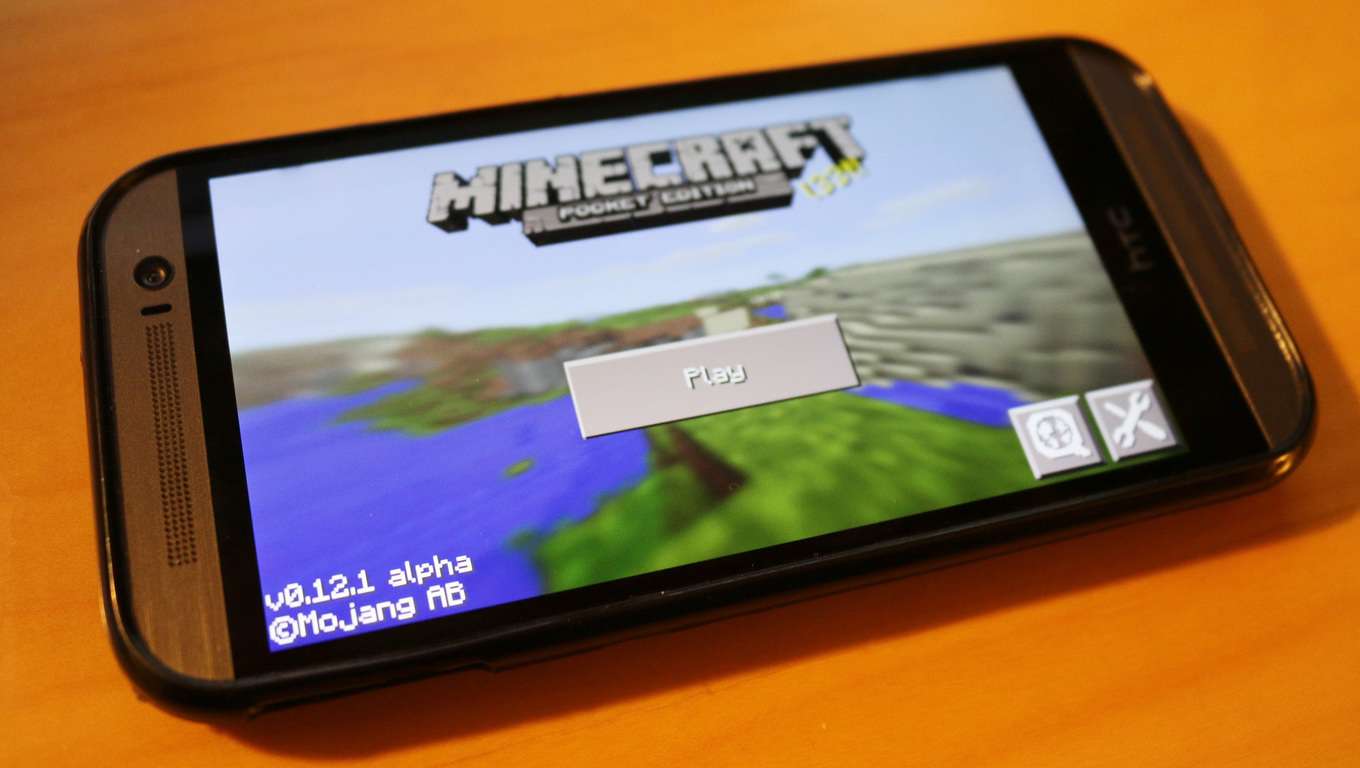
A few months ago, Mojang released the “Redstone” to both Minecraft for Windows 10 and Minecraft Pocket Edition, adding to the game the new special building block with some special properties plus other goodies like desert temples and new types of rabbits. But today, the team is announcing that a new “Overworld” update is coming by the end of this month to both game editions, and there will be once more new gameplay elements to enjoy.

Minecraft Overlord update

Here are some details about the upcoming goodies:

  • Make more advanced mechanical contraptions for your world with additional redstone components. Comparators, repeaters, dispensers, droppers, hoppers, trapped chests and various additional Minecart types will all be available.
  • Tangle with spooky witches and their huts during your adventures. Witch huts found while exploring swamps also now contain an exciting new feature – their cauldrons will be filled with a randomly generated potion that you can snag for your own if you’re feeling sticky-fingered.
  • Cauldrons can now be used to dye your armor an array of beautiful colors.
  • Display your coolest loot in your home with Item Frames – or mount your maps on the wall to plan your adventures with a world overview.
  • New elements new to both game editions: slime blocks, wearable pumpkins, red sandstone as well as improved chicken jockey mobs.
  • New ability to import and export maps into the Windows 10 Edition Beta, making it easier for you to share your favorite worlds with friends.
  • Eight new achievements on the Windows 10 Edition Beta (up to 170G).

If you’re excited by this upcoming update, the team also promises to continue to bring new content to the game this year. Minecraft may not be a game for everyone, but you should really try because crafting can be pretty fun! You can get both editions of the game on the Windows Store using the links below.

Minecraft for Windows
Developer:
Microsoft Studios
Price:
Free


The Flame in the Flood launches for Xbox One, PC on February 24th

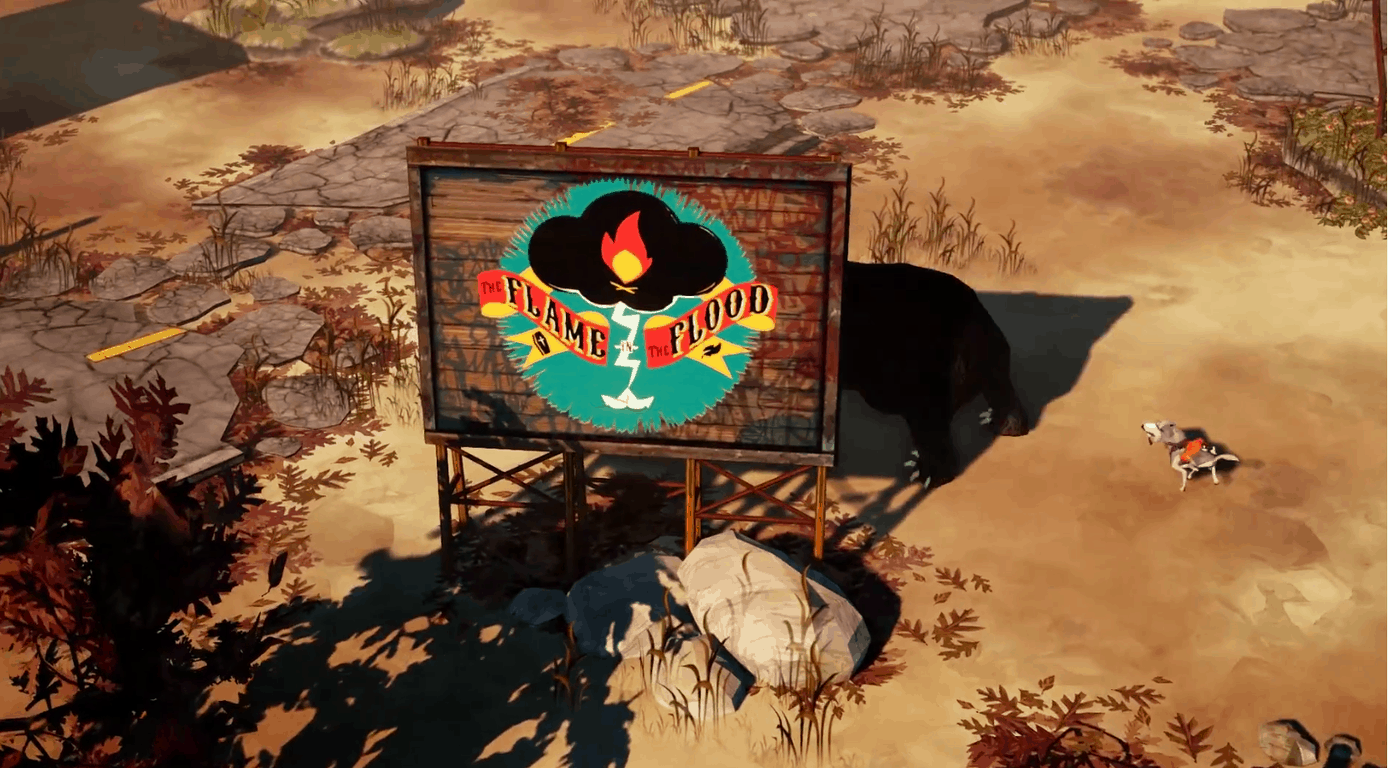
This week we’ve already pointed out six great new Xbox One titles, but the lineup is soon to get a new addition.  The Flame in the Flood, developed by The Molasses Flood, will launch on Windows PC, Mac and Xbox One on Feb. 24.

The Flame in the Flood brings you to the backwaters of a forgotten, post societal America.  In the game, a girl and her dog search for provisions and handcraft weapons and tools to defeat predators.  The game also features an original soundtrack from the alt-country recording artist Chuck Ragan. However, despite the relaxing country music seen in the trailer, the land is truly dangerous. Wolves, snakes, bears, and boars will all chase you down during your adventures.

The Molasses Flood is a studio formed by members of BioShock’s developer Irrational Games. Irrational Games shut down back in early 2014.


How to port an iOS game to Windows in 5 minutes

Closing the app gap is a problem talked about so much that most people are probably sick of it. Luckily there’s a video out by David Burela that can give Windows fans a bit of hope. The video shows him porting an app using iOS source code to Windows in literally under five minutes.

The folks over at WMPU spotted his video and it’s picked up some buzz, and rightfully so, across the Windows community. The app he ports is Canabalt, an endless runner that’s admittedly a simple app compared to what some developers will have to port. He discusses this more in his blog.

Burela goes through step by step in the video above on how to port code as well as how to edit it once it’s within a Windows app.

Obviously some apps will take more time than this, and to polish an app to be production ready takes more than five minutes but this is a strong proof of concept of Microsoft’s Project Islandwood in action.

Solus Project Xbox One release date finally revealed

Xbox Wire recently posted information on a new survival game, set to launch at the end of this month. The latest entry into the survival genre is called The Solus Project. In this game, players are tasked with saving the human race while stranded on an alien planet.

Unlike other survival type games, The Solus Project presents players with various elements that have immediate effects on their survival. Weather will affect the amount of time players can scavenge for materials on the planet, with an overcast sky creating colder nights or a bright sun causing the planet to become increasingly hotter throughout the day. To be a successful survivalist, players must  also collect different materials and items, scattered across the planet. These items will aid players in crafting weapons and resources to use throughout the game and help discover the secrets of the planet and ultimately help save the human race.

The Solus Project looks to inject some new ideas into the survival genre as CEO, Jakub Mikyska of GRIP Digital says, “we can’t wait to show the players something different – a narrative-driven, single player survival experience, full of mystery and millennia-old secrets.”

Players get a chance to play the first episode of this game on Xbox Game Preview February 26th. The remaining episodes for this game will be released in upcoming updates, opening up new areas to explore and continuing the story, with the final version releasing May 2016.

Are you interested in playing this new entry into survival games? Let us know in the comments.

Microsoft Store President’s Day Sale offers up deals on Surface and more

We’re always searching the web in search of deals for our readers, because who doesn’t like to save some money? Today, we’d like to be sure that you’re well aware of Microsoft’s huge President’s Day sale on the latest tablets and gadgets, which includes discounts on the Microsoft Band 2 and Surface Pro 4 that we reported on previously.

Speaking of the Surface Pro 4, this President’s Day sale introduces the first ever $100 price cut  on Microsoft’s newest 2-in-1. The discount applies to every Surface Pro 4 configuration except the very highest-end 1TB model.

  • Surface Pro 4, Intel Core M3, 8GB RAM, 128GB SSD: $799.00 (down from $899)
  • Surface Pro 4, Intel Core i5, 4GB RAM,  128GB SSD: $899.00 (down from $999.00)
  • Surface Pro 4, Intel Core i5, 8GB RAM, 256GB SSD: $1,199.00 (down from $1,299.00)
  • Surface Pro 4, Intel Core i7, 8GB RAM, 256GB SSD: $1,499.00 (down from $1,599.00)
  • Surface Pro 4, Intel Core i7, 16GB RAM, 256GB SSD: $1,699.00 (down from $1,799.00)
A look at the Surface savings

Microsoft wearables are included in the storewide sale as well. The Microsoft Band 2, which at one point saw a brief price cut, is $50 off right now, bringing its overall price down to $199.99.

Because of the sale, it is also the perfect time to pick up an Xbox One. The sale introduces a $100 savings on the Xbox One+Kinect bundle, which is usually $499. In addition, a $75 gift card and free game is included along with the purchase of either the Kinect, Tom Clancy’s Rainbow Six Siege, Name Your Game, Gears of War Ultimate, Xbox One Elite, The Lego Movie Videogame, Halo: The Master Chief Collection, and Xbox One 1TB Holiday bundles. Note that the free game selection is limited to Watch Dogs, The Crew, and Assassins Creed Unity.

A look at the Xbox savings

Other Surface products are also included in the sale, which means you can save $100 off the price of a Surface 3, and $30 off the price of a Surface Book bundle. The usual $199.99 price of a Surface Dock has also been cut $30.

Lastly, the sale brings steep discounts on select Dell and Vaio products such as the Dell XPS 13 and the VAIO Z Canvas.

Do you think these savings are worth it? If so, you better act soon as this sale will not last forever.

Microsoft Careers make room for the incredibly talented autistic

On April 1, 2015, World Autism Awareness Day, Microsoft’s Mary Ellen Smith announced that Microsoft was about to launch a pilot program to hire people with autism. Smith, Microsoft’s corporate vice president of worldwide operations, made the pivotal announcement in front of 193 countries at the United Nations (U.N.) Headquarters in New York City. Since Smith’s April announcement at the UN, Microsoft has hired eleven new employees who have autism and is actively recruiting more job candidates with autism for open positions.

Microsoft’s pilot program has already helped one person with autism, Kyle Schwaneke, find a job in Microsoft’s Xbox department. Schwaneke was struggling to find a job after being was laid off from his job as an indie game developer. Unemployed for over a year, Schwaneke had begun to lose hope.

I interviewed at a bunch of companies, but really didn’t have any luck. Sometimes, I would send in my resume and hear nothing. Other times, I’d go to an interview, and I’d think I did well, and then hear back I hadn’t done well – but they also couldn’t give me any feedback about it. I eventually started applying at places like Target and Radio Shack for the chance to interview for a minimum wage retail job. I was pretty much out of options.”

Kyle Schwaneke Autism

Schwaneke was a talented developer and even graduated from of one of the top gaming design schools in the US. However, Schwaneke also has Asperger’s Syndrome, an Autism Spectrum Disorder (ASD). It is estimated that 80% of people with an ASD are unemployed; quite significant considering approximately 1% of the world population has an ASD. Even though people with an ASD often excel in areas like science, mathematics, and technology, their behaviors are often seen as strange and are misunderstood by potential employers at job interviews.

Microsoft’s Smith knows first-hand the struggles for people with an ASD, her 19-year-old son, Shawn was diagnosed with an ASD over 15 years ago. At the time, Smith and her husband were told that their son would not be like other kids and would likely be handicapped from doing the same things as other kids or even as an adult. Smith looks back on how people with an ASD are unfairly judged by potential employers:

These are people who may not be able to pass an initial interview or screen because their social skills might not be 100 percent in line with what’s expected in a typical interview, but what amazing talent are we missing as a result?There are unique minds being underused and overlooked.”

Schwaneke was one of the lucky ones; he now is an Xbox software engineer at Microsoft. “For the first time, I felt like I was in place where I understood other people, and they understood me.” Hopefully, there will be a bright future for Schwaneke and other people like him at Microsoft.

Microsoft looks to move into more sports markets after success with Real Madrid

Microsoft’s presence in American sports is very well known. The Redmond company has a deal in place with the NFL, and even sponsorship with Dale Earnhardt Jr at Hendrick Motorsports in NASCAR, and sponsor’s Seattle’s professional soccer team, the Sounders.  When it comes to other sports entities however, Microsoft wants to change the way that they conduct their business.

According to Peter Jaeger, senior director DX and a board member of Microsoft Germany, many clubs, leagues, and federations have recognized the possibilities of digital and social media but are not using it appropriately.  As published in SBD Global, he believes that Microsoft is not interested in traditional sponsorship deals. To him, the focus it seems is rather being a technological service provider that can help generate more money for the sponsors and for the clubs.

Microsoft’s biggest sports deal outside the U.S. is its deal with La Liga side Real Madrid. Jaeger said that the company’s deal with the Spanish football club is a perfect example of this new approach to deals with sports entities.

Microsoft has also recently shown involvement in other international sports, including its deal with the Renault F1 team — formerly Lotus F1.

Microsoft and Novartis use Kinect to help doctors assess Multiple Sclerosis

It seems that Microsoft’s Kinect is definitely getting interesting use cases outside of gaming lately. For example, we told you last week how the technology allowed orangutans in an Australian zoo to play video games. Today, Microsoft is showcasing another innovative way to useKinect, in a partnership with the global healthcare company Novartis.

Novartis is a company that provides solutions to the evolving needs of patients, and its researchers are looking for better ways to evaluate treatments for multiple sclerosis, a disease that attacks parts of the nervous system. Multiple sclerosis can result in various complications such as physical, mental or psychiatric problems, and assessing whether treatments are effective in stabilizing a patient’s symptoms can be a challenge.

So, Novartis partnered with Microsoft to create the Assess MS Research Project, which aims to develop a standard set of tests that don’t rely on the subjective evaluation of human doctors. Abigail Sellen, a principal researcher in the Human Experience and Design group at Microsoft’s Cambridge UK lab explained:

The clinicians that we worked with really care about their patients. They really want what’s best for them, and even the best neurologist will admit that when they use these rating scales, it’s pretty coarse-grained. They know that there’s a lot of variability, even in their own judgments, over time.

The Assess MS researchers realized that the computer vision found in Microsoft’s Kinect could give them a more consistent and realistic evaluation of how patients performed on medical tests. Then, if doctors could better assess the progress of the disease, they could eventually give patients the right treatments faster.

Microsoft Novartis Assess project

For Microsoft, this Kinect use case was an opportunity to leverage its various machine learning tools, but building dedicated algorithms for the project presented a challenging task: to gather data about patients, the Kinect depth camera needed new algorithms to enable it to recognize the patient’s movements in a more subtle and precise way. As Antonio Criminisi, a principal researcher in machine intelligence and perception at Microsoft’s UK lab, points out:

“We had to think hard about better, more accurate algorithms that would really pick up on the subtle signals that differentiate between an MS patient and a healthy individual.”

Another challenge was to create a system that would be easy to use by doctors and patients in the real world and constraints of a doctor’s office. Morrison, a computer scientist whose expertise is in human-computer interaction, explained:

We needed to ask, right from the beginning, how do we make it work in the clinics? It needs to be a collaboration between the patient, the clinician and the technology. We designed the prototype to help the clinicians help the computer, so that they could get the data they want.”

But finally, after years of hard work, the Assess MS Research Project has finally delivered a reliable proof of concept that is waiting to be tested with a broader number of patients, while the team of researchers will continue to tune the machine learning algorithms. Vas Narasimhan, global head of development at Novartis Pharmaceuticals, already believes that Assess MS will be able to provide a faster diagnosis and treatment for multiple sclerosis and maybe other diseases:

“We are excited about our collaboration with Microsoft Research to develop Assess MS, a more consistent way to measure motor dysfunctions caused by multiple sclerosis, which could lead to the development of better therapies and care for patients.”

Microsoft’s Kinect may not be quite as popular a gaming accessory any longer, but it’s still good to see that this technology can find truly useful applications in the real world. And it’s even more interesting to learn about use cases that combine Kinect technology and machine learning algorithms.


Homefront: The Revolution is coming to Xbox One – get your closed beta code now!

Homefront: The Revolution is set to arrive on Xbox One on May 17th in the US, and on May 20th in Europe. However, for those that are itching to play the game, Homefront developer, Deep Silver, is giving away 30,000 closed beta codes for the multiplayer. Homefront: The Revolution takes place in the year 2029, just two years after the events of the original Homefront game and four years into the invasion of the US by the Greater Korean Republic (GKR).

The GKR lost the western part of the US after the Battle of San Francisco, but were able to occupy and control the eastern states, with Philadelphia becoming GKR’s headquarters. GKR’s version of Philadelphia is anything but the “City of Brotherly Love.” Philadelphia is a highly policed city, where its residents come under heavy scrutiny and held hostage by the GKR. However, there is a resistance growing in Philadelphia, led by Dana and Ethan “Birdy” Brady. Homefront: The Revolution follows the story of Dana and Ethan as they attempt to reclaim Philadelphia.

Deep Silver is preparing for the May 20, 2016 release of Homefront: The Revolution, by giving away 30,000 closed beta codes. The multiplayer closed beta will be available to play February 11-14 for those lucky enough to get a closed beta code. So, head on over and get your multiplayer closed beta code before they’re all gone!

Fallout 4 update 1.3 now available for Xbox One

Last week we reported on a massive Fallout 4 update arriving to PC’s and Steam machines across the globe. Although nothing in the update has changed since then, the update has now finally arrived to Xbox One consoles.

Just to recap, the current update brings the game to version 1.3 and brings several new features and fixes to the key bugs and glitches in the open world RPG game. New fixes for gameplay, quests, and Workshop Mode are all also included in the update.

Fallout 4 is an action role-playing video game developed by Bethesda Game Studios and published by Bethesda Softworks. The fifth major installment in the Fallout series, the game was released worldwide on November 10, 2015 for PC, PlayStation 4, and Xbox One.  The game is critically acclaimed and even won E3 2015’s Best In Show Award.

Have you updated yet? If not, you should fire up Fallout 4 on your Xbox One system and get that update now!


Microsoft mistakenly caps some OneDrive for Business accounts at 1TB – a year early

Microsoft has made a few mistakes this week. We reported on Monday about Red Dead Redemption mistakenly being added to backwards compatibility, and there is yet another mistake to report on today.  This time, the Redmond company has mistakenly capped some user’s OneDrive storage limits ahead of the promised one year grace period.

The mistake was first noted by angry users on the OneDrive user voice forums. It comes a few months after Microsoft backed down from cutting the free storage on consumer accounts from 15GB to 5 GB.

Microsoft released an official statement saying:

“Some OneDrive customers may have been prematurely migrated to a 1TB storage plan. Data stored with OneDrive remains secure during this process, and we’re working hard to revert those users back to their original plan as soon as possible. All Office 365 users with over 1TB of storage will be able to keep that storage limit for at least one year as previously announced.” Please stay tuned to the OneDrive blog for future storage plan updates.”

This time, the cut was indeed a mistake, but once the one year grace period is over, the cut will be permanent. So, if you’re a OneDrive datahog, you might want to cut back on your storage sometime by the end of the year.

(via ZDNet)