Amazon releases free Windows and Xbox One game engine Lumberyard

Amazon, the company behind the cloud-based computing service Amazon Web Services (AWS) is announcing today the release of Lumberyard, a free game engine for Windows, Xbox One and PS4. As the company is already known for its expertise in cloud infrastructure, it’s not totally surprising to see it being interested in cross-platform, high-quality network-based games.

Here is what the Chief Evangelist for AWS Jeff Barr had to say about Lumberyard in the announcement:

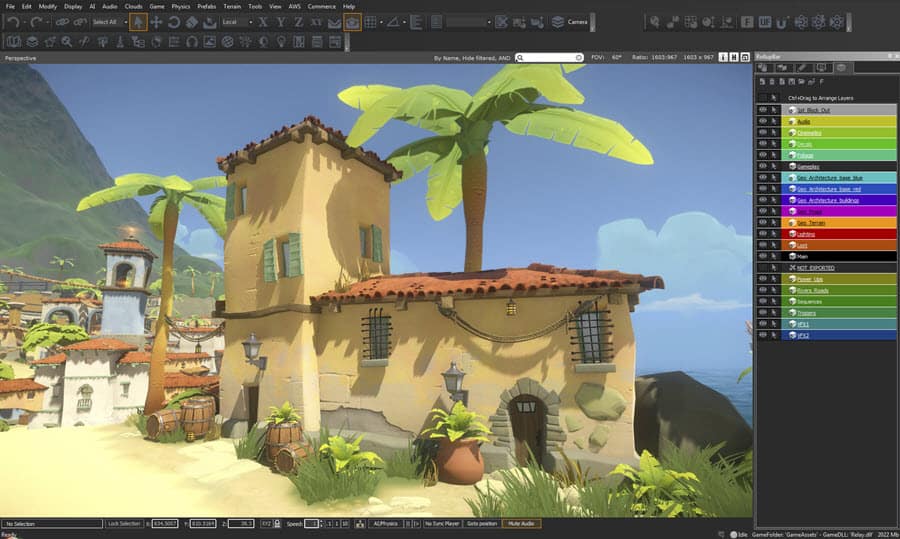
A blend of new and proven technologies from CryEngine, Double Helix, and AWS, Lumberyard simplifies and streamlines game development. As a game engine, it supports development of cloud-connected and standalone 3D games, with support for asset management, character creation, AI, physics, audio, and more.

Amazon Lumberyard Editor 2
Amazon Lumberyard Editor

Lumberyard is available right now for game developers, and it currently supports Windows Vista, 7, 8 and 10 versions plus the Xbox One and PS4 consoles. And if you’re wondering about support for mobile devices, “Support for mobile devices and VR headsets is in the works and should be available within a couple of months,” according to Barr.

While the Lumberyard engine is free to use, Barr points out that developers will still have to pay for AWS charges if they decide to rely on it. In fact, the company is also launching Amazon Gamelift, a tool that developers can use to deploy and scale session-based multiplayer game servers for games built with Lumberyard:

You can use it to host many different types of shared, connected, regularly-synchronized games including first-person shooters, survival & sandbox games, racing games, sports games, and MOBA (multiplayer Online Battlefield Arena) games. After you build your server-side logic, you simply upload it to Amazon GameLift. It will be converted to a Windows-based AMI (Amazon Machine Image) in a matter of minutes. Once the AMI is ready, you can create an Amazon GameLift fleet (or a new version of an existing one), point it at the AMI, and your backend will be ready to go.

Amazon Gamelift

Last but not least, developers using Lumberyard will also be able to integrate their games with the popular game streaming platform Twitch via two new features:

Twitch ChatPlay allows you to build games that respond to keywords in a Twitch chat stream. For example, the audience can vote to have the player take the most desired course of action. Twitch JoinIn allows a broadcaster to invite a member of the audience into to the game from within the chat channel.

It’s a good thing that game developers now have one more game engine and cloud infrastructure to play with, and we’ll see if Amazon can leverage on the popularity of AWS to make Lumberyard a popular option. If you’re interested in Lumberyard, feel free to visit the dedicated website where you can also download the goodies.

Microsoft partner CloudSpeed describes the cloud strategy long game

How should one understand the success model for a cloud business? That is the question that a new article posted on the Microsoft Partner site, from one of its partners, CloudSpeed, aims to answer, and it sounds strikingly similar to Microsoft’s own strategy.

Specifically, Dana Willmer from CloudSpeed discuss the cost and maximizing investment for a cloud business. According to Willmer, cloud business often has a great fixed cost that must be paid up front, in order to build the necessary infrastructure for future growth. These include marketing and sales, and offering’s “productization” – in other words, creating a solutions that is integrated and specific to an industry.

A subscription model is commonly used for cloud business, to lower the upfront cost and purchasing barrier for customers. The return on investment (ROI) will come over time from these subscriptions to fund long-term results. To maximize this, Willmer suggests securing a large customer base, and ensure a healthy gross margin structure for the offerings; the subscription model will do the rest.

Willmer’s discussion of cloud business’s ROI and measure of success greatly coincide with Microsoft’s own business pattern, as the company often see losses – sometime for extensive periods of time – for many of its offerings before they turn into a profitable and important business, not just in cloud. If there’s anything Microsoft has historically been famous for, it’s sticking to their guns and develop a potential business, and we can be reasonably sure that the company will not change its ways anytime soon.


Need help planning for Valentine’s Day? Cortana, Windows 10 and the Windows Store are here for you

Valentine’s day is known for chocolates and flowers. Microsoft, however, is adding their own spice to the day with Windows 10, Cortana, and romantic movies and music available in the Windows Store.

So, if you need to smooth talk your way through the romantic holiday, Microsoft has you covered. Just ask Cortana, “Tell me a pick up line,” and Cortana will then respond with lines such as, “My interest in you is like a concave up function, always increasing.” Cortana can even give you love quotes to be used in Valentine’s cards.  Just ask Cortana “Tell me a love quote,” and she will deliver you a quote.

wp_ss_20160209_0002
Cortana’s love quotes

Microsoft also has you covered with Groove music. A special playlist, Music for Lovers, features 30 songs to relax, inspire and uplift—from the Beatles’ rousing All You Need Is Love, to Katy Perry’s Unconditionally, to the sultry All of Me by John Legend.

Movies are also included in Microsoft’s Valentine’s Day mix. They’ve bought together  30 titles that you can download directly—everything from The Fault in Our Stars and The Notebook to Romeo and Juliet and Enough Said. They’re all here.

The 1-800 Flowers app will also keep you covered on Valentine’s Day. With the app, you can order the perfect bouquet or a dozen red roses at the click of a button. If you’re looking to pick them up yourself, Cortana can even set location-based reminders to remind you about those chocolates, roses, or cards next time you are near the store. Just add your item to the shopping list and rest easy knowing Cortana won’t let you forget it.

If all else fails for you on Valentine’s day, there is always a digital gift card which you can be sent straight to the love of your life within minutes. And for the lonely ones, Cortana can keep you company and sing you a love song if you ask “Sing me a love song!”

Staying safe online with Microsoft on Safer Internet Day

Today is a special day. It’s National Pancake Day, Shrove Tuesday/ Mardi Gras, and the day after Chinese New Year but there’s one more day that today is, say that five times fast, Safer Internet Day. As the name suggests it’s all about keeping people safe online, especially younger people.

Microsoft celebrates this day every year and this year is no different. They’re holding events at Microsoft Stores to teach people how to be safe online and have advice in their latest blog post. Here’s a brief summary of the points made in their blog post and some added comments from us.

  • Defend your devices: Keep devices up to date and be careful what you download, especially attachments in emails and over social media.
  • Protect your personal information: Be careful who you give your information to. Don’t give out bank information or other sensitive information unless you really know who is receiving it.
  • Keep an eye out for scams: People pretend to be genuinely in need or try to scam you in other ways. Keep a lookout for scams.
  • Use strong passwords: You know how websites suggest a ridiculously long password with a punctuation mark, an upper case letter, a lower case letter, and a number? That’s with good reason. Easy passwords are much easier to hack.
  • Bing yourself: Check out your online identity. You want a good reputation and search engines help you see what others see. Incidentally, this is also good advice for when you’re applying for jobs.
  • Help keep children safe online: Microsoft wisely suggests a “mix of guidance and monitoring.” Both are needed since kids have to make their own decisions. They suggest rules, molding rules around your children’s ages, and paying attention to what they do online.

These tips should seem like second nature to most people but remember that you learned these at one point as well. Hopefully people can learn from other’s mistakes rather than having to mess up on their own. There are more things you can do to stay safe online but this is a solid beginning from Microsoft.

Reader app for Windows 10 gets a reliability update

Microsoft has just released an update to its Reader app in the Windows Store for PCs. The app is bumped to version 6.4.9926.18190, and according to the changelog this update will improve reliability and address data loss issues.

If you don’t want to install a Win32 app like Adobe Reader, this Reader app from Microsoft is a good lightweight tool that can open your PDF, XPS, and TIFF files. More than that, the app also makes it easy for you to quickly return to files you’ve recently opened, search for words or phrases, take notes (also with Surface Pen), fill in forms, and print or share files.

Please note that this is not a universal app, as Microsoft also has the PDF Reader app on the Windows Phone store, which has less features. We don’t know yet if Microsoft plans to release a universal Reader app for all Windows 10 devices in the future, but it may be a good idea to finally have the same set of features on both platforms.

Reader
Reader
Price:
Free

Developers running into delays publishing apps on the Windows Store

The Windows Store seems to be causing some delays for developers trying to submit their applications. According to the Windows Dev Center, Microsoft’s Windows Store is experiencing back-end problems that will ultimately cause a delay between the app being submitted to the store and customers being able to download and install it.

Though the notice is no longer active on the site, developers will still want to be wary of the possibility of this delay existing. The full text from the notice is as follows:

“We’re currently experiencing some issues that are causing publishing delays. It may take several days before new app or IAP submission are visible in the Store. We’re working on resolving this, and will remove this alert once the problem has been fixed.”

Microsoft also put a notice up that related to data collected from and regarding in-app purchases and there not being up-to-date information in them:

“For some developers, the Acquisition report and/or IAP acquisition report (or APIs used to access those reports) may not currently show all data correctly. We’re working on resolving this, and will remove this alert once the problem has been fixed.”

As the notices are currently nowhere to be found on the site, it’s likely that the issues have been resolved. Have you had problems submitting or purchasing an app in the store? Let us know in the comments below.

Marvel Puzzle Quest, Agatha Christie, and more video games come to Xbox One

There’s something for everyone in the latest batch of new titles released on Microsoft’s Xbox One console with game genres such as fighting, roleplaying, and puzzle all getting their fair share of the spotlight.

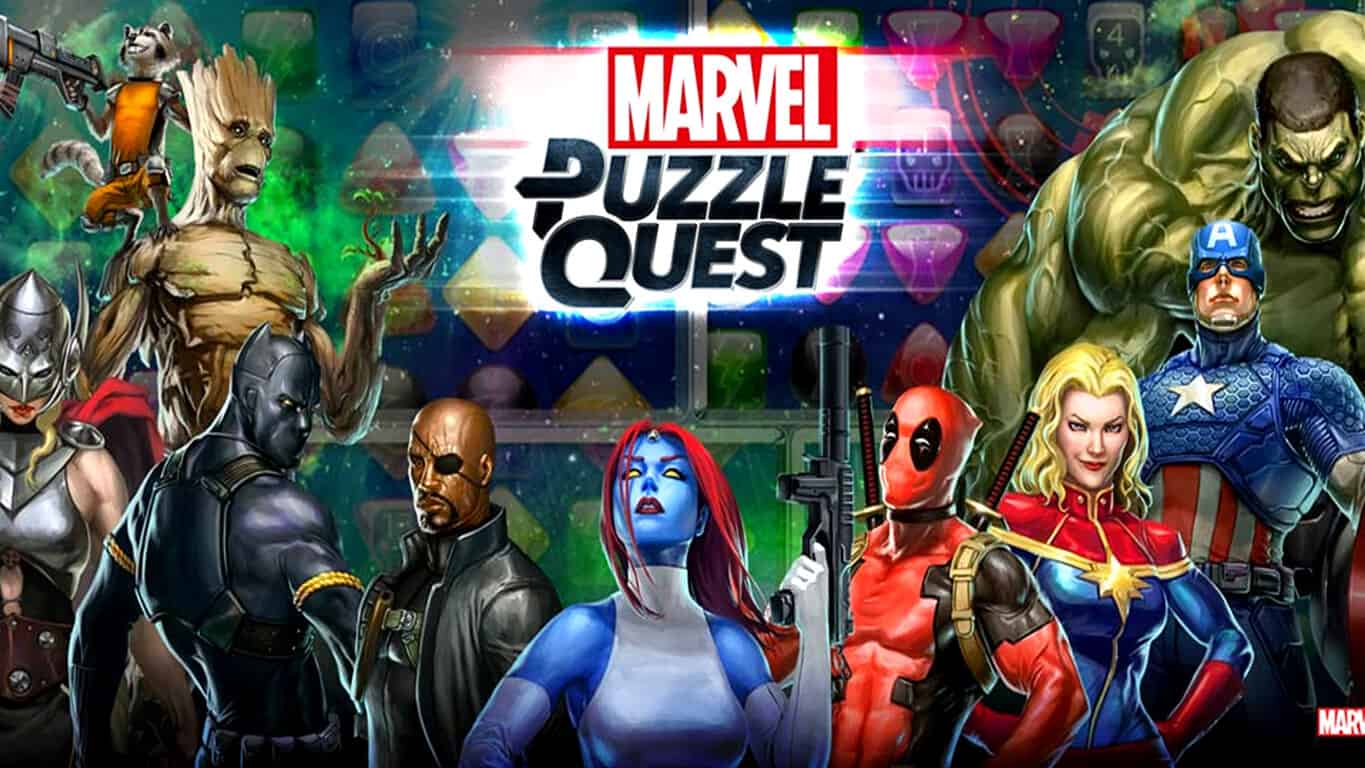
Marvel Puzzle Quest: Dark Reign is a puzzle game that has been experiencing quite a bit of popularity on touch devices and has now made its way to consoles. The game consists of a basic match-3 mechanic that’s easy to pick up and play but the real appeal is the character levelling system, roleplaying game elements, and storylines written by Marvel Comics’ writers. Also, unlike LEGO: Marvel’s Avengers and Disney Infinity which exclude characters such as the Fantastic Four and X-Men, Marvel Puzzle Quest: Dark Reign contains almost all of the popular characters from all of the Marvel films and even includes a wide variety of comic book characters such as the Squirrel Girl and the new Ms Marvel.

Buy Marvel Puzzle Quest: Dark Reign on Xbox One

Krinkle Krusher is a castle defence game with a magical twist and a plethora of cute monsters called, Krinkles. Players must use elemental powers such as fire wall, ice crown, mud, energy mine, thunder, and tornado to defend their base in 60 different locations across areas like the Castle Walls, the Putrid Swamp, and the Magical Forest.

Buy Krinkle Krusher on Xbox One

Dead Beat Dads is a four player local co-op brawler that features a roster of characters determined to reinforce dad stereotypes and several modes such as one where the player must steal other dad’s babies (father of the year right here).

Buy Dead Beat Dads on Xbox One

Bike Mayhem 2 is a new bike trick and race title which features both a single player and multiplayer mode. Players can ride through 34 different mountains and over 180 trails inspired by real world locations such as Whistler Bike Park and Coast Gravity Park and there are more than 130 collectibles to unlock which will add special boosts to the player’s character once activated.

Buy Bike Mayhem 2 on Xbox One

The long-anticipated, Naruto Shippuden: Ultimate Ninja Storm 4 finally arrives on Xbox One this week in both its regular and special Deluxe Edition. The game is based on the popular Naruto Shippuden anime series and boasts a revamped fight system and a ridiculously huge cast of characters to choose from. Ultimate Ninja Storm 4 may confuse the average gamer but fans of the Naruto anime franchise will likely eat this up.

Buy Naruto Shippuden: Ultimate Ninja Storm 4 on Xbox One

Agatha Christie – The ABC Murders is an adventure and investigation game based on the classic novel of the same name. This third person title tasks the player with exploring crime scenes across the United Kingdom while solving puzzles and eventually the overall mystery.

Buy Agatha Christie – The ABC Murders on Xbox One

The Xbox One really seems to be kicking things into high gear with a large number of new titles seeing release on the console on a regular weekly basis. Last week saw the release of Fortified, Hand of Fate, The Amazing Princess Sarah and a number of other games that should keep even the most active gamer busy, especially if they’re trying to get all of each game’s Xbox Achievements.

Have you purchased any of these new Xbox One games yet? Which one are you enjoying the most? Let us know in the comments below.

Here’s how developers can grab image text in Universal Windows 10 Apps

OCR, or optical character recognition, is designed to be able to manipulate different types of images, whether scanned documents or photos.  The Universal Windows Platform (UWP) utilizes (OCR) to help developers extract text and text layout information from images into a machine-usable character streams. Via UWP, OCR is optimized for the user and can run on any Windows 10 device without the need for an internet connection. The November update to Windows 10 upped the language support for OCR by supporting four languages, bringing the total number of supported languages to twenty-five.

Microsoft has been testing OCR technology for some time now, and it’s used in Microsoft Word, OneNote, OneDrive, Bing, Office Lens, and Translator for different things, including image indexing, document reconstruction, and augmented reality (HoloLens). For code samples and examples, check out Microsoft’s OCR code sample at GitHub and through MSDN documentation.

Microsoft also offers OCR as a service through Project Oxford. Project Oxford provides a number of services geared towards natural data understanding and can provide a variety of benefits and possibilities in developing Windows 10 apps. As a service, OCR has added features like language detection and text orientation detection, which is available through the OCR service demo.

If you are looking for more detailed information on OCR, you can go directly to the API documentation or experiment with the API Testing Console. Having the functionality built into the UWP platform seems like a real value-add for Windows developers; let us know in the comments if you agree.

Ballmer: HoloLens, Surface, and Xbox are ‘essential’ to Microsoft’s future

HoloLens, the futuristic headset, Surface, the line of laptops and tablets, and Xbox are “essential to [Microsoft’s] future,” according to Steve Ballmer, who ran the company from 2000 to 2014.

Ballmer, who current-CEO Satya Nadella replaced two years ago, has given a rare interview to Business Insider in which he laid out what he’s up to — a “10k for government” — and how he thinks about Twitter, a company he has invested heavily in, and Microsoft.

Ballmer is, by his own admission, an outsider, having spent two years away from the top job and around a year away from the board. However, he spent over 10 years running the company meaning that his insight still holds weight, especially surrounding the cloud business which he created.

“I talk every quarter to the CFO,” he tells Business Insider. “I meet with Satya [Nadella] what probably amounts to four or five times a year — either to brainstorm something or just as a shareholder.”

The Microsoft under Satya Nadella is, according to people who work there, a very different place to what it was under Ballmer.

With his fiery temper and tendency for the theatrical, Ballmer made for an interesting boss — and not always in a good way.

Joe Belifore, the man who designed Windows Phone, said in the comments on an article by The Verge about his iPhone user that Microsoft now encourages its employees to use an iPhone or Android phone. Under Ballmer, this would have been a big issue.

This new culture — which has been pushed hard by Nadella — hasn’t resulted in any hit products, however. Microsoft still has roughly the same line of hardware and software, including the Surface (which launched under Ballmer), Windows, Office, Azure, Lumia, and more.

One thing that has been created under Nadella — or, at least, demoed to the outside world — is HoloLens, which is set to roll out to developers in the next half of the year and then to everyone sometime in 2017.

“I really think the work Microsoft’s doing with Surface, with HoloLens, with Xbox, that stuff’s absolutely essential to the company’s future” said Ballmer.

The reason, according to Ballmer, is because creating hardware means that Microsoft owns both the device — whether that is HoloLens or Surface — and the software services. This, he says, is “important for Microsoft.”

HoloLens_Demo-2

Microsoft has struggled in recent years because it does not own many of the devices that people spend most of their time on, specifically mobile phones. Windows Phone currently has a market share of around 1.7% globally, according to Gartner, and that isn’t set to rise any time soon.

Many column inches have been dedicated to blaming Ballmer for this — and they are justified — but Nadella has taken the reigns, looked past these missteps, and done the best with what Microsoft has to offer, specifically the best productivity tools on the market that, by and large, are used in almost all businesses today.

“In terms of the public positioning of the company,” Ballmer said. “Satya’s done a very good job. He sort of pivoted in a way that I don’t think would have been possible for me to do even if I’d seen it that way.”

Under Nadella, Microsoft now celebrates the iPhone, iPad, Salesforce, Box (a smaller enterprise company), Android, Google, and many of recent foes. It’s unclear how much of this is Nadella specifically and not a company-wide shift, but it is unlikely coincidence that these things have happened in the time after Ballmer left.

It’s clear from the interview that Ballmer harbours no bad feelings about his time at Microsoft or his departure, which was rumoured to have been more of a decision made by the Board than him. However, there is a noticeable tang of regret about some problems.

“He sort of pivoted in a way that I don’t think would have been possible for me to do even if I’d seen it that way, to really talk about this mobile-first, cloud-first world,” he said (emphasis mine). “He’s right. You might say it’s obvious, but it was an important perception point.”

While not a concession of his mis-thinking, this does clearly show that Ballmer is aware — and even encourages — a new path for Microsoft that is more focused on hardware and consumer-facing software (beyond Windows) than enterprise clients.

People_Nadella_Gates_Ballmer-1

The empire that Ballmer built still exists, however, as shown in the company’s most recent earnings report, when around 15% of its customers — many of which have billions in revenue and tens-of-thousands of employees — added more services, like Office 365, to their accounts.

Ballmer also says that Microsoft has to “chart a direction in mobile devices,” an area he was historically — and now famously — slow to see.

“[T]he company really has to chart a direction in mobile devices … because if you’re going to be mobile-first, cloud-first you really do need to have a sense of what you’re doing in mobile devices,” he said.

This, in some ways, is the paradox of Microsoft’s position under Nadella: The self-imposed slogan of “Cloud-first, Mobile-first” doesn’t really work if you don’t have a competent — by which I mean popular — mobile operating system.

For his part, Nadella doesn’t seem bothered. In an interview with BuzzFeed, given earlier this year, he described mobile devices as “nodes” on a network.

“If you think of this more like a graph, these [devices] are all nodes,” he said, when asked about Microsoft’s less-than-stellar offerings. “Sometimes the user will use all of these devices … sometimes they’ll use only one or two of our devices and some other platforms — so be it.”

This attitude works because Microsoft still has its enterprise business and, according to the earning’s report from the three months leading up the January, a burgeoning hardware business.

“Satya, [has] certainly changed [the path Microsoft is on],” concludes Ballmer. “He needs to have a clear path forward. But I’m sure he’ll get there.”

Microsoft to partner HCL Technologies on a Redmond, WA IoT incubation center

Microsoft is currently hard at work on growomg its Azure Internet of Things ecosystem, and the company recently launched the Azure IoT Suite and Azure IoT Hub to provide enterprises a pre-configured IoT solution to easily connect and analyze data in real time. Today, we learned that the global IT services company HCL Technologies announced the launch of an IoT Incubation Center in Redmond to further leverage Microsoft Azure IoT Suite and accelerate IoT adoption for its clients.

According to the press release, the upcoming HCL incubation center will focus on developing a new model of innovation leveraging real-time analytics, sensory data and rapid co-creation, and also on building vertical solutions focused on industrial manufacturing and healthcare. In the end, we should expect various use cases in industrial automation, remote patient monitoring, and fleet management, among others.

Sukamal Banerjee, EVP & Head of IoT WoRKS Business Unit at HCL Technologies, explained:

“Innovation in today’s world requires invention and execution. The ability to rapidly prototype and bring solutions to market is a key to enterprise success in a hyper-innovative global environment. Industrial IoT is slated to be the next big productivity and revenue generation lever for enterprises worldwide. We are confident that our collaboration in this space will create some truly innovative and actionable industrial IoT solutions which are scalable, cost-effective and focused on user experience.”

On Microsoft’s side, here is what Susan Hauser, Microsoft’s Corporate Vice President for Business & Corporate Responsibility had to say about the announcement:

“One of the most transformative trends affecting businesses today is the Internet of Things. Together with HCL, we’re enabling companies to accelerate IoT adoption with industry-specific solutions that deliver greater business insights, new revenue models and speed return on investment. These capabilities are essential to creating greater impact and maintaining competitive advantage in the digital economy.”

And so, it seems that both HCL Technologies and Microsoft believe that IoT will enable the creation of new services and solutions which can really help companies to differentiate themselves and create business value. While we’re still early in the IoT revolution, this announcement is still definitely an acknowledgment of Microsoft’s leadership in the IoT space.

Windows 10 installations surpass Windows XP

It’s become something of a mantra that Microsoft wants to get a billion machines running Windows 10 as soon as they can, and we’re looking forward to the day when we can use something other than “200+ million” as the current metric. A new chart from Statista, which is based on NetMarketShare data, is showing that Windows 10 continues to make progress toward both objectives and is now used on more PC’s than Windows XP.

The results should come as no surprise. Microsoft continues to very visibly push users into upgrading to Windows 10, for example recently moving the update from optional to recommended.

For comparison sake, Windows 8 and Windows 8.1 did not pass Windows XP in the market until three years after Windows 8 was released. Windows XP was first released to manufacturing on August 24, 2001 and was released to the public on October 25, 2001.  Extended support for Windows XP ended on April 8, 2014.

20160208_windows-10_bi

Clearly, Windows 10 remains on a strong upward trajectory and we imagine we’ll get revised numbers from Microsoft sooner rather than later that will show the strategic OS as ever-closer to accomplishing the company’s objectives. We’ll be sure to keep you updated on when the next Windows 10 milestone is passed.

Microsoft accidentally releases Xbox Backwards Compatible games, pulls them, apologizes

Red Dead Redemption was briefly playable on Xbox One this weekend before access was shut down on Sunday, and Microsoft is apologizing for the confusion behind the situation.

Major Nelson took to Reddit to explain the situation and said:

“Microsoft tests all Xbox 360 games with our emulator to ensure a quality experience across a breadth of titles. Due to an error, some of the games currently in test were accidentally made available. We have since removed access to those games, and apologize for any confusion this may have caused. We will have more information on upcoming releases soon. “

Gamers had long demanded Red Read Redemption for backwards compatibility ever since Microsoft announced the Xbox One would gain the feature back in E3 2015.  A number other Xbox 360 games were also briefly playable on Xbox One because of the mishap. Such titles included Halo Wars, Castelvania: Symphony of the Night, and Tekken Tag Tournament 2.

Access to these games have since been removed by forcing the titles to accept an (unavailable) update, rendering the games unplayable.  The mishap comes not too long after Microsoft announced that it would no longer release backwards compatible games once a month, but rather would announce Xbox 360 games as they become compatible.

Windows Twitter app Aeries updated with new login experience and more

Aeries is considered by many to be one of the best Twitter clients available on Windows Phone, as well as Windows 10. The app comes with a simplistic interface and offers users with several handy features to make the most out of Twitter. Recently, Aeries picked up a significant update, introducing a revamped login experience, including several stability and performance improvements, and bug fixes.

Here’s the complete change log for the latest update:

  • Completely new login experience to help you get up and running faster.
  • Indicator for tweets which are replies in a conversation.
  • Fixed flickering when loading original tweets in Tweet Detail.
  • Option to have timeline images full screen width or truncated to text width.
  • Updating colour palette throughout the app.
  • Compose page now loses focus after sending unless opened via the Jumplist.
  • Fix for pinning a single list to start screen.
  • Fixed some issues with search timelines not saving position.
  • Various other UI tweaks.
  • Usual performance and memory optimizations (now with more speed).

Head over to the Windows Store to grab the updated app.

Aeries
Aeries
Developer:
Brad Stevenson
Price:
Free

Windows 10 news recap: Build 14257, market share, stats

Welcome back to our weekly Windows 10 news recap, in which we recap the top news stories regarding Windows 10 for the week. Let’s dive straight in.

Windows 10 market share climbs to 11.85% as of January 2016

Windows 10 has been somewhat of a hit among consumers, with latest numbers claiming Windows 10 is now in use on over 11.85% of the total operating system market. At the beginning of 2016, Microsoft confirmed that Windows 10 had been installed on over 200 million devices worldwide.

This is definitely something to cheer about for the folks at Redmond as Windows 10 market share is continuously on the rise ever since its launch in July 2015. Microsoft is offering Windows 10 as a free upgrade for users running Windows 8 and Windows 7 for a year after which they’ll have to purchase it.

Windows 10 upgrade moves from optional to “recommended”

On the heels of market share statistics, the Redmond-giant this week moved Windows 10 over form being an optional update to a recommended one, which many are not happy with. A recommended update doesn’t necessarily mean the operating system will be installed automatically however.

While Windows Update will offer Windows 10 as a recommended upgrade, and go so far as to prep the upgrade for installation on machines with automatic updates turned on, users will still need to accept the upgrade before moving forward.

Windows 10 Redstone Insider Preview build 14257 released to the fast ring

Microsoft also released a new build of Windows 10 Redstone for Windows Insiders this week, but like the other builds so far, there were no new features of note. Microsoft is about ready to start implementing new features into the main development branch now however, so it shouldn’t be long before Insiders have new bits to play with.

This build contains mostly fixes and improvements on the back end and foundation of the operating system for upcoming new features, so don’t expect to see any visible changes just yet. Head over to Settings > Update & security to snag this release.

3 billion Windows Store visits and counting

Additionally, this week Microsoft announced that the Windows Store had seen over 3 billion visits since the launch of Windows 10 back in July 2015. That’s a huge number to be touting, and should help convince developers to start building apps for the platform.

Other factors that Microsoft focused on ranged from the broader ‘what kind of apps are people downloading from the store?’ with games coming out on top as about 32% of all downloads from October to December 2015.

That’s all for this week, what was your favorite story? Let us know below.


Everything you wanted to know about Windows Remote Arduino

Windows Remote Arduino (WRA) is an open-source Windows library that allows any Windows 10 device to remotely control an Arduino. What is Arduino? Simply defined, Arduino is an open-source computer hardware and software company that has a widespread project and user community. Arduino designs and manufactures micro-controller kits for anyone looking to build digital devices and interactive objects that can sense and control objects in your home, office, or anywhere else.

The Arduino library allows developers to combine Arduino sensors with their own Windows projects, as well as to transfer tasks that are too complex for the Arduino to Windows for processing. The WRA library is available through GitHub for use on Windows 8.1, Windows Phone 8.1, Windows 10, and Windows 10 Mobile.

Here is a list of Arduino functions that WRA is able to control:

  • Digital write
  • Digital read
  • Analog write (PWM)
  • Analog read
  • Setting pin mode
  • Receiving events when pin values are reported or changed
  • Send and receive data between devices over I2C

WRA also has a number of custom commands available for more advanced users via Firmata SysEx, available here on GitHub. If you are interested in trying WAR for yourself, all setup instructions are available here.

Microsoft developed Windows Remote Arduino API to be as close as possible to Arduino’s Wiring API. There are subtle changes as WinRT’s basic framework is slightly different from the basic Wiring language used in Arduino layouts. With a little bit of tinkering, it is possible to use the basic layout of Arduino in a Windows 10 Universal Windows Platform (UWP) app using WRA.

Here is a video showing a sample of WRA to control a blinking LED remotely. Complete instructions on how to do this yourself can be found at this Hackster post.

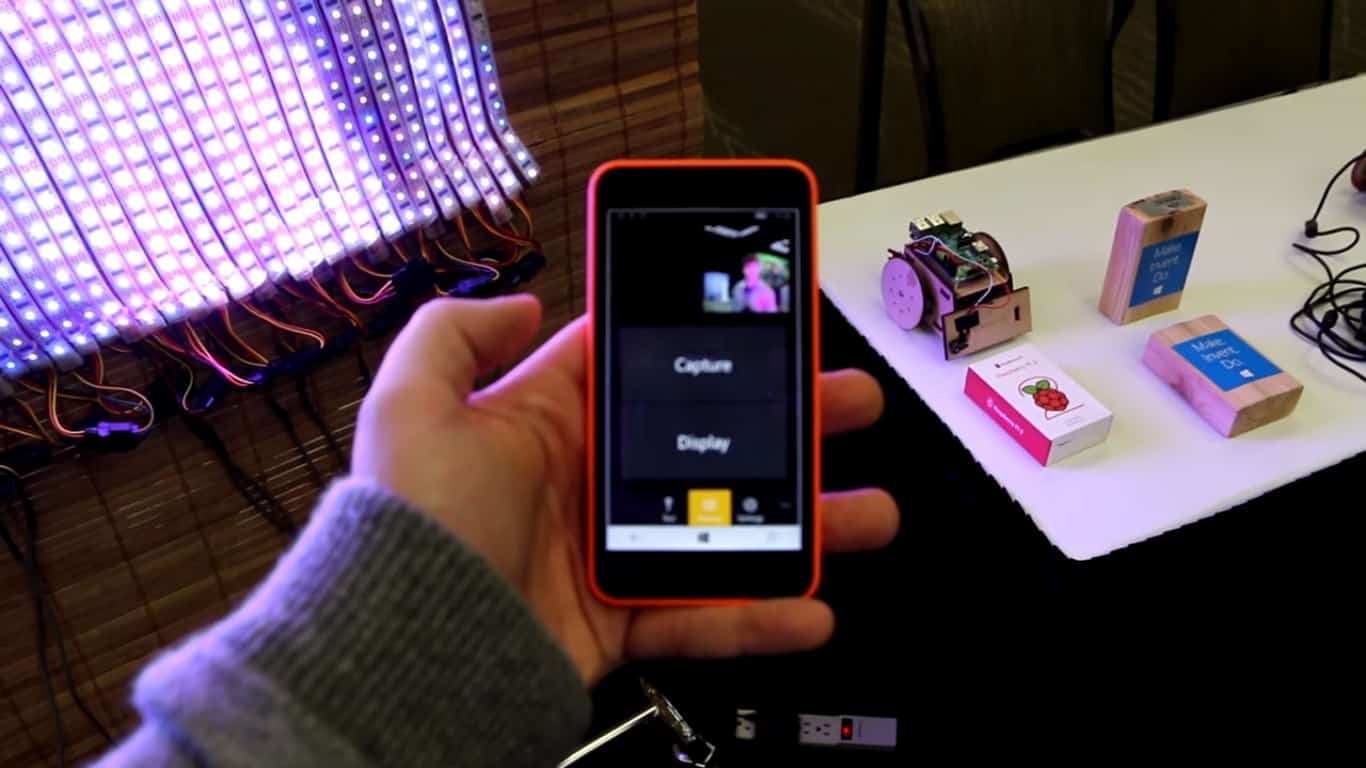
Besides the simple application like the one you’ve seen in the above video, there are other more advanced applications available that you can develop with WRA. Below is a video of how you can use your Windows 10 Mobile device to control an LED curtain powered by a WRA.

For more information on other projects like this, be sure to check out Windows on Devices webpage. You can also join the Windows Developer Community for IoT to collaborate and find more ideas on WRA projects.

Download the Windows Arduino Remote Experience app to get started.

WhatsApp now Available in Windows 10 on Microsoft Edge

WhatsApp is one of the most popular instant-messaging services in the world. Some time ago, WhatsApp introduced WhatsApp Web, a feature which allows you to send and receive your WhatsApp messages in a web browser, on your computer.

WhatsApp Web is compatible with the most popular third-party web browsers, like Google Chrome, Firefox, and Opera, but it wasn’t compatible with Microsoft Edge, until now. Microsoft finally made a couple of changes in Edge, so you’re now able to run WhatsApp web on Windows 10’s default web browser.

All Windows 10 users should be able to run WhatsApp web on Microsoft Edge by now, but even if you’re not able to run it, the feature will arrive very soon, as the update is being rolled out gradually.

Some users were able to run WhatsApp web in Microsoft Edge even before, but it required using Dev tools to emulate a third-party browser, like Chrome or Firefox. We checked now and cleared the cache and it still didn’t work, so I guess we need to wait some more time.

Run WhatsApp in Windows 10

Microsoft Edge still lacks a lot of features, that are present on competition’s browsers. But Microsoft is constantly working to improve its latest browser, so we should give them credit for that. Edge is also a relatively new browser, so there’s still a lot of time for Microsoft to deliver new features.

We already told you that third-party extensions will come to Microsoft Edge on Windows 10 Preview very soon, which should also improve the usability of the browser. And we should expect even more improvements and new features in upcoming Redstonebuilds for Windows 10 Preview.

What feature or improvement do you want to see in the future versions of Microsoft Edge? Tell us in the comments, but also send your request to Microsoft, through the Windows Feedback app, and let the company know what you want use in Microsoft Edge.

Here’s how to get fit with Skype

Microsoft has a real commitment to helping their customers get healthier. The obvious example is the Band 2 and Microsoft Health, which can track and prompt users to get and stay active, get better sleep, and generally achieve and maintain a healthy lifestyle. A few days ago, Microsoft introduced a new group chat via Skype to help you get connected with some fitness experts and contribute to a growing healthy community.

We’re teaming up with beauty and lifestyle vlogger Claire Marshall (you can watch her stuff here) to help put a stop to broken resolutions. We’ll introduce her (and you!) to nutrition expert Russ Crandall, and fitness expert Carly Rowena, who will guide you and share with all of you the knowledge, motivation and activities you need to make your health resolution a breeze.

But knowing all the information isn’t good enough; we want to see Claire use her tips in real life. Each coach will set two challenges for Claire and we’ll be bringing you videos so that you can watch and join in on the ride (or jog, or swim, or whatever other activity you’re into!). Whether Claire is flying high on the trapeze at a circus class, gliding around the ballroom floor during tango lessons or mixing and matching to make the perfect smoothie recipe, each challenge will provide essential tips for making 2016 your best year yet.

If you want to join in, just add GetSkypFit on Skype, and you can interact with those experts and other people interested in getting and staying fit. You’ll even get entered into a contest to visit Los Angeles and enjoy a day of fitness under the bright Southern California sky.

Join up by follow #SkypeFit on Twitter and Instagram, visit Skype’s Facebook, and start working out. Let us know in the comments if you learn anything new.

Microsoft launches new website touting Windows 10 security features

Windows 10 has a number of improvements in terms of features and functionality that Microsoft uses to market their strategic new operating system. Cortana, Universal Windows Apps and the benefits of running a single OS across every conceivable device type are all keys to convincing people to adopt Windows 10. Today, Microsoft launched a new site dedicated to letting people know another of Windows 10’s key strengths: security.

Today’s computing environment is full of different attack vectors by which nefarious individuals and organizations gain access to systems to steal private, commercial, and government information. Microsoft wants us all to know that Windows 10 has been designed with all of those attack vectors in mind.

Addressing today’s threats requires a new approach. Windows 10 offers architectural changes that protect from the inside out and go well beyond perimeter defense and building bigger walls.

If you look back at how security threats have evolved over time, you’ll find some disturbing trends. Enterprises that are used to attacks from individuals and small groups that were out for mischief or personal notoriety have been replaced by well-funded criminal organizations seeking profit. More recently these criminal organizations have been joined by highly clandestine organizations with ulterior motives and whose attacks appear to succeed at will.

The harsh reality is that the attackers have acquired the advantage, and if your organization is in the crosshairs, it’s not a question of whether the attackers can get access to your network, it’s a question of how fast they can do it and how long will it take you to find out. It often takes months to detect and almost as long to remediate.

Windows 10 approaches security from a number of different perspectives, and the site provides additional information on each one:

  • Secured Devices: device integrity, cryptographic processing, virtualization, biometric sensors
  • Identify Protection: robust credentialing, Microsoft Passport
  • Information Protection: BitLocker and Enterprise Data Protection, Rights Management Services
  • Threat Resistance: SmartScreen, Microsoft Edge and Internet Explorer, Device Guard, Windows Defender, Trusted Boot, Device Health Attestation and Conditional Access

If you’re responsible for your organization’s security, or just want to be sure your own personal information is protected, then you’ll want to check out how Windows 10 can help create a more security environment. Microsoft is serious about convincing people to upgrade and to achieve their goal of a billion Windows 10 users, and security is just one more way to prod users and organizations to migrate.

First impressions of the Artisul D13 drawing tablet

Wacom’s days of creative dominance appear to be numbered as challengers like the Surface Pro 4, iPad Pro, and various Huion and Yiynova offerings are collectively banging on its door with compelling and much more cost effective alternatives. Now, a brand new, art-focused hardware company Artisul (literally “art is soul” according to its own website) joins the fray with its D13, a 13.3-inch 1080p external drawing monitor.

Artisul D13 02

It’s specifications are as follows:

  • Dimensions: 389.0mm (L) x 250.7mm (W) x 14mm (H)
  • Weight: 1.1kg
  • PC And Mac Connection: HDMI & USB
  • Screen Size (Diagonal): 13.3 inch
  • Aspect Ratio: 16:9
  • Resolution: 1920 (L) x 1080 (W) pixels, IPS
  • Response Rate: 19ms
  • Pixel Pitch: 0.1529 x 0.1529 mm
  • Displayable Colors (maximum): 16.7 million
  • Color Gamut: 75% Adobe RGB
  • Industry Standard Pre-Sets: 6500°K whitepoint Default
  • Backlight Unit: LED
  • LCD Brightness: 300 (cd/m2)
  • Viewing Angle: 178° (89°/89°) H, (89°/89°) V
  • Graphics Input: HDMI
  • Pressure Sensitivity: 2048 (levels)
  • Resolution: 5080 LPI
  • Accuracy: ±1mm
  • Reading Height: 10 mm

While the D13 is sold and packaged by Artisul, the device itself is branded UC-Logic (makers of a competing digitizer technology to Wacom’s and Microsoft/N-trig’s own), and is produced by Yiynova. Wonky origins aside, the device exudes a professional appearance and solid build quality with the exception of a noticeable creaking found in the bottom half of the monitor, which is in my experience an odd signature trait with Yiynova’s otherwise solid devices.

Artisul D13 04

The D13 is a $600 USD direct alternative to Wacom’s wallet-crunching Cintiq 13HD, which currently retails for $800 USD, the exact price of the base model Surface Pro 4. The D13 carries the exact same resolution, screen size, and a similar overall layout. It also features a battery-less pen, a first for Yiynova as well as UC-Logic. Unlike the Cintiq 13HD, the D13’s pen does not carry tilt functionality, though Yiynova indicates they are working on it. Also unlike the 13HD, the D13 omits the adjustable stand, which retails separately for $50 USD. I happen to find this omission quite offensive.

Artisul D13 07

The D13’s button arrangement is quite interesting. In addition to its six programmable buttons, the D13 features a press-able, multi-mode scroll wheel, which rotates in a dial in the center. What scrolling the center wheel does depends on what “mode” it’s in. For example, a “Zoom” mode will cause scrolling the wheel to either zoom in or out of the drawing program’s canvas, depending on which direction you rotate the dial. The “Brush size” mode behaves similarly. There are several other modes as well, all of which are configurable.

Artisul D13 05

One particularly unique party trick the D13 has over the Cintiq 13HD, one that I’m very enamored with, is found in how it’s powered. For some historical context, most of these external drawing monitors are hulking devices with at require at minimum three separate plugs: display (HDMI or VGA), USB (for pen input), and power.

While it still needs to attach to the computer’s HDMI for display, I’m happy to report that the D13 can in fact be powered exclusively by a single USB 3.0 port. One down, one to go. Mind you, to power the D13 this way, you need a legit, full-powered USB 3.0 port, not those pansy ones you find in portable devices like most laptops and Surfaces. If such a gas-guzzling port is not an option, the D13 can also be powered through traditional means.

Artisul D13 06

As for drawing experience, I need to spend more time to get to know the device, but as of now, I can report that it has noticeably better pen performance than the Surface Pro 4, with little to no jitter in slow strokes, better pressure sensitivity range, and better lightweight stroke performance. Interestingly, however, it’s a slight step down from the Cintiq 13HD and it’s bigger, battery-powered Yiynova siblings. It’s hard to compare it with the iPad Pro since the iPad Pro not only has a different feature set, but also access to fundamentally different apps from the rest of the crowd.

Artisul D13 11

While I do think it’s a tad overpriced for what you get (though nowhere near as bad as the abominable 13HD that once cost north of $1000 USD), the D13 is a very welcome entry to a market that needs all the competition it can get.

Look forward to my more in-depth review in the coming weeks.

Windows 10 Mobile Build 10586.104 is in the Works

Microsoft released Windows 10 Mobile build 10586.71 as a cumulative update a couple of days ago, but it looks like the company already works on the new build for Windows 10 Mobile Preview. Reportedly, the new build will be labelled as 10586.104, and it should arrive to users on the Fast Ring next week.

The company already tests the new Windows 10 Mobile build internally, and once testing is done, build 10586.104 will be released to Insiders through Windows Update. Rumors have it that Microsoft plans to deliver new builds every week, for both PC and Mobile devices, just like it promised some time ago.

New Windows 10 Builds Every Week

We remind you that Microsoft released the new 14257 build for Windows 10 PCs today, only six days after the release of the previous one, and if rumors are true, the new Windows 10 Mobile Preview build will also arrive shortly after the previous build was released.

If Microsoft indeed starts to release new builds for both Windows 10 PCs and Windows 10 Mobile devices, Insiders will get busier than usual, which means they’ll provide more feedback to the company. But this also means that Microsoft will have less time to test new builds internally, before it releases them to Insiders, so there will be more errors and bugs.

Users are having a lot of problems with the current Windows 10 Mobile build 10586.71 (read more about that in our reporting article), but if future builds will arrive faster, we should expect even more issues. More frequent release of the new builds is also unlikely to bring some notable new features, as it will probably focus on bug fixes and enhancements.

What do you think about Microsoft’s new approach? Is it better for the company to release buggier builds more often, or more stable builds, but less frequently? Tell us in the comments.

Microsoft Band owners: grab the updated Band Sync app for Windows 10

For those of you enjoying your nifty Microsoft Band, there is a new version of the Band Sync app for Windows available to download. This is not an app you get from the Windows Store, rather it’s a traditional ‘application’ (remember those?) that you can install on Windows 7, Windows 8.1, or Windows 10.

This software syncs your Microsoft Band to the cloud with the same account that you use on your Windows phone companion app. It works on Windows 7 and higher, and it syncs your data even when your phone is charging via USB. You can also get updates and restore the software on your Band, which is a neat feature.

For those wondering what’s new in this particular update, Microsoft has made the design a bit more consistent in terms of the app’s layout and alignment of interface elements. In other words, the app just looks prettier than before. The Redmond giant also added new options to the home page of the app, allowing you to quickly access your Band’s settings, check the about page of the app, view your Health Dashboard, and see or edit your profile.

Grab the app here.

Windows 10 Redstone Build 14257: New Features and Fixed Bugs

Microsoft just started to rollout the new Windows 10 Preview build 14257 to Insiders on the Fast ring. With the release of this build, Microsoft continues to stick with its announced strategy to deliver Windows 10 Preview builds faster, as this build is released only six days after the previous Windows 10 Preview build (14251).

The head of the Insider Program, Gabe Aul, said in his official blog post, that Microsoft’s development team is working hard to prepare future Windows 10 Preview builds for the long-awaited new features. However, there are still no many visible changes in Windows 10 Preview build 14257, but it includes a lot of bug fixes and system improvements. So, if everything goes by the plan, we should finally see the first Redstonefeatures in the coming Windows 10 Preview builds.

Windows 10 Preview Build 14257 new Features

Microsoft revealed which bugs have been fixed in the latest Windows 10 Preview build, and here’s the full list of known improvements:

  • The issue of periodic app crashes or other memory related app errors due to a memory management change has been resolved. If you were having issues launching the Git client for Windows, you should now be able to launch it in this build.
  • The Connect button now shows up again in Action Center.
  • F12 Developer Tools will now load correctly Microsoft Edge.
  • We fixed an issue where suggested apps were being shown on the Start menu even though “Occasionally show suggestions in Start” was turned off under Settings > Personalization > Start.
  • We fixed an issue where if you try to change the Lock screen picture with “Get fun facts, tips, tricks and more on your lock screen” turned on it will revert back to the default.
  • We fixed an issue where the positions of desktop icons get jumbled up after switching DPI settings from 100% to 150% or 175%.
  • We also fixed an issue where pasting files into a new .zip file (compressed folder) in File Explorer by either right-clicking or Control-V would not work. You should be able to paste tiles into new .zip files just fine now.

Windows 10 Preview Build 14257 Issues

On the other, this build also brings a lot of issues to Windows 10 Preview users, so Microsoft also provided a list of all known issues, that come along with the latest build:

  • If you choose “Reset This PC” under Settings > Update & Security > Recovery – your PC will be in an unusable state. There is no workaround if your PC gets into this state and you will need to reinstall Windows. This issue will be fixed in the next build. You can still rollback to the previous build if for some reason this build doesn’t work out for you. This bug also existed in Build 14251 so please avoid resetting your PC on these builds.
  • You might see a WSClient.dll error dialog after logging in. We’re working on a fix for this but as a workaround, you can run the following in Command Prompt with administrative rights: schtasks /delete /TN “\Microsoft\Windows\WS\WSRefreshBannedAppsListTask” /F. This issue will be fixed in the next build. (We have talked about a potential fix for WSClient.dll error, so check it out to learn more)
  • The front-facing camera is unusable on PCs with Intel RealSense resulting in being unable to use Windows Hello or any other apps that utilize the front-facing camera.
  • After logging in to your PC, you may hit a UI issue in which Airplane Mode will incorrectly show as “on” even though your PC’s Wi-Fi is powered on. This is due to a timing issue between how the UI communicates and waits for the underlying platform to respond. The UI for Airplane Mode essentially does not wait long enough for the device’s physical radios to power on before reporting the current state. You can toggle the Airplane Mode on and off to get Airplane Mode back to showing the correct state.

There are probably even more issues caused by this build, that Microsoft didn’t mention. So, as always, we’re going to search the forums, look for all other reported problems, and write an article about all reported issues that Windows Insiders who installed build 14257 face. So, stay tuned.

Fortified is out today on Xbox One

Fortified is now available on Xbox One in most regions worldwide, releasing a bit earlier than its original March release date. The game is developed by Clapfoot Inc. and draws heavy inspiration of the old Science Fiction films from the 1950s. Here’s the official descriptions:

Fortified is an explosive strategy shooter where players will defend the Earth against a menacing Martian invasion in the 1950s. Play as one-of-four pulp inspired heroes as they fight swarms of terrifying robots with an arsenal of Cold War era weapons and experimental technology. Protect the city by building a network of defensive structures, commanding an army, and jumping into battle against dangerous sky scraping attackers. Fight for Earth alone or with up to four players for the ultimate co-op defense experience.

Xbox One owners who purchase Fortified this week will be able to get it for 15% off its regular price. Have you played Fortified yet? Let us know your thoughts in the comments below.

Buy Fortified on Xbox One

SuperHot coming to both Xbox One and PC in a few weeks

A number of indie games were announced back at E3 2015, and FPS title Superhot was one of them. Today, Tom Kaczmarczyk, Business Director For SuperHot, finally announced the upcoming release of their popular game to Xbox One consoles.

SuperHot is a timed-based FPS game, where players movement triggers time to move. When you stop, all enemies and surroundings are slow motion giving you the task of carefully planning out your attack on enemies and then executing that plan.

Below is the latest trailer for SuperHot:

With nearly 3 years of development, the SuperHot team is anticipating the Xbox One release in the coming weeks. PC gamers can look forward to an early release on February 25th. Does this new FPS game add some excitement to the genre? Let us know in the comments.

New Excel 2016 update helps users make better business decisions with charts

Microsoft is quickly adding to its list of updates for Office 2016 and 365 Subscribers with a new post about the effectiveness of charts and a focus on the several new charts that were introduced in Excel 2016.

  • The Waterfall Chart
Excel Waterfall Chart
The Waterfall Chart

This chart is effective at describing how certain information or trends area effecting a businesses bottom line. Effective for financial information, The Waterfall chart is designed to show the relationship of balances, losses and gains.

  • Treemap Chart

Excel Treemap Chart
Treemap Chart

The Treemap chart is good for businesses to highlight which categories, products or trends are generating the most revenue or percentage of an organization.

  • Box & Whisker Chart

Excel Box & Whisker Chart
Box & Whisker Chart

In the same family as a histogram chart, the Box & Whisker chart helps business target trends and customer demographics. This chart allows businesses to follow where their customers are and the areas seeing the most demand.

Several new charts are also planned to be added in a future Office update with one of the first being the new Funnel Chart which will be used to help businesses track sale processes.

Funnel Chart
The Funnel Chart

With these latest charts, Office is providing businesses with the tools to better analyze their needs. The update is currently available for Office 2016 and Office 365 subscribers. How do you see these new charts helping in visualizing data for business? Let us know in the comments below.

Action Henk and Spareware formally announced for Xbox One

Two new games have just been formally announced for future release on Microsoft’s Xbox One videogame console. The first is Spareware, a top-down co-op shooter which is being designed as a game that can be enjoyed casually but will offer a challenge for those gamers after something more difficult.

Spareware is being produced as part of Microsoft’s ID@Xbox, a program build to encourage more indie developers to publish on the Xbox One console, and is due for release sometime in spring 2016.

The second title, Action Henk, is due for release in March 2016 and is a fast-paced on-rails platformer inspired by 90s nostalgia and action figures. Previous versions of the game have been single player only but the Xbox One release of Action Henk will contain a local multiplayer mode which promises to create a fresh experience for those that have played before.

Microsoft recently announced a whole host of details on new games coming to Xbox One such as the popular Doom and Rocket League. Which upcoming Xbox One game are you looking forward to the most? Share your thoughts with the community in the comments below.

Microsoft ranked a leader in BI and analytics platforms for a ninth time

For most companies, access to analytics is as easy as getting wet during a rainstorm nowadays. However, it’s the use of a powerful business intelligence (BI) platform that can make the difference between continued success or stagnation. Fortunately, for most companies there are a vast array of BI platform providers available, many of which do an incredible job of funneling data, but there is only one that can claim to be a nine-time leader in the industry.

Industry analyst Gartner has position Microsoft as a Leader in BI platforms for a ninth consecutive year based on the Magic Quadrant for Business Intelligence and Analytics Platforms. While Microsoft’s recent achievement adds another notch to its BI business platform, Gartner’s positioning also comes with a noteworthy asterisk as the requirement to remain a Leader has changed slightly from previous years.

The establishment of an updated modern BI and analytics platform definition for this year’s Magic Quadrant has significantly transformed the Leaders quadrant relative to is composition in previous years. In a market that is rapidly evolving with new innovation being introduced constantly, leaders in the BI market must demonstrate that they are focused not only on current execution but have a robust roadmap that will solidify its position as a future market leader, protecting the investment of today’s buyers.”

Not only has Microsoft claimed the top spot for a ninth consecutive year, but due to the company’s proposed roadmap of evolving feature sets and planning, it has also assured itself a place that is furthest in vision in the Leaders quadrant, for the first time.

PowerBI1.1

However, if companies aren’t easily swayed by Magical Quadrants, relatively obscure accolades or praise, Microsoft would also like to point to its more than 90,000 organizations in over 185 countries that utilize its powerful BI platform daily.

With Power BI, anyone can develop rich and compelling stories that perfectly visualize data. And Power BI is continually upgraded by our community of engineers, partners and users, so the tools get better every day.”

As the more companies latch on to the utility of meaningful BI, Microsoft appears committed and ready to help enrich its industry leading tools. We’ll be sure to keep you updated on how Microsoft continues to help companies analyze their data.

Supreme Court judge sells nearly half a million dollars worth of Microsoft stock to sit on Xbox 360 case

Even though the Xbox 360 has been supplanted by its successor, the Xbox One, and now considered a last-generation product at eleven years’ old, Microsoft is still dealing with legal issues that pertain to it to this day. We’ve been keeping an eye on the potential class action lawsuit Microsoft has been fighting for some time now regarding the Xbox 360’s “design flaw” that may or may not have caused game disks damages.

As Microsoft appeals to a higher court on a previous decision, a new wrinkle has emerged wherein Chief Justice John Roberts has sold off somewhere between $250,000 and $500,000 in Microsoft stock over the past year, to oversee the Xbox 360 case. In and of itself, Justice Robert’s decision to sell off his stock is not telling one way or another. By law, federal judges cannot involve themselves in cases where they own shares or have a vested interest in either party.

As for Microsoft, Justice Robert’s arguably legacy-changing stance on upholding US President Barack Obama’s signature heath care law could theoretically hold favor for the company. When giving his opinions about the switch from his traditionally staunch conservative views regarding government and health care to now publically endorsing President Obama’s plan, Justice Roberts responded with, “It is not our job to protect the people from the consequences of their political choices.”

Perhaps that same mentality will find favor with Microsoft’s argument that only “a small percentage of users (0.4%, to be precise) are affected and thus the issues must be due to user error.” It very well may not be the courts job to protect the small subset of affected people from the consequences of their errors.

Microsoft Surface makes the Super Bowl

If you’re not interested in NFL football, but rather interested in technology, you might want to pay attention to the action occurring on the sidelines at this weekend’s Super Bowl. The bright blue tablets that will be used by coaches, players and staffs in the Super Bowl this weekend are, you guessed it, Surface Pro 3 tablets.

It all started back in 2014 when Microsoft and the NFL signed a $400 million five year contract that made Microsoft the official sideline technology sponsor of players and staff. The deal meant that Surface tablets were put in the hands of players and staff. This is essentially why on every week of the NFL Season, Microsoft gives 13 Surface tablets per team for the sidelines (first Surface Pro 2, and now Surface Pro 3), and another 12 for the staff up in the coaching booths.

These tablets are intended to bring the NFL into the 21st century by replacing the old paper-print-outs-in-a-binder system that teams had used for years to analyze the game as it progressed. They are also specially ruggedized to survive the conditions of a NFL Game, be it heat, snow, rain, or freezing temperatures.  Distinctive blue hand grips are featured, meaning players won’t have to worry about dropping the device onto the field.

1

These Surface Pro 3 tablets, however, are not like the ones in your homes. They run a specialized Sideline Viewing System which relies on secure networking within the stadium. In-game cameras are streamed to the Surfaces to coaches all across the field. Coaches can then use the system to annotate and highlight things seen on the screen. In the final steps of the process, the annotated shots are then sent down to players on the sidelines, where they can see their coaches’ analysis of what’s working in the game plan and what isn’t.

For this Sunday’s Super Bowl, NFL CIO Michelle McKenna-Doyle has said that she and her team are double checking network connections at Levi’s Stadium in Santa Clara, California. The NFL deal, however, almost certainly means that Microsoft is giving it’s Surface lineup some well deserved public exposure.

Microsoft launches Azure IoT Hub, adds more device partners

If Microsoft didn’t succeed to become a major player in mobile, the company clearly wants to be an early leader in another race.  The Internet of Things (IoT) may be the next big technology trend with lots of smart devices collecting data and communicating with each other, and Microsoft is working to get in on it early.

By releasing the Azure IoT Suite just a few months ago, Microsoft wanted to provide enterprises a pre-configured solution to easily connect, monitor assets and analyze data in real time. But today, the company is going further with the release of the Microsoft Azure IoT Hub, a platform for any IoT device that will also work with the Azure IoT Suite:

Azure IoT Hub provides an easy and secure way to connect, provision and manage billions of IoT devices sending and receiving trillions of messages per month. IoT Hub enables secure, reliable two-way communication—from device to cloud and cloud to device—over open protocols such as MQTT, HTTPS and AMQPS that are already widely used in IoT.  Finally, IoT Hub makes it simple to integrate with other Azure services, such as Azure Machine Learning to find deep insights that power IoT businesses, and Azure Stream Analytics to act on those insights in real time by simultaneously monitoring millions of devices and taking action.

So, thanks to both the new Azure IoT Hub and the preconfigured IoT solutions provided by Azure IoT Suite, what used to take weeks for enterprises to build their own dedicated IoT infrastructure can now be automatically provisioned in minutes.

Last but not least, Microsoft is also pursuing its Azure Certified for IoT program, which is offering trusted solutions from verified partners that work with multiple operating systems. After already having Arduino, Intel, Raspberry Pi, Samsung and others on board, Microsoft is announcing today that the program has now close to 30 partners including newcomers like Advantech, Dell, HPE and Libelium.

It really seems Microsoft is doing to right moves to be a leader in the growing IoT market, but we’ll continue to watch closely how the company is managing its growing Azure IoT ecosystem. If you want to know more about Microsoft’s efforts in IoT, the company has a dedicated website to help you understand all the technology and infrastructure that will be powering a lot of gadgets in the future.

Hand of Fate appears on the Windows 10 Store

Microsoft surprised everyone when they announced Rise of Tomb Raider’s arrival on the Windows Store, marking the first time a game of that scale appears on any app store period. It looks like the company’s ambition for gaming on Windows does not stop here however, as another non-mobile game has made a mysterious appearance on the Windows Store.

The game in question is Hand of Fate, a high-production-value roguelike/RPG/card game hybrid developed by Brisbane-based Defiant Development,, and previously released on Steam, PS4 and Xbox One in early 2015. Players draws from a deck of cards for heroes, equipment, encounters and more, and use them to progress through the game, getting more cards, and conquering adversities brought about by main antagonist The Dealer, who also uses a deck of cards. The game features top-notch graphics, great sound works, infinite replayability, multiple play modes, and Xbox controller support.

The game’s arrival on the Windows Store – as “Hand of Fate: Official Windows 10 Edition” – received almost no mentions or news from Microsoft and, which is surprising given its popularity and favorable reviews on previously-released platforms; even the developer’s webpage only list the Steam version. The only indication of its existence is on game publisher Yodo1games’s page, who is likely responsible for bringing the game to the Store. Its appearance on the Store’s front page was also short-lived, and up to this time, it has only gotten 6 reviews. The game is of course, not a universal app, and will only be available for Windows 10 on the desktop.

Yodo1games' listing for Hand of Fate.
Yodo1games’ listing for Hand of Fate.
Hand of Fate on Windows Store.

While the lack of information is strange Hand of Fate’s caliber means that it most likely will be announced soon. In the meantime, the game is available at a 20% discounted price of $19.99 from the original $24.99 as part of the launch promotion, making the Windows Store the best place for Windows 10 users to enjoy some card-powered RPG actions. The deal only runs for 12 more days, so we suggest you to be quick.

Microsoft has had a history of failed attempts at injecting their own touch into the PC gaming market (the ill-fated Games for Windows Live is a prime example), earning the ire of PC gamers. With the Windows Store being put front and center in the new Windows, Microsoft is now again having the chance to continue their ambition, and it will be interesting to see Redmond’s moves in the future, especially against the PC gaming behemoth, Steam..

Minecraft Journey to the West skinpack available for Windows 10 and Pocket edition

For those of Eastern Asian descent, the most important occasion of the year – Lunar New Year – is fast approaching. Fitting in with the Year of the Monkey theme, Minecraft has joined in the festive atmosphere with a new skin pack, titled “Journey to the West”, announces the team on the Xbox Wire news page.

The skin pack takes the theme from the familiar Chinese fantasy epic of the same name, starring a colorful group of monks on a Westward journey to the land of Buddhism. Main characters include the Monkey King, Monk Pig, Friar Sand and a whole host of other heroes, gods and demons from Chinese folklore, almost all of which can be played by owners of the screen pack. The team has already put some suggestions on the page, like re-enacting the tale, creating an imperial city while donning the visage of the monkey god, or duke it out Asian Ragnarok-style (read: demons and gods battle royale.)

Fishing_Trip_Large-704x528

The screen pack is available for Minecraft: Windows 10 Edition Beta in the Windows Store, and Minecraft: Pocket Edition on mobile platforms for $1.99.

If you haven’t already, you can get Minecraft, or Minecraft Pocket Edition, from the Windows Store:

Minecraft for Windows
Developer:
Microsoft Studios
Price:
Free


Mojang still alive and kicking, releases Cobalt for the Xbox One

After the acquisition by Microsoft, one would have thought Mojang would have turned into a sole Minecraft machine for the Redmond software giant (or worse). That, of course, was not the case: the studio released its second game, Secret, recently, and just published another one one, Cobalt, on the Xbox Store.

Developed by Oxeye Game Studio AB, the game is a side-scrolling action game featuring the titular cyborg on a mysterious planet solving challenges, uncovering secrets, and participating in multiplayer battles, with a focus on competitive gaming.

There are a variety of innovative gameplay mechanics that promise an action-packed, fulfilling playing experience, including extreme automatic bullet-time, combat-rolling, punching explosives and more. A multitude of gaming modes like Deathmatch, Team Strike, Capture the Plug and more should keep players in the game for a long time. Plus there are Space Hamsters that you can tame.

The game is available in the Xbox Store US for $19.99 for Xbox One and Xbox 360, and is also available on PC through Steam.


Save a ton of money on EA Daily Deals on Xbox titles

If you have been holding off on buying some popular EA titles, now is your time. Ending on February 8th, EA has taken up to 60% off some of its most popular titles for Xbox One and Xbox 360. Below is the list of games:

Daily Deal Highlight (Xbox One):

Xbox One:

 Daily Deal Highlight (Xbox 360):
Xbox 360:

Xbox 360 and Xbox One Compatible Titles:

Forget ninja cat, meet the new Windows Insider ninja monkey riding a cloud

Back in July of last year, Microsoft released what they called a “fun surprise” for Windows Insiders in celebration of the Windows 10 launch — the availability of ninja cat wallpapers. Ninja cat, for those unfamiliar, is the unofficial mascot of the Windows Insider program, featuring a ninja cat riding a unicorn while holding a Microsoft flag. Taking things a step further, Microsoft also released wallpapers of ninja cat riding a dolphin as well as a t-rex.

Windows_Insider_Ninjamonkey-1024x768
Ninja Monkey

Now, Microsoft has released a ninja monkey riding a cloud. Why? To celebrate the Year of the Monkey. Right now you can download ninja monkey wallpapers in various screen sizes for your Windows 10 PC and Windows 10 Mobile device. There are also images for your Microsoft Band and individual PNG files of the flag and ninja monkey so you can work your own magic and create your own ninja monkey wallpaper. Head over here to grab the wallpaper set. 

Windows 10 cumulative update 10586.79 released… then pulled

Yesterday, Microsoft released a brand new cumulative update for Windows 10 under the name KB3136562, which brought the build number up to 10586.79. Soon after the update began rolling out however, Microsoft seemingly pulled it from Windows Update, with no indication or reason as to why. In fact, this happened all so quickly that hardly anybody noticed an update had even been released.

Luckily for us, a user on Reddit was able to grab direct links to the patch, which are still hosted and live on Windows Update servers but are not being actively pushed to Windows 10 machines. There is likely a reason to why Microsoft pulled this update, so we advise to stay away until Microsoft either re-releases it officially, or drops a newer patch.

If you are someone who doesn’t mind messing with the latest bits regardless of if they are available officially, you can download the x86 patch here and the x64 patch here. Applying the update to your machine will work fine, and checking winver will confirm that the patch does bring you up to build 10586.79.

WinBeta has asked Microsoft for comment regarding this mysterious update, and will update this post accordingly with a response. In the meantime, are you planning on installing this patch or will you wait for Microsoft to push it officially? Let us know below.