

In a recent interview, Microsoft’s new U.S. Channel Chief, Stephen Boyle has discussed his transition from being the vice president in the international Enterprise Partner Group to his new, more domestic position, dealing with Microsoft’s numerous partners. In the interview, he reveals that one of his main goals for the immediate future is to help transition existing Microsoft partners to the cloud.
“What I’m very happy to see is a lot of the partners are already on board with the cloud transformation that’s required,” he says. “Not just the new, what we like to refer to as born-in-the-cloud partners, but very much the partners who have been with Microsoft along the way for many, many years. I haven’t had to spend a lot of time selling or explaining why we think this transformation is important.”
One of his main priorities in general seems to be the empowering of partners. “Partner enablement, partner recruitment, making sure that I have the right partners in the ecosystem, and then the activation, working with the partner sellers and the Microsoft field sellers to bring business benefit to our joint customers — those are our high-level short-term priorities,” he explains when discussing his aims. “But my largest priority is making sure that I get the enablement engine right because, from there, it will help me recruit the right partners. Once I’ve got them in the ecosystem, it will help me better engage those partners in a selling motion.”
One of the ways in which Microsoft is helping to enable partners is through a variety of programs built to inform and train. Boyle explains. “We’re taking advantage of high-touch and doing two-to four-day workshops. We’ll bring systems integrators and other partner types, LSP-type partners into a room and give them deep-dive classroom experience. But we’re also leveraging new technologies like Massive Open Online Courses, the new acronym is MOOC, to reach a broader community.” An example of how they’re using technology to train partners is their use of edX which has been implemented quite a bit recently.
“One in particular launched in late September,” Boyle reveals about their experience with the edX platform. “It was around the Cortana Analytics Suite. There was a five-week self-paced learning through this MOOC offered by edX, and we had in excess of 20,000 participants.”
Microsoft has a long history of communicating with its partners through a variety of events and programs. Do you think they could do more or are you impressed with their efforts so far? Let us know in the comments below.
Steve Ballmer says Microsoft should disclose profits, sales from hardware and cloud businesses

Microsoft ex-CEO Steve Ballmer left the company in current CEO Satya Nadella’s capable hands a couple of years ago, after setting up some of the company’s current strategies and requiring some other changes. For example, Ballmer got the Surface ball rolling, but he was also behind the Nokia acquisition. Win some, lose some.
Now that he’s just another Microsoft shareholder, albeit one of some significance, Ballmer has some ideas on how the company should be run. As Bloomberg Business reports, Ballmer really wishes that Microsoft would release their hardware sales and margin numbers so that investors like him can more easily analyze the company’s performance. Microsoft reports run rates for annualized revenue for the entire cloud business and revenue/margin information on only some specific businesses, which isn’t as much detail as Ballmer would like to see.
“It’s sort of a key metric — if they talk about it as key to the company, they should report it,” said Ballmer, who is the company’s biggest individual shareholder, in a conversation in the audience at the software maker’s annual meeting in Bellevue, Washington.
We might comment that when Ballmer was the head of Microsoft, the company didn’t typically report these very same metrics, either. Perhaps it’s simply that Ballmer enjoyed having access to such information as Microsoft CEO.
Microsoft’s response was cordial and diplomatic, as can be expected:
“We enjoy a regular dialogue with Steve, and welcome his input and feedback, as we do from our other investors.” said Chris Suh, Microsoft’s general manager for investor relations.
We can’t help but notice a little zinger in there, though, namely “as we do from our other investors,” and we don’t expect Microsoft to make any significant changes just to please Ballmer. But it’s fun to watch the former Microsoft CEO as he interacts with his old company and its new (and old) ways of doing business.
Windows Insiders line up to buy the Lumia 950 or 950 XL
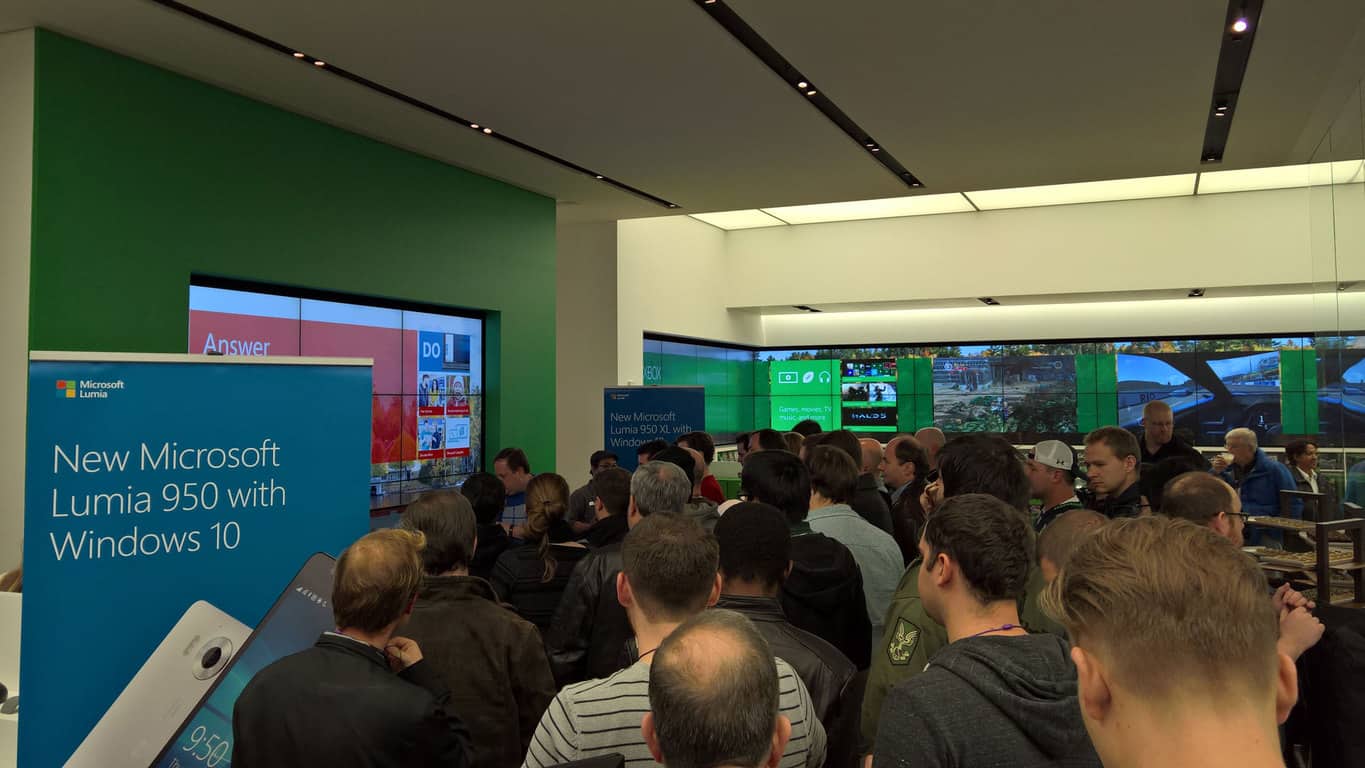
Last night at Microsoft Stores in New York City and Bellevue, WA, Windows Insiders were given an opportunity to learn a bit more about the latest Lumia phones and to purchase them with a bonus offer of an (in hand) Display Dock, for Continuum.
I braved the rain and the traffic to Bellevue for the event, arriving at Bellevue Square at around 6:30 pm, and Insiders were already lined up at the door. My guess is that there were over 100 Insiders. As we were let into the Store in bunches, we gathered in the demo space in the back and were greeted with an assortments of chocolates, a hot chocolate bar with all the trimmings, and a demonstration of Continuum. The room was pretty crowded, and I let others move to the front to see the demo, which gave me time to gaze upon the Windows cupcakes:

While there wasn’t much in the way of meeting ‘Softies (the only Microsoft employees I saw there were marketing types, no Gabe or anyone from the Insider team), Windows Insiders did line up for phones, and they bought them in droves:

Again, purely a rough estimate, but this line to buy phones was quite a bit longer than this, and I would guess that the Store sold 50-75 phones to Insiders. As I’ve already purchased a Lumia 950 XL, I was hoping to grab a Display Dock, but they ran out of their allotment. I stopped by the AT&T store across the street from Bellevue Square after the event, and picked one up for $119, a typical AT&T markup on the $99 device. Still, the dock I have coming with my online purchase of the 950 XL is not due for “10-12 weeks”, and I wanted one before they’re totally old news.
Anyway, Insiders seemed to be having a good time lining up to buy the latest Lumia phones, and Microsoft’s investment in Windows Insiders sure looked like it was paying off. There were some serious Windows fans in attendance:

I talked to this guy a bit later as he was longingly looking at the HoloLens at the front of the store, lamenting that his wife would kill him for spending $3,000 on a developer unit. It sure is nice to see Windows enthusiasm on display, though.
While maybe a bit short on content, the Windows Insiders night at the Microsoft Store looked to be a success, with lots of phones sold and lots of seemingly happy customers.
(btw all photos taken with a Lumia 950 XL)
Reverend Jesse Jackson issues a call to action at Microsoft shareholders' meeting
We reported earlier this morning Microsoft is shaking up its Board of Directors once again. As the technology company gets ready to make some changes, the Reverend Jesse L. Jackson and his Rainbow PUSH Coalition is taking the opportunity to make a few remarks at Microsoft’s Shareholder Meeting.
Reverend Jackson notes in general in the tech industry, African Americans and Latinos are underrepresented on their Board of Directors. His PUSH Coalition’s research revealed that in 2014, out of twenty tech companies with a total of 189 directors, only three African Americans and just one Latino are represented on the Boards. Reverend Jackson takes the time to commend Microsoft for adding two women to the Board of Directors earlier this year but calls for Microsoft to add African American and Latino directors. He also offers the services of the PUSH Coalition to help Microsoft identify qualified appointments.
The Reverend feels Microsoft is in a unique position to lead a new era in diversity. He applauds Microsoft for their recent efforts to expand the diversity of its employees and reach out to underrepresented communities. Reverend Jackson thinks Microsoft’s Law Firm Diversity program should be replicated throughout the industry to support more African American firms and lawyers. Reverend Jackson and the PUSH Coalition are also excited by the expansion of the TEALS and Youth Spark program, which offers computer science education for underrepresented backgrounds.
But he also feels Microsoft needs to reinvigorate its multi-cultural advertising to engage African American and Latino media, advertising and marketing agencies. The PUSH Coalition research notes that African Americans and Latino are now total at almost 100 million people in the US and possess some $2 trillion in purchasing power. He further asks specifically what targets and timetables Microsoft is going to set for itself to measure progress for expanding its diversity and inclusion.
Stay tuned for more from Microsoft’s Shareholder Meeting, currently underway. If you wish to read more of the Reverend Jesse Jackson’s remarks, you can read his prepared remarks here on GeekWire.

Microsoft shaking up its board once again amidst MSFT share price gains
Microsoft’s last Board of Directors shakeup saw two retirements and two new additions, and as with all corporate boards, the changes aren’t stopping there. According to The Seattle Times, Microsoft’s board will be experiencing some additional changes soon.
First, we have Maria Klawe retiring after six years on the board. With her departure, only three board members remain who were on the board prior to 2012. Co-founder Bill Gates, of course, remains the longest-running board member.
Two women were nominated to succeed Klawe, which of course requires another board seat (for a total of 11 directors). Sandra Peterson from Johnson & Johnson and Padmasree Warrior from Cisco are the nominees.


In more news, Microsoft stock hit very close to an all-time high earlier this morning, trading at $55.96. You have to go back to December 31, 1999 for a higher share price, when MSFT traded at $58.38.

With Microsoft showing some strength with its stock price, CEO Satya Nadella shouldn’t suffer too much from seeing his salary cut from $84,308,755 in fiscal 2014 to $18,294,270 in fiscal 2015. He also received a grant of up to 2.7 million MSFT shares based on the MSFT price, which at today’s price would equal $151,092,000. Clearly, Nadella is being well-compensated for the recent success of Microsoft’s “cloud-first, mobile-first” strategy, while sharing in the risk of the strategy’s future performance.
Finally, we note that Bill Gates decreased his ownership stake in Microsoft, with his shares dropping from 290 million in 2014 to 222 million shares in 2015. That’s a decrease from 3.6% to 2.8% of outstanding MSFT shares.
Microsoft is making some serious fundamental changes to how the company is doing business, and apparently the stock market agrees with what they’re trying to do. We’ll be keeping a close eye on how the company performance financially, because of course that will determine whether Nadella stick with the current strategy or tries something even more different.
German Windows Insiders offered €50 off, more, on Lumia 950 and Lumia 950 XL purchases
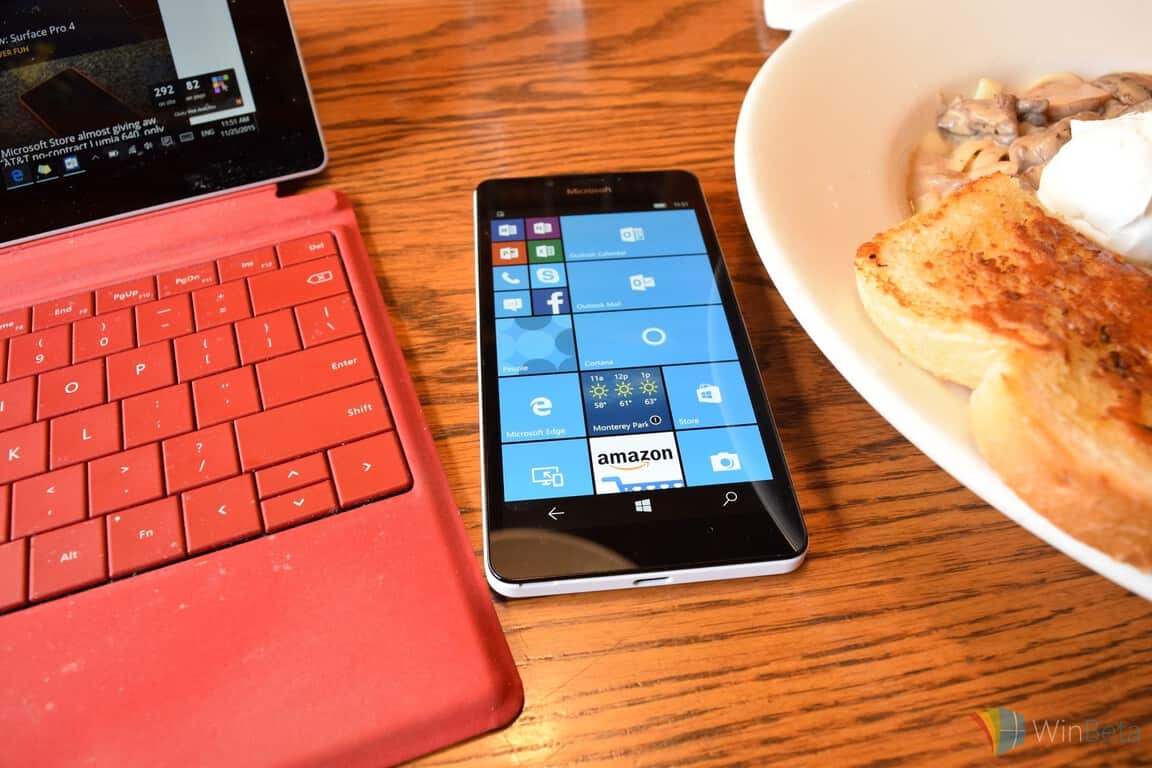
German Windows Insiders are in for a treat if they’re thinking about purchasing the newly announced Lumia 950 or the Lumia 950 XL. Microsoft has started sending out emails to Windows Insiders in the country, informing them about a €50 price cut on the Lumia 950 and the Lumia 950 XL, along with free accessories as well (via Windows Central).
This means the Lumia 950 can be purchased for €549 instead of €599, while the Lumia 950 XL is down to €649. However, the discount is only available on unlocked handsets purchased from T-Mobile Germany. The deal doesn’t only offer a €50 discount, the bundle also includes a free Display Dock as well as a Mozo cover for the device.
If you’re received the email, make sure to act fast as the promotion is set to expire on December 13th. This is definitely a great offer, especially for Windows Phone fans out there who want to save their hard-earned cash.
In the meantime, if you’re confused, you can check out our first impressions of the Lumia 950 and Lumia 950 XL to help you make up your mind. We’ll also post our detailed review of both devices soon.
Microsoft and UK charity Guide Dogs improve technology for the visually impaired

For the visually impaired, being able to hear their surroundings is imperative to their daily lives. Microsoft collaborated with UK charity Guide Dogs to take this a step further last year, with a headset designed to help them navigate their cities. This headset used bone conduction to send physical and aural cues to the user, as they moved around. Vibrations, clicks, and other aural cues are used to help inform the user of their surroundings. However, in the ever-changing world of technology and to further help people who are visually impaired, Microsoft set off to push those features even further.
Jamail Chudge, head of the Cities Unlocked program for Microsoft stated:
After phase one last year we started to think deeply about how we can empower people to be more independent, more mobile and act in much the same way as a sighted person would do.
In the latest update to this headset, Microsoft has enabled the user to receive voiced information about their surroundings. Utilizing technology like GPS, Bluetooth beacons within buildings, Bing Maps and software designed with the help of Guide Dogs, Microsoft has allowed the user to paint a mental image of their town. When traveling about, the user is prompted through voice about approaching businesses, landmarks, obstacles to avoid, locations within a building and transportation, with arrival/departure notifications. Coupled with the previous technology of using vibrations to pinpoint direction, Microsoft has created a “3D” way for people visually impaired to experience their own homes. To further enhance the users immersion, an embedded microphone offers the ability to talk out questions, gaining further information about their surroundings.
With Microsoft, their goal is to empower people and to do more. Giving people who are visually impaired a way to interact with their surroundings, like us who are sighted, is a further step towards that goal.
Tip: Pin Any Folder or Disk Drive to the Home Location in Windows 10

Many users love having their favorite folders available for quick access, and in Windows 10 this is achieved by using the Home location. If you have folders that you access regularly today we’re going to show you how to pin any folder or disk drive to Home location in Windows 10.
How to Pin Any Folder or Disk Drive to the Home Location in Windows 10
Using Home location for quick access is great, especially if you’re working on a project and you work with same folders on regular basis. With Home location you can access any folder in just two clicks instead of navigating to the exact folder location. As you can see, using this method is a lot quicker and simpler, and if you want to try this feature out, here’s how to pin a folder or disk drive to Home location:
- Open File Explorer and navigate to Home folder. Home folder should be located in the left pane of File Explorer.

- Once you’re in Home folder open another File Explorer and find the folder you want to add to Home location.
- Click and drag desired folder to Home location and it will be added there. Now you can easily access it at any time.

- If clicking and dragging seems like too much work, you can simply right click a folder and choose Pin to home from the menu.

If you want to unpin folder from the Home location all that you have to is to find that folder in Home folder, right click it and choose Unpin from home from the menu.
As you can see, adding folders to Home location in Windows 10 is quite simple and you can add folders, disk drives or This PC to Home location by following these steps.
Lenovo reveals three new Windows 10 machines due out in Q1 2016
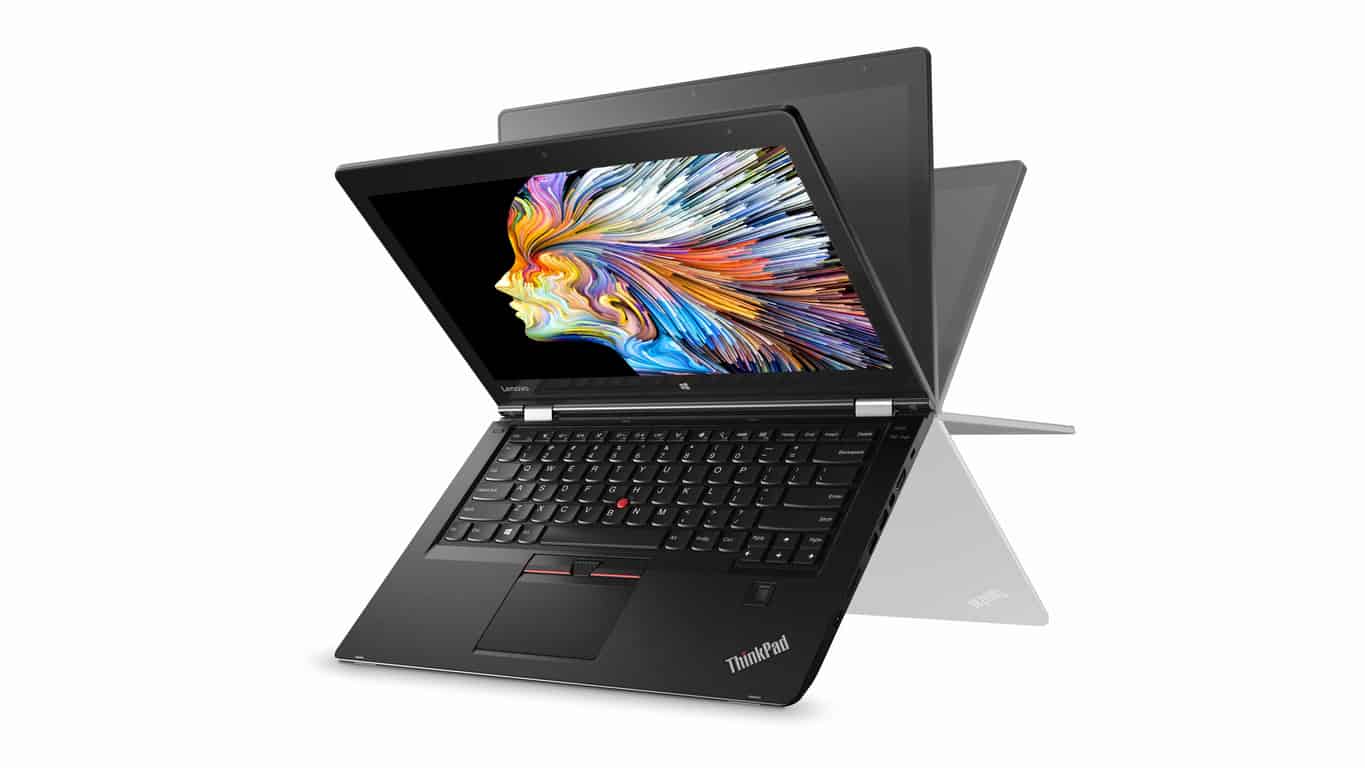
Lenovo has just announced three new devices aimed at the higher end of the personal computing market. The first is the ThinkPad P40 Yoga which appears to be the company’s answer to Microsoft’s Surface Book. Like previous Yoga PC models, the ThinkPad P40 Yoga features the adjustable screen and keyboard which allow for the device to be set in a variety of positions but also includes an improved pen and touchscreen, powered by the Wacom Active ES technology, that provides 2,048 levels of pressure sensitivity on a high-res (2560 x 1440) IPS display. The ThinkPad P40 Yoga also comes with the rechargeable ThinkPad Pen Pro which itself comes with several adjustable pen tips for a more nuanced creative experience for designers and artists.
The ThinkPad P40 Yoga is powered by a NVIDIA Quadro M500M GPU with 2GB VRAM and features an Intel Generation CoreTM i7 CPU and up to 16GB of RAM and 512GB SSD storage. In a first for the Yoga line of devices, the ThinkPad P40 Yoga has incorporated a newly designed Lift ‘n Lock keyboard whose frame automatically rises to protect the keys when the keyboard’s position is changed.
Along with the announcement of the ThinkPad P40 Yoga was the reveal of a cheaper device, the ThinkPad P50s, which is similar to the P40 but is thinner, more affordable, and lacks the support for ThinkPad Pen Pro. Interestingly, the ThinkPad Pro 50s will also be available with a pre-loaded Windows 7 option in addition to Windows 10 while the ThinkPad Pro 40 Yoga is purely a Windows 10 machine.

A new addition to the Lenovo ThinkStation P Series, the ThinkStation P310, was also announced. This new workstation is designed to be an affordable entry-level high-end machine. It’s powered by the new Intel Xeon E3-1200v5 and the latest NVIDIA GPU technology. The system also doubles the memory capacity of previous workstations with up to 64 GB of DDR4 RAM and support for FLEX drives with Samsung M.2 NVMe SSDs.
The ThinkPad P40 Yoga, ThinkPad P50s, and ThinkStation P310 will all be available within first quarter 2016. Pricing for the ThinkPad P40 Yoga begins at US$1399, while the ThinkPad P50s cheapest model will start at US$1299 and the Lenovo ThinkStation P310’s at US$729.
Just over a month ago Lenovo revealed two other new upcoming devices, the Yoga 900 Convertible Laptop and Yoga Home 900 Portable All-in-One Desktop. You can read more about those machines here. They also released the new Windows 10-powered Lenovo Yoga 700 which is available now.
Lenovo’s Windows devices have long been a popular alternative for consumers looking for something other than a Surface Pro to run the latest version of Windows and both their entry-level and high-end machines regularly get fairly popular reviews from the press and consumers. In our reviews of the Lenovo Yoga 3 and the Lenovo Yoga Tablet 2 for example, we found both to be fairly good cheaper alternatives to a Microsoft Surface or Surface Pro.
Are you interested in any of these new Lenovo Windows 10 computers? Which one catches your eye? Let us know in the comments below.
Microsoft solicits HoloLens ideas from the community, will build the best one
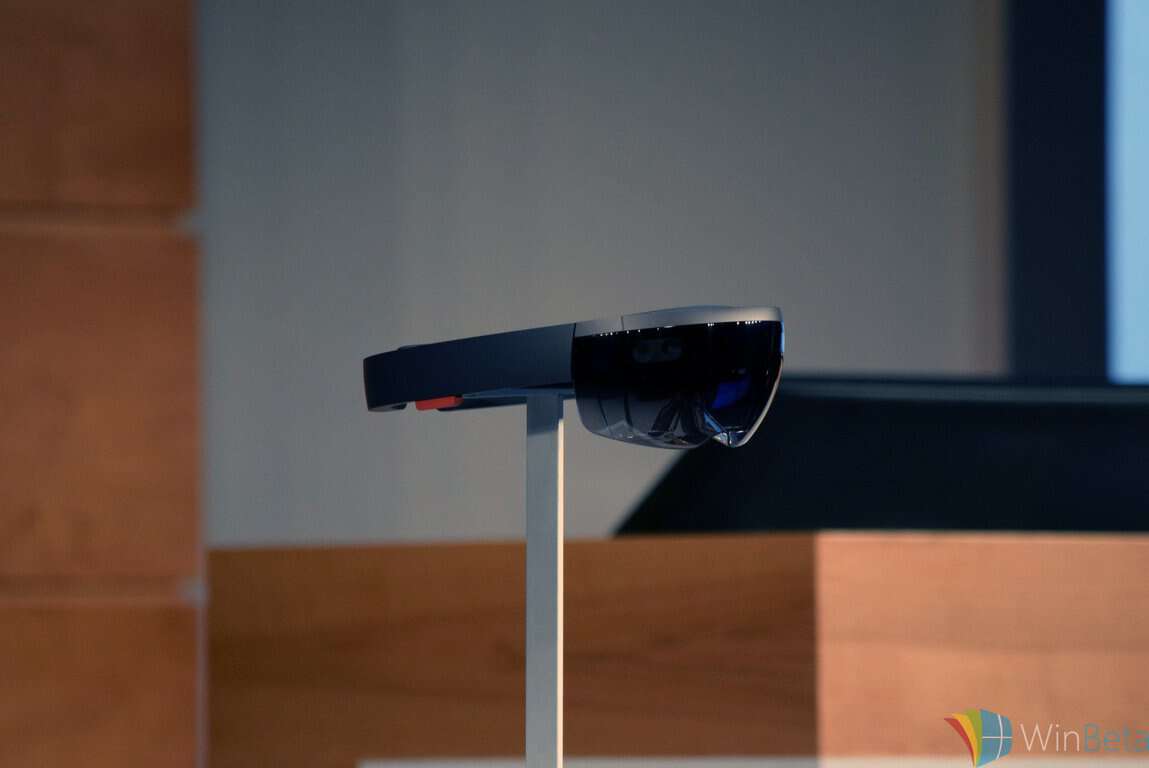
Microsoft HoloLens is one of the company’s more innovative and pioneering efforts as of late and promises to make some serious noise over the next few years. The company recognizes the value of its augmented reality tool to all sorts of industries and has been pushing for ideas from developers and academia alike. Now, Microsoft is soliciting your ideas, through a program aimed directly at implementing feedback from the HoloLens community.

Starting now and running through January 11, 2016, you can submit your HoloLens development ideas directly to Microsoft. To help you out, Microsoft will be providing information on HoloLens development concepts to help you flesh out your notions and provide the most useful feedback.
First, give a quick watch to the overview video:
Then, once all of the ideas are in, the HoloLens development team will choose the three most viable ideas and solicit votes from the Twitterverse. The winning idea will be brought to life by the development team, and everyone can follow along via weekly build reviews, Q&A, and much, much more. Finally, the result will be open sourced and made available for the HoloLens community to work their magic.
We’re sure that you’ve already thought of many awesome uses for Microsoft’s HoloLens, so what are you waiting for? Submit your ideas now, and may the best idea win.
Microsoft brings Cortana, Quick Insights to Power BI for better business intelligence
Microsoft’s Convergence conference for business professionals is being held this week in Barcelona, Spain (it’s coming to New Orleans, LA next April) has been bringing us a number of business oriented announcements, including a new Office 365 E5 tier, Power Apps, and more. Now today, from day 2 of the event, Microsoft has some more news, this time around its business intelligence platform, Power BI.
First, for a quick overview of Power BI, Microsoft recently released this video explaining what visualizing business intelligence is all about:
Today, Microsoft announced some new features to Power BI, including integration with Cortana, and Quick Insights. Cortana, along with the Cortana Analytics Suite, can query Power BI data and either return results directly, or connect with previously generated reports:
By utilizing Power BI’s data visualization capabilities, answers can range from simple numerical values (“revenue for the last quarter”), charts (“number of opportunities by team”), maps (“average customer spending in California by city”), or even complete reports from Power BI all provided directly from Cortana. Potential answers are either determined by Cortana on the fly directly from the data, or by using reports already created in Power BI that help answer a question. To further explore an answer, users can simply open a result in Power BI.
There are new features in Power BI to make it easy for Cortana to return and display reports. You can give reports alternate names, so that Cortana can find a report using a variety of queries, and set special report sheet sized to get the most out of displayed results.
Microsoft also introduced Quick Insights, a set of algorithms developed in partnership with Microsoft Research that can search your data for potential insights “hidden” in your data. These insights can highlight category outliers, time series outliers, trends in time series, seasonality, steady share, and major factors, where a single factor contributes to the majority of a total value when broken down by another dimension.
Microsoft is holding a new conference, the Data Insights Summit, next March in Redmond, for business analysts to learn more about best practices and new tools for business intelligence, as the company continues to extend Office 365 to provide new tools and insights to keep Office relevant for a new generation of users.
Microsoft Store carolers send message of peace and joy to Apple Store staff
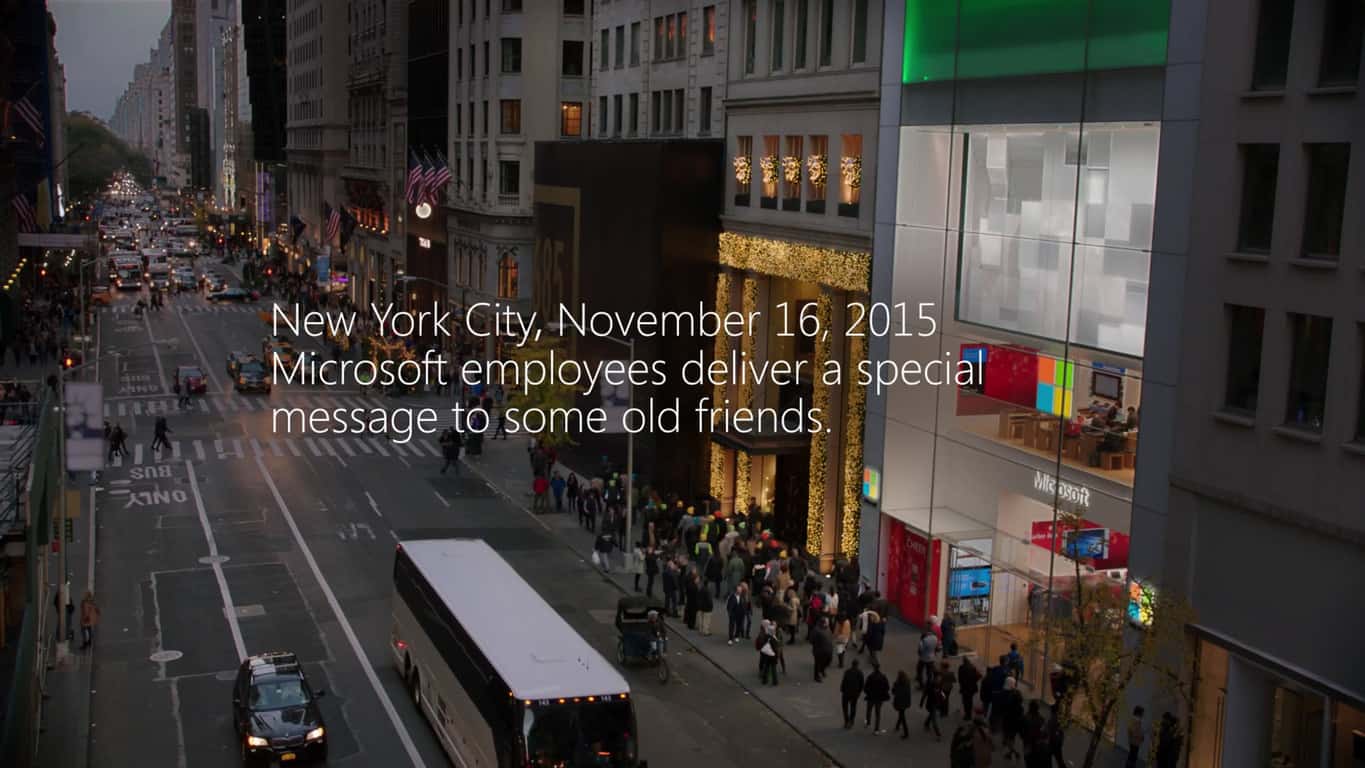
Hugs and tears abounded on November 16, 2015 as Microsoft’s New York flagship Microsoft Store sent some holiday cheer to their frenemies at the Apple Store up the street. Microsoft and Apple have enjoyed a colored history over the years, acting as both bitter enemies and the BFFs as their fortunes have waxed and waned. Today, of course, Microsoft is leveraging Apple’s strengths in mobile devices with a wide range of cross-platform productivity solutions while Apple has refrained from raining on Microsoft’s parade quite so regularly.
Here’s the video, full of the holiday spirit:
Because the cynic in us recognizes that this was a marketing effort at its root, we turn to AdvertisingAge for some context:
Kathleen Hall, corporate VP-global advertising at Microsoft, said that because New York has strict security rules, Microsoft had to get permission from Apple to perform the song on the store’s plaza. Apple, she said, knew Microsoft would be filming something, they just weren’t sure what. In the spot, Microsoft employees begin singing, while Apple employees spill out of the store to watch. Employees from the two rival companies hug, a move Ms. Hall said was a moment of “setting differences aside and coming together.”
The video will be aired starting on December 3 as a 60-second ad, while a longer version will be available online. The song “Let There Be Peace on Earth” serves as the soundtrack, as well as a strong contrast with last year’s ad blitz that focused on how the Surface Pro 3 kicks Apple’s butt by providing a more flexible and productive notebook/tablet hybrid than the MacBook Air.
We’ll be watching for Apple’s response, likely to be something similar to handing out candy canes at Microsoft headquarters. If the holidays could bring about a truce on the Western Front during World War I, then there’s no reason to believe that Microsoft and Apple can’t put aside their differences this holiday season.
Microsoft and HPE make their hybrid cloud partnership official
We reported that Hewlett Packard Enterprise (HPE) and Microsoft would be partnering in the hybrid cloud space, with Azure becoming HPE’s “preferred cloud alternative” and HPE becoming a Microsoft “preferred” cloud services provider for consulting and other services. Today, Microsoft made it official with the obligatory press release.
As expected, the partnership centers around Azure, HPE’s infrastructure and services offerings, and some new programs that should bring some enhanced cloud services to Microsoft and HP customers. Both company CEOs had statements to make on the new partnership:
“Hewlett Packard Enterprise is committed to helping businesses transform to hybrid cloud environments in order to drive growth and value,” said Meg Whitman, President and CEO, Hewlett Packard Enterprise. “Public cloud services, like those Azure provides, are an important aspect of a hybrid cloud strategy and Microsoft Azure blends perfectly with HPE solutions to deliver what our customers need most.”
“Our mission to empower every organization on the planet is a driving force behind our broad partnership with Hewlett Packard Enterprise that spans Microsoft Azure, Office 365 and Windows 10,” said Satya Nadella, CEO, Microsoft. “We are now extending our longstanding partnership by blending the power of Azure with HPE’s leading infrastructure, support and services to make the cloud more accessible to enterprises around the globe.”
The partnership will focus on three primary areas:
- “Product Integration and Collaboration”: The HPE Hyper-Converged 250 for Microsoft Cloud Platform Standard will be the partnership’s hardware centerpiece, built around HPE ProLiant technology customized for Azure. The CS 250, for short, can be ordered starting today.
- “Extended Support and Services to Simplify Cloud”: HPE Centers of Excellence will be established in Palo Alto, CA and Houston, TX, where investments in advancing Hybrid IT and Composable Infrastructure technologies will be aimed at improving hybrid cloud experiences. HPE will also certify 5,000 additional Azure Cloud Architects, pumping up its Global Services Practice.
- “Partner Program Collaboration”: For its part, Microsoft will become a member of the HPE Composable Infrastructure Partner Program aimed at innovating and advancing in the automation and integration of Microsoft System Center and HPE OneView. HPE will also leverage its participation in the Microsoft Cloud Solution Provider program to market Azure, Microsoft Enterprise Mobility Suite, and Office 365 cloud solutions.
Whew, that’s quite a mouthful of buzzwords, but it all seems to imply a strong move in Microsoft’s “cloud-first, mobile-first” strategy. Because HPE has been split off from the HP that’s selling Microsoft Surface competitors, any conflicts of interest should be minimized. HPE and Microsoft should therefore present a formidable cloud services competitor, and we’ll be keeping an eye on the partnership’s progress.
Top tips to improve battery life on your Lumia 950 or Lumia 950 XL
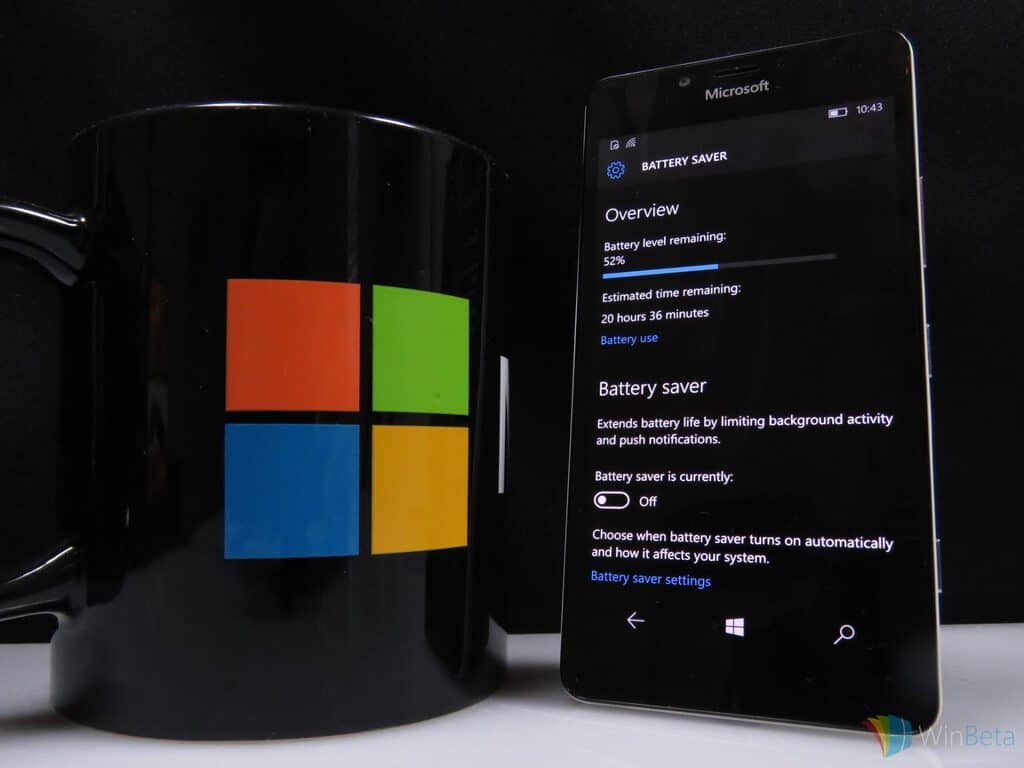
The Lumia 950 and Lumia 950 XL are powerful Windows 10 Mobile devices with an amazing camera and superb performance under the hood. Here are some battery saving tips for your new device so you can keep that phone running longer without having to plug it in for a charge.
One of the biggest features of Windows 10 Mobile is Battery Saver. This app lets you stop pulling in emails and calendar updates automatically, as well as delays the updating of Live Tiles and prevents certain apps from running in the background. An excellent tool to preserve battery life, especially during situations where you are unable to charge your phone for a while. Go to Settings > System > Battery Saver > and enable the option to have Battery saver. You can also set Battery Saver to automatically turn on if your battery falls below a certain percentage (like 20% for example).
You can also turn off WiFi and location if you are not using them to help preserve battery life. For example, when you leave your home, you are no longer connected to your home WiFi, causing your Lumia 950 to continue scanning for a fresh WiFi connection. This will definitely reduce your battery life. All you have to do is swipe down from the top of the screen, tap on expand, and tap on Location as well as your WiFi to turn it off. You can re-enable it just by tapping on it when you need it. Note that you will not be using WiFi or location services (for maps) with these two options turned off.
Reducing your screen brightness is another way to preserve battery life. There are times where you want the brightness level at the max, especially when outdoors during a sunny day, but leaving it at the highest brightness setting will eat up your battery. Swipe down from the top of the screen and simply tap on the brightness shortcut to adjust the brightness percentage.
You can also disable vibrate on your phone to help boost battery life. Your Lumia 950 is set to vibrate by default whenever you receive a call or text message, but you can turn this off by going into Settings > Personalization > Sounds, and turning off vibrate.
Your phone has Airplane mode, which turns off all network connections so you won’t receive any phone calls, text messages, or emails. If you are in an area that has no signal and you know you are going to be there for a while, Airplane mode is a fantastic way to keep your phone from constantly looking for a connection, resulting in your battery draining. When all else fails, you can just turn off your phone to save battery, but that’s not always ideal in certain situations.
Hope you enjoyed these tips for preserving battery life on your new Lumia 950. For those of you who are seasoned Windows Phone users, do you have any battery saving tips for new Lumia 950 owners?
Microsoft unveils E5, an enterprise calling plan for Office 365
Consumers have been using Skype, Microsoft’s online text and video chat client, for over a decade. Even though Microsoft rebranded their business-friendly program, Lync, to Skype for Business, the target audience still has been slow to adopt the service. Today, Microsoft announced that they will be including a new bundle for the business-oriented Office 365. The new bundle, dubbed E5, is Microsoft’s bet on getting the corporate world to utilize yet another workplace tool from the company.
But why, with its apparent targeting of users, did Skype for Business and Lync not have the userbase Microsoft had hoped for? John Case, the corporate vice president of Office, felt that business-class phone service wasn’t ready in general. He is quoted by the Wall Street Journal as saying that “Companies like Microsoft haven’t given [businesses] enterprise solutions they can bet on”, and E5 is Microsoft way of changing that.
E5 will be a new Office 365 bundle, with pricing starting at $35 for one user per month, which will include Office 365, as expected, with unlimited conference calls included in that price. Microsoft has also priced international calling at a $24 premium with this new bundle. Aside from just including new features and software into products that businesses might already pay for, Case discussed the ability of a business to use the service instead of traditional carrier-based and conference services.
In the United States, the carrier model is a strong one that people are familiar with and opt to subscribe to for business operations. In a similar way, PBX, or private branch exchange, phone service is ideal specifically for a business that deals with a lot of in-calling and cross-device communication such as managing mobile, landline, and online-based phone calls together.
Case has said that these features would be part of the E5 bundle, but the struggles of managing both carrier and conferencing service provider would be lessened by using Microsoft’s service. To challenge the hardware-level offerings that carriers provide, Microsoft has said that Polycom Inc. will be among the hardware makers to utilize the new calling plans and features coming with the new Office bundle for businesses.
Microsoft co-founder Bill Gates offers a rare look into his personal life in new video

In an interview with Geekwire, Bill Gates reflects on his father’s impact on his life as his father celebrates his 90th birthday. The elder Bill Gates has had a great life so far, even without now being known for having one of the co-founders of Microsoft as a son. Microsoft’s Bill Gates reflects on what it has meant for him to have his father in his life and how his father’s presence and guidance made him go on to create Microsoft and the Bill & Melinda Gates Foundation to help people throughout the world.
Bill Gates posted a video on his blog, announcing his father’s birthday and posting a video that the Gates family put together in honor of his father.
“My dad has had an enormous influence on my life. He is the wisest person I know. Like a lot of sons and daughters, I didn’t always recognize my father’s wisdom when I was growing up. But eventually I figured it out and I have turned to him for advice more times than I can count. My dad is also one of the most generous and kind people I know. Our foundation would not be what it is without his guidance and inspiration. Our family had a party for Dad yesterday. We put together a video celebrating him and I thought I would share a part of it here. Thanks, Dad, for all your love. I am lucky and proud to be your son.”
The video is a rare look into Bill Gates’ personal life and how his father shaped his life. With all his father’s wisdom and guidance, I wonder what his father thought of his son dropping out of Harvard to start what would ultimately become Microsoft?
Microsoft declares "10 days of 10 cent deals" a success, adds one more day
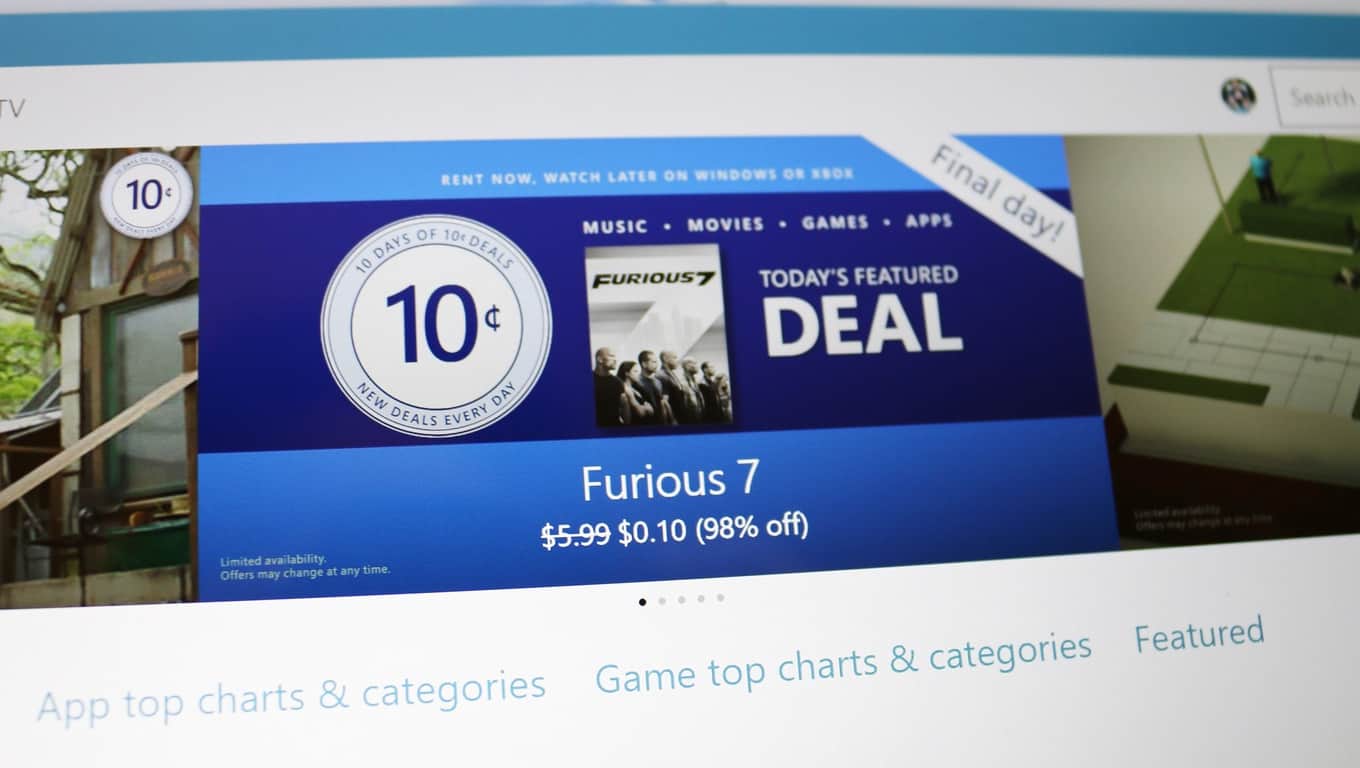
Microsoft was supposed to wrap up their 10 Days of 10 Cent Deals in the Windows Store last night. The 10 Days of Deals Windows Store promotion reduced the price of a number of apps, games, movie, and music to just 10 cents over the past 10 days. But early this morning, the Windows blog announced Microsoft is extending their 10 Cent Deals for one more day because of the promotion’s success.
As one would expect with 10 cent deals, the promotion was not about increasing sales revenue, so the measure of success was different in a very important way for Windows 10. Instead Microsoft is describing the success of the promotion in terms of increasing customer engagement for the Windows Store. Today’s announcement revealed a few metrics from the promotion to demonstrate the success of driving higher customer engagement.
On average the Windows Store saw the number of customers increase by 10 times, along with a 29 times increase in the number of purchase of apps, games, movies, and music from the Windows Store. Critically, 75% of deal purchasers were new to the Windows Store. Increasing new customers and driving engagement for multiple purchases is an important part of ensuring success for the new unified Windows Store, and by extension Windows as a platform for app developers, for both Windows 10 and Windows 10 Mobile.
So if you missed out on the past 10 Days of Deals, or want to grab a few more 10 cent apps, movies, and games, head over to the Windows Store. Here is a highlight of the new deals added on top many of the existing deals that are still going on from the past 10 days for today only.
Movies

- Rent Furious 7 for 10 cents.
- Rent Tomorrowland for 10 cents.
- Rent Frozen for 10 cents.
Games
- Buy Angry Bird StarWars for 10 cents.
- Buy Hitman Go for 10 cents.
Music
- Buy The Weeknd Trilogy for 10 cents.
- Buy Drake Nothing was the Same for 10 cents.
- Buy Imagine Dragons Night Visions for 10 cents.
Apps
- Buy Back to the Drawing Board for 10 cents. Back to the Drawing Board is a 2D CAD and technical drawing app for creating “2D plans, elevations, details, schematics, diagrams and charts, right from your Windows device.”
- Buy IM+Pro for 10 Cents. IM+Pro is a single app for consolidating all of your major instant messaging accounts into one place. From IM+Pro you can access everything “from Facebook, Google Talk and Yahoo! to Vknotakte, Odnoklassniki, Fetion and Gadu-Gadu.” The features “text messages and photo sending, support for group chats in AIM and ICQ, and more.”
What did you think of Microsoft’s 10 Days of Deals? Which apps, games, movies and music did you pick up for just 10 cents? Let us know in the comments section below.
Microsoft continues to innovate, announces new solutions for enterprise modernization
Microsoft continues to invest in new and expanded products and services for its business customers, likely the company’s most important market segment according to its “cloud-first, mobile-first” strategy. Whether it’s Office 365 for business, Dynamics, or Azure, Microsoft recognizes the need for solutions to keep enterprises in the fold. And as the Microsoft news site reports today, Microsoft is announcing a host of new enterprise-orients solutions aimed at solidifying their hold on this market.
It seems like not a day goes by when Microsoft isn’t holding a conference or even somewhere and announcing some new offerings. This year’s Convergence EMEA conference in Barcelona, Spain is no different, and Microsoft took advantage of the business-oriented audience to make three principle announcements.
Office 365 enterprise enhancements
Office 365 is the linchpin in Microsoft efforts to reposition itself as the productivity platform company, and so Office has been transitioning from a standalone software suite aimed at Windows users to a cross-platform subscription service aimed at everyone who uses virtually any kind of computer.
Today’s announced enhancements to Office 365 for business are intended to “modernize the enterprise across meetings and voice, intelligence, and security and privacy.” Microsoft considers the following to be some of the most important new functionality for enterprises added to Office 365 since its inception:
• A complete meeting and voice solution. With Skype Meeting Broadcast, Public Switch Telephone Network (PSTN) Conferencing, PSTN Calling and Cloud Private Branch Exchange, Office 365 customers now have one platform for calling, conferencing, video and sharing integrated with the Office applications they use every day.
• Analytics and data visualization. Delve Analytics empowers individuals by providing rich, interactive dashboards that surface insights into how they spend their time and who they spend it with, so they can focus on the tasks and people that matter most.
• Advanced security and compliance. Customer Lockbox offers customers full control over access to their data in Office 365 by giving them ultimate approval rights in the rare instances when a Microsoft engineer must request access to the service. Office 365 Advanced eDiscovery brings machine learning and text analytics that reduce the costs and risks inherent in managing large quantities of data for e-discovery.
Between these three new offerings, Microsoft is linking Office 365 with Skype for Business to enable enterprises to utilize one platform for both productivity and communications services. The combination results in cost savings and a less complex environment for IT staffs to manage. Customer gain more control over their cloud data via Customer Lockbox, while Advance eDiscovery makes Office 365 a more powerful platform for enterprises in accessing data for e-discovery purposes. And Delve Analytics enhances productivity by making data more easily accessible and insights more readily apparent.
Taken together, these new offerings make up a new Office 365 for business subscription tier, Office 365 E5. Lower tiers will also be able to buy into the features at add-on prices.
General availability of Dynamics CRM 2016
Dynamics CRM 2016, which Microsoft dubs “the most comprehensive CRM release to date,” becomes generally available today and provides a number of important enhancements:
Dynamics CRM 2016 utilized Azure Machine Learning to provide deeper access to data and intelligence that enhances the ability for sales, marketing, and service professionals to know their customers and make better decisions in pursuing sales and providing customer service.
Mobile professionals benefit from enhanced offline capabilities, along with the ability for enterprise to create task-centered mobile apps. Cortana integration further enhances the ability to access information and drive processes for mobile users.
Microsoft customers recognize the value in focusing on customers rather than internal business needs:
Jumeirah Hotels & Resorts is one such customer that knows the benefits firsthand. “To transform how you operate and to become a leader requires an internal transformation,” said Abdullatif Awadh, director of customer relationship marketing at Jumeirah Hotels & Resorts. “We found Microsoft Dynamics CRM had what we needed, and now we’re shifting our focus to ensure our campaigns are relevant to the guest, rather than the business, because it’s the guest who drives our business.”
PowerApps
Microsoft is also introducing a new set of tools aimed at enabling enterprises to create apps that connect to Microsoft business systems securely and collaboratively. As the industry continues to migrate to mobile environments, PowerApps will help Microsoft leverage the dominant trend and help enterprises make their cloud services, line-of-business systems, and mission critical apps available throughout their organizations:
• Employees. Quickly create apps that work on any device, using the familiar Microsoft Office experience, with no coding required.
• Professional developers. Expose data and services to empower employees to innovate on their own, and continue to create native Web and mobile apps and APIs with Azure App Service.
• IT professionals. Manage organizational data and app sharing in a controlled and secure way.
PowerApps is intended to allow app development to be quick and easy, offering up prebuilt connections to Microsoft and third-party services such as Office 365, Dynamics, Salesforce, DropBox, and OneDrive. The PowerApps development environment is similar to Office and offers tools such as templates and a visual designer to make automating workflows an easier and more dynamic process.
Simply put, Microsoft is clearly focused on ensuring that it continues to provide deeper value to enterprises. The days of locking businesses into Office running on Windows and utilizing on-premise Windows Server implementations are over. Today’s announcements demonstrate that Microsoft recognizes the threat of mobile platforms like iOS and Android, competing cloud services from the likes of Amazon and Google, and the proliferation of simpler, mobile-centric productivity offerings like Google Docs.
Windows fans will always be perturbed as Microsoft pushes its solutions to platforms other than Windows, and sometimes first, but ultimately that’s the only way the company can ensure that companies stay in the Microsoft camp. Their new focus on “cloud-first, mobile-first” and productivity is aimed at helping customers build enterprise-wide workflows around Microsoft’s platform and thus make it far more difficult to competitors to push Microsoft out the door.
How to use one-handed mode on your Lumia 950 or Lumia 950 XL
As phones get bigger in size, so does the hassle of reaching the top of your screen with one hand. Sure, we can do it, but it takes extra effort and often times we end up using our other hand to bring down the notifications pane. But what if you could do everything with just one hand?
Windows 10 Mobile comes with a cool one-handed mode for those of you who own a Lumia 950 or Lumia 950 XL and find it hard to maneuver around the screen with one hand. All you have to do is tap and hold the Start button, which will cause your screen to slide down about half-ways so you can easily reach the top of the screen without fumbling with your phone in one hand.
This feature was originally intended for devices that had screen sizes larger than five inches, but Microsoft has made it available to all phones running Windows 10 Mobile. Once you activate one-handed mode, the top half of your screen turns black and you can use your thumb to scroll or interact with content that was previously at the very top of the screen.
Give it a try and see if you like it!
How to record phone calls on the Lumia 950 and Lumia 950 XL
Did you know that you can record phone calls on Windows 10 Mobile? If you are a proud owner of a Lumia 950 or Lumia 950 XL, here’s how you can set up native call recording, without having to install any extra apps.
Head over to Settings > System > Phone, and swipe to the very bottom of the page. You will see an option that allows you to chose the app you want to use to manage recorded phone calls. In the drop-down menu, select Voice Recorder. You’re all set.
During a phone call, you will see a new button on-screen called Record. Just tap on the button to begin recording your phone call and the party on the other end will not know you are recording the call. You will have to tap this button manually during each phone call, it does not record automatically.
So how do you listen to your recorded calls? Tap on the Phone tile to open up the dialer. Go into the phone history tab and at the very bottom of the screen is the settings menu (the three dots). Tap on that and select Recorded calls. You will now be taken to all your call recordings!
Listen to these ten amazingly awkward songs about Microsoft
There is a list of songs for your Spotify playlist that are all about Microsoft. Whether it be Cortana, Outlook, or even Microsoft’s Zune, there’s a song on Spotify about Microsoft. While Spotify has a nearly endless collection of songs, it’s only fitting that someone, somewhere, posted a song they wrote about Microsoft.
You can pick a song from almost every music genre; hip-hop, punk, blues, or country. You will need a free or paid subscription to Spotify to listen to the tracks below. In a special holiday deal, Spotify is offering 3 months of premium for $0.99 ($9.99 every month after that) for new users. Offer ends January 2, 2016. Be warned, some tracks contain EXPLICIT language:
A Microsoft Farewell by Andy Browning
Andy Browning sings about he can’t love Microsoft anymore and it is time for him to take his heart elsewhere.
The Skype Song by Cynthia Wang
Taiwanese actress and singer Cynthia Wang, who surprisingly has a number of songs under her belt already, sings about love, and distance and how Skype can help connect two people’s worlds through a video call.
Microsoft Bob by The A La Mode (featuring Spencer Kennedy)
Microsoft debuted Bob more than 20 years ago, and The A La Mode take a funky groove to get you dancing to everything about Microsoft Bob.
Skype Me Baby by Urban Gumbo
Urban Gumbo delivers a Skype Me Baby ballad that is the VOIP equivalent of “Netflix and chill.”
No Microsoft by Cool Guy Willy, (featuring Joey Marx)
Cool Guy Willy and Joey Marx name-check Microsoft Vista, Macs, and throw in a little Lord of the Rings’ Smeagol in this hip-hop anthem.
Microsoft Works for Me by JK-47
JK-47’s mixes smooth beats with a collection of samples like AOL’s “You Got Mail” notification and uses a number of Windows startup sounds from the past.
Microsoft Zune Commercial (AKA the STD of MP3s) by JA!
JA! meant this song to act as a Microsoft commercial for Microsoft’s now-defunct Zune player.
Microsoft Outlook by PowerPoint
PowerPoint is obviously upset with all the problems with Microsoft’s Outlook over the years and takes it out in this heavy metal speed rant.
Microsoft by Scram C Baby
Scram C Baby’s rock ballad is about all the things Microsoft received without much effort from them. This song is too short to know what they were trying to say about Microsoft.
Cheef and Cortana
J.T. Machinima’s love song about growing up as a gamer and the only girl you love is Cortana, the AI from the Halo series.
That’s the list of all songs about Microsoft. Let us know which one is your favorite in the comments below.
How to Disable Windows Shadows in Windows 10

Windows 10 has brought some interesting changes that have improved our user experience, but not all changes are accepted by users. Some users don’t like the new window shadows and if you’re one of those users, today we will show you how to disable window shadows in Windows 10.
Windows 10 brought some major changes such as virtual assistant Cortana and improved Start Menu, but there are some minor changes as well. With Windows 10 Microsoft has introduced one new visual change that looks like something from OS X. By default all windows in Windows 10 have drop a shadow effect that gives user a sense of depth while using Windows 10.
Although this is just a subtle change, some users don’t like it and wish to turn it off permanently. If you don’t like the new window shadows on Windows 10, there’s a quick and simple way to permanently disable them, so let’s get started.
Disable Shadows Under Windows in Windows 10
Disabling shadows under windows in Windows 10 is very easy. To do that, you need to follow these instructions:
- Open Control Panel and go to the System and Security section. Next navigate to the System section and click Advanced system settings.

- In addition, you can just type advanced system settings in the Start Menu and click View advanced system settings from the list of results.
- In the Advanced tab of System Properties you need to find Performance section and click Settings button.
- You should see list of options. Locate and uncheck “Show shadows under windows”.

- This will disable window shadows in Windows 10. Now Click Apply and OK to save the changes.
There you go, after unchecking this option, shadows won’t appear under windows anymore, quick and easy. If you have any comments, or questions, just reach for the comment section below, and we’ll provide you additional answers.
Lenovo is partnering with Razer to co-brand cutting-edge Windows 10 gaming PCs
Lenovo has announced that they are partnering with Razer to co-brand Lenovo Y series Razer Edition devices designed for gamers. Lenovo made this big announcement at the DreamHack Winter 2015 in Sweden which is currently under way.
“We are thrilled to partner with Razer and bring out the best from both companies to deliver a better, more immersive gaming experience for customers,” said Victor Rios, vice president and general manager, Workstation BU, Gaming and Industry Solutions, Lenovo. “While we bring to the table our engineering expertise, design muscle and scale, Razer adds in the finesse and experience of serving the gaming community for the last decade. We believe our partnership is a strong first step that will lead to the delivery of winning PC gaming solutions and a brand new experience to our customers.”
With this new partnership, the special Razer Editions of Lenovo’s Y series are set to provide cutting-edge graphics performance, superior processing power, and peripherals designed for hardcore gamers. Detailed specs have yet to be revealed.
All forthcoming Lenovo Razer Edition products will be co-branded and reflect the edgy Lenovo Y series look and feel with iconic Razer elements like customizable Chroma lighting effects.


Razer Co-Founder and CEO Min-Liang Tan said, “This agreement opens opportunities to advance the gaming lifestyle through world-class product in unprecedented ways. Lenovo is the world’s #1 PC maker. Razer is the world’s #1 gaming lifestyle brand. Together we have the passion, insight and operational capabilities to delight and empower the PC gaming community worldwide.”
Expect to hear more about this partnership in the near future!
Remove Apps Recommendations from Start Menu in Windows 10

Windows 10 Threshold 2 Update is already here for the majority of users. And while it brought some useful features and improvements, it also caused some problems, but it introduced some features that users seemed not to like, as well.
One of the features that wasn’t so welcomed by the users are app suggestions from the Store, that show up in the Start Menu. So, if you’re wondering why app you didn’t install appear in your Start Menu, where the most recent installed app should show up, Microsoft decided to analyze your use of the store, and give you suggestions on what app you should install, based on that info.
A lot of people don’t agree with Microsoft’s decision to bring ‘ads’ to the Start Menu, and they’re looking for a way to remove them. Fortunately, Microsoft managed to avoid even more criticism, by creating an option in Settings to disable these suggestions.
Actually, it’s pretty easy to turn off apps recommendations in Windows 10 Start Menu, all you have to do is to change one thing in Settings.
How to Disable Apps Recommendations in Windows 10
To disable apps suggestions in your Start Menu, go to the following path:
- Settings>Personalization>Start>Occasionally show suggestions in Start
And just make sure the option is set to off.
Although a lot of people call these suggestions ‘ads,’ we can’t really consider them ads, because their purpose is to improve the overall operating system experience, by recommending you apps that might actually be useful.
However, the feature is enabled by default on Windows 10, after installing the Threshold 2 update, so users need to disable it manually, if they don’t want to receive suggestions in the Start Menu. Many believe that it would be a better strategy to keep these suggestions off, unless users specifically want to receive recommendations in their Start Menu.
Windows 10 Threshold 2 update supposed to be the biggest update for Windows 10, since its release back in July, but it caused a lot of problems to users, and people are generally not satisfied with it. So, it’s good for Microsoft that it provided a way to users to change at least something they don’t like in the most recent update.
NY, Bellevue WA to hold Lumia Windows Insider events

Microsoft has been rolling out event locations for its Lumia Windows Insider events, beginning with London, and just now adding events at the Microsoft Stores in New York and Bellevue, Washington (just 7 miles from Microsoft’s headquarters in Redmond) to the list. Here’s the email that was just sent out:
Hello Windows Insider,
You’ve helped us shape the Windows experience for millions of people. As a way of thanking you, we want to invite you to be one of the first to experience the new Microsoft Lumia 950 and 950 XL with Windows 10 first-hand.
Be one of the first to get a hands-on look at these new devices, discover new Windows 10 features and chat with Microsoft experts about all the exciting details. Enjoy a live demo of Continuum for Phones and watch the Lumia 950 and 950 XL turn an external screen into a PC-like experience.
And that’s not all! Buy a Lumia 950 or 950 XL at the event and the sales package will include a Microsoft Display Dock.*
Windows 10 Insider event
December 1st
7 pm
New York and Bellevue
As you can see, Windows Insiders attending the events will be able to pick up either a Lumia 950 or a Lumia 950 XL, and both will be bundled with a free Display Dock in order to make use of Windows 10 Mobile’s latest feature, Continuum.

And if you’re too far away or too busy to attend, Microsoft has you covered with a sweepstakes you can enter to win some cool prizes:
Can’t attend the Windows Insider event in person?
Share in the excitement anyway by sharing your “Windows Love” via Twitter and you could win a Microsoft prize package.*** Use the hashtag #Win10LoveSweepstakes to tell us why you love Windows 10 and Lumia phones. We’ll randomly draw from the posts one lucky Windows Insider winner who’ll receive a Microsoft Lumia 950 XL (unlocked), a Microsoft Display Dock for experiencing Continuum for Phones, an All-In-One Media Keyboard, a Surface 3 (4G LTE) and an Xbox One Assassin’s Creed Unity Bundle!
Will you be attending a Windows Insiders event? Maybe we’ll see you there!
Windows 10 to be The Fastest-Adopted Version of Windows Ever

The adoption of Windows 10 is already on a very high level, as we know that it’s currently third most used operating system on the planet. And a new research, by a technology research company, Gartner, shows that the level of adoption is likely to skyrocket in the upcoming months, especially on the enterprise market, where it’s expected to become the fastest-adopted Windows operating system ever.
Gartner claims that, by January of 2017, more than 50 percent of the businesses will be ‘powered’ by Windows 10, which could be a sign that Microsoft might actually reach the 1 billion devices running Windows 10 by 2017.
The researchers claim there are a few factors affecting on the decision of enterprises to adopt Windows 10. One of the main reasons, of course, is the end of support for Windows 7, in 2020, but also the excellent support that Microsoft provides for Windows 10 Enterprise users. The ability to control updates, which has been delivered to Windows 10 Enterprise with the most recent Threshold 2 Update for Windows 10, surely plays a certain role in companies’ decision to switch to Windows 10 Enterprise, as well.
Most of the businesses will begin the migration to Windows 10 Enterprise by 2017, and the process is expected to be completed by 2019, which means that, by the time of ending the support for Windows 7, the majority of enterprises will already use the new operating system.
“In the consumer market, a free upgrade coupled with broad legacy device support and automatic over-the-air upgrades ensures that there will be tens of millions of users familiar with the operating system (OS) before the end of 2015,” said Steve Kleynhans, research vice president at Gartner. “For enterprises, we expect that implementation will be significantly more rapid than that seen with Windows 7 six years ago.”
Even though Windows 10 is the third most popular operating system for PCs right now, it still has a market share of approximately 9 percent, which is less then expected, especially if take into account that it has been offered as a free upgrade to all genuine Windows 7 and 8.1 computers.
However, percentage is expected to increase significantly in the coming months, as Windows 7 still powers around 50 percent of World’s desktop PCs, and some of the users are still preparing for the upgrade to Windows 10.
W10Privacy Turns Off Data Collection in Windows 10
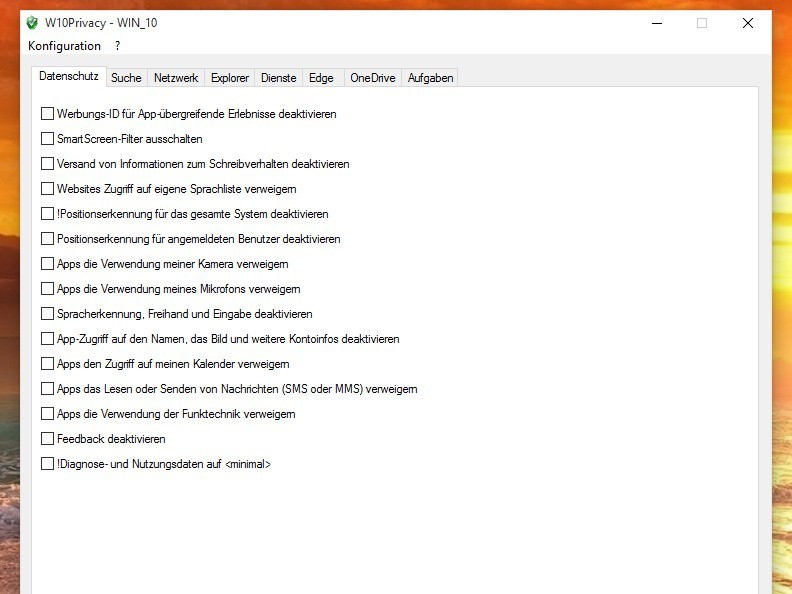
Windows 10 is slowly becoming the dominating operating system on the market, and this is one of the main reasons why users are concerned about their privacy. As you might know, Windows 10 is designed to send user data to Microsoft, and many users are using third-party tools such as W10Privacy to turn off data collection.
Windows 10 recently got a major update called Threshold 2 and this update brings many improvements and features, but it also comes with one major flaw. If you have used tools such as W10Privacy, then Threshold 2 update will reset your settings to Windows 10 defaults allowing your computer to send user data to Microsoft.
This is a big issue if you’re Windows 10 user and you’re concerned about your privacy, but if you don’t want your data to be sent to Microsoft, you’ll be pleased to hear that W10Privacy has been updated and it now works with Threshold 2 update.
W10Privacy just got updated to version 1.8.0.0 and it offers support for Threshold 2 update, but at the same time it can be used to remove new apps that Microsoft has added with this update. New version of this app comes with all sorts of fixes to tools designed to disable data collection, so if you’ve downloaded November’s update for Windows 10 you should also get the latest version of W10Privacy.
Users say that W10Privacy is an amazing tool that will protect your privacy while using Windows 10, but Microsoft disagrees. Microsoft doesn’t recommend that you use tools such as W10Privacy because they can have impact on performance. In addition, some features might not work correctly and in certain cases Windows updates might stop downloading. On top of all that, Microsoft warns that such tools could impact system stability as well.
If you’re concerned about your privacy and you don’t want Microsoft to have access to some of your data, then W10Privacy might be just what you need, if you don’t mind giving up on a few Windows 10 features in return.
Account is Not Authorized to Login From This Station [Fix]

Creating a local network isn’t always easy, and there might be some errors from time to time. Speaking of errors, it seems that Windows users are having some issues with local networks, and they are getting, The account is not authorized to login from this station.
The error has affected a lot of users, with there being no effective solution in sight. We found a few that worked for almost everyone. Keep reading to find out!
How do I fix account not authorized to login from this station error?
1. Edit the registry
- Press Windows + R to open Run, type regedit, and press Enter.
- Navigate the following path:
HKEY_LOCAL_MACHINE\SYSTEM\CurrentControlSet\Services\LanmanWorkstation\Parameters
- Right-click on empty space, choose New, and select DWORD (32-bit) Value. Set the name as AllowInsecureGuestAuth.
- Now, double-click the AllowInsecureGuestAuth entry and set its Value data to 1.

- Click OK to save the changes, and then restart the PC.
In most cases, when you get The account is not authorized to login from this station error in Windows 7 or later iterations, modifying the registry should do the trick.
2. Execute commands in PowerShell
- In the Search bar, type PowerShell, and click on Run as administrator.
- Click Yes in the UAC prompt.
- Paste the following command and press Enter:
Set-ItemProperty -Path "HKLM:\SYSTEM\CurrentControlSet\Services\LanmanWorkstation\Parameters" AllowInsecureGuestAuth -Value 1 -Force
- Restart your computer.
This solution does the same thing as the Registry Editor solution we mentioned earlier, but if you don’t know how to work with Registry Editor, try this solution instead.
3. Change the Group Policy
- Press Windows + R, type gpedit.msc, and press OK to run it.
- On the left pane, expand Computer Configuration and select Windows Settings under it.

- Now, choose Security Settings, double-click on Local Policies, and select Security Options.
- Find Network access: Sharing and security model for local accounts policy and double click it.

- Select Guest only from the dropdown menu, and click OK to save the changes.

That’s about it! We hope at least one of these solutions helped fix The account is not authorized to log in from this station error.
Before you leave, discover the best PC repair tools and get one today to prevent similar errors from reappearing.
If you have any comments, questions, or suggestions, just let us know in the comment section below.
Windows Insiders event scheduled for December 2 in Italy, attendees to get hands-on with Windows 10
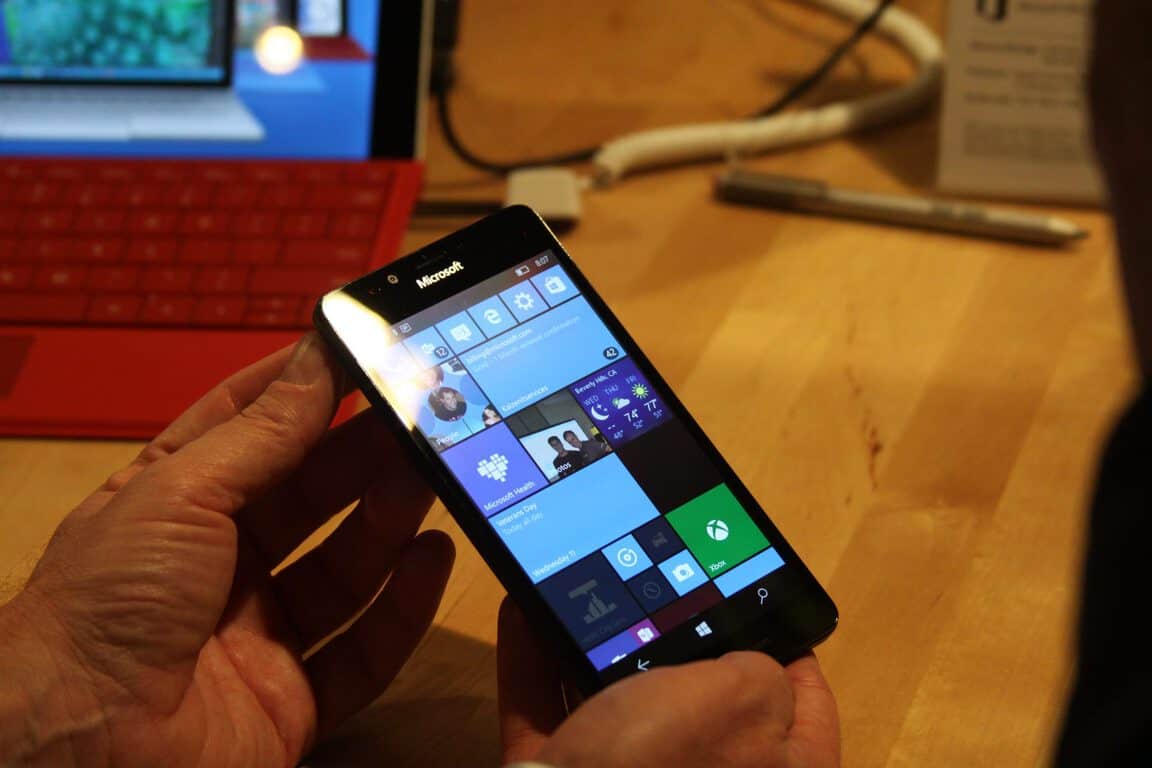
Microsoft’s Windows Insiders team has been hard at work on both Windows 10’s Version 1511 fall update and the Windows 10 Mobile launch, with the latter set to happen soon. Microsoft has scheduled a few events across parts of Asia and Europe, and we’ve gotten wind, courtesy of Windows Central, that yet another has been scheduled.
Thus far, we know that Microsoft has a Windows Insiders event in London on December 2nd in the U.K., as well as events in Mumbai and New Delhi in India on the 30th of November. We’ve also heard of a Moscow event on November 26th and one in Rotterdam on December 2nd as well.
Now, as of Windows Central’s update to their initial post from Saturday, Microsoft has begun to invite Windows Insiders from Italy to take part in the December 2nd event set to happen in Milan. These Windows Insiders events are great for devoted users who helped shape the mobile side of Windows into the ready-to-release state it’s in. At these events, Windows Insiders will get the chance to talk with fellow devotees, as well as to go hands-on with the new Lumia 950 and 950 XL to try out the official release of Windows 10 Mobile.
Among the showcase-worthy parts of Microsoft’s latest mobile update is Continuum. Continuum for phones, unlike its implementation on 2-in-1 laptop-tablet combo devices, allows smartphones with compatible hardware to plug into a Display Dock to expand the on-screen experience to mimic that of a traditional desktop. Continuum takes advantage of the Universal Windows Platform’s ‘single app for all device types’ approach to open a desktop-class app from only a mobile phone.
At these events in various parts of the world, Insiders will get to try out live demonstrations of Continuum as well as Windows 10 Mobile’s other aspects like updated Cortana experience, increased and still-customizable Action Center tiles, and the new security measures that Windows Hello includes. Attending Windows Insiders will also get a chance to buy the new Lumia devices, and will get a Display Dock included with purchase, so all they need to do at home is plug it in and go.
Your Time Zone Can Now Switch Automatically in Windows 10

Windows 10 Fall Update arrived last week, and there was a lot of discussion about it. Some people were satisfied with the improvements and new features that it brought, while some were angered by a few problems. But, we’re not going to talk whether the update is good or bad here, because we have one interesting new addition to show you. After installing Threshold 2 update, you can now set your time zone to switch automatically, based on your current location.
You probably already noticed that Windows is able to automatically set and change your time, but the ability to automatically change the whole time zone wasn’t included in previous versions of the system. This feature maybe should’ve come earlier, but Microsoft decided to add it now.
How to Set Automatic Time Zone Change in Windows 10
This feature should be enabled by default on all Windows 10 laptops with Threshold 2 update installed, but you might want to check it, just in case. To enable (check) automatic time zone change on your Windows 10 computer, do the following:
- Open Settings
- Head to Settings > Time & Language > Date & Time
- Turn on the toggle under Set time zone automatically.
- Set time zone automatically Windows 10
And that’s the whole philosophy, now your time zone will change as you change your current location, just like it does on your smartphone. So you don’t have to worry about the change of time when you travel a long distance.
What do you think about this addition? Will it help you to organize your time better, when you’re on longer travels? Tell us in the comments.
Since you’re there, you can also tell us your experience with Threshold 2 update so far. What do you think about the new features and improvements? And did you have any problems with this update, like some users did?
Windows 10 Gets the New XTS-AES Bitlocker Encryption

BitLocker Drive is one of the most useful integrated Windows 10 security features, it is used to protect your data from various security threats like leaking and getting stolen. And Windows 10 Fall Update got some improvements for it, as well. Namely, with the last update, Microsoft brought support for XTS-AES encryption algorithm to BitLocker.
Bitlocker supports both 128-bit and 256-bit XTS-AES keys, but you have to know that it’s not compatible with older versions of Windows. After the update, BitLocker for Windows 10 now allows users to recover their device with Azure directory, provides DMA port protection, and New Group Policy fore configuring pre-boot recovery. Here are some more details about these additions:
- Encrypt and recover your device with Azure Active Directory – Additionally to using a Microsoft Account, automatic Device Encryption allows you to encrypt all your devices that are the part of an an Azure Active Directory domain. So, when the device is encrypted, the BitLocker recovery key will be automatically be saved to Azure Active Directory. This will make it easier to recover your BitLocker key online.
- DMA port protection – You can now take the advantage of the DataProtection/AllowDirectMemoryAccess MDM policy to block DMA ports when on the boot of your computer. Also, when a device is locked, all unused DMA ports will be turned off, but devices that are already plugged into a DMA port will continue to work.
- New Group Policy for configuring pre-boot recovery – You can now configure the pre-boot recovery message and recover URL that is shown on the pre-boot recovery screen. For more info, see the “Configure pre-boot recovery message and URL” section in BitLocker Group Policy settings.
If you don’t have Bitlocker activated on your computer, you should definitely consider turning it on, because it is very useful feature, and it will surely improve the security of your system.
How to Place an Uber Order in Windows 10 with Cortana

Among other new features, the Windows 10 Fall Update also brought a couple of new Cortana options. After the ability to receive notifications about missed calls and messages from your phone on your Windows 10 computer, Microsoft now integrated Cortana with Uber, the most famous online taxi service in the world.
After the November Update, you can now perform new actions with Cortana, including ordering a Uber car. To activate integration with Uber, Cortana will need access to your info, such as schedule, reminders, and location, and the whole process can be completed with minimal user interaction.
Get an Uber car directly from Windows 10
Microsoft announced this addition for Cortana earlier this year, at its Build developer conference, and the company kept its promise by bringing the Uber integration with its first major update for Windows 10. Microsoft explained at the Build conference how the Uber integration was supposed to work in Windows 10:
“By integrating with Uber, Cortana will not only recommend a Uber for you at the exact time you need it based on your schedule but will also order it for you. For example, let’s say you’ve purchased a movie ticket online and received an email confirmation. Cortana has this information and will display a reminder to you prior to the movie start time.”
If you’re not sure how to activate Uber services on your Windows 10, just follow these steps:
- Open Cortana , choose the Notebook option and then Connected Accounts
- On the Connected Accounts page, choose Uber to start the process
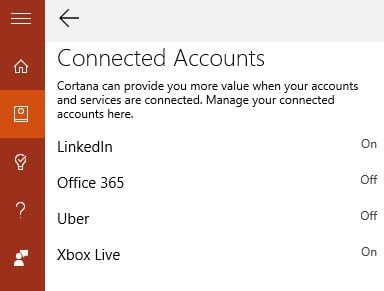
- Read through the Cortana terms, and if you agree, tap or click Connect
- Sign-in to Uber with your login info
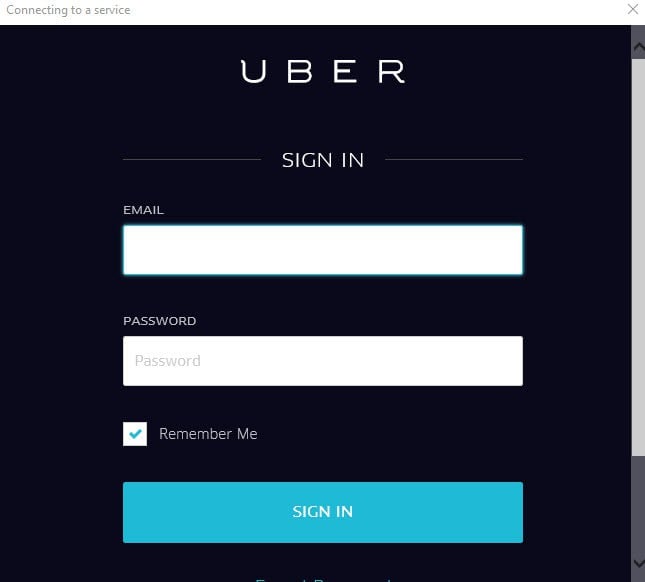
- Read through Uber’s revelations about the Cortana integration, and if you agree, choose Allow
- And at the end, you have to choose if you want Windows 10 to save your login info
Uber integration with Cortana is a great move by Microsoft (and Uber), because this feature will make Cortana even more useful to users. For example, if Cortana recommends you a good restaurant, you can call Uber to drive you there, so your efforts would be minimal.
What do you think about this new Cortana feature? Will you use it? Tell us in the comments. We’re definitely looking forward to getting an Uber car waiting for us straight from your Windows 10 devices.
Microsoft teams up with Vungle, releases SDK for Windows 10

Microsoft recently announced its new partnership with Vungle, one of the top in-app video advertising platforms. Each month, over 200 million people view a Vungle in-app video ad. Needless to say this new Microsoft partnership is a great development to increase revenue for Windows 10 app and game developers.
The Vungle SDK for Windows 10 is now available and can be used across all Windows 10 platforms, including smartphones, desktops, Surface, and even Xbox One. Vungle integration engineer Dana Kock shows you how to integrate the Vungle SDK for Windows 10 into your app in just under fifteen minutes in this Channel 9 video:
There are a couple of steps to complete before you can integrate Vungle into your app.
- Create a Vungle account (if you don’t already have one)
- Add your app to the Vungle dashboard. You need to do this in order to get your App ID and add it to your app with the Vungle SDK.
So that’s it. If you’re a Windows 10 app or game developer, check out the SDK:
Download the Vungle SDK for Windows 10.
Microsoft simplifies access to data with the Microsoft Graph

At this week’s Connect() 2015 virtual conference, Microsoft made a number of announcements aimed at developers, but perhaps the one with the most immediate impact is Microsoft Graph. The new unified API endpoint gathers (or will soon gather) all of the important data access a developer would want from Microsoft services together, meaning that instead of having to write to many different authorizations for the many varied services available from Microsoft, Office and Azure.
The new Microsoft Graph offers:
- A unified API endpoint for accessing aggregated data from multiple Microsoft cloud services in a single response
- Seamless navigation between entities and and the relationships among them
- Access to intelligence and insights coming from the Microsoft cloud
What this means is that instead of writing to lots of individual endpoints, for say Users, Groups, Files, Mail, etc., a developer can access a single endpoint, and then not only access, but work not only with the data, but also with intelligence and insights that come from the Microsoft cloud.
 If you’re a developer, you can learn more from the Microsoft Graph website. Even if you’re not a developer, you should be seeing the benefits of the Microsoft Graph in the apps you use, as they take advantage of the newer, easier, and more intelligent single endpoint for Microsoft services.
Microsoft now powers its Chicago data center with 100 percent wind power

In 2014, Microsoft purchased a 175 megawatt (MW) wind facility outside of Chicago with the aim being for it to eventually power their Chicago-based data center. A year later, the Pilot Hill Wind Project is now active and promises to power Microsoft’s Chicago data center for at least 20 years and subsequentially save over 328,000 metric tons of new greenhouse gas emissions for each year the program is active.
Microsoft’s Chief Environmental Strategist, Rob Bernard explains the company’s motivation behind the switch, “I’m excited to see renewable energy from Pilot Hill coming on line,” he says in a post on the Microsoft Green Blog. “Power purchase agreements like this one ensure that our nearby data center will have a reliable source of renewable energy for years to come. We know that our data centers have a substantial energy footprint, so working to power them directly through local renewable energy projects is an important strategy to mitigate our impact on the environment.”
He goes on to reveal that even though the data center has been carbon neutral since 2012, “demand increases at a rapid pace for cloud services like Office 365 and Azure” which has motivated them to “work with others to rapidly develop new renewable energy options across the globe.”
Microsoft has long expressed a commitment to environmental sustainability and was recently awarded the Green Power Partner of the Year Award by EPA. The tech giant also assists other organisations in making a positive impact on the world and last month announced that it would be assisting at least 50 non-profit organizations in countries ranging from Australia, Japan, China, Kenya and France to Mexico, Germany, United Kingdom, India, and the United States.
Does a company’s involvement progressive environmental projects affect your view of them or is this an issue you feel is irrelevant? Let us know in the comments below.
Google believes they 'share the same soul' as Microsoft

Earlier today, we reported on Microsoft’s ‘Connect’ developer conference, where the company is hosting a two-day gathering to spur interest in Windows 10 development. At the conference, Microsoft introduced various initiatives to cater to developers across multiple and different focuses. Microsoft’s support efforts include massive upgrades for the Visual Studio Community such as a free online cross-platform version of VS, as well as shared development with the open source community.
As part of Microsoft’s continued effort to embrace its collaborative future, the company also invited Google’s technical program manager Jules Kremer, on stage at the conference to show its willingness to work with Google. However, it was a Google engineering director, Brad Green, who took this opportunity to cash in on some positive PR positioning, reported by GeekWire.
It really became apparent that we share the same soul, and we’ve been able to work really well together because of that.”
While Green’s statement seems to fly in the face of what most people believe to be a fiercely competitive relationship between Google and Microsoft, it was made in regards to a particular project. Both Microsoft and Google are collaborating on what’s being called the Angular project, which looks to develop a framework for JavaScript applications. Helping the Angular project along, Google engineering teams are using Microsoft’s Visual Studio Code and TypeScript to develop Angular 2.
While on stage, Kremer further emphasized Google’s belief in a collaborative relationship with Microsoft.
There’s a lot to love about Google and Microsoft working together on an open-source project.”
For many Windows users, however, Google’s sentiments about ‘shared soul’ and ‘working together’ may ring hollow as collaborative efforts have yet to produce any seemingly real-world benefits for Windows users. For now, it seems Google is willing to work with Microsoft when its efforts do not cross any of its competing businesses. Unfortunately, that may leave a tiny intersection of collaboration between the two companies.