As a company that keeps itself on the technological cutting edge, Microsoft needs to hire and maintain a constant stream of highly competent employees. Whether it’s hardware engineers working on Surface devices, coders working on Windows 10, or mathematicians exploring the latest concepts in machine intelligence, Microsoft suffers from an embarrassment of riches when it comes to really smart people. The Technet blog took a few minutes today to honor just such a person, researcher Zuzana Kukelova. Something of a math wiz, Kukelova works as a computer vision researcher at Microsoft’s Cambridge, U.K. research lab, and has been working on some pretty heady stuff.
Now a post-doc researcher specializing in computer vision at Microsoft’s research lab in Cambridge, U.K., Kukelova is the recipient of the 2015 Cor Baayen Award, given to the best Czech and Slovak Ph.D. thesis in computer science and, naturally, applied mathematics.
The Cor Baayen announcement specifically cited Kukelova’s ability to bridge the gap “between highly abstract mathematical results, such as algebraic geometry, and engineering applications.”
Kukelova received her Ph.D. from the Czech Technical Program in Prague, working to flesh out the work of Henrik Stewinius on applying advanced algebraic methods to computer vision to solve some significant real-world problems.
“Our techniques for solving systems of polynomial equations have wide applicability,” she said. “Computer vision of course, but also robotics, controlling satellite trajectory, game theory, market equilibrium problems, computational biology — there are still some unsolved problems that can probably be solved using techniques that we have developed.”
Speaking about receiving the prestigious award, Kukelova was a bit less effusive than some of her colleagues.
“I am honored to have been chosen,” she says.
“I am used to working with amazing colleagues, but very few combine Zuzana’s mastery of complex mathematical tools with her zeal for real-world applicability,” said Andrew Fitzgibbon, a principal researcher in the lab’s computer vision group. “We are very lucky to have the opportunity to work with her.”
We know that Microsoft is engaged in some advanced research and development, and that ultimately results in some pretty cool technology. Seeing the company taking time to highlight the people behind the research is always welcome.
Microsoft is one of a number of technology companies with initiatives to expand Internet access to underserved rural areas throughout the world. A number of technologies are being considered and utilized for such endeavors, with Microsoft’s use of white space running into some serious resistance from Indian telecommunications companies.
White space in this context refers to the TV spectrum that’s currently unused in given geographic region. We wrote about Microsoft’s plans to use white space in Indian last year:
One of the major issues in getting internet to the rural areas is the scarcity of infrastructure. That’s where Microsoft’s plan looks promising. The company wants to use the abundant and readily available TV spectrum to beam the data. It plans to tap the ‘white space’, otherwise known as unused spectrum, to bring connectivity across the country.
Microsoft India chairman Bhaskar Pramanik explained the benefits of using TV spectrum for beaming connectivity. “Wi-Fi has a range of only about 100 metres, whereas the 200-300 MHz spectrum band available in the white space can reach up to 10 km. This spectrum belongs mainly to Doordarshan (Indian public broadcaster) and the government and is not used at all. We have sought clearance for a pilot project in two districts.”
Companies like Microsoft benefit from expanding Internet access this way by gaining entrée into new markets and building relationship with an ever-expanding universe of customers. Usually, such efforts are well-received in those regions, but in the case of India, some telecom companies are concerned. As The Economic Times reports, the issue isn’t that Microsoft is pursuing this initiative in India, but rather the possibility that the US-based company might gain free and/or exclusive control of this lucrative spectrum. So far, the issue seems to have arisen around the question of whether the spectrum will be handed out to interested parties via open and competitive auctions.
The Cellular Operators Association of India (COAI), which represents companies such as Bharti AirtelBSE -1.14 %, Vodafone India and Idea CellularBSE -3.17 %, is set to shortly write to Telecom Minister Ravi Shankar Prasad, Telecom Secretary Rakesh Garg and Telecom Regulatory Authority of India Chairman RS Sharma demanding an auction of the spectrum, instead of allocating it to one company, two people with knowledge of the association’s plans said.
So far, the Indian government’s position seems to be that auctions are the way to go in allocating such resources, following an Indian Supreme Court ruling to this effect. Microsoft hasn’t commented on the call for auctions, and it’s unclear from the Economic Times story whether the company or any other organization is calling for spectrum to be handed out in any other fashion.
It’s entirely possible that the telecoms voicing concerns are doing so in an entirely pre-emptive fashion, simply to lobby for the opportunity to play in this space as well. Time will tell how this all plays out, and we’ll continue to report on Microsoft’s efforts to expand Internet access throughout the world.
Microsoft and Yandex, Russia’s largest internet company, have entered into a strategic partnership where Yandex will be offered as the default search engine for Microsoft Edge browser and Internet Explorer for users running Windows 10 in Russia, Belarus, Kazakhstan, Ukraine, Turkey, and several other countries in the region (via Windows Central). As a part of the agreement, the software giant will offer custom local browsing experience and search capabilities through Yandex in the people residing in the above mentioned regions.
“We are committed to delivering a Windows 10 experience that our customers around the world will love – one of the ways we will do this is through locally relevant experiences,” says Terry Myerson, executive vice president, Windows and Devices, Microsoft Corp. “Microsoft and Yandex have a long-standing, successful partnership with Yandex search currently integrated in Windows Phone locally, and we look forward to introducing Yandex search to our customers across the Windows 10 ecosystem in these markets.” “Windows 10 has already proven to be a success, while demonstrating enormous growth potential, not least because of Microsoft’s willingness to cooperate with strong players in local markets,” said Arkady Volozh, CEO of Yandex. “The new agreement is a logical step in the development of our well-established partnership with Microsoft affirming the high quality of our products.”
Furthermore, the agreement will introduce the advantages of using Microsoft’s new operating system through the Yandex index page, which will offer them a place to download and install the official Windows 10 experience. The Yandex feature page will also showcase the capabilities of Windows 10, and will guide people on how to get their hands on them, or start using them. It’s quite similar to what Microsoft did in China a few weeks back. The software giant entered into an agreement with Baidu to offer users with a local search experience and makes it easier for Baidu customers to get their hands on Windows 10.
Here at WinBeta we’re still working our way through Microsoft’s latest Windows 10 Insider Preview build 10565. The new release has brought some much needed refinements to the operating system as the Windows team enters its one year anniversary of the Insider program.
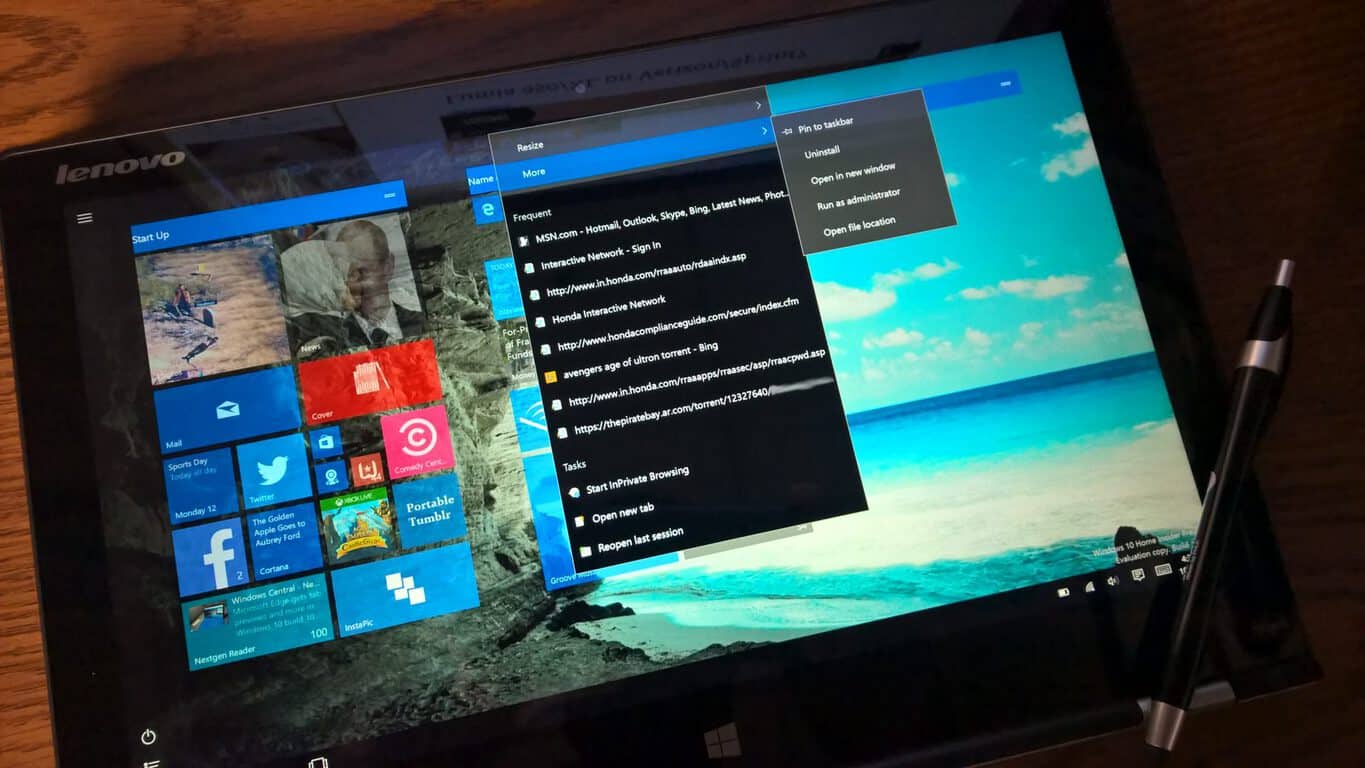
Beyond the high-level features such as Cortana tweaks, new printer options, Skype messaging integration and title bar color options, there are some lesser known features we’re stumbling across during our hands-on time. Windows 10 Insider build 10565 brings new context menus to the Start Menu that should help users jump in and out of apps much quicker.
The resizing of apps icons have gone through some refinement now including images to indicate what each size change will do. Apps in the Start Menu are also given more options beyond simple resizing. In what appears to be app-dependent, users can find options such as Run as Administrator, visit frequently searched web pages, open new tabs and Rate and Review options nestled in apps on the Start Menu. Other apps such as the recently updated Photos app also offer sharing features and the ability to turn off Live Tiles.
While it may seem trivial to some, context menus help to make the Start Menu a more functional area than it has ever been, including its brief stint on Windows 8. For tablet users, the ability to jump to specific web pages from the Start Menu should go a long way to fixing some of the touch first issues some Insiders have complained about with Windows 10.
Again, we’re still going through the build so please forgive us for missing some of the nuances you readers may have already uncovered. We will continue to report on the new build in the days to come.
Please lets us if you’ve run across anything we have yet to cover. We love tips!
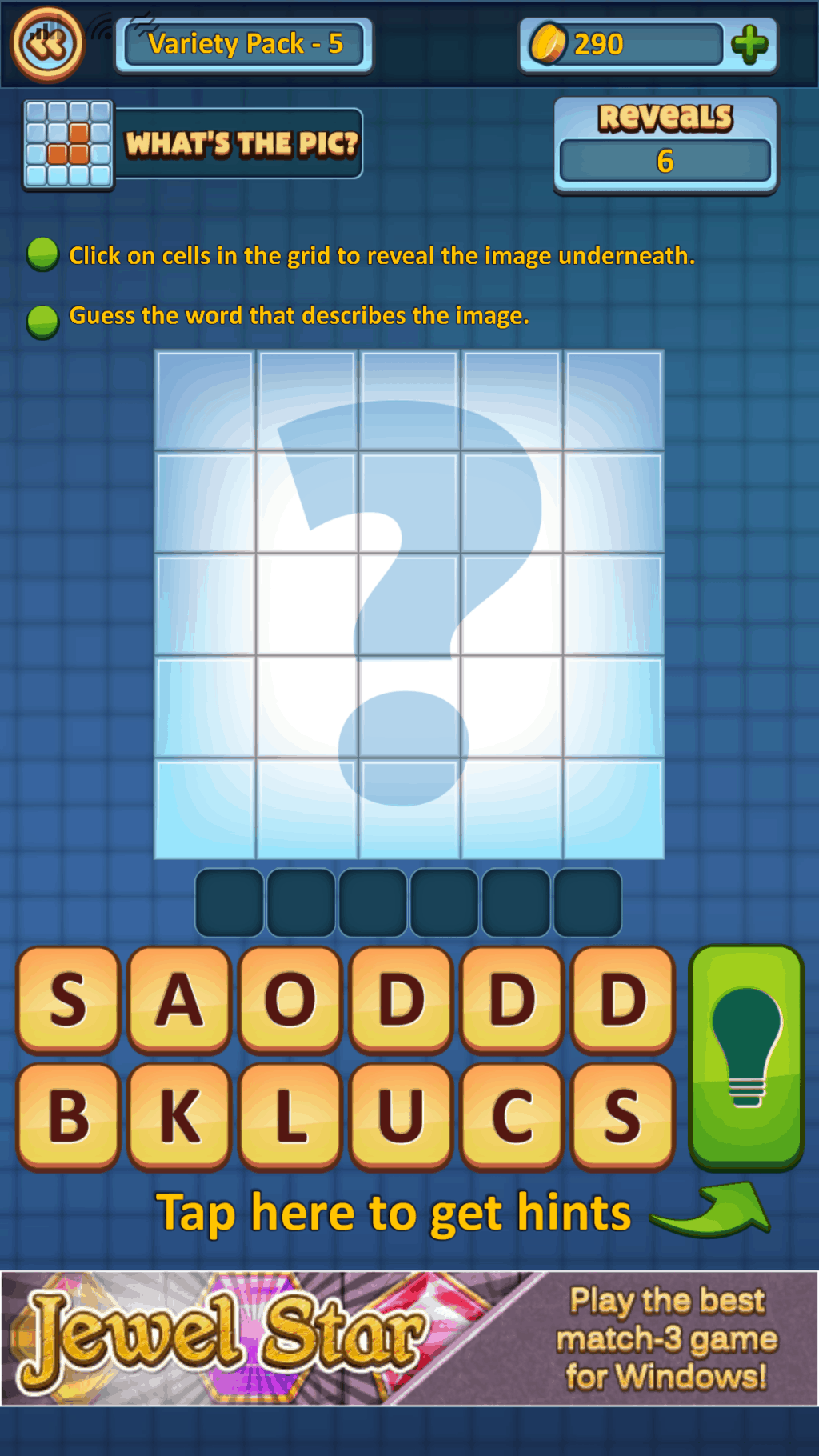
Publisher, Rolling Donut, has released an exclusive puzzle & trivia game for Windows 10 and Windows 10 Mobile. The new trivia game, Pic Star is relatively straightforward; the game shows a series of pictures and the player has to guess the word being depicted in the image. Each right answer earns the player golden coins that can be used to unlock additional features within the game. Players begin the game with four puzzle packs that house 50 stages in each. As players receive more coins, the coins can be used to gain access to more packages.
As Pic Star progresses, players are no longer shown an arrangement of images. Instead, players are shown a grid of blocks in which each press reveals a portion of the image below. Users are only given a finite number of reveals creating a much more difficult puzzle game.
With the Windows platform finally getting hit titles such as Candy Crush Saga and Candy Crust Soda Saga, it is nice to see exclusive games also coming to the platform.
Have you downloaded Pic Star? Let us know what you think in the comments below.
In an interesting twist away from the new build fiesta today, Microsoft has announced the release of science fiction anthology called Future Visions. Future Visionsfeatures a collection of short stories written by some of the most notable science fiction authors in the field. These authors had the fortune of being granted inside access to Microsoft’s cutting edge research labs, and have written stories inspired by what they learned.
Some topics that these stories touch upon include prediction science, quantum computing, real-time translation, machine learning, and more.
The authors participating in this anthology are:
Elizabeth Bear
Greg Bear
David Brin
Nancy Kress
Ann Leckie
Jack McDevitt
Seanan McGuire
Robert J. Sawyer
The anthology also features a short graphic novel by Blue Delliquanti and Michele Rosenthal, with original illustrations by Joey Camacho.
Ann Leckie in particular took to her personal blog to excitedly announce her involvement in the anthology, noting that her entry marks her first return to short fiction since becoming a novel writer. Future Visions will be published on November 17th on all major eBook sites including Amazon, Barnes and Nobile, Books-A-Million, Google Play, iBooks, and Kobo. Very appropriate considering the topic matter.
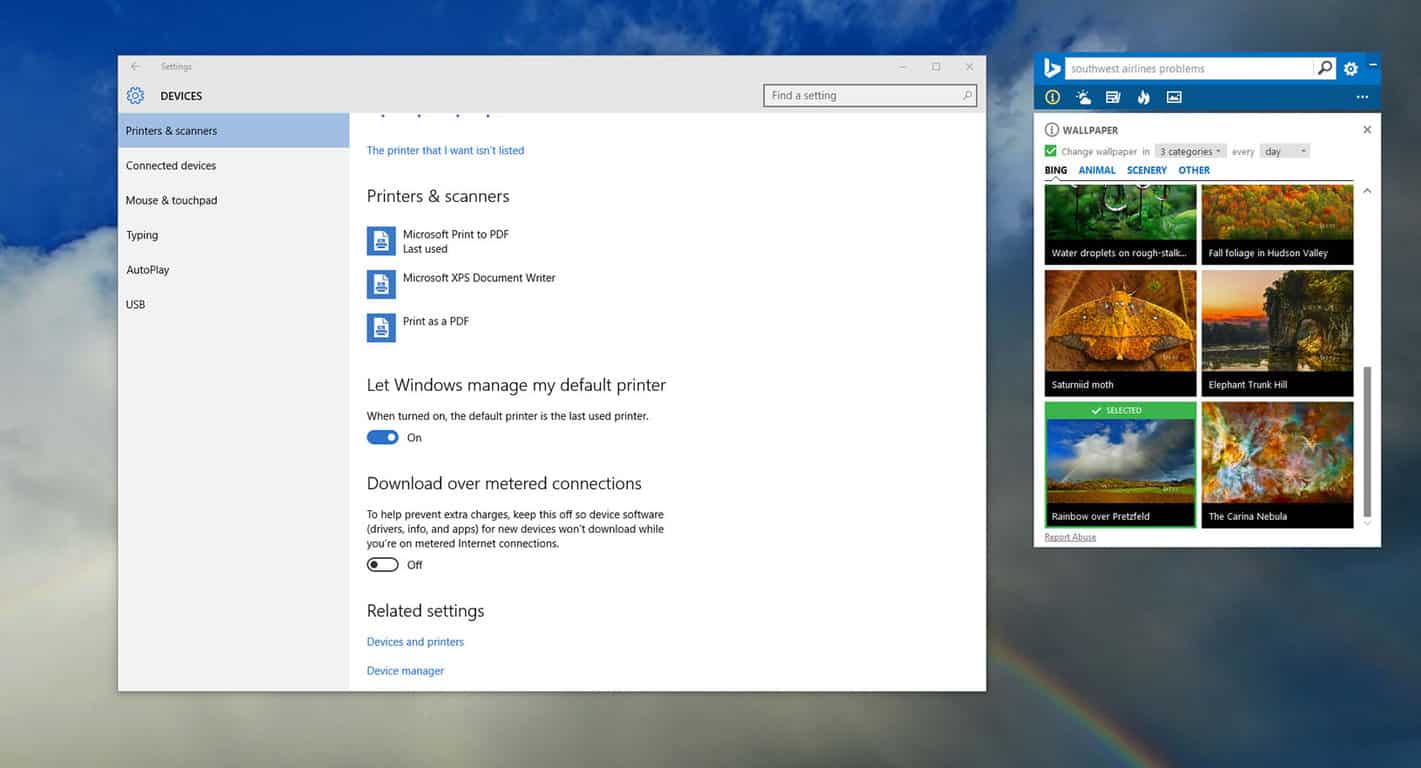
Remember those times when you connect to a different printer but forget to set it as your default Windows printer, causing you headaches when you can’t figure out why your document isn’t printing? In this new Windows 10 build, which is available to participants of the Windows Insider program, you can allow Windows 10 to set your most recent printer as your default printer.
“We are introducing a new mode that makes your default printer the last printer you used. This change helps ensure the best printer is preselected in inbox print dialogs. You can manage this behavior in Settings > Devices > Printer & Scanners to change this to the previous way Windows handled default printers. The ability to set a default printer by network location has been removed,” Microsoft explained in an official blog post today.
Give it a shot and let us know if you like this new improvement in Windows 10 build 10565!
As far as the Windows Insider Preview on PCs is concerned, it seems the Windows team is hitting its stride. With each new build release, the number of new, added and fixed features increases while the number of broken or ‘what’s known’ remains relatively small.
Cortana reading your ink notes
In today’s Windows 10 Insider Preview builds 10565, the Windows team has added a number of new features and minor aesthetic tweaks for users. Among the many changes, were some more subtle addresses to Cortana. In build 10565, Cortana can now more intelligently recognize inked notes. So for Surface Pro or other pen-enabled 2-in-1 owners, Cortana can understand inked notes and set reminders based on locations, times and numbers it can grab from doodles.
Other Cortana Improvements include its ability to track more leisurely endeavours. While Cortana is primarily designed to help keep people organized and informed on work-related task, it does an excellent job of tracking a host of other tangible items. With Insider build 10565 for PCs, Cortana can now keep track of bookings for movies and other ticketed events found in emails. Cortana will also add additional information to your notebook two hours prior to an event, such as directions and the booking and tracking of Uber rides directly from the Notebook.
Cortana’s integration is expanding and as Microsoft continues to foster more partnerships such as the Uber deal from a few months ago, it’ll be exciting to see what else Cortana can do in the future.
Microsoft has just released Windows 10 insider build 10565, as reported only moments ago. New features include the previously reported tab previews, long overdue favorites and reading list syncing, as well as drag and drop for file uploads.
Tab previews allow a user to hover over a given tab hand have a preview image drop down showing the visible contents of the web page in the given tab.
Microsoft’s new Edge browser, while praised for its inclusion of innovative new features such as Web Notes, was also panned for not including desirable features such as extensions and favorites syncing. With this latest build, Microsoft finally brings favorites and reading list syncing to Edge.
This feature can be argued to be an “old” feature, as Internet Explorer 11 for both Windows 8.1 and Windows Phone 8.1 has had this feature for a long time. For Edge, it was a pretty glaring omission as favorites syncing has long been a basic feature of modern browsers.
In addition to syncing favorites, Edge on the new build will also sync the Reading List to the cloud, a feature that I personally have yearned for since the beginning. This feature is currently a work in progress and is open to feedback and refinement.
Finally, build 10565 also adds drag and drop for file uploads in Microsoft Edge.
Check back later on for hands-on videos of the new build.
Microsoft rolled out a new Windows 10 desktop build for those of you participating in the Windows Insider program. Build 10565 comes with several new improvements, with colored title bars as one of the exciting new features. Title bars on apps now feature color, matching your theme.
“Thanks to feedback from Windows Insiders, with this build you can now enjoy your title bars with a full color intensity that matches the rest of your theme. Title bars will now appear darker,” Microsoft explained.
Unfortunately, if the window is inactive, the same old white colored title bar appears. Active windows will feature your theme’s color. Hopefully Microsoft improves this a bit more, but for now, enjoy having some color on your favorite app’s title bar.
Here’s what you need to do to get colored title bars on Windows 10 build 10565:
First, make sure you activate Windows 10.
Head over to Settings > Personalization > Colors
Enable “Show color on Start, Taskbar, Action Center, and Title bars”
Microsoft has released a detailed analysis on the latest trends for the Windows Store. The main focus of this analysis is the shift to Windows 10, which was released at the end of July and is now installed on over 110 million PCs worldwide.
Thanks to this widespread adoption, Windows 10 users now account for more than 50% of all Windows Store downloads. While such a statistic is impressive given how short of a timeframe Windows 10 has been around, it’s worth noting that under Windows 10, a lot more first party apps are updated and downloaded through the Store, including the Office Mobile apps. So the statistics may be slightly misleading.
Windows Store trends
Interestingly enough, the graph shows that Windows 8.1 has actually gained ground back from Windows 10 in terms of Store downloads.
Microsoft goes on further to explain how to optimize developer strategy to maximize to reach the widest possible audience. This includes:
Writing apps as universal projects, which allow a single codebase to target multiple Windows platforms.
Optimizing apps for low-memory Windows Phone devices, which account for 68% of the Windows Phone market as of March 2015. A low memory device with Windows Phone 8 is classified as one with 512 MB of RAM.
Games are, and continue to be, the dominant category of apps being downloaded, followed by Tools & Productivity, Music & Videos, and Social.
Windows Store trends
Interestingly, the ratio of Games downloads to other category downloads with Windows is much higher than it is with Windows Phone.
Microsoft also emphasizes the importance of the ratio of downloads per app. By this metric, the Social apps category wins out over the Games app category: a trend that reflects in both Windows and Windows Phone.
Windows Store trendsWindows Store trends
Windows Store is now available in 242 markets, with Windows Phone Store found in 191 markets.
Microsoft notes that the highest number of app downloads and purchases tend to center around not necessarily the wealthiest nations, but the nations with the greatest access to mobile payment options such as credit cards and carrier billing. As such, the latest uptrend markets can be found in India, Brazil, and Vietnam.
Another important aspect of strengthening an app’s reach is targeting more languages. Offering apps in English exclusively will only target 16% of Windows Phone users. This is different from the tablet and desktop store, which has an English-speaking market encompassing 30% of all downloads. Growth in the non-English speaking market can be seen best in Brazil and India, which have grown by 3% and 2% in the previous quarter respectively. Finally, Microsoft discusses monetization options. It notes that paid apps have been on the decline lately as a percentage of store revenue, and is the weakest revenue model in terms of performance, falling behind in-app advertising. The biggest generator of revenue has been in-app purchases, accounting for over half of the revenue in every category. The biggest contributors to the dramatic increase in in-app purchase revenue has been from games such as Age of Empires: Castle Siege, Age of Sparta, Asphalt 8: Airborne, and Candy Crush Saga.
The report ends by concluding that developers should begin targeting 8.1, as it is currently the dominant operating system for app users, and the code base can easily be migrated over to Windows 10.
Microsoft has tried to make it easy, and cheap, to upgrade to Windows 10, offering the new operating system for free for current owners of Windows 7, 8, or 8.1. However, up until now, getting a clean install of the latest operating system on your device was a bit of a tricky operation. First, you had to have your activated copy of Windows 7 etc. installed, and then update to Windows 10, and then go through the process of wiping your hard drive and clean installing Windows 10, all over again.
This created a special “hash”, stored online and associated with your device (without personally identifying you) that remembers your machine, and sets it as being activated.
That is until today, and the release of the latest Windows Insider fast ring build, 10565. Now, a new item in Windows 10 Settings allows you to select Change Product Key, making the whole process a bit easier. Here’s what today’s Windows Experience blog post says about the new procedures:
Device activation improvements: We have received a lot of feedback from Insiders on making it easier to activate Windows 10 on devices that take advantage of the free upgrade offer to genuine Windows by using existing Windows 7, Windows 8 or Windows 8.1 product keys. If you install this build of the Windows 10 Insider Preview on a PC and it doesn’t automatically activate, you can enter the product key from Windows 7, Windows 8 or Windows 8.1 used to activate the prior Windows version on the same device to activate Windows 10 by going to Settings > Update & security > Activation and selecting Change Product Key. If you do a clean install of Windows 10 by booting off the media, you can also enter the product key from prior Windows versions on qualifying devices during setup. Refer to the Insider Hub for more information on these activation improvements including requirements.
A quick check of the aforementioned Insider Hub doesn’t yet reveal any more information, we’ll keep you posted for any fine print.
Rahesh Jha, Microsoft Corporate Vice President for the Office 356 team, has taken to the official blog to announce the availability of local Office 365 datacenters in India. Satya Nadella first announced plans to build the local datacenters in September last year.
Specifically, 3 datacenters in Mumbai, Pune and Chennai will now deliver Office 365 services to the local market, making Office 365 the first global commercial cloud service to provide services from within India. This shows Microsoft’s commitment to Indian businesses, as well as helping to “accelerate the Indian government’s digital transformation initiative,” as mentioned in the blog post.
In addition to all the advanced productivity functions and complicance capabilities provided by Office worldwide, the added benefit of security provided by local data housing, especially in regulated industries such as banking and help will certainly makes Office 365 an even more attractive choice for local businesses.
Welcome back to the Windows 10 news recap. This week kicked off with Microsoft announcing a number of new Windows 10 devices. First up, was the Surface Pro 4, the next version of the ever-popular Surface Pro line. It features a full array of 6th generation Intel Core m3, i5, and i7 processor, with 4GB, 8GB, and 16GB of RAM configurations, as well as up to a 1TB of storage. The new Surface Pro 4 is thinner, down from 9.1mm to 8.4mm. Panay brags that the only reason the Surface team didn’t make it thinner was because they had to fit a full-sized USB port. Which highly suggests that in the future, when USB-C is more common, we will see even thinner Surface Pro devices.
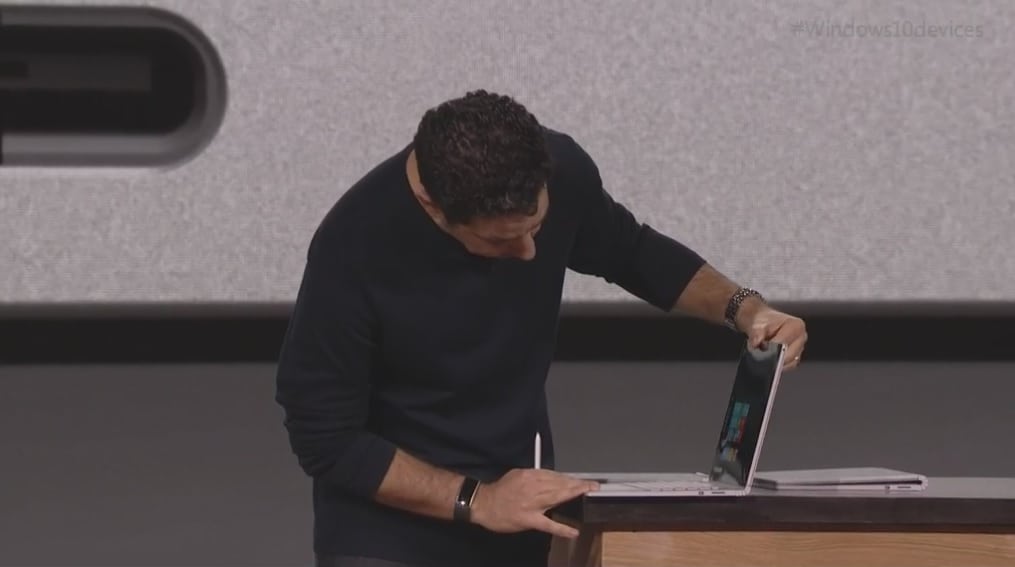
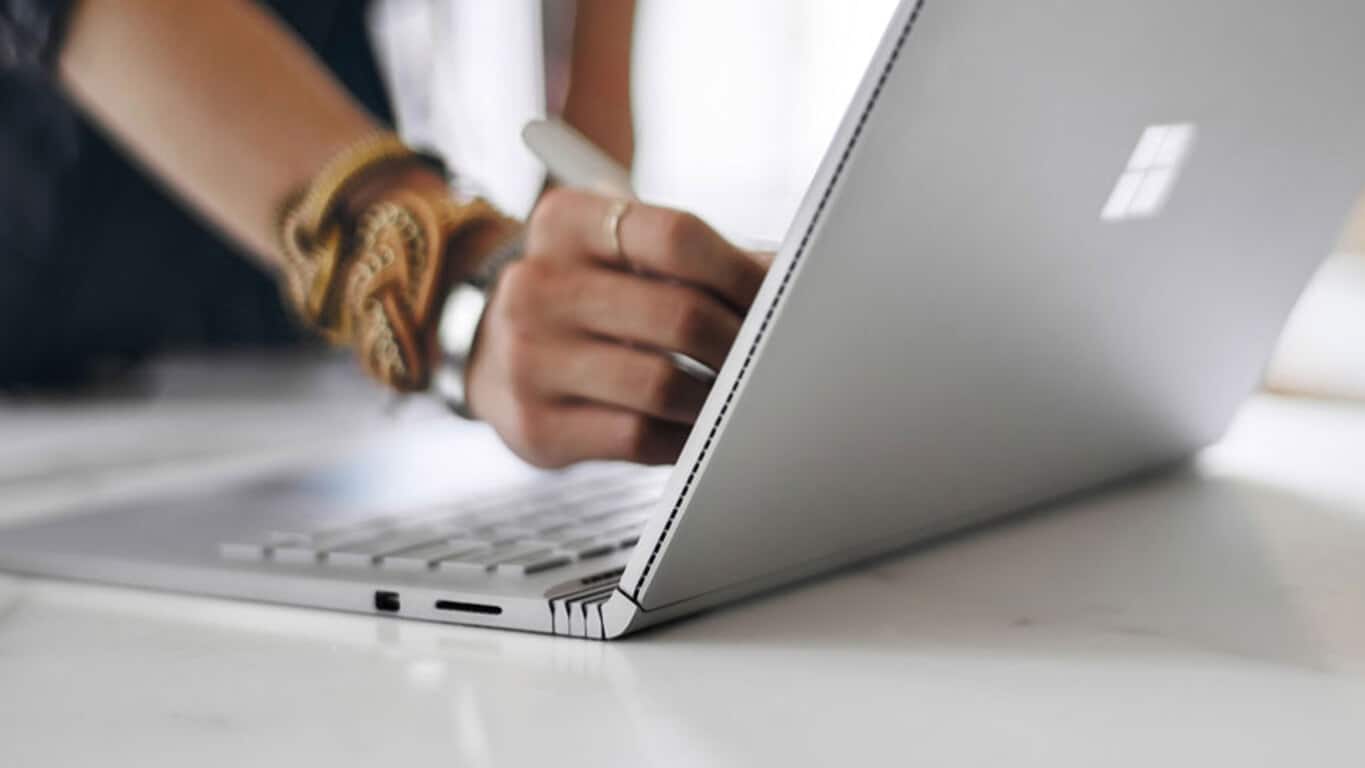
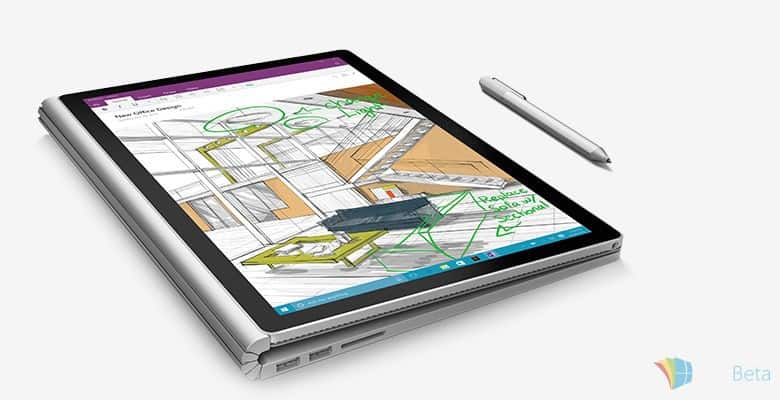
Microsoft also announced the Surface Book, which is essentially a Surface laptop of sorts. Microsoft is touting the Surface Book as “the fastest 13-inch laptop anywhere on the planet” and, portentously, as the “Ultimate Laptop.” Panay took some time to describe all of the feeds and speeds with subdued wit, and many people were excited that Microsoft had produced a laptop machine but a little perplexed at the same time. This seemed to be the ultimate example of Microsoft reinventing a category to, perhaps, show their OEMs how great Windows 10 devices can be designed and built.
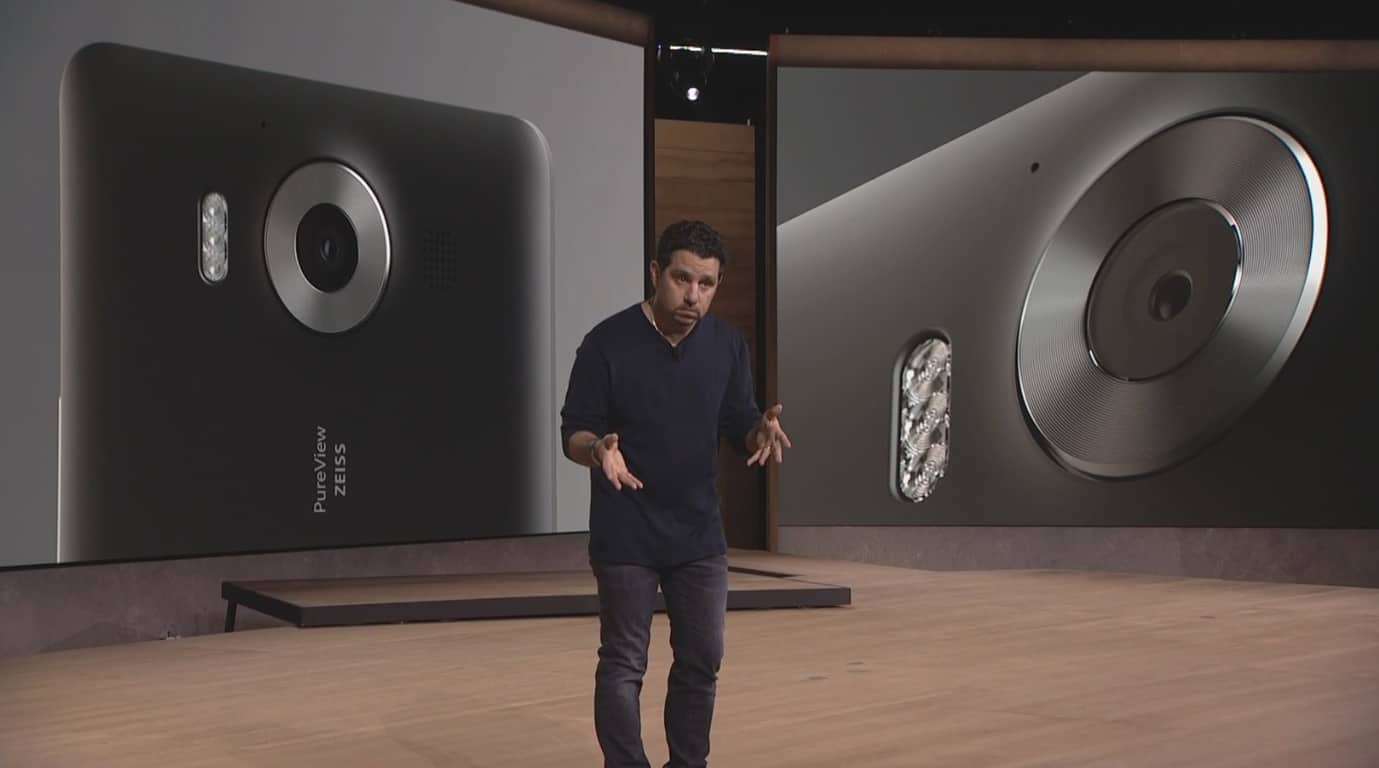
There were also new Windows 10 Mobile devices, the Lumia 950, 950 XL and 550. As far as the specifications are concerned, the Lumia 950 rocks a 5.2-inch display sporting a resolution of 2560 by 1440 pixels and is powered by a Qualcomm Snapdragon 808 processor. There’s 3GB of RAM, 32GB of internal storage, a microSD card slot which supports up to 200GB of additional storage and ships with Windows 10 Mobile out of the box. There’s a 20MP PureView camera for photos and videos, as well as a 5MP front-facing camera, and a 3,000 mAh battery to make sure you don’t run out of juice at important times.
The bigger Lumia 950 XL carries most of the traits of the Lumia 950, but has some noticeable changes when it comes to hardware. The handset boasts a bigger 5.7-inch display sporting a resolution of 2560 by 1440 pixels. The phablet also comes with a slightly powerful Qualcomm Snapdragon 810 processor and Adreno 430 GPU compared to Adreno 418 in the Lumia 950. Furthermore, there’s a bigger 3,340 mAh battery to make sure you get a decent battery time.
Also this week, Microsoft announced that internally, the company was having a few issues with new builds, which ultimately meant there would be no new builds this past week. In response to a question from Twitter user Mark Siepel,, Gabe revealed that the newest mobile build is “in the final ring”; but a PC build seemingly delayed because of “a challenging bug” that they still need time working on. Overall, optimists can revel in the fact that we may get a new mobile build very soon in the next days, while pessimists will have to while away the hours, knowing that there is no happy dance today.
So that’s all for this week. What was your favorite story? Let us know below.
During the Windows 10 devices event in New York City this past week, Microsoft unveiled Project X-Ray, a cool new Hololens game that blew everyone’s mind. This game takes advantage of the Hololens hardware to experience a mixed reality gaming experience.
We get to see the ability to wear and change virtual equipments, battling enemies that spout from the environment, while also interacting with the surroundings. With this exciting sneak peek (you can watch it below) at the capabilities of HoloLens in gaming, in the words of the speaker, “we never know what’s around the corner.”
Microsoft also announced the HoloLens development kit, which launches early next year for $3000. With his development kit, developers can take advantage of the Hololens, combining real life situations with virtual reality. This kit will allow developers to create applications and games, creating one hell of a mixed reality experience. Watch the video below and let us know what you think about Project X-Ray and Hololens.
Publishers ZEN Studio have been great supporters of the Windows platform. Zen’s Pinball FX2 game was available on the doomed Windows RT platform, and now its updating the game to support Windows 10. Check out the Xbox version trailer below for what to expect on Windows 10.
As you can guess from the title, Pinball FX2 simulates the traditional table based game on a computer. The game isn’t just a direct simulation though because most of the 3D tables are brought to life with characters. Each table has a separate theme including Wild West, Fantasy, Star Wars, Avengers and The Walking Dead.
The Windows 10 version of the game supports all the usual forms of input from touch, keyboard and mouse to controller. As with all good games, if you sign in with your Xbox gamer tag you can earn Xbox achievements. The game is also available on Xbox, and it supports cross-buy which means if you buy a table on Windows 10 that table will be available on Xbox too.
It’s free to play this game, but extra tables can be purchased in-game. If you fancy getting in on the action, the link below will take you right there.
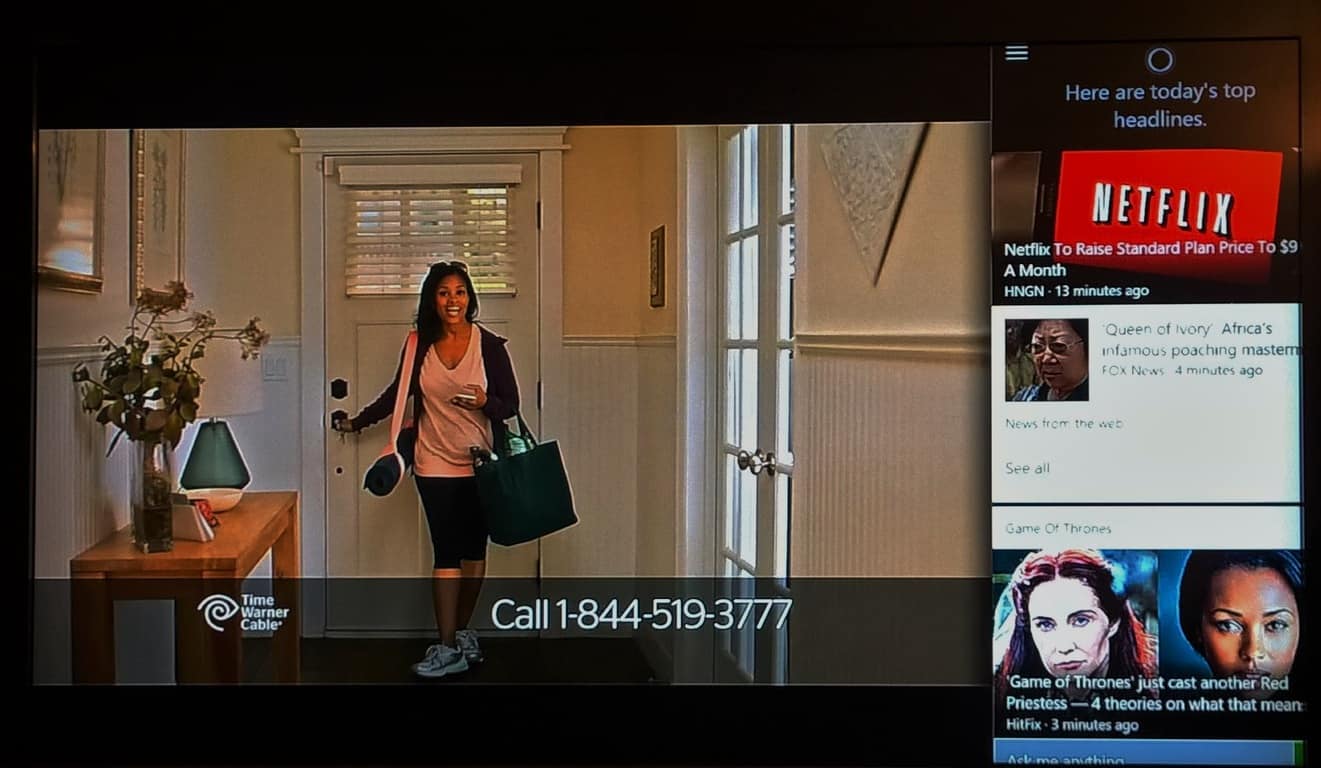
Last night, several lucky gamers participating in the New Xbox One Experience (NXOE) discovered Cortana. Microsoft has mentioned before that Cortana would not be available for the Xbox One until next year, but it seems like Microsoft is giving testers an early look at the personal assistant. First, in order to get Cortana on the Xbox One, you must be a participant of the NXOE preview. Follow the below steps to get Cortana working:
Double tap the Xbox home button to open the guide
Go down to the settings tab (gear icon)
Press left to enter the settings area
Press up until the green highlight disappears
Now tap the “A” button a few times on the controller to have Cortana appear
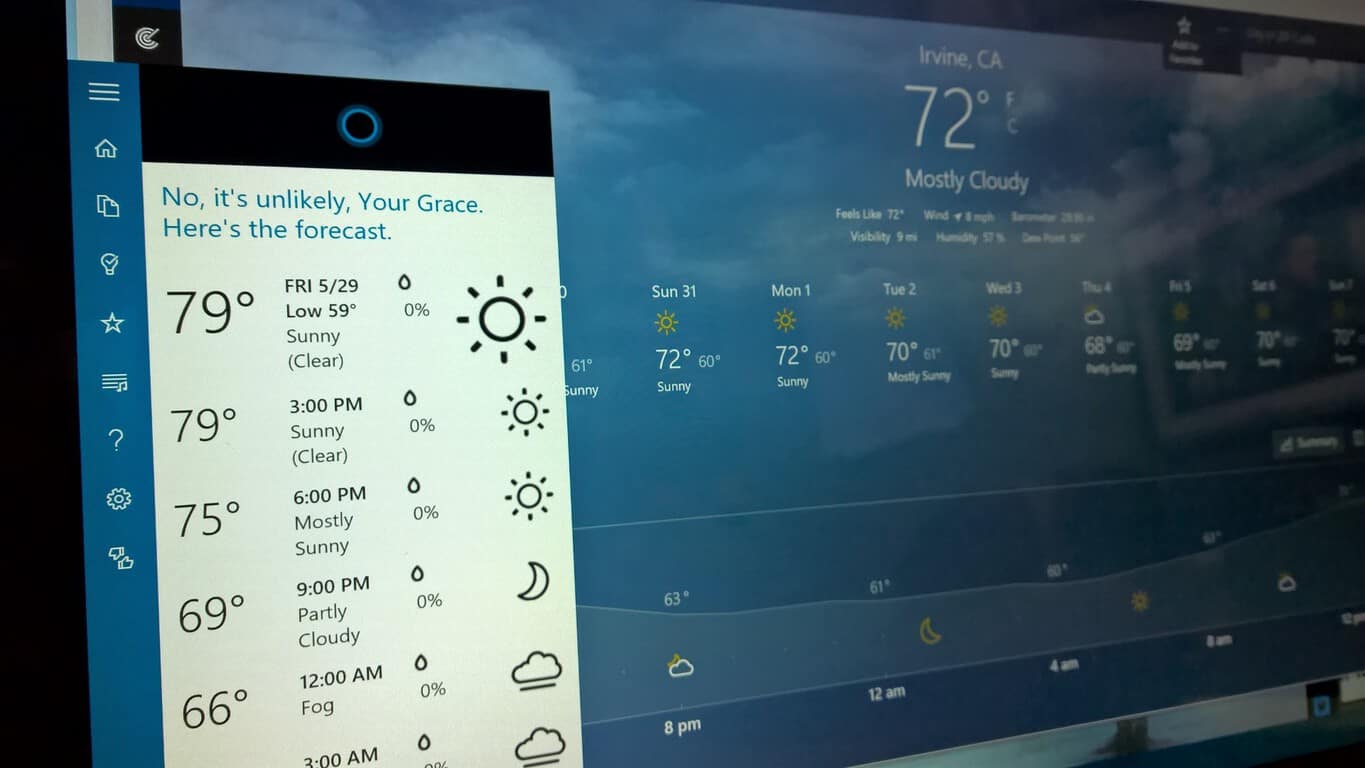
As you can see in the video below, Cortana can give you the weather, show you your calendar and make appointments, as well as track flights. Cortana is still incomplete but is slated to be more gamer-friendly later this year for preview members, and is expected to be publically launched next year.
“For those who have asked about Cortana, our plan is to add Cortana to the Xbox One experience preview later this year. From there, we’ll ensure that the experience is tuned for gamers before we officially launch Cortana in 2016,” Microsoft stated in an official blog post.
You can watch the video below showing you how to enable Cortana on the Xbox One. Enjoy!
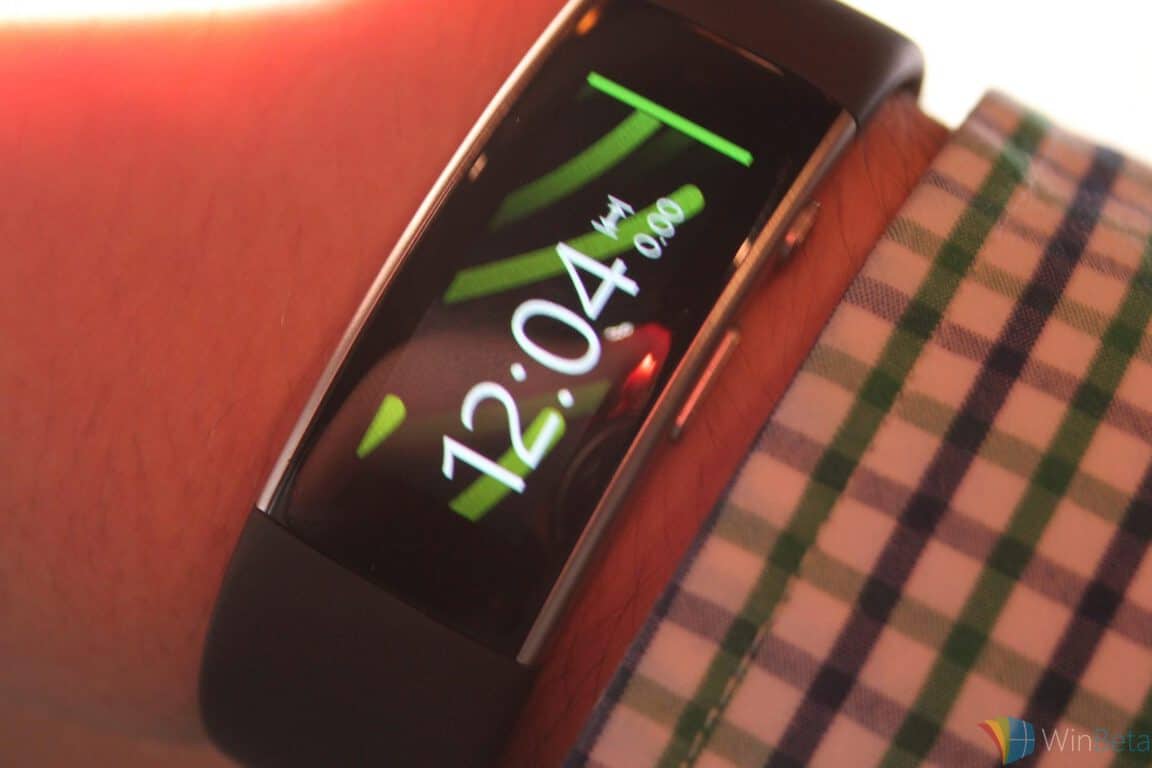
I managed to be one of the lucky attendees of Microsoft’s massive Windows 10 devices event on October, and while I wasn’t able to truly give any of the devices a run for their money, I was at least able to feel around and get some basic first impressions of them. One of these devices was the Microsoft Band 2, a device that I’m very pleasantly surprised about.
I hadn’t used much of the original Microsoft Band, but I know enough to tell you that it was a flawed product, to say the least. While it managed to pack in the features that were promised with a relatively strong user interface, the Band suffered from the the horrible issue that it was just plain uncomfortable. For a device that you were meant to keep wrapped around your wrist for relatively significant amount of times, that is a fatal flaw.
I’m happy to report that the Microsoft Band 2 doesn’t suffer from this issue. Putting it around my wrist, I didn’t feel much of anything. It certainly seemed like the sort of device that I would be able to wear for an extended amount of time. The Band felt natural, and I didn’t feel any need to make adjustments to it. The screen also felt more vibrant, and all-around was more stylish than its predecessor.
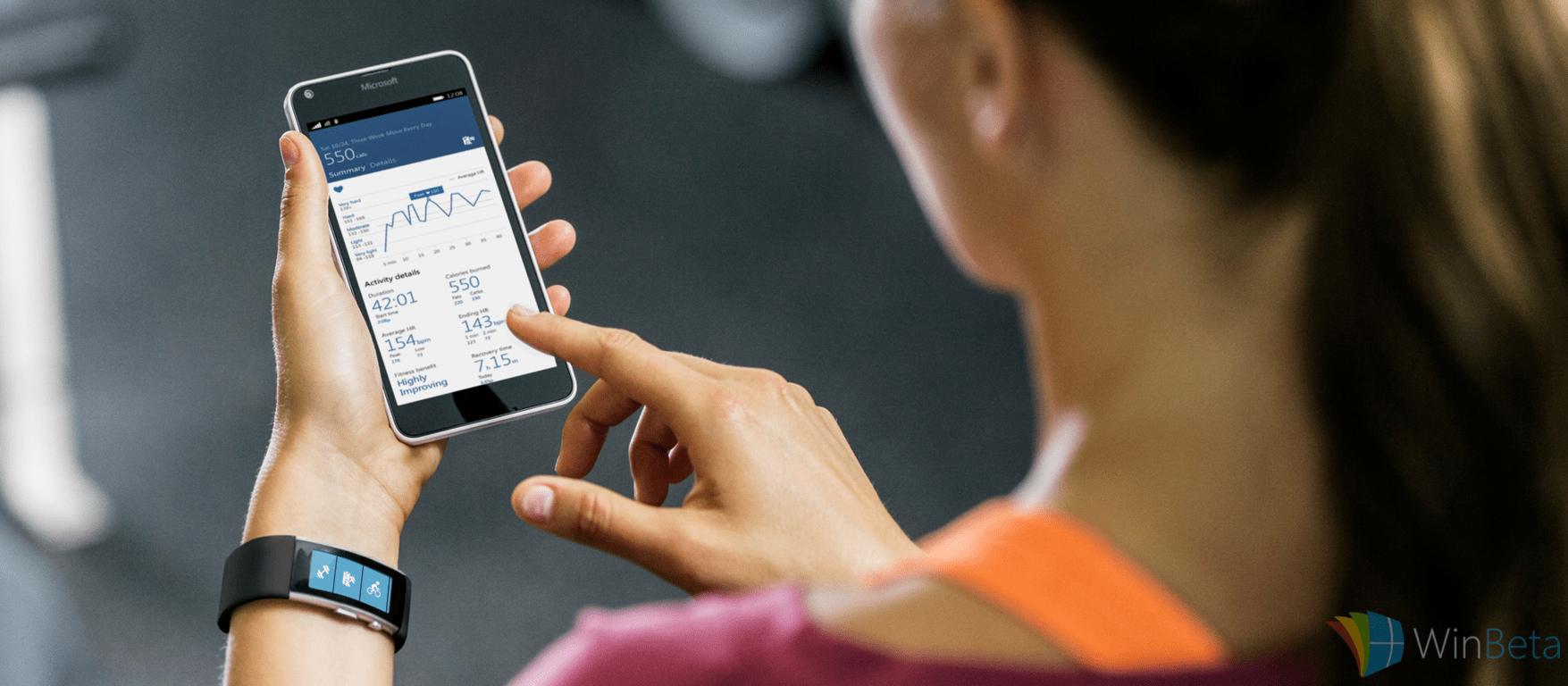
On top of just feeling good, the Microsoft Band 2 is packed with features that should appeal to people. The Band is sporting a UV monitor, a GPS, and a barometer. For the fitness minded individual that the Microsoft Band 2 is mostly aimed at, it can even keep track of the calories you burn, your heart rate, and how well you’re sleeping. It’s truly a robust product for athletes and fitness enthusiasts alike.
In short, the Band 2 seems to improve on the biggest problems that the original Band had, primarily its clunky design. For this reason, it should be a product that more general consumers would consider, and not just something that appeals to those for whom fitness is a massive priority. Now that it’s a viable option to wear the Band on a regular basis, getting acquainted with its advantages should be much easier.
You can pre-order the Band 2 here, it costs $249.99 and ships by October 30th.
Although Microsoft didn’t announce any new builds for Windows 10 Insider Program, the latest build, which goes by the number of 10558, recently leaked online. Unlike previous builds which came after the release of RTM version, this build offers a lot of new features and improvements.
Build 10558 is the build which brings the most new features since the release of full version of Windows 10 on July 29th. It includes an early version of Skype Messaging and Video apps, some new icons, UI improvements, some new Microsoft Edge features, various system improvements, etc.
We have to warn you that this build is internal build only for members of Microsoft’s developing team, but it somehow leaked online. This means that build 10558 isn’t supported by Microsoft, and we don’t recommend you to install it, if you find it somewhere on the internet.
So, you should wait for the official release, but until it arrives through Windows Update, we’re going to show you all new features and improvements that this build brings, so you know what to expect.
Windows 10 Leaked Build 10558 Features and Improvements
Here are all new features and improvements brought by the leaked Windows 10 Build 10558:
More improvements of the context menus – Microsoft’s developing team is focusing a lot on context menus through last few builds, as every new build brings some context menu changes, and this build isn’t different. This time, Microsoft added new icons in the Start Menu context menu for “Unpin from Start” options, as well as “Resize (Small, Medium, Wide, Large)” option. Along with the Start Menu, the new build also brings some Desktop context menu changes.
Change the save location of apps and other media – Microsoft decided to exclude the ability to change default download location of apps from Windows 10 to a different drive or SD card, back in July, so we had to show you an alternative way to do that. Luckily, Microsoft decided to bring back this feature, which is most likely to come along with the Threshold 2 update later this year. This option isn’t such a big improvement, but it can be very useful, especially for tablet and hybrid users.
New Icons – Microsoft is experimenting with icons ever since the earliest Technical Preview builds, and it’s not done yet. Build 10558 brings new Registry Editor icons, as well as some new icons related to hardware.
Find my device feature – This is another useful feature which will help you to locate your Windows 10 device, if you lost it. Unfortunately, it’s not ready yet, as it automatically turns off, when you try to turn it on. This means Find my device feature is still in development, and more stable version will probably appear in some future builds.
Windows Spotlight for Enterprise users – From this build on, Windows 10 Enterprise users will also be able to use Windows 10 Spotlight feature.
Microsoft Edge – The new tab preview feature has been added, as you can now view what’s going on on tabs, without switching to them. You can also enable or disable Favorites bar from Settings now, and changing the default search engine is also slightly different.
Messaging, Video and Phone apps – And finally, the earliest version of highly anticipated Skype Messaging app made its way to Windows 10. The app looks really simple in design, so you’ll probably find it easy to use it. It’s quite buggy for now, but that’s not a big surprise, because it’s the earliest version of the app, and a lot of developing still needs to be done, and some features need to be added. Along with the addition of messaging app, new Video and Phone apps are also present, all powered by Skype.
The current Windows 10 build is still causing plenty of problems for those who’ve downloaded it, so we can hope that a future build will fix these annoying problems.
Read Also: Facebook, Uber, Shazam and Others to Release New Universal Apps for Windows 10
During a recent interview with The Verge, Panos Panay sheds light on the future of Microsoft and its products. For those who do not know, Panos Panay leads Microsoft’s engineering team for all their products. Panay’s most recent accomplishments include the newly announced Lumia 950 & 950XL, Surface Pro 4, Surface Book, and the Xbox.
The interview begins with an insight into the Surface Book and the ideology behind it. Panay told The Verge, “A product like this takes years… Surface Book came about in the sense that a lot of people had been asking for a Surface laptop, right out the gate.”
Consumer’s desire for a Microsoft laptop was to be expected. Although the Surface line has come a long way from its inception, the original product created space for a new type of device, a space that Surface users have come to love. Over the past three years, Panay and his team have, in a sense, perfected the Surface design, creating an aesthetically pleasing design with great portability. The effect the Surface Pro has had is evident in today’s computing industry as companies such as HP are creating their own iterations. Even Apple’s iPad Pro shows a similar design language.
“In Surface we look at it that we’re going after premium and we want to reinvent categories… That’s why it was never just a laptop,” Panay says. As anyone who has used a Surface Pro device, these devices are much more than just a laptop. However, the Surface Pro introduced a new breed of device, a hybrid tablet and laptop, and it was difficult for Microsoft to “frame” the device, comparing it to other devices currently in the market. As Panay goes on to explain, this is why the original Surface Pro was often compared to the iPad.
“It’s not about going after anybody, it’s not supposed to be that. It’s framing… When we launched the original Surface Pro, people compared it to an iPad, because I didn’t frame it and I’ve regretted that ever since.”
After a few years, however, the Surface Pro 3 has become a premium device not just for consumers, but for major corporations such as SkyWest as well. What has made the Surface line successful is its extremely premium design and flexible functionality. Neither the design or functionality are by coincidence, of course, as Panay goes on to explain that the company is not only competing with the likes of Apple, but they are trying to inspire other great works from OEMs.
Of course we’re competing with Apple. I’m not shy to say it… That’s where I put most of my energy. Making premium devices and reinventing categories that essentially puts us in a camp to fundamentally compete with Apple devices. Let’s inspire, let’s push to reinvent. Let’s give something others to look at and go, ‘Come on let’s go do this, let’s get this done.”
[pullquote align=”left” cite=”” link=”” color=”” class=”” size=””]Of course we’re competing with Apple. I’m not shy to say it… That’s where I put most of my energy.”[/pullquote]
Microsoft is not only trying to inspire by design but also with functionality. Products from the Surface line appear to relegate current devices as obsolete, introducing new paradigms for how devices are made and used. The Surface Book is a shining example of such. However, the design of even this product was inspired by the Surface Pro itself, modified to work better as an actual laptop while maintaining the versatility and portability of a tablet. Going forward, Panay looks to spread this design language though all of Microsoft’s products.
Over time you want a consistent thread between the products, especially the hardware as well… “I think what you have to think with overall devices is making sure we are able to get that consistent premium fit and finish that people are expecting from Microsoft… “You always work off the foundation as a starting point, and this foundation we’ve got is phenomenal and the consistency will come.”
With this in mind, devices like the Lumia 950 and 950XL that share designs from other Nokia inspired phones further exemplifies Panay’s point that consistency will come. As Microsoft has created the Surface Book to resemble its smaller cousin, the Surface Pro 4, it is likely that we will eventually see a Surface Phone and perhaps a resigned for future Xbox products.
What do you think of Panay’s comments? Are you looking forward to a Surface filled world?
The Microsoft Surface Book hit like a supernova in an all-star round up of Windows 10 devices released by the Redmond giant at their recent New York City event. Microsoft needed to grab the headlines with their first ever laptop and they seem to have achieved just that. While the device is quite pricey, starting at a cool $1499, Microsoft appears to be aiming it at more than just wealthy business people.
In Microsoft’s latest ad for the Surface Book (shown above), the company pitches the device at creators and insists that everyone has creative inspiration beating inside them like a ‘drum’. The ad then goes on to depict the device in the hands of a diverse set of professionals including the artist, the musician, the business person and the architect.
This new ad leans strongly toward the creative, artistic market which has traditionally been occupied by Apple PCs. In recent years, the Surface Pro devices have taken a piece of that pie. It will be interesting to see how many people choose the Surface Book over those other options once it is released on Oct. 26.
If this ad has whet your appetite for the Surface Book, you can pre-order it right now. If you’d just like to win a Surface Book, we’re giving one away!
As the fog of war continues to dissipate from Microsoft’s Windows 10 devices announcement, I find myself more enthused with how the company presented itself rather than devices that were revealed. Make no mistake; my savings account will eventually be drained over the next two months as I plan to boost the company’s profit margins for this quarter single-handedly. As Microsoft moved from one new product to the next, I made a mental checklist. My list consisted of my ‘wants’, ‘needs’, and ‘could do without’s’, needless to say, my ‘could do without’s’ column laid bare.
In any event, it wasn’t so much the hardware in specific that sold me, it was the way Microsoft presented each device. I would go as far to say that the presentation itself may stand to be more impressive than the products we receive in the future.
Equipped with emotionally moving and personable video montages, varied presentation styles, and personable speakers, Microsoft was well prepared this go-around. Some might rail on Apple for its uncanny ability to resell yesterday’s technology at premium prices, but taking a step back, I realized Microsoft may have just emulated a similar technique, and ultimately succeeded.
Let me explain.
The devices Microsoft showed off earlier this week were impressive, but ultimately iterative. HoloLens dazzled the imagination of the audience while continuing to maintain a ten-month long lock on information. HoloLens fans are no closer to a final product release date. The enterprise market these introductory products are supposed to target have yet to see a practical demo. Microsoft’s confidence in HoloLens and its showy new ‘mixed reality’ feature was more than enough to keep the fire stoked for another couple of months of news coverage.
As for the Microsoft Band hardware update, well, it was just that. While many complained about the clunky nature of the device, few had any real issues with the software or health tracking aspects of the product. Even though Microsoft added yet another sensor, the Microsoft Band was in reality, just a design spec bump. Due to its unconventional embedded software, the Band fans looking forward to modern apps supporting the new device may still be waiting. Unlike Windows 10 that benefits from Universal app development, whatever proprietary OS the Band uses needs specialized development. In spite of that knowledge, senior communications manager on the Microsoft Band and health team, Lindsey Matese sold me on the device. After careful consideration, it isn’t too difficult to see who the Band is catering to, and her quick presentation only helped to crystallize Microsoft’s sells pitch. Lindsey used pitch words such as marathons, cycling, “gym rats”, but it was her elegant but brief dedication to an immersive golfing experience that sold the Microsoft Band to the same business customer that’s buying other Microsoft products.
Here is where Microsoft’s laser-like focus and subtle messaging once again shined. An enterprise customer or fitness buff may not be entirely into sending heartbeats, drawings or dealing with ‘complications’, but many settle contracts or relieve stress playing golf or exercising. As the Microsoft Band is currently, the only cross-platform device to offer an unprecedented level of granularity on golfing its audience is narrowed, precise, and ready to buy. The fact that the Band also incorporates Cortana, GPS, email, text, and other basic smartwatch features is now an added strength rather than a nitpick.
Next up were the highly anticipated Windows 10 Mobile devices. Windows Phone fans have seemingly been starved of a true flagship to tote proudly for over a year. As the floodgates of low-end offers continue to spill over, Windows Phone fans willing to pay for a premium tailored device felt ignored by Microsoft. However, Microsoft finally answered the long overdue calls for genuine Windows 10 Mobile flagships. While the both the 950 and 950XL offer a laundry list of up-to-date and future proofing specs and features, the reality is, they still suffer from a refined software experience.
It was the lead of Microsoft devices Panos Panay’s passion and hardware intelligence that sold the 950 and 950XL’s yesterday. His use of terms such as liquid-cooling and adaptive antenna technology managed to elicit applauses and amazement from the audience. It was also Panay’s presentation style that skillfully avoided showing Windows 10 Mobile software or Microsoft’s solution to the app gap. Instead of showing off new camera features such as slow-mo, 4K recording or panorama captures, Panay expertly made a case for the technology behind the camera. Panay’s presentational approach was so flawless and sincere that few even cared to see a live demo but trusted that these devices were worth paying for.
For casual viewers and excited Windows Phone fans, the presence of the new phones and Panay’s artful delivery no doubt caressed $600 from many pockets. Microsoft’s executive demo lead, Bryan Roper, also helped deliver a commonality to the 950’s reveal. Roper’s fedora-wearing fast paced speaking patterns commingled with his candid phrasing and vocabulary made the presentation relatable for many. Roper’s unorthodox pairing of words also became a trending phrase on the internet, thus cementing Microsoft’s presentation with a heir of hip. Hip is something Microsoft hasn’t been able to achieve for some time now when it comes to its phone offerings. No offense to Steven Elop, but I doubt he could have pulled off “I can be productive like a boss wherever I am now.”
[pullquote align=”right” cite=”” link=”” color=”” class=”” size=””]the unveiling of the Surface Pro 4 and Surface Book that cemented the notion it was presentation over product that won the day for the company.[/pullquote]
As Microsoft rounded out its event, it was perhaps the unveiling of the Surface Pro 4 and Surface Book that cemented the notion it was presentation over product that won the day for the company. The Surface Pro 4 and Surface Book are without question hardware engineering masterpieces, but they are ultimately just 2-in-1’s. Admittedly, the category appears to be gaining momentum, but it has yet to supplant the traditional laptop or even total tablet sales thus far. I believe it was Microsoft’s presentation of the Surface Book and to a lesser degree, the Surface Pro 4, that has built positive momentum for the company. In an age where former secrecy titans such as Apple are hampered by press and photos leaks of products, Microsoft managing to keep its Surface Book a secret went a long way to adding cachet to the company.
Microsoft’s first laptop isn’t really a laptop at all, but the Surface Pro many wanted from the beginning. While it’s intended to be used as a laptop-first form factor , Microsoft made sure to showcase its tablet-like abilities. In a well-designed display of storytelling, Panay showed one video of the Surface Book being used as a laptop with a beefy GPU and internals. Moments later, he seemingly started up the same video, with one big difference, the Surface Book turned into a tablet. A genuine sense of shock overtook many in the crowd for a product, that by all accounts is a Surface Pro 4 in a different skin. As the dust continues to settle, it seems perhaps the shock was less about the actual device than Microsoft’s masterful presentation of the Surface Book.
Many have longed for a laptop designed by Microsoft, and judging by its spec sheet, the Surface Book is every bit the laptop many wanted. However, there are and will be better laptops out there by other manufacturers, for arguably less money per configurations. Arguably, most people aren’t sold on those laptops as they are for Microsoft’s offering. I argue that is in part due to the story Microsoft told up on stage this week. The presentation Microsoft gave earlier this week wasn’t necessarily about introducing groundbreaking tech, but about introducing it’s own tech. That’s what I believe most people bought Microsoft’s story and presentation over its actual product.
Most technology companies have their season of popularity then they discover their true talent and fade from the mainstream into their niche. This process is not bad, in fact it proves the company understands what they do well and they simply focus on that. Microsoft seems to be trying very hard to buck this trend when it comes to their Office programs. For decades the Microsoft Office programs have reigned supreme over the competition, but when the shift away from, single files edited offline one at a time, to the modern cloud based simultaneous co-authoring workflow happened Microsoft was left behind.
It took several years but Microsoft finally has decent cloud based document authoring solutions, and Office 2016 was released under the ‘work better together’ mantra. However Microsoft did not stop at cloud-ifying Word, Excel, PowerPoint, and OneNote, instead they pressed on and built a new Office program which was born in the cloud called Sway.
Overview
Sway in many ways is the opposite of the traditional Microsoft Office programs, but that is a good thing. Instead of trying to hack Word or PowerPoint to provide a solution to customers Microsoft understood they need to start from the beginning and rethink what it means to share stories and communicate in today’s modern world. This how-to will briefly touch on what Sway aims to do, and also how to make your own Sways.
Telling stories is more than a photo slideshow, more than a collection of tweets, more than text, and more than videos. Sway aims to give users the tools to create an online story, built from text, photos, videos, tweets, and more, but instead of forcing users to download and re-upload all their content they can simply embed the photos from Flickr or OneDrive, the videos from YouTube or Facebook.
Add content from a range of different sources
Share stories in a media rich format without needing the skills or time to build a website to host all the different content in a single place. With Sway users can simply drag and drop content from many different sources add text or not, and with very simple options, communicate a story. Being cloud based means Sways are easy to work with others on and share on social media or email. Since all the content is based online viewers are not required to download a big file or have special software to view the Sway.
Walkthrough
While traditional documents are built of self-contained text, photos, or videos; Sways are built of cards. These cards hold content in many different forms, such as text, pictures, videos, Tweets, or charts. Adding cards to a Sway is as easy as dragging them from the ‘cards pane’ which flys-out from the left when the clicking the word ‘Cards’ in the bar at the top. The layout of the cads can be changed easily by dragging the different cards to reorder them. Make cards bigger or smaller by selecting them and under the ‘options’ button select the level of emphasis.
Cards are dropped onto the Storyline which is the vertically scrolling order of cards in the Sway, and where all the editing occurs. Another way to add content would be from the ‘Insert pane’ which flys-out when the word ‘Insert’ on the top bar is clicked. Initially, the Insert pane is populated with content generated by Microsoft’s machine learning algorithms which suggest recommended content based upon the current content in the Sway. To see other sources of content, click the word ‘Suggested’ for a list of currently supported sources.
Add cards to your Sway to begin giving shape to your story
As of writing this, the sources list contains OneDrive, OneNote, Facebook, Flickr, Bing, PicHit, YouTube, Twitter, and Upload. If you happen to click ‘Add Source’ this will prompt you with a feedback form to suggest new sources to the Sway team. However if the content you want to add can be embedded then add the ‘Embed’ card from the Cards pane to add the content manually. When you find content you like, drag in to your Storyline or click to select several items then select add in the top right of the Insert pane. Cards do not have to be present to drag content from a source onto the Storyline.
Content can be added from public sources such as Bing and Twitter, but by default Sway has filtered the results to only include content which is public or in the creative commons. This filter can easily be turned off but doing so puts the creator of the Sway at risk of using content which they don’t have the rights to use. Microsoft seems to do a good job of setting the default in the most safe mode for their users but still gives them the options to disable this safety net.
The look of a Sway is intentionally basic because Sways were designed to adapt to any screen size or device type. To preview how your Sway looks, click in the space to the right of the Storyline, under the text ‘Preview.’ To return to the Storyline simply click on the edge of the Storyline pane which moved to the left side of the preview. While in Preview you can still make edits to the content by clicking on it and selecting the different options such as Focus Point, edit, delete, etc.
Pick from one of the three different navigation options
After most of the content has been added, Sway has more options to adjust the overall look and feel. Click ‘Design’ to open the Design Pane and go through the different templates then customize them by changing color, font, and animation emphasis. When the design has been picked, choose how the Sway should navigate by clicking the word ‘Navigation’ next to ‘Design.’ There are only three options for navigation: slide vertically, slide horizontally, or the more traditional slideshow look of one card at a time.
There are not many tools for customizing the fine details of a Sway because the point should be showcasing media. A good workflow while building Sways would be, getting the content into the Storyline, then arranging it and small edits like captions, then try grouping photos. Finally tweak the design options or navigation scheme to complete the Sway. To view the Sway in a more refined form click ‘Play’ and scroll through to see how family, friends, coworkers, or strangers will see your work.
Since Sway is hosted in the cloud adding additional authors is easy. Simply click on the word ‘Authors’ and send the link to people who you want to edit with. When multiple authors are added they can each draw from their own sources and add them to complete the Sway. More than one author can be making changes on a single Sway at a time, which makes document creation easy and more efficient.
Share Sways with people you know or the public
When mostly all is said and done share the Sway via email, social media, or with the world on Docs.com. People from any device and view your Sway which should look good on any screen size. No need to login, no need to download extra software, no need to sign up for anything. Sway is the closest thing to creating a custom website for a story, without doing any of the heaving lifting involved.
Summary
Adjust look of your Sway via the design pane
Sway represents the current atmosphere at Microsoft, where the old traditional Office remains the center focus but new tools which solve different problems emerge. Instead of adapting other products or diluting a brand, Microsoft has chosen to create a new product for the new era of productivity. Gone are the days when people only needed to be productive at work. Now sharing photos and videos from a recent trip needs to be easy and functional.
Much like Microsoft, Sways are never complete and can be updated, changed, and transformed at any moment. Add authors late or duplicate a Sway your friend started and continue working on a new path. Sways are the vehicle to carry the story of a long project, or a big plan, or a collection of memories. For inspiration and examples go to Docs.com; Microsoft also has links to tutorials at the Sway homepage.
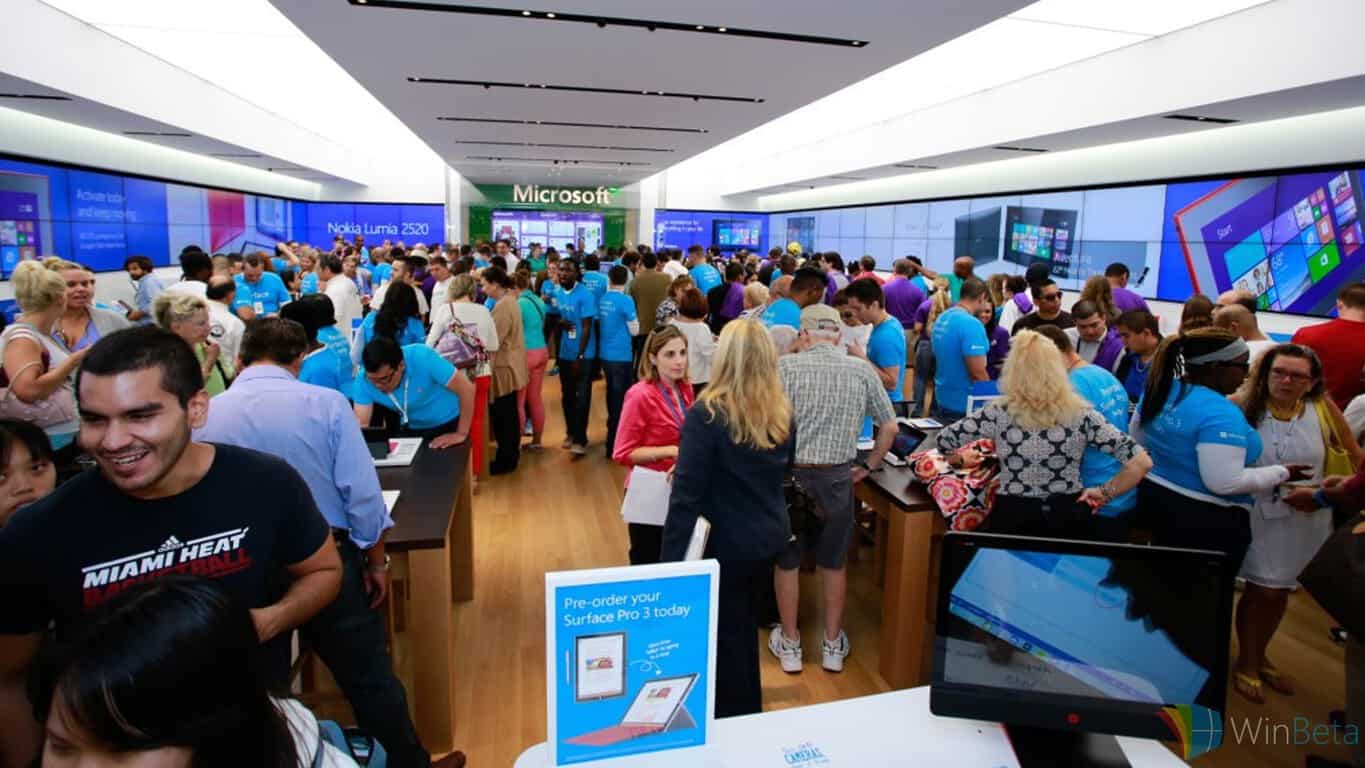
For those of you who live in Australia, you will be happy to know that Microsoft is all set to open a flagship Microsoft Store in Sydney on November 12th.
The planned store will be located within the popular Westfield shopping centre in Pitt Street Mall and promises to give local consumers a chance to experience the entire range of Microsoft’s products such as Windows PCs, Surface devices, Windows Phones, Xbox One and Office. This new store will also feature an Answer Desk, Microsoft’s solution to the Apple Stores’ Genius Bar, where customers can ask questions and get tech support related to their Microsoft products.
We can’t wait to open our doors and celebrate in a big way on 12 November. Customers are invited to line up as early as Wednesday 11 November at 10:00 PM at the entry to Westfield Sydney near Microsoft. Grand Opening ceremonies begin at 11:30 AM on Thursday 12 November. Microsoft at Westfield Sydney on Pitt Street Mall opens at 12:00 PM.
With the launch of the Surface Book, Surface Pro 4, Microsoft Band, and Lumia 950, this new store opening comes right on time! No word on if this particular store will have these new items on display. Regardless, it is quite nice to see Microsoft open it’s first flagship store outside North America.
As promised, Microsoft has started a tour of sorts in which execs and business partners are set to show off new Windows 10 devices. The tour started today with HP in Barcelona and will continue with Dell on the 8th. Other dates include Asus on the 9th, Acer on the 12th, Toshiba on the 13th and finally with Lenovo closing the show on October 19th. As if revealing the Surface Pro 4 and Surface Book, the Lumia 950 and 950XL, and the Microsoft Band 2 was not enough for Windows users, HP has just announced the release of 8 new devices.
Of the newly unveiled devices, here are a few that really stand out.
HP Spectre x2
The HP Spectre x2, starting at $799.99 and launching on November 8, is poised to compete against the likes of the Surface Pro 4. The device has a very similar 2-in-1 design with an adjustable kickstand and detachable keyboard. Starting $100 less than the SP4, with the inclusion of a stylus, a keyboard, Verizon LTE connectivity, and reversible USB Type-C to Type-A this device is not a bad alternative to Microsoft’s own hybrid tablet. HP ENVY Note 8
The HP ENVY Note 8 stands out for its size. HP is offering a full Windows 10 experience powered by an Intel Atom CPU. This device also comes with a digital stylus, although the keyboard is optional here. The ENVY Note 8 also comes with a Verizon LTE and pricing starts at $329.00.
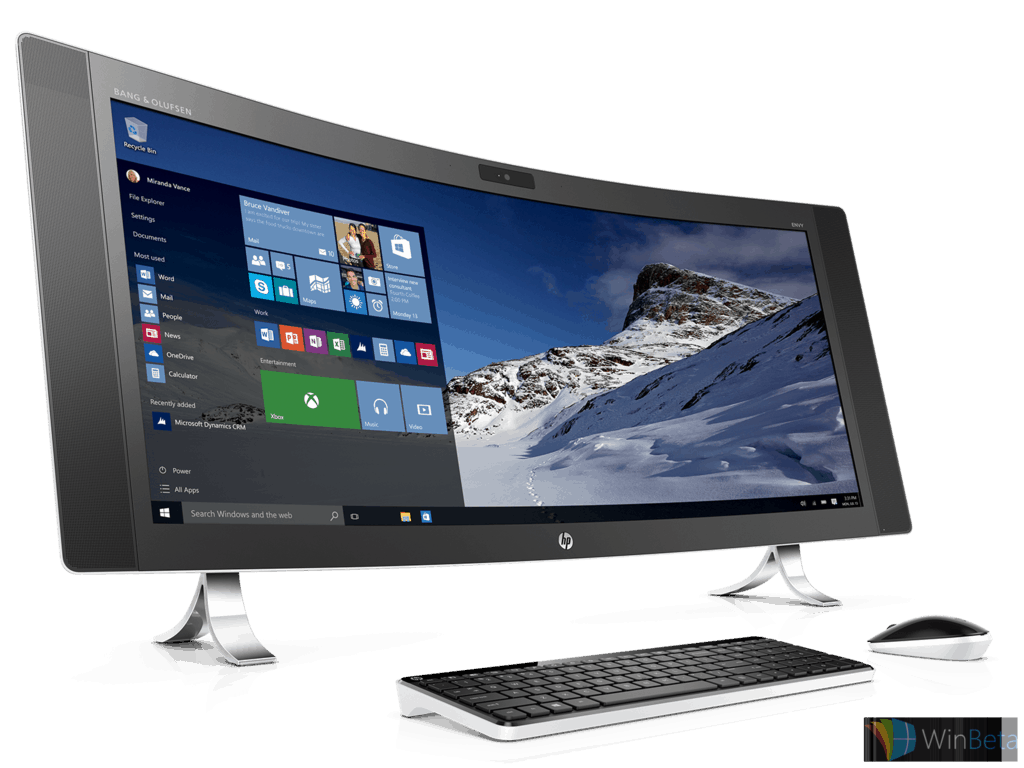
HP ENVY Curved All-in-One
As far as All-in-One’s go, HP’s curved display sets it apart from others of the same genre. The PC has a 34-inch, curved display for both productivity and entertainment.
HP Pavilion Gaming Notebook
The HP Pavilion Gaming Notebook is a 15.6-inch notebook powered with a GeForce GTX 950 graphics card and either an Intel i5 or i7 CUP. Storage ranges anywhere from 128 GB to 2 TB and starting at $999.
HP Stream Notebook PCs
HP stream Notebooks are for the budget conscious. These devices have very little internal memory but generally come with promotions for Microsoft’s cloud service, OneDrive. The HP Stream will come in two sizes, 11-inches for $199.99 and 13-inches for $229.00
For more information on HP’s new Windows 10 Devices presentation, click here.
iTunes is one of the most popular multimedia platforms in the world, and although it’s Apple’s product, it is also available for users of Windows operating systems, and Windows 10 is not different. So if you want to use iTunes on Windows 10, here’s everything you need to know about downloading iTunes, importing media, and buying from the iTunes Store on your Windows 10 computer.
How to install iTunes on Windows 10
Whether you’re installing iTunes for the first time, or updating it, method is the same. Just download the installation file, and if you’re installing it for the first time, it will normally install on your computer, otherwise it will just update the current version of iTunes installed on your Windows 10 PC. Here’s exactly what you need to do:
Click the blue Download iTunes button in the top-right.
Click the Download Now button.
Click on the download, once it completes, to launch the installer. Once you download the installer, just launch it and follow further installation instructions.
That’s it, now you have the latest version of iTunes installed on your computer. Follow further instructions from this article to learn how to create an Apple ID, import your music, subscribe to services, and more.
How to create an Apple ID for iTunes on Windows 10
Unless you’re using your own music, you’ll have to create an Apple ID to buy music, movies and apps from iTunes. So if you you don’t have Apple ID already, you can create it through iTunes on your Windows 10 PC. Here’s what you need to do:
Click the Sign in button near the top-right of the screen, just next to search bar.
You’ll be asked to login or to create your Apple ID, so just click the Create Apple ID button below.
Click Continue on the next screen, then Agree to the terms and conditions.
Fill in required information, including e-mail address, security questions, and password. Optionally include a secondary e-mail address and opt in to newsletters. Click Continue when done.
Fill in a billing address on the next screen, and optionally provide credit card payment information. Click Create Apple ID in the bottom-right.
Check your e-mail for a verification message, and click the link provided to complete the process.
If you want to buy and download apps from the store, you’ll have to add your payment info as well. Here’s how to do it:
Click the Apple ID icon on the top right part of the screen, log in, and click Account Info.
Under the Apple ID Summary, you’ll find Payment Information. Click the Edit button.
On the next screen, select your payment method, input the required information, and click Done in the bottom-right.
Now you have your Apple ID set up, and you’re ready to use Apple’s products on your Windows 10 computer.
How to import Music and Videos Into iTunes on Windows 10
You don’t have to buy every song from iTunes Store, as you can import your own. Once you start iTunes for the first time, it will ask you to Scan for Media, and if you choose this option, it will include all media from your computer in your iTunes player. If you want to skip it for now, and do it later, here’s how to import your your media into iTunes:
Click File in the menu at the top of the iTunes window
Click Add Folder to Library…
Just browse through your folders and add desired music (do the same for videos, and other media).
How to buy from iTunes Store in Windows 10
Of course, one of the main purposes of iTunes app, besides listening to music and watching movies, is buying music and movies and TV shows. But before we get started, you need to make sure your Apple ID has verified payment info, if not, just follow the steps from above, and once you complete everything, you’re ready to buy.
Here’s how to buy desired media from iTunes:
Open iTunes, and go to iTunes Store.
If you want to buy some of the featured items from the store, just click on it, otherwise, search for your favorite song, movie or TV Show.
Once you’ve found what you want to buy, click on the price and you’ll be asked to enter your Apple ID.
Enter your Apple ID, follow further instructions, and complete the purchase.
Once you buy an item, it will show up in your iTunes Library, more precisely it will be available under My Music, My Movies, or My TV Shows.
Now you know pretty much everything about installing and using iTunes on your Windows 10 computer. Tell us in the comments, which service do you prefer more, iTunes or Groove Music?
Hearing the term ‘Bingo!’ may bring about visions of elderly folk scratching numbers off a card in a hall. However, in late 2013 Microsoft took on the task of bringing the game into the twenty-first century. A few months after the release of Microsoft Bingo for PC, it became available on phones as a universal app. Microsoft Bingo, not to be confused with Microsoft’s Bing, has just recently been updated to work with the Windows 10 design language
If the reviews on the Store are anything to go by, people are enjoying this game as it has earned an average rating of four stars. The game allows gamers to ‘travel the world’ earning souvenirs as they fill in their card. Along the way, they can pick up luggage prizes and special rewards for matching Power Card picks.
The game is free to play with in-app purchases and can be downloaded using the link below.
I was fortunate enough to head up to New York yesterday to attend the fabled Microsoft event, vaguely dubbed as a place where the company intended to show off “Windows 10 Devices.” With a name like that, it was very easy for my jaded heart to sink into a cynical pit, condemning Microsoft for an underwhelming showing before anyone even stepped on stage. For so long, the only electronics company that cared to sell its products on a cohesive brand name was Apple. The massive success that Apple has garnered over the years with this approach to marketing is self-evident. Every move that Apple makes is praised by fans, regardless of its significance.
It’s this sort of brand dedication that I’ve always wanted Microsoft to get from its fans. Up until now, Microsoft has always been a company that focused on one thing: being effective, and making great products. It was always a great frustration of mine to see that, with this intense dedication to good products, Microsoft never made the general population care. Apart from a small group of diehards, most people feel lukewarm about the company. What I saw at Moynihan Station felt like a strong move in that direction – one that convinced me that Microsoft is finally getting people to rally behind its products.
Throughout the entire event, we were soaked in something that I always felt that Microsoft sorely needed: branding. The event oozed aesthetic – at any given time, I knew that I was there to see what Microsoft had hidden up its sleeve. It showed off the sort of pride in one’s brand that we’ve come to know so well from Apple, and that was exactly what I hoped for. This event was, above all else, Microsoft’s chance to prove that they could become a name to the general consumer, and not just be relevant to tech enthusiasts.
[pullquote align=”full” cite=”” link=”” color=”” class=”” size=””]This was the first time that I’ve ever truly felt like a Microsoft fan[/pullquote]
This was the first time that I’ve ever truly felt like a Microsoft fan, and not just a tech fan who appreciated Microsoft’s contribution. From the time I entered the building and saw the Microsoft branding elegantly scattered across the show floor, I felt like I could put away my cynicism and get excited. Whether it was the showmanship displayed in the videos that were shown off, or the electricity that Panos Panay brought on stage with his infectious enthusiasm for Microsoft’s new products.
I’ve always been interested in what Microsoft has to offer. The company has unequivocally been the most significant player in electronics since its inception, and every move they make is bound to be important to electronics enthusiasts. This event, however, shifted the paradigms entirely. I’m no longer just intrigued by what this company is going to do next – I’m excited. I feel as if Microsoft is beginning to rally a group of true fans, not unlike the folks who have decided to join Apple’s camp, and I think that change in public perception is the best thing that the company could have asked for.
[pullquote align=”full” cite=”” link=”” color=”” class=”” size=””]I’m no longer just intrigued by what this company is going to do next – I’m excited[/pullquote]
Only time will tell how the public is going to remember what happened at Moynihan Station yesterday. It’s entirely possible that the hype is going to wear off, and we’ll see the Microsoft fans sinking back into their holes to chatter about tech amongst themselves. I genuinely hope, however, that people look at this stellar presentation as the turning point in Microsoft’s public face. When the new Lumia phones, the Surface Pro 4, and the Surface Book releasing later this month, I think it’s entirely possible that we see a new wave of true Microsoft diehards.
Mobile operating systems with small to negligent market shares are looking towards a more responsive web to champion as an equalizer over the dreaded “app gap”. Systems such as Sailfish, BlackBerry and Windows Phone, all ‘suffer’ from not housing a robust ecosystem of apps. Earlier smartphone visionaries pictured a world where the web and web apps would be used over platform native apps. Unfortunately, the future of web apps has not quite panned out, but that doesn’t mean companies aren’t still hard at work on making it so.
Microsoft, for instance, started using extended srcset and picture element support with Microsoft Edge in Windows Insider Preview build 10547. With support for the new technologies, the Edge browser can now address responsive images. Older implementations of responsive design required developers to provide full responsive image solutions through JavaScript. That method of execution resulted in duplicate downloads, slower load times of sites and degraded performance as a result of executing logic on the a UI thread. The new tools now enable web developers to tailor their image size and art directions to an adaptive layout.
Recently, Microsoft has offered developers some guidance on what its believes are the principles of responsive images.
An image is fully responsive if it has three principal characteristics: First, it should download at an appropriate resolution to provide best quality image for the user’s device and based on the expected layout dimensions of the image. Second, it should be served in an efficient format that is supported by the user’s browser, to achieve smaller file sizes without compromising quality. Finally, to the focus of the image should adapt to device and viewport dimensions to ensure the primary subject of an image is always prominently in. The combination of srcset, sizes, and picture allows you to embed images with all of these characteristics so that your users have a great experience on any device or screen size.”
Microsoft’s simple developer principles also include width descriptors, size attributes, tying sizes together with srcset, and improving performance by adding resolution switching.
Microsoft is offering developers a Test Drive demo to get live examples of how the new technologies work with its Microsoft Edge browser.
Microsoft Corporate Vice President of Developer Platform & Evangelism Steve “Guggs” Guggenheimer took the opportunity today to announce a restructuring in how the company awards its prestigious MVP awards. Guggenheimer reminisces about all the MVPs he’s met with in the past:
Over the years, I’ve been fortunate to have spoken with many MVPs. I am always impressed by the eagerness to learn that all MVPs seem to share, as well as the common desire MVPs have to share knowledge with others. MVPs design, build and innovate across multiple platforms, devices, and technologies, creating holistic solutions and helping others do the same. That agility and openness is part of the fabric of today’s cloud-first, mobile-first world.
In the same way Microsoft listens to feedback about its products and services, the company has also listened to feedback regarding the MVP program. Microsoft has now taken that feedback and incorporated changes.
The focus of the new changes is to broaden the types of achievements and contributions that can be awarded and to strengthen attention on smaller, more geographically localized efforts. Specifically, the award categories will be shrunken down from 36 areas of technical expertise down to 10 broader categories which encompass 90 different technical areas.
The following categories remain unchanged:
Consumer Security
Windows Consumer Apps
Windows Experience
Windows Phone
Surface
ID@Xbox
Xbox
Bing Ads
Access
Excel
Macintosh
Office System
OneNote
Outlook
PowerPoint
Publisher
Visio
Word
More specifics can be found here.
These changes will prevent limiting the MVP award to only one specific technical area. The new move makes sense as seldom does a candidate contribute only to one particular technology and only that. Many of these technical areas are inter-related, and improvements to one often cannot be had without improvements to others.
The new award structure will also have the effect of encouraging local field teams to recognize and collaborate more with MVP contributors, strengthening the relationship between Microsoft and MVPs.
To further incentivize collaboration with MVPs, Microsoft is now for the first time opening its Channel 9 developer video platform up for MVPs to publish their own content.
These changes are necessary for Microsoft to keep the program in tune with the rapidly changing pace of innovation in the technology sector. The changes also evince a much greater willingness on Microsoft’s part to collaborate with not just other corporations and software communities, but also with its biggest individual contributors.
As Microsoft enthusiasts, we’ve been saying it all along: this stuff does matter. Yesterday at a press event in New York, where Microsoft-centric journalists and bloggers were treated warmly and not like some kind of enemy, Microsoft put on a show. Relaxed, personable, and diverse (sideways fedoras count as diversity, right?), Microsoft talked less about specs and stats and numbers, and more about what it *feels* like to use their products. They’re making a conscious effort, for maybe the first time ever, to help us move from just needing Windows, to beginning to enjoy using Windows to… loving Windows.
This is so far removed from some of the events I covered back in the “Sinofsky era” where Microsoft bloggers/enthusiasts were treated like some kind of maybe-not-quite necessary evil, as if being enthusiastic about the products you used was some kind of laughable notion. “We don’t care”, as Lily Tomlin voiced as a phone company operator back in the early days of Saturday Night Live, “we don’t have to”.
But now, suddenly, finally, Microsoft is finding that it does need to care. It’s finding out that making cool stuff matters, and giving enthusiasts not only tools but a reason to belong, a place to “be”, is worth a lot more than just lip service.
Xbox matters. Gamers are more than just a stepping stone into the living room, they matter. An Xbox that bungled the gamer experience and kludged an entertainment hub onto their backs at a premium price not only didn’t work, it massively backfired. Microsoft might make a lot of money someday with the Xbox as the center of the living room experience, but at its core, gaming still needs to matter.
Surface Book
Information workers and road warriors matter, too. They shouldn’t have to pack around a boring bloated laptop in a bag full of extra batteries and accessories because they just can’t *work* on one of those fancy iPads that the cool kids are carrying. The Surface Pro has given serious street cred to people who care about how they’re perceived, but need a real working machine. The Surface Pro line, up to and including the sexy new Surface Pro 4 and the Surface Book, not only works, but it matters.
New Lumia phones
Phones matter too, but not only as the best of the current generation, but as a leader for what’s to come. 8 years ago, the only conversations around phones involved Nokia and Blackberry. That all changed of course, but the nature of phones is not that someone wins, it’s that the landscape changes. The only thing about phones we know for sure is that in another 8 years, we won’t be using “smartphones” as they exist today. Continuum may or may not be the way to the future, but Microsoft isn’t standing still, for once. Microsoft enthusiasts, left out in the cold for far too long without a new flagship device, are finally getting not one but two, even as Microsoft understands that these phones aren’t going to be big sellers. Why? Because enthusiasm matters, and users left out in the cold, even though they’re small in numbers, are vocal in their displeasure when they could be carrying the torch for Microsoft.
And what matters most is Microsoft, One Microsoft. This is a company that realized that by ignoring Microsoft enthusiasts, and enthusiasm for Microsoft, it was throwing the baby out with the bathwater. Sure, Microsoft makes a lot of money on the enterprise. But we don’t stop having feelings when we get to work. We want to be proud of what we use, to show off our skills and our connection to what’s cool. It matters, and for perhaps the first time ever, Microsoft seems to have figured that out.
Apple and Microsoft are very different companies, in a number of important ways. One example is in how the companies treat their competition during important events. Apple tends to poke fun, to put it politely, while Microsoft tends to take a higher road. Most of the time.
At yesterday’s Windows 10 hardware event, someone played a joke on Microsoft Corporate VP Panos Panay, inserting a CAD drawing of a toaster-refrigerator hybrid into his Surface Pro 4 demonstration. Known colloquially as the “toaster fridge,” this mythological creature has haunted the Internet ever since Apple CEO Tim Cook alluded to it during an Apple quarterly earnings report in 2012.
“You can converge a toaster and a refrigerator, but, you know, those things are probably not going to be pleasing to the user,” Cook said.
Cook’s point was that in trying to merge two different devices, namely laptop computers and tablets, Microsoft was compromising on both. Clearly, with Surface becoming a $3.5 billion product line, quite a few people disagree, and Microsoft’s Surface Pro 4 and Surface Book announcements reveal Cook’s position to be a bit short-sighted.
It’s a lot of fun when companies take jabs at each other, and this one was considerably more innocent than Apple’s disparaging of its own competition. Consider that Panay also lauded the MacBook Air as an excellent device, even as he spoke to the relative strengths of the new Surface Book. That’s classy, in our opinion. And more recently, Cook returned the favor, calling out Microsoft’s importance in helping Apple create truly productive products at this year’s BoxWorks event.
Apple and Microsoft can partner on more things than we can compete on and that is what the customer wants… Office on the Mac is a force. Partner with Microsoft is great for our customers, and that’s why we do it.
We’ll likely see more back and forth between Apple and Microsoft given the latter’s excellent strategic moves lately–Microsoft is a far more confident company today than it was in 2012, and for good reason. Things might become a little warmer, however, as the two companies work together in building out Microsoft’s new productivity platform.
Yesterday we reported about the 2nd generation Band at the Windows 10 devices event, as well as its October 30th release date. In preparation for the launch of the second generation Microsoft Band, Microsoft has just updated the accompanying Health app across Android, Windows Phone and iOS.
Changes include:
Updated UI for universal Windows 10 platform (for Windows Phone version)
Newer more blue color scheme replacing the old purple tint.
UV monitoring
Elevation tracking thanks to the new barometer in the new Band
New features for aiding in sleep cycles
Workout customization through the health dashboard website. The website features a comprehensive assortment of workout regimens that users can customize to tailor to their own needs and compare their data with the averages of Microsoft’s overall health database.
The new Band was announced yesterday at the Windows 10 devices event alongside several other flagship products, including the Lumia 950/950 XL, the Surface Pro 4, and the unexpected Surface Book. The Band 2 will retail for $249 USD and begin shipping October 30th.
It’s been a super exciting week for tech enthusiasts with Microsoft announcing several exciting new pieces of hardware. Many of them are already up for pre-order right now so here’s a collection of where and how to buy the Surface Pro 4, Surface Book, and new Microsoft Band.
Surface Pro 4
The newest entry in the popular Surface Pro line of tablet/laptop hybrid devices, the Surface Pro 4 is the thinnest and most powerful Surface Pro yet and will make for either a great upgrade device or an entirely new one for those who have yet to jump on the Surface Pro hype train.
When Microsoft introduced Windows 10, there was an emphasizing on the idea that you can “do more” with Windows devices. With today’s announcement, those over at Microsoft are taking it a step further. They do not just want to you “do” or “do more”, today they urging you to “do great things”. With products like the Surface Book and continuum for phones on the Lumia 950(XL), Microsoft is certainly building devices that allow people to do almost anything.
Microsoft and its Windows, Office, Azure, Surface, Lumia, and Band products have always stood on a platform of productivity. If you remember back to those old Apple commercials in which Microsoft was depicted as an older, dorky, and rather boring man in a suit and tie, the company has been traditionally viewed as the “business first” company. It looks as though Microsoft accepts the suit and tie but is ready to show the world they are much more than just business software and corporate offices.
In the two minute video above, Microsoft appeals to almost every person who touches a mobile device. The video features each new product Microsoft announced in today’s keynote, highlight how Windows 10 devieces are for the athletes, the aritits, the designers, the students, the directors and movie editors, the gamers, the architects, the Dj’s, and for the friends. It appears as if Microsoft is trying to place a Windows 10 device in every working and entertainment space there is, inspiring and urging people to not just do, but to do great things. As the video says, “When there are no limits to what your devices can do, there are no limits to what you can do with them.”
What great things will you do with your Windows 10 devices?
Something that we actually speculated would happen earlier this week after we heard rumors of a thinner bezel on the Surface Pro 4 has come to pass: Microsoft has removed the physical Windows key on the Surface Pro 4.
Since the first generation Surface Pro and Surface RT, the Windows symbol has been a constant on the Surface range of devices, offering an easy way for the user to return to the Start Screen and navigate the Windows operating system. With the launch of Windows 10 though, and the new constant presence of the Windows Start Menu in the lower-left corner of the screen (and sad goodbye to the glorious fullscreen apps in Windows 8), the physical Windows button’s relevance has been diminished for many users and with the want for a thinner bezel on everyone’s minds, its removal was inevitable.
Surface Pro 4
The absence of the physical Windows button won’t really be felt until users get their hands on the new Surface Pro 4. For now though, let us know what you think about this rather significant design choice. Do you use the button often? Will you miss it? Share your thoughts in the comments below.