IM+ Windows 8 App Update Makes it Ready and Optimized for Windows 8.1, 10

IM+ Windows 8 app gets updated and optimized for Windows 8.1
im+ windows 8.1If you have been using IM+ on Windows 8 and have experienced issues when finally upgrading to Windows 8.1, then your issues could have ended. The IM+ app has been optimized for Windows 8.1 and you can get it from the Windows Store as of now. This isn’t just a minor update, like with Facebook, Box or Wikipedia but a serious move forward from the IM+ team.

Here is the changelog of the Windows 8.1 update for the IM+ app:

  • Support for Windows 8.1
  • New Small and Big tiles
  • Support of MSN contacts in Skype
  • Ability to send messages to offline VK.com contacts
  • New emoticons
  • Ability to see who of your ICQ contacts are connected on mobile
  • Message queue
  • Performance improvements and bug fixes

The guys over at WpCentral have did a very fine job explaining what these feature mean in detail, so if you’re an avid IM+ user on Windows 8, I suggest you to have a read. For those of you who are a new to IM+, you should know that it is called the “all-in-one messenger” because it connects to a plethor of chat services such Windows Live Messenger, Facebook, Skype chat, Google Talk, AOL/AIM/iChat, Yahoo!, ICQ, Vkontakte, Mail.Ru Agent, Odnoklassniki, Yandex chat, Mamba.Ru, Mig33, SINA Weibo, Renren, Fetion, Gadu-Gadu, MeinVZ and Jabber.

There’s no need to download all the above mentioned messaging web clients or apps – just use the IM+ in Windows 8.  You can choose the free or the paid version of IM+.

Microsoft shows off Surface 2 Touch Cover technology

Surface 2 Touch Cover

With the release of the Surface 2 and Surface Pro 2 tablets, Microsoft ushered in the Windows 8.1 generation and proved its support for the RT platform will continue, at least for now. Along with the new tablets came new accessories, including such cutting-edge products as Blades. But the simple Touch cover, which is frequently overshadowed by its Type cover sibling, also got some love during this update.

Now Microsoft wishes to explain exactly what goes into this newly remade attachment. To give you a taste of the technology, the company enlisted Stevie Bathiche who, despite looking like a member of the latest hit rock band, is Director of Research in Microsoft’s Applied Sciences Group.

Bathiche explains how the company utilized a high-resolution grid to help the keyboard intuitively determine your intentions. This promises improved accuracy, faster typing speeds and enabling of gestures on keys.

In the video, released today, Bathiche gives a quick demo of all of these new enhancements, proving how the cursor moves by swiping across the keyboard and demonstrating a two-finger delete method that equals moving to the backspace button.

Microsoft promises that this is just the first in a series of videos it has planned for showing off all that has been done to improve the latest Surface devices. Naturally, it also proclaims the new Touch cover “a brilliant accessory for any Surface , a protective cover that easily clicks on to your device, is more rigid, features a full QWERTY keyboard that is now easier to type on, backlighting, and gestures that make you more productive”. That last part will be up to you for judgment, but the accessory certainly seems well thought out and worth at least a look upon your next visit to a company store.

Windows 8, 10 CNN App Comes With the Latest Stories and no Ads

The official CNN app for Windows 8 is here, brings no ads
cnn for windows 8 appBeing in the industry of journalism and online publishing, I must read a lot of news every day, and not only regarding Windows 8. That’s why when I found the CNN app for Windows 8, I couldn’t be more happy, as the app is made with top-notch quality while providing the right interface to be used on your Windows 8 device.

Right after installing it, you will have to choose whether or not you will let the CNN Windows 8 app run in the background. You probably think it will run a lot of your RAM, but don’t worry as it has a very light footprint. By letting it run in the background, you will receive news notifications, so if you need to follow a certain story or news, this will be extremely helpful.

CNN App for Windows 8: the news that matters

The Windows 8 CNN news app has a trending section, called top story, an the next news sections are: latest stories, sections, videos and iReport where you get to submit your self-made stories. If you right-click while you’re reading an article, you have the possibility to save the article or to increase the size of the fonts used. When you are not on an article, right-clicking will show you a top-bar menu with the following options: home, latest stories, videos, history and favorites. On the lower bar, you have the option to go to the International version or refresh the page.

The sections are features specific news from different areas of interest, such as news, politics, tech, sport and others. What I loved about the CNN app for Windows 8 is that I didn’t see any ads at all. Not even when loading videos. However, this might be because I am located outside U.S and Canada, where most of the advertising is probably targeted.

Also, the CNN iReport in Windows 8 lets you contribute your story or even an opinion piece; you have the possibility of uploading photos and original videos straight from the app. The CNN Live Tile options lets you pin it to the start screen to follow the latest headlines. And don’t worry, it will work with your Windows RT device. If you experience issues, you can e-mail the developers at [email protected].

Download link to the CNN App for Windows 8

Microsoft highlights the pressure sensitive Surface stylus pen

Microsoft Surface Pro stylus pen

One of the cool features of the Surface Pro and Surface Pro 2 is the pressure sensitive stylus pen. This pen allows you to have fine thin lines or thicker lines based on how much pressure you add.

“The Surface Pen is far more powerful than a traditional stylus because it is pressure sensitive – meaning that you have control of the thickness or darkness of the lines or brushstrokes you’re creating based on how hard you press the pen against the screen,” Microsoft stated in an official blog post.

Microsoft is touting the Surface Pro 2 as a “creative powerhouse” allowing one to get the most out of Adobe’s Photoshop software. In fact, the fantastic pen experience is thanks to the combination of the ten point multi-touch for app navigation and the palm blocking technology which prevents your palm from registering as a touch.

“Palm blocking technology basically ensures that you can rest the palm of your hand on the screen without it registering as a touch – when Surface Pro detects the presence of the pen, it registers the input provided by the pen alone. While drawing or sketching your hand can rest on the glass naturally — this is a huge plus over devices that support only capacitive pen,” Microsoft explains.

Microsoft suggests grabbing the Wacom driver (download listed below) and once you install the drivers, simply open the Pen Tablet Properties from the Control Panel. Here you can adjust the tip feel, along with the ability to calibrate your screen. Try it out and see how you like it.

Surface Pro docking station available for purchase, ahead of expected release

Surface Pro Docking Station

When Microsoft announced the Surface Pro 2, the company also had announced a few new accessories to go along with it. One of the accessories is the highly requested docking station. 

Microsoft originally stated that the docking station for the Surface Pro and Surface Pro 2 would launch in early 2014, but it seems that the accessory is available for purchase right now at the online Microsoft Store for $199.

“The Docking Station for Surface Pro gives you everything you need to get work done–a display port, an audio input/output jack, an Ethernet port, as well as a high-speed USB 3.0 and three USB 2.0 ports,” the product description states.

Not only does the docking station power the device while you use it, but it also charges it so you can continue using it elsewhere. Head over to the source link below to snag it before it runs out of stock!

Update: The docking station is now out of stock.

Thanks to all who sent this in!

Microsoft erects enormous Surface 2 in London’s Trafalgar Square

Giant Surface in London

For those of you who are near London’s Trafalgar Square, Microsoft has erected a 27ft wide and 17ft tall Surface 2 device in celebration of the Surface 2 and Surface Pro 2 launch.

Obviously, Microsoft erected this large 30 foot tablet to draw attention to tourists and those commuting through the area. With the recent launch of the new Suface 2 devices, this marketing ploy is great to spark interest from those who were unaware of the new Microsoft tablets.

Microsoft also brought along British rapper Dizzee Rascal to “use” the super-sized tablet. The large tablet is actually connected to an actual Surface 2 device, which then projects the display onto the large screen.

“This unique experience would not have been possible without the team at design and fabrication experts Helix. The London based team were responsible for bringing the vision of a giant Surface to life; enabling the public to physically trial the new device and see for themselves how all the functions and features work,” Microsoft stated in an official press release. Construction of the giant tablet took 13 days to complete.

If you happen to be in the area, head over there and check it out. It would be nice to take some snapshots next to the large Surface 2 device.

Microsoft acquires Apiphany for use in Windows Azure

Apiphany for use in Windows Azure

The move to the cloud continues pace and Microsoft continues to invest in Windows Azure. The latest acquisition is the Washington DC-based startup Apiphany, an API management delivery platform. The platform will now be used as an integrated Windows Azure API management service.

Apiphany announced the acquisition in a blog post and the post is understandably upbeat for a company that has only existed for just over a year:

“We’ve been operating as scrappy start-up out of a garage in the Georgetown neighborhood of Washington D.C. for a little more than a year. We knew from the beginning that we had to be cloud-first and choose the right platform. In that year we managed to build a product, introduce it to the market, and acquire great customers. It was a lot of work but even more fun! We will surely miss our garage days.”

The post goes on to say: “At the same time we are excited to become a part of Microsoft. We firmly believe that joining this great company will help us to accelerate our vision of democratizing API management and bringing it to millions of customers across the world.”

Steve Martin, General Manager for Windows Azure Business and Marketing, said on the Azure blog: “We look forward to surfacing API management services within Windows Azure and providing our customers with the technology they need to grow their API ecosystem very soon.”

Microsoft drops ‘Surface RT’ name in favor of ‘Surface’, removes the default desktop tile

Microsoft Surface RT

Goodbye Surface RT, it was nice knowing you. Microsoft has revealed today that they have dropped the ‘RT’ brand name on the original Surface device. Now, Microsoft will be referring to the original Surface RT as simply the Surface. This coincides with the company’s launch of the Surface 2 and Surface Pro 2.

“To stay consistent with the naming structure of our new offerings, Surface RT is now referred to as ‘Surface,’” Microsoft stated. Microsoft didn’t use the RT name in the new Surface 2 device in an attempt to avoid confusion, as admitted by the company in a recent interview.

“We think that there was some confusion in the market last year on the difference between Surface RT and Surface Pro. We want to help make it easier for people, and these are two different products designed for two different people,” Microsoft’s product marketing manager for Surface, Jack Cowett, stated.

As you can see from the online Microsoft Store, the Surface is listed for $349 (starting price) and is labeled as “daring” and “original.”

On top of the name change, Microsoft has also removed the default desktop tile that appears in the Start Screen in Windows RT 8.1. Apparently, new Windows RT 8.1 devices will default to the Start Screen without a desktop tile. This obviously makes it harder to use the desktop. Of course, this will spark some controversy and some heated debates online.

How do you feel about these changes?

Microsoft Brings Windows RT 8.1 Update Back in the Windows Store

windows 8.1 rt update in store

Windows RT is already viewed as a flawed product by many, so three days ago when the Windows RT 8.1 update was pulled down from the Windows Store this did nothing but to enfuriate even more users. Now, according to Microsoft’s Support Twitter account, the Windows 8.1 update for Surface RT is back in the Windows Store.

Windows RT 8.1 update is back in Windows Store

A Microsofot spokesperson said the following:

This was due to a rare situation where firmware updates had not completed at the time of the update to RT 8.1. In most cases, if a customer encountered this issue the result was simply an extra reboot. However, for a very small percentage, the boot configuration data was affected which prevented a successful boot. We worked to quickly resolve the issue and now encourage customers to update their Surface RT devices. Surface Pro and 8.1 customers were not impacted by this issue.

As previously announced, there is a recovery solution available for download here for Surface RT customers who experienced the installation issue. We apologize for any inconvenience this may have caused. If an issue occurs with our software or devices, we take immediate steps to ensure a quality experience for every single customer—that’s been our driving priority in this case, despite the very limited number of customers impacted. We are grateful to the customers who shared their Surface RT devices, assisting our efforts to determine the root cause quickly.

Also, this was posted on the support forums:

The update to Windows RT 8.1 is once again available as a free download in the Windows Store for users with Windows RT devices. We immediately suspended availability of the update after reports that a very small number of Surface RT customers—around 1 out of every 1,000 Surface RT 8.1 installs—had experienced an issue that left the update incomplete and their devices unbootable. This was due to a rare situation where firmware updates had not completed at the time of the update to RT 8.1.

In most cases, if a customer encountered this issue the result was simply an extra reboot. However, for a very small percentage, the boot configuration data was affected which prevented a successful boot. We worked to quickly resolve the issue and now encourage customers to update their Surface RT devices. Surface Pro and 8.1 customers were not impacted by this issue.

Microsoft has previously made available a Surface RT recovery image for those that have bricked Surface RT units. Even if Microsoft says only Surface RT owners had this issue, we’ve seen numerous reports of Windows RT users having the same issue. Can you check and confirm that the update is back in the Windows Store? If you run a Windows 8 version and for some reasons the Windows 8.1 update doesn’t show up, check this guide as it might help you out.

Buy Windows 8.1 at a Cheaper Price: Best Offers and Discounts

If you’re looking to save a few bucks with your Windows 8.1 purchase, read below to find out some cheap ways to do it

windows-8.1-discount

Windows 8.1 is out in the wild and those of you that have already bought a legal version of Windows 8 will get the Windows 8.1 update totally free. But there are many out there that haven’t tried Windows 8 and are upgrading straight to the Windows 8.1 form. So, if you’re seriously looking to buy Windows 8.1, you might need to look at some cheap Windows 8.1 upgrade offers that are in the market.

I’ll be frank with you and tell you that there are not too many discounts on Windows 8.1, as Microsoft has always been “cheesy” from this point of view, maintaining a high price for its software. But, with a little effort, one can find some ways to get a discount on Windows 8.1, even if it’s a small one. Let’s see what options we have.

Cheap Windows 8.1 upgrade options

As always, the most serious discount is offered for students and pupils, some schools even getting Windows 8.1 for free. Some of the below options include small discounts, like ten dollars, but with that money you can go once to Starbucks, right? Anyway, these are the Windows 8.1 discount options that we have found, if you know of any others, do let us know.

Buy discounted Windows 8.1 from Amazon

The official price of Windows 8.1 and the price at which you will find the packed retail box with Windows 8.1 is currently $120. By buying Windows 8.1 using the above link, you will get $10 off the price, getting it for $110. It doesn’t seem much, but consider this – Windows 8.1 has just been launched and Amazon already has a discount, even if it is small. Probably, the discount will get even bigger, so if you’re looking to save some extra bucks, you can wait a few more days. My estimate is that in a few months, Windows 8.1 will be less than $100 on Amazon.

Buy discounted Windows 8.1 Pro from Amazon

We know that Windows 8.1 Pro comes with some extra features than the standard Windows 8.1 so it might be looked for especially by IT professionals. At the moment, Windows 8.1 Pro’s official retail price is fixed at $200, which is $80 more than Windows 8.1. On Amazon, you will be able to buy it for the same $10 discount. But, I stress again, this is bound to change in the future, so you better watch out and keep an eye on this.

Windows 8.1 student discount

Most students have probably bought Windows 8 when Microsoft released it last year, but if some of them didn’t, then now is your time to do it. The Windows Pro 8.1 upgrade will cost you $70, instead of $200, so this is a huge $130 saving. This student-only Windows 8.1 discount requires verification of student status prior to purchase, which is usually done with a .edu email address or is dealt by the administration of your school or university. You are also limited to five copies of Windows 8.1 during an entire year.

buy cheap windows 8.1

Clever trick to get Windows 8.1 at a much cheaper price

I am not sure how much this is going to last, probably until Amazon runs out of copies, but what you can do is install a copy of Windows 8 on your device and after that get Windows 8 completely for free. And the price are even better, have a look! You need to run a previous version of Windows to be able to use this, Vista, XP or Windows 7.

Do you know any other ways to get Windows 8.1 at a cheaper price?

How to remove the ‘SecureBoot isn’t configured correctly’ watermark on Windows 8.1

Windows 8.1 Start Screen

For those who were one of the lucky ones to successfully download and install the Windows 8.1 update while numerous users are experiencing difficulties, you are likely to be enjoying all the new consumer requested features that the update brings to Windows 8. However, there is one annoyance that has poped up regarding Secure Boot, leaving an annoying watermark on the desktop.

Some Windows 8.1 users are reporting that they have a watermark stating “SecureBoot isn’t configured correctly.” Here is why it appears and how you can fix it, for now at least.

“Secure Boot helps increase the security of Windows 8.1 and Windows RT 8.1 PCs by stopping unauthorized software from running. If you see a “SecureBoot isn’t configured correctly” message in the lower-right corner of the desktop, it means that Secure Boot has either been turned off or hasn’t been set up correctly on your PC,” Microsoft explains.

If you need to turn on Secure Boot for your device, if it is capable, head over to your BIOS menu and enable it. The Secure Boot feature, for the most part, is available on UEFI-based computers.

Microsoft also explains that if you turned off Secure Boot and installed your own drivers, you will likely need to reset your Windows installation before you can turn Secure Boot on again. Simply Reset or Refresh Windows 8.1 via the System Settings app. 

Apparently the only solution to disable the watermark is to actually enable Secure Boot in the BIOS. At the moment, there seems to be no workaround to remove the watermark if the Secure Boot option is disabled in the BIOS.

Have you discovered another method that works?

Update: Microsoft has rolled out a hotfix that removes the watermark.

How to Update From Windows 8.1 Preview to Windows 8.1

Updating from the Preview version of Windows 8.1 to the final and official Windows 8.1 is different than when you update from Windows 8, Windows 8 Pro or any other versions there are. We have showed how to get the Windows 8.1 Update, in case it doesn’t show up for you in the Windows Store. Also, you might encounter some issues while trying to update to Windows 8.1, so double-check this article on some potential problems, such as having your Windows 8.1 install stuck.

Since the final versions of Windows 8.1 and Windows RT 8.1 are now available online through the Windows Store, this means that the preview versions are technically no longer available to download, so you shouldn’t be using them, unless you want to go ahead and uninstall Windows 8.1, because it will be impossible to do so after you make the jump.

The final version of Windows 8.1 or Windows RT 8.1 must be installed before January 2014, because that is when the license for the Windows 8.1 preview will expire. So, here are the ways and solutions to use in order to correctly upgrade to Windows 8.1

How to update to final Windows 8.1 from Windows 8.1 Preview

upate windows 8.1 preview to windows 8.1 final

At the moment of writing this article (October 20, 2013), the official Windows RT 8.1 update was pulled off by Microsoft from the Windows Store due to a “situation”, and we’re not sure how much it will take until the issue will be solved, but we will be sure to update the article once that happens. Your update process to Windows 8.1 depends on how you installed the preview version of Windows 8.1  or Windows RT 8.1.

Windows 8.1 Preview was installed from the Windows Store

If you installed the Windows 8.1 Preview from the Windows Store or by using media while your Windows 8 system was running, then you can download the Windows 8.1 update for free from the Windows Store like anybody. However, while your personal files will be saved, a reinstall of your apps will need to be done, which is a real pain in the a$$. You will need to have the original installation files as that might be required from you at a certain point in the update process. And here’s how to do it:

  • Open the Windows Store be pressing the Windows key or by going to your Start screen
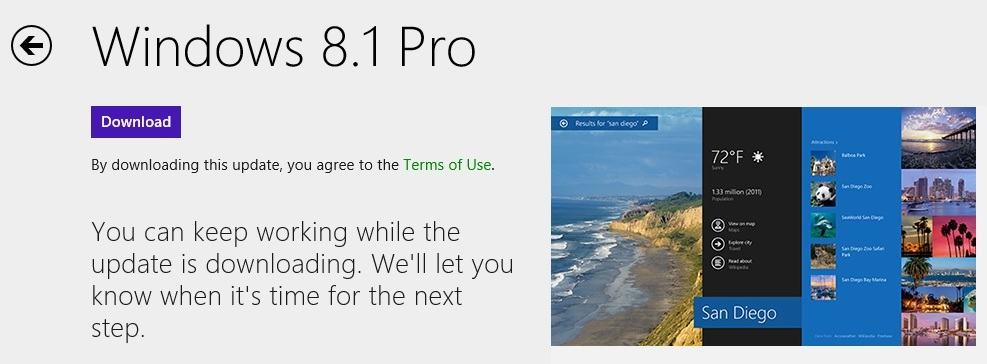
  • Download Windows 8.1 from the Windows Store by selecting it from the featured area
  • If you can’t see the Windows 8.1 update, then enter ms-windows-store:WindowsUpgrade in the address (url) bar of any of your browser and it will take you to the download page in the Windows Store

You will also need to make sure that you have the final, update number KB 2871389 installed. See our recent article on this.

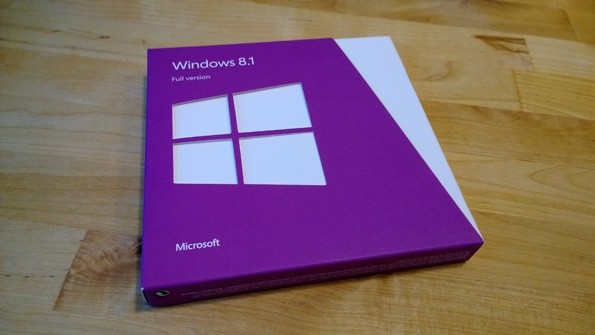
windows 8.1 retail box

Windows 8.1 Preview was installed from ISO media

If you installed the Windows 8.1 preview by booting straight from ISO media files, then you can follow the above steps, as well. However, you should know that your system won’t activate unless you buy a Windows 8.1 license and product key. Of course, if your Windows 8 copy was a purchased one, then you just need to follow the instructions needed to activate your system. If not, you can purchase a Windows 8.1 DVD or Windows 8.1 Pro as after 18 October, Microsoft is already selling them in retail boxes

Did you manage to update to Windows 8.1 from the preview version using the above mentioned steps? We know they are very simple, but sometimes they can be puzzling. Let us know in the comments section and if not, we’ll work out a solution together, of course!

photo credit – WinSuperSite


Windows Server 2012 R2 hits general availability, 180 day trial download also available

Microsoft dark logo

Along with the Windows 8.1 general availability, Microsoft announced on Friday the general availability of Windows Server 2012 R2, System Center 2012 R2 and a new release of Windows Intune. These releases are part of Microsoft’s “wave 2” of the company’s cloud operating system.

Microsoft wants to help organizations transform their current server environment into a highly elastic, scalable, and reliable cloud infrastructure. Microsoft hopes to achieve this using what the company calls “Cloud OS” which consists of Windows Server 2012 R2, System Center 2012 R2, and Windows Intune.

“At the heart of Cloud OS is Windows Server 2012 R2. Delivering on the promise of a modern datacenter, modern applications, and people-centric IT, Windows Server 2012 R2 provides a best-in-class server experience that cost-effectively cloud-optimizes your business,” Microsoft stated in an official blog post.

Microsoft believes that Windows Server 2012 R2 offers businesses of various sizes the kinds of storage, networking and security needed to operate not only for today, but for future as well. “With the increase in new applications, the explosion of data, and growing end-user expectations for continuous services, there has come a significant increase in storage demands. Windows Server 2012 R2 offers a wide variety of storage features and capabilities to address the storage challenges faced by organizations,” Microsoft explains.

You can head over to the VIA link listed below to see a complete breakdown of new features that come with Windows Server 2012 R2. You can hit the download link below to snag the 180-day trial as well.

Nokia’s upcoming Windows RT Lumia 2520 press rendering shows Cyan and Red body colors

Nokia Lumia 2520 in Red

Nokia is set to hold an event on October 22nd in Abu Dhabi and the company is rumored to reveal new Lumia devices along with the rumored Lumia 2520 Windows RT tablet. Two press renderings of this Windows RT tablet from Nokia have been revealed ahead of schedule and showcase a cyan and red body color.

The Lumia 2520 is rumored to be a 10.1-inch 1920 x 1080 Windows 8.1 RT tablet, priced at $499 on Verizon. This device also features a 32GB of internal storage and a 2.15GHz quad-core Qualcomm 8974 (ARM) chipset.

There is also a 6.7 megapixel camera with Carl Zeiss optics and the device weights 1.3 pounds. The tablet also supports LTE/4G connectivity and we are expecting to see either a black or red color option, if not both colors.

Nokia is expected to unveil this device on October 22nd. The device is expected to roll out in black, white, red, and cyan. 

Nokia Lumia 2520 in Cyan

Discontinued Dell XPS 10 and Lenovo Yoga 11 to receive Windows RT 8.1

Dell's XPS 10 Windows RT tablet

For those curious, even though Dell discontinued their Windows RT based XPS 10 tablet, you will still be able to download and install the upcoming Windows RT 8.1 update. The same applies to the discontinued Lenovo Yoga 11 tablet.

Windows RT 8.1 is set to roll out on the same day as Windows 8.1, which is October 17th for current Windows 8 users and a general availability on October 18th. Of the new features that come with Windows RT 8.1, the most noteworthy feature is the addition of Outlook RT.

We recently reported that Microsoft is now the only company selling a Windows RT based tablet (Surface RT) as companies such as Dell and Lenovo have opted not to continue selling their Windows RT tablets. The reason for this is due to lack of sales. Microsoft may be the only one selling a Windows RT device right now, but Windows RT 8.1 is set to change the game just a little and hopefully turn things around for the sinking platform.

However, if you were one of the unlucky ones who obtained either the XPS 10 or Yoga 11, have no fear. You can still download and install the Windows RT 8.1 update to bring new life into your discontinued product.

Microsoft touts easier browsing for the blind and visually impared with Internet Explorer 11

Internet Explorer logo

In an official new blog post, Microsoft is highlighting an improvement that comes with Internet Explorer 11 on Windows 8.1 that provides easier browsing for the blind and visually impaired. There is also better input with Asian languages.

“Internet Explorer 11 makes browsing the Web easier for blind and visually impaired users who rely on screen readers, such as Windows Narrator. With the editing and input improvements in IE11, screen readers can better inform users about the current content of an editing region, and typing with East Asian languages using an Input Method Editor (IME) is now easier,” Microsoft stated in an official blog post.

Internet Explorer 11 will now auto-correct misspelled words and lets the user know via a notification that auto-correct is taking place. IE11 also allows the screen reader to announce what letters are being deleted when hitting the backspace button.

“IE11 provides more detailed notifications to screen readers, so users can better understand the content they are reading or editing. For example, Microsoft Narrator says “bold” and “end bold” to let the user know that a section of text was emphasized with bold styling,” Microsoft adds.

With IE11, the screen reader can also read out the Asian language characters as they are typed phonetically on an English keyboard. Microsoft adds that with IE11, writing an email or reading a document is easier than ever when using a screen reader.

IE11 rolls out with Windows 8.1 on October 17th.

Microsoft awards first $100k bounty for mitigation bypass technique in Internet Explorer 11

Internet Explorer logo

Microsoft’s IE11 Preview Bug Bounty has come to a close and the company revealed on the 7th of October that they had paid $28,000 to six researchers for fifteen bugs in Internet Explorer 11.  Today, Microsoft has revealed that they have paid $100,000 to a researcher for a new mitigation bypass technique in Internet Explorer 11. This now means Microsoft has paid a total of $128,000 to hackers for finding exploits in the browser that’s set to ship with Windows 8.1.

“Congratulations to James Forshaw for coming up with a new exploitation technique to get our first ever $100,000 bounty. A security vulnerability researcher with Context Information Security, James already came in hot with design level bugs he found during the IE11 Preview Bug Bounty, and we’re thrilled to give him even more money for helping us improve our platform-wide security by leaps,” Microsoft stated in an official blog post.

According to the devices and services giant, learning about new mitigation bypass techniques can help the company develop defenses against an entire classes of attack. This can help make individual vulnerabilities less useful when attackers attempt to wreak havoc.

“Until then, our special thanks go to James: Congratulations and well done! You not only made history by receiving a total of $109,400 from our bounty programs, you’re also helping us make our customers safer from entire classes of attack. On behalf of over a billion people worldwide — Thank you and way to go!!” Microsoft adds.

You can view the winners listed here by name and amount of bounty paid. One of the winners earned a bonus for “finding cool IE design vulnerabilities,” which was not disclosed by the company.

Your Outlook.com email account name will be recycled if inactive for 360 days

Microsoft's Outlook.com email service

According to a new report by PCWorld, Microsoft is recycling Outlook.com email account names if they are left inactive after a certain period of time. Microsoft has made no mention that this recycling of account names would occur, but the company’s Services Agreement does state that you are required to log into your account “periodically.”

“The Microsoft branded services require that you sign in to your Microsoft account periodically, at a minimum of every 270 days, to keep the Microsoft branded services portion of the services active, unless provided otherwise in an offer for a paid portion of the services. If you fail to sign in during this period, we may cancel your access to the Microsoft branded services. If the Microsoft branded services are canceled due to your failure to sign in, your data may be permanently deleted from our servers,” Microsoft’s Services Agreement states.

When an account becomes inactive, Microsoft will queue that account for deletion. Once that happens and after a total of 360 days, Microsoft will allow that email account name to be available to the public again.

Yahoo faced criticism over this unused email recycling issue in the past, which sparked an outrage over privacy and security concerns over identity theft through data obtained from old email. Google, on the other hand, does not partake in an email recycling program.

“When Yahoo announced this, experts warned about and predicted serious security and privacy issues. Yahoo downplayed these risks, and ignored these critics, but now we see these concerns were legitimate. The least Microsoft should do is clearly inform its users about the account reuse policy. Microsoft should absolutely mention this policy in their service agreement. Users should be made aware of this,” Mike Rispoli of Privacy International stated in response to the issue.

Is the issue at hand such a big deal? Or does Microsoft need to step up and disclose its recycling program? Considering that privacy and security is a hot topic these days, how do you feel about this? Sound off in the comments below.

Skype’s improved experience highlighted, ‘exciting new features’ to come

Microsoft Skype

In an official blog post, Microsoft has highlighted the improved experience with Skype, especially on Windows 8. Microsoft has laid the groundwork for new and exciting features to come.

“We’ve made significant technological improvements in the past year. These improvements help ensure that Skype video, audio and chat are there when you want them, help preserve the battery on your mobile device, and prepare the way for exciting new capabilities that we’re building now,” Microsoft stated in an official blog post.

“We’ve made significant technological improvements in the past year.”

Microsoft’s adoption of the cloud to assist Skype clients to deliver chats and connect calls is the company’s biggest architectural change in 10 years, according to Microsoft. “As we continue on this journey these new technologies are helping us to drive improved battery life and improved connections making Skype as a whole more resilient and providing a platform for exciting new features that we will introduce in the coming months,” Microsoft adds.

Video messaging is one of the new features thanks to the cloud and Microsoft plans to continue working on improving this feature. Outlook.com already allows you to click and call with Skype without having to leave your browser.

Microsoft also mentioned in the blog post that sign-up, sign-in, improving security, and managing Skype accounts has been another focus for the company. Thanks to Microsoft Account, Microsoft wants you to only have one account to remember.

“Skype chat is an area we have been investing in. Our users send billions of chat messages every month, and enhancing the performance and quality of this core messaging experience is one of the key improvements we have made with the support of our cloud,” Microsoft adds.

Thanks to the Skype cloud, chat messages can be queued and delivered even if the intended recipient is offline. The recipient can receive the massage even though the Skype app isn’t running. This feature is currently available on Windows Phone 8, with support for additional mobile platforms in the works.

Microsoft is also working to synchronize chat message status across all devices that have Skype and this feature will roll out within the next few months.

Oh, don’t you worry about battery life. “Our cloud will help preserve your device’s battery by enabling the mobile Skype app to stay in “sleep” mode until you need it through the use of push notifications,” the company adds.

Microsoft has already enabled a better Skype experience on Windows 8.1. Skype on Windows 8.1, which comes built-into the operating system, allows for answering calls directly from the lock screen with the choice of audio, video or a message.

Microsoft is “committed to constantly innovate and improve our features to provide the best possible experience” so stay tuned for some new updates!

Microsoft’s former chief privacy adviser after NSA ordeal: ‘I don’t trust Microsoft now’

Microsoft logo

It was revealed earlier this year that the National Security Agency (NSA) had a secret program called PRISM which collected electronic information from users in an attempt to gather intelligence. The internet went haywire when Edward Snowden leaked details on what the US government was up to and how Microsoft, Google, and other tech companies played a role in the peep-show. After Microsoft admitted that they were not spying on its customers, some critics still believe they were aiding the US government to spy on people.

Caspar Bowden, who was in charge of Microsoft’s privacy policy between the years of 2002 and 2011 for 40 countries, stated this week that he doesn’t trust Microsoft at all after the NSA/PRISM ordeal. Bowden also admitted that he hasn’t used a cell phone in over two years. Is he paranoid or is he playing it safe?

“I don’t trust Microsoft now.”

“The public now has to think about the fact that anybody in public life, or person in a position of influence in government, business or bureaucracy, now is thinking about what the NSA knows about them. So how can we trust that the decisions that they make are objective and that they aren’t changing the decisions that they make to protect their career? That strikes at any system of representative government,” Bowden explained.

“I don’t trust Microsoft now,” Bowden states. Bowden now calls himself a “privacy advocate” and explained that he now only uses open-source software and hasn’t used a cell phone due to privacy concerns. He also mentioned during a conference this week that he was unaware that Microsoft participated in PRISM.

Bowden explains that there are specific words in the Foreign Intelligence Surveillance Act (FISA) that mentions “there’s no protection if you’re not an American.” In other words, anyone living outside the United States has no legal protection from the NSA’s actions.

“We’re living through a transformation in surveillance power that’s never been seen before on earth. And we don’t know what type of government or leader will come to power next and exploit it. It could be the next president. It could be this one,” Bowden adds.

“There’s no protection if you’re not an American.”

Back in August of this year, Microsoft partnered up with Google to sue the US government over surveillance transparency. This came as a surprise after Microsoft, along with Google and other companies, were accused of aiding the government to allegedly spy on its users.

Although the government has said that it will release the total number of national security demands for consumer data for the past 12 months, Microsoft and Google believe this is not enough and felt that everyone deserves the right to know which details, involving official data requests for user data, was requested by the government. 

Of course Microsoft has to show concern about their users’ privacy, especially since this impacts the performance of the company’s cloud computing services. A big question we brought up a while ago simply asks, “If it was such a concern in the first place, why did these tech giants have to wait until this big surveillance transparency fiasco to come forth and demand more transparency from the U.S government?”

Microsoft continues to argue that they have only handed over specific customer data to the government due to a court order or subpoena. “Microsoft remains committed to respecting human rights, free expression, and individual privacy,” Microsoft emphasized.

Just recently, we learned that Microsoft received 37,196 requests from law enforcement agencies affecting 66,539 accounts in the first six months of this year, covering January to June 2013. However, only a small number of those requests resulted in the disclosure of customer data.

Microsoft has seen ‘exciting demand’ for Surface, adds seven new markets

Surface 2

During a Surface press event recently, Microsoft unveiled the Surface 2 and Surface Pro 2. Microsoft stated in an official blog post today that in attendance, there were designers, filmmakers and artists who were interested in the Surface device. Today, Microsoft has revealed that the Surface will be available through commercial resellers in all 29 markets.

In an attempt to bring the Surface to more business customers in more places, starting October 1st, Microsoft has added seven new markets to make a total of 29 markets. These markets include Hong Kong, Korea, Malaysia, New Zealand, Singapore, Taiwan and Thailand.

“Our expanded reseller network, brings a variety of additional value-added services to the Surface family, such as asset tagging, custom imaging, knitting, onsite service and support, device recycling and data protection. We already knew that people who use Surface love it. But, perhaps more importantly, business users who use Surface particularly love the ability to buy through the resellers that they’re already working with for their hardware purchases and ongoing support,” Microsoft stated in an official blog post.

Microsoft also stated that Delta Air Lines will be equip its 11,000 pilots worldwide with the brand new Surface 2 devices running Windows RT 8.1. “Delta projects that replacing the traditional paper document flight bags (large briefcases that weigh on average about 38 pounds each) will help save around $13 million each year in fuel and associated costs,” Microsoft explained.

Consumers can get their hands on the Surface 2 or Surface Pro 2 on October 22nd.

Microsoft receives 37,196 user data requests from law enforcement during first half of 2013

Microsoft

Microsoft has released the company’s second Law Enforcement Requests report (2013 edition), which provides data on the number of law enforcement requests to the company regarding Microsoft’s services and how the company responded to those requests.

The Law Enforcement Requests report covers Hotmail, Outlook.com, SkyDrive, Xbox LIVE, Microsoft Account, Office 365, as well as information on Skype. The sole purpose of the request is to showcase the company’s stance on transparency.

For the first six months of 2013, Microsoft has received 37,196 requests from law enforcement agencies affecting 66,539 accounts in the first six months of this year, covering January to June 2013. However, only a small number of those requests resulted in the disclosure of customer data.

“Only a small number of requests result in the disclosure of customer content data, just 2.19 percent of total requests. 92 percent of the requests that resulted in the disclosure of customer content were from United States law enforcement agencies. This is again, broadly in line with what we saw in 2012,” Microsoft explained.

Microsoft has made it clear that they will only release this type of information to law enforcement with a valid subpoena to see non-content data and a court order or warrant to see customer’s content. Microsoft also tries to make sure that the information requested is within the boundaries of the law. 

“We believe this data is valuable and useful to the community that is looking to better understand these issues. However we recognize that this report—focused on law enforcement and excluding national security—only paints part of the picture. Microsoft remains committed to respecting human rights, free expression, and individual privacy,” Microsoft adds.

Novell loses appeal in Microsoft-Novell Windows 95 antitrust case which began in the 90s

Novell

Novell has lost an appeal in a case against Microsoft which deals with Microsoft’s alleged predatory behavior towards the WordPerfect productivity suite back in the 1990s. This case was notorious for having co-founder Bill Gates on the stand testifying for two days.

Novell originally claimed that Microsoft purposely delayed releasing Windows 95 in order to harm Novell’s WordPerfect application software business, back in the 1990s, in an attempt to crust the competition when it came to the Office productivity market. Microsoft, however, continued to argue that the delay had nothing to do with Novell, instead, was because the company needed more time to decide on what features to include in the operating system. 

Jurors in the federal court antitrust case involving Microsoft and Novell were unable to reach an unanimous verdict back in December of 2011. Novell then filed an appeal and only today we have learned that a federal appeals court has thrown out Novell’s complaint.

The Denver-based 10th US Circuit Court of Appeals ruled that Novell has no viable claims left after the company lost an eight-week trial against Microsoft in Salt Lake City back in 2011. According to Novell, this has cost time and market share for the company, resulting in the company to sell WordPerfect for a $1.2 billion dollar loss.

The court ruled that Novell’s complaint came a little too late when the company sued Microsoft in 2004. The court also ruled that Novell failed to make the larger case that Microsoft was protecting a monopoly on operating systems.

“As we’ve maintained since it was filed over eight years ago, this case was meritless and should never have been brought. We’re pleased that the Court of Appeals has put it to rest once and for all,” Microsoft’s David Howard stated.

Watch this! Full on-demand video of the Sept 23rd Surface 2 launch event

Surface 2

If you missed the Surface 2 press event September 23rd in New York City, Microsoft has uploaded the full on-demand video of the entire event. During the event, Microsoft unveiled the Surface 2, Surface Pro 2, and a new variety of accessories.

We’ve embedded the video below for your viewing pleasure. The Surface Pro 2 comes in a variety of configurations, including 64GB storage and 4GB RAM, 128GB storage and 4GB RAM, and also 256GB of storage with 8GB of RAM and 512GB of storage with 8GB of RAM. “This thing is a beast,” Microsoft’s Panos Panay stated during the event.

If you missed our coverage of the event, you can read the posts by visiting this link. Flash player is required to play the video embedded below. Sit back, hit play, and enjoy the one hour event! 

Thanks for the tip, @Windows4live!

Microsoft faces copyright lawsuit for using Hebrew type fonts without permission

Microsoft

Microsoft is apparently facing a lawsuit for using two particular Hebrew type fonts in its Office productivity suite without permission. The fonts in question are Guttman Hodes and Monotype Hadassah.

Henry Friedlander was hiding from the Nazis around 70 years ago were he designed and perfected the Hebrew type font called “Hadassah”. His daughter, Hannah, claims that Microsoft is using and advertising the font to millions of users without her permission. 

Microsoft responded to her claims stating that her father transferred his rights to the font over to a foundry in the Netherlands in 1950. That foundry then provided licenses to other parties to use the font and eventually transferred the rights to the font to Microsoft. Microsoft denies that Hannah owns any rights to the original font.

Microsoft states, “Friedlander never made any claims during his life about the widespread use of the Hadassah font. On the contrary, he expressed satisfaction that the font was so widely spread by the Dutch printing house.”

Microsoft also adds that the company began uses the font in digital versions back in 1993 in a version called Guttman Hodes. Microsoft also states that the statute of limitations applies to the lawsuit and that filing the lawsuit now is flagrant and in bad faith.

“Hadassah is a special, precious, and festive font, an original work of art, praised by experts as groundbreaking in terms of design and style. The Hadassah font is based on extensive historical research into the shapes and development of Hebrew letters,” Hannah claimed in her lawsuit.

Hannah states that Microsoft never received permission to use the font, nor were they allowed to adopt it into two different fonts called Guttman Hodes, and Monotype Hadassah. She adds that these two fonts are a falsification of the original font and distort her fathers work. 

This report comes from an Israeli news site called Haaretz. The font in question is pictured below.

Hadassah font

Microsoft rolls out Internet Explorer 11 Release Preview for Windows 7

IE11

Internet Explorer 11 first made its debut in the Windows 8.1 Preview earlier this year. Much like Internet Explorer 10, the latest version of IE is always exclusive to the operating system it debuts on at first, but after a while Microsoft will eventually release it for older operating systems.

Microsoft rolled out Internet Explorer 11 Developer Preview for Windows 7 users back in July of this year. Microsoft has now rolled out the Release Preview version of IE11 and the download is now available.

“The IE11 Release Preview for Windows 7 is available for download today and includes performance improvements making it 30% faster than other browsers, updates to support the latest Web standards, and developer tools improvements in response to your feedback on the IE11 Developer Preview for Windows 7,” Microsoft stated in an official blog post.

IE11 reflects the latest emerging Web standards as well as several developer tools enhancements to increase developer productivity. Microsoft is also touting an increase in JavaScript performance, even going as far as saying IE11 Release Preview is 9% faster than IE10.

In the Windows 8.1 version of Internet Explorer 11, users can sync their tabs across devices via their Microsoft Account. However, since Windows 7 doesn’t have such integration with Microsoft Account, this tab sync feature isn’t available for Windows 7.

Hit the download link below to snag it! No word on when IE11 for Windows 7 will go final, but we can venture a guess and say sometime around October 17th (the day Windows 8.1 with IE11 rolls out).

Say hello to Cortana, Microsoft’s Siri and Google Now killer

Cortana Halo Character Picture

We’ve been covering the latest news of Windows Phone, with the leaks of the Nokia Lumia 1520, GDR3 – aka Bittersweet Shimmer, and Windows Phone 8.1, which is also known as Windows Phone Blue. But one thing we have yet to cover is a new feature rumored to come with Windows Phone 8.1, called “Cortana”.

Cortana is Microsoft’s “revolutionary” assistant technology. Although we do have a voice command system built in, it’s time Microsoft improved on it to have competition with Siri and Google Now. According to other Microsoft execs, this technology would not be available to users until they finalize every bit of it, so it will be most likely between 2014 and 2016.

If you ever played Halo, you would recognize the name “Cortana”. Cortana is named after a Halo character that knew everything. According to Mary Jo Foley from ZDNet, “Cortana will be more than just an app that lets users interact with their phones more naturally using voice commands. Cortana is core to the makeover of the entire “shell” — the core services and experience — of the future versions of Windows Phone, Windows and the Xbox One operating systems.”

While we have to rely on leaks only, Microsoft’s CEO Steve Ballmer has hinted that Microsoft will be working on “a family of devices powered by a service-enabled shell.” He continues, “Our UI will be deeply personalized, based on the advanced, almost magical, intelligence in our cloud that learns more and more over time about people and the world. Our shell will natively support all of our essential services, and will be great at responding seamlessly to what people ask for, and even anticipating what they need before they ask for it.”

Ballmer later on says in his memo that this shell will also be a “broker information among our services to bring them together on our devices in ways that will enable richer and deeper app experiences.” Ballmer has been touting publicly how users will be able to use voice assistant technology for all their devices. An example would be telling your PC to “print my boarding pass on Southwest” and then their systems would automatically jump into action.

Cortana will be made up of several services combined into one. It would pack Bing’s information, TellMe speech recognition technology, and “natural-language-plus-social-graph concoction.” To view screenshots of Cortana, head on over here.

Microsoft and Nokia to seek a ‘unified brand’ across Lumia and other Windows devices (Surface?)

Nokia Lumia 920 - Smartphone of the year

Microsoft recently acquired Nokia’s hardware and software division, which means that Microsoft owns the Lumia smartphone brand. But what are Microsoft’s plans for the Lumia brand? According to Nokia’s EVP for Sales and Marketing, Chris Weber, Microsoft wants to create a unified brand across Lumia and other Windows based devices, such as the Surface.

“On smartphones, it’s more complicated and we’ll be seeking to create a unified brand across Lumia and other Windows based devices. But we’re still a long way from when that decision has to be made,” Nokia stated in an official blog post. The big question is, will Microsoft get rid of the Lumia brand name and simply call new Windows Phone devices as Surface phones? Or will we see new Lumia tablets? These names are just speculation since no one knows just yet what Microsoft intends to do.

“Nokia as a company will remain. Microsoft isn’t buying the whole company, just a part.”

So what’s next for Nokia after this acquisition? Well, in essence, nothing has changed now. In six months, we will see faster innovation from Nokia when it comes to the feature phone range, backed by Microsoft’s help. As for customer support, warranties, and guarantees, nothing changes due to the acquisition.

“We expect our smartphone, mobile phone, industrial design, support and all the related teams to be doing their same job to the same standards, but working for Microsoft. Working with Microsoft we can increase the awareness and growth of Windows Phone, Asha and our feature phones. We can build upon the success of Lumia and create a stronger, faster, more innovative route to driving this portfolio and the exciting ecosystem around it,” Weber stated.

It will also mean faster innovation in our Asha and feature phone range – with the backing of Microsoft – a real boost to our goal of connecting the next billion people to the Internet,” Weber adds.

The bottom line is that the Windows Phone ecosystem now gets more investment, while Nokia’s design, durability, apps and support will not change. Nokia, as a company, isnt going anywhere. Microsoft simply purchased a portion of the company. It is still a great time to purchase a Nokia smartphone!

Windows RT 8.1 RTM has leaked onto the web

Windows RT 8.1

We’ve had pretty much every edition of Windows 8.1 leak onto the internet already, and today we can finally tick off the final SKU of Windows 8.1 that was yet to leak, Windows RT. Today, Windows RT 8.1 has leaked onto the web, but installing it will require a lot more work than usual.

Since this is our first ever Windows RT leak, it isn’t entirely clear how installation works. More so, as the ISO’s are clean, installing this leak will ultimately result in your Windows RT device being unbootable as it will not have the required drivers. WZOR, the guys behind the Windows RT 8.1 leak have provided drivers for Surface RT only, but you will be required to insert them manually before hand.

In a matter of fact, it’s more of a reflash than install. So bare that in mind.

Of course, with all leaks we suggest you do not try and install, especially with a leak which is very difficult to install. We will not be posting direct links to said leak, and we also do not permit download links in the comment section. Again, for the sake of your beloved RT device, just wait for the official update coming in October.

Lenovo: With new battery-efficient Haswell CPU, Windows RT is no longer needed

Lenovo Windows 8

Not that long ago, Lenovo’s Think PC and Visual Category Manager Simon Kent stated that Windows RT is not what businesses want. Instead, businesses want the ‘full version of Windows.’ During the IFA 2013 conference Friday, Lenovo added that Windows RT is no longer needed. But why?

When Microsoft rolled out Windows RT, the idea was to provide a Windows experience that was similar to the full-fledged Windows 8 but offered support for low powered ARM chips to achieve longer battery life. However, Lenovo argues the fact that thanks to Intel’s upcoming Haswell chipset, battery efficiency will become a norm and Windows RT will no longer be needed.

Haswell offers battery efficiency and performance at the same time, so it makes sense to simply have a device running the full-fledged Windows 8 operating system. Given Lenovo’s stance on Windows RT, it comes as no surprise that the company wants to focus solely on Windows 8. Lenovo has already discontinued its Lenovo IdeaPad Yoga 11 product, powered by Windows RT.

Do you agree with Lenovo? Is Windows RT redundant now that battery efficient chipsets are making their way onto devices?

Microsoft dropping Xbox 360 support in 3 years

Xbox 360 photo

After the recent updates that Microsoft did to its Xbox One consoles improving its CPU and GPU, it looks like Microsoft is ready to ship the consoles to retailers for its November 22nd release date. It will be $499 including the console itself, Kinect, one controller, and the headset.

During the Citi Global Technology Conference, Yusuf Mehdi, who is the Xbox Chief and Strategy Officer, stated that Microsoft will continue to support the Xbox 360 for another 3 years while also releasing more than 100 games.

“We’re going to continue to invest in Xbox 360, and the two devices can work in concert. So it’s not like the day we ship Xbox One your 360 won’t work. We’ll continue to support it.”

If the Xbox 360 will be supported for another 3 years, then it will ‘die’ after 11 years ever since it got released in fall 2005. While the Xbox One will get released in successful markets, the Xbox 360 will still be able to sell in low-end markets like the Middle East or Africa due to its low price and availability of games. If this were to happen, then we can suspect the Xbox 360 to surpass its 100 million user mark over the new few years.

We’ve heard in the past that EA and several other game vendors stated that games released before the next generation consoles will be able to run on current generation consoles. If the consumers plan to buy the new Xbox One or PS4, a $10 upgrade fee is charged on a select variety of games so users can get the new next-generation-supported game discs.

Microsoft: IllumiRoom cost was ‘just too big a barrier’ for it to happen

Xbox One

Remember IllumiRoom? IllumiRoom was described as a proof-of-concept system that augments the area surrounding a television with projected visualizations to enhance traditional gaming experiences. Truly the future of gaming. But it wont be here anytime soon due to costs.

According to a new report, Microsoft’s Albert Penello, head of product planning for Xbox One, revealed that the future of gaming known as IllumiRoom was not followed through due to the cost. “It’s very, very cool tech but it’s, like, for a consumer, it requires projectors and things. It’s really super-neat if you’re in the lab and you’ve got Microsoft money and you could totally set up this awesome lab, but… we looked at it, but for an average customer it’s, like, thousands of dollars [for the set up],” Penello stated.

Rumors had indicated that we might see the IllumiRoom feature during the launch of the Xbox One, but as we now know, cost will play a crucial role in delaying that. Until Microsoft can figure out a way to bring the price down, IllumiRoom will end up being a cool gaming concept restricted to Microsoft’s internal labs.

If you are unfamiliar with IllumiRoom, take a look at the video we’ve embedded for your viewing pleasure below.

Microsoft and Google join forces to sue the US Government over surveillance transparency

Google/Microsoft

If you follow up to the latest technology news, then you are aware of the relationship between Google and Microsoft. After ‘trying’ to make an official YouTube app available for Windows Phones, they still can’t seem to be able to work together. Well today you’re going to be in shock because they are now joining forces to sue the US government.

Microsoft has partnered up with Google to sue the US government over surveillance transparency. Although the government has said that it will release the total number of national security demands for consumer data for the past 12 months, Microsoft and Google think this is not enough. Both companies feel that everyone deserves the right to know which details, involving official data requests for user data, was requested. This is why Microsoft and Google have both stated yesterday that they will sue the US government to battle over the Foreign Intelligence Surveillance Act (FISA), for the sake of their customers.

We’ve seen the reaction to everyone when Edward Snowden leaked details on what the US government is up to, which was about the NSA, FISA, and PRISM and their actions against internet users. But everyone raged not only at the government but to the companies providing information for the US government. These companies included Microsoft, Google, and some others. After Microsoft admitted that they were not spying on its customers, some critics still believe they were aiding the US government to spy on people.

“Each company filed a suit in June arguing that they should be allowed to state the details under the first amendment, which guarantees freedom of speech, and in the process defend corporate reputations battered by Edward Snowden’s revelations,” The Guardian’s Rory Carrol wrote.

Microsoft’s legal counsel Brad Smith said in a blog post, “On six occasions in recent weeks we agreed with the department of justice to extend the government’s deadline to reply to these lawsuits. We hoped that these discussions would lead to an agreement acceptable to all.”

“With the failure of our recent negotiations, we will move forward with litigation in the hope that the courts will uphold our right to speak more freely. And with a growing discussion on Capitol Hill, we hope Congress will continue to press for the right of technology companies to disclose relevant information in an appropriate way,” Smith adds.

This seems to be the tech giant’s ways to boost their morale due to previous false allegations and to fight for more transparency for their consumers.

Office 365 subscribers now get 25GB of SkyDrive Pro storage, new ‘Shared with Me’ feature

SkyDrive

In an official blog post today, Microsoft has revealed some new features for SkyDrive Pro. SkyDrive Pro is a cloud storage service tailored to Office 365 subscribers, now offering a whopping 25GB of storage rather than the default 7GB. Microsoft has also rolled out a new feature called “Shared with Me” which offers SkyDrive users the ability to easily find documents others have shared with them.

“Have you ever experienced the pain of trying to locate a document or folder a colleague previously shared with you? Shared with Me eliminates the worry of finding those important items, because now they’re all visible in a single view from within your SkyDrive Pro,” Microsoft stated in an official blog post. Shared with Me appears in the left-hand side of the navigation pane of your SkyDrive Pro.

Microsoft has also increased the default storage space for new and existing SkyDrive Pro users from 7GB to 25GB. Even better if you are a SharePoint Online admin, because you can now increase SkyDrive Pro storage space to 50GB or 100GB for your users.

“In the spirit of continually improving the SkyDrive Pro service, we’re also increasing the overall file upload limit in SharePoint Online to 2 GB/file and the default recycle bin retention to 90 days (up from 30 days). And we’re enabling versioning by default on newly provisioned SkyDrive Pro libraries, which saves the last ten versions, so you never lose an important document. These service improvements apply to SkyDrive Pro and to team site documents and data,” Microsoft added.

So there you have it. These features do not apply to the standard SkyDrive which we all have access to, this simply applies to SkyDrive Pro for those of you who are Office 365 subscribers.

Steve Ballmer’s biggest regret is Windows Vista, codename Longhorn

Steve Ballmer

Earlier today, we learned that Microsoft CEO Steve Ballmer would be retiring within the next 12 months. This news was surprising and unexpected. In an interview with ZDNet’s Mary Jo Foley, we learn that Ballmer’s biggest regret during his tenure at Microsoft was Windows Vista.

“Oh, you know, I’ve actually had a chance to make a lot of mistakes, and probably because, you know, people all want to focus in on period A, period B, but I would say probably the thing I regret most is the, what shall I call it, the loopedy-loo that we did that was sort of Longhorn to Vista. I would say that’s probably the thing I regret most. And, you know, there are side effects of that when you tie up a big team to do something that doesn’t prove out to be as valuable,” Ballmer stated.

Windows Vista, codename Longhorn, is widely known as a flop in the eyes of many consumers, due to glitches and crashes. Aero made its debut in Windows Vista, offering a new visual feel to the operating system. This feature was great but the operating system had its fair share of problems when it came to driver support and other glitches.

Microsoft has yet to select a new CEO for the company.

Microsoft Reveals ‘ID@Xbox’: Xbox One Indie Self-publishing Program

Microsoft wants to do all that it takes to promote better the upcoming Xbox One. For that, the Redmond company has announced that it will allow independent (indie) developers to self-publish on the Xbox One. And now Microsoft has officially unveiled its ID@Xbox program, which stands for Independent Developers.

Starting from today, indie developers can submit their applications to get the official Xbox One developer status. However, as per some recent reports, the program will be initially available only in the United States, so if you will access the ID@Xbox website from another country, you might not see yet the program being active in your region.

ID@Xbox detailed

xbox one indie developers

The Xbox One registered indie developer will get two Xbox One dev kits for free, which is indeed really cool. They will thus be able to utilize Xbox One’s entire power, along with Microsoft’s cloud services, Kinect and the Xbox Live toolset consisting of the Xbox SmartGlass, Xbox multiplayer, Xbox Achievements and Xbox Gamerscore.

Getting your Xbox One developer status might take a while but if you “have a proven track record of shipping games on console, PC, mobile or tablet“, then you should receive it faster in order to prepare yourself for the Xbox One launch. Not only that indie developers will get two Xbox One dev kits completely for free but they will also not pay any application or certification fees. Accepted indie Xbox one developers will also get free support.

Marc Whitten, Xbox Chief Product Officer:

We know Xbox fans will fall in love with the quality and diversity of games on our platform. We are committed to ID@Xbox and are fully invested in helping independent developers succeed on Xbox One.

Microsoft EMEA boss Phil Harrison added

I am really looking forward to the diversity and creativity of games that will come to Xbox One through the ID@Xbox program. We’ve worked with the community of developers to craft a platform that helps creators self-publish on Xbox One – irrespective of their size or location.

The ID@Xbox program will be ideal for the indie games developers that don’t belong to any major publishing house; by using this program they will get early access to the Xbox One. After all, we’ve seen so many awesome indie games that were developed by small teams. Microsoft’s move in this direction is to be appreciated.

xbox one indie

SpyParty’s creator, indie develop Chris Hecker is convinced of the potential of the ID@Xbox program:

I’m really excited that Microsoft has listened to feedback from developers and created this program. As an independent developer, I want SpyParty to be available to as many players as possible, and it feels like Microsoft is interested in not only removing roadblocks for indies to get their games on Xbox One, but they’re also genuinely interested in finding ways to bring new and innovative indie games to their platform to help games reach their potential as an art and entertainment form.

Recently, Microsoft announced that they will reduce the number of launch markets for the Xbox One which has obviously created a lot of frustration among possible buyers. Now, Redmond wants to get some love from the developer community with the introduction of the ID@Xbox self-publishing program.

Recently, we’ve seen that Microsoft has hired former Steam boss Jason Holtman in order to improve the gaming and entertainment strategy on Windows. Also, Redmond will be closing the Xbox.com PC marketplace as soon as August 22nd this year. Now, with the launch of the ID@Xbox, Microsoft shows that it is changing its approach towards gaming. But will this be enough to lure long-time PlayStation users and maintain PC gamers’ interest?