
Pokemon TCG Not Sending Verification Code: Step-by-Step Fixes


 4 min. read
  Published on

This is a common issue that prevents players from logging in or completing account setup. The good news is that it can usually be fixed by following the steps below.
Table of contents
How can i fix Pokemon TCG not sending verification code?
1. Check Your Spam or Junk Folder
Sometimes the verification email arrives but is filtered by your email provider.
- Open your email inbox.
- Check both Spam and Junk folders.
- If you find the verification email, mark it as “Not Spam” to prevent future issues.

2. Confirm Your Email Address
A small typo in your email can block delivery.
- Log in to your Pokemon TCG account page.
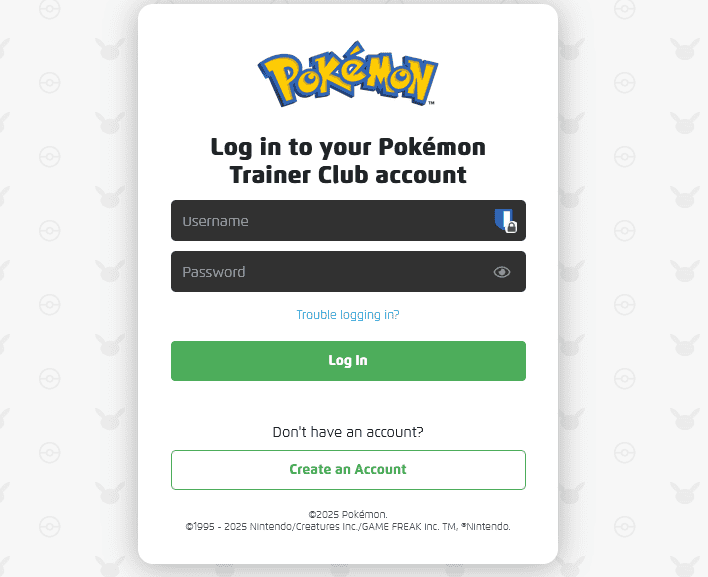
- Recheck the email address you entered.
- Correct it if needed and request a new code.
3. Wait and Retry Later
Pokemon TCG servers may delay emails when under heavy traffic.
- Wait at least 10 minutes before requesting another code.
- If nothing arrives, try again after 1–2 hours.
For general connection issues that may affect email delivery, see this Pokemon TCG not working guide. If you are signing in through an Android emulator, this guide on Pokémon TCG not working on BlueStacks covers emulator-specific fixes that can restore code delivery and login.
4. Whitelist Pokemon TCG Email Addresses
Your provider might block the code email completely.
- Go to your email settings.
- Add official Pokemon domains like @pokemon.com to your safe sender list.
- Request a new verification code.
If your account is confirmed and emails are reaching you, but the app still misbehaves, you might also run into QR reading issues. In that case, follow this guide on Pokémon TCG not scanning to fix problems with the in-game card scanner.
5. Try a Different Email Provider
If the issue persists, switch to another reliable email service.
- Create a new Gmail or Outlook account.
- Update your Pokemon TCG profile with the new address.
- Request the code again.
6. Contact Pokemon Support
If none of the above fixes work, the problem may be tied to your account.
- Visit the official Pokemon Support website.
- Open a ticket explaining that you are not receiving the verification code.
- Provide your registered email and account details.
You can also check for known account login errors such as Pokemon TCG Live error 10099 which sometimes connects to verification problems.
Conclusion
When Pokemon TCG does not send a verification code, the problem is usually email-related or caused by temporary server delays. Checking spam folders, correcting your email address, or switching providers often resolves it. If not, contacting support is the fastest way to restore access.
You may also encounter update issues, which can be fixed by following our guide on Pokémon TCG not updating. Many users reported Pokémon TCG not enough energy issue, which can be resolved with simple deck and game fixes.
FAQs
It usually happens because of typos in the email address, spam filtering, or temporary server delays.
Most codes arrive within a few minutes, but sometimes it may take up to an hour.
Yes. After confirming your email address, you can request a new code at any time.
Yes. Using a reliable provider like Gmail or Outlook often solves delivery issues.
If nothing helps, contact Pokemon Support and provide your account details to resolve the problem.

Read our disclosure page to find out how can you help Windows Report sustain the editorial team. Read more



Improve this guide


User forum
0 messages