
Rightmove Not Working? Try These Quick Solutions


 3 min. read
  Published on

If Rightmove not working is stopping you from browsing properties, you might see issues like listings not loading, filters failing, or the website not opening at all. However, there are few ways to fix this issue, and here’s a quick guide to help you get back on track.
What to do if Rightmove is not working?
Table of contents
1. Check if the issue is external
- Visit a downtime checker to confirm if Rightmove’s servers are down.
- If it’s a widespread outage, the only fix is to wait until service is restored.
If you encounter Access Denied issues on Hotels.com, it could also point to temporary service outages or region-related blocks.
2. Fix browser-related problems
- Clear your browser’s cache and cookies, then restart it.

- Update your browser to the latest version.
- If issues persist, switch to another browser such as Chrome, Edge, or Firefox.
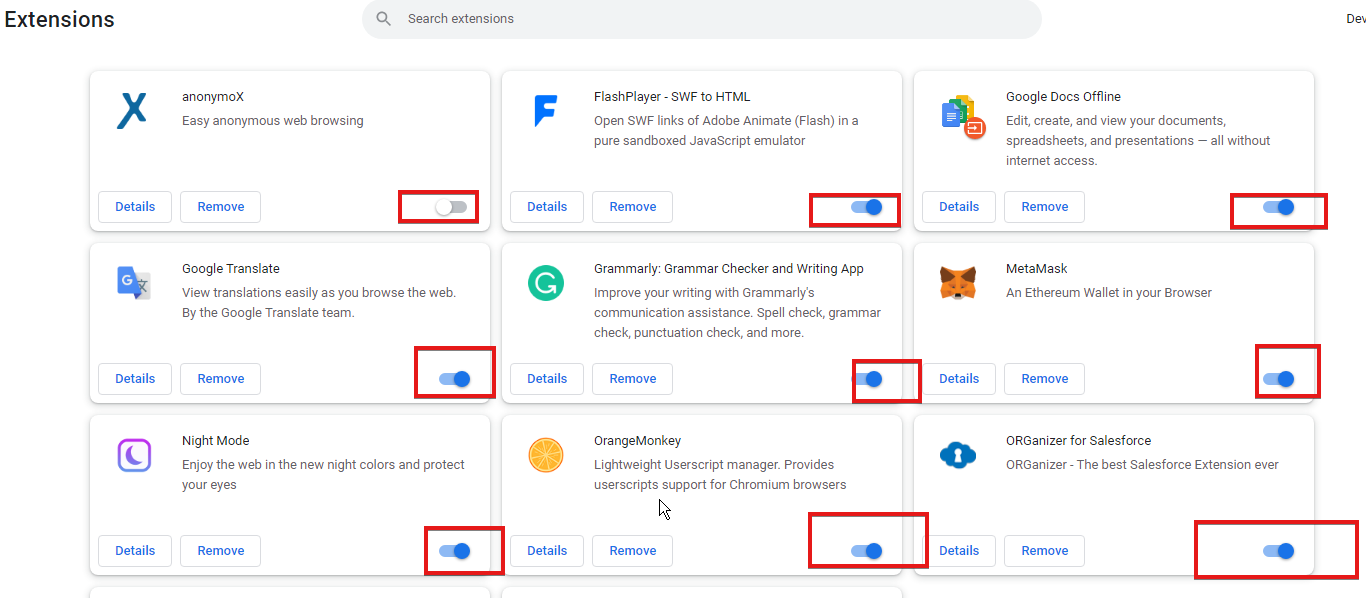
- Disable extensions or ad blockers that might interfere with the site.
3. Resolve connection issues
- Restart your router to refresh the network.
- Switch to mobile data or a different Wi-Fi connection to rule out ISP restrictions.
- If using a VPN, disable it and try again.
4. Test on another device
- Open Rightmove on your smartphone or tablet.
- If it works there, the problem is likely specific to your main device.
If you’ve tried these steps and Rightmove is still not working, the problem could be linked to your internet connection or the service itself. Similar issues often affect other platforms, such as when Airbnb is not accepting payment, and the troubleshooting approach is very similar.
If you continue facing problems with property websites, it might be worth exploring more reliable booking software options. You can also contact Rightmove’s official support for direct assistance with account or access issues.
FAQs
It could be due to outdated cache, browser extensions, or a temporary server outage.
Yes, try the official app, which often works when the browser version has issues.
In some cases, access problems can occur if you’re browsing from abroad or using a VPN.
Update your browser, clear cache, and disable unnecessary extensions to improve stability.

Read our disclosure page to find out how can you help Windows Report sustain the editorial team. Read more



Improve this guide




User forum
0 messages