
Download eM Client for Windows
Free for personal use, paid plans available / Version 11.0.1725.0


 2 min. read
 Updated on

eM Client brings mail, contacts and calendars into one Windows app. The free personal license supports up to two email accounts on one device. Personal and Business are separate paid licenses. For business use, review the publisher’s licensing terms.
Download eM Client for Windows. The publisher’s release information lists Windows version 11.0.1725.0 on November 23, 2026. Quick Move and Quick Switch now show recent destination folders first. The update also adds contact syncing for delegated Microsoft 365 shared mailboxes.
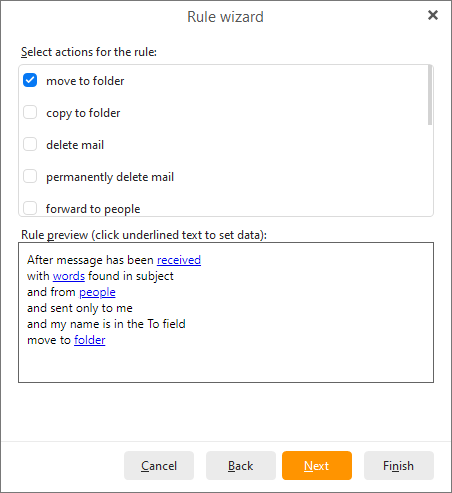
Install eM Client on Windows
Choose the Windows download on the publisher’s site and run the installer. Version 11 uses the MSIX package format and supports x64 and Arm processors. Add your email account when the application opens. eM Client also publishes mobile apps for Android and iOS.
Move and find messages
Quick Move and Quick Switch put recent destinations first. To search for commands from the keyboard, press Ctrl+K and type an action. Pin a message to keep it at the top of the list. Version 11 also supports Matrix chat and account colors.
Overview of eM Client features
-
Sleek user interface
eM Client has a sleek user interface that will be appealing to both first-time and advanced users.
-
Email message encryption
Use OpenPGP keys to encrypt mail for recipients who have shared their public keys.
-
Built-in chat
eM Client 11 supports Matrix chat.
-
Built-in calendar
In order to organize your schedule, eM Client offers a calendar feature that allows you to easily manage your events.
Screenshots


Full Specifications
- Software Version
- 11.0.1725.0
- License
- Free for personal use, paid plans available
- Keywords
- email client
- Release Notes
- Quick Move and Quick Switch now show recent destination folders first. The update also adds contact syncing for delegated Microsoft 365 shared mailboxes.

Read our disclosure page to find out how can you help Windows Report sustain the editorial team. Read more





User forum
0 messages