
Unblock Restricted Sites on Windows 11 Fast: Step by Step


 3 min. read
  Updated on

If you cannot access certain sites because they are blocked by your network, ISP, or organization, use the safe methods below to unblock restricted websites effectively.
Table of contents
How to Unblock Restricted Websites on Windows 11?
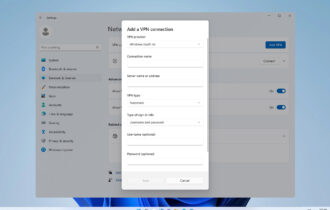
1. Use a VPN
- Download a trusted VPN app such as NordVPN, ProtonVPN, or ExpressVPN.
- Install and launch the VPN on your PC.
- Connect to a server where the site is accessible.

- Open your browser and visit the blocked site.
Why it works: A VPN masks your IP and encrypts traffic so sites see a different location.
If you want to learn more about VPS, don’t miss our Can a VPN access blocked sites guide to learn more.
2. Try a Proxy Website
- Search for reputable web proxies such as Hide.me Proxy or KProxy.
- Open the proxy page and enter the blocked site URL.
- Start browsing through the proxy gateway.
Note: Proxies rarely encrypt traffic. Avoid sensitive logins.
You can also check a full walkthrough of features and setup in this KProxy free guide to help you choose the best proxy option.
3. Use Google Translate as a Temporary Proxy
- Go to translate.google.com.
- Paste the blocked site URL in the text box.
- Select two different languages and open the translated link.
4. Change Your DNS Settings
- Press Windows + I to open Settings.
- Go to Network & Internet > Advanced network settings.

- Open More network adapter options.
- Right-click your active adapter > Properties.

- Select Internet Protocol Version 4 (TCP/IPv4) > Properties.

- Choose Use the following DNS server addresses and enter 8.8.8.8 and 8.8.4.4.

- Click OK to apply.
5. Use the Tor Browser
- Download Tor from the Tor Project.
- Install and open Tor, then connect to the Tor network.
- Browse the blocked site in Tor.
If you’re using wireless connection, we have a great guide on How to unblock a website on Wi-Fi router so don’t miss it.
Why Are Some Websites Blocked?
- Network administrator policies at school or work
- Geo-restrictions based on your location
- Government censorship or compliance rules
- Browser, firewall, or DNS-level filters
Learn more about why pages get blocked and common fixes in this guide: This page has been blocked by your administrator.
FAQs
Administrators block sites to control bandwidth, improve productivity, and reduce security risks.
Using legal privacy tools is generally allowed. Bypassing institutional rules may violate policies. Check local laws and terms.
Yes. Try web proxies or Google Translate, but security and reliability are limited.
Some sites detect VPNs. Switch servers or protocols, or try a different provider.
Yes. Tight firewall rules or web shields can block safe domains. Review allowlists and settings.
Conclusion
To unblock restricted websites on Windows 11, start with a VPN, try a proxy or Google Translate for quick access, adjust DNS if needed, or browse with Tor for anonymity. Always use reputable tools and avoid sharing sensitive data on untrusted services.

Read our disclosure page to find out how can you help Windows Report sustain the editorial team. Read more



Improve this guide

User forum
0 messages