
CPU Cores Explained for Windows Users


 3 min. read
  Published on
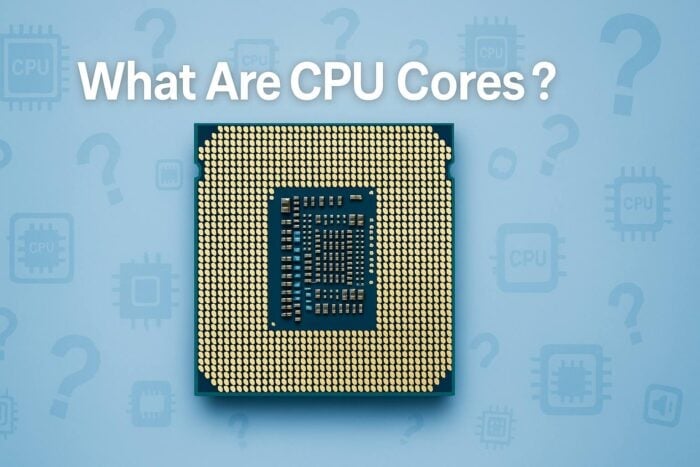
Every computer relies on a processor to perform calculations and run programs. Inside that processor are CPU cores, which determine how many tasks your computer can handle simultaneously.
If you have ever wondered why some PCs are faster than others, understanding CPU cores is the key to knowing what drives performance.
Table of contents
What Are CPU Cores?
A CPU core is an individual processing unit within your computer’s processor. Each core can execute its own tasks independently. The more cores a CPU has, the more operations it can perform at once.
In simple terms, a single-core processor handles one task at a time, while a multi-core processor can manage multiple tasks simultaneously.
Types of CPU Cores
- Single-Core: Handles one task at a time and suits basic computing.
- Dual-Core: Processes two tasks simultaneously for better performance.
- Quad-Core: Balances speed and multitasking for most modern applications.
- Hexa-Core: Ideal for gaming and light content creation.
- Octa-Core: Designed for demanding workloads like video editing and 3D modeling.
For a deeper Windows perspective on core usage, see how many cores your PC can use in Windows 11.
How CPU Cores Affect Performance
- Multitasking: Multiple cores allow smooth operation when running several apps at once.
- Gaming: Many modern games utilize multiple cores for better performance and reduced lag.
- Productivity: Creative software like Photoshop or Premiere Pro benefits from more cores.
- Background Tasks: Extra cores ensure updates and background processes do not slow down your main work.
If your system is not showing all cores, use this guide: CPU does not show all cores in Windows 11.
How to Check How Many CPU Cores You Have
1) Use Task Manager
- Press Ctrl + Shift + Esc to open Task Manager.
- Select the Performance tab.

- Click CPU in the sidebar.

- Read Cores and Logical processors in the lower-right corner.

2) Use Command Prompt
- Press Win + R, type cmd, and press Enter.
- Type the command below and press Enter:
echo %NUMBER_OF_PROCESSORS%The value shows your logical processors.
3) Use System Information
- Press Win + R, type msinfo32, and press Enter.
- Locate Processor to view your CPU model and core count.

You can also influence how Windows uses cores through MSConfig. Learn more in how to change the number of processors in MSConfig.
How Many Cores Do You Need?
| Usage Type | Recommended Core Count |
|---|---|
| Basic tasks (browsing, email) | 2–4 cores |
| Gaming | 6–8 cores |
| Content creation (video editing, 3D) | 8–12 cores |
| Professional workloads (AI, virtualization) | 12+ cores |
FAQs
Cores are physical units that handle tasks, while threads are virtual divisions that help each core multitask.
Not necessarily. Clock speed, CPU architecture, and software optimization also matter.
No. You cannot add cores to an existing processor. You must replace the CPU.
For most modern games, 6 to 8 cores provide the best balance of performance and efficiency.
Conclusion
CPU cores determine how fast and efficiently your computer performs tasks. Whether you are gaming, editing, or browsing, choosing a processor with the right number of cores ensures smooth performance and better multitasking.

Read our disclosure page to find out how can you help Windows Report sustain the editorial team. Read more



Improve this guide



User forum
0 messages