
Dolby Vision 2: What is it, Key Features, Tiers, and Supported TVs


 4 min. read
  EEST
EEST
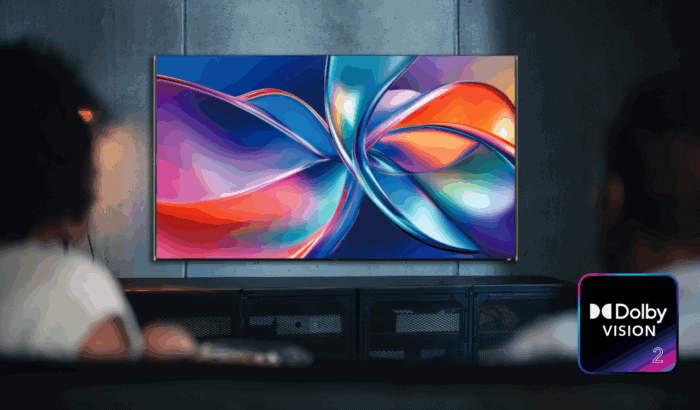
For more than a decade, Dolby Vision has been the gold standard in HDR, transforming how we experience films, shows, and games at home. Now, Dolby is pushing things even further with Dolby Vision 2. This new standard doesn’t just refine brightness and contrast; it brings AI-powered intelligence, cinematic motion control, and smarter tone mapping designed to get the very best out of today’s advanced TVs.
Table of contents
What is Dolby Vision 2?
Dolby Vision 2 is the next generation of Dolby’s HDR technology, designed to take full advantage of modern display capabilities. While the original Dolby Vision set the bar for dynamic range and color accuracy, Dolby Vision 2 goes further by combining a new image engine, AI-powered content intelligence, and creative-led motion tools.
In short, Dolby Vision 2 delivers a picture that’s not only technically superior but also truer to the filmmaker’s intent. No matter what you’re watching or where you’re watching it.
Readers who want a clear comparison between Dolby Vision and other HDR formats can check this guide on Dolby Vision vs 4K vs HDR to better understand how the new Dolby Vision 2 standard builds on earlier technologies.
What are the key features of Dolby Vision 2?
Dolby has announced a bunch of new features with the new Vision 2 standard. Here’s everything you need to know:
- Next-Gen Image Engine: This ensures more processing power to unlock higher clarity and color depth from any content source.
- Content Intelligence: It brings new AI tools that automatically optimize your TV settings based on content type, room lighting, and device. Here is everything included in Content Intelligence:
- Precision Black: It improves dark scenes, reducing the common “too dark” complaint while keeping artistic intent intact.
- Light Sense: This feature uses ambient light detection plus reference data from the source to adjust brightness and color dynamically.
- Sports & Gaming Optimizations: It basically caters to enhancements for fast-paced content, including white point calibration and motion adjustments.
- Bi-Directional Tone Mapping. These allow creators to fine-tune brightness and contrast so high-end TVs can show off richer highlights and deeper colors.
- Authentic Motion: It is a new, creator-driven motion smoothing tool that applies frame adjustments on a shot-by-shot basis, keeping movies cinematic while reducing unwanted judder.
What are the different tiers of Dolby Vision 2?
To make things easier for consumers, Dolby Vision 2 will be offered in two tiers:
- Dolby Vision 2 Max: Reserved for flagship TVs, offering every premium feature and pushing displays to their technical limits.
- Dolby Vision 2 (Standard): Aimed at mainstream TVs, it still brings the upgraded image engine and AI-driven improvements.
Which TVs will support Dolby Vision 2?
Dolby has already announced partners who will first adopt the new technology. Hisense will be the first to launch TVs with Dolby Vision 2, powered by MediaTek’s Pentonic 800 chip featuring MiraVision Pro. Meanwhile, French broadcaster CANAL+ will roll out Dolby Vision 2 content across movies, series, and live sports.
With over 350 TV models from LG, Sony, TCL, Vizio, and Roku already supporting the current Dolby Vision format, it’s only a matter of time before we see broader adoption of this new standard.
Dolby Vision 2 expands the capabilities of Dolby Vision beyond HDR
Unlike its predecessor, Dolby Vision 2 is positioned as more than just HDR. It’s an adaptive ecosystem. By combining AI, ambient light sensing, and creative tools, it makes sure sports, games, and movies all look their best without requiring users to fiddle with TV menus. For viewers, that means sharper sports broadcasts, immersive gaming visuals, and cinematic movies, all tuned automatically for your screen and environment.

Read our disclosure page to find out how can you help Windows Report sustain the editorial team. Read more



Improve this guide


User forum
0 messages