
Xbox Brings Aggregated Gaming Library to Windows PCs and Handhelds
Your gaming library, apps, and play history in one place


 2 min. read
  Published on

Microsoft has announced major updates to the Xbox app on Windows PCs and handheld devices, ensuring to simplify how you access games and apps. One of the notable additions of this update is the aggregated gaming library.
As the name suggests, it keeps all titles from multiple storefronts, including Xbox Game Pass, Battle.net, and other leading PC platforms, into one place. Once a game is installed from a supported store, it automatically appears in My Library and the Most Recent sidebar list, making it easier to jump back into play.
That’s not all; you can also customize what appears in your gaming library. To customize, you must go to Settings > Library & Extensions. From there, you can toggle storefronts on or off, ensuring only the titles they want are visible.
The update also introduces My Apps, a new tab that pulls together third-party apps and storefronts. This makes finding, downloading, and launching games simpler, without the need to switch between apps or desktops.
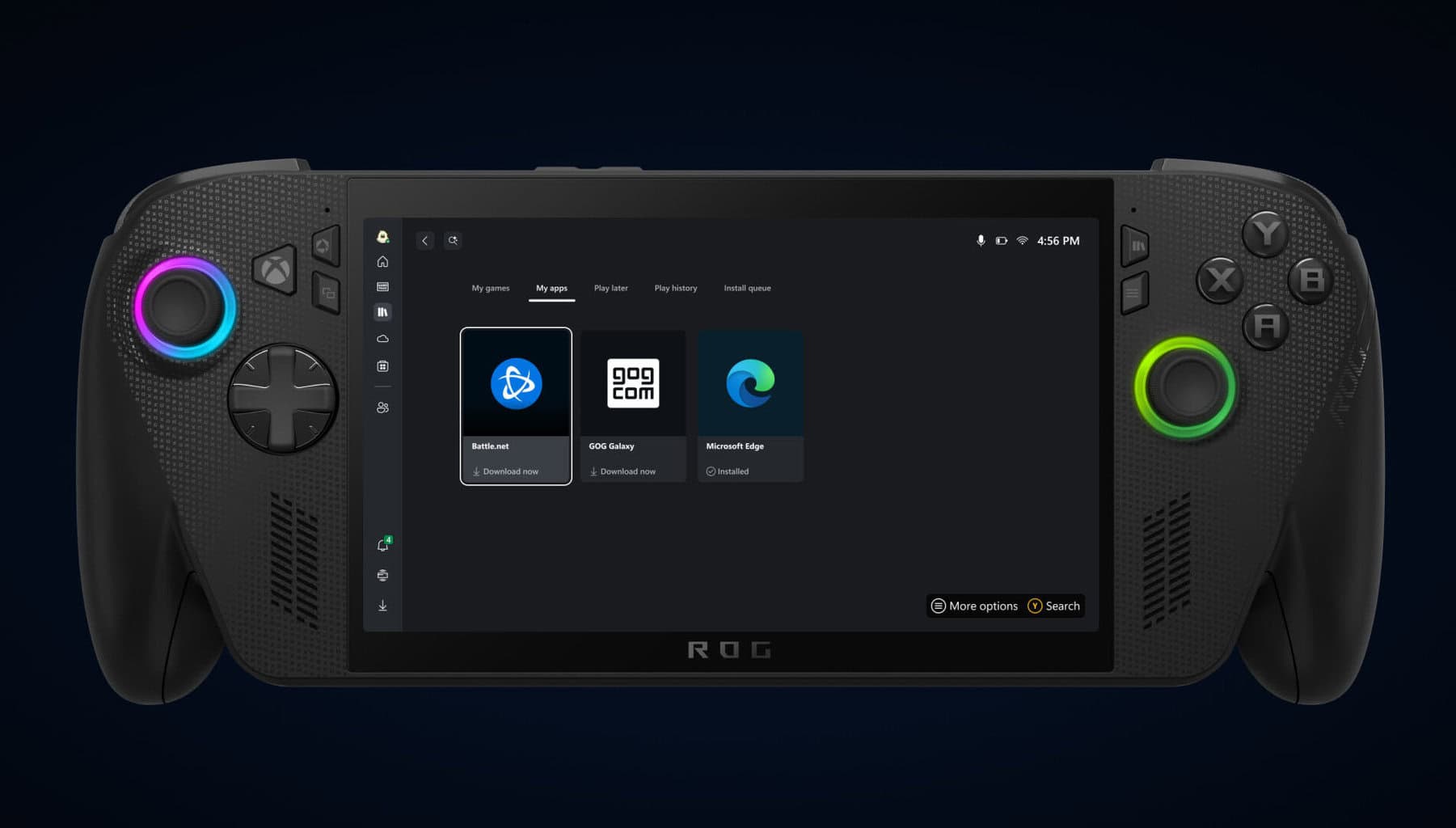
Microsoft also says that later this month, it will expand functionality further with cross-device play history and cloud-playable game syncing. Meaning, you’ll be able to filter their libraries by “cloud playable” titles, and a new Jump back in list will appear across console, PC, and handheld devices. This will allow you to resume the most recent sessions seamlessly.
Jason Beaumont, VP of Experiences at Xbox, said that the goal is to offer “more control over how and where you play,” while making it easier to return to favorite titles.

Read our disclosure page to find out how can you help Windows Report sustain the editorial team. Read more



Improve this guide



User forum
0 messages