
New Windows 11 Beta Build Finally Adds Taskbar Customization & Fixes Update Error 0xc1900101
Windows 11 Insider Preview Build 26220.9022 is now available in the Beta Channel


 2 min. read
  Published on
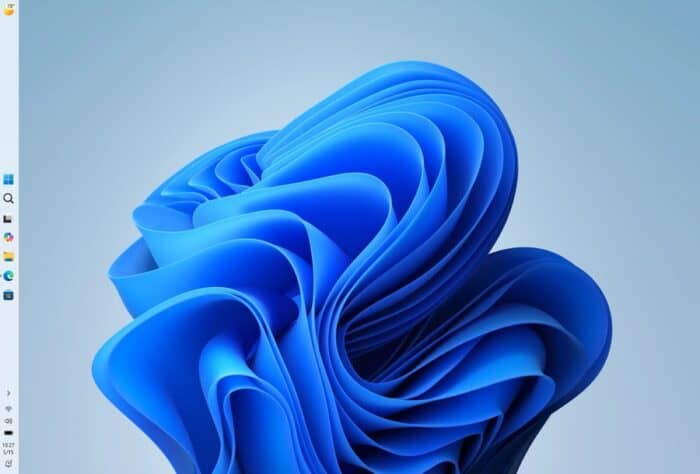
Microsoft has released Windows 11 Insider Preview Build 26220.9022 to the Beta Channel. Beta channel insiders can now move the taskbar to the top, left, or right side of the screen instead of keeping it fixed at the bottom. The option is available under Settings > Personalization > Taskbar > Taskbar behaviors.
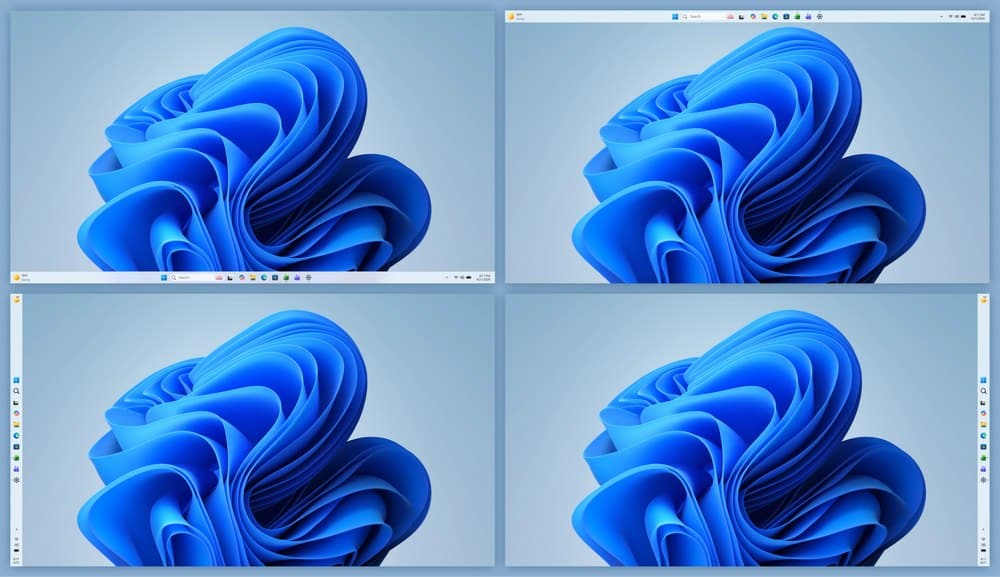
Besides taskbar customization, Microsoft says Search, Ask Copilot, touch gestures, auto-hide, and touch-optimized taskbars are still being updated for alternate taskbar positions. Most existing customization options, including Never combine taskbar buttons, continue working regardless of where the taskbar is placed. Not to forget, these changes are also out for Insiders in the Windows 11 Beta (26H1) channel via Build 28020.2623.
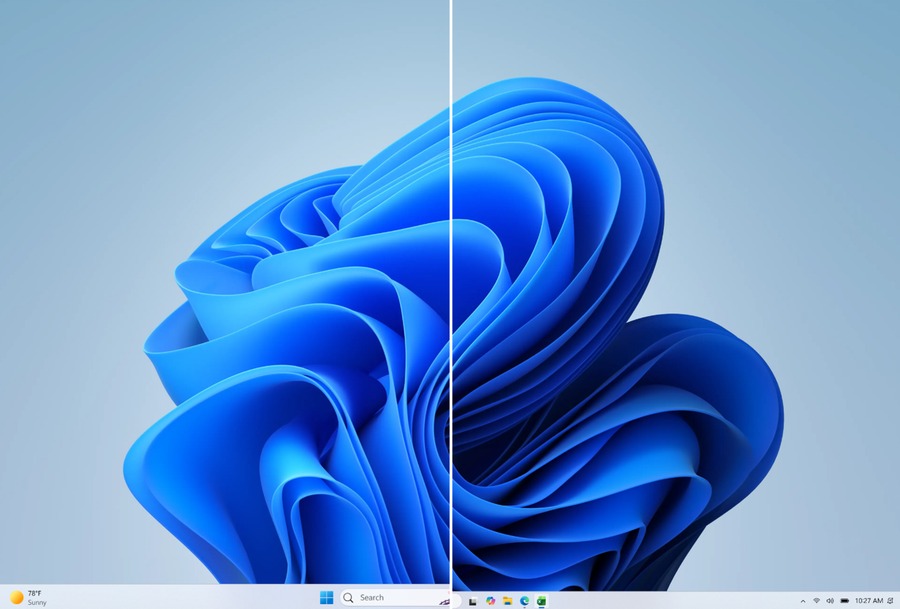
The company is also introducing a Smaller Taskbar option. It reduces both the taskbar height and icon size, giving users more screen space while keeping Start, Search, and the system tray properly aligned.
Beyond the visual changes, Microsoft included several reliability improvements. The build renews the Windows Insider flight certificate, which expires on August 11, 2026. Insiders must install this or a newer build before then to continue receiving preview updates.
Speaking of fixes, Microsoft resolved a Windows Update issue that caused some Beta devices to roll back installations with error 0xc1900101. The company also fixed a Storage bug that incorrectly reported invalid credentials during File History backups to SMB network shares.
Finally, File Explorer now correctly handles files stored on DFS mapped drives after reconnecting to a network. Previously, Windows could incorrectly mark those files as internet downloads and display unnecessary security warnings in the Preview pane.

Read our disclosure page to find out how can you help Windows Report sustain the editorial team. Read more



Improve this guide

User forum
0 messages