
How to Log In to Anthem.com and Access Your Account


 4 min. read
  Published on

Anthem members can access their health plan, claims, benefits, digital ID card, payments, and other account information online, and in this guide we’re going to show you how to log in to the Anthem website.
How do I log in to Anthem.com?
1. Use the web browser
If you already registered your Anthem member account, signing in only takes a few steps.
- Go to the Anthem website.
- Select Log In.
- Choose the appropriate member login option if Anthem asks you to select an account type.
- Enter your username and password.
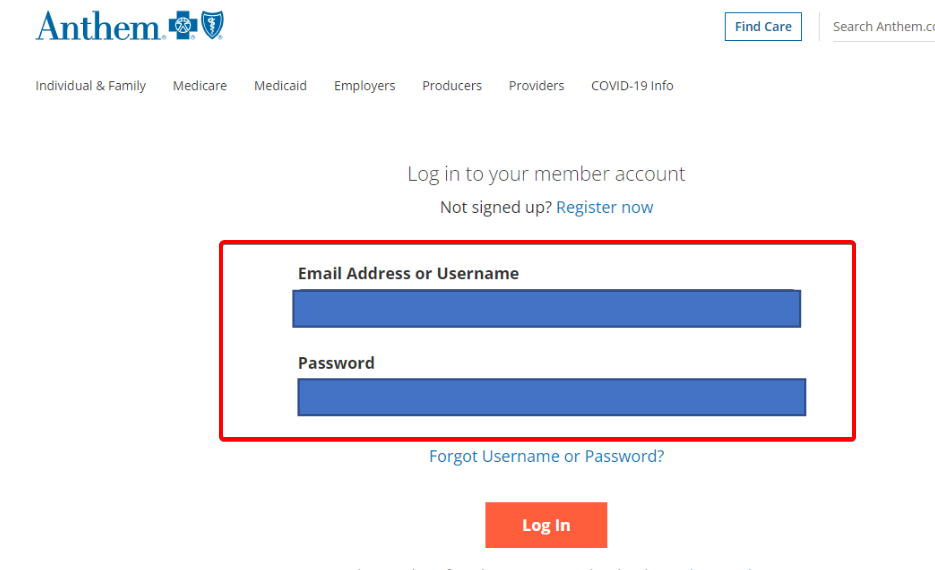
- Select Sign In or Log In to access your account.
After you sign in, you can access features associated with your health plan. Anthem members can use their online accounts to check claims, review benefits, access a digital member ID card, and manage certain payments.
2. Use the Sydney Health app
You can also access your Anthem account from your phone through the Sydney Health app.
- Download the Sydney Health app from your device’s app store.
- Open the app.
- Select the option to log in.
- Enter your Anthem username and password.
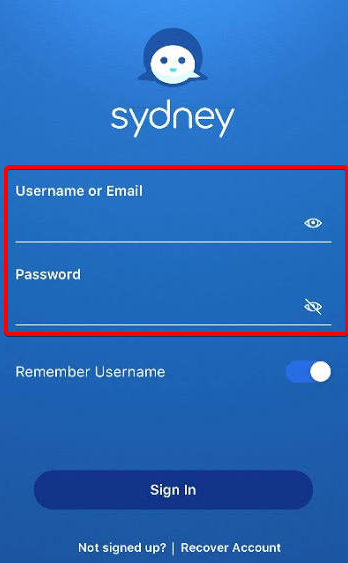
- Complete any security verification that appears.
Anthem says the Sydney Health app provides access to benefits, claims, ID cards, care options, and other member information.
You can generally use the same Anthem registration and login information with Sydney Health.
What to do if the Anthem login is not working
If Anthem.com will not let you sign in, try these fixes before creating another account.
- Check your username and password – Make sure you entered the correct credentials and check whether Caps Lock is enabled.
- Reset your password – Use the Forgot Password option instead of repeatedly trying an old password.
- Recover your username – Select Forgot Username if you are unsure which username belongs to your account.
- Turn off your VPN or proxy – Anthem states that it may block access to its secure member portal from anonymous IP addresses.
- Try another browser – Open Anthem.com in an updated version of Chrome, Edge, Firefox, or Safari.
- Clear browser cookies and cache – Old login cookies can sometimes interfere with a new sign-in session.
- Try Sydney Health – If the website causes problems, attempt to access your account through the official Anthem mobile app.
- Contact Anthem – Anthem provides state-specific contact information, so use its Contact Us page or the number on your member ID card if you still cannot access your account.
Once you can log in to Anthem.com or the Sydney Health app, you can manage your plan, review claims and benefits, and access your digital member ID card from one place.
If you use other healthcare portals, you may also find our guide to the Medicare login useful. We also have step-by-step instructions for the Sentara MyChart login and SSM MyChart login if you need help accessing those accounts.
FAQs
Where do I log in to my Anthem account?
Go to Anthem.com and select Log In. Enter the username and password associated with your Anthem member account.
Can I log in to Anthem from my phone?
Yes. You can use Anthem.com from a mobile browser or sign in through the Sydney Health app. Anthem uses Sydney Health as its mobile app for accessing member information and benefits.
What should I do if I forgot my Anthem password?
Select Forgot Password from the Anthem login page and follow the identity verification and password reset instructions. Avoid creating a second account unless Anthem instructs you to do so.
Do I need my member ID to log in to Anthem?
You normally use your username and password after you register. However, Anthem may require your member ID and other personal information when you create your online account.
Why can’t I access Anthem.com while using a VPN?
Anthem says it restricts secure member portal access from anonymous IP addresses because attackers can use them for malicious activity. If your VPN or proxy masks your IP address, disconnect it temporarily and try signing in again.

Read our disclosure page to find out how can you help Windows Report sustain the editorial team. Read more



Improve this guide



User forum
0 messages