
How to Activate a Twitch Account on Any Device in Minutes


 3 min. read
  Published on

Activating your Twitch account lets you stream, chat, and follow your favorite creators instantly. Whether you are new to Twitch or signing in on a smart TV, here is how to complete the process easily.
Table of contents
How to Activate a Twitch Account?
1. Sign Up or Log In to Twitch
Before activating your account, make sure you have a Twitch profile created and verified.
- Go to Twitch.tv on your browser.
- Click Sign Up if you do not have an account yet.
- Enter your username, password, email, and date of birth.
- Verify your email using the code sent to your inbox.
- If you already have an account, click Log In instead.
If you experience issues while registering, check out this guide on Twitch won’t let me sign up.
2. Activate Twitch on a Smart TV or Console
Once you have an account, connect it to your smart TV or console to start watching and streaming.
- Open the Twitch app on your smart TV, PlayStation, or Xbox.
- Note the activation code shown on the screen.
- On your phone or PC, go to twitch.tv/activate.

- Log in with your Twitch credentials if asked.
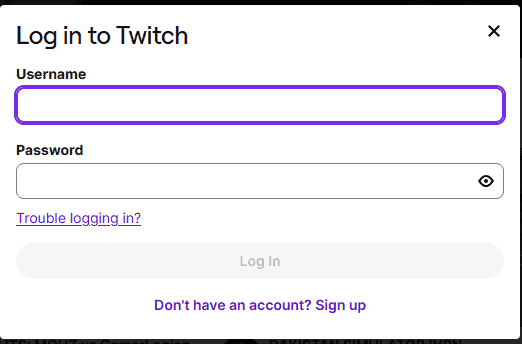
- Enter the code shown on your TV and click Activate.
- Your Twitch account will now link to your device automatically.
3. Enable Two-Factor Authentication (2FA)
To secure your Twitch account, set up two-factor authentication to protect your login.
- Visit your Twitch Settings page.
- Go to the Security and Privacy tab.

- Under Security, select Set Up Two-Factor Authentication.
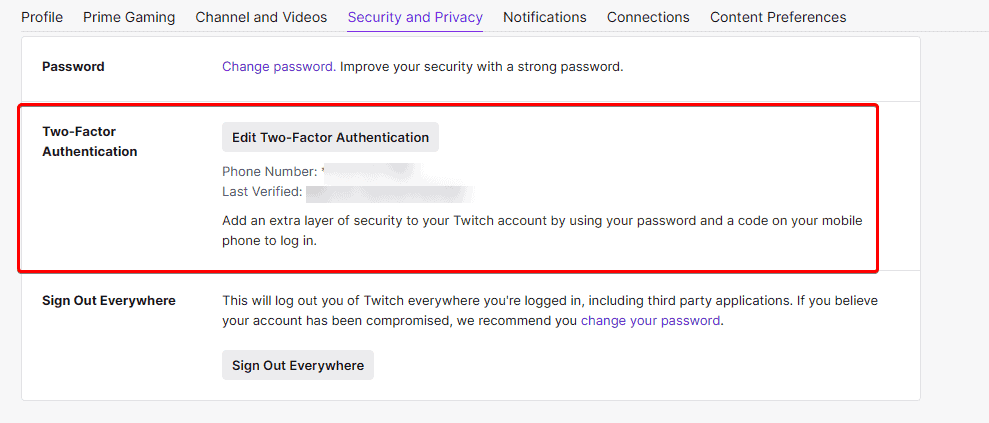
- Follow the prompts to link your mobile number and verify it.
- You will now be protected with 2FA each time you log in.
4. Verify Your Account for Streaming
After your account is active, verify it to start streaming and interacting with your audience.
- Click your profile icon in the top-right corner.
- Select Creator Dashboard.
- Go to Settings > Stream.
- Ensure your email is verified and your account is fully activated for broadcasting.
If your streams are lagging or running slow, learn how to fix Twitch hardware acceleration issues.
Why You Should Activate Twitch
Activating your Twitch account unlocks features that improve your viewing and streaming experience.
- Stream live content from any device.
- Chat and interact with communities.
- Earn rewards, bits, and subscriptions.
- Keep your account safe with verified access.
If you face issues with channel visibility, here is how to fix Twitch hosting not working.
FAQs
Activation happens instantly after you enter your code or verify your email.
Yes. You can use your smartphone browser to visit twitch.tv/activate.
The code expires after a few minutes. Reload the Twitch app to generate a new one and try again.
Yes, you can link your Twitch account on several devices by repeating the activation steps for each one.
Conclusion
Activating your Twitch account is quick and straightforward. Once verified, you can start watching streams, chatting with your favorite creators, and broadcasting your own content securely on any device.

Read our disclosure page to find out how can you help Windows Report sustain the editorial team. Read more



Improve this guide

User forum
0 messages