
How to Check Discord Checkpoint Recap 2025 on Mobile And PC


 3 min. read
  EEST
EEST
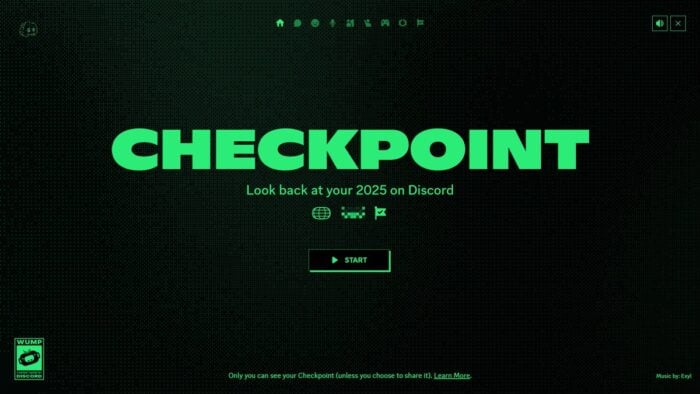
Discord released a new recap feature called Checkpoint, similar to Spotify Wrapped. It shows personalized highlights from your activity across servers and chats. The feature works on both mobile and desktop, and this guide explains exactly how to access Discord Wrapped for 2025.
How to See Discord Wrapped?
1. Use Discord Checkpoint on the mobile app
Updating the app ensures the Discord recap for 2025 appears in your profile section.
- Update the Discord app to the latest version. If you need help, see this guide on how to update Discord.
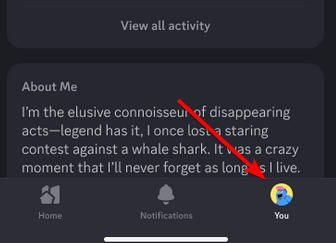
- Open Discord and tap your profile picture in the bottom right.

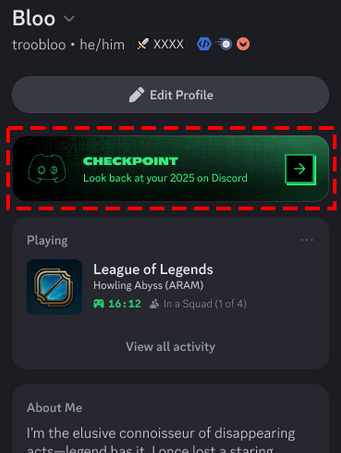
- Look for the Checkpoint tab below your profile options.

- Tap it to start generating your Checkpoint recap.
If you are new to the platform, you can review how to set up your account using this guide on how to create a Discord account.
2. Check Discord Checkpoint recap on desktop
The desktop version gives you access through a small icon near the top bar.
- Open Discord on your PC or load it in your browser.
- Look for the flag icon in the top right corner.
- Click the icon to start creating your Discord Checkpoint recap.
If the layout looks zoomed, you can adjust it using this tutorial on how to zoom in or out on Discord.
3. Why Discord Checkpoint may not appear yet
Discord is rolling Checkpoint out gradually. If your account does not show the icon or the tab:
- Make sure you updated to the latest version
- Restart the app
- Wait a few days for the rollout to reach your region or account group
FAQs
It is a personalized highlight reel of your Discord activity, showing server interactions, messages, and engagement trends.
The feature rolls out in stages. Update your app and check again in a few days.
Yes, Discord includes built in sharing options so you can post your highlights to friends or social platforms.
Yes, only logged in accounts get personalized stats. You can create one using the guide linked above.
Discord Checkpoint recap gives users a simple way to review their yearly activity across servers and chats. The steps stay straightforward on both mobile and desktop, as long as your app runs the latest version. If the feature is missing, you can expect it to appear soon as Discord continues the rollout.
Now that you know how to check the Discord Checkpoint, go ahead and give this feature a try!

Read our disclosure page to find out how can you help Windows Report sustain the editorial team. Read more



Improve this guide



User forum
0 messages