
KB5067036: Taskbar Get Colored Battery Icons & "Share with Copilot" Shortcut in Windows 11
Lock screen also shows the new battery icon


 2 min. read
  Published on
Microsoft has released the KB5067036 update in the Release Preview channel that bumps 25H2 systems to Build 26200.7015 and 24H2 systems to Build 26100.7015. The update has brought a bunch of things to Windows 11. For example, you get a redesigned Start Menu, Click to Do upgrades, and Recommendations in File Explorer.
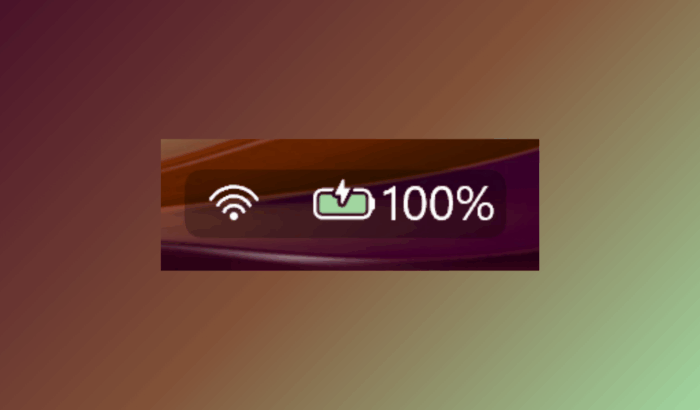
That’s not all; the latest Windows 11 preview update also adds minor changes to the Taskbar and Lock screen. For example, battery icons shown in the taskbar now feature color-coded indicators. You’ll see a green battery icon when there is sufficient power or when charging; a yellow icon is for a low battery (20% or less).
The update also brings simplified overlays that no longer block the percentage bar. Users can also toggle the battery percentage directly in Settings > Power & Battery, giving more control at a glance. Not to forget, the same colorful battery icons now appear on the Lock screen.
Besides the colored battery indicator, hovering over an app icon on the taskbar now reveals a thumbnail preview with a new “Share with Copilot” button. After selecting it, Copilot Vision analyzes that app’s content and offers insights or suggestions. You can turn it off from Settings > Personalization > Taskbar behaviors if you prefer privacy.
In addition to these design and behavior changes, Microsoft fixed a long-standing issue where app previews failed to bring windows forward. All in all, the entire taskbar experience feels smoother, cleaner, and more functional in daily use.

Read our disclosure page to find out how can you help Windows Report sustain the editorial team. Read more



Improve this guide




User forum
1 messages