
How to Change Microsoft 365 Password Quickly


 2 min. read
  Updated on
If you use Microsoft 365, updating your password regularly keeps your account secure. Here’s how you can change it with ease.
Table of contents
How to change Microsoft 365 password?
1. Change from Microsoft Account Page
- Go to the Microsoft account page and sign in.
- Click on Security in the top menu.
- Select Change password.

- Verify your identity, enter your current password, and set a new one.
- Click Save to confirm the change.
2. Change from Office 365 Portal
- Open Office.com and sign in with your work or school account.
- Click on your profile picture in the top right corner.
- Select View account.
- Under Security info or Password, choose Change password.
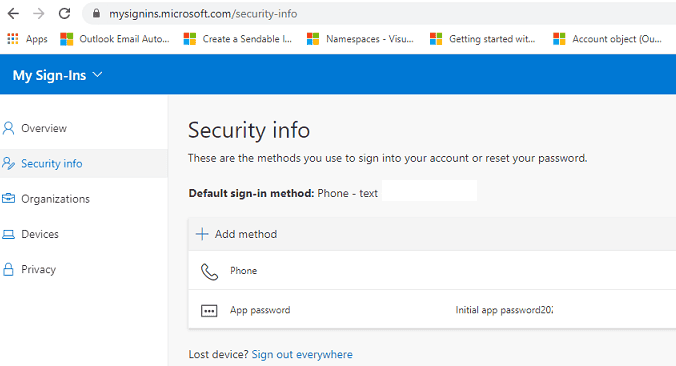
- Enter your old password, then create and confirm a new one.
3. Change from Windows Settings
- Open Settings on your Windows PC and select Accounts.
- Go to Email & accounts and locate your Microsoft 365 account.
- Click Manage to open the security options.

- Select Change password and enter your current details.
- Type a new password and save the changes.
You can streamline troubleshooting for Microsoft 365 login or password issues by exploring advanced repair options in this SaRA command line guide.
FAQs
It is recommended to change your password every three to six months, or sooner if you suspect unusual activity.
You can reset it from the Microsoft sign-in page by choosing “Forgot password” and following the recovery steps.
No, Microsoft does not allow reusing old passwords, so you must create a unique one each time.
Conclusion
You can change your Microsoft 365 password from the account page, the Office portal, or Windows settings. If login problems appear, guides like Microsoft account password reset not working and Outlook couldn’t update password can help.
If issues persist even after resetting, check You need to fix your Microsoft account to resolve sync errors and restore smooth access.

Read our disclosure page to find out how can you help Windows Report sustain the editorial team. Read more



Improve this guide




User forum
0 messages