
Microsoft Explains Windows’ Decades-Old File Lock Error


 4 min. read
  Published on
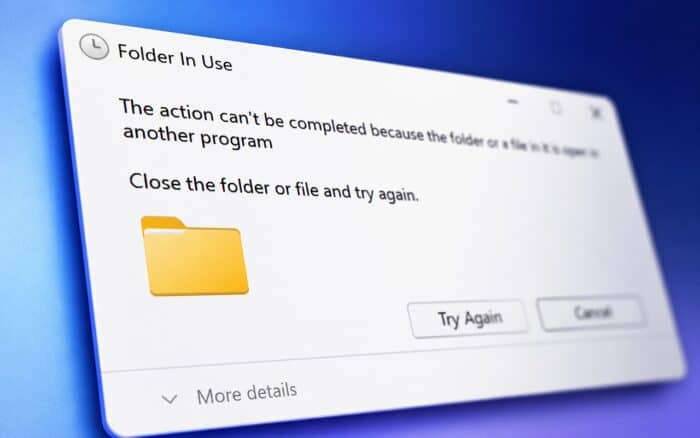
Windows users have seen the same confusing message for years: “The action can’t be completed because the file is open in another program.”
The warning appears when Windows blocks users from deleting or renaming a file. It usually means another process still has access to that file, even if the app that appeared to use it has already been closed.
Mark Russinovich, Azure CTO and Microsoft Technical Fellow, recently explained why this long-standing Windows behavior still happens. Russinovich first ran into the problem in the 1990s, and it eventually pushed him to build tools that could show what Windows was hiding from users.
Why Windows Says A File Is Open In Another Program
The error usually comes down to something called a file handle.
A file handle is a Windows reference that tracks which process is using a file. When a program opens a document, video, DLL, image, archive, or other file, Windows creates a handle so it can manage access to that file.
Windows blocks deletion or renaming while that handle exists. The reason is data protection. If Windows allowed users to remove or replace a file while another program still used it, the app could crash or data could become corrupted.
That explanation sounds simple, but the problem feels confusing because closing the visible app does not always release every handle connected to the file.
Why Closing The App Does Not Always Unlock The File
Russinovich pointed out that several background actions can keep a file locked after users think they have closed it.
One common cause is antivirus scanning. Security software can open a file in the background while checking it for threats. Even if the user has already closed Word, Media Player, File Explorer, or another visible app, the antivirus process can still hold the file open.
Network activity can also cause the error. A file may remain locked if another PC on the same network still references it through a shared folder or remote file operation.
The trickiest case involves DLL files. If Windows loads a file as a Dynamic Link Library, it may not appear as a normal open file handle. Instead, Windows maps it into a process’s memory.
That means regular file-handle checks may not immediately reveal the culprit. In DLL-related cases, users may need to terminate the entire application that has the file loaded in memory.
How Russinovich Built Tools To Find Locked Files
Russinovich created the Handle command-line tool after encountering this problem himself in the 1990s.
Handle is part of Microsoft’s Sysinternals suite, a collection of advanced Windows troubleshooting utilities. The tool can show which process has a file open, including the process name and process ID.
Process Explorer offers a graphical alternative that can search for handles and DLLs, making it easier to find which process has locked a file without relying on command-line tools, and there are also more modern, user-friendly options like PowerToys File Locksmith, which lets users right-click a file to see which processes are using it and quickly end them before retrying the delete or rename action.
For regular users, this is the easiest modern alternative to Sysinternals. It brings the same basic troubleshooting idea into a simpler interface.
Russinovich’s Workaround For Locked Files
Russinovich also suggested a workaround for some locked-file cases: rename the file first.
In some situations, Windows may allow users to rename a locked file even when it does not allow immediate deletion. After renaming it, users can place a fresh copy with the original name in the same folder.
The old, renamed file can then be deleted later, once the locking process releases it.
This workaround will not fix every case, especially when a file remains actively mapped into memory, but it can help users replace files without rebooting the system.
In other Microsoft news, the company has explained who is affected by the Microsoft Authenticator root-blocking policy. Microsoft has also confirmed that Point-in-time Restore is now available for everyone.
Via Windows Latest

Read our disclosure page to find out how can you help Windows Report sustain the editorial team. Read more



Improve this guide




User forum
0 messages