
OneDrive Stuck on Signing In? Try These Quick Fixes


 3 min. read
  Published on

If OneDrive is stuck on signing in, it usually points to account sync issues, corrupted app files, or outdated credentials. The steps below will help you fix it quickly.
How can I fix OneDrive if it’s stuck on signing in?
Table of contents
1. Reset the OneDrive app
- Press Windows + R to open the Run dialog.
- Type the following and press Enter:
%localappdata%\Microsoft\OneDrive\onedrive.exe /reset
- Wait for OneDrive to restart automatically. If it does not, open it manually from the Start menu.
We have a great guide on OneDrive reset command, so don’t miss it for more information. If you still encounter issues, you can check Microsoft’s 0x8004e4be error guide for related fixes.
2. Clear cached credentials
- Press Windows + S and search for Credential Manager.
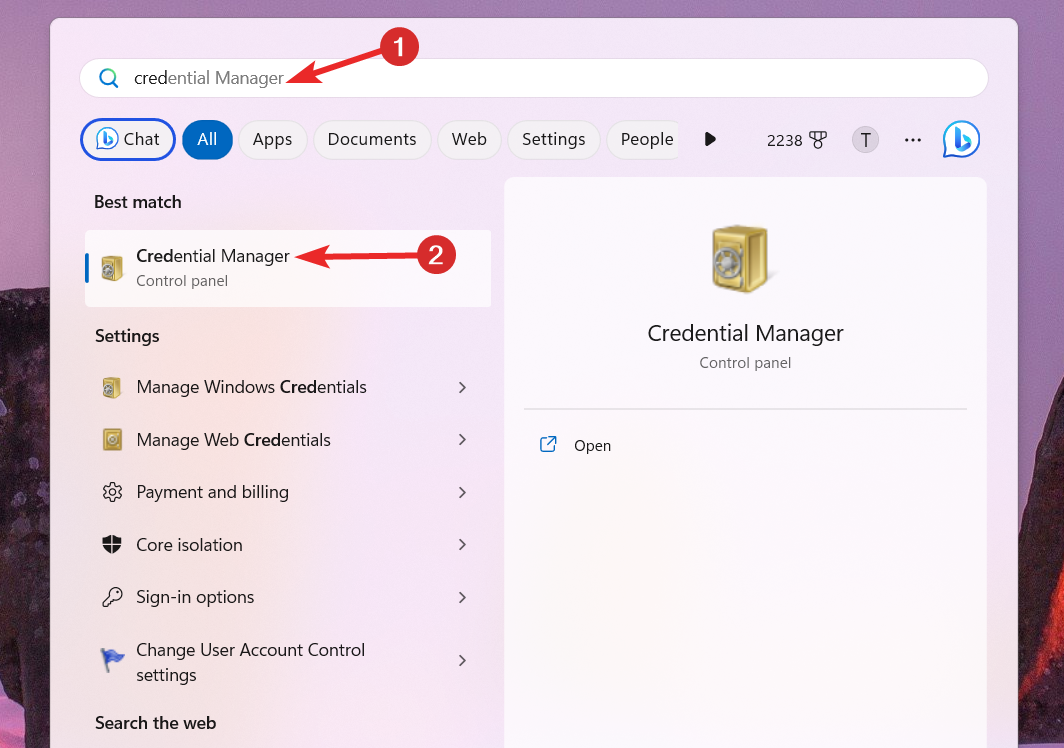
- Open Windows Credentials and look for any entries related to OneDrive or Microsoft account.
- Remove them, then restart OneDrive and sign in again.
3. Update OneDrive to the latest version
- Go to the official OneDrive download page.
- Download and install the newest version.

- Restart your PC and try logging in again.
4. Check Group Policy and registry restrictions
- Press Windows + R, type gpedit.msc, and press Enter.

- Go to User Configuration > Administrative Templates > Windows Components > OneDrive.
- Ensure Prevent the usage of OneDrive for file storage is set to Not Configured.
5. Reinstall OneDrive
- Press Windows + I and go to Apps > Installed apps.
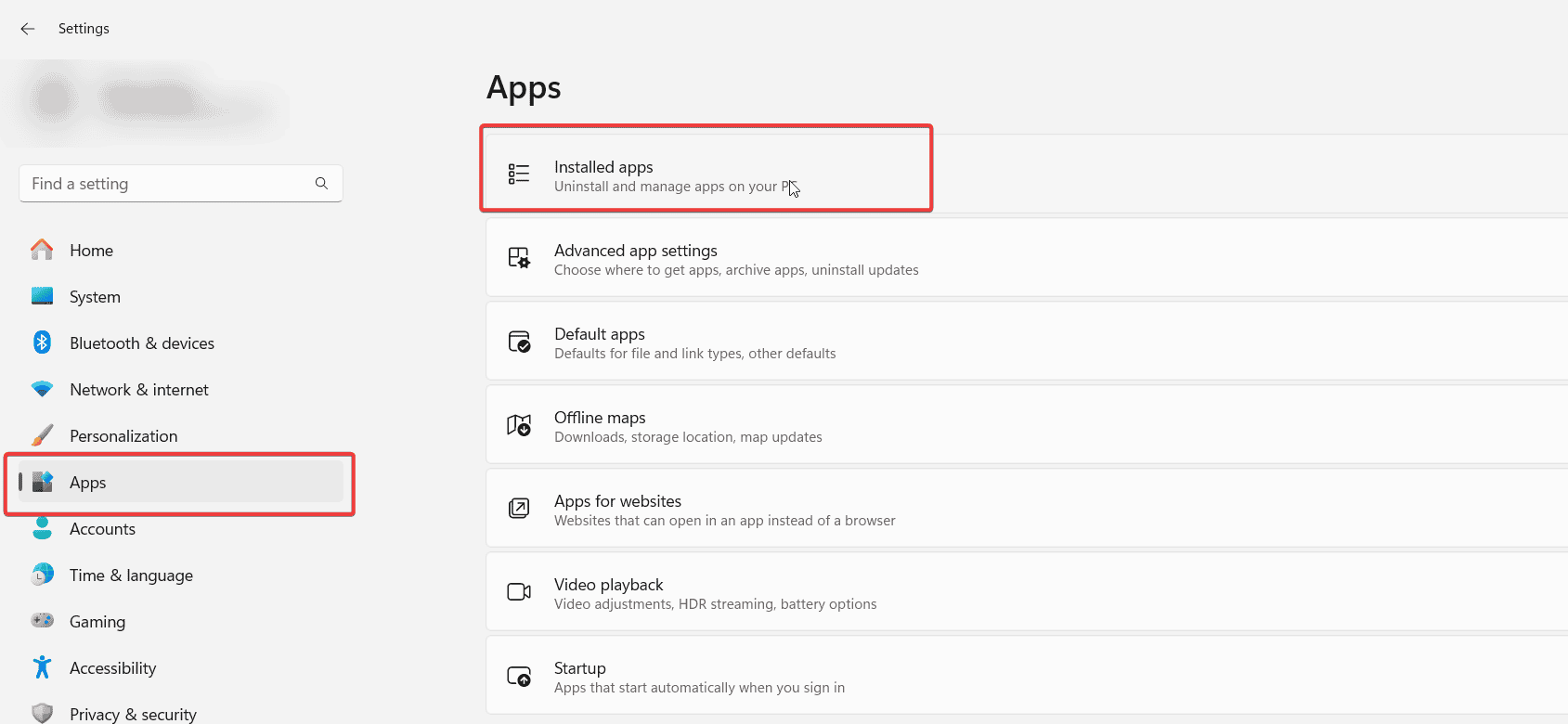
- Find OneDrive, uninstall it, then restart your PC.
- Reinstall OneDrive from the Microsoft Store or official website.
FAQs
This often happens due to corrupted cached credentials, outdated app versions, or disabled OneDrive policies. Network instability can also cause the login loop.
Yes, Android and iOS users can face similar login loops. Clearing app cache or reinstalling the mobile app usually resolves it. See the OneDrive Android login error guide for detailed steps.
Error codes like 0x8004def7 indicate account re-authentication is required. Signing out and linking your Microsoft account again usually solves it.
If OneDrive is stuck on signing in, the fixes above should help you restore normal access. Resetting, updating, or reinstalling the app usually resolves most cases and gets your files syncing again smoothly.

Read our disclosure page to find out how can you help Windows Report sustain the editorial team. Read more



Improve this guide



User forum
1 messages