Awesomenauts Assemble is coming to Xbox One next month

Awesomenauts Assemble has been confirmed for launch on Microsoft’s Xbox One video game console on September 7th. The game is a 2D action MOBA (Multiplayer Online Battle Arena) and allows gamers to choose from over 20 different playable characters.

Here’s the official game description: Awesomenauts is a head-to-head game where two teams of three intergalactic mercenaries try to destroy each others’ base. Take on the role of one of these mercenaries and jump into this awesome blend of classic platforming gameplay and modern battle arena games!

The PC release of Awesomenauts has been critically acclaimed and won several awards at the Dutch Game Awards in 2012 such as Best PC / Console Game, Best Visual Design, and the Control Industry Award. No pre-order link is available yet but we will post it on WinBeta as soon as it is.

Are you a fan of Awesomenauts Assemble? Did you play the previous version? Let us know in the comments below.

This Japanese video game is launching in the West on Xbox 360

The Japanese Xbox 360 video game, Bullet Soul, has just been confirmed for release outside of Japan on the Xbox 360. This may appear as an odd move considering that the Xbox One is the newer console, but Bullet Soul will be playable on both via the Xbox One’s backwards compatibility functionality.

A post on the official developers’ blog announced the international release of the game and confirmed that it would be slightly different than the domestic Japanese version wherein it will contain all of the downloadable content (DLC) that Japanese gamers had to buy separately after its 2011 launch. The developers acknowledge the amount of time it has taken for the game to ship abroad and praise Microsoft’s backwards compatibility initiative as being a prime motivator for the decision.

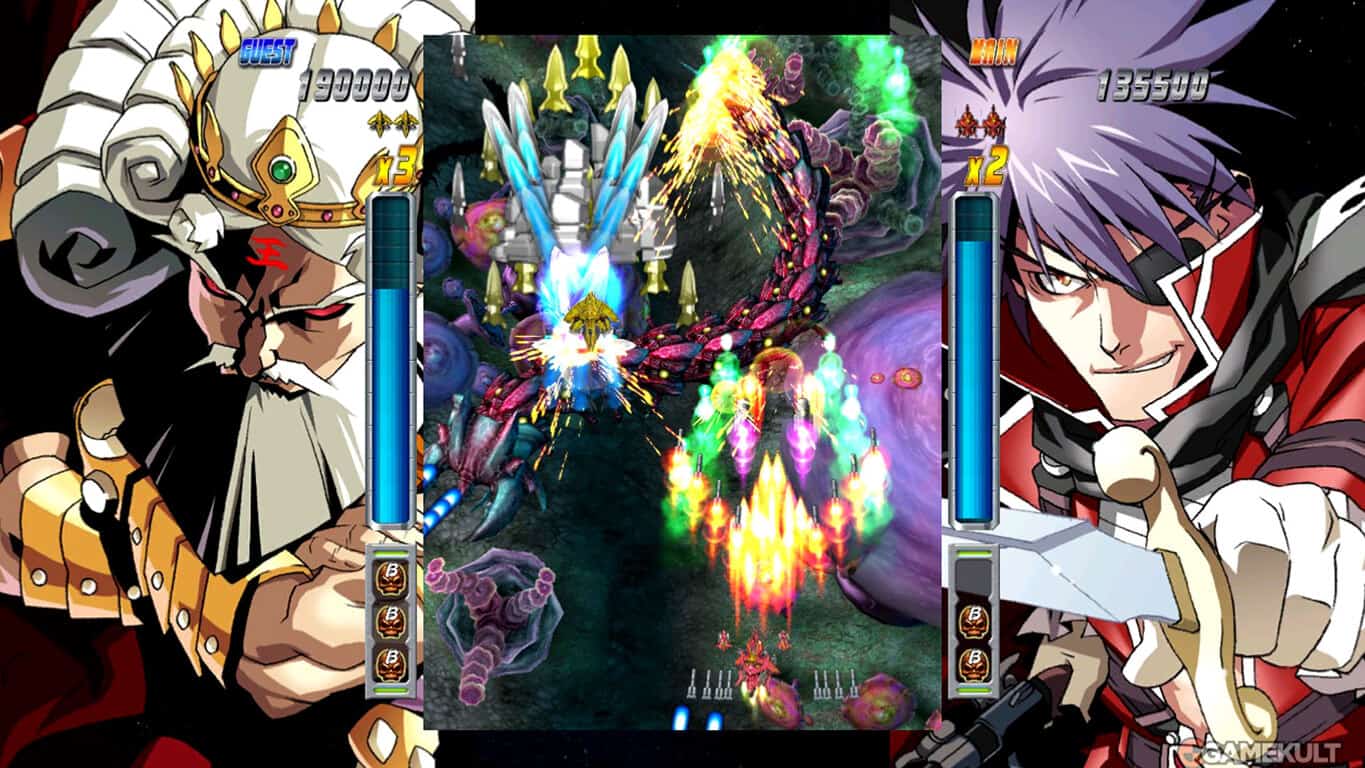
Bullet Soul is an arcade action shoot ‘em up with a mix of old school video game graphics and modern anime character artwork. No release date or price has been set yet.

Halo Pro League ESL Fall season starts on September 14

The Summer 2016 Halo Championship is now over, and fans are already heading over for the next challenge. ESL and 343 Industries just announced the autumn season that follows in the eHalo Championship Series. The announcement includes some new open events, new formats and a roadmap for the full season.

First things first, the Fall 2016 season will start on the 14th of September. The Roster locks for this season will soon appear in North America, on the 25th of August, and have already appeared in Europe on the 21st of August. The format for the fall season will be the same as the HCS Pro League season. However, there will be some changes indeed made to the broadcast time slot.

As such, regular match days will start on the 14th of September and will be taking place on every Wednesday and Thursday starting at 11:30 AM PT, which is 7:30 PM BST in Europe, and 4:30 PT in North America. All the action will be available on twitch.tv.

The EU HCS Pro League finals will take place on December 3-4 in Leicester, UK, at the ESL Studio One. One week later, the NA HCS Pro League Fall Finals 2016 will be taking place on December 10-11 in Burbank, California, at the ESL Studios.

Moreover, whoever wants to get into the Halo eSports can do so in the HSC Open Circuit in this fall season. In Europe, the ESL is taking care of this, while in America, PGL is responsible.

Two live events will show up in the calendar for the Fall 2016 season. One of them is the HCS Orange County by Esports Arena that will take place on October 7-9, which offers $20,000 for a 4v4 tournament and $5,000 for the free for all competition. The second event is the HCS Las Vegas by PGL, happening on November 18-20 and offering $25,000 for the winner of the the 4v4 event and $5,000 for the free for all event.

RELATED STORIES TO CHECK OUT:

Rise of the Tomb Raider Blood Ties trailer is full of zombies

Tomb Raider is a very popular and loved franchise, both as a movie and as a video game. This year marks the 20th anniversary of the charismatic character Lara Croft, and on this occasion Microsoft is launching a new content update. The Rise of the Tomb Raider update is available for PC and the Xbox One console.

Blood Ties is a new story chapter where you will be able to explore the Croft Manor. The goal here is to reclaim Lara’s legacy and defend the Manor from a zombie invasion in the “Lara’s Nightmare” episode.

There is also a new difficulty setting the company added, called “Extreme Survivor“. Moreover, you will also be able to use a new weapon and outfit with the 20 Year Celebration theme and you can play in the Expedition modes using classic Lara models. Another addition that has fans cheering up is the new Co-op play in the Endurance mode. This is in fact a free upgrade that everybody who bought the Endurance DLC or the Season Pass will receive automatically.

However, fans will have to wait a little bit until they receive all the goodies Microsoft has prepared for them. The new content will be rolled out to the Season Pass starting from October 11. Players who already own the Season Pass will get the entire additional content for free. The Season Pass includes a much appreciated expansion called “Baba Yaga: The Temple of the Witch”, together with another one, “Cold Darkness: Awakened“. They are played in single player mode and you have to fight lots of infected predators somewhere in the wild Siberia.


RELATED STORIES TO CHECK OUT:

Sign up now for Hack The Classroom and help Microsoft drive educational innovation

It’s about time where students are starting to head back to schools and teachers are manning the classrooms. While many kids are dreading the end of their summer vacations, a lot of instructors are excited to get into a new year of molding the next generation. It’s an exciting time to be an educator and with events like Hack the Classroom on the horizon, the upcoming school year is set to be one of the best in recent years.

If you’re unfamiliar with Hack the Classroom, it’s an online live-streamed event that’s going to be airing on September 24th. The event – made for teachers who want to learn a bit from experts in education – has speakers come out and talk about some of the newest tools and techniques used to really revolutionize the teaching experience. Speakers this year include John Kao, Patricia Romero, Jordan Shapiro, Ph.D. Lauren Pittman, and Dyane Smokorowski.

According to the Hack the Classroom website, the program’s aim is for audiences to:

  • Hear from inspiring speakers and thought leading educators
  • Learn from teachers by taking a glimpse into their classrooms to see how small changes, result in huge student impact
  • Engage, interact, and pose questions with speakers and other educators
  • Gain access to professional development resources and tools to get started

Anybody can tune into the stream, although it’s heavily geared towards educators or aspiring educators. You can check out details on the official website if you’re interested in the upcoming event or you can get involved right now as well. There’s a Class Hacks Contest kicking off on September 5th, where you can submit one-minute classroom hacks that will be shown off during the big show. You can check out previous contest winners right here if you’re looking for ideas.

Game Clips Live is now available in the Windows Store

The Windows 10 Anniversary Update marks a new era for the Windows 10 OS. This major update comes with many new features and improvements and today we will talk about the awaited Game Clips feature.

This new feature allows you to watch gameplay videos of the game you are interested in purchasing. For example, if you want to purchase a particular game from the Windows Store, you will need to search for it and once you find it, you also have access to some game videos, offering you a deeper glimpse into the game.

We think this is a good feature, as many users are not very happy after purchasing a particular game and they can’t get back their money. However, now, by watching a few gameplay videos before making the actual purchase, you will surely know if that game is for you or not, so that you won’t regret your decision later. The Game Clips feature is available on the app itself, as well as on the web.

This update also comes with improved reviews, system requirements and rating information. On the PC version, you also have the possibility to choose where you want to install the game. In other words, the game will not be installed in a default location anymore and you will have more control on where you store the games you purchase from the Windows Store.

What are your thoughts about the new Game Clips feature? Did you purchase any game after watching gameplay videos of it? Tell us your thoughts about this feature in the comment section below.

RELATED STORIES TO CHECK OUT:

Microsoft offers incentives to switch from VMWare to Windows Server 2016

As of late, Microsoft’s modus operandi has been one of partnerships and promotions, especially when dealing with would-be competitor products in the cloud solutions arena. Instead of going head-first at a competing product, Microsoft under the helm of new CEO Satya Nadella is more about promoting the best solutions that also happen to work with current Microsoft platforms.

However, there are times when Microsoft feels it has a superior product compared to what’s currently available and doesn’t mind tempting customers to give them a shot. Accordingly, the Windows Server team is taking its shot at luring VMWare customers today by announcing a new migration offer that would help former VMWare users move over to Windows Server 2016.

Beyond touting its six-year-long position at the top spot for Gartner x86 Server Virtualization Infrastructure Magic Quadrant analysis, the Server team believes a free Windows Server Datacenter license offer that will run through the rest of 2017 and well into 2017 could have VMWare customers second guessing their current solution.

More specifically,

“From September 1, 2016, through June 30, 2017, customers who switch workloads from VMware to Hyper-V can get free Windows Server Datacenter licenses when buying Windows Server Datacenter + Software Assurance. That ultimately means customers only pay for Software Assurance, which provides multiple benefits.”

Putting their money where their mouth is, so to speak, the Windows Server team has launched a Microsoft vs. VMWare TCO (Total Cost of Ownership) comparison tool. The seemingly aggressive comparison move will not only help customers calculate the various Windows Server 2016 tools versus their VMWare counterparts but offer a bit of transparency about Microsoft’s solutions.

Windows Server 2016 vs VMWare comparison tool

While it would seem a risky move to openly compare oneself to an industry leader, the Windows Server team appears confident about the comparison tools, especially pitted against VMWare’s own TCO comparisons option and for good reason.

We are launching our tool following the new licensing model for Windows Server and System Center 2016, which is based on per-core licensing. (By the way, VMware recently launched a new TCO comparison tool. Their main assumption is based on a density comparison from a woefully out-of-date document that compares vSphere 5 to Windows Server 2008 R2 SP1 which is three releases and six years ago. Furthermore, this document does not reflect rich new capabilities, many of which VMware still hasn’t caught up to in ESX 6.0. We would strongly recommend you take that into consideration when interpreting their results).”

Again, Microsoft hasn’t been making a lot of competitive waves as of late and perhaps for good reason as many of its software and services are transitioning to offer more support for what customers are actively choosing to use alongside the company’s current solutions. When Microsoft sees an opportunity to tout what it believes to have a superior product, it seems the company is ready to go all in on that chance.

For anyone interested or considering switch, visit the Windows Server Blog to follow the seemingly straightforward 5-step process to receive a free Windows Server Datacenter license.

Put on your LEAF suit and play Valley, now available on Xbox One

Xbox’s Major Nelson announced Valley, another new game that is now available for Xbox One and Xbox One S in the Windows Store.

Valley, developed by Blue Isle Studios, is a first-person, open-world adventure that takes place in a secret and mysterious region of the Colorado Rocky Mountains called “The Valley.” Valley allows the player to explore this special place using the power of their LEAF (Leap Effortlessly through Air Functionality) suit. Valley’s LEAF suit allows players to run and jump at extraordinary speeds and heights. The LEAF suit also allows the player to give life or death to the creatures that inhabit the Valley.

The interesting thing about Valley is the more you kill, the more the Valley appears to die all around you and the more darkness will take over. Use the special abilities of the LEAF suit to solve the mysteries and uncover secrets throughout the Valley. Be forewarned, with these new-found abilities comes a daunting repercussion: the more you experience death within the valley, the more the valley will die around you.

Buy Valley from the Windows Store for $19.99

Although Valley is not available in the Windows Store for PC users, Valley is available on Steam, where you can buy the game plus get the soundtrack for $24.96.

Microsoft shutting down Bing Rewards in India, no sign of Microsoft Rewards replacement

It looks like Bing Rewards in India is shutting down after only being in service for a handful of months. What’s more is it looks like the program will be shut down without being replaced by Microsoft Rewards, unlike what has been announced in the US.

The news comes from a Windows Central report based off of tips from the website’s Indian readers. Microsoft reportedly emailed Bing Rewards members in India stating the program will shut down on September 30th. After that date, “Bing Rewards members will no longer be able to claim or redeem credits.”

Bing Rewards

Bing Rewards is a program that incentivizes users to search with Bing. Users rack up credits as a reward for using Microsoft’s search engine. Credits can then be redeemed for a variety of products, gift cards, sweepstakes, and charitable donations.

As we reported earlier, Microsoft recently announced that Bing Rewards is becoming Microsoft Rewards. Microsoft Rewards is an expanded version of the same rewards program. Members will soon be able to earn rewards for using Bing, Microsoft Edge, the Windows Store, or the Microsoft Store. There will also be a new point system with a different structure of tiers for more frequent users.

However, it appears Bing Rewards members in India will not be transitioning to Microsoft Rewards. Window Central reported that the emails to members in India included no statements about a change over to Microsoft Rewards. They only stated that Bing Rewards will cease to operate in India at the end of next month.

Bing Rewards only came to India a few short months ago in the middle of March. It is an undoubtedly short amount of time to run and then cease a customer rewards program. It is unclear why the program was introduced only to be shuttered a few months later.

This tool could help enhance your Windows 10 Virtual Desktop experience

Back when Windows 10 was launched a year ago, it introduced virtual desktops to the Windows experience. As we have previously covered in our how-to guide, virtual desktops is a nifty feature which lets you organize and multitask when you have multiple programs, apps, or windows open. A Redditor, however, wants to take the experience to the next level and has designed a tool to enhance the functionality of virtual desktops.

Available on Github, the Virtual Desktop Enhancer is designed to make using Windows 10 virtual desktops easier. While not exactly polished as of yet, it adds in three additional features to the experience. The first of these is an extra keyboard shortcut to navigate to a virtual desktop directly through the use of Left Alt and #’s 1-9. Next is the ability to set a custom wallpaper for each virtual desktop. Lastly is a new indicator in the tray area for the currently active desktop.

So, if you’re adventurous enough to try out the tool, be sure to head over to Github to find the files and instructions on how to use the tool. The developer hopes that it will become more polished as more folks use it, so the experience could improve in the future.

Raiders of the Broken Planet confirmed for Xbox One and Project Scorpio release

If you’re a fan of action adventure online based games, then next year might be a very exciting time for you. Developer Mercury Fox has confirmed that Raiders of the Broken Planet will be heading over to the Xbox One, PS4, and PC later next year.

The online based action title may also be heading to the Xbox Scorpio and the PS4 Neo. When interviewed by GamingBolt Mercury Steam’s David Cox said that the consoles would offer up a fantastic opportunity to deliver the best content to gamers. Nonetheless, even though he does not have a full understanding of final specs of the systems, Cox appears excited about what the consoles has to offer:

As gamers ourselves, we are very excited for the future!…. As mentioned we are very excited about the potential for these new consoles. We will be bringing Raiders of the Broken Planet to both consoles!!”

An open beta for Raiders of the Broken Planet is set to occur later this year in September. The game is set in the constellation of Lira, which is lightyears away from earth. Overtaken and now the hideout of the space mafia, the player is charged with the task of protecting Lira and repel the mafia using “Raiders.”

The Witness officially confirmed for Xbox One, release date announced

A week ago, we reported that first-person puzzle game The Witness could be heading to the Xbox One after being rated by both the Entertainment Software Rating Board (ESRB) and the Pan European Game Information Board (PEGI). This Xbox One release is now confirmed as indie game developer Jonathan Blow told IGN yesterday that the game will be available on the Xbox Store on September 13th.

The Witness was previously released on PS4 and Windows in January to critical acclaim, and Blow shared that the Xbox One version will be very similar. “There are some technical differences, but it’s basically the same game,” he explained. Moreover, the game developer added that there won’t be any exclusive content in the Xbox One version to as he feels that it “would kind of… mess up the game.”

Lastly, an iOS version of the game is still in the pipeline though Blow didn’t shared a release date to IGN. “It’s such a lower-end platform and we have to redo a ton of stuff,” he added.

Halo 5 receives the much awaited content browser

Halo Waypoint has offered new details regarding the future update for Halo 5, much to fans’ delight, revealing that the awaited content browser will soon be available. This new feature was initially presented at the RTX this year and lets you search and download game content on Forge. This is a great addition since it allows you to find and install game modes, maps and many other features easier than ever before.

Andy Dudynsky, who works as a community manager for Halo 5, says that the developers are now working on the last finishing touches for the browser. He confirmed that more information about this update would soon be available, and he also presented a screenshot of the search UI. The design looks elegant, simple, and easy to use.

There is already a need for such a browser in the game, but the next update is not limited to this. The company will also bring in some new maps and there is also a concept art released for one of the maps. It resembles the Swords of Sanghelios, one from the campaign modes in the game. However, there are no official details about these maps for the time being.

Moreover, according to Dudynsky, new REQ items will appear in the game. The team will introduce new weapon skins, alongside the new Gunfighter Magnum. This is a rare weapon and it’s designed for people who switch to a pistol whenever their gun goes out of ammo. It is in fact a lightweight pistol for competitions used by Spartans who prefer a no backup gun. It has magazines that reload fast and no Smart-Link module attached.

Unfortunately, we don’t know for sure when this update for Halo 5 will be released, but we should be getting more information soon.

RELATED STORIES TO CHECK OUT:

Get a free Xbox 360 game with the purchase of Deus Ex: Mankind Divided for Xbox One

Deus Ex: Mankind Divided launched today, receiving some solid reviews and satisfying most of the people who enjoyed its predecessor from 2011. The cyberpunk RPG offers players a serious variety in gameplay, letting them choose between lethal/non-lethal multitudes of paths to complete missions and use planning, stealth mechanics, and interesting cybernetic augments in a way that creates a fresh style of gameplay you won’t find anywhere else.

If that sounds good to you and you want to head out and pick up a copy of the game, you may want to do so on Amazon. Using Square Enix’s special offer on Amazon, you can pick up one of many Square Enix Xbox One games and get an Xbox 360 game for free. The games on offer are Dungeon Siege III, Just Cause 2, Kane and Lynch 2, Supreme Commander 2, and Deus Ex: Human Revolution. Of you’re looking to catch yourself up on Deus Ex’s story, the latter option on that list is probably going to be the best for you.

When you order your Xbox One game through Amazon, you’ll get a code through email, and you can redeem that through Square Enix’s website and choose which reward you want to get. Pretty simple, no headache – just play your game while you wait for Human Revolution to ship out to you.

PlayStation Now is coming to Windows PC in Europe, North America soon to follow

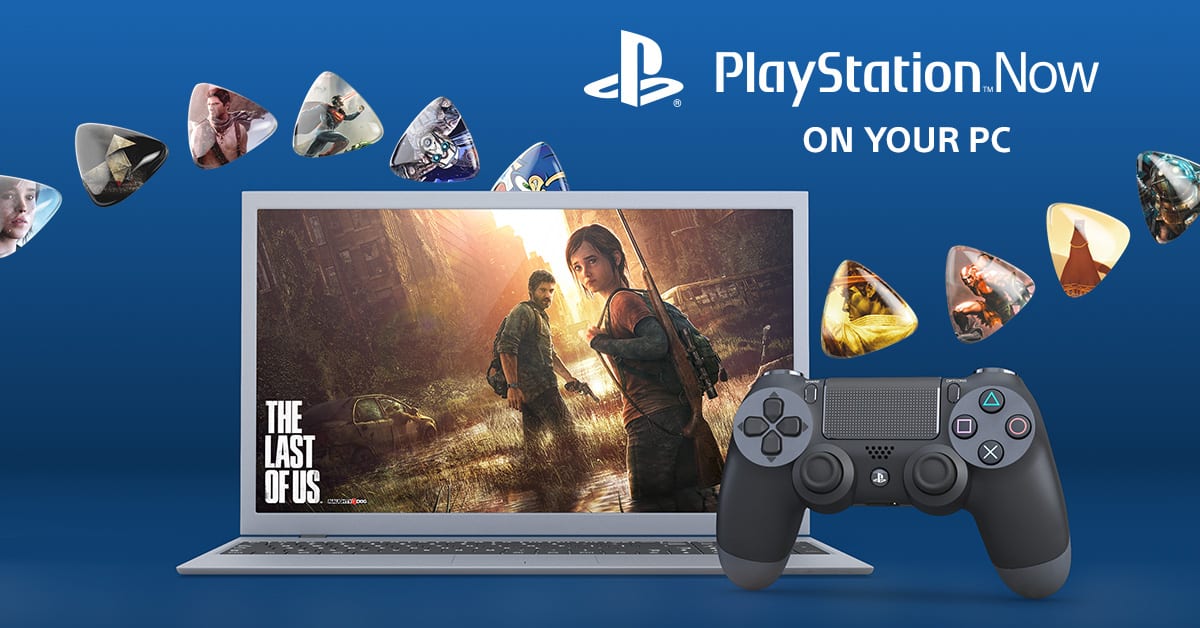
Soon, you’re going to be able to play your favorite PlayStation titles on Windows PC. Even more exciting news for Europe is that the PlayStation Now will be available for download as soon as tomorrow for UK, Belgium, and the Netherlands.

Originally discovered earlier today as a ‘leak’ through an image caption, the PlayStation Europe blog post confirmed what enthusiasts have been buzzing about this morning. PS Now has over 300 titles available for instant play including PlayStation classics such as Ratchet and Clank, Uncharted, and God of War. Some fan-favorite PlayStation 3 hits are also available such as The Last of Us and Journey.

Here are the recommended specs for running PS Now on your PC:

  • Windows 7 (SP1), 8.1 or 10
  • 3.5 GHz Intel Core i3 or 3.8 GHz AMD A10 or faster
  • 300 MB or more; 2 GB or more of RAM
  • Sound card; USB port

As with many streaming services, it’s recommended to use a wired Internet connection for the best experience possible. While the system requirements state that a minimum of 5Mbps connection is required, it’s probably best to opt for more. Mac support for PS Now is on the docket, but Sony has officially confirmed a response that they do not have any information to give at this time.

The news coincides with the announcement of the DUALSHOCK 4 wireless controller and adaptor created specifically for PC use. The controller is ideal for using with the PS Now or PS4 Remote Play. The controller is expected to release in September this year with a suggested retail price of $25. The product page doesn’t have pre-ordering enabled yet, however.

North America will have to wait for the PlayStation Now to release on their Windows PCs, unfortunately. There is not an exact date or estimation given at this time as to when we’ll be able to download the application.

Microsoft and NTT partner to bring hybrid cloud solutions to Hong Kong companies

Microsoft may not have a significant presence in the Asian mobile sector, but a new partnership with NTT could give them a strong foothold in the area and the new worldwide emerging market of cloud solutions. According to the South China Morning Post, Microsoft Hong Kong, and Japanese telecommunication company, NTT have paired up to provide hybrid cloud solutions to businesses in Hong Kong.

The partnership will leverage Microsoft’s Azure public cloud, NTT’s information and communications technology infrastructure and NTT’s private cloud, allowing Hong Kong businesses to adopt a hybrid solution combining both public and private clouds to customize the storage of data.

The result of the NTT-Microsoft partnership will be the “Hybrid Cloud Resilience Solution”, allowing companies to store sensitive data in a private cloud while running applications on the public cloud, thereby freeing up businesses from having to spend money on building their own back-up and storage solutions.”

So, where China was late to mobile but surpassed other nations by the regions sheer volume, it seems when it comes to cloud solutions, history may repeat itself. Microsoft’s latest strategic move could have it centered on the explosive use of cloud solutions in the areas similar to its Windows XP and 7 usages if the company can manage to retain the somewhat positive relations it has in the area.

As with most things China, Microsoft’s partnership isn’t being marked as runaway deal due to the level of perceived regulations for the region. Microsoft, NTT, and the Chinese government will have work together closely to educate businesses (particularly finance and public sector jobs) as to how to best make use of the cloud while adhering to regional requests.

Again, if Microsoft’s NTT partnership can be executed to levels hoped for, Microsoft may find themselves with a decent size cloud solution market thus far unchallenged by its constant competitors Google and Amazon.

“App Dev on Xbox” live event to highlight Anniversary Update SDK capabilities on August 30

Microsoft’s Windows 10 Anniversary Update offered up a host of improvements and enhancements across the Windows 10 ecosystem, from PCs to phones to Xbox One consoles and more. The corresponding Windows 10 Anniversary Update SDK for Windows 10 build 14393 made those new capabilities available to developers, allowing them to build apps that can leverage everything that the Anniversary Update offers to users.

xbox
App Dev on Xbox live event on August 30, 2016 at 9:00am PST.

Of course, Xbox One and Xbox One S developers can use the Anniversary Update SDK to enhance their apps as well, and Microsoft is hosting an “App Deve on Xbox” live event on August 30, 2016 at 9:00am PST to highlight exactly what’s new and improved:

With so many great new features and APIs to talk about, we are excited to announce the “App Dev on Xbox” live online event where engineers will spend one day covering the new Anniversary Update SDK capabilities that enable you to build great app experiences for the TV and across other device form factors. The event will cover topics around:

  • the Anniversary Update SDK and getting started with app development on Xbox One
  • deep dive into developing apps using both XAML and Web technologies
  • guidance for designing and creating impressive TV experiences and
  • submitting your apps via the Dev Center to all UWP devices including the Xbox

Last, but not least, anyone will have an opportunity to submit questions to the presenters in a live expert panel made up of the engineers building the platform and SDK.

If you’re an Xbox developer, then this event is a great opportunity to get caught up on everything that’s available in the Windows 10 Anniversary Update SDK. Head over to the event page to put the event on your calendar, and follow along with the discussion on Twitter using the #XboxAppDev hashtag.

You can get started now by downloading Visual Studio Community 2015 and the Anniversary Update SDK. Here’s how to get Developer Mode running on your Xbox One or Xbox One S, and Microsoft has a slew of documents available as well. Let us know in the comments if you’ve already started making Anniversary Update-enhanced apps for the Xbox One and Xbox One S.

Microsoft Garage releases preview of cross-platform copy app Cache for Windows 10 PCs and iOS

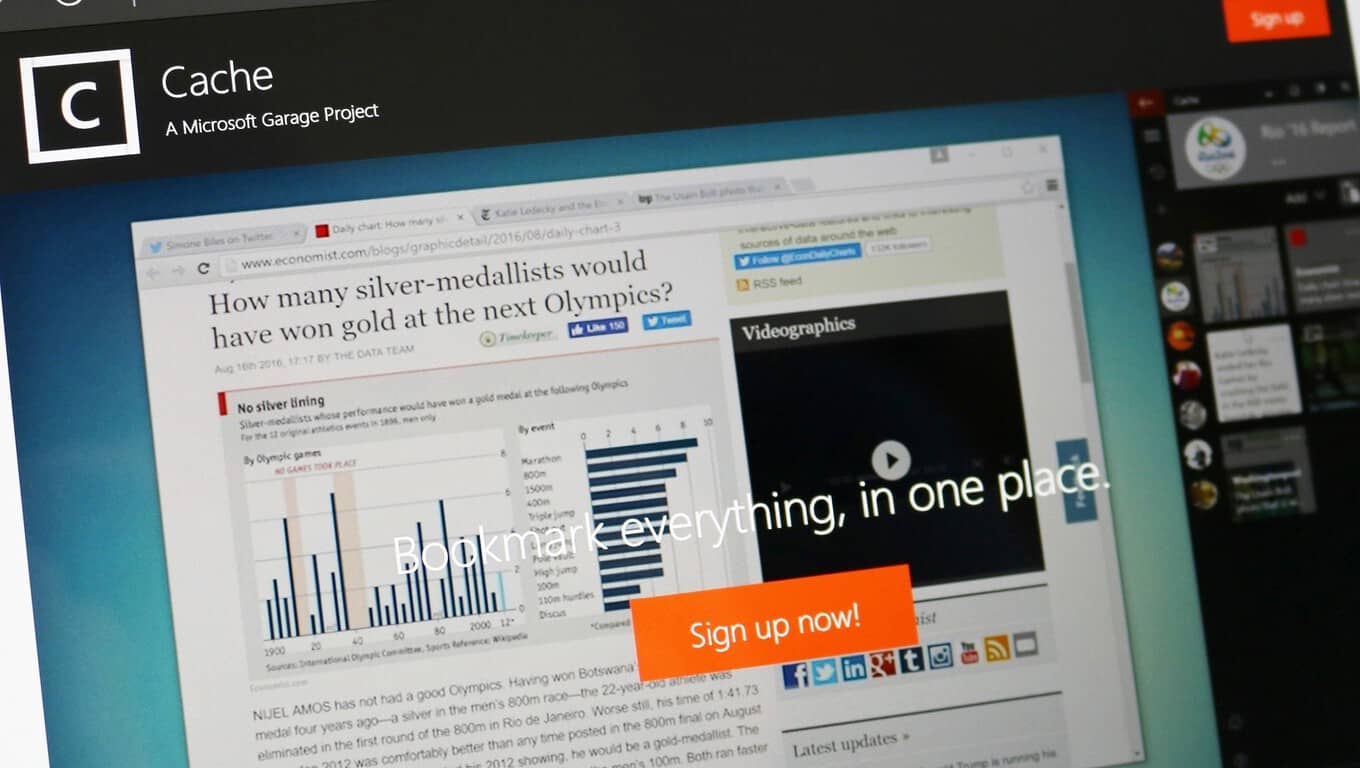
Microsoft Garage has released a preview of a new cross-platform clipboard app called Cache. The app is currently available for iOS and Windows PC, but only after signing up for the preview. The idea for the app is pretty straightforward but has the potential to be incredibly useful.

Cache is a lightweight app that helps you manage and organize anything you clip from the web or any notes you jot down. You can organize the clips by when you clipped them or by your own lists. Your clips are then all stored in the cloud and synced across all of your devices. Cache even remembers where you clipped things from so you can always go back and look for the original content.

An example of the new Cache app via the Microsoft Garage

In essence, Cache is not all that dissimilar from OneClip, which we got a peek at back in May of 2015. In fact, Cache may very well be the successor of that project and potentially part of Microsoft’s plans to further integrate Office into Windows 10 with the Redstone 2 update. Only time will tell, but Cache looks very similar to OneClip when comparing screenshots released today to the screenshots of OneClip recently spotted by Windows Central.

One Clip in action. Image from Windows Central/ Zac Bowden.

An intelligently designed and simplified way to manage notes and clips across devices could be an extremely useful feature. Hopefully, we’ll know more about the app soon, until then, you can sign up for the preview on Cache’s Microsoft Garage page to try it out for yourself.

Microsoft Software & Systems Academy to add two more military bases in October

Microsoft is attempting to support the men and women who have chosen to dedicate their time in the service of their country by offering its Microsoft Software & Systems Academy (MSSA) to all who qualify. The MSSA is a training program intended to help the multitude of members of the U.S. armed service transition from a life of military dedication to high-tech civilian jobs.

For many, the idea behind MSSA targets a fundamental misgiving for men and women who serve in the name of their country, as joblessness and homelessness rank high on the list of factors that lead to depression among veterans. While not all military jobs are transferable to the ‘real-world’, the MSSA is looking to expand its scope of eligible participants who are eager to complete the 18-week course and has recently included two more military bases that have joined in support of the program.

Microsoft is expanding MSSA to more bases and further investing in the program to offer transitioning and former service members more opportunities around three career pathways:

  • Server & Cloud Administration
  • Database & Business Intelligence Administration
  • Cloud Application Development

Fort Bragg, North Carolina, and Fort Benning, Georgia, will become the newest MSSA sites with cohorts starting on Oct. 17. Ribbon-cutting ceremonies at both bases will welcome new students into the IT training program. Fort Bragg and Fort Benning join three bases where MSSA is already up and running, with six additional locations planning to join the program in the coming years.

Unlike other job assistance programs that merely train potential employees, the MSSA is guaranteeing interviews for full-time positions with Microsoft or a partnering company. This means that the information being learned can be directly applied to a job from the training company rather than a general understanding of knowledge that may or may not land a specific contract.

For those interested in the MSSA or know of someone who might be interested, the MSSA homepage is a great resource for stats that represent the early success graduates of the program are apt to witness. With a support network of over 130 companies hiring MSSA grads for salaries averaging $70,000, veterans worried about work outside of the military should now have some measure of confidence about transitioning into civilian life.

Microsoft promotes Surface Pro 4 for SMBs in new videos

Just a week after Microsoft put its Surface Pro 4 against Apple’s iPad Pro in a short funny ad, the company’s 2-in-1 computer is back in (small-medium) business today in two now promotional videos targeted at SMBs. The new ads highlight why the hybrid tablet is the perfect device for business customers looking for a versatile solution that allows them to be productive on the go.

The first video features GroupQuest President Mario Malatesta who explains why the Surface Pro 4 has “completely changed so many of our lives”:

The second video features Notable founder Julian Brass who explains that the Surface Pro 4 is “all about versatility”:

While Microsoft doesn’t disclose its Surface sales, the hybrids tablets are selling well as Surface revenue increased 9% during the company’s Q4 FY 2016. Earlier this year, we reported that the two-in-one devices were also really popular among creatives and company executives as one Microsoft Authorised Device Reseller explained that “you often get the directors buying themselves the i7s and then buying staff the i5s, which is the run-rate business”. Sound off in the comments if you also think that the 2-in-1 is the perfect device for SMBs.

Aaron Greenberg’s Twitter account compromised (but he still wants an Xbox Onesie)

Amidst all of the recent craze for Xbox Onesies, Aaron Greenberg’s Twitter account was compromised.

Greenberg is the head of Marketing for Xbox Games. Earlier today, he tweeted about the demand he is receiving for the Xbox Onesie which Xbox Australia dreamt up. Not long after, his Twitter account was hijacked. Some of his followers commented it looked like his Foursquare account was actually what was compromised, but because his Twitter and Foursquare accounts were linked, his account started tweeting random things.

Greenberg has his account all sorted out now. And he still wants an Xbox Onesie.

The Xbox Onesie has certainly captured the imagination of many gamers. And the hashtag #XboxOnesie has become a trending moment on Twitter.

Hats off to the Xbox Austrailia PR unit. But they might have inadvertently created a huge amount of worldwide demand, apparently including Xbox’s own corporate executives.

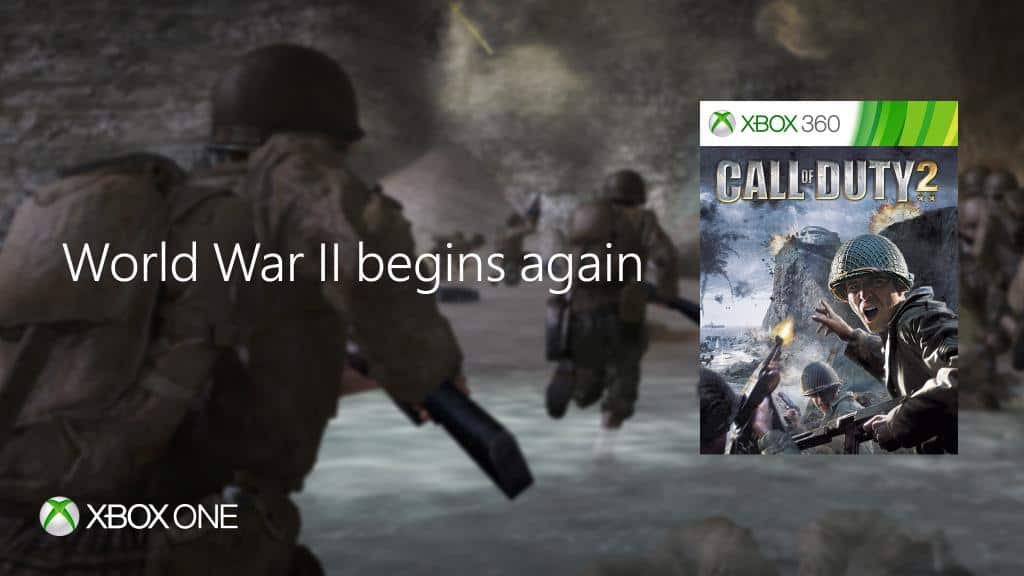
Call of Duty 2 is now Backward Compatible on Xbox One

If you’re a fan of the classic Call of Duty games, then you might want to fire up your Xbox One and head over to the Xbox Store (or search through your pile of game discs!) Major Nelson has just taken to his blog to announce that Call of Duty 2 is now available on the Xbox One via Backward Compatibility.

Originally released back in 2005, Call of Duty 2 was the then second installment to the now famous Call of Duty franchise. Set during World War Two, the campaign brings you into the shoes of four soldiers, one from the Red Army,  two from the British Army, and another from the US Army.  Call of Duty 2 is also divided into three stories with a total of 27 missions, each concerning a World War Two soldier overcoming the events of the War.

If you don’t already own this game and are interested in downloading via the Xbox Store, be sure to head over to the Xbox store via this link here. As always, drop us a comment below and let us know how the experience is going for you once you’ve got the game running on your Xbox One.

Xbox One S Halo Collection now available in 500GB or 1TB models

Keeping in the spirit of all things Halo, Microsoft has released the Xbox One S Halo Collection in 500 GB and 1 TB models. Announcing the news on Twitter, Xbox announced the two Xbox One S Halo Collection consoles are available for purchase through the Microsoft Store.

The Xbox One S 500GB model costs $299.00 and comes with the new Xbox Wireless Controller, Halo 5 Guardians physical disc, and The Master Chief Collection digital download. While the Xbox One S 1TB model costs $349.00 and comes with everything the 500GB Xbox One S model, plus a 14-day Xbox Live Gold trial.

Additionally, when you buy either the 500GB or 1TB Xbox One S models, you get a choice of one of the following Xbox One games free: Watch Dogs, The Crew, Just Dance 2016, and Just Dance: Disney Party 2. Microsoft is also offering $10 off additional Xbox One S Wireless controllers (limit 3 per customer).

It would have been nice to get our hands on a Halo-themed Xbox One S, instead of the plain white model, but this is still a good deal.

Buy the Xbox One S Halo Collection 500GB or 1TB console bundle from the Microsoft Store.

Interest in the Microsoft Professional Degree program surpassing expectations, more info coming at Ignite

During their World Partner Conference in July, Microsoft unveiled a new Professional Degree program to provide résumé-worthy credentials for in-demand skills. As we reported in July, the program kicked off first with a credential for Data Science.

The course includes 10 online classes and labs. Eight modules focus on specific content, one is the beginning orientation, and last is a final project which serves as a capstone to the experience. Interestingly, the final project is also designed to simulate real-world data challenges and uses the Cortana Intelligence Suite.

More to be revealed at Ignite in September

When the original announcement was made at WPC, Microsoft said there would soon be further announcements about additional courses. Now thanks to a Microsoft Partner Network blog post, we can know when to expect more information about the future of the Professional Degree program.

In today’s blog post, Gavriella Schuster, Microsoft Corporate VP, announced more information will be shared next month at Microsoft’s Ignite Conference. Schuster says the “feedback has been amazing” for the Data Science degree. And that Microsoft’s partners are excited to be offering their own learning solutions using the same Azure powered Open EdX platform.

Microsoft Ignite runs from September 26th through the 30th in Atlanta

The blog post doesn’t give any direct hints about what news might be shared next month at Ignite. Microsoft’s Ignite conference is their singular conference for discussing all things related to enterprise technology. Given the focus of today’s post being on partners’ enthusiastic response to the Professional Degree program and the Open EdX platform, it’s possible the Ignite conference announcements will be in that same vein.

But we’ll have to wait until sometime between September 26th to September 30th to see what announcements are made at Ignite. And when they do we’ll be here to cover the latest news for Microsoft’s professional degree program. Until then you can check out more about Microsoft’s Professional Degree Program in Data Science here. All modules can be audited for free, but in order to earn your credential the entire course costs $500.

If you are going to be in Atlanta for Ignite and are further interested in Data Science, you can also attend Microsoft’s Data Science Summit. The summit is held during the first two days of Ignite and provides opportunities to connect with other Data Science professional, building your technical skills and be exposed to what is most current in the field.

Windows 10 Insiders on build 14905 can’t change Settings, a fix is in the works

Last Wednesday, Dona Sarkar pushed out Build 14905 to Windows Insiders in the Fast Ring. While all Windows Insider builds usually have a set of listed known issues, many users who have installed the build have reported an issue where they could no longer make changes in the Windows 10 Settings app. Microsoft has now acknowledged the issue and has said that a fix is in the works (via WinBuzzer.)

While the bug was not listed in the initial announcement of the build, Jason, a Program Manager on the Windows Insider Engineering Team pointed out that the cause of the issue has been discovered and a fix is in the works. He is quoted by WinBuzzer as saying,

Users on this new build will not be able to change the Insider Preview Build settings on their PC. The cause of this issue has already been discovered and a fix is already in the works.  This fix will be included in an upcoming flight.

There are no workarounds for this issue.  It does not impact core OS functionality, only the ability to change flight settings.  If you find it necessary to make changes before a future build is released with the fix, you may roll back to your previous build via the Settings menu.  This however should not be required.

So, if you are experiencing this issue, it is best to standby for the next set of updates or the next Insider Preview build. Once the update is released we will be here to report it.  Until then, be sure to follow us on Twitter, and check out our Redstone 2 news hub to stay up to date on all the latest Windows 10 news and information.

Win a custom NFL team Xbox One S complete with Madden NFL 17 in this Custom Console Sweepstakes

Today, August 23, marks the launch of Madden NFL 17.  To celebrate the occasion, and the eventual start of NFL Season, the folks over at Xbox are teaming up with EA Sports and the NFL in a custom console sweepstakes.

As part of the sweepstakes, 32 custom 1 TB Xbox One S consoles were designed by Microsoft, with one for every NFL team.  To enter to win one of the consoles, you can head to www.xboxpromotions.com/MaddenNFL17 and vote for your favorite console, click to enter from your Xbox One or Xbox 360 dashboard, or follow Xbox On Twitter and RetweetMadden NFL 17 #XboxSweepstakes Tweets.

New York Jets Custom Xbox One S

The 32 consoles all come with a copy of Madden NFL 17, but an additional 10 Xbox One S 1 TB Madden NFL 17 Bundles will also be given away to 10 lucky runner-ups in the sweepstakes.  However, time is limited, and the sweepstakes will only be open from today (August 23rd) to September 6th, 2016.

For the complete rules and details on this sweepstakes, and to take a peek at all 32 consoles, please head over to this page. Once you’ve given it a look, please come back to WinBeta and let us know if you’ve tried your luck by entering!

Xbox Australia reveals an Xbox Onesie, do you want one?

The Xbox brand is one of Microsoft’s most popular consumer brands as of today, and it seems that the Redmond giant is well aware of this fact. Back at E3 2016, the Xbox team introduced the Xbox Design Lab, a new website which allows gamers to customize their Xbox One controller by choosing several colors for different parts of the controller (there is even an engraving option), but the Xbox Australia has now pushed Xbox enthusiam to the next level with the Xbox Onesie (via Press Start).

Xbox Onesie
That’s how real Xbox enthusiasts look like, folks.

Could the Xbox Onesie be soon considered as the ultimate gaming uniform for the Xbox fan? According to the press release, Xbox Australia is taking the gaming suit quite seriously:

Set to delight fashionistas and entertainment fans alike, the limited edition Xbox Onesie has been designed in collaboration with some of the country’s biggest film, TV, gaming and sports fans. The result… what can only be described as the perfect loungewear attire for true entertainment fans!

Indeed, the Xbox OneSie seems to have been carefully designed to take into accounts your gaming needs. Here are a the main highlights:

  • Enlarged pockets to fit your Xbox Controller and Media Remotes
  • Arm pouch to offer quick and easy access to your mobile phone
  • Roll-able legs and arms to cater for all temperatures and seasons
  • Forearm grips to prevent slipping on those ‘edge of your seat’ moments
  • Extra-large hood to accommodate headsets for the ultimate gaming sessions
  • Customised Gamertag embroidery

The limited Xbox Onesie will be available in white and black colors, but Xbox Australia has yet to reveal when it will be available to purchase in the country. However, head of Xbox marketing Aaron Greenberg seems already enthusiastic about it:

While the Xbox Onesie won’t probably make you a better gamer, the Xbox Australia team could really be onto something here. The gaming suit looks like a cool way to proudly showcase your enthusiasm for everything Xbox, and we can’t wait to see the first Xbox fans wearing their Onesies in the streets (because why not?), in gaming conferences and more. Let us know in the comments if you think many Xbox fans are going to want an Xbox Onesie.

Obliteracers brings 8 player local multiplayer racing to Xbox One

A new racing game, Obliteracers, is on its way to the Xbox One and it’s going to be competing with the existing two-player and four-player racing games by offering support for up to eight players in local multiplayer races.

Here’s the official game description: Award-winning same-screen party racing for up to 16 players! Race brutal-cute aliens on exotic planets, using weapon powerups and physics-based vehicles to annihilate your competition in frantic round-based combat.

Features

  • Addictive racing mayhem for all ages featuring brutal-cute aliens, exotic locations and absurd weapon powerups
  • Squeeze 8 local players onto the same screen
  • Battle friends and family on the couch, compete against others online, or play career mode solo against punishing bots
  • Highly customizable party game modes with dozens of gameplay modifiers and presets for endless variety
  • Simple controls for newcomers, with advanced strategies for veteran players
  • Round-based combat ensures quick respawns and allows drop-in drop-out play

Pre-order Obliteracers on Xbox One

Other racing games on the Xbox One include the popular Forza series, Disney Infinity 3.0, and Valentino Rossi. Another upcoming racing game, Assetto Corsa, is also up for pre-order right now. Do you have a favorite racing game on the Xbox One? Let us know in the comments below.

Earthlock: Festival of Magic launching Sept 1st on Xbox One, free for Gold members

Earthlock: Festival of Magic has just been revealed as one of September’s free Games with Gold video games for Xbox Live Gold members. The game will also be launching on September 1st so will be purchasable on Xbox One for those gamers without the premium service subscription.

Earthlock: Festival of Magic is a Western roleplaying game with a focus on story, levelling, crafting, and combat. Here’s the official description: What starts as a simple quest for desert scavenger Amon soon sprawls into a journey where several unlikely heroes join to save Umbra, a beautiful but harsh world that mysteriously stopped spinning thousands of cycles ago.

Explore the world of Umbra and face myriads of monsters in exhilarating turn-based combat. Kiting lets you strategically take on as many enemies as you like. The more enemies the more experience gained. Mix up your strategy to beat your enemies using two different stances per character, and build your characters’ battle bond to unleash powerful abilities or unique perks.

Customize each character’s progression with the Talent Table. Find new Talent Tiles in the world or craft your own. Grow plants and gather ingredients to craft ammo and items. All this on your idyllic home island.

Have you been waiting for Earthlock: Festival of Magic? Let us know in the comments below.

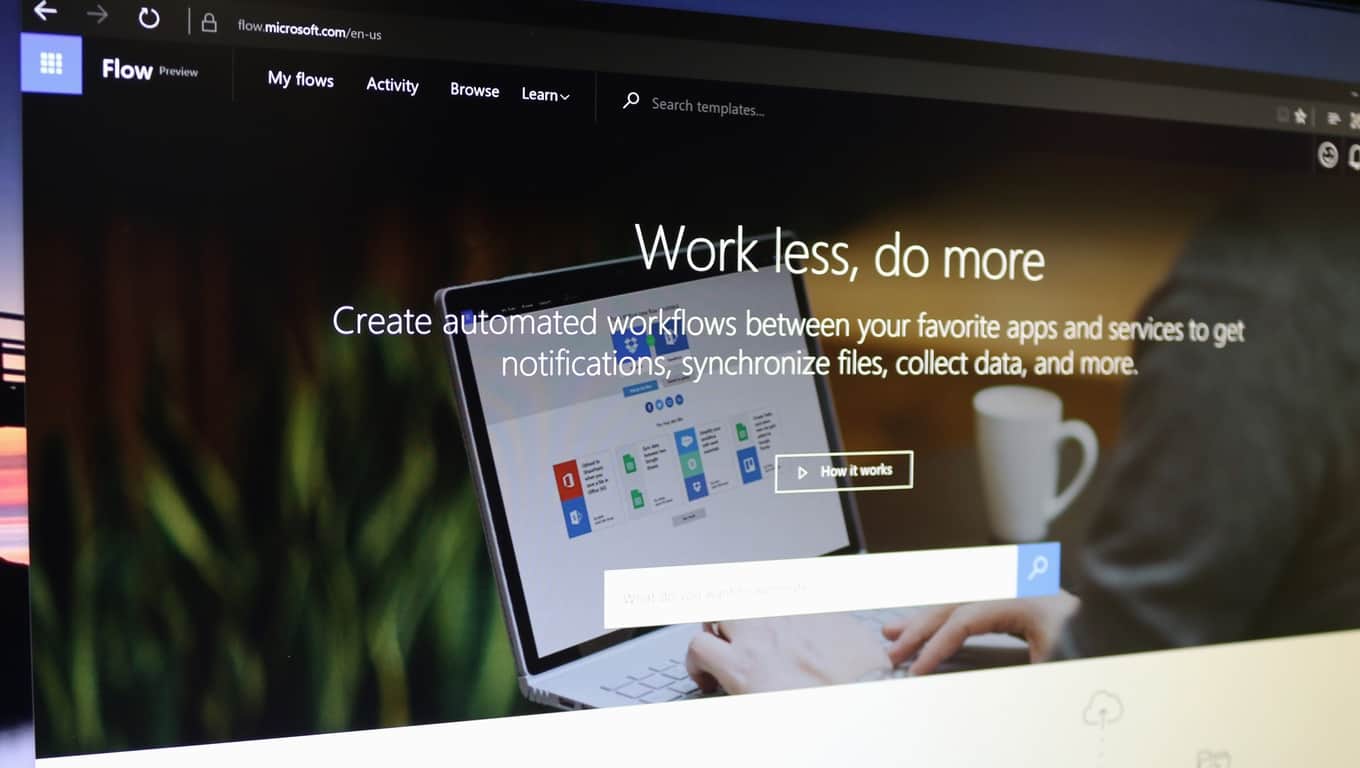
Here are some examples of using Microsoft Flow for synchronizing files, collecting data, and more

You can become more productive than ever with Microsoft Flow. Connecting applications has never been any easier. With the use of Microsoft Flow, you can connect your important emails to send a text message upon receipt or add Twitter leads to your CRM. The possibilities are nearly limitless as more and more applications and programs are being supported through through Flow.

You can get started instantly from the home page. Set up what you need through one-step simple tasks or multi-step complex tasks. Or jump right in with the multitude of previously created templates.

There are 43 different applications and programs to connect up to. Including, but not limited to:

  • Office 365
  • Twitter
  • OneDrive
  • Dropbox
  • Google Drive
  • Slack
  • MailChimp
  • GitHub
  • Dynamics CRM
  • SharePoint
  • Salesforce
  • SQL and

Microsoft Flow is also available on the go with their mobile counterparts. The iPhone version is available fully while the Android Microsoft Flow application is still currently in beta. Both of which allow you to enable/disable and monitor the Flow activity such as successes and failures.


Microsoft releases preview of Azure App Service MySQL in-app support

Developers can now use Microsoft’s Azure App Service to create Web applications built with MySQL. A Microsoft Azure blog post released today went into more depth about the new feature currently in preview.

MySQL in-app enables developers to run the MySQL server side-by-side with their Web application within the same environment, which makes it easier to develop and test PHP applications that use MySQL.

To make this new features even more accessible, developers can get started in the Azure Portal.

The MySQL application support allows for many opportunities that weren’t present in the Azure App Service before. It supports many popularly used PHP applications such as WordPress, Joomla, and Drupal. The storage shared between the web applications and the MySQL is shared in the same location for efficiency.While slow query logging and general logging are available and do work, it’s not recommended. The custom logging can cause performance issues that will affect the overall performance.

Creating Web applications with the MySQL database doesn’t require any additional purchase besides that of the Azure App Services. However, it does come with some drawbacks and limitations. Some tips that the Microsoft Azure blog post shared included:

  • Check your storage limits and upgrade the web app pricing plan as needed to accommodate data for both MySQL and your web app. For storage and memory limits for your pricing tier, review the quota limitations for all App Service plans pricing tiers.
  • Note you only get one MySQL database per web application. In a scenario where you have a deployment slot web app and a production web app, you will get one MySQL database for the deployment slot and one MySQL database for the production web app, if you decide to turn on this feature for each app. The database contents will not be synchronized, which makes it easier for you to try different schema versions and content.
  • The auto scale feature is not supported since MySQL currently runs on a single instance. Similarly, enabling local cache is not supported.
  • The MySQL database cannot be accessed remotely using the MySQL CLI or other tools that access external endpoints. You can only access your database content using PHPMyAdmin (which is bootstrapped upon provisioning) or using the KUDU debug console.

SInce the in-app MySQL is a preview feature, keep in mind that it shouldn’t be used for application production. Read more about the new feature for Azure App Service in detail on the Microsoft Developers blog.

New Amazon app hints at future Windows 10 Mobile support?

Amazon has recently ended support for the Windows 10 Mobile platform. However, not all hope is lost since the retail giant has released a new Windows 10 PC app, which hints at a future Windows 10 Mobile app.

The new Amazon app is actually a web wrapper, meaning that you’ll get the exact same experience on this app as if you were surfing on the company’s official website. Although this is not a Windows app per se, there is one element that has caught everyone’s attention: it supports both the PC and Mobile platforms.

new amazon app windows 10

Of course, the fact that the app description mentions that mobile support is available, doesn’t guarantee Amazon will release a new Windows Mobile app. Judging by the current characteristics of this new app, Amazon could release an app for Windows 10 Mobile on the 12th of Never.

On the other hand, optimistic Windows phone users take the presence of the mobile icon in the app description as an implicit guarantee for future mobile app support. A UWP Amazon app could constitute the foundation for PC and Mobile native support.

Meanwhile, if you want to access Amazon’s website, we suggest you connect straight to their website using your default browser. There is no point in downloading an app which offers the same experience.

As far as the quality and responsiveness of the new app are concerned, users are pretty disappointed with its overall performance.

Downgrade not upgrade
The previous amazon app available on windows phone/mobile at least worked well enough to use. I hope this is only a temporary replacement as it is pure garbage. It’s a web app not a true application. No access for prime members to utilize what they pay for.

If you’re still curious to test out the new app, you can download it for free from the Windows Store.

RELATED STORIES YOU NEED TO CHECK OUT:

Here’s a concept of Windows Defender in Windows 10 Redstone 2 update

Windows 10 Anniversary Update brought many changes to the system, and its features. One of the features that received a few functionality improvements is Windows 10’s default security tool, Windows Defender.

Windows Defender now has the ability to perform a background scan when a third-party antivirus is installed. That way, any incompatibility between Microsoft’s tool and another antivirus will be avoided. Additionally, Windows Defender can now perform an offline scan on startup, which eliminates some potential risks that are present when a computer is running.

However, Windows Defender after the Anniversary Update looks almost identical as looked in the previous version of Windows 10. So, even though Microsoft’s security software is more powerful now, a lot of users actually got bored of looking at the same user interface for more than a year.

That encouraged some Windows 10 enthusiasts who had a few fresh ideas, and some extra free time to create their own concept of how Windows Defender should look like in the next major update for Windows 10. One of them is Redditor ioannisemmanou, who posted his perception of the new Windows Defender on his profile.

windows defender concept 2

The improvised version of Windows Defender is apparently a UWP app, that blends into the Windows 10 environment more than the existing version. Of course, it features a hamburger menu, just like the majority of other UWP apps for Windows 10.

As shown on uploaded screenshots, this version of Windows Defender has a dark and a white mode. This is a nice touch, since the Anniversary Update introduced the ability to choose between two themes for UWP apps and other user interface elements of the system.

Author didn’t precise functionality features of its version of Windows Defender, so we assume he’ll pass that to Microsoft.

windows defender concept 1

Once again, this is just a design from a regular Windows 10 user, not from Microsoft, so there’s a big chance that Windows Defender won’t look like this in the Redstone 2 update. However, the company should definitely at least take a look at this concept, because most users agree that this is how they want Windows Defender to be designed.

Tell us in the comments what do you think about this concept? Would you like to add something?

RELATED STORIES YOU NEED TO CHECK OUT:

Pokémon comes to Windows 10 with PoGo-UWP app

PoGo-UWP or ‘PoGo’ is a UWP (Universal Windows Platform) client for Niantic’s trendy game “Pokémon go’ which is still not available on Windows 10 mobile devices and playable only on Android and iOS phones. Niantic still hasn’t made public any plans regarding releasing this app for Windows devices.

But thanks to some third party team of developers, their steadfast efforts for bringing this awesome game to Windows 10 mobile devices,  and this app was released in the initial days of Pokémon Go. But the luck of Windows phone users appear to be short-lived as Niantic, earlier this month, increased the security to their servers, blocking all third party developer’s applications from getting access to it which was causing severe lag to their servers. This means that the PoGo app too has become non-functional since the last few days.

With Niantic having their security measures upgraded, the developers still weren’t demotivated and according to their reports, the development team for the Windows 10 applications might have doubled in size in attempts to find a loophole in this newly enhanced security.

When users had their hopes down that the app might never work again, the developer’s team announced the release of a new app , allowing all windows 10 users to successfully play the game and the team still hasn’t stopped working in bringing the app closer to the original Pokémon Go version of the game that is available on other platforms. The developer’s team is reported to be constantly releasing bug fixes in order to make the app more stable as a number of bugs and errors still exist.

The miracle application, which is of course PoGo-UWP  has been updated to version 1.0.25, which includes major corrective attempts like fixing the API and as mentioned in the changelog, some genius advancements in the app deceives the game to believe that the device is an Apple phone which has again made it harder for Niantic to ban third party accounts but not impossible. There are several changes that have been reported by the developers on GitHub.

·       The PoGo-UWP app has an Egg inventory where the players can gestate their eggs

·       Collect Pokémon’s from Poke stops

·       A newly added profile page

·       Allowing players to Login using their Google Accounts

·       Players can flick the ball to throw it which ultimately makes it easier to capture Pokémon’s.

·       A list of appealing map styles have been added to copy the original “Pokémon GO” game. This feature needs to be enabled from settings.

·       A detail page for Pokémon’s added where each user can evolve, transfer or power up Pokémon’s.

Apart from the added features, a few bugs and crashes have also been spotted by the current players, which the developers team is persistently improving.

·       Some dummy buttons, that have no functionality whatsoever

·       Some app crashes have been reported when the user opens the Pokémon detail page

·         Some players collect rewards after hatching an egg but shows no visual representation of it

·       The experience bar on the map displays an incorrect value after levelling up

·       Several animations are not up-to standard as they are in Android and iOS devices

Having stated these facts, it can be ascertained that Windows users might not be getting Pokémon Go on their devices anytime soon, but till then they can enjoy its experience through PoGo, of course till the hype lasts.

PowerApps for Windows 10 updated with the ability to create apps in a browser and within modern SharePoint lists

Microsoft just beefed up its custom creation tool for building apps for businesses called PowerApps. While the name PowerApps might surface visuals of Excel, Word, and PowerPoint on some sort of features steroid, the reality is much more mundane but overall useful.

Microsoft’s PowerApps are actually a neat resource businesses can use to spin up quick divisional apps to be distributed and used throughout a company without the need to employ someone with an extensive programming background. With Microsoft’s PowerApps, users get an Office-like experience where they can make use of template layouts, tap into 3rd party support such as Slack, Google Drive or Twitter and the ability to publish and use on the web or mobile devices.

PowerApps innovations

Now, in addition to all of those features, PowerApps users now get an update that enables users to:

  • Create and modify an app in a browser
  • Create an app from within a modern list in SharePoint

Other mainstay features include:

  •  Create a new app from scratch
  • Create app from gorgeous templates
  • Create apps from data connecting to SharePoint, Salesforce, Dropbox, Google Drive and more
  • Use the app yourself or share them with colleagues in your organization
  • Add business logic and intelligence using the power of Excel-like expressions
  • Compose rich interactive visuals and media to create custom, unique apps

Interested users can grab Microsoft’s PowerApps from the Windows Store (barring some System Requirements) today or visit the PowerApps site here.

Fix: Black and White 2 game not running on Windows 10/11ns

Black & White 2 was created by Lionhead Studios and released in October 2005, via Electronic Arts. It’s a sequel to the first Black and White that was released in 2001, in which players become… gods, who help people who invoke them. Unfortunately, not all players are omniscient in real life and don’t know what do to when the game refuses to work in Windows 10. However, we’ve collected a list of solutions given by players and Microsoft representatives, and we’re hoping that they’ll help everyone who has problems with this game.

Shortly, we’ll tell you that the game is about a god coming from the void that appears in people’s lives and helps them, but this time, it’s not omnipotent and he needs his believers to have a strong faith in them, to pray to him and to try not to have evil desires. This god shows up in the form of an animal (ape, lion, wolf and more) and interacts with people, who choose to be good or bad. If they’re bad, they’re punished, and if they’re good, they’re rewarded. If you want to know how it’s like to be God, now’s your chance.

But, in order to be able to play it, the game must run on your device. A few days, some user named T.A._186 posted on Microsoft’s forum that “I have my original 4 disc copy of the Game Black and White 2. I have a Dell Laptop that is 1 year old and windows 10. The game installs but will not run. When I do the diagnostic Check everything passes except the operating system. The game came out in 2005 so it wants to use windows XP. Is there anyway to get this game to work with Windows 10?”

BossDweeb was the first one to reply, saying that the game might be affected by a malware MS built into Windows 10 called DRM Blocking, which affects any game having a file titled secdrv.sys on the disk.

However, Wungraileng Vashi Microsoft Support Engineer had a different opinion, saying that “The reason the game does not run could be due to the game not being supported as Windows 10 is the latest operating system” and he suggested the user to follow these steps:

• To right-click on the setup file, then on “Properties”;
• To click on the “Compatibility” tab and check the box “Run this program in compatibility mode for”, selecting one of the Windows versions from the drop down menu and starting the installation;
• To restart computer and to check if the problem has been solved.