Microsoft announced on TechNet that they are changing the servicing models for Windows 7 and Windows 8.1. Updates for Windows 7, 8.1, Server 2008 RS, Server 2012, and Server 2012 R2 will now all be rolled into once a month cumulative updates.
Up until now, users or admins could pick and choose which Windows updates were deployed on their machine. While this gave more granular control to the end user, it also results in a greater degree of fragmentation between devices. This fragmentation often leads to greater chance of errors and inconsistency in the update process.
Monthly Rollups
So to remedy this, Microsoft is switching the servicing model to a singular monthly update. All of the updates for the month will be released together in a single download. That single download for each month will also be cumulative; meaning it will contain the updates for the previous months.
Microsoft announced the new Windows-as-a-Service model at the unveiling of Windows 10, January 2015
Microsoft’s explains their intentions for the switch to this model by saying:
The new rollup model gives you fewer updates to manage, greater predictability, and higher quality updates. The outcome increases Windows operating system reliability, by eliminating update fragmentation and providing more proactive patches for known issues. Getting and staying current will also be easier with only one rollup update required.
This will apply to both security and non-security updates. And the .NET Framework will similarly be moving to a monthly rollup model for all future updates. The monthly rollup process is set to start this October.
This will bring Windows 7 and 8.1 servicing closer to the new Windows-as-a-Service model. With Windows 10, Microsoft switched to cumulative updates which couldn’t be bypassed, only temporarily delayed. The difference is with Windows 7 and 8.1, users can still ultimately forgo updates, or at least choose precisely how long they want to wait to accept an update. But now Windows 7 and 8.1 users won’t be able to pick and choose each specific patch. Ultimately this should lead to a more secure and stable process of updating the previous two versions of Windows.
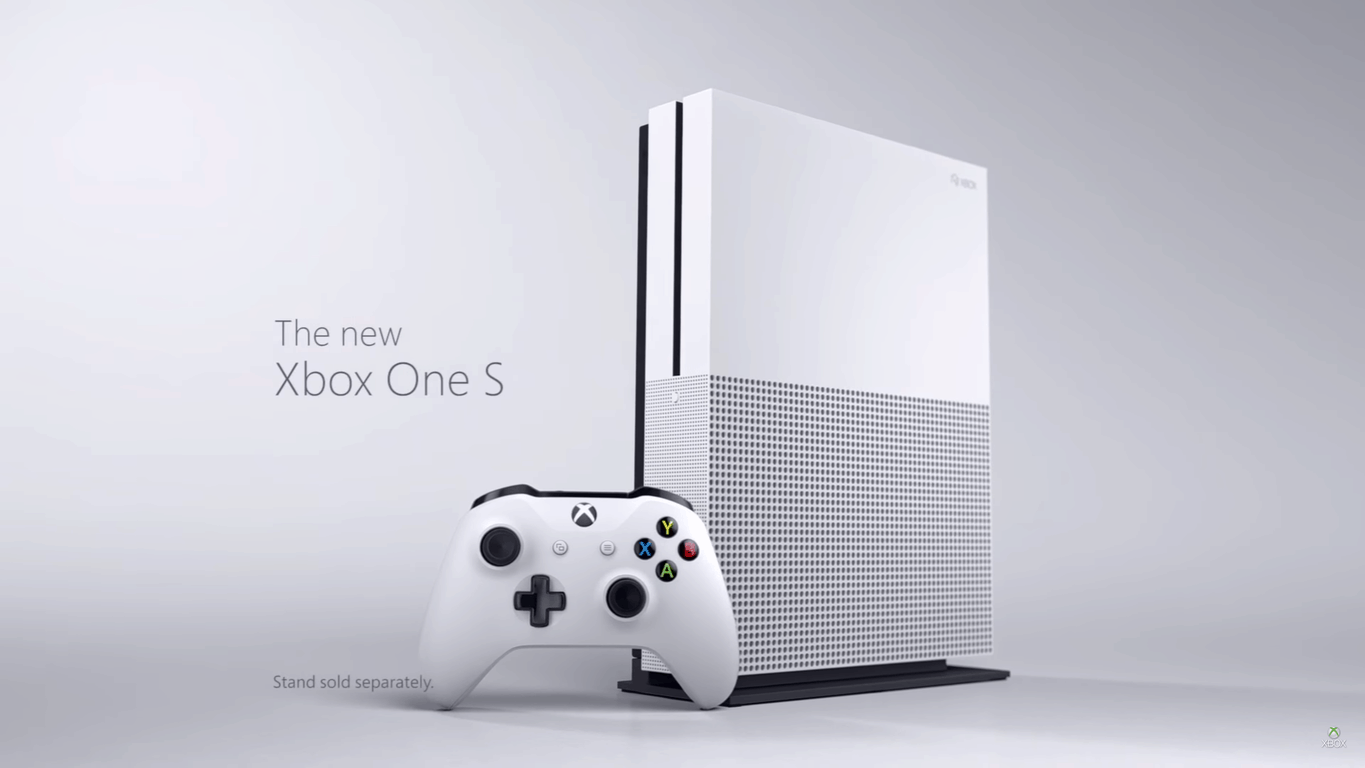
If you’re watching TV, or browsing the internet for the next few weeks and days, you might come across Microsoft’s newest advertisement for the Xbox One S. The company has just unleashed a new ad for their latest Xbox device, and it’s fairly impressive.
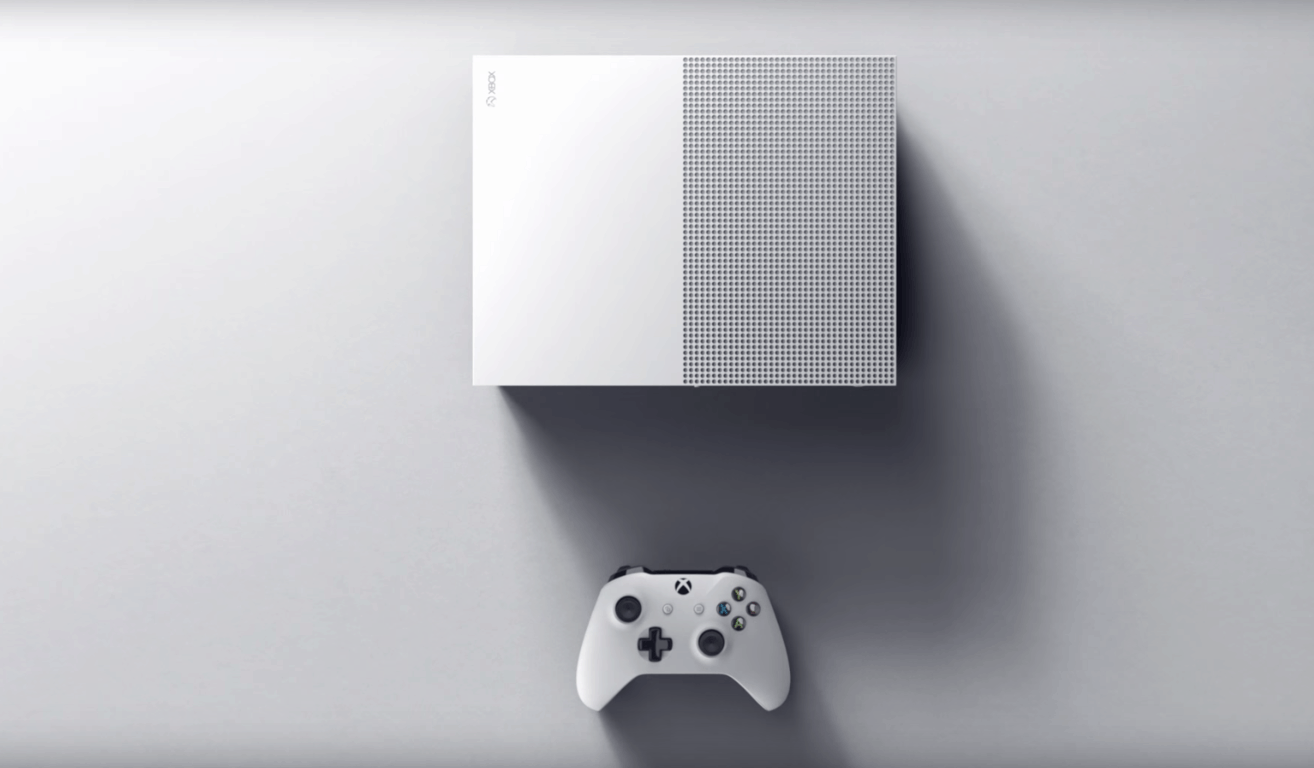
Complete with some upbeat techno music, the advertisement features a female voice that highlights the Xbox One S’s features. As you probably know by now, these features include the fact that the Xbox One S is 40% smaller, sleeker and sharper than the Xbox One. The commercial also features some pretty unique visuals of the Xbox One S, including a side profile of the controller, and the console itself. Of course, the $299 starting price, and the fact that the Xbox One S also features support for 4k Ultra HD Video output, Blueray, and High Dynamic Range Gaming is also mentioned in the female’s narration.
So, what do you think of this commercial? Have you purchased an Xbox One S yet? Let us know your thoughts on this commercial, and your other Xbox One S impressions in the comments below!
Gamescom, Europe’s biggest gameshow, is officially underway. Lenovo has taken the event as an opportunity to unveil two brand new gaming and VR Windows 10 desktop powerhouses.
The IdeaCentre Y710 Cube with Windows 10
The new powerhouses are the IdeaCentre Y710 Cube and IdeaCentre AIO Y910. Both are built with VR and PC gamers in mind and come with top of the line specs. Leading off the two is the IdeaCentre Y710 Cube with Windows 10 (seen above.) This device is ideal for those who like to carry their gaming station from one place to another, as it comes with a built-in carry handle for easy transport, and a compact cube form factor that weighs in at 16 pounds.
Lenovo’s IdeaCentre Y710 Cube also supports 4K gaming, VR, and high-quality streaming, and even has the option for an integrated Xbox One Wireless receiver. Available starting October 2016, and priced at $1,299.99, you can see the full specs of the device below.
Powered by Windows 10
Integrated Xbox One Wireless receiver supports up to eight Xbox One controllers simultaneously
Up to NVIDIA’s latest GeForce GTX 1080 graphics
Up to 6thGen Intel Core i7 processor
KillerDoubleShot Pro Wi-Fi reduces in-game lag
Up to 32GB of DDR4 RAM
Up to 2TB HDD (hard disk drive) or up to 256GB SSD (solid state drive) storage
Available with option to bundle with Lenovo YSeries Gaming Mechanical Keyboard and Precision Mouse
IdeaCentre AIO Y910
Seen above, the other of the two powerhouses is the IdeaCentre AIO Y910 with Windows 10. This device is slim and compact, but still gives you a powerful gaming experience with its 27-inch boardless display.
Also available in October of 2016, and priced at $1,799.99, the full specs of the device can be seen below.
Powered by Windows 10
Easily detachableback panel allows for one-step access to the AIO’s core components
Ultra-thin display featuring 144Hz refresh rate and 5ms response time
Impeccable sound with Twin 5W HarmanKardon stereo speakers
Up to NVIDIA’s latest GeForce GTX 1080 or AMDRadeon RX 460 graphics
Up to 6thGen Intel Core i7 processor
Up to 32GB DDR4 RAM
Up to 2TB HDD or up to 256GB SSD
So, there you have it! Those are two of the newest gaming and VR devices to join the Windows 10 family. What do you think of these devices? Let us know your thoughts by dropping us a comment below!
The Xbox team has landed in Cologne, Germany to attend the European gaming show Gamescom 2016 this week. While Microsoft won’t hold a media briefing this year, GM of Games Marketing at Xbox
Aaron Greenberg kicked off the Xbox team’s presence at the event earlier today ahead of the opening of the Xbox Fanfest tomorrow.
The Xbox exec shared a recap of his speech to the press and Xbox enthusiasts on Xbox Wire, and one of the most interesting bits is the expansion of the Xbox Game Preview program to Windows 10. Not to be confused with the Xbox One Preview program which lets select Xbox One owners download preview builds of the Xbox One system software, the Xbox Game preview program has been announced by the company back at E3 2015: it’s a beta testing program that allows select Xbox One gamers to test unreleased games and give feedback to developers before release.
For each preview game, there is free trial period that lets player decide if they want to purchase it and unlock full access to the game’s preview version.Back in 2015, Microsoft kicked off the program with four games (The Long Dark, Sheltered, Elite Dangerous and DayZ) before adding more titles in the following weeks.
According to Greenberg, the Xbox Game Preview program on Windows 10 “gives gamers the chance to preview and purchase work-in-progress digital titles, participate in the development process and help developers make Windows 10 games the best they can be.” The first game to be available in the program later this year will be Everspace, a space shooter developed by Rockfish Games which will also be released on Steam and the Xbox One.
Expanding the Xbox Game Preview Program to Windows 10 is an interesting way to bring closer Microsoft’s gaming platforms, and it also allows the company to better compete with Steam which has enabled early access to beta versions of PC games since a long time. The Xbox team has yet to reveal when it will be possible to test this first game on Windows 10, but Greenberg shared “that there will be many more to come.”
If you’re in the market for a new Xbox One S, there are already many bundle options available for you. From the Madden NFL 17 bundle to a Gears of War bundle, Microsoft already has options in place for those who are both Xbox and NFL or Gears of Wars fans. Today, however, Microsoft has announced a new FIFA 17 XBox One S bundle, which will no doubt satisfy the ultimate soccer fan.
Xbox One S FIFA Bundle
The new FIFA 17 Bundle comes as the result of a partnership with Microsoft and EA Sports. It will be available in Europe, Australia, New Zealand, Canada and the U.S. beginning September 22, and will come with all things soccer. For $299, a 500 GB Xbox One S is included in the bundle, in addition to a full downloadable copy of FIFA 17, three Ultimate Team Loan Legends, and one month of EA Access. As an added bonus to the above-mentioned items, those who order the 1 TB and $349 bundle will also receive the Ultimate Team Rare Player Pack.
So, if these FIFA 17 bundles has grabbed your attention, be sure to head over to the Microsoft Store or your local retailer to pre-order the 1TB bundle, or the 500 GB bundle. Once you’ve got that done, please come back to WinBeta and let us know what you think of Microsoft’s latest Xbox One S bundles!
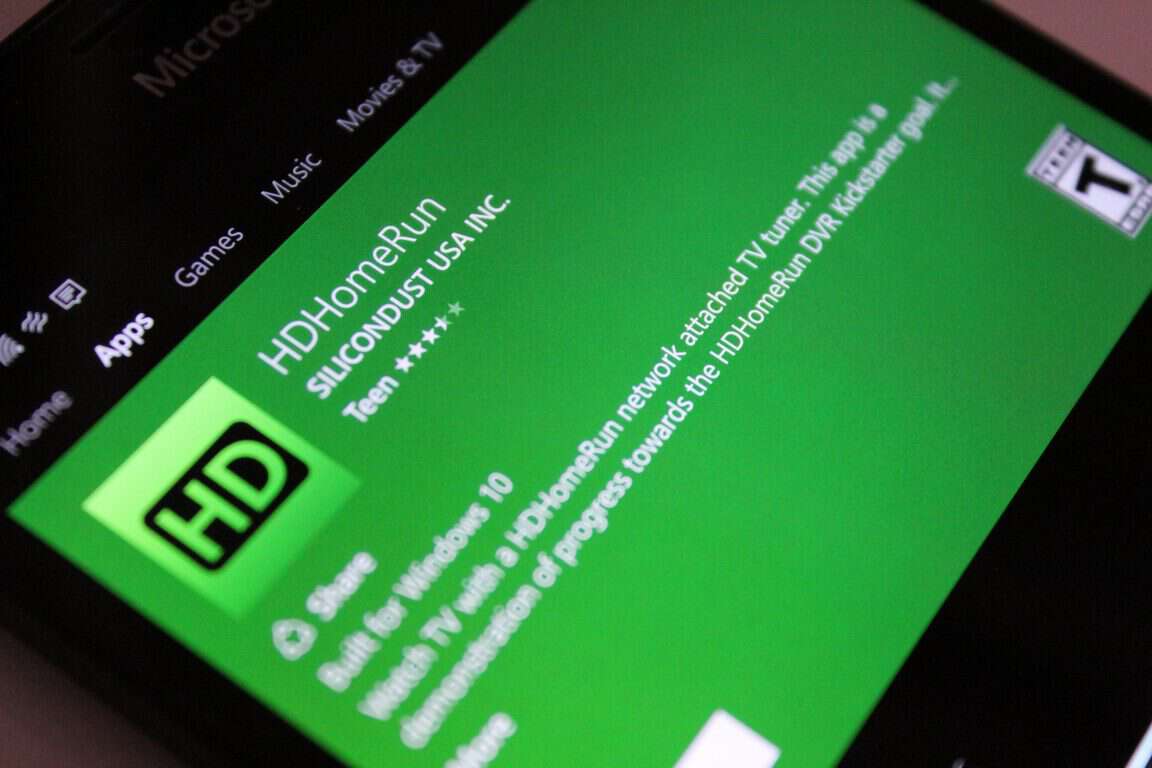
Ever since its release, the HDHomeRun DVR app has been known as a great way to get the ultimate DVR experience, and to record and watch TV on your media devices from around your home. Earlier this month, a Windows 10 Mobile version of the app was released, but now it appears that the app will soon head to the to the Xbox One.
The news on Xbox Support was first spread on a Kickstarter page for the app. The developers left the following message for users and fans of the app and noted how hard they have been working with Xbox and Microsoft:
Big news!
We have been working with Microsoft and the Xbox team to get the HDHomeRun app to Xbox One. The HDHomeRun app was published a short while ago and will be available through the app store on the Xbox in the next 24 hours.
Both the Xbox One Media Remote and the game controller are supported.
So, as the developers note, the app should be live within the next day! Are you excited to try out HDHomeRun DVR on your Xbox? Let us know what you think, and please check out the Windows 10 Mobile and Windows 10 version of the app by clicking the link below!
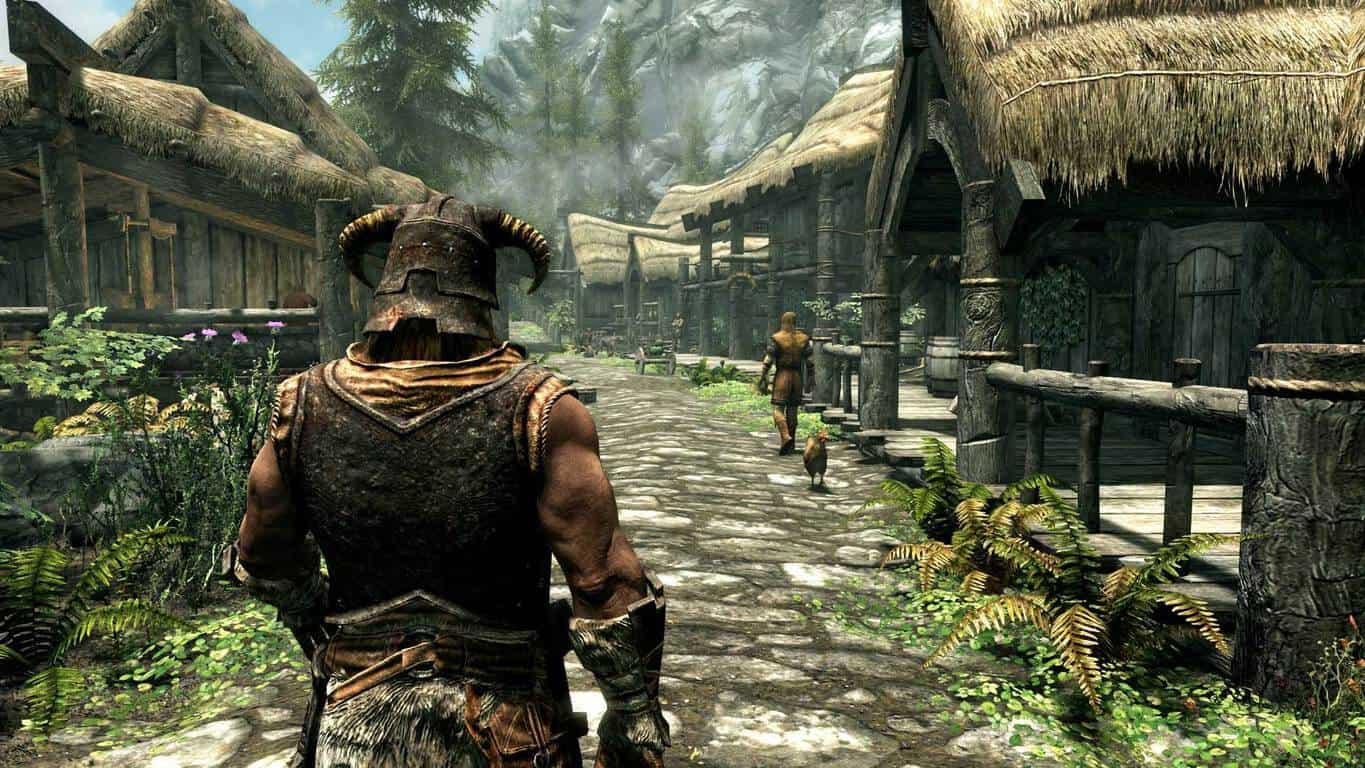
Skyrim: Special Edition is now available to pre-order and pre-download on Xbox One ahead of its October 28th release date. This new version of the Xbox 360 game has had its graphics upgraded to Xbox One standards and includes all of the previously released downloadable content. This Xbox One release of Skyrim will also bring game mods to the console version.
Here’s the official description: Winner of more than 200 Game of the Year Awards, Skyrim Special Edition brings the epic fantasy to life in stunning detail. The Special Edition includes the critically acclaimed game and add-ons with all-new features like remastered art and effects, volumetric god rays, dynamic depth of field, screen-space reflections, and more. Skyrim Special Edition also brings the full power of PC mods to consoles. New quests, environments, characters, dialogue, armor, weapons and more – with Mods, there are no limits to what you can experience.
BioShock: The Collection is a bundle of BioShock, BioShock 2, and BioShock Infinite (which was essentially BioShock 3 but with a more creative title). All three games have been remastered for full 1080p resolution and each title comes with all of its main and downloadable content except for BioShock 2 which is missing its multiplayer mode. Here are the official descriptions for each game and the collection as a whole:
Return to the cities of Rapture and Columbia and experience the award-winning BioShock franchise like never before, beautifully remastered in 1080p. BioShock: The Collection contains all single-player content from BioShock, BioShock 2, and BioShock Infinite, all single-player add-on content, the “Columbia’s Finest” pack, and Director’s Commentary: Imagining BioShock, featuring Ken Levine and Shawn Robertson.
BioShock: BioShock is a shooter unlike any you’ve ever played, loaded with weapons and tactics never seen. You’ll have a complete arsenal at your disposal from simple revolvers to grenade launchers and chemical throwers, but you’ll also be forced to genetically modify your DNA to create an even more deadly weapon: you.
Museum of Orphaned Concepts.
Challenge Rooms.
BioShock 2: Set approximately 10 years after the events of the original BioShock, the halls of Rapture once again echo with sins of the past. Along the Atlantic coastline, a monster has been snatching little girls and bringing them back to the undersea city of Rapture. Players step into the boots of the most iconic denizen of Rapture, the Big Daddy, as they travel through the decrepit and beautiful fallen city, chasing an unseen foe in search of answers and their own survival.
Minerva’s Den.
Protector Trials.
BioShock Infinite: Bring us the girl, wipe away the debt. The year is 1912. Deep in debt, Booker DeWitt has only one opportunity for a clean slate: rescue Elizabeth, a mysterious girl imprisoned since childhood in the flying city of Columbia.
BioShock: The Collection is due for release on September 13th in North America, September 15th in Australia, and September 16th everywhere else. Xbox One owners can purchase and download the bundle now but it won’t be playable until the official release date.
Are you a BioShock fan? Let us know which game you like the most in the comments below.
Over the past year, Microsoft has pitched a new and better environment for PC gaming that includes the use of Windows 10 as its catalyst. With Windows 10 gamers across various PC settings, configurations and Xbox consoles should be able to chat and compete with one another in a more fluid gaming experience.
While the pace of development on the issue seems to be moving at snails crawl for some gamers, Microsoft’s Windows engineers continue to plug away at building the plumbing necessary to host cross-platform gaming experiences.
At this year’s GDC Europe 2016, Microsoft’s Windows team is showcasing new technologies it has been working on to help craft a better game development environment for Windows 10. Fortunately, game developers who were unable to muster the money to visit GDC Europe 2016 won’t be left in the dark on the new features coming to the platform.
It’s clear that in prior Windows 10 releases, it wasn’t as intuitive to install UWP games obtained outside of Windows Store for many users. The end user had to either run a PowerShell script to install the certificate and install the game, or even type a command directly into PowerShell. Users were at times confused by certificate errors, or by the perception that sideloading games wasn’t the best way to install something. What we’re calling the “App Installer” is a pre-installed tool in Windows Anniversary Update that handles easy app installation: this enables a user to double-click any .appx or .appxbundle for straightforward installation, without the need for scripts or commands.
Power & Capability
This was the pain point we had in mind when building the Universal Windows Platform, enabling developers to write once and target multiple device families. Each device type needs code tailored to its unique capabilities. UWP provides that guarantee – both the core APIs that are available on every Windows device, and then unique APIs that are accessed conditionally depending on the device the code is run on. For game developers looking to target desktops, laptops, tablets, Xbox, and Windows Holographic, UWP will provide the seamless scalability requires on each device family.
UWP scaling
Engagement & Reach
The first step is to make your game available in as many markets as possible; Windows Store is currently accessible in over 240 markets world-wide – knowing how to engage correctly with all of those potential customers is crucial. The advances promotional approaches available or coming soon to Windows Store are a result of listening to game devs’ long-running concern about how it’s sometimes very challenging to gain visibility, merchandising space or any kind of exposure when selling their game online.
The blog post also covers in greater detail, how developers can leverage UWP development to send notifications, Live Tile updates and connect directly with gamers using other Windows 10 enabled features. Developers can also make use of Windows 10 tie-ins into Facebook Install Ads and Facebook Audience Network (SDK) to help monetize their efforts.
Developers can also look forward to developing UWP games directly from their Xbox One consoles with game-centric features from the Xbox Store coming soon. On top of all of that, game devs can also look forward to DirectX 12 providing the horsepower behind graphically intensive games while reducing the overhead.
Visual Studio Windows 10 game development
The best way to think about DirectX 12 is that it allows many gamers’ PC hardware to not just talk better to each other internally, squeezing out graphics performance out of existing GPUs and CPUs, but that it’s a technology that allows game developers to write closer to the metal than ever before. CPU and GPU performance are significantly increased, partially by reducing API overhead and by increasing overall efficiency.
Also in the graphics category, gamers and developers alike also asked us for broader support for core gaming features in UWP that they expect from classic Windows games. In May, Microsoft rolled out UWP support for AMD’s Freesync™ and NVIDIA’s G-SYNC™ in Universal Windows Platform games and apps, as well as unlocked frame rate support.
As a gaming dev, there is a lot to look forward to when it comes to Microsoft’s efforts with Windows 10 and Xbox gaming development. Besides a more unified experience, it seems the Windows team is building out the features game devs have been asking for, for far too long. Whether or not Microsoft’s ultimate cross-platform gaming experience becomes the gameplay utopia it’s been pitched as, ever materializes, it’s clear the Windows team won’t stop until their as close as they can be.
Visit the blog post for more information on Microsoft’s Project Scropio and Live integration in to games here at the Windows 10 development blog.
Microsoft will be hosting the ID@Xbox Pre-PAX Open House on September 1, 2016, at Building 92 on the Microsoft campus in Redmond, Washington. Now in its third year, the ID@Xbox Pre-PAX Open House invites gamers to visit the Microsoft campus to kick off PAX West with the latest ID@Xbox games. This year, Microsoft will be showing off more than 50 ID@Xbox games. Also, gamers that visit the Microsoft campus will be able to pick up collectible pins for each of the games, and enter to win some exciting prizes too.
The ID@Xbox Pre-PAX Open House will be held Thursday, September 1, 2016, from 5:00 PM to 9:00 PM at the Microsoft campus, Building 92, which is located at 15010 NE 36th Street in Redmond, Washington, USA. All legal residents 18 and older are invited to attend (under 18 allowed with a parent or guardian). The event is free to attend and once there, you’ll have the opportunity to play more than 50 upcoming ID@Xbox titles, some previously announced and some being revealed for the first time.
Attendees will also be able to meet with the developers and check out some of our most anticipated games, including, Outlast 2, Everspace, Cuphead, Pit People, and check out the new content available in ARK: Survival Evolved.
While we’re a month away from the release of Destiny’s latest DLC “Rise of Iron”, Bungie and Activision have announced today that the game expansion will launch alongside Destiny: The Collection on September 20 (via Windows Central). As the name suggests, this new bundle will include the main game plus all of its additional content.
Please find the official description below:
Destiny – The Collection is a great way for Guardians to embark on journeys they may have missed, as well as a perfect starting point for new players who want to join the Destiny community. Explore the ancient ruins of our solar system as you immerse yourself in a cinematic single-player campaign. Join up with friends in three or six player co-op activities. Spar with your fellow players in a variety of competitive multiplayer modes. Upgrade your character to create a powerful hero as unique as yourself. Become Legend.
INCLUDED:
Destiny
Expansion I: The Dark Below
Expansion II: House of Wolves
The Taken King
Rise of Iron
Level 40 Character Boost
You can pre-order Destiny: The Collection for $60 on the Microsoft Store and get a bonus weapon (the black and silver Iron Gjallarhorn Rocket Launcher) along with your purchase.
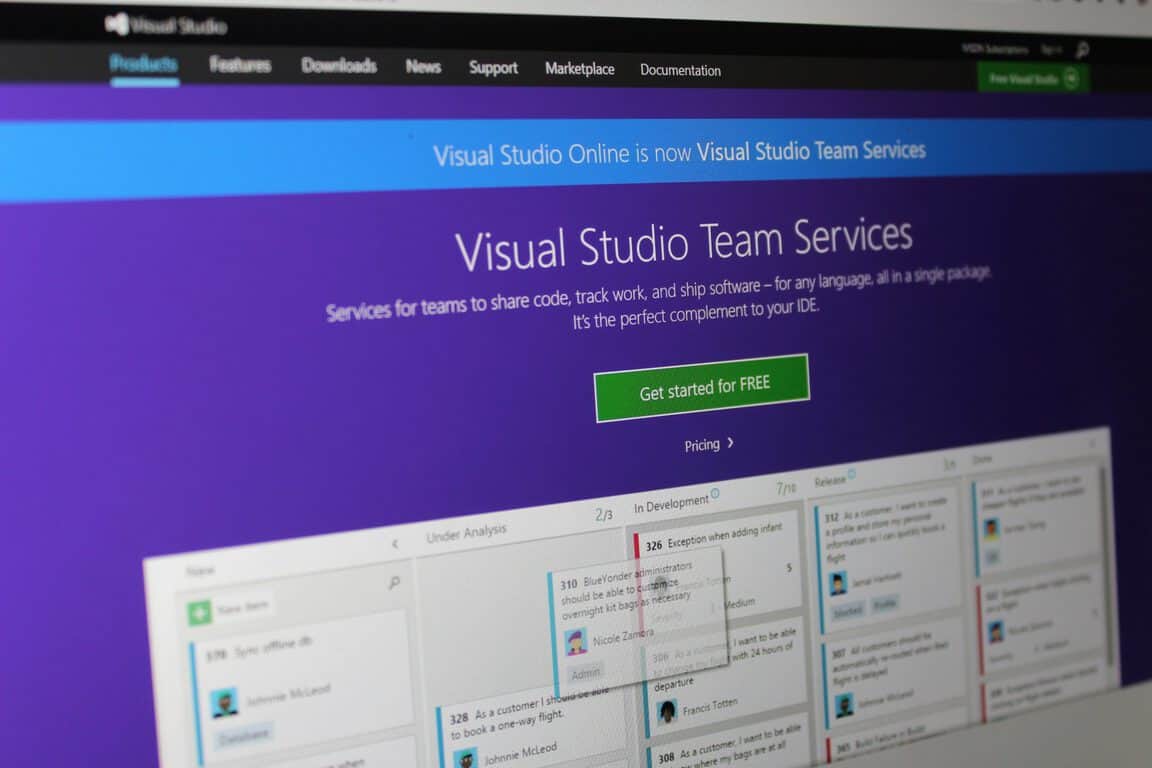
You asked and Microsoft’s Visual Studio team listened. Announced today, August 15, 2016, developers will have fewer sign in hurdles to jump through when accessing their development tools through Visual Studio.
The keychain we released with Visual Studio 2015 made it possible to manage multiple identities in VS and gave you single sign-on across the IDE. In the last few updates, we’ve made changes to core services like licensing and roaming, which allow you to refresh your license or roam your settings for up to a year or more without a prompt for credentials. We also updated the Windows Store publishing features to use the keychain for single sign-on with the rest of the IDE. Still, if you developed against Azure using a Microsoft account (e.g. @outlook.com, @hotmail.com, or @live.com) as many of us with MSDN subscription credits do, Visual Studio prompted you to sign in every 12 hours to access Azure resources from the IDE.
We’re excited to share that we completed the deployment of some improvements that allow users to safely stay signed in and eliminate the forced sign-in every 12 hours.
It now appears that the next time developers are met with a sign in prompt, Visual Studio will now enact the updated authentication flow which will allow users to sign into the IDE, thus mitigating the need to have them reenter credentials every 12 hours. As this is a server side update, not only will the new sign in flows be reaching users immediately, but the update encompasses fixes to all compatible VS versions supporting Azure development as old as VS 2012.
Per companywide mandate, it seems that the Visual Studio team is requesting that users continue to submit feedback, questions, and suggestions. All submissions can be sent through Visual Studio UserVoice section and the team seems confident in the next round of user-influenced improvements, noting “Keep an eye out for more improvements to come in Visual Studio 15 and beyond.”
Let us know in the comments below, what has been you most used or least favorite part of Visual Studio over the years.
Due to the fact that the Windows 10 Anniversary Update has now dropped worldwide, all attention at Microsoft now is now shifting towards building the next update to Windows 10. While the future may have a lot to hold, Zac Bowden of Windows Central has managed to draw out a few early conceptual plans of some new items that may be coming to the next generation of Windows 10. Of course, the ideas are nothing but early concepts and are not set in stone, but are still noteworthy of mention.
At the top of the list for Microsoft is integrating Office 365 into Windows. According to Zac, Microsoft wants to integrate an Office Hub into Windows 10 in order to give users easy users access to Office documents, emails, and so on. The feature may supposedly be available via the Cortana hamburger menu (complete with an Orange themed color!) and/or via its own button on the taskbar or area in the Action Center.
According to Zac, along with the Office Hub Integration, Microsoft is also looking to integrate Office in Cortana, Action Center, and the Microsoft Edge Browser though new collaboration tools. One of these tools and new features is apparently “Working Sets,” which will organize files, and find documents, reference material, and people under one “set.”
These sets can also be added to the start menu (as a live tile,) pinned to the taskbar, or hooked into the Action Center. Furthermore, these sets will also include live updates, jump lists, and recent activity on shared documents. Cortana will also float up when a set is being worked on, and will gain new functionality such as turning off notifications during working hours.
Additionally, Microsoft is supposedly also working to improve the search function of Cortana and the File Explorer. Similar to what was seen in the soon to be discontinued REACHit extension, Microsoft is interested in having File Explorer and the Cortana digital assistant searches pull emails and other information from more specific time periods.
Last up is the fact that Microsoft wants to make Windows 10 and Office 365 more intergrated. According to Zac, Microsoft’s OneClip idea (of bringing all your clipboard information from all devices into one) is not dead, and more information will be shared soon.
Again, these features are not set in stone, and are based on pure internal concepts. A release date for the features is also uncertain, so it’s best to stay tuned to learn more. Regardless, we would love to hear what you think, and so be sure to drop us a comment below with your thoughts on these features!
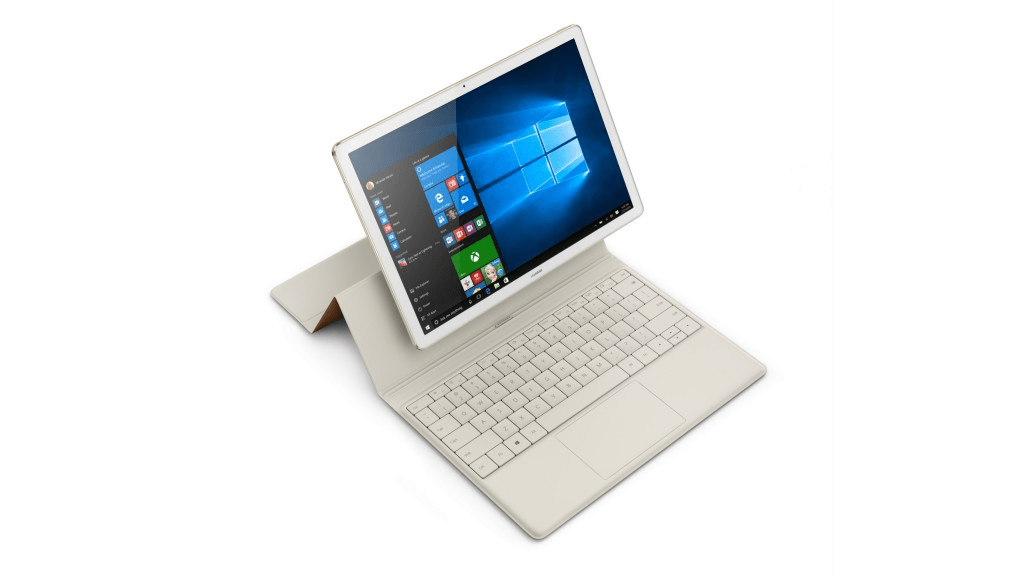
The Huawei Matebook is an interesting Windows 10 tablet that competes directly with the Microsoft Surface Pro 4 and the Samsung Galaxy TabPro S for your 2-in-1 investment. The Matebook is a premium tablet-centric hybrid that offers outstanding battery life, solid specs, and a very Surface-like add-on Portfolio Keyboard.
Right now, the Microsoft Store is offering that very same Portfolio Keyboard (a $129 value) for free with the purchase of a Huawei Matebook (via Windows Central). That means that you can get a very solid Windows 10 detachable tablet for only $699 with 4MBG of RAM and a 128GB SSD. The bundle compares nicely to the not-really-competitive Apple iPad Pro that runs $749 for the 128GB version and requires a $149 Smart Keyboard to become a detachable tablet (with all of the inherent iOS limitations).
Microsoft Store Huawei Matebook with free Portfolio Keyboard.
The deal ends on September 11, 2016, and it’s also while supplies last. And so if you’re interested, you might want to get your credit card swiping sooner than later. Let us know in the comments if you’re thinking about picking up a Matebook and Portfolio Keyboard bundle.
In a new blog series, David Lef, principal network architect at Microsoft IT, holds a Q&A session on how to support a network that moves from a traditional infrastructure to a wireless cloud computing platform, like Azure. Microsoft IT is responsible for the network needs of 900 locations and 220,000 employees and vendors around the world. Lef looks to the future with Azure and discusses the how to meet constantly evolving customer demands in the cloud industry.
David Lef goes over the biggest network challenges when migrating IT-supported services and environments to cloud-based services, like Azure.
“Our network supports over 2,500 individual applications and business processes. We are responsible for providing wired, wireless, and remote network access for the organization, implementing network security across our network (including our network edges), and connectivity to Microsoft Azure in the cloud. We support a large Azure tenancy using a single Azure Active Directory tenancy that syncs with our internal Windows Server Active Directory forests. We have several connections from our on-premises datacenters to Azure using ExpressRoute. Our Azure tenancy supports a huge breadth of Azure resources, some of which are public-facing and some that are hosted as apps and services internal to Microsoft, but hosted on the Azure platform.”
Microsoft IT statistics
Lef notes that Microsoft IT has the people and resources to ensure a smooth user experience whenever a migration to Azure takes place. Their resources help with the migration and training for companies. Microsoft IT makes sure that business processes are running the same or better than the network was before the migration.
Over the last two years, Microsoft has dabbled with wearables with its own range of hardware that can be used as both a fitness tracker and a smart watch. Engineers from Microsoft Research are also looking into the area, but they are not exactly working on your average wearable.
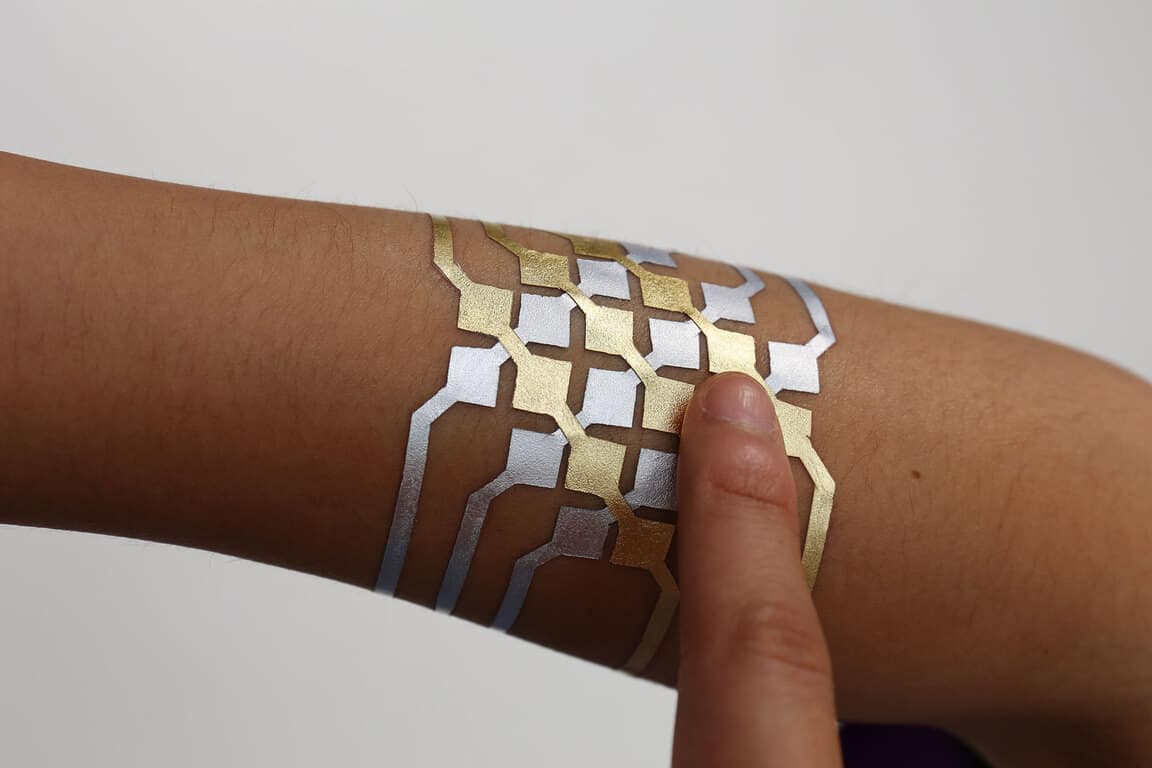
A few months ago, we reported that the researchers published a research paper about Tattio, a proof of concept for a tattoo-inspired temporary connected skin device that could store NFC tags and circuitry while being skin-safe and customizable. Following this first breakthrough, Microsoft engineers have now teamed up with a group of PhD students from the MIT Media Lab to create DuoSkin, a customizable and temporary tattoo that can store information, sense touch input and also display information (via The Verge).
A DuoSkin smart tattoo.
Just like Tattio, DuoSkin uses gold metal leaf which is described as “cheap, skin-friendly, and robust for everyday wear” by the researchers. Smart tattoos are designed with graphic software, and the design process allows the researchers to use metal leaf to achieve a jewelry-like look for the on-skin electronics. Three specific use cases have been detailed by the researchers so far:
Input on skin through capacitive touch sensing, which means that it’s possible to design a trackpad-like tattoo that can interact with other devices. As an example, the researchers asked a group of participants to create a fully functional skin music controller.
Output on Skin through thermochromic resistive heating circuitry, which enables the creation of “soft displays” with colors that changes when heated beyond body temperature. The researchers tested a rose tattoo which petals can switch from red to white depending on temperature changes.
Wireless communication through NFC to exchange data across on-skin interfaces.
“We believe that in the future, on-skin electronics will no longer be black-boxed and mystified; instead, they will converge towards the user friendliness, extensibility, and aesthetics of body decorations, forming a DuoSkin integrated to the extent that it has seemingly disappeared,” explained the researchers. The technology will be presented at International Symposium on Wearable Computers 2016 in Heidelberg, starting September 12th, let us know in the comments if you think wearable tattoos could become mainstream in the future.
More and more features you are familiar with on your PC are becoming available on your Xbox now that the Xbox One can run UWP apps. As we’ve covered before, Xbox apps like Netflix and Hulu will be getting the UWP treatment. And a new Groove Music UWP app is slated to finally bring about background music.
Of course, Microsoft’s legendary video game character turned digital personal assistant, Cortana, is also returning to Xbox One. The Xbox version of the Windows 10 Anniversary update brings Cortana to the console, replacing the previous Xbox voice commands. Originally, Microsoft stated a Kinect sensor was required to speak with Cortana when they announced their plans at E3 2015.
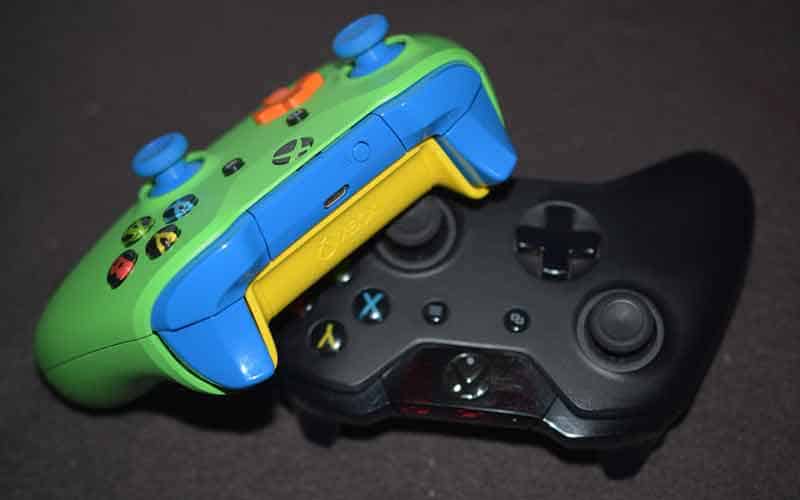
But since then, things have been relaxed and you can also speak with Cortana through a game headset’s microphone attached to your controller. This gave one of the writers at Windows Central an idea. They decided to purchase a small 3.5mm microphone and insert it into the 3.5mm jack on the newer Xbox One controllers.
Xbox Controller with a mini microphone, credit Windows Central
These microphones are 3.5mm jack add-ons to your smartphone. But this turns out to be a viable option to dedicated headphones or a Kinect sensor.
Considering dedicated headphones could run anywhere from $30 to $200, and a Kinect Sensor retails at $99.99, the 3.5mm microphone option is much more cost effective. You can find one on Amazon for $5-$10. The folks at Windows Central even listed a few favorite options at the end of their article.
Presumably, the mini microphone solution won’t work to turn on your Xbox or wake the controller. This is because the Xbox controller would need to be activated to power the microphone and transmit the commands. But the 3.5mm mini microphone is still a great solution. It cost effectively opens up voice commands for getting around your Xbox, and you won’t need a more costly headset or Kinect Sensor. It is still not as great as having a built-in microphone in your controller, but it at least opens the door to speaking with Cortana to more easily command your Xbox One.
Microsoft is rolling out a brand new Xbox One preview build for those of you enrolled in the Xbox Preview Program. This latest build fixes issues with the Xbox Universal Store, along with a sign-in issue and a bug while attempting to use the Weather app. Here’s the full changelog:
OS version released: rs1_xbox_rel_1608.160812-1642 Available: 6:00PM PDT 8/14 (1:00 AM GMT 15/8)
Xbox Universal Store
– Fixed an issue which required users to click twice on the buy button.
– Resolved an issue where some users were experiencing Store crashes.
Sign In
– Resolved an issue that was preventing some users from being able to sign in.
My Games & Apps
– Resolved an issue which could sometimes cause a black screen to appear when attempting to use the Weather App.
ProShot is a well-known third-party camera application for Windows Phones, it brings advanced features that go beyond that of the stock camera app provided by Microsoft. For quite some time now, the developers behind the app have been working on an upgraded version which utilises the Universal Windows Platform, to bring the app to other Windows 10 devices, such as PC and mobile.
Today, we now know that the all-new ProShot for Windows 10 will be releasing tomorrow – August 15th. Rise Up Games announced the date on their Twitter:
Those who already purchased the Windows Phone version of the app will need to purchase the new Windows 10 version, as there is no upgrade path available, with Rise Up Games claiming it is a completely new and different app:
there is unfortunately no upgrade path from 8.1 to 10 due to things outside our control. Its a completely new and diff app ?
In addition to this, some features will also be broken due to a bug in the Anniversary Update. One of the known broken features is the light painting functionality. The developers will be keeping an eye on any new builds to see if they resolve the issues.
We’ll let you know when the app is available to download in the Windows Store.
A little more than a week after releasing the Anniversary Update for Windows 10, Microsoft just pushed the first post-Anniversary Update Preview build to Windows Insiders. The latest release is called Windows 10 Insider Preview Build 14901, and is considered to be the firstRedstone 2 Preview build available to Insiders.
As usual, the build is currently available to Insiders on the Fast ring, but only on PC. As for Windows 10 Mobile, users still have to receive the Anniversary Update for this version of Windows 10, so we suppose the new preview build will be pushed to Windows 10 Mobile Insiders after the major update gets released. According to Microsoft, they’re very close to releasing the Anniversary Update to Mobile, so we shouldn’t wait for too long for the build either.
Since this is the very first Redstone 2 build for Windows 10 Preview, it brings no major changes or new features, and we shouldn’t expect a next couple of builds to be different. However, the new build actually brings some additions and system improvements.
As Microsoft said, they made some structural improvements to OneCore, which is “the shared “heart” of Windows across PC, tablet, phone, IoT, Hololens and Xbox”. This means that we should see more cross-platform compatibility improvements in the future builds. For now, we don’t have info about possible cross-platform additions, but Microsoft will surely get us updated when everything is ready.
There’s also one actual feature that Microsoft introduced with build 14901. File Explorer in Windows 10 now shows notifications that tell users about various tips, or new features. This is the only change in File Explorer so far, but we also have info that there might be some even bigger changes in the future.
Microsoft warns Insiders that they might encounter various problems, and bugs upon installing build 14901. This is completely normal, since this build is the first release of the new ‘cycle,’ and it’s still far from a stable release. List of known issues in build 14901 was also released by Microsoft, but surprisingly, it contains just two bugs. Here’s what will bother Insiders running this build, according to Microsoft:
“Support for kernel debugging over 1394 has been removed, but will be available in an upcoming kit release. A work-around will be posted to the Debugging Tools for Windows Blog shortly.
Adobe Acrobat Reader crashes when you try to launch it.”
Of course, we expect more bugs and issues to bother Insiders than Microsoft originally said. So, as usual, we’re going to write a report article about all issues that bother users in Windows 10 Preview build 14901, just to let you know what to expect from this build.
In case you already installed the build, and encountered some issues on your own, feel free to let us know in the comments, so we can include your issue in our report.
Welcome back to our weekly “Windows 10 news recap” series where we go over the top stories of the past week in the world of Microsoft’s latest operating system. Let’s get started.
Initial Redstone 2 builds start to deploy to Insiders
Insiders who have been playing around with the new features in Redstone may have been a bit bored for the past week, convinced they would be waiting a long time before Microsoft opened up their doors and started offering new toys to play with. We found out this week, however, that Dona and her big red button are already back at it again and ready to hit Insiders with a brand new world of features. The first true post – Anniversary Update build was dubbed 14901, and marked the official beginning of Redstone 2’s lifespan in the Insider program. Not many features have come out yet to define Redstone 2, but it’s great seeing that Microsoft is already starting to move forward.
Pyramid Flipper laptop set to launch on IndieGogo
Windows 10 laptops are great, and one of the biggest reasons for that is the sheer amount of options that you have when buying one. The team at Eve took that idea of choice to the extreme, basing almost all choices regarding their new 2-in-1 (The Pyramid Flipper) on feedback that’s been given by Eve’s community members for quite a while now. Not all of the specs of the Pyramid Flipper have been confirmed for us yet, but we now know that the device will be ready to pre-order in either late September or early October. Hopefully, by the time that happens, we’ll have a more firm idea of what the 2-in–1 will be packing under the hood.
Windows Store gets a makeover
Looking for a Store with a new look? Look no further. The Microsoft Store has gotten a series of tweaks to its visual design that makes it look way more aesthetically pleasing and less bland, getting a new font and adding in a background image in each Store page to better use up some of that boring white space.
Lenovo teases innovation at IFA
Lenovo, one of the more recognizable hardware developers for Microsoft, is going to be coming to IFA this year in order to show off what’s next for their company. We were given a minute-long teaser that gave us a few vague ideas about what’s coming up, and were promised a “new chapter in tablets” as well as a “whole new kind of intuitive keyboard.” Whatever Lenovo’s August 31st conference is going to have, it’s going to be something interesting.
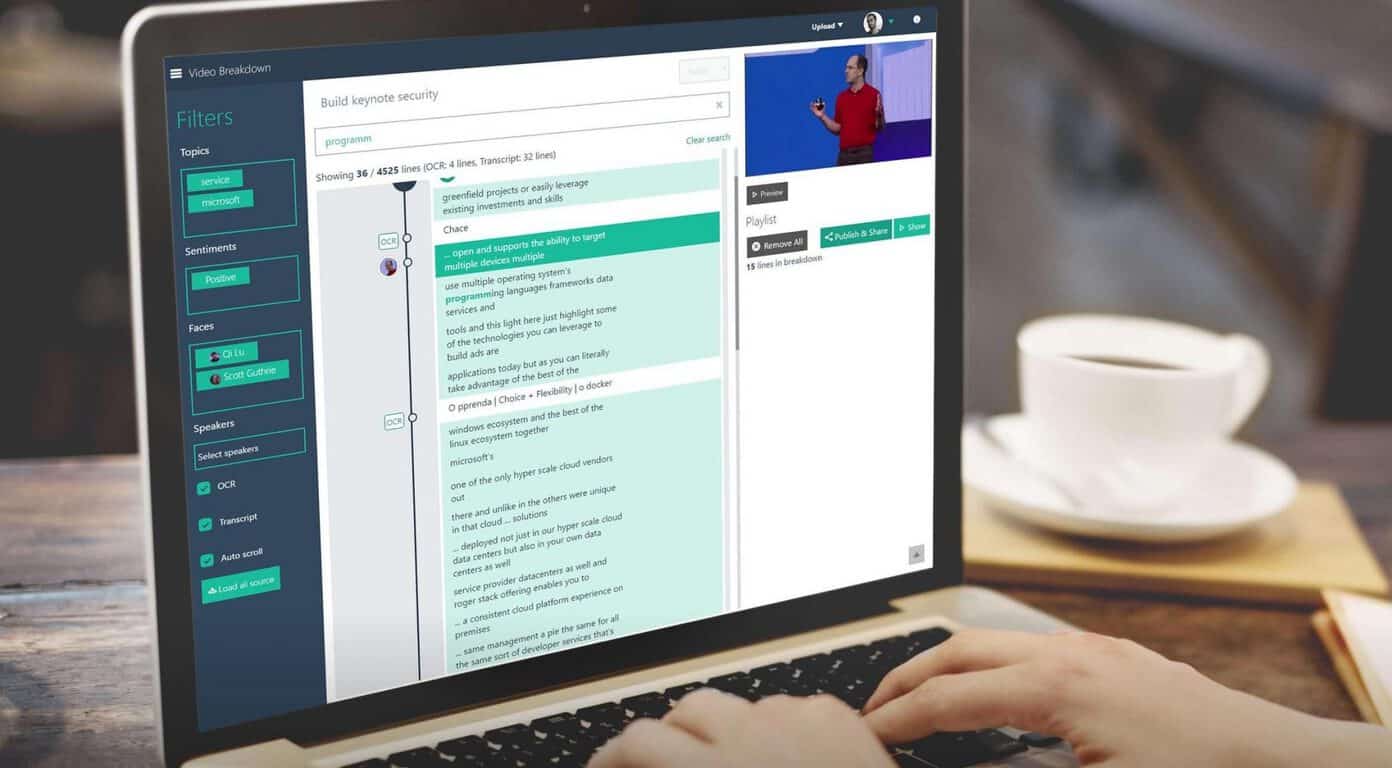
Microsoft Garage publishes the Video Breakdown preview
Looking for some fancy new technology coming out of the Microsoft Garage program? The program is always full of new, interesting things to wow software aficionados, and this is no exception. This time around, a site called the Video Breakdown preview is astounding by breaking down videos into the core of their parts, recognizing faces, indexing tones, and even more. It’s going to be extremely exciting to see what this one is capable of once it becomes more advanced.
Thanks for joining our weekly “Windows 10 news recap” series where we go over the top stories of the past week in the world of Microsoft’s latest operating system. To keep up on the latest in Windows 10, check out our tag.
There are a lot of things to be excited about when you immerse yourself in the land of technological marvels that is Microsoft, but few inspire quite as much intrigue as the Microsoft Garage project. For those who don’t know, Microsoft Garage is an umbrella term that encompasses a vast series of experimental projects, each one being tested out and given room to grow as ideas. Today, we’ve got an entry in the Garage program that might just pique your interest.
The project is called Video Breakdown, and it’s a fascinating website that performs cognitive breakdowns of videos, analyzing their tone, keywords, and more. The site is full of videos now – ranging from motivational speeches to keynotes given by Microsoft executives – that have all been broken down in order to break their contents down into data. One of the most noticeable metrics, for instance, is how each video is broken up into positive, negative, and neutral tones. Some of the motivational videos, for instance, are more positive than the relatively neutral keynotes.
If you’d like to do a bit more than marvel at what’s possible with all of this fancy recognition software, you’re out of luck for the time being. As it stands now, you need to either have an invite code to upload a video or you have to be a Microsoft employee with an ID to sign in with. It’s important to note that this is, of course, a preview, and is mostly meant for internal testing right now. For the time being, keep Video Breakdown in mind as a reminder of what fascinating things that the folks at Microsoft are doing with their various cognitive programs.
The Windows 10 ecosystem continues to grow as new devices enter the marketplace. While Dell, HP, and Lenovo are the major first-tier vendors making desktops, notebooks, and 2-in-1 machines that are optimized for Microsoft’s latest operating system, a number of other OEMs are also pushing new machines. Micromax is one example, and the company has launched two new series of Windows 10, the Alpha and the Ignite.
As reported by the Times of India, the Alpha line will debut with two machines, the Alpha LI351568W 15.6″ notebook with Core i3 processor and the Ignite LPQ61408W laptop with 14″ screen and Pentium N3700 processor. Specifications for the relatively low-end machine are as follows:
Micromax LI351568W.
Alpha LI351568W
15.6-inch display of 1366×768 pixels resolution
5th generation Intel Core i3 processor
6GB LPDDR3 RAM
500GB storage
4-cell battery rated at up to 4.5 hours of battery life
Bluetooth, Wi-Fi, USB 3.0 (2) , USB 3.0 (2), USB 2.0 (2) HDMI (1), Ethernet port (1), DC-in (1) and 3.5 mm audio jack (1)
Price: Rs 26,990
Micromax Ignite LPQ61408W.
Ignite LPQ61408W
14-inch display of 1366×768 pixels resolution
Quad-core Intel Pentium N3700 processor
4GB LPDDR3 RAM
1TB storage
4500mAh battery
Bluetooth, Wi-Fi, microSD card reader, USB 3.0, micro-HDMI and LAN
Price: Rs 18,990
The machines are available exclusively at Flipkart. If you’re located in India and looking for a low-cost and low-spec’d Windows 10 machine, then you’ll want to give these two a look.
Plex is one of the better-known solutions for streaming video over a local area network. Set up a Plex server on a central machine, install client apps on the various supported platforms, and then you can access all of your videos from one location. Today, Plex updated their Windows 10 app with some bug fixes and new features, including adding in Cortana support.
Here’s the changelog for version 3.0.43:
NEW
(Home) Redesign of account picker screen (#1724)
(Home) Lock account when account picker is opened (#1757)
(Cortana) Playing and shuffling libraries and playlists is now supported
Blur background art on synced content for better readability – available on Windows 10 Anniversary Update (#1774)
FIX
(Video) Revert transcoding of media with multi-channel AC-3 audio (previously causing stuttering), since it introduced issues for other users (#1767)
(Video) Force transcoding of HEVC files with REXT profile, since it causes the video player to crash if used as-is
(Video) App crashes when updating system transport controls and the media doesn’t have a subtitle
(UI) A bunch of minor tweaks to UI (#1768)
(Playlists) Fix breadcrumb on playlist page (#1768)
(Music) Restore volume at startup (#1775)
(Cortana) Various bug fixes and performance improvements (#1712)
Fix crash when navigating to album by folder
If you’re using Plex, then head over to the Windows Store and hit update. Otherwise, you can download the Windows 10 client via the link below.
The Windows 10 Anniversary Update brought a lot of features to Windows 10 that many have been anxiously waiting for (especially for non-Windows Insiders). But has a lot changed since last year? Windows 10 meant the start of something different. A new Windows to rule them all. A lot of changes to almost every aspect of Windows 10 have come and gone over the past year, here’s a look at some of the big ones.
WinBeta did a comprehensive review last year of Windows 10 and a lot has changed since Windows 10 was released on July 29, 2015. The Windows 10 Anniversary Update added enhancements to Cortana, Edge, Outlook Mail and Calendar, Start menu, and the Action Center. The Anniversary Update added new features too, including Windows Ink.
Windows Ink
Windows Ink made its debut this year, showing off the “power of the pen” in a big way. Windows Ink provides a new space to create and utilize the pen, especially with the new Surface Pro 4, and Surface Book. One the best features of Windows Ink is Sticky Notes, where you can write up reminders for yourself. Cortana can take content from your Sticky Notes, like dates, times, and locations. Cortana can then set reminders for you about any upcoming appointments, meetings, or trips accordingly.
Windows Insider Program
The Windows Insider Program played a big part in helping shape Windows 10 this past year. Without the feedback from Windows Insiders, Microsoft would have been in quite a jam figuring out what its users want. Now that the Anniversary Update is complete, Windows Insiders will be tasked with checking out the new features that will be coming out in 2017; Redstone 2 and Redstone 3. The first Redstone 2 build was actually made available this week.
Dona Sarkar with the Windows team
This year, Windows Insiders saw Gabe Aul pass the big red button to Dona Sarkar. Aul had been at the helm of the Windows Insider program since its inception in September 2014. Sarkar took the reigns and has so far not disappointed any Windows Insiders. Once Sarkar was given the big red button, she has released several Windows 10 Insider Preview builds rather quickly.
Messaging Everywhere
Over this past year, we’ve seen Microsoft bring Messaging Everywhere to Windows 10, then flip-flopping back and forth on how to deploy it. First, Microsoft chose to integrate Messaging Everywhere with Skype, then decided to make it a stand-alone app, then ultimately chose to integrate Messaging Everywhere with Skype. Now, it looks like Microsoft could be bringing back Messaging Everywhere to Windows 10 in the Redstone 2 update.
Windows Store
After the Anniversary Update, the Windows Store provides a more unified buying experience. In most cases, you can install or buy an app or game in the Windows Store and it will work whether you are using a Windows 10 PC, tablet, or phone, Xbox One, HoloLens, and Surface Hub where indicated.
Another bonus for the Windows Store now is that Xbox and Windows 10 apps, games, movies, music, and TV content are now all located in one place. Plus, Windows 10 users can buy app and game bundles, Xbox Live Gold subscriptions, and even pre-order their favorite Windows 10 PC games through the Windows Store.
Windows Store apps and games also feature improved ratings and reviews, and system requirements (a must-have for Windows 10 PC gamers). Windows 10, Xbox, and Play Anywhere (coming soon) games feature trailers, game clips and more. For digital game purchases in the Windows Store, gamers can now choose which storage location they want to use to install their game content.
Surface Pro 4, Surface Book, and Surface Hub
The Surface Pro 4 and Surface Book debuted to much fanfare last year at the Windows 10 Devices Event hosted by Microsoft. Windows Hello also debuted as a new way to login to your Windows 10 PC just by using your irises and face. An additional type cover with a fingerprint reader also made Windows Hello available for Surface Pro 3 users that weren’t quite ready to upgrade to the Surface Pro 4.
The Surface Book was a new iteration of the Surface line of products, bringing users a more powerful Windows 10 experience in the form of a 2-in-1 laptop. While the Surface Book does not have the kickstand like the Surface Pro 4, the Surface Book provides more of laptop experience, with a superior keyboard and touchpad that rivals that of the MacBook Air.
Surface Book and Surface Pro 4
The Surface Hub also became available, offering enterprise users a better workplace experience with Windows 10. The Surface Hub is available in two sizes; a 55-inch HD option and an 84-inch 4K option. The Surface Hub also features integrated cameras, speakers, Bluetooth, NFC, two rechargeable Surface Pens for helping groups to draw, take notes and annotations right on the Surface Hub screen.
Partners like Lowe’s, Greg Lynn FORM, Case Western Reserve University, NASA, and more are using HoloLens in their own business operations. Microsoft is adding new HoloLens partnerships on an almost daily basis. It will be exciting to see what Microsoft has planned next for HoloLens.
Xbox One, Xbox One S, and Project Scorpio
In addition to everything going on with the Surface Pro 4 and Surface Book, the Xbox One S was introduced as an updated version of the Xbox One. The Xbox One S offers true 4k gaming, an integrated power supply, enhanced IR blaster, and many more advantages over the Xbox One. However, if you are already an Xbox One owner, there isn’t enough of a reason to upgrade to the Xbox One S.
Xbox One S
Coming with the Anniversary Update, Microsoft announced a new feature available for Xbox One and Windows 10 games called Play Anywhere. Play Anywhere will allow gamers to buy a game from the Windows Store once and play it on their Xbox One, Xbox One S, Project Scorpio, or Windows 10 device anytime and anywhere. Play Anywhere will be limited to a few game titles starting September 13, 2016, and expand to more game titles in the coming months.
On the other hand, Xbox’s Project Scorpio, set to be released sometime in Fall 2017, has plenty of reasons for Xbox One owners to upgrade. According to Microsoft, Project Scorpio will be the “most powerful console ever made” and have a 2 TFLOP advantage over its competitor, Sony’s Playstation NEO.
“I understand that you are hearing concerns from certain partners about Microsoft’s commitment to the mobile space. Let me be very clear: We are committed to deliver Windows 10 on mobile devices with small screen running ARM processors. We are currently in development of our next generation products and I wanted to reconfirm our commitment to Windows 10 Mobile.
We believe in this product’s value to business customers and it is our intention to support the Windows 10 Mobile platform for many years. We have a device roadmap to support that from Microsoft as well as our OEM partners who will also be selling an expanded lineup of phone devices based on this platform.”
HP Elite X3
Whether or not Microsoft stays true to their word, maybe new phones like the HP Elite X3 might sway more enterprise customers to the platform, but it doesn’t look like Windows 10 Mobile enthusiasts will have much hope for more phone offerings by either Microsoft or other OEMs.
Was Nokia a bad deal? Probably. The recent price cuts on the Lumia 950 XL and Lumia 950 by Microsoft and AT&T (just the Lumia 950), as well as the recent news that Mozo would be cutting back on selling their Lumia back covers; the forecast doesn’t look well for phones. Although, Microsoft could be clearing the way for something big, like the Surface Phone.
Unless Microsoft is working on the long-rumored Surface Phone for 2017, the HP Elite X3 is the only Windows 10 phone available at the moment. With Microsoft and carriers like AT&T quickly dropping the price of the Lumia 950 XL and Lumia 950, there doesn’t seem to be any new Windows 10 phones on the horizon.
Bash and Xamarin
In an effort to bring more developers on board and using Windows 10, Microsoft announced Bash on Ubuntu would run on Windows 10. Windows 10 allows developers with the ability to run common command line utilities (grep, sed, awk, etc.), navigate the file system with those commands, and run bash shell scripts that rely on those commands. Microsoft later announced at Build 2016 that Xamarin would be free with Visual Studio in yet another effort to get more developers to create Windows 10 apps and games.
Microsoft Layoffs
Microsoft cut a total of 7,800 jobs in July 2015, and another 1,850 in May 2016 from Microsoft’s phone division, a part of layoffs related to the Nokia deal. Although the layoffs were not as much as the 18,000 that were cut by the end of October 2014, Microsoft is still cutting down their workforce considerably which doesn’t often bode well for a company’s products and services. Additionally, Microsoft’s layoffs worried many Windows 10 Mobile fans in particular due to the effect it would have on Microsoft’s phone division.
—
Please note: This is my opinion and is likely nothing close to what other WinBeta readers think about Windows 10 this past year. By all means, type your displeasure at what I missed in the comments below.
If you’re a fan of racing games on your Xbox One, there is a good chance that you play with a racing wheel. But if you always wanted to play your Xbox One racing wheel with some Xbox 360 backward compatible games, there is some good news for you. Major Nelson announced on Twitter that three Xbox 360 racing games will now support Xbox One wheels:
Racing Fans: We’ve updated Xbox One Back Compat titles Dirt 3, Dirt Showdown & Grid 2 to support Xbox One Wheels pic.twitter.com/542PjLFddl
While Dirt 3, Dirt Showdown and Grid may not match the popularity of the Xbox exclusive Forza games, all three games have been well received back in the day and playing these racing games with your Xbox One wheel will provide a miles better gaming experience (pun intended). Overall, it’s good to see that Microsoft seems committed to make backward compatible games a seamless experience on the Xbox One, and going forward it may well make a difference to attract more console gamers into the Xbox One ecosystem.
Prison Architect: All Day And A Night Edition and Lies Of Astaroth are both available to buy, download, and play today on Microsoft’s Xbox One video game console.
The game, Lies Of Astaroth, is a combination of a card game and a free-to-play online roleplaying game. The game was originally released on iOS (where it can also be played for free) and this will be its console debut. Here’s the official description: Lies of Astaroth (LoA) is a free-to-play and highly addictive epic fantasy MMORPG card-battle hybrid! With its simple yet deep battle design, the game has long been championed as the combination of best of both worlds, satisfying both hardcore card game fans for strategy depth and causal players for fantasy RPG gameplay.
The Prison Architect: All Day And A Night Edition is a bundle that contains the Prison Architect game and its separate All Day And A Night downloadable content (DLC). Gamers who already own both the game and the DLC shouldn’t have a need for this but it is a nice chance to try out both for those who have yet to buy either.
Here’s the official description: Take control of the building and running of a maximum security prison as the critically acclaimed lock-em-up arrives on Xbox One!
In Prison Architect you will see the impact of your grand design on the lives of your inmates be it a utopic centre for rehabilitation, a brutal Super Max Prison or anything in between.
All Day and a Night contains 8 new wardens, 8 new prison maps and 8 new plots to build on your prison experience and bend the rules!
Expose your prison to a whole host of outrageous characters who will impact your prisons in unique ways, take charge of new prisons and build your penitentiary on exciting new plots!
Back in July, we reported that Microsoft had managed to fix a major security vulnerability that would have allowed hackers to unlock Windows RT tablets and run non-Windows operating systems. According to recent reports, it appears the security patch wasn’t that successful, with the vulnerability still able to be exploited.
Microsoft’s firmware incorporates a feature called Secure Boot which allows devices to only boot up operating systems cryptographically signed by the tech giant. The Secure Boot feature is activated during early startup by the Windows boot manager. But there is a way to disable Secure Boot check using a special policy known as “the golden backdoor key”. If users manage to get their hands on this policy and install it on their devices, then the Windows boot manager will boot any operating system they want.
The tech giant is desperately trying to patch this vulnerability, but some hackers say it’s impossible for Microsoft to invalidate the leaked keys.
[…] Either way, it’d be impossible in practice for MS to revoke every bootmgr earlier than a certain point, as they’d break install media, recovery partitions, backups, etc.
This major vulnerability also revives the debate around the secure golden key feature started by intelligence and security services. Long story short, security services have long pushed software giants to implement a secure golden key system that could grant investigators full access to user computers. But such universal keys can easily fall into the wrong hands, as ethical hackers warn:
A backdoor, which MS put in to secure boot because they decided to not let the user turn it off in certain devices, allows for secure boot to be disabled everywhere! You can see the irony. Also the irony in that MS themselves provided us several nice “golden keys” (as the FBI would say 😉 for us to use for that purpose 🙂 About the FBI: are you reading this? If you are, then this is a perfect real world example about why your idea of backdooring cryptosystems with a “secure golden key” is very bad! […] You seriously don’t understand still? Microsoft implemented a “secure golden key” system. And the golden keys got released from MS own stupidity. Now, what happens if you tell everyone to make a “secure golden key” system?
For the time being, Microsoft is silent as always and has yet to issue any comment on this matter.
The entire report published by the two white hat hackers who investigated this vulnerability is available online.
Two new Microsoft retail stores will be opening up soon in Tennessee and Florida, expanding Microsoft’s retail footprint in the United States, Microsoft tells us. These two new stores will provide access to Microsoft products and services, including an Answer Desk for troubleshooting and repairs, as well as a Community Theater where shoppers can book space to have training sessions, workshops, and more.
Mall at Green Hills in Nashville, Tenn. at 2126 Abbott Martin Rd, Nashville, Tennesse, located on the second floor next to The Gap. This marks Microsoft’s first full-line retail experience in Tennessee. The new store will have 2,865 square feet of retail space and employ 40-50 people, and will be joining West Town Mall (Knoxville) as Tennessee’s second Microsoft Store.
Town Center at Boca Raton in Boca Raton, Florida at 6000 Glades Rd, Boca Raton, Fla., located near Bloomingdale’s Court. This will be Microsoft’s eighth full line retail store in Florida and is expected to employ approximately 25-30 people.
The opening of these two new stores not only offers an easy way to check out and purchase Microsoft’s products and services, but it also creates close to 80 new jobs. If you live in either area, stay tuned for more details on when the stores are scheduled to open.
The Chrome 53 Beta was released on August 4th, a precursor to Google officially killing off Flash in September, following in the footsteps of Apple and Mozilla. This isn’t a huge surprise with Flash no longer stable, and more and more companies ditching it in favor of HTML5.
“Today, more than 90% of the Flash on the web loads behind the scenes to support things like page analytics. This kind of Flash slows you down, and starting this September, Chrome 53 will begin to block it. HTML5 is much lighter and faster, and publishers are switching over to speed up page loading and save you more battery life. You’ll see an improvement in responsiveness and efficiency for many sites.”
The decision to adopt HTML5 will make Chrome 53 more secure, with users enjoying more battery life from their devices. Flash used to be one of the most important pieces of software in the past, but started suffering from the many security holes hackers used to compromise targeted devices.
Both the WHATWG and World Wide Web Consortium took advantage of this situation and developed HTML5, releasing it on October 2014. The software is easy to read by users and consistently understood by computers, it improved the language with support for the latest multimedia and, at the same time, is the perfect candidate for cross-platform mobile applications.
Google added that “In December, Chrome 55 will make HTML5 the default experience, except for sites which only support Flash. For those, you’ll be prompted to enable Flash when you first visit the site.”
Adobe is desperately trying to extend the life of its Flash player but its days are numbered — no matter how many new updates will continue to release.
Survata conducted a survey interviewing 210 online respondents about their insights on using cloud technology. The SADA Systems Public Cloud survey was only given to individuals that were legal adults in the United States. Each resonant had to complete a screening question to be represented in the data.
According to the 210 individuals, nearly 69.5% of them are the sole decision makers for their company’s IT needs. The other percentage were members of group decision makers. The rest of the survey goes into more detail about the cloud structures that they prefer.
Here are some key notes:
84.3% are using public cloud infrastructures compared to the 15.7% that do not
Most of the group (45.2%) took three to six months to migrate to a public cloud. About the same amount of IT administrators varied from less than three months to up than a year.
Over half of the IT administratives polled had some difficulty changing over to the public cloud even though the internal teams were capable.
The major reason to adopt the public cloud was to feel more secure, flexible, and cost-effective.
More IT administrators use a third-party to migrate/manage the infrastructure because it is cost-effective to outsource.
Primarily motivated by security, flexibility, and cost-effective solutions, the survey shows a clear struggle between public cloud infrastructure services. Google Cloud Platform held itself over Microsoft Azure and Amazon Web Services just slightly. More interesting is that there seem to be multiple platforms being used between these IT administrators according to the numbers.
The biggest concern about public cloud providers is the fear of major data breaches or downtime. Other reasons that might sway people’s opinion include an inability to manage the services internally or a slowdown in revenue from major cloud providers. It’s this concern that also keeps many IT administrators from even migrating over to public clouds.
It’s interesting to see these numbers so close together, but with a survey of only 210 individuals, the results remain subject to inaccuracies. Still, the results are interesting and can be particularly useful for cloud providers as each pursue a course for future direction.
Augmented Reality becomes more of a reality for tech enthusiasts every day and the team at Vuforia is helping speed that process along. Vuforia 6, which is an SDK for Augmented Reality developers, is making its way to the Universal Windows Platform, bringing a whole new world of AR possibilities to light. Instead of reading up on the painstaking details of how it might work, you may just want to check out the stage demo that the Microsoft team put up on YouTube – it’s pretty impressive, to say the least.
Vuforia on Windows 10 made it easy for the speaker to grab their PC and materialize a 3D CAT loader, even enabling him to make notes on it. The model has some impressive detail, to the point where you can easily look into the window of the loader and check out what’s going on inside. While the AR features on a Surface were strong, they’re nothing compared to what the HoloLens has going on. If you grab the loader through HoloLens, you can expand it to its real size and inspect it with better a perspective, even changing its configuration so you can identify exactly what you’re looking for.
Vuforia is coming to HoloLens with the next HoloLens development edition release, opening up to any developer who wants to try it out. No application necessary, no random chance to get into the beta, no strings attached. Feel free to play around with it as much as you like.
While not as robust as the recent set of build releases, today’s What’s new section for preview build 14901 brings a bit of a head turner in offering File Explorer notifications.
What’s new in Build 14901
Improving Product Education: As part of an effort to explore new ways of educating our customers on features in Windows 10 – we are testing out new notifications within File Explorer. They’re designed to help customers by providing quick, easy information about things they can do or new features they can try to have a better experience with Windows 10. If you want to opt out of these notifications, you can do so by unchecking ‘Show sync provider notifications’ from the Options menu in the File Explorer View tab.
File Explorer notification
There you have it, the full list of new item(s) to look out for and test in this very first Redstone 2 development build.
Let us know what you think of the idea and implementation of File Explorer notifications in the comment sections.
Microsoft suggested last week that Windows 10 would be its last operating system. At first, support for the OS was set until 2025, but it seems now the company has extended it by one more year.
Last week, the company released the Windows 10 Anniversary Update (also known as version 1607), later refreshing the Windows support lifecycle database to signal a one-year extension for Windows 10 Enterprise. It is good to know that Enterprise is the version that is static and that doesn’t change during its lifespan.
This version of the OS is also named the Long-term Servicing Branch (LTSB) and comes with the best stability, latest features and newest options. The first LTSB build released for the public was back in July 2015 (version 1507). That version, along others launched then, was guaranteed support until October 14, 2025.
It is good to know that the Windows 10 Anniversary Update (version 1607) was also designated as an LTSB build, with Microsoft saying that it would periodically label new upgrades as LTSB so that companies could update if they want to. The newest LTSB build, based on version 1607, will be supported until October 13, 2026.
However, the same good news can’t be said for consumers or small businesses with computers running Windows 10 Home or Windows 10 Pro, as those two will still be supported until October 2025.
As for customers who have adopted the original LTSB version, they will need to replace the LTSB 1507 with this year’s 1607 version in order to extend the support for the Windows 10 Enterprise version until October 2026, or else the support will end in October 2025.
Proud creators of the Eve T1 Windows tablet have been putting their nose to the grindstone to work on their current project, the Pyramid Flipper. Crowdsourced from day one, this device has been built to the specifications and expectations of the growing Eve Community through polls and questionnaires. The 2-in-1 is expected to have best in class battery life, latest 7th Gen. Intel Core CPU, and Thunderbolt 3 connectivity. The Pyramid Flipper landed on its final design just a few months ago, and now Eve Technology is making preparations for it to go on sale.
Eve will be launching pre-orders for the Pyramid Flipper on Indie Go Go nearing the end of September or possibly early October. Devices are planned to be shipped out December 2016 to January 2017. In anticipation of a smooth launch, there will already be 500 devices manufactured and available. Concerning pre-orders after December, the development team had this to say:
After Indie Go Go preorder campaign we would like to run full-scale preorders from our own website in December there we would have more devices available for preorder. Those who bought shipping during Indie Go Go campaign will be guaranteed to have a device available in December batch.
The team still hasn’t said how much the Pyramid Flipper will cost yet. Although they have stated that they ‘will not let us down.’ With the system specs, it would seem that the device will be priced less than $1000 and might contend with the Microsoft Surface Pro. But it remains to be seen exactly how much consumers will be saving by ‘cutting out the middleman’ with Eve Technology.
The community continues to help feedback how the computer should be marketed and sold now. The latest feedback centers around what specifications they should offer for the Pyramid Flipper and if pre-order bonuses should be included with the Indie Go Go campaign. If you want to leave your thoughts behind, jump into the Eve Community and helpdevelop the computer you want.