Windows Insiders to join the MVP program – just not the ones you think

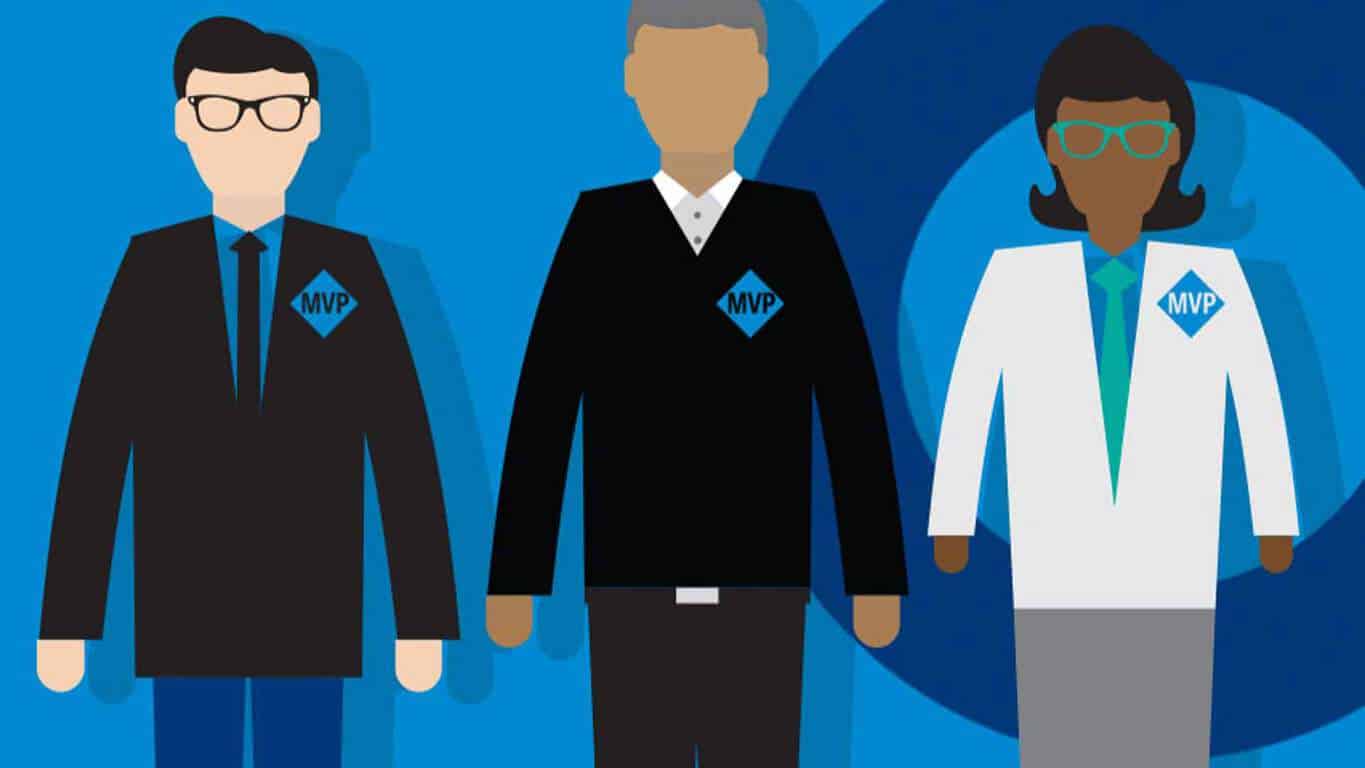
Earlier this year, Microsoft moved to reposition its longstanding “MVP” program, aiming to narrow the focus of the program to developers and IT Pros. At the time, Microsoft planned to move some of the more consumer focused disciplines to as yet unspecified programs, according to Mary Jo Foley:

This means Xbox, ID@Xbox, Bing Ads and the Windows and Devices, Windows Experience, Windows Phone, Consumer Security and Surface MVPs will be moved to new and so far publicly unspecified programs.

Now, however, WinBeta has learned that these former consumer MVPs will instead remain in the program, but as “Windows Insider” MVPs. All current Windows Experience, Surface, Windows Phone, and Consumer Security MVPs will be reclassified with the new designation, beginning July 1st. The transitioned awardees will apparently be required to join the Windows Insider program, and can opt out of being re-awarded if they so desire, but expertise in, or even much knowledge of, the Insider program apparently isn’t necessary. These MVPs will simply be reassigned, and “grandfathered (or grandmothered) in.”

Microsoft has announced dates for its annual MVP Summit, to be held Nov 7-10 in Redmond. The affair was supposed to have been downsized, but adding these consumer MVPs back into the mix may swell the attendee list a bit, as the new Windows Insider MVPs will be invited to attend.

MVP logo
MVP logo

It’s unclear whether Microsoft will award more capable Windows Insider MVPs in July as well, or if these transitioned MVPs will have to at some point show some affinity for the Insider program, other than just joining it. In fact, Microsoft is looking at a number of factors, including participation in Microsoft forums, product feedback, blogs and websites, and a number of others, including but not limited to “Engagement with Insider Builds,” so it appears that the Windows Insider MVP may become a sort of a catch all for consumer awardees in the future.

Why Microsoft apparently felt it was better to develop a myriad of separate programs all with the same goal (an idea from which they’ve since apparently backtracked), or why being a “Windows Insider” MVP is better for the program than being a “Surface” MVP is also unclear, but there it is.

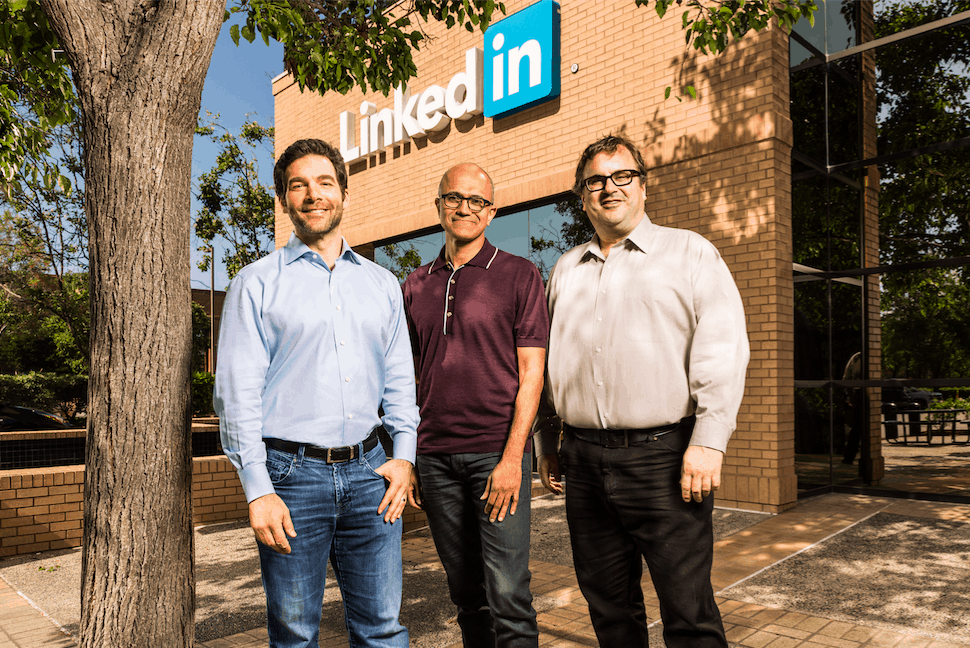
Meet LinkedIn’s Reid Hoffman, Microsoft’s new “secret weapon”

Following Microsoft’s blockbuster acquisition on LinkedIn for $26.2 billion in all cash deal, we are slowly starting to understand what it means for the future of both companies. While LinkedIn is expected to remain an independent company after the deal closes later this year, Kara Swisher from Recode.net reported yesterday that Microsoft could soon welcome LinkedIn co-founder and Executive Chairman Reid Hoffman to its Board of Directors. As a longtime Silicon Valley Insider and startup advisor (Hoffman goes by the nickname “The Startup Whisperer”), Hoffman could be instrumental to help the Redmond giant reinvent itself in a mobile-first, cloud-first world.

Today, technology journalist Jessi Hempel has published an extensive interview with Hoffman on Backchannel and the LinkedIn co-founder shared many insights on his company, Satya Nadella and his upcoming role in the new ensemble. We are sharing with you the most interesting bits below.

His tech and business background

Hoffman is a tech veteran who was an early believer in social networking. He helped launch dating service Socialnet in 1997, and he was also an early investor in Facebook. While he’s LinkedIn co-founder and Chairman, he actually doesn’t have a “real” job at the company anymore since he appointed Jeff Weiner CEO seven years ago. Today, he’s also a partner at the venture firm Greylock Partners and he has also written two best-selling business books, and is working on a third.

What he thinks about LinkedIn

LinkedIn logo
LinkedIn logo

Hoffman truly believes that LinkedIn’s purpose is to make the world better for every professionnals. “We wanted to help people accomplish critical tasks in a shorter amount of time”, he explained, not without being aware that being a professional social network always set LinkedIn apart from its competitors in the early 2000’s: “Being the boring one was totally fine”, he added.

Hoffman also explained that while LinkedIn currently has a freemium business model the professional network will always keep its free offering going forward:

Our members are the most important thing, even though only a small number are paying us money. That’s because we are building a lifelong relationship through which we are trying to help them change their career trajectories. We are trying to do it for every professional, which means LinkedIn has to be free. A culture that has that kind of mission orientation is important to us to preserve forever.

What he thinks of Satya Nadella

Hoffman met Satya Nadella just a few months after he was appointed CEO of Microsoft. The LinkedIn co-founder also shares that early on, both of them “kicked around whether we could do a business development deal.” However, they came to realize that a full acquisition would be more valuable to both companies: “To really help people doing work inside corporations, the level of integration has to be so deep that this just made more sense than anything else,” he shared.

Furthermore, Hoffman is also convinced that Satya Nadella understands social and that he has been able to initiate a culture shift at Microsoft:

This event is definitely a very strong positive expression of my view of Satya’s Microsoft culture. If there wasn’t a strong cultural alignment, there’s no chance that we would be having this conversation. And not just the culture. Satya and Jeff are both driven by mission. They share a similar kind of leadership style. Part of making that work is preserving what is great about each of the companies independently. We will still operate as a network company and they will still operate as a corporate productivity company.

Why he thinks the deal had to happen

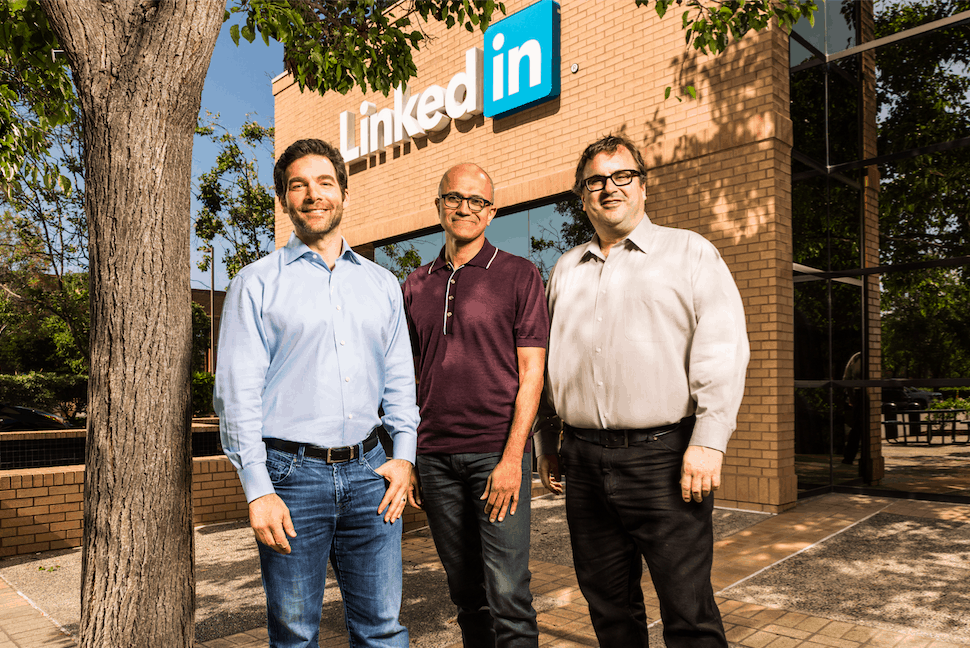
LinkedIn-Headquarters-Mountain-View
LinkedIn Headquarters in Mountain View, CA

Hoffman revealed that he actually thought about a partnership with Microsoft pretty soon after launching LinkedIn:

It’s funny, one of the thing things that I remember my cofounders and I talking about literally the first month after we launched in ’03 was, ‘what is the thing we’d most like to have happen to accomplish our mission?’ It was integration in Outlook.

Since then, the LinkedIn co-founder has become convinced that both companies are complementary and have always focused on enabling their users to achieve more:

Combined with Microsoft, we can do so much more. We do a lot with companies and we enable companies and individuals to connect because it’s very valuable to both of them. But we start with the individual professional. Microsoft starts with the company — with helping the organization be productive. Putting those two things together amplifies both sides.

Moreover, when asked about what LinkedIn is going to look like in a decade, Hoffman shared an interesting artificial intelligence use case. He thinks that both companies may be able to develop a very insightful personal assistant that could help professionals make the best choices for their careers:

What if we could offer every member a personal assistant for their career? Members could ask: what are the skills that are going to be really important to me in three to five years? What is the best way to develop those? Which courses both here and across the internet would be the right ones to do? Which would be the people in my network at one, two and three degrees that I should connect with? Which LinkedIn groups are the most valuable for doing that? With Microsoft, that kind of future goes from “oh well maybe someday we’ll do that” to “maybe we can start deploying technology on that very soon.”

What he thinks about his future role at LinkedIn

Once the deal is done, Hoffman anticipates that “very little from my role will change,” though he could have an expanded role at Microsoft by working with Satya Nadella on “some areas that interest both of us. Artificial intelligence. Quantum Computing.” According to Hoffman, his work currently goes into three buckets:

One bucket is working with Jeff and the executive team on our key strategies and what we see going on in the world around us. We predict the impact of various types of technology from blockchain to artificial intelligence, and decide how to chart that strategically. Second, I spend a lot of time on certain key projects. And then third, I think about culture. This is mostly in conversations with Jeff. We strive to make the value we embed in the product also the way that we operate.

Lastly, Hoffman didn’t reveal what would be his official title or whether he would join Microsoft’s Board of Directors at the end of the year. We invite you to read the full interview over here.

Even Xbox chief Phil Spencer didn’t know about the Phantom Dust re-release

How can the Xbox chief not know about an Xbox game nearing release? But that’s exactly what happened with Phil Spencer and one of the more interesting announcements to come out of Microsoft’s portion of E3, reports Polygon: the re-release of Phantom Dust.

It’s ok for you to not know what Phantom Dust is: after all, the game is one of those critically-acclaimed sleeper hits of the Xbox era. In the words of Shanon Loftis – Microsoft Studios head of first-party publishing – Phantom Dust is “a collectable card game wrapped in action RPG”, designed by Yukio Futatsugi, the same man behind classics from the Sega Saturn era like Panzer Dragoon.

“Shannon runs a big part of our organization, so she has money that she just squirreled away to go do something. She brings in this video — I don’t actually know what video they released, I’m sure it wasn’t what they showed me — but it said “reimagined for Xbox Live.” She went through all of the things, and it said “early 2017,” I think, and then it said “Phantom Dust.” So I asked “What is this?” And she said, “It’s Phantom Dust. It’s happening.” And I said “What are you talking about, it’s happening?!” And she said that it was almost done.”

– Phil Spencer, Head of Xbox

Like many other quirky but awesome games, it somehow got an exclusive release in Japan in 2003 (despite being from Microsoft Studios) and very limited availability in the West. Too bad, because apparently people who had the chance to play the game had some pretty positive things to say about it. Heck, it elicited the below response from Phil Spencer, who literally got informed about Phantom Dust’s existence three weeks before E3.

Phantom Dust on Xbox One will be a re-release, not a re-master or remake, meaning the whole game will be brought over to Microsoft’s current console from the original Xbox, albeit with some light tweaks to fit the modern age of gaming; in other words, it will be a “way-back machine into gaming” in Loftis words. The game is expected to be a paid, value title, though no potential price were disclosed.

All in all, the re-release of Phantom Dust sounds like a big love letter to long-time Xbox fans, and gaming fans in general, showing Microsoft’s reinvigorated focus on gamers for its Xbox consoles going forward. Loftis is already putting out a challenge to gamers: apparently in the 13-years of the original Phantom Dust’s existence, no one has ever been able to make a perfect “arsenal” (or card collection”) in the game. Will you be the one? 2017 will be your chance to shine when the game is released. Stay tuned for more exciting Phantom Dust and Xbox news going forward.


The Crew is now free on Xbox One for Gold members

If you’re a fan of racing games, and have an active Xbox Live Gold subscription, there’s some good news for you. Ubisoft’s popular racing game, The Crew, is now available for free for Xbox Live Gold members. The game takes racing to an all-new level, and allow you to connect with players from across the globe. You can compete with them in various locations in the United States, and test your driving skills.

Here’s the game description: The Crew is a revolutionary action-driving MMO that connects players online like never before. The Crew takes you and your friends on a wild ride across a massive, open-world recreation of the United States that is richly detailed and loaded with endless challenges. Generous in content and tailored for the connected generation, The Crew is the next-gen game that redefines action-driving.

Grab the game online here and let us know what you think about it below.

Battlefield, Forza, and Star Wars games given big discounts on Xbox One and 360

After all of their big E3 game announcements, Microsoft has released the details for this week’s Deals With Gold promotional campaign which discounts several major franchise titles for Xbox Live Gold subscribers.

Battlefield 4 and Battlefield Hardline on Xbox One have both had their prices reduced by 85% while Peggle 2 Magical Masters Edition is currently 67% cheaper and EA SPORTS Rory McIlroy PGA TOUR is 60% cheaper.

All versions of The Elder Scrolls Online: Tamriel Unlimited are now selling for 50% off their regular price as is the Forza Motorsport 6 – Porsche Expansion, Forza Motorsport 5: Racing Game of the Year Edition, and Forza Horizon 2 Standard – 10th Anniversary Edition.

The regular version of STAR WARS Battlefront and its Deluxed Edition are now 35% cheaper while the Ultimate Edition got a 30% price reduction. The Ultimate Edition of Forza Motorsport 6 also received a 30% discount as did Forza Horizon 2 Ultimate – 10th Anniversary Edition. Forza Motorsport 6 Deluxe Edition and Forza Horizon 2 Deluxe – 10th Anniversary Edition are now 35% cheaper.

On Xbox 360, Crash Mind Over Mutant, Crysis 2, Crysis 3, Forza Horizon Season Pass, Kingdoms of Amalur: Reckoning, SKATE 3, and SSX are now 75% off their retail price and Forza Horizon 2 is 33% cheaper.

Tekken Tag Tournament 2 on Xbox 360 and Limbo on Xbox One are currently being given away for completely free.

All of these special discounts are valid until the 20th of June 2016 and are only available for Xbox Live Gold subscription members. Xbox Gold Live is a paid service for Xbox One and Xbox 360 users who want to participate in online multiplayer gaming. As an extra bonus for paying the monthly or annual fee, Xbox Live Gold members are given a variety of free Xbox One and Xbox 360 video games every month and access to special discounts promoted under the Deals With Gold banner. Do you take advantage of these special discounts? Let us know which games you’ve bought in the comments below.

Bethesda unveils Quake Champions at E3 2016, trailer is full of huge monsters

Rumors have long suggested that a new Quake game would soon be announced, and those rumours were confirmed when Bethesda unveiled Quake Champions at E3 with a spectacular trailer full of monsters and mayhem.

Quake Champions is a competitive arena-style first-person shooter for PC. The game promises to be very fast-paced, which means that players have to be extremely alert if they want to survive for more than five minutes. There are plenty of characters you can choose from each with different abilities and skills.

Bethesda hasn’t offered any additional details but did announce that the game would be making an appearance at Quakecon in August. As always, we expect the company to reveal information about the game’s structure and characters from time to time.

For the time being, all we have is the game trailer which focuses on combat. The trailer mixes fast-paced fight moves with slow-motion images, isolating spectacular combat moments.

Quake is a first-person shooter legend and judging by what Bethesda has announced lately, it appears the company is heavily focusing on reviving old games.  The game developers also unveiled Elder Scrolls V: Skyrim Special Edition, too.

Bethesda adopted the same strategy for both games, teasing fans with amazing trailers and revealing only general information — enough to awaken fan interest but not quite quench their thirst.

It would be interesting to see how successful these game remakes can be. Games like Quake Champions or Skyrim Special Edition will definitely appeal to fans. As far as the younger generation of gamers is concerned, we are not sure they’ll be that into playing Quake Champions or Skyrim Special Edition. Time will tell.

RELATED STORIES YOU NEED TO CHECK OUT:

The Journey is the all new single-player career mode for FIFA 17

Many wonderful game trailers have been premiered around or at the E3 event as major game developers are trying to draw public attention to their products. If you are a FIFA fan, you will be happy to learn that the upcoming FIFA 17 has an all new single-player career mode that follows the professional and private life of Alex Hunter.

In Journey mode, you’ll step into the shoes of this character and experience his life on and off the pitch. As he becomes a better football player and advances through the ranks, he’ll have the chance to play for a Premier League club.

For the first time ever in FIFA, live your story on and off the pitch as the Premier League’s next rising star, Alex Hunter. Play on any club in the Premier league, for authentic managers and alongside some of the best players on the planet. Experience brand new worlds in FIFA 17, all while navigating your way through the emotional highs and lows of The Journey.

A touted prospect, 17-year old Alex Hunter has the chance to make it to the Premier League. He is one of the best young prospects in the academy, but his career is in your hands. Will you be committed enough? Will you deliver?

His career is influenced by your performance on the pitch and the decisions you make off of it. Try to find a balance between his private and professional life. Make critical decisions throughout the game that will change what happens next and how other characters react to you. Will you choose to put yourself first or will you be a true team player?

You can pre-order FIFA 17 from the Xbox Store.

RELATED STORIES YOU NEED TO CHECK OUT:

Bethesda will release Prey next year

The first version of Prey was released back in 2006, developed by Human Head Studios and published by 2K Games. Back then, the game was not released for Sony’s console, which was quite a disappointment for the PlayStation 3 owners.

During the 2016 Bethesda E3 Showcase that took place today, the company announced the new version of Prey will be released in 2017. However, before we tell you more about this upcoming game, take a look at the official trailer that Bethesda has unveiled today:

This time around, Prey is being developed by Arkane Studios and published by Bethesda Softworks. It is good to know that Arkane Studios is the team that also developed the Dishonored series, which was well-received game critics and the gamers alike.

Prey is a first person sci-fi action game that is positioned as a reimagining of the franchise from the ground up, but with a psychological twist. You will be playing as Morgan Yu, the subject of strange experiments designed to improve the human race. The action takes place in the year 2013 in Talos 1, where you will need to find out the many secrets hiding in the depths of the space station. As expected, you will be hunted by alien creatures which have taken over the space ship. You will have weapons and abilities, and tools you will need to use in order to survive the attacks.

Unfortunately, we don’t have an exact date when Prey will be released, but Bethesda claims a 2017 release for Windows PC, Xbox One and PlayStation 4.

What are your thoughts about the upcoming Prey game? Will you purchase it once released next year?

RELATED STORIES TO CHECK OUT:

Titanfall 2 revealed by Respawn and Electronic Arts

E3 2016 doesn’t officially begin until tomorrow, June 14, 2016, but big gaming news is already starting to surface all over the internet. First of all, the Xbox One S console was leaked and we’re pretty sure that Microsoft is not very happy about it. However, not many details have been revealed about this upcoming console so we’ll have to wait and see what Redmond unveils.

More news comes in the form of Respawn and Electronic Arts releasing some early information about their upcoming Titanfall 2, to be released for Xbox One and Windows PC later this year. This title will be also released for Sony’s PlayStation 4, which is quite interesting, as the previous version of the game was released only for Xbox 360, Xbox One and Windows PC.

Here is the single player trailer of the Titanfall 2 game:

The single player campaign in Titanfall 2 allows gamers to play as a Militia rifleman with the aspirations to become an elite Pilot. Players will need to team up with veteran Titan to complete a mission they never meant to attend.

Here is the multiplayer trailer of the Titanfall 2 game:

In multiplayer mode, you will have access to six new Titans, more Pilot abilities and more customization options. The game features a robust progression system that will surely give you the incentive to play this game for hours, every day.

Vince Zampella, the CEO of Respawn Entertainment, said the company tried to inject Titanfall 2 game with a deeper multiplayer experience and he is pretty confident that they’ve succeeded.

Titanfall 2 will be released on October 28, 2016, for Xbox One, Windows PC and PlayStation 4 and will cost $59.99. You will also be able to purchase the Deluxe Edition of the game for $79.99. For the extra $20, you will get the following:

– Exclusive Deluxe Nose Arts for each Titan;
– Two Camouflages applicable to every Titan, Pilot and weapon;
– Nitro Pack (Pre-order only);
– Exclusive Deluxe Warpaints for each Titan;
– Exclusive Deluxe Call Sign.

RELATED STORIES TO CHECK OUT:

EA reveals Mass Effect: Andromeda details and behind the scene images in new video

EA has so far proven to be very generous in details about its upcoming games, revealing the first ever Battlefield 1 gameplay trailer at E3. The company further raised the stakes and revealed some game details and behind the scene images for the long-awaited Mass Effect: Andromeda.

The company’s move is a clever one and comes at the right moment, restoring fans faith in the developer team after EA announced that the game wouldn’t be released on its expected date, rather delayed for early 2017.

The video begins with the image of a space shuttle preparing to start its journey into space. Behind the scene images follow, showing EA’s developer team working on the game and going further than ever before. The game’s space-faring, exploratory metaphor holds true for EA as well, as it’s exploring how far they can take this beloved franchise.

In the game, players will go to Andromeda to build a new home for humanity. Along the way, they will find hostile planets and various alien species. Despite the inhospitable environments, you’ll have to continue to explore as the future of mankind depends on you.

The presentation video beautifully transitions between in-game images and behind the scene images, showing how developers actually build the game and what the end result is.

Here are the features you will find in this game:

  • More freedom: EA’s one of the biggest ambitions is to give players an unprecedented level of freedom for a Mass Effect experience – you can choose where to go, how you’ll get there, and how you’ll play.
  • New uncharted worlds: As you leave the Milky Way behind and head to Andromeda, you’ll find new allies, confront new enemies, and explore fascinating new worlds.
  • The next Mass Effect experience: Andromeda is the first Mass Effect game for today’s consoles and the first built on the Frostbite engine, a technology capable of delivering state-of-the-art visuals for a game experience that seems almost real.

RELATED STORIES YOU NEED TO CHECK OUT:

Windows 10 refresh tool pops up a little early, lets Insiders clean install Windows

About a month ago, we learned about a new tool that was being developed by Microsoft to allow Windows Insiders the ability to clean install Windows 10. Here’s what Microsoft announced last month regarding the tool:

Want a simple and easy way to start fresh with a clean installation of Windows?  Looking for an easy way to do this?  We’re working on a tool to make this possible.

Final testing and validation is underway and we will want your feedback once it is ready to go!  Stay tuned for additional information as we work through the finishing touches.

First spotted by WalkingCat on Twitter, the tool is able to be downloaded right now. Microsoft has yet to officially announce the tool and offer any disclaimers or prerequisites. Be careful if you elect to try out the tool as it may only work on recent Windows 10 “Redstone” builds.

Once you download and install the tool, the interface is really simple to use. It allows you to install a clean copy of the most recent version of Windows 10 and remove apps that were installed on your PC. You can keep personal files only or delete everything.

Grab the tool from this link.

https://twitter.com/h0x0d/status/743218212901265408

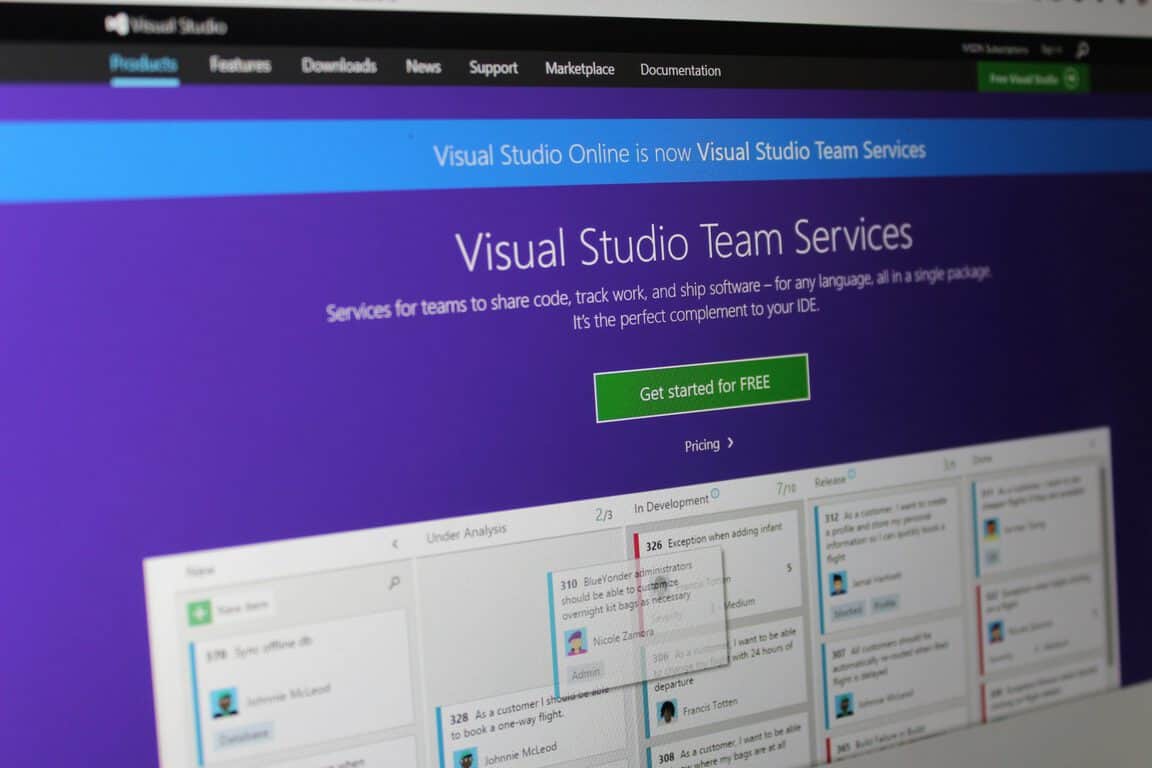
Visual Studio Team Services support for Internet Explorer 9 and 10 ends in September, 2016

If you’re still using Internet Explorer 9 or 10 for whatever reason, it seems like now is the time you’ll want to move on to greener pastures – at least, if you’re a Visual Studio Team Services user. According to a new blog post from the Team Services team, the next update is going to be discontinuing support for the two outdated Internet Explorer versions. While these two browsers won’t be directly blocked from using Team Services, they’ll be likely to run into serious issues when trying to use the service.

The blog post also tells us that, if you’re using Team Services on-site, the major patch coming after this one will also be cutting support for Internet Explorer 9 and 10 for you. The long and short of it here is that, if you want to be using Team Services in any capacity, you’re going to want to upgrade to either Internet Explorer or Microsoft Edge as soon as you can.  While this shouldn’t be such a massive issue for most on account of the long time that IE11 and Microsoft Edge have been out there, it’s still a shame that people are being shoved out of their browser of choice. Let’s hope that these last holdouts enjoy the upgraded version of their browsers.

Battlefield 1 gameplay trailer now available: move fast or die

E3 is now officially a gamers’ paradise as game developers are competing to get the public’s attention with appetizing trailers and stunning reveals. For example, EA revealed an impressive fast-paced gameplay trailer of its upcoming Battlefield 1, offering players a glimpse into the game set against the bloody backdrop of World War 1.

Battlefield 1 will really put your fighting skills to the test since there are no jetpacks, fighter jets or other advanced weaponry. With only have basic weapons at your disposal, you’ll have to think and act fast. Otherwise, enemies will most certainly kill you.

While tanks in World War 1 won’t be as powerful as anything found in World of Tanks, they will get you from point A to B and protect you on the way. There are no massive guns available; just a few automatic weapons and a ton of pop rifles. Be prepared to take the fight to the trenches as well, as you will fight tooth and claw for your life.

The gameplay trailer confirms Battlefield 1 to be a very fast-paced game where you’ll have to make decisions in a split of a second if you want to stay alive. Mid-air plane fights are spectacular and the images showing soldiers running on the ground, fighting and seeking cover make them look like rats running away from fire.

Battlefield 1’s single-player campaign only has six missions, according to rumors. Unfortunately, the events at E3 haven’t yet shed a light on them. If the rumors are true, then players will fight in the following missions:

  • Friends in High Places
  • Nothing is Written
  • Through Mud and Blood
  • Avanti Savoia!
  • The Runner
  • Epilogue

Battlefield 1  will officially be launched on October 21st, but you can pre-order the standard edition of the game for $59.99 or the Deluxe Edition for $79.99.

RELATED STORIES YOU NEED TO CHECK OUT:

Xbox One getting new VRV video subscription option

Microsoft slipped another announcement for Xbox One into their Twitter feed this week, escaping the eyes on the E3 2016 press conference. Yesterday, the Xbox Twitter account announced that VRV is coming to Xbox.

Interested parties were left wondering what exactly VRV was. The link in the tweet directs more curious pursuers to the VRV home page where users can sign up for early access and information about the new video subscription software.

Created by the owners of Crunchyroll and backed by AT&T, VRV boasts that it will be the newest streaming platform specifically for ‘geeks’. It boasts internet-famous producing groups such as Geek & Sundry, Nerdist, and Rooster Teeth. Ellation CEO Tom Pickett shared more details on the platform through a press release to The Verge:

“VRV was created to unite passionate fans around the content they love. VRV will be a home where you can discover new channels to love, interact with fellow fans, and engage with creators on a deeper level, especially as we begin to roll out new features for our community.”

According to Wall Street Journal, “the plan is to provide exclusive content that may not always be economically feasible on free, ad-supported social platforms like YouTube.” Some content will be accessible for free, however, many partners have restricted access to their videos through the subscription process. Does this mean that partners will be dissolved into VRV? Not at all, said Dallas Middaugh of Crunchyroll in a public statement to the community.

“Like several of the partner channels, Crunchyroll will still be available as a stand-alone app which we’ll continue to update and improve so you can continue enjoying your anime uninterrupted. You might find, though, that there’s something in VRV you want to try out, and that’s the beauty of the service.”

The video streaming platform may be a bit overhyped for little to show considering already established video-on-demand competitors. In fact, we still do not have a release date or pricing preview as of yet. For now, all we can do is stay tuned.

Microsoft details using the desktop app converter to move desktop apps to Windows 10 UWP

Microsoft’s strategy for filling in the holes that its app store currently has is a tri-fold approach. Using its Universal Windows Platform as the glue holding it all together, Microsoft is enticing developers from mobile, desktop, and the web to bring their experiences to Windows.

We’ve spoken at length about how mobile developers can port or build apps for Windows and to a lesser degree we’ve covered how web developers can find a home in Windows 10, but now Microsoft is helping devs forge a  5-step path from maintaining desktop apps to creating UWP apps.

At its Building Apps for Windows blog, the Windows team does a quick walk through of how to repackage desktops apps into fully functional and modern UWP ones.

Today, we will follow up with a walkthrough of a concrete coding example that takes an existing desktop app and gradually migrates and enhances it with the Desktop Bridge into a full Universal Windows Platform (UWP) app that can run on all Windows 10 devices—such as Xbox One, HoloLens, phones, et cetera—and take full advantage of the platform.

The key to Windows development simplicity lies with an updated version of the Desktop App Converter. With the use of the Desktop App Converter, developers can target apps that are using .MSI (or similar) much more easily. Even those apps which do not use .MSI or, perhaps, something a bit more complex can choose to use a third-party solution as the Desktop Bridge to UWP supports a ton.

Terry Myerson apps
Terry Myerson apps

After converting, the next two steps show developers how they can enhance their apps by injecting UWP specific code. The UWP code enables apps to tap into Live Tile, Action Center and new install and uninstall processes within Windows 10 APIs.

In addition to calling more UWP APIs, we can now also add UWP components to our app package to take advantage of other exciting UWP features. Examples of this include adding App Services, becoming a sharing target or a file picker, or adding background tasks.

With background tasks, an app can respond to triggers to execute code even when the app is not running—even if the device is in connected stand-by mode. This way, you can always keep your app up to date and create an experience of an app that is always alive. To illustrate this in our example, we want to use the TimeTrigger to periodically check the status and notify the user via a toast notification.

Steps four and five round out the rough edges of a Win32 app compared to a UWP one, with tips on how to migrate UIs, framework, and replacing registry-based states with UWP compliant ApplicationData API.

The whole process culminates with a desktop app now ready to be deployed in the Windows Store as a native Windows 10 app primed for use on the Xbox, HoloLens, and other Windows devices.

Visit Microsoft’s Building Apps for Windows blog for more detail, code samples and other guided steps on processing a desktop to a more modern UWP one.

General RAAM announced for Killer Instinct Season 3 at E3 2016

Killer Instinct Season 3 is looking even better with the announcement of a new character: General RAAM from the Gears of War franchise. The announcement was recently made during Microsoft’s E3 2016 press conference and from what we’ve seen, he looks great in action.

Microsoft wants to get players excited for both the game and this new character, which is why General RAAM will be free to play for the entire week via the Xbox One and Windows 10 computers. For those who are unaware, Killer Instinct Season 3 is available for Windows 10 via the Windows Store and can be downloaded and played right now.

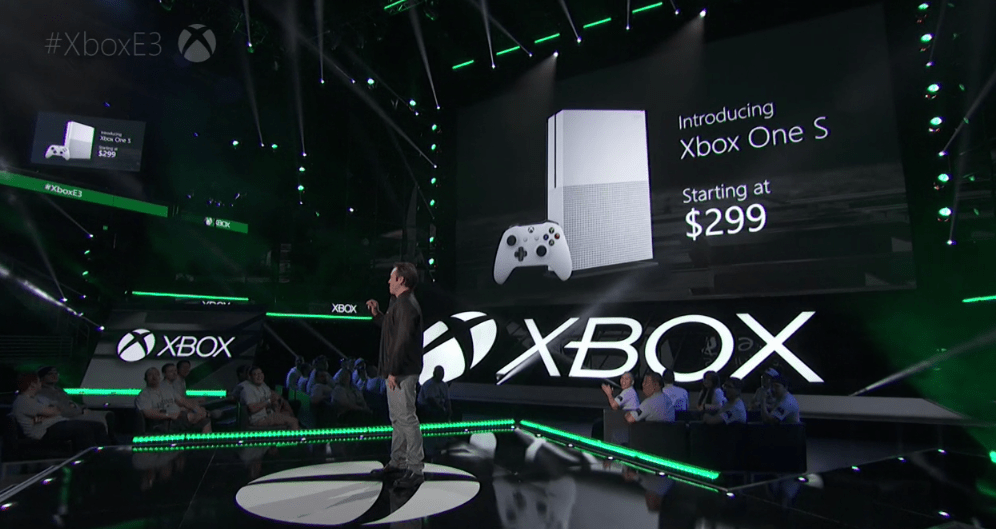
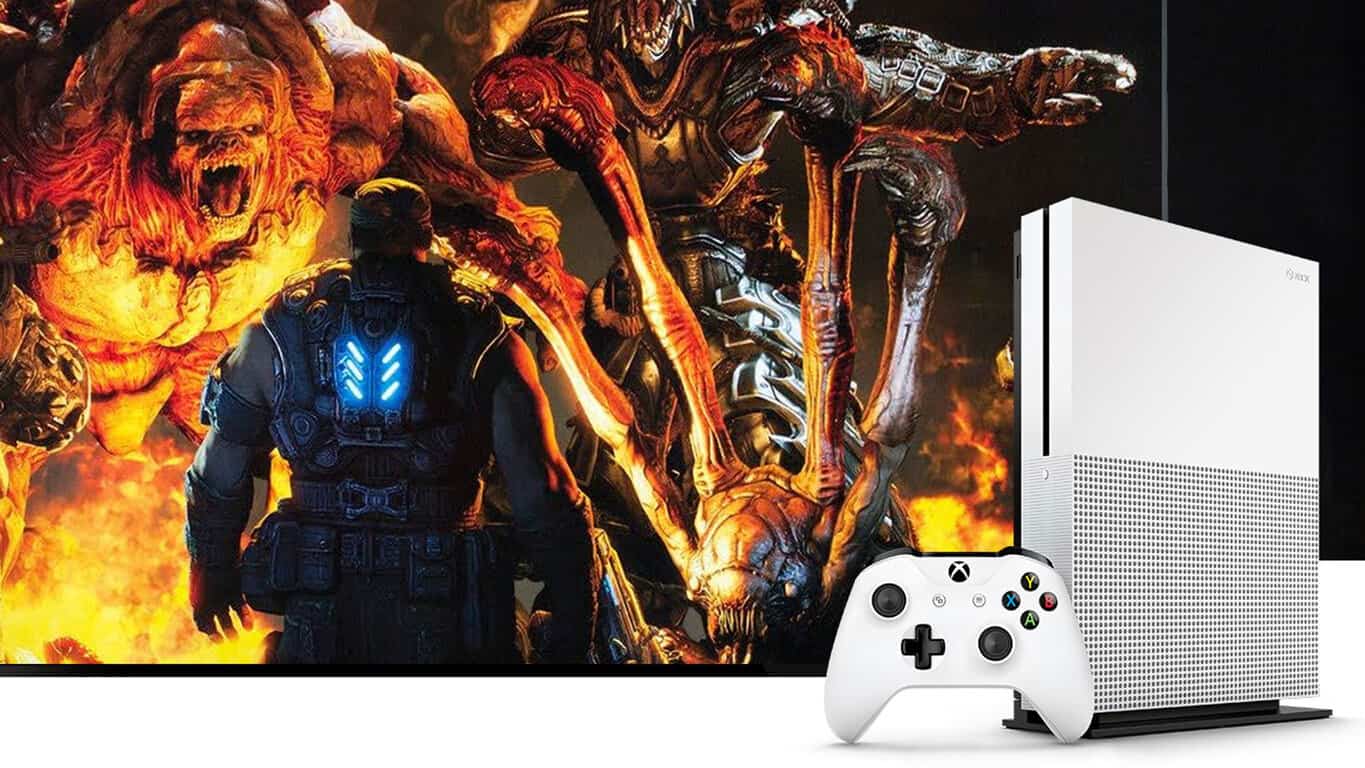
Outside of this announcement, Microsoft kicked off its conference with the official showcase of the new, slimmer Xbox One S. The console is 40 percent smaller and comes with a 2TB hard drive. Furthermore, it supports the playback of 4K content — just not video games.

RELATED STORIES YOU NEED TO CHECK OUT:

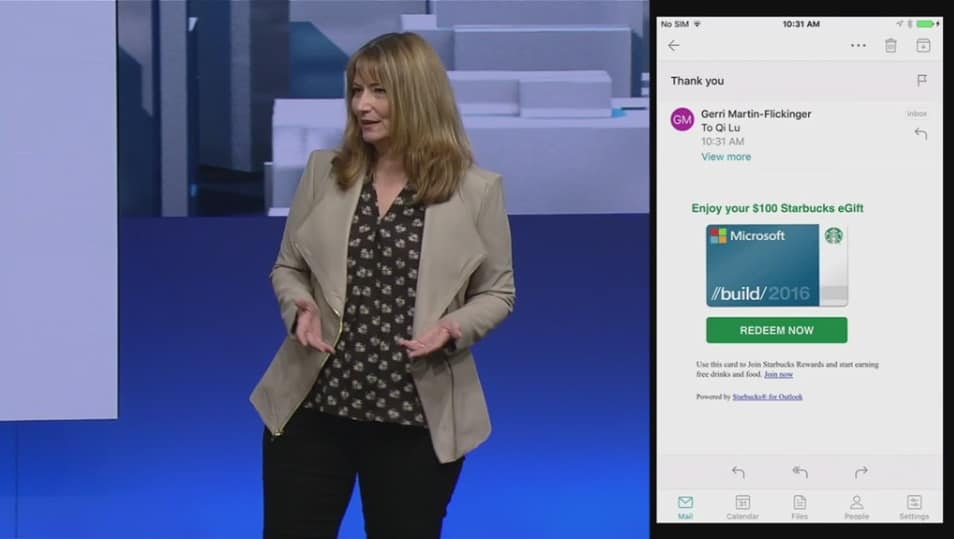
Microsoft releases Starbucks for Outlook add-in, $5 eGift Card for sharing via Outlook

During Build 2016, Microsoft demoed an interesting Starbucks add-in for its Outlook email app that could be used to co-ordinate meetings around local Starbuck locations or sending Starbucks eGift cards to express thanks right from the app. In a blog post on the Office blog, the Outlook team has announced today that this Starbucks for Outlook add-in is finally available in Outlook on select platforms.

Outlook now makes it easier for you to have that personal connection by enabling you to meet your customers, business partners or study group at your favorite Starbucks location, all with a few clicks from your Outlook inbox. Simply click the “Meet at Starbucks” command from the ribbon when creating a new meeting request, search for your favorite Starbucks store, and add it as the location of your upcoming meeting.

The Starbucks for Outlook add-in is free to install and use, and you can get it right now from the Office Store if you’re using the new Outlook.com as well as Outlook 2013, Outlook 2016 and Outlook on the web with Office 365 or Exchange 2013 or Exchange 2016 mailboxes. Microsoft adds that it’s working to make the add-in available in Outlook for Mac and mobile “in the coming months.”

Good to know, you don’t need a Starbucks account to use the “Meet at Starbucks” feature though you do need one to purchase and send a Starbucks eGift Card. However, for a limited time. Microsoft will send you a free $5 eGift card when you send a Starbucks eGift Card using Outlook, which is a pretty good incentive to try the add-in.

To get started, you can simply download the add-in from this link if you’re using Office 365 or the new Outlook.com. However, if you are using Exchange 2016 or Exchange 2013 on-premise, Microsoft is inviting you to follow the steps below:

  • In Outlook 2013 or Outlook 2016, click Store from the Home tab on the ribbon. In Outlook on the web click the gear icon (top right) and select Manage Add-ins.
  • Type in “Starbucks” in the search bar on the top right.
  • The search will return the “Starbucks for Outlook” add-in, then set the toggle to “on” to install the add-in.
  • The add-in will appear in the command bar ribbon on the top.

Note: Some users in Outlook 2013 may not see the new in-client store UI above. For these users, follow the steps below:

  • Click Store from the Home tab on the ribbon-> click Manage Add-ins.
  • In the Manage Add-ins page, click the + sign and then select the “Starbucks for Outlook” add-in from the Office Store.
  • Click the “Add” button to begin installation.

Do you think this Starbucks for Outlook add-in is a welcome addition to the Outlook app? Let us know what you think in the comments below.

Halo Wars 2 gameplay images on Windows 10 reveal impressive visual effects

Xbox One gamers have the opportunity to test out Halo Wars 2  open beta for a whole week until June 20. We reported that the game would be playable during the E3 event, but we never thought the developer would be so generous so as to offer Windows 10 gameplay images as well.

This multiplayer game can support up to six players on the Xbox One console. The developer promises that Halo Wars 2 will offer an all-new Halo story for the Xbox One and Windows 10, and will also bring back interesting memories for those who played the original game.

Halo Wars 2 allows players to take the role of the Master Chief, humanity’s best defense against the evil Covenant forces, but they can also assume the identity of the Covenant Elite known as the Arbiter. Players can now use previously undiscovered Covenant armaments and pilot new vehicles as they fight against an all-new alien army in new environments.

The game’s developer, 343 Industries, says the decision to bring Halo Wars 2 to PC was the best decision they’ve ever made, adding that it was fueled by gamer demand.

To tease PC gamers, the developer revealed gameplay footage from the first mission of the game running on Windows 10. The images sports impressive graphics and fluid gameplay.

Halo Wars 2 on Windows 10 traces fire very well, so you can clearly see who’s shooting at you and what you’re shooting at. The images also show impressive scenes when things are blown up: explosions are spectacular and overall, visual effects will definitely hook you.

The developer team heavily focused on making the game look beautiful, offering gamers as much control as possible over the game action. Players should expect to see classic RTS modes on Windows 10 as well as brand new styles that 343 Industries will reveal as the official game release draws near. Some of these new modes are created especially for RTS newbies, so don’t be afraid to dive into Halo Wars 2 if you’ve never played a real-time strategy game before.

Halo Wars 2 will be released for Xbox One and Windows 10 PC on February 21, 2017.

RELATED STORIES YOU NEED TO CHECK OUT:

Injustice 2 gameplay trailer shows off brutal combat

A few days after releasing the official announcement trailer for its upcoming fighting game, Injustice 2, Warner Bros Interactive released the first gameplay trailer of the game. In it, characters and fighting techniques are all put in the spotlight.

The trailer shows of well-known characters like Superman, Batman, Aquaman and Supergirl in action, as well as some new faces, like the Red Lantern Atrocitus. It also shows some abilities of the main characters, like a shark summoned by Aquaman or Supergirl’s durability. Of course, it wouldn’t be a real deal without a new legendary fight between Batman and Superman.

You can watch the full Injustice 2 gameplay trailer here:


Injustice 2 will be released some time in 2017, but its exact release date is still unknown. NetherRealms Studio will be present at this year’s E3 conference in Los Angeles where it’s expected to reveal more details about the game alongside some more gameplay videos.

The game will be released on the Xbox One, PlayStation 4 and hopefully to Windows PCs, but there’s still no confirmation about that. We remind you the previous Injustice game arrived for Windows PCs about a year after its debut on consoles, so we expect Injustice 2 to actually come to PCs sooner or later.

What do you expect from the new Injustice game? Will it be a worthy successor to the previous title? Tell us your opinion in the comments below!

How to use Microsoft Azure to host a Minecraft Server

If you’ve ever been interested, here is a way to set up your own Minecraft Server using Microsoft Azure. Depending on how you choose to play Minecraft, whether it be Windows 10 PC or a Mac, there are plenty of reasons why you would choose to use Microsoft Azure to host a Minecraft Server, instead of using your own machine.

Here’s a short list:

  • You can choose a preconfigured Minecraft server virtual machine to launch from the Azure Marketplace – no installation required.
  • Choose from a range of a VM sizes to meet your performance and cost requirements.
    Running a server on your own physical machine means choosing between limiting access to your home network, or dealing with the security risk of exposing your home network to the internet.
  • Avoid hardware costs – pay for a VM when you need it and shut it down when you don’t.
    Whitelist trusted players to connect from anywhere without wrestling with firewalls and port forwarding.
  • Freedom from worry about losing data to hardware failure with disks backed by Azure Storage Service.
  • If you mess up the whole machine no big deal, delete it and deploy another. If you back up your world from time to time you can restart from where you left off.

Now that you have the reasons to use Azure, let’s take a look at what steps you need to complete how to set up your own Minecraft Server.

1. Buy Minecraft and set up a Mojang account. You need these in order to play Minecraft and to be successful in actually setting up a Minecraft Server.

2. Get a Microsoft Azure account. There’s a free trial, plus some free credits for your first month on Microsoft Azure.

3. Select the Minecraft Server Virtual Machine from the Azure Marketplace.

4. Click “Create Virtual Machine”

Minecraft, server, Microsoft, Azure

5. Next, you will need to log in to your Microsoft Azure Account and click “Create”

minecraftserver2

6. Here, you’ll have to do some important configuration steps (some are optional):

  • Pick a name for your server (the url for your server will be name.cloudapp.net)
  • Enter a username to use as an administrator
  • Define a password or upload an ssh key you will use to access your server
  • Select a server size / pricing tier, A1 will be a good size to start with
  • Optional: Configure Network, Storage and Diagnostics
  • Optional: Select or define a name to group your Azure resources
  • Optional: Select the subscription to use if you have got multiple
  • Select a location / data center to host your server, pick a location close to your users

Microsoft Azure, Minecraft Server

7. Click “Create” to have Azure create your Minecraft Server (May take several minutes to finish, so hang tight!)

8. After that’s done, your Minecraft server will be ready. In order to connect to your server in Minecraft, use the URL and Port 25565 like this: Minecraftservername.cloudapp.net:25565

Microsoft Azure, Minecraft Server

9. If you do not have the most up-to-date version of Minecraft, you may get an error message telling you to update your Minecraft server.  Update your Minecraft Server to the most current version.

Microsoft Azure, Minecraft Server

10. In order to update your server, as well as manage some additional settings, log into your server using SSH (available on Linux or Mac) or a tool like PuTTY (available on Windows). Bash and SSH will be coming to Windows 10 later this summer in the Windows 10 Anniversary Update.

11. After logging into your Minecraft server with you username and password, go to the folder of your Minecraft Server “cd /srv/minecraft_server”.

Microsoft Azure, Minecraft Server

12. Download the current version of the Minecraft server using CURL. Currently, this would be “sudo curl –remote-name ttps://s3.amazonaws.com/Minecraft.Download/versions/1.10/minecraft_server.1.10.jar”. Here is the link that you use to download the most up-to-date server version.

13. While in the correct folder, you can update the ops.json file so you have the correct permissions to modify the game while you are logged into our server. You can edit the file using nano like this: “sudo nano ops.json”. Edit the file like shown below using your Minecraft username and unique ID. Go here to find your Minecraft unique ID.

[
{
“uuid”: “uuid”,
“name”: “minecraft_username”,
“level”: 4
}
]

Microsoft Azure, Minecraft Server

14. Now all you have to do is save the file. Save the file by using “CTRL + o” and exit Nano using “CTRL + x”. You can also edit your “server.properties” file in order to further manage different configuration settings on your server. More details about your Minecraft server properties can be found at the Minecraft Wiki.

15. In order to use the current version of Minecraft Server that you downloaded, you need to edit the service configuration using Nano like this: “sudo nano /etc/systemd/system/minecraft-server.service”. You will need to reference the new version of the Minecraft Server here (see below).

Microsoft Azure, Minecraft Server

16. Now, all you have to do is save the file and exit Nano.

17. Next, you will just need to stop and restart the Minecraft Server service. You may also need to reload the systemd state before using “systemctl daemon-reload”. Run “systemctl restart minecraft-server” to restart the service.

18. After you’ve restarted the service, it may take a minute or two to restart. Afterwards, you can refresh your server in your Minecraft client and connect your server to start creating on your very own Minecraft Server.

Microsoft Azure, Minecraft Server

19. Hooray! You have now set up your own Minecraft Server using Microsoft Azure.

If you run into any problems or need help with error messages, be sure to visit the Minecraft Wiki on “Setting up a server” for more information and help. The Minecraft Wiki also has helpful information on configuring and managing Minecraft server configuration settings.

Microsoft unveils new Windows 10 apps, including My USPS, Expedia, and the Weather Channel

It has been a while since the last wave of brand new and official Windows 10 UWP apps (such as Twitter, Facebook, and Instagram) were released. Today, though, Microsoft is adding in a brand new set of apps to the Windows Store collection. My USPS, Expedia for Windows 10, and The Weather Channel for Windows 10, are all just a few of the new apps which are now being highlighted my Microsoft in a new Windows Experience blog post.  So, as always we’ve given the apps a look and have included download links and descriptions for you below.

Expedia for Windows 10

A look at the Expedia app for Windows 10
  • Update for Windows 10: The Expedia app has been specifically enhanced to take advantage of all the unique possibilities of Windows 10 to deliver a more seamless travel experience across Windows 10 devices. We’ve also made key performance improvements and enabled faster launching for our Universal Windows Platform app.
  • Search with Cortana: With Cortana integration, you can book trips with simple, natural conversations and get helpful travel notifications and status updates for all of your upcoming Expedia-booked trips.
  • Interactive Device Notifications: Receive important travel alerts and changes to your itinerary with Expedia emails
  • Deeper Integration: The new Expedia app is native to the Windows platform, which gives our team tremendous opportunity to further enhance the Expedia experience on Windows 10 devices.

Note: An official download link is not yet available for this app. Stay tuned, once it’s available we will update you!

My USPS

A look at the MYUSPS Windows 10 App

Preview the My USPS™ package tracking dashboard on your Windows 10 computer using Cortana. The My USPS™ application offers an alternative to typing in package tracking numbers every time you want to see the status of a delivery. The My USPS™ application proactively scans the USPS mail-stream looking for packages heading for your home address and automatically populates your dashboard with a package’s status. The My USPS™ application allows you to easily track the status of outbound packages as well; either, by scanning the package barcode with your smart phone or by manually typing in a tracking number on your dashboard.

The Weather Channel for Windows 10

Cortana on the Windows 10 The Weather Channel App
  • Get hourly and 15-day forcasts in Celsius or Farenheit
  • Amazing background photos match your current weather conditions.
  • Easy to use and beautiful in its simplicity.
  • Get your current conditions and the high/low temperatures for your favorite locations in a glance.
  • More than temperatures, get “feels like” weather, humidity, dew point, sunrise, sunset, moon phases, wind speed, UV index, visibility and barometric pressure.
  • Fast-loading radar maps show past and future radar. Map layers show rainfall, snowfall, road or satellite views, traffic, wind speeds, and more.
  • Severe Weather Alerts: Stay safe with National Weather Service notifications of severe weather, and know the moment tornado or severe storm watches and warnings are issued.
  • Breaking News Alerts: Keep informed with national weather news updates.
  • Lightning Alerts: Get real-time alerts for your GPS location, and know where lightning strikes near you. • Rain and Snow Alerts: Never get caught in the rain again with real-time alerts for your GPS location and morning rain reports for your favorite locations.
  • Pollen Alerts: Know the pollen counts near you.
  • Simply activate Cortana (by saying “Hey, Cortana”) and say or type “Show me,” followed by your question. For example, you could say “Hey, Cortana! “Show me”, when will it rain?” to learn when it will rain in your precise location.

The Weather Channel
The Weather Channel
Price:
Free

So, what do you think? Will you download any of these new apps? Are you looking forward to using them in your life on your Windows 10 device? Let us know by dropping us a comment below!

Popular x.ai personal assistant “Amy Ingram” coming to Outlook and Office 365

An AI bot is coming to Office 365 to help take the work out of scheduling work meetings, but it isn’t Cortana. New York based startup x.ai announced today (via Business Insider) that their AI personal assistant Amy Ingram, and ‘her’ brother Andrew, will be integrated with Outlook.com and Microsoft Office 365 calendars.

Amy and Andrew are essentially bots that work simply by CC’ing their addresses in an email exchange when you are trying to schedule a meeting with someone. At which point Amy or Andrew take over the conversation, and take all the work out of trying to negotiate the best time to meet. Once Amy or Andrew work out a time with the other person, they add it to your calendar.

Previously, Amy could only work with Google Calendar. In a press release by x.ai, the company explains the service was limited to Google calendar because they wanted to focus on training their personal assistant first and foremost to work correctly before working on support for other calendars. CEO and Founder Dennis Mortensen says that from the start on of their first goals was “enabling Amy and Andrew to work across the Outlook.com and Office 365 calendars.” Now that they feel they have trained the personal assistant to schedule meetings autonomously, they have enabled support for Outloook.com and Office 365 calendars.

Mortensen says that their goal is nothing short of wanting Amy and Andrew to be “schedul[ing] every single one” of the meetings that nearly 90 million knowledge workers makes in the US, a figure he cites as roughly “10 billion meetings a year.”

The service is still in beta, but the press release says it will be ready for prime time later this fall. It will be interesting to see how this new digital assistant complements Office 365 and Outlook.com’s services as Microsoft has been working hard to open up Office 365 as a platform for developers to enhance its capabilities with add-ins. You can read the full press release below:

New York, NY, June 15, 2016—x.ai, inc., an artificial intelligence company, today announced that its AI personal assistant can operate across Microsoft Outlook.com and Microsoft Office 365 calendars to schedule meetings. Now businesses and individual professionals who run on these Microsoft products can also enlist x.ai’s personal assistant, Amy Ingram.
x.ai launched a beta version of its AI personal assistant in June 2014. (All you do is cc [email protected], and she takes over the job of scheduling your meeting.) Since then, Amy and her brother Andrew have scheduled hundreds of thousands of meetings and processed millions of scheduling-related emails.
For the past two years, x.ai has supported only one calendar type—Google calendar—as it focused product development on the arduous task of training a machine to understand scheduling-related conversations. During this time, one of the most requested features has been support for Microsoft calendars.
“We knew from the start that enabling Amy and Andrew to work across the Outlook.com and Office 365 calendars would be one of the first things we did, once we had trained the machine to schedule meetings nearly autonomously,” said CEO/Founder Dennis R. Mortensen. “We want all of the nearly 90 million US knowledge workers to be able to take advantage of this technology. That represents roughly 10 billion meetings a year, and we want to schedule every single one of them.”
x.ai’s beta customers include small business owners, product managers, salespeople, marketers, designers, startup CEOs, teachers, students, journalists, and many others across nearly every industry.
“This AI personal assistant can schedule your meetings, saving our joint customers hours each week, enhancing productivity and unleashing creativity,” said Rob Howard, director, Office 365 Ecosystem, Microsoft.
x.ai will come out of beta this fall.

LinkedIn founder Reid Hoffman could join Microsoft’s Board of Directors by the end of the year

While Microsoft’s acquisition of LinkedIn isn’t expected to be completed until sometime later this calendar year, Kara Swisher from Recode.net is reporting today that Microsoft could soon welcome LinkedIn co-founder and Executive Chairman Reid Hoffman to its Board of Directors. As a partner at Greylock Partners, Hoffman has many ties with Silicon Valley and has been nicknamed “The Startup Whisperer.” Additionally, Swisher reports that Hoffman has been instrumental to make this week’s blockbuster deal happen:

Hoffman was a key behind-the-scenes figure in this deal, which several sources said had its seeds planted many years ago in discussions between Hoffman and Microsoft co-founder Bill Gates. Hoffman was also an active participant in the current discussions, along with LinkedIn CEO Jeff Weiner, and it was finally shoved over the finish line last Sunday at his home in Silicon Valley.

Earlier this month, we reported that Microsoft’s Board of Directors was pushing a faster move to the cloud as the company has been trying to lessen its reliance on traditional software and switching focus to cloud-based products in recent years, so this new addition to the board would make perfect sense. Furthermore, Hoffman would join other Silicon Valley board members such as Chairman and Former Symantec CEO John Thompson as well as former Cisco exec and Next EV CEO Padmasree Warrior who joined the Board in late 2015.

Microsoft's current Board of Directors.
Microsoft’s current Board of Directors.

According to Swisher’s report, “no official offer has been made to Hoffman as yet, due to fiduciary issues, and the many-step process has not been set in motion either.” Furthermore, the process could be complicated by the fact that Hoffman is currently a board member of Mozilla Corporation whose Firefox browser is a direct competitor to Microsoft offerings. However, Swisher adds that “if it moves forward as many expect, Hoffman would be voted on as a director at the end of the year”. Both Microsoft and LinkedIn declined to comment on Swisher’s report. Let us know in the comments if you think adding the longtime tech investor to Microsoft’s Board of Directors could help the company reinvent itself in a mobile-first, cloud-first world. 
The vertical stand will not be included with every Xbox One S console

Microsoft recently unveiled a new, slimmer version of its Xbox One console at E3, dubbed the “Xbox One S”. Among the added capabilities in the new model is one that would be a boon for gamers with a serious lack of space: the ability to stand vertically; a necessary accessory for this function – the vertical stand – may not come with all Xbox One S, however.

Specifically, the vertical stand has been found by Reddit users to be listed on the Amazon Store Canada for pre-ordering, which begs the question of why it can be purchased separately if the thing comes with every machine, and every machine needs only one. The cool Canadian $39.99 price does not help with the speculations as well (words say that it will cost $19.99 in the US).

xbox one vertical stand amazon canada
Canadians got it tough with their dollars.

Not all is lost of course: other sources suggest that the vertical stand will only come with the 2TB model of the Xbox One S, which will come before lower-storage options in early August at $399. The next version in line, 1TB, will reportedly retail for $349, which means for 50 dollars more you get double the storage and a vertical stand.

Microsoft adds Afrikaans language to Translator and other services

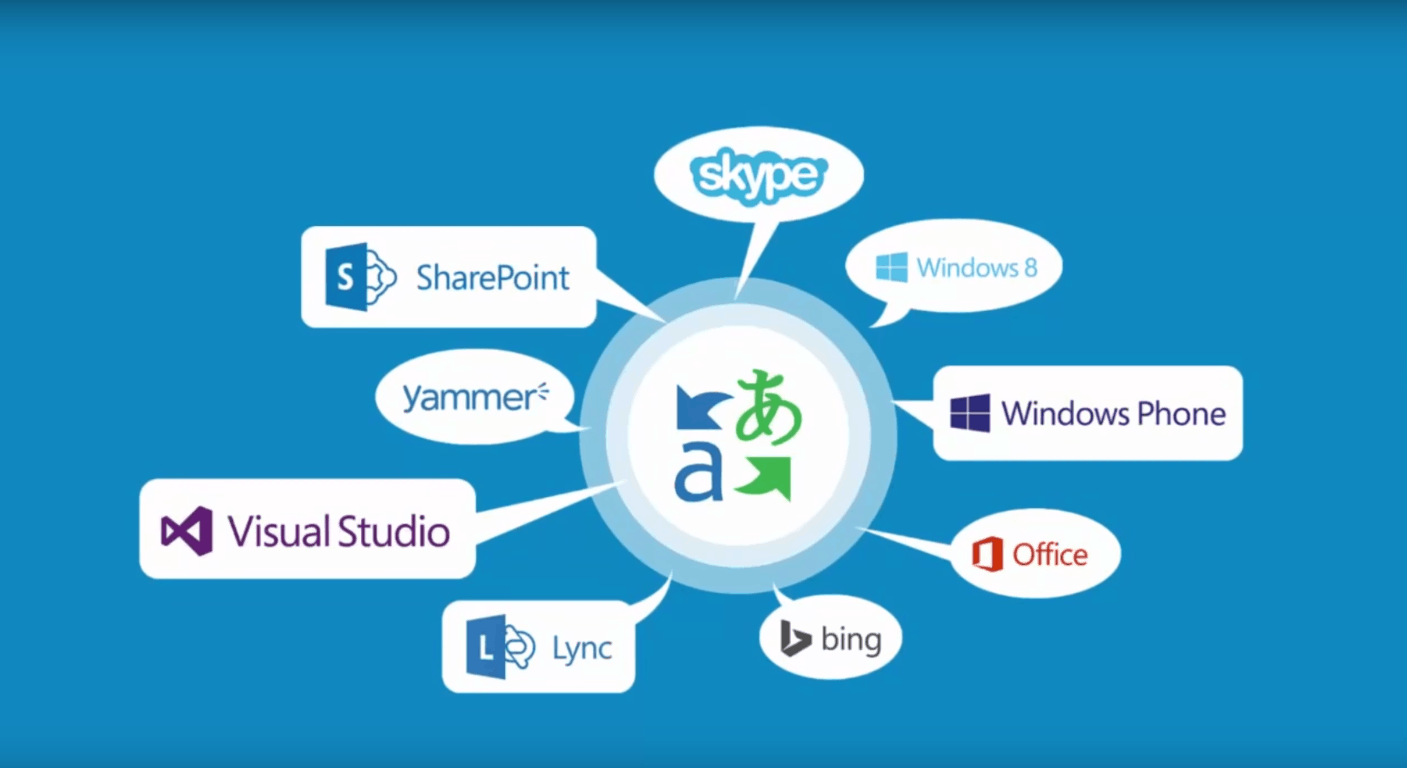
Microsoft Translator already supports over 50+ languages, but today, one more language is being added to the list. The Microsoft Translator team has just taken to their blog to announce support for the Afrikaans language.

A derivative of Dutch, the language will be available in all of Microsoft’s products with translation features powered by Microsoft Translator. Such products include the Microsoft Translator apps for iOS, Android, and Windows 10, Microsoft Office, Share Point, the Microsoft Translator Web Widget, and IM Translation in Skype for Windows desktop. Additionally, and for developers, the Microsoft Translator team is also nothing that those who use Microsoft Translator text translation API now also have access to the new language in their apps and products.

This support can be seen as good news for the 7 million people worldwide who speak Afrikaans as a primary language. It is, however, just the latest move by the Microsoft Translator team. Back in March, the team released a new version of a Microsoft Translator API which added real-time speech translation capabilities to the existing text translation API.

Poll: Are you and your friends running Windows 10?

The Bug Bash for the Windows 10 Anniversary update is under way and with that means we’re in the final stretch to that update being signed off. We’re eleven months in since the launch of Windows 10 and there’s only one month left of the free upgrade offer. This week’s poll is a straightforward two parter, are you running Windows 10 and are most people you know running it?


Windows 10 has well over 300 million users at this point and seems to be gaining traction but the free upgrade offer ending may affect the uptick of upgrades. Personally, I really like Windows 10. I can’t imagine going back to Windows 8 or 8.1 and I like Windows 10 more than Windows 7 for a variety of reasons. But that doesn’t mean there aren’t people who want to stay on older systems for a while.

For example, enterprises and workplaces often choose to wait to upgrade. Same goes with some people who have complicated networks with admin controls. Other people just plain like an older operating system more. Another factor is that some people dislike change. Whatever the reason, other versions of Windows are still popular.


The podcast is on a break for now so we won’t discuss the results in an episode but I’ll be in the comments over the next few days and am really curious who is running what. Please share this week’s poll around with your less tech centric friends so we can get broader results.

Watch Xbox Daily via the Xbox One XBL events player and get a free avatar item

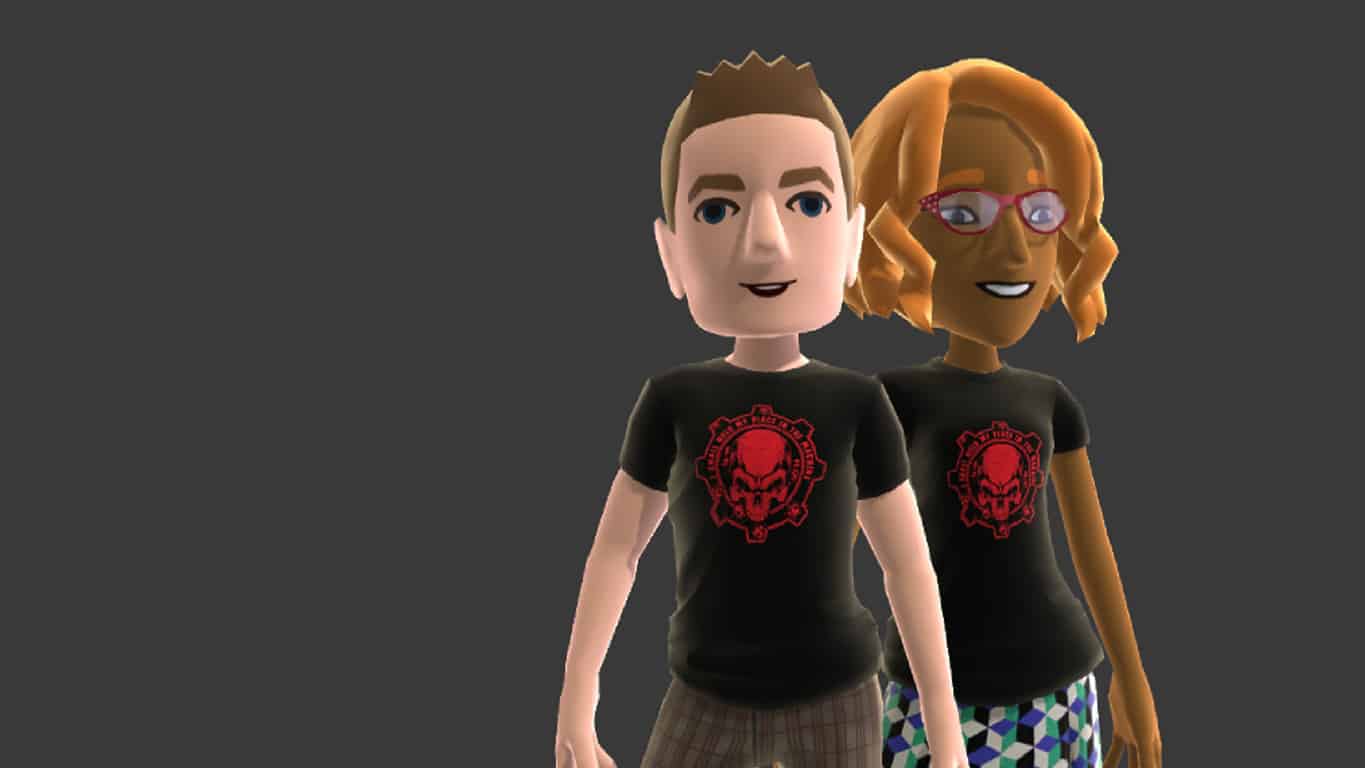
Microsoft is giving Xbox One owners a free Gears of War avatar t-shirt when they watch the first episode of the Xbox Live Daily show via the Xbox One XBL Events Player app.

During the episode, users will have to actively select an option that will appear on screen and a week later, they will receive the item as a direct message in their Xbox Live inbox.

Here’s the official information:

Gears avatar shirt offer available only by viewing Xbox Daily Live @ E3 2016 Episode One on Xbox One between Tuesday June 13th 4pm (PST) and June 15th 4pm (PST). Token sent via system message the following week to users who selected the shirt during the video. Offer available in all Xbox Live countries. Xbox Live account and broadband internet required.

The XBL Events Player is an interactive media app that Microsoft uses to stream live event footage and video on demand of previous recordings. Console owners can currently catch up on Microsoft’s E3 news by using it and links are often incorporated into the experience to encourage viewers to purchase games or visit websites for more information.
Has this free t-shirt offer enticed you to use the app or are you indifferent to customising your avatar? Let us know in the comments below.

Watch Microsoft unbox the new Xbox One S

Microsoft’s Larry Hryb made a guest appearance on the GameSlice YouTube channel today and performed an unboxing of the newly announced Xbox One S video game console.

Throughout the video, Hryb recapped a lot of information about the Xbox One S and clarified other stats that some fans may have found ambiguous during the initial reveal two days prior at the Microsoft E3 2016 conference. He confirmed that, unlike the Xbox One, the power source on the Xbox One S has been relocated to within the console itself. He also reassured viewers that the new controller that was shipping with the Xbox One S console would also be the same one used in the new Xbox Design Lab. You can watch the video below.

The Xbox One S was formally revealed at Microsoft’s E3 2016 conference. It is very similar to the original Xbox One model but is 40% smaller in physical size, requires no power brick, is slightly more powerful with 4K image capability, and makes use of High Dynamic Range technology to display graphics in more optimized fashion. In addition to one of the new controllers, the Xbox One S console also ships with a stand which allows for it to be positioned vertically, and contains a USB slot and a IR blaster on the front side.

The new Xbox One controller shipping with the Xbox One S and being sold separately from September onwards is a slight remodel of the current Xbox One controller with improved grip on the underside and Bluetooth capability which enables it to be used with a PC as well as an Xbox One console. Previously, gamers would have to purchase a special controller with Bluetooth or a wired connection to play games on the PC.

Both the Xbox One S and the new controller are now available for pre-order. Will you be upgrading to these new models or are you thinking of waiting to see what Project Scorpio looks like? Share the hype with the community in the comments below.

Bethesda to release VR versions of Fallout 4 and DOOM

Electronic Entertainment Expo, the annual video game soiree, will kick off tomorrow and will be held at the Los Angeles Convention Center. At a press conference, Bethesda has announced that two of its games, Fallout 4 and DOOM, will undergo the VR treatment with the former coming next year to the HTC Vive. The company also brought VR demos of the games to the event that participants were able to try out.

Todd Howard, director and executive producer at Bethesda Game Studios, talked about the company’s projects and announced that Fallout 4, would receive more DLCs: two more wasteland workshop addons as well as a new story DLC titled Nuka World.

Fallout Shelter will be also updated and starting July, players will explore new locations alongside teams of dwellers and they will take on quests in the game. Fallout Shelter will be also released for PC which will allow players to enhance their gaming experience. As for the VR version of Fallout 4, players should expect it to be released in 2017, but they will need a HTC Vive headset to play it.

DOOM is another game that will receive an important DLC. Unto the Evil will be packed with three new multiplayer maps named Offering, Cataclysm and Ritual, a new player-controlled demon called Harvester, a new weapon (the UAC EMG Pistol) and new equipment (the Kinetic Mine), as well as new hack modules.

Players will be able to customize their marine with additional armor sets, patterns, colors and taunts and multiplayer will also come with free additions such as Exodus (a capture the flag mode) and Sector (a hold mode). Bethesda hasn’t announced which platform the VR version of DOOM would be released on, but like the VR version of Fallout 4, it will be released in 2017.

RELATED STORIES TO CHECK OUT:

How to join the Windows Insider program

Microsoft’s expansion of its beta programs into Insider previews have arguably been a success for the company. Going from a few hundred testers to millions of real-world participants finding bugs and issuing feedback has been the bread and butter of several Microsoft experiences that have ranged from Windows to the Xbox One console.

As the teams from several divisions within Microsoft feed on the feedback lifeblood from Insider participants, the company has been tooling and retooling the ways to encourage even more participation. Beyond power users or IT professionals, Microsoft is looking to deputize any and everyone interested in working backstage to help build its services and software.

Perhaps the most highlighted, if not the poster child for Microsoft’s Insider preview programs, is Windows 10. Becoming a Windows Insider is as easy as ever these days.

Step 1. Determine your level of involvement

Before the rush to Twitter or Windows Blogs for the latest information or news about new builds and release Ring downloads, every Windows Insider should ask themselves if they are ready to become and Insider.

Being a Windows Insider on any of Microsoft’s platforms is a marathon, not a sprint. While the company has made it somewhat easier to backtrack from messy builds, most Insider programs are fraught with long waits and broken functionality. Those who participate must be ready with either a secondary machine or seemingly unlimited patience.

Step 2. Make it official

  • Visit the official Microsoft Windows Insider site. The site can be found with a simple Bing, Google (Yahoo or any other search provider) using the keywords Windows-10-Insider.
  • Once on the page, click the Get Started button to begin the process.
Windows 10 Download page

Step 3. Choose your platform

While there is only one Windows, there are still several Windows platforms Insiders can opt to be a part and choosing the Insider program through the official Windows 10 Insider site will offer participants several options.

For most consumers

  • PC
  • Phone

For developers

  • Windows SDK
  • Mobile Emulator
  • IoT Core

Hardware developers

  • Hardware Dev Kits
Several Windows Insider Previews

Step 4. Select your download method

Avoid the rush to click the big blue Upgrade Now button as participating in the Windows 10 Insider preview already gets you an upgraded copy of Windows 10 and will only delay your Insider participation as you wait through an official upgrade cycle.

There are several ways to get a copy of the Windows 10 Insider preview onto your system. For most, choosing Download Tool Now should suffice.

Warning: Make sure to read the before you begin section listed above the Download Tool Now. Hell, here it is to save you time:

Make sure you have:

An internet connection (internet service provider fees may apply).

Sufficient data storage available on a computer, USB or external drive for the download.

A blank USB or DVD (and DVD burner) with at least 4 GB of space if you want to create media. We recommend using a blank USB or blank DVD because any content on it will be deleted.

Check these things on the PC where you want to install Windows 10:

64-bit or 32-bit processor (CPU). You’ll create either the 64-bit or 32-bit version of Windows 10 that’s appropriate for your CPU. To check this on your PC, go to PC info in PC Settings or System in Control Panel, and look for System type.

System requirements. See the system requirements before installing Windows 10. We also recommend that you visit your PC manufacturer’s website for info about updated drivers and hardware compatibility.

Language in Windows. You’ll need to choose the same language when you install Windows 10. To see what language you’re currently using, go to Time and language in PC settings or Region in Control Panel.

Edition of Windows. You should also choose the same edition of Windows. To check what edition you’re currently running, go to PC info in PC Settings or System in Control Panel, and look for Windows edition. Windows 10 Enterprise isn’t available here. Please see the Volume Licensing Service Center for more information.

Microsoft Office products. If you just purchased a new device that includes Office 365, we recommend redeeming (installing) Office before upgrading to Windows 10. To redeem your copy of Office, please see Download and install Office 365 Home, Personal, or University on your PC. For more information, check How to upgrade to Windows 10 on new devices that include Office 365.

If you have Office 2010 or earlier and choose to perform a clean install of Windows 10, you will need to locate your Office product key. For tips on locating your product key, check Find your Office 2010 product key or Enter the product key for your Office 2007 program.

Step 5 Congratulate yourself

  • As mentioned before, the Windows team has tweaked and evolved the entry into the Insider preview enabling average joes to participate at the click of a button. Hitting the Download Tool now button is the last thing to do.
  • A few seconds for the tool to install on your device or (Virtual Machine – check older WinBeta post for that info) and once installed, a series of prompts walk most Insiders into the fray. There is the topic of which Insider Ring to participate in. As mentioned, Fast Ring participation indicates a speedy release of testable builds equipped with bugs, glitches, and breaking points. Slow Ring Participation is for users who want to still be ahead of the curve but would prefer a more stable experience at the expense of getting new features and fixes as quickly as the Fast Ring.
SurfaceUpdate
Windows 10 Insider update (old) update screen

Whatever your selection, you’ve already joined the seven million and counting, individuals who are helping to shape Windows 10, welcome.

Valve creates Destinations Workshop tool for VR, available on Steam

Valve, the owner of Steam, is a staunch supporter of virtual reality. This is evident with their collaboration with HTC to bring to life their Vive VR headset. Valve must realize the potential here and as such, has decided to create and a release VR world building software.

Dubbed Destinations Workshop, it is designed to help users create their own virtual reality world with several examples to help creators get started. Furthermore, it should work well with all headsets that support Open VR.

One great yet totally non-surprising move by Valve is its decision to have Destination support the Source 2 video game engine, one of the most popular game engines for amateur developers on the PC platform.

“Content creators will be able to use the Source 2 game engine, the same engine that Valve uses to create its own games and experiences, to create and share their own worlds with the VR community using the Destinations Workshop,” said Valve, writing on Steam.

“A few example scenes made via photogrammetry will be available at launch. The application supports motion controllers as well as x-input to teleport within each world on both the HTC Vive and the Oculus Rift.”

The toolkit in its current form is not yet complete. For now, it is in beta but will be available via Early Access on Steam soon. One user said he found several references to Half-Life Life 3, though whether or not that means Valve will announce the game soon is still left to be seen.

For the first time in decades, it appears as if commercial VR is about to takeoff in a big way. Microsoft is rumored to reveal the Xbox Scorpio, a new gaming system with Oculus Rift VR support, while MSI is championing an awesome looking backpack computer to allow for mobile VR experiences.

RELATED STORIES YOU NEED TO CHECK OUT:

Power BI app receives Notification Center

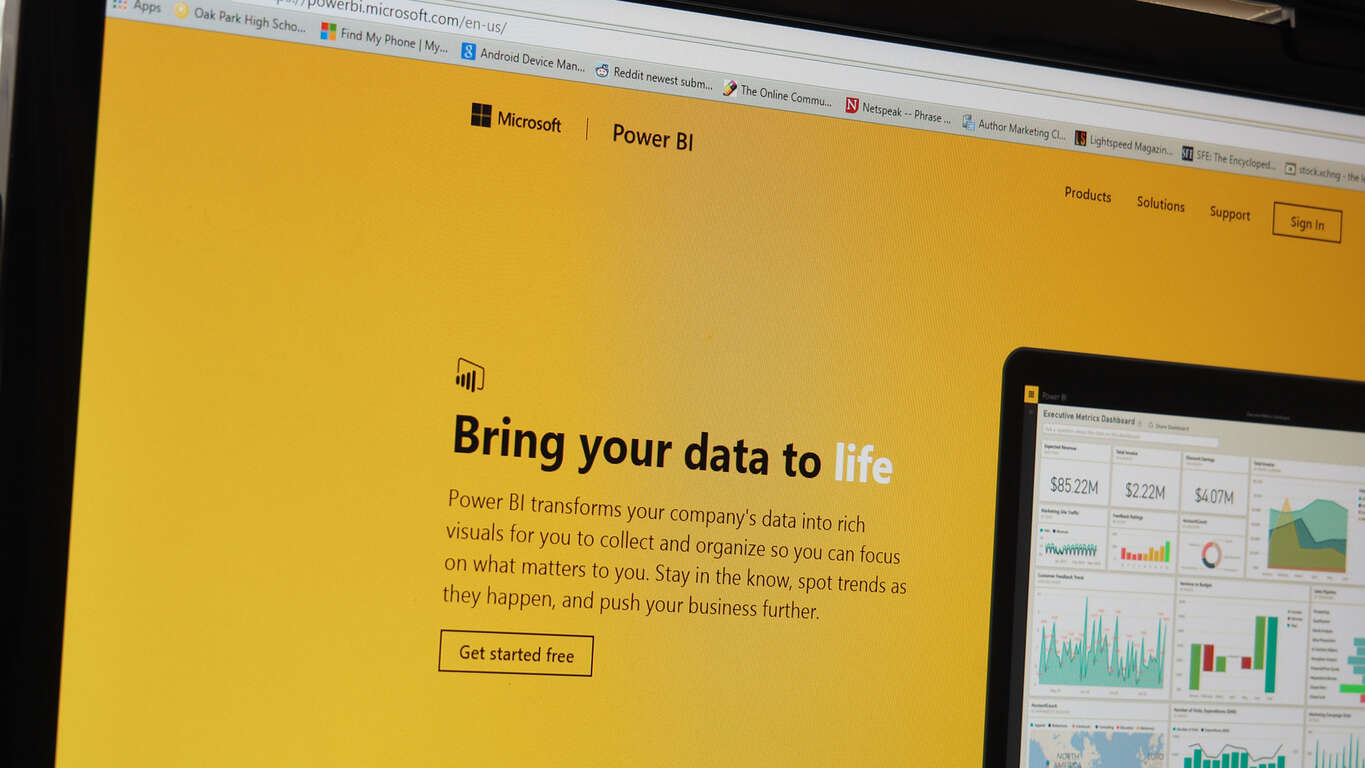
Power BI, Microsoft’s data visualization software, has been receiving plenty of support in the past couple of months. The latest update brings up some good quality of life changes to users of the Power BI app, primarily the addition of a full notifications page. The notification center does precisely what you expect it to do – it shows off the things that you need to know, and it does that at a glance. With the addition of the notification center, users can check out everything that’s going on in their Power BI experience – and not miss a thing.

power bi
Power BI Notification Center.

On top of the notification center addition, the blog post making the announcement also told us what’s coming up next for Power BI. They told us that data-driven alerts are on their way, and more “product level notifications” on the way soon. These include new feature announcements, special offers, and Power BI-related activities.

Office 365 Deferred Channel updates for June available now

For businesses that prefer more time to integrate, train, and support new builds, Microsoft Office releases updates on its Deferred Channel. New features only come to the Deferred Channel three times  a year: February, June, and October. This month, Office 365 accumulated a long list of features and security updates. For a full list of the new features, visit Office 365 client update channel releases.

More interesting to note, administrators and developers will notice that the Deferred Channel version numbers will be syncing easier with Windows 10’s. The year and month numerals will determine the version number with a build number afterward to distinguish it. For example, May 2016 would be called version 1605.

The May 2016 Office 365 build will be made available on the Deferred Channel in October, and so make sure to begin testing as soon as possible.

Skype helps interior design firm go completely virtual

The ability to travel while maintaining an online business is extremely rewarding. Especially for Allison Harlow of CURIO Design Studio. For Allison, not only does Skype allow her personal time to communicate with her friends and family, but it is the base that her business is built on.

CURIO Design Studio is an interior design created by Harlow after she and her husband moved to Norway. Picking up and going was easy, but maintaining a lifestyle wasn’t. With Skype, she was able to take on her clients and consult with them no matter where she was.

With a look at the space through video calls, discussion with her clients, and a fact sheet on hand of measurements and styles, Allison is able to conduct her interior design almost the same as she would do so at home–perhaps even better given the nearly limitless reach of online clientele. She boasts,

As long as I have my laptop I can work. I have worked from the United States, Canada, Germany, Kazakhstan, Japan, Norway, Denmark, Poland… the list goes on.

Learn more about Allison Harlow and check out CURIO Design Studio, just another example of moving forward towards a more accessible business design.

Windows 10 Internet Explorer 11 enhancements making their way to Windows 7 and 8.1

On November 23, Microsoft announced that they were going to be releasing a lot of improvements to build up the Enterprise Mode tools for Internet Explorer 11. Today Microsoft is releasing a cumulative update for Windows 7, Windows 8.1, and Windows 10 (version 1507) to bring these tools to a wider audience.

With the Enterprise Mode XML Schema and Enterprise Mode Site List Manager tool, Internet Explorer 11 site administrators were able to import and manage their lists easier. Furthermore, the tools have been tweaked here and there to improve performance and use. For example, the v.2 XML schema is easier to read and manage than the previous version.

Also available today, the about:compat page on Microsoft Edge and Internet Explorer 11 is made available on the same Windows versions.The about:compat page is what helps businesses manage the Enterprise Mode Site List by showing the capability features that are currently applied to the site on the client machine.

As the team moves forward to update the Enterprise tools in Windows, all site lists will be using the v.2 XML schema. This means that developers will need to take the opportunity to convert their lists via the Enterprise Mode Site List Manager tool once the v.2 XML scheme is available on all devices.


Windows Store for Insiders regains screenshots and share functionality with new update

The removal of screenshots and the ability to share links to apps from within the Windows Store has been a rather quiet omission from the Windows team over the past couple of build releases.

Perhaps, Insiders have accepted the often break-repair cycle of build releases and chalked up the omissions as “soon to be fixed,” or maybe some users simply didn’t notice, but over the past few weeks there has seemed to be little outcry for removal. Whatever the explanation for the removal of screenshots and sharing features from the Windows Store, it has now become old news, the Windows team is re-implementing the features in a new Store app update.

Rolling out to Windows Insiders on both Mobile and PC devices is a new build, 11606.1000.43, that brings back both screen shot and sharing functionality to the Windows Store.

With a little over a month until the Windows Anniversary Update release, Dona, and her Windows team appear to be taking as much time to iron out the little details, as much as they are implementing larger more operating system-wide features.

The update seems to be for Windows Insiders on the Fast Ring, particularly, build 14361 on PC and mobile.

Microsoft Store
Microsoft Store
Price:
Free