Microsoft Surface team issues a slew of Surface Hub demo videos

It’s now been more than two months since Microsoft started shipping the Surface Hub team collaboration device, and the interactive whiteboard has already received some live exposure by a local Seattle TV network who relies on it for data visualization. But if you don’t know yet how the enterprise-focused collaboration device can help companies increase group productivity, Microsoft has just posted five new videos on the Surface YouTube channel to showcase different Surface Hub use cases (via MSPoweruser).

The first video is a demo of the Surface Hub Whiteboard, which allows coworkers to write ideas, use pan and zoom gestures and share their work with others.

In the second video is a Power BI demo, a tool that makes it possible to transform a company’s data into rich visuals that employees can collect and organize for “data-driven storytelling.” And it’s still possible to annotate charts, just like you can in the above Whiteboard app.

The next video is about Skype for Business: with its array microphones and dual cameras, the Surface Hub is Skype or Business certified and allow teams to easily use the messaging and video conferencing capabilities while simultaneously creating content on the giant touchscreen.

In the following video, Microsoft is showing a demo of MURAL, a (paid) app designed to help creative teams sort ideas spatially, collaborate in real time, and “become better design thinkers.”

The last video is about JT2Go for Windows 10, another paid app developed by Siemens PLM Software that allows designers to work on 3D JT files. Microsoft adds that “users will experience an intuitive interface for navigating assembly structures found in engineering or architectural models stored as 3D JT.”

All these videos makes it clear that the Surface Hub is very versatile device and seeing touch-optimized apps being used on such a big screen is quite amazing. As a reminder, the Surface Hub runs an optimized version of Windows 10 and in addition to the built-in apps such as Office, OneNote and Skype for Business, customers can also download third-party apps from the Windows 10 store as well as connect apps from their personal devices. Let us know in the comments what do you think of these different use cases.

Watch_Dogs 2’s Xbox One pre-orders live, special versions revealed

The recently announced sequel to Watch_Dogs, Watch_Dogs 2 has just been made available to pre-order and pre-download on Microsoft’s Xbox One video game console and a host of pre-order bundles have also been revealed in the process.

Those who pre-order the regular version of the game will receive the Zodiac Killer Mission downloadable content (DLC) which gives the player an additional story to play and unlocks an exclusive outfit once completed.

The Watch_Dogs 2 Deluxe Edition contains the regular game and the Zodiac Killer Mission DLC as well as two Deluxe Customization Packs which can be used to change certain visuals in-game. The Watch_Dogs 2 Gold Edition comes with the full game, Zodiac Killer Mission, Deluxe Customization Pack 1 & 2, and the season pass for all future DLC that’s expected to launch after the release date.

Here’s the official game description for Watch_Dogs 2: Play as Marcus Holloway, a brilliant young hacker living in the birthplace of the tech revolution, the San Francisco Bay Area.

Team up with Dedsec, a notorious group of hackers, to execute the biggest hack in history; take down ctOS 2.0, an invasive operating system being used by criminal masterminds to monitor and manipulate citizens on a massive scale.

Pre-order Watch_Dogs 2 / Deluxe Edition / Gold Edition

Watch_Dogs 2 is due for release on November 15 2016 worldwide and is already garnering a lot of buzz on social media. The game was first leaked via early promotional teasers on the Twitch streaming service and was then properly announced a day later via an online official announcement presentation from Ubisoft across several channels and a variety of trailers showing off the game’s new location, main protagonist, and style.

Are you excited for Watch_Dogs 2 or will you wait until it’s released to decide how you feel? Let us know your thoughts in the comments below.

Dead Rising 4 leaked gameplay and promotional material confirm sequel

Dead Rising 3 could finally have a sequel, three years after its official release. Dead Rising 4 will most likely feature the same background as its predecessor and will improve the original game with cooperative multiplayer and other interesting online features.

The game’s developer has yet to confirm its intention of creating a sequel for this popular zombie-killing game, but recently leaked gameplay images and promotional material suggest that Dead Rising 4 is in the works. The source of these materials also suggests that the sequel will actually be a remake starring Frank West, the original protagonist of the series.

The same source also goes as far as implying that Dead Rising 4 will actually be announced at E3 and claims that the game will be available only on the Xbox One and Windows 10.  It appears that Microsoft is funding the sequel, therefore the company wants to make sure as many users as possible have access to the game.

As far as the game action is concerned, rumors also suggest that players can team up in units of four, working together to smash as many zombie heads as possible.

If you’re into this kind of games,  check out Judge Dredd vs. Zombies, a free mobile shooter with very intense gameplay. After a few levels, you will have hordes of zombies coming at you from every direction. This aspect is more visible in the Arena gameplay where you have a great number of zombies and not much time to kill them all.

If you want to take fear to the next level, we suggest you try Agony, a horror game that will be released this year. You’ll play the role of an amnesiac spirit who tries to escape from Hell. While you have no memory about your past besides your fall to Hell, what you know for sure is that you don’t want to be in that horrific place. Of course, you’ll have to kill many demons to get out.

RELATED STORIES YOU NEED TO CHECK OUT:

Injustice: Gods Among Us sequel leaked by promotional poster

Injustice: Gods Among Us could soon bear a sequel, dubbed Injustice: Gods Among Us 2. This idea is backed by a recently leaked poster depicting Batman and The Flash battling, with a tagline reading “Every battle defines you.”

According to this rumor, a letter sent to Gamestop managers informs them that the poster is free with pre-orders. To make things even more confusing, Ed Boon, the head of NetherRealm Studios and creator of the original Injustice, changed his Twitter profile picture with a picture that could be interpreted as a “II”. As users quickly rushed to use this as proof confirming the upcoming Injustice sequel, Boon immediately tempered their excitement suggesting the new picture could also be interpreted as a 11.

ed boon injustice gods among us tweet

Could it be possible that the game developer is preparing to announce both games?

Soon after, Boon posted an invitation list for a party, striking out Gamestop. A Twitter user suggested he should also leave out Polygon since they first reported the news. Boon simply replied: “My tweet was in fun! No hate here! :)”, delivering another piece of confusing messaging.

Injustice: Gods Among Us 2 is likely to be released for the Xbox One since no information is available about which platforms the game is coming to. Taking into account the importance of Microsoft’s console and the number of its users, game developers wouldn’t leave the Xbox out.

Although we always recommend taking rumors with a grain of salt, we cannot help but notice Boon’s deliberately confusing tweets, all of which seem to subtlety confirm the rumor.

Sherlock Holmes: The Devil’s Daughter delayed to summer of 2016

Hoping to grab the latest Sherlock Holmes video game for your Xbox One? You’ll have to wait a while longer because the developers decided to push back the title to a later date.

The game, titled Sherlock Holmes: The Devil’s Daughter, was originally set to release on June 10 on the Xbox One and Windows PC. However, it will now see a release in the summer for reasons unknown to us. The developers did not give a reason for the decision to delay the game, but it could either be a good thing or a bad thing.

The following is what the developer had to say about the new trailer:

In this new video the famous detective’s daily life is quickly shaken by events: wracked by doubt over her past, Sherlock’s young daughter seems to be growing more and more distant, while apparently unrelated investigations come one after the other. A vast plot would seem to be taking shape… Can one suspect not hide another, after all?

This isn’t the first Sherlock Holmes video game to hit the Xbox One. The previous is called Sherlock Holmes: Crimes & Punishments. We’ve played it after it was made available as a free game under the Games with Gold earlier in the year.

We should point out that Crimes & Punishments was done by a different developer, while The Devil’s Daughter is being developed by Bigben Interactive.

As for Crimes and Punishments, it was a fun game to play. It’s a point and click type of game so best played on a PC. However, it didn’t feel too bad when played on the Xbox One from our point of view.

It should be noted that Sherlock Holmes in Crimes and Punishments is older, while in The Devil’s Daughter, he’s much younger.

Outside of this new game, several interested things are coming to the Xbox One. For example, the Facebook Friendfinder option found in the Xbox App for Windows 10 is coming to the console. Furthermore, a game known only as Kick and Fennick is available right now for 30% off.

RELATED STORIES YOU NEED TO CHECK OUT:

Watch Dogs 2 release date leaked online, watch the announcement here

Ubisoft has officially confirmed the highly anticipated sequel to Watch Dogs, Watch Dogs 2, will make its debut at this year’s E3 conference. Additionally, sources have managed to discover its release date: November  15. One NeoGAF user noticed the release date on the Watch Dogs 2 ad that originally appeared on IGN. The aforementioned ad actually shows the release date of the game even though Ubisoft had yet to confirm anything.

The ad also revealed to us that Watch Dogs 2 will be set in San Francisco and that it will feature a new character, most probably a new protagonist.

Watch the Watch Dogs 2 announcement live

Ubisoft revealed that it would officially announce Watch Dogs 2 today at 9 AM Pacific Time. In anticipation, the company released a short teaser as well as a special website that counts down until the official announcement of the game.

If you want to watch the announcement of Watch Dogs 2 live, make sure to go to this link.

You can check out the official teaser video below:

Although Ubisoft hasn’t confirmed on which consoles Watch Dogs 2 will be released, we think it’s safe to say that the game will come on Xbox One, PlayStation 4, and of course, PC. Once again, we should have much more information about the game after tonight’s announcement from Ubisoft.

What do you expect from the upcoming Watch Dogs sequel? Will Ubisoft solve all the performance issues and bugs that bothered players of the original title? Tell us in the comments below!

RELATED STORIES YOU NEED TO CHECK OUT:

Twitter Windows 10 app gets poll support in latest update

Twitter users were excited today for the new app update that not only some UI design updates but a few highly anticipated features.

Finally, the Windows 10 app is catching up to the website with the additions of the beloved polls. This feature was originally added on their site over half a year ago, and now its release on the Twitter app has the social media buzzing. Polls can be created with a minimum timeout limit of 5 minutes to a length of 7 days.

Another addition that might seem small but has a big effect on the Twitter app is the ability to disable video autoplay when viewing a Twitter. Now users will no longer have to be spammed with media as they scroll down to read the latest news in their timeline.

Big surprises come in small packages for Twitter, and the update to 5.1.1.0 is definitely one worth downloading.

Microsoft partners with The Nature Conservancy to help preserve the oceans

As part of the Upgrade Your World campaign, Windows posted another blog post today spotlighting another nonprofit organization. Today, Microsoft shared that it was partnering with The Nature Conservancy, an organization that studies oceans and analyzes data about the value that they have in our lives.

Through the Mapping Ocean Wealth project, The Nature Conservancy studies underwater habitats and marine ecosystems that benefit people globally. According to Jennifer Greene, Strategy Lead for Integrated Ocean and Coastal Management for North America Ocean and Coasts, the initiative with Windows “helps make the invisible, visible.”

The ocean has a vast amount of information that is primed for research. As one of the most substantial influences on global livelihood, the title ‘Mapping Ocean Wealth’ pertains to fully understanding how much value humans receive from the ocean. Some of the larger values include:

  • Covering 70% of our planet and supporting 100% of life on Earth
  • Contributing 50-85% of the oxygen in the atmosphere
  • Providing 17% of the global population’s protein
  • Supporting a $190 billion global seafood industry

The Mapping Ocean Wealth has now set up over forty sites along the coast of different continents, including the Caribbean, Mexico, Micronesia, and Australia. United States East Coast scientists have settled down in Nahant, MA where the Marine Coast Fisherman’s Association has also teamed up with The Nature Conservancy. In an area that is primarily supported by the aquatic population, the initiative has begun collecting data from using camera systems to count how many fish they caught and studying the quality of ocean habitat in their fishing area.

Window’s blog post shares that they are proud to support The Nature Conservancy with a total of $500,000 in cash investment and technological donations. This is the last organization for Microsoft to visit for the Upgrade Your World campaign which started last July as a year-long initiative. Through the campaign, we’ve seen charitable donations and interests such as providing health-related devices for the Special Olympics.

While it’s a shame to know this is the finale of the campaign, Microsoft still has a lot to celebrate for their good deeds. If you are interested in learning more about The Nature Conservancy and/or supporting their cause, visit their official website.

New video tells you everything you wanted to know about the Xbox Dev Kit Mode

Back at Build 2016, Microsoft first announced the fact that a new Dev Kit Mode on the Xbox One would make it easier for an individual to transform their Xbox One console into a functional dev kit. Now, a little over two months later, a new video uploaded to Microsoft’s Channel 9 Blog is showing off everything you wanted to know about the Xbox Dev Kit Mode. Since the video is quite long, we’ve given the video a look and have broken the segments for you below.

Seen above, the video shows off what you need to get started to turn your Xbox system into a Dev Kit, and a demo of the Kit running. The video begins with Gersh Payzer, Senior Engineer at Xbox, explaining that the Dev Kit Mode lets a consumer take the console they love and adore, and turn it around to use it to become a creator. Gersh then goes on to note that being a part of the Windows Insider Program, having Visual Studio 2015 Update 2 and Windows 10 SDK Preview Build installed, a Dev Center account, 30 GB of free space on the Xbox One, and a game engine of choice are all prerequisites to begin using the Dev Kit Mode.

Screen Shot 2016-06-08 at 9.15.13 AM
Installing the Dev Mode Activation App

Later in the video, Mehmet Erikilic, a Program Manager at Xbox, joins Gersh to show off how to transition a regular Xbox One into the Dev Kit Mode. He mentions that the program is still in preview, and notes that installation steps involve searching the Xbox Store for Dev Mode Activation, installing the app, using an activation code on the online Dev Center, and installing a system update.

Then, after the system update, Mehmet comes back to detail that you need to head back into the Dev Mode Activation app, and hit “switch and restart” to boot the console back into dev mode.  The process may take some time, and he notes that “some magic in the background” is done for making sure that your system is ready for Dev Mode.

Using Visual Studio to deploy an game to the Xbox One
Using Visual Studio to deploy a game to the Xbox One

Next up, Gersh returns and details how to deploy the first app to the Xbox One. Mehmet launches Visual Studio and rights clicks on the solution and goes to properties. While Mehmet goes to the debug tab, Gersh notes that Visual Studio defaults to debug, and this is a reason why the game is slower when deployed to Xbox. Gersh recommends to choose release instead and to choose x64 because the game will be faster for a better experience. Gersh also notes that you can choose “local machine” and plug a controller into your PC to test your game. Selecting “remote machine,” though, is the way to deploy on Xbox.

A look at what Dev Home looks like

To continue on, Gersh clicks on and launches the Dev Home area of the Xbox One Dashboard. He details the purposes of each section of Dev Home and then goes back to Mehmet who is still in Visual Studio. Mehmet then enters the IP address of the console in order to deploy the app to the Xbox One.

For a brief moment, the video then goes to a demonstration of how to use a pin to pair with Visual Studio. After this, the app created in Visual Studio then starts to deploy over the network, and Gersh notes that you can also plug a controller into the PC, and then into the Xbox for the same game or app testing experience.

Leaving Dev Kit mode

After their app launches, Gersh demonstrates how to exit developer mode. He notes that it is as simple as leaving the current app and going to Dev Home, clicking “console settings,” and then “leave developer mode.” As he does so, Gersh also highlights the fact that all original games and apps were still on the Xbox, as the Dev Mode and Consumer Mode are two different modes which are separate from each other.

Screen Shot 2016-06-08 at 10.06.41 AM
Gersh Payzer with Katie Stone Perez

The video ends with Gersh Payzer speaking to Katie Stone Perez, the Senior Program Manager for ID@Xbox. Gersh goes into detail how exciting the developers are for the Xbox Dev Kit Mode. More importantly, he mentions that Xbox Dev Kit Mode will be shipping out of preview mode this Summer in 2016. He also notes that between now and the official release, there will be an update which will add features, fix bugs, and improve the experience based on feedback from the community.

Modern document libraries rolling out in SharePoint for all commercial Office 365 users

Last month, Microsoft introduced their vision for the future of SharePoint, the flexible web application platform which enables companies and individuals to communicate privately, share data and manage workflows. To better compete with its rivals, Microsoft revamped its offering with new SharePoint mobile apps, a redesigned SharePoint homepage, modern team sites, and integration with PowerApps and the newly announced Microsoft Flow.

At the time, the company also shared that the modern document library experience which already rolled out to First Release tenants would later be available for all Office 365 commercial customers this quarter. Yesterday, the SharePoint team explained in blog post that this global roll-out has now begun and we will dive into the details below.

Microsoft has designed the modern document library experience to be “faster, more intuitive and responsive” while also keeping it authentically SharePoint:

While we enhanced the document libraries to make them as intuitive and productive as possible, we know that the power of SharePoint has always been in your ability to customize document libraries to work for your team. At the same time, there’s a rich tradition of using content types, check-in/check-out, versioning, records management and workflows in SharePoint. Modern document libraries inherit all of these.

The modern document library experience in SharePoint.

The updated user interface offers an experience similar to the OneDrive web app, and the ribbon has been replaced with a trim command bar that makes it easier to copy and move files. It’s also now possible to import files from other libraries as links, without having to duplicate files between multiple sites.

Create a link in modern document libraries.

The new document libraries also allow SharePoint users to edit metadata directly from the main view in the information panel. Furthermore, the Office Online integration also makes it possible to navigate a full document preview at the top of the information panel. Lastly, modern libraries belonging to Office 365 groups will display a new header control at the top of the page with a link to the group’s conversation, making it easy for users to navigate to calendar and member management.

The document information panel.
The document information panel also display a Share button.

For IT teams that are not ready to adopt the new SharePoint user interface yet, the SharePoint team will keep you in control of the experience and the classic mode will continue to be available:

When we bring modern document libraries into production later in June, it will become the new default for all libraries in most cases. However, we will add the tenant and administrative controls in advance of the actual library rollout, so if you choose to opt out, you can do so before users start seeing the new experience. We also included customization detection, so if we see certain features and customizations that don’t work in the modern experience, we automatically drop back to classic mode. And we’ll keep classic mode running well into 2017 while users and developers adapt and adopt the new capabilities.

We invite you to get more details on the full blog post, and you can also learn more about how to use modern libraries in this support article. Let us know what you think about SharePoint modern document libraries in the comments below.


Microsoft Accelerator forges partnership with Singapore investment firm Temasek

Microsoft has just announced a global partnership with the Singapore investment firm, Temasek. The company owns a large portfolio of companies around the world and Microsoft has already revealed plans to use six of them, Ascendas, InnoVen Capital, Quann, ST Engineering, CapitaLand Limited, and Fullerton Financial, to assist in the development of startups in Berlin, Seattle, Tel Aviv, and Bangalore.

“This strategic partnership gives the startups the ability to leverage subject matter experts, mentors, pilot programs, joint go-to-market initiatives and marketing support from Temasek and its portfolio companies,” says Microsoft Accelerator’s general manager, Scott Coleman. “In return, Temasek and its portfolio companies’ strong interest in innovation, disruption, and global investment will be served via connections with startups currently in the program, as well as through our highly successful alumni that our 4-year program has accelerated to date.”

82% of startups that have gone through said programs have apparently raised funding thanks to being involved in them and 454 alumni have successfully raised $1.8B over four years.

“As an investor, it is imperative that we keep abreast of emerging technology trends,” said Ong Beng Teck, managing director of the enterprise development group at Temasek. “We are pleased to partner with Microsoft for their accelerator programme as it is widely considered to be one of the strongest globally, attracting the best startups across various fields. It offers partnering opportunities between promising startups and our portfolio companies to provide innovative solutions to operating pain points and enhance customer experience. For the startups, this provides them with the opportunity to work with established companies to pilot and validate their products and technologies. This is a win-win partnership.”

A special video has been released which showcases the full effect the partnership will have with different companies around the globe. You can watch it above.

Does this partnership surprise you? What would you like to see the two companies do together? Let us know in the comments below.

Microsoft launches Microsoft Surface Membership payment plans for businesses

Microsoft has just launched a series of new payment plans to encourage businesses to incorporate their Surface line of devices into their day-to-day operations. The plans appear to be open to both large companies and individual business owners however approval for each plan will come down to the financial agency, LiftForward.

Here’s the official spiel: Join now to get the latest Surface devices, including the option to upgrade when available. Keep your business running smoothly in the office or out in the field with support and in-store training, 7 days per week. Plus, manage your budget more easily by choosing affordable monthly payments over costly, one-time purchases.
Surface Membership includes one-on-one personal training that helps you reach new business heights, plus member discounts and in-store and phone support any day of the week. Also includes the Microsoft Complete for Business Extended Service Plan with Accident Damage Protection.

The plans start at $32.99 a month and increase depending on the device wanted. The site currently lists the Surface 3, Surface Pro 4, and the Surface Book as available options and plans can be paid off over an 18, 24, or 30 month period. The plans also include the option for free hardware upgrades if and when new Surface devices are released.

While the plan, like most payment plans like this, is more expensive than buying a device outright, there is the added benefit of in-store and “out in the field” training from Microsoft seven days a week. It’s unclear exactly how extensive or available the “out in the field” training would be.

Members are also promised in-store discounts on other products at Microsoft Stores and a full Microsoft Complete for Business Extended Service Plan with Accident Damage Protection with each plan.

Are you interested in a plan such as this or would you rather pay the full price of a Surface up front? Let us know in the comments below.

Dual-SIM Settings App released for Windows 10 Mobile

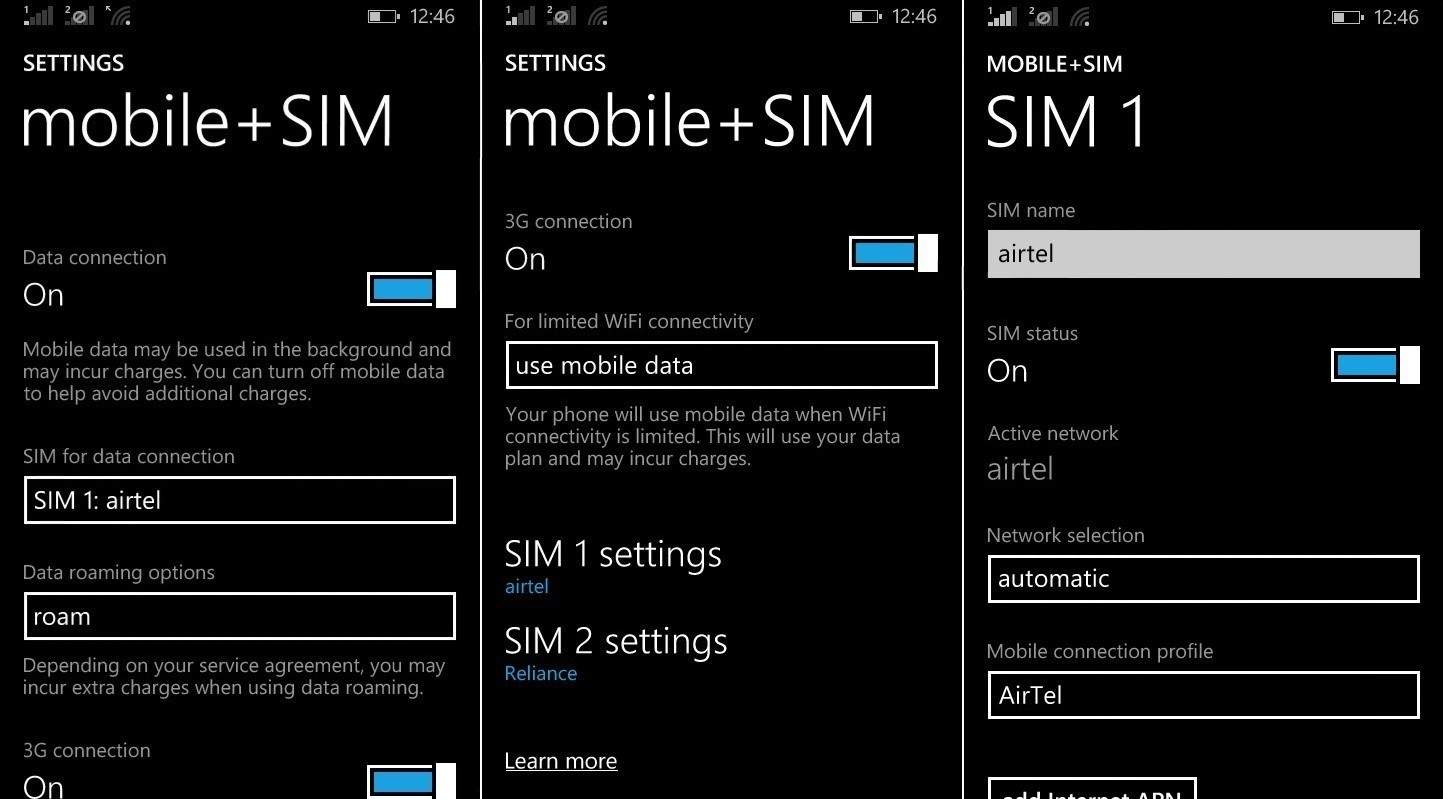
Owners of dual-SIM Windows Phones are the recipients of a new application called Smart Dual SIM, available now on the Windows Store. There aren’t many known details about this application besides knowing that Microsoft Lumia owners can use it to personalize the experience of their phone by applying call divert settings.

Some of the Microsoft Lumia smartphones with support for dual-SIMs are 950, 950 XL, 430, 640 XL, 532, 540, 435, and the 535. Owners who want to install the new application will need to look for it on the Windows Store because it’s not listed there without a direct link, and the only description about it reads “Internal use only” while everything else is blank.

Obviously, this application doesn’t work on a single SIM card Lumia, and it’s not certain what it does for devices with support for two SIM cards. If it’s installed on a Windows 10 Mobile device, users must activate it by going to Settings and scrolling down to Extras where they will select Smart Dual-SIM on the list. This option can be also found by searching for it in the Settings and for now, the only thing we can tell you for sure is that Microsoft is rolling out the Lumia Sensorcore SDK onto Windows 10 APIs.

And since we’ve told you that this application has been released for Windows 10 Mobile, let’s see what the latest Windows 10 Mobile Insider Preview Build 14356 brings. Insiders from the Fast ring are now able to sync phone notifications with their Windows 10 PC, which means that they will receive notifications from their Windows 10 Mobile devices on their computers running on Windows 10. According to Microsoft, the list of notifications includes phone notifications and critical alerts, such as messages from messaging services, SMS or social media along with missed calls.

RELATED STORIES TO CHECK OUT:

How the Xbox ‘Scorpio’ could dominate VR on console with Oculus Rift

We’ve been hearing a lot about Microsoft’s plan to launch a whole new Xbox gaming system dubbed the Scorpio at E3 2016. It is expected to be 4-times times the power of the Xbox One due to the rumored 6teraflops hardware specifications. However, what truly got us thinking is the possible connection to the Oculus Rift.

For those who are unaware, the Oculus Rift is the most talked about VR device available on the market right now. In many ways, this is the device that brought interest back to a market that was almost non-existent. Now we have several competitors in the space, and these includes the likes of the HTC Vive and PlayStation VR.

Microsoft for all its worth, doesn’t have a working VR device that is ready for release any time soon. The company is busy in its attempts to get its AR device, HoloLens, up and running in hopes to give consumers and business operators a whole new experience.

We expect this device to also support the Xbox platform, but from all indication, this won’t be happening any time soon. This means, Microsoft will have to find a way to get itself in the VR space, and the Oculus Rift is definitely the right fix.

In the past, Microsoft announced a working partnership with Oculus VR where the Xbox One is concerned. We believe this partnership will include the new Xbox due to recent alleged leaked information. If this is true, then the new Xbox could become the most important and best console for VR.

Already, there are nearly 100 video games available for the Oculus Rift, and by 2017, we expect that number to skyrocket. Whenever the new Xbox hit the market, developers who have already created games for the Oculus Rift, will likely be interested in porting their games to this new platform.

Chances are, several video game developers will port their content to the new Xbox. Seeing as the games are already Oculus Rift playable on Windows PC, porting shouldn’t be much of a hassle.

At the end of the day, the new Xbox will launch with hundreds of Oculus Rift VR games on the market, and as such, it would then be up to Microsoft and the Oculus team to get these developers to port their games to the new system. That shouldn’t be a problem at all.

For this to work out, the new Xbox would have to be priced competitively with the rumored PlayStation Neo. Microsoft cannot make the same mistake it did with the Xbox One.

Interested in owning the Oculus Rift? It can be had right now from the Microsoft Store.

RELATED STORIES YOU NEED TO CHECK OUT:

Microsoft Research studies how to use web search data to diagnose serious illness

Pancreatic Adenocarcinoma, or Pancreatic Cancer as it’s commonly known, is the fourth leading cause of cancerous death in the United States. As with most illnesses, the most successful way to fight against it is through early intervention. Unfortunately, many do not even realize they are sick until it’s too late. That is why a small team from Microsoft Research has been researching into crowdsourcing information for medical research and early detection.

Eric Horvitz, Ryen White, and Microsoft intent John Paparrizos from Columbia University have been looking into using search engines to increase early detection for users. Similar to the story of Yom-Tov collecting data about flu cases and vaccines that we covered a few months ago, this Microsoft Research team has used a collection of anonymized data from Bing searches to identify symptoms of pancreatic cancer.

The cancer is easy to miss through a list of very subtle signs:

  • Itchy Skin
  • Weight Loss
  • Light-Colored Stools
  • Patterns of Back Pain
  • Yellowing of Eyes and Skin

By following the list of symptoms closely, the team are able to find individuals that are asking questions or looking up symptoms. Tracing through the anonymous user’s prior searches makes it easier to understand more about the illness and to identify connections.

The results can be striking:

“We find that signals about patterns of queries in search logs can predict the future appearance of queries that are highly suggestive of a diagnosis of pancreatic adenocarcinoma,” – the medical term for pancreatic cancer, the authors wrote. “We show specifically that we can identify 5 to 15 percent of cases while preserving extremely low false positive rates” of as low as 1 in 100,000.

While Microsoft Research doesn’t have plans to move forward in developing products linked to the study, the team feels confident in their ability to make a change anyways. Horvitz particularly feels committed to the effort, given that he lost both a childhood friend and a close colleague to the pancreatic cancer. “People are being diagnosed too late,” he said. “We believe that these results frame a new approach to pre-screening or screening, but there’s work to do to go from the feasibility study to real-world fielding.”

“People are being diagnosed too late,” (Horvitz) said. “We believe that these results frame a new approach to pre-screening or screening, but there’s work to do to go from the feasibility study to real-world fielding.”

The three men sincerely hope that the medical community will work with this study and present it in a way that can significantly improve early detection to not just pancreatic cancer, but many illnesses going forward. The feasibility study publication can be read at the Journal of Oncology Practice.

Windows 10 Anniversary Edition will make running apps in the background easier for developers

As much as you might love an app, you can’t have it running front and center all of the time. When you have to toss an app into the background to work on something else, it’s important that the code behind it is ready to shut down or otherwise inhibit key processes in order to cut down on memory usage.

The Windows 10 Anniversary Update is going to be adding a new option that’s going to make running apps in the background a lot easier, according to a recent Windows blog post. The addition of new background triggers (which take the form of the EnteredBackground and LeavingBackground events) is going to make a world of difference for developers trying to better optimize the memory usage of apps, and the differences will be noticed by users who have lower end computers, or just need to run a whole lot of programs at once.

Here’s the gist:

Interested in running your application in the background? A new developer option available in the Windows 10 Anniversary Update just made background activity a whole lot easier. Your feedback was clear on the multiple process model: while doing background work in a separate process was more resilient, it required significantly more code to implement. From this feedback we are able to provide a new option, a simplified method for enabling background activity without creating a background task. Now developers have the choice of running code in the background as either a separate process or directly inside the foreground application. We’ll cover the basics for all the tools which utilize the single process model:

  • Background Triggers
  • App Services
  • Background media playback using Activity Sponsored Execution.
  • Extended Execution

The blog post provides a great deal of detail on how to implement the new background triggers, including code snippets and unsupported scenarios. If you’re a developer, check out the new capabilities coming in Windows 10 Anniversary Update and let us know in the comments how this will help you write better-performing apps.

Visual Studio 2015 Update 3 gets release candidate, focus on stability and performance

If you’re a Windows developer, then you’re likely quite familiar with Visual Studio 2015 and anxiously await every update. The most recent update in the pipeline is Update 3, and Microsoft is today releasing a release candidate aimed at making Visual Studio 2015 more stable and better performing. Some new feature updates have been tossed in as well.

The Microsoft Server & Tools blog posted some information on the update today, and here are the highlights.

Tools for Apache Cordova. This update includes TACO Update 9 and TACO Update 10, which adds plugins for Intune, Azure engagement, security, and SQLite storage, as well as the ability to add plugins from the config designer either by npm package name or ID. It also includes support for Cordova 6.1.1.

Application Insights and HockeyApp. Developer Analytics Tools v7.0.1 (formerly called Application Insights) adds has diagnostics tools events for ASP.NET 5 RC1 and ASP.NET Core RC2 projects. We also improved the search experience: search automatically refreshes if you change search criteria such as filters, date ranges, and selected events, and you can go to code from requests in search and also “find telemetry for this…” in the Search menu. For further details, check out the release notes in Microsoft Azure Documentation.

Debugging and Diagnostics. Update 3 RC includes Diagnostics Tool support for applications running on Windows OneCore devices, including HoloLens and Windows IoT. You will now get better performance and reliability in C++ Edit and Continue when FASTLINK is enabled. And we improved XAML UI Debugging so the new Track Focus feature in the Live Visual Tree will cause any selection changes in the Visual Tree to update the currently focused element.

Visual Studio IDE. This update addresses a lot of feedback regarding problems with subscriptions through an online identity or key used to unlock the IDE. You no longer need to login to my.visualstudio.com to activate your subscription. We have also improved error handling and all user account and licensing operations are now secured with HTTPS. Additionally, we have made accessibility improvements in the Account Settings dialog for activating a subscription and entering a product key.

C#/VB/Roslyn. In this release you will see many performance improvements including when running code diagnostics on an entire solution. To learn about code diagnostic performance improvements read the How to: Enable and Disable Full Solution Analysis for Managed Code page on MSDN. Other bug fixes include –

  • Performance improvements to the C# background code analysis engine that collects errors and warnings. These improvements have also significantly reduced overall memory consumption.
  • Performance improvements to the C# GoTo Implementation and Find All References. You can try these by selecting an object, right-clicking on it and then selecting them from the menu.
  • You can now enable an option to suggest usings for types in reference assemblies or NuGet packages. You can try this under Tools > Options > Text Editor > C# > Advanced, “Using Directives”.
  • When you apply a “fix all” action to document/project/solution we now display a progress bar.

In addition, the update enhances Tools for Universal Windows Apps and updates to architecture tools to address feedback and resolve performance and reliability issues. Code Map, Layer Validation, and UML Diagrams features, and more, have been updated as well. Finally, Visual C++ compiler, libraries, and MDD have all been update.

You can go to the Visual Studio 2015 Update 3 Release Notes for more information, and reference out the Visual Studio 2015 Update 3 RC Known Issues list to be sure you want to apply the release candidate update. Go to the Downloads page for information on this and other available downloads, and  Send Feedback or visit the appropriate UserVoice site when you run into problems.

Go to the blog post for all of the details. Let us know in the comments if you’re looking forward to seeing what Update 3 RC has in store.

Windows App Studio June ’16 update brings REST API Data Source, open source improvements, and more

Windows App Studio has already attempted to make coding easier for those that aren’t necessarily code savvy. As the company attempts to bring more and more unique applications to the Windows Universal Platform, they’re offering improvements to bring developers all of the tools they need. Today, Windows App Studio received a massive update that delivers some of the most anticipated additions to its list of growing features.

Stealing the show as what the Windows App Team states is one of the most requested features in the history of the tool, REST API Data Source is now available. This Application Programming Interface works similarly to the already-implemented RSS API. REST retrieves information from the internet and places them into the application.

For this release, however, the Windows App Studio is only supporting GET commands to pull information instead of full implementation. Currently, the API is still in a rough stage that the team hopes to improve and make easier to use later down the line. For a step-by-step tutorial specifically on how to use the new REST API Data Source, visit the Developer blog post.

1_restAPI-1024x820

Alongside the REST API, Windows App Studio is expanding the already large amount of capabilities for your app. Now developers are able to enable features such as Live Tiles, Notifications, Cortana, and so much more as they bring their web app to UWP.

2_capabilities-1024x396

More highlights of the new release include:

  • Simulator Improvements
  • Ordering & Paging
  • Dark & Light Themes
  • New Shell Control
  • New Detail Pages
  • New About page
  • Performance improvements
  • Carousel & Slider View
  • Pagination and Infinite Scroll
  • Improved Ordering (particularly through Live Tiles)

Windows App Studio Libraries now have improved control with additions such as:

  • HtmlBlock
  • InfiniteScroll
  • Animated GIFs
  • Carousel Redesign
  • Slider View
  • REST API Data Source
  • Data Sources Ordering & Paging
  • Data Sources Language Awareness

But that’s not all! Thanks to the RSS Data Source handling the “yandex:full-tex” property that many other countries use for their apps, the Windows App Studio Libraries have become even more in line with open source. Even though Microsoft had to remove Instagram from the data source, the Windows App Studio has made significant changes to improve the development of apps. Impressive updates like these are only possible due to feedback from developers, so be certain to voice any thoughts on the Windows App Studio forum.

Microsoft makes Gigjam work-sharing app generally available on Windows, Mac, and iOS

A month ago, we covered the news that Gig Jam was opening up the invitation process for its preview. At the time, access to the app was being given to anybody who had signed up for the preview beforehand. If you still didn’t end up getting access to the preview afterwards, you’re now in luck – GigJam’s preview is now open to everybody on Windows PCs, Mac, and iOS devices regardless of whether or not you’ve received an invite.

GigJam allows users to share some of your work with business partners, collaborating on documents in a way that lets you hide select portions of sensitive information and add information that might be pertinent. For people who have been looking for a new way to open up collaboration with people, GigJam seems like it’s going to be a valuable addition to the Office roster of apps.

While the app is still technically in its preview right now (full release is targeted for later this year) it’s ready to go for the people who are ready to deal with a few bugs. The app runs on Windows 8.X PCs and above, OS X, and iOS (link below). An Android version is in the works, and there’s no news on a Universal Windows App version.

The app was not found in the store. ?

Gartner ranks Azure Active Directory tops in “completeness of vision”

The Azure Active Directory team began the day in high spirits today thanks to Gartner Inc.’s recent report, and they were quick to let us know at the Server & Tools blog. In only its second year on the Magic Quadrant, Microsoft has already set a higher standard in the Leaders quadrant. With only two other companies by its side, Okta and Centrify, Microsoft was revered for the company’s ability to achieve completeness in its vision.

The Gartner Magic Quadrant is the result of a series of reports and marketing researchers published by the American research and advisory firm Gartner Inc. There are many different areas that companies are analyzed on, and position on the Magic Quadrant recognizes competitors in major technological markets that have stood out above the rest.

Through the research in a variety of specific markets, Gartner determines the positions of the companies on a range of visionary goals and the ability to execute said ideas. This is how the four quadrants are divided between Niche Players, Challengers, Visionaries, and the coveted Leader quadrant that balances having their heads in the clouds with actually executing their ideas in a tangible manner.

Gartner-MQ-2016
The Gartner 2016 Magic Quadrant for Identity and Access Management as a Service

A Leader placement on the Gartner 2016 Magic Quadrant for Identity and Access Management as a Service is the specific result that Microsoft is celebrating thanks to Azure Active Directory. According to the blog post released today, Microsoft wasn’t only a Leader on the IDaaS quadrant. They also made marks on Server Virtualization, Application Platform as a Service, Cloud Storage Services, and across further data platform and productivity services.

Chalk it up as another win for Microsoft, who continues to bring innovative plans to reality through quality service provision. We’ll be interested to see how the company improves (or weakens) across the Gartner Magic Quadrants in next year’s report.

Microsoft outlines policies to fit Edge into the enterprise

Microsoft Edge uses Group Policy and Microsoft Intune to make managing business computer settings much easier. One of the ways Edge does this is by allowing users to set up a policy setting only once, and then copying the configurations onto many computers.

According to a new blog post, Microsoft is pushing Edge and Internet Explorer 11 to become the seamless browser experience that will ease IT management for enterprises–meaning it’s no surprise that Edge itself will be improving in this regard through the Windows 10 Anniversary Update coming later this summer.

Microsoft makes note of some differences between the desktop and mobile versions. The policies for Microsoft Edge on the desktop have Group Policy and MDM settings on them, whereas its counterpart on mobile does not have Group Policy.

Currently, Microsoft Edge supports these policies:

Available in Windows 10 version 1507 or later:

  • Configure Autofill
  • Configure Cookies
  • Configure Do Not Track
  • Configure Password Manager
  • Configure Pop up Blocker
  • Configure search suggestions in the Address bar
  • Configure the Enterprise Mode Site List
  • Configure the SmartScreen Filter
  • Send all intranet sites to Internet Explorer 11

Available in Windows 10 version 1511 or later:

  • Allow Developer Tools
  • Allow InPrivate browsing
  • Allow web content on New Tab page
  • Configure Favorites
  • Configure Home pages (see additional note below)
  • Prevent bypassing SmartScreen prompts for files
  • Prevent bypassing SmartScreen prompts for sites
  • Prevent sharing LocalHost IP address for WebRTC

Thanks to the Anniversary Update, Microsoft Edge will have a couple of new additions to its policies. Included in the update will be:

  • Allow access to the about:flags page
  • Allow usage of extensions
  • Configure WebRTC media port ranges
  • Show a transitional message when opening Internet Explorer sites

Other policies will be tweaked and adjusted based on user feedback, such as Group Policy settings from desktop versions being available through User and Machine settings. Also, the home page is expecting a major change, blocking users from overriding settings for a domain-joined device.

If you’re an enterprise IT professional, you’ll likely be looking forward to the upcoming updates to make Edge work better with Internet Explorer. Let us know in the comments what you think about Microsoft’s plan.

New Windows Insider chief Dona Sarkar promises “really interesting things” coming

Since taking over responsibility for the Big Red Button from Gabe Aul, newly anointed Windows Insider chief Dona Sarkar has been fairly active in providing information and pushing updates. Today, she announced that while there are no new builds incoming at the moment, there are some interesting things coming soon.

Apparently this teaser applies for both PCs and mobile devices. We’ll be sure to update you once we know more.

GroupMe comes to Windows 10 PCs

Microsoft’s Skype hub app GroupMe is now available on Windows 10 PCs. This availability means that you now can stay in touch with friends and family more quickly and easily straight from your Windows 10 device.

The developers make note that the Windows 10 app includes all the features you love, so you can goof off with your friends, check in to see what everyone is up to, and make plans to hang out right from your desktop. Here’s the full description of the app as seen on the Windows Store:

  • Organize a night out, keep in touch with friends and family, plan your events, or coordinate with coworkers — all in the same place. GroupMe works on Windows, iOS, Android, and the web, so you can stay in touch on the go. Even your friends without smartphones can join – add anyone from your phone book and they can jump right in and chat with the group.
  • It’s simple to add anyone to a group using their phone number or their email address. If they’re new to GroupMe, there’s no need to download right away — they can start chatting over SMS immediately.
  • View your groups right in the People app, and you can reply to messages fast with interactive notifications. Share photos and links with your groups from other apps.
  • Choose when and what type of notifications you receive. @Mentions help you find messages specifically for you, and you can mute or snooze a chat if it gets too noisy.
  • Meme images, find and share GIFs and videos, all right from GroupMe. Go ahead – fall in love with our exclusive emoji.
  • Create and share events with your groups. See who’s coming and who has liked your messages.
  • It doesn’t matter if you’re on a computer, at home or out and about — you can stay in touch easily on smartphone or tablet. Whether you’re in class or at the office, GroupMe lets you stay in touch with your favorite people and makes sure you never miss a thing.
1
GroupMe Windows 10 App

The GroupMe app can be found on both Windows 10 Mobile and Windows 10 PC, so be sure to check it out at the download link below. Once you do so, be sure to drop us a comment below with your thoughts on the app.

GroupMe
GroupMe
Developer:
Skype
Price:
Free

Microsoft Ventures gets busy, invests in CrowdFlower

Microsoft seems to have no problem with finding places to spend its cash through the recently-established investment arm – Microsoft Ventures – as of late. Just fresh off an investment round in India-based mobile chat service HelpShift, word from VentureBeat is coming that another startup is on the receiving end of Microsoft’s bets for the future, CrowdFlower.

CrowdFlower, founded in 2009 in San Francisco, is a “crowdsourced data cleaning and tagging platform.” The service is a combination of machine learning and human intelligence that can work on tasks hard or impossible to achieve with just algorithms, from sentiment analysis to content moderation and even doing transcriptions of content. CrowdFlower has generated a lot of happy customers using its service, but this current tech is not what Microsoft Ventures, along with two other venture capital firms, is investing in–they are, after all, investing in the future.

“At Microsoft, we’re looking to create experiences for people and businesses where technology intelligently supports what they’re doing,” “CrowdFlower’s approach — combining human and machine intelligence to solve all types of unstructured data problems — aligns with that effort. We look forward to supporting them in their next phase of growth in the broader machine learning and A.I. market.”

– Nagraj Kashyap, corporate vice president, Microsoft Ventures.

The future here, it turns out, is artificial intelligence, or more specifically, CrowdFlower A.I., a new product from the namesake maker, whose development will be fueled by the new cash. With this investment, Microsoft is staying consistent with its interest in machine-learning and AI, evident in the company’s recent forays into chatbots, or AI projects using Minecraft.

Furthermore, according to CEO and founder Lukas Biewald, CrowdFlower A.I. is not going after futuristic projects like self-driving cars, but instead will be focusing on bringing “A.I. and machine learning between the reach of every business, to attack million dollars problem.” The words could almost have come straight from a Microsoft’s spokesperson’s mouth; in other words, it’s a perfect alignment with Redmond’s focus and its “empowering every person on the planet” mantra. We can expect CrowdFlower to become an important investment for Microsoft in the AI space in the future.

XCOM 2 coming to Xbox One, PS4 this September

Good news for fans of the X-COM turn-based tactics video game franchise, XCOM 2 will be released on Xbox One and Playstation 4 in September (via Polygon),following a previous release on Windows, Mac OS X and Linux in February. Unlike its predecessor Xcom: Enemy Unknown, which was released in 2012 on both PCs and previous generation consoles, developer Firaxis Games and publisher 2K Games initially chose not to release its sequel on the Xbox One and the Playstation 4 and the PC version of the game didn’t even support controllers.

It’s great to see the well received game finally being released on consoles, and XCOM 2 will be available for both PlayStation 4 and Xbox One on September 6, 2016. However, you can already pre-order the game (with a Digital Deluxe Edition option) through the 2K Store and it will also be available for pre-order through each respective console marketplaces “soon”. Those who pre-order the game will get the “Resistance Warrior Pack” which includes additional soldier customization options as well as a “Survivor of the Old War,” a new XCOM recruit who will appear in the Avenger’s barracks. For those interested by the Digital Deluxe Edition of XCOM 2, be aware that it will include the “Reinforcement Pack”, which is a collection of three following DLCs:

  • ANARCHY’S CHILDREN: This rebellion-themed content pack introduces more than 100 new exotic customizations for the entire arsenal of armors available to your XCOM soldiers. These options are purely cosmetic and do not alter the stats of a soldier. (Available at launch)
  • ALIEN HUNTERS: Transform the soldiers of XCOM into an elite alien hunting squad with impressive new weapons and armor to face off against new alien Rulers that will pursue your squad across an entire campaign.  Additional cosmetic upgrades to soldiers and the Avenger are included, as well as a new epic mission where Central Officer Bradford leads a squad with the guidance of an old friend. (Available at launch)
  • SHEN’S LAST GIFT: Introduces a new soldier class with unique upgradeable weapons, armor and customization features, and a new narrative-driven mission and map. (Available at launch)

Lastly, we want to remind you that XCOM: Enemy Unknown will be the second Xbox 360 free Games with Gold title for June, and like all Xbox 360 Games with Gold titles it’s backward compatible on the Xbox One. Let us know in the comments if you’re excited to see XCOM 2 being released on the Xbox One pretty soon.

Microsoft goes to court to help manage caseloads with Azure, Office 365, InTune

Microsoft is going to court, but in a much different way than their recent headlines over unconstitutional gag orders. Instead, Microsoft is looking to offer its software and services as a way to reinvent productivity in the courtroom.

In a blog post today titled “E-Justice: Digitizing Today’s Courts,” Microsoft detailed how a combination of cloud services like Microsoft Azure, Office 365, Dynamics CRM, and Intune can help courts improve their workflows to handle ever-growing caseloads.

Microsoft cited their recent experience with the Supreme Court of the United Kingdon as an example of how impactful digitizing records and processes can be for courts. After implementing Azure, Office 365, Dynamics CRM, and Intune, the Supreme court’s justices and staff members were able to work more efficiently and effectively; reducing adjournments and getting on track to reducing their overall IT budget by 60%.

The overall process involves using Azure to digitizes court records, using Office 365 to schedule and coordinate court sessions with the requisite staff, using Dynamics CRM Online to manage the lifecycle of cases, and even using Skype for Business to enable remote testimony during trials. And of course coordinating all of these activities through cloud-enabled software means that administrative officials can track all of the data to look for irregularities and see what is and isn’t working on both granular and 35,000 feet in the air macro levels.

Microsoft has been courting law enforcement and other government agencies with Azure Government, which continually gains new security certifications in order to provide such sensitive services. But with their new “E-Justice” initiative they are expanding to include the other side of the legal equation. For more information about Microsoft’s certified government cloud services, you can check out their Public Safety and National Security web page here.

Language independence reportedly coming to Xbox One update

From Cortana heading over to the Xbox One, a new Game Collection Interface, a unified Xbox and Windows Store, a more personal activity feed, and more, we’ve already documented new features heading to Xbox One in the current preview update for Xbox One. It appears now, though, that language independence is also reportedly coming to the Xbox One preview update.

https://twitter.com/tomwarren/status/739822361596284928

The language independence was first mentioned on Twitter by Tom Warren from The Verge.  A post in the Xbox Feedback forums from June 2014, though, shows that this feature was in fact long requested by Xbox fans.  Language independence is a bright light for dual language users who live and use their Xbox One in one region but prefer to use the system language of another region. It is also good proof that Microsoft has been listening to the feedback of those in the Xbox Preview Program.

As always, we would love to hear your thoughts on this new feature! So, be sure to drop us a comment below with your thoughts on what this feature could mean for the future of the Xbox One.

Here is what’s new in Microsoft Office 365 for May 2016

It can be hard to keep up with software development if you’re not in the loop, even more so for software with so many components like the Office 365 productivity suite. Fortunately, Microsoft does a monthly recap of new releases and development in the month on its Office blog, with the latest being May 2016. Let’s check them out.

Starting with Office 365 Personal, Home, and University, May brings a new editor for Outlook 2016 for Mac, as well as accessibility enhancements for the vision-impaired with Accessibility Checker. May also marks the launch of the integrated Skype web experience into Office Web Apps, allowing users to communicate while collaborating on documents or checking mails. One of the more notable new entry into the Office family, however, is a Universal Windows Program (UWP) OneDrive app, a long-awaited remedy to the suboptimal OneDrive syncing experience of Windows 10 compared to its predecessors.

The most bemoaned elements of Windows 10 OneDrive Syncing (Microsoft made sure to separate this from the new OneDrive app) is the lack of placeholders, which was removed by Microsoft reportedly due to customer confusion and program incompatibilities. The new app works as you expect an app would: it’s touch-friendly,  all files are shown, you can drag and drop to upload files, edit, and share, without the need to sync. In other words, there’s no longer need for placeholder.

On the Office 365 for Business and Education side, there have been many more new updates and improvements. Collaboration service SharePoint got a mobile app and new Office 365 Groups, with PowerApps and Microsoft Flow on the horizon. OneDrive for Business joined force with SharePoint Online to deliver new integrated file sharing and management capabilities. Office 365 admin center all so received new features including more customization options and expanded simultaneous user details editing. Developers get updates to the OneNote Class Notebook APIs, like a new Teacher Only section group and Collaboration Space look down. Not as related to software, Microsoft also celebrated the opening of a new data center in Canada.

May 2016 seems to have been a very active month for Microsoft in terms of development: in fact, the above news are only a part of what the company has achieved. Check out the original post, or better yet, have a look at our previous articles for all of the cool new things that came to Office 365 along with explanations. Microsoft’s productivity suite is growing fast both by itself and as a commercial product, and it will be interesting to see how the company can make it even better in the future.

Microsoft partners with Lookout to secure enterprise mobility

Cybersecurity company Lookout has announced today that it has partnered with Microsoft to integrate its Lookout Mobile Threat Protection with the Microsoft Enterprise Mobility Suite. According to Lookout SVP Worldwide Field Operations Michael McBride, this partnership is set to “enhance enterprise mobile security and enable enterprises to accelerate their digital transformation.”

If you’re not familiar with them, Microsoft’s Enterprise Mobility Suite (or EMS) was released two years ago as a comprehensive mobile solution to help IT Pros manage and protect their users identities, devices, apps and data. However, McBride explains that as “mobile is the way business is done”, mobile security has become a critical component to enterprise mobility:

“The rising use of mobile devices combined with the rising prevalence of sophisticated threats against mobile apps, networks, and devices adds up to one clear conclusion: it’s vital that enterprises get ahead of their mobile risks, and now is the time to get mobile security right.”

Microsoft and Lookout have build a solution which is “lightweight and built with mobile in mind”, and it’s also designed to “give business customers peace of mind”, adds McBride. You can learn more about the technical details below:

When mobile threats are detected, the integration between Lookout and Microsoft’s Enterprise Mobility Suite will give IT and security teams the ability to take action — protecting data across users’ devices, and applications. Teams will also be able to use threat intelligence from Lookout to set policies. This helps everyone manage and secure access to cloud and on-premise applications, as well as to selectively wipe corporate data from devices.

Employees will benefit from the same peace of mind knowing that their devices — which are never perfectly segregated between work and personal use — are safe from growing mobile threats.

Brad Anderson, corporate vice president for Microsoft’s Enterprise Client & Mobility Group added that “Lookout shares our belief that mobility should empower employees, not restrict them.” As Microsoft is now a “mobile first, cloud first” company, the Microsoft Enterprise Mobility Suite is now better suited to help companies stay more secure in this world of mobility and cloud.

Rumor: Dead Rising 4 will be exclusive to Windows Store on PCs

According to new reports, the upcoming Dead Rising 4 is expected to make an appearance at Microsoft’s upcoming E3 2016 conference (via WCCFTech). It’s not just the launch date, the report also claims that Dead Rising 4 will be a Windows Store exclusive, and will be available only on the Xbox One and Windows 10. The reason is that the game is apparently funded by Microsoft and so it makes sense for the company to make sure it’s available on its console and the desktop operating system to attract more customers.

This is not confirmed by the game developer or by Microsoft so we advise our readers to take it with a grain of salt. Microsoft’s E3 2016 gaming convention is set to take place from June 14th to June 16th in Los Angeles. Stay tuned to WinBeta as we’ll try to bring all the happenings from the convention next week.

New Xbox One update hints at other console models and Cortana likes to twerk

With the latest Xbox One Preview build update rolling out to Preview members today, several console users have begun noticing some things that hadn’t been officially announced via Microsoft’s media channels.

Some of these are quite minor such as the Xbox One now making a beep noise when it’s being shut down or started up via the controller but others are more significant for users that had requested specific features such as the new options to add borders around apps on TVs with overscanning and additional language customizations that allow for a combination of different languages for speech and keyboard that are separate from the selected region’s official language.

Xbox One
Image Credit: Amontion14

One of the more significant finds has been by Reddit user, Amontion14, who discovered a small mention of supported processors for video games within the redesigned Store section. The current games now list “x64” as being supported. This is the current Xbox One’s processor power. It’s no secret that Microsoft is working on one, possibly two, new Xbox One console models (one of which is said to be much more powerful than the current model) so this extra bit of information in the store makes a lot of sense if newer consoles with different processors are on the way.

It is possible, however, that this processor information was added due to a merging of the Windows Store and the Xbox Store as video game listings within the Windows Store also provide this information. Confirmation should be made one way or the other after Microsoft’s conference at next week’s E3.

On a more amusing note, one user has started experimenting with the new Cortana integration on Xbox One and discovered the digital assistant’s favorite dance move. You can check out a video of the discovery below. Be warned that the video does contain some course language.

Have you found anything interesting in the new Xbox One update? Let us know in the comments below.

Windows 10 Mobile comes to Lumia 640 customers who are on AT&T

After a long wait (almost three months after the OS was released to compatible phones), AT&T delivered the Windows 10 Mobile upgrade to the Lumia 640. All users of this device are now able to upgrade their phones to Windows 10 Mobile, using the same method as everyone else.

This info was officially confirmed on AT&T forums, where one company’s employee shared with people that the upgrade for Lumia 640 is finally here.

“To anyone else viewing this…. Nokia Lumia 640 Windows 10 update confirmed,” said ATTKevinCS, an AT&T’s employee.

If you own the Lumia 640 device, you can use the Upgrade Advisor to easily upgrade your device to Windows 10 Mobile. If you’re not sure how to do that, just read this article, and yo won’t have any problems.

Microsoft disappointed a lot of people when it revealed the official list of Windows 10 Mobile-compatible devices. Many devices that by specifications alone are compatible with Windows 10 Mobile were left off. Most notable examples are the Lumia 1020, the Lumia 925, and the Lumia 920, and some other older Windows Phone 8.1 devices.

While the Lumia 640 is on the initial list of Windows 10 Mobile-compatible devices, for some reason variants of this phone that came with an AT&T contract weren’t able to receive the upgrade. Luckily the carrier now broke all the barriers, and users of the Lumia 640 are finally able to install the latest OS.

If you own this device, and you already manage to upgrade it to Windows 10 Mobile, let us know in the comments about your experience with using the new OS so far.

RELATED STORIES YOU NEED TO CHECK OUT:

VLC media player to support Xbox One, HoloLens, Windows 10 and Mobile

The private beta for the official VLC media player app for Windows 10 is available right now, and guess what? It supports Windows 10 Mobile, PC, Xbox One, and Microsoft’s HoloLens. That’s great news, especially for Windows 10 Mobile and HoloLens users.

Thomas Nigro, the developer of the VLC app for Windows 10 devices along with Microsoft regional director, both announced the private beta on Twitter. Unfortunately, there’s no release date and Thomas Nigro himself seem to have no idea when fans can get the chance to give it a spin.

VLC is an open source media application available for Windows. It has garnered a loyal following over the years, and has so far turned out to be one of the best media players for playing almost any file type under the sun. We’ve rarely had issues with playback when using VLC, so we’re hoping the Windows 10 version will work just as well.

From what we have come to understand, the VLC media player app for Windows 10 is expected to launch with many features already found in its x86 counterpart. It will take some time for all features to be released, but the developer is interested in bridging the gap.

For those who are unaware, there’s an official VLC app in the Windows Store right now. However, it is more of something similar to Groove Music than anything else. This new version will replace the old once it is release, hopefully before the end of the year.

There’s a good chance the app might be ready in time for the Windows 10 Anniversary Update set to be released on 42580. Keep in mind that this is also the date the free Windows 10 upgrade will be discontinued. If you haven’t upgraded before, now is the time.

RELATED STORIES YOU NEED TO CHECK OUT:

Rainbow Six: Siege Starter Edition is a new $15 action game for PC

Ubisoft is after gamers’ money, using its latest release to lure them into another purchase. Rainbow Six Siege: Starter Edition is now available for PC and costs just $15. From the game’s release date of June 2 until June 19, players will have access to the Starter Edition’s content and features available in the Standard Edition. If they want the full roster of Operators (20), they will need to pay more money.

Tom Clancy’s Rainbow Six: Siege is a first-person shooter video game in which players will control an Operator from the Rainbow team and will fight against terrorists. There are many types of operators with different nationalities and they form FBI’s Hostage Rescue Team, the British SAS, Germany’s GSG-9, Russian Spetsnaz, France’s GIGN, Canadian operators from Joint Task Force 2 and two American operators from the US Navy SEALs.

Rainbow Six: Siege can be played on PlayStation 4, Xbox One and Microsoft Windows, and the Starter Edition that was just announced for PC will allow players to unlock more options:

– Instant Unlock for two random Operators, which are very intuitive at entry level: Rook, Sledge, Ash, Fuze, Mute, and Smoke. Players will get 600 R6 Credits ($4.99) to spend on additional Operators or additional content;

– Slower unlocking of the remaining 16 Original Operators (FBI, GIGN, GSG9, SAS and SPETSNAZ) and players will get 12,500 Renown or 300 R6 Credits to unlock one Operator;

– Access to all Post-Launch Operators (JTF2, Navy SEALs and upcoming CTUs) and players get 25,000 Renown (600 R6 Credits) with which they’ll unlock one Operator.

Portland Trail Blazers using Dynamics CRM and Azure to tailor sales to fan interests

It’s a noticeable trend for many professional sports team to reach out to fans to better serve them. The Portland Trail Blazers have done just that by pioneering a marketing strategy that even Microsoft states in their recent blog post as a Data Slam Dunk. Even though fans are more connected to professional sports more than they ever have been through apps and mobile devices, the same fans are finding fewer reasons to actually attend the sports events. Unfortunately, the price of mobility weighs heavily on the teams that need support through sales.

Although technology played it’s part in helping make a connection with the fans’ needs, it came as a double-edged sword. The data collected was a combination of many profits for the Trail Blazers, including web search history information and the sales of tickets, merchandise, concession stand items. Without any clear understand of it all, the result was a large mess of disconnected information. In 2009, the team’s management realized that analyzing the data required the Trail Blazers to reach out for help to SSB, a business data solution service.

Through Microsoft Dynamics CRM and Microsoft Azure, the SSB Consulting Group were able to take all of the information that was collected and analyze it into a solution for the Trail Blazers. “We’ve learned more about our fans in the last two years than we had known in the previous 20,” said Vincent Ircandia, Senior VP Business Operations of Portland Trail Blazers.

SSB_IG

As a result of properly analyzed data and feedback, the Trailer Blazers have sold out 37 of 41 regular season games and averaged 100.5% seating capacity, according to Microsoft’s blog post which states that the achievement is a franchise record. Data is available to the team’s management in real time and fans can better give feedback through their actions. In fact, the access to overall data has helped the Portland Trail Blazers to retain nearly 95% of their season ticket holders due to addressing concerns of fans.

From viewing the fans as a blur in the distant seating to bringing their needs and wants in the forefront, the Trail Blazers have set the trend for twenty-four more college and professional sports teams to team up with SSB going into future seasons.

Pre-order EA Sports FIFA 17 for Xbox One right now

Your favorite soccer teams are at it again! Committed to bringing the latest graphics and gameplay experience, the next installment of FIFA is releasing September 27, 2016. EA Sports has opened up pre-orders for FIFA 17 via the Xbox  Store for the usual $59.99 USD.

Kick off the season by choosing one of the pre-order packages available on Xbox store.

Standard Edition Pre-Order ($59.99 USD)

  • EA SPORTS FIFA 17
  • 8-Match FUT Loan Player
  • Special Edition FUT Kits
  • 5 FUT Draft Tokens

Deluxe Edition Pre-Order ($79.99 USD)

  • EA SPORTS FIFA 17
  • 8-Match FUT Loan Player
  • Special Edition FUT Kits
  • 20 Jumbo Premium Gold Packs
  • 3-Match Team of the Week Loan Players

Super Deluxe Edition Pre-Order ($99.99 USD)

  • EA SPORTS FIFA 17
  • 8-Match FUT Loan Player
  • Special Edition FUT Kits
  • 40 Jumbo Premium Gold Packs
  • Two 3-Match Team of the Week Loan Players

Also for a limited time, each of the packages includes a 1-month trial of EA Access. The code for EA Access must be used by October 14, 2016 before it becomes invalid. Upon purchase, FIFA 17 will be able to be pre-downloaded but will not be accessible until midnight on the release date.