Microsoft has shown a commitment to sustainability efforts, especially throughout this past month. The company recently hired a former Starbucks employee to add to their sustainability team, and they even donated products to the Seattle Zoo to help the Zoo cut down on its carbon footprint. Yesterday, The Environmental Protection Agency honored Microsoft for these efforts and also other efforts in creating a company-wide response to climate change.
Chief Environmentalist Strategist, Rob Bernard accepted the 2016 EPA Climate Leadership Award on behalf of Microsoft. He describes the company’s green efforts:
We have reduced our company-wide emissions by 7.5 million metric tons of carbon dioxide equivalent through investments in efficiency, green power, and carbon offset community projects; purchased more than 10 billion kilowatt hours of green power; and improved the lives of more than 6 million people
The award is proof that Microsoft is not only aiming to innovate in the technology industry, but also innovate when it comes to being green. You can learn more about the award, and Microsoft’s other sustainability efforts by visiting the Microsoft Green blog.
HoloTour is one of the apps that will be bundled with the upcoming HoloLens Development Edition headsets, and Microsoft previously explained that this app will provide immersive “virtual tour” experiences by reproducing panoramic 360-degree views of places like Rome and Machu Picchu.
Here is the app description according to MSPoweruser:
With HoloTour, you can explore the beauty and history of Rome or uncover the hidden secrets of Machu Picchu.
Effortlessly move and look around your real world to naturally interact with the elements of the tour. Immerse yourself with a unique combination of 360-degree video, spatial sound, and holographic scenery that creates a very real sense of presence: you’ll believe that you’re really there!
Melissa, your personal tour guide, will also be there every step of the way. Her expert insight and fun attitude always provides a fresh perspective on your surroundings, taking you to impossible heights or stepping back in time to give you a tour unlike any other.
Feel like you’re there, with 360-degree panoramic video and spatial sound.
Learn interesting facts and uncover rich historical insights with your personal tour guide, Melissa.
Use your gaze, gesture, and voice to naturally interact with the world around you.
Experience Rome and Machu Picchu through impossible perspectives and cinematic moments.
An image from the now unavailable Windows Store page
We should learn more about HoloLens apps on March 30th as Microsoft will kick-off of its Build 2016 conference and also ship the first HoloLens headsets to developers as well as releasing the HoloLens emulator for those who can’t spend $3,000 on the brand new devices. In the meantime please tell us in the comments what do you think about the HoloTour’s features.
If you’re on Windows 10, you can check out the HoloTour app from this link, but you’ll need a HoloLens to download and try it out.
Teslagrad and Powell Lacrosse 16 are both available for purchase and play today on the Xbox One while gamers can pre-order and pre-download Organic Panic before its April 1st release date.
Teslagrad is a platformer that has been out on PC, Nintendo’s Wii,U and Sony’s PlayStation 3 since late 2013. The game features a strong emphasis on difficult puzzles, exploration, storytelling, and an efficient game engine that boasts no cutscenes or loading screens.
Here’s the official description:
Teslagrad is a 2D puzzle platformer with action elements, where magnetism and other electromagnetic powers are the key to go throughout the game, and thereby discover the secrets kept in the long abandoned Tesla Tower. Gain new abilities to explore a non-linear world with more than 100 beautiful hand-drawn environments, in a steampunk-inspired vision of old Europe. You play as a young boy who suddenly finds himself embroiled in a long-forgotten conspiracy, involving the despotic king who has ruled the nation with an iron fist for several years. Jump into an outstanding adventure told through voiceless storytelling, writing your own part. Armed with ancient Teslamancer technology and your own ingenuity and creativity, your path lies through the decrepit Tesla Tower and beyond.
Powell Lacrosse 16 is sports game that received funding from fans via an Indiegogo campaign. Players can create and share their own team and compete to win as many matches of lacrosse as they can.
Here’s the official description:
Powell Lacrosse 16 combines the player movement and passing of basketball with the stick skills, shooting, and hitting of hockey to create a high scoring, action-packed game of lacrosse. Say goodbye to that “I can’t score” feeling of traditional sports games. Lacrosse averages 20+ goals per game. Line up the ball carrier for huge hits by perfectly timing up your attack. Imagine a football linebacker with a titanium shaft.
Organic Panic is a 2D platformer with a refreshing design element; it uses healthy vegetables and fruits instead of candy and sweets! The game supports two to four local multiplayer in both co-op and versus modes, an adventure story mode, and boasts over 200 levels for players to complete.
Here’s the official description:
Organic Panic is a super-kooky platformer with totally destructible environments and dynamic fluids. The incredible physics uses the ‘DAFT Engine’ (Destructible And Fluid Technology) making for unique and diverse gameplay; wood floats and burns, lightning conducts, ice is slippery and melts, water douses fire, rubber’s bouncy, acid disintegrates…
Master the 4 elementally powered heroes and swap between them to overcome Baby Cheese’s evil technological empire. Smash through earth, create and turn into water, control gravity, and set it all on fire as you battle and puzzle your way through over 200 Single Player, Coop, and Versus levels.
Are you going to play Teslagrad and Powell Lacrosse 16 today or are you thinking of waiting until April 1st to play Organic Panic? Let us know which Xbox One video games interest you the most in the comments below.
Microsoft has just released their March 2016 edition of their 60-day evaluation Windows developer virtual machines (VM) on Windows Dev Center.
These virtual machines come in Hyper-V, Parallels, VirtualBox, and VMWare versions and essentially create a Windows 10 development environment on a PC or Mac that can be used to test code and devices or help convert existing projects to a Windows 10 supported format.
This version of the install contains Windows 10 Enterprise Evaluation Version 1511, Visual Studio 2015 Community Update 1, Windows developer SDK and tools (Build 10586), Windows IoT Core SDK and Raspberry Pi 2 (Build 10586.0.151029-1700), Windows IoT Core project templates (Version 1.0), Microsoft Azure SDK for .NET (Build 2.8.2), Windows Bridge for iOS (Build 0.1.160304), Windows UWP samples (Build 2.0.4), and Windows Bridge for iOS samples. As the name implies, these downloads are available for a 60-day period to give developers a chance to experience the full functionality of the Universal Windows Platform tools and technologies.
The Division only launched a few days ago and it’s already begun to break sales records, having sold more copies in its first 24 hours than any other Ubisoft game in history.
Ubisoft’s co-founder and CEO, Yves Guillemot, said of the game’s success that, “The launch of The Division is a tremendous achievement for Ubisoft, and demonstrates our unrivaled capacity to create fantastic new game brands and transform them into entertainment blockbusters. This is a momentous day for Ubisoft, but more importantly it marks the start of millions of players’ enduring engagement in The Division’s game world, which we are confident they will love.”
The Division is now available on Microsoft’s Xbox One, PC, as well as Sony’s PlayStation 4. Ubisoft is one of the world’s largest game studios and has been behind successful franchises such as Assassin’s Creed and Just Dance.
While the original operating system snapped individual apps to the right side of the screen and gave users the option to view them fullscreen, the New Xbox One Experience merged several apps, such as Friends, and Notifications, into a new overlay guide on the left side of the screen and completely removed previous options.
Right now, to access Achievements on the Xbox One, users can still snap Achievements to the right side of an active game or check out Achievements for other titles in the reinvigorated Game Hubs. There is also the option to view Achievements in the revamped Profile which also provides the option for comparing game progress with friends.
Despite all these alternatives, fans apparently aren’t a fan of change (shocking, but true) and due to strong fan support for the return of the old app, Microsoft will be bringing it back in a future update.
Based on your valuable feedback, the snap achievement app will return soon and not be removed. Thanks! #Xbox
Microsoft’s Mike Ybarra made the announcement earlier today via his personal Twitter account and also suggested that the plans to expand the new guide’s functionality would also continue as planned. Recently, Microsoft announced that the next Xbox One update would add the Achievements directly into the new guide, lessening the need for a snapped app even more.
Microsoft continually takes feedback and suggestions from users on their Xbox Feedback site and the majority of new features that have been added to the Xbox One since its launch have reportedly come from fan suggestions. The New Xbox One Experience is one example of a major change that was made due to fan requests.
Do you like to view apps in the guide, snapped to the side, or in their own fullscreen app? Let us know in the comments below.
There’s one question that users of Windows Phone 8.1 and Windows 10 Mobile Preview constantly ask: when will Microsoft finally release Windows 10 Mobile?! Well, we might have an answer for you — actually, just another answer since we’ve been “answering” this question for months now.
According to Venture Beat, Microsoft will finally start to roll out Windows 10 to older Lumia devices this month. Reportedly, Microsoft will release Windows 10 Mobile to legacy Lumia devices after regular service updates for handsets that already ship with Windows 10 Mobile installed, Lumia 950 and Lumia 950 XL. There’s also word that the alleged upgrade will come separately from service updates, which is different from what we expected from previous schedules.
Additionally, Microsoft will start to offer the Windows 10 Mobile upgrade passively, which means that users will have to initiate the update on their own as it won’t be installed automatically. Only after some time, Microsoft will start to install the upgrade automatically.
Real deal, or another false alarm?
By now, we have a history of announced Windows 10 Mobile releases yet here we are, still waiting for an actual release. As time passes, our feeling grows that Microsoft will never release Windows 10 Mobile. While we know the company will have to eventually present it, the question remains: when?
Windows 10 Mobile was originally scheduled to be released in December of last year, but we’ve only seen a few new builds for Windows 10 Mobile Preview sine then. Microsoft itself said the release of Windows 10 Mobile is delayed due to the operating system not being ready yet.
After that, there was a rumor on the internet that Microsoft planned to release Windows 10 Mobile to older devices by the end of February. That rumor was (accidentally?) initiated by Lumia Mexico Facebook page, so users thought that they’d finally get the RTM version.
However, while the company never official announced February as the release date of Windows 10 Mobile, it turns out that Microsoft planned that date internally. Still, the operating system has yet to be released. So, it technically means that Microsoft delayed the release only once but that the delay is already months long.
We sincerely hope sources are right this time and that owners of Lumia devices will finally get the upgrade. We should take these rumors with a pinch of salt, though, due to our experiences with release announcements in the past.
The gaming community was buzzing on Monday when Microsoft announced the cancellation of Fable Legends, as well as the closing of Lionhead Studios and Press Play Studios. Now three days after that saga, Microsoft has released a statement to Gameinformer in order to calm the panicked nerves of gamers.
“As part of these changes, we did a site refresh and removed several logos for older studios and projects that have been consolidated during the past several years into other Microsoft Studios and teams. As games launch and new projects come online, we routinely make these kinds of moves to ensure we have the right development support on the right games.”
The company appears to be removing any speculation that the closures, and removal of logos from the Microsoft Studios website, could mean job layoffs in the Xbox division.
After diving into the documentation for yesterday’s security patch for Internet Explorer, InfoWorld’s Woody Leonhard found something entirely not security related was included in the patch. Security update KB 3139929 for Internet Explorer also installs another update called KB 3146449. It is the second update that Leonhard takes issue with, because it doesn’t appear to be security related.
Instead this new update is an “ad generator” of sorts, which promotes upgrading to Windows 10 in Internet Explorer on Windows 8.1 and Windows 7 PCs. Microsoft’s documentation for KB 3146449 states “this update adds functionality to Internet Explorer 11 on some computers that lets users learn about Windows 10 or start an upgrade to Windows 10.”
Leonhard comments on this discovery saying:
Many people — present company included — feel that putting an ad generator inside a security patch crosses way over the line. In fact, you have to ask yourself if there are any lines any more.
According to his sources the new ad generator works by adding a blue banner across new tabs in Internet Explorer which say “Microsoft recommends upgrading to Windows 10.” Leonhard spent most of the night trying to trigger the new ad generator to see it in action, but he could not replicate what one of his sources experienced.
Since Windows 10 launched, Microsoft has been more and more aggressively urging users to take advantage of their free upgrade from Windows 7 and Windows 8.1, recently moving the Windows 10 upgrade to “recommended” status on Windows Update, meaning that if your Windows 7 or 8.x computer is set to receive automatic upgrades, it will automatically upgrade to Windows 10. However, this new ad generator is tied into the yesterday’s entire security patch, so the only way to remove the ad generator path is to uninstall all of KB 3139929, losing the security features of the patch, too.
This patch also has a duplicitous feel to it since a security patch is being used as part of the company’s marketing efforts. Microsoft often states that Windows 10 is the most secure Windows ever, so maybe their reasoning is it is ok to add this ad generator because convincing users to switch to Windows 10 does make them safer. But if this is the case, isn’t it best to deliver the message as a conversation with consumers, not forced onto their PC’s under the guise of a security patch? With the free upgrade set to expire on July 28th, 2016 time is running out for Microsoft to get its messaging right if they really want to convince the rest of Windows 7 and 8.1 users to upgrade to Windows 10.
While Microsoft may be busy gearing up for its Build 2016 conference starting March 30, we just learned that this major developer event will be followed by Microsoft Envision, “a new business conference that will concentrate on business trends and solutions with a focus on the Internet of Things”. The new event will be held April 4-6 in New Orleans, and business leaders will be able to attend 200 different sessions with high-profile executives and analysts discussing trends and opportunities facing 8 keys industries such as Manufacturing and resources, retail and consumer packaged goods, financial services, government, healthcare, hospitality and travel, sports and entertainment and professional services.
Please find below a sample of the different sessions:
IoT: transformation through a connected world — Be one of the organizations that is generating ROI and driving efficiencies by learning how to use IoT. Speaker: Bharat Sandhu
The intelligence factor: incorporating advanced analytics and IoT into customer engagement models —Improve your customer engagement by combining advanced analytics and IoT technologies with Microsoft Dynamics CRM. Speakers: Angela Bandlow, Jujhar Singh
The connected home —Uncover new business opportunities like Honeywell, who is in 150 million homes and 10 million buildings, and is setting the pace in the connected economy with its SaaS-based revenue model. Speakers: Indranil Sircar, Scott Harkins
IoT retail solution —Improve planning and drive sales with Cognizant’s RetailMate solution, which makes business intelligence and customer buying patterns directly available to retailers. Speaker: Cal Kailasam
Thunder Slam-Dunks Customer Service: Personalize your customer experience after hearing about how the NBA’s Oklahoma City Thunder earned a Net Promoter Score (NPS) of +91.2—more than twice the NBA average. The Thunder soared off the charts after addressing performance both on the hardwood and in the stands. Speaker: Matt Kresch
Transforming the Aftersales Customer Experience: Maximize on aftersales revenue opportunities from connected consumers by making the most out of advanced analytics and Microsoft Dynamics CRM. Speakers: Chris Harries, Rick Burtt
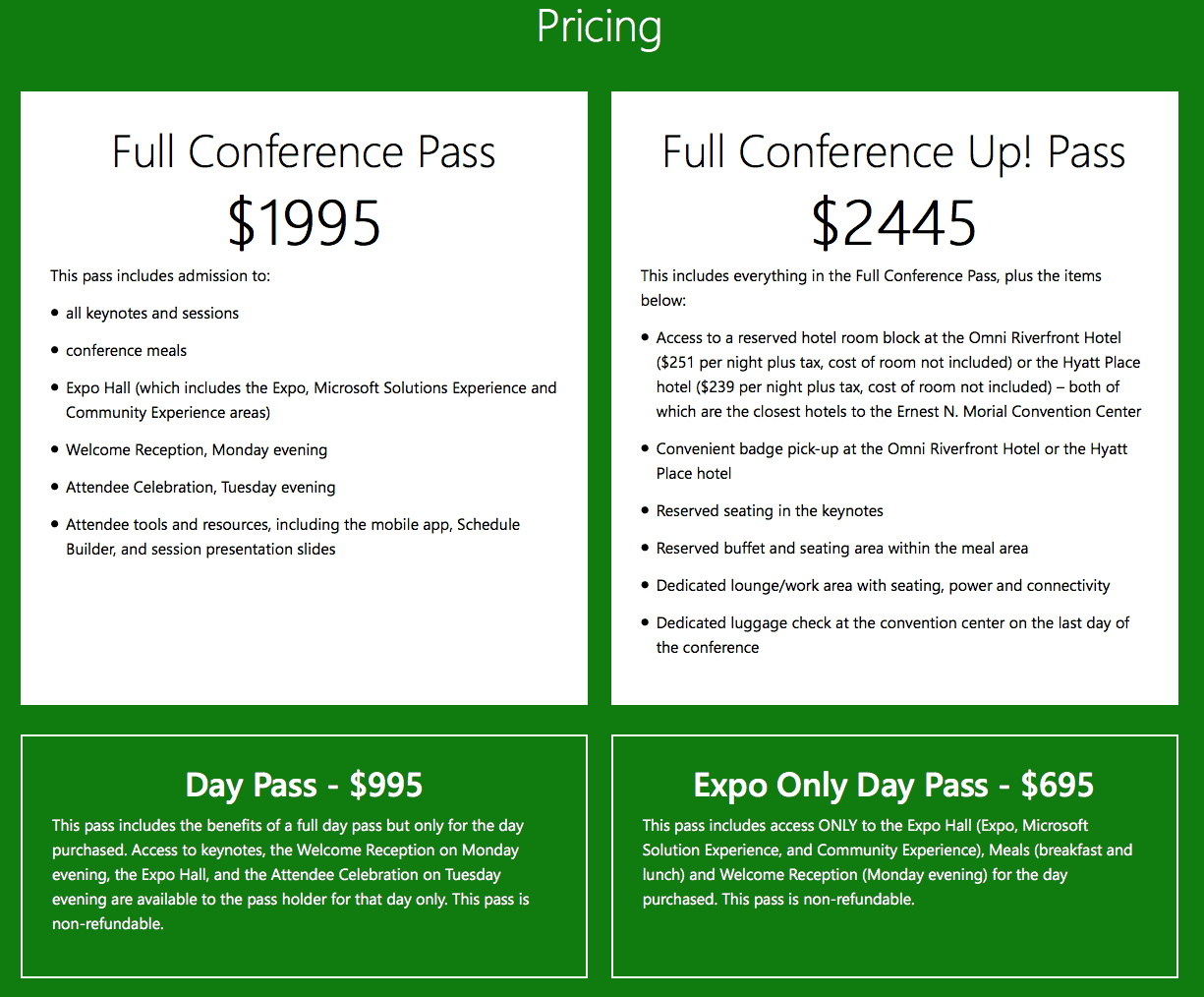
You can browse the full catalog to know more about the other sessions. Online registration for Microsoft Envision 2016 is now open to everyone, but you’ll need a Microsoft account to do it, and your Microsoft account will also be necessary to access other Microsoft Envision 2016 tools like the mobile app and Schedule Builder. If you want to attend, prices go from $695 for the Expo Only Day Pass to $2445 for the premium Full Conference Up! Pass.
Microsoft Envision 2016 Pricing
It’s interesting to see Microsoft making a new addition to its conference lineup along with Microsoft Build for developers, Microsoft Ignite for technologists, and the Worldwide Partner Conference. But as Microsoft is deeply engaged in the Internet of things revolution with its Azure IoT Hub and the Windows 10 for IoT OS, it’s not entirely surprising to see the company introduce a new event highlighting business trends around Internet of Things.
As we have reported on over the past few weeks, Xbox has had several sign in related issues. As a result, many Xbox fans have been wondering if they would get compensation for the downtime.
While signing on to Reddit from “crappy hotel internet,” Major Nelson responded to a post from Redditor BIGBLOCK22s asking about such compensation.
I’ve taken some of the more thoughtful comments and shared them with a few folks on the Xbox team to make them aware of this request. That’s about all I’ve got right now – but when I am back in the office I am going to stop by and chat 1:1 with some folks about this as well.
The comment from Major Nelson suggests that if all goes right at the office, some compensation may be on the way to Xbox Live users affected by the outages. Even if not, it is still nice to know that Major Nelson cares enough about Xbox Gamers to respond to their posts on social media.
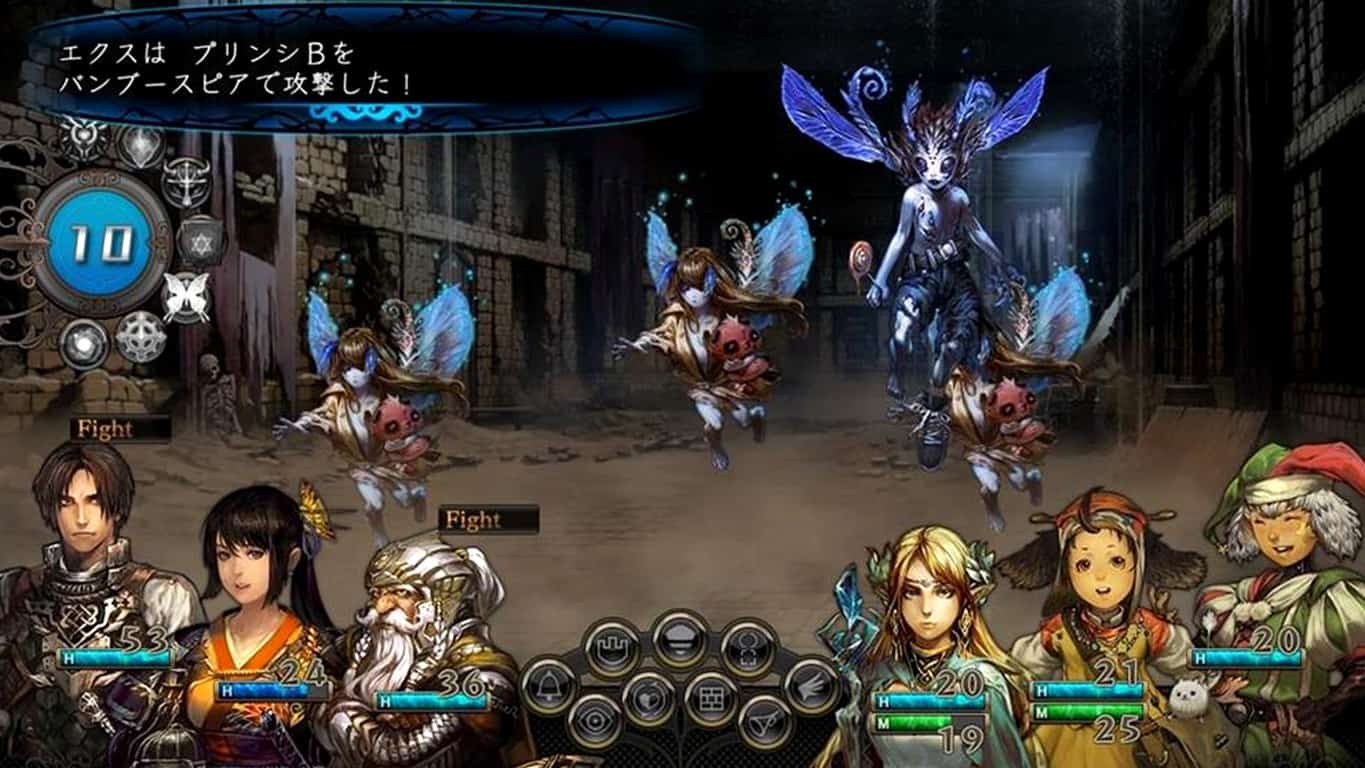
A video game genre that hasn’t seen too much action on the Xbox One is the traditional dungeon roleplaying game. With the arrival of Stranger of Shadow City however, things are looking to change. The game was originally released in Japan on the Xbox 360 back in 2014 but this new international edition of the game on Xbox One will boast improved graphics and a different visual style. The Xbox 360 version of Stranger of Sword City was fairly well received by fans in Japan and was given respectable scores in the Japanese video game magazine, Famitsu.
Here’s the official description:
Stranger of Sword City is the next step in the evolution of the traditional dungeon RPG genre, which will be released on the Xbox One. This title contains the three core elements of attraction for dungeon RPGs: character creation, conquering various dungeons, and dungeon crawling gameplay. Furthermore, our experience and know-how with a large number of titles within the Dungeon RPG genre has allowed us to create enhanced support features that allow our users to enjoy the title to their hearts content. Break through the impregnable labyrinths alongside your fellow adventurers, and find a way back home from this alternate world.
Stranger of Shadow City can now be pre-ordered and pre-downloaded on Xbox One consoles and all sales made before its launch date on March 22nd will receive a US$10 discount which will be automatically deducted upon checkout. Xbox One owners who pre-download the game will still have to wait until launch day to play it but downloading the full game ahead of time does mean that they can play it right on midnight Eastern Standard Time on the 22nd.
Have you been looking forward to this title or is this the first you’ve heard of it? Let us know what you think in the comments below.
Windows 8 introduced the Windows Apps Store – however, due to the extremely low adoption of Windows 8, the first time most people were introduced to the Store was with Windows 10.
erhaps for the better as well, considering the design improvements presented by Windows 10, a better first impression for people means a lot.
However, even though this part of the operating system was quite literally written from scratch, it still came with its own problems and bugs – as is to be expected from an operating system as complicated as Windows.
And so it is obvious that new problems demand new solutions – and new solutions demand new tools and new ways to devise them. This problem involves the new Windows App Store – and it not functioning as it must. Basically, it either won’t launch at all, or if it does it will appear to be stuck loading for all eternity.
The solution is not straightforward, and if nothing works at the end you must reinstall Windows – but if any of the solutions work, then you save yourself from pain and misery of setting up your computer once again.
Here it goes then, some of the solutions you can try.
Method #1: Check if the timezone and time & date settings are correct
This involves changing your Date & Time. The easiest way to do this is to click on the clock in your taskbar at the bottom right and then click “Date and Time settings”.
On this page, you should check the box that says “Set time automatically”.
Now make sure your timezone is the correct one, if not then pick the correct one from the dropdown.
Turn on “Adjust for daylight savings time” if you live in a timezone that follows DST.
This is one of the most common reasons for Windows Store to stop working – your PC time can be set wrong, and you might not have noticed it. Now that we have fixed it, do try to run the Windows Store. If this proves of no result, then perhaps follow the next solution.
Method #2: Use Microsoft Troubleshooting Utility
You will have to download a troubleshooting utility from Microsoft before you can proceed with this, here’s the link.
Simply download the troubleshooter using that Microsoft link and follow the onscreen instructions.
This is one of the more easier of the solutions since you have to do nothing and let the troubleshooter run some basic checks and fixes that could help you remedy the problems, however there is one last solution on the table if the troubleshooter fails you.
Method #3: Try Resetting your Windows Store
Open your Start Menu and type “Run”, then open the Run utility from the results.
In the box, type “WSReset.exe” and click “OK”.
Now wait for a minute and then attempt to open the Windows App Store once again.
This solution resets the Windows Store cache and all related temporary files, thus forcing Windows to re-download or create some of the files that could have been corrupted. This however does not touch any of your Windows files, which also might have been corrupted – in which case you should reinstall Windows as that would fix any corruption in Windows files because it is quite literally rewriting all of the files.
If none of these solutions work then the best solution is to reinstall your Windows – you could still keep looking for better solutions, but reinstalling Windows would take the least amount of time and even though you would have to set up all of your settings for Windows again, it would be less of a hassle than finding and trying countless other solutions that could fix this issue.
Personal voice assistants are changing the way we work on our computers and on our smartphones. Just like Google Now and Apple’s Siri, Microsoft introduced Cortana as a new feature on Windows 10. By default, users can utilize Windows 10’s personal assistant Cortana by clicking on the Cortana/search icon on the taskbar or by simply saying Hey Cortana.
If you’re an Android user, you might already be familiar with how uttering “OK Google” activates Google’s intelligent search function. With a simple change in setting, you can do this on Windows 10 as well.
Enabling “Hey Cortana”
Open the Start menu and type Cortana. You will notice the Cortana and search settings result.
Click that result and to enter Cortana’s settings page.
Turn on the Hey Cortana toggle.
Now, whenever you say Hey Cortana into your mic, Cortana will wake up from snooze.
Why is Cortana Always Listening?
With the launch of Windows 10, Microsoft introduced many new features. Some of these will no doubt concern you if you place high importance on your privacy. Some of these settings and features are directly or indirectly connected to Cortana, while others are a way for Microsoft to gather data.
For many of us, Cortana is an extremely useful app that can assist us in various tasks like telling time, informing users of upcoming appointments, opening compatible applications, and initiating internet searches as well. These functions are fun to use: you can even go as far as chit chatting with Cortana and listening to jokes she has.
Unlike other popular services and social networks, Instagram has its own Windows Phone app. But even if the app was released more than 2 years ago for Windows Phone, it’s still in beta. However, a new Instagram app for Windows 10 has been spotted in the Windows Store, and users can now download it to their Windows 10 Mobile devices.
While the new app is also in closed beta, you won’t be able to find it through the Windows 10 Store search. However, Windows Blog Italia — the first to point the app out — provides a download link so you can start using it on your Windows 10 Mobile device right now.
Instagram for Windows 10 is a Project Islandwood app
What’s specific about the new Instagram app is that it’s one of the first Project Islandwood apps in the Windows Store. For those unfamiliar, Project Islandwood is a port for Windows 10 that allows developers to transfer iOS apps to a Universal platform. And this Instagram app is exactly that: an iOS app ported to Windows 10 Mobile.
A couple of days ago, we saw the first Project Centennial test apps in the Store. Joining it is Project Islandwood’s app, showing that Microsoft is going in the right direction with these two ports. Unfortunately, that wasn’t the case with Project Astoria — probably the most anticipated port of them all.
Unsurprisingly, the design of the app is similar to the iOS version. It is a ported app, after all. On the plus side, the app now has more recognizable, natural Instagram look, something it lacked in its previous version.
All buttons are now at the bottom and there’s a section for private photos which wasn’t available in Instagram Beta for Windows Phone 8.1. The Explore section has been changed to be more similar to Android and iOS versions.
This is an official Instagram app because it was posted by Instagram’s official account in the Windows Store. We hope this app will complete the closed beta phase earlier than its Windows Phone 8.1 counterpart and that we’ll be able to use full version of the app as soon as possible.
We tried to download and test the app, but it keeps crashing on our Lumia 535. If you manage to launch it, please share your experience with us in the comments below!
While most Xbox Live Gold users are getting excited about the free games that they’ll be getting with their membership this month, they should remember that they also get some pretty hefty discounts on other games as well. The Xbox Deals with Gold that are being offered right now are pretty sweet, ranging from action adventure with Mad Max to the choose-your-own-adventure style Life is Strange. Whatever the gaming preference, this month’s Xbox Deals with Gold should have any gaming enthusiast ready to bust out their wallets on a couple of different occasions.
Here are all of the games being sold during this set of deals for Gold:
Become Mad Max, the lone warrior in a savage post-apocalyptic world where cars are the key to survival. In this action-packed, open world, third person action game, you must fight to stay alive in The Wasteland, using brutal on-ground and vehicular combat against vicious gangs of bandits. A reluctant hero with an instinct for survival, Max wants nothing more than to leave the madness behind and find solace in the storied “Plains of Silence.” Players are challenged with treacherous missions as they scavenge the dangerous landscape for supplies to build the ultimate combat vehicle.
Life is Strange is a five part episodic game that sets out to revolutionise story based choice and consequence games by allowing the player to rewind time and affect the past, present and future. You are Max, a photography senior who saves her old friend Chloe by discovering she can rewind time. The pair soon find themselves exposed to the darker side of Arcadia Bay as they uncover the disturbing truth behind the sudden disappearance of a fellow student. Meanwhile, Max begins to have premonitions as she struggles to understand the implications of her power. She must quickly learn that changing the past can sometimes to lead to a devastating future.
Author’s note: Life is Strange is the cream of the crop with this set of deals. This comes highly recommended to anyone who enjoys games in the “Telltale style” (The Walking Dead Game, Tales from the Borderlands) but with a much different feel and actual gameplay mechanics.
On a cold, stormy night, the Caribbean Museum curator Sarah Black is making the final arrangements for the grand pirate exhibition’s star attraction – the mummified corpse of the fearsome 18th century pirate, Captain Henry Remington. Then, all of a sudden… …the ghostly villain inexplicably comes to life and kidnaps Sarah’s teenage daughter! The heroine throws herself into a wild chase without a second thought, embarking on a thrilling adventure to a long-forgotten, deserted island filled with danger and terror… yet there seem to be memories of a sinister romance lurking in the shadows… Nightmares from the Deep: The Cursed Heart is a classic adventure game that tells a gripping tale of undying love. Assume the role of museum curator Sarah Black and take control of your destiny to stop the undead Captain Remington and save your daughter’s life. Jam-packed with chilling locations – from rotting shipwrecks to dank and mordant caves – this is a world brimming with hidden treasures and intrigue. Use your wits to find clues, solve puzzles, and uncoil the ancient mysteries of Skull Island before it’s too late!
Garrett, the Master Thief, steps from the shadows into the City, a treacherous place ruled by a tyrannical Baron and his brutal Watch. When the citizens rise in bloody revolution, Garrett’s thieving skills are all he can trust as he walks a fine line between politics and the people, revealing a darker secret that threatens to tear his world apart.
Line Of Defense Tactics is a top-down combat shooter in which you command a team of four Galactic Command marines in a 16 mission campaign across space stations, starships and vast planetary battlefields. Train your team, upgrade their stats, weapons, inventory and abilities, to become the ultimate fighting force.
Drop in & out of parks & rip with your friends! Tony Hawk’s® Pro Skater™ 5 offers a fresh take on combo-driven skateboarding, the most advanced online multiplayer experience, and a state-of-the-art skatepark builder. Ride, build, and repeat!
Author’s note: This game was panned very harshly by both critics and fans on release due to bugs and general design grievances. Proceed with caution and read a few reviews before pulling the trigger on this one.
Explore the macabre past of an old mansion in the 1930’s and solve puzzles of light and shadows in this fully black & white survival horror! Players are trapped in this nightmare where darkness is a constant threat!
Inspired by Victorian era science fiction writers such as H.G. Wells and Jules Verne. Ironcast is set in an exciting alternative history; a time when refined men and women in top hats and bonnets commanded gigantic walking war machines, laying waste to the enemies of the British Empire. Take control of a 7 meter tall walking vehicle called an Ironcast and face off against an invading force of enemy Ironcast in order to defend 1880’s Victorian England. Battles are fought by generating resource nodes which in turn drive the Ironcast’s various weapons and systems. You must choose how to spend these nodes wisely, either offensively in order to cripple and destroy your opponents, or defensively, if they suspect a barrage of incoming weapons fire is due.
Amid the post-war boom of Hollywood’s Golden Age, an idealistic detective, Cole Phelps, is thrown headfirst into a city drowning in violence and corruption. Utilizing groundbreaking new technology that captures an actor’s facial performance in astonishing detail, L.A. Noire is a violent crime thriller that blends breathtaking action with true detective work to deliver an unprecedented interactive experience. Interrogate witnesses, search for clues and chase down suspects as you struggle to find the truth in a city where everyone has something to hide.
Author’s note: Highly recommended. Rockstar nails it again, offering a noire mystery narrative that no other game has matched. Go for it if you have the cash to spare.
Bundle includes Prototype® and Prototype®2 with DLC! PROTOTYPE: Discover what lies beyond the edge of evolution. Play as Alex Mercer, a genetically mutated shape-shifter with no memory of his past hell-bent on solving the mystery of his existence as he tears through a densely populated New York City moving with Parkour-style fluidity and consuming anybody that gets in his way… assuming their physical identity, memories and abilities. Prototype®2 takes the unsurpassed carnage of the original Prototype® and continues the experience of becoming the ultimate shape-shifting weapon. A devastating viral outbreak has claimed the lives of Sgt James Heller’s family and transformed him into a PROTOTYPE. Powered by incredible new shapeshifting powers and abilities, you must hunt, kill and consume your way across the infected wasteland of New York Zero to take revenge on the man responsible: Alex Mercer.
This pack contains the Transformers™ : War for Cybertron™ full game and the Transformers™: Fall of Cybertron™ full game and three DLC packs. Experience the legendary battle between the Autobots and Decepticons before their exodus to Earth in the untold story of the civil war for their home planet in Transformers™ : War for Cybertron™ and Transformers™: Fall of Cybertron™ . Two distinct and intertwined campaigns chronicle the heroism of the Autobots in the face of total annihilation and the unquenchable thirst for power of the Decepticons. Play both campaigns in team-based online co-op, or go head-to-head in several online multiplayer game modes. Battle as your favorite Transformer characters in the war that spawned one of the most brutal conflicts of all time.
For Max Payne, the tragedies that took his loved ones years ago are wounds that refuse to heal. No longer a cop, close to washed up and addicted to pain killers, Max takes a job in São Paulo, Brazil, protecting the family of wealthy real estate mogul Rodrigo Branco, in an effort to finally escape his troubled past. But as events spiral out of his control, Max finds himself alone on the streets of an unfamiliar city, desperately searching for the truth and fighting for a way out. Combining cutting edge shooting mechanics featuring advanced Bullet Time® and Shootdodge™ effects with a dark and twisted story, Max Payne 3 is a seamless, highly detailed, cinematic experience from Rockstar Games.
Microsoft just announced that it will discontinue the development of Fable Legends, a game that was supposed to be a welcome addition to the Store. According to Hanno Lemke, General Manager of Microsoft Studios Europe, Microsoft decided to shut down the project because of unprofitability.
Besides closing the Fable Legends project, Microsoft is also considering closing a few development studios around Europe. More precisely, Lionhead Studios, developers of Fable and Fable Legends, in the UK, and Press Play, developers of Max: The Curse of Brotherhood, in Denmark.
Cancellation instead of Open Beta
Fable Legends was announced way back in 2013, and it was in closed beta phase until now. Lionhead Studios announced that the open beta would release the spring of this year, but instead of an open beta version of Fable Legends, it has been shuttered instead.
According to reports, more than 100,000 players used to participate in testing of the closed beta version, so it’s not clear why Microsoft recognized Fable Legends as unprofitable and decided to shut it down. The company also kept mum on any details about the closing Lionhead Studios and Press Play, stating: “These have been tough decisions and we have not made them lightly, nor are they a reflection on these development teams – we are incredibly fortunate to have the talent, creativity and commitment of the people at these studios.”
Although Microsoft decided to shut down one promising project (at least, we though it was promising), the company continues to put a lot of effort in bringing new AAA game titles to the Store. Games like Rise of The Tomb Raider, Gears of War, Killer Instinct, and more are already available, and we expect even more games like Quantum Break, and Forza Motorsport in the future.
Here at WinBeta, we’ve been chronicling the evolution of Class Notebooks for OneNote. From Class Notebook availability through the Office 365 App Launcher to the automation of notebook and roster creations with new API’s, OneNote’s Class Notebook has been a growing dependency on more than 400,000 teachers and 3.5 million students worldwide.
Now, OneNote’s Swiss army knife-like utility for education is being expanded up with the introduction of a Class Notebook add-in that was designed by and built with actual teacher input. The OneNote team is set to introduce the customer preview of the Class Notebook add-in, which brings a set of most-requested features that the OneNote team received from both teachers using feedback sources and those the team met during virtual collaboration sessions.
Class Notebook add-in for OneNote features include:
Easy and quick distribution of pages or new sections to students in one or more classes.
Individualization through the distribution of pages to specified students or student groups.
Ability to distribute a single chunk of text, an image or an ink selection to all or specified students in a Class Notebook.
Easy and quick copying of sections to the Content Library of one or more Class Notebooks.
Rapid sequential reviewing of student work (homework, assignments, quizzes, etc.) in one or more classes.
One-click launch of the Class Notebook app, including Create Class Notebook, Invite/Remove Students, Add/Remove Teachers and Get Notebook links.
Quick links to useful Professional Development and community resources.
Of the features highlighted, the OneNote team is reporting an overwhelming excitement to the addition of distribution models as well as student work review by teachers worldwide.
With the new Class Notebook add-in, teachers can now “now can distribute a page to specific students rather than everyone in the class. Additionally, educators can define their own groups of students to differentiate the distribution.” As for checking a student’s work, teachers can now do rapid sequential reviewing of student work, with a new side panel making it easier to navigate information.
I LOVE ‘Review Student Work’ because it allows me to see specific assignments instead of going into each student’s tab, then that assignment, backing out and repeating again. It’s MUCH more efficient.”
—Teacher feedback in Class Notebook add-in pilot survey
The development of Class Notebooks is still underway and corporate vice president of Microsoft Education Marketing Tony Prophet wants to continue to surprise educators with new and delighting educational experiences. Prophet also used today’s announcement to hint towards another announcement soon, saying, “we expect to share more in April, so stay tuned!”
Visit the [email protected] email to offer your feedback or suggestions.
In a recent blog post, Microsoft details how easy it is to bring a web app to Windows 10. Windows App Studio is an online service provided by Microsoft to make it easy to make apps for Windows 10. You don’t even need any coding experience to bring your web app to Windows 10; simply use Windows App Studio’s Hosted Web App (HWA) template.
Windows App Studio allows you to turn any web app into a Windows 10 app, all within the convenience of your web browser, using Windows App Studio’s HWA template. Add data, services, and customize the app theme options any way you want. You can save your web app as a Visual Studio file, or a Publishing package to get your app ready for the Windows Store.
Microsoft promises you that it takes barely three minutes to create a web app for Windows 10 in four easy steps:
Creating the project
Name the app
Enter the URL
Generate and publish
Here’s a closer look at what you need to do to get your web app to Windows 10. Microsoft requires you to have a Microsoft account to use Windows App Studio. Once you’ve signed up or logged in to your Microsoft account, go to “Start New Page,” to get started on creating your own HWA project.
Once you decide on your HWA project, you move on to the Content Editing screen. This phase is where you enter the URL for the website that you’re turning into a web app. The Content Editing page also allows you to upload a Manifest, which is a JSON document that has information about application defaults, start-up parameters, and additional URL rules. The Manifest upload is just an extra option, so don’t worry if you don’t have one or don’t know anything about it.
After you add the URL and other app information, you can update the app’s icon. To do this, click the app icon on the navigation bar, marked in green, to open the icon editor.
When you click the App logo, it will open a file picker where you can pick what icon you want to use for your HWA. As you can see, there are various app icon sizes that will be generated, so you can choose which one works best for your HWA.
After you’ve settled on an app icon, there’s just one more configuration step; adding the Windows Store details. Just click the Settings tab to edit your Store listing details, like app description, language, Windows Store association details, and your app’s privacy policy. Please note: in order to publish an app in the Windows Store, all of this information must be entered.
After you’ve entered everything you need, click Generate to generate your HWA for Windows 10. After everything is ready to go, click Generate. That’s it, you’re done. You’ve just created your Host Web App.
That’s all you need to know when creating a HWA in Windows App Studio. If you want to give it a try for yourself, head on over to the Windows App Studio to start your own web app. Use the Windows App Studio User Voice to let Microsoft know your thoughts on what they can do to improve your experience.
We cover all things Microsoft here at WinBeta, and while the Windows 10 ecosystem surely is one of our main centers of interest, we also have to cover Microsoft services on all platforms. That’s why we’re currently running a series of videos about Microsoft services on Android, but to be honest with you, our coverage is also influenced by the different devices we’re using in real life–probably just like a lot of our readers we also use Macs, iOS, and Android.
When Microsoft announced the write-off of the $7.6 billion dollar Nokia acquisition back in summer 2015, Satya Nadella acknowledged the failure of the company’s mobile strategy and detailed how the company would reinvent itself around ubiquitous services:
“In the longer term, our reinvention will be centered on creating mobility of experiences across the entire device family including phones.”
While we definitely have seen Microsoft beginning to execute on this new strategy with acquisitions of great cross-platform services like Acompli, Wunderlist and Swiftkey, there is still a lot to be done as some core Microsoft services and apps remain missing on popular competing platforms. And so, we wanted to share with you some “must-have” and “nice to have” apps that we hope the company will release on competing platforms, and we would really like to know if you also think that they are some missing blocks in the Microsoft ecosystem.
The “must have” apps
Macs
Let’s start with the second biggest desktop platform: Microsoft really seems to take the Mac seriously as it released a much-improved Office 2016 suite of apps, completed by an Office Insider program for those who like to live on the bleeding edge. However, we’re sad to see that Macs today don’t play nice with Windows phones.
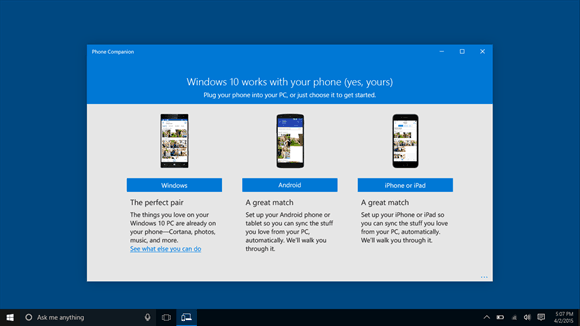
Microsoft released a Mac sync client for Windows Phone 8 devices a few years ago (it seems to be currently unavailable outside of the US), but the app doesn’t recognize Windows 10 Mobile phones yet so Mac users can’t sync content to the latest Lumias. This app has never been completely reliable with Windows Phone 8.1 handsets in any case, but it’s still annoying when you know that Windows 10 users can enjoy a handy Phone Companion app. You can still get around this problem and by using OneDrive or any cloud storage solution, but we hope Microsoft does not forget its Windows phone users on Macs and brings us a new sync client on Mac OS.
Microsoft Phone companion app on Windows 10
The next app we would like to see on the Mac is a native Groove Music app. Mac users are currently stuck with the Flash-based web player, and if you own a Mac you probably know that Flash performance has never been great. While iTunes is an OK music player on the Mac, a native Groove Mac client would allow users to use the service without killing their battery with Flash, and it would also be handy to use the app to sync your cloud music collection for offline play.
Mobile devices
On mobile devices, a Microsoft Films & TV client is another obvious missing app that I think many people invested in the Microsoft ecosystem would enjoy. Like the Flash-based Groove Music website, you currently can’t use the mobile web to enjoy the movies and TV shows you bought on the Windows Store. Microsoft really needs to plug this hole if it wants the Windows Store to be a popular entertainment destination like the iTunes and Netflix juggernauts.
You can watch your Windows Store content on the desktop, but not on the mobile web.
The “nice to have” apps
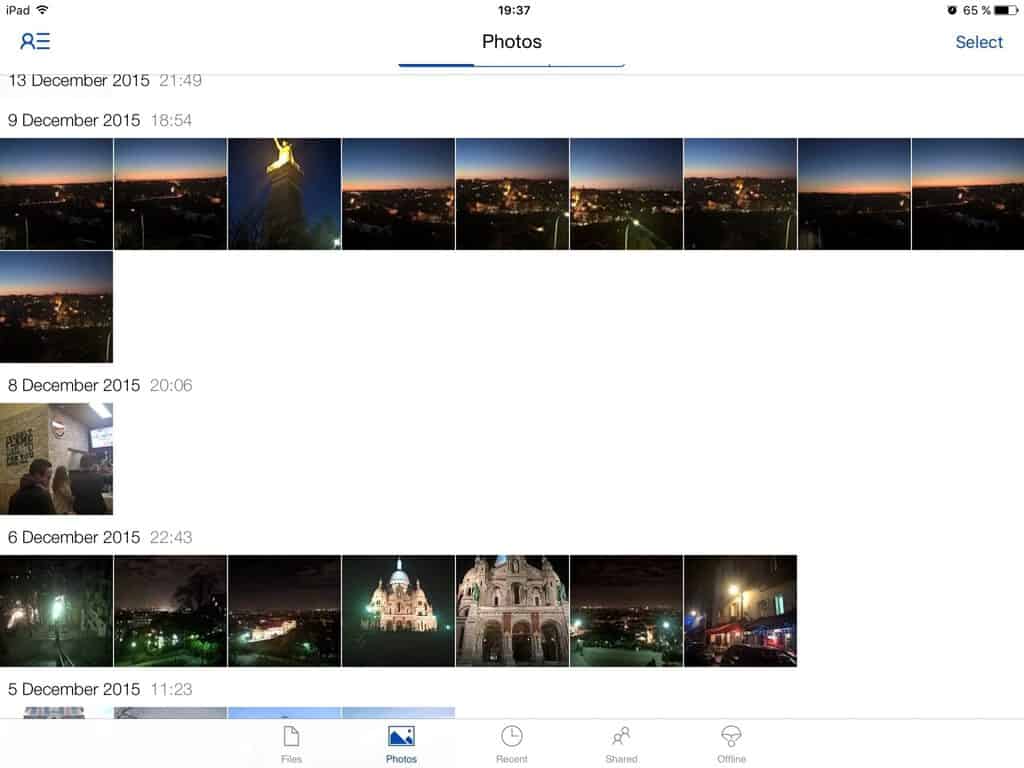
I think Microsoft could provide a better photos experience on iOS and Android devices with dedicated “Photos” and “Camera”apps. If you use OneDrive on your mobile devices, you may already know that you can use the OneDrive apps on Android on iOS to see and upload pictures into your cloud camera roll. While it’s certainly handy to use the OneDrive app for that, the app is not so great when it comes to browsing a huge online pictures collection.
Therefore, it would likely be more efficient to use a standalone Photos app that can not only access OneDrive but also allow users to see their local pictures and improve them with editing tools. In fact, that’s exactly what Google did by releasing a standalone Google Photos app on iOS and Android that also set free the photo upload from the Google+ app, and users seem to be quite happy according to the app reviews.
Browsing a huge Onedrive camera roll is cumbersome on iOS.
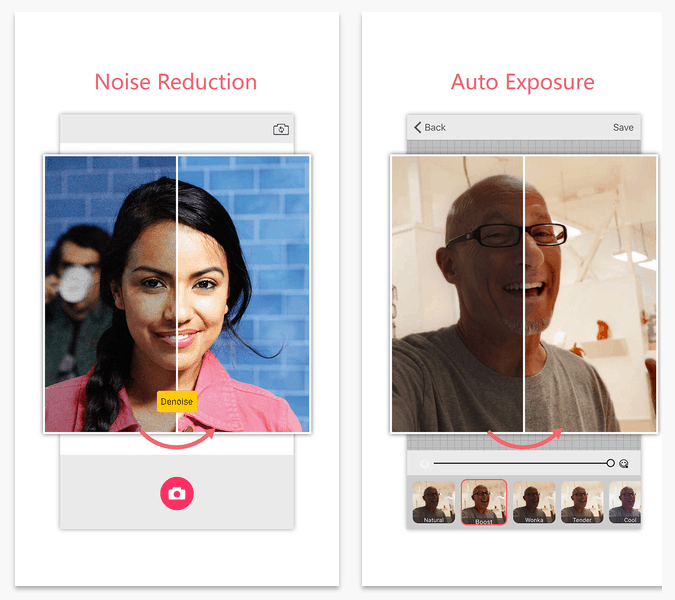
Next, as Microsoft obviously has some photography expertise as evidenced by the Windows Camera app on Windows 10 Mobile (previously known as Lumia Camera), a Microsoft Camera app on iOS and Android would probably make sense. It’s quite obvious when you remember that Microsoft Garage already released a Selfie app on iOS that uses image-enhancing algorithms to improve your photos, but Microsoft can probably do much better than that with a full-featured camera app.
As the camera is probably one of the most-used apps on smartphones, Microsoft would benefit from seeking the attention of serious photographers that could well become Onedrive customers in the long run.
The Microsoft Selfie app has some interesting features.
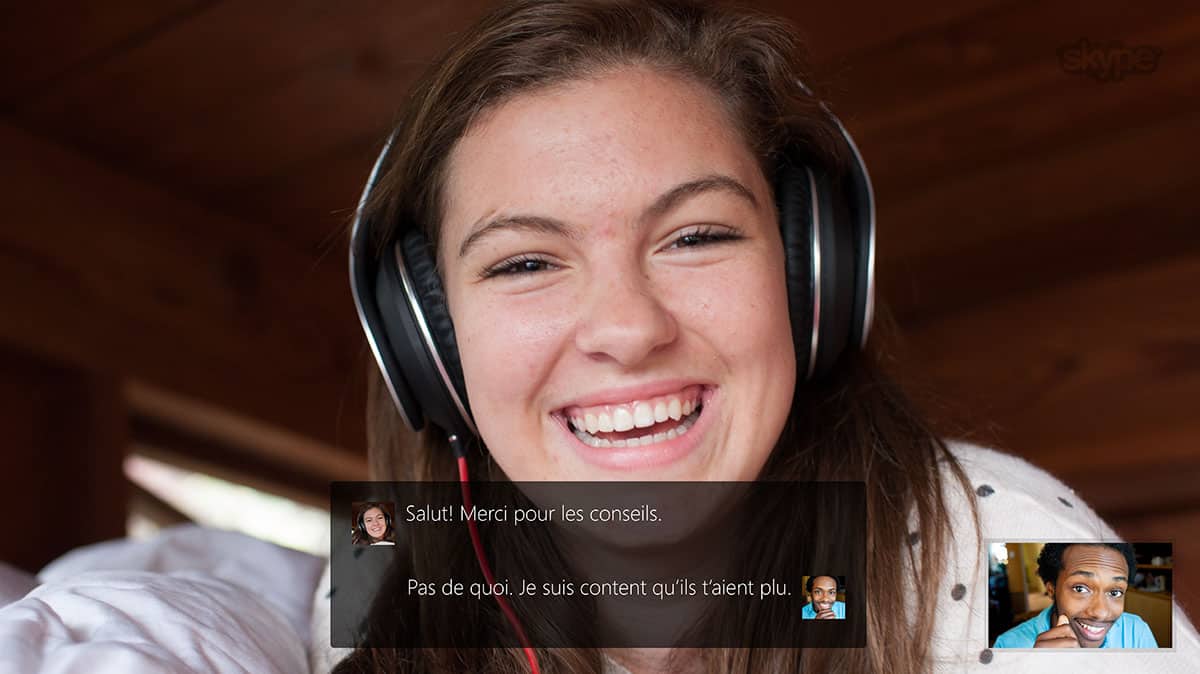
Last but not least, Microsoft may be able to provide a better messaging experience on Android with its Skype technology. Unlike iPhone users, Android users can download third-party apps to send text messages, and Google itself currently has two solutions for sending text messages with its Hangouts app and the more lightweight Messenger app. Even Facebook is reportedly working to bring back SMS integration into its popular Messenger app.
So, does it make sense for Microsoft to bring text messages integration to the Skype Android app? It may well be complicated as the Skype Android app already packs a lot of features (you can already send text messages with it using your Skype credit), but we hope Microsoft is thinking along these lines.
In the end, we think that all of these apps suggestions are actually core parts of the Microsoft ecosystem, and we hope Microsoft is currently working to fill these holes in its galaxy of mostly great consumer services. As Microsoft has still failed to capture any significant market share with its mobile devices, the company has no choice but make its services even more ubiquitous to stay relevant in the consumer space. Let us know in the comments what are the apps you would like Microsoft to release on other platforms.
The Eclipse Foundation is the non-profit which oversees Eclipse, an open source community building developer tools. Microsoft has a history of working with the Eclipse Foundation and building integrations with Visual Studio Team Services and Microsoft Azure. Today, Microsoft announced it will be further supporting open source technologies by joining the Eclipse Foundation as a Solutions Member.
In today’s statement, Shanku Niyogi, General Manager of the Visual Studio Team, said:
Joining the Eclipse Foundation enables us to collaborate more closely with the Eclipse community, deliver a great set of tools and services for all development teams, and continuously improve our cloud services, SDKs and tools.
Microsoft also announced new interoperability between Azure, Visual Studio Team Services, and Codenvy’s workspace automation tools built on Eclipse Che. With this new interoperability Codenvy workspaces can be activated on-demand from within Microsoft’s tools. The Azure VM Marketplace also now includes a virtual machine preconfigured with Codenvy.
Finally, Microsoft announced even more tools and services specifically for Java and Eclipse developers, including:
Azure IoT Suite support in Kura. We will contribute an Azure IoT Hub Connector to Kura that will allow to easily connect gateways running Kura to Azure IoT Suite.
Azure Java WebApp support in the Azure Toolkit for Eclipse, which makes it easy to take a Java web app and have it running in Azure within seconds.
With the Java Tools Challenge, we are inviting Java developers to build apps and extensions for VSTS.
Along with yesterday’s huge news that SQL Server will now be available on Linux, Microsoft’s recent trend of embracing open source technology seems to be picking up steam. Potentially, more news will come at Build 2016, Microsoft’s conference for developers later this month.
As one of the world’s biggest software developers and a company who prides itself for “empowering all users”, Microsoft takes accessibility very seriously. A year ago, the company launched its Accessibility Dev Center to provide documentation for developers for creating accessibility software that helps people with disabilities to interact with their technology. But since then, Microsoft’s embracing of a universal design language has helped the company to produce better software that address its impaired users, and we are already seeing the results in the Office apps which have received many accessibility improvements over the recent months.
But Microsoft could not truly understand the needs of all of its users if it didn’t employ people with disabilities. A few weeks ago, we told you how after a tragic accident put him in a wheelchair, the design lead for Xbox August de los Reyes helped the company to redefine Cortana’s design to help everyone. But today, Microsoft is sharing the story of Chris Schlechty, a SharePoint developer who is using his skills to help make Microsoft products better for people of all abilities.
The software development engineer has been suffering from muscular dystrophy, a degenerative disorder that limited the dexterity of his hands since the age of 8. He began using a wheelchair in fourth grade, and now uses his computer with an onscreen keyboard and other assistive technology. However, that did not stop him from becoming an engineer at Microsoft and he is now recognized as his team’s “accessibility driver” for engineering.
Schlechty on the Microsoft Redmond campus
Remembering his childhood, Schlechty remembers that “I definitely knew then that physical labor jobs were out of the question, and my dream of becoming Tom Cruise in ‘Top Gun’ probably wasn’t very likely.” But as he’s “always been very math-oriented”, Schlechty thought he was meant to work at Microsoft. So, during his freshman year of high school, he joined the University of Washington’s DO-IT Scholars program, which helps kids with disabilities and encourages them to pursue internships. Then, Schlechty got two different internships at Microsoft and came back to the company after earning his computer science degree.
At Microsoft, Schlechty now works with designers to help them comply to accessibility standards. He explains:
“Technology provides that avenue to compensate in areas where something might be more difficult. It’s really cool to be able to help to enable people.”
Because he can really empathize with people with disabilities, Schlechty also joins code reviews to provide insight on the accessibility of new SharePoint features. And even if he codes with a mouse instead of a keyboard and needs to do some things a bit differently, Cyrus Balsara, group engineering manager for the team explains that his colleagues treat him like “just another one of the devs” but also consider him “an inspiration to everyone on the team”. He added:
“Chris is a core member of our dev team who is versatile enough to work on the full stack. His judgement and expertise with SharePoint is an invaluable asset to the team. Chris certainly has the expertise and the ability to guide a whole bunch of people.”
Inside Microsoft Building 34 where Schlechty works
Today, Schlechty encourages students with disabilities to go to college and pursue challenging careers like he did. He is also an advisory board member for DO-IT Scholars, and has mentored teens through the U.S. Business Leadership Network as well. He’s glad to work at Microsoft, a company offering a variety of opportunities to people of all abilities:
“You’re working on real problems or projects, and there are so many things Microsoft is doing that if you want to specifically work on one thing, or your interests change over time, you have opportunities to move around. It’s really exciting to see the push for accessibility coming from the very top levels at Microsoft. And it’s great to be a part of the progress.”
Schlechty’s story is certainly very inspiring, and we’re glad to see the company that wants people to “do more” stay true to its words by focusing on accessibility features and recruiting people who can really empathize with the needs of all users. Please tell us in the comments if you like what Microsoft is doing to empower people to achieve more!
The Division, the highly anticipated game developed by Ubisoft Massive is now available to download on Xbox One and PC. Today’s release follows a public beta for the game which drew 6.4 million players, which represents the biggest beta for a new game brand on current generation platforms so far. However, the open beta was not enough to guarantee a smooth launch, and Ubisoft acknowledged that some players have been unable to play the game due to server issues and high initial demand.
New-York City, today. An unprecedented pandemic has struck the city during the fever of Black Friday. One by one, basic services fail. In only days, without food or water, society collapses into chaos. You’re part of the Division, an autonomous unit of tactical agents trained to operate independently. Your mission: protect what remains and restore hope. Fight your way through a breath-taking urban jungle dragged into chaos. As a member of the Division, customize your Agent, loot and upgrade your equipment with state-of-the art technology. Take back New York City from hostile factions, alone or with your friends.
Tetraminos is another game being released on Xbox One today. If you have already played the cult-classic game Tetris, Tetraminos features the same puzzle arcade game experience with lines to complete by using different shapes of blocks dropping with an increasing speed. The game will cost you $9.99 on the Xbox Store, and you can find the full description below:
For beginners or veterans, Tetraminos offers an easy-to-learn, limitless challenge. Give your brain a workout with the 50 Puzzle mode levels, survive as long as possible in Endless mode and rack up the combos and same-colour lines to climb to first place in the online ranking. Challenge your friends in local Versus mode with up to 4 players and sabotage their boards in wild games.
We’ll share our first impressions of The Division in the coming days, please tell us in the comments if you plan to get it on your Xbox One!
The Xbox One video game, Rocket League, has updated with a host of improvements, bug fixes, and some promotional downloadable content (DLC) for the new movie, Batman Versus Superman: Dawn of Justice.
The new Batman v Superman: Dawn of Justice Car Pack includes a Battle-Car inspired by the famous Batmobile and three new antennae flags inspired by Batman, Superman, and Wonder Woman. Other added content has also been added such as a variety of community flags for players to represent their online group. One of the new flags is based on Microsoft’s Major Nelson.
The update also made a few changes to the game and has streamlined the user experience when switching profiles, fixes a few game crashing bugs, dealt with a bug that caused low-resolution textures to display, and refined the Traveller and SARPBC Forever Xbox Achievements. Online play has also seen several improvements.
Cortana’s main purpose as a virtual assistant is to make our life easier, by performing various tasks we ‘ask’ for. It already features a lot of options, and can do a lot of actions, but Microsoft tends to make Cortana the best virtual assistant on the market, so it continuously brings new options.
After making Cortana available to a higher variety of users, by introducing new languages in the most recent Windows 10 Preview build 14279, Microsoft also introduced a new option to its virtual assistant. Cortana is now available to set a new kind of reminders for you, all you have to do is to say “remind me to watch the Lakers game,” or “remind me to watch the Revenant,” and Cortana will store that reminder for you.
You can also make a reminder more specific, by adding details like location, time, and people, so Cortana can assist you the best way possible. You can set a reminder without a due-date, as well. Setting up reminders with Cortana is definitely not a new option, as this was one of Cortana’s very first abilities, but the most recent update certainly makes it more advanced.
Although Microsoft didn’t say anything about the cross-compatibility of this feature, we assume that you’ll be able to set a reminder on one Windows 10-powered device, and get a notification about it on another, since Microsoft is putting a lot of efforts to Improve Cortana’s sync options.
You can already do a lot of things with Cortana, so if you want to find out some more commands and abilities of Microsoft’s virtual assistant, check out this article.
Since the Redstoneupdate is still in its early developing phase, and Microsoft promised to improve Cortana with the update, we should expect even more useful abilities to arrive in the coming Redstone builds for Windows 10 Preview.
Microsoft’s virtual assistant Cortana is already available in many regions and supports a lot of languages around the world. But some regions and languages still aren’t. Unsurprisingly, people from these regions often complain to Microsoft, demanding Cortana to be available in their country as well.
Of course, Microsoft can’t deliver Cortana to every single region in the world but thankfully the company has started adding new languages to Windows 10’s virtual assistant — a definite improvement. In Microsoft’s latest build 14279 for Windows 10 Preview, it introduced support for a few new languages for Cortana: Spanish (Mexico), Portuguese (Brazil), and French (Canada).
All these languages were available in Cortana before but only for “original” regions, or other countries where a language may have been spoken but unable to be set as a location. Cortana now also recognizes accents, too, so people from these regions can talk naturally.
“For each new market and language, the Cortana Team works to develop a custom experience that is relevant in each individual market and language. For instance, in Brazil – Cortana is fond of pasteis which is a common food found in many regions across Brazil. And in Mexico, we added local flavor to reflect the accent and language of the country,” said Microsoft in an official blog post.
Cortan is now available in the following regions: China, France, Germany, Italy, Spain, United Kingdom, United States, Mexico, Canada, and Brazil.
Microsoft has big plans with Cortana with the upcoming Redstoneupdate for Windows 10. The company will be mostly focused on bringing new features and improving cross-platform compatibility of the virtual assistant. We expect even more features to be added very soon, as Cortana is now compatible with almost every device running Microsoft’s latest operating system.
If you live in one of these regions and you want to start using Cortana in your own language, you need to run an operating system installed in a proper language. However, you can also change your computer’s language by following instructions from this article.
We assume this is just a start, as this was a first ‘expansion’ of Cortana’s compatible languages and regions. With an increasing number of expanding markets, Microsoft will surely bring even more additions soon.
Which language or region would you like to see on the list next? Tell us in the comments below!
Ahead of its Data-Driven event in New York on Thursday, March 7, 2016, Microsoft announced it is kicking off a wave of “launch activities for SQL Server 2016” that will be followed by general availability coming later this year for most.
Groundbreaking security encryption capabilities that enable data to always be encrypted at rest, in motion and in-memory to deliver maximum security protection
In-memory database support for every workload with performance increases up to 30-100x
Incredible Data Warehousing performance with the #1, #2 and #3 TPC-H 10 Terabyte benchmarks for non-clustered performance, and the #1 SAP SD Two-Tier performance benchmark on Windows
Business Intelligence for every employee on every device – including new mobile BI support for iOS, Android and Windows Phone devices
Advanced analytics using our new R support that enables customers to do real-time predictive analytics on both operational and analytic data
Unique cloud capabilities that enable customers to deploy hybrid architectures that partition data workloads across on-premises and cloud based systems to save costs and increase agility
Perhaps, more impressive is Microsoft’s bundling the announcement of extending SQL Server to Linux. On the Official Microsoft Blog, the company sort of buries the lead half down its announcements list that it has plans to bring SQL Server to Linux.
SQL Server on Linux will provide customers with even more flexibility in their data solution. One with mission-critical performance, industry-leading TCO, best-in-class security, and hybrid cloud innovations – like Stretch Database which lets customers access their data on-premises and in the cloud whenever they want at low cost – all built in.”
According to Microsoft, the plan is to put its core relational database capabilities up for preview as early as today March 7, 2016, and work tirelessly on hitting a general availability target of “mid-2017.”
For more information on SQL Server 2016 and the extension of SQL Server on Linux, Microsoft encourages fans to keep an eye and ear peeled to its Data Driven event on Thursday, or sign up for regular updates and news provided by the team here.
As Microsoft clarifies its commitment to building out its Skype experience on various devices, those who used Skype via a smart television can count them among the list of devices that are no longer supported. In an odd sort of contradiction to recent statements about expanding Skype services, news regarding Skype pulling support for Smart TV’s has been announced by Skype.
Starting in June 2016, the Skype for TV application will no longer be supported; there will be no updates to the application. This will also affect new account creation and password resets. This will only be available through Skype.com.”
The end of support for Skype on smart TV’s begins today, March 7, 2016, and Skype is leaving it up to smart TV manufacturers whether or not they decided to remove the app or service from their devices or continue to offer an unsupported version.
This may vary depending on the TV model. TV manufacturers may remove the Skype for TV application from some or all of their models. If you have questions, please contact your TV manufacturer for information on the availability of Skype for TV on your TV model.”
Understandably, most manufacturers will seek to remove the app, but smart TV manufacturers have been slow at times to offer software updates to their devices. Upon hearing the news, Samsung has announced that it will remove the service (and presumably) the apps from their smart TV’s beginning June 2, 2016. According to Samsung, they will alert their customers to the change when applied.
As for the reason behind the removal, it seems as though Skype has telemetry indicating the most users are accessing the service from their smartphones while in the living room rather than on the big screen. While it makes financial and strategic sense to end Skype for TV support, it seems the second screen experience envisioned by smart TV manufacturers is continually losing ground to the readily available smartphone.
Tomorrow marks International Women’s Day, a day recognized around the world by various nations and international organizations to celebrate respect and appreciation for women, as well as celebrate women’s economic, political, and social achievements.
Microsoft announced earlier today that the company plans to celebrate International Women’s Day with a new campaign to inspire young women around the world to #MakeWhatsNext. The campaign kicks off tomorrow first with a video which highlights the lack of awareness girls have about women inventors and “reminds them to celebrate those women’s accomplishments and be encouraged to follow in their footsteps.”
Microsoft will be continuing their #MakeWhatsNext campaign through multiple efforts to “to encourage girls to build technology skills and learn about careers in technology.” This includes programs such as DigiGirlz, which offers free resources for “girls to learn to code and meet female role models” at special events. It will also include free online coding tutorials aimed at closing the gender gap, and a new patent program for young female inventors. Combined with Microsoft’s YouthSpark initiative, the #MakeWhatsNext campaign hopes to encourage young women to learn more about computer science to be building the next great inventions of our increasingly digitized world.
DigiGirlz event in France in 2014 via Microsoft
The announcement goes on with inspiring and thoughtful quotes by multiple female executives at Microsoft, such as Kathleen Hogan, Microsoft Executive Vice President of Human Resources; Peggy Johnson, Executive Vice President of Business Development; and Julie Larson-Green, Microsoft Chief Experiences Officer for the Office Experience. They describe the importance of diversity as well as the importance of teaching young women about coding and technology, and how it has impacted their lives. Sumit Chauhan, General Manager of Office Engineering, speaks to of the importance of learning about computer science even if you are not going to be a programmer. She says, “Coding has taught me an iterative approach to problem solving and sharpened my critical thinking, skills I use every day on my job, even when I am not coding.”
The holidays are long past, but there are still plenty of savings to be found, and the Microsoft Store is having a sale on Dell products that may just be too good to pass up. The Store is featuring a number of Dell notebooks, 2-in-1s, desktops, all-in-ones, and monitors, all at significant savings.
With the PCs all featuring the Microsoft Store’s “Signature Edition” treatment, meaning that the computers won’t come with the usual assortment of “free trials” and other crapware you usually get on a new PC.
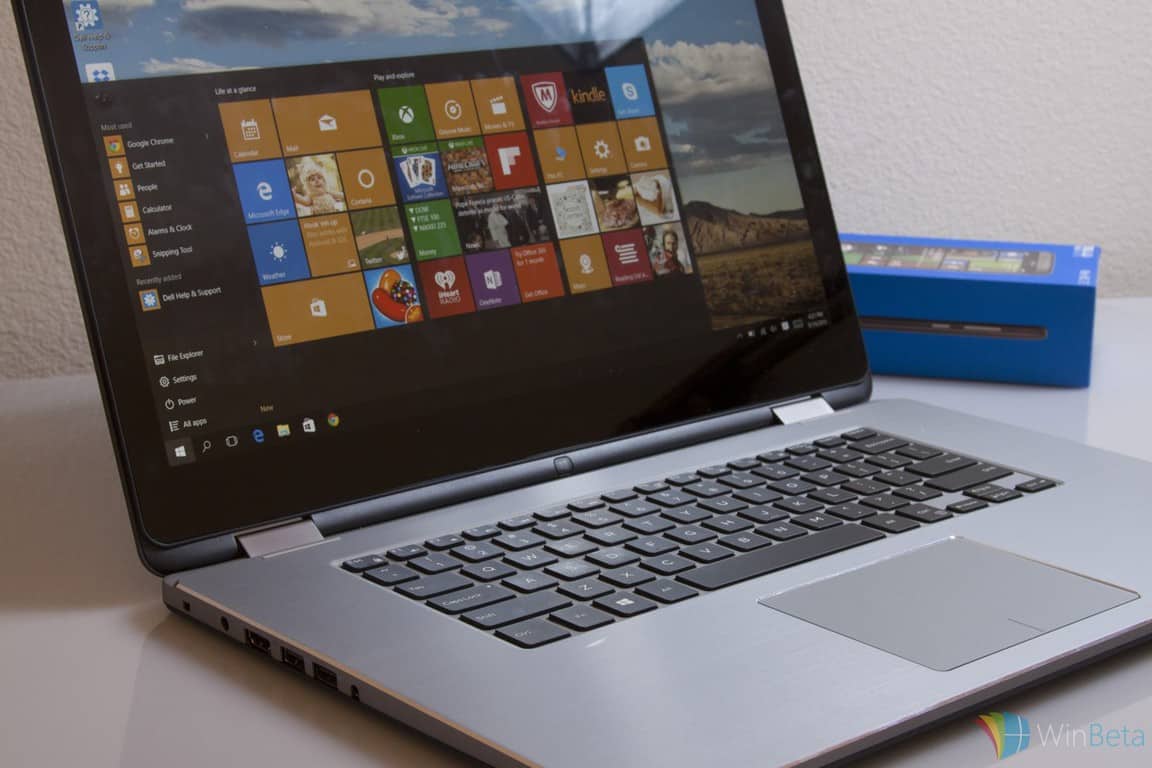
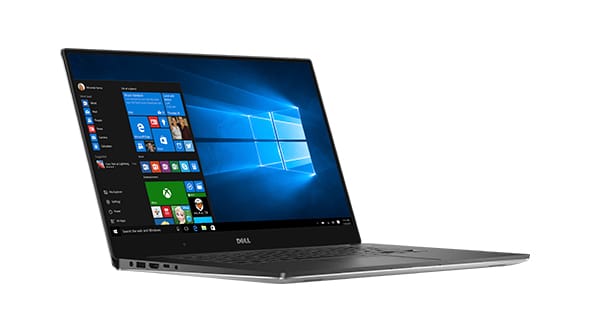
Dell XPS 15
Included in the sale are the popular and oh-so-sexy Dell XPS 13 (discounted $200, to $799), and the XPS 15 (also $200 off, at $1499), the Dell Inspiron 13 2-in-1 with a 13.3″ HD touchscreen, a fifth generation i5 processor, 4GB memory and a 500GB hard drive all for $499, a savings of $150.
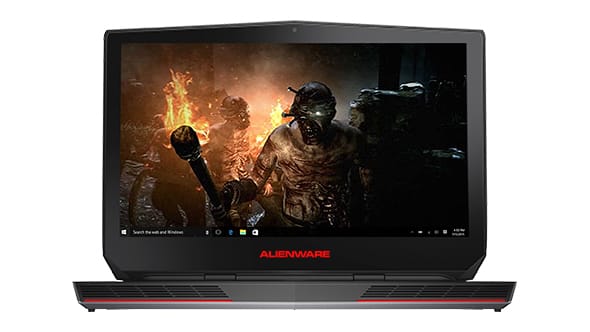
Dell Alienware Echo 15
Dell Alienware gaming laptops are also on sale, with the Echo 15 R2 core i7 laptop at $500 off, and more big savings on other models
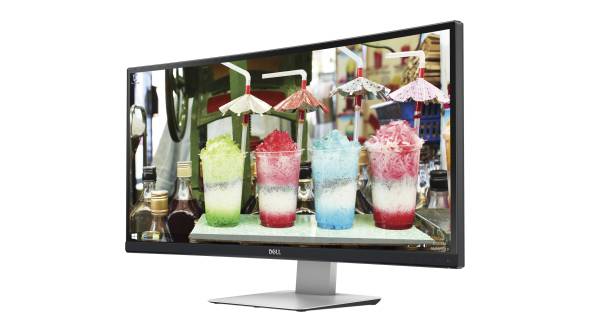
Dell Ultrasharp 34 Curved Monitor
If you’re not in the market for a new PC, there are lots of accessories for sale, too, along with some great savings on monitors, including $400 savings on the Dell Ultrasharp 34 Curved Monitor.
Rocket League, a physics-based vehicle soccer game by Psyonix, was released to eager gamers on the Xbox One back in mid-February. Nearly a month later, the game has unlocked a new achievement — it has surpassed one million unique players on Xbox One!
For those wondering, Rocket League is a physics-based soccer game that users vehicles and focuses heavily on multiplayer gameplay. Rocket League has ranked and unranked multiplayer game modes like 4-player local Xbox One split screen with up to 8 players on Xbox Live with various game modes.
Have you been playing Rocket League on Xbox One? Share your thoughts about the game in the comments below.
YES! We have officially eclipsed more than 1 MILLION unique players on @Xbox One! Thank you very much for continuing to support us!
If you’re still using a FitBit in lieu of a Microsoft Band, Windows 10 is taking care of you. The FitBit app for Windows 10 just got a pretty sizable update, bringing with it additions to goal celebration, some Continuum improvements, and even new branding. The new update is pretty significant, as it does quite a bit to make the app feel more polished and prepared for Windows 10 users. Here’s the Changelog:
Dashboard customization
– You can now customize which tiles show on your dashboard and arrange them to your preference (desktop only for the moment).
– There is a new button on the dashboard to enter Edit mode.
Goal Celebration
– New celebration when you hit all of you main activity goals.
Improved design to support wide range of Windows 10 devices
– Numerous screens have been rescaled to work better across the variety of Windows 10 devices. All devices from desktops to smaller phones should have a better experience.
– Information density has been increased in many areas.
– Modified Dashboard tile alignment and resizing logic.
FitStar Exercises
– FitStar exercises will now show in your exercise history.
Exercise Goals
– Refinements to the design of exercise goals.
New App Branding
– New splash screen, loading animations, updated Splash screen, loading animations, brand logos, live tiles, taskbar & app icon.
That’s a pretty hefty changelog, and it paints a picture of a much better FitBit app for Windows 10 users going forward. The introduction of goal celebration and the refinements to exercise goals should both assist FitBit users when it comes to achieving the milestones they’re aiming for. The improvements to screen sizing should help users across all Windows 10 devices use the app to its full potential, and allow Continuum users to work with the app without any awkward transition from mobile to desktop.
The app isn’t rated all that highly right now – it’s suffering a 3.1 star rating on the Windows Store, and its front page is full of one-star reviews that claim that the app was ruined by Windows 10. Hopefully, with this new suite of changes coming to patch up some of the Windows 10 issues, the opinion of some of these users will turn around.
The latest Windows 10 Insider Preview update was released to Insiders. It comes with several improvements and a few new features, most mainly to give users additional reasons to use Cortana.
We talked about those cool Cortana features and more in a previous article. Right now, we’re going to focus on the bug fixes and known issues of this new Build.
Below is everything you’ll need to know about what was fixed from what might cause issues going forward until the next update comes around.
Here’s what’s fixed for PC:
We fixed an issue where Microsoft Edge and Cortana crashed for users with roaming profiles.
We fixed an issue where Cortana would continue to show reminders that have been completed.
We fixed an issue where items copied/moved to the desktop would not display until the desktop was manually refreshed by right-clicking on the desktop and choosing “Refresh” or pressing F5.
We fixed an issue where downloading certain drivers from Windows Update was causing some PCs to bluescreen.
Known issues for PC
We’re investigating an issue in which some Surface Pro 3, Surface Pro 4, and Surface Book devices experience a freeze or hang and all inputs from keyboards, trackpads, and touch do not work. The workaround is to hold down the power button to force the device to hard-reboot.
We are continuing to track several issues reported by Insiders where some PCs will freeze or bluescreen when resuming from hibernation. Disabling hibernation is a workaround in some cases until this is fixed.
If you have Kaspersky Anti-Virus, Internet Security, or the Kaspersky Total Security Suite installed on your PC, there is a known driver bug that prevents these programs from working as expected in builds from the Development Branch. We are partnering with Kaspersky to fix this issue for a future release but at this time there are no known workarounds. While this issue is present, we recommend using Windows Defender or another third party anti-virus product of your choice to remain protected.
Turning on the “always show all icons in the notification area” setting disrupts the layout of the notification area (“systray”). Your notification area will look out of alignment.
We are seeing reports of crashes with apps such as QQ crashing due to an OS reliability issue we are currently investigating. This bug is also impacting older apps such as Windows Live Mail and Expression Encoder 4.
Interestingly enough, Microsoft did not lay out a fix for the problem that causes Edge to crash when attempting to playback Flash videos. We’ll cover this in detail once Build 14279 is up and running on our test computer.
There’s a new Windows 10 Insider build available right now and it brings to the table several important changes to the operating system. Microsoft released Build 14279 to the Fast ring, though we can’t be certain if those in the Slow ring will have the chance to download it very soon.
What new additions have been brought to the table in Build 14279? Let’s take a look together:
Cortana can now remember things for users
Chances are, you may have some issues with your memory at times. Well, worry not because Cortana is now capable of helping . If you’re planning to watch Batman v Superman: Dawn of Justice on March 24, 2016 but may need help remembering, just say, “Remind me to watch Batman v Superman: Dawn of Justice” and Cortana will remember.
Users have the option to set specific locations, dates, or time should they need to.
At the moment, it is impossible to ask Cortana to bring up a list of reminders by using your voice, but this should be rectified in a future update.
Cortana knows more languages
When it comes down to recognizing more languages, Cortana has become smarter. The new update allows the Microsoft voice assistant to recognize Spanish (Mexico), Portuguese (Brazil) or French (Canada).
Logon experience updated
Before this update came around, Windows 10 had two separate background images for the Lock Screen and Logon Screen. This is no longer the case since the new Build has merged both to allow for just a single background image.
For those who are using Windows Spotlight, a similar feature will make an appearance in a future update to Windows 10.
Each improvement here should allow for a smoother operating system for everyone. Furthermore, users should feel more compelled to use Cortana due to the new abilities the voice assistant has at its disposal. The ability to tell Cortana to remember things will definitely come in handy.
Now, we just hope these cool Cortana features make it over to Windows 10 Mobile in a timely fashion because Microsoft doesn’t seem to care much about the mobile side of things.
Today the Office 365 team has announced the introduction of the Office 365 admin center. First previewed back in September, the new admin center has been created to help provide more effective and easier management of Office 365 and your users.
Office 365 Admin Center
Let’s take a look at the newest features:
Discover-able and Simple: The new admin center simplifies all the tasks you need to tackle, by presenting them directly on the dashboard for quick and easy access.
Office 365 Admin Center
Search: This feature allows you quick access to features, users, documents, tasks that you are looking for, with more being implemented in the future.
Reporting: With the ability to track usage across all applications, this feature gives you access to information regarding your users, how they are utilizing Office 365, subscriptions, email traffic, Office activation’s and more. A future update will introduce reports for OneDrive, Yammer, SharePoint and Skype for Business.
Office 365 Admin Center: Reporting
Over the next few weeks, the Office 365 admin dashboard will roll out to users as a default experience, with access to the old layout while you familiarize yourself with the new look. Features highlighted in this update will also gradually roll out to users.
In addition, the Office team highlighted two other new functions what will arrive soon for the admin center. Customization is a future feature that will allow admins to customize their dashboard to better fit their roles within organizations and the information they need most. Contextual Help is a feature that will help you understand new functions and abilities of the admin center, by providing valuable information on features, tasks and tips on taking advantage of the admin centers abilities.
Microsoft’s Office 365 subscription will continue to see new updates and features added, with the help of consumer voices and opinions for new features. For a detailed look at future updates and ones past, be sure to check out the Office 365 Road Map and let us know in the comments how the new admin center will benefit your workload in your organization.
While sources at Microsoft spoke with The Verge recently about a new strategy its Xbox division will be undertaking this year at Build 2016, others have taken it upon themselves to officially confirm it.
Reaching out via his Twitter account, Head of Xbox Phil Spencer shared the company’s plan to talk in detail about Xbox and its relationship with the Universal Windows Platform this year at Build. Without going into further detail on the how’s and when’s of the plan, news about Microsoft’s plan to unveil new Universal Windows Xbox apps at the developer conference have also surfaced online.
We will discuss our next steps with the Universal Windows Platform at //build later this month.
Traditionally, Microsoft uses its Build developer conference as a stage to announce where and how the company will navigate through the year, as well as laying plans for subsequent years. It seems safe to assume that Build 2106 will be no different. However, Microsoft is doing something a bit out of the ordinary this year by allotting time for its standalone gaming division to discuss opening up the platform to developers.
Last year, during Microsoft’s developer conference the Xbox team, hinted at a possible future where the lines between Xbox and Windows 10 would eventually blur, but the announcement was contingent on a system-wide update that had been scheduled for later that year. With the Xbox One finally running on the Windows 10 underpinnings thanks to the Fall 2015 update, it appears that the Xbox team is ready to discuss further developer involvement.
While developers have been able to create Xbox One apps, the apps were chained to the console environment only. Now, it seems Microsoft is ready to lower the gates and allow for the cross-platform development it’s been preaching for the past two years. Opening up development in this manner should help bolster the app ecosystem on the console, which until now has been an arguably curated wasteland of network TV apps. Xbox One owners could eventually see more indie games come over from other platforms as well as social media apps (that makes sense on a large screen) invade their apps store, and giving people further reason to pick up an Xbox One this shopping season.
Build 2016 takes place at the end of this month and we’ll have Kip and Ron live at the event.