Plenty of Windows 10 Build 11082 Issues Start Appearing

Microsoft has recently released the Windows 10 Insider Preview Build 11082, which is also considered the first Windows 10 Redstone update. With this specific build, it seems that Microsoft is preparing the ground for the upcoming Windows 10 Redstone update.

Windows 10 Build 11082 problems

Build 11082 has been released for Windows Insiders on the Fast ring, and, as always, Microsoft has listed a couple of common issues that you might encounter. Here they are:

  • Languages packages and Features on Demand will fail to install on this build. We are investigating workarounds.
  • When copying, deleting, or moving files there will be no progress dialog shown. The file action will complete without intervention. This can cause confusion when acting on large files or directories.
  • With this build, application defaults for some applications will be reset. Music & Video will default to Windows Media Player. This can be reconfigured opening Cortana or Search and searching for “Choose default apps by file type” to open the correct settings page.

However, as it’s always the case, issues don’t stop here, as the support forums have been taken by storm by those who have installed the 11082 build for Windows 10 v1511 and they have report a bunch of more problems. Here are just some of them:

One user says that this specific update stops at a certain percentage when trying to download and install:

  • i tried to install the preview build 11082 … it stops @76% forever for few hours … will not continue…what is issue? … any solution or this is a build with bugs will not install…

Another Windows 10 user says that he is having several issues on the ATI Radeon 4800 driver:

  • New builds of Windows 10 install the 7/15/2015 version of the ATI Radeon 4800 driver and it does not support multiple displays. I have to keep selecting the driver that was released in January 2015 to get back multiple display support.

Somebody else complains that Windows 10 11082 is “by far the slowest of builds and it also has a problem loading flash player“. The user says that it takes over 90 seconds to load this new build and that he has various problems with the flash player. Windows 10 Build 11082 issues
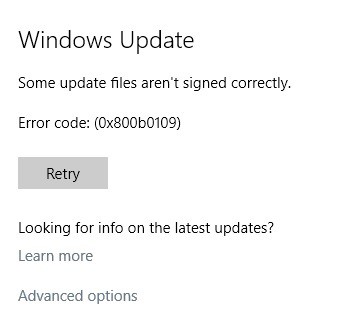
Another user says he is getting error code 0x800b0109 when trying to download build 11082. And, of course, there are plenty of users who claim that Build 11082 fails to install, which is probably the most commonly encountered issue whenever a new Windows 10 build gets released.

One Microsoft representative has reached out with a couple of fixes regarding the “Your security settings need attention” which appears on the update screen when trying to check for the new build.
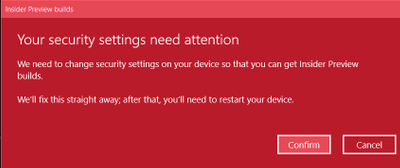
Windows 10 Build 11082 problemsIn order to fix this specific error, go ahead and follow his instructions in this support article. Moving onward, it seems that this build brings a plethora of issues affecting all sorts of functions, with one user actually complaining that since installing 11082, he can’t rip CDs anymore. Somebody else says he is having problems with the copy/move dialog box:

Just wondering if anyone else is seeing this or just me: in today’s Fast Ring build, when I go to copy or move a file or group of files, the operation appears to take place, judging by watching the destination directory, but the dialog box that shows progress doesn’t show up, and there’s no green indicator in the taskbar to tell how far along the process is.

A couple of Windows 10 users say that they are having fingerprint reader issues, as well:

In PC Build 11082 released 12/16/2015, you cannot login using the fingerprint reader on the SP4 typecover. However, the fingerprint reader will still work when verifying your identity during Windows Store or In-App purchases.

As we can see, there are quite a few errors, bugs, glitches and various other problems caused by Windows 10 Build 11082, and we will be constantly updating this article with more as this gets downloaded on more devices. Meanwhile, leave your comment below and let us know what’s your experience with the first Windows 10 Redstone update.

The Force Awakens is already available for digital pre-order on Windows 10 devices

Star Wars Episode VII: The Force Awakens may have only come out a few days ago but the latest entry in the Star Wars film franchise is already up for digital pre-order on Microsoft’s movie platforms. That means that it can now be bought in the Store app on Windows 10 devices, the Xbox Video app on Windows Phones running pre-Windows 10 Mobile software, and in the Movies & TV app (or Films & TV app in some regions) on Xbox One. Buying the film on one platform will enable it for viewing on all others which use the same Microsoft account.

There has been no release date given for the eventual home release but those who pre-order now will gain instant access to the short featurette, Legacy.
The original six Star Wars films only premiered in the digital format earlier in 2015. Before then the only way to watch them was through purchasing a physical VHS, DVD, or Blu-ray. With The Force Awakens being offered for digital pre-order during the same week it premieres on cinema screens, it would appear that the franchise will be embracing the digital format from here on out. A physical DVD/Blu-ray release is also expected in the near future though.

Star Wars: The Force Awakens in the Films & TV app on Windows 10

Are you going to pre-order the digital version of The Force Awakens or do you need to see it again before deciding if it’s a worthy addition to the saga? The film has been garnering mostly positive reviews in general but like other entries in the saga, there are also aspects of it that have drawn criticism from fans and media. Perhaps you prefer to stick with the eventual The Force Awakens Blu-ray release which will likely come with more special features like audio commentary and deleted scenes? Are you happy we managed to get through one The Force Awakens article without using at least one cringe-inducing Star Wars pun? Let us know in the comments below.

Build 11082 is the First Windows 10 Redstone Release for Insiders

Microsoft finally finished its job with the first major update for Windows 10, Threshold 2, and the company doesn’t waste any time, as the new big update is in the works. We recently told you that Microsoft is preparing its first Redstone build for Windows 10 Insiders, and it’s finally released now.

The first Redstone build for Windows 10 is labelled as Build 11082, and it is now available to all insides on the Fast Ring. Chief of Windows 10 Insider program, Gabe Aul, introduced this build by saying:

“With this build, you won’t see big noticeable changes or new features just yet. Right now, the team is focused on product improvements based on the feedback we’re hearing on the November update to Windows 10. This includes the changes that have also been going out as cumulative updates through Windows Update on your PCs running the Windows 10 November Update as well as on phones running Windows 10 too.

We’re also working on some structural improvements to OneCore, which is the shared core of Windows across devices. Essentially, OneCore is the heart of Windows, and these improvements to OneCore make building Windows across PC, tablet, phone, IoT, Hololens and Xbox more efficient. We’re doing some code refactoring and other engineering work to make sure OneCore is optimally structured for teams to start checking in new features and improvements in the new year.”

Unfortunately, this build also brings some issues with itself. But this is relatively normal, since it’s the very first Redstone build. However, the purpose of Windows 10 Insider program is to test the new builds, and find solutions for problems, so it’s not serious. Here are the known issues of Windows 10 Build 11082:

  • Languages packs and features on demand will fail to install on this build.
  • When copying, deleting or moving files there will be no progress dialog box shown. The file action will complete without intervention. This can cause confusion when acting on large files or directories.
  • With this build, application defaults for some applications will be reset. Music & Video will default to Windows Media Player. This can be reconfigured from settings app.

If you’re installing Windows 10 Insider Preview build 11082, let us know in the comments, what do you think about the first Microsoft’s Redstone build?

Windows 10 scores Minecraft: Story Mode – Episode One

Minecraft: Story mode has been available on a number of platforms for a while now, offering up fun episodic adventures for the Minecraft fan. Now, Microsoft has made Minecraft: Story Mode – Episode One available on Windows 10.

Minecraft Story Mode Windows 10
Minecraft: Story Mode is now available on Windows 10.

Here are the game’s features:
Created by award-winning adventure game powerhouse Telltale Games, in partnership with Minecraft creators, Mojang
Featuring the voices of Patton Oswalt (Ratatouille, Agents of S.H.I.E.L.D), Brian Posehn (The Sarah Silverman Program, Mission Hill), Ashley Johnson (The Last of Us, Tales from the Borderlands), Scott
You will drive the story through the decisions you make: what you say to people (and how you say it), and what you choose to do in moments of thrilling action will make this YOUR story
In other Minecraft: Story Mode news, Episode Four – Winter Storm Finale will be available starting on December 22 for most Minecraft platforms. Episode Five is also upcoming, and you can keep up with the news at the Telltale Games blog.

There you go, Minecraft fans. If you’ve been waiting for a Windows 10 version to start playing, you can shell out your $4.99 now and jump into the story.

The Office 365 Add-In Matter Center is now available on GitHub

Part of Microsoft’s pitch to developers during Build 2015 was to build platforms atop services such as Office 365 and Azure. Over the past few months, Office 365 users are gaining new features and services thanks in part to Office Extensibility.
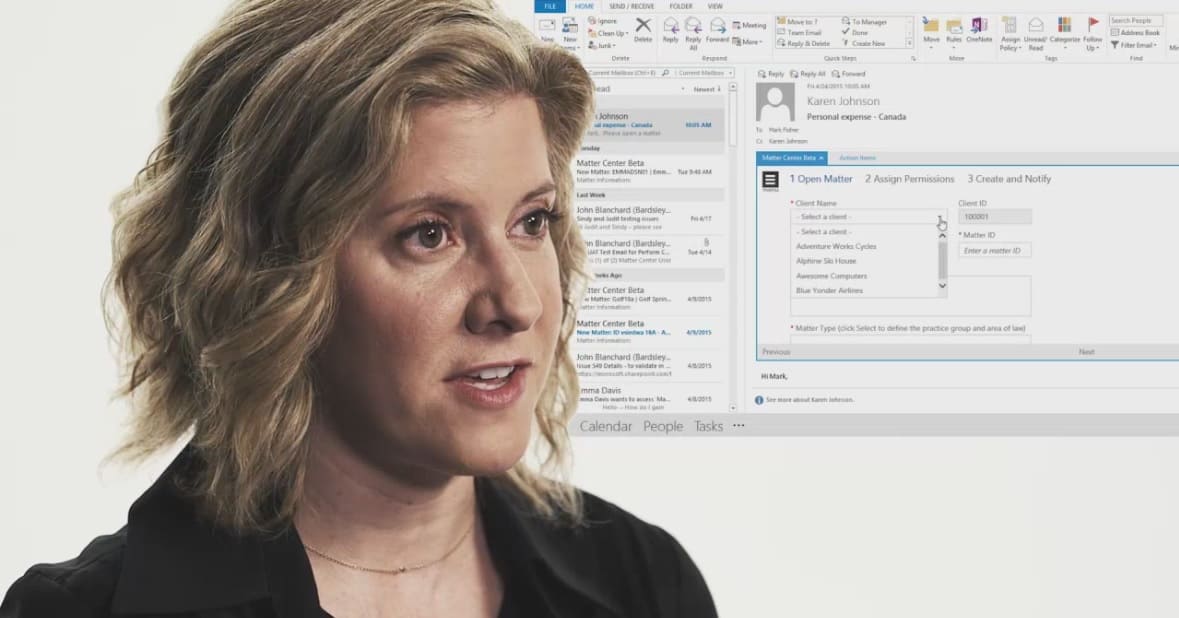
Office Extensibility is designed to spark new creativity and vision from third-party developers around the world to help expand Office 365’s user experience. Recently, Microsoft introduced Matter Center as an Office 365 Add-in and Sharepoint-based collaborative documenting solution. While Microsoft is actively looking for inspiration and solutions from third party developers, Matter Center actually originated from a collective group within the company’s Corporate, External, & Legal Affairs or (CELA).
The CELA and Microsoft collaboration, Matter Center, will no longer be a Microsoft only affair, it is now making its way to more developers through GitHub. Microsoft is pushing Matter Center to GitHub for a number of reasons but chiefly for its proven usefulness, continued demonstration of Office as a platform and its collaborative nature.
In legal professions, Microsoft has noted that its legal staff have roughly the same set of business “productivity demands” as most others, and Matter Center has managed to accommodate them. Other legal professionals agree, Matter Center has been a tool they find very useful in organizing projects and collaborative efforts amongst team members.

By integrating Litéra ChangePro into Matter Center, lawyers can not only see immediately the changes in documents received as attachments, they can also file a redline mark-up version into their Matter libraries along with the original. In fact, all revisions made to a Matter Center library document can be instantly viewed and accurately compared so that a history of all changes are tracked and auditable. Conversely, when lawyers send attachments from a Matter Center library, Litéra Metadact automatically cleans the hidden metadata contained in all documents, so that ABA Ethics Codes for protecting client privacy are honored and the firm’s IT compliance requirements are maintained.
—Norm Thomas, vice president of Business Development at Litéra

Within Microsoft, Matter Center has been taking advantage of a plethora of broad enterprise content management capabilities of the company’s SharePoint service while offering additional benefits through Office 365 integration. The Office 365 integration extends to  Outlook and Word, content rich search and Delve discovery. Now, Microsoft is looking to offer this same level of integration and management to the broader GitHub audience.

The solution has been was such a hit internally that we decided to extend it beyond our four walls. We’ve since worked with IT solution providers and software vendors who service the legal industry to use Matter Center as a model for how solutions can be built with Office 365. Our partners were empowered to deploy the solution to their customers and build on top of our technology and extend Matter Center in a customized way that addresses the entire matter document management lifecycle—including bulk email management and ethical wall integration scenarios.”

Microsoft is publishing the full source code, deployment guidance, and additional resources to help developers get their version of Matter Center running. Microsoft will also be publishing a solutions roadmap in the coming months for Matter Center to its GitHub repository.
Matter Center is another example of Microsoft’s continued transition to offering open source solutions to developers who can help expand its many services and products. Interested parties can join Matter Center and offer Pull Request and codes to the project here.

Microsoft finishes up Windows Insider program for the year

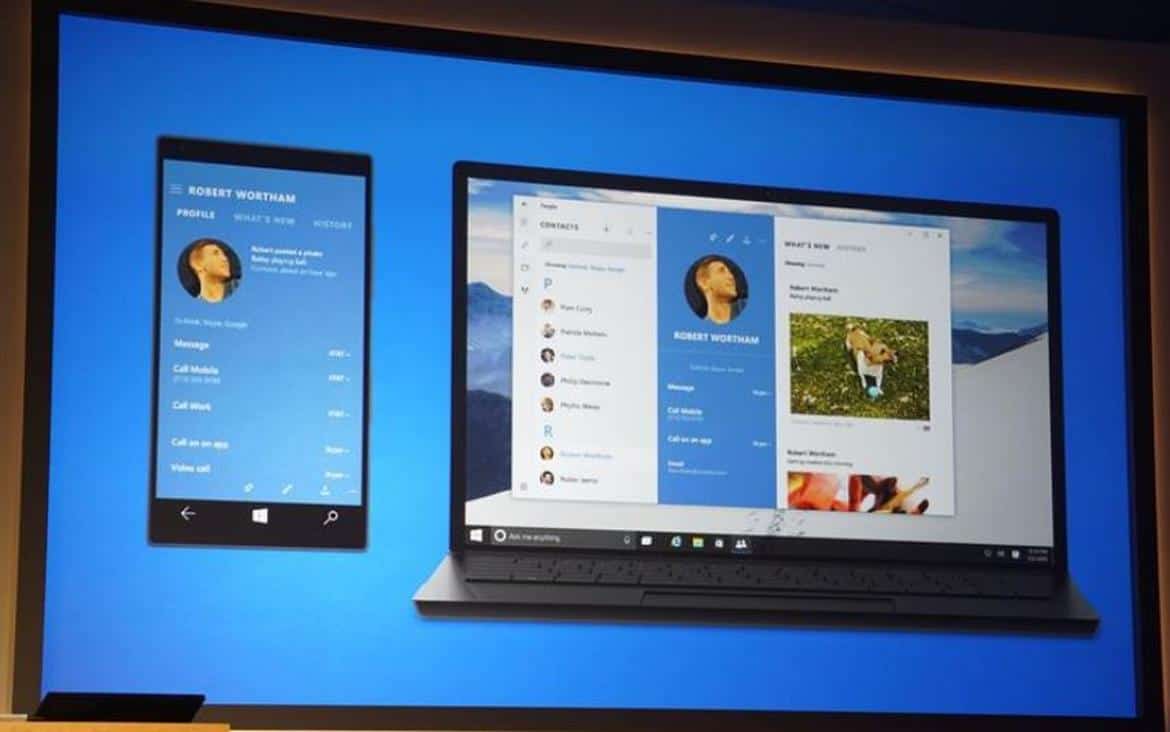
Microsoft just finished updating both Windows 10 and Windows 10 Mobile Windows Insider builds, updating Windows 10 to 11082.1000, and Windows 10 Mobile to 10586.36. In addition, non-Windows Insiders have also been updated on the desktop version of Windows 10 to 10586.36, making a nicely wrapped package out of it all.
With that, Microsoft has announced that it’s done with Windows Insider updates for the year, as engineers and corporate vice presidents alike head off for the holidays.  The announcement was made in a blog post coinciding with today’s Windows 10 Mobile update:

I also want to set expectations for new builds for both PC and mobile between now and the end of 2015. This time of year many of us take the opportunity to spend time with family and take some vacation time, so the engineering team will be running at a slower pace and many of our key people who drive our flighting process will be out (including me :-) ) This means we won’t be releasing any new builds to Windows Insiders until January, for both PC and mobile.
Those words come from Gabe Aul, who has done a heck of a job leading and building out the Windows Insiders program.  We’re excited to learn what’s coming up in the new year, everything from Redstone, to Edge extensions, to Windows 10 Mobile on “select” Windows Phones, to who knows what else. As always, stay tuned to WinBeta for the latest news!

Microsoft reviews Skype's "big year", highlights Skype Translator, Mojis, and more

Microsoft’s Skype team has been as busy as any and probably more than most, pumping out cross-platform updates to the personal communicator’s various apps and incorporating new innovative technologies. Today, Microsoft took a look back on Skypes “big year,” providing an overview of everything the team has accomplished in 2015.
From the fun and frivolous, such as new emojis and video Mojis, to more serious and impactful innovations like Skye Translator, Microsoft’s personal communicator has gone through some serious improvements. Here are the highlights.

Skype Translator

Skype can translate your voice and text, in real-time, ushering in a pretty cool new way to communicate with people of other locations and languages. Skype Translator can handle voice translation for Chinese Mandarin, English, French, German, Italian, Spanish, and Brazilian Portuguese, and text translation for over 50 languages. Of course, all of that is available via the Windows desktop app.

Skype Translator Windows Desktop App
Skype Translator lets you talk in your native language with others around the world, in real-time. How cool is that?

Skype Invitations

Invite anyone to a Skype chat via a unique link, which is made even more ubiquitous by virtue of the new Skype for Web beta.

Cross-Platform Apps

Skype is everywhere, running on every major platform and device type including iOS, Android, Windows 10, Windows 10 Mobile, iPhone iPad, Lumia smartphones, and Android devices. In fact, Skype was selected by Google as one of the “Best Apps of 2015” available to Google Play Store users.

Mojis and Emoticons

Skype Mojis are fun little video clips that can accentuate a conversation or poke fun at a chat partner. And new emoticons add additional frivolity to otherwise serious discussions.

New Skype Emoticons
Just a handful of the new emoticons available in the various Skype apps.

Social and Campaign Highlights

The Skype team was busy letting us know what’s going on with them, the world, and even ourselves. Here are a few highlights:

We’re looking forward to what Skype makes possible in 2016, and will be sure to keep you up to date on everything you can do with Skype.
You can download the Skype desktop apps here, and the mobile apps via the links below.

Skype
Skype
Developer:
Skype
Price:
Free


‎Skype
‎Skype
Price:
Free+


Skype
Skype
Developer:
Skype
Price:
Free

Microsoft expands hybrid cloud solution StorSimple for smaller enterprises

Microsoft has taken a bit of a different approach to offering cloud solutions for enterprise. Hybrid cloud solutions, where some storage is held in the cloud, but leaving some critical data stored on premises, means that Microsoft cloud users can control their data while gaining some of the cost and access improvements offered by cloud solutions. StorSimple is one of those offerings, allowing enterprises to take advantage of economical cloud storage for inactive data, but keeping critical data on-prem.
Now, Microsoft is expanding StorSimple to make it easier for companies to take advantage of the hybrid cloud, and extends it to smaller enterprises.  Microsoft’s StorSimple Virtual Array allows customers to run StorSimple in Hyper-V or VMWare virtual machines, cutting hardware costs and making it easier to deploy in small enterprises with minimal IT staffs.
Another new StorSimple update introduces “StorSimple 8000 Series Update 2” (you go with the naming, Microsoft! Steve Ballmer would be so proud!), which provide local volumes, either in hardware or virtualization, so that some local high demand workloads can take place without introducing any Azure or cloud based latencies. For hardware requirements, Microsoft is also introducing the StorSimple Cloud Appliance, updated to use SSD for its local storage tier, updating performance.
You can learn more about StorSimple from its Microsoft website.
 

Microsoft's Power BI service massive new update improves formatting and visualizations

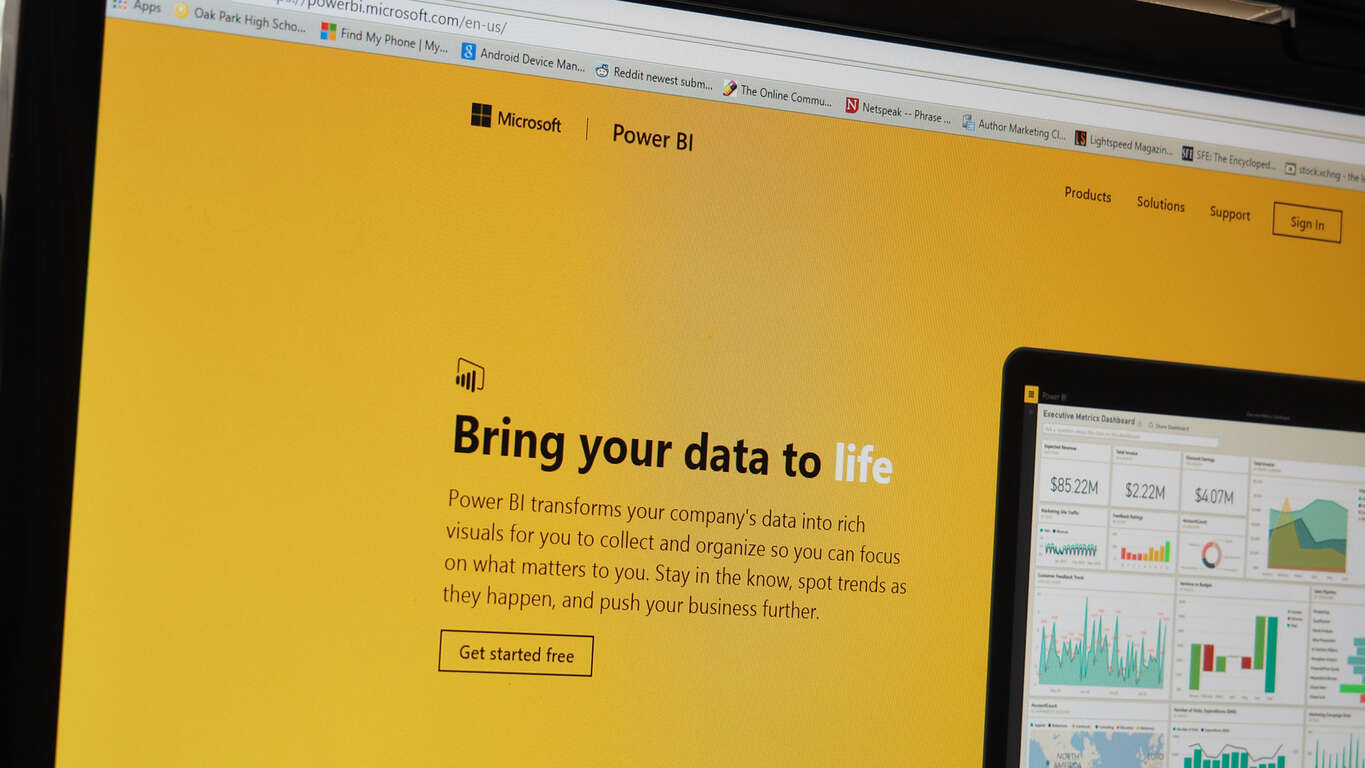
Fans of Microsoft’s cloud-based business analytics service, Power BI, will find a happy little update in their stockings this Christmas. Microsoft recently released a rather significant update to Power BI that includes changes and improvements to Report Authoring features.
Specifically, the Power BI team claims improvements to Report Authoring capabilities in Power BI Desktop. The new changes to Report Authoring are also supported in the Power BI service for consumption whatever light editing might be done. Much of the improvements involve formatting options being added, along with a few new visualizations intended to improve usability.

  1. Format data labels per category series

We have added more options to allow full flexibility in formatting charts where multiple measures are displayed. With this update, it is possible to format each measure within the chart differently.
In order to achieve this, users can enable the “Show All” option within the Data Labels section of the Formatting pane for any given visual where two or more measures as used in the Values section. This allows users to specify formatting settings for each of the measures.

2084.1

  1. Change number of decimal places showed in visuals

Users can now customize the number of decimal places showed in visuals (i.e. Data Labels). This option is available in the Formatting pane, under the Data Labels section.

  1. Change text size in visuals

It is now possible to change the font size for text displayed in visualizations. This Text Size option is available in the Formatting pane.

  1. Ability to lay out visuals accurately (alignment, distribute, size, position)

In this update, we’re introducing a number of new features in Power BI Desktop to allow users to lay out visuals accurately. These new features are:

  • Alignment Options: It is now possible to align two or more visuals by using the new Alignment options (align to left, center, right, top, middle, bottom).
  • Distribute Options: In addition to controlling the alignment between two or more visuals, users can also distribute three or more visuals, vertically or horizontally. This will ensure there is the same space between the visuals selected.
  • Size & Position: The Formatting pane now includes the option to set the exact size (width, height) and position (X, Y) for each visual. These options are available under the General section for any given visual.


Other improvements include Format options being copied over from Format painter, and visualization enhancements such as the inclusion of a visual indicator on the table column headers, stacked area charts, hover-over tooltips for area and line charts, and reference line creations. With this being such a massive update to Power BI, the list of improvements goes on at length covering other items such as a new Preview Feature, improved data tables, an optimized Home ribbon layout, new data modeling, more options to control data connectivity and more.
The update is available now for current customers, and Microsoft is also encouraging users to sign up for Microsoft’s Data Insights Summit on March 22-23, to meet face to face with other Power BI users as well as one-on-one meetings with its engineering teams.

Microsoft partners with the American Council of the Blind for more powerful assistive technologies

Microsoft has taken to their website to announce a partnership with American Council of the Blind (ACB) to improve accessibility to various Microsoft products for visually impaired individuals.

“Having access to information through accessible technology is critical for our members as they pursue education, employment and perform everyday tasks,” – Eric Bridges, Executive Director of the ACB.

The partnership will see Microsoft having access to valuable user experience data from the ACB. The data will then be used to develop assistive technology, as well as improving the usability of Microsoft’s software. The response to the partnership has reportedly been “incredibly positive.”

Microsoft’s solutions, given their ubiquity in the productive world, has had a long history of catering to people with various disabilities. From built-in text-to-speech in Windows, to voice and motion control with Kinect, Microsoft’s technology is constantly evolving to not leave anyone behind. Projects like these showcase an inspirational Microsoft, and we’re excited to see how far the company will go to fulfill its mission of ’empowering every person and every organization on the planet to achieve more.’

Microsoft enters into joint venture to bring Windows 10 to China's public sector

China has always been a tough nut to crack for Western tech companies due to domestic protection policies and heavy-handed governmental controls.  Microsoft, in particular, has been at the pointy end of the Chinese government’s attention as China tries to break free from the reliance on the tech giant’s universally dominant software, namely Windows and Office.
Of course giving up on such a large potential market is not an option, and Microsoft’s latest effort in rekindling its relationship China is a joint venture that will increase Windows 10’s adoption in the Chinese governmental sector. The news was announced on the Windows blog.
“Provisionally” called C&M Information Technologies (C&MIT hereafter), the new joint venture is established in partnership with China Electronics Technology Groups, with roots from a previous announcement back in September. C&MIT will exclusively license a custom, government-approved image of Windows 10 to the China’s government and state-owned enterprises, provide related services and supports, and collect feedback to further update the specialized Windows 10 image.

“..this venture signals the possibility for new opportunities for Windows 10 in the many government entities in China.”

Microsoft commands a significant presence in the Chinese desktop OS market, despite not making much revenue out of it due to the country’s piracy situation. On the mobile front however, Microsoft’s market share is all but non-existent, ceding entirely to Android and iOS. As Windows 10 carries Microsoft’s unified vision across all of it current and future platforms, it’s no wonder the company feels the need to push adoption of the OS.
Previous attempts include a partnership with leading social network and gaming service Tencent, internet security giant Qihoo 360, Lenovo, and search behemoth Baidu. With the newest joint venture, Microsoft is tackling one of its key business areas in all countries, which is the governmental sector.
After a brief stint, the softening tension between the company and the Chinese government was seemingly hinted at by President Xi Jinping’s visit to Redmond, where he met with Microsoft’s founder, Bill Gates, as well as its current CEO, Satya Nadella, among others. It looks like, step by step, Microsoft is succeeding changing its image in China for the better, and we are looking forward to its further advance in the market.

Pandora Releases its App for Windows 10

Pandora made a comeback to Windows 10 Mobile platform a few weeks ago, with its new app, which also worked in Continuum. And now, a popular radio player expanded its range across all Windows 10 platforms, as it delivered a new app for Windows 10 PCs

Pandora Windows 10 App Arrives to PCs and Brings a Strange Issue

If you already used the mobile version of the app, you won’t notice a lot of changes in the PC version, as it’s only adapted to the PC display, and a couple more features are added. It also has integrated lock screen support, which is a nice touch by the developers.

There’s of course a Live Tile support, which allows you to pin your favorite radio stations to the Start Menu. You can also see what song is currently playing on your pinned Live Tile. It looks like integrating Universal apps with Windows 10’s personal assistant, Cortana is becoming a trend these days, as Pandora also offers you an option to play your music by telling commands to Cortana. Another nice addition is the ability to run Pandora in Kid’s Corner, and automatically filter the explicit content.

We also have to report about a strange issue with newly-released Pandora app that a few users noticed. Namely, when you minimize the app, it stops playing music. We remind you that users of Microsoft’s own music service, Groove Music encountered the same issue this summer. We hope the developers will soon resolve this problem with the update soon, in the meantime, you can try with solutions that helped users to solve the minimizing problem with Groove Music, hopefully some of them will work for Pandora, as well.

Let us know if you’re thrilled about the release of Windows 10 Pandora app in the comments. Or you prefer some other radio playing/music streaming services, like TuneIn?

Garmin Connect Mobile App Comes to Windows 10 Mobile

Garmin is one of the most popular manufacturers of car navigation system, but it also cares about your fitness. The company released its new Garmin Connect Mobile app for Windows 10, which works with Garmin fitness devices. Besides the regular sync, Garmin Connect Mobile app allows you to upload to the cloud, by syncing with user’s device via Bluetooth.

“We’re excited to today announce Windows 10 compatibility for Garmin Connect Mobile, an intuitive application where Garmin users can easily find the information, data and features that are important to them.” – Garmin Official Blog

Garmin Connect Mobile Brings Some New Features and Cortana Integration

Garmin Connect Mobile comes with a new, modern design, with customizable user interface. The app is very easy to navigate, and it features daily snapshots, leaderboards and a newsfeed. And of course, there’s a progress tracker of your training, which allows you to track all your activities.

Just like most of the newly released app, Garmin Connect Mobile is integrated with Cortana. You can use Windows’ virtual assistant to search for your activity data from the app, like for example: “How many steps did I take yesterday”

The app supports Microsoft Live Tile, as you’re able to pin some of your stats to the Start Menu, including active calories, last activity information, how much sleep you got the previous night, how many steps you have taken toward your goal, etc.

And finally, the new Garmin’s app allows you to share your activities and leaderboards to other users, as well as participate in weekly Challenges where you compete with other users in a certain fitness category, or activity.

You can check for the app in the Windows Store, but it looks like it still isn’t available for download. However, the app probably just hasn’t fully propagated yet, and it should become available shortly.

What’s your number one choice for fitness tracking? Garmin, Fitbit, or something third? Tell us in the comments.

Minecraft Holiday Skins Pack now available for Windows 10 and Pocket Edition

Mojang and Microsoft have just released a special Holiday Skins Pack for the Windows 10 Edition Beta and Pocket Edition versions of the popular Minecraft video game franchise. The Holiday Skins Pack contains 15 different skins to get gamers in the Christmas mood and allows them to customize their in-game characters. Here’s the complete list of content in the pack:

  • Gingerbread Creeper
  • Tomte
  • Casual Comfy
  • Snug Snoozy
  • Warm Wooly
  • Puffed Padded
  • Parka?
  • Jumper?
  • Mother Christmas
  • Father Christmas
  • Santa Clause
  • Mrs. Claus
  • Toy Crafter
  • Tasty Gingerbread
  • Red-Nose

The Holiday Skins Pack can be bought digitally for US$1.99 while the Warm Wooly and Jumper? Skins can also be bought separately for free. To coincide with this release, a special Mojang/Microsoft livestream is planned for December 18 at 10 a.m. PST via the official Mojang YouTube channel. Specific details have yet to be announced.
Last month, Microsoft and Mojang released a massive collection of skins for the Xbox One version of Minecraft which came with several holiday-themed items as well as some of the previously released DLC packs. Are there any skins you would like to see in a future update? Let us know in the comments below.

Minecraft for Windows
Developer:
Microsoft Studios
Price:
Free


‎Minecraft
‎Minecraft
Developer:
Mojang
Price:
$6.99+


Minecraft
Minecraft
Developer:
Mojang
Price:
$6.99

Skype, People Messaging and Video Apps Brings UI Improvements and New Emojis

Microsoft recently brought Universal Skype apps (Messaging, People, and Video) to Windows 10 with the November Update, and now we have the first update for this ‘pack.’ This is an UI update, which brings some additions and improvements to the user interface of Skype apps.

The update has been delivered silently, as the Windows Store page of these apps doesn’t show any changelog, but the change in the version number is more than noticeable, as it went from 1.11.19004.0 to 2.12.9011.0. But although the changelog is not presented, users found out the changes by themselves.

Update for Skype Apps Brings UI Changes and New Emojis

The first noticeable change is an enhanced user experience of Skye Messaging app in ‘phablet mode,’ as the contact pictures are now larger, and there are new animated emojis in the offer.

Just like the Messaging app, People app also received some improvements, as it now contains a smaller AppBar and individual refresh button for every single contact. The app version also went from 3351 to 3451.

Although these apps are available for more than a month on Windows 10, they’re still in the Preview version, as Microsoft wants to develop them even further. If you want to participate in the developing process, and give Microsoft some suggestions about new features, or tell the company what you don’t like (or like) about these apps, you can submit your review through Windows Feedback.

These apps are present on Windows 10 Mobile as well, but the version number of Messaging app is 2.12.11012.0, which indicates that this update has been delivered to the PC version only, as version number is slightly different.

Tell us in the comments, what do you think about new Skye apps? Do you prefer using them over the original Skype program, or you’re still going old school?

Windows Hello gets support from Tobii eye-tracking platform

Microsoft’s Windows Hello has yet to take the world by storm, and early hardware roll out indications seem to posit that it will be a Windows feature that may grow slowly over the years. Aside from a few nascent quirks, Windows Hello adoption currently suffers from a lack of hardware support as well extensibility of the feature.
While Microsoft is working on partnering with more hardware vendors to up their support for the new authentication feature, the company is also looking for software to expand Hello’s feature set. Microsoft and Tobii recently announced their joint venture in validating the global leader’s eye-tracking tech now supports Windows Hello facial recognition.
The recent validation means that device manufacturers who use Windows 10-ready biometric authentications in combination with eye tracking functionality will now be able to do so on the same sensor across all of their device offerings. Tobii’s eye-tracking platform also highlights how granular Windows Hello evolution can be in the future. Starting out, most devices with Windows Hello used mere facial composting and recognition to identify users. However, with Tobii’s world class eye-tracking platform, Windows Hello can now authenticate using a bevy of identity points, adding yet, another layer of protection to a user’s account.

Available now for peripheral eye trackers on the Tobii IS3 platform, including Tobii EyeX and SteelSeries Sentry devices, facial recognition support for Windows Hello is intended to be standard on all future Tobii eye tracking platforms, including the recently announced Tobii IS4 platform with Tobii EyeChip™.”

Tobii Tech, the business unit within Tobii that developed Windows Hello support, is encouraging device makers to take its eye-tracking platform for a spin. For any existing devices that already incorporate Windows Hello support, all that is needed to try out Tobii’s eye-tracking support is the addition of a Tobii EyeX Controller.
Perhaps, if the tech matures enough, we Windows 10 Mobile devices may also see Tobii eye-tracking tech in their devices shortly.

Microsoft updates SmartScreen to help keep 'drive-by' attackers at bay

Internet security remains a hot topic, and likely always will as technology continues to become ever-more entwined in our personal and professional lives. Microsoft understands this and continues to update its various platforms with new and enhanced security capabilities. The Microsoft Blog announced today that it’s updating the SmartScreen technology that works inside of Windows 10 and Microsoft browsers to protect against drive-by attacks.
First, what exactly is a drive-by attack? Microsoft has a description handy:

Drive-by attacks are malicious web attacks that tend to start on trusted websites, targeting security vulnerabilities in commonly used software. What’s more, they often don’t require any user interaction – so there’s nothing to click, nothing to download – and infection is usually invisible.
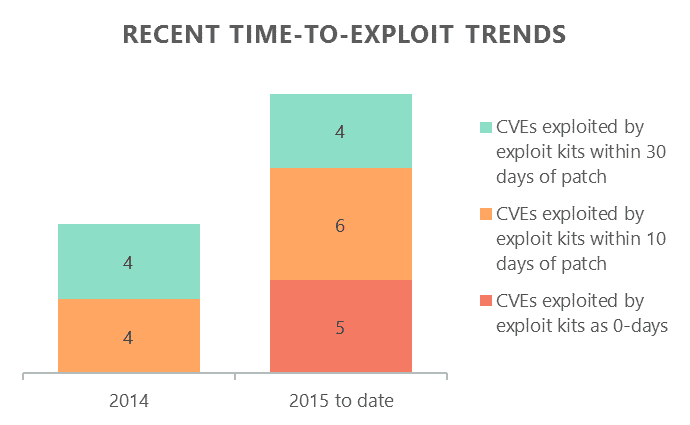
Drive-by attacks make use of services known as exploit kits (EKs) to scale effectively. These are tools that first check your PC for software vulnerabilities (tracked publicly as CVEs) and then try to exploit them. The vulnerabilities can be either newly discovered ones – also known as 0-days – or ones that have already been fixed in popular software. Over the past year, we’ve seen EKs moving faster to target vulnerabilities in apps with available patches, while also exploiting 0-day vulnerabilities more frequently as well.

Trends in time-to-exploit
Recent trends in how long it takes for CVEs to be exploited.

The concept behind SmartScreen is to prevent these threats before a machine is infected, with or without an available patch. This means catching drive-by attacks before the parsing and rendering of web content–precisely what SmartScreen has evolved to accomplish. Performance is maintained by the use of caching and limiting SmartScreen calls to only those instances where malicious content is a high probability.

SmartScreen Warning Page
SmartScreen makes it quite obvious when there’s something malicious going on.

Also, SmartScreen can notify when a frame has malicious content, rather than entire pages as in past iterations. This avoids implicating a host web page when only an embedded frame is infected.

SmartScreen malicious frame warning
SmartScreen can let you know when a frame contains malicious content while leaving the rest of a page alone.

Of course, ongoing reporting is vital to security improvements, and Microsoft has a number of ways to provide feedback:

– Microsoft Edge on Windows 10. Tap or click the More menu, choose Send feedback, and then choose Report unsafe website.
– Internet Explorer 11 on Windows 10. Tap or click the Tools button, point to Safety, and then choose Report unsafe website.

Follow @MSEdgeDeve on Twitter to keep up with Edge enhancements and interact directly with the team, and we’ll continue to keep you update on improvements.

Microsoft Research pulls in another award, this time the Marr prize for computer vision research

It’s almost been a whole week since someone at Microsoft won a big award for revolutionary research, and that’s just peculiar. Thankfully, Antonio Criminisi and his team have managed to win another award since then – and in the same field, no less. This award, the Marr prize, is something that’s awarded once every two years to those who make strides in the field of computer vision. Antonio Criminisi and his team have done just that, doing Microsoft proud by putting out a paper that questions the established conventions of the field and improves upon them.

Antonio Criminisi
Microsoft’s Antonio Criminisi.

The paper in question, Deep Neural Decision Forests, came out in order to shake the foundations of research in the field of computer vision, which has recently been in something of a rut. Recently, researches in computer vision designed a system of image recognition that managed to use neural pathways – inspired by that of humans – that could help machines process information quickly and accurately, going so far as being able to ask the machine questions about an image and have them answer accurately.
With the success of that research taking the field by storm, many researches started getting a sort of tunnel vision, and stopped thinking more broadly about the state of computer vision as a field. The folks in Antonio Criminisi’s team, however, value diversity in their research, and decided to take another approach to try and improve upon the work being done with neural pathways.
The paper mixes the pre-existing knowledge of neural pathways with “random forests,” a set of decision trees used to solve problems. With this combination, Criminisi’s team was able to make the neural pathways much more efficient. Using this new research, they were able to revitalize the theories involving neural pathways in computer vision, and in so doing, revitalize the field as a whole.
According to Cristopher Bishop, Microsoft Research Cambridge’s laboratory director, the combination of advances in neural networks and precious research is quite significant:

“This prize-winning paper unites these two technologies in a single architecture, creating an opportunity to deliver high accuracy at low computational cost,” (Bishop) said.

Microsoft Research continues to make strides in moving technology forward. As always, we’ll try to keep you abreast of the company’s accomplishments in furthering important technologies like computer vision.

Microsoft updates Kinect developer preview on Windows 10

If you’ve been intending on developing a product with Kinect in mind, you may be interested in knowing that Microsoft has released a new developer preview for Kinect on Windows 10. While Kinect hasn’t been getting all that much love recently – the Xbox One’s system sellers have bee consistently not making use of the kinect – it’s still an impressive piece of technology at its core, and one that Microsoft realizes should continue to be developed for.
By using Kinect with your Windows 10 device, you open yourself up to a few features you might not otherwise have. For instance, beyond just being a webcam and a microphone, the Kinect is a device that’s compatible with Windows Hello. If you’re not one of the people who was already enjoying Windows Hello on a high-end Surface, the Kinect’s going to be opening up the opportunity for you to enjoy one of the more entertaining features of the OS.
The blog post from MSDN shows off in pretty decent detail how you can go about installing the software if you’re interested. Once you run the Kinect Configuration Verifier and set up the connect (the blog recommends it be placed as close to the bottom or top as possible, and kept .5 meters from the position of your face) you’re free to start the installation process.
Beyond explaining how to get the new SDK, the blog post spoke about the new webpage for it in the Windows Dev Center, and reminded developers that they can stop by Channel 9, a series of videos where Microsoft employees run down the latest relevant discussions about Windows tech. If that’s not enough, developers can check out the Microsoft Virtual Academy, where they can test their knowledge on Microsoft devices with free training sessions.

Windows 10 Insiders build 11082 with changes to OneCore, faster Insider builds on the way

Microsoft released Windows 10 Insiders build 11082 a few minutes ago, making its latest Windows Insider code available to the Fast Ring. This build doesn’t include any readily apparent changes, but rather focuses on firming up the underlying Windows 10 fundamentals.
Here’s what’s up, by way of King of the Red Button Gabe Aul:

With this build, you won’t see big noticeable changes or new features just yet. Right now, the team is focused on product improvements based on the feedback we’re hearing on the November update to Windows 10. This includes the changes that have also been going out as cumulative updates through Windows Update on your PCs running the Windows 10 November Update as well as on phones running Windows 10 too. We’re also working on some structural improvements to OneCore, which is the shared core of Windows across devices. Essentially, OneCore is the heart of Windows, and these improvements to OneCore make building Windows across PC, tablet, phone, IoT, Hololens and Xbox more efficient. We’re doing some code refactoring and other engineering work to make sure OneCore is optimally structured for teams to start checking in new features and improvements in the new year.

That all makes perfect sense, given that it’s the end of the year and everyone is getting ready for 2016. To that end, Gabe also provided an update on the Windows Insider program going forward. Essentially, Fast Ring Insiders can look forward to builds coming faster and faster as 2016 kicks off.

One of the things that I have heard many times from Insiders in the Fast ring is that they want to see a faster pace of build availability. We’ve been considering how we want to respond to this feedback, and in January we expect to pick up the pace. To do this, we are re-evaluating the ring promotion criteria to allow more builds to reach Windows Insiders. The new criteria will be much closer to our criteria for flighting to our internal rings, which means more builds will pass it and be released externally to the Fast ring. This also means however that the builds we release to the Fast ring may include more bugs and other issues that could be slightly more painful for some people to live with. It’s a tradeoff – as the thing that throttles the rate of builds is the promotion criteria.

This means more bugs, more problems, and more hassle to go with quicker access to new features and performance enhancements. The process to slow things down is simple: open Settings > Update & Security > Windows Update > Advanced options, then slide over to the Slow Ring under “Get Insider Preview builds.”
Finally, you’ll need to head over to the Insider Hub to get a list of known issues, which will be the practice going forward. If you’re running a Windows Insider build, check out the Insider Hub and see what’s not going to work well.
And don’t forget: you can take a Windows Insider survey and get entered to win your very own Surface Book.

Microsoft adds new features to Family Safety, drops 3rd party browser support

It was three years ago when Microsoft introduced Kids Zone in Windows Phone 8, but since then we have not heard the Redmond based company promote much else about family features in Windows mobile, or Windows for desktops for that matter. That being said, Microsoft offers a slew of family featuers that allow parents to customize their children’s Windows experience based on the child’s age. This is set up through Microsoft’s Family Safety page and is linked directly through to the child’s Microsoft account (the one in which parents will want to set up for their children might I add). With Windows 10, Microsoft is looking to lend a hand to the busy parents of the world, updating their Family Safety features for both PC’s and mobile devices.
Family Safety
Through the Family Safety site, parents can set screen time, limiting the amount of time their children use a Windows-based device, and with the latest update, parents can now add screen time extensions, giving their children 15 minutes to 8 hours more allowances on their PC or tablets. These screen-time settings are automatically set for children under 8 years of ago and can be manually applied to an older child’s account as well.
Through the Family Safety webpage, parents now have a one-stop-shop for customizing a child’s web experience. These restrictions and limits work with both Internet Explorer and Microsoft Edge and apply to both Windows 10 PCs and Windows 10 Mobile devices. Microsoft has changed their policy on browsers, and now only supports Internet Explorer and Edge, a change explained on Family Safety’s FAQ page:

Going forward, web browsing limits and web browsing activity reporting will now only apply to Microsoft Edge and Internet Explorer. Until now, our family settings have worked on other browsers, but the companies that provide those browsers frequently make changes, which can break the technology we created for their last version. Since we don’t know about those changes before they happen, we can’t fix those breaks fast enough to keep kids protected. Therefore, we will focus on making family settings work seamlessly for Microsoft products and services, including Microsoft’s web browsers, Microsoft Edge and Internet Explorer. We still provide web browsing limits on Microsoft Edge and Internet Explorer, and will only report web browsing activity from those browsers. We’ve extended that protection to Windows 10 mobile devices, too. To keep your kids from using browsers not supported by Family, choose Block where you see those browsers in each child’s Recent activity.

For children setting up a Windows 10 Mobile device, all previous settings for their account will carry over to their new phone. This will include parent access to any recent activity on their device, web browsing limits and blocks, limits on media including games, music, and movies, as well as “Find your child” feature that allows parents to locate their children via GPS.
Microsoft has even made it easier and safer for kids to browse the Windows Store. Parents now have the option of providing their children with money without adding their own credit card to the child’s account. Parents also no longer have to worry about the content from within the Windows store. Kid-friendly store browsing will only display age appropriate content from within the Windows Store in addition to notifying parents of all recent purchase made.
As a parent to a 7 year old who wants a Windows Mobile device like her dad, these family features make the idea of placing a phone into her hands a little less terrifying. Whether or not she is ready for a device is another story altogether, but it is nice to know Windows 10 and Windows 10 Mobile will make that decision much safer. If you have any children using Windows 10, let us know if you these updates to Microsoft’s Family Safety features are right for you.
 

LG launches new monitors and a Windows 10 laptop ahead of CES 2016

CES 2016 is just around the corner and manufacturers are gearing up to introduce their new gear and technologies. Ahead of the Consumers Electronics Show, LG has introduced a new range of monitors and laptops which will be showcased at the big event next month. LG is set to showcase 21:9 UltraWide monitors, 4K gaming monitors and Ultra PC gram laptop designed for gamers and digital professionals.

“We are always thrilled to be able to show international audiences our newest monitor and PC innovations at CES,” said Jang Ik-hwan, head of the monitor and PC division at LG Electronics. “LG is always innovating to exceed customers’ expectations by creating products that provide breathtaking aesthetics and unparalleled user experience.”

Included in the list is the 34-inch 21:9 UltraWide Monitor (model 34UC98) featuring Thunderbolt 2 boasting a resolution of 3,440 by 1,440 pixels with IPS display technology. The manufacturer will also showcase other 4K powered UltraWide Monitors, utilizing AMD’s advanced FreeSync technology for seamless gaming and working experience.
LG will also showcase a 27-inch QHD display monitor which will come with USB Type-C port, and features the company’s “proprietary color-enhancing IPS display technology” to offer sharp display while performing a variety of tasks, whether its gaming or any other work.
Next up is the LG Gram 15, which comes with a 15.6-inch display but it’s “barely larger than a conventional 14-inch laptop.” The company touts it as the lightest 15-inch laptop weighing only 980 grams — this is extremely helpful especially for people whose involves a lot of travelling. As for the specifications, it will come with the latest 6th Generation Intel processors and Windows 10 pre-installed out of the box.
The Consumers Electronics Show is one of the biggest electronics exhibition which will kick off on January 4th in Las Vegas. Customers interested to give the new LG devices a test run can visit the company’s booth #8204 from January 6th to January 9th.

PicsArt Photo Studio is now a Universal Windows 10 app

It’s not just NBC’s Breaking News app which received the “universal app” status, the popular image editing app PicsArt has, too. This means that you can now use the app on any Windows 10 powered device, whether it’s a tablet, smartphone or a tablet.
The app offers a variety of interesting features to give users the ability to add filters and various effects to their images. There are hundreds of photo editing tools to play around, as well as advanced brushes and drawing tools, which can be used to enhance the images. Users can also create photo collages and communicate with other designers who are using the app on their devices.
The app description says,

Creativity is more than just a photo filter—PicsArt provides you with everything you need to make amazing photo edits, artistic camera shoots, photo collages, create digital drawings, and communicate with other creatives who have joined our mission to beautify the world.

Here’s a summary of the features the app has to offer:

  • A global community of creatives
  • Hundreds of photo editing tools
  • Customizable filters and effects
  • Text, sticker, and image overlays
  • Collage maker
  • Photo camera
  • Drawing and painting tools with layers
  • Advanced artistic brushes

Head over to the Windows Store to grab the PicsArt app, and let us know about your thoughts if you’re trying it out for the first time.

Picsart Photo Editor
Developer:
PicsArt Inc.
Price:
Free

NBC's Breaking News is now a Universal Windows 10 app

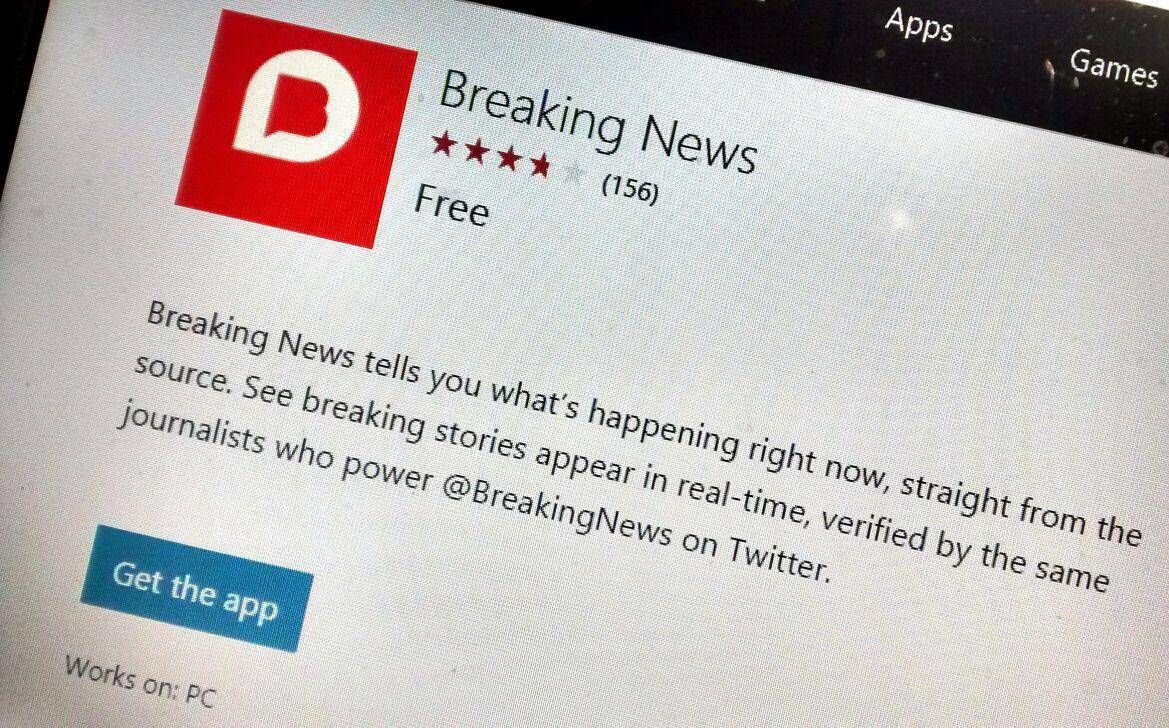
NBC’s Breaking News app is now available for download as a universal app for Windows 10 devices with several useful features and enhancements on board. The app bring all the latest happenings around the globe, offering users with real-time updates about the events taking place allowing users to get the latest updates in minutes. Furthermore, the app also brings push notifications for major and emerging stories.
The app still lacks some of the major features that have made it popular on other platforms, including live video and proximity alerts, but it’s good to see the app updated, which hasn’t happened for Windows since back in 2014.
The app is now live for Windows 10 desktop, although it doesn’t appear to be available for Windows 10 Mobile just yet. Head over to the Windows Store and grab the updated NBC Breaking News app for your Windows 10 device.

Breaking News
Breaking News
Price:
Free

See how the Microsoft Surface Pro 4 improves creativity

For designers being creative is in their blood. Inspiration can come from a variety of things from what they eat to the places they travel to the things they see with their own eyes; inspiration is everywhere they go. When such inspiration hits, we use these moments to expound upon an idea, draw up a new sketch, design a new pattern or capture a moment in a new way. For these moments being able to quickly record this inspiration is key to their success. The pen and paper for people of this profession has for years been a go-to item. However, with the rise of technology, how would a device like the Surface Pro 4 help a professional become more creative and achieve a higher level of work?
Microsoft teamed up with interior designer and blogger Justina Blakeney, a graduate of UCLA in World Arts and Culture, to use the new Surface Pro 4 in her line of work. With the launch of the Surface line, Microsoft has a goal of giving creative professionals the ability to manifest their ideas wherever they go. With the ability to run design-oriented programs like Adobe Photoshop and Illustrator, a designer like Justina Blakeney has the power to create at any moment.


Having a design geared towards portability and light weight the Surface Pro 4 gives its owner the opportunity to lighten their load. Offering the full power of Intel Core processors and Windows 10, designers have all the capabilities of a much heavier laptop, but with exciting additional features like pen and touch support. Adobe has partnered with Microsoft as well to update their popular applications to take advantage of the touch and pen technology of the Surface Pro 4.
Having  a full-powered PC in the weight and design of a tablet, natural Pen support and a touch-enabled interface gives designers the ability to capture new ideas whenever inspiration hits. Microsoft and designer Justina Blakeney have together proven once more the power of the Surface Pro 4 in the professional field.

Submit feedback via Windows 10 Insider Hub survey, enter to win a Surface Book

As a Windows Insider, you’re likely already providing copious amounts of feedback to Microsoft about your Windows 10 experiences. But as usual, Microsoft just can’t be happy without even more input from Windows Insiders.
To this end, Microsoft has published a survey via the Insider Hub app:

As you know in the Windows Insider Program we love to hear your feedback to know how we can make our products better (see Samer Sawaya’s post here for how use feedback to make a better Windows). We are also always looking for ways to improve the Windows Insider Program. We get lots of great feedback from lots of you at various events, via Twitter, and in the Windows Feedback App that we use to help shape the direction of the Windows Insider Program.
We have lots of exciting plans for the Windows Insider Program in 2016 that we will share as we complete the work in future builds. From time to time a larger form survey helps us take all the feedback we have received and better prioritize this feedback against our plans with the opinions of all Windows Insiders around the world. We will also use this survey and future surveys, in this long form or in the product, to gauge how well we are doing with the Windows Insider Program.
If there is something you have been meaning to tell us or ask for now is your time. It’s through feedback, including this survey, that allows us to use the voice of the Windows Insiders to make a better Windows and makes the Windows and Device Group a better team.
This week, we’re going to send our first global survey to Windows Insiders in 20 languages hosted by our survey vendor SurveryGizmo.com to better understand Insiders across the globe and to use that feedback to grow and improve the Insider Program.
We’d deeply appreciate if you can take 10-15 minutes to let us know what you think by filling the survey out – you can access the survey via the links below.
For taking the time to complete this survey and if you choose to include your associated Microsoft Insider email address, you’ll be entered into a sweepstakes to win a free Surface Book!

Yes, that’s right: complete the survey and get a chance to nab a Surface Book. Can’t beat that with a stick, can you? There are a few questions, some with a fair number of things to rate, but it shouldn’t take too much of your time.
Go to the Insider Hub and click on your favorite language to get started. If American English is yours, then just click here.
Thanks to WinBeta reader Nicholas for the tip!

Microsoft Philanthropies centralizes the company's new philanthropic vision

Microsoft has long been big on corporate philanthropy, contributing significant funding to a number of charitable efforts worldwide. To date, the company’s efforts have apparently been too scattered and unfocused, because as the Microsoft blog reports, CEO Satya Nadella has put his mind to the creation of a new vision and organization around Microsoft’s philanthropy.
Dubbed Microsoft Philanthropies, the new organization will be focused on helping the organization meet its central mission: to “empower every person and every organization on the planet to achieve more.” As Nadella said in his shareholder’s letter earlier in 2015:

“In the year ahead we will continue to ask ourselves what are the challenges mankind faces, how can technology help, and what is the contribution of Microsoft?”

Going forward, Microsoft’s philanthropic efforts will be focused on the same kind of things, and in terms of helping technology reach those who so far have not benefited from what technology can do. Microsoft recognizes limitations in accessing technology such as:

– Poverty limits access to the very tools that can empower people to create a better life for themselves, their families and their communities.
– A lack of education – especially in STEM disciplines – limits the ability of people to participate in the opportunities created by the growth of the global economy.
– Accessibility remains a key challenge, with too many people with disabilities encountering barriers to using essential new technologies.
– People in remote or displaced communities often confront great challenges accessing technology and information when they need it most.

The new organization will therefore commit its funds and technology to empower people and make technology more inclusive, through strategic investments, focusing technical assets, collaborative partnerships, and increasing the reach and scale of the company’s efforts to spotlight root causes of digital exclusion and encourage action.
Examples of recent Microsoft efforts along these lines include:

– One example is the $75 million we have committed to computer science education worldwide over the next three years. Early next year, we will detail the programs and partnerships that will turn this commitment into action.
– The Microsoft employee team that developed the Eye Gaze solution is an example of the creativity, passion and innovation that we’ll do more to support, partnering with leaders in the nonprofit, educational and civic community, over the next six-to-12 months.
– For example, we will invest in nonprofit programs to compliment Microsoft’s Affordable Access Initiative, which is designed to help new business grow in remote areas and connect people to the cloud.
– We’ll do this through social good marketing initiatives, such as our recent Upgrade Your World campaign, which provided $10 million to help 100 nonprofits do more good in their communities.

Mary Snapp will head up the new Microsoft Philanthropies organization. Chief Operating Officer duties will be handed off to Lorie Forte Harnick. Make sure to read the entire post to learn more about Microsoft’s upcoming focus on charitable giving, and we’ll be sure to keep you up to date as well.

Microsoft is looking to hire 100 professionals in Ireland

Microsoft and the country of Ireland have had a lengthy history, including 30 years of operations, a data disclosure case and some tangential involvement in the companies tax measures. Now it looks like Microsoft is further solidifying its ties with the country by upping its total employee count in the area by 160. Microsoft’s search for 100 professional employees and 60 additional interns bolsters its current 1,200 employee roster in Dublin, Ireland.
The Irish Times is reporting that Microsoft is looking for people to fill roles such as service, process, and software engineers, data analytics experts, program managers, finance experts, and many more. The new positions will most likely work across the four divisions that operate in Dublin area for Microsoft.
In a statement to the Irish Times, managing director of Microsoft Ireland, Cathriona Hallahan describes the type of employees the company is hoping to acquire through its newly established job hunt.

The type of people we are looking to attract should be creative thinkers with a growth mindset, passionate about technology innovation, customer-obsessed, and interested in working in a fast-paced, dynamic environment. The roles that we’re recruiting for are diverse and demonstrate the breadth of opportunities available when working with a technology leader. In particular, our engineering roles span Windows, Office, Dynamics and Azure Cloud Services.”

In addition to the new jobs, Microsoft is also investing roughly 134 million into building a new centralized campus for its employees. The news Microsoft’s Ireland job hunt stands juxtaposed to many of its more recent actions of cutting jobs and shuffling of management to keep the company lean and driven. Perhaps, Microsoft is taking a pause on job cutting and looking to re-establish its international presence.

Microsoft uses Office 365 to move users beyond Internet Explorer 8 and 9

Microsoft has been desperately trying to get its users to move on from old and vulnerable versions of Internet Explorer to its more recent efforts at web browsing, including its new Windows 10 Edge browser.
In a continued effort to usher Windows users along the path of change, Microsoft is now enlisting the help of its widely popular Office 365 subscription to spur adoption of its more modern browsers.
Beginning January 12, 2016, owners of an Office 365 subscription will now find the system requirements for the service altered. Office 365 workloads are being changed across the board and will now effect users who still use Internet Explorer 8 and 9. While not fully banishing the older browsers ability to work alongside Office 365, users who continue to use IE 8 and 9 will see a noticeably “diminished experience.”

Office 365 is designed to work with the latest version of the Microsoft Edge browser. Microsoft Edge browser updates are available through the Windows Servicing branches. Office 365 might continue to work with versions of the Edge browser older than the latest branch, but Office 365 can’t provide any guarantees.”

Microsoft has already stated changes to browser support in January of next year that affect most Windows users as a whole. Now, it seems that Microsoft is using Office 365 as another means to push along users into leaving older versions of IE behind.
On its system requirements page for Office 365, other browser compatibility services are listed, including Yammer, Sharepoint, and Office Online that will also suffer when combined with IE 8 or 9. For now, Office 365 will continue to work with older versions of IE and even manage beyond the January deadline. However, Windows, Office 365 and most of Microsoft’s services are looking to leverage new technologies and security advancements from newer browsers, users of older browsers will be doing so at their own risk starting January.

Microsoft Gulf announces Windows 10 coming soon to Dubai with Surface Pro 4, Lumia 950 and 950 XL releases

Microsoft continues to push Windows 10 devices around the globe, getting Windows 10 and Windows 10 Mobile flagship devices in the hands of users everywhere. As Emirates 24/7 reports, Microsoft is having a launch party today in Dubai to introduce the Surface Pro 4 and the Lumia 950 and 950 XL smartphones.
Surface Pro 4 pricing starts at Dh3,395 (roughly $925 at current conversion rates), and will be available starting January 1, 2016. Microsoft Gulf Partner Strategy and Program Lead Mohammed Arif was excited about the hybrid’s announcement and the impact of the introduction on Microsoft’s long-term goal of over a billion Windows 10 users:

“We have 1.5 billion people on the Windows ecosystem worldwide,” said Arif, adding that the Windows 10 has seen the fastest offtake in the firm’s history – it is already installed on 110 million (and counting) devices in 192 countries.
“With our bold ambition of creating more personal computing and empowering individuals to do more, we are taking innovation to the next level and building upon the unique experiences of Windows 10 for our users,” said Arif.

The Lumia 950 and 950 XL were also introduced, with the Lumia 950 at Dh2,099 (app. $572) and the Lumia 950 XL at Dh2,349 (app. $640). The Display Dock is priced at a promotional Dh99 (app. $27), and a Continuum Connectivity Pack at Dh499 (app. $136). Release dates for the new Lumia flagships were not indicated.
We’re excited to see Windows 10 devices push out to new corners of the world. The more people that can purchase the newest devices, the better the chance of Microsoft achieving its goal of taking over the world.

Microsoft introduces new creative talent in Surface Book and Surface Pro 4 videos

Microsoft has been laying on the apologies lately over issues with the Surface Pro 4 and Surface Book, but that’s not stopping them from marketing the flagship Windows 10 hybrids. They’ve released a number of fun new videos to promote the devices that we thought you might enjoy.
In the first video, classical pianist, YouTube musician, and apsiring video game music composer Kyle Landry spends some time talking about how he creates his masterpieces:

Next, we have designer, artist, and best-selling author Justina Blakeney being introduced to a Surface Pro 4:

Photographer and director Ravi Vora is next up, spending a few minutes talking about his creative efforts and getting introduced to the Surface Book:

Finally, video effects studio Corridor Digital is introduced, and they’re given their own Surface Book to incorporate into their workflow:

Microsoft has been very focused on real-world and often creative uses for their hybrid Windows 10 machines, and these videos do a nice job of introducing some of the newest creative talent to join the Surface community. We’re sure they’ll be highlighted in future videos as well, as they learn to be more productively creative with their Windows 10 machines, and we’ll be sure to keep you updated on their progress.

Microsoft opens its second US Innovation Center, this one in Atlanta

Microsoft is opening its second US “Microsoft Innovation Center”, this one based in Atlanta, and marking the occasion with a grand opening today. The center, located in Atlanta’s historic Flatiron building, is part of Microsoft’s renewed commitment to engage with startups, governments, students, and faculty.

“We envision the MIC at Flatiron City becoming a destination for entrepreneurs, academia and corporations,” says Arun Nijhawan, managing principal at Lucror Resources. “A place for people with diverse backgrounds to meet, exchange ideas, leverage their respective strengths and truly innovate. We see each feature of the MIC, whether it be the HoloLens or cloud-based services, as assets for Atlanta’s vibrant entrepreneurial community, as well as for its established industry players.”

The innovation center came about as a result of the CityNext Digital Alliance, a partnership between the city of Atlanta and Microsoft’s CityNext initiative.  The Flatiron building is becoming quite the technology hub, also housing co-working spaces, the Women’s Entrepreneurship Initiative, and the Georgia Tech Enterprise Innovation Institute.
Microsoft currently has over 100 Innovation Centers worldwide, and Atlanta joins Miami, Florida as the second US city to host a center.
 

Microsoft wants your feedback with Continuum

Continuum is by far one of the most interesting features Windows 10, allowing users to use their Lumia Windows 10 Mobile phones with a keyboard, mouse, and display. The interface automatically adapts the environment, turning your phone into an (almost) full-fledged PC.
The Continuum Team “is eager to hear Insider feedback,” and has posted some questions in their Microsoft Answers forums and are seeking your answers. Here are the four questions posted so far:

  1. Continuum Insight #1: What apps matter most on Continuum for phone?
  2. Continuum Insight #2: How will you use Remote Desktop with Continuum for phone?
  3. Continuum Insight #3: What PC features matter most for Continuum for phone?
  4. Continuum Insight #4: In what environments would you want to use Continuum for phone?

Each question has further questions about the specific things. For instance, Microsoft wants to know which app would you use with Continuum for phone which is not available at the moment, or the app on the desktop/PC. Or, how do you want to use Continuum on your phone, which tasks will you do, which apps to use, and where would you use Continuum for phone (home office, connected to big screen TV, kitchen, dorm room, touchdown area in a public space, etc.)?
Similarly, there are several things the company wants to know in order to improve the feature. Continuum for Windows 10 Mobile requires you to have the Display Dock which transforms your mobile device into a full-fledged PC so you can connect your smartphone to a display and work on it using peripheral devices such as a mouse and a keyboard.
Head over to the respective question using the links above to provide your valuable feedback about the questions above.

Windows Maps for Windows 10 snags lane guidance and more in latest update

Windows Maps has just updated on Windows 10 and Windows 10 Mobile and has added several new features such as lane guidance in turn-by-turn navigation and the ability for users to pin their Work and Home locations to Start which will allow one-tap directions to these two locations from wherever they are.
To help get Windows Map users into the Christmas spirit, a special feature allowing for the tracking of Santa Claus has been added, however this feature is only available in specific regions and is strangely absent over here in Australia where we very much celebrate Christmas and share America’s passion for tracking ol’ Kris Kringle (who is totally real).
Another new addition to the Windows Maps app with this update is the new Cameras option which actually streams live footage from select traffic cameras. This feature appears to be limited to North American users and even then only in some select locations.
Will this update encourage you to use Windows Maps more or do you prefer another app such as HERE Maps? Let us know in the comments below.

Fix: Unable to Downgrade to Windows Phone 8.1 Using Windows Recovery Tool

We’re close to the release of Windows 10 Mobile RTM (at least we think we’re close), and a lot of Windows Phone 8.1 users already switched to the Preview of the new mobile OS. Since Windows 10 is almost ready for the commercial use, its Preview version is very close to the full version, as it features minimum of bugs. But some people may decide to, for some reason, downgrade their Windows Phone devices to Windows Phone 8.1.

For all users who want to downgrade their phones, Microsoft provided a handy tool, called Windows Phone Recovery tool, which allows you to easily downgrade your system to Windows Phone 8.1. But one user complained on Microsoft Community forums that he’s unable to use Windows Phone Recovery tool to downgrade his phone, as it shows him a “Software package not available for this phone” error.

Something obviously went wrong with Windows 10 Mobile Preview, so it stopped to be compatible with the recovery tool. It’s probably because updates weren’t applied properly, but we cannot confirm that. Anyway, we found out that the only solution for this problem is resting the phone. After the reset, factory settings will be applied, and you should be able to downgrade your phone to Windows Phone 8.1 without any problems.

In case you don’t know how to reset your phone, follow these instructions (Since you probably can access phone’s settings, there’s no need to perform a ‘physical’ restart, so we’re going to do this the easier way):

  1. Go to Settings, and open System
  2. Go to About, and tap on Reset your phone
  3. Wait until the process is finished

After the phone is reset, try to downgrade it using Windows Recovery tool again, and it should work properly. Since you already planned to downgrade your phone, I assume you already created a backup of your data. If you didn’t, don’t forget to do that.

Windows 10 adds another great Universal Windows app, Tweet It!

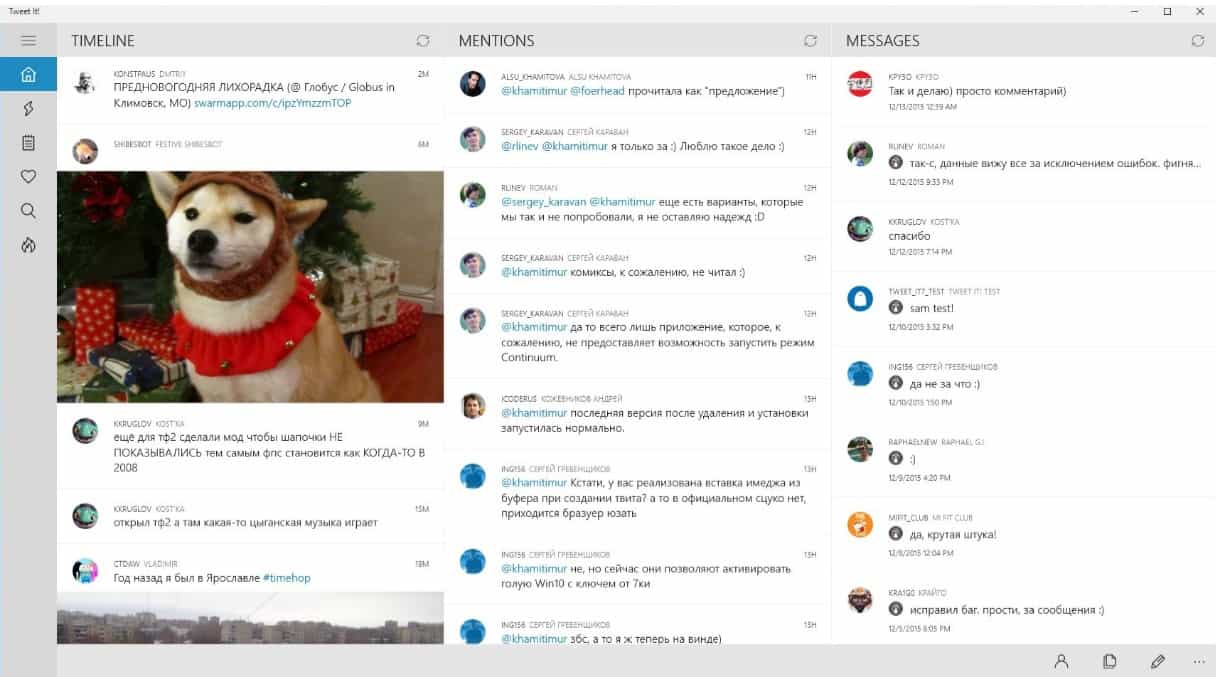
The development of Universal Windows apps continues as popular 3rd party Twitter client Tweet It! throws its hat into the ring for the best Twitter app on the Windows 10 platform. With recent additions such as Fenice for Twitter and Aeries becoming Universal Windows apps, Windows 10 users are now becoming flush with excellent alternative Twitter experiences.
The new Tweet It! update is every bit as comprehensive as the other offerings, and shines in a few ways, the others do not. Similar to Aerise and Fenice for Twitter, Tweet It! was written to work across phones, tablets and PCs. However, Tweet It! is designed much like a first-party Windows 10 app, removing the familiar pivot navigation similar Twitter clients still utilize for the controversial hamburger menu.
Other Tweet It! deviations include swippable gestures similar to the Outlook Mail app, for responding, retweeting, favoriting, or quoting on mobile. For many, swipeable gestures make for an ideal Twitter experience as long-pressing can get cumbersome at times for one handed use. Tweet It! developers also included support for Microsoft’s big personal computing bet, Continuum. The app in full-screen mode offers an immersive viewing experience for the avid Twitter junkie. The app also enables handcrafted filtered push notifications and the tweet streaming as features.
Perhaps the only real drawback to Tweet It! versus its competition, is it’s steep app cost. Without a free trial, Tweet It! developers are asking customers to go out on a leap of faith for $5.99. Thanks in part to Twitter’s tokenization method and the popularity of Tweet It! the app can not offer a free trial at the moment.
wp_ss_20151214_0001
As the app was designed from the ground up to work with Windows 10 and Continuum as a Universal app, customers of the older Tweet It! app are unfortunately being left out in the cold for the time being. Microsoft has already stated, that most Windows 8.1 devices should be getting upgraded to Windows 10 Mobile in the coming months. Hopefully, the wait to upgrade Windows 10 Mobile for Windows 8 and 8.1 customers is not too long, this time, around.
The new Tweet It! app is available in the Windows Store now.
Let us know your thoughts on the UI, UX and which Twitter app you most prefer.

Tweet It! for Windows