Learn How to Live Healthier using iYoga on Windows 8

Yoga exercises are recommended for all those who wants to live healthier and also for those who tries to discover their inner peace. So, if you want to be more relaxed and if you want to be an active person, then try iYoga on your Windows 8 device.iyoga windows 8
Living healthier implies in scheduling your daily activities and also in following a strict diet. I’m not talking only about what, how and when you are eating as it is quite important to have an active life and to do as much physical exercises as possible too. Practicing Yoga is more than recommended as these types of exercises will relax your body and will free your mind from gloomy thoughts.

Therefore, installing iYoga on your Windows 8 is a must, especially if you also use other similar workout apps – for more info related to this subject you can read our following reviews: “Top Windows 8 Workout Apps for a Trained Body”, or “Top 8 Windows 8 Health and Fitness Apps”.

iYoga: the best way to relax after a busy and stressful day

iYoga is one of the most popular Yoga apps, the software featuring a variety of top quality Yoga poses (asanas); these poses are indicated for those who are having problems with burning fat, or reliving stress, iYoga bringing a strong balance between your body and your mind.

The Yoga poses are divided into categories, each position being exemplified by a Yoga expert. Basically you will learn various training methods that include poses from the following categories: Standing, Sitting, Knee, Supine, Prone, Balancing, Essential, Closing and others.practice yoga

In case you want to try this new app on your Windows 8 device, you should know that there is a limited discount offer for the same – the tool is priced at only $2.49 (the offer is up until the end of July); moreover iYoga is compatible with Windows 8, Windows 8.1 and Windows RT platforms so you can try the same on any handset you want.

Download iYoga from Windows Store.

Microsoft have patented a robotic butterfly that reacts to mood changes

Microsoft have patented a robotic butterfly that reacts to mood changes

Microsoft can no longer be considered solely as a ‘software giant’, not with devices like the Xbox, Surface, and Nokia under their wings. In addition to PC accessories and the upcoming “smartwatch” of course. If we were to guess what the company’s next plunge in hardware would be, we’d say a Surface laptop perhaps, not a mood-actuated robotic butterfly.

The idea for the device came from Microsoft’s recognition that while there are a number of devices available to detect stress, very few are available for stress intervention. The butterfly is designed to react accordingly to the different emotional states of its user. For example, if the user is calm, the butterfly’s wings would move slowly, resulting in a “gentle hover”. On the other hand, if a user is stressed, or angry, the butterfly’s wings would move faster and further, resulting in a “large flap” of its wings. Speaking of the wings, the patents notes that they will be made of a flexible material that will be able to change shape and texture, becoming flat or crumpled, again as a response to mood changes.

To determine those mood changes, the butterfly will rely on external devices such as heart-rate monitors, and galvanic skin response monitors, in addition to direct user input from a smartphone app. This positions the robot butterfly as more of a medical device than a consumer electronics one, so its availability may be limited. You can read more about the robot via the source link below.

Rumor: Microsoft resumes Surface Mini production for launch this Summer

Rumor: Microsoft resumes Surface Mini production, to launch the tablet in Summer

It’s been months since we have been hearing the rumors of the existence and launch date of a 7 to 8-inch size Surface Mini tablet. We hoped that Microsoft would unveil it at its Surface event in May, but for some reason that didn’t happen. However, according to a new leak, the Surface Mini tablet is back in production and could launch sometime this upcoming summer.

The company had earlier accidentally revealed the existence of Surface Mini in the manual guide of the Surface Pro 3 tablet. Over the last few weeks, several rumors have suggested that Microsoft wasn’t confident with its Surface Mini lineup. A report on DigiTimes suggested that the company closed the production after learning the rumors of 4.7- and 5.5-inch iPhones. Though, the connection still doesn’t make sense to me — as with Surface Mini, Microsoft would be aiming at 7 to 8-inch tablets — possibly Nexus tablets and iPad Mini.

As of now that’s all the information we have, we will update the post as we hear more. 

Microsoft holding Nokia Con event in Japan on July 27th

Nokia

Japan is not the best market for Windows Phone. According to Kantar’s figures for the month of May, the market share for Windows Phone on Japanese shores was almost 1.4 percent, with iOS being on top with 51.1 percent. In an effort to increase it presence in the country, the company has organized an event — Nokia Con — where they will showcase several Windows Phone handsets so that users could get some hand-on experience of the operating system.

It’s a great effort to let people know what Windows Phone can do, especially after the launch of the Windows Phone 8.1 operating system. The devices powered by the new OS are widely available across the globe. There’s no word about the devices which will be on display, but there’s a likelihood that Nokia Lumia 930 as well as the budget-friendly Lumia 630/635 may hit the stage. 

To visit the event, you must register for it, as there are limited number of seats available. You can check out this link to try your luck if you’re in Japan, but at the time of writing this, the capacity was full. It strange the capacity was set to just 60 seats, but it could be due to the fact that Windows Phone is not very popular in the region.

What we know about the next iteration of Windows: Windows Threshold

Windows Threshold

With the recent increase of Windows Threshold information, we’ve decided that it would be a good idea to throw it all into one convenient place for users who might not have caught everything, and for users who do know everything to share their opinions on the upcoming release.

What is Windows Threshold?

Windows Threshold is the codename for the next update/release of Windows. Threshold is the codename for this particular release, meaning we’re not too sure what it will actually be called when it launches. It’s highly likely that this release will be called Windows 9 to further distance itself from the Windows 8 car-crash, but with recent rumors claiming Windows 9 is coming after Threshold, we’re not entirely sure.

Threshold is built upon Windows 8.1, and was originally intended to be an update for Windows 8.1 users. Since Windows 8 (as a brand) is tanking so hard, Microsoft is looking at different approaches for launching Threshold. It’s possible that Threshold could be a much broader release than originally planned, and that it could even be released for Windows 7 users at the low-low price of free.

What will it be like?

Start MenuWe had an entire slew of Threshold information leak all around the same time. I had reported on a number of changes coming to Threshold, which was then echoed by a number of other sources [1] [2].

From what we know, Microsoft has hit a happy-medium for user-experiences within Threshold. Desktop users will have the Start Menu, and tablet users will have the Start Screen. Much like in Windows 8.1 Update, the operating system will automatically detect your kind of device, and change settings accordingly.

The Start Menu in Threshold is different from what we’ve previously seen. It includes live tile support, and the ability to maximize the menu to get a Start Screen-esc Start. It’s also very customizable, with the ability to show only desktop apps, and have them come up as tiles or a list.

Threshold for tablet users is a different story. The Start Screen is front and center for tablets, so much so that Microsoft is actually toying with removing the desktop completely from RT devices. This can happen because Microsoft is set to replace stock Win32 apps for Modern UI alternatives, meaning the desktop will be useless when Threshold rolls around. Desktop users (and devices like the Surface Pro) will still have stock Win32 applications of course. Office Gemini will be ready for primetime when Threshold is released too.

The UI in Threshold has too been updated, being distinctively different from what Windows looks like today. It’s even more flat and cleaner, and that’s definitely a good thing.

When is it coming?

Threshold will be launching for all Windows 8.x and possibly Windows 7 users in April 2015, according to rumors that is. We haven’t heard any official word from Microsoft on a release date, so anything is possible at this time.

We could see a public preview of Threshold later this year, which will be useful for Microsoft to gather feedback for the final release. The public preview will obviously be pre-release software, and not a full release.

How will it be distributed?

Much like Windows 8.1, Threshold ‘could’ be delivered via Windows Update or the Windows Store. Considering Threshold is an update for Windows, it’s plausible.

Microsoft will also release Threshold as a standalone product, again much like Windows 8.1. Threshold will become the latest version of Windows, making Windows 8.1 obsolete.

Geeky details

Windows Threshold is currently being developed in the 9600.xxxxx build range. This could change, considering we know that 97xx builds exist. It’s possible that engineers decided to push past 9600, but at this time we’re not entirely sure. Could 97xx builds be something after Threshold? We don’t know.

Something else worth noting is that we recently learned about a new Windows NT kernel version. NT 6.4 is currently in development with the 97xx builds. Does this mean we’ll see Threshold get an NT kernel change too? Possibly.

Over to you

That’s your roundup of all the major Windows Threshold news. Of course, we’ll continue to update you on all the latest Threshold news. Until then however, we want to know what you think about Threshold. Do you like what’s coming in the pipeline? Let us know below!

Windows Threshold development hits Windows NT 6.4

Windows NT

Microsoft is currently developing the next major version of Windows, currently known as Windows Threshold or Windows 9. We’ve been tracking development via a user on Twitter, who constantly watches app logs to check for new build numbers. Today, Stealth2013 has spotted the first Windows NT 6.4 build, which means Windows Threshold is going to bring yet more improvements to the NT kernel.

Today’s build is 9788, and other than the NT version number we don’t know much else about the build. These are not full build strings sadly, which means we are unable to determine when the builds were compiled or what lab they were compiled in. What this does tell us though is that Microsoft are constantly compiling new builds, and that even more kernel changes are in the pipeline for Threshold.

Much like every major version of Windows, the NT kernel is usually bumped by x.1 or even a whole version. The jump from Windows XP to Vista saw the NT kernal rise from 5.1 to 6.0. Windows 7 was 6.1, Windows 8 was 6.2 and Windows 8.1 was 6.3, so Windows Threshold could have either been 6.4 or 7.0. It seems Microsoft went for the minor bump instead of the larger increase.

We recently heard about how Threshold was going to act for both desktop and tablet users, with a Start Menu taking center stage for users without touch, and an improved Start Screen for tablet users. We’ll update you accordingly when new Threshold information arrives, so stick around at WinBeta until then.

Microsoft reportedly cutting jobs after Nokia acquisition, as high as 10 percent

Nokia

It’s been a few months since Microsoft completed the $7.2 billion acquisition of Nokia’s devices and services division. Along with the division, over 25,000 employees were also added to the roster. As with every acquisition, the layoffs are inevitable as companies don’t want redundancies in their departments, and Microsoft is also reportedly planning to reduce its workforce, as high as 10 percent of the total employees.

Before the acquisition, the Redmond-based company had 100,000 employees across the globe, and with the addition of Nokia, there were 25,000 more people added to the payroll. One source told GigaOM, “Look, [Microsoft CEO Steve] Ballmer buys Nokia and adds 25,000 people and a business that makes no money, so do the math.” In reality, this makes a lot of sense, Nokia was struggling to compete in the smartphone market dominated by Apple and Android. 

The cuts could come at the company’s annual sales meeting, which will kick off on July 22nd later this year, or it could come in August when the employee reviews are done by the company. Let’s wait as the annual sales meeting is just a few days away, and we’ll find out if this report is correct or not.

Pinball Star for Windows 8 Lets you Play the Good Old Game with Nice Visuals

Playing old fashion games is the best as in this way you can revive precious moments from your childhood. So, if you are getting melancholic and if you want to try something that reminds you of happy moments, then don’t hesitate and try Pinball Star on your Windows 8 device.pinball star windows 8
Pinball is maybe one of the best games that were ever made and now you can play it on your Windows 8 powered device. Of course, there are various Pinball clients already available on Windows Store, but unfortunately, almost all the platforms are being modified and customized so the classic user experience is now nowhere to find. But, with Pinball Star you will be able to experience the same game as the one that we used to play in the past on our Windows based computers, when there weren’t any portable touch based devices available.

Read Also: Cover is a New Windows 8 App to Read and Manage your Comic Books

Pinball Star: A classic Pinball game with Improved Graphics

Of course, playing the same classic Pinball might be unattractive as the graphics might look awful on a high end tablet or laptop. So, that’s why, Pinball Star features nice visual effects along with improved graphics, which will make the classic gameplay compatible with high resolution displays.pinball gameplay

With Pinball Star you will be able to experience up to 16 missions, your goal being that of achieving higher scores than your friends or “opponents”. So, experience the Pinball classic table and try to outbest your friends by launching the ball through various “secrets compartments” and by developing your skills and by improving your distributive attention – of course do all that for keeping the ball on the Pinball table as if you drop it, the game will end.

Pinball Star is available for free on Windows Store and can be installed on any Windows powered device as the app is compatible with Windows 8, Windows 8.1 and Windows RT. Also, for testing other “oldies” on your Windows 8 device use a dedicated emulator, such as Emu7800 or Genstalgia.

Download Pinball Star from Windows Store.

Microsoft acquires SyntaxTree, creator of UnityVS plug-in for Visual Studio

Microsoft acquires SyntaxTree, creator of UnityVS plug-in for Visual Studio

Microsoft has announced the acquisition of SyntaxTree, the creator of UnityVS plug-in for Visual Studio for the Unity game engine. The company did not disclose the details of the agreement.

Microsoft is planning to use this technology in Visual Studio, said Microsoft Developer Division chief Soma Somasegar in a blog post. The UnityVS plugin will allow developers to view and debug the codes from within Virtual Studio.

“In today’s mobile-first, cloud-first world, Visual Studio provides a great development environment for game developers targeting the breadth of mobile devices, and connecting to the rich services platforms in Azure,” Somasegar explained.

The company would utilize this plugin to grow the number of Windows 8 and Windows Phone 8 apps. Several other companies, including Ubisoft, Valve, Blizzard, EA, use the UnityVS plugin. The plug-in will soon be available to download from Microsoft.

“Over the last 10 years, the Unity cross-platform game engine has grown to become a widely used rendering engine and tool for game developers targeting desktop, consoles, mobile devices and the web, with over 2 million developers now using Unity for game development. Unity offers great support for targeting or porting to Windows, across Windows desktop, Windows Store and Windows Phone,” Somasegar added.

Microsoft joins the AllSeen Alliance to help standardize the connected home

Microsoft joins the AllSeen Alliance to help standardize the connected home

Have you ever wished that your smartphone could tell your air conditioner to power on as you approach home, which would then get your doors unlocked, shades closed, lights on, kettle brewing, and your bath running by the time you walk through the door? Regardless of the brand of your appliances or the operating system they run on? When things are too good to be true they usually aren’t, but not in this case.

That scenario is not far beyond the realm of possibilities, thanks to the AllSeen Alliance by Qualcomm that Microsoft has now become a part of. The Alliance aims to create open standards for Internet of Things (IoT) devices having publicly released the source code to developers.

Microsoft has joined a number of renowned appliance makers including LG, Sharp, and Panasonic, in addition to retailers, automakers, and cloud service providers to make fully connected homes a reality.

Let us know the ways in which you would like your home appliances to communicate with each other, or would you rather they remain manually activated?  

Join Microsoft’s pre-release beta program for Office and help make the next version better

Join Microsoft's pre-release beta program for Office and help make the next version better

Want to be a part of Microsoft’s pre-release beta program for Office? Wish you could beta test early versions of Office productivity apps before they hit retail and have your feedback monitored by Microsoft? Now you can. Microsoft is allowing anyone to sign up for a chance to be a part of the program.

“The Office team at Microsoft is looking for participants to join us in pre-release beta programs!  Your feedback in these programs will be instrumental in building the best productivity software and services available. The programs will span across the full family of Microsoft Office client, server and cloud services.  The family of products include Word, Excel, PowerPoint, OneNote, Visio, Access, Publisher and Outlook applications, as well as the Exchange, SharePoint and Project server products and cloud services,” Microsoft stated.

Before you can dive into the pre-release code, you will first need to tell Microsoft about yourself or your company. It all depends on what kind of feedback you wish to provide. The survey you must fill out is your standard survey, asking you to reveal your full name, email, address, your company role, and what version of Office you currently use. You will also be asked if you use Office 365 and why you would like to partake in this pre-release beta program.

No word on what pre-release beta software you will be testing, but with touch-centric Office (codename Gemini) and Office 2015 on the horizons, you might get a chance to provide feedback on the company’s biggest release yet. Office for Android is also on the table. And let’s not forget that you can help be a part of any upcoming updates to Office 365 or Office 2013. 

Head over to the VIA link below to sign up. Happy Beta testing!

King of Pool Launches for Windows 8, One of the Best Billiard Games

Billiard games are quite popular on Windows Store these apps revealing a realistic experience right on your Windows 8 touch based device. So, which software to use in order to enjoy the best billiard experience and for testing a well-designed gameplay with high end graphics and various features?king of pool windows 8
Well, in order to help you out, during this short review I will describe the King of Pool game which was recently released on Windows Store. The game can be installed and easily played on desktops, tablets and smartphones based on Windows 8, Windows 8.1 and Windows RT platforms. King of Pool is maybe one of the best billiard games available out there since the app features various gameplay modes along with high end graphics and different settings that can easily improve the user experience for both advanced and entry level Windows 8 users.

Read Also: Discovery+ is a Minecraft-like Game for Windows 8 You Need to Check out

King of Pool Released on Windows Store, revealing realistic billiard experience

With King of Pool you will be able to test your skills and develop new abilities in the most realistic way possible. As you can see in the image from below, you can use in built features for finding trajectories and for learning how to hit the ball in order to win matches and in order to develop your own strategy. Then, you can make things harder by removing the aiming guide feature.

On the other side, King of Pool features different gameplay modes such as snooker, Pool 8 UK, Pool 8 US and lot more. Moreover, the app offers various settings that can easily adapt and customize the billiard experience – thus you can set the touch intensity, you can play career mode, you can challenge your friend in an online match or you can use the multiplayer mode against users from King of Pool community.king of pool menu
King of Pool is available on Windows Store where it is priced at $4.00. You can download and install the tool on any Windows based device, so don’t hesitate and test the same and then share your experience with us and with other users who might want to try it too (use the comments field from below in that matter).

Download King of Pool from Windows Store.

No Start Screen for desktop users in Windows 9, the Start Menu ‘is’ Start

Start Menu

Over the last few days, we’ve been reporting on a number of upcoming changes to Windows. Windows 9 (Threshold) is set to put the desktop in first place, replacing the Modern UI in favor of that classic windowed desktop. We’ve already talked about how the desktop and Start Menu will be default for desktops in Windows 9, but there was some confusion as to what would happen to the Modern UI. According to Paul Thurrott, it’s going away completely.

The Start Menu isn’t based off the old Windows 7 Start Menu, Microsoft has gone above and beyond and re-thought the Menu entirely. It will act as both a menu and a screen in Windows 9, with the ability to full-screen the menu to get a similar Start Screen experience. Thurrott then continues by reaffirming what we’ve already covered, claiming that it will obviously depend on your hardware, whether it be a tablet or not.

If it is a tablet, you’ll get the Start Screen. If it’s a desktop, you’ll get the desktop instead. It’s pretty simple.

So to clarifty. Desktop users won’t have a Start Screen. They’ll have a Start Menu which can be full screened to act like a Start Screen instead. Tablet users do not fear however, because a Start Screen will still be available for you. Hybrid devices like the Surface are expected to act accordingly, depending on whether or not you’ve got a keyboard connected. More on that in the future.

So, do you like what you’ve read here? Is this what you want in Windows 9? Let us know in the comments section below.

Microsoft Transparency Center debuts, Outlook and OneDrive receive better security encryption

The first Microsoft Transparency Center opens, Outlook.com and OneDrive receive better security encryption

Microsoft has revealed today that they have taken steps to ensure security and transparency, especially when it comes to the company’s products and services. On top of that, Microsoft has opened up the very first Microsoft Transparency Center at the Redmond, Washington campus.

“We are in the midst of a comprehensive engineering effort to strengthen encryption across our networks and services. Our goal is to provide even greater protection for data across all the great Microsoft services you use and depend on every day. This effort also helps us reinforce that governments use appropriate legal processes, not technical brute force, if they want access to that data,” Microsoft stated in an official blog post.

Outlook.com is now further protected by Transport Layer Security, or TLS, encryption for both outbound and inbound email. This basically means that when you send an email to someone, it is encrypted and better protected as it travels between Microsoft and other email providers — granted the email service provider also supports TLS. 

OneDrive, on the other hand, has now enabled PFS encryption support. Attackers will now find it much more difficult to decrypt connections between systems and OneDrive. Customers will automatically get forward secrecy when accessing OneDrive via the website, mobile apps, or sync clients.

“Over the past six months, we have been working across the industry to further protect and help ensure your mail remains protected. This includes working closely with several international providers throughout our implementation, including, Deutsche Telekom, Yandex and Mail.Ru to test and help ensure that mail stays encrypted in transit to and from each email service,” Microsoft explained.

The company has also launched the very first Transparency Center, allowing government agency the ability to review source code for key products to ensure it is secure. “Our Transparency Centers provide participating governments with the ability to review source code for our key products, assure themselves of their software integrity, and confirm there are no “back doors.” The Redmond location is the first in a number of regional transparency centers that we plan to open,” Microsoft explains.

Microsoft reaffirms its commitment of increasing consumer data protection while increasing transparency in the process.

Skype revises the way it charges VAT in EU region

Skype

There’s a surprising news for Skype users residing in the European Union or Switzerland. It seems Skype has revised the way it charges VAT in the region. If you didn’t know, Skype charges 15 percent VAT in the EU region, while its 8 percent for those in Switzerland. Previously, the VAT was charged when users topped up their account, for instance, if you purchase a €10 credit in EU region, you’d be charged €11.5.

However, starting from July 28th, Skype will change the way it charges VAT on purchases. Now, customers purchasing Skype credit will be charged the same amount they are topping up their account with. For example, if you’re top up €10, you’ll have to pay €10, not €11.5. 

Instead, the VAT will be charged when you’ll use it for making calls to landlines or mobile using Skype. “For Pay As You Go calls, VAT is charged when you make the call. Call rates will be exactly what you pay for your calls, inclusive of taxes.  This makes it easy for you to clearly see how much your calls made from Skype cost,” Skype said in FAQs on their support site. The PAYG rates will be the same as advertised, depending on your country of residence, and will include all the taxes. You can check out the PAYG rates on Skype website here, just select your country of residence and it will show you the call rates.

Customers who will use Skype Credit to purchase a subscription will also be charged the applicable VAT rate — 15 percent for EU, 8 percent for Switzerland — at the time of purchase. You can read more about it on Skype’s support site.

The removal of the desktop in Windows 9: who will it affect?

The removal of the desktop in Windows 9: who will it affect?

We’ve already spoken in detail about the desktop in Windows 9 (Threshold), and how it will be disappearing depending on your device. Microsoft is currently in the process of removing the desktop completely from devices which do not need it, and Windows 9 will be the first operating system from the company to utilize this new change. Who will it affect and is it a good or bad idea?

Tablets. If you use a tablet that’s sub 9-10 inches, you will no longer have to fiddle with the teeny-tiny desktop on your device. Windows 9 will see Modern UI alternatives for File Manager, and pretty much every other Win32 application. We’re hearing that Microsoft are planning to throw out most of the stock Win32 applications for devices which don’t use the desktop anyway, so Modern UI is all you’re going to get.

These tablets can be ARM, or Intel ATOM. It doesn’t matter if your CPU ‘could’ run Win32 applications, OEM’s will decide if it is necessary. How will they decide? With an SKU. Microsoft is said to be splitting Windows 9 into a number of SKU’s, one of them being a touch-only SKU, which obviously won’t have a desktop. This SKU will disable the ability to run Win32 applications thanks to the nonexistence of a Win32 environment.

Is this a good idea? Yes. By the time Windows 9 rolls around next year, we’re hearing Office Gemini will be ready for prime time. The only reason the desktop is still around today is because of Office, which still requires those juicy Win32 API’s. Once Office is Modernized, the desktop will pretty much be useless for tablets. Microsoft is trying to remove the ‘jarring’ experience jumping between the Modern UI and desktop. The only effective way to do that is to simply remove one of the environments, and in this case for tablets, Microsoft has opted to remove the desktop. It’s similar for desktop users too, the Modern UI takes a backseat.

Speaking of the touch-based SKU, this SKU is being developed to run on both Windows Tablets AND Windows Phones. Indeed, the rumors regarding the merging of Windows Phone and Windows RT are real, and this SKU is the result of it.

What about tablets above 9-10 inches like the Surface? Details are a bit scarce on that front, but we’re hearing it will depend on whether you’ve got a keyboard connected. This could change, however.

Don’t be alarmed though, the desktop will still be intact for devices like laptops or PC’s. Yes, that means your desktop will have access to a fully functional desktop, complete with Start Menus and windows and Win32 applications and everything. Your kingdom will be untouched.

Microsoft Stores are now selling Insteon home-automation kits

Microsoft is now selling Inteon home-automation kits in its stores

Microsoft recently announced a partnership with Insteon. For those who are not familiar with Insteon, it is a technology based company that provides home automation, technology that enables light switches, lights, thermostats, motion sensors, and other devices. Since the announcement, Microsoft’s been working on bringing an enhanced version of Insteon that would be available for Windows 8.1 and Windows Phone 8.1 devices.

The companies also agreed on bringing Insteon home products for purchase on MicrosoftStore.com and Microsoft Stores across the United States. The time has come and Microsoft retail stores are now stocking Insteon home-automation kits, as promised. 

Customers can choose from three different Insteon starter kits. These kits are categorized as ‘Insteon Starter kit’, ‘Insteon Home kit’, and ‘Insteon Business Kit’. With these kits, users can remotely control lights and appliances, set schedules for your devices, receive email alerts concerning the status of doors, windows, motion and water leaks, remotely control your thermostat, see your home through a WiFi camera, night vision, and more. You can control all this by using your Windows 8 smartphone, tablet or desktop. 

There’s also an option to purchase other Insteon components like the Insteon Leak Sensor, Open/Close Sensor, Thermostat, LED Bulb, On/Off Module and Wireless Wi-Fi Camera. 

You can buy the Starter kit for $199.99, Home Kit for $299.99, and the Business Kit for $499.99.

Microsoft opens up reservations for TechEd Europe in Barcelona

Microsoft opens up reservations for TechEd Europe in Barcelona

TechEd is the annual conference held by Microsoft, with versions taking place in both the United States and Europe. It’s geared towards IT professionals, and provides information on development of various platforms the company produces. 

This year’s conference will take place in Barcelona, Spain, running October 28th through the 31st. Today Microsoft opened up registration and it’s likely to sell out rather quickly, despite the price of €1,695. That’s actually a €300 discount — an early-bird special. You can grab the discounted rate starting now, but you’ll need to register before July 7th to take advantage of the deal. 

Those planning to attend can sign up for the mailing list and get updates on news about the events scheduled to take place during the show. To register for all of the festivities, you can follow the link posted below.

Rumor: Microsoft halts the production of the Surface Mini

Surface mini

The Surface Mini has seen its fair share of rumors in the past few months. The miniature tablet was rumored to launch at the Surface event last month, but it was no where to be found. Instead, we were given the Surface Pro 3, a bigger and better version of the tablet, which is said to replace the laptops. Although the tablet didn’t see the light of day at the event, rumors suggest it still exists, and we saw Microsoft inadvertently leaking it in the Surface Pro 3 user guide. 

Now, for those of you who are holding out for the Surface Mini, move on, as it’s not coming anytime soon, if this report from Digitimes is correct. They say Microsoft has halted the production of the Surface Mini, which was scheduled to begin last month. The smaller tablet market is too saturated, and has strong competition, so it seems Microsoft figured it out that the Surface Mini doesn’t have enough unique features in order to compete in this segment. We saw a report last month from Bloomberg, which hinted at the same fact — that is, it wasn’t different enough from the other Windows-based tablets in the market.

“Microsoft reportedly has called off a plan to mass produce its small-size Surface Mini tablet because of fierce competition in the small-size tablet segment, as well as negative responses from its brand vendor clients, according to sources from the upstream supply chain,” says a report from Digitimes.

They further said, “Microsoft has finished developing the Surface Mini and also completed the product tests; however, mass production did not start as scheduled in May, the sources said, adding Microsoft still paid the costs for the module development and production equipment, the sources said.”

The report mentions Microsoft had developed the product, even the testing and production costs were paid for, but it never started in May. Now, it doesn’t mean that we will not see the device, rumors hint the company may launch the device later this year, possibly when the touch-optimized version of Office (dubbed as Gemini) is ready. It could be the feature that will distinguish it from other tablets in the same segment. Secondly, the report surfaced from the Taiwan-based Digitimes, who have a shaky track record when it comes to rumors, but to be honest, it makes sense for Microsoft to hold off with the Surface Mini.

The smaller tablet market already has many decent Windows tablets, such as the Dell Venue 8 Pro, and many more, which come with a full-fledged Windows 8.1. On the other hand, the rumored Surface Mini was said to come with Windows RT 8.1.  

What do you think about this? Microsoft may have pulled the plug, but for how long? Let us know using the comments below.

Microsoft to launch a smartwatch in October this year?

Microsoft Smartwatch

Microsoft has been rumored to be making a smartwatch for sometime now, and 2014 looks like the year in which all the major tech companies launch their attempts at wearable computing. Google has already started, with the Moto 360 and LG G watch. Microsoft is said to also be jumping aboard the wearable computing bandwagon this year, so it’s time to get excited.

According to Toms Hardware, Microsoft is looking to get its idea of a smartwatch out by October of this year. That’s about 4 months away, which isn’t too long. The device is rumored to include 11 sensors and have up to 2 days of battery life.

The device will also monitor your heart rate, and hook up to any mobile platform, meaning it will work on iOS and Android, not just Windows Phone. This is good, as Microsoft is still a software company. According to the source, the device screen is on the inside of the wrist instead of the outside, which is said to feel a lot more natural when checking the time.

What would you do with a Microsoft smartwatch? Would you even buy one? Let us know below.

The future of the Desktop in Windows 9: What can we expect?

The future of the Desktop in Windows 9: What can we expect?

Microsoft have said since the very beginning that the desktop in Windows will be around for years to come, and that’s definitely true given that the majority of ‘useful’ apps on Windows still utilize the Win32 API. Microsoft are planning some changes in Windows 9 which will effect desktop users, but what changes can we expect to see?

There are many things happening with the desktop in Windows 9, which will ease use of the operating system for users all around. That includes tablet users, and keyboard/mouse users. Changes to the desktop will vary depending on your hardware too. We already know Microsoft are planning to further merge the Modern UI with the desktop in Windows 9, but what does that mean for tablet users?

Based on what we are hearing from various reports, tablet users will see the demise of the desktop in Windows 9, yes you heard us correctly. Microsoft is set to replace Win32 applications with Modern UI alternatives in Windows 9, meaning Windows is set to get a full on Modern UI facelift when it rolls around next year. The desktop will no longer have a place for tablet users running Windows RT (which by the way, is not dead), however the desktop isn’t going away for everyone, even for Windows RT devices.

We’ve heard the rumors regarding Windows Phone and Windows RT becoming one operating system, that’s no lie. Microsoft are planning to have Windows Phone devices and Windows RT tablets run the same operating system, which further confirms the removal of the desktop. But if hardware requires it, the desktop will be available, and will definitely be limited compared to the normal desktop.

“Why are Microsoft allowing this?” you may ask, it’s simple. Microsoft are planning to take on the likes of Chrome OS with Windows 9, and with Windows Phone being free, and Windows RT being merged with it, Microsoft will use this SKU as the cheaper alternative for OEMs to sell not only tablets, but laptops too. These laptops will run apps from the Windows Store only, which is what makes these laptops as cheap as they are. Just like on Chrome OS, which is limited to Chrome OS apps, the Windows Phone/RT devices will be limited to Windows Store apps. This lines up with other reports too, which makes this rumor a little more plausible.

The desktop being available on this SKU will only be for laptop users, who will undoubtedly be using a track pad and keyboard to navigate the OS. Tablet users will have no need for the desktop, therefore it will not be available.

In other words, Windows 9 will be different depending on the hardware you use. An ARM tablet will not see the desktop, an ARM laptop could see a desktop, a normal 32/64bit laptop/desktop/tablet will have the much more improved desktop which we already know a little bit about.

If you’re unaware what to expect in the ‘more improved’ version of the Desktop, let’s give a little run down. Microsoft are planning to further merge the Desktop and Modern UI, and how they’re doing this is simple. Microsoft will allow Modern UI apps to run in the desktop, in windowed mode, and have Modern UI apps pinned to the Start Menu instead of a Start Screen.

We’ve also heard of improvements and tweaks to its UI, although we don’t know much about that at this time.

This version of the desktop will be available in non-ARM hardware we all use today. So that’s your desktop, laptop and non-ARM tablet. Of course, Microsoft are rumored to be allowing users to choose how they use the operating system, allowing to opt between having a desktop with the Start Menu, of the full Start Screen. Many tablet users who aren’t running ARM hardware will most likely opt for the Start Screen option, whereas desktop and laptop users will opt for the desktop instead.

Of course, as nothing here is official, things could easily change. Right now though, this is what we’re hearing via reports and on the web, but in order to not disappoint people we must ask you to take what you’ve read here with caution.

Now over to you, what are your thoughts on this possible plan? Leave us your comments below!

Microsoft partner infoWAN finds customers prefer Office 365 to Google Apps

German Microsoft partner infoWAN finds customers prefer Office 365 to Google Apps

With the announcements at I/O 2014, Google trained its sights firmly on Microsoft with changes to its cloud storage and online office tools. But it seems that customers are not to be swayed, and they still prefer Microsoft Office too Google Apps. infoWAN Datenkommunikation GmbH is a German Microsoft partner, and CEO Lars Riehn explains why people are choosing Office 365 over Google’s offerings.

“The cloud-adoption wave is building, and bringing with it great opportunities for us and our customers. As part of that trend, Office 365 is becoming an increasingly important part of our business as more customers choose it over other options. In 2012, Office 365 and other cloud-related projects accounted for about 2 percent of our revenue. In 2013, it was more like 20 percent. This year, we expect it to represent a third or more. Office 365 is definitely a growing business for us, and so are Azure and Windows Intune.”

Riehn says that cloud services have increased in popularity because of the speed and ease of deployment as well as the potential to save money. Frequent updates to Office 365 are also a key factor. Customers “don’t have to wait three years for a new version of the software to come out. They benefit from Microsoft’s ongoing innovation in the cloud. They’re pleasantly surprised by the new features and services that Microsoft provides at no extra cost.”

Google has been in the news a great deals recently because of privacy concerns. Riehn suggests that this partly explains why there is a preference for Office 365 over Google Apps (“in our experience, enterprise customers in Germany rarely use Google Apps. Among customers with more than 250 seats, we don’t know anyone using Google Apps right now. Part of it is trust”) but there are other reasons:

“Google Apps sometimes looks “good enough” to smaller and even bigger organizations. But once they start using it, especially if they are familiar with Microsoft Exchange, Outlook and Microsoft Office, they often realize they are missing things they really want that Google Apps can’t deliver. There’s a level of overall end-user happiness that they just don’t get from Google Apps compared to Office 365.”

Emulate Old Atari Games in Windows 8 With this App

If you want to revive great moments from your childhood then the Windows 8 platform is now offering this possibility as a new third party app that is available on Windows Store will let you emulate numerous old Atari games on your own Windows 8 based device.atari games windows 8
With a suggestive name, Emu7800 is a small program that once installed on your Windows 8, Windows 8.1 or Windows RT handset will provide you technical support for 8-bit Atari games. Without using this dedicated app you can’t play old games on your Windows powered device, since the 8-bit architecture is not compatible with the processors that are powering your laptops, tablets, smartphones or desktops. So, in case you sometime get nostalgic and want to play the games from your childhood, downloading Emu7800 will be a must.

Play Old Atari Games on your high end Windows 8 device with ease

As already pointed out, Emu7800 emulates the Atari 7800 ProSystem video game console, which provided great and addictive games. While those were the games from our childhood, now we can’t revive those moments since on our devices we can only install recent apps that aren’t always as good as the games that we played on our “archeological” consoles.space invaders windows 8

But, with Emu7800 you can anytime install all those games right on your Windows 8 powered device. If I have managed to arouse your interest, then don’t hesitate and test this new tool by yourself; all you have to do is to use the download link from below (you will get the app from Windows Store) – don’t worry as Emu7800 is being free distributed on Windows Store so you don’t have to pay anything for getting it.

Download Emu7800 from Windows Store.

Microsoft updates Windows Update client for select Windows versions, enhances security

Microsoft updates Windows Update client for select Windows versions, enhances security

Microsoft has today updated its Windows Update / Microsoft Update client. This will provide a more secure communication pipeline, strengthening the security for a specific set of Windows users, the company announced.

The new update is specifically applicable to users running Windows 8, Windows 7 SP1, Windows RT, Windows Server 2008 R2 SP1 and Windows Server 2012 on their computers. Microsoft says that this will enable it to establish a secure connection between the client and Microsoft update service (otherwise known as Windows Update).

The update has already been rolled out, and if your computer is running any of the aforementioned versions of  the Windows operating system, it should get it automatically. The update is also available as a separate download, so you can update your system manually as well.

Microsoft hasn’t mentioned any vulnerability in the current Windows Update, which could mean that the company was able to patch the issue before anyone could exploit it.

Lock your Windows 8 Screen with Awesome Bing Wallpapers

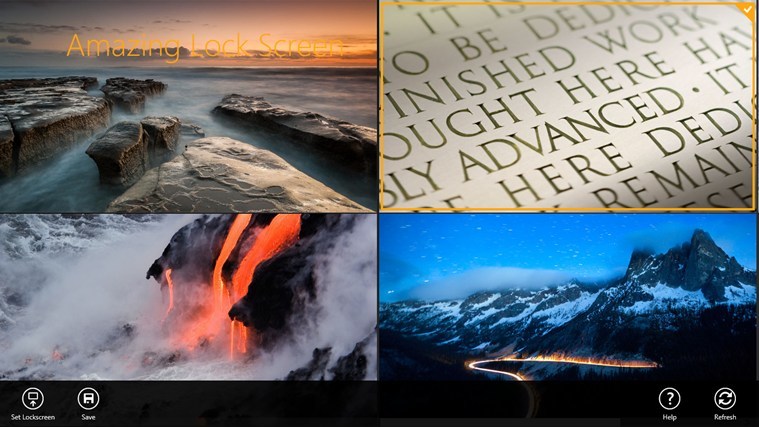
Customizing and personalizing your Windows 8 based device must imply, among other operations, in using amazing wallpapers. Well, finding the right images for your own taste might be difficult, especially if you are searching for the same manually.wallpapers windows 8
Now, with Amazing Lock Screen from Bing you can receive and manage various wallpapers, depending on the category (nature, cities, space and lot more) you prefer. The wallpapers can be easily downloaded on your Windows 8 device, while you can choose to set the images as your own personal background, or to save them in your gallery. All the available images are captured (or modified) in high definition and you will be able to set lock screen or desktop wallpapers since each picture can be managed depending on the action you want to complete.

Read Also: Viggle App for Windows 8 Rewards for Watching TV and Discovering Music

Amazing Lock Screen brings your own wallpapers database right on your Windows 8 device

The best is that the app offers various features that can be used with ease thanks to the intuitive user interface developed by Bing. Thus, you can download wallpapers on your own machine, you can choose to manually or automatically update the lockscreen to today’s image, you can share your favorite images with your friend through email or through social media and you can save the pictures on your device for modifying them afterwards.amazin lock screen windows 8

Amazing Lock Screen from Bing can be installed on Windows 8, Windows 8.1 and Windows RT based devices, whether we are talking about smartphones, tablets, laptops or desktops and can be downloaded for free from Windows Store.

In case you want to check similar apps on your Windows 8 device, don’t hesitate and check our recent reviews where we have described the best Windows 8 Wallpapers apps that are currently available on Windows Store – most of the tools are free distributed so you can safely test the same.

Download Amazing Lock Screen from Bing from Windows Store.

Microsoft’s multi-purpose stylus features an accelerometer, interacts with cameras, speakers, and more

Microsoft's multi-purpose stylus features an accelerometer, interacts with cameras, speakers, and more

A stylus is a writing utensil that is used to assist a user in navigating in a touch environment along with providing finer precision on a touch screen, especially when drawing. Take the Surface Pro 3 for example. It features a stylus that lets you utilize OneNote to take notes without typing and the ability to showcase your artistic skills in your favorite app like Fresh Paint or Photoshop.

But what if your stylus can do more? What if you could control your camera with your stylus? What if you could control the playback of audio directly on your stylus and have the ability to record and store audio notes too? What if you could answer your smartphone with your stylus?

According to a new patent filing, which we uncovered today, Microsoft is looking to make a multi-purpose stylus that does more than just provide input to a computing device. Microsoft is looking to add several new capabilities into a stylus, such as support for microphones, speakers, cameras, and more. On top of that, the multi-purpose stylus can also feature an accelerometer, laser pointer, color sensor, and more. Microsoft wants this multi-purpose stylus to act as both a physical input instrument and a remote wireless instrument using a variety of auxiliary devices.

“In particular, embodiments of the stylus and method allow a user to input data to a computing device by physically contacting a touchscreen surface of the computing device while also using the stylus as a platform for auxiliary devices incorporated into the stylus. Currently, styli are designed to interact only with the display. However, the size, shape, and detachability of a stylus make it a useful platform for hosting other functionality and auxiliary devices. This allows embodiments of the stylus and method to interact with multiple devices,” the patent filing states.

“A multi-purpose stylus and method for communicating and interacting with a computing device both through physical contact and wirelessly”

The multi-purpose stylus can also feature a laser pointer, a camera (although it would most likely be a low resolution camera), and a color sensor. In fact, you could even use gestures on the multi-purpose stylus to enter a password and get authenticated.

“Embodiments of the multi-purpose stylus may also include a laser pointer and a camera. This facilitates the use of the laser pointer to point out a specific detail and the camera to take a picture or video. This allows real-time demonstration and explanations using embodiments of the stylus. Embodiments of the stylus and method also may include color sensor that provides color coordinates of a color sample. This allows a user to obtain a color match and to compare colors on materials,” the patent filing reveals.

Microsoft is also pitching the idea of having a transceiver in the stylus for communicating wirelessly with other devices. A tactile feedback device can also be incorporated into the stylus, allowing vibration to alert the user to pending notifications. Best of all, what if the stylus could store data — even audio data from the microphone?

You could even charge the stylus by plugging in the stylus into its docking cradle thanks to the charging contacts on the stylus.

These are all hypothetical scenarios that Microsoft is pitching in this patent filing. There is no telling if or when Microsoft will follow though with this idea, but it sure as heck sounds cool. The company has already taken the first step towards a multi-purpose stylus with the Surface Pen. This particular stylus allows you to click the top of the pen to activate OneNote on a Surface Pro 3, allowing one to quickly take notes. Now imagine having other cool functionality with that stylus!

How would you feel about using a multi-purpose stylus in your everyday activities?

Reserve Parking in Advance with Parking Panda App for Windows 8

Finding parking spots can be quite frustrating, especially on a busy day or on a rush hour, whether we are talking about crowded city or about a peripheral area. Furthermore, finding or reserving a parking space in advance is a must when you are traveling in other countries or in places that are not familiar for you.parking panda windows 8
Well, now you can manage these things easier as there is a dedicated Windows 8 app to use in that matter. So, with Parking Panda you will be able to reserve a parking spot in advance right from your desktop, laptop, or in real time by using your tablet or smartphone. Using this software is easy as you will get all the info needed within a few seconds on an intuitive user interface. Anyway, for further details, don’t hesitate and read the small review from below.

Read Also: Microsoft Studios Releases ‘Secrets And Treasure: The Lost Cities’ Puzzle Game for Windows 8

Parking Panda: reserve a parking spot in more than 40 cities

Parking Panda is an awarded Windows 8 tool and great and highly appreciated software by almost all the users who have tested it. As mentioned, the tool can run on desktop and laptops and also on portable devices, which means that you can have a parking service that can be used in real time, right on your pocket. That’s great especially if you want to have access in crowded places or if you want to take your family in a trip where you don’t know if you will be able to find parking spots at the right time.reserve parking

Reserve parking in advance comes with other advantages such as discounts (you can save up to 70% from the full price) for several parking lots, garages or private spaces around various cities and locations. More than 40 cities are being included in Parking Panda, everything being at your disposal through an easy to use interface – for reserving a parking place you just have to search for the desired area, pick your favorite spot and tap on the “get parking” key.

Parking Panda is available for free on Windows Store, so you can anytime test this useful app on your Windows 8, Windows 8.1 and Windows RT device.

Download Parking Panda from Windows Store.

History Channel App Launched for Windows 8, Watch Full Episode and Clips

TV Shows and movies look awesome on Windows 8 tablets, and that’s why many have looked forward to the moment when History Channel would have released its official app. And now that moment has arrived.
history channel app windows 8
The History Channel app has been released for Windows 8, 8.1 and RT users and it lets you watch full episodes and clips of your favorite History series such as Pawn Stars, Vikings, American Pickers, Swamp People and many more. Right from your Windows 8 tablet or desktop device, it’s also possible to create a customized Watchlist of your favorite shows and see exclusive clips from shows, and even enjoy exclusive content.

Read Also: Aviary’s Photo Editor App for Windows 8 Comes with Plenty of Editing Features

Explore history topics on your Windows 8 tablet

However, at the moment, the app will work only for residents of the United States, but it’s possible that a future update will bring the content to more countries, as well.
history channel app for windows 8

Pawn Stars. Swamp People. American Pickers. Ax Men. Now you can watch your favorite HISTORY shows wherever and whenever you want, right on your Windows Device. The HISTORY app is a great new way to access full episodes and clips from all that HISTORY has to offer. New content is added all the time. PLEASE NOTE: HISTORY CONTENT IS ONLY AVAILABLE TO STREAM IN THE UNITED STATES.

Download History Channel app for Windows 8 

Microsoft announces private preview of Microsoft Interflow, a security and threat information exchange platform

Microsoft announced a private preview of Microsoft Interflow, a security and threat information exchange platform

​Microsoft, today, announced the private preview of Microsoft Interflow, a security and threat information exchange platform for professionals working in cybersecurity. It uses industry specifications to create an automated, machine-readable feed of security and threat information. This information can be used by the security professionals giving them the ability to respond to threads in a timely manner. 

By using Microsoft Interflow, analysts and researchers can also share this feed across industries and groups in real-time, hence cutting down the amount of time it usually takes to respond to potential threats.

“What the cybersecurity community will benefit from is a more productive way to collaborate and take action. It is encouraging to see Microsoft invest in such a platform, and drive it forward for the greater good of the community,” said Zheng Bu, VP of Security Research at FireEye, a company which aims to provides automated threat forensics and dynamic malware protection against advanced cyber threats, such as advanced persistent threats and spear phishing.

Inteflow also supports open specificationsSTIX (Structured Threat Information eXpression), TAXII (Trusted Automated eXchange of Indicator Information), and CybOX (Cyber Observable eXpression standards). It lets Interflow integrate with existing operational and analytical tools, avoiding proprietary data formats, appliances or subscriptions, all of which raise the cost of cybersecurity.

The company is testing Interflow internally, but organizations with their own dedicated security team can also now enquire about the private preview. To do that, they can contact the Technical Account Managers or by emailing [email protected]. Microsoft is also planning on making Interflow available to all members of MAPP (The Microsoft Active Protections Program (MAPP), which was established in 2008 to provide security software providers with early access to software vulnerability information. 

Aviary’s Photo Editor App for Windows 8 Comes with Plenty of Editing Features

Using your portable Windows 8 device as a high end camera is not something unusual, as nowadays almost all manufacturers are including powerful cameras on tablets, smartphones and even on laptops.windows 8 photo editor
So, you can anytime use your handset for shooting high res pictures and for capturing your special moments. Of course, you are probably interested in sharing these moments with your friends through social media platforms, so your pictures and images must be perfect in each aspect. Due to same reasons, in various moments you will feel that your pictures could use some improvements or some special effects, all these being features that can be offered by a photo editor tool.

Read Also: Pizza Hut Releases Official App for Windows 8 Users, Order Pizza from your Tablet

Well, if you are looking for the best photo editor app from Windows Store, you should check Aviary’s new Photo Editor software which promise to surprise you in a pleasant way.

Photo Editor: a great one-tap photo editor right on your pocket

Aviary’s Photo Editor app can be used with ease even by a newbie who is trying to adjust photos just for fun. Also, the tool comes with in-built features that can be used by users who need to modify images for marketing purpose or for work projects, everything right from their Windows 8 device.photo editor stickers

With Photo Editor you can adjust the brightness, contrast, and saturation, you can set great and amazing effects, you can draw or add text and you use different cosmetic tools (fix redeye, remove blemishes and whiten teeth). You will also get other capabilities to use when trying to modify and adjust images, every “project” being saved in the Pictures Library folder, located on your Windows 8 device.

After modifying a new image you can also share the same through various social media websites, or you can transfer the photo to another Windows 8 machine without any kind of problems. In that matter Aviary’s Photo Editor is compatible and can be installed on Windows 8, Windows 8.1 and Windows RT based devices. Also, the tool is available for free on Windows Store, so don’t hesitate and give it a try.

Download Aviary’s Photo Editor App from Windows Store.

Los Angeles City Council refurbishes and recycles 8,000 Windows XP computers after upgrade

Los Angeles City Council refurbishes and recycles 8,000 Windows XP computers after upgrade

Los Angeles City Council has refurbished and recycled a total of 8,000 Windows XP computers after completing an upgrade to Windows 7 systems. The upgrade, which took place in April, has rendered the Windows XP computers useless to the City but beneficial to nonprofit organizations. 

The plan to refurbish and recycle these old computers was proposed by City Councilman Bob Blumenfield, who determined it would be best to donate to nonprofit organizations serving disadvantaged communities. The City Council unanimously agreed with Blumenfield’s idea. Computers that could not be refurbished were recycled “responsibly” rather than sent to a landfill. More than half were able to be refurbished.

The program is also looking to leverage private sector donations so nonprofit organizations can continue to receive donated computers after the first 4,000 have been distributed. “This is an innovative solution that has involved multiple city agencies cooperating with one another,” Blumenfield said. “By thinking about the entire life cycle of our electronic devices, we can make strides in bridging the digital divide, benefit underserved communities and reduce our e-waste footprint.”

Thanks for sending this in, anon!

Microsoft wants to make it easier to select and activate objects in a GUI using the Kinect

Microsoft wants to make it easier to select and activate objects in a GUI using the Kinect

How many of you have tried to use the Kinect sensor to maneuver around your Xbox One home screen and found it to be a bit frustrating? It can be difficult to select and activate objects in a graphical user interface (GUI) using a natural user input, such as the Kinect. According to Microsoft, users tend to naturally be inclined to perform a pressing gesture to select and activate an object on-screen. Sometimes this will cause the wrong object to be selected and pressed. Microsoft, which we discovered in a patent filing today, wants to improve this.

Microsoft suggests that the Kinect sensor be utilized to model the user via the Kinect’s depth camera. Once this process is complete, the cursor on the GUI will move based on the position of a joint of the virtual skeleton created by the Kinect sensor. In other words, the user’s physical movements can be interpreted as controls and can be used to operate a cursor. The user can also select and activate information presented in a pressable user interface.

“A cursor in a user interface is moved based on the position of a joint of the virtual skeleton. The user interface includes an object pressable in a pressing mode but not in a targeting mode. If a cursor position engages the object, and all immediately-previous cursor positions within a mode-testing period are located within a timing boundary centered around the cursor position, operation transitions to the pressing mode. If a cursor position engages the object but one or more immediately-previous cursor positions within the mode-testing period are located outside of the timing boundary, operation continues in the targeting mode,” the patent application explains.

The pressing gesture may get the job done, especially on the Xbox One with a Kinect, but it isn’t always accurate and can sometimes be frustrating. We’ve embedded a video below showcasing how gesture controls are used on the Xbox One using the Kinect. Hopefully Microsoft follows through with this idea, which will allow Xbox One owners the ability to better control an on-screen cursor using the Kinect sensor.

Microsoft adds Bing Knowledge Widget feature directly into Bing Webmaster Tools

Microsoft adds Bing Knowledge Widget feature directly into Bing Webmaster Tools

Bing Webmaster Tools is a fantastic resource used by web developers to monitor their site’s listing in the Bing search engine, among other valuable tools that are readily available. Now, Microsoft has integrated a new feature into Webmaster Tools, making the service just a tad bit better.

“By adding the Bing Knowledge Widget feature directly into Webmaster Tools we are making it a lot easier for Webmasters to add Bing Knowledge Widget to their sites and keep users engaged within the context of their pages. With settings stored in the cloud, tuning and customizing Bing Knowledge widget to work best with your site has become even easier. By using the new Interactive only option, you can now benefit from Bing Knowledge without it ever getting in the way of your own content,” Microsoft stated in an official blog post.

Microsoft is now empowering every webmaster to use the entity data from the Bing Knowledge repository. The Knowledge Widget, for those that did not know, is a JavaScript-based widget for webmasters that detects and visualizes entities on the webpage and displays rich information about the entity.

“It provides your visitors with quick access to relevant information about the entities on the page, and keeps them engaged, entertained, and informed within the context of your webpage. A visitor to your site need simply hover over the objects you’ve selected in the backend to see the widget come to life along the right-hand side of the screen, showcasing content related to each entity, directly from Bing’s knowledge repository,” Microsoft explained.

If you utilize Bing Webmaster Tools, head over to the VIA link below to read more about this cool feature.

Windows 9 is in trouble, Microsoft to make drastic changes to its plans?

Windows 9

The Chinese Government infamously announced recently that they have banned the use of Windows 8 and Windows 8.1 on Government PC’s due to the cloud/Modern UI integration. While it may not sound like a big deal on the surface, Microsoft are currently panicking regarding the whole ordeal, and are currently reconsidering a number of plans with Windows 9.

We reported on the issue yesterday, but have since found more information regarding the matter. Since the announcement, Microsoft has already made drastic changes to the way employees at Microsoft access test builds. Instead of the builds being freely accessible via Microsoft CorpNet, an employee is required to request a new build which is personally assigned to them, this change will attempt to minimize leaks dramatically.

These changes are in effect in China and Russia too, after the announcement of the ban Microsoft has limited test build distribution for employees at Microsoft China and some in Microsoft Russia. This means Microsoft employees in China can’t even request new builds. Things aren’t looking too great right now at Microsoft headquarters.

This is all to do with the ban of Windows 8 and Windows 8.1 in China. It has knocked Microsoft off their feet, and they are currently considering changing their plans regarding Windows 9. So far, the rumors claim that the ban has already put the original release date of Windows 9 in jeopardy, and Microsoft could be planning to make even more drastic changes to one of its SKU’s.

Mary Jo Foley has proclaimed that Microsoft will release Windows 9 in three different variants, a normal traditional SKU, a touch based SKU and an Enterprise Edition SKU. We don’t know much about the first two SKU’s, but rumors are claiming that the Enterprise Edition of Windows 9 will be the one that is hit with Microsoft’s drastic decision making the most.

According to WZOR, Windows 9 Enterprise Edition could potentially see the removal of cloud-based integration within the operating system, along with the ability to completely disable the Modern UI 2.0.

So it’s all very doom and gloom with the Windows 9 development cycle right now, hopefully Microsoft will officially announce something soon. Until then, we ask you to take what you’ve read here with a grain of salt considering this is a massive rumor and could definitely be false.

In other news, Windows 8.1 Update 2 is set to hit RTM Escrow next week, meaning the update is almost finished. The update was originally set to include the Start Menu, but has been rumored to have been held back for Windows 9, probably due to the whole ban fiasco in China. One of the members at WZOR claim to have seen a build of Windows 8.1 Update 2, and claim it has a very ‘interesting’ start button.

Hotel Tonight App Launches for Windows 8, Find the Best Deals on Hotels

If you are looking for last minute deals on great hotels, then you need to check out the recently released Hotel Tonight app for Windows 8 which looks just awesome on your Windows 8 tablet.
hotel tonight app for windows 8Being previously available for Android and iOS users, Hotel Tonight has now launched for owners of Windows 8 devices, and also for those who still have faith in Windows RT. The application comes with a size of less than 8 MB, is free to download, and will work also on your Windows Phone device, since this is an universal release. Hurry and download it in order to make use of its exclusive offer where you get $40 off your first booking with the promo code: WINTONIGHT.

Read Also: 1Password Desktop App for Windows 8 Gets a Huge Update You need to Check out

Hotel Tonight for Windows 8 lets you find the best rates on hotel nights

At the moment, the app is available in English, German, Spanish, French and Italian languages but it can be used in other countries than those where these languages are spoken, as I was able to download and use it without any problems in my country, Romania. Just like Booking.com for Windows 8, Hotel Tonight comes with some awesome features, like the following:
hotel tonight app windows 8

Stellar last minute prices
Book stays of up to 5 nights
Ever-growing list of cities and countries
Curated selection of hotels to make your choice easy
Top-rated hotels: we only work with places where we’d want to stay, too
Super easy to book a room (book in 10 seconds – just 3 taps and a swipe!)
Book from 9am until 2am, every day
24/7 customer support (with real, live, nice people)
See ratings from fellow bookers
Best rate guarantee

So, if you plan on looking for an affordable hotel stay, go ahead and follow the link from below. As for me, I’ll keep waiting for AirBnb to release their official Windows 8 app, which would look awesome on my Windows 8 tablet, no doubt about that!

Download Hotel Tonight app for Windows 8 

Fun game Skateboard Party 2 Lite arrives in the Windows Store, available for free

Fun game Skateboard Party 2 Lite Arrives on Windows Store, available for free

Game publisher Ratrod Studio has launched the lite version of its popular title Skateboard Party 2 in the Windows Store. Unlike the regular version, the Skateboard Party 2 Lite is available for free.

Skateboard Party 2 Lite is an action packed skateboarding game with gorgeous graphics. The players are offered several unique locations — including a trailer park, shopping mall, ski resort etc, with the ability to customize boards, and several other objects. You can actually pick your favorite rider as well.

You can play against the computer, as well as friends or just go online and compete with people from all over the internet. The game supports Xbox game controllers and brings several unique tricks with hundreds of new combinations. For your listening pleasure, the game showcases extended soundtracks from Voice of Addiction, Sink Alaska, We Outspoken, and several other bands.

It is also available for Windows Phone 8, in case you prefer a smaller screen.