
9 Best Tune-up Utilities for Windows 10/11 [Still Worth It in 2026]


 8 min. read
  Updated on

Looking for the best tuneup software for Windows 10 and 11? These tools can clean junk files, repair system errors, and boost your computer’s speed in just a few clicks. Below, we break down the top PC tune-up software options available today.
What is the best tune-up software for Windows 10 and 11?
Table of contents
- What is the best tune-up software for Windows 10 and 11?
- 1. Fortect – Best for repairing damaged system files
- 2. IObit Advanced SystemCare – Smart maintenance solution with real-time optimization
- 3. Ashampoo WinOptimizer – Versatile tuneup tool with privacy and performance tweaks
- 4. Glary Utilities Pro – Comprehensive tune-up tool for junk removal and repairs
- 5. AVG TuneUp – Performance tune-up software with automatic maintenance features
- 6. CCleaner – Efficient PC tune-up tool for cleaning and updates
- 7. Norton Utilities – Powerful tune-up software boosting PC speed and stability
- 8. Tweaking Windows Repair – Most computer tune-up tools included
- 9. Iolo System Mechanic Ultimate Defense – Complete tune-up features
- FAQs
- Wrapping up
1. Fortect – Best for repairing damaged system files
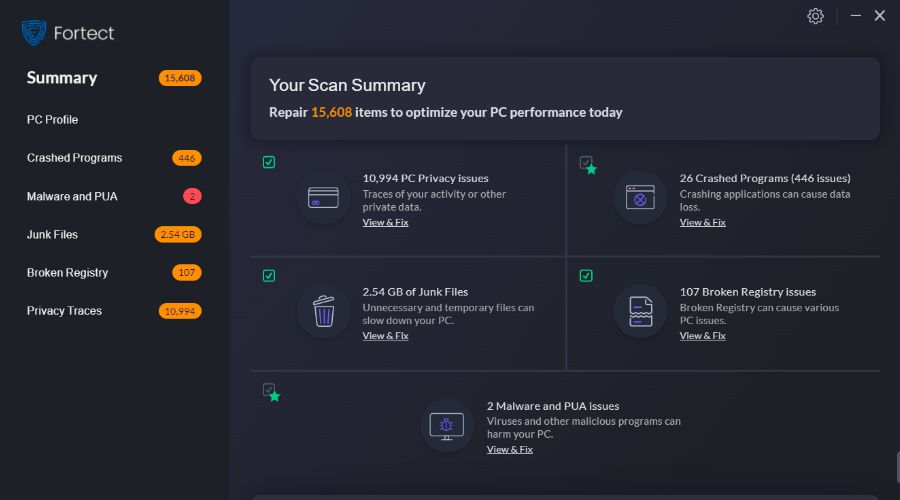
Fortect stands out as a system repair and tune-up utility that focuses heavily on restoring your Windows to peak condition.
Rather than just cleaning up junk, it goes deeper, replacing corrupted or missing Windows system files with clean, up-to-date ones from a secure database.
It’s an ideal choice if your PC has been acting up due to crashes, freezes, or even malware damage.Fortect can fully tune up a sluggish or error-prone PC.
Check out Fortect’s best features:
- Detects and replaces damaged or corrupted Windows system files
- Fixes issues caused by unstable programs and faulty Windows updates
- Frees up storage by removing junk files and browser cache
- Repairs damage caused by malware without affecting personal files
- Stabilizes your system to prevent crashes and freezes

Fortect
Say goodbye to crashes, freezes, and slowdowns. Repair Windows damage at its core so your system runs like new!2. IObit Advanced SystemCare – Smart maintenance solution with real-time optimization

IObit Advanced SystemCare is a tool specialized in system care and maintenance. It finds all problems your system might have and solves them, so you can run at peak performance.
With AI that learns from your optimization habits, you can create a personalized plan to scan for and remove tons of junk files, unnecessary logs and files, leftovers from uninstalled apps, and more.
The perks of using IObit are:
- Junk files cleanup in Dropbox, Steam, Java, Adobe Photoshop Lightroom, Spotify, and MS OneDrive
- Optimize startup programs to reduce boot time up to nearly 50%
- 30+ troubleshooter to defragment, clean junk files, leftovers, etc
- Security vulnerability fixer with included internet speed booster
- One-click update all outdated software on your computer
- Real-time tune-up for maintaining peak performance
IObit Advanced System Care
Your maintenance buddy will always keep your system clean and fast.3. Ashampoo WinOptimizer – Versatile tuneup tool with privacy and performance tweaks

Don’t let time slow down your system and use special software to tweak it regularly. Proper and thorough cleaning and optimization are required for running at the highest performance.
Ashampoo also includes great features like a Process Manager, Uninstall Manager, Incon saver, Restore Manager, and many others to improve the speed of your PC.
Also, using Ashampoo WinOptimizer provides the following perks:
- Thorough in-depth cleaning of system critical areas
- Find and remove older versions of Windows, updates, and system caches
- Convenient cookie manager for “safe” cookies
- Up to 3 PCs to be optimized at all times
- Improved overview and easier handling in link checker and context menu manager
- Up to 75% faster cleaners
Ashampoo WinOptimizer
A great PC cleaner and tune-up tool to keep your system clean and in top condition.4. Glary Utilities Pro – Comprehensive tune-up tool for junk removal and repairs

Glary Utilities Pro boasts an entire suite of PC-enhancing tools, and it offers your heavily used computer another shot at a new life.
The utility leverages a collection of more than 20 tools to kick all kinds of problems that have been bugging your system.
Take a look at the most impressive features that you will get with this utility:
- Downloads and installs effortlessly and quickly
- Registry repair, disk cleanup, and also junk-file removal tools
- It comes with automatic software updates and the ability to schedule tune-up times
- Backup and restore functionality
5. AVG TuneUp – Performance tune-up software with automatic maintenance features
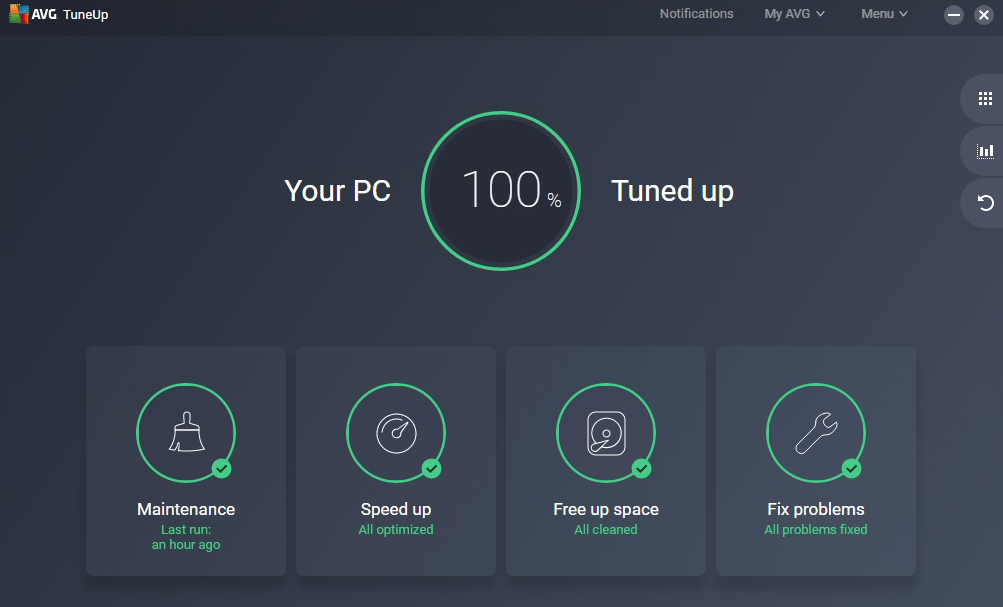
AVG TuneUp makes sure to improve your computer’s performance by digging deep into the system to perform all kinds of processes including removing junk files, uninstalling unneeded programs, and also defragging your hard drive.
You can also install this tune-up tool on as many devices as you please.
Check out the best features that are included in AVG TuneUp:
- The tool is able to update outdated software
- AVG TuneUp also speeds up your PC’s performance
- The utility frees up disk space and also fixes Windows crashes
- It will provide your system with extended battery life
- AVG TuneUp will make older PCs live longer, and it will help new PCs run much faster
- It removes unwanted files that have been accumulating over the years in your system
6. CCleaner – Efficient PC tune-up tool for cleaning and updates
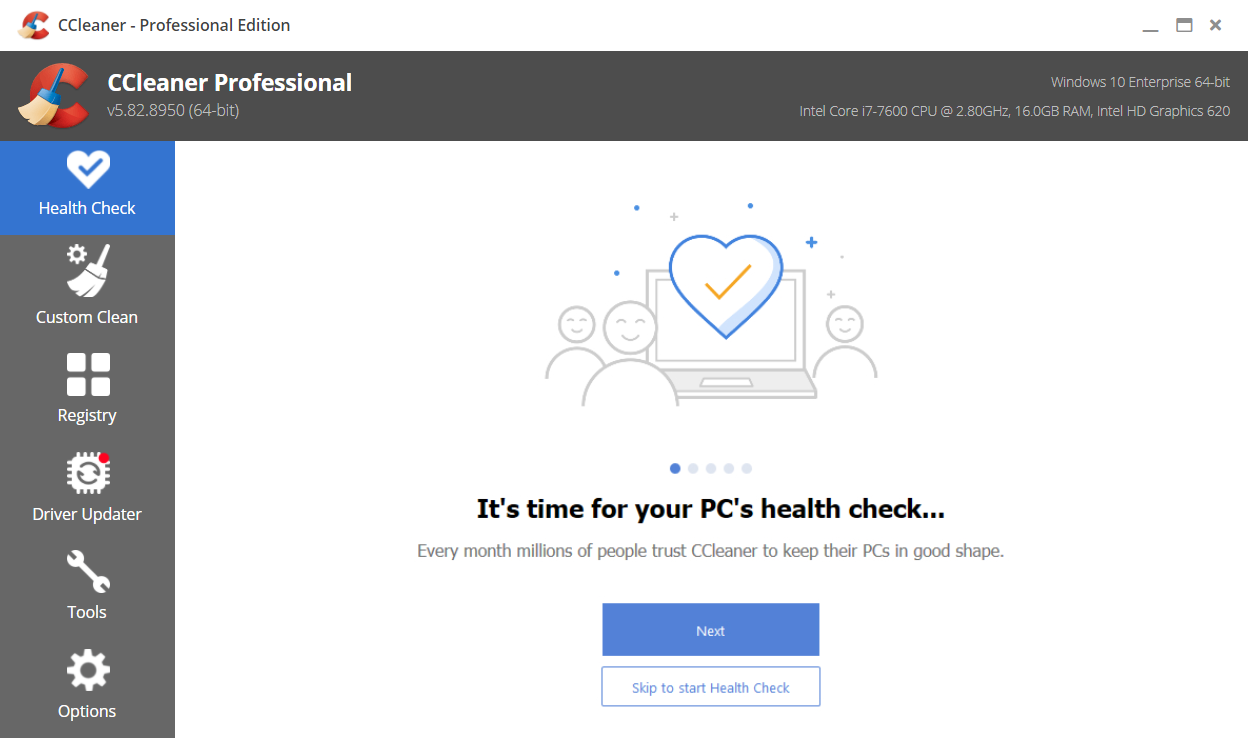
CCleaner is one of the best PC cleaners out there. With features that do thorough searches on your computer, it knows exactly what can be cleaned or not.
Over time, your computer collects unused files, settings, and resource-hogging applications which can make it slower and slower. A good scan will take care of all these issues in no time
This software also offers a safer browsing session. Privacy is enhanced by clearing cookies and scripts left on websites in real-time.
The key features of CCleaner are:
- Performance Optimizer
- Driver Updater
- 1-Click Updates All Your Software
- Fewer Errors & Crashes
- Quicker Startup
- File Recovery
- Priority Support
Overall it makes your computer faster and safer. It will delete all unnecessary files and all plugins or scripts that can invade your privacy.
7. Norton Utilities – Powerful tune-up software boosting PC speed and stability

Norton Utilities is a useful tune-up tool that will improve your PC’s performance.
This utility is supports all versions of Windows and includes a full suite of features that help speed up, secure, and optimize your PC.
Check out the most important features that are included in this utility below:
- Registry cleaner
- Disk defragger
- Startup manager
- File recovery
- File shredder
- Duplicate file finder
- Repair drives
- Uninstaller tools

Norton Utilities
Fix system errors and speed up your PC with Norton Utilities!8. Tweaking Windows Repair– Most computer tune-up tools included

Windows repair tools come in all shapes and sizes, from intricate and heavy OS boosters to lightweight utilities that provide you with just the basics, which most of the time are more than enough.
Well, Tweaking Windows Repair falls in the latter category, and while it may look a bit dated, it does more than a good enough job to warrant a place on our list.
That being said, Tweaking windows repair comes with everything you may expect from such a tool, including:
- Error troubleshooters
- Registry cleaners
- RAM optimizers
- CPU boosters

Tweaking.com
Fix stubborn errors and optimize your PC fast with Tweaking Windows Repair!9. Iolo System Mechanic Ultimate Defense – Complete tune-up features
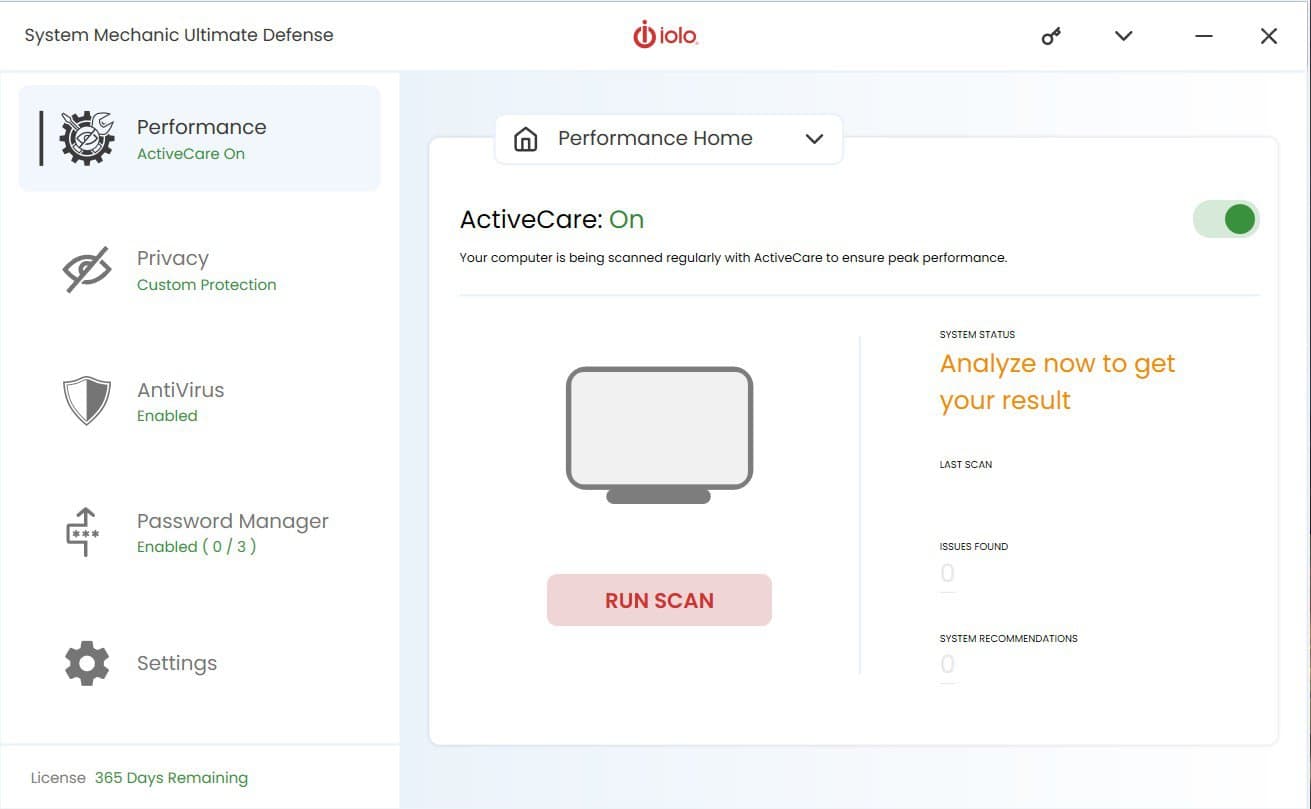
If your PC is not booting or if it’s loading apps at a slower pace, we recommend you download System Mechanic Ultimate Defense.
It can defrag your hard drive, repair registry, and reduce CPU and RAM usage in real-time.
Take a look at the most important features that come with this tool:
- The Privacy Shield suite that prevents data collection
- Removes the useless file from your system
- LiveBoost unlocks more CPU and RAM to enhance your system’s performance
- ActiveCare offers real-time system analysis and repair

System Mechanic Ultimate Defense
Iolo System Mechanic Ultimate Defense is a great tool if you want to boost your PC’s speed. Give it a try today!FAQs
It scans for junk, broken registries, bloated startup programs, and other issues that slow down your computer.
Yes. They can boost performance by cleaning unused data, disabling unnecessary apps, and fixing hidden errors.
Free tools offer basic cleaning, but paid options usually unlock deep cleaning, repair, and auto-maintenance.
No. They target system files and cached junk, not documents or photos.
Wrapping up
hoosing the best tuneup software for Windows 10 and 11 will help with deep cleaning, registry fixing, or repairing system files. A solid PC tune up software can help you speed up, optimize, and maintain long-term performance across all types of devices.
For a closer look at other expert-tested tools, explore our curated list of the best Windows 10 optimizer software and PC maintenance software.

Read our disclosure page to find out how can you help Windows Report sustain the editorial team. Read more



Improve this guide
User forum
2 messages