
How to See Chunks in Minecraft Java and Bedrock


 3 min. read
  Updated on
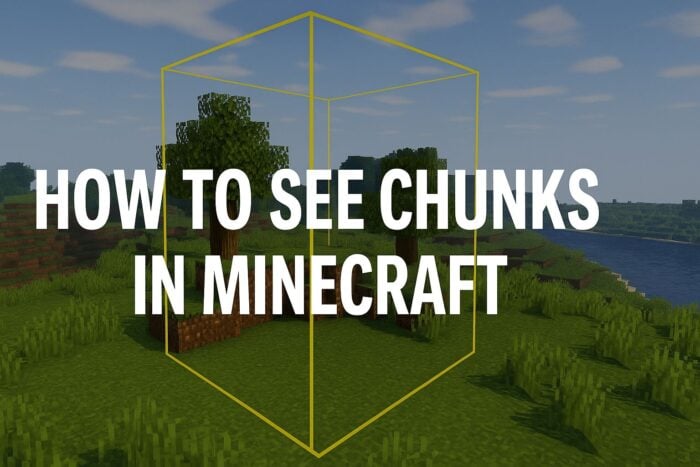
If you have ever wondered how Minecraft divides its world, the answer lies in chunks. This guide will help you learn different ways to see chunks so you can build smarter and avoid common mistakes.
Table of contents
How to View Chunks in Minecraft?
1. Use the Debug Screen (Java Edition)
The debug screen is the quickest way to view chunk details.
- Press F3 on your keyboard.
- Look for the XYZ line showing your coordinates.
- Find the chunk info in the left panel with values like Chunk: 2 5 10.
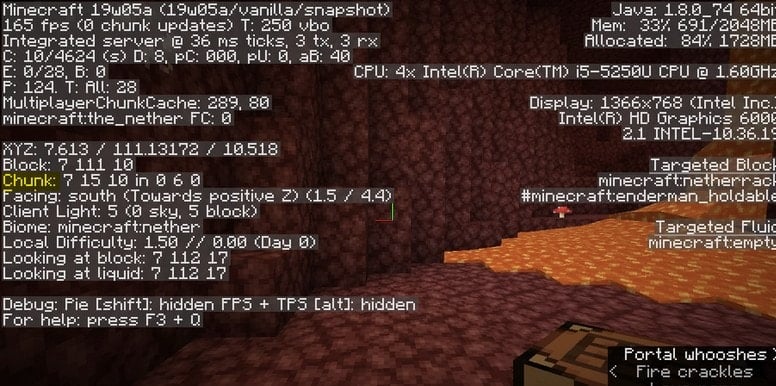
- This method requires no extra downloads and works instantly.
If you are planning bigger builds, you may also find it helpful to learn how to make a map in Minecraft.
2. Turn on Chunk Borders
Borders make it easy to see chunk edges visually.
- Hold F3 + G to toggle chunk borders.

- Yellow lines outline each chunk (16×16 blocks).
- Use this view when building farms or redstone machines.
As you expand your world, you might also want to check out how to breed horses in Minecraft to grow your stables.
3. Install a Resource Pack or Mod
Mods and packs can add clearer chunk visuals.
- Download trusted packs or mods from CurseForge or Modrinth.
- Look for features that highlight chunk edges with grids.
- Popular choices include MiniHUD and Xaero’s Minimap.
- Enable them in game to overlay chunk borders.
This method is useful if you enjoy customizing your world with add ons or skins. For example, here is a guide on how to change skin in Minecraft.
If you want to go further with mods, check out our step by step guide on how to install Minecraft mods to expand your world with new features and tools.
4. Use Commands in Bedrock Edition
Bedrock has no F3 menu, but commands can help.
- Enter the following in chat
/tickingarea add circle ~ ~ ~ 4 - This marks a chunk like region called a ticking area.
- Remove it with when finished with this command:
/tickingarea remove
Why Seeing Chunks Matters
Understanding chunks helps with farm efficiency, mob spawning, and redstone builds. By aligning structures to chunk borders, you avoid lag and wasted resources.
Once you know how chunks work, you can try more creative projects like crafting new blocks. Learn step by step how to make mud in Minecraft and use it for rustic builds or decorative paths.
After mastering chunk layouts, explore the Minecraft brewing stand recipe guide to craft potions that improve exploration and boost survival efficiency within your chunk-based builds.
FAQs
A chunk measures 16×16 blocks horizontally and extends from the bottom to the build height.
Yes, but Bedrock handles ticking differently, which may affect farm designs.
Mob spawning, crop growth, and redstone rely on chunks being loaded properly.
Console editions do not have debug keys, but you can approximate chunk sizes by counting blocks or using in game coordinates.
Conclusion
Chunks are at the heart of Minecraft’s world system. Whether you use F3, mods, or commands, knowing how to see chunks gives you better control over farms, builds, and performance.

Read our disclosure page to find out how can you help Windows Report sustain the editorial team. Read more



Improve this guide


User forum
0 messages