
HiAnime Not Working? 4 Easy Fixes to Get It Running Again


 2 min. read
  Updated on
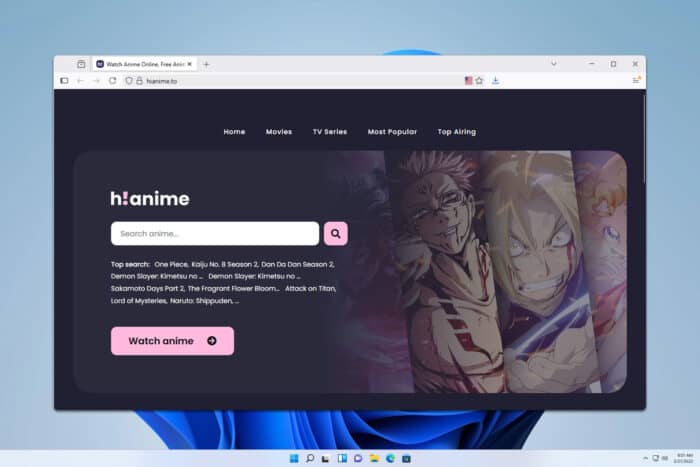
If HiAnime is not working on your device, don’t worry. This guide will walk you through simple fixes that can quickly solve buffering, playback errors, or loading issues.
How to fix HiAnime not working?
Table of contents
1. Clear browser cache and cookies
- Open your browser and go to Settings.
- Navigate to Privacy and security.
- Click Clear browsing data.

- Select cached files and cookies, then hit Clear.
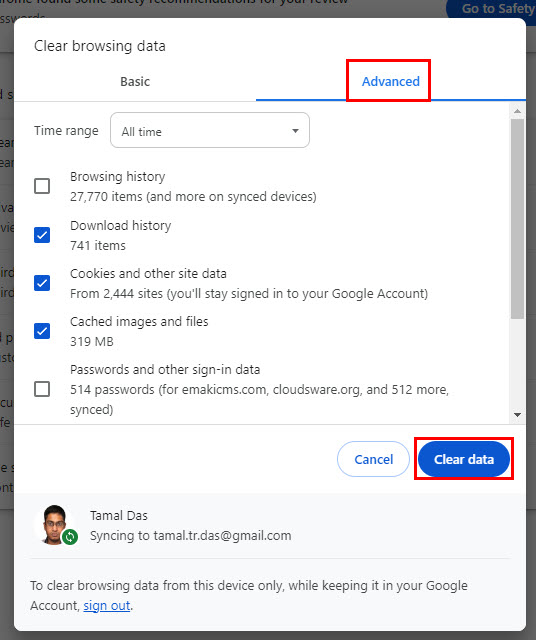
- Restart your browser and reload HiAnime.
If clearing cookies and cache does not fully solve the issue, you can follow a step-by-step walkthrough in our complete guide on 9anime not working to explore more fixes.
2. Update your browser
- Open Chrome and click the three-dot menu.
- Go to Help > About Google Chrome.

- Allow Chrome to check for updates.
- If available, install the update.
- Restart the browser.
3. Switch to another browser
- Close your current browser completely.
- Download Firefox, Edge, or another reliable browser.
- Install and launch the new browser.
- Open HiAnime and test if it loads.
- Compare stability across browsers.
4. Restart your router and change DNS
- Turn off your modem or router.
- Wait at least 30 seconds.
- Turn it back on.
- Go to Network settings > DNS configuration on your device.
- Change to Google DNS (8.8.8.8 / 8.8.4.4) or Cloudflare (1.1.1.1).

Common reasons why HiAnime stops working
- Corrupted browser cache or cookies
- Outdated Chrome or Firefox versions
- DNS or server-side failures
- Slow internet connection causing buffering
- Temporary downtime on HiAnime servers
FAQs
It usually happens due to a slow network or overloaded servers. Switching DNS or using a VPN can help stabilize connections.
Yes, but use an ad blocker and avoid pop-ups for safer browsing.
Yes. VPNs bypass regional restrictions and sometimes reduce buffering by rerouting traffic.
If HiAnime stops working, clearing cache, updating browsers, or changing DNS usually solves it. Some fixes are similar to solutions used for 9anime not working on Chrome or Funimation issues on Chrome. When buffering persists, strategies from the 9anime buffering guide can also be applied.
For similar fixes on Kemono, check this dedicated guide: Kemono not working.

Read our disclosure page to find out how can you help Windows Report sustain the editorial team. Read more



Improve this guide




User forum
0 messages