
My Family Cinema Not Accepting Payment: Quick Guide


 3 min. read
  Published on
If My Family Cinema is not accepting your payment method, the problem could be linked to your card, your account setup, or temporary system issues. The good news is there are several ways to fix it and get your subscription working again.
Table of contents
What can I do if My Family Cinema is not accepting my payment method?
1. Check and Update Your Payment Details
Start by making sure your payment information is correct and up to date.
- Make sure your card is valid and not expired
- Confirm you have sufficient funds
- Enable online and international payments in your banking app
- If using PayPal, ensure it is linked to a valid funding source
If the app is missing from your store, follow this guide on My Family Cinema not on Google Play.
2. Clear Cache and Disable Restrictions
Next, rule out technical glitches or region mismatches that may block payments.
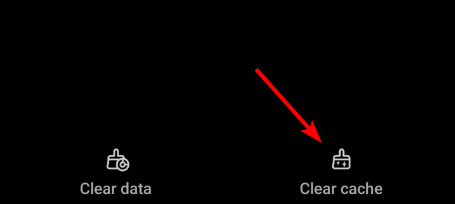
- On your device, go to Settings > Apps > My Family Cinema > Storage
- Tap Clear cache and Clear data
- If using a browser, delete cookies and cached files
- Disable VPN or proxy to avoid mismatched region errors
- Restart the app and retry payment
3. Fix Banking, Switch Methods, or Contact Support
If payments still fail, take these final steps to resolve the issue.
- Call your bank to allow international or recurring transactions
- Try a different card or PayPal to rule out provider issues
- If payments still fail, contact My Family Cinema support with the error details and card information (last four digits only)
For comparison, see how similar issues are solved with Hulu not accepting payment and Peacock not accepting payment.
FAQs
Most declines are caused by blocked international transactions, insufficient funds, or expired cards.
Yes, PayPal is supported and often more reliable if cards fail.
Yes, a VPN may trigger mismatched region errors. Turn it off and try again.
No, payment errors are usually temporary and can be fixed by updating details, switching methods, or contacting support.
Conclusion
Payment errors in My Family Cinema are frustrating but usually easy to fix. By updating your details, clearing cache, and trying alternate methods, you can often resolve the problem quickly.
If issues persist, contacting your bank or My Family Cinema support will ensure your subscription goes through without further delays.

Read our disclosure page to find out how can you help Windows Report sustain the editorial team. Read more



Improve this guide



User forum
0 messages